

When you assign a project three months for completion, it typically takes exactly three months to finish. However, allocate that same project for just six weeks, and teams almost always find a way to deliver high-quality results within that timeframe. This phenomenon is no coincidence, but a textbook demonstration of Parkinson’s Law in action.
The principle states that work naturally expands to fill the time available for its completion, turning a two-hour report into an all-day ordeal if the calendar allows it. This expansion isn’t merely about procrastination; it’s a psychological drift toward over-complexity and unnecessary revisions when constraints are absent. Without a firm boundary, even the simplest tasks can consume every available minute of your team’s bandwidth.
Achieving true efficiency requires more than just willpower. It demands a systematic shift in how you structure your daily operations. By implementing proven strategies and utilizing the right frameworks for accountability, you can stop time-filling habits before they start. Mastering these constraints is the key to transforming a sprawling workload into a streamlined engine of productivity.
Key takeaways
- Set tight deadlines to force focus: Give yourself half the time you think you need to prevent perfectionism and unnecessary complexity from taking over your projects.
- Use visual timelines to create accountability: Make progress visible to everyone so work can’t hide in expanded timelines and teams stay focused on moving assignments to completion.
- Define what “done” looks like before starting: Write specific completion criteria upfront to prevent endless revisions and scope creep during execution.
- Implement systematic workflow discipline: Use Gantt charts, automated deadline reminders, and tools like monday work management to replace individual willpower with structured organizational systems.
- Track cycle times to spot expansion patterns: Measure how long tasks actually take versus estimates to identify where work consistently stalls and optimize future planning.
What is Parkinson's Law?

Parkinson’s Law states that work expands to fill the time available for its completion. This principle, first observed by British naval historian Cyril Northcote Parkinson in 1955, reveals a fundamental truth about productivity: giving yourself eight hours to complete a two-hour assignment almost guarantees it will take the full eight hours.
The concept goes beyond simple procrastination. When you have excess time, you unconsciously add complexity, second-guess decisions, and create unnecessary steps. That report that should take two hours becomes an eight-hour project filled with endless revisions, formatting tweaks, and overthinking.
Once you understand how Parkinson’s Law works, you’ll spot work expansion the moment it starts and shut it down. This plays out in three distinct ways:
- Time allocation: The amount of time managers assign to tasks based on calendar availability rather than actual requirements.
- Task expansion: The tendency for work to grow in perceived complexity to match the allocated timeframe.
- Active work vs. procrastination: Unlike procrastination where work gets delayed, Parkinson’s Law involves continuous engagement at an artificially slowed pace.
The original definition and origin
Cyril Northcote Parkinson introduced this concept in a satirical essay for The Economist in 1955, later expanding it into the book Parkinson’s Law: The Pursuit of Progress. His observation centered on the British Civil Service, where he noticed employee numbers increased by nearly 6% annually even as the British Empire shrank and actual workload decreased.
Parkinson concluded that bureaucratic organizations generate work for themselves regardless of actual objectives. Officials create work through internal correspondence, approval chains, and supervision layers.
Parkinson started with government bureaucracy, but the same pattern shows up in every modern company. The principle holds true everywhere, from 1950s government offices to today’s tech companies: without strict constraints, systems drift toward complexity and waste.
How Parkinson’s Law impacts modern work
Digital tools have made work expansion worse in ways you might not expect. Remote and hybrid environments often blur the lines between actual productivity and perceived availability, with 40% of full- or part-time workers now reporting working fully or partly remotely. The “green dot” showing you’re online becomes more important than actual output, encouraging teams to stretch work throughout the standard eight-hour day.
Today’s workplaces deal with time expansion problems Parkinson never saw coming. Consider these common patterns:
- Meeting bloat: A 15-minute discussion gets scheduled for 30 or 60 minutes because calendar software defaults to these increments, causing conversations to loop and expand unnecessarily.
- Quarterly drift: Strategic initiatives assigned to a quarter languish for two months, then see frantic activity in the final weeks.
- Digital collaboration chaos: Instant messaging and always-on communication fragment focus, causing simple tasks to take longer through constant context switching.
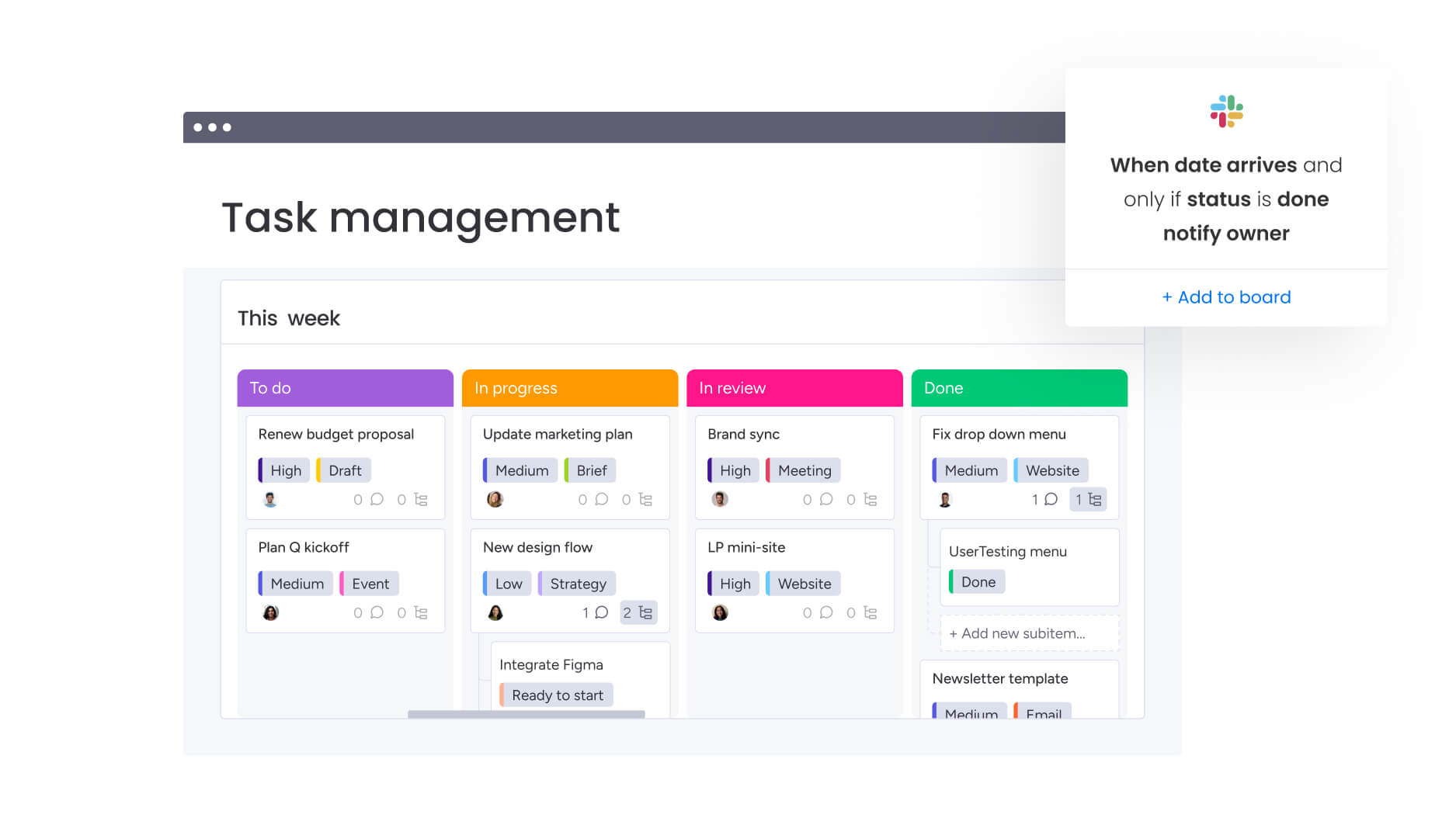
The principle holds true everywhere, from 1950s government offices to today’s tech companies: without strict constraints, systems drift toward complexity and waste.
Why work expands to fill the time available
Time expansion isn’t just about poor time management. The way the brain works, combined with how companies are structured, creates the perfect storm for work to sprawl way past what’s actually needed. By spotting these patterns, you can build systems that fight back against human’s natural drift toward inefficiency.
The psychology of task expansion
Your brain wants comfort and safety, which means it’ll find creative ways to stretch work as long as possible. Give yourself extra time, and your brain does a few predictable things:
- Perfectionism trap: Available time becomes permission to polish work beyond diminishing returns.
- Planning fallacy: You consistently underestimate future task requirements while overestimating your control over variables.
- Loss aversion: Finishing early feels risky because it might lead to more difficult assignments.
- Pareto principle misalignment: While 80% of value comes from 20% of effort (the Pareto principle), the remaining time gets spent on low-value details.
- Student syndrome: Generous deadlines signal low urgency, encouraging slow starts and frantic finishes.
Organizational habits that enable time waste
Company culture and policies often bake work expansion right into standard procedures, making inefficiency the norm. Over time, these habits fade into the background, and, as a result, teams accept them as just how things work instead of problems worth fixing.
Buffer time abuse stands out as a primary culprit. Project managers add safety buffers to manage risk, but teams treat these buffers as part of the core schedule.
Default meeting culture compounds the issue, with hour-long sessions becoming standard regardless of agenda complexity. Resource allocation models create perverse incentives through “use-it-or-lose-it” policies, encouraging departments to consume all allocated time and budget to justify future requests.
Therefore, without clear completion criteria, work continues indefinitely. Approval processes become circular, adding revision layers that expand timelines — a problem reflected in federal data showing only 56% of employees report that approval processes allow timely delivery of their work. The expectation of rapid response across multiple channels forces constant multitasking, increasing cognitive load and making simple activities take significantly longer.
Try monday work management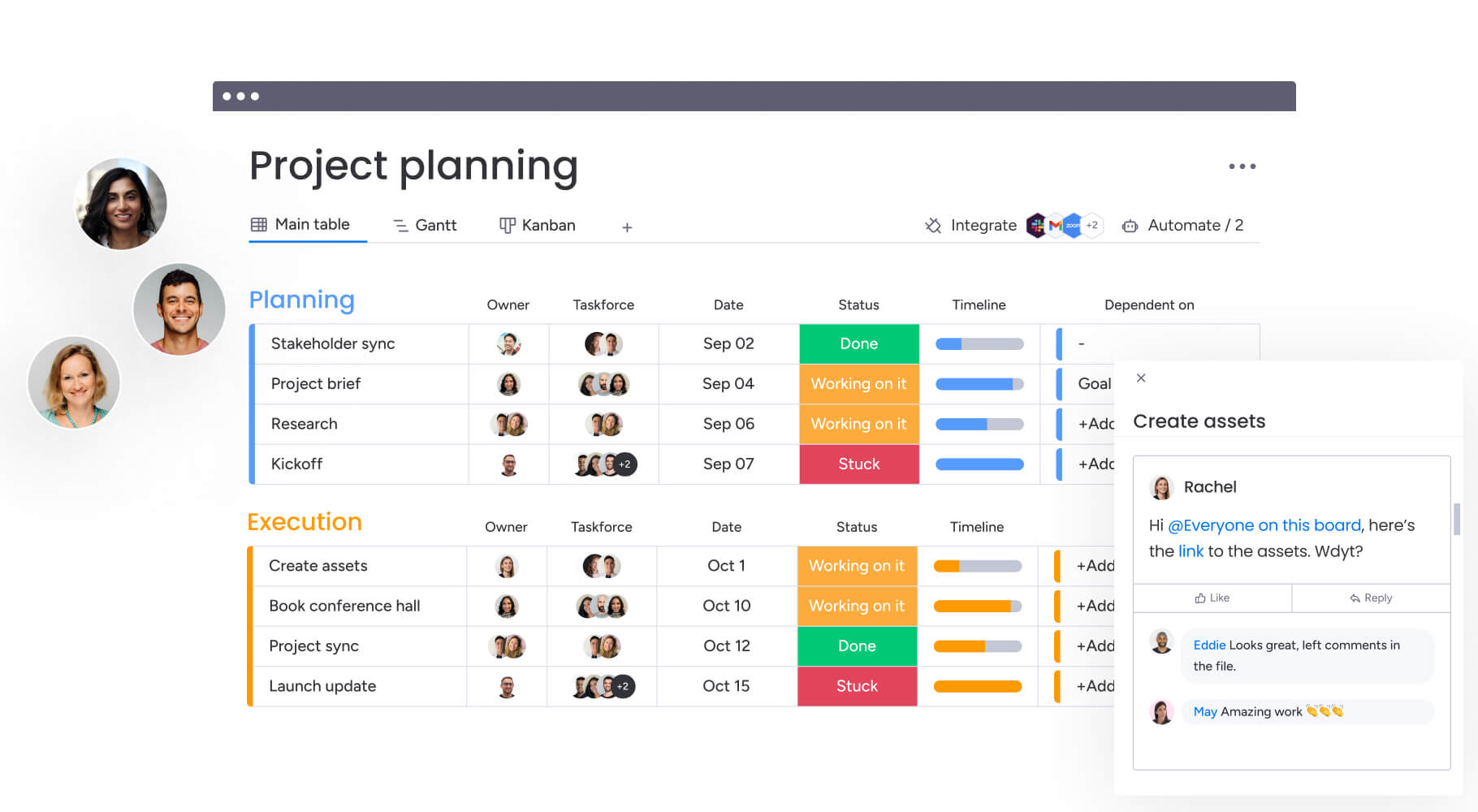
Common examples of Parkinson's Law in business
Spotting Parkinson’s Law in the wild is the first step to stopping it. These patterns show up everywhere including marketing, development, operations, leadership, affecting how teams work together and ship.
Project timeline creep
Projects tend to finish right on schedule, rarely ahead of it. In fact, they always seem to take exactly as long as you scheduled them for. Timeline creep happens two ways: stakeholders pile on new requirements when they see extra time, and teams polish things that don’t need polishing.
For instance, a software implementation scheduled for twelve months typically takes the full twelve months, even if core functionality could deploy in eight. The remaining four months get consumed by low-priority feature additions and extended testing phases.
Ultimately, milestone spacing dictates work pace, with intensity dropping immediately after deadlines only to spike as the next one approaches.
Meeting overload and calendar bloat
Meetings are where you’ll see Parkinson’s Law most clearly. Calendar invites determine how long meetings run, not what actually needs to get discussed. Consider these patterns:
- The 60-minute default: Weekly status updates with 15 minutes of new information stretch to fill the scheduled hour through pleasantries, reiteration, and circular debates.
- Meeting proliferation: One inefficient meeting spawns three more, including pre-meetings to prepare and post-meetings to clarify discussions.
- Calendar blocking: Back-to-back scheduling creates artificial pressure while paradoxically reducing efficiency through mental fatigue.
Cross-team dependency delays
Furthermore, handoffs between departments are where time expansion thrives. When tasks pass between teams, receiving groups often view deadlines as suggestions rather than constraints.
Teams frequently batch work to align with handoff deadlines, holding completed items until the last moment rather than releasing incrementally. Approval bottlenecks create dead time where waiting teams engage in low-value busy work to appear productive.
Marketing teams waiting for legal approval might spend days tweaking fonts and colors, work that adds no value but fills the void. Over time, these communication gaps become normalized, leading organizations to build excessive waiting periods into future project plans.
7 proven strategies to beat Parkinson's Law
Beating Parkinson’s Law takes a system, not just willpower. These strategies make you focus on what gets delivered, not how long it takes and that creates natural constraints that force efficiency. Each strategy targets a specific reason why work expands in the first place.
Step 1: Master strategic timeboxing
Timeboxing allocates fixed, non-negotiable periods to specific activities. Unlike open-ended schedules, timeboxes force you to stop when time runs out, which means you tackle the most important stuff first.
| Work type | Recommended timebox | Rationale |
|---|---|---|
| Creative work | 2-4 hours | Allows flow states without indefinite perfectionism |
| Administrative tasks | 30-60 minutes | Prevents email and reporting from consuming entire days |
| Collaborative sessions | 45-90 minutes | Maintains high energy and focus |
However, timeboxing only works if you actually enforce it. When the timer goes off, you stop with no exceptions.
If an assignment remains unfinished, the goal is to review the process for future optimization instead of simply granting more time. To support this, visual indicators of remaining time and automated status changes help teams respect these boundaries in real time.
Step 2: Set smarter deadlines that drive action
Smart deadlines function as genuine constraints rather than arbitrary dates. To implement these effectively, start with the “real” deadline — the moment the business actually requires the output — and work backward to determine the start date. By doing so, you effectively strip out unnecessary padding.
Effective deadline management distinguishes between three types:
- Hard deadlines: Non-negotiable dates tied to external events or critical dependencies.
- Soft deadlines: Internal targets designed to maintain momentum.
- Milestone deadlines: Frequent checkpoints breaking large projects into manageable sprints.
Make sure teams know why each deadline matters. Buffer management should occur at project level, protecting final delivery without padding individual assignment. This prevents student syndrome where early tasks consume all buffer time.
Step 3: Implement work-in-progress limits
Work-in-progress limits (WIP) restrict simultaneous active tasks, forcing teams to finish before starting new work. This “stop starting, start finishing” mentality reduces context switching and accelerates cycle times.
To set effective limits, look at your current capacity and set the cap just below that to keep work flowing. When activities get blocked, they don’t count toward WIP limits but get flagged visually.
This encourages teams to focus on unblocking current items rather than pulling in new work. Ultimately, shared WIP limits ensure that downstream teams are not overwhelmed by upstream output, preventing organizational bottlenecks.
Step 4: Define completion criteria before work begins
When goals are vague, Parkinson’s Law takes over. Without a clear definition of done, teams will keep refining forever. By setting specific completion criteria before work starts, you prevent scope creep and keep all stakeholders aligned.
Effective criteria take multiple forms:
- Deliverable-based: “Document must contain executive summary, methodology section, and three specific data visualizations”.
- Outcome-based: “Landing page must load in under two seconds and capture email addresses”.
- Time-based: “Research phase ends Friday at 5 PM, regardless of sources reviewed”.
Step 5: Create visual accountability systems
Visual management shows everyone where time goes and how work’s progressing, which creates natural accountability. When everyone can see project status, there’s nowhere for delayed work to hide.
Visual systems that drive accountability include:
- Kanban boards: Visualize workflow stages and highlight bottlenecks immediately.
- Gantt charts: Show work sequence and delay impacts on overall timeline.
- Dashboards: Provide real-time portfolio health views.
Moreover, progress indicators like completion percentages and status columns replace vague verbal updates. Daily standups around visual boards focus teams on moving items to completion rather than discussing general activity.
Teams using monday work management transform abstract dates into concrete visual timelines through Gantt capabilities, with dependencies mapped to show exactly how delays impact downstream colleagues.
Step 6: Automate away time-wasting tasks
Repetitive admin work is a major driver of time expansion. Automation cuts out manual work that tends to expand and fill whatever time you have.
Key automation opportunities include:
- Workflow automation: Automatically assign tasks, send status updates, and trigger approvals.
- Status change automation: Ensure work moves instantly to next stages upon completion.
- Deadline reminder automation: Nudge team members before assignments become critical.
Beyond just saving time, automation ensures consistency and reduces human error. Additionally, AI capabilities can now categorize incoming requests or summarize long threads, eliminating hours of low-value work. Organizations using monday work management use these built-in features to automate time discipline, preventing work from drifting unnoticed.
Step 7: Track and optimize cycle times
Measuring cycle times shows you exactly where Parkinson’s Law is sneaking in. Track how long assignments actually take from start to finish, and you’ll spot the expansion patterns.
Effective cycle time optimization involves three key activities:
- Measurement: Track actual duration against initial estimates.
- Pattern recognition: Identify phases where work consistently stalls.
- Continuous improvement: Use data to refine processes and set accurate future deadlines.
These strategies make you focus on what gets delivered, not how long it takes and that creates natural constraints that force efficiency. Each strategy targets a specific reason why work expands in the first place.
The science of setting effective time constraints
Research shows constraints actually boost creativity instead of killing it. When you understand how time pressure works, you can use it to drive results without burning people out or sacrificing quality. The trick, however, is knowing the difference between pressure that helps and stress that hurts.
Deadlines vs timeboxes: what actually works
People often confuse deadlines with timeboxes, but they actually impact the brain in very different ways. Consequently, each approach works best in specific contexts:
| Constraint type | Use case | Psychological effect | Limitation |
|---|---|---|---|
| Deadlines | Final deliverables requiring completion | Drives delivery but can induce anxiety | Creates U-shaped effort curve with slow starts |
| Timeboxes | Open-ended or creative work | Encourages iterative approach | Requires discipline to stop when time expires |
| Hybrid approach | Complex projects with multiple phases | Combines daily focus with delivery accountability | Requires more planning to implement |
The most effective teams use daily timeboxes within broader project deadlines, creating rhythm without sacrificing accountability.
How to calculate realistic project durations
When you estimate accurately, you effectively stop people from abusing buffers. To achieve this, three core approaches help teams set reality-based timelines:
- Bottom-up estimation: Breaks projects into smallest possible tasks, estimating each individually for more accurate totals.
- Reference class forecasting: Uses data from similar past projects to baseline current estimates, bypassing optimism bias.
- Strategic buffer placement: puts a single project buffer at timeline end, protecting delivery dates without giving individual activities permission to expand.
Using AI to prevent work from expanding
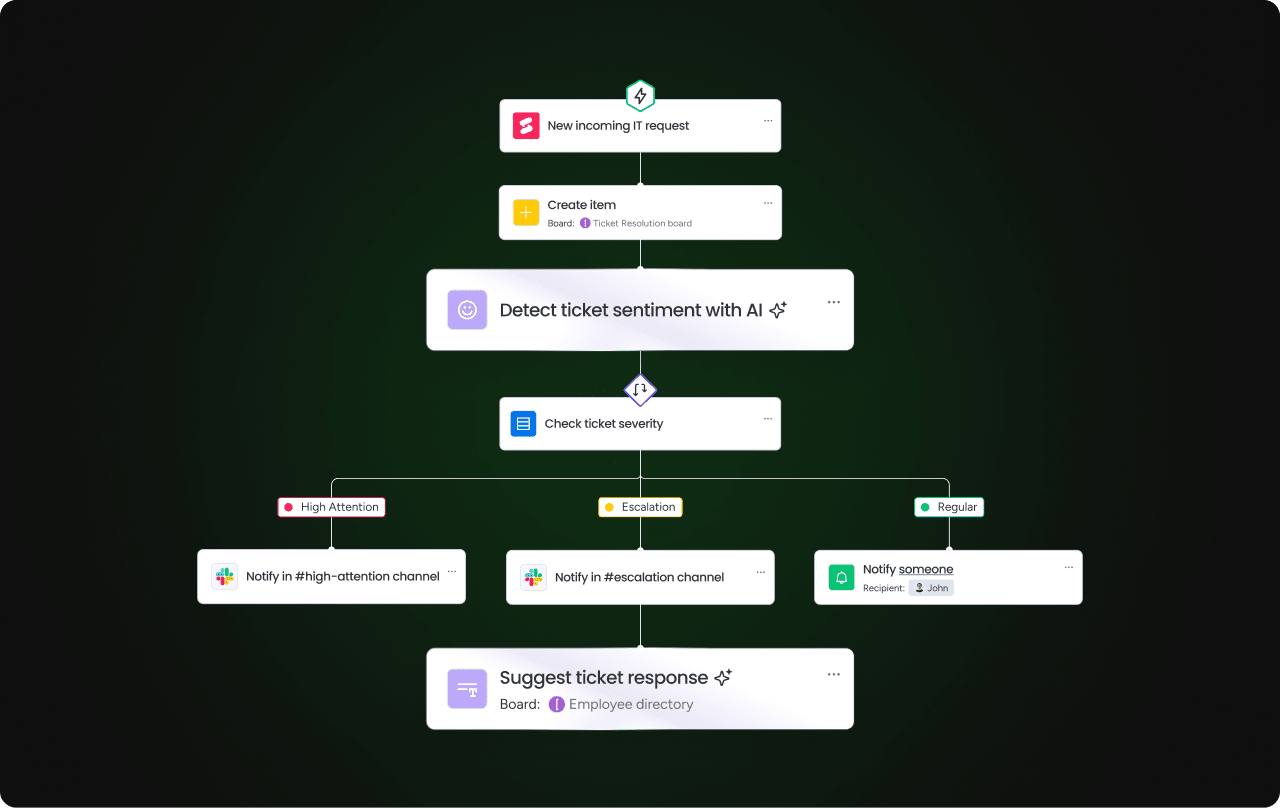
AI brings objective, data-backed discipline to how you manage workflows. It acts as a neutral judge of time and capacity, cutting through the biases that let work expand. This tech approach works alongside behavioral strategies by giving you real-time insights and automated nudges.
Automated workflow optimization
AI is particularly effective at spotting inefficiencies that often slip past human managers. For example, it can review past projects to flag assignments that consistently run long, suggesting more accurate time constraints for the future.
Furthermore, smart task routing assigns work based on individual skill sets and current speed, which prevents bottlenecks before they occur. In addition, predictive analytics can spot potential delays weeks in advance, allowing leaders to step in before timelines spiral out of control.
Organizations leveraging monday work management, for instance, use Portfolio Risk Insights to scan boards automatically and flag risks by severity, allowing for instant intervention.
AI-driven resource allocation
When you mismanage resources, time expansion follows. Underutilized teams stretch work to look busy. Overutilized teams burn out. AI balances the load by analyzing workloads in real time and suggesting better distribution.
Through dynamic reallocation, tasks can shift automatically as project scopes change, ensuring every team member works at optimal capacity. The resource management capabilities in monday work management let AI assign the right people to projects based on effort, level, availability, and skills, preventing artificial work expansion.
Building a visual management system for time discipline

Visual systems act like the nervous system for time discipline — they make time real and limited across your whole organization. These systems turn vague ideas like deadlines and capacity into concrete info that changes how people work right away.
Real-time progress tracking
Spreadsheets hide Parkinson’s Law. Real-time visuals drag it into the light. Visual progress indicators give instant feedback that pushes people to act.
Good visual tracking needs enough detail to show daily progress. For example, if tasks sit in “In Progress” for two weeks without movement, visual boards make stagnation obvious.
Automated notifications trigger when assignments spend too long in specific stages, prompting immediate intervention. Visual boards eliminate verbal status reporting during meetings, keeping discussions focused on removing blockers.
Portfolio-level time management
Executives need visibility across all projects, not just a few. Portfolio dashboards aggregate data showing cycle times, resource utilization, and deadline adherence across departments. This high-level view identifies systemic patterns of time expansion, such as departments that consistently pad timelines.
Organizations using monday work management gain big-picture visibility by pulling data from all projects into unified views. Trend analysis visualizes improvements over time, validating the impact of anti-Parkinson’s strategies.
Improve time management with monday work management

To fight Parkinson’s Law across your entire organization, monday work management gives you the necessary structure. The platform combines visual planning, automation, and AI to replace willpower with systematic discipline. This approach tackles time expansion everywhere, from individual tasks to company-wide resource planning.
Visual timeline and Gantt views for clear constraints
Gantt charts are essential because they transform abstract dates into concrete, visual timelines. By using these views, you can see dependencies clearly, which shows teams exactly how individual delays impact everyone downstream.
Milestone tracking chops long timelines into urgent sprints, so projects don’t drift halfway through. Resource timeline views show who’s working on what, preventing busy work that occurs when roles are ill-defined.
Automated workflows that enforce deadlines
The platform automates time discipline in several ways. For instance, automated deadline reminders nudge people before tasks hit critical status.
When assignments finish, automations move them to the next stage instantly — no handoff delays. Escalation rules ping leadership automatically when critical assignments stall, so you catch time expansion early.
Workload management to prevent overallocation
Workload View shows real-time heatmaps of who’s slammed and who has capacity. You can see at a glance who’s got bandwidth and who’s underwater.
This visibility lets you plan capacity based on real data instead of guesses, which stops work from expanding just because people don’t have urgent tasks.
AI-powered insights for time optimization
Moreover, monday AI adds predictive smarts to project management. Portfolio Risk Insights scan your projects and predict which ones will miss deadlines based on how fast they’re moving.
AI-powered resource allocation picks the best person for each task based on who’s available and who’s done it well before.
Comparison: monday work management vs. alternative approaches
Different platforms take different approaches to fighting time expansion. When it comes to enforcing time discipline and preventing Parkinson’s Law from taking over your projects, monday work management stacks up against traditional methods in several key ways.
| Feature/approach | monday work management | Spreadsheet tracking | Standalone project tools | Email-based coordination |
|---|---|---|---|---|
| Visual time constraints | Built-in Gantt charts and timeline views with real-time updates | Manual chart creation, static views | Limited visual options, often separate from execution | No visual timeline capabilities |
| Automated deadline enforcement | Customizable automations with AI integration | Manual reminders and follow-ups | Basic notification systems | Relies on manual email reminders |
| Workload visibility | Real-time capacity tracking across all projects | Manual capacity calculations | Limited cross-project visibility | No workload management |
| Cross-team coordination | Integrated workflows with dependency tracking | Separate coordination efforts | Tool-specific coordination | Email chains and meetings |
| Progress transparency | Live dashboards with stakeholder access | Manual report generation | Limited stakeholder visibility | Status update emails |
| AI-powered optimization | Portfolio insights and predictive analytics | No AI capabilities | Limited or no AI features | No optimization capabilities |

“monday.com has been a life-changer. It gives us transparency, accountability, and a centralized place to manage projects across the globe".
Kendra Seier | Project Manager
“monday.com is the link that holds our business together — connecting our support office and stores with the visibility to move fast, stay consistent, and understand the impact on revenue.”
Duncan McHugh | Chief Operations OfficerTurn time constraints into competitive advantage
Parkinson’s Law is a psychological certainty, but it doesn’t have to be your team’s reality. By acknowledging that work naturally expands to fill the space you give it, you can stop treating time as an infinite resource and start using it as a strategic constraint. The shift from “busy work” to high-impact execution begins the moment you replace vague deadlines with structured, visual accountability.
Implementing these seven strategies, from timeboxing to AI-driven resource management, transforms your workflow from a sprawling container of tasks into a streamlined engine for delivery. When teams have clear boundaries and automated support, the frantic “final-week rush” disappears, replaced by a consistent and predictable pace of work.
Systematizing this discipline is where the right infrastructure becomes essential. By integrating visual planning and real-time insights into your daily operations, you ensure that work no longer has the room to drift. As the central operating system for these improvements, monday work management provides the framework to turn your time constraints into your greatest competitive edge.
The content in this article is provided for informational purposes only and, to the best of monday‘s knowledge, the information provided in this article is accurate and up-to-date at the time of publication. That said, monday encourages readers to verify all information directly.
Frequently asked questions
What is an example of Parkinson's Law in real life?
An example of Parkinson's Law in real life is a marketing team given eight weeks to launch a campaign using all eight weeks, even though the core work could be completed in five. The extra time gets spent on unnecessary revisions and over-analysis.
How can you use Parkinson's Law to your advantage?
You can use Parkinson's Law to your advantage by intentionally setting tight but achievable deadlines to force prioritization and prevent perfectionism. Schedule 45-minute meetings instead of full hours or set weekly milestones instead of monthly ones.
Is Parkinson's Law scientifically proven?
Parkinson's Law is supported by extensive research in psychology and organizational behavior, particularly studies on deadline effects and time allocation behavior, though it's not a scientific law in the physics sense.
What is the difference between Parkinson's Law and procrastination?
The difference between Parkinson's Law and procrastination is that procrastination involves avoiding work entirely, while Parkinson's Law occurs when people actively work but unconsciously expand tasks to fill available time through perfectionism or inefficient processes.
Does Parkinson's Law apply to budgets and resources?
Parkinson's Law applies to any allocated resource. Teams often spend entire budgets regardless of actual needs, and projects expand to use all available team members even when fewer would suffice.
How does remote work affect Parkinson's Law?
Remote work can amplify Parkinson's Law due to reduced oversight and accountability. Visual progress tracking and defined time constraints become even more important for distributed teams to maintain focus and productivity.

 Get started