

HR teams rarely struggle with effort; they struggle with managing multiple priorities simultaneously. Onboarding paperwork, time-off requests, and performance review cycles often compete for attention at the same time. Meanwhile, critical information remains scattered across inboxes and spreadsheets, where even minor delays can disrupt entire processes.
Over time, this constant juggling creates inefficiencies that make even straightforward tasks more complex than necessary. Structured HR workflows address this challenge directly. Instead of reacting to scattered requests, work moves through a clear, connected sequence where every step has defined ownership and purpose.
In the sections below, we examine how HR workflows bring structure to everyday operations, why automation significantly improves efficiency, and how teams can build systems that scale effectively as organizational demands increase.
Key takeaways
- Manual HR processes create delays and inconsistency: Email chains and repetitive tasks slow down operations and increase the risk of errors and missed steps.
- HR workflows bring structure and accountability: Clearly defined triggers, actions, and stakeholders ensure every process follows a consistent path from start to finish.
- Automation significantly improves speed and accuracy: Repetitive assignments, approvals, and updates are handled instantly, reducing manual effort and minimizing human error.
- High-impact workflows deliver the fastest value: Processes like onboarding, time-off requests, and recruitment benefit most from standardization and automation.
- Work management platforms enable scalable HR operations: Solutions like monday work management help teams design, automate, and manage workflows visually while connecting daily tasks to broader business goals.
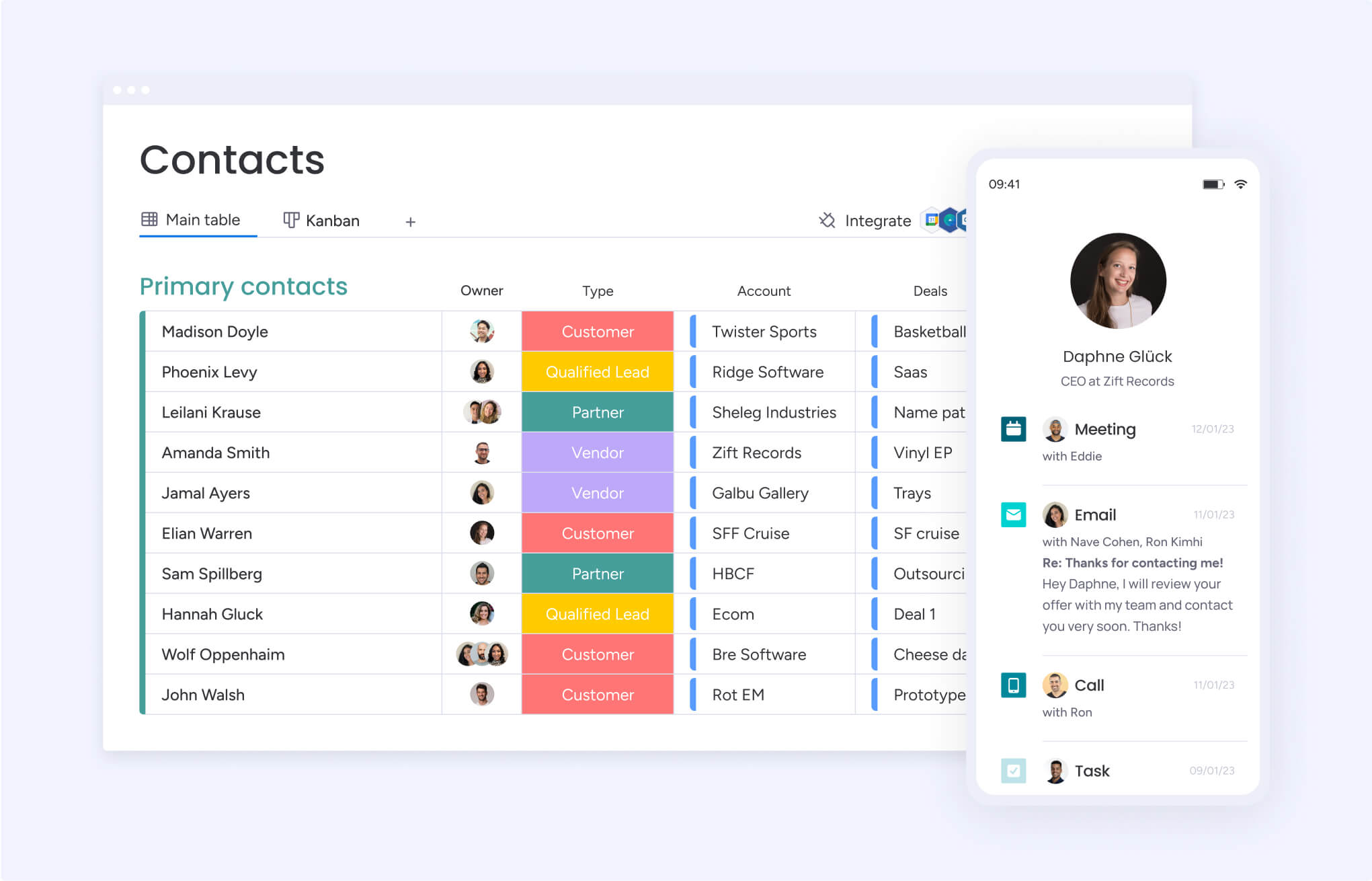
What are HR workflows?
HR workflows are structured ways to manage everyday people operations, where tasks, people, and information move in a clear, connected sequence.
Instead of handling requests randomly, everything follows a defined path, from signing contracts to setting up equipment and planning first-day introductions. As a result, even the busiest processes start to feel organized and manageable.
Over time, these workflows quietly become the backbone of HR. Every step has a purpose, gets tracked, and happens consistently across the organization. So rather than juggling emails and scattered spreadsheets, HR teams rely on a system that keeps things moving smoothly, and that consistency naturally builds trust.
HR processes vs HR workflows
These terms often get mixed up, but they serve different roles. An HR process defines what needs to happen, such as hiring or performance management. A workflow, on the other hand, outlines exactly how that work gets done, step by step, with clear timing and ownership.
For example, hiring might sound simple at a high level. However, the workflow includes posting the role, reviewing resumes, scheduling interviews, preparing the offer, and initiating background checks. When that level of detail is mapped out, vague plans turn into real, trackable progress.
Core components of an effective HR workflow
For a workflow to actually work in day-to-day operations, a few essential elements need to come together. These pieces ensure clarity, accountability, and smooth execution across teams.
Every effective HR workflow includes these components:
- Triggers: The specific event that initiates the workflow, such as a candidate accepting an offer or an employee submitting a time-off request.
- Actions: Individual steps required to move the workflow forward, assigned to specific team members with deadlines.
- Stakeholders: The people involved at each step, including HR staff, hiring managers, IT support, and the employees themselves.
- Data: Information that flows through the process, ensuring everyone has the context needed to complete their work without chasing down details.
- Approvals: Critical decision points where a stakeholder must review and sign off before the workflow can proceed.
- Notifications: Automated updates that keep all parties informed of progress, bottlenecks, or required actions.
Every step has a purpose, gets tracked, and happens consistently across the organization. So rather than juggling emails and scattered spreadsheets, HR teams rely on a system that keeps things moving smoothly, and that consistency naturally builds trust.
Why do HR workflows transform people operations?
Workflows bring consistency into how HR operates. Every new hire experiences the same onboarding flow, and every request gets handled with the same level of clarity and speed. That kind of reliability builds confidence across teams.
At the same time, structured workflows reduce delays and prevent missed steps. Hiring cycles shorten, approvals move faster, and fewer things slip through the cracks. As a result, HR teams spend less time fixing issues and more time focusing on meaningful work.
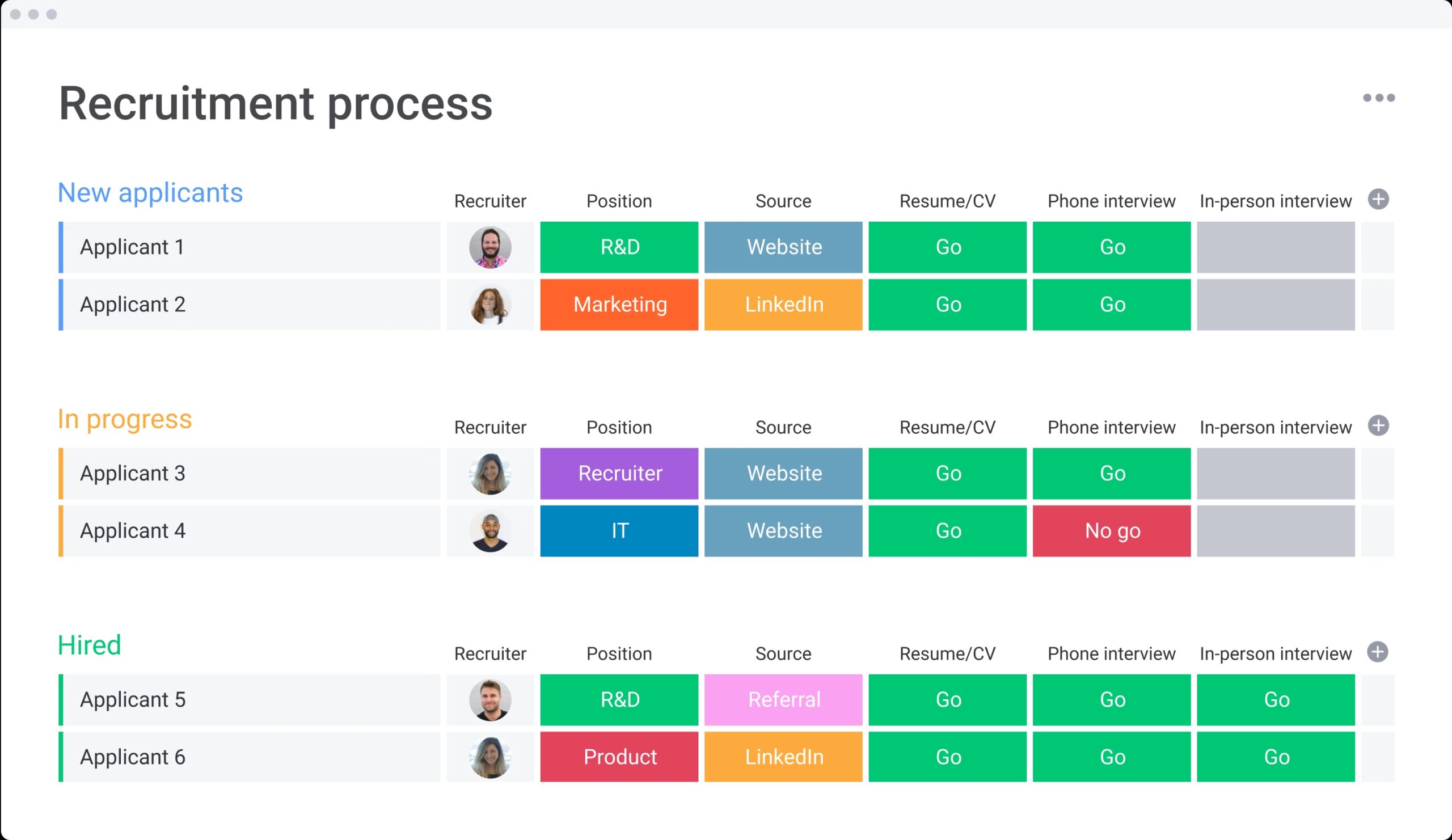
Manual vs automated HR workflows
To better understand the difference, the table below compares how manual workflows stack up against automated ones:
| Aspect | Manual workflows | Automated workflows |
|---|---|---|
| Speed | Days to complete simple requests | Minutes to complete the same requests |
| Consistency | Varies based on who handles the request | Every request follows identical logic |
| Visibility | Requires manual status checks | Real-time dashboards show all active workflows |
| Error rate | High due to manual data entry | Low due to system integration |
| Scalability | Requires additional headcount | Handles increased volume without added staff |
Understanding manual HR workflows
Manual workflows rely heavily on email chains, static spreadsheets, and human memory to move processes forward. In a manual time-off request scenario, an employee emails a manager, who checks a policy document, then emails HR, who manually updates a spreadsheet and emails payroll.
This approach creates problems that get worse as companies grow:
- Lost requests: Messages get buried in inboxes or forgotten during busy periods.
- Inconsistent application: Policy interpretation varies depending on who handles the request.
- Zero visibility: No real-time insight into who is out of the office or request status.
- Administrative burden: HR teams become middlemen for every piece of information, which slows things down and creates mistakes.
The power of automated HR workflows
Automation removes the need to manage each step manually. Instead, processes run based on predefined rules, which keep everything moving without constant follow-ups. For example, a leave request can be submitted, reviewed, approved, and recorded automatically within minutes.
Additionally, automation brings noticeable improvements across the board:
- Speed: Processes that took days complete in minutes.
- Consistency: Every request follows the same logic and compliance rules.
- Visibility: Dashboards show the real-time status of every active workflow.
- Accuracy: Integration eliminates data entry errors between systems.
When and how to make the automation leap
Not every workflow needs automation right away. However, certain signs clearly indicate when a process is ready for it.
The table below highlights when switching to automation makes the most impact:
| Criteria | Manual approach | Automated approach | Decision trigger |
|---|---|---|---|
| Frequency | Occasional, ad-hoc | Daily or weekly occurrences | Automate if it happens more than five times per week |
| Complexity | Simple, single-step actions | Multi-step, multi-stakeholder | Automate if it involves more than three people |
| Risk | Low impact if delayed | Compliance or payroll impact | Automate if errors cause legal or financial risk |
| Data entry | Single system entry | Duplicate entry across systems | Automate if data is typed more than once |
6 game-changing benefits of HR workflow automation
Once automation is in place, the improvements are both immediate and measurable. Beyond saving time, it helps HR teams work more strategically and consistently.
In practice, this translates to:
- Less manual work: Repetitive tasks like data entry and follow-ups are reduced by up to 75%.
- Stronger compliance: Every action is tracked, creating a reliable audit trail.
- Better visibility: Leaders can monitor progress without chasing updates.
- Scalable operations: Small teams can support growing workforces efficiently.
- Data-driven decisions: Insights help improve hiring, retention, and engagement.
- Improved employee experience: Faster responses and smoother processes increase satisfaction.
9 essential HR workflow templates
To get started quickly, many teams rely on proven workflow setups that cover core HR functions. These templates provide structure while still allowing flexibility.
The most useful templates include:
1. Smart employee onboarding workflow
This workflow manages everything from offer acceptance to the first 90 days. It includes document collection, IT setup, orientation scheduling, and training assignments. As a result, every new hire starts with a consistent and well-organized experience.
2. Instant time-off request processing
This setup handles the full leave process, from submission to approval and payroll updates. It removes email back-and-forth and ensures accurate tracking without manual calculations.
3. Continuous performance management flow
Instead of relying on annual reviews, this workflow supports ongoing check-ins and feedback. It keeps goals visible and encourages regular conversations around growth and development.
4. Offboarding and knowledge transfer
This ensures a smooth exit process by managing access removal, equipment returns, and knowledge transfer. At the same time, it helps maintain professionalism and security.
5. End-to-end recruitment pipeline
From job approval to final offer, this workflow keeps hiring organized. It tracks candidates, schedules interviews, and centralizes feedback, which helps reduce delays.
6. Skills-based development pathways
This L&D workflow identifies skill gaps and manages employee growth. It tracks skills assessments, recommends specific training programs, monitors course completion, and manages certification renewals. It aligns individual career goals with organizational capability requirements.
7. Open enrollment made simple
Benefits enrollment is often a high-stress period. This workflow guides employees through plan selection, verifies eligibility, tracks enrollment deadlines, and confirms selections. It reduces confusion and ensures accurate data transfer to insurance providers.
8. Proactive incident response system
This structure ensures sensitive issues are handled consistently. It tracks reports, organizes investigations, and securely stores documentation.
9. Employee lifecycle automation
This comprehensive workflow manages the major milestones of an employee’s tenure. It handles role changes, promotion approvals, internal transfer logistics, and compensation adjustments. It ensures that HR records remain the single source of truth as employees evolve within the company.
Build powerful HR workflows without writing code
Modern workflow automation no longer requires a technical background. Today, platforms like monday work management make it possible to design, customize, and run complex HR workflows through simple visual interfaces. As a result, teams can take control of their processes without waiting on IT support.
At the same time, this shift puts real ownership in HR’s hands. Instead of relying on scattered systems, workflows can be shaped by the people who actually manage them daily. That’s what makes no-code automation practical; it fits how work already happens.
Map your HR processes visually
Visual mapping makes it easier to understand how work actually flows. Rather than reading long policy documents, teams can see each step laid out clearly and adjust it as needed. This helps bring structure to processes that once felt unclear or inconsistent.
Additionally, visual layouts make collaboration smoother. Teams can quickly spot gaps, remove unnecessary steps, and identify delays that might otherwise go unnoticed. Over time, this clarity leads to better decisions and cleaner workflows.
Set smart rules that keep work moving
Automation works best when simple rules guide each step. For instance, when a new employee is added, a welcome email can be triggered instantly, along with onboarding tasks. These small actions, when connected, keep processes moving without constant follow-up.
Besides that, consistency improves naturally. Every request follows the same logic, which reduces confusion and ensures nothing important gets missed. That’s why even simple automation rules can make a noticeable difference.
For example, built-in automations, and templates, provided by monday work management, help teams move faster by handling routine actions like approvals, reminders, and project setup in the background.
Connect your entire HR tech stack
Workflows are most powerful when they bridge gaps between different software systems. Integration capabilities allow a workflow to trigger actions across the HRIS, payroll system, email clients, and calendar apps.
This connectivity eliminates data silos, ensuring an update in one system automatically reflects across the entire tech stack without manual data re-entry.
Test, launch, and iterate quickly
Strong workflows aren’t built all at once, they improve over time. Starting with a simple version allows teams to test what works, gather feedback, and adjust where needed. This approach keeps things flexible without slowing progress.
Meanwhile, small improvements add up quickly. As workflows are refined based on real use, they become more efficient and better aligned with daily operations. In the end, this creates systems that actually support the way teams work.
7-step HR workflow implementation roadmap

Putting automation into practice works best with a clear plan. A structured approach helps teams move forward without disrupting ongoing work, while also making it easier to measure progress along the way.
The following steps show how to roll out HR workflows effectively:
Step 1: audit and document the current state
Start by understanding exactly how your processes function today. You should map existing workflows, speak with stakeholders, and identify where delays or confusion typically happen to create a strong baseline for improvement.
Step 2: identify quick wins and high-impact areas
Prioritize the workflows that are high-volume, time-consuming, or prone to human error. Using a simple scoring matrix to balance implementation difficulty against potential impact helps you select the top 2–3 processes to start with, such as time-off requests or simple expense approvals.
Step 3: design your future-state workflows
Once you have documented your patterns, you can begin designing how work should flow in an ideal environment. This involves defining specific steps, assigning clear responsibilities, and planning for exceptions to ensure the new process is both practical and easy for your team to adopt.
Step 4: select the right workflow platform
Next, choose a technology that is user-friendly, scalable, and secure enough to handle sensitive employee data. A platform like monday work management serves as a strong example by balancing enterprise-grade power with the intuitive interface required by non-technical HR teams.
Step 5: launch pilot programs that prove value
Test your new workflows in a controlled environment before a company-wide rollout. By running a 30-day pilot with a specific department, you can measure success metrics, gather direct feedback, and resolve minor issues while building a solid business case for broader adoption.
Step 6: enable your people champions
Identify influential “power users” within your organization to help drive peer-to-peer adoption. Providing these champions with comprehensive training and simple user guides ensures that the rest of your employees feel supported and confident during the transition.
Step 7: scale success across the organization
Finally, expand your successful pilot workflows to other departments while maintaining a cycle of continuous improvement. As you scale, you should regularly review your performance data to ensure your automated systems continue to meet the evolving needs of your workforce.
Choose HR workflow software that grows with you
Selecting a workflow platform is a long-term strategic decision that impacts every level of your organization. You need a solution that supports your current daily operations while remaining flexible enough to adapt as your workforce and compliance requirements evolve.
By establishing a strong digital foundation now, you prevent the friction of switching systems later as your company scales.
Must-have features for HR teams
Not all workflow platforms offer the specific functionality required for modern people operations. You should look for a solution that feels intuitive from day one while still providing the technical depth needed to handle complex data and privacy requirements.
When evaluating your options, prioritize the following capabilities to support how your team actually works:
- Visual workflow builder: Drag-and-drop interface allows intuitive process design without coding.
- Template libraries: Pre-built HR workflows that accelerate implementation and provide best-practice structures.
- Mobile access: Workflows are accessible on mobile devices to support a distributed workforce.
- Reporting dashboards: Real-time analytics that provide insights into process efficiency and bottlenecks.
- User permissions: Granular role-based access control ensures data privacy and security.
- Audit trails: Comprehensive logging of all actions to support compliance and internal audits.
Integration capabilities that matter
Your workflow platform shouldn’t operate in a vacuum; it should act as the connective tissue for your entire HR tech stack. By focusing on deep integration capabilities, you ensure that information moves accurately between tools without requiring manual intervention.
You should prioritize the following connection types to maximize your operational impact:
| Integration type | Key benefit |
|---|---|
| HRIS / Payroll | Ensures data consistency and accurate compensation |
| Communication (Slack/Teams) | Enables instant notifications and approvals within chat |
| Calendar (Google/Outlook) | Automates interview scheduling and time-off visibility |
| E-Signature (DocuSign/Adobe) | Streamlines contract signing and document storage |
Protect sensitive HR data
Connected systems make your workflows more effective and reliable by allowing everything to work together in the background. This integration eliminates the need for you to switch between platforms, which reduces the risk of data entry errors.
When your tech stack is unified, your sensitive employee information remains protected through centralized security protocols rather than being scattered across disconnected spreadsheets.
Plan for long-term growth
As your organization grows, your workflows will naturally become more complex, which is why scalability is essential from day one. You should choose a platform capable of handling an increased volume of users and data without a loss in performance.
A truly scalable solution adapts to your evolving business needs, ensuring that your workflows continue to provide value regardless of how large your team becomes.
You should look for a solution that feels intuitive from day one while still providing the technical depth needed to handle complex data and privacy requirements.
Design HR workflows for the hybrid-first era
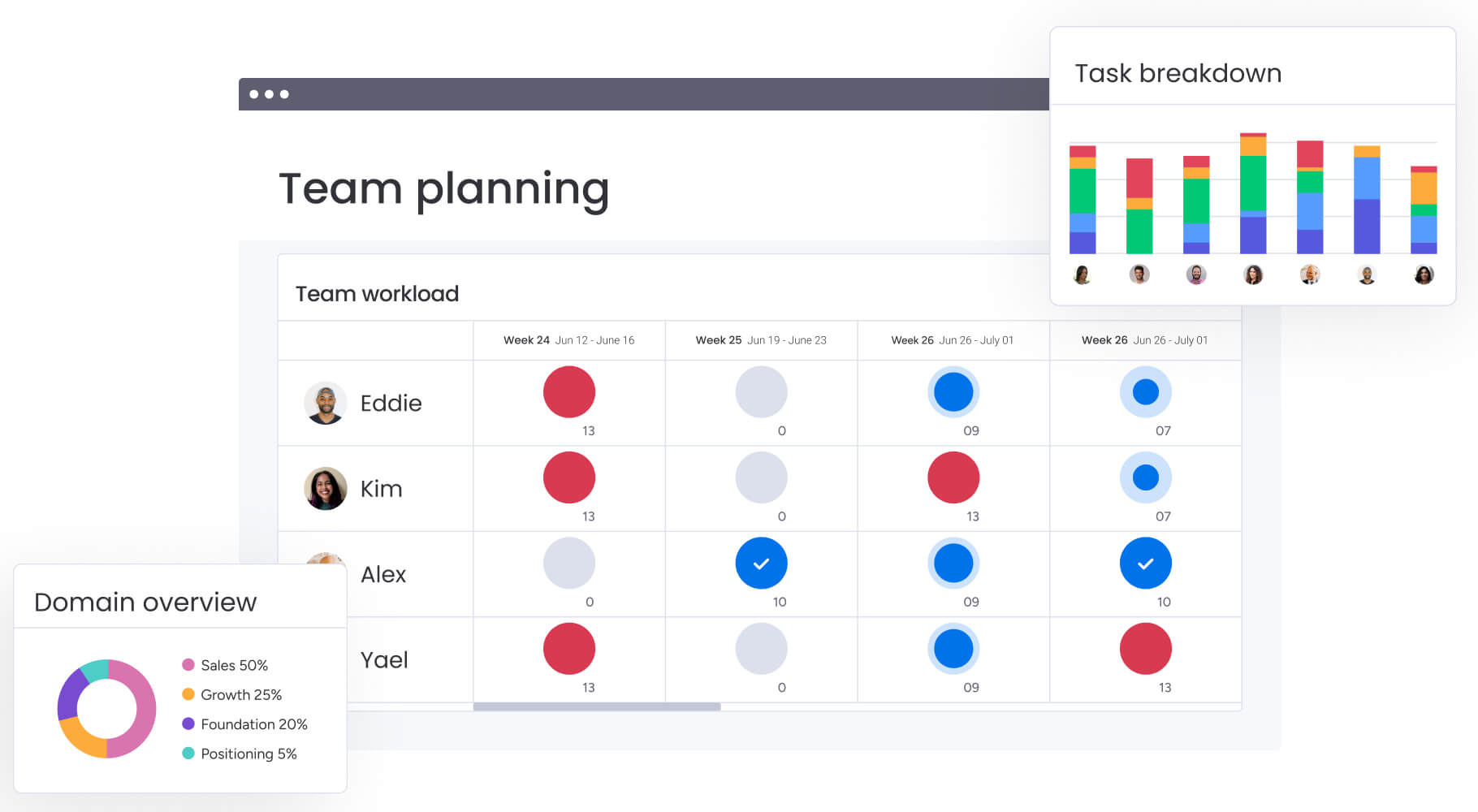
Work no longer happens in one place, so workflows need to adapt. Processes should function smoothly regardless of location, time zone, or work style.
Therefore, building with flexibility in mind makes operations more reliable and easier to manage.
Asynchronous processes that work anywhere
Not all work happens at the same time, especially in distributed teams. Workflows should allow tasks to progress without real-time coordination.
To achieve this, you should implement automated notifications, live status updates, and self-service access to help keep things moving forward. As a result, your teams stay perfectly aligned without the friction of constant meetings.
Digital onboarding that builds connection
Remote onboarding requires more than just a digital paper trail; it must be designed to help new hires feel socially and professionally connected from day one.
Including virtual sessions and interactive training makes a big difference. These elements replace in-person experiences and build early engagement.
Performance management across time zones
Performance management in hybrid setups focuses more on outcomes than hours worked. Workflows should support regular feedback, flexible check-ins, and clear goal tracking.
This visibility helps ensure fair evaluations, no matter where employees are based.
Smart resource allocation for distributed teams
Managers need a clear view of team capacity, because without it, workloads can quickly become uneven.
Automated workflows help track assignments and availability. On monday work management, Workload View make it easier to adjust priorities and prevent burnout.
Turn HR workflow challenges into opportunities
Every new system comes with challenges. However, these moments often highlight areas that need improvement.
By addressing them thoughtfully, workflows become stronger and more effective over time.
Turn resistance into support
Resistance to change is natural and often signals legitimate concerns. Overcoming it involves engaging stakeholders early, communicating the benefits clearly, and celebrating early successes.
Involving skeptics in the design process often turns them into the strongest advocates for the new system.
Keep data flows accurate everywhere
Disconnected data can cause confusion and errors. Setting clear validation rules helps maintain accuracy.
Regular checks also ensure that integrations continue to work as expected. This keeps the workflow reliable over time.
Simplify the approval process
Complex organizations often have convoluted approval chains that slow decision-making. Automation provides an opportunity to simplify these hierarchies using delegation rules and automated escalations.
Streamlining approvals reduces bottlenecks while maintaining necessary oversight.
Maintain the human element
Automation doesn’t replace human interaction; it creates space for it. By reducing administrative work, HR teams can focus more on meaningful conversations.
In the end, workflows should support relationships, not replace them.

“monday.com has been a life-changer. It gives us transparency, accountability, and a centralized place to manage projects across the globe".
Kendra Seier | Project Manager
“monday.com is the link that holds our business together — connecting our support office and stores with the visibility to move fast, stay consistent, and understand the impact on revenue.”
Duncan McHugh | Chief Operations OfficerUnleash your HR potential with monday work management
Modern HR teams deal with constant context-switching, scattered information, and processes that don’t always scale as demands grow. As a result, even well-defined workflows can break down without the right structure and visibility. This is where a connected work management platform helps bring everything together.
monday work management supports HR teams in building efficient, scalable workflows through:
- Centralizes workflows and reduces fragmentation: Brings onboarding, approvals, and employee requests into one connected workspace, so nothing gets lost across emails or spreadsheets.
- Automates repetitive tasks and approvals: Removes manual follow-ups by triggering actions, notifications, and updates automatically based on predefined rules.
- Provides real-time visibility into HR operations: Dashboards and status tracking give instant insight into hiring pipelines, requests, and performance cycles without chasing updates.
- Connects systems and ensures data consistency: Integrates with HRIS, payroll, and communication platforms to eliminate duplicate data entry and reduce errors.
- Supports scalable and flexible workflow design: Visual builders and templates allow teams to adapt processes as the organization grows, without added complexity.
Frequently asked questions
What are the 7 core HR processes that need workflows first?
The seven core HR processes that benefit most from workflows are employee onboarding, time-off management, performance reviews, recruitment, offboarding, benefits enrollment, and incident reporting. These high-frequency, multi-stakeholder processes create the most immediate impact when automated and standardized.
How quickly can we implement HR workflow automation?
Most organizations can implement their first HR workflows within 2-4 weeks using modern platforms. Simple workflows like time-off requests often go live in days, while complex processes like onboarding may take slightly longer to customize and test.
Do HR teams need technical skills to manage workflows?
HR teams do not need technical skills to manage workflows with modern platforms. Visual builders and drag-and-drop interfaces designed for non-technical users make workflow creation accessible to any HR professional with basic computer skills.
How do HR workflows connect with our existing HRIS?
HR workflow platforms connect with your existing HRIS systems through APIs and pre-built connectors. These integrations enable real-time data synchronization between systems without duplicate entry, ensuring automated consistency across your entire HR tech stack.
What ROI should we expect from HR workflow automation?
Organizations typically see significant reductions in manual processing time and faster completion of HR processes within the first year. Time-to-hire often decreases by 30-50%, while administrative work requires 75% less manual effort.
Can small HR teams benefit from workflow automation too?
Small HR teams often see the greatest benefit from workflow automation. They handle the same processes as larger teams with fewer resources, so automation allows them to scale impact without adding headcount and maintain consistency as the organization grows.

 Get started