

A client approves a scope change on a call. Three days later, someone asks what was actually agreed — and suddenly the answers don’t match.
Sound familiar?
Important decisions happen in conversations every day: client calls, internal syncs, Slack threads, quick hallway chats. Without a structured way to capture them, context disappears fast. Teams rely on memory, screenshots, or scattered notes, which leads to repeated questions, missed commitments, and unnecessary friction.
A communication log solves this by creating a single, searchable record of interactions that matter. It documents what was discussed, what was decided, and what needs to happen next. Instead of chasing information across inboxes and meeting recordings, your team has a clear timeline of conversations connected directly to the work they impact.
In this helpful post, you’ll learn what a communication log is, which types teams rely on most, what to include in your template, and how to build a system that captures context without slowing anyone down. You’ll also see how modern platforms connect communication logs to live workflows so conversations don’t just get recorded — they move work forward.
Key takeaways
- Transform conversations into permanent organizational assets: Capture every client call, internal decision, and vendor negotiation in a searchable database that preserves critical context when team members leave or projects get audited.
- Create accountability through structured documentation: Convert verbal agreements into visible commitments with assigned owners, defined timelines, and timestamped records that eliminate confusion about what was decided and who owns follow-through.
- Build transparency across departments: Give marketing visibility into product delays and sales access to support interactions, reducing friction and endless alignment meetings by ensuring everyone operates from the same source of truth.
- Meet compliance requirements with defensible audit trails: Maintain immutable records of approvals, scope changes, and regulatory discussions that protect your business during disputes while demonstrating adherence to frameworks like GDPR and SOX.
- Leverage monday work management’s AI-powered automation: Automatically categorize communications, extract action items from meeting notes, and connect log entries to project boards while integrating seamlessly with email, Slack, and Teams.
What is a communication log?
A communication log is a structured record of interactions, decisions, and information exchanges across your organization. It captures who was involved, what was discussed, what decisions were made, and what actions follow — all in one searchable place.
Unlike scattered meeting notes or long email threads, a communication log creates a consistent history of conversations tied directly to real work. Teams can quickly see how decisions evolved, why priorities changed, and what commitments were made without piecing together fragmented context.
By documenting client calls, internal discussions, vendor negotiations, and strategic updates in a standardized format, organizations maintain continuity even as teams change or projects evolve. The result is a reliable reference point that supports accountability, reduces repeated conversations, and keeps critical knowledge accessible when it matters most.
Definition and purpose for teams
For complex organizations, a communication log is an operational safety net — way beyond informal note-taking. It creates a standardized history of how projects evolve, how decisions get made, and how relationships develop.
Teams use communication logs to accomplish several critical functions:
- Track client interactions: Document every touchpoint to maintain relationship continuity.
- Record internal strategy shifts: Record internal strategy shifts: Preserve the reasoning behind pivotal business decisions.
- Document vendor negotiations: Keep detailed records of contract discussions and agreements.
- Ensure organizational continuity: Maintain accessible knowledge when team members transition.
The primary purpose is ensuring continuity — when someone asks “what did the client say about that budget increase?” six months later, you have the answer. The real value shows up when you treat communication logs as infrastructure, not just admin work.
Communication logs vs simple contact lists
Contact lists help you identify people. Communication logs help you understand relationships, decisions, and commitments over time. Both store useful information, but they serve very different purposes operationally.
Where contact lists provide static details like names and job titles, communication logs create a living record of interactions that directly supports accountability, follow-through, and decision clarity.
| Feature | Simple contact list | Communication log |
|---|---|---|
| Primary focus | Who (names, roles, contact info) | What happened (decisions, context, outcomes) |
| Time dimension | Current snapshot | Chronological timeline of all interactions |
| Context captured | Basic role and department | Full conversation context, attachments, sentiment |
| Actionability | Reference for reaching out | Triggers workflows and follow-ups |
| Business value | Directory for contact | Audit trail and intelligence source |
A contact list tells you how to reach someone. A communication log shows what was discussed, what changed, and what needs attention next.
Key benefits of systematic tracking
Structured communication logging creates real business impact — way beyond just staying organized. Here’s what matters most to operations leaders and execs who need visibility across departments:
- Defensible audit trails: Maintain timestamped, immutable records of approvals, scope changes, and compliance discussions that protect your business during disputes or audits.
- Preserved institutional knowledge: Critical context stays with the organization, not in individual employees’ memories or private inboxes.
- Enhanced accountability: Document specific commitments and deadlines during conversations to eliminate ambiguity about ownership.
- Data-driven insights: Analyze communication patterns to identify bottlenecks, vendor responsiveness trends, and client engagement levels.
Unlike scattered meeting notes or long email threads, a communication log creates a consistent history of conversations tied directly to real work. Teams can quickly see how decisions evolved, why priorities changed, and what commitments were made without piecing together fragmented context.
Why today's teams need communication logs
Work rarely happens in one place. Conversations move between email, Slack, meetings, and project boards, making it easy for important details to get lost or misunderstood.
Communication logs keep decisions and context connected, giving teams a clear record of what was discussed, agreed, and assigned. The following sections highlight where structured logging creates the most impact across modern workflows.
Create accountability in every interaction
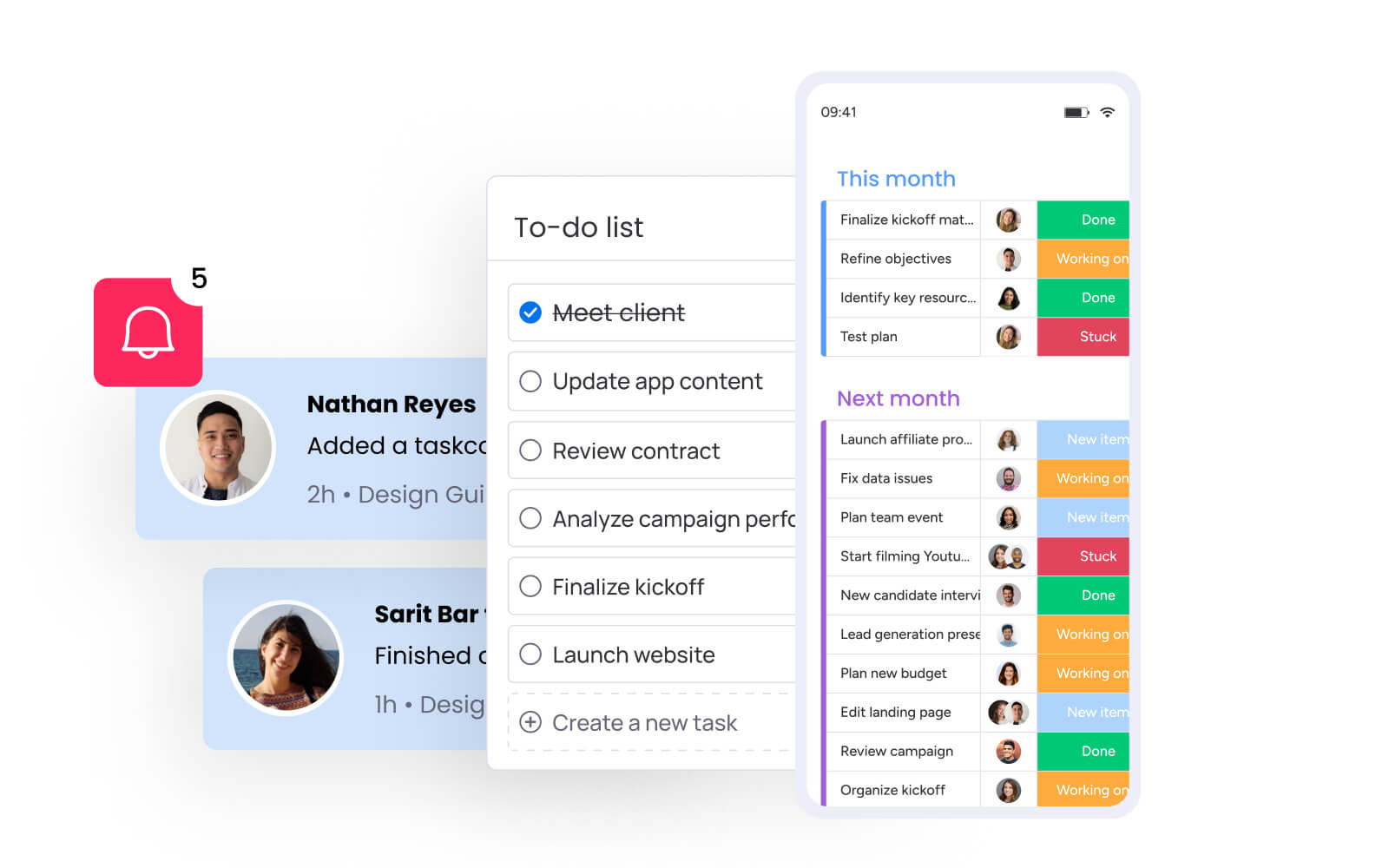
Communication logs convert verbal agreements into visible commitments. When someone mentions a budget increase during a call, that decision immediately gets logged with an assigned owner and due date. The conversation becomes real work.
Consider a client verbally approving a scope change. With a log, you have a reliable record that replaces memory and good faith. With proper logging, that approval becomes a timestamped record with clear next steps:
- Immediate documentation: Every team member knows exactly what was agreed upon.
- Clear ownership: Specific individuals are assigned follow-through responsibilities.
- Defined timelines: Completion dates are established and tracked.
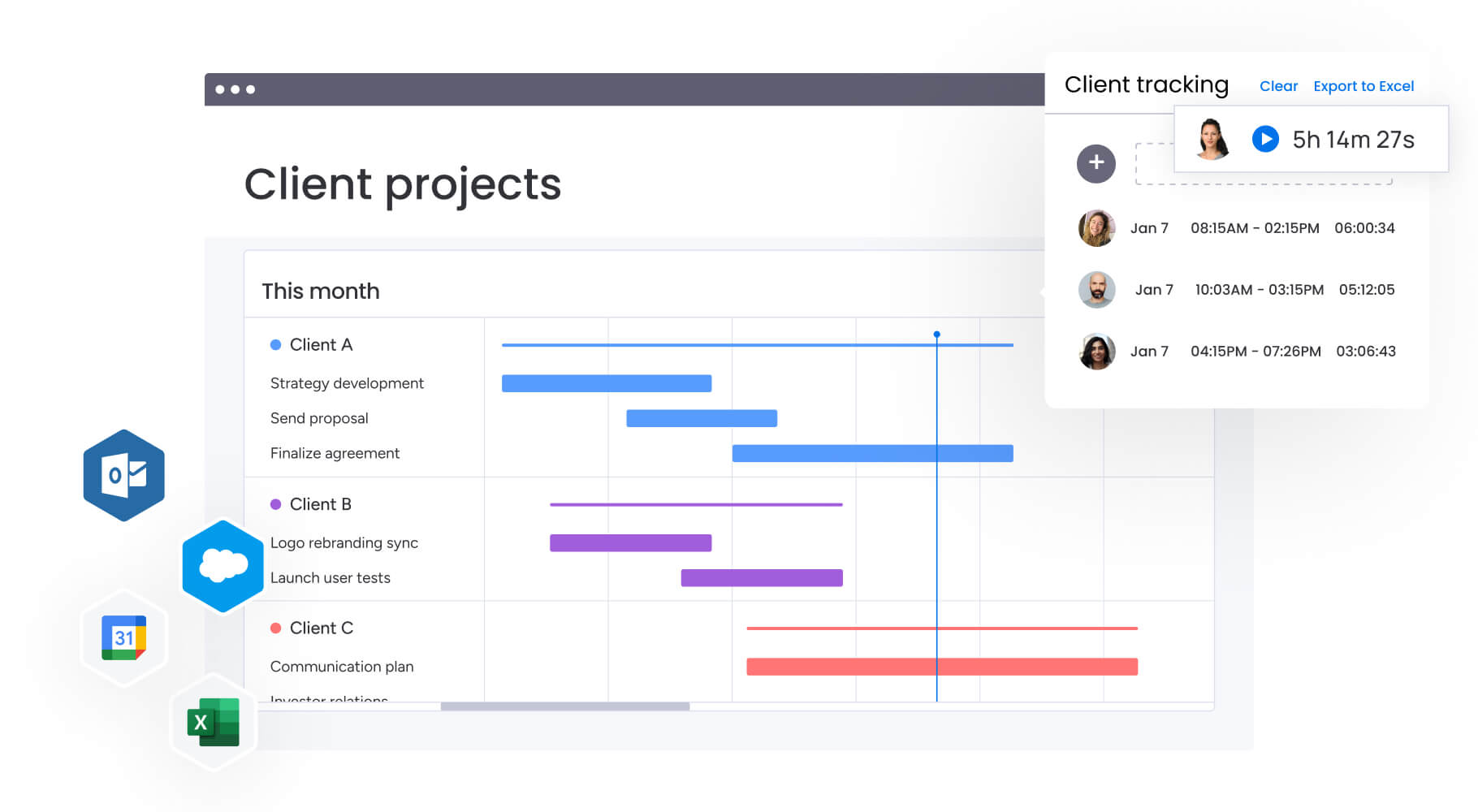
On a connected work platform like monday work management, teams can assign owners directly within log entries, connecting conversations to the specific project boards they impact. This creates an unbroken chain from discussion to delivery.
Build transparency across departments
Breaking down silos unlocks new levels of efficiency. But when marketing can view product team communication logs about delays, or sales can see support team interactions with key accounts, friction decreases dramatically.
This visibility allows teams to anticipate challenges without scheduling endless alignment meetings. Information flows to stakeholders rather than requiring them to chase it down. How much time does your organization waste in meetings that exist solely to share updates about conversations that already happened?
Cross-departmental transparency through shared logs means everyone operates from the same source of truth, reducing miscommunication and accelerating decision-making.
Meet compliance and audit requirements
Industries like finance, healthcare, and legal services face strict regulations around data handling and decision documentation. Frameworks such as GDPR, SOX, and HIPAA require detailed governance over information sharing and record-keeping.
A robust communication log provides the infrastructure to demonstrate compliance:
- Granular history: Complete records of data handling and consent documentation.
- Decision-making processes: Detailed trails that stand up to external scrutiny.
- Enterprise-grade security: Multi-level permissions and audit trails tracking access.
- Regulatory alignment: Features designed to meet specific industry requirements.
Without proper logging, even minor oversights can trigger significant penalties and damage to your organization’s reputation.
Strengthen client and stakeholder trust
Professionalism shows through recall and consistency. When you can instantly reference specific details from a conversation six months ago, it signals competence and reliability to clients.
Detailed logs ensure clients never repeat themselves, regardless of who they speak with in your organization. This continuity builds long-term trust and reinforces your organization’s image as cohesive and well-managed. Every interaction builds on the last, creating deeper relationships rather than starting from scratch each time.
5 essential types of communication logs
Different interactions require different levels of detail and structure. Effective organizations categorize their logs to match specific workflow needs, ensuring captured data remains relevant and actionable. Understanding these categories helps teams implement the right logging approach for each type of communication they handle regularly.
1. Daily communication logs
Daily logs capture operational execution at its most granular level. These records focus on high-frequency interactions like standup notes, shift handovers, and quick syncs between team members.
The goal is speed and brevity. Key characteristics include:
- Quick entry format: Simple, standardized templates for rapid documentation.
- Immediate relevance: Information that impacts current work and decisions.
- Action-oriented focus: Emphasis on what needs to happen next.
A typical entry might read: “09:00 a.m. Standup — Dev team blocked by API limit — Escalated to Engineering Lead.” Teams create these entries directly on project boards in monday work management, linking daily updates to specific deliverables they affect.
2. Project-based communication logs
Project logs tie directly to milestones, deliverables, and scope management. These records document the complete lifecycle of specific initiatives, capturing everything from initial kickoff meetings to final retrospectives.
Unlike daily logs that focus on immediate actions, project logs provide context for long-term decisions:
- Strategic context: Explanations for why timelines shifted, budgets changed, or scope evolved.
- Milestone documentation: Records of key approvals and decision points.
- Historical reference: Complete narrative of project evolution for future learning.
When linked to Gantt chart timelines, these logs reveal the story behind schedule adjustments and help teams learn from past projects.
3. Client communication logs
Client logs function as the narrative history of business relationships. They track every touchpoint from initial discovery calls through contract negotiations, support tickets, and quarterly business reviews.
These logs prove essential for account management:
- Complete interaction history: Every conversation, email, and meeting documented.
- Sentiment tracking: Relationship health indicators over time.
- Context preservation: Full background available before any client interaction.
What would it mean for your client relationships if every team member could see the complete context before any interaction?
4. Employee communication logs
Internal logs for HR and management focus on professional development and performance. These sensitive records track one-on-one feedback sessions, performance reviews, disciplinary actions, and career development discussions.
Strict access controls are paramount:
- Multi-level permissions: Only authorized personnel can view or edit entries.
- Official record status: Serves as documentation for employment decisions.
- Privacy protection: Balances transparency with confidentiality requirements.
These logs serve as official records for employment decisions and growth trajectories, requiring careful management to protect both employees and the organization.
5. Compliance and regulatory logs
Specialized logs designed to meet legal standards focus on documenting adherence to protocols, safety incidents, data access requests, and policy enforcement.
The structure is often rigid, dictated by external regulatory bodies:
- Immutable record-keeping: Permanent documentation that serves as legal evidence.
- Standardized formats: Templates that meet specific regulatory requirements.
- Audit readiness: Information structured for external review and verification.
Industries like healthcare, construction, and finance rely heavily on this type of logging to demonstrate ongoing compliance and protect against liability.
Try monday work managementWhat to include in your communication log template
A communication log only delivers value when it captures the right data consistently. A standardized template ensures uniformity across your organization, making information searchable and analyzable at scale. The key is balancing comprehensive documentation with practical usability — too little information renders logs useless, while too much creates barriers to adoption.
Core information every log needs
Every entry must contain baseline metadata to be useful for future reference. These foundational fields form the structure of any effective communication log:
- Date and time: Exact timestamps establish timelines and sequence of events.
- Participants: Complete list of attendees, both internal team members and external stakeholders.
- Communication channel: Where the interaction occurred (Zoom, email, Slack, in-person).
- Topic summary: Concise headline capturing the interaction’s focus.
- Key discussion points: Bulleted summary of main topics covered.
- Decisions made: Explicit documentation of what was agreed upon.
- Action items: Specific tasks generated from the conversation with assigned owners.
Advanced fields for deeper insights
Mature organizations add metadata that transforms logs into strategic assets. These fields enable pattern recognition and proactive management:
- Priority level: Tag interactions as high, medium, or low to triage follow-ups effectively.
- Related project: Link logs to specific project boards to connect conversations with work.
- Sentiment indicator: Track relationship health over time with positive, neutral, or negative ratings.
- Next follow-up date: Set specific dates that trigger reminders for continued engagement.
- Attachments: Include links to recordings, presentations, or contracts referenced during discussion.
Organizations using monday work management can create custom columns that match their exact terminology and workflow requirements, ensuring the log adapts to how teams actually work.
Customization for specific industries
Templates must adapt to sector-specific vocabulary and requirements. The flexibility to add custom columns ensures logs capture industry-critical data without forcing teams into rigid formats:
- Healthcare: Patient ID (anonymized), provider name, care plan adjustments.
- Construction: Weather conditions, site safety observations, subcontractor presence.
- Legal: Billable hours, case number references, privilege status.
- Software development: Build version, bug ID references, feature request tags.
Every entry must contain baseline metadata to be useful for future reference.
How to build an effective communication log system
An effective communication log works when it fits naturally into how your team already operates. The goal is to capture useful context consistently without creating extra admin work or slowing projects down.
The following steps show how to structure your log, connect it to daily workflows, and ensure communication records actively support execution rather than sit unused.
Step 1: choose your platform and format
Your platform determines how useful your communication log becomes over time. While simple tools can capture basic information, growing teams need systems that support automation, integrations, and collaboration across departments.
Choosing the right format early helps ensure your log remains easy to maintain and flexible enough to support evolving workflows. The comparison below highlights how common options differ in scalability, automation capability, and long-term usability.
| Criteria | Spreadsheets | Dedicated CRM | Work management platform |
|---|---|---|---|
| Scalability | Limited with large datasets | High for sales focus | High across all departments |
| Automation | Basic formulas only | Sales-specific workflows | Custom automation for any process |
| Integration | Manual imports | Email and marketing tools | Comprehensive tool ecosystem |
| Flexibility | High structure, low function | Rigid sales framework | High structure, high customization |
The strongest solutions allow teams to capture communication once and connect it directly to ongoing work, reducing duplication while keeping context accessible as projects scale.
Step 2: design your log structure
Structure design requires defining specific columns and data types that match your team’s workflow. Start with essential fields like Status (to track open items), People (for assigning owners), and Date (for timelines).
Using dropdown menus for fields like “Interaction Type” or “Priority” ensures data consistency — crucial for reporting and filtering later. Consider these structural elements:
- Standardized categories: Consistent options for interaction types and priorities.
- Required vs. optional fields: Balance completeness with ease of entry.
- Custom terminology: Match your organization’s language and processes.
Teams using monday work management create custom columns matching their exact terminology, from “Stakeholder Sentiment” to “Compliance Flag,” without compromising on standardization.
Step 3: create team guidelines and protocols
Consistency requires clear rules of engagement. Teams must establish what warrants a log entry, how quickly entries should be created, and who holds responsibility for different types of communication.
Guidelines should specify:
- Entry timing: Client meetings get logged within 24 hours.
- Assignment requirements: Action items always have assignees.
- Privacy protocols: Sensitive discussions require specific privacy tags.
- Quality standards: Minimum information required for each entry type.
Does your team have documented standards for what gets logged versus what remains informal?
Step 4: implement tracking workflows
Connect your log to actual work by setting up your digital environment for seamless logging. Email integration allows forwarding relevant threads directly into the log. Forms enable field teams to submit logs from mobile devices.
Configure the system so log entries can spawn work items in project boards without manual duplication:
- Email integration: Forward relevant threads directly into logs.
- Mobile accessibility: Enable field teams to log from anywhere.
- Workflow automation: Connect log entries to project management systems.
- Notification systems: Alert relevant team members about new entries.
Integrations with Gmail, Outlook, Slack, and Microsoft Teams allow communication to flow into boards automatically, eliminating the friction that causes logging to fail.
Try monday work management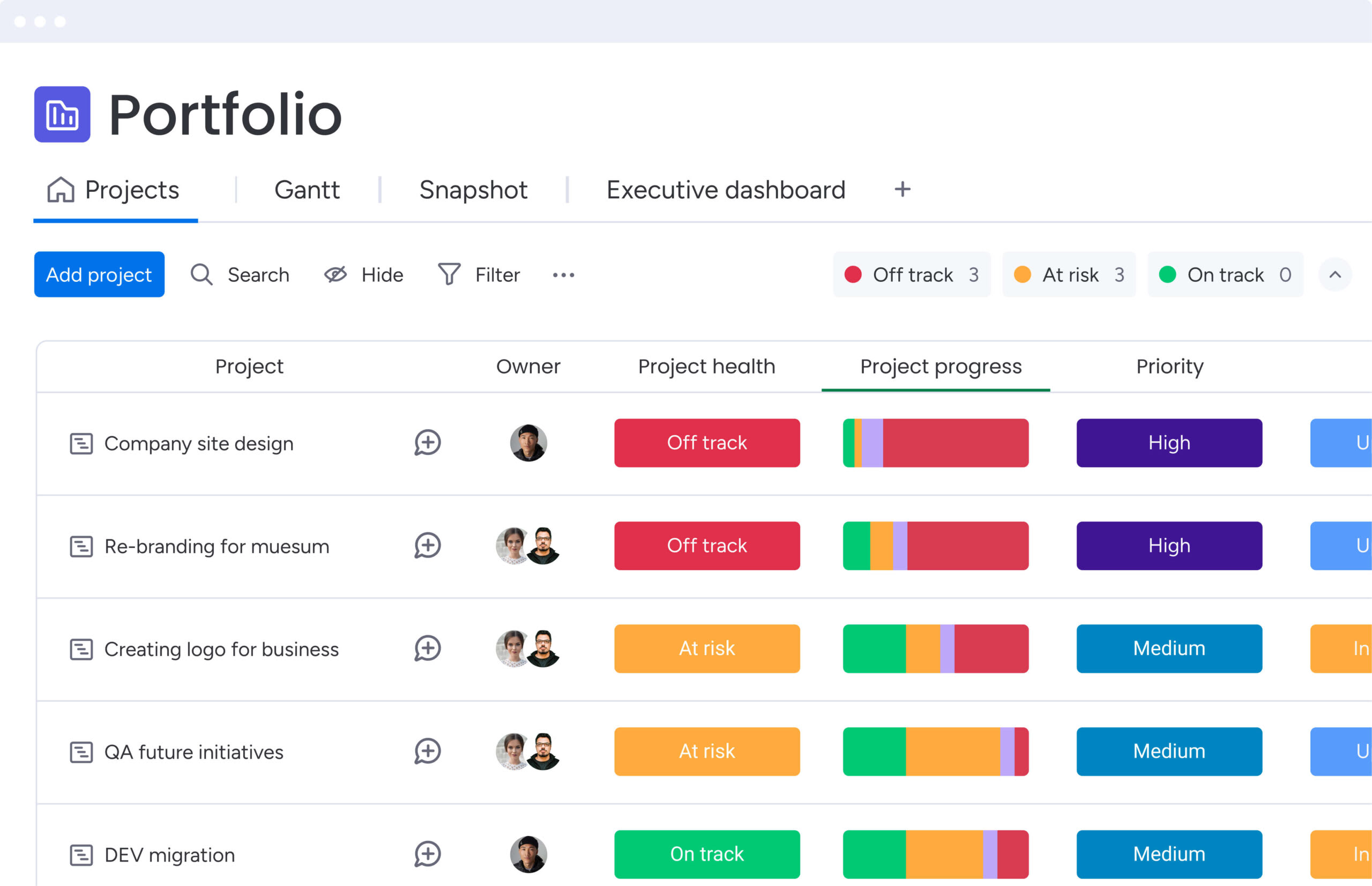
6 communication log best practices for scale
Manual logging becomes unsustainable as teams grow. High-performing organizations adopt practices that leverage technology to maintain data integrity without burdening employees. These practices transform communication logs from tedious admin tasks into strategic advantages that drive better decision-making and organizational alignment.
1. Automate routine data capture
Manual entry is where most communication logs fail. Automation captures data at the source — calendar events create log entries, email threads save automatically, meeting recordings transcribe directly into the system.
Key automation opportunities include:
- Calendar integration: Automatically create log entries from meeting invitations.
- Email parsing: Extract key information from email threads.
- Recording transcription: Convert meeting audio to searchable text.
- Status updates: Trigger log entries when project statuses change.
On monday work management, communication can be captured directly within the same environment where work is already tracked. Status changes, updates, and activity history automatically create a clear timeline of decisions, reducing the need for duplicate documentation while keeping stakeholders aligned in real time.
2. Establish regular review cycles
Data accuracy requires maintenance. Monthly or quarterly reviews allow teams to audit logs for incomplete entries, close stale action items, and verify categorization remains relevant.
This hygiene practice prevents your log from becoming a digital graveyard of outdated information:
- Completeness audits: Identify and fill gaps in documentation.
- Action item cleanup: Close completed tasks and reassign stale items.
- Category validation: Ensure tags and classifications remain current.
- Access review: Verify permissions align with current team structure.
Regular maintenance ensures the system remains a trusted source of truth rather than another abandoned initiative.
3. Connect logs to existing workflows
Communication logs shouldn’t exist in isolation. They must integrate with project management platforms and messaging tools to create bidirectional information flow.
When a project board status changes, the log reflects it. When a client emails, the project board updates:
- Bidirectional sync: Changes in one system update the other automatically.
- Unified interfaces: Access all related information from a single view.
- Workflow triggers: Log entries initiate relevant business processes.
- Context preservation: Maintain connections between conversations and work.
This connection eliminates the need to maintain multiple systems or constantly switch between applications.
4. Set access permissions thoughtfully
Not all information suits everyone. Granular permission settings ensure executives see across all logs, project managers access their initiatives, and sensitive HR logs remain locked to authorized personnel.
Role-based access controls protect privacy while maintaining transparency where it matters:
- Hierarchical permissions: Different access levels based on organizational role.
- Project-based access: Team members see logs relevant to their work.
- Sensitive data protection: HR and legal logs restricted to authorized personnel.
- Guest access controls: External stakeholders see only relevant information.
The right permission structure builds trust without creating information silos.
5. Create action triggers from entries
Passive logs store history. Active logs drive action. Configure your system so specific log entries initiate workflows — a “Client Complaint” entry automatically creates a follow-up task for customer success.
Automation examples include:
- Escalation triggers: High-priority issues automatically notify managers.
- Follow-up reminders: Schedule future actions based on log content.
- Cross-team notifications: Alert relevant departments about important updates.
- Workflow initiation: Start predefined processes based on log categories.
Because intelligent platforms like monday work management connect communication tracking with project execution, log entries can instantly create assigned items, update project statuses, and notify responsible team members. Conversations remain directly linked to the workflows they impact, reducing delays and ensuring decisions translate into measurable progress.
6. Analyze patterns for continuous improvement
Aggregate log data reveals operational insights. Analysis shows which clients require the most support, which projects generate internal friction, and where communication delays typically occur.
Dashboards visualize communication volume trends, decision velocity by department, and stakeholder engagement patterns:
- Volume analysis: Identify communication hotspots and bottlenecks.
- Sentiment tracking: Monitor relationship health across accounts.
- Response time metrics: Measure team responsiveness to different issue types.
- Pattern recognition: Spot recurring problems before they escalate.
These insights inform process improvements and resource allocation decisions.
Moving beyond manual communication log templates
Spreadsheets are a useful starting point, but they quickly become difficult to manage as communication volume grows. When updates live across multiple files and follow-ups rely on manual tracking, important context becomes harder to maintain.
As teams scale, communication logs need to connect directly to workflows, projects, and stakeholders. The following sections outline how modern platforms improve visibility, reduce manual effort, and keep conversations tied to execution.
Beyond the limits of spreadsheets
Spreadsheets excel at calculation but fail at collaboration and workflow management. Organizations typically encounter these limitations as they scale:
- Version control chaos: Multiple users editing simultaneously creates data conflicts and overwritten entries.
- Missing context: Spreadsheets can’t easily store files, conversation threads, or rich media alongside data.
- Zero automation: Every field requires manual entry, increasing error likelihood and user fatigue.
- Security gaps: Difficult to restrict access to specific rows or columns, exposing sensitive data.
Benefits of cloud-based log systems
Cloud-based communication logs make it easier to keep conversations organized and connected to real work. Instead of updating static files, teams can collaborate in real time, link discussions directly to projects, and maintain a reliable history of decisions as work evolves.
As communication volume grows, the gap between manual tracking and connected systems becomes much more noticeable:
| Feature | Manual spreadsheet | Cloud-based platform |
|---|---|---|
| Accessibility | File-based, often locked locally | Browser-based, accessible anywhere |
| Updates | Static, requires manual refresh | Real-time across all views |
| Security | Basic file passwords | Enterprise encryption, SSO, granular permissions |
| Collaboration | Serial editing | Concurrent editing with @mentions |
| Intelligence | Passive data storage | Active AI analysis and automation |
AI-powered categorization and analysis
As communication volume increases, manually organizing log entries becomes time-consuming and inconsistent. AI helps structure unstructured conversations automatically, reducing the effort required to keep records accurate and useful.
AI Blocks can analyze meeting notes, emails, or updates to identify key themes, categorize topics, and highlight important next steps. Instead of manually tagging each entry, teams get organized communication data that remains searchable and consistent over time.
For example, sentiment detection can flag whether a client interaction is positive, neutral, or negative, helping teams identify relationship risks early. Action item extraction can convert discussion points into clear next steps, ensuring important follow-ups don’t get missed. This allows communication logs to actively support decision-making rather than simply store historical information.
Real-time multi-channel integration
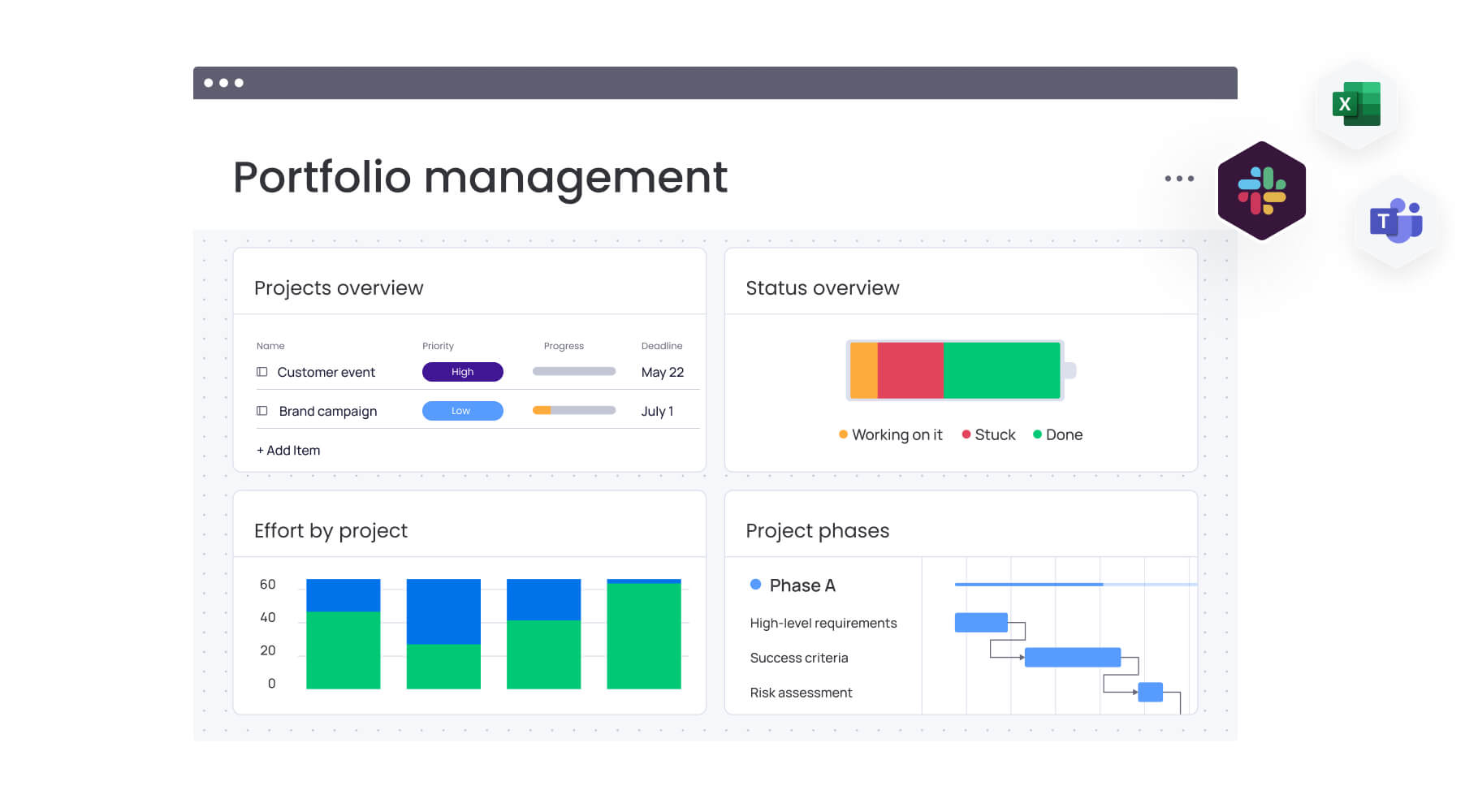
Communication happens across dozens of channels. Advanced systems act as central workspaces that ingest data from everywhere — Microsoft Teams, Gmail, Outlook, Slack — pulling everything into a unified view.
Teams using monday work management connect 200+ apps, allowing all communication channels to feed into one system without switching tabs or copying data between platforms.
Drive results with communication logs using monday work management
monday work management transforms communication logs from static records into dynamic parts of your business operating system. By centralizing communication within the same platform where work executes, organizations bridge the gap between conversation and action. This integration creates a seamless flow from discussion to delivery, ensuring nothing gets lost in translation between planning and execution.
Build dynamic communication dashboards
Customizable dashboards visualize communication data in real time. Leaders build widgets displaying weekly client interaction volume, sentiment breakdown of recent feedback, or status of open action items from meetings.
These dashboards provide organizational pulse checks without manual report generation:
- Real-time visualization: See communication patterns as they develop.
- Custom widgets: Build views that match your specific needs.
- Executive summaries: High-level overviews for leadership decision-making.
- Team-specific views: Focused dashboards for different departments.
With 10+ drag-and-drop widgets, teams view data exactly how they need it to make faster, sharper decisions.
Automate follow-ups and assignments
Automation recipes remove manual tracking of next steps. Configure the system to notify project managers when “High Priority” calls get logged or create new work items when clients approve scope changes via email.
This ensures agreed-upon actions never get lost in transition:
- Automatic task creation: Convert log entries into actionable work items.
- Smart notifications: Alert the right people about relevant updates.
- Workflow triggers: Initiate processes based on communication content.
- Integration maintenance: Keep all systems synchronized automatically.
The powerful platform handles repetitive work while integrating with communication channels teams already use.
Integrate email, Slack, and Teams seamlessly
Native integrations allow seamless capture of external and internal communications. Emails convert into board items with one click. Slack messages become updates within the log instantly.
This creates a centralized repository where original conversation context is preserved alongside structured data:
- One-click conversion: Transform emails into structured log entries.
- Context preservation: Maintain original formatting and attachments.
- Unified access: Everything needed to move work forward in one place.
- Cross-platform sync: Updates flow between all connected systems.
Teams avoid context switching with everything needed to move work forward in one place.
Track communications alongside projects
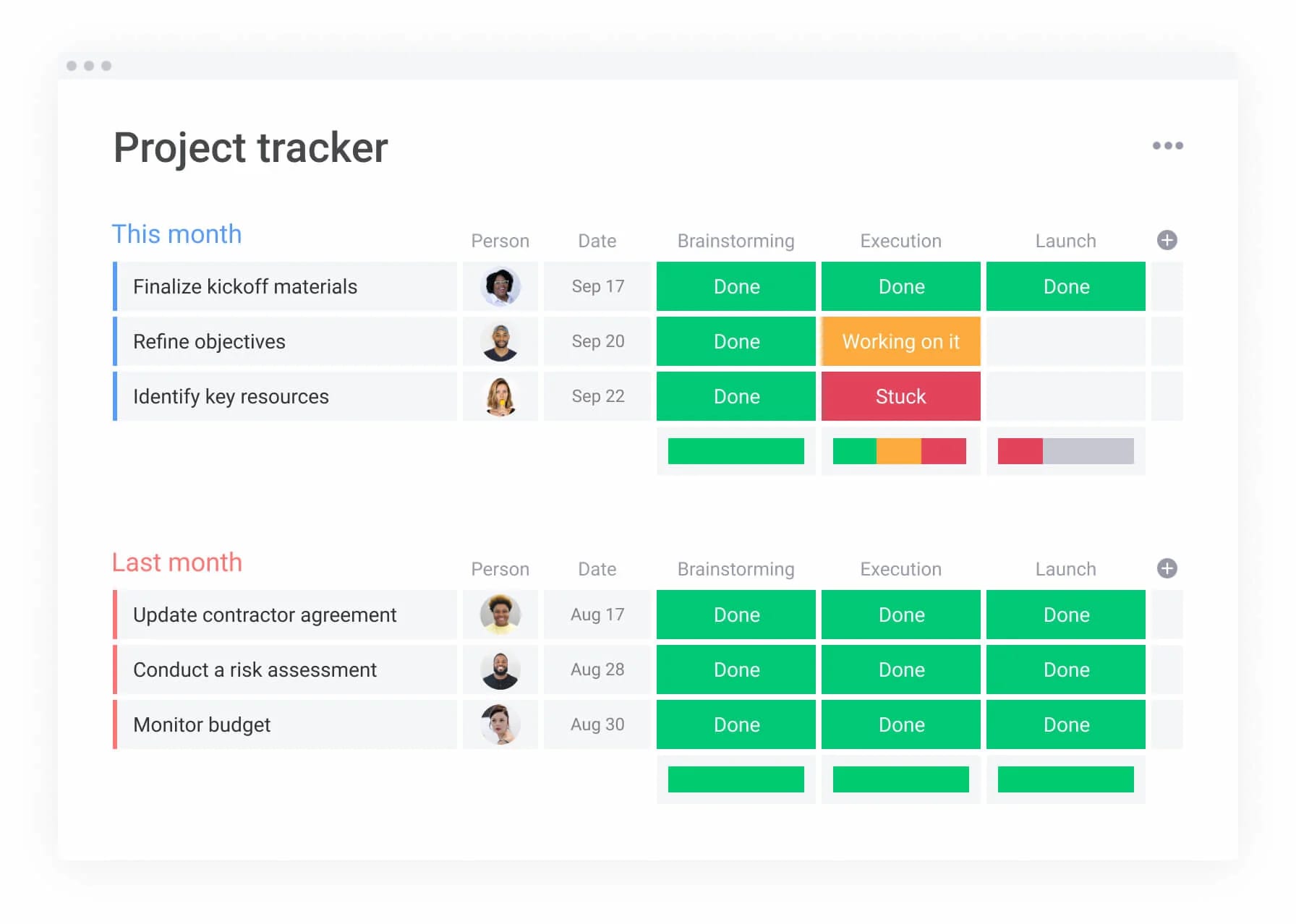
Because monday work management handles both project management and communication logging, the two are inextricably linked. Communication log entries aren’t isolated rows — they’re connected to specific project boards, timelines, and budgets.
Anyone reviewing project status has immediate access to the decision history that led there:
- Contextual connections: See how conversations impact project outcomes.
- Historical visibility: Understand the story behind current project status.
- Integrated timelines: Communication events appear alongside project milestones.
- Complete audit trails: Full documentation from conception to completion.
Gantt charts keep close tabs on project scope, schedule, milestones, and dependencies at any level while maintaining full communication context.
Generate insights with AI-powered analytics
The advanced platform’s AI offering enhances communication logs by providing intelligent summarization and analysis. AI capabilities digest long meeting notes to extract key takeaways, analyze client communication sentiment to predict relationship health, and suggest automated responses based on log entry content.
The Summarize AI Block gets to the bottom line by condensing complex topics, extracting key points, and surfacing immediate actionable insights from hundreds of log entries.
Ensure enterprise-grade security and compliance
Organizations with strict governance needs get the necessary security infrastructure. Features include audit logs, HIPAA compliance support, single sign-on (SSO), and granular permission settings allowing admins to control exactly who can view, edit, or delete log entries.
Multi-level permissions control user access to viewing and changing data, including vendors and guests, ensuring communication logs remain secure, compliant sources of truth.

“monday.com has been a life-changer. It gives us transparency, accountability, and a centralized place to manage projects across the globe".
Kendra Seier | Project Manager
“monday.com is the link that holds our business together — connecting our support office and stores with the visibility to move fast, stay consistent, and understand the impact on revenue.”
Duncan McHugh | Chief Operations OfficerCreate clarity that scales with your team
When important conversations live across inboxes, chat threads, and meeting notes, context gets lost and decisions slow down. A structured communication log keeps information connected, helping teams track commitments, understand how decisions evolved, and move work forward with confidence.
Consistent logging improves accountability, reduces repeated conversations, and gives everyone access to the same source of truth. Instead of searching for past messages or relying on memory, teams can quickly understand what was agreed and what needs attention next.
monday work management helps teams connect communication directly to execution, so updates, decisions, and follow-ups stay linked to the work they influence. With shared visibility and built-in automation, communication logs become part of everyday workflows, supporting clearer collaboration as organizations grow.
Try monday work managementFrequently asked questions
How often should I update a communication log?
Communication logs should be updated immediately following an interaction to ensure accuracy. High-volume environments benefit most from automation that captures data in real-time through integrations, maintaining currency without disrupting workflow.
Can communication logs be automated?
Yes, communication logs can be automated through integrations with email, calendar, and chat platforms. These integrations automatically create entries, populate fields, and assign follow-up items based on communication content without manual data entry.
What's the difference between a communication log and a CRM?
A CRM specifically manages sales and customer relationships, while a communication log is a broader record tracking all internal and external interactions across projects, operations, and HR. Communication logs often integrate with CRMs to provide complete organizational context.
How long should organizations keep communication logs?
Retention periods depend on industry regulations and company policy. Generally, logs should be kept for the project duration plus a warranty period, or up to seven years for financial and legal compliance purposes.
Who should have access to team communication logs?
Access should follow the principle of least privilege. Team members need access to logs relevant to their projects, while sensitive HR or legal logs should be restricted to specific management roles to protect privacy.
Do communication logs help with compliance audits?
Yes, structured communication logs provide timestamped, immutable evidence required during audits. They demonstrate proof of decision-making, consent, and adherence to protocols essential for regulatory frameworks like GDPR and SOX.

 Get started