

Ever left a meeting feeling confident about the next steps, only to realize weeks later that half of them never happened? That disconnect between decisions and execution isn’t about motivation; it’s about how commitments are captured and tracked. Without a clear system, action items slip through the cracks, buried in chat threads, or forgotten in email chains.
The problem isn’t that teams lack good intentions or work ethic. It’s that most organizations treat action items as an afterthought — scribbled in notebooks, mentioned in passing, or added to already-overflowing to-do lists. When there’s no standardized way to capture what was decided, who’s responsible, and when it’s due, even the most important commitments fade into background noise.
Below, we look at practical ways to turn meeting discussions into measurable results. This guide will break down the components of an effective action items template, show how to assign ownership and deadlines with clarity, and explore strategies that keep follow-through consistent across teams.
Key takeaways
- Action items drive accountability: Turning meeting decisions into specific, trackable commitments ensures follow-through and prevents tasks from slipping through the cracks.
- Clarity is critical: Effective action items include a single owner, realistic deadlines, progress indicators, dependencies, and defined success criteria to create measurable outcomes.
- Capture and assign in real-time: Recording action items during meetings with immediate ownership and clear language reduces misunderstandings and accelerates execution.
- Regular review cycles enhance execution: Weekly or periodic follow-ups help identify blocked items, celebrate completions, and maintain momentum across teams.
- Technology supports scalable workflows: Platforms like monday work management enable automated reminders, visual tracking, dependency management, and cross-team visibility to maintain consistent action item follow-through.
What is an action items template?
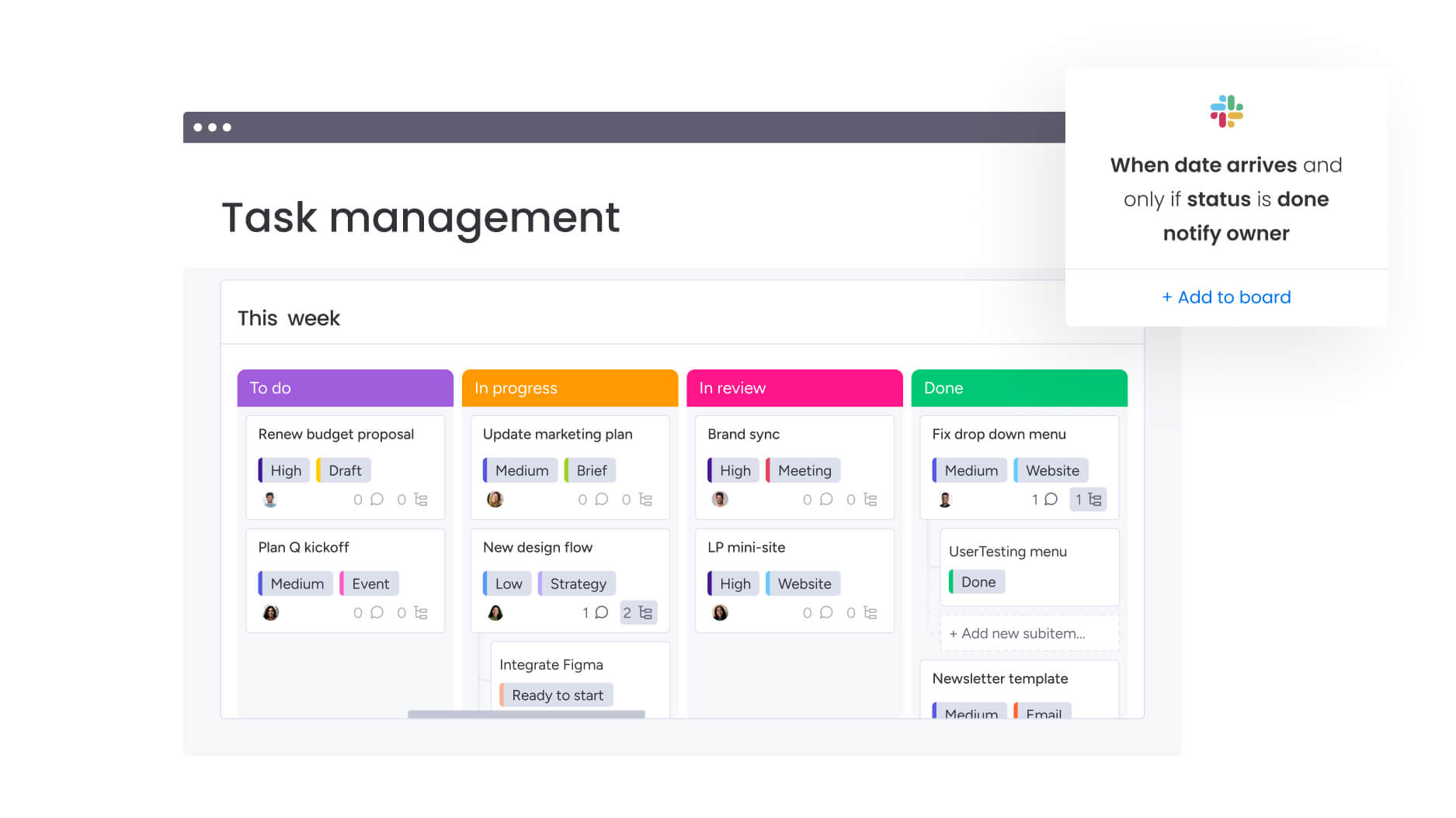
An action items template is a structured way to capture, assign, and track commitments from meetings, planning sessions, or project reviews. Unlike scattered notes or informal agreements, it creates a single source of truth, ensuring decisions become actionable work.
The difference between regular work items and action items is important. Routine work, like updating a quarterly report, doesn’t require immediate accountability. An action item, however, is tied directly to a meeting decision, such as securing approval for a budget by Friday, and carries a clear expectation of follow-through.
Without a standardized template, teams face predictable friction:
- Decisions evaporate after meetings end.
- Ownership stays ambiguous.
- Follow-through becomes inconsistent.
8 key elements of effective action items
Action items only work when they are precise and actionable. Each component provides structure to ensure commitments are met efficiently. Without these elements, action items become vague suggestions that teams interpret differently, leading to missed deadlines, duplicated effort, or incomplete work.
The framework below transforms meeting decisions into executable work by defining exactly what needs to happen, who’s responsible, when it’s due, and how success is measured.
1. Specific action description with expected outcome
Entries like “follow up on a budget” are too vague. Instead, combine the assignment with its expected result, such as “Schedule a budget review meeting with the finance team to receive Q2 marketing spend approval.” This clarifies what “done” looks like.
2. Single-owner accountability
Assigning work to a team or department often leads to ambiguity. One person must take primary responsibility, even if others contribute, creating a clear point of contact for updates.
3. Realistic due date and priority level
Arbitrary deadlines kill credibility. Replacing “ASAP” with “Friday at 3:00 p.m.” creates real accountability. Priority levels help teams focus energy on high-impact items during crunch periods.
4. Current status and progress indicators
Binary “done/not done” status rarely suffices. Labels such as “In Review,” “Blocked,” or “Waiting on Vendor” reveal momentum and allow managers to spot delays early.
5. Dependencies and prerequisites
Action items often fail because the required preliminary work isn’t identified. Mapping dependencies prevents bottlenecks by showing which items must finish before others can start.
6. Link to business goals orOKRs
Connecting action items to larger objectives cuts busy work. This connection justifies resource allocation and shows how meeting outcomes drive organizational strategy.
7. Source context from meetings or projects
Keeping a record of the original discussion helps teams understand decisions weeks later and adjust as circumstances evolve.
8. Success criteria and completion definition
Clearly defining “done” prevents endless revisions. As a result, assignees and stakeholders stay aligned from the start.
Platforms like monday work management allow teams to build these components into customizable columns and automated workflows, capturing everything needed for execution.
4 steps to capture meeting action items efficiently
Turning meeting discussions into actionable work requires a system that runs before, during, and after meetings. This ensures commitments are clear and accountability is maintained at every stage.
Step 1: pre-meeting preparation for action capture
Setting up your tracking system before the meeting improves capture quality. This preparation includes:
- Template preparation: Configure your action item template with all essential fields.
- Decision point identification: Review the agenda to anticipate potential commitments.
- Stakeholder confirmation: Ensure decision-makers who can make commitments will attend.
Utilizing pre-built boards or documents allows note-takers to log actions immediately rather than scrambling after the call. When the infrastructure is ready, the transition from discussion to documentation is instantaneous.
Step 2: real-time decision documentation during meetings
Capturing action items while maintaining meeting flow takes specific techniques. The most effective approach involves confirming items verbally before moving forward: “Just to confirm, Sarah is emailing the vendor by Tuesday, correct?”
Key practices include:
- Immediate validation: Confirm commitments verbally before proceeding.
- Specific language: Only record items with clear verbs and owners.
- Live documentation: Log items instantly to transition them from conversation to assigned responsibility.
Documentation itself creates accountability and prevents misunderstandings.
Step 3: post-meeting distribution and assignment
Action items must be distributed within 24 hours to keep momentum. The format should make sure all stakeholders understand their commitments clearly.
This distribution process:
- Transforms notes into assigned responsibilities: Move items from meeting notes into your workflow system.
- Removes ownership ambiguity: Create clear assignment through explicit naming.
- Allows for immediate clarification: Enable course-correction while the meeting remains fresh.
Quick distribution lets people course-correct if someone misunderstood their assignment.
Step 4: automated reminder workflows
Systematic follow-up can’t rely on manual memory. Automated reminders keep items visible without creating extra work. As deadlines approach or statuses stay unchanged, relevant owners get notifications automatically.
Organizations simplify this through meeting templates and notification systems on monday work management, keeping follow-through consistent without manual tracking.
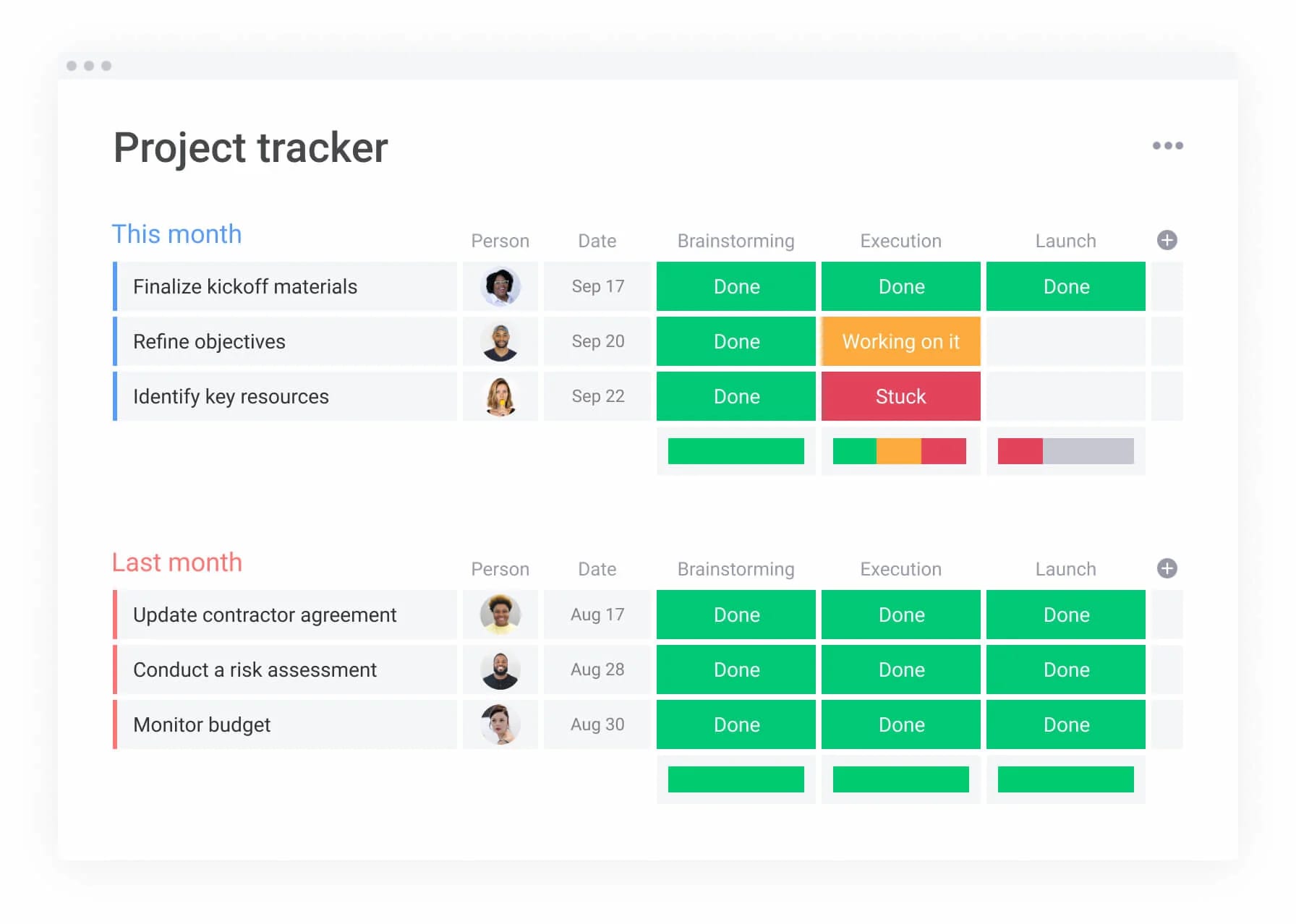
4 steps to create an action items list from any meeting
Creating a usable action list requires a consistent approach that adapts to different meeting formats, whether you’re running a quick stand-up, a strategic planning session, or a client review. The core principles remain the same across small teams and enterprise organizations: capture decisions clearly, assign ownership immediately, and establish accountability before anyone leaves the room.
Below is how teams can approach this process consistently, regardless of the meeting type or company size:
Step 1: set up your action item tracker
Centralize all items in a shared tracker. Include fields for owner, due date, status, and priority. Accessibility is key; everyone must see and update the same source of truth.
Step 2: capture decisions as they happen
Real-time capture differs by meeting format but has the same goal: accuracy.
- Virtual meetings: Screen-share the action board for live updates.
- In-person sessions: Use visible whiteboards or projected displays.
- Hybrid formats: Combine digital tracking with physical visibility.
Only items with specific verbs and owners make the list. “We should think about pricing” isn’t an action item. “John will present three pricing models by Thursday” is.
Step 3: assign owners before the meeting ends
Ownership assignment has to happen during the meeting with the assignee present, because assigning items afterward creates resistance and confusion.
Best practices include:
- Real-time assignment: Confirm ownership while the assignee is present.
- Workload balancing: Redistribute if someone already has excessive commitments.
- Chain of custody: If the right owner isn’t available, create an assignment action item.
This real-time assignment prevents overload and keeps commitments realistic.
Step 4: schedule follow-up reviews
Systematic reviews keep items moving without extra work:
- Strategic items: Monthly reviews for high-level initiatives.
- Tactical projects: Weekly check-ins for operational work.
- Client commitments: Per-meeting reviews for external accountability.
Teams using monday work management simplify this through templates and automation, enabling reviews via automated status reports or async updates.
The core principles remain the same across small teams and enterprise organizations: capture decisions clearly, assign ownership immediately, and establish accountability before anyone leaves the room.
5 types of action item templates
Action items aren’t one-size-fits-all. A strategic executive decision requires different tracking than a client deliverable or cross-departmental initiative. The format you choose should match how your team actually works. Below is an overview of which template format works best for specific work contexts:
| Template type | Primary focus | Key differentiator | Review cadence |
|---|---|---|---|
| Executive action items | Strategic decisions | Business outcome connection | Monthly |
| Project action items | Milestone tracking | Dependency visualization | Weekly |
| Client meeting action items | External visibility | Professional formatting | Per meeting |
| Cross-functional action items | Role definition | RACI integration | Bi-weekly |
| Rolling action item list | Ongoing work | Persistent history | Continuous |
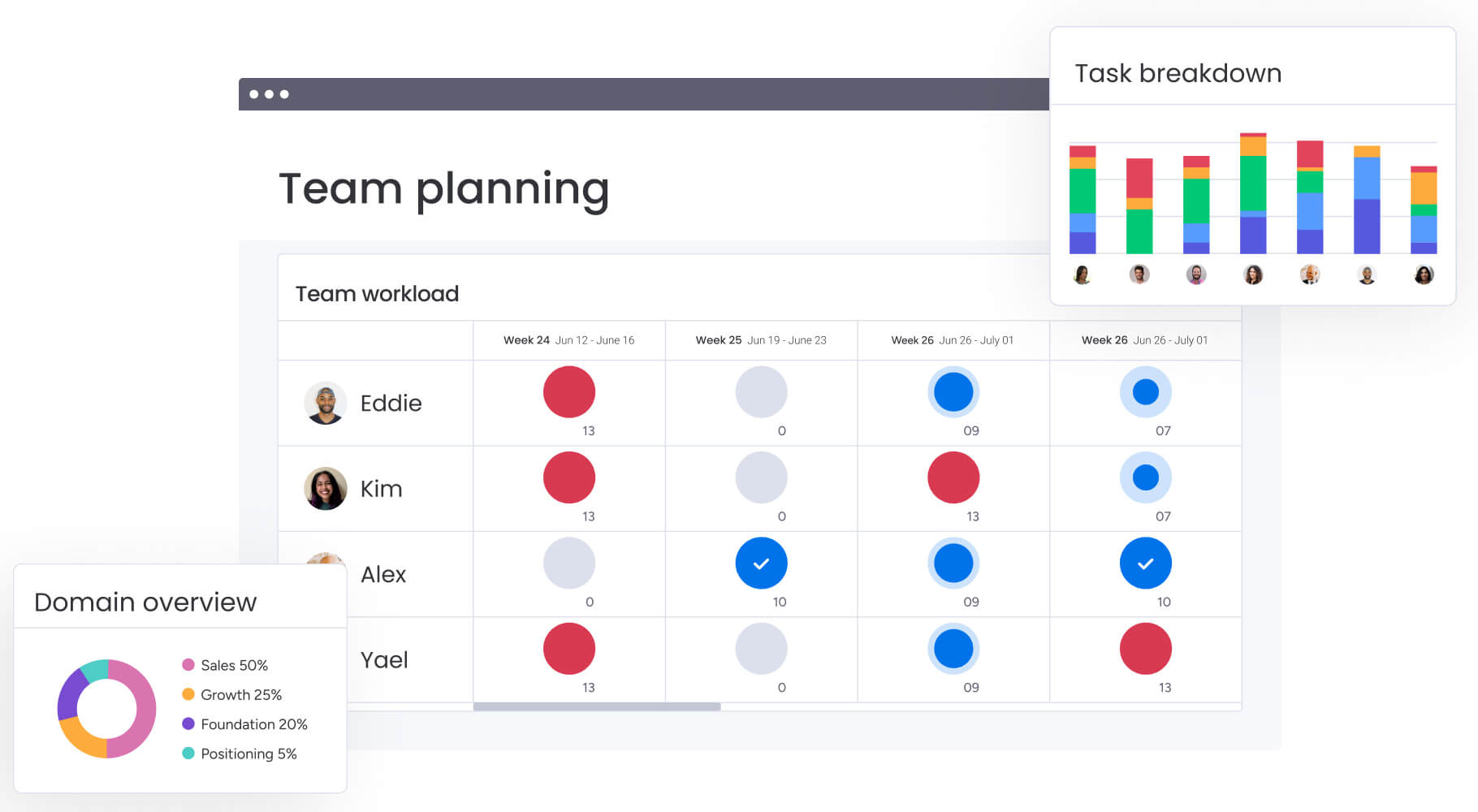
Tailored templates for different team needs
Different teams face different coordination challenges. The templates below address these distinct needs by emphasizing the right information at the right level of detail, whether that’s connecting actions to business outcomes, visualizing project dependencies, or maintaining professional client communication.
Executive action items template for strategic decisions
Executive items need strategic context and longer timelines with direct connections to business outcomes. These templates emphasize strategic alignment over daily updates, often spanning multiple departments, with tracking focused on high-level progress.
Key characteristics include:
- Strategic context: Direct connection to business objectives.
- Longer timelines: Monthly or quarterly completion cycles.
- Impact measurement: Focus on outcomes rather than activities.
- Cross-departmental scope: Coordination across multiple teams.
The template structure reflects executive needs: less granular detail, more impact measurement.
Project action items template with milestone tracking
Project-related items need tight integration with timelines and deliverables to work. This template connects items to specific project phases, showing how small delays impact major milestones.
Essential features include:
- Timeline integration: Connection to project schedules and milestones.
- Dependency visualization: Clear mapping of prerequisite relationships.
- Critical path awareness: In-depth knowledge of items that impact overall project timing.
- Resource allocation: Tracking of team capacity and workload distribution.
Teams track not just completion but impact on project health.
Client meeting action items template
Client-facing items have unique requirements for external visibility and professional formatting. These templates distinguish between internal actions (teamwork) and external actions (client deliverables), so both sides understand responsibilities.
- Professional formatting: Client-ready presentation and language.
- External visibility: Clear communication of client-facing commitments.
- Internal/external distinction: Separation of teamwork from client deliverables.
- Relationship management: Tracking of client satisfaction and engagement.
The formatting must be client-ready, often requiring more polish than internal tracking.
Cross-functional action items template with RACI
Cross-departmental items need a clear role definition to keep responsibilities from getting dropped. Integrating RACI (Responsible, Accountable, Consulted, Informed) frameworks means everyone understands who does the work, who approves it, and who needs updates.
- Role clarity: Explicit definition of who does what.
- Approval chains: Clear escalation and decision-making paths.
- Communication requirements: Systematic updates to informed stakeholders.
- Accountability structure: Single points of responsibility despite multiple contributors.
This prevents the common problem of multiple departments assuming someone else owns the work.
Rolling action item list template for ongoing work
Some teams need persistent tracking across multiple meetings rather than fresh lists each session. Rolling templates maintain open and closed item history, letting unfinished business carry over smoothly.
Benefits include:
- Historical continuity: Persistent tracking across multiple sessions.
- Pattern recognition: Understanding of recurring issues and bottlenecks.
- Workload management: Visibility into cumulative commitments over time.
- Progress tracking: Long-term view of team execution patterns.
Organizations use specialized views and automation on monday work management to manage rolling lists, keeping items from disappearing when new agendas emerge.
Best practices for action item management
Templates are the foundation, but effective management takes ongoing discipline and systematic approaches. These practices keep your action items driving real results instead of becoming administrative overhead.
Build accountability through transparency
Visible tracking creates natural accountability. When everyone sees who owns what and the current status, public commitment psychology kicks in. Transparency helps teams self-regulate: individuals meet deadlines visible to peers more consistently than private commitments.
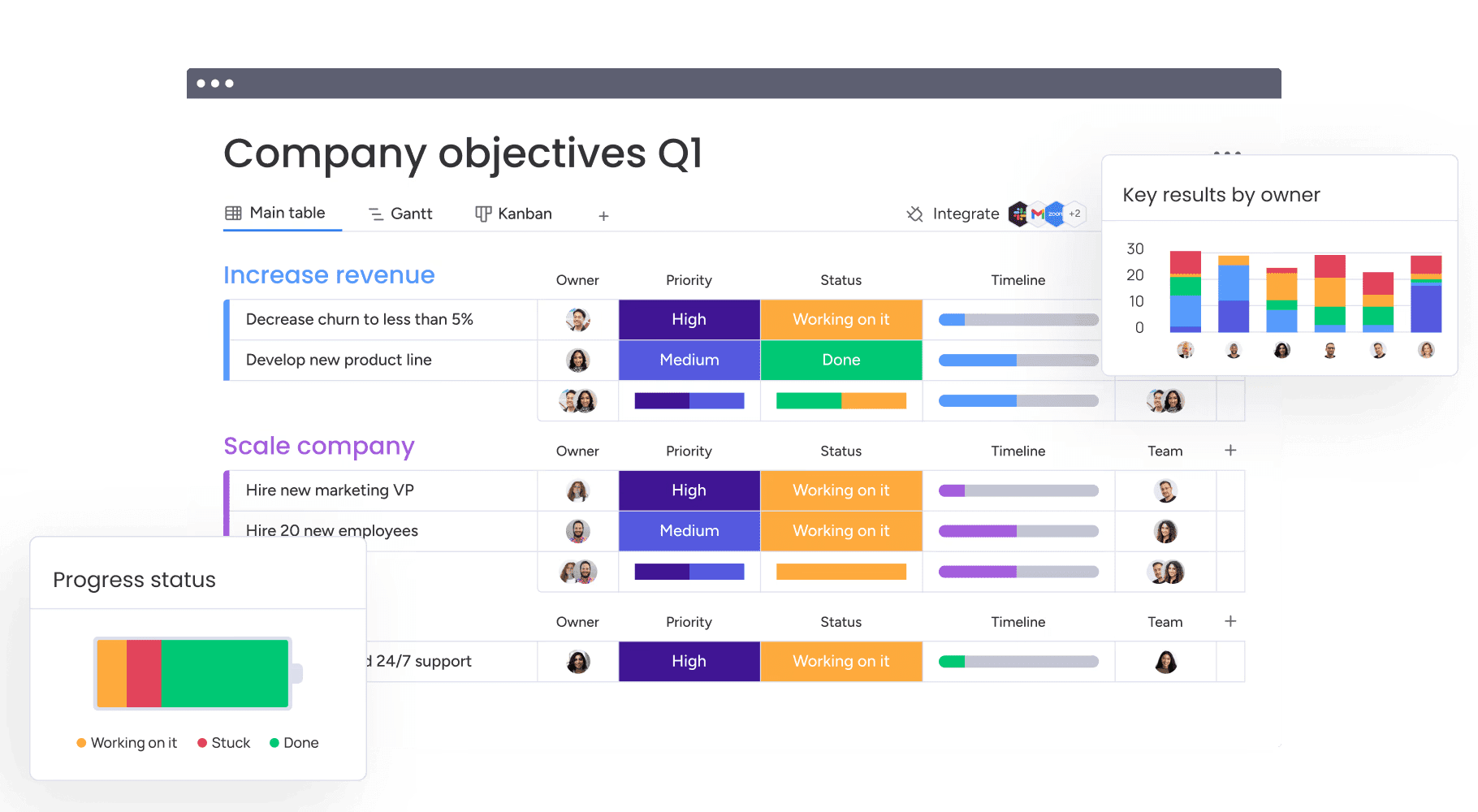
Use visual dashboards for status tracking
Text-based updates get lost in the flood of information. Visual indicators provide immediate awareness:
- Color-coded columns: Instant status recognition.
- Progress bars: Visual completion tracking.
- Status widgets: At-a-glance health indicators.
- Priority flags: Focus attention on critical items.
Managers scan for red items instantly rather than reading through text lines.
Implement weekly action item reviews
Regular review cycles prevent staleness while adding value without extra work:
- Blocked item focus: Identify and resolve obstacles quickly.
- At-risk identification: Proactive intervention before deadlines pass.
- Completion celebration: Recognize successful follow-through.
- Process improvement: Learn from patterns and bottlenecks.
This rhythm keeps progress visible while ensuring stalled tasks don’t impact broader goals.
Measure and report completion metrics
Analytics show performance insights that help teams improve over time:
- Completion rates: Track follow-through effectiveness.
- Cycle times: Understand how long items typically take.
- Bottleneck identification: Spot recurring obstacles.
- Team performance: Compare execution across different groups.
Built-in analytics in monday work management turn raw data into actionable insights, helping teams refine processes continuously.
Transparency helps teams self-regulate: individuals meet deadlines visible to peers more consistently than private commitments.
How do AI and automation transform action item tracking?
Manual tracking struggles to scale as work grows more complex. AI addresses repetitive and error-prone tasks, freeing teams to focus on execution while maintaining visibility and accountability.
Auto-generate action items from meeting transcripts
AI capabilities identify commitments within conversations, reducing manual capture effort significantly. By analyzing transcripts, AI extracts specific items, identifies likely owners, and proposes due dates.
Benefits include:
- Improved accuracy: Catching rapid-fire decisions that humans might miss.
- Reduced manual effort: Automatic extraction from conversation flow.
- Consistent formatting: Standardized structure across all captured items.
- Context preservation: Maintaining connection to original discussion.
This automation ensures nothing gets lost in fast-paced meetings while maintaining quality standards.
Smart assignment based on team capacity
AI suggests optimal assignments by analyzing workloads, skills, and availability. This prevents overloading high performers while others have capacity, distributing work effectively to prevent burnout and bottlenecks.
Smart assignment considers:
- Current workload: Existing commitments and capacity.
- Skill matching: Alignment between requirements and capabilities.
- Availability patterns: Familiarity with individual schedules.
- Historical performance: Track record of successful completion.
This data-driven approach optimizes resource allocation automatically.
Predictive alerts for at-risk items
Beyond simple deadline reminders, AI identifies items likely to miss deadlines based on historical patterns and current progress. Predictive alerts enable proactive intervention, and managers reallocate resources or adjust expectations before deadlines pass.
Predictive capabilities include:
- Pattern recognition: Learning from historical completion data.
- Risk scoring: Probability assessment for on-time completion.
- Early warning systems: Alerts before items become critical.
- Resource reallocation: Suggestions for intervention strategies.
This proactive approach prevents last-minute scrambles and missed commitments.
Automated progress updates and escalations
AI monitors project velocity and automatically escalates stalled items. When a task remains “in progress” beyond an expected threshold, the system sends a frictionless notification to owners or managers, eliminating the need for awkward manual follow-ups.
Specific features, such as “Suggest action items” and “Categorize” within monday work management, provide fully integrated capabilities directly into your boards. This automation supports human judgment by providing the right data at the right time, rather than attempting to replace the human element of project leadership.
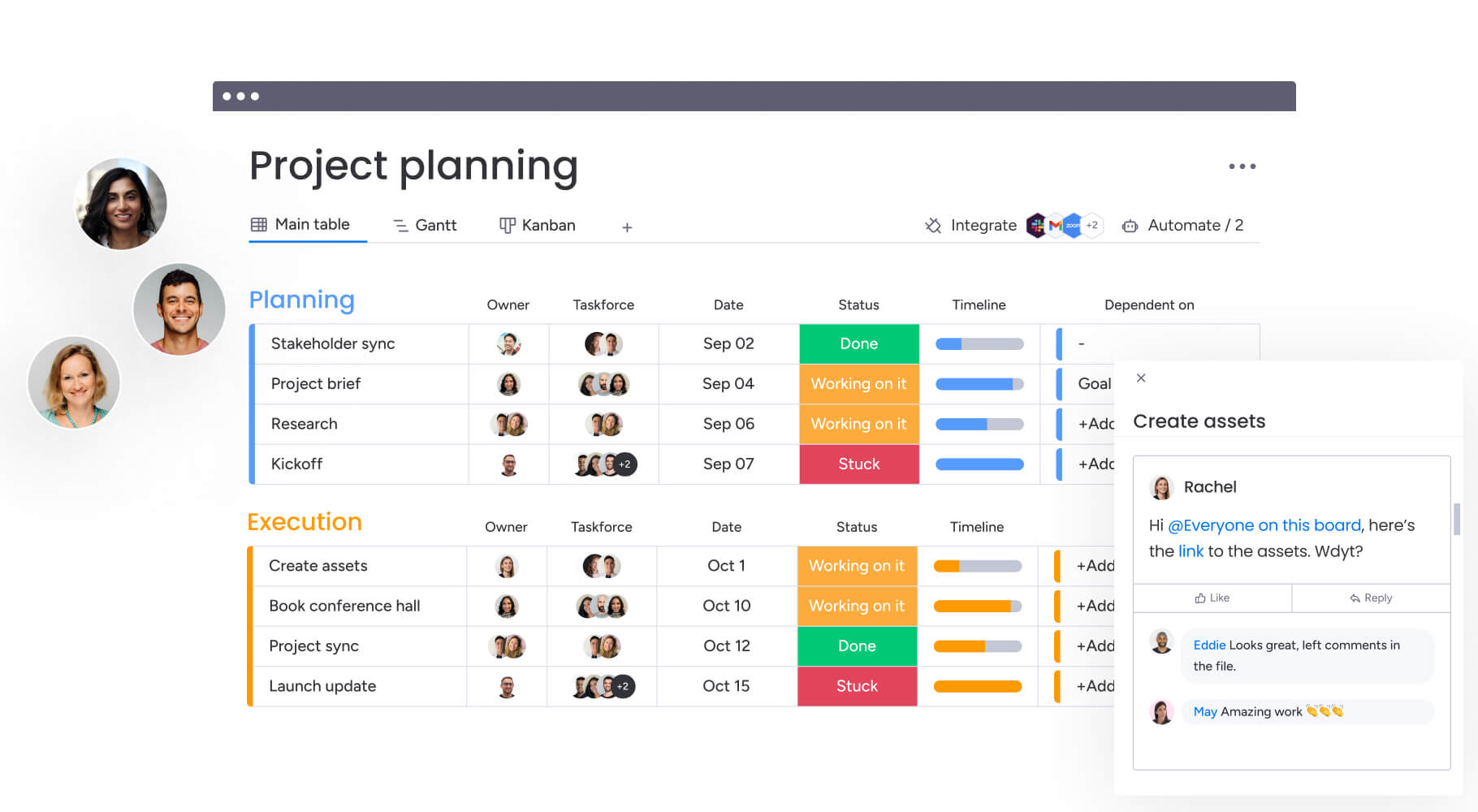
monday work management vs. alternative solutions
Not all solutions handle action items the same way. Some rely on scattered spreadsheets or email threads, while others offer basic project tracking with limited visibility.
The comparison below highlights how monday work management stacks up against common alternatives, showing where it provides more flexibility, insight, and scalability for teams of any size.
| Capability | monday work management | Spreadsheets | Email tracking | Generic project platforms |
|---|---|---|---|---|
| Template customization | Fully customizable with automation | Manual setup required | No template structure | Limited customization |
| Real-time collaboration | Built-in collaboration features | Version control issues | Lacks a centralized source of truth | Basic collaboration |
| Automated reminders | Smart escalation based on priority | Manual reminder setup | No systematic reminders | Basic notification systems |
| Portfolio visibility | Cross-team dashboard views | Separate files per team | No consolidated view | Limited cross-project visibility |
| AI-powered insights | Action item suggestions and categorization | No AI capabilities | No AI capabilities | Limited or no AI features |
| Integration capabilities | 200+ app integrations | Limited integration options | Email-only integration | Moderate integration options |
| Scalability | Scales from teams to enterprise | Lacks scalability for growing teams | Breaks down with volume | May require multiple solutions |
Keep action items on track with monday work management

“monday.com has been a life-changer. It gives us transparency, accountability, and a centralized place to manage projects across the globe".
Kendra Seier | Project Manager
“monday.com is the link that holds our business together — connecting our support office and stores with the visibility to move fast, stay consistent, and understand the impact on revenue.”
Duncan McHugh | Chief Operations OfficerManaging action items isn’t just about tracking tasks; it’s about turning decisions into measurable results while keeping teams aligned and accountable. Many organizations struggle with lost commitments, unclear ownership, and missed deadlines, which can stall progress and dilute strategic focus.
monday work management addresses these challenges by linking everyday work directly to broader business goals.
- Clarity and ownership: Ensure every action item has a single accountable owner, clear deadlines, and defined success criteria.
- Real-time visibility: See progress across teams, projects, and portfolios with dashboards and workload views.
- Automated follow-through: Leverage smart notifications, escalations, and AI-driven suggestions to keep commitments on track.
- Strategic alignment: Connect individual actions to OKRs and organizational objectives to prioritize what matters most.
- Scalable workflows: Adapt templates and automation as teams and projects grow without adding manual complexity.
By combining structure, transparency, and intelligent automation, teams gain efficiency, maintain focus on strategic priorities, and move from hoping assignments get done to knowing they will. With this approach, meeting decisions consistently translate into tangible business impact.
Frequently asked questions
What's the difference between an action item and a task?
The difference between an action item and a task is that an action item is a specific commitment made during a meeting that requires follow-through, while a work item is a broader assignment that may not be tied to a specific meeting or decision. Action items typically have more urgency and accountability because they represent commitments made to other people.
How do I ensure action items don't get lost after meetings?
Action items stay visible when you use systematic tracking that includes immediate documentation, ownership assignment, and automated reminder systems. Moving action items from meeting notes into a dedicated tracking system within 24 hours prevents them from disappearing.
Can one action item have multiple owners?
While action items can involve multiple people, they should have one primary owner who is accountable for ensuring completion and providing updates. Additional team members can be listed as contributors, but single ownership prevents confusion about ultimate responsibility.
What's the ideal number of action items per meeting?
Most effective meetings generate 3-7 action items, allowing meaningful follow-through without overwhelming participants. If meetings consistently generate more than ten action items, consider whether the agenda is too broad or if some items should be delegated to smaller groups.
How long should I keep completed action items?
Completed action items should be archived rather than deleted, typically keeping them accessible for 3-6 months for reference and pattern analysis. This historical data helps teams understand execution patterns and improve future action item management.
How does monday work management handle action item dependencies?
The platform automatically tracks action item dependencies through board connections and timeline views, providing visual indicators when prerequisite work blocks progress. Automated notifications alert team members when dependencies resolve, keeping dependent items moving forward without manual oversight.

 Get started