


When a high-intent lead replies to your campaign, every minute counts. But if that reply lands in a personal inbox or gets lost in a chaotic thread, the opportunity vanishes. Managing campaign responses across scattered email accounts creates friction, slows down your team, and puts revenue at risk. Shared inbox software solves this by pulling every reply, inquiry, and follow-up into one central feed where your whole team can see what’s happening. Instead of forwarding emails and hoping someone picks them up, you get a single place to track conversations, assign ownership, and connect responses back to the campaigns that generated them.
We’ve compared 10 shared inbox platforms built for marketing teams, focusing on what matters most: campaign management, lead qualification, and sales handoffs. You’ll learn what to look for, how to evaluate your options, and the exact steps to turn your inbox into a revenue driver. Plus, we’ll show you how platforms like monday campaigns help you respond faster, drop fewer leads, and finally see what’s actually driving results.
Try monday campaignsWhat is shared inbox software for marketing teams
When campaign replies land in five different inboxes, you have a system that needs structure to convert those leads effectively. Shared inbox software pulls every response, inquiry, and follow-up into one central feed where your whole team can track and manage conversations without losing context. It turns a scattered mess of replies into a pipeline you can actually work.
Unlike email platforms built only for sending, a shared inbox is designed for what comes back.
Every incoming message connects to its original campaign and the right team member. No more endless email forwards. You get one place to see every marketing conversation, along with accurate campaign ROI, allowing you to make data-driven decisions with confidence.
Why marketing teams need specialized shared inbox tools
Generic inboxes treat hot leads like company-wide memos, giving them the same priority and urgency as routine updates. This approach often leads to missed opportunities. Without context, your marketing team flies blind. They can’t connect campaign responses to real business impact. You need a platform that tracks the entire journey, from first click to closed deal.
For marketing leaders, the difference shows up in revenue. Response times are just the start. Clearing your inbox faster is nice, but what you really need is proof of campaign ROI and faster lead conversion. Marketing-focused platforms turn replies into revenue opportunities instead of just another thread to manage.
Here’s what marketing-built platforms deliver that generic solutions can’t:
- Revenue attribution: Connect every response directly to the campaign that generated it, giving you a clear view of your marketing ROI.
- Lead qualification automation: Use AI to instantly analyze and score leads, routing high-intent prospects straight to sales.
- Campaign optimization intelligence: Get insights from response patterns to see which messaging and offers generate the best leads.
- Marketing-sales alignment: Give sales teams full campaign context, eliminating the cold handoffs that kill conversion rates.
Protect your pipeline from campaign chaos
A prospect who replies to your campaign and waits 48 hours hasn’t waited. They’ve moved on. Without structure, you can’t prove which campaigns drive revenue, your budget is at risk, and admin work keeps your team from focusing on strategy. Platforms built for marketing eliminate this chaos by automatically updating records, calculating lead scores, and routing conversations the moment a prospect responds.
Turn email replies into real revenue intelligence
Every campaign response signals a prospect’s intent, pain points, and buying readiness. Specialized platforms automatically extract this intelligence, distinguishing casual inquiries from demo requests so you know exactly which opportunities to prioritize. Advanced systems use AI to analyze sentiment and spot buying signals, flagging conversations mentioning budget or timelines for immediate sales attention and turning generic replies into real revenue opportunities.
Create a seamless marketing-to-sales handoff
Sales handoffs fail when context disappears. A forwarded email thread doesn’t tell a sales rep what sparked the lead’s interest or reveal their actual pain points, creating cold handoffs that tank conversion rates. Platforms built for marketing bridge this gap with native CRM integrations that automatically give sales the complete story on every lead, including the full context needed for conversations that convert.
11 essential shared inbox features for modern marketing teams
Your marketing team’s inbox holds more than messages. It’s packed with leads, customer feedback, and revenue opportunities. With a generic shared inbox, that opportunity can get lost in the noise, preventing promising leads from moving forward. So how do you turn that chaos into a conversion engine?
You need to connect every conversation to your campaigns, pipeline, and bottom line. Here are the essential features that turn conversations into conversions:
- Campaign-to-conversation tracking: Instantly see which campaign, ad, or keyword sparked a response, giving you clear attribution without the guesswork.
- Full CRM context: Get the complete lead history and sales activity right in your inbox, so your team has all the context they need without switching tabs.
- AI-powered insights: Automatically analyze sentiment and intent to prioritize high-value leads and get smart suggestions for the best replies.
- Unified channel management: Pull in communications from email, social media, and web forms into one place for a seamless, continuous conversation.
- Behavior-based segmentation: Automatically group contacts based on how they engage, creating smarter audiences for your next campaign.
- Real-time lead scoring: Instantly identify sales-ready leads based on their real-time engagement, not on stale data from last week.
- Automated handoffs and nurturing: Trigger follow-ups and notify sales the moment a lead shows interest, so no opportunity gets lost in the shuffle.
- Direct revenue attribution: Connect conversations all the way to closed deals to prove marketing’s direct impact on the bottom line.
- Built-in team collaboration: Leave internal notes, assign conversations, and manage approvals without ever cluttering the customer’s view.
- Predictive intelligence: Use AI to learn what works, helping you build smarter, more effective campaigns from the start.
- Marketing automation sync: Keep your messaging consistent by syncing contact data and campaign status across your entire marketing stack.
11 best shared inbox tools for marketing teams
Many shared inbox platforms are just repurposed support platforms. They weren’t built for campaign management and lead intelligence. We looked past marketing promises to see what these tools actually do. This list focuses on tools with real marketing features, not just email forwarding.
You’ll find a mix of options here. Some offer simple collaboration, while others integrate with your CRM for smarter automation. The right fit matches a platform’s strengths to your team’s daily workflows and goals.
The table below compares each platform at a glance so you can get a good side-by-side overview.
| Platform | Best For | Key Strength | Starting Price |
|---|---|---|---|
| monday campaigns | Marketing teams needing CRM-native email | Campaign-to-revenue attribution | $12/seat/month |
| Front | Multi-channel collaboration | Omnichannel inbox with AI | $25/seat/month |
| Missive | Real-time co-drafting | Collaborative email editing | $14/user/month |
| Help Scout | Support-first teams | Customer context features | $25/user/month |
| Hiver | Gmail-native teams | Works inside Gmail | $25/user/month |
| HubSpot Service Hub | HubSpot ecosystem users | Deep CRM integration | $20/user/month |
| Gmelius | Google Workspace teams | Kanban boards in Gmail | $19/user/month |
| Helpwise | Budget-conscious teams | Affordable omnichannel | $15/user/month |
| Zendesk | Enterprise support teams | Enterprise-grade ticketing | $19/agent/month |
| HappyFox | Multi-department teams | Smart routing automation | $24/agent/month |
| Crisp | CPG retail analytics | Retail data intelligence | $18,000/year |
1. monday campaigns
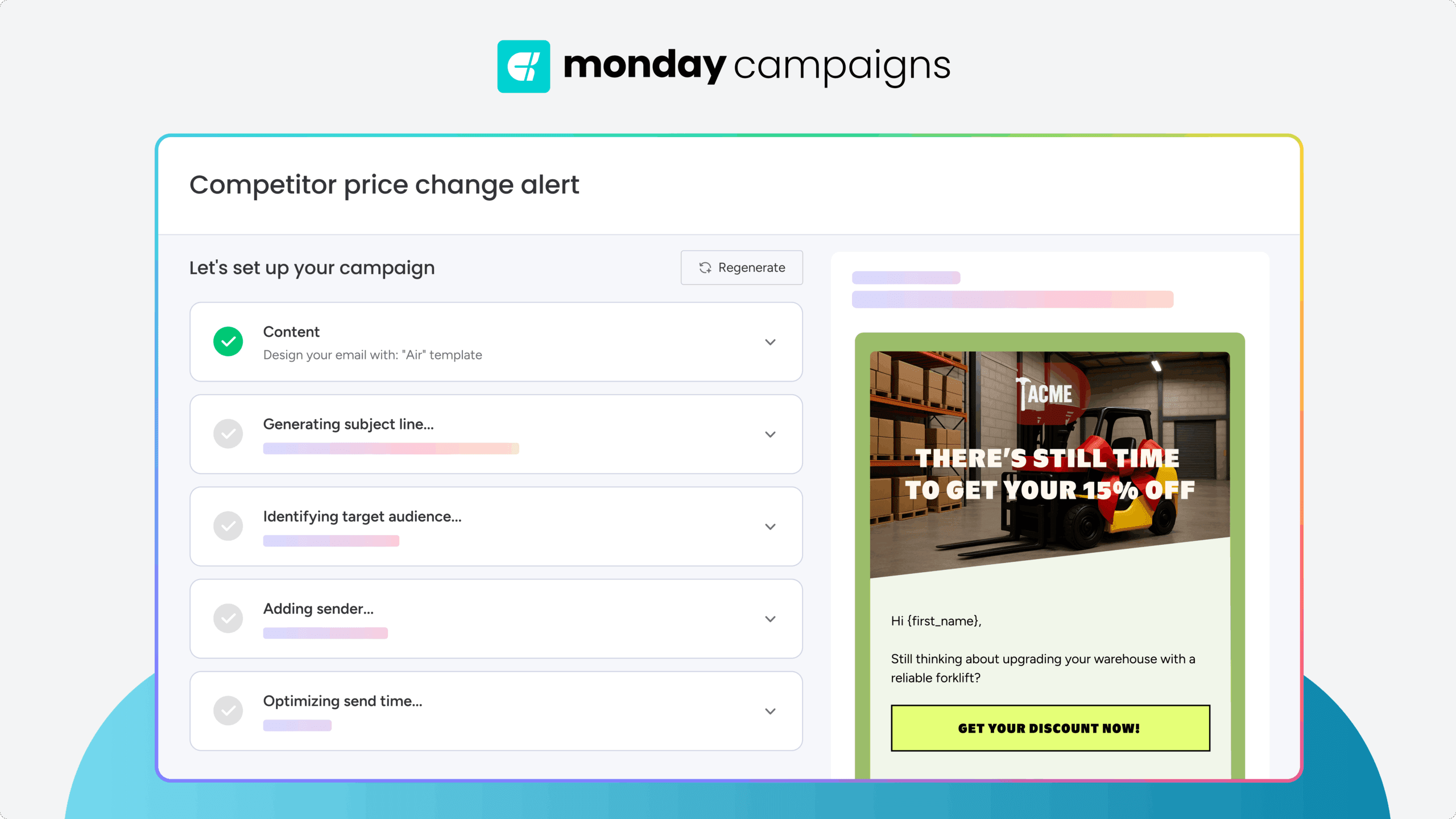
monday campaigns delivers email marketing directly within your CRM, eliminating the gap between campaign creation and response management. Unlike standalone shared inbox tools, it connects every reply back to the campaign that generated it, giving you complete visibility from launch to close. The platform syncs with Gmail and Outlook to log responses directly to contact timelines, making it ideal for marketing teams who need to prove ROI and accelerate sales handoffs.
Use case:
monday campaigns excels for marketing teams who need campaign management and response tracking in one platform, with native CRM integration that connects every conversation to revenue outcomes.
Key features:
- Campaign-to-revenue attribution that connects responses directly to the campaigns that generated them, proving marketing ROI
- AI-powered lead scoring that analyzes response content and engagement timing to identify high-intent prospects automatically
- Native CRM integration that logs campaign replies to contact timelines, giving sales teams full context for every conversation
Pricing:
- Basic: $12/seat/month (billed annually) — 1,000 active contacts & deals, 1 custom dashboard
- Standard: $17/seat/month (billed annually) — 10,000 active contacts & deals, 5 custom dashboards
- Pro: $28/seat/month (billed annually) — Unlimited contacts & deals, 50 custom dashboards
- Enterprise: Contact sales for quote — Enterprise-grade security, advanced automations, unlimited contacts & deals
Considerations:
- Built specifically for marketing teams already using or willing to adopt monday CRM as their system of record
- Email sync requires connecting Gmail or Outlook through the Emails & Activities feature for full conversation tracking
2. Front
Front centralizes messages from email, social media, SMS, and live chat into one workspace where teams can collaborate. The platform specializes in inbox-native collaboration: shared drafts, collision detection, and internal comments. It’s ideal for customer support and operations teams managing high-volume communications.

Example:
Front excels for B2B teams handling complex, multi-channel customer communications who need seamless collaboration without losing the personal touch of traditional email.
Key features:
- Omnichannel inbox that unifies email, chat, SMS, WhatsApp, social media, and Slack conversations in one workspace
- Real-time collaboration tools including assignments, internal comments, shared drafts, and collision detection to prevent duplicate responses
- AI-powered automation with Copilot for suggested replies, Autopilot for safe automated responses, and Smart QA for quality monitoring
Pricing:
- Starter: $25/seat/month (billed annually), up to 10 seats, single channel type
- Professional: $65/seat/month (billed annually), up to 50 seats, omnichannel support
- Enterprise: $105/seat/month (billed annually), unlimited automation rules and includes AI features
- AI add-ons available: Copilot ($20/seat/month), Smart QA ($20/seat/month), Smart CSAT ($10/seat/month)
- 14-day free trial available
- Annual billing saves 24%
Considerations:
- Channel limits scale with seat count, potentially restricting smaller teams from accessing full omnichannel capabilities
- Voice and telephony features require third-party integrations rather than native support, adding complexity to setup
3. Missive
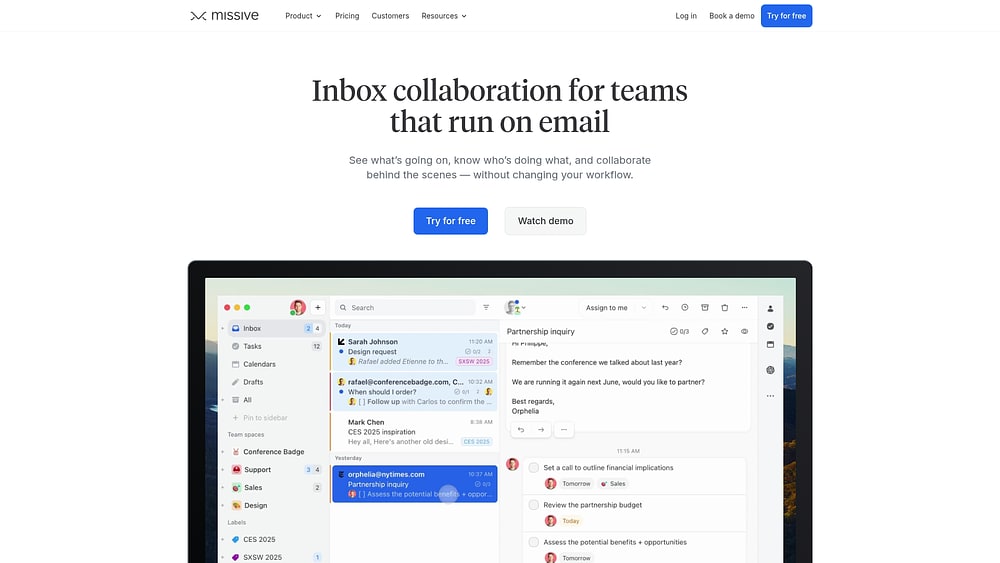
Missive combines shared inboxes with built-in chat. Teams can discuss customer emails internally while managing external conversations in one workspace. The platform excels at real-time collaborative drafting and multi-channel inbox management. Perfect for customer support teams and agencies that need tight email coordination. Two-way sync across major email providers and granular assignment controls put Missive between traditional email clients and full ticketing systems.
Use case:
Missive excels for teams that want email-first collaboration without adopting complex help desk workflows, offering real-time co-drafting and internal chat within the same conversation thread.
Key features:
- Real-time collaborative drafting with Google Docs-style co-authoring and inline comments
- Multi-channel shared inboxes supporting email, SMS, WhatsApp, Messenger, Instagram, and live chat
- Advanced automation with up to 1,000 rules for routing, round-robin distribution, and AI-powered conditions
Pricing:
- Free plan: Available for all users to start
- Starter: $14/month per user (billed annually), $18/month (billed monthly)
- Productive: $24/month per user (billed annually), $30/month (billed monthly)
- Business: $36/month per user (billed annually), $45/month (billed monthly)
- Annual billing offers 20% savings compared to monthly plans
- Additional shared accounts cost $15/month per 5 extra accounts beyond the pooled allowance
Considerations:
- Not a traditional ticketing system — lacks native ticket numbers and uses conversation IDs as workarounds
- Single email addresses cannot feed multiple team inboxes simultaneously, requiring labels or rules for multi-team visibility
4. Help Scout
Help Scout offers customer support workflows with shared inbox capabilities. Marketing teams can adapt them for campaign response management. The platform combines email-like simplicity with team collaboration features. Growing businesses find it easy to adopt. Help Scout was founded as a remote-first company. They prioritize human-centered communication over traditional ticketing systems.

Use case:
Help Scout works well for marketing teams who need basic shared inbox functionality alongside customer support features, particularly those managing moderate email volumes without complex campaign attribution requirements.
Key features:
- Unified inbox with collision detection, internal notes, and assignment capabilities across email, chat, and social channels
- Customer context features that surface interaction history and profile data for personalized responses
- Built-in AI assistance for drafting replies, summarizing conversations, and automating basic workflows
Pricing:
- Free: 5 users, 1 inbox, 1 Docs site with 100 contacts per month
- Standard: $25/user/month with multiple inboxes, core workflows, and live chat
- Plus: $45/user/month adding WhatsApp, advanced workflows, and CRM integrations
- Pro: $75/user/month with unlimited workflows, SSO, and dedicated support
- AI Answers add-on available at $0.75 per resolved conversation
- Annual billing provides 16% discount
Considerations:
- Limited campaign attribution and marketing-specific analytics compared to purpose-built marketing platforms
- Advanced features like sophisticated automation and CRM synchronization require higher-tier plans, increasing costs for marketing teams
5. Hiver
Hiver turns Gmail into a collaborative shared inbox. Teams manage customer communication without leaving their familiar email environment. The platform adds assignment workflows, collision detection, and analytics directly to Gmail’s interface. Perfect for teams already using Google Workspace. This approach simplifies onboarding and cuts the learning curve you’d get with new customer service platforms.

Use case:
Hiver works best for teams that want shared inbox functionality while maintaining their existing Gmail workflows and minimizing change management overhead.
Key features:
- Gmail-native collaboration: Assign emails, track status, and add internal notes without leaving the Gmail interface.
- Omnichannel support: Unify email, live chat, WhatsApp, and voice (via Aircall integration) in one workspace.
- AI-powered assistance: Automate email composition, tagging, and sentiment analysis, with advanced features like quality assurance available on higher-tier plans.
Pricing:
- Free: $0/month (includes 1 shared inbox, live chat, basic collaboration features)
- Growth: $25/month per user (annual) or $35/month (monthly)
- Pro: $55/month per user (annual) or $65/month (monthly)
- Elite: $85/month per user (annual) or $95/month (monthly)
- Annual billing saves up to 20%
- Plans start at 2 seats minimum
Considerations:
- Browser dependency for Gmail users requires a Chrome extension, though a web app is available for both Gmail and Outlook users.
- Advanced automation capabilities may feel limited compared to enterprise-grade help desk solutions at high email volumes.
6. HubSpot Service Hub
HubSpot Service Hub offers shared inbox functionality within an integrated customer platform, connecting marketing, sales, and service operations. The platform works best for scaling companies that need to manage communications across multiple channels like email, live chat, WhatsApp, and Facebook Messenger.
Teams already using HubSpot get smooth data flow and CRM context. Every customer interaction becomes useful intelligence.

Use case:
HubSpot Service Hub excels for teams that need shared inbox capabilities with deep CRM integration, enabling customer service representatives to access complete customer history and context during every conversation.
Key features:
- Omnichannel inbox that centralizes team email, live chat, WhatsApp, Facebook Messenger, forms, and calling in one unified interface, with SMS support available through integrations
- Native Smart CRM integration that displays contact, company, deal, and ticket context alongside every conversation thread
- Advanced collaboration controls including assignment rules, conversation locks, real-time status indicators, and internal comments with @mentions
Pricing:
- Free: Basic shared inbox with CRM integration
- Starter: $20/user/month with enhanced routing and automation features
- Professional: $100/user/month including advanced SLA management and Help Desk capabilities
- Enterprise: $150/user/month with comprehensive analytics and enterprise onboarding (required)
Considerations:
- Per-seat pricing can become expensive for larger customer service teams, especially at Professional and Enterprise tiers
- Advanced features like sophisticated SLA management and Help Desk functionality require paid plans, limiting free tier capabilities for growing teams
7. Gmelius
Gmelius turns Gmail into a collaborative workspace. Teams manage shared inboxes without leaving their familiar email environment. The platform excels at Gmail-native collaboration features. Perfect for Google Workspace teams who want better email management without adopting new systems. Real-time shared labels and Kanban boards live directly in Gmail. No more context switching that slows down your team.

Use case:
Gmelius enables teams to turn Gmail into a shared workspace with assignment workflows, collaboration features, and analytics — all without leaving the Gmail interface.
Key features:
- Real-time shared Gmail labels and assignment workflows that keep teams synchronized on email conversations
- Kanban board views within Gmail to visualize workload distribution and conversation status across team members
- Two-way integrations with Slack and Trello that maintain workflow continuity across platforms teams already use
Pricing:
- Meli: $19/user/month (yearly) — AI assistants for Gmail and Google Workspace
- Growth: $25/user/month (yearly) — shared inboxes, automation rules, integrations, and analytics
- Pro: $40/user/month (yearly) — AI dispatching, CRM integrations, advanced analytics, and custom permissions
- Enterprise: Custom quote (minimum 50 users) — bespoke AI assistants and unlimited usage caps
- 7-day free trial available with 30% nonprofit discounts for 5-19 users and 50% for 20+ users
Considerations:
- Gmail-only platform limits adoption for organizations using mixed email systems or Outlook-standardized environments
- Some users report occasional performance issues and limited mobile experience compared to desktop functionality
8. Helpwise
Helpwise offers shared inbox capabilities across email, social media, SMS, and live chat. All customer communications in one place. The platform works best for teams managing customer support across multiple channels. You get built-in collaboration features and AI-powered assistance. Transparent pricing and 50+ integrations make Helpwise a straightforward alternative to enterprise-heavy solutions.

Use case:
Helpwise works well for customer support teams and small to mid-market businesses that need to manage conversations across multiple channels while maintaining team collaboration and response consistency.
Key features:
- Universal inbox that centralizes email, live chat, WhatsApp, SMS, Facebook, and Instagram conversations
- Built-in collaboration with shared drafts, collision detection, internal notes, and team mentions
- AI assistance for reply suggestions, message composition, rephrasing, and conversation summarization
Pricing:
- Standard: $15/month per user (annual: $12/month) — 3 shared inboxes, email/live chat/Facebook, basic analytics
- Premium: $29/month per user (annual: $23/month) — 10 shared inboxes, all channels, automation rules, AI features
- Advanced: $49/month per user (annual: $39/month) — 30 shared inboxes, unlimited rules, SLA management, SSO
- Additional inbox bundles available for $49/month (3 inboxes)
- Chatbot add-on: $10/user/month
- Cloud phone system: $5 per active user/month
Considerations:
- Email sync limitations with Gmail and Outlook, including read/unread status differences and folder mapping issues
- Third-party dependencies for WhatsApp, SMS, and voice channels may introduce additional per-message costs beyond the platform subscription
9. Zendesk
Zendesk turns email management into a comprehensive ticketing workspace built for enterprise scale. The platform works best for customer service teams who need more than basic shared inboxes, offering AI-powered automation and omnichannel support.
Zendesk offers over 1,800 marketplace integrations and earned recognition as a Leader in the 2025 Gartner® Magic Quadrant™ for the CRM Customer Engagement Center. That means enterprise-grade reliability for high-volume customer communications.

Use case:
Zendesk excels for customer service teams managing high email volumes who need structured ticketing, SLA tracking, and cross-channel support beyond traditional shared inbox capabilities.
Key features:
- Unified Agent Workspace: Centralizes email, messaging, voice, and social channels into threaded conversations with full customer context.
- Advanced collaboration: Side conversations enable private email threads with up to 100 total recipients (including up to 48 non-agents), plus Slack and Microsoft Teams integration.
- AI-powered automation: Built-in AI agents and Copilot assistance help streamline repetitive workflows.
Pricing:
- Support Team: $19/agent/month (annual billing)
- Support Professional: $55/agent/month (annual billing)
- Support Enterprise: $115/agent/month (annual billing)
- Suite Team: $55/agent/month (annual billing)
- Suite Growth: $89/agent/month (annual billing)
- Suite Professional: $115/agent/month (annual billing)
- Add-ons include Copilot ($50/agent/month), Workforce Management ($25/agent/month), and Quality Assurance ($35/agent/month).
Considerations:
- Requires unique email addresses for each user, which can complicate workflows built around generic shared mailboxes.
- Many advanced collaboration features like side conversations are only available on higher-tier Suite plans, not basic Support plans.
10. HappyFox
HappyFox turns chaotic email inboxes into structured helpdesk workflows. You get automated routing and team collaboration features. The platform works for customer service teams across multiple departments. Enterprise-grade security and collision detection prevent duplicate responses. Over 10,000 companies use HappyFox. The platform offers rapid deployment and unlimited agent pricing for scaling organizations.
Use case:
HappyFox centralizes shared email management by converting incoming messages into organized tickets with automated assignment, SLA tracking, and departmental routing across customer service, IT, HR, and operations teams.
Key features:
- Smart Rules automation for ticket routing and assignment based on content, sender, or department
- Proactive collision detection on higher tiers prevents multiple agents from responding to the same ticket simultaneously
- Multi-department categorization with queues, private notes, and @mentions for internal collaboration
Pricing:
- Basic plan: Starting at $24/agent/month
- Unlimited Agent plans: Flat-rate pricing available for large teams
- AI Contact Center Suite: $99/agent/month (billed annually) with voice capabilities
- Annual discount: 10% off for annual subscriptions
- Special pricing: Discounts available for educational and non-profit organizations
- Usage-based AI fees: $0.33 per chatbot resolution, $0.02/action for Autopilot features
Considerations:
- Pricing details require form submission for complete transparency, limiting immediate cost evaluation
- Advanced features like proactive collision detection are restricted to higher-tier plans, with basic users receiving only reactive alerts
11. Crisp
Crisp focuses on retail data analytics and AI-powered insights for CPG brands and retailers. The platform serves over 7,000 customers, including 90 of the top 100 CPG companies. It focuses on supply chain optimization and retail intelligence, not customer communication management. The name might suggest inbox capabilities, but this Crisp works exclusively in retail data.

Use case:
Crisp provides retail data integration and analytics for CPG brands needing supply chain visibility and store-level performance insights.
Key features:
- AI-powered retail analytics with daily store and SKU-level data from 40+ retailer integrations
- Automated data harmonization and enrichment through their “Retail Knowledge Graph” system
- EDI services and order management capabilities for streamlined retailer relationships
Pricing:
- 0–50K PODs: $18,000/year
- 50–75K PODs: $25,000/year
- 75–100K PODs: $31,000/year
- 200K+ PODs: Custom pricing available
- SOC 2 Type II compliance and enterprise governance included across all tiers
Considerations:
- Does not offer shared inbox functionality — focuses exclusively on retail data analytics and supply chain management
- Pricing structure targets enterprise CPG brands with significant retail distribution, making it unsuitable for teams seeking customer communication solutions
How AI revolutionizes marketing team inbox management
Your shared inbox should be a launchpad for promising leads. AI changes everything. It converts inbox chaos into a clear path to revenue by surfacing hot leads and handling repetitive tasks automatically. Your team gains freedom to focus on conversations that actually convert.
The mechanism works through instant analysis of every response for buying signals, urgency, and sentiment.
- Identify high-intent prospects: The system flags leads mentioning budget and timelines for immediate action.
- Prioritize urgent needs: It highlights frustrated customers requiring immediate help, ensuring you never miss a critical opportunity or churn risk.
With monday campaigns, this moves beyond theory into built-in functionality. The platform delivers AI-powered visibility to every marketing initiative, helping teams plan, track, and optimize campaigns effortlessly. The platform’s AI surfaces your best leads while suggesting context-aware replies that drive results.
The system learns from your wins to predict what will work in future campaigns, transforming inbox data into your secret weapon for growth.
How to make your tech stack a strategic advantage
When your CRM, email platform, and analytics systems operate in isolation, you create manual work and lose valuable customer context. Opportunities slip through the cracks while your team struggles with disconnected information.
Valuable integrations go beyond simple app connections; they create a single, intelligent workflow. Deep, native connections eliminate data entry, prevent mixed messages, and provide the context needed to convert conversations into revenue. Here’s what truly valuable integrations deliver:
- A single view of the customer: Sync contact data, conversation history, and lead scores between your email platform and CRM. Sales teams get the full story on every lead, giving them the context they need to move conversations forward.
- Smarter campaign automation: Ensure seamless customer experiences by automatically pausing nurture sequences when real conversations begin. Proper connections automatically pause nurture sequences when real conversations begin, ensuring seamless customer experiences.
- Clear revenue attribution: Connect campaign activities directly to business outcomes. Finally prove which emails and conversations influenced deals and demonstrate marketing’s real impact on the bottom line.
monday campaigns excels at bringing these workflows together by natively connecting your marketing, sales, and analytics tools. It creates a unified view of the entire customer journey so your team gets the insights needed to act faster.
Try monday campaigns5 steps to deploy shared inbox software for marketing teams
Deploying a shared inbox is about converting replies into revenue. A thoughtful setup transforms your new subscription into a campaign-driving engine. Here’s how to execute properly so your new workspace actually delivers results.
Step 1: Audit current campaign response workflows
Begin by mapping how your team handles campaign replies today, from initial contact to sales handoff. Where do leads stall? You’ll likely discover bottlenecks in unexpected places, like critical replies sitting unread in someone’s personal inbox. Examine the data next. Does a product launch flood you with replies while your newsletter generates a steady trickle? Understanding these patterns helps you build a system that won’t buckle under pressure. Most critically, can you trace a reply directly to the campaign that sparked it? This gives you full visibility into your campaign ROI.
Step 2: Define marketing-specific requirements
Transform those audit insights into a clear requirements list for your new software. Skip the flashy features and concentrate on what drives revenue. Think automatic lead scoring and seamless CRM sync, not just color-coded tags. Rank your list based on direct impact to campaign goals. Which capabilities will actually shorten your sales cycle or improve conversion rates? Define success metrics that prove the software’s value in concrete terms, like faster response times and measurable lift in marketing-sourced pipeline.
Step 3: Configure campaign tracking systems

Before launch, organize your tracking infrastructure. Set up campaign attribution and test connections between your inbox and other marketing platforms. A dry run now prevents data headaches later. Your CRM integration is critical, so verify that contact data and conversation histories flow correctly. How does the system handle a lead who replies to three different campaigns? Plan for these scenarios to maintain clean data and accurate reporting.
Step 4: Train teams on revenue-focused features
Focus your team’s training on the features that directly impact revenue. Train campaign managers on attribution and analytics, and teach responders how to leverage lead scoring and CRM sync. This keeps training relevant without overwhelming anyone. Create a simple playbook for managing responses to maintain data consistency. When everyone tags replies and updates lead status identically, the entire system performs better. Monitor adoption to identify what’s working and where additional support might help.
Step 5: Measure and optimize performance

Success extends beyond a tidy inbox. It’s about results leadership actually values. Track metrics like response times to hot leads, conversion rates from replies, and marketing-sourced pipeline growth. This demonstrates real business impact, not just activity. Review performance regularly to identify what’s working and what isn’t. Are certain campaigns generating high-intent replies? Double down on them. By connecting inbox activity to business outcomes, you prove your investment’s value and discover new growth opportunities.
Measuring shared inbox ROI for marketing teams
How do you measure bottom-line impact? Focus on key metrics that tie directly to campaign performance, sales alignment, and team efficiency. This approach demonstrates clear, measurable business impact.
- Response speed: How quickly do you reply to high-intent leads? Shaving minutes off your average response time can dramatically boost conversion rates and show immediate returns.
- Qualification accuracy: Track the percentage of leads your sales team accepts. High acceptance rates prove you’re delivering quality prospects, strengthening marketing and sales alignment.
- Campaign-to-revenue tracking: Connect the dots from email reply to closed-won deal. This proves which campaigns truly move the needle and justifies future budget.
- Time saved with automation: Calculate hours your team reclaims by automating triage and routing. This reclaimed time represents a direct efficiency gain, allowing marketers to focus on strategy rather than manual work.
Transform your shared inbox with monday campaigns
While crafting effective email campaigns can be challenging, monday campaigns provides a unified platform to do this at scale. It delivers email marketing directly within your CRM, helping to bridge the gap between campaign creation and response management. By integrating with your team’s existing Gmail or Outlook inboxes, the platform syncs replies into the CRM, making it ideal for marketing teams who need visibility from campaign launch to deal closure.
Unlike traditional shared inbox solutions, monday campaigns is built specifically for marketing workflows inside your CRM. By simplifying campaign automation and insights, monday campaigns empowers marketers to deliver greater impact with less manual work.
Key monday service features
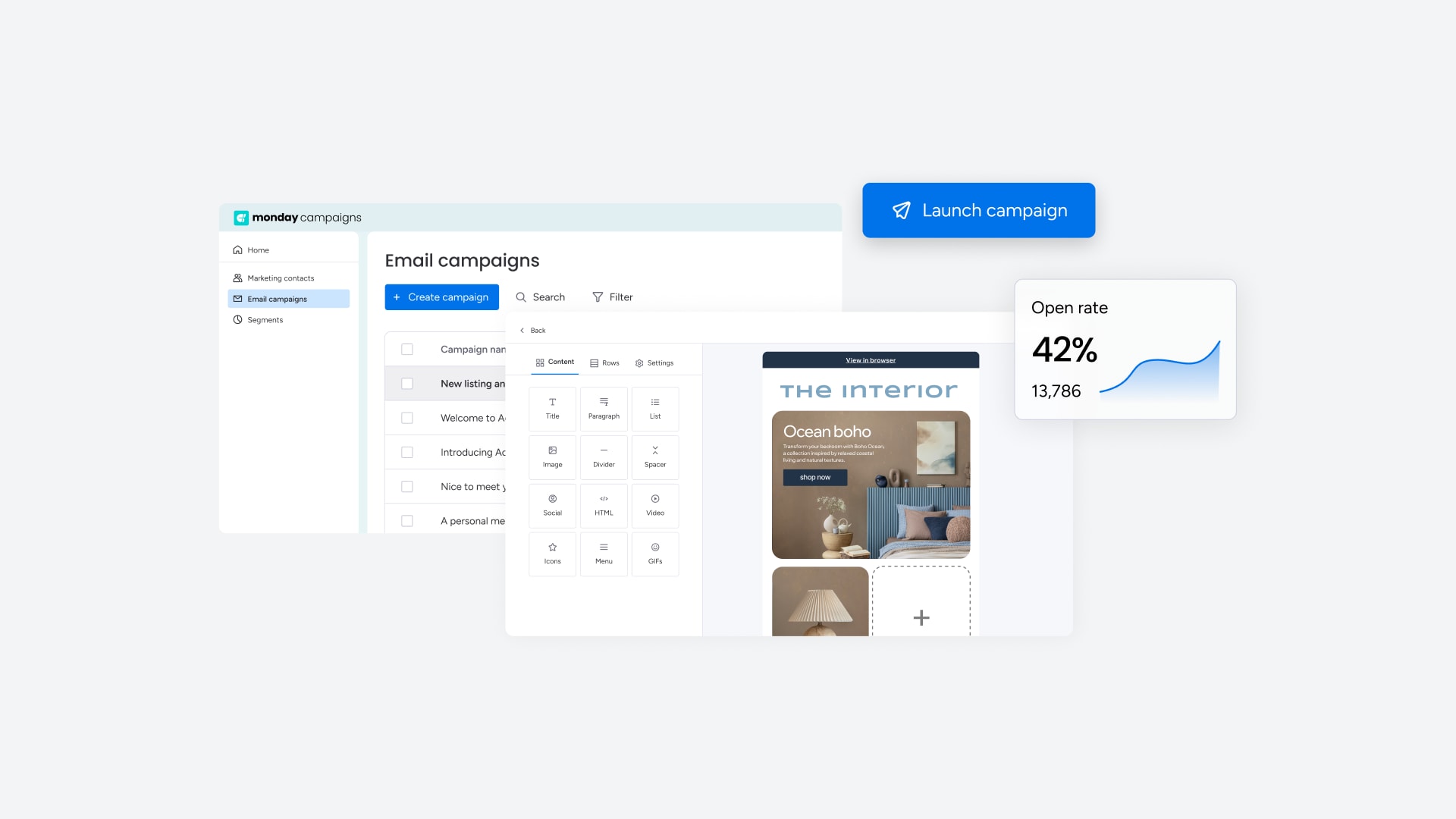
A powerful platform needs the right capabilities to drive real results. Here are the core features that make managing your campaigns easier and more effective.
- Seamless sales handoffs: Logs campaign engagement and replies from a connected inbox directly to contact timelines for seamless sales handoffs.
- AI-powered lead scoring: Analyzes response content, timing, and behavioral signals to identify high-intent prospects.
- Campaign-centric workflows: Helps organize and attribute synced responses back to the original campaign.
Advanced AI features
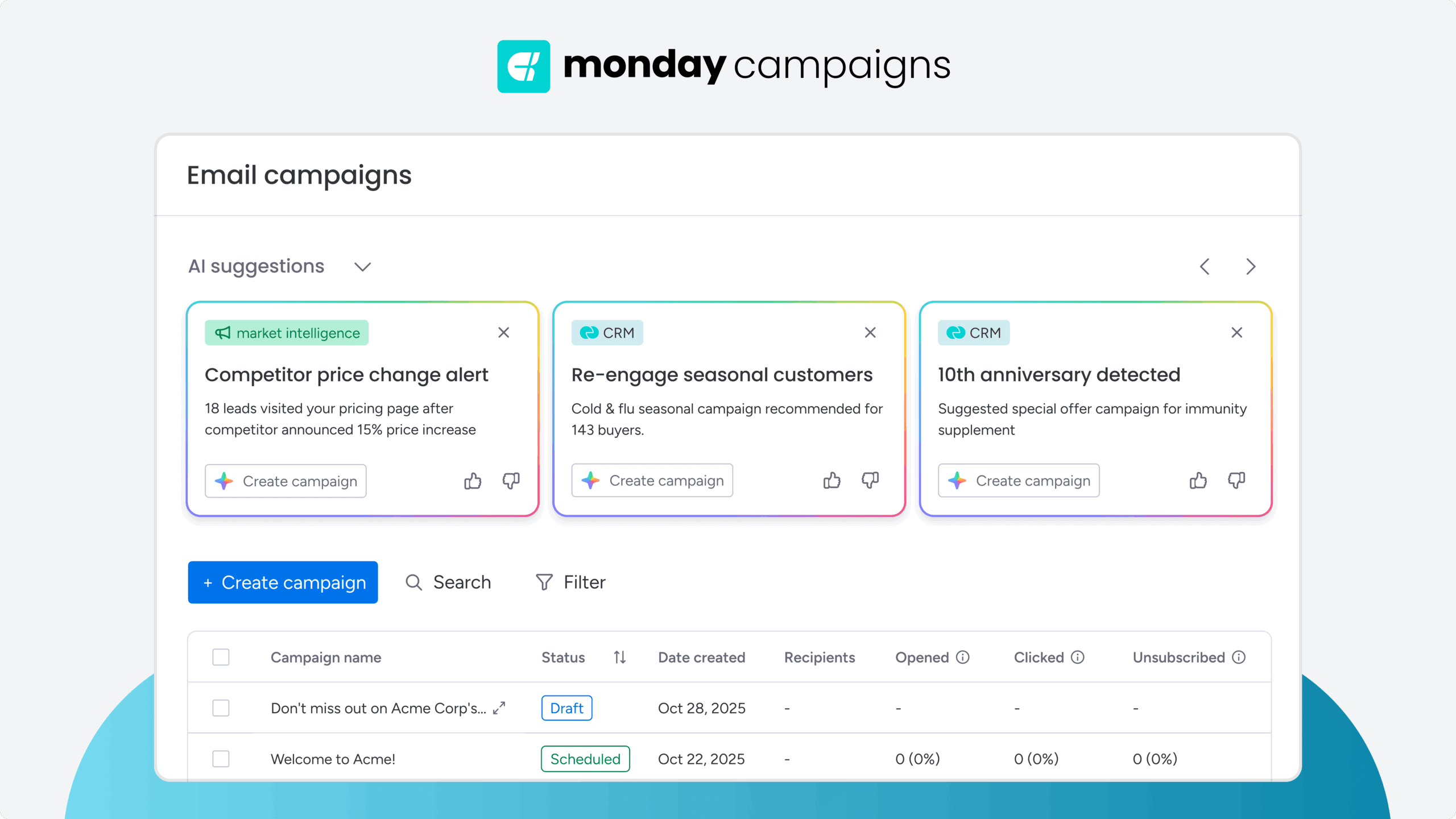
Artificial intelligence removes manual heavy lifting from daily workflows. These advanced capabilities help extract actionable insights from every conversation.
- Real-time response analysis: Extracts sentiment, intent, and buying signals from replies synced to your CRM.
- Automated lead score updates: Adjusts scores based on response content and engagement timing.
- AI-generated prospect insights: Surfaces complete context when responses arrive in the CRM.
Automations
Manual tasks slow your team and introduce errors. These automations keep your pipeline moving without constant oversight.
- Automatic deal creation: Notifies the sales team when high-intent responses are detected.
- Pre-built nurture sequences: Triggers based on response behavior and lead scores.
- Campaign attribution tracking: Connects conversations to eventual revenue outcomes.
Integrations
Your tools must communicate seamlessly to provide a single source of truth. These integrations connect your most important platforms for unified workflows.
- Deep CRM integration: Natively connects with monday sales CRM to maintain complete context during sales handoffs.
- Two-way email integration: Connects with Gmail and Outlook through the Emails & Activities feature.
- Enterprise-grade security: Maintains ISO 27001 and ISO 27018 compliance.
Team collaboration and email visibility
Marketing and sales alignment demands transparent communication and shared context. These collaboration tools keep everyone synchronized.
- Permissioned access: Controls synced email conversations within the CRM, with granular view and reply controls.
- Complete conversation history: Logs campaign replies to contact timelines accessible to the team.
- Internal collaboration: Use internal notes and mentions to ensure consistent messaging across all prospect interactions.

"With monday campaigns, we can launch professional emails in minutes and instantly see who engaged. Our sales team follows up directly with those showing interest - making outreach faster and more effective."
Michael Fitzpatrick | National Workplace Training ManagerTurn your marketing inbox into a revenue driver
Managing campaign replies doesn’t have to be chaotic. A specialized shared inbox eliminates scattered threads and gives your team the context needed to convert inquiries into qualified leads. With automated routing, AI-powered lead scoring, and seamless CRM integrations, you can finally prove which campaigns drive real ROI instead of just guessing.
Start by auditing your current response workflows to find where leads slip through the cracks. Then choose a platform that connects your communications directly to customer data. With the right system, you transform your inbox from an administrative burden into a revenue engine. monday campaigns delivers exactly this by syncing campaign responses with your CRM, giving you complete visibility from launch to close.
Try monday campaignsFAQs
What's the difference between shared inbox software and email marketing platforms?
Shared inbox software helps teams manage incoming replies, while email marketing platforms send outbound campaigns. Using separate tools creates data silos, but a unified platform like monday campaigns combines both to connect conversations directly to campaign performance.
How does shared inbox software track campaign performance and ROI?
Shared inbox software tracks campaign performance and ROI by monitoring responses and conversions to measure revenue outcomes. monday campaigns provides built-in attribution that links conversations directly to ROI, revealing which marketing efforts truly drive results.
Can shared inbox platforms handle responses from multiple marketing channels?
Yes, shared inbox platforms handle responses from multiple marketing channels by centralizing conversations from email, social media, and web forms into one view. This ensures context is never lost, even when leads switch channels mid-conversation.
Which CRM integrations are essential for marketing teams using shared inbox software?
Essential CRM integrations include two-way contact sync and conversation history updates to eliminate manual data entry. monday campaigns offers native CRM integration to give sales teams full context without switching platforms.
What's the typical cost of shared inbox software for growing marketing teams?
Typical costs range from $15 – $60 per user monthly, but this model becomes expensive as teams grow. monday campaigns uses consumption-based pricing that scales with usage, not headcount, for a more cost-effective approach.
How does AI improve shared inbox management for marketing teams?
AI improves shared inbox management by automatically analyzing and prioritizing high-intent conversations, suggesting relevant replies, and updating lead scores. This helps teams focus on high-value prospects and close deals faster.
What metrics should marketing teams track to measure shared inbox software success?
Track metrics connecting conversations to revenue, like response time for high-intent leads, conversion rates, and marketing-sourced pipeline. Focus on business impact, not just activity.
 Get started