


Most professionals send dozens of emails every day. Yet, recipients ignore, misread, or bury them, not because the content is weak, but because the structure makes it hard to act on. Professional email format is what separates a message that moves things forward from one that sits in someone’s inbox. The format itself is straightforward: a subject line that earns the open, a greeting that sets the right tone, a body that gets to the point, and a call to action that tells the reader exactly what to do. But knowing the components and applying them consistently are two different things entirely.
Here’s what we’ll cover: all seven components of a professional email format, a ready-to-use template, eight practical formatting tips, and the most common mistakes that undermine even well-written emails. Whether you’re crafting a single client outreach or managing lifecycle campaigns at scale, the right structure is what makes your message land. A powerful platform like monday campaigns helps you apply that structure consistently across every send.
Key takeaways
- Structure every email the same way: A clear subject line, short body, and one specific CTA makes emails easier to read and act on every time.
- Your subject line decides everything: Keep it under 60 characters, lead with the most important detail, and make the value obvious before anyone clicks.
- Format for the skim, not the scroll: Short paragraphs, bullet points, and bold text help busy readers get your point fast, even if they never read the whole email.
- One CTA, one action: Multiple competing calls to action kill conversions. Pick the single most important next step and make it impossible to miss.
- Leverage automation for consistency: AI-powered subject line optimization, CRM-connected personalization, and drag-and-drop templates keep every campaign email consistent, on-brand, and built to convert.
What is a professional email format?
A professional email format is the structured approach to composing business emails that gets your message read, understood, and acted on. The format includes specific components in a predictable order: subject line, greeting, opening, body, call to action, closing, and signature. Each element has a job to do, and together they create communication that recipients can quickly scan and respond to.
The same principles apply whether you’re sending a one-on-one message to a colleague or launching email campaigns to thousands of customers. The average professional receives 117 emails per day, and most messages are skimmed in under 60 seconds. A well-formatted email respects the recipient’s time while ensuring the sender’s message lands with impact.
For marketing teams managing email campaigns at scale, professional email format matters even more.
Consistency and brand alignment directly impact open rates, engagement, and conversions. When every campaign email follows the same professional structure, recipients develop trust in the brand’s communication.
When to use a professional email format
Professional email format applies across nearly every business communication context, but knowing exactly when to use it helps you make the right call every time. From one-to-one client outreach to large-scale campaign sends, these contexts all need a structured, professional approach.
External business communication, like emails to clients, prospects, partners, and vendors, always requires professional formatting. These recipients form impressions of the sender and their organization based on email quality. Format becomes a direct reflection of brand professionalism.
Internal communication often requires the same level of formality. Consider these common scenarios where professional structure matters:
- Executive updates: Ensure key decisions and announcements are communicated with authority.
- Cross-departmental requests: Reduce back-and-forth by presenting information clearly from the start.
- Policy announcements: Signal respect for recipients and ensure nothing important gets buried.
- Messages beyond your immediate team: Any communication that reaches a wider audience benefits from professional structure.
Marketing and sales campaigns sent to customer databases demand a professional format for every send. Welcome sequences, newsletters, promotional emails, and re-engagement campaigns all benefit from polished, branded communication. Casual formats may work for quick exchanges with close colleagues, but professional formatting should be the default for most business contexts. When in doubt, err toward formality.
7 essential components of a professional email format
Professional emails follow a predictable structure with seven core components. Each component serves a specific function, and together they create communication that drives action. Mastering each element keeps emails professional, actionable, and on target.
1.Write a subject line that gets opened
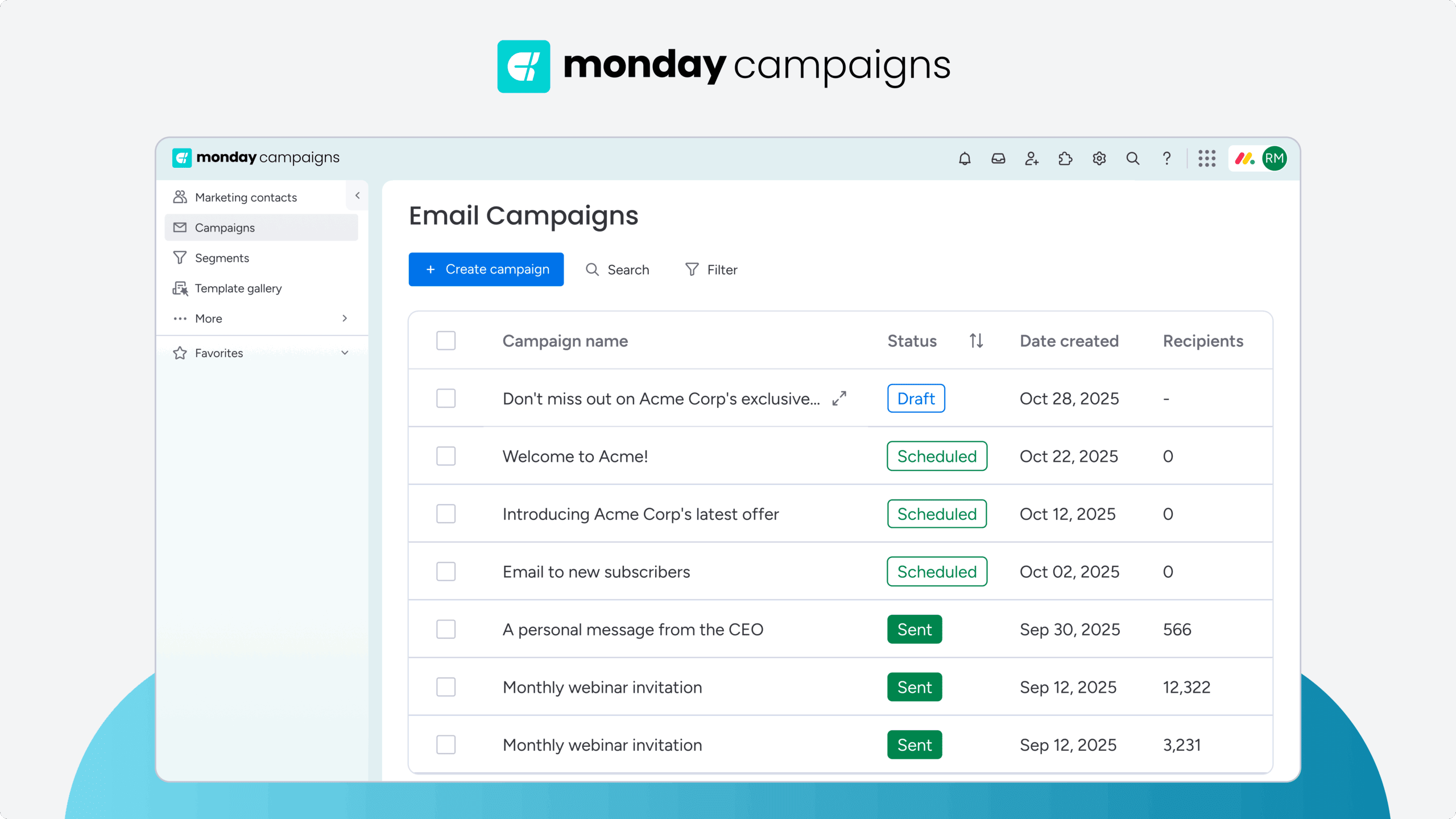
The subject line is the first (and sometimes only) element recipients see. It decides whether an email gets opened, ignored, or deleted. For campaign emails, subject lines directly impact open rates and overall campaign performance.
| Guideline | Why it matters | Example |
|---|---|---|
| Keep it concise (40–60 characters) | Prevents truncation on mobile devices | "Q1 marketing results and next steps" |
| Front-load important information | Captures attention in crowded inboxes | "Action required: Budget approval by Friday" |
| Use action-oriented language | Creates urgency and provides direction | "Register now: Webinar seats limited" |
| Personalize when relevant | Increases open rates significantly | "Sarah, your monthly report is ready" |
For campaign emails, subject lines require testing and optimization to identify what resonates with specific audiences. monday campaigns provides AI-powered subject line generation and testing capabilities, analyzing performance data to identify which approaches drive higher open rates.
Try monday campaigns2. Choose a greeting that sets the right tone
The greeting sets the tone and signals the relationship level between sender and recipient. Pick the right greeting based on formality, existing relationship, and context. Here’s a quick reference for the most common scenarios:
- Formal/first contact: “Dear Ms. Johnson,” works for initial outreach or formal situations.
- Professional default: “Hi Sarah,” or “Hello Sarah,” suits most business communication.
- Group emails: “Hi team,” or “Hello everyone,” addresses multiple recipients appropriately.
- Unknown recipient: “Hello,” or “Good morning,” works when you don’t have a name.
Avoid greetings like “Hey” or “What’s up” in professional contexts. For campaign emails, personalization in greetings increases engagement significantly. Dynamic fields automatically insert recipient names and other personalized details at scale.
3. Open with a line that earns the next read
The opening line bridges the greeting and the email body. It provides context, builds rapport, or states the email’s purpose immediately. Strong opening lines get the reader oriented and build momentum into the main message. Choose the approach that fits your context:
- Direct approach: “I’m reaching out to discuss the Q2 campaign timeline and confirm our next steps.”
- Contextual approach: “Following up on our conversation last Tuesday about the product launch strategy.”
- Value-first approach: “I wanted to share a resource that addresses the challenge you mentioned in our last meeting.”
Opening lines should be concise: one to two sentences maximum. Overly long or irrelevant openings delay the main message and risk losing reader attention before you’ve made your point.
4. Structure the body for scannability
The email body delivers the core message and should be structured for scannability, especially given that 81% of U.S. consumers ignore or tune out content that doesn’t immediately signal value. Professional email bodies are concise, well-organized, and focused on the recipient’s needs rather than the sender’s perspective. Use these formatting principles to keep your body copy readable:
- Short paragraphs: 2–3 sentences maximum per paragraph prevents visual overwhelm.
- Bullet points: Use for multiple items, features, steps, or options.
- Subheadings: Add for longer emails to improve navigation.
- Inverted pyramid structure: Lead with the most important information first.
When you’re sending campaigns to thousands of contacts, keeping this level of formatting consistency manually isn’t realistic. Drag-and-drop email editors help teams build scannable, on-brand emails through pre-set content blocks that ensure professional structure across every send.
5. Include a call to action that drives the next step
The call to action tells recipients exactly what to do next. It’s the most important element for driving outcomes, whether scheduling a meeting, downloading a resource, or making a purchase.
What makes a CTA work? Specificity and visual prominence. Multiple competing CTAs create confusion and reduce conversions. Stick to one primary CTA per email.
Strong CTA examples to consider:
- “Schedule your 15-minute demo”
- “Download the complete guide”
- “Reply with your preferred meeting time”
- “Review and approve the proposal”
Campaign platforms track CTA clicks, helping you understand which action-driving language resonates with your audience.
6. Close in a way that matches your tone
The closing wraps up the email professionally and reinforces the next step. It should match the formality level of the greeting and fit the email’s overall tone. Here are the most common options:
- Formal closings: “Sincerely,” “Best regards,” or “Kind regards”
- Professional closings: “Best,” “Thanks,” or “Warm regards”
- Action-oriented closings: “Looking forward to hearing from you” or “Thanks in advance”
Avoid closings like “Cheers” or “Later” in professional contexts. For campaign emails, closings should align with brand voice and campaign tone.
7. Sign off with a complete, professional signature
The email signature gives essential contact information and signals professionalism. It’s the final piece that helps recipients identify the sender and take action if needed. A strong signature includes:
- Full name and job title
- Company name and website
- Phone number and email address
Keep signatures short: 4–6 lines maximum. Avoid large images or logos that bloat file size or trigger spam filters. monday campaigns enables setting default sender information and signatures, ensuring every campaign email includes professional, accurate contact details.
Professional email format template
This template shows all seven components in a complete, ready-to-adapt format. Use it as a starting point and adjust the tone, greeting, and closing to match your context and audience.
Hi [Recipient Name],
[Opening line: Provide context or state purpose in 1-2 sentences]
[Body paragraph 1: Main point or key information — 2-3 sentences]
[Bullet points for multiple items:]
• [Item 1 with brief explanation]
• [Item 2 with brief explanation]
• [Item 3 with brief explanation]
[Call to action: Specific next step]
[Closing],
[Full Name]
[Job Title]
[Company Name]
[Email] | [Phone]
This template adapts to different contexts:
- Formal external communication: Use “Dear [Title] [Last Name]” and “Sincerely,” with a full signature.
- Internal team messages: Use “Hi [First Name]” and “Thanks,” with a shorter signature.
Top tips for formatting a professional email
Beyond the seven core components, a few more formatting practices keep emails professional and effective. These tips apply to both one-to-one emails and large-scale campaigns, and they’re the difference between an email that gets a response and one that gets ignored.
Keep the subject line short and specific
Subject lines should be concise at 40–60 characters or 6–10 words and communicate the email’s purpose immediately. Front-load the most important information, since many email clients truncate longer subject lines, especially on mobile devices.
Match the greeting to the relationship
Greetings should match the formality level that fits the relationship and context. Using “Dear Dr. Smith” for a close colleague feels stiff, while “Hey!” to a new client feels unprofessional. When in doubt, default to “Hi [First Name]” for most professional situations.
Lead with the most important information
The inverted pyramid structure (starting with the main point, then providing supporting details) ensures busy recipients get the key message even if they only skim the email. Make the point easy to find.
Write scannable, action-oriented body copy
Professional emails should be easy to scan at a glance. Apply these formatting principles consistently:
- Use short paragraphs (2–3 sentences max)
- Add bullet points for lists or multi-part information
- Bold key information to draw the eye
- Use white space to separate sections visually
Use one focused call to action
Emails should have one primary CTA to avoid confusing recipients. When presented with multiple competing options, people often choose none. Pick the single most important action and make it impossible to miss.
Personalize beyond the first name
Real email personalization goes beyond inserting recipient names. Deep personalization based on behavior, preferences, and context creates relevance that generic messaging can’t touch. The CRM integration in monday campaigns enables marketers to pull rich customer data directly into emails, creating highly personalized campaigns at scale.
Proofread before hitting send
Typos, grammatical errors, and formatting mistakes kill professionalism and credibility. A single error can change how recipients perceive the sender and their organization. Always review before you send.
Test across devices and inbox clients
Emails render differently across devices and email clients. What looks professional in one environment may appear broken in another. Responsive email templates automatically adjust to different screen sizes and devices, so your message always lands the way you intended.
Principles for sending emails that always get a response
Even experienced professionals make email mistakes that undermine effectiveness. Recognizing these common pitfalls (and knowing how to sidestep them) helps ensure every email hits its goal.
Using vague or clickbait subject lines
Subject lines that are too vague (“Update,” “Quick question”) or overly sensational damage trust and credibility over time. That trust is already under pressure, with 74% of U.S. consumers saying AI’s growing popularity makes it harder to trust what they see online. Be specific about the email’s content and value. Recipients should know exactly what they’re opening before they click.
Writing walls of text without structure
Long, dense paragraphs without breaks, bullet points, or visual hierarchy overwhelm recipients. Break content into short paragraphs and use formatting elements to improve readability. If it looks hard to read, it probably won’t get read.
Sending generic, untargeted messaging
Sending the same message to all recipients without segmentation or personalization doesn’t resonate. Dynamic segmentation capabilities automatically group contacts based on CRM data and behavior, enabling targeted messaging that speaks to specific audience needs.
Missing or ambiguous calls to action
Ending emails without a specific next step (or including so many CTAs that recipients don’t know where to go) wastes the opportunity to drive action. Include one primary CTA that states the desired action and makes it easy to follow through.
Inconsistent formatting and branding
Emails that look different every time (with varying fonts, colors, signature formats, or tone) make the sender appear disorganized. Template libraries and brand settings ensure every campaign email maintains consistent formatting and branding, building recognition and trust with every send.
Scale professional email formatting with monday campaigns
Professional email format matters most when you’re sending at scale. Every campaign email needs the same level of polish, structure, and brand consistency as your most carefully crafted one-to-one messages. The platform brings together AI-powered optimization, CRM-connected personalization, and intuitive design tools that help marketing teams maintain professional standards across thousands of sends without sacrificing speed or creativity.
When you’re managing multiple campaigns, audience segments, and messaging variations, manual formatting becomes a bottleneck. monday campaigns removes that friction by building a professional structure directly into the workflow, so every email that leaves your team reflects the same high standards your brand demands.
AI-powered subject line optimization
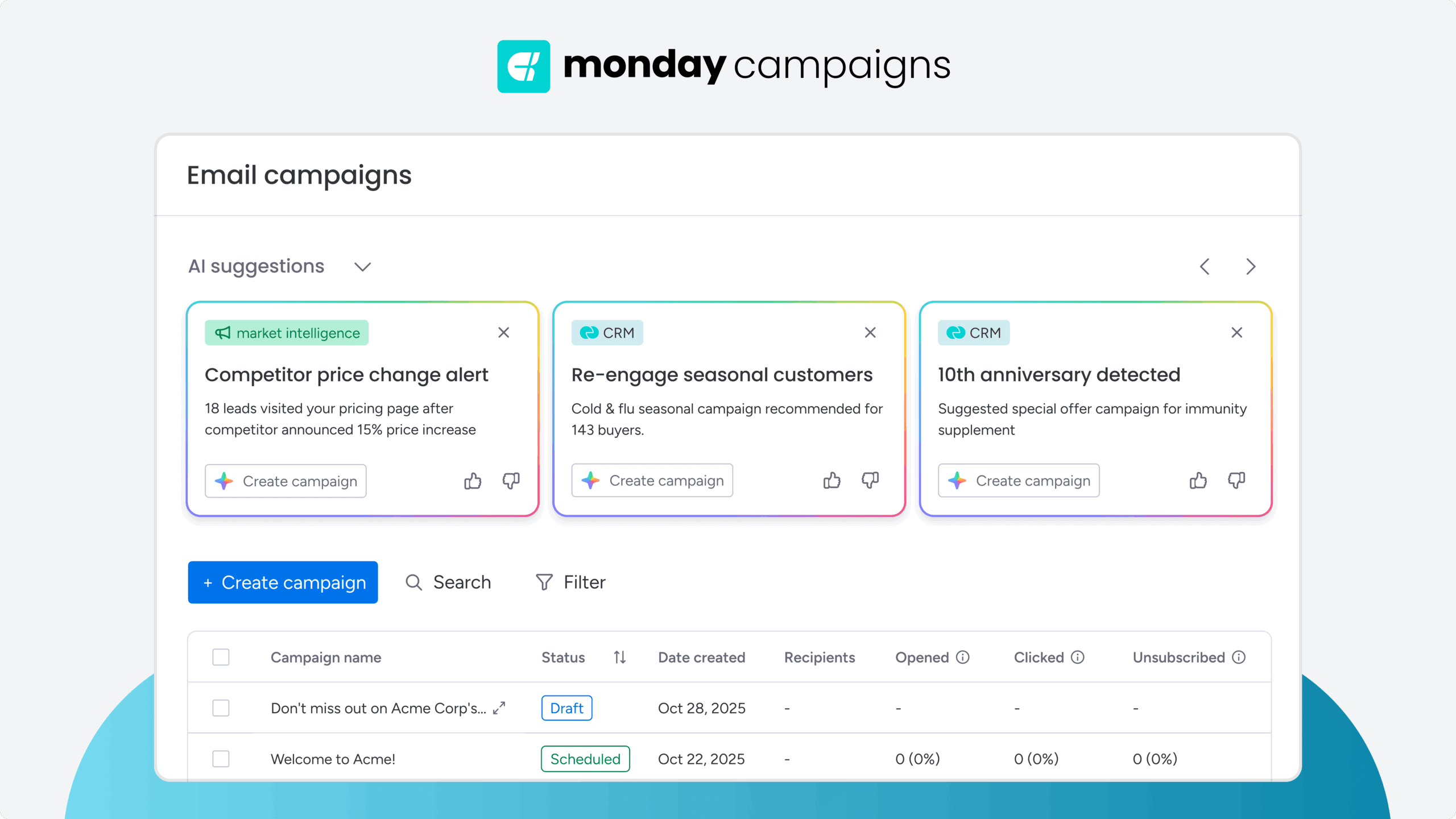
The platform analyzes your subject lines and suggests improvements based on performance data and best practices. AI recommendations help you craft subject lines that drive higher open rates by identifying the language, length, and structure that resonates with your specific audience. Test variations automatically and let the system surface the winners.
CRM-connected personalization at scale
Pull rich customer data directly from your CRM into every email without manual data entry or complex integrations. Dynamic fields automatically populate recipient names, company details, behavioral triggers, and custom attributes, creating deeply personalized emails that go far beyond first-name insertion. Personalization that used to take hours now happens instantly across entire campaigns.
Drag-and-drop email builder with branded templates
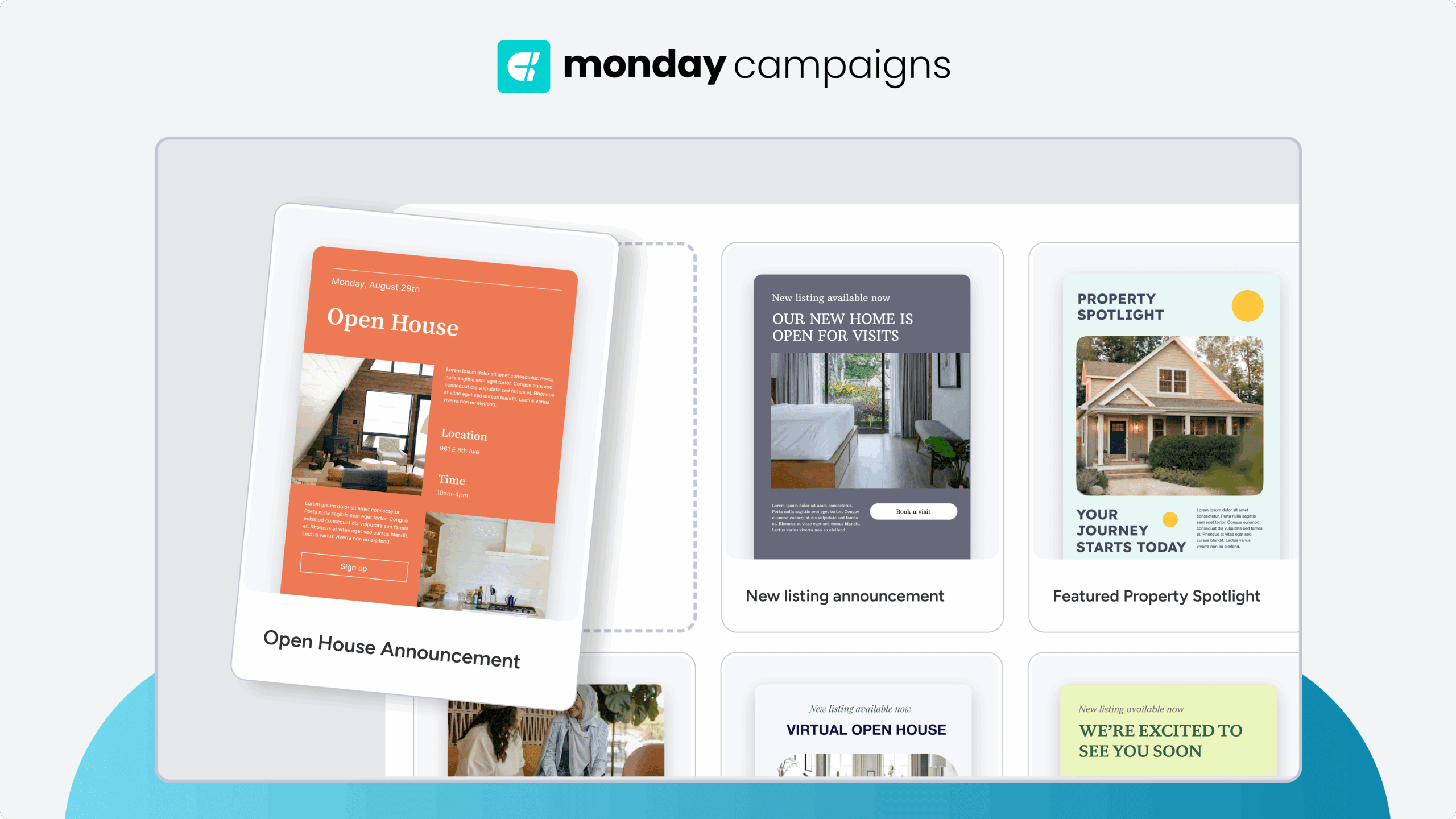
Build professional, on-brand emails in minutes using pre-designed content blocks and customizable templates. The visual editor maintains consistent formatting, typography, and brand elements across every send, so your team never has to start from scratch or worry about off-brand messaging. Responsive design ensures emails look polished on every device and email client.
Automated segmentation and targeting
Segment your audience automatically based on CRM data, behavior, and engagement patterns. Send the right message to the right people without manual list management or spreadsheet exports. Dynamic segmentation keeps your campaigns targeted and relevant, improving engagement while reducing the noise recipients experience from generic mass emails.
Put it all together and send with confidence
Getting professional email format right isn’t about following rigid rules. It’s about making every message as easy as possible for the recipient to read, understand, and act on. When your subject line earns the open, your body copy delivers the point quickly, and your CTA makes the next step obvious, emails stop being noise and start driving real outcomes.
For marketing teams sending at scale, consistency separates good campaigns from great ones. Structured templates, personalization, and on-brand formatting build audience trust over time and turn one-time readers into loyal customers. monday campaigns brings all of this together with AI-powered subject line optimization, CRM-connected personalization, and drag-and-drop email building that makes professional formatting effortless across every send.
Try monday campaignsFAQs
What are the 5 parts of a professional email?
A professional email has five essential parts: subject line, greeting, body, closing, and signature. Some frameworks expand this to seven parts by separating the opening line and call to action as distinct components, giving you more detailed guidance for crafting effective emails.
How do you start a professional email?
A professional email starts with an appropriate greeting followed by an opening line that gives context or states the email's purpose. For formal contexts, use "Dear [Title] [Last Name]." For most professional situations, "Hi [First Name]" works well.
What is the best format for a professional email?
The best format includes a concise subject line (40–60 characters), appropriate greeting, brief opening line, scannable body with short paragraphs and bullet points, a specific call to action, professional closing, and complete signature.
How long should a professional email be?
A professional email should be as short as possible while getting the necessary information across, typically 50–200 words for most business communication. Longer emails should use formatting like bullet points and subheadings to maintain scannability.
What should you avoid in a professional email?
Skip vague subject lines, walls of text without formatting, generic messaging, missing calls to action, overly casual language, typos, and inconsistent formatting. For campaign emails, also avoid misleading subject lines and excessive sending frequency.
How do you end a professional email?
End with a specific call to action, an appropriate closing that matches the email's formality level, and a complete signature with contact information. Don't end abruptly without a closing or use overly casual sign-offs in professional contexts.

 Get started