


Email automation transforms how you connect with customers by sending the right message at the right moment — automatically. Instead of manually scheduling campaigns, you build responsive systems that react to customer actions in real time, turning every interaction into an opportunity.
This guide shows you how to build effective email automation campaigns from the ground up. You’ll discover essential campaign examples, a 5-step process for creating your own workflows, and advanced AI strategies that connect directly to your CRM data for a complete view of the customer lifecycle.
Try monday campaignsKey takeaways
- Email automation saves teams valuable time by sending targeted messages based on customer actions, not manual scheduling.
- Focus on high-impact campaigns like welcome series, abandoned cart recovery, and re-engagement flows.
- Use AI to optimize send times, generate personalized content, and predict customer behavior.
- Track revenue metrics like customer acquisition cost and lifetime value, not just opens and clicks.
- Connect email automation directly to your CRM data with monday campaigns to create unified customer records and seamless marketing-sales handoffs without switching systems.
What is email marketing automation?
Email marketing automation is software that sends targeted emails automatically based on subscriber actions, behaviors, or predetermined schedules. This means you set up rules once, and the system handles the rest — sending the right message to the right person at the right time.
Think of it like setting up dominoes. You arrange them carefully, then one action triggers the next. When someone signs up for your newsletter, that’s the first domino falling. It triggers a welcome email, which might lead to a product recommendation, then a special offer.
How automated emails differ from manual campaigns
Manual campaigns require you to build, schedule, and send each email yourself. You pick a date, select your entire list, and everyone gets the same message at the same time.
Automated campaigns work differently. They respond to what each person does. Here’s what sets them apart:
- Timing: Automated emails send instantly when someone takes action. Manual emails wait for you to hit send.
- Personalization: Automation uses real-time data to customize content. Manual campaigns use basic merge fields at most.
- Scale: You can run hundreds of automated campaigns simultaneously. Manual campaigns require hands-on work for each send.
Core benefits of email workflow automation
Automation transforms how marketing teams operate. Instead of spending hours on repetitive processes, you focus on strategy while the system handles execution. This strategic shift delivers significant advantages that resonate at a leadership level. By automating routine communications, you free up your team to focus on high-value work while ensuring every customer receives a consistent, personalized experience.
- Revenue acceleration: Capture customers when they’re most interested — right after viewing a product or abandoning a cart.
- Time savings: Eliminate manual list management, scheduling, and follow-ups.
- Consistent personalization: Every customer gets relevant content based on their unique behavior and preferences.
- Journey optimization: Guide people through your sales funnel with perfectly timed messages.
- Performance insights: Track patterns and optimize campaigns based on real data, not guesswork.
10 essential email automation campaign examples
Different automation campaigns serve different purposes in your customer journey. Each type responds to specific behaviors and drives measurable results. Let’s explore the campaigns that deliver the most impact for revenue and retention.
1. Welcome email series
A welcome series greets new subscribers and sets expectations for future communication. The first email arrives immediately after signup, thanking them and delivering any promised content. The second email shares your brand story or key benefits. The third drives action — maybe a first purchase or account setup.
This sequence builds trust when subscribers are most engaged. They just raised their hand to hear from you, so make it count.
2. Abandoned cart recovery
Cart abandonment emails rescue sales that almost happened. Someone added items to their cart but left without buying. Your automated sequence reminds them what they’re missing.
Send the first reminder within an hour. Include product images and a direct link back to their cart. Follow up at 24 hours with urgency messaging. If needed, send a final email at 72 hours with a small discount.
3. Browse abandonment campaigns
Browse abandonment targets shoppers who looked but didn’t buy. They viewed products without adding anything to their cart. These emails showcase what they viewed plus related items they might like.
While conversion rates are lower than cart abandonment, the volume is much higher. More people browse than abandon carts, giving you more opportunities to reconnect.
4. Post-purchase automation flows
Post-purchase emails keep customers informed and engaged after buying. Start with an order confirmation, then send shipping updates and delivery notifications. Once they receive their order, request feedback or reviews.
These touchpoints reduce support tickets and build confidence in your brand. Customers know exactly what’s happening with their order.
5. Re-engagement email campaigns
Re-engagement campaigns wake up dormant subscribers. Target people who haven’t opened or clicked in 30, 60, or 90 days. Start gentle — “We miss you” — then escalate to special offers.
End the sequence by prompting them to either confirm their subscription or unsubscribe. This keeps your list healthy and engaged.
6. Birthday and milestone automations
Birthday emails celebrate your customers on their special day. Send personalized greetings with exclusive offers or bonus points. Anniversary emails mark their first purchase or signup date.
These messages feel personal because they are. They show you remember and value each customer.
7. Product review requests
Review requests arrive after customers receive and use their purchase. Wait 7 to 14 days for physical products, less for digital ones. Include direct links to leave reviews and explain how their feedback helps others.
Positive reviews build social proof. They convince future customers to buy with confidence.
8. Replenishment reminders
Replenishment emails remind customers to reorder consumable products. Calculate when they’ll run out based on typical usage. Send reminders before they need to think about it.
This works especially well for subscriptions and repeat purchases. Customers appreciate the helpful reminder.
9. VIP loyalty programs
VIP campaigns reward your best customers with exclusive perks. Identify them by purchase frequency, total spend, or engagement level. Give them early access to sales, special discounts, or bonus rewards.
Recognition strengthens loyalty. Your VIPs become brand advocates who drive referrals.
10. B2B lead nurturing workflows

B2B workflows educate prospects through longer sales cycles. Deliver case studies, whitepapers, and product demos based on their interests. Score their engagement to identify sales-ready leads.
These campaigns build trust over weeks or months. They position you as the obvious choice when prospects are ready to buy.
Try monday campaigns5 steps to create automated email campaigns
Building effective automation requires planning and the right approach. Follow these steps to create campaigns that drive real results. monday campaigns streamlines each step by connecting your email automation to customer data and team workflows.

Step 1: Define campaign goals and target segments
Start with clear objectives for your email marketing strategy. What do you want each campaign to achieve? Set specific targets like “recover 15% of abandoned carts” or “reactivate 20% of dormant subscribers.”
Next, define your audience segments. Group customers by behavior, preferences, or lifecycle stage. monday campaigns pulls segmentation data directly from your CRM, keeping audiences current without manual updates.
Step 2: Select behavior-based triggers
Triggers start your automated sequences. Choose triggers that align with customer intent and your goals. Common triggers include:
- Website actions: Page visits, downloads, form submissions
- Email engagement: Opens, clicks, or lack of activity
- Purchase behavior: Completed orders, abandoned carts, repeat purchases
- Calendar events: Birthdays, anniversaries, subscription renewals
Each trigger should connect to a specific campaign goal. Cart abandonment triggers recovery emails. Birthday triggers celebration messages.
Step 3: Build visual email workflows
Map out your email sequences visually. Show how emails connect, where paths split based on actions, and when people exit the flow. Include timing between emails and decision points.
Visual email workflows help everyone understand the customer journey. You spot gaps and optimization opportunities before launching.
Step 4: Design personalized email templates
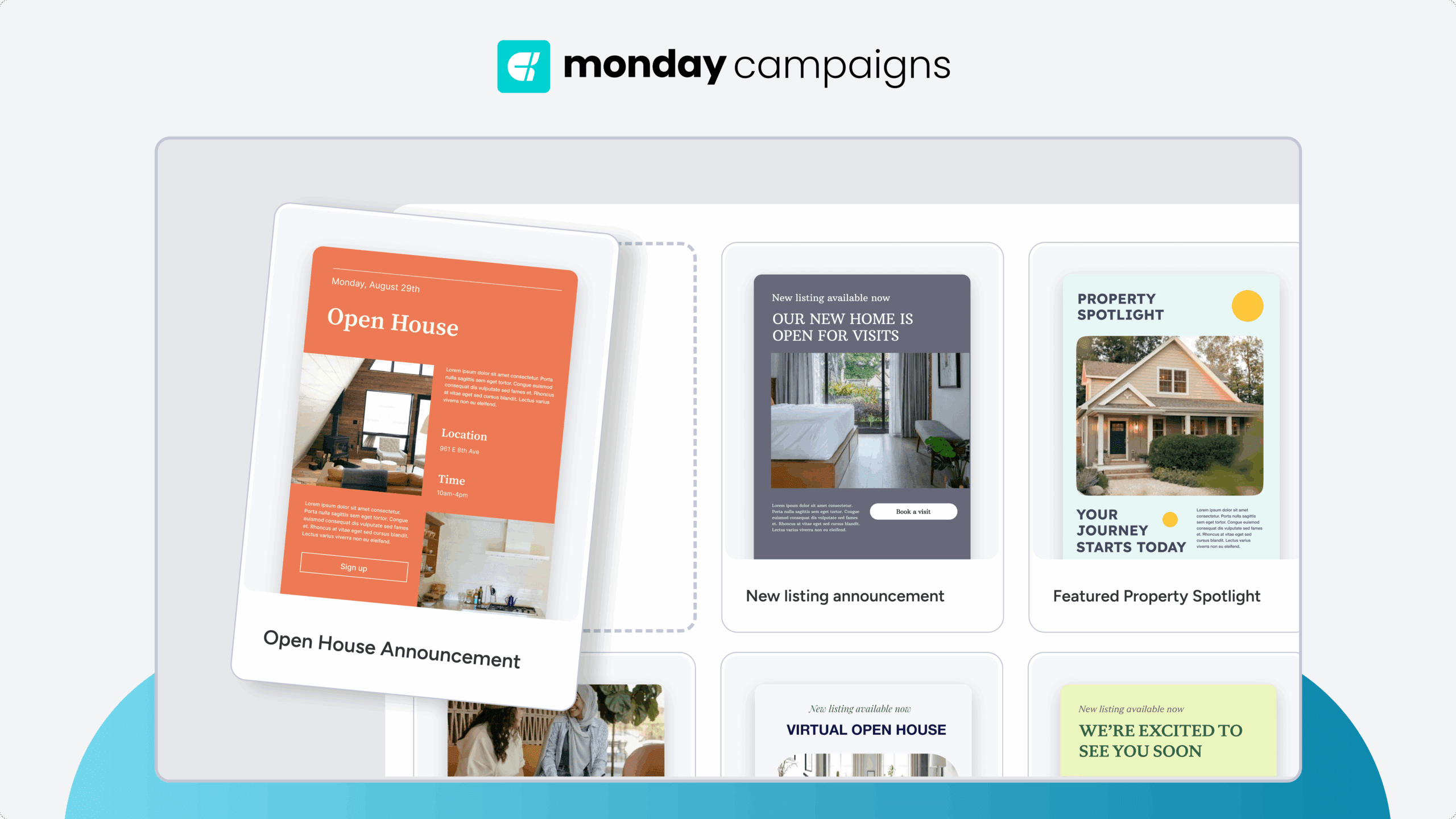
Create templates that adapt to each recipient. Use dynamic content blocks for product recommendations. Pull in behavioral data like recently viewed items. Adjust messaging based on customer segments.
Keep brand consistency while personalizing content. Your emails should feel custom-made for each person while clearly coming from your brand.
Step 5: Launch and monitor performance
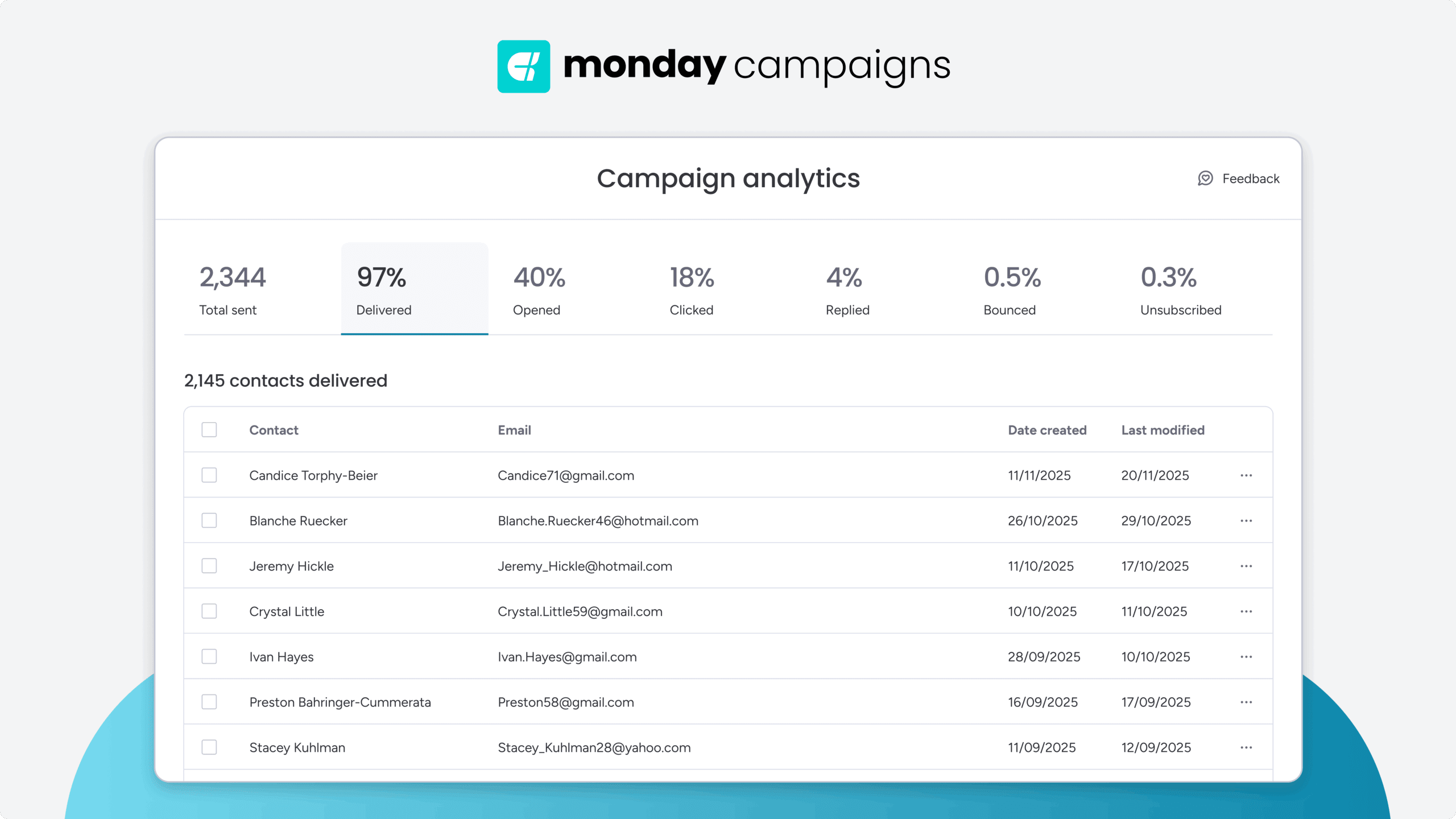
Test campaigns with a small group first. Monitor open rates, click rates, and conversions closely. Look for patterns that show what’s working and what needs adjustment. Use real-time dashboards to track performance.
Email marketing automation best practices
Success with automation comes from following proven practices. These guidelines help you create campaigns that feel personal, engage customers, and drive revenue.
Implement smart audience segmentation
Effective audience segmentation goes beyond basic demographics. Combine multiple data points to create meaningful segments that receive highly relevant messages. Consider these segmentation approaches:
- Demographic: Age, location, job title for broad targeting
- Behavioral: Purchase history, website activity for lifecycle campaigns
- Psychographic: Interests, values, preferences for content personalization
- Engagement-based: Email activity for re-engagement flows
Optimize timing with AI-powered insights
Generic “best practice” send times don’t work for everyone. AI analyzes when each subscriber typically engages with email. It considers time zones, past open times, and industry patterns.
This personalized timing increases opens and clicks. This ensures your emails arrive at the moment each individual is most likely to check their inbox.
Track revenue impact beyond vanity metrics

Opens and clicks matter, but revenue matters more. Focus on metrics that show real business impact:
- Revenue per email: Total revenue divided by emails sent
- Customer acquisition cost: Campaign cost per new customer acquired
- Lifetime value impact: Long-term revenue from automated campaigns
- Attribution analysis: Which touchpoints drive conversions
These metrics prove automation’s value to leadership. They show exactly how email contributes to business growth.
Manage frequency and preferences
Too many emails drive unsubscribes. Too few miss opportunities. Find the right balance by letting subscribers control their experience. Preference centers let people choose email types and frequency. Suppression rules prevent overwhelming anyone with multiple campaigns.
Try monday campaignsAdvanced email automation strategies using AI
AI takes automation beyond basic if-then rules, making campaigns smarter, more responsive, and increasingly effective over time. Here’s how AI transforms email automation. It makes campaigns smarter, more responsive, and increasingly effective over time. Here’s how AI transforms email automation.
Generate on-brand content at scale
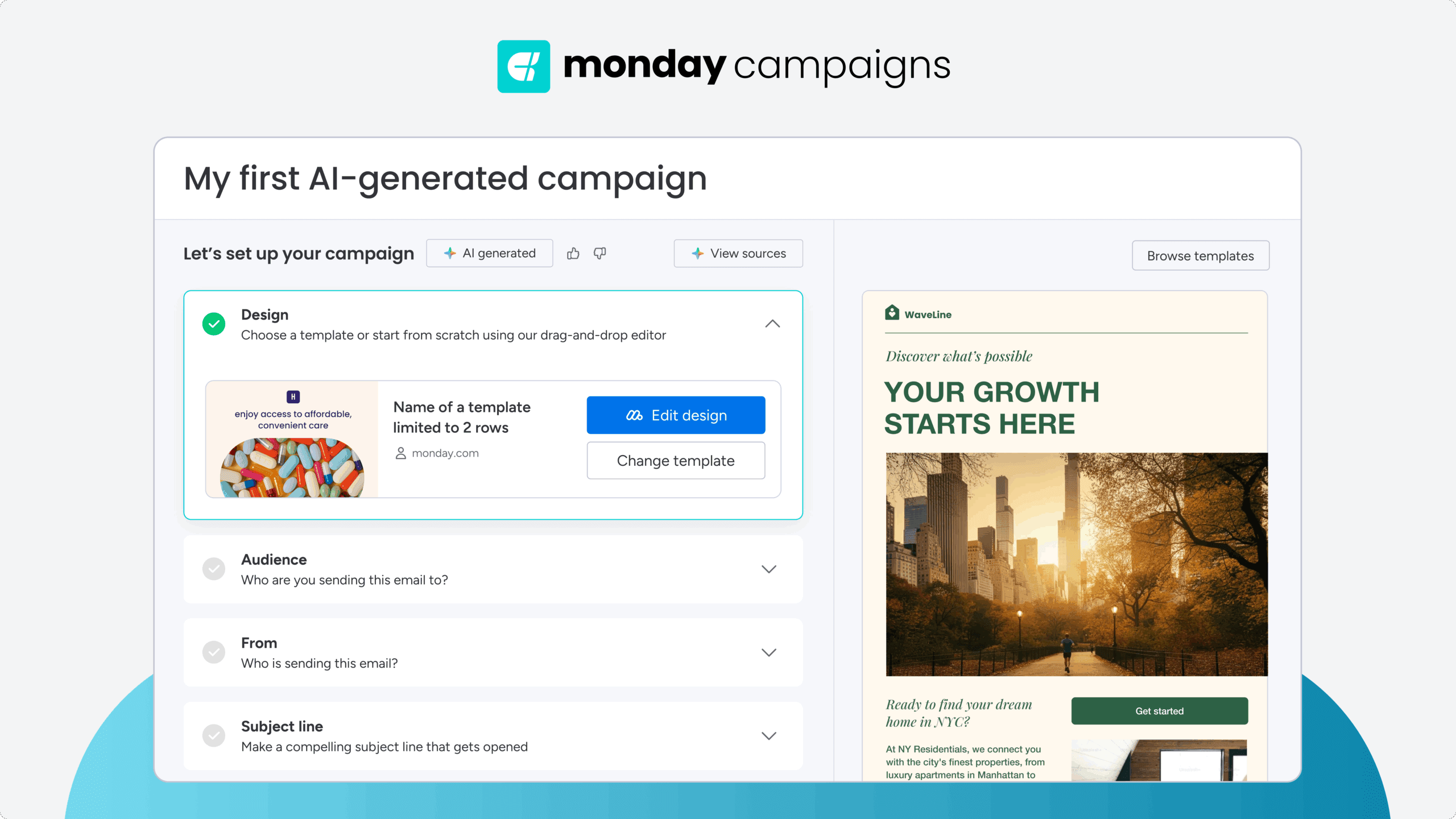
AI creates subject lines, body copy, and product descriptions that match your brand voice. It generates variations for different segments while maintaining consistency.
Need ten versions of a welcome email for different industries? AI handles it. Want subject lines optimized for each segment? AI delivers them. monday campaigns uses AI to help you create more content faster without sacrificing quality.
Apply predictive segmentation
Predictive segmentation looks forward, not backward. AI analyzes patterns to predict who will buy, churn, or engage next. It creates segments based on likely future behavior.
This lets you act before customers do. Prevent churn before it happens. Capitalize on purchase intent early. Target opportunities while they’re still developing.
Enable real-time campaign optimization
AI continuously improves your campaigns without manual intervention. It tests subject lines, adjusts send times, and optimizes content automatically.
Your campaigns get smarter with every send. What worked yesterday might not work today, and AI adapts accordingly.
Build signal-triggered automations
Subtle behavior changes often signal bigger shifts coming. AI detects these signals and triggers appropriate responses. Declining engagement might trigger a win-back campaign. Increased browsing could trigger product recommendations.
These proactive interventions keep customers engaged. You address issues before they become problems.
Connect email automation to your CRM
Email automation works best when connected to your complete customer data. CRM integration transforms isolated campaigns into coordinated customer journeys. monday campaigns provides native CRM connectivity that makes this seamless.
Unify marketing and sales data
Integration creates one complete customer record. Every email interaction appears alongside sales activities and support tickets. This unified view enables true coordination between teams.
When marketing and sales data live in the same system, you create one complete customer record. This unified view enables true coordination between teams and unlocks several key benefits.
- Complete visibility: See every customer touchpoint in order
- Revenue attribution: Connect email campaigns to closed deals
- Consistent messaging: Align marketing and sales communication
- Team efficiency: Access shared data without switching systems
Track full customer journey attribution
Attribution shows how email campaigns influence revenue across the entire journey. Track from first email engagement through final purchase and beyond.
This visibility proves email’s value beyond direct conversions. See how nurture campaigns influence deals that close months later. Understand which touchpoints matter most.
Automate lead scoring and handoffs
Lead scoring rates prospects based on email engagement plus other CRM data. High scores trigger automatic handoffs to sales with full context included.
Sales receives warm leads at the perfect moment. They see which emails were opened, what content was downloaded, and how engaged each prospect is. This context drives more effective conversations.
Scale your email marketing with monday campaigns
Transforms email automation by connecting 3 critical elements that typically live in separate systems: your customer data, your campaign execution, and your team workflows. With monday campaigns, this unified approach means you build automation campaigns that actually know your customers, not just their email addresses.
Unified customer data drives smarter automation
Here’s what that looks like in practice. Your CRM data flows directly into campaign triggers and segmentation — no exports, no syncing delays, no data gaps. When a lead reaches a certain score or a customer hits a milestone, your automation responds instantly with the right message. Campaign assets, approval workflows, and performance dashboards live alongside your other marketing projects, so your team collaborates in one place instead of juggling multiple tools.
Build complex workflows without technical expertise
The platform’s visual workflow builder makes sophisticated automation accessible without requiring technical expertise. You map out customer journeys with drag-and-drop simplicity, add conditional logic based on real customer behavior, and see exactly how people move through your campaigns. When you spot an opportunity to improve, you adjust the workflow directly — no developer needed.
AI amplifies your automation strategy

AI capabilities work throughout the platform to make your campaigns smarter over time. Generate personalized email content that matches your brand voice across every segment. Let the system predict optimal send times for each subscriber and automatically adjust based on engagement patterns. These AI features don’t replace your strategy — they amplify it, handling optimization tasks that would otherwise require constant manual testing.
Scale from startup to enterprise
Whether you’re running your first welcome series or managing enterprise-scale automation across multiple brands, monday campaigns scales with your needs. The same intuitive interface works for teams of 5 or 50, growing more powerful as your automation strategy matures.
Start building smarter email automation today
Email automation transforms how you connect with customers by delivering the right message at the right moment — automatically. By implementing the campaigns and strategies in this guide, you’ll save time, increase revenue, and create personalized experiences that scale with your business.
With monday campaigns this transformation becomes easy, connecting your email automation directly to your CRM data and team workflows. Build sophisticated campaigns without technical expertise, leverage AI to optimize performance, and see complete customer journeys in one unified platform.
Try monday campaignsFAQs
How much time does email automation save compared to manual email campaigns?
Email automation typically saves marketing teams valuable times every week by eliminating manual campaign setup, list management, and send scheduling. As campaign complexity and audience size increase, these time savings grow even more substantial.
Can automated email campaigns work effectively for B2B sales cycles?
Automated email campaigns are highly effective for B2B sales cycles, nurturing prospects with educational content and integrating lead scoring to prioritize outreach. B2B automation often involves longer sequences and more granular segmentation compared to B2C campaigns.
What makes email automation different from broader marketing automation platforms?
Email automation focuses specifically on email campaign workflows, offering deep email-specific features and streamlined implementation. Broader marketing automation platforms manage multiple channels including social media and web personalization, but may be more complex to deploy.
How do automated email campaigns avoid spam filters and maintain deliverability?
Automated campaigns maintain deliverability through authentication protocols, sender reputation monitoring, and optimized send timing. They often achieve higher deliverability than manual sends by following best practices and engaging subscribers based on their actual behavior.
When should marketing teams choose automation over manual email sends?
Marketing teams should choose automation for repetitive campaigns, behavior-triggered messages, and personalized sequences that need to scale. Manual sends remain useful for one-time announcements, highly creative campaigns, or communications targeting small, specific audiences.
What email automation metrics matter most for measuring campaign success?
The most important metrics for campaign success are conversion rate, customer acquisition cost, and lifetime value. Attribution analysis that connects email touchpoints to final conversions provides the most comprehensive view of marketing impact.

 Get started