

Email marketing has evolved from a volume game into a precision strategy where personalization and intelligence drive real revenue. The brands winning today send fewer, smarter emails that speak directly to what each subscriber actually needs.
This guide shows you exactly how to build that kind of email program. You’ll learn to create permission-based lists that convert, segment audiences for maximum relevance, design mobile-first campaigns, automate workflows that scale, and connect every email directly to your sales pipeline using AI-powered tools that optimize in real-time.
Try monday campaignsKey takeaways
- Build permission-based email lists using valuable lead magnets like ebooks, templates, or exclusive discounts that solve real problems for your audience.
- Segment your subscribers based on their behavior and lifecycle stage to send personalized messages that drive higher engagement and revenue.
- Design mobile-first emails with single-column layouts, prominent call-to-actions, and accessible formatting since most people read emails on their phones.
- Track revenue-focused metrics like conversion rates and customer lifetime value instead of just open rates to measure real business impact from your campaigns.
- Automate segmentation and use AI in monday campaigns to optimize send times, generate on-brand content, and integrate seamlessly with your CRM for complete customer visibility.
Build a permission-based email list that converts
A permission-based list contains only subscribers who actively chose to receive your emails — which means they’re genuinely interested in what you have to say. This approach drives higher open rates, click-through rates, and revenue compared to purchased or scraped lists.
1. Create high-value lead magnets
A lead magnet is a valuable resource you offer in exchange for someone’s email address. This could be an ebook, template, or exclusive discount that solves a specific problem for your audience.
The most effective lead magnets address immediate pain points and deliver quick wins. Here are proven formats that convert:
- Ebooks and guides: Comprehensive resources that help solve pressing problems
- Templates: Ready-to-use documents that save time and effort
- Free trials: Time-limited access to experience your product firsthand
- Exclusive discounts: Special offers available only to new subscribers
- Webinars: Educational sessions offering expert insights
- Checklists: Step-by-step lists for completing specific processes
2. Implement double opt-in for quality subscribers
Double opt-in requires subscribers to confirm their email address by clicking a verification link. While this adds an extra step, it ensures only genuinely interested contacts join your list.
The process works in 4 steps: a visitor submits their email, receives a confirmation message, clicks the verification link, and gets added to the main list. This approach leads to higher engagement rates and fewer spam complaints.
3. Clean your list every quarter
Regular list cleaning maintains high deliverability by removing inactive subscribers. Start by identifying contacts who haven’t opened emails in 6 months or clicked in a year.
Send a re-engagement campaign before removing anyone. Some subscribers may have simply missed your emails and a well-crafted win-back message can bring them back.
Segment your audience for personalized campaigns
Email segmentation divides your audience into smaller groups based on shared characteristics. This enables you to send more relevant messages that speak directly to specific needs and interests.
4. Use behavioral data for dynamic segments

Behavioral segmentation tracks what subscribers actually do — not just who they are. This creates dynamic segments that update automatically based on actions like email opens, website visits, and purchase history.
Key behavioral triggers for segmentation include:
- Email engagement: High openers get exclusive content, low openers get re-engagement campaigns
- Website activity: Product page visitors receive targeted offers for those items
- Purchase patterns: First-time buyers get onboarding, repeat customers get loyalty rewards
- Content preferences: Webinar attendees receive related educational content
- Cart abandonment: Non-purchasers get reminder emails with their abandoned items
5. Create lifecycle-based email segments
Different stages of the customer journey require different messaging. New subscribers need welcome content, while loyal customers respond to exclusive rewards.
Map your segments to these key lifecycle stages:
- New subscribers: Welcome series introducing your brand
- Engaged prospects: Educational content highlighting benefits
- First-time customers: Onboarding support and product tips
- Repeat customers: VIP perks and early access offers
- At-risk customers: Win-back campaigns with special incentives
6. Leverage CRM data for precise targeting
CRM integration unlocks deeper segmentation possibilities. You can target based on deal stage, company size, industry, and past interactions with your sales team.
Write email content that drives revenue
Effective email content balances value for subscribers with clear business objectives. Every word should serve a purpose — whether educating, entertaining, or persuading readers to take action.
7. Craft subject lines that boost open rates
Subject lines determine whether your email gets opened or ignored. The best ones combine personalization, urgency, and clear value in under 40 characters.
High-performing subject line techniques include:
- Personalization: “Sarah, your exclusive offer expires tonight”
- Urgency: “24 hours left to save 30%”
- Curiosity: “The one thing successful marketers do differently…”
- Benefits: “Cut your workload in half with these 5 tips”
- Numbers: “3 ways to improve your email ROI today”
Always A/B test different approaches to discover what resonates with your specific audience.
8. Write action-oriented email copy
Strong email copy guides readers toward one clear action. Start with a compelling hook, explain the value, provide social proof, then end with an unmistakable call-to-action.
Use active voice and direct language. Instead of “Our platform can help improve your campaigns,” write “Transform your campaigns in minutes.”
9. Personalize content beyond basic merge tags
True personalization goes beyond inserting a first name. Modern techniques create individualized experiences based on behavior, preferences, and context.
Advanced personalization strategies include:
- Dynamic content blocks: Show different products based on browsing history
- Location-based offers: Promote local events or nearest store locations
- Purchase history references: Suggest complementary products
- Behavioral triggers: Send emails based on specific actions taken
- AI-driven recommendations: Predict preferences based on similar customers
10. Add interactive elements to increase engagement
Interactive elements transform passive readers into active participants. Polls collect instant feedback, image carousels showcase multiple products, and animated CTAs draw attention to key actions.
Test interactive features across email clients to ensure consistent display. Always provide fallback options for clients that don’t support advanced features.
Try monday campaignsDesign mobile-first emails that get clicked
Mobile devices account for most email opens, making mobile-first design essential. Poor mobile experience leads to immediate deletion and lost revenue.

11. Follow single-column layout best practices
Single-column layouts eliminate horizontal scrolling and ensure readability on small screens. Key design principles for mobile success:
- 14px minimum font size: Ensures text remains readable without zooming
- Responsive images: Scale automatically to fit any screen size
- Ample white space: Makes content easy to scan and tap
- 44x44px touch targets: Use buttons and links with a large enough tap area to prevent accidental clicks, following accessibility best practices.
- Flexible layouts: Adapt seamlessly to any device orientation
12. Create one clear call-to-action per email
Focusing on a single, primary CTA helps guide subscribers toward the most important action and increases conversions. Focus on one primary action using a large, contrasting button placed above the fold.
Effective CTA design uses action-oriented text like “Start your free trial” or “Download the guide now.” Surround buttons with white space to make them impossible to miss.
13. Optimize for dark mode viewing
Dark mode requires special attention to ensure emails remain readable. Use transparent images, high-contrast text, and test across both light and dark displays.

14. Meet accessibility standards for email
Accessible emails ensure everyone can engage with your content. Include alt text for images, use sufficient color contrast, and organize content with logical heading structure.
These practices expand your reach while supporting compliance with ADA and WCAG standards.
Ensure email deliverability and inbox placement
Deliverability determines whether emails reach the inbox or disappear into spam folders. Even brilliant content fails if subscribers never see it.
15. Set up SPF, DKIM, and DMARC authentication
Email authentication protocols verify you’re a legitimate sender. SPF confirms your sending server, DKIM adds a digital signature, and DMARC sets policies for handling failures.
Work with your IT team or email provider to implement these protocols correctly. Proper authentication improves inbox placement and protects your domain reputation.
16. How to stay out of the spam folder
Spam filters scan for red flags that indicate unwanted email. Common triggers to avoid include ALL CAPS text, excessive exclamation points, spam phrases like “free money,” misleading subject lines, and missing unsubscribe links.
17. Monitor and improve sender reputation
Your sender reputation determines inbox placement. Monitor key metrics including bounce rate (keep under 2%), complaint rate (aim for less than 0.1%), and engagement rate (higher is better).
Regular list cleaning and relevant content maintain strong reputation over time.
Automate email campaigns for scalable growth
Automation delivers personalized experiences at scale while freeing your team from repetitive tasks. Set up the right triggers and let campaigns run themselves.
18. Build welcome series that convert new subscribers
Welcome emails generate the highest engagement because subscribers expect to hear from you immediately after signing up. A typical series includes a welcome message, your brand story, value highlights, social proof, and an exclusive offer.
19. Recover lost sales with cart abandonment emails
Cart abandonment emails recover lost revenue by reminding shoppers about items they left behind. Send 3 emails: immediate reminder, 24-hour follow-up emphasizing benefits, and final incentive with limited-time discount.
Personalize with product images and names to maximize recovery rates.
20. Win back inactive subscribers
Re-engagement and win-back campaigns cost less than acquiring new subscribers. Try this sequence: compelling re-engagement offer, content update highlighting what’s new, and last chance notice before removal. Remove truly inactive subscribers to protect deliverability.
21. Create post-purchase email sequences
Post-purchase emails build loyalty through timely communication. Include order confirmation, shipping updates, delivery confirmation, review requests, and cross-sell offers.
Each touchpoint strengthens the customer relationship.
22. Set up milestone and anniversary campaigns
Milestone emails celebrate important moments like subscription anniversaries, birthdays, loyalty achievements, and purchase milestones. These personal touches increase emotional connection and lifetime value.
Try monday campaignsFind the perfect send time and email frequency
Optimal timing varies by audience, making testing essential. Find the balance between staying visible and avoiding fatigue.
23. Test optimal send times by segment
While general best practices suggest weekday mornings, your audience may differ. Test different times across segments and measure results.
24. Balance email frequency with subscriber value
Start with a baseline frequency, then adjust based on engagement metrics. Watch for warning signs like rising unsubscribes or declining opens. Let subscribers choose their preferred frequency to reduce fatigue.
25. Use AI for predictive send time optimization
AI analyzes individual behavior patterns to deliver emails when each person is most likely to engage. This approach consistently outperforms static scheduling.
Track email marketing metrics that matter
Focus on metrics that connect to business outcomes, not just email activity. Revenue-driving indicators guide smarter decisions.

26. Measure revenue per email beyond open rates
Open rates don’t show business impact. Track metrics that matter:
- Click-to-open rate: Shows content relevance
- Conversion rate: Connects emails to business goals
- Revenue per recipient: Measures true ROI
- Unsubscribe rate: Indicates content alignment
- List growth rate: Reflects acquisition effectiveness
27. Calculate customer lifetime value from email
Email CLV shows total revenue generated through email touchpoints. Calculate using:
(Average purchase value x Purchase frequency x Customer lifespan) x (% of purchases from email)
This metric justifies email investment and guides strategy.
28. Run A/B tests for continuous optimization
Test one element at a time: subject lines, copy, CTAs, images, send times, or layouts. Use adequate sample sizes for reliable results. Small improvements compound into significant gains over time.
Scale personalization with AI-powered features
AI enables sophisticated personalization impossible to achieve manually. Let technology handle repetitive tasks while you focus on strategy.

29. Generate on-brand content with AI
AI assists with subject lines, product descriptions, email variations, and content summarization while maintaining brand voice.
30. Use predictive analytics for better targeting
Predictive analytics forecasts subscriber behavior including churn risk, purchase likelihood, and content preferences. These insights enable proactive campaigns that address needs before subscribers even express them.

31. Implement real-time content optimization
Dynamic content updates at the moment of open based on current data. Show live inventory, local offers, or personalized recommendations.
Connect email marketing to sales pipeline
Breaking down silos between marketing and sales improves the entire customer experience. Shared email marketing data and goals drive better results for both teams.
32. Integrate email data with your CRM
CRM integration creates a unified view of each contact. Benefits include automated lead scoring, sales intelligence, workflow triggers, and closed-loop reporting.
33. Track the complete lead-to-customer journey
Map every touchpoint from first email to closed sale. Different stages require different strategies, from welcome emails for new leads to loyalty programs for customers. Proper attribution shows which strategies, like these email marketing campaigns for startups, drive real revenue.
34. Share campaign intelligence across teams
Email data provides insights beyond marketing. Share engagement patterns with sales, content preferences with product teams, and churn indicators with customer success.
Streamline smarter email marketing with monday campaigns
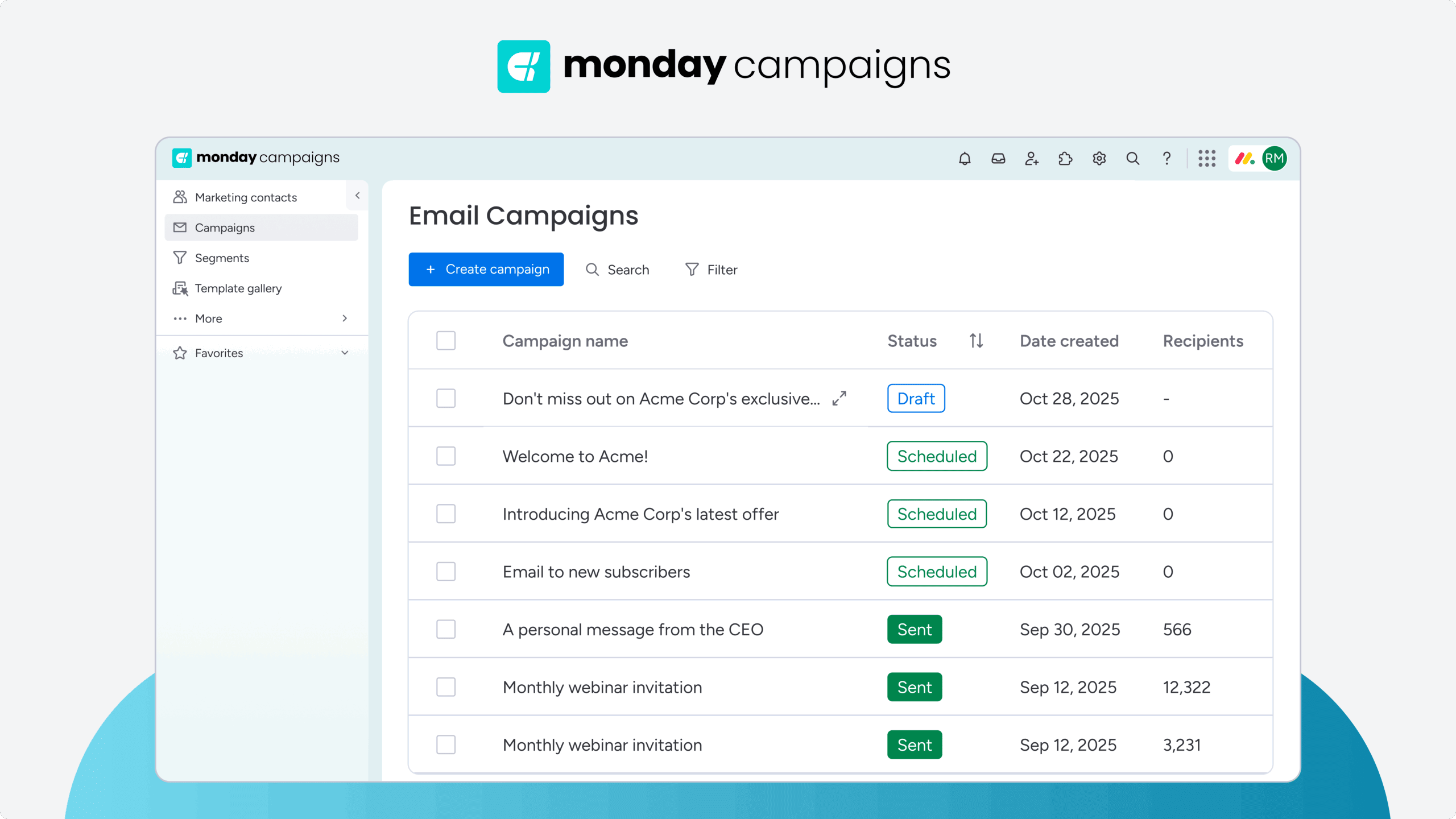
With monday campaigns, you can transform email marketing from a time-consuming guessing game into a streamlined, data-driven process. Built on the monday.com Work OS, it connects your email campaigns directly to your CRM, sales pipeline, and customer data — giving you complete visibility into what actually drives revenue. Instead of juggling multiple tools and manual processes, you get AI-powered automation that handles the heavy lifting while you focus on strategy.

Key features that set monday campaigns apart:
- AI-powered content generation: Create on-brand subject lines, email copy, and variations in seconds while maintaining your unique voice.
- Intelligent send time optimization: AI analyzes individual subscriber behavior to deliver emails when each person is most likely to engage.
- Seamless CRM integration: Automatically sync email engagement data with your sales pipeline for complete customer visibility.
- Dynamic segmentation: Build segments that update in real-time based on behavior, lifecycle stage, and CRM data.
- Mobile-first templates: Pre-built designs that look perfect on any device, with automatic dark mode optimization.
- Revenue-focused analytics: Track metrics that matter — conversion rates, revenue per email, and customer lifetime value.
- Automated email marketing workflows: Set up welcome series, cart abandonment, and re-engagement campaigns that run themselves.
The platform eliminates the disconnect between marketing and sales by putting all your customer data in one place. When a prospect opens your email, clicks a link, or converts, that intelligence flows directly to your sales team. This creates a unified customer experience where every touchpoint builds on the last — turning email marketing into a true revenue driver rather than just another channel.
Start building smarter email campaigns today
Email marketing success in 2026 comes down to 3 fundamentals: building permission-based lists that actually want to hear from you, segmenting audiences so every message feels personal, and connecting email data directly to your sales pipeline. The days of spray-and-pray campaigns are over — modern email marketing requires intelligence, automation, and a platform that brings everything together.
With monday campaigns, you get the tools to implement every strategy in this guide without the complexity. Try it free and see how AI-powered automation, seamless CRM integration, and revenue-focused analytics transform your email marketing from a time sink into your most reliable growth channel.
Try monday campaignsFAQs
What is the ideal email length for maximum engagement?
The ideal email length for maximum engagement typically ranges from 50-200 words for promotional emails, while educational content can be longer if it provides clear value and remains scannable with headers and bullet points.
How do I ensure GDPR compliance for international email campaigns?
GDPR compliance for international email campaigns requires obtaining explicit consent before sending marketing emails, providing clear unsubscribe options in every email, and maintaining detailed records of how and when consent was obtained.
What is the difference between marketing emails and transactional emails?
Marketing emails promote products or services and require explicit consent, while transactional emails like order confirmations or password resets are triggered by user actions and don't require marketing consent.
How many emails should an automated email sequence include?
Automated email sequences should match their purpose — welcome series typically include 3-5 emails, while nurture sequences may extend to 7-10 emails depending on your sales cycle length and subscriber engagement patterns.
When should I remove inactive subscribers from my email list?
Remove inactive subscribers after 12-18 months of no engagement, but only after running a re-engagement campaign that gives them a final opportunity to stay on your list and show interest.
What accessibility requirements apply to email marketing campaigns?
Email accessibility requirements include providing alt text for all images, ensuring sufficient color contrast between text and backgrounds, using readable fonts at appropriate sizes, and structuring content logically for screen reader compatibility.

 Get started