


Coordinating video shoots across multiple continents can feel like managing air traffic control. Traditional video production requires crews, equipment, and directors to converge in one location, often creating logistical bottlenecks and high costs. Remote video production flips this model by allowing filming, editing, and project management to happen in different locations simultaneously.
Teams capture footage locally while editors work from different time zones, transforming geographic distance from a limitation into a production advantage. By enabling parallel workflows, distributed teams can accelerate project timelines, reduce travel and facility expenses, and access specialized talent around the world. This approach also builds resilience, allowing production to continue even when regional disruptions occur.
Below you’ll find a complete overview of remote video production in 2026: the essential infrastructure, workflow models, and team structures required to produce high-quality content from anywhere. Topics include standardized equipment, quality control protocols, cross-timezone coordination, portfolio management, and strategies for scaling distributed operations efficiently.
Key takeaways
- Remote production enables global collaboration: Distributed teams can capture, edit, and deliver video across multiple time zones without physical presence.
- Standardized equipment and processes ensure quality: Consistent camera setups, monitoring, and quality control protocols maintain visual and audio consistency across locations.
- Time zones can accelerate project delivery: Follow-the-sun workflows allow projects to move continuously, reducing turnaround times from days to hours.
- Cost savings and operational resilience are significant: Eliminating travel, reducing facility use, and leveraging global talent can cut expenses by 20-40% while keeping production running during disruptions.
- Centralized workflow platforms improve coordination: Solutions like monday.com unify project tracking, approvals, and resource allocation across distributed teams.
What is remote video production?

Remote video production is the process of creating video content when team members, equipment, and stakeholders are distributed across different locations rather than in a single studio or set. This approach relies on cloud-based collaboration platforms, distributed filming setups, and centralized workflow management to coordinate every step from initial planning to final delivery.
For example, a global marketing team producing customer testimonials can operate without coordination delays. A videographer in Tokyo uploads footage directly to cloud storage while editors in New York begin rough cuts immediately.
Meanwhile, a project manager in London tracks every milestone through a centralized platform, ensuring brand consistency without anyone traveling. Video production no longer waits for everyone to gather in one location — it progresses as fast as the team can work.
Remote filming fundamentals
Remote filming succeeds when equipment and processes are standardized upfront, replacing the need for a director to be physically present. Teams deploy identical camera kits with preset configurations across all locations, ensuring footage from Berlin matches footage from Boston in color, exposure, and framing.
Three key pillars make remote filming consistently reliable:
- Equipment standardization: Using matching camera packages with locked settings maintains visual consistency across locations.
- Real-time monitoring: Low-latency streaming allows directors to provide feedback from any location, preserving creative control.
- Quality control protocols: Detailed checklists for lighting ratios, audio levels, and frame rates prevent issues that cannot be fixed in post-production.
Remote videography vs traditional production
The primary difference between traditional and remote production is how resources are allocated and decisions are made. With approximately 40% of U.S. workers working fully or partly remotely in 2026, distributed workflows have become a viable standard.
Traditional production keeps teams together for control, while remote production relies on structured processes that function when teams are spread across locations. The table below highlights the key operational differences between these two approaches.
| Aspect | Traditional production | Remote production |
|---|---|---|
| Coordination | Physical scheduling, travel logistics | Digital workflows, timezone management |
| Cost structure | Variable costs (travel, location fees) | Fixed costs (platforms, cloud storage) |
| Timeline | Linear, dependent on availability | Asynchronous, enables 24/7 production |
| Quality control | On-set correction by senior crew | Process-driven with remote monitoring |
Key components of distributed workflows
Distributed video workflows function as cohesive operations only when systems replace traditional production offices. To build remote video operations, teams need infrastructure that connects planning, filming, editing, and delivery into one cohesive workflow.
- Project coordination systems: Centralized platforms track project status, dependencies, and milestones across all locations.
- Asset management protocols: Structured naming conventions and folder hierarchies help editors locate media instantly.
- Review and approval workflows: Automated notifications consolidate feedback into actionable lists, preventing version control issues.
5 core benefits of remote video production
Remote video production reduces costs, accelerates delivery, and enhances creative consistency. Teams using distributed workflows save money, deliver projects faster, and maintain high standards, transforming the way content is created.
1. Reduced production costs and overhead
Remote production lowers the cost per asset by eliminating travel expenses, including federal per diem rates of $178 per day for lodging and meals, and minimizing physical facility requirements. Organizations can redirect these savings toward higher production value or a greater volume of content.
The biggest cost savings:
- Travel elimination: No flights, hotels, or per diem expenses for crew movement.
- Equipment sharing: Distributed teams maximize utilization across multiple projects.
- Facility reduction: Lower studio rental and overhead costs.
2. Access to global video crews
Moreover, geography no longer limits hiring. Organizations can source specialized creators from anywhere in the world, securing the exact skills each project requires. Local teams provide authentic regional perspectives and cultural understanding that traveling crews often cannot replicate.
3. Accelerated project delivery
Time zone differences become a strategic advantage through follow-the-sun production models. Teams in Asia can complete shoots that European teams edit, while American teams add graphics, all within 24 hours.
This continuous workflow turns week-long projects into day-long sprints, provided that handoffs are clear and well-managed.
4. Enhanced sustainability metrics
Furthermore, remote production reduces the carbon footprint by cutting flights, commutes, and equipment shipments. Lower studio energy consumption and minimal commuting align video operations with corporate sustainability goals.
These reductions support environmental compliance and demonstrate responsibility to investors.
5. Improved business resilience
Distributed production ensures that local disruptions do not halt the entire pipeline. Work can shift to unaffected regions during emergencies, busy seasons, or when key personnel are unavailable. This flexibility keeps content production consistent and reliable across multiple locations.
Essential requirements for remote production success
Successful remote video production requires strong infrastructure and clear operational protocols. These foundations must be in place before scaling, or coordination issues and quality gaps can arise.
Technical infrastructure setup
The first requirement is a robust technical foundation capable of supporting massive video file handling while keeping distributed teams connected. To achieve this, you will need:
- Cloud storage architecture: Scalable solutions that support rapid footage ingestion and instant editor access.
- Connectivity standards: Minimum bandwidth requirements ensuring smooth file transfers and streaming.
- Centralized workflow management: Platforms connecting storage, assignments, and approvals in one unified system.
Remote team structure and roles
Once the technology is in place, distributed teams require explicit role definitions and accountability frameworks. Establishing clear ownership prevents duplicate work and ensures there are no gaps in coverage across the pipeline.
This structure should include:
- Role definitions: Responsibilities ranging from data management to color grading.
- Responsibility matrices: RACI charts specifying decision authority and approval chains.
- Coordination roles: Specialized positions managing distributed hardware and connectivity challenges.
Communication and collaboration systems
To keep these teams aligned, remote workflows need structured communication protocols that go beyond simple messaging solutions. Effective systems include:
- Meeting protocols: Scheduled stand-ups maintain alignment without dominating work hours.
- Feedback collection: Frame-accurate video review systems replace scattered email threads.
- Progress reporting: Automated status updates keep stakeholders informed without manual effort.
Security and compliance protocols
Finally, tight security measures must be implemented to protect intellectual property and sensitive client data. Access control and constant monitoring serve as essential safeguards for the production ecosystem.
Security basics include:
- Data protection: Encryption for transfers and storage safeguards footage from unauthorized access.
- Access control: Role-based permissions ensure contractors access only relevant assets.
- Audit trails: Digital logs track every file access, download, and approval for compliance purposes.
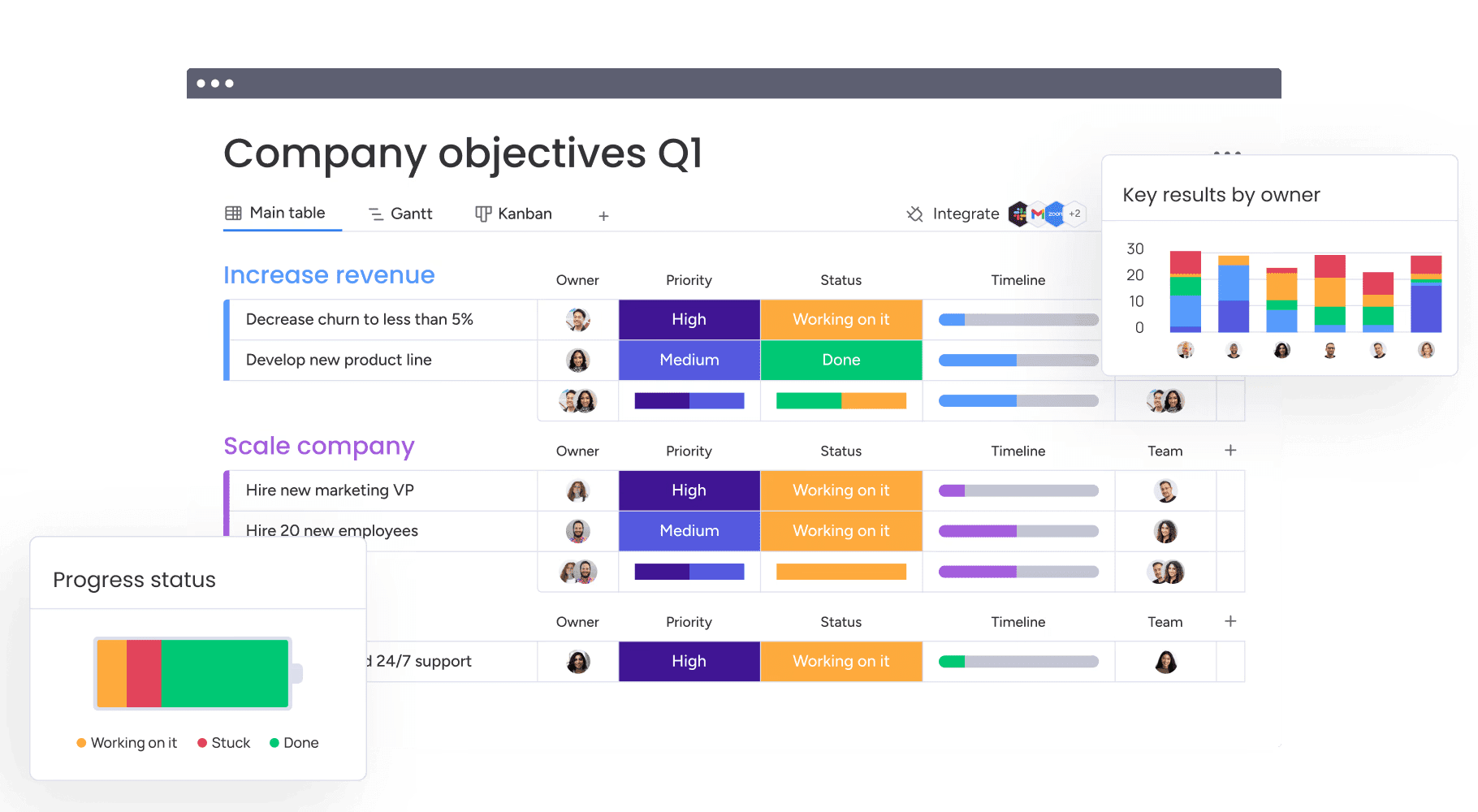
Modern platforms like monday.com support remote video production by providing centralized workflow management, secure storage, and visibility across distributed teams.
6 remote video production workflow models
Teams select workflow models based on content type, security needs, and creative control. Each model excels in specific scenarios, making it easier to choose the right fit for your production goals.
1. Fully distributed team production
Every team member works from their own location without central facilities. This model provides maximum flexibility and lower costs, but it requires disciplined communication practices. Success depends on a reliable digital workspace and the team’s ability to work asynchronously.
2. Hybrid remote filming operations
In this model, core teams at headquarters handle strategy while remote units execute filming. This setup balances brand consistency with local execution. Headquarters maintains creative oversight while regional crews contribute their local expertise.
3. Cloud-based post-production workflows
Filming may occur at a central location, but editing happens entirely in the cloud. Multiple editors, colorists, and sound designers work simultaneously on uploaded footage. Proxy workflows and version control systems prevent conflicts and allow parallel processing.
4. Remote live video production systems
In contrast, this model means that control rooms, cameras, and talent operate from separate locations for live broadcasts. This approach requires high-speed transmission technology and backup systems. Technical directors coordinate multiple feeds remotely while maintaining broadcast quality.
5. Client-directed remote productions
Clients monitor camera feeds from their offices and provide instant feedback to on-set directors. Clear guidelines for giving feedback and decision-making are essential. Real-time collaboration accelerates approvals without sacrificing creative control.
6. AI-enhanced production pipelines
AI automates repetitive tasks throughout production, including transcription, rough cuts, color balancing, and metadata tagging. Some platforms also use AI to identify timeline risks and convert creative briefs into actionable assignments.
Learn more: AI for video creation
7 steps to implement remote video production
Transitioning to remote production requires a structured foundation that addresses technology, team coordination, and quality control upfront. Without this groundwork, distributed teams face version control conflicts, inconsistent deliverables, and communication breakdowns that slow delivery and inflate costs.
A methodical approach minimizes these risks while maximizing creative output and operational efficiency.
Step 1: define your remote production scope
At the beginning, analyze current productions to determine which projects are suitable for remote work. Highly complex shoots may still require physical presence. Establish clear criteria for selecting remote-ready projects.
Step 2: assemble your remote video crew
When building distributed teams, assess both creative skills and remote work capabilities. Specify technical requirements such as internet speed and equipment. During hiring, confirm time zone compatibility and preferred communication methods.
Step 3: choose your technology stack
Next, select platforms that integrate well and scale with your operations. Your technology stack should connect three areas:
- Production platforms: Hardware and software for capture and creation.
- Collaboration platforms: Systems for communication and asset sharing.
- Workflow management: Central workspace like monday.com to coordinate operations.
Step 4: design workflow templates
Standardizing workflows improves speed and consistency. Create templates for different production types, including approval stages, quality checks, and automations that keep projects moving efficiently.
Step 5: establish quality standards
Maintain consistent quality across distributed teams with objective benchmarks. Provide detailed style guides and technical specifications, and regularly audit raw footage and deliverables.
Step 6: create collaboration protocols
Then, prevent communication breakdowns across time zones by establishing clear protocols. Define which channels to use, expected response times, and decision-making authority. Document escalation paths so work continues when key people are offline.
Step 7: launch and optimize your pipeline
Finally, test workflows with pilot projects in controlled settings and monitor performance to identify bottlenecks and friction points. Adjust processes based on team feedback and data before scaling operations.
Managing remote production teams at scale

Higher production volumes require enterprise-level management that shifts focus from individual tasks to system optimization. Production leaders monitor throughput across dozens of simultaneous projects, identify resource constraints before they cause delays, and ensure quality standards remain consistent as teams scale through centralized dashboards, standardized workflows, and automated handoffs.
Defining roles across distributed crews
Clear accountability prevents delays and eliminates confusion about who owns what. Assign specific decision-making authority at each production stage, from shot approval to final color grading, so team members know exactly when they can proceed independently versus when they need sign-off.
Document these ownership boundaries in a RACI matrix that maps who is Responsible, Accountable, Consulted, and Informed for every deliverable.
This clarity becomes critical when teams span locations and time zones, ensuring that a colorist in Singapore doesn’t wait unnecessarily for feedback from a producer in New York who isn’t actually the decision-maker for that task.
Real-time collaboration systems
Coordinate work with infrastructure that supports both synchronous and asynchronous collaboration. Virtual editing sessions and instant feedback complement documented workflows, providing visibility into project status without constant meetings.
What makes collaboration effective:
- Metric establishment: Track time to first cut, revision cycles, and delivery rates.
- Reporting protocols: Automated dashboards reveal team performance and capacity.
- Communication optimization: Balance real-time interaction with focused work periods.
Cross-timezone coordination strategies
Finally, global teams can leverage time zones strategically rather than viewing them as a barrier. Define clear handoff procedures so one region can prepare assets for the next incoming shift.
By scheduling brief overlapping hours for critical decisions while respecting local work hours, you can maintain a continuous production cycle that never truly stops.
Clear accountability prevents delays and eliminates confusion about who owns what. Assign specific decision-making authority at each production stage, from shot approval to final color grading, so team members know exactly when they can proceed independently versus when they need sign-off.
Orchestrating multiple remote productions

Managing a high volume of content requires portfolio-level visibility and resource optimization. To succeed at this level, operations leaders must balance stakeholder needs, limited talent, and quality standards across all active productions simultaneously.
Portfolio management for video projects
The first step is to maintain a clear overview of all active productions to prevent operational chaos. Platforms like monday.com provide comprehensive dashboards showing every project’s status, allowing leaders to identify and address bottlenecks before they impact the bottom line.
Resource allocation across productions
Building on this visibility, optimizing talent prevents burnout and increases total output. Robust capacity planning tracks workloads across editors, animators, and colorists globally, providing the data needed for informed assignment decisions and balanced team utilization.
Automated workflow orchestration
Automation handles repetitive coordination tasks, freeing managers to focus on strategy. Triggers assign them, send notifications, and advance projects automatically.
Furthermore, AI predicts the duration of specific work items and recommends the most efficient resource allocation based on historical performance.
Production performance analytics
Ultimately, these data insights improve overall operations by highlighting inefficiencies across various project types. This performance analysis identifies recurring delays, flags quality issues for resolution, and ensures that the entire production ecosystem remains lean and effective.
To succeed at this level, operations leaders must balance stakeholder needs, limited talent, and quality standards across all active productions simultaneously.
Quality assurance in remote video production
Distributed production integrates quality control throughout the workflow instead of only at the end. Defined processes maintain brand consistency regardless of team location.
Quality assurance in remote video production relies on four key areas:
- Technical quality benchmarks: Set measurable standards to make technical quality objective. Define precise requirements for bitrates, color spaces, and audio levels at every stage. Consistent specifications ensure footage from different locations matches perfectly in post-production.
- Creative consistency standards: Maintain visual identity across distributed teams through thorough documentation. Brand guidelines, style references, and template libraries help teams produce content that feels cohesive across regions.
- Review and approval workflows: Implement structured review processes to prevent endless feedback loops. Define review stages, consolidate feedback into actionable rounds, and enforce approval deadlines. Platforms like monday.com centralize feedback and automate review notifications, speeding up approvals.
- Final delivery specifications: Establish standardized delivery protocols to ensure assets are distribution-ready. Specify naming conventions, metadata requirements, and package structures in advance. Verification processes confirm every deliverable meets specifications before completion.
Solutions to remote production challenges
Remote workflows introduce specific operational hurdles that require proactive strategies. Because of this, success depends on anticipating challenges related to connectivity, coordination, and communication.
Overcoming connectivity limitations
Bandwidth constraints can limit remote production. Proxy workflows using low-resolution files preserve bandwidth while maintaining creative flexibility. High-resolution conform occurs only at final stages. Backup protocols, including physical drive shipping, provide safeguards against digital transfer failures.
Optimizing file transfer workflows
Similarly, transferring large files efficiently requires specialized methods beyond standard uploads. Utilizing UDP-based acceleration maximizes available bandwidth, while overnight transfers and automated verification ensure files arrive intact without interrupting daytime production hours.
Synchronizing distributed teams
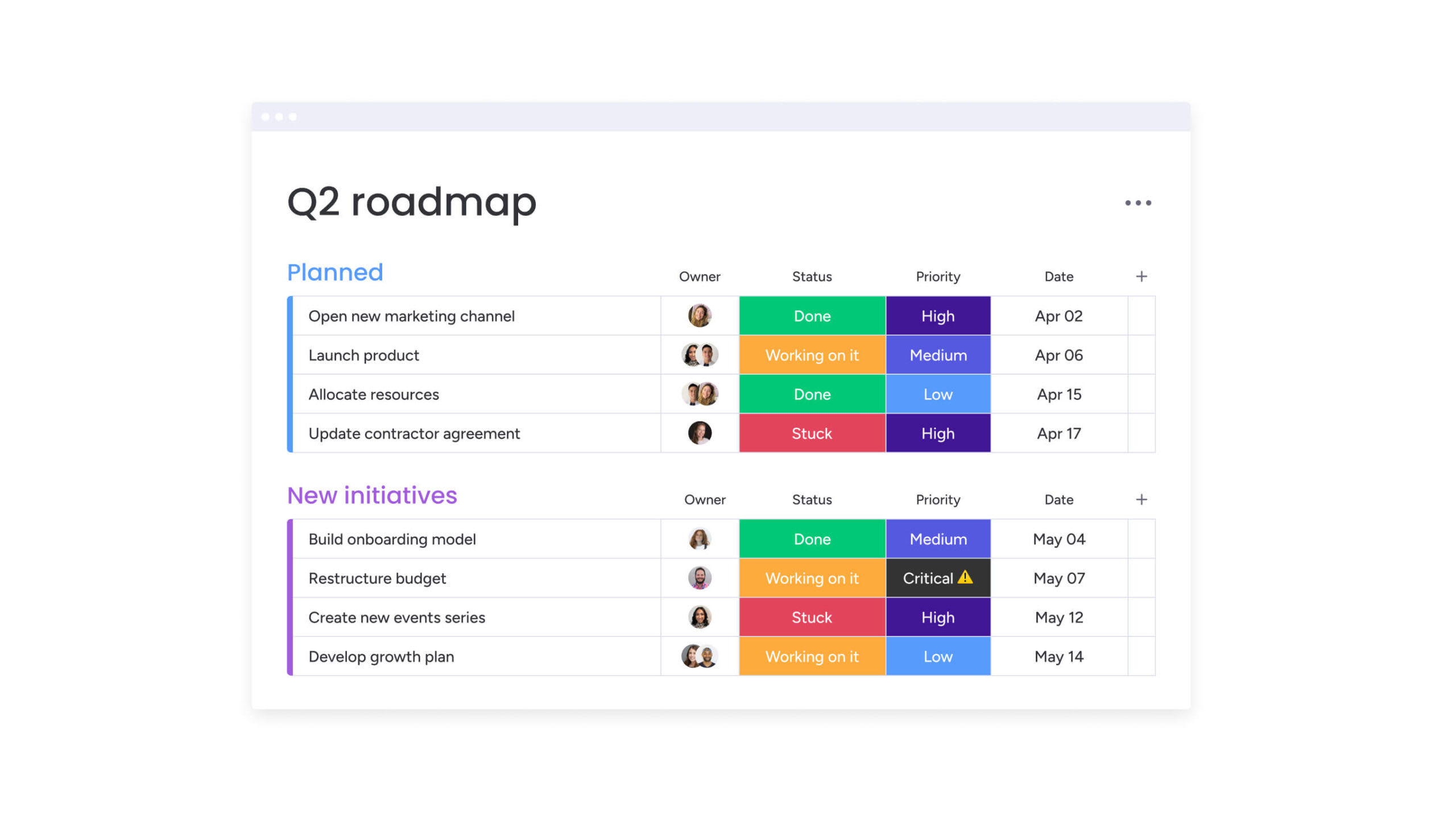
Alignment requires deliberate coordination. Single source of truth documentation centralizes project information for accessible reference. Teams track progress on monday.com, giving producers real-time visibility into every shoot, edit, and approval stage.
Streamlining client communications
Transparent, structured communication helps manage expectations. View-only dashboards allow clients to monitor progress without disrupting workflows. Defined feedback channels prevent scattered comments while keeping stakeholders engaged.
Building your remote production technology stack
Technology foundations determine remote production capabilities. Choosing the right platforms influences creative quality, operational efficiency, and overall scalability.
Camera and remote filming equipment
Equipment choices directly impact both the visual quality of your final deliverables and how effectively teams can operate from different locations. When selecting gear for distributed filming, prioritize cameras and accessories that support remote monitoring, consistent output across multiple units, and reliable performance without on-site technical supervision.
Distributed filming requires:
- Remote control capabilities: Cameras with app or web interfaces for settings adjustment.
- Reliable autofocus: Maintaining sharp footage without operators.
- Clean monitoring output: HDMI feeds enable remote viewing and direction.
Cloud production platforms
Cloud infrastructure replaces physical studios as production centers. Platforms must support concurrent access, real-time processing, and native integration.
Organizations can capture additional cost savings of ten to 20% through optimized cloud operations and FinOps practices. Storage tiers balance speed requirements with cost considerations across active and archived projects.
Collaboration software solutions
Collaboration platforms connect distributed teams beyond basic communication. Essential capabilities include real-time conferencing, instant messaging, and frame-accurate review. Integration between platforms prevents context switching and maintains workflow momentum.
Storage and archive systems
Data management requires tiered strategies. High-speed storage supports active projects, while cost-effective archives house completed work. Redundancy and security protocols protect assets from loss or unauthorized access.

“monday.com has been a life-changer. It gives us transparency, accountability, and a centralized place to manage projects across the globe".
Kendra Seier | Project Manager
“monday.com is the link that holds our business together — connecting our support office and stores with the visibility to move fast, stay consistent, and understand the impact on revenue.”
Duncan McHugh | Chief Operations OfficerElevate your remote productions with monday.com
Centralized platforms unify distributed teams, assets, and workflows into a cohesive, high-performance operation. By replacing fragmented spreadsheets with visual and automated workspaces, organizations can enhance their creative output to meet the demands of high-velocity media production.
| Capability | Traditional platforms | Specialized video software | monday work management |
|---|---|---|---|
| Cross-team coordination | Limited lists lacking context | Excellent for creative files | Unifies creative and operations |
| Real-time visibility | Static reports requiring updates | Asset-focused tracking | Live dashboards across all projects |
| Automation and AI | Basic reminders only | Limited to processing | Advanced workflow and resource AI |
| Scalability | Cluttered with complexity | Often project-siloed | Enterprise portfolio management |
| Integration | Standard office apps | Editing applications only | Connects entire production ecosystem |
Organizations gain the specific infrastructure needed to manage distributed video production effectively by utilizing monday.com as their core operating system:
- Project coordination capabilities: Track progress across locations with instant visibility into every milestone.
- Resource management: Balance workloads using Workload View to see capacity globally.
- AI-powered optimization: AI blocks categorize requests, extract brief data, and summarize feedback automatically.
- Real-time collaboration: Dashboards provide live production health while automations handle coordination.
- Portfolio management: Aggregate data identifies bottlenecks and tracks budgets across initiatives.
Remote video production represents a level of operational maturity that far exceeds traditional methods. Success requires treating distributed workflows as resilient capabilities supported by robust technical foundations.
By implementing a centralized management platform, you build a production supply chain that delivers faster, evolves easier, and maintains creative excellence regardless of where your team is located.
Frequently asked questions
What is the difference between remote and traditional video production?
Traditional production centralizes teams and resources, while remote production distributes crews across geographies. Cloud collaboration and digital workflows enable high-quality content creation without physical proximity.
How much bandwidth does remote video production require?
Reliable remote production typically needs upload speeds of 20–50 Mbps. 4K workflows may require 100+ Mbps for smooth operations and timely delivery.
Can remote production achieve the same quality as traditional production?
Yes. Standardized professional equipment, technical specifications, remote monitoring, and structured review processes ensure broadcast-quality results equivalent to on-set productions.
How do you coordinate remote video crews across time zones?
Centralized workflow platforms, clear handoff protocols, and follow-the-sun schedules maintain continuous progress. Thorough documentation and asynchronous communication ensure non-urgent decisions remain efficient.
What are typical cost savings with remote video production?
Distributed production can reduce costs by 20–40% through reduced travel, facility rentals, and optimized resource allocation. Savings depend on production scale, location, and workflow efficiency.
How do you secure footage in remote video production workflows?
Encrypted cloud storage, role-based access, and audit trails protect assets. Secure transfer protocols, controlled access, and detailed logs safeguard files throughout the pipeline.

 Get started