

Content teams publishing 20 pieces per week across blogs, social media, and email campaigns face a hidden challenge: the maze of manual coordination behind every post. Chasing approvals through email threads, reformatting assets for different platforms, and scrambling to meet deadlines when bottlenecks appear transforms what should be a streamlined creative process into project management chaos.
Content marketing automation solves this by connecting the entire content lifecycle, enabling drafts to move smoothly from writers to designers to stakeholders without email chaos. Automation handles the logistics while teams focus on strategy and creativity. As a result, teams stop firefighting and start scaling, producing more content without coordination headaches.
Below you’ll find how AI content marketing automation actually works: from building workflows and using AI to strategies that deliver real results. Discover which processes to automate first, how to build workflows that stick, and why flexible work management platforms make all the difference for both speed and quality.
Key takeaways
- Replace manual content chaos with intelligent workflows: automate repetitive tasks like approvals, scheduling, and notifications so your team focuses on strategy and creativity instead of administrative busywork.
- Connect content creation to business results: track which assets drive revenue by linking production costs to performance data, revealing your true content ROI and optimizing resource allocation.
- Scale personalized content without scaling headcount: use AI-powered automation to deliver tailored experiences across audience segments while maintaining brand consistency at enterprise scale.
- Transform content operations with visual workflows: build sophisticated automation without coding using drag-and-drop interfaces on monday work management, AI Blocks for smart categorization, and real-time collaboration that connects your entire content lifecycle.
- Start small and expand strategically: begin by automating one high-volume process like blog production, measure success through efficiency and impact metrics, then gradually expand to other content types.
What is content marketing automation?
Content marketing automation means using technology to manage your entire content lifecycle: from planning and creation to distribution and analysis. Everything runs through smart workflows instead of manual handoffs.
It replaces repetitive admin work with processes that keep your brand consistent and your team moving fast. Instead of chasing approvals through email or manually posting to five different platforms, automation handles the logistics while your team focuses on strategy and creativity.
Consider how this works in practice:
- Instant social distribution: when you change a blog post status to “Published,” automation can instantly schedule social media posts across LinkedIn and X.
- Personalized email sequences: for more sophisticated needs, it triggers personalized email sequences containing specific resources based on what your audience recently engaged with.
- Seamless team coordination: visual workflow builders and AI-powered features coordinate handoffs between writers, designers, and reviewers without endless status meetings.
Content marketing automation vs marketing automation
While people often mix these terms up, content marketing automation and general marketing automation serve distinct functions within your marketing technology stack and to choose the right tool, understanding those distinction is required.
| Feature | Content marketing automation | General marketing automation |
|---|---|---|
| Primary focus | Content asset lifecycle (creation to distribution) | Lead lifecycle (acquisition to conversion) |
| Core users | Content managers, editors, designers, creative ops | Demand gen specialists, sales ops, email marketers |
| Key metrics | Production velocity, asset engagement, content ROI | MQLs, conversion rates, customer acquisition cost |
| Workflow type | Creative collaboration, approval routing, publishing | Drip campaigns, lead scoring, CRM syncing |
Scope and strategic focus
General marketing automation typically governs the customer journey, managing touchpoints from first click to final sale. It’s built to nurture leads through the funnel.
Content marketing automation works alongside this process but focuses on something different. It focuses on the production side: editorial calendars, asset management, version control, and multi-channel distribution. This makes sure you’ve got the right content ready when your campaigns need it.
Integration requirements
These two types of automation need different tech setups. Marketing automation platforms rely heavily on deep CRM integrations and lead scoring capabilities. In contrast, content marketing automation requires different connections.
Your content automation needs to connect with your CMS, design tools, social platforms, and asset libraries. Work management platforms connect your content tools with the rest of your marketing stack so data moves smoothly from production to performance tracking.
7 key benefits of content marketing automation
Automating your content workflows delivers real business results in several ways. These benefits fix the bottlenecks that stop teams from scaling without sacrificing quality.
1. Enhanced workflow efficiency
Automation removes the manual friction that stalls content production. In large-scale implementations, enterprise AI chat assistants save users an average of two to three hours per user per week while improving job satisfaction. Visual workflow builders let teams automate how assets move between stages, from writing to design to legal review, without a single email.
This is where you see immediate returns on your automation investment. By removing manual handoffs and status checks, your team can reclaim hours for more strategic work. Key efficiency gains include:
- Automated notifications: stakeholders receive instant alerts when their input is required.
- Dynamic deadlines: due dates automatically adjust based on project start times or dependency shifts.
- Template utilization: standardized project templates pre-populate workflows, ensuring every step is accounted for.
2. Personalization at scale
Delivering unique content experiences to different audience segments becomes possible through automation. Teams can tag, categorize, and distribute content based on what users do and how they behave.
Personalization capabilities include:
- Dynamic content insertion: AI automatically swaps headlines or imagery based on viewer industry or role.
- Segmented distribution: workflows trigger specific email sequences tailored to audience demographics.
- Automated A/B testing: systems run content variations simultaneously and promote highest performers.
3. Improved ROI tracking
Automation connects production costs with performance data. By connecting production workflows with analytics, teams can see the true cost and return of every asset. This enhanced tracking provides:
- Unified dashboards: performance metrics from social, web, and email automatically feed into project views.
- Attribution modeling: systems link specific assets to lead generation events and revenue contribution.
- Resource optimization: data reveals which content formats consume most resources versus value generated.
4. Faster content production
Getting content out faster gives you a competitive edge. In AI-assisted development environments, teams report time savings of over eight hours per user per week, allowing them to focus on more satisfying, higher-value work. Automation speeds up creation by handling the repetitive work that usually slows creative teams down.
Production acceleration happens through:
- AI research assistance: automated capabilities gather data points, keywords, and competitor insights before writing begins.
- Asset sourcing: workflows automatically pull relevant images from your DAM based on content tags.
- Bulk operations: teams schedule and format hundreds of social posts in single batch actions.
5. Data-driven optimization
Your content strategy stops being guesswork and starts being data-driven. Real-time monitoring spots trends and suggests improvements so teams can make more informed decisions about content direction.
6. Cross-team alignment
When creative, marketing, and sales work in silos, you get inconsistent messaging and wasted effort. Centralized automation platforms give everyone the same up-to-date information. Teams using solutions like monday work management can share calendars that allow sales and product teams to view upcoming content releases without constant check-ins.
Alignment benefits include:
- Status visibility: dashboards show exactly where assets sit in the pipeline.
- Unified goals: automated reporting aligns departments around shared KPIs.
- Reduced miscommunication: everyone works from the same real-time information.
7. Reduced manual errors
Mistakes in scheduling, tagging, or formatting hurt your brand’s credibility. Automation keeps your content consistent across every channel.

Which content marketing processes can you automate?
Not every creative process needs automation, but repetitive, rule-based processes are perfect for it. The best automation strategies handle predictable patterns so your team can focus on strategy and storytelling. The key is figuring out which tasks follow rules and which need human judgment.
Content planning and calendar management
Maintaining editorial calendars eats up a lot of time. Therefore, automation syncs planning across teams and channels so you spend less time coordinating manually.
Planning automation includes:
- Intelligent scheduling: algorithms suggest optimal publication dates based on historical engagement data.
- Brief generation: keyword research capabilities automatically populate content briefs with SEO requirements.
- Theme coordination: tagging campaigns in high-level roadmaps automatically creates placeholder items across channels.
Creation and optimization workflows
Writing needs human creativity, but the work around it benefits from automation. Teams use AI to generate outlines, meta descriptions, and social copy variations instantly. Real-time SEO scoring provides optimization suggestions as content develops, while automation extracts key statistics from uploaded documents to support the writing process.
Multi-channel distribution
Posting manually to multiple platforms wastes time and creates inconsistency. Automation handles distribution from one place so you reach more people with less effort.
Distribution automation handles:
- Cross-platform formatting: systems automatically resize images and adjust character counts for different platforms.
- Audience-based timing: scheduling deploys content when specific segments are most active online.
- Omnichannel sync: updates to core assets automatically trigger updates to related social snippets.
Performance analytics
Collecting data usually takes longer than actually analyzing it. Automation gathers and visualizes metrics so teams can focus on insights instead of spreadsheets.
Analytics automation provides:
- Competitor benchmarking: systems track competitor content frequency and engagement for comparison.
- ROI calculation: dashboards pull cost data and compare against asset performance revenue.
- Gap analysis: analytics identify topics driving traffic but lacking conversion-focused content.
Approval and governance processes
Review stages are where bottlenecks usually happen. Automation moves content through reviews without you having to chase people down. When content mentions pricing, it automatically routes to finance; otherwise, it skips that step. Systems archive previous drafts and ensure only final approved versions are accessible for publishing, while recording every approval and edit for compliance purposes.
How does content marketing automation work?
Content marketing automation combines data integration, logic-based rules, and AI. Understanding how this works helps teams build better workflows and decide which processes to automate first.
Data integration and collection
Automation starts with data that flows smoothly between systems. Systems connect via APIs to pull information from different sources: CMS platforms, social networks, CRM databases, and analytics tools. This integration means triggers in one system can kick off actions in another.
Platforms like monday work management utilize native connectors to sync this data automatically, eliminating manual CSV exports and imports.
Workflow rules and triggers
Automation operates on if-then logic. Users define specific triggers (events) and actions (responses) that govern how content moves through production and distribution.
Common automation rules include:
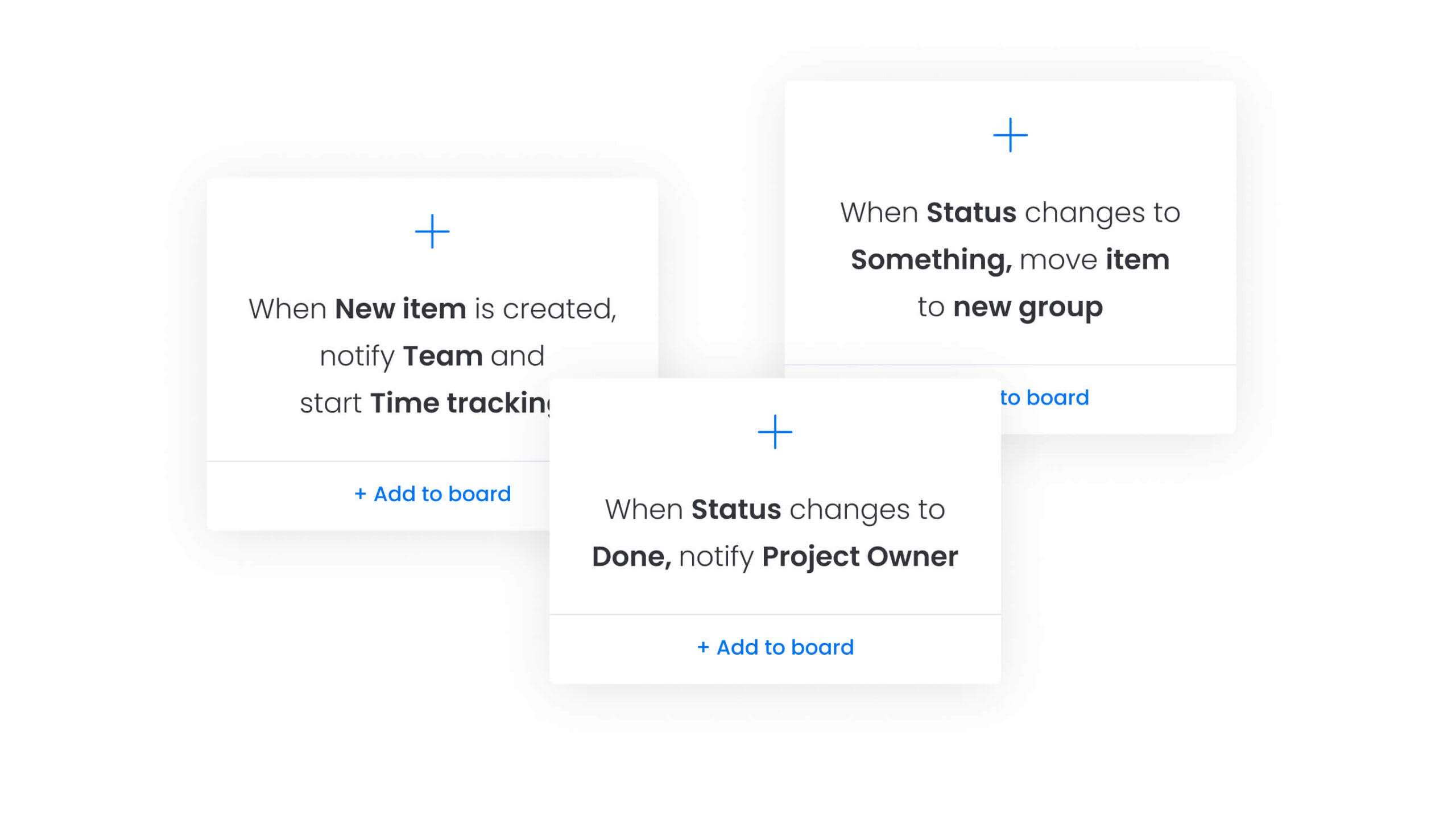
- Status-based triggers: if status changes to “Approved,” notify the social media manager.
- Date-based triggers: if the publication date is three days away and status isn’t “Final,” alert the editor.
- Value-based triggers: if content budget exceeds $5,000, require vp approval.
Visual workflow builders let non-technical users map these logic paths with drag-and-drop—no coding required.
AI-powered optimization
AI takes automation beyond simple execution: it makes smart decisions. Machine learning analyzes past content performance to spot patterns humans would miss.
AI capabilities within solutions like monday work management can categorize incoming requests, detect sentiment in user comments, and extract actionable insights from performance reports. Systems can now suggest what to do next, not just follow preset rules.
Real-time monitoring
Automation systems monitor your pipeline and asset performance 24/7. When something goes wrong (like sudden engagement drops or stalled workflows), the system sends alerts. Real-time monitoring means you catch problems right away instead of during monthly reviews.

Essential features of content marketing automation
Advanced content marketing automation platforms stand out with features built for scale and complexity. These features separate simple scheduling apps from enterprise platforms that can handle complex workflows without being hard to use.
Visual workflow builders
Being able to visualize processes is crucial for getting teams to actually use the system. Drag-and-drop interfaces allow teams to map every step of their content lifecycle, from ideation to archiving.
These builders make dependencies visible, showing exactly which items must complete before others begin. Users can modify workflows as processes evolve, adding review steps or changing notification rules without writing code.
AI and machine learning capabilities
Leading platforms build AI right into the workspace. Remember to look for platforms that forecast engagement based on past data, auto-tag assets, and analyze audience feedback. These features help platforms learn from your team and get better over time.
Integration capabilities
The best platforms connect everything instead of working in isolation. Essential integration features include:
- Native connectors: popular applications like WordPress, HubSpot, Slack, and Adobe Creative Cloud sync seamlessly with your content workflows.
- Open APIs: custom connections allow proprietary systems to communicate with your automation platform.
- Two-way sync: updates made in one application instantly reflect in the content calendar, eliminating manual data entry.
Analytics dashboards
Data only helps if people can actually access it. Customizable dashboards show the metrics that matter most to each person on your team. Dashboard capabilities include:
- Role-based views: executives view high-level ROI and production velocity while content managers drill down into individual team member capacity.
- Real-time updates: dashboards refresh automatically so you don’t have to build manual reports.
- Performance tracking: asset engagement metrics and content ROI appear alongside production data for complete visibility.
Compliance and governance
When teams grow, keeping standards consistent gets harder. Governance features include:
- Mandatory fields: no brief gets submitted without a target audience defined, ensuring completeness from the start.
- Approval chains: content locks from publication until specific stakeholders sign off, maintaining quality control.
- History logs: detailed records of who changed what and when provide audit trails essential for regulated industries.
The rise of AI-powered content orchestration
Content marketing automation is rapidly moving from reactive management to proactive orchestration, and AI is the primary force behind this shift. Systems now anticipate needs and suggest changes instead of just following orders. This is the next evolution in how content operations work.
From automation to intelligent systems
While early automation focused strictly on efficiency, doing the same tasks faster, the next phase focuses on intelligence: doing the right things at the right time. AI systems now analyze market trends and audience behavior to recommend strategy changes.
Instead of just scheduling posts, systems might suggest shifting focus to trending topics based on engagement patterns. This shifts content managers from coordinating logistics to steering strategy.
Agentic workflows and digital workers
Digital workers are here: AI agents that can handle complex, multi-step tasks on their own. Agentic AI can reclaim up to 40% of practitioners’ time by offloading manual tasks in complex, multi-step workflows, with early adopters reporting revenue and margin lifts.
These digital workers, like those in monday work management’s Digital Workforce, can monitor campaign performance, identify underperforming assets, and draft optimization plans for human review. This lets teams do more without hiring more people.
Predictive content performance
Predictive modeling lets teams test content ideas before creating anything. By analyzing past performance and current trends, AI can predict how specific topics or headlines will resonate with an audience. Teams can focus resources on ideas that are likely to succeed instead of wasting time on trial and error.
6 steps to implement content marketing automation
Getting this right means taking it slow and planning carefully. Trying to automate everything at once usually creates confusion and breaks things. Follow these steps to build automation that works and delivers real value.
Step 1: audit current content processes
Before automating, understand how things work manually right now. Map every step of the current content lifecycle, from initial idea to final analytics report.
Focus your audit on:
- Identifying bottlenecks: where does content sit longest during production?
- Mapping applications: list every software piece currently used and data movement between them.
- Evaluating complexity: determine which processes are rule-based versus those requiring human judgment.
Step 2: define success metrics
What success looks like depends on your organization. Track both efficiency metrics and business results.
Key metrics to track:
- Efficiency KPIs: reduction in time-to-market, hours saved on reporting, decrease in revision rounds.
- Impact KPIs: increase in publishing frequency, improvement in content engagement, growth in organic traffic.
Set baselines before you start so you can prove ROI later.
Step 3: select your platform
The right platform is both powerful and easy to use. Evaluation criteria should include:
- Integration depth: does it connect seamlessly with your specific tech stack?
- Interface intuitiveness: can non-technical creatives navigate it easily?
- Scalability: will it handle increased volume and complexity as teams grow?
Comprehensive work management platforms often offer the best balance, serving as central operating systems rather than niche marketing automation software applications.
Step 4: design automated workflows
Start with one high-volume process, like blog production or social approvals. Use visual builders to design the perfect workflow, removing unnecessary manual steps.
Workflow design includes:
- Rule definition: specify when items should move or notifications should fire.
- Thorough testing: run test projects through the workflow before your team uses it.
- Iteration planning: build in flexibility to adjust based on real-world usage.
Step 5: train your team
Adoption determines success. Therefore, change management ensures teams see automation as a helper, not a replacement.
Training should include:
- Role-based sessions: tailor training to specific job functions.
- Champion identification: select power users to troubleshoot and encourage peers.
- Concern addressing: openly discuss how automation eliminates grunt work to make room for creative work.
Step 6: launch and optimize
At the end, roll out the new system in phases. Monitor the first few weeks closely to identify friction points. Gather regular feedback on what works and what frustrates users. Adjust workflows based on real-world usage data. Once the pilot workflow stabilizes, expand automation to other content types and departments.
Improve your content marketing with monday work management
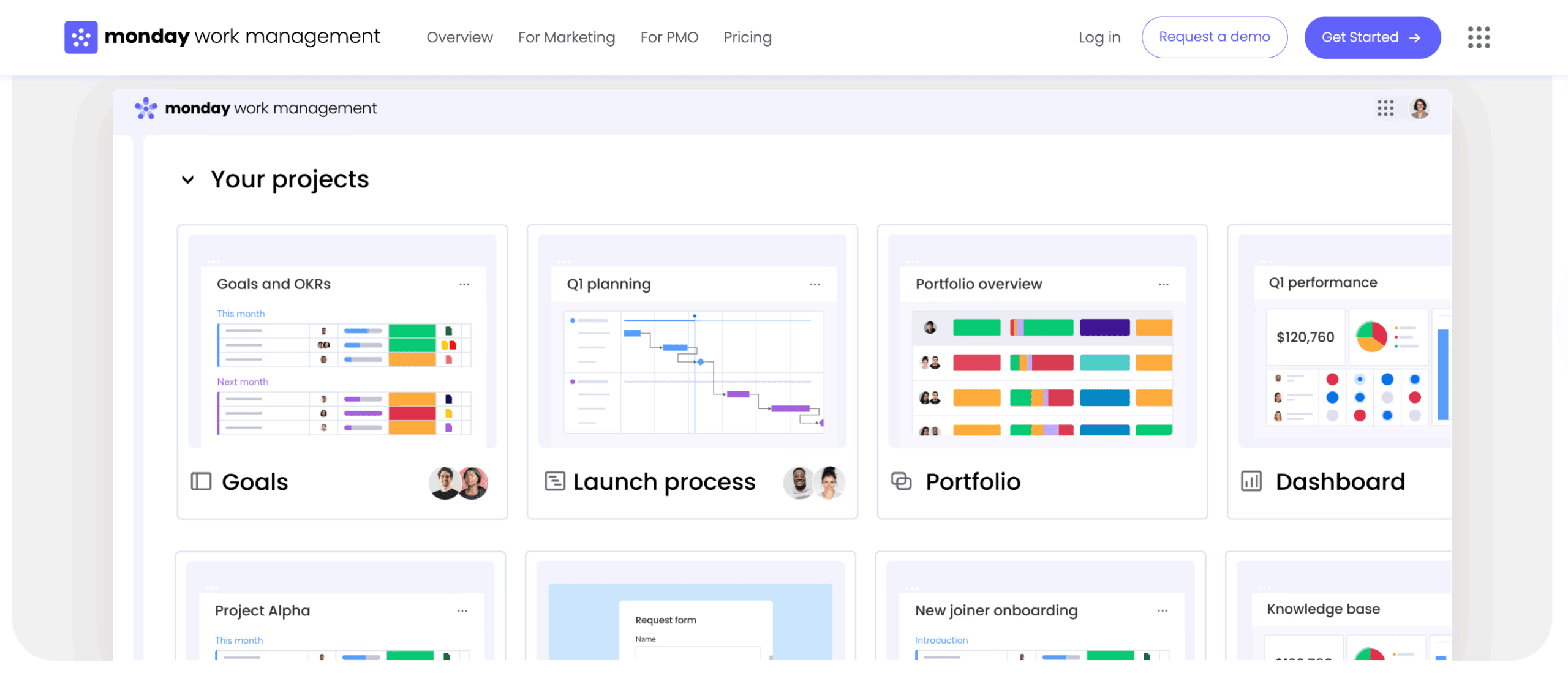
As a centralized operating system for content teams, monday work management bridges the gap between creative freedom and operational rigor. It connects people, processes, and applications into a single platform that scales from simple tracking to complex, AI-driven content orchestration.
Visual workflow automation for content teams
The platform empowers content teams to build sophisticated workflows without writing code. The visual interface allows users to map the entire content lifecycle:
- Drag-and-drop design: constructing workflows between drafting, editing, and design stages.
- Automated routing: notifies editors and reassigns items when writers mark articles ready for review.
- Cross-departmental sync: product launch boards automatically trigger items on content marketing boards.
- Standardized templates: managers create master templates for recurring project types, ensuring every new project starts with correct steps pre-loaded.
AI blocks that accelerate content creation
With AI integrated directly into workflows, monday work management handles cognitive heavy lifting:
- Smart categorization: AI block automatically tags incoming content requests by topic, persona, or urgency, routing them to the correct specialist.
- Brief automation: pulls key dates, requirements, and stakeholders from unstructured creative briefs, populating project columns automatically.
- Executive reporting: AI generates concise executive summaries of campaign performance or long discussion threads.
- Sentiment analysis: analyzes feedback on content cards to gauge stakeholder or audience reaction instantly.
- Localization support: global teams use AI to instantly translate descriptions or content drafts.
- Content generation: teams build specific AI actions, such as generating social captions based on blog drafts directly within item cards.
Enterprise-scale features with team-friendly design
The platform supports organizational complexity while remaining accessible to individual contributors:
- Visual interfaces: drag-and-drop design replaces IT tickets and complex coding for workflow creation.
- Integrated AI: built-in AI Blocks operate directly within workflows instead of requiring disconnected applications.
- Centralized collaboration: real-time collaborative workspaces replace fragmentation across email, Slack, and spreadsheets.
- Live dashboards: automated reporting with drill-down capability replaces manual data entry into static reports.
- Flexible workflows: teams modify processes independently rather than relying on rigid systems that resist change.
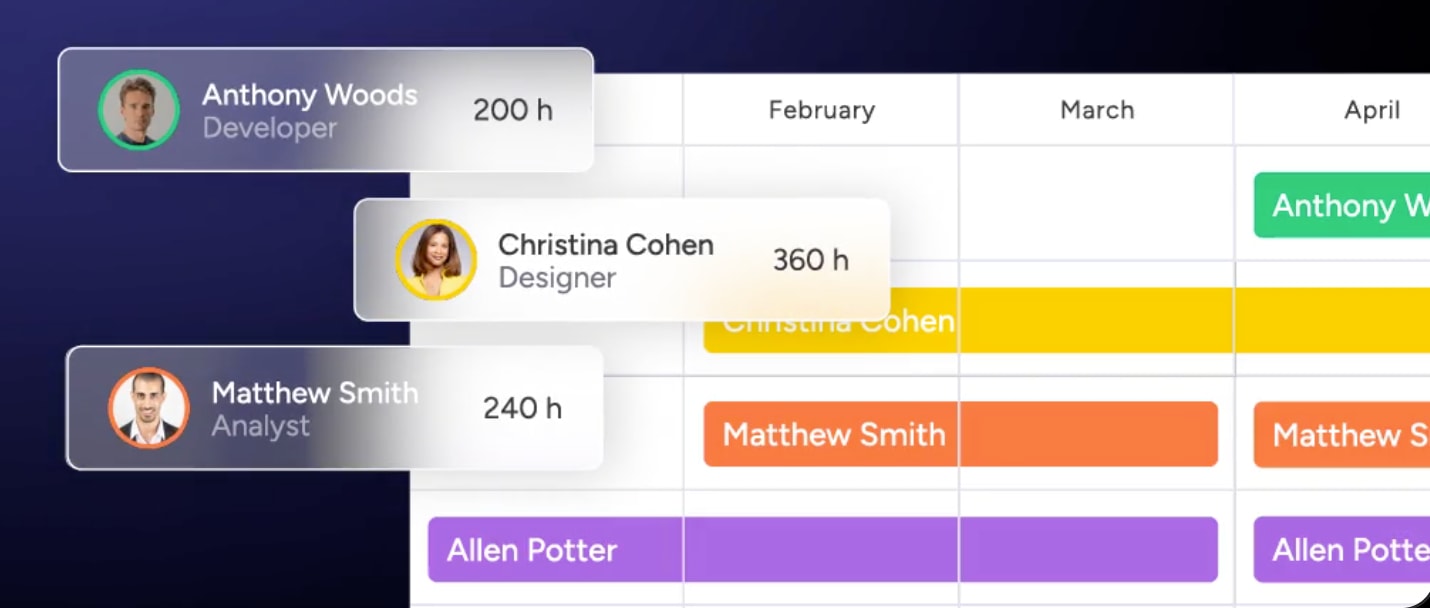
Portfolio visibility allows marketing leadership to gain high-level views of all content initiatives across the organization, tracking progress against strategic goals. Resource management through Workload views lets managers see team capacity in real time and rebalance assignments to prevent burnout.
Governance through automated audit trails and permission settings ensures sensitive content stays protected and brand standards remain maintained.

“monday.com has been a life-changer. It gives us transparency, accountability, and a centralized place to manage projects across the globe".
Kendra Seier | Project Manager
“monday.com is the link that holds our business together — connecting our support office and stores with the visibility to move fast, stay consistent, and understand the impact on revenue.”
Duncan McHugh | Chief Operations OfficerScale your content operations with intelligent automation
Content marketing automation transforms scattered creative processes into streamlined, data-driven operations that scale with your business. The shift from manual coordination to intelligent orchestration enables teams to focus on strategy and creativity while technology handles the operational complexity.
Organizations that embrace comprehensive automation platforms gain competitive advantages through faster time-to-market, improved content quality, and deeper performance insights. The key lies in selecting platforms that balance sophisticated capabilities with user-friendly interfaces, ensuring adoption across creative and technical team members alike.
Frequently asked questions
What's the difference between content automation and content marketing automation?
Content automation refers to specific tactical activities like auto-publishing posts. Content marketing automation covers the entire strategic lifecycle, including planning, workflow management, distribution, and performance analysis.
How much does content marketing automation cost?
Pricing varies significantly, ranging from free tiers for basic applications to enterprise-grade platforms costing thousands per month. Most comprehensive mid-market solutions fall between $50-$500 per user monthly depending on scale and integrations.
What skills do teams need for content marketing automation?
Teams primarily need strong project management fundamentals and familiarity with their tech stack. Platforms with visual builders have removed the need for specialized coding or technical implementation skills.
How long before seeing ROI from content marketing automation?
Organizations typically experience initial efficiency gains and time savings within two to four weeks. Measurable business ROI and performance improvements solidify within three to six months as workflows mature.
Can content marketing automation work for small businesses?
Absolutely. Scalable platforms allow small teams to automate basic processes like social scheduling and approval notifications immediately, adding complexity gradually as content operations grow.
What content processes should not be automated?
High-level creative strategy, nuanced brand voice decisions, crisis communications, and highly personalized relationship building should always remain human-led. These areas require authenticity and empathy that automation cannot replicate.

 Get started