


Content teams rarely struggle with ideas — they struggle with coordination. As production volume increases, simple gaps in visibility can slow everything down. Feedback gets buried in threads, approvals arrive late, and priorities shift without everyone knowing. The result is missed deadlines, duplicated effort, and constant firefighting just to keep campaigns moving.
Content management templates create shared workflows that make responsibilities, timelines, and handoffs clear from the start. Instead of rebuilding the process for every project, teams can rely on repeatable structures that keep work progressing smoothly across planning, production, and publication.
The following five templates highlight practical ways to improve collaboration, reduce bottlenecks, and support consistent output as content operations grow.
Key takeaways
- Start with structured workflows to eliminate content chaos: Replace ad-hoc processes with defined stages, role assignments, and approval gates to prevent missed deadlines and duplicated efforts.
- Scale content production without hiring more people: Use templates as force multipliers that let existing teams handle increased volume while maintaining quality and reducing administrative overhead.
- Build cross-team collaboration into your content process: Establish clear handoff points and shared accountability between content, design, legal, and product teams to eliminate bottlenecks.
- Transform templates into intelligent workflows with a dedicated work platform: Leverage AI-powered categorization, automated routing, and real-time dashboards to optimize resource allocation and predict content performance.
- Implement gradually for lasting success: Begin with 1-2 templates addressing your biggest pain points, then expand systematically as processes mature and team confidence grows.
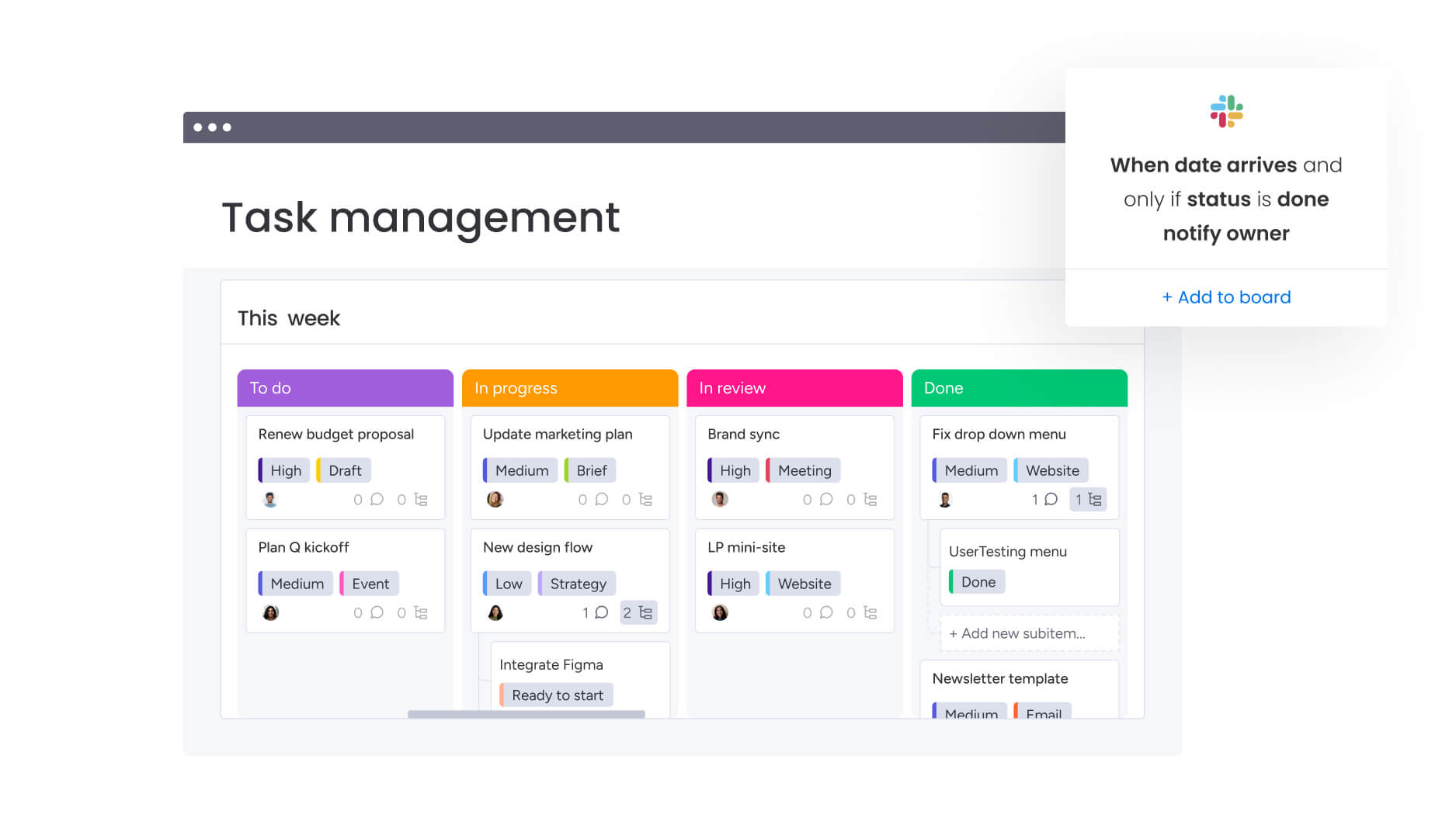
What are content management templates?
Content management templates help teams plan, execute, track, and optimize content workflows across departments and channels. Unlike spreadsheets or calendars, these systems define who’s responsible for what, when things are due, and how approvals happen — so every detail is tracked and managed. A strong content management template automates workflows, coordinates cross-team handoffs, and tracks performance — all in one system.
An editorial calendar template tracks asset status, who’s available, and where content gets published — turning strategy into action. A campaign approval template does the same for reviews — making sure every asset clears legal and brand checks before it goes live.
These frameworks give teams the structure they need to move fast without confusion: everyone knows who does what and when it’s due.
A strong content management template automates workflows, coordinates cross-team handoffs, and tracks performance — all in one system.
Key components of effective templates
Content management templates work because they combine a few key elements into predictable, repeatable processes. Know these components, and you’ll spot gaps in your current workflows — then build systems that scale as you grow.
Here’s what every scalable content management system needs:
- Workflow stages: Clear phases move content from idea to publication, ensuring nothing gets skipped along the way.
- Role assignments: Clear ownership shows exactly who creates, reviews, and approves work — so assets don’t sit waiting for someone to claim them.
- Timeline frameworks: Realistic deadlines and dependency tracking mean that if drafting runs late, review and publication dates shift automatically.
- Quality checkpoints: Review gates and approval criteria keep quality high — assets can’t move forward without the right sign-offs. For a real world example, GAO found the Coast Guard’s FY2022 statutory report included only five of eleven required elements (four partial, two missing) and was submitted about one year late, highlighting why current, standardized review gates and approval criteria matter for timeliness and completeness.
- Asset organization: Standardized file naming and version control keep everyone working on the latest draft — not last week’s version.
- Performance tracking: Built-in metrics show you right away how fast content’s moving and whether it’s working.
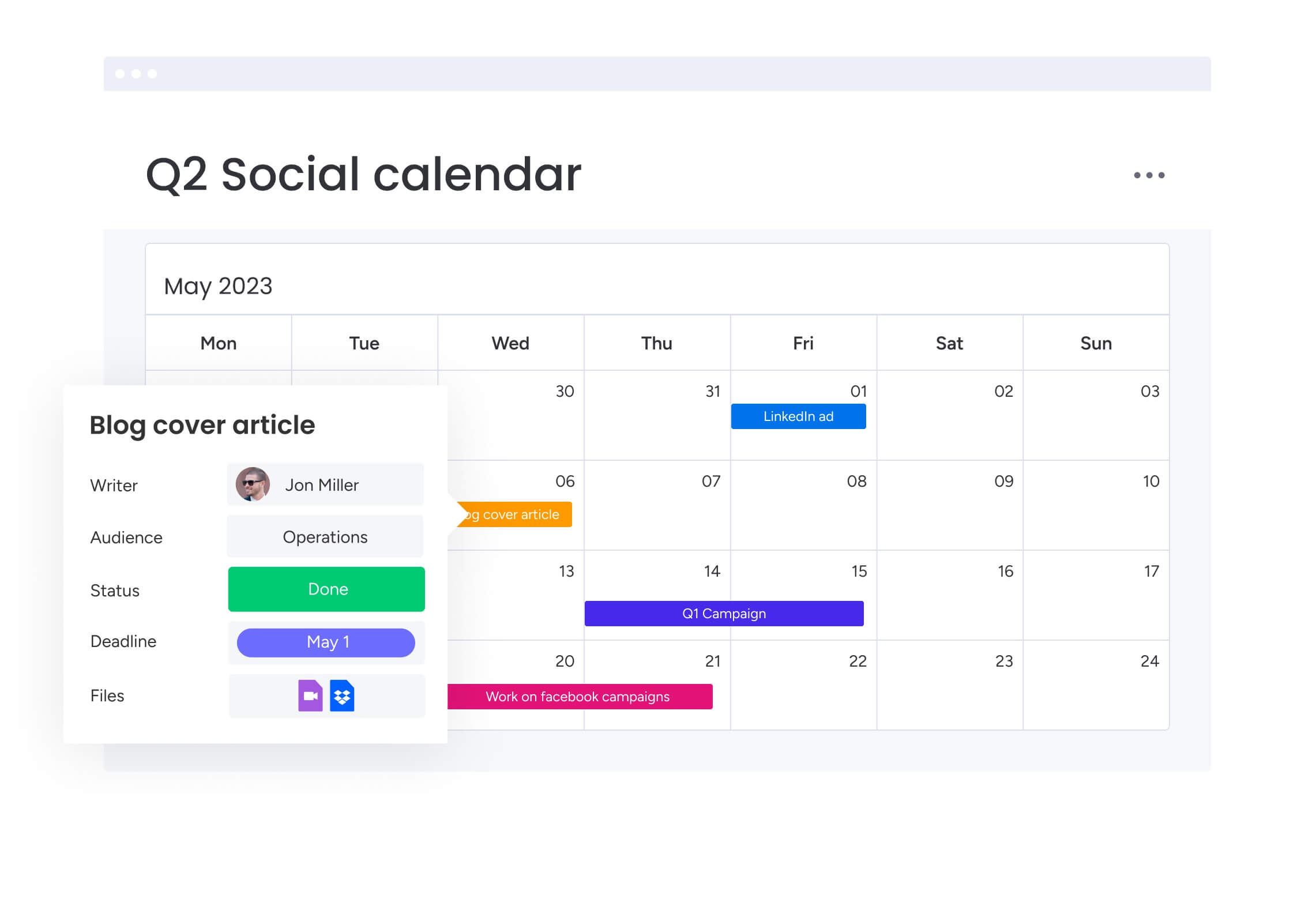
Content management template vs content calendar
While often confused, content management templates and content calendars serve distinct operational functions. A content calendar focuses primarily on scheduling and publication dates, while a content management template encompasses the entire workflow, addressing who creates content, how it gets produced, and why certain decisions get made.
| Feature | Content calendar | Content management template |
|---|---|---|
| Scope | Focuses on scheduling, publication dates, and topics | Encompasses the full lifecycle from concept to performance analysis |
| Team coordination | Primarily used by the editorial team for planning | Facilitates cross-functional collaboration across design, legal, and product |
| Process depth | Tracks what gets published and when | Defines how work gets done, who takes responsibility, and what happens next |
| Scalability | Limited; becomes cluttered with complex workflows | Enterprise-ready; handles high volumes and complex dependencies |

“monday.com has been a life-changer. It gives us transparency, accountability, and a centralized place to manage projects across the globe".
Kendra Seier | Project Manager
“monday.com is the link that holds our business together — connecting our support office and stores with the visibility to move fast, stay consistent, and understand the impact on revenue.”
Duncan McHugh | Chief Operations OfficerWhy growing teams need structured content workflows
Content management templates solve the problems executives care about: efficiency, resource use, and competitive edge. Once content teams grow past 5-10 people and start working across departments, winging it stops working.
At that point, structured workflows aren’t optional — they’re how you keep moving fast without sacrificing quality.
Eliminate content chaos and missed deadlines
Without structured workflows, things break down. It’s not a matter of if — it’s when. Teams duplicate work, miss dependencies, and can’t figure out who owns what. Before long, everyone’s putting out fires. Campaigns launch late because approvals bottleneck. Brand consistency slips because there’s no standard review process.
Templates prevent these failures by making every step visible — so you know exactly where things stand. Automation cuts the chaos — no more manual status emails or deadline reminders.
In McKinsey’s latest survey of M&A practitioners, 40% of respondents using generative AI reported 30–50% faster deal cycles and an average cost reduction of roughly 20%, demonstrating how automated workflows eliminate handoffs and administrative drag. Your team spends time creating, not coordinating.
Enable seamless cross-team collaboration
When content teams and other departments can’t coordinate, production slows down. Templates create clear handoffs, shared language, and mutual accountability — breaking down silos between teams.
With a template in place, stakeholders know when to weigh in, what format to use, and how decisions happen. Email chains shrink. Meetings drop. Status updates and approvals happen right in the workflow. Cross-functional partners become enablers, not blockers.
Scale content production without adding headcount
Templates multiply your team’s capacity — you handle more content without hiring more people. Standardized processes get new team members up to speed fast — they contribute from day one.
The ROI is clear: efficient workflows let you scale content output without scaling headcount. Less friction, less admin work — your creative talent focuses on what matters. AI-powered categorization and automation amplify this even more — handling routine sorting and tagging that would eat up hours.

5 content management templates that transform operations
As content operations grow, small process gaps quickly turn into delays, misalignment, and inconsistent output. The right templates help teams standardize how work moves from idea to delivery, making it easier to coordinate across stakeholders while maintaining quality and momentum.
Each of the following templates supports a different part of the content lifecycle, from long-term planning to day-to-day production and resource management. Used together, they create a connected workflow that helps teams handle higher volumes of content without adding unnecessary complexity.
1. Editorial calendar template for strategic planning
The editorial calendar is your foundation — it connects individual content pieces to bigger business goals and campaigns. It stops reactive content creation by making teams plan ahead and align with what matters most.
Here’s what makes editorial calendars work:
- Strategic planning: You map out quarterly and annual content themes in advance, balancing topics that support your biggest goals.
- Campaign mapping: Content ties directly to product launches, events, and major initiatives.
- Resource allocation: You assign writers, designers, and subject matter experts early, allowing you to anticipate changes and adapt quickly.
- Timeline coordination: You manage dependencies between content pieces so everything ships on time.
- Performance planning: You define success metrics upfront — setting goals for what each piece should achieve.
2. Content production pipeline template
This template tracks an asset from initial brief to final published file. It keeps quality high and production moving fast by standardizing how you create content.
The production pipeline includes these stages:
- Ideation and briefing: You capture requirements and creative direction in a standard format — cutting down on back-and-forth.
- Creation and drafting: Writing, design, and multimedia production happen on a set timeline.
- Review and revision: You collect stakeholder feedback in one place and track changes to keep versions straight.
- Approval and sign-off: You record legal, brand, and executive approvals before anything goes live.
- Publication and distribution: Final coordination across channels makes sure the asset reaches your audience.
- Performance monitoring: You log engagement and conversion metrics back into the pipeline to improve future work.
3. Multi-channel campaign template
Coordinating content across platforms? You need a template built for complex, multi-channel campaigns. This framework keeps your brand message consistent while adapting assets for each channel.
Multi-channel templates handle these coordination challenges:
- Channel-specific adaptation: You tailor core messages for email, social, web, and sales — without losing alignment.
- Timing coordination: You sync launches across platforms to maximize impact and create a cohesive experience.
- Asset management: Creative files, copy variations, and brand guidelines live in one place — accessible to everyone who needs them.
- Cross-team alignment: Paid media, PR, and sales teams work from the same view.
- Performance integration: You track campaign metrics across all channels in one place — seeing the full picture of what’s working.
4. Content request and approval template
Managing intake and stakeholder coordination keeps random requests from derailing your planned work. This template standardizes requests — every project gets scoped and prioritized before it starts.
The request and approval workflow needs these elements:
- Request submission: Standard forms capture requirements, deadlines, and success metrics upfront.
- Prioritization and scoping: You evaluate requests against priorities and resource availability before adding them to the pipeline.
- Assignment and scheduling: You match approved projects to the right team members and schedule them based on capacity.
- Stakeholder review: Feedback loops keep requesters involved at the right moments — without slowing production.
- Delivery and handoff: You deliver final assets to spec — meeting the requester’s needs.
Teams using monday work management leverage intuitive forms to collect information needed for efficient, streamlined project proposals and work requests. These forms can be easily shared with external stakeholders or vendors, creating a single intake point for all content requests.
5. Team capacity and resource template
To scale sustainably, you need careful resource planning and workload management. This template shows team bandwidth at a glance — helping managers prevent burnout and balance workloads.
Resource management templates handle these planning needs:
- Individual capacity: You track current workloads, skill sets, and availability to distribute work evenly.
- Project resource requirements: You estimate time and expertise needed for incoming projects — figuring out if you need external help.
- Bottleneck identification: You spot capacity constraints before they blow deadlines — making adjustments early.
- Resource optimization: You balance workloads across the team and identify training needs to close skill gaps.
- Performance insights: You analyze team productivity patterns to find ways to improve processes.
The Workload View on monday work management allows teams to balance resources and quickly adapt to changing priorities. Managers can see at a glance which team members are over or under-utilized, making it possible to maximize overall work efficiency.
Try monday work managementHow to choose the right content management template
Not every team needs every template at once. The most effective approach is to focus on the workflows that solve your biggest coordination challenges first, then expand as processes become more consistent and easier to manage.
The following guidance helps identify which templates will deliver the most immediate value based on team size, content volume, and operational complexity, making it easier to prioritize improvements that support sustainable growth.
Match templates to your content volume
The number of people involved in content production often determines which workflows will have the biggest impact. Smaller teams usually need clarity around planning and delivery, while larger teams benefit from stronger coordination, prioritization, and resource visibility.
The table below outlines which templates typically provide the most value at different stages of growth, helping teams introduce structure without adding unnecessary complexity too early.
| Team size | Recommended templates | Rationale |
|---|---|---|
| Small (1-5 people) | Editorial calendar, production pipeline | Establishes the "what" and "how" without unnecessary administrative layers |
| Medium (6-15 people) | Add request/approval and multi-channel | Manages the influx of requests and distribution across growing channels |
| Large (15+ people) | All templates with emphasis on team capacity | Resource optimization becomes critical to maintaining efficiency at scale |
Align workflows with team structure
Organizational design significantly impacts which templates take priority. Centralized content teams benefit from focusing on production pipeline and capacity templates to manage the flow of work from a central hub. Distributed content creation requires strong request/approval and multi-channel coordination to maintain consistency and quality.
Agency or client service models must prioritize request management and approval workflows to manage external stakeholder expectations. Product-led organizations need templates that align content launches with feature releases.
Consider integration requirements
Technical and process integration needs play a crucial role in template selection. Templates must work seamlessly with current content management systems, design platforms, and marketing applications to avoid data silos. Workflows need to accommodate specific legal, compliance, and executive review requirements without creating bottlenecks.
Organizations using monday work management benefit from integrations connecting all the platforms teams already use, including Microsoft Teams, Gmail, Slack, Jira, and Salesforce. This allows teams to run powerful projects without ever switching tabs, creating a unified view of content operations.
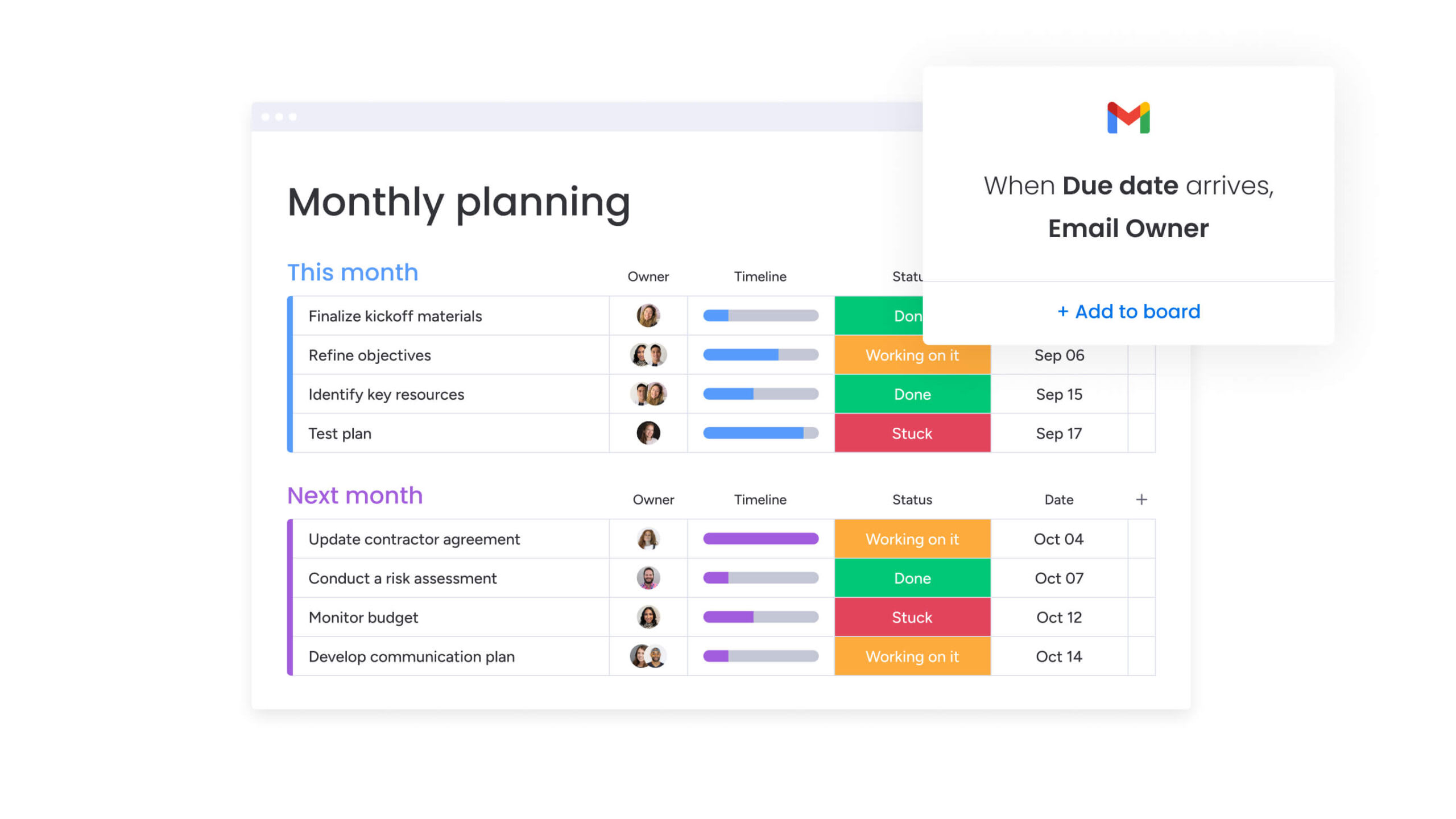
How to implement your content management: 5 steps
Rolling out new workflows works best when done step by step. Starting with a clear view of how content currently moves through your team makes it easier to identify what needs improving and where templates will have the biggest impact.
A gradual approach also helps teams adapt naturally, refine processes over time, and build systems that continue to support growth.
Step 1: audit your current content process
A systematic assessment of existing workflows reveals the root causes of inefficiency. This audit involves several key activities that provide the foundation for improvement:
- Process mapping: Document how content moves from idea to publication and identify where delays consistently occur.
- Stakeholder analysis: Determine who needs involvement in decisions and when their input is most valuable.
- Platform inventory: Identify what systems are currently in use and how they connect (or don’t connect).
- Performance baseline: Establish how content success gets measured to provide a benchmark for improvement.
Step 2: select and customize your templates
Based on audit findings, teams should select 1-2 templates addressing their most critical pain points. Customization proves key to adoption success:
- Workflow adaptation: Stages must match the organization’s specific reality rather than generic best practices.
- Role mapping: Definitions get aligned to actual team members and their current responsibilities.
- Timeline adjustment: Deadlines reflect realistic capacity and account for existing commitments.
- Approval configuration: Processes incorporate required sign-offs without creating unnecessary delays.
Step 3: set up automated workflows
Automation reduces manual coordination and administrative overhead, freeing up time for creative work. Key automation areas include:
- Notification systems: Automatic alerts for deadlines, approvals, and status changes keep everyone informed.
- Status tracking: Real-time visibility into project progress eliminates the need for status meetings.
- File organization: Automated storage ensures assets get saved in the right location with proper naming conventions.
Automations and templates on monday work management save valuable time and get new projects started faster by automating crucial elements of work, including creating templated project boards, sending approval notifications and reminders, and more.
Step 4: onboard your content team
Successful adoption requires effective change management that addresses both technical and cultural aspects:
- Hands-on training: Workshops demonstrate daily workflow changes rather than abstract concepts.
- Pilot programs: Early adopters test and refine processes before full rollout.
- Support systems: Help resources and feedback channels assist team members during the transition.
Step 5: measure and optimize performance
Continuous improvement ensures the system evolves with the team. Regular assessment focuses on:
- Performance metrics: Cycle time, quality scores, and team satisfaction track template effectiveness.
- Feedback collection: Input from team members and stakeholders identifies friction points.
- Process refinement: Adjustments based on real-world usage improve adoption and results.
- Scaling decisions: Data-driven choices about when and how to expand template usage.
Automations and templates on monday work management save valuable time and get new projects started faster by automating crucial elements of work, including creating templated project boards, sending approval notifications and reminders, and more.
Future-proof your content operations
As content operations become more data-driven, structured workflows make it easier to adopt new technologies without disrupting how teams already work. Consistent processes create reliable data, which supports better automation, clearer insights, and more accurate performance tracking over time.
The following sections explore how emerging capabilities like AI-powered categorization, intelligent routing, and real-time analytics build on structured workflows to help teams continuously improve how content is planned, produced, and optimized.
AI-powered content intelligence
Structured templates create the data foundation necessary for AI optimization. Historical workflow data enables content performance prediction, forecasting campaign success before launch. AI-powered categorization uses template metadata to automatically tag and organize assets, while intelligent resource allocation recommends team assignments based on skills and capacity.
Teams leveraging AI Blocks on monday work management can categorize data at scale and organize it by type, urgency, or sentiment. They can automatically extract details from PDFs, text columns, images, or documents, saving time and improving accuracy.
These capabilities transform templates from static trackers into intelligent workflow engines.
Automated content categorization and routing
Intelligent content management at scale relies on automation that goes beyond simple task assignment:
- Smart intake processing: Automatically routes content requests to appropriate team members based on type, complexity, and current capacity.
- Dynamic prioritization: Ranks projects based on strategic value, ensuring high-impact work comes first.
- Resource optimization: Balances workloads across team members to prevent bottlenecks and burnout.
Real-time analytics and insights
Template-generated data enables sophisticated performance analysis that goes beyond vanity metrics. Dashboards on monday work management automatically display live high-level project data for insights on budget, goals, schedules, resources, and more.
Teams can also customize dashboards based on their needs with drag-and-drop widgets, viewing data the way they need to make sharper, faster decisions.
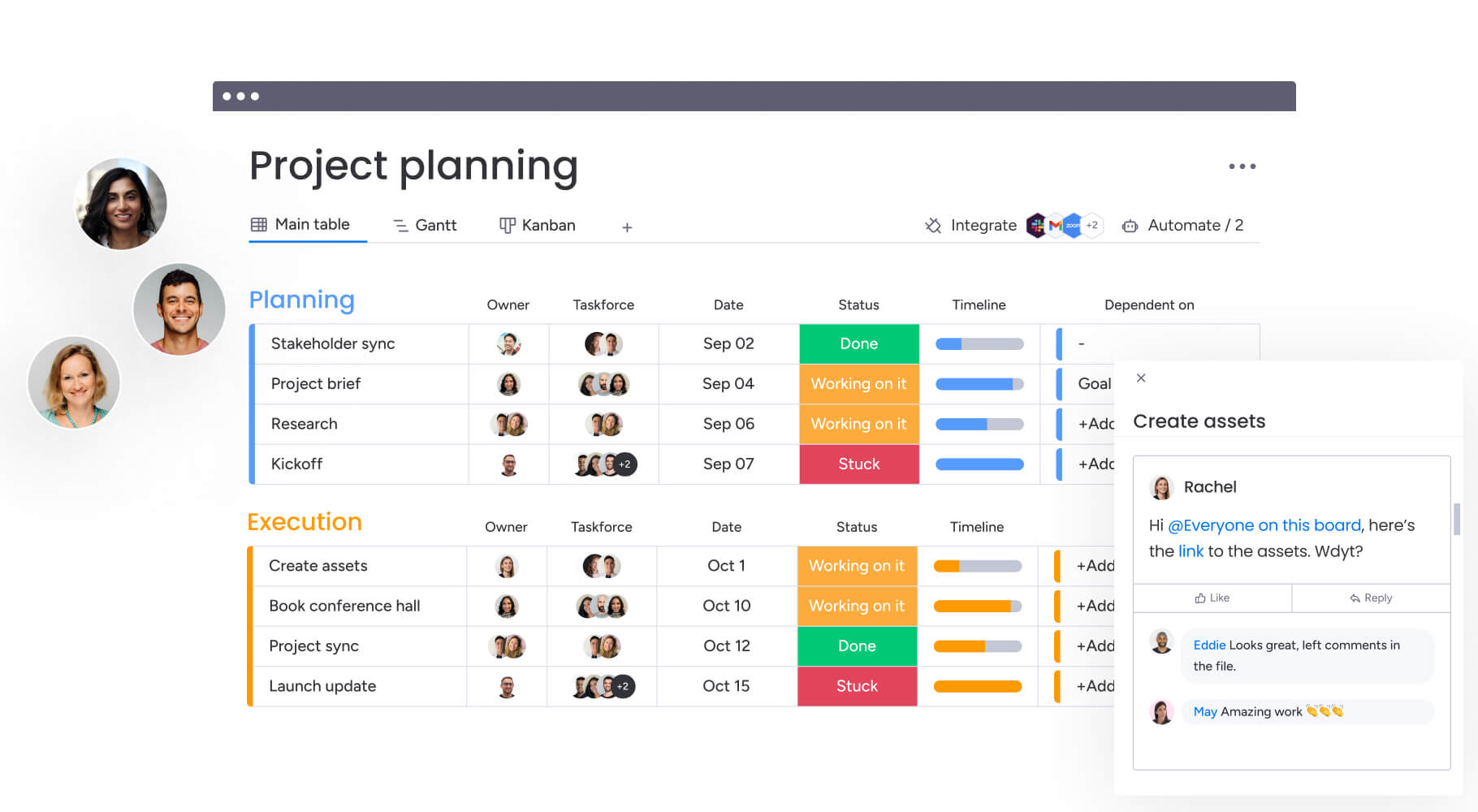
Build a scalable foundation for consistent content delivery
Content management templates help teams move from reactive coordination to predictable, repeatable workflows. When responsibilities, timelines, and approvals are clearly defined, projects move faster, collaboration improves, and content quality becomes easier to maintain as output grows.
Most teams see the strongest results by starting with one or two workflows that address their biggest bottlenecks, then expanding as processes become more consistent. Over time, these connected templates create a reliable system that supports higher content volume without increasing complexity.
monday work management brings these workflows into one shared workspace, helping teams coordinate production, automate routine steps, and maintain visibility across every stage of the content lifecycle — so ideas move from planning to publication with fewer delays and better results.
Try monday work managementFrequently asked questions
What is the difference between a content management template and a project management template?
The difference between a content management template and a project management template is that content management templates focus specifically on content creation workflows, stakeholder coordination, and publication processes.
How many workflows can a content team effectively manage?
Most content teams successfully manage 3-5 concurrent template workflows. This depends on team size, content volume, and organizational complexity. Starting with fewer templates and gradually expanding proves more effective than implementing everything at once.
Do content management templates work for distributed teams?
Content management templates prove particularly valuable for distributed teams. They establish communication protocols, shared accountability, and consistent processes regardless of location. Templates create the structure needed for remote collaboration while maintaining quality standards.
What metrics should content teams track in their templates?
Essential metrics include cycle time from brief to publication, approval turnaround time, content performance against goals, team capacity utilization, and stakeholder satisfaction scores. These metrics help teams identify bottlenecks and optimize their workflows continuously.
How do templates integrate with content creation platforms?
Content management templates integrate with design software, writing platforms, and publishing systems through APIs and automation. This creates seamless workflows from creation to distribution, eliminating manual data transfer between systems.
When should teams move from spreadsheets to dedicated content templates?
Teams should transition when managing more than ten concurrent content projects, coordinating across 3+ departments, or experiencing frequent delays due to unclear processes and responsibilities. These indicators suggest the need for more robust workflow management.

 Get started