



Picture a sales team where every conversation happens with a qualified prospect, ready to talk. Instead of burning hours on manual dialing and administrative work, reps focus on what they do best: building relationships and closing deals. This isn’t a far-off dream; it’s the reality that automated outbound calling makes possible.
Automated outbound calling changes this equation completely. It’s technology that dials phone numbers from contact lists automatically, connects answered calls to sales reps, and logs everything back into CRM systems without manual work. This keeps call notes automatically synced, preserves context between every conversation, and empowers teams to spend their time building relationships and closing deals.
Below we explore what automated outbound calling is, the different dialer types available, and the benefits that help revenue teams become more productive. From implementation steps to compliance, discover how to build a calling strategy that boosts connection rates and builds trust, all within a unified platform designed for complete revenue orchestration.
Key takeaways
- Automate the busy work, focus on selling: eliminate manual dialing and call logging so your team spends 70% more time in actual conversations with prospects instead of administrative tasks.
- Choose the right dialer for your team size and goals: predictive dialers maximize volume for large teams, while power dialers work best for smaller teams prioritizing compliance and conversation quality.
- Start with clean data and clear compliance: maintain updated contact lists and follow TCPA regulations to avoid legal issues while building trust with prospects through professional outreach.
- Orchestrate your revenue process: unify calling campaigns with email sequences and deal tracking in visual pipelines that show exactly where each prospect stands and what happens next with platforms like monday CRM.
- Track outcomes that drive revenue, not just call volume: measure qualification rates and opportunities created per 100 dials rather than total calls to optimize for results that actually close deals.

What is automated outbound calling?
Automated outbound calling is technology that dials numbers from contact lists, connects answered calls to sales representatives, and logs all activity back into your CRM system automatically. This eliminates manual dialing, reduces administrative data entry, and maintains complete context across all customer interactions.
Consider the typical sales workflow: representatives often spend significant portions of their day dialing numbers, waiting through ring cycles, leaving voicemails, and updating records in spreadsheets or CRM systems. Automated calling systems handle these mechanical tasks, allowing sales teams to focus their time on relationship building and deal progression.
Professional automated calling platforms offer capabilities that extend well beyond basic auto-dialers. These systems integrate directly with CRM platforms, synchronize lead data in real time, and execute complete sales workflows from initial contact through deal closure. Advanced algorithms determine optimal calling times, schedule outreach based on prospect behavior patterns, and maintain data synchronization across all revenue-generating activities.
Key differentiators between professional automated calling and spam include:
- Intelligent dialing algorithms: systems determine optimal call timing based on answer rates and agent availability.
- Real-time CRM synchronization: every call outcome updates customer records automatically.
- Call outcome tracking: results trigger appropriate next steps without manual intervention.
- Workflow automation: multi-channel follow-up sequences coordinate across phone, email, and other touchpoints.
- Compliance management: built-in rules enforce legal requirements and consent tracking.
Legitimate automated calling works with proper consent, connects prospects to live reps, and follows regulations like the Telephone Consumer Protection Act (TCPA). These systems make sales teams more efficient without spamming people.
How does automated outbound calling work?
Automated calling turns prospect lists into live conversations through a multi-stage process. Understanding this workflow helps teams improve their approach and connect with more qualified prospects.
Technology infrastructure and call management
Cloud-based infrastructure powers automated calling through VoIP and cloud telephony. This eliminates traditional phone hardware and lets teams make calls from anywhere with internet.
The system constantly analyzes multiple data points to manage call queues:
- Agent availability: current capacity and schedule optimization.
- Historical answer rates: success patterns by prospect segment.
- Conversation duration: average talk times for resource planning.
- Time zone coordination: optimal calling windows across regions.
These algorithms process info in real time to figure out how many calls to start and when to dial. Different call outcomes trigger different paths. Busy signals reschedule automatically. Voicemails can activate pre-recorded messages or flag prospects for manual follow-up. Live connections route immediately to available reps with prospect context on screen.
AI enhances this by learning from historical patterns. The system figures out which prospects answer at specific times, which lead characteristics predict successful conversations, and which agents perform best with certain prospect types.
CRM integration and data synchronization
Automated calling works as a connected piece of your broader revenue tech stack. The integration keeps data flowing smoothly between calling platforms and CRM systems without manual data entry or lost conversation context.
Data syncs both ways. When starting contact, the calling system pulls prospect info from the CRM, including previous interactions, deal stage, and relevant notes. After each call, it automatically logs outcomes, updates contact records, and creates follow-ups.
Integration goes beyond basic CRM connectivity:
- Email marketing systems: coordinate multi-channel outreach sequences.
- Calendar platforms: schedule meetings directly from call conversations.
- Sales enablement tools: access relevant content during calls.
- Analytics dashboards: track performance across all revenue activities.
This unified setup prevents duplicate outreach, conflicting messages across channels, and lost context when prospects move between team members. Every interaction shows up in a single customer timeline, so teams see the full prospect relationship.
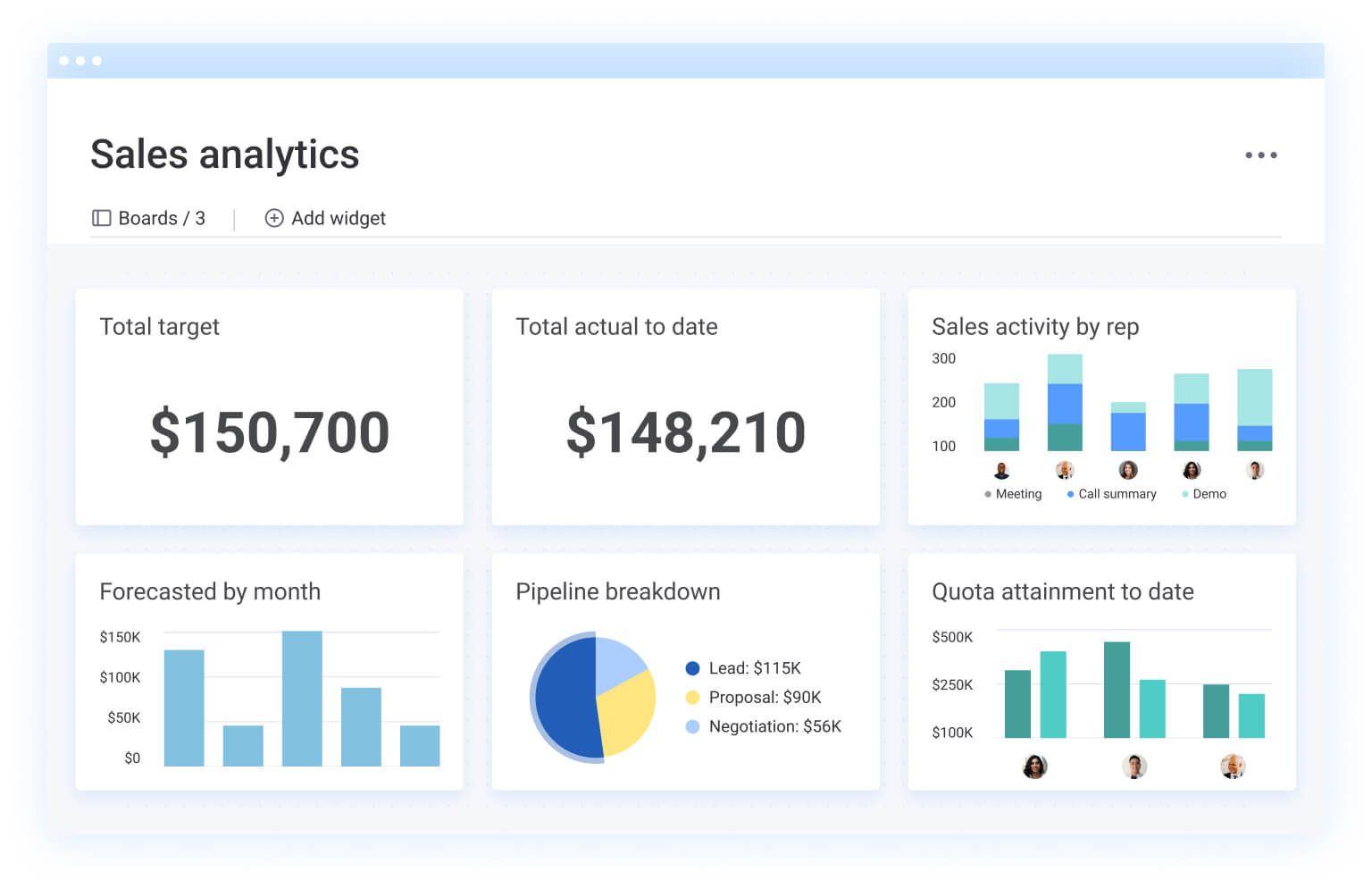
4 key benefits of automated outbound calling for revenue teams
Automated calling delivers measurable outcomes that impact revenue performance, team efficiency, and customer relationships. These benefits compound as teams refine their calling strategies and use data insights to improve results over time.
1. Save time and triple productivity
Manual dialing eats most of a sales rep’s day, leaving almost no time for actual selling. Automated systems flip this ratio by eliminating dialing mechanics, cutting wait times, and scheduling around peak answer times.
The productivity gains are substantial:
- Zero-waste dialing: tasks that previously required two to three hours of manual effort are condensed into minutes of automated execution.
- Maximized talk time: by eliminating ringing and busy signals, reps spend up to 70% more of their day in live conversations rather than in a queue.
- Exponential volume: individual reps can comfortably handle 100–200 calls per day, compared to the 30–50 calls typical of manual outreach.
- Automated administrative recovery: automatic call logging and task creation reclaim 30–45 minutes of daily “wrap-up” time per rep.
This time savings lets sales professionals focus on conversation quality. They can ask more insightful questions, address objections thoroughly, and build stronger prospect relationships while tech handles the mechanics.
2. Reduce costs while scaling operations
Automated calling lets revenue teams scale call volume without adding headcount or infrastructure proportionally. VoIP integration cuts telecom expenses compared to traditional phone systems. Cloud-based platforms eliminate hardware costs and maintenance.
Labor cost savings are the biggest win. Teams boost call volume substantially without hiring more staff. A five-person sales development team with automation handles the same prospect volume as a 15-person team using manual dialing. This efficiency lets organizations focus resources on account management and consultative selling.
3. Deliver improved customer experiences
Automation improves customer interactions by keeping follow-up timing consistent, preventing duplicate outreach, and maintaining complete conversation history across all channels. These capabilities create smoother prospect experiences.
- Intelligent call routing: connects prospects with the most appropriate sales representative based on territory alignment, product expertise, or previous relationship history. This prevents prospects from repeating their situation to different team members.
- Personalization at scale: CRM integration lets sales reps see complete interaction history including previous calls, email exchanges, website visits, content downloads, when they connect with prospects. This context lets reps continue conversations naturally instead of starting from scratch.
4. Increase agent satisfaction and retention
Sales reps report higher job satisfaction when automated systems handle repetitive dialing. The tech lets them focus on relationship building, problem-solving, and consultative selling.
Performance tracking and coaching features help agents improve. Systems spot successful conversation patterns, highlight areas for improvement, and provide feedback based on data. This support helps sales professionals hit their numbers and advance their careers.
Lead quality improves through smart scoring and routing. Sales reps spend time with prospects who match ideal customer profiles and show genuine interest. This focus on quality over quantity makes the work more rewarding.
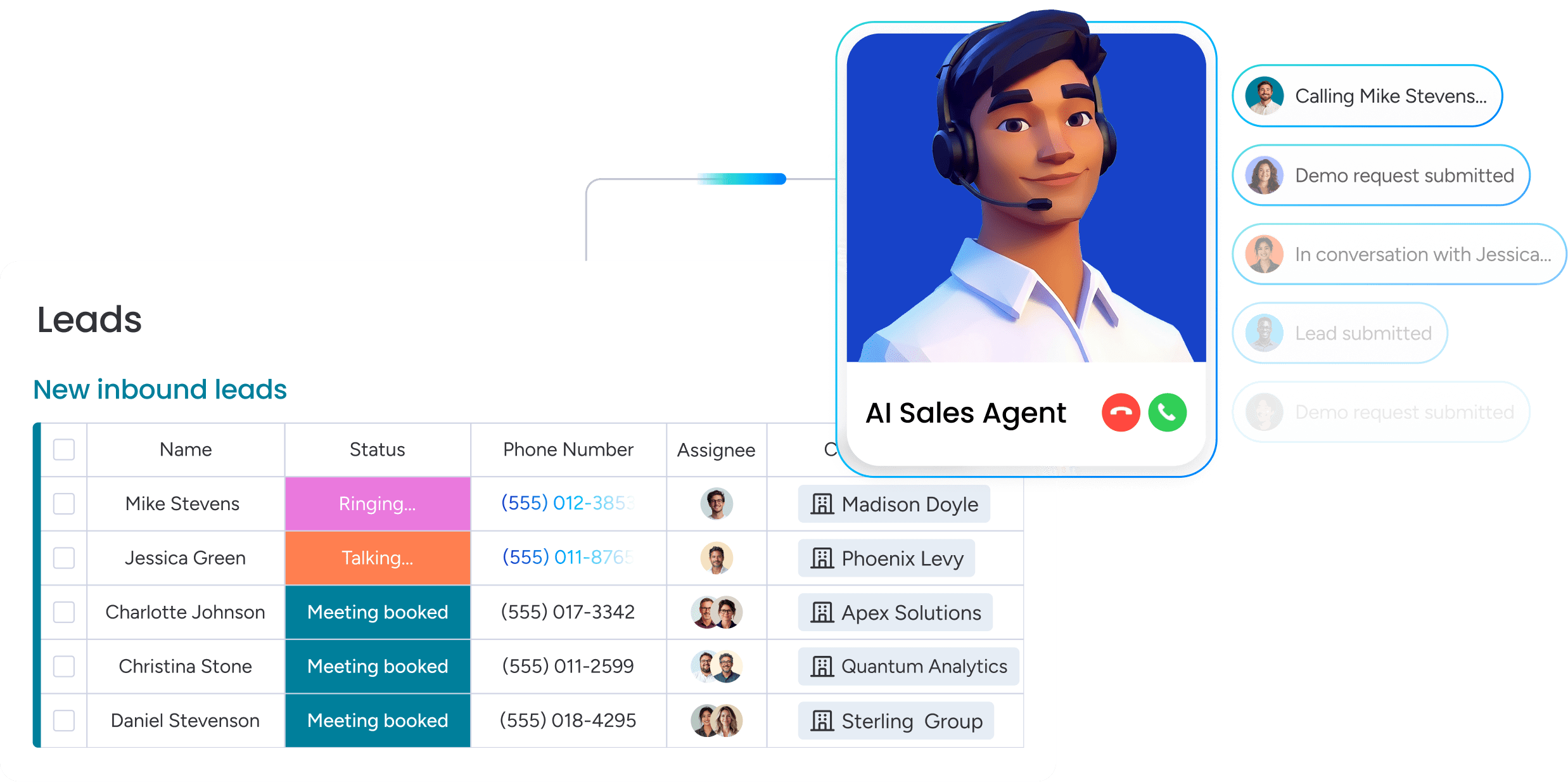
5 types of automated outbound calling systems
Different automated calling tech serves different team sizes, call volumes, and sales processes. Understanding each dialer type helps you pick the right approach for your needs and compliance requirements.
| Dialer type | Team size | Volume priority | Best for | Key consideration |
|---|---|---|---|---|
| Predictive | 10+ agents | Maximum volume | High-velocity sales, large teams | Compliance risk from call abandonment |
| Progressive | Five to 15 agents | Balanced volume/quality | Mid-market sales, regulated industries | Lower volume than predictive |
| Preview | Any size | Quality over quantity | Complex sales, high-value accounts | Lowest call volume per agent |
| Power | One to five agents | Individual productivity | Small teams, inside sales | Limited to single-line calling |
| AI-powered | Any size | Quality + insights | Organizations investing in technology | Higher cost, learning curve |
1. Predictive dialers
Predictive dialers use algorithms to predict agent availability and dial multiple numbers at once, boosting live conversations per hour. The system calculates the best dial rates by analyzing historical answer rates, average talk times, and current queue status.
The tech dials two to four numbers for every available agent, betting most calls hit voicemail or busy signals. When prospects answer but no agent’s available, the system either queues them briefly or drops the call. This approach boosts agent utilization but creates compliance concerns around call abandonment rates.
2. Progressive dialers
Progressive dialers dial one number per available agent, ensuring every connected call has a sales representative ready. The system waits until an agent completes their current call before dialing the next number, eliminating dropped calls entirely.
This approach balances automation efficiency with compliance requirements. The technology handles all dialing mechanics automatically, but the one-to-one ratio between agents and calls prevents abandonment issues that plague predictive dialers.
3. Preview dialers
Preview dialers display complete prospect information before initiating calls, allowing agents to review context, prepare personalized approaches, and skip unsuitable prospects. Sales representatives control when to dial after reviewing the prospect’s profile.
This technology prioritizes conversation quality and personalization over volume. Agents see CRM data, previous interaction history, and relevant notes before each call, enabling them to craft tailored opening statements and anticipate prospect needs.
4. Power dialers
Power dialers automatically dial the next number as soon as an agent completes a call, maintaining single-line simplicity while eliminating manual dialing. The system progresses through call lists automatically and records outcomes without agent input.
This approach balances automation efficiency and ease of use. The technology is straightforward to implement, requires minimal training, and maintains full compliance while delivering significant productivity gains over manual dialing.
5. AI-powered conversational dialers
AI-powered conversational dialers combine traditional dialing automation with artificial intelligence for conversation analysis, real-time coaching, and automated note-taking. These systems represent the newest evolution in calling technology.
AI capabilities extend beyond basic automation. The technology analyzes conversation sentiment in real time, identifies successful talk patterns, provides coaching suggestions during calls, and automatically generates call summaries. Machine learning continuously improves by identifying which approaches work best with different prospect types.
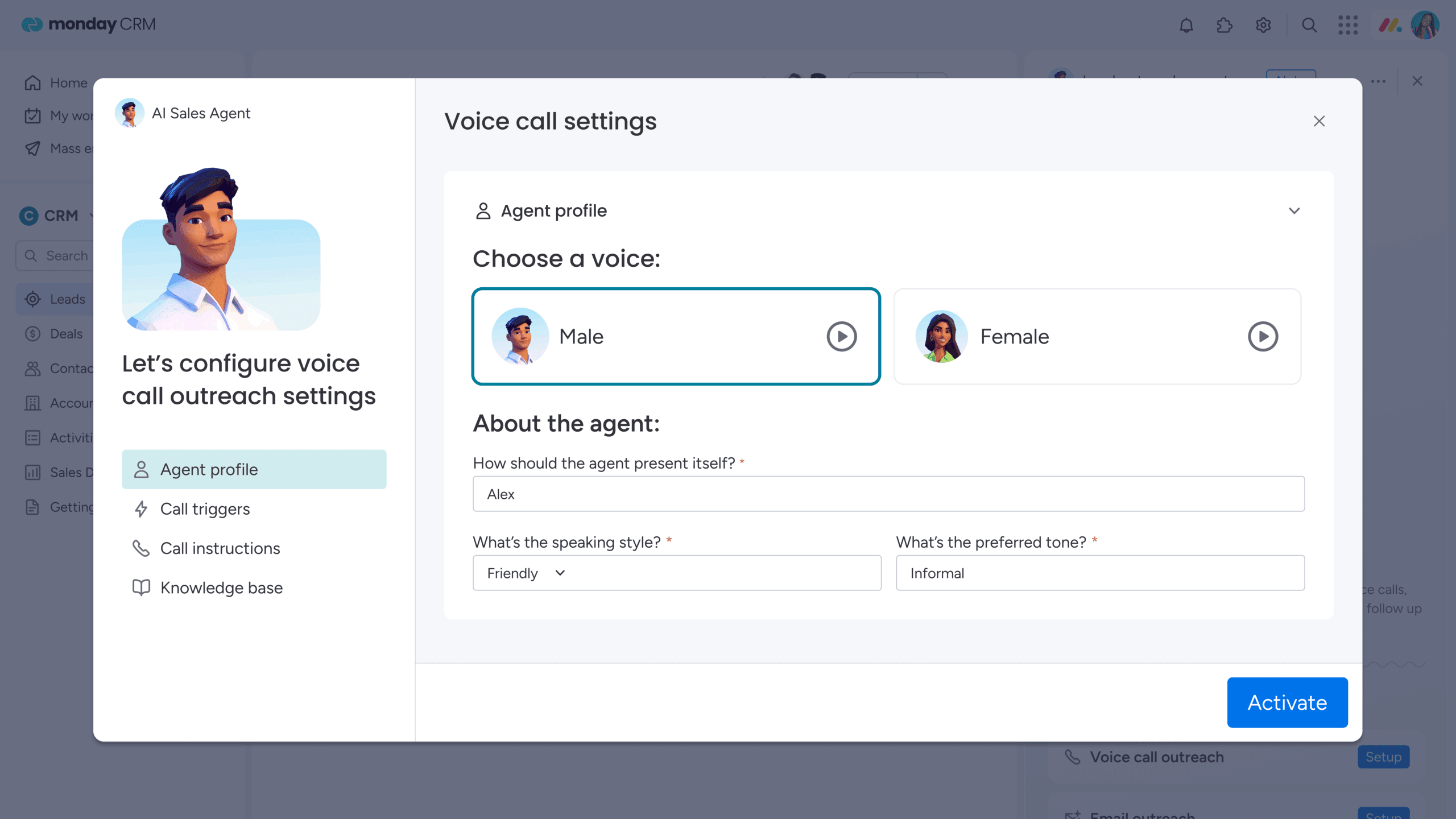
Essential features of automated calling platforms
Professional automated calling platforms distinguish themselves through capabilities extending beyond basic dialing automation. These features determine whether a system truly transforms sales productivity or simply digitizes manual processes.
Real-time analytics and performance dashboards
Comprehensive reporting capabilities track call volume, connection rates, conversion metrics, and agent performance across multiple dimensions. Real-time dashboards help managers identify bottlenecks and optimize campaigns during execution rather than after completion.
Critical metrics for tracking automated calling success include:
- Dial-to-connect ratios: percentage of dialed numbers reaching live prospects.
- Average talk times: duration by agent and prospect type.
- Outcome distributions: breakdown of call results.
- Conversion rates: success by attempt number.
- Agent productivity scores: calls per hour and outcome quality.
But what separates effective analytics from basic reporting? The emphasis on actionable insights over vanity metrics. Knowing total call volume matters less than understanding which calling strategies generate qualified opportunities and which agents need coaching support.
Native CRM integration and data sync
Seamless data flow between calling platforms and CRM systems prevents the data silos plaguing disconnected technology stacks. Automatic logging of call outcomes, notes, and follow-up activities ensures all team members access complete customer interaction history.
Real-time synchronization maintains data accuracy across systems. When sales representatives update contact records during calls, that information immediately appears in the CRM. When prospect deal stages change in the CRM, the calling system adjusts its approach accordingly.
This integration eliminates:
- Duplicate data entry: automatic logging saves time and prevents errors.
- Lost context: complete interaction history available to all team members.
- Conflicting outreach: prevents multiple reps from contacting the same prospect.
- Delayed follow-up: immediate activity creation ensures timely responses.
Built-in compliance and consent management
Legal requirements for automated calling include TCPA compliance, Do Not Call list management, and consent tracking. Professional platforms automatically handle opt-out requests, maintain calling time restrictions, and document consent for legal protection.
Compliance features operate automatically in the background:
- DNC list checking: verify numbers against federal and state lists before dialing.
- Time zone restrictions: prevent calls outside permitted hours.
- Consent documentation: maintain records of when and how consent was obtained.
- Opt-out procedures: remove contacts immediately upon request.
- Recording notifications: provide automatic disclosure when calls are recorded.
Business risk from non-compliance extends beyond fines. TCPA violations can result in penalties per call, and class-action lawsuits have cost companies millions. Built-in compliance features protect organizations from these risks while maintaining professional prospect relationships.
AI-powered call intelligence
Artificial intelligence enhances calling effectiveness through conversation analysis, sentiment detection, and automated coaching suggestions. The technology identifies successful conversation patterns and provides real-time guidance to agents during calls.
Key AI capabilities transforming automated calling include:
- Conversation analysis: identify which questions and responses correlate with successful outcomes.
- Sentiment detection: gauge prospect interest through voice tone and speech patterns.
- Automated call summaries: capture key points and next steps.
- Next-step recommendations: suggest follow-up actions based on call outcomes.
- Performance insights: highlight coaching opportunities.
Omnichannel communication support
Calling platforms integrate with email, SMS, and social media for coordinated outreach campaigns. The ability to switch between communication channels based on prospect preferences and response patterns improves connection rates and provides multiple touchpoints for relationship building.
Omnichannel coordination ensures prospects receive consistent messaging regardless of channel. When prospects don’t answer calls, the system automatically triggers email or SMS messages. When prospects engage with email content, the system schedules follow-up calls. This orchestration creates seamless prospect experiences that feel personalized rather than automated.
6 common examples of automated outbound calling
Automated calling technology serves diverse business functions beyond traditional sales prospecting. Understanding specific applications helps organizations identify relevant opportunities and set appropriate success metrics for their unique situations.
1. Lead generation and sales development
Sales development representatives use automated calling to qualify inbound leads and conduct cold outreach at scale. The workflow progresses from lead scoring through automated dialing to qualification conversations and handoff to account executives.
Automation enables SDRs to focus on conversation quality rather than dialing logistics. The technology handles list management, call scheduling, and outcome logging while sales professionals concentrate on asking qualification questions, identifying pain points, and determining fit.
2. Customer support and proactive outreach
Support teams use automated calling for follow-up surveys, service renewals, and proactive issue resolution. These workflows reach customers after support tickets close, conduct satisfaction surveys, and prevent churn through early intervention.
Common applications for automated support calling include:
- Post-purchase check-ins: contact new customers to ensure successful onboarding.
- Renewal reminders: reach out before subscription expiration.
- Technical support follow-up: verify issue resolution.
- Usage monitoring: contact customers when engagement drops.
- Upgrade opportunities: identify customers ready for premium features.
3. Appointment scheduling and reminders
Service businesses use automated calling for appointment confirmations, rescheduling, and no-show prevention. Integration with calendar systems enables automated reminder sequences that reduce missed appointments and administrative overhead.
The workflow typically includes multiple touchpoints: initial appointment confirmation, reminder calls 48 hours before appointments, and day-of reminders. Industries benefiting from automated appointment management include healthcare, professional services, field services, and financial services.
4. Payment collections and account updates
Finance teams use automated calling for overdue payment collection, account status updates, and payment plan negotiations. The technology maintains consistent, professional communication while handling the sensitive nature of collection conversations.
Compliance considerations for collection calls are particularly strict. Automated systems help maintain proper documentation, respect contact frequency limits, and follow Fair Debt Collection Practices Act requirements.
5. Market research and customer surveys
Organizations conduct market research, customer satisfaction surveys, and feedback collection through automated calling campaigns. Integration with survey platforms enables larger sample sizes and more consistent data collection compared to manual calling approaches.
Survey applications leveraging automated calling include:
- Customer satisfaction measurement: post-interaction feedback.
- Net Promoter Score tracking: loyalty assessment.
- Product feedback gathering: feature requests.
- Market trend research: industry sentiment.
- Brand awareness studies: recognition measurement.
6. Cross-selling and upselling campaigns
Account management teams use automated calling to identify expansion opportunities with existing customers. CRM data triggers calling campaigns based on usage patterns, contract renewals, or product adoption milestones.
Trigger events for automated upselling campaigns include:
- Usage threshold achievement: high engagement indicating readiness for upgrades.
- Feature adoption milestones: success with current features suggesting expansion needs.
- Contract renewal timing: natural opportunities for plan discussions.
- Seasonal business cycles: industry-specific growth periods.
- Competitive intelligence: market changes creating new opportunities.
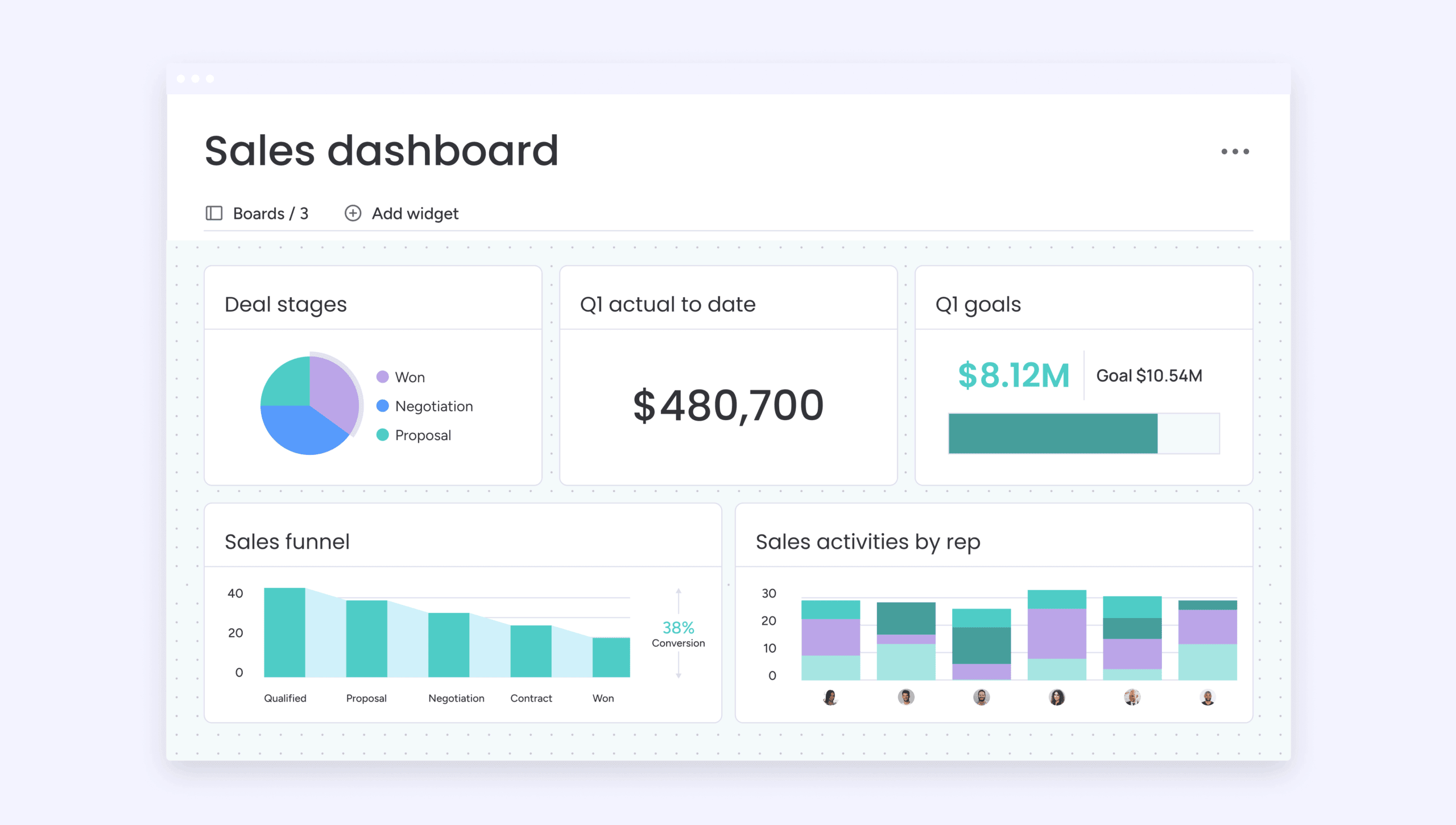
How does AI transform automated outbound calling?
Artificial intelligence moves automated calling beyond basic dialing automation to provide intelligent insights, real-time coaching, and continuous performance improvement. These AI applications create measurable advantages in connection rates, conversation quality, and revenue outcomes.
Real-time sentiment analysis
AI analyzes voice tone, speech patterns, and conversation content to gauge prospect interest and emotional state during calls. This real-time analysis helps agents adjust their approach mid-conversation and provides managers with coaching opportunities based on actual conversation dynamics.
The technology detects several emotional indicators that guide sales conversations:
- Frustration signals: rising voice pitch or negative language requiring empathy.
- Interest markers: longer responses or timeline discussions indicating engagement.
- Buying signals: pricing inquiries or decision-maker involvement showing readiness.
- Objection patterns: recurring concerns requiring script adjustments or training.
Sales representatives receive visual cues during calls suggesting when to slow down, address concerns, or advance the conversation. This guidance helps less experienced reps navigate complex conversations more effectively.
Hyper-personalization at scale
AI uses CRM data, previous interactions, and behavioral patterns to customize call scripts and talking points for each prospect. This personalization enables relevant conversations even in high-volume calling environments where manual research would be impossible.
The system analyzes multiple data points to inform personalization strategies.
- Industry and company size: tailor value propositions to specific contexts.
- Previous interaction history: reference past conversations naturally.
- Behavioral patterns: adjust approach based on email engagement.
- Buying stage indicators: match conversation depth to prospect readiness.
AI suggests relevant case studies, product features, or pricing options based on prospect characteristics. Healthcare prospects see healthcare-specific talking points and success stories. Small business owners hear different value propositions than enterprise buyers.
Intelligent call timing and routing
AI analyzes historical data to predict optimal calling times for different prospect segments. Machine learning identifies patterns in prospect availability and responsiveness, continuously improving connection rates by learning which times work best for specific industries, job roles, or geographic regions.
Pattern recognition capabilities include:
- Industry-specific availability: call retail prospects outside peak business hours.
- Role-based timing: reach executives early morning or late afternoon.
- Geographic considerations: adjust for time zones automatically.
- Individual preferences: learn when specific prospects typically answer.
The system also routes calls to the most appropriate agents based on expertise, previous relationships, or conversation style matching. Prospects who previously spoke with particular sales representatives get routed to those same people for continuity.
Automated follow-up workflows
AI creates personalized follow-up sequences based on call outcomes and prospect behavior. The system automatically schedules callbacks, sends relevant content, and triggers appropriate next steps without requiring manual workflow configuration for each scenario.
The automation extends beyond simple activity creation. AI determines optimal follow-up timing based on prospect engagement signals, selects relevant content based on conversation topics, and adjusts messaging based on objections raised during calls.
7 steps to implement automated outbound calling
Successful implementation requires both technical execution and strategic planning. Organizations following a structured approach achieve faster time-to-value and higher adoption rates than those treating implementation as purely technical.
Step 1: map your calling strategy to revenue goals
Automated calling initiatives must align with specific business objectives like lead generation targets, revenue growth goals, or customer retention metrics. This alignment ensures technology serves strategic priorities rather than becoming technology for technology’s sake.
Define success metrics, identify target audiences, and establish calling volume requirements. Calculate required call capacity by working backward from revenue goals: desired revenue leads to required deals, which leads to needed opportunities, then qualified conversations, and finally total calls required.
Step 2: select the right dialer type for your team
Selecting the appropriate dialer type (predictive, progressive, preview, power, or AI-powered) requires careful consideration of team size, call volume requirements, compliance obligations, and sales process complexity. Each dialer type addresses specific operational needs and organizational contexts.
Organizations with stringent compliance requirements should consider progressive or power dialers. Teams seeking to maximize efficiency with larger agent pools will find predictive dialers most effective. Complex sales processes that demand extensive personalization are best supported by preview dialers.
Step 3: ensure TCPA and GDPR compliance
Specific compliance requirements for automated calling include consent documentation, Do Not Call list management, and calling time restrictions. Implementation must address these requirements from day one rather than treating compliance as an afterthought.
Essential compliance implementation steps include:
- Consent tracking: document when and how consent was obtained.
- DNC list integration: connect to federal and state registries.
- Calling time enforcement: configure time zone-based restrictions.
- Opt-out procedures: implement immediate removal processes.
- Record keeping: maintain detailed logs for legal protection.
- Call recording notifications: ensure proper disclosure.
Step 4: connect your tech stack and data sources
Technical integration connects automated calling platforms with CRM systems, marketing automation, and data sources. The integration architecture ensures clean data flow and prevents issues that could impact calling effectiveness.
Data mapping requirements define which CRM fields correspond to calling platform fields, how contact information synchronizes, and which data points trigger specific calling workflows. Quality control procedures prevent phone number formatting inconsistencies, duplicate contact records, and missing required fields.
Step 5: build custom workflows and call scripts
Calling workflows must align with sales processes and customer journey stages. Organizations create different workflows for various prospect types, call objectives, and outcome scenarios to ensure appropriate follow-up regardless of conversation results.
Effective call scripts balance structure with personalization. Scripts provide frameworks guiding conversations without sounding robotic. The best approaches use question-based frameworks that adapt based on prospect responses rather than rigid scripts that sales reps read verbatim.
Step 6: train your team on new processes
Comprehensive training covers technical platform usage, process changes, and skills development for optimizing automated calling effectiveness. Training must address both the mechanics of using new technology and the reasoning behind process changes.
Training program components should include:
- Technical training: platform navigation and troubleshooting.
- Process training: new workflows and outcome recording standards.
- Skills training: conversation techniques optimized for automated calling.
- Compliance training: legal requirements and opt-out handling.
Step 7: launch a pilot and measure results
Pilot programs test automated calling effectiveness before full deployment. The structured approach identifies issues, validates assumptions, and builds confidence in the technology while limiting risk exposure.
Pilot structure typically involves two to four weeks with a subset of the team calling a defined prospect segment. Track these key metrics:
- Call volume and connection rates: basic efficiency measurements.
- Conversation quality and qualification rates: outcome effectiveness.
- Conversion outcomes and opportunities created: revenue impact.
- Agent satisfaction and feedback: adoption indicators.
- Technical performance and data quality: system reliability.

“With monday CRM, we’re finally able to adapt the platform to our needs — not the other way around. It gives us the flexibility to work smarter, cut costs, save time, and scale with confidence.”
Samuel Lobao | Contract Administrator & Special Projects, Strategix
“Now we have a lot less data, but it’s quality data. That change allows us to use AI confidently, without second-guessing the outputs.”
Elizabeth Gerbel | CEO
“Without monday CRM, we’d be chasing updates and fixing errors. Now we’re focused on growing the program — not just keeping up with it."
Quentin Williams | Head of Dropship, Freedom Furniture
“There’s probably about a 70% increase in efficiency in regards to the admin tasks that were removed and automated, which is a huge win for us.“
Kyle Dorman | Department Manager - Operations, Ray White
"monday CRM helps us make sure the right people have immediate visibility into the information they need so we're not wasting time."
Luca Pope | Global Client Solutions Manager at Black Mountain
“In a couple of weeks, all of the team members were using monday CRM fully. The automations and the many integrations, make monday CRM the best CRM in the market right now.”
Nuno Godinho | CIO at VelvBest practices for automated calling success
Maximizing automated calling effectiveness requires ongoing optimization beyond initial implementation. Organizations that continuously refine their approaches achieve significantly improved results compared to those treating implementation as a one-time project.
Balance automation with personal touch
Maintaining human connection while leveraging automation efficiency requires intentional strategies. Technology should enhance rather than replace the human elements that build trust and relationships.
Personalization strategies for automated calling include:
- CRM data utilization: reference previous interactions naturally.
- Pre-call research: use preview modes for high-value prospects.
- Conversation adaptation: train agents to deviate from scripts based on responses.
- Relationship continuity: route repeat contacts to the same sales representative.
Maintain clean data and call lists
Data hygiene practices ensure calling effectiveness and compliance. Poor data quality undermines even the most sophisticated automated calling systems through wasted dials, compliance violations, and damaged brand reputation.
Essential data maintenance procedures include:
- Regular contact updates: quarterly reviews of contact information.
- Invalid number removal: automatic flagging of disconnected numbers.
- List segmentation: organize contacts based on characteristics and behaviors.
- DNC list management: weekly updates from registries.
- Preference tracking: record and honor contact preferences.
Optimize call timing and frequency
Determining optimal calling schedules based on prospect segments, time zones, and industry patterns significantly impacts connection rates. The difference between calling at optimal versus suboptimal times can substantially improve results.
Call frequency must balance persistence with respect for prospect time. The optimal approach typically involves three to five contact attempts over seven to ten days, combining calls with email and social media touches. Data analysis reveals timing patterns specific to each organization’s market.
Track performance metrics that matter
Key performance indicators measure automated calling success beyond basic call volume. Organizations should focus on metrics correlating with revenue outcomes rather than activity metrics that look impressive but don’t predict success.
Essential metrics for automated calling include:
- Efficiency measures: dial-to-connect ratio and calls per agent per day.
- Quality measures: average talk time and qualification rate.
- Outcome measures: opportunities created per 100 dials.
- Conversion measures: close rate by call attempt number.
- Agent performance measures: talk time ratio and outcome distribution.
Transform your calling strategy now: try monday CRM
Revenue teams using monday CRM approach automated calling as one component of comprehensive revenue orchestration. The platform ensures calling campaigns work in concert with email sequences, meeting scheduling, and deal progression, creating unified prospect experiences that feel coordinated rather than fragmented.
Visual pipeline integration for real-time insights
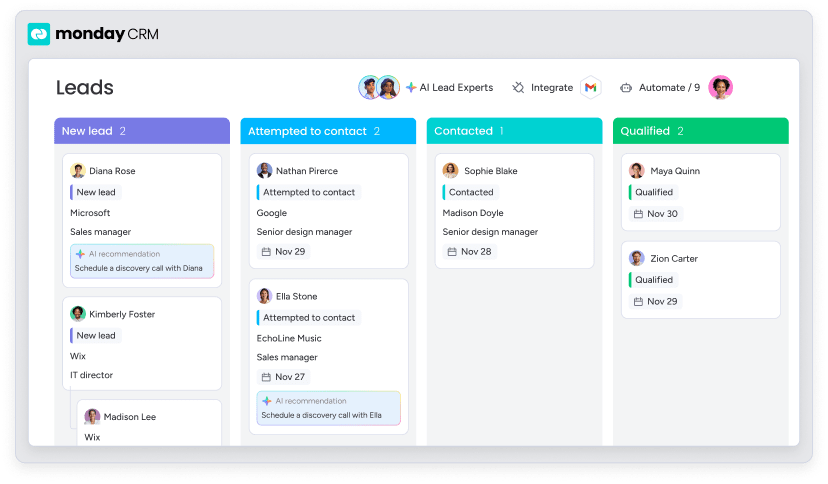
Visual pipeline management in monday CRM provides unique visibility into calling campaigns and prospect progression through board-based structures. Sales teams see exactly where each prospect stands, which calls have been completed, what outcomes resulted, and what actions come next in an intuitive format requiring no training.
The board structure adapts to different sales processes, whether teams follow simple linear progressions or complex multi-stage cycles with parallel activities. Visual pipeline capabilities include:
- Call outcome tracking: color-coded status indicators show results at a glance.
- Activity timelines: chronological display of calls and emails for complete context.
- Next action visibility: scheduled follow-ups appear automatically.
- Team coordination: transparent views of who’s handling which prospects.
No-code automation builder for custom workflows
Automation capabilities in monday CRM enable teams to create sophisticated calling workflows without technical expertise. The visual workflow builder makes complex automation accessible through drag-and-drop interfaces and plain-language logic.
Users build automated sequences that trigger calls based on specific conditions, update records based on call outcomes, and coordinate multi-channel follow-up campaigns. Sales managers create workflows that automatically schedule callbacks when prospects express interest, send follow-up emails with relevant case studies, and notify account executives to prepare proposals without writing code or involving IT.
The no-code approach in monday CRM democratizes automation. Sales teams can create and modify workflows as needed without waiting for technical resources, enabling rapid testing and optimization of calling strategies without lengthy development cycles.
AI-powered call summaries and next steps
AI capabilities in monday CRM enhance calling effectiveness through intelligent automation extending beyond individual calls. The platform’s AI features automatically summarize call outcomes, suggest next steps based on conversation patterns, and identify opportunities within calling data.
AI blocks integrate into calling workflows to categorize prospects at scale, extract key information from call notes, and personalize follow-up communications. When sales representatives log call summaries, AI analyzes content to determine prospect status, identify mentioned pain points, and recommend appropriate next actions.
AI-enhanced capabilities within monday CRM include:
- Automatic call summarization: convert conversation notes into structured data.
- Sentiment analysis: identify prospect interest levels from call descriptions.
- Pattern recognition: detect which calling approaches generate best outcomes.
- Next-step recommendations: suggest follow-up actions based on outcomes.
- Content matching: identify relevant resources based on conversation topics.
Complete revenue orchestration beyond just calls
Automated calling in monday CRM positions as one element of comprehensive revenue processes spanning from lead generation through deal closure. The platform coordinates calling campaigns with email sequences, social media outreach, and content delivery for unified prospect experiences.
Teams manage entire revenue workflows within a single platform. Prospect journeys begin with inbound form submission, trigger automated email sequences, initiate calling campaigns after engagement thresholds, schedule demos when prospects express interest, coordinate proposal development across stakeholders, and track deal progression through negotiation and closure in one interface.
Collaborative features enable seamless transitions between team members. When SDRs qualify prospects through calling campaigns, handoffs to account executives include complete interaction history, call recordings, and context about prospect needs, eliminating information loss during team transitions.
Frequently asked questions
Is automated outbound calling legal in all states?
Automated outbound calling is legal when conducted in compliance with federal regulations like the Telephone Consumer Protection Act and state-specific laws. These require proper consent, Do Not Call list management, and adherence to calling time restrictions.
What is the difference between an auto dialer and a predictive dialer?
An auto dialer automatically dials numbers from a list one by one. A predictive dialer, a more advanced form of automated calling, uses algorithms to dial multiple numbers simultaneously and connects answered calls to available agents, maximizing talk time.
How much do automated calling systems cost?
Automated calling system costs typically range from $50-200 per user per month depending on features, call volume, and integration requirements. Enterprise solutions offer custom pricing based on specific needs and scale.
How does automated calling differ from robocalling?
Automated calling connects prospects to live sales representatives and operates with proper consent and compliance measures. Robocalling typically delivers pre-recorded messages and is often associated with spam or illegal telemarketing practices.
Which CRM systems integrate with automated calling platforms?
Most automated calling platforms integrate with popular CRM systems including Salesforce, HubSpot, Pipedrive, and monday CRM. Native integrations provide the most seamless data synchronization and workflow automation.
How quickly can teams implement automated outbound calling?
Most teams implement automated outbound calling within two to four weeks, including platform setup, CRM integration, team training, and pilot program launch. Complex customizations may extend the timeline.
What call volume increase can teams expect with automation?
Teams typically see substantial increases in call volume when implementing automated calling systems. Automation eliminates manual dialing time and optimizes agent schedules for maximum productivity.

 Get started