



A sales rep sends a great discovery call. The prospect replies with “let’s set something up.” Then the rep spends the next two days playing calendar tag, manually updating the CRM, and hoping they remembered to send a follow-up. That’s not a pipeline problem. That’s a coordination problem that costs more than most teams realize. A schedule agent fixes exactly that — it’s part of a new generation of AI-powered scheduling software that handles meeting coordination, follow-ups, and CRM updates automatically, based on your sales context and business rules. This article covers what a schedule agent is, how it works, and where it fits into a sales workflow.
This article covers what a schedule agent is, how it works, and where it fits into a sales workflow. You’ll also find a breakdown of the key components, a practical guide to getting started, and a look at how platforms like monday CRM bring scheduling automation into the full revenue cycle.
Key takeaways
- Schedule agents do the admin work so your reps can sell: Agents book meetings, send follow-ups, and update your CRM automatically, with zero manual input from your team.
- CRM context makes scheduling smarter: Schedule agents route every lead to the right rep based on deal stage, territory, and lead score, so high-value prospects never land in the wrong hands.
- Consistent follow-ups stop deals from going cold: Outcome-based sequences trigger automatically after every meeting, so no opportunity gets dropped because someone forgot to follow up.
- monday CRM combines AI agents, calendar sync, and routing rules in one place: Your team gets automated demo booking, intelligent lead routing, and real-time pipeline visibility without stitching together separate platforms.
- Start small, then scale: Pick one high-volume workflow like demo booking or discovery call scheduling, get it running, and expand from there.
What is a schedule agent?
A schedule agent automates meeting coordination, follow-ups, and calendar management. It understands natural language requests and takes action across your CRM, calendar, and communication tools. Basic scheduling tools need constant babysitting. Schedule agents run on their own, using your sales context and business rules to make smart decisions.
Here’s why that matters: if you’re managing hundreds of prospect interactions, you can’t afford to manually coordinate every meeting.
Traditional scheduling means someone’s checking calendars, sending emails, updating CRM records, and trying to remember every follow-up. A schedule agent handles all of this in the background, freeing your team to focus on selling.
When a prospect replies “I’m interested,” a schedule agent can automatically flow through a series of actions:
- Check rep availability
- Propose meeting times
- Send calendar invites
- Log the interaction in your CRM
The rep simply shows up to the meeting, fully briefed on the prospect’s context.
How schedule agents work
Schedule agents connect what you say to what gets done. That intelligence layer is what separates them from basic automation. They figure out what you want, pull the right data, apply your business rules, and execute, all without you lifting a finger. Here’s how it works.
1. Natural language understanding
Schedule agents understand conversational requests. No rigid commands. No manual setup. They interpret phrases like “schedule a demo with this lead” or “find time for a follow-up call next week” by:
- Parsing intent from the request
- Identifying relevant contacts
- Determining appropriate actions based on context
Traditional tools make you click through forms and multi-step workflows. Schedule agents just get it. A sales rep can simply type or speak a request, and the agent handles the rest.
2. Calendar automation
Schedule agents plug into your calendar, check who’s free, propose times, and fire off invites, all automatically. They access real-time calendar data to identify open slots across multiple participants, then:
- Propose meeting times
- Send calendar invites
- Handle rescheduling requests without manual input
Agents can connect via your CRM with platforms like Google Calendar and Outlook for seamless workflows. They respect working hours, time zones, and whatever scheduling preferences you’ve set.
3. Full CRM context
Like a CRM agent, schedule agents use CRM data to make intelligent routing and scheduling decisions based on deal stage, lead source, rep ownership, and other business context. They pull CRM records to see lead status, deal priority, and account ownership. They can also do other tasks like:
- Route meetings to the right rep
- Prioritize high-value opportunities
- Apply appropriate follow-up sequences
Basic scheduling tools treat every request the same. A schedule agent prioritizes enterprise leads over small business inquiries. High-value prospects go to senior reps. Lower-priority requests land with SDRs.
4. Approval flows
Schedule agents can route requests through approval workflows when you need human eyes on high-stakes meetings or exceptions. Executive meetings, custom pricing talks, or anything outside your standard rules can trigger approval flows. The agent will:
- Pause execution
- Notify the appropriate person
- Wait for approval before finalizing scheduling actions
5. Follow-up actions
Schedule agents trigger post-meeting actions automatically. Follow-ups happen every time. After meetings conclude, agents can:
- Send thank-you emails
- Log meeting notes
- Update CRM fields
- Assign next steps
Different outcomes trigger different sequences. Demo? Send a proposal. Discovery call? Schedule a check-in. No-show? Escalate for immediate outreach.
Learn more: AI scheduling software
Schedule agents vs. scheduling software
Scheduling solutions aren’t created equal. Knowing the differences helps you pick the right tool for your sales process and growth stage. Each category does something different and offers different levels of automation and smarts.
| Capability | Traditional scheduling software | AI scheduling assistants | AI schedule agents |
|---|---|---|---|
| Availability coordination | ✓ | ✓ | ✓ |
| Natural language requests | ✗ | ✓ | ✓ |
| CRM context and routing | ✗ | Limited | ✓ |
| Automated follow-ups | ✗ | ✗ | ✓ |
| 24/7 autonomous operation | ✗ | Partial | ✓ |
Traditional scheduling software: Availability coordination without sales context
Traditional scheduling tools like Calendly, Acuity, and Microsoft Bookings give prospects a booking page. They pick a time. Done. They cut down on email back-and-forth, but:
- Require manual setup
- Lack CRM context
- Don’t route intelligently based on lead data
These tools handle availability. They don’t automate the full workflow. Reps still follow up manually, update CRM records, and coordinate handoffs themselves.
AI scheduling assistants: Conversational scheduling without deep CRM integration
AI scheduling assistants like x.ai, Clara, and Reclaim.ai read scheduling requests from emails or messages and figure out what you want. They propose times, send invites, and handle rescheduling through conversation.
The catch? AI assistants handle calendar coordination but usually skip CRM integration, smart routing, and follow-up automation.
AI schedule agents: End-to-end scheduling automation with full sales context
AI schedule agents combine natural language understanding, CRM context, smart routing, and follow-up automation in one place. They run on their own inside your sales workflow, routing leads, applying business rules, updating CRM records, and triggering sequences with zero manual work.
How schedule agents automate sales meetings and follow-ups
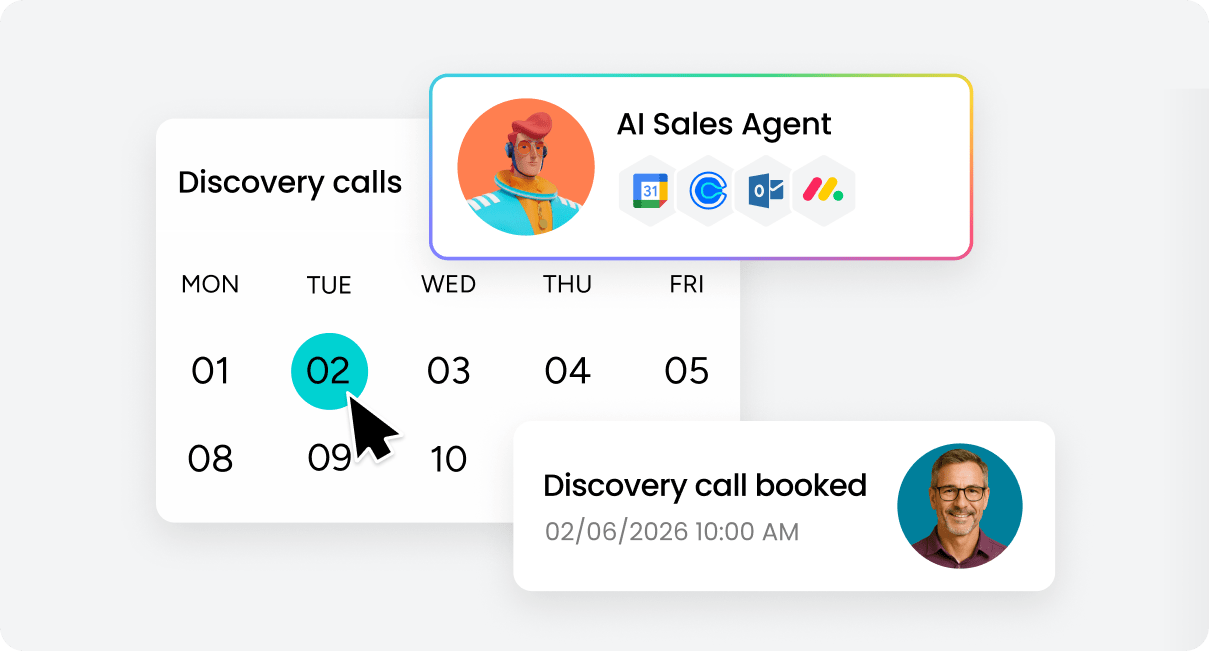
Schedule agents handle sales meetings from booking to follow-up. They cover every scheduling scenario your sales team hits daily. Here’s how:
Demo booking and intelligent routing
Schedule agents automate demo scheduling from inbound leads or outbound outreach. They detect demo requests from form submissions, email replies, or CRM triggers, and then automatically handle the complete workflow by checking rep availability, proposing meeting times, sending calendar invites, and logging the interaction in the CRM.
Routing rules assign demos based on territory, product expertise, or lead score. Every prospect lands with the right rep.
Multi-party scheduling
Schedule agents coordinate meetings with multiple participants, including executive briefings, technical demos with solution engineers, and cross-functional reviews. They check everyone’s calendar and find open slots that work.
Priority rules make sure key stakeholders are in, while optional participants get added if they’re free. All that coordination happens automatically.
Time zone coordination
Schedule agents detect time zones from CRM data or calendar settings and handle the differences automatically. They propose times that respect everyone’s working hours, avoiding 6 a.m. or 9 p.m. slots.
Meeting times show up in each person’s local time zone, which means less confusion and fewer no-shows.
Post-call follow-ups
After meetings wrap, schedule agents trigger follow-ups automatically, including thank-you emails, meeting recordings, proposals, and next steps. Here’s an example of how the triggers would work.
- Successful demo: Triggers a proposal email with pricing and a calendar link for a follow-up call.
- No-show: Triggers an immediate re-engagement sequence.
CRM activity updates
Schedule agents log everything in your CRM automatically, including creating records for scheduled meetings, logging email exchanges, and updating deal stages based on scheduling activity.
Automatic updates powered by CRM automation AI ensure visibility for managers and eliminate the manual logging that reps often skip when they’re busy closing deals.
7 ways schedule agents help sales teams
Schedule agents make your sales workflows faster, more consistent, and easier to track. Knowing these benefits helps you decide if a schedule agent fits your growth goals.
1. Book meetings faster by eliminating manual coordination
Schedule agents cut time-to-meeting by responding instantly. They propose times and send invites without waiting for your rep to check their calendar. Faster booking means fewer cold leads. Every hour saved on scheduling is another hour spent selling. When prospects are ready to talk, schedule agents make sure meetings happen before interest fades.
2. Keep follow-ups moving with automatic, outcome-based sequences
Schedule agents trigger follow-ups automatically based on meeting outcomes or time-based rules, ensuring consistent execution every single time without requiring manual intervention. All that manual tracking and those reminders reps inevitably forget when they’re juggling multiple deals happen automatically in the background. Nothing gets dropped and every opportunity receives the attention it deserves. Different meeting outcomes trigger different sequences, so prospects always get relevant next steps.
3. Route leads to the right rep using CRM data
Schedule agents use CRM context to assign meetings to the right rep based on territory, expertise, or lead details. Enterprise leads route to senior reps who can handle complex deals. Product-specific inquiries route to specialists who know the technical details. Leads distribute evenly across SDR teams to balance workload. The right match means better conversations and higher conversion rates. Platforms like monday CRM apply these routing rules automatically, ensuring every lead lands with the rep best positioned to close the deal.
Try monday CRM4. Reduce calendar back-and-forth with automated coordination
Schedule agents handle coordination automatically. No more back-and-forth to find meeting times. Rescheduling happens just as smoothly, with agents checking availability and proposing new times without manual input. Less coordination overhead means reps spend less time managing logistics and more time preparing for conversations. Prospects appreciate the speed and professionalism of instant responses.
5. Support buyer-friendly scheduling across email, forms, and chat
Schedule agents let prospects book meetings on their terms. Email, web forms, chat, or any other channel they prefer. Less friction means a better buying experience. Prospects can schedule at midnight or on weekends without waiting for business hours. The flexibility removes barriers and makes it easier for interested buyers to move forward.
6. Centralize meeting activity in a single source of truth
Schedule agents log everything in your CRM. One place for meeting history and outcomes. Track meeting volume, no-show rates, and conversion metrics without digging through calendars or email threads. Managers get visibility into team activity without asking for updates. Reps can review past interactions before meetings to show up prepared with full context.
7. Give leaders real-time visibility into pipeline and scheduling activity
Schedule agents give managers real-time insights into scheduling activity, meeting volume, and pipeline movement. Meetings booked, no-show rates, time-to-meeting, and conversion rates all appear in dashboards or reports. Leaders can spot bottlenecks, identify coaching opportunities, and forecast more accurately. Real-time data means faster decisions and better resource allocation across the team.
Core components of a schedule agent
Understanding what’s inside a schedule agent helps you evaluate solutions and plan rollouts confidently. Schedule agents combine several key components to automate scheduling intelligently. Here’s what each one does:
Calendar access
Schedule agents connect to calendar systems through secure APIs. They check availability and manage meeting invites. To integrate with Google Calendar, Outlook, and other platforms, they need read/write access to:
- Check availability
- Create events
- Update meeting details
CRM data
Schedule agents pull CRM records to understand lead context, apply routing rules, and log activity. They pull data from CRM fields like lead source, deal stage, account owner, and lead score to route meetings smartly.
It’s a two-way integration. Agents read CRM data to make decisions, then write back automatically with meeting details and outcomes.
Scheduling rules
Schedule agents use business logic to route meetings, prioritize leads, and enforce scheduling policies. Rules define how meetings get assigned based on:
- Territory
- Product expertise
- Lead score
- Rep availability
Email and message actions
Schedule agents send emails, calendar invites, and notifications to prospects, reps, and anyone else who needs to know. They compose and send scheduling emails automatically using templates or dynamic content depending on the situation.
Human approval
When needed, schedule agents route certain requests through approval workflows. Executive meetings, custom pricing talks, or anything outside your standard rules trigger approval flows before anything gets finalized.
Audit history
Schedule agents log every action and decision. Complete audit trail for compliance and troubleshooting. Everything gets recorded:
- Emails sent
- Meetings booked
- CRM updates
- Routing decisions
5 steps to implement a schedule agent
You don’t need a full-scale transformation to implement schedule agents. Start with one high-impact workflow, validate results, and expand.
Step 1: Choose one scheduling workflow to automate first
Start with a high-volume, repeatable workflow where automation pays off fast. Consider these options:
- Demo booking: High volume, clear routing rules, immediate revenue impact.
- Discovery call scheduling: Frequent requests, predictable patterns, easy to automate.
- Follow-up coordination: Time-sensitive, often missed manually, high conversion impact.
Step 2: Connect calendar and CRM data through secure APIs
Technical setup means connecting agents to Google Calendar, Outlook, and your CRM through secure APIs. Agents need read/write access to calendar and CRM data so they can:
- Check availability
- Create events
- Log activity
Step 3: Define routing and follow-up rules that reflect your sales process
Business logic controls how agents behave. Make sure it reflects your current sales process:
- Routing rules: Assign meetings based on territory, product expertise, lead score, or rep availability.
- Follow-up sequences: Send thank-you emails, share resources, or schedule next steps based on meeting outcomes.
Step 4: Add permissions and approvals to maintain appropriate oversight
Access controls and approval workflows keep the right people in the loop when it matters most. Permissions control who can configure agent behavior, adjust routing rules, or approve exceptions. You can assign different access levels to reps, managers, and admins based on their role and responsibilities.
Approval workflows add a layer of human review for high-stakes scenarios. Executive meetings, custom pricing discussions, or requests that fall outside your standard rules can trigger approval flows before the agent finalizes anything. This keeps automation running smoothly while ensuring critical decisions get the oversight they need.
Step 5: Track results and refine rules based on performance data
Monitor agent performance to spot opportunities for improvement. Once your schedule agent is running, you’ll want to measure how well it’s performing and where you can optimize. The data will show you what’s working, what needs adjustment, and where your team is gaining the most efficiency. Track these metrics:
- Meetings booked
- Time-to-meeting
- No-show rates
- Conversion rates
How schedule agents support secure workflow automation
Security and compliance come standard with schedule agents. Schedule agents include enterprise-grade security, role-based permissions, and audit trails for protecting sensitive data and maintaining regulatory compliance.
- Role-based permissions control who can configure and access agent behavior: Schedule agents enforce access controls based on user roles and responsibilities. Permissions define who can configure agent behavior, approve exceptions, or access scheduling data.
- Human review keeps people in the loop for high-stakes decisions: Schedule agents can route high-stakes decisions through approval workflows before executing. Critical meetings get human oversight while routine scheduling runs automatically.
- Activity logs provide a traceable, reversible record of every action: Schedule agents log all actions and decisions, providing a complete audit trail for compliance and troubleshooting. Every action is traceable and reversible.
- Data privacy controls protect customer and business data end to end: Schedule agents protect sensitive customer and business data through encryption in transit and at rest, following industry-standard security protocols.
How schedule agents fit into AI sales workflows
Schedule agents don’t operate in isolation, they’re one component of an intelligent sales system that works best when connected to other AI capabilities. Together, these components create end-to-end sales automation that covers the full revenue cycle.
Here’s where schedule agents plug into the broader workflow:
- Lead qualification: routing qualified leads to the appropriate rep and triggering next steps
- Meeting coordination: handling the core task of scheduling across the full sales cycle
- Follow-up automation: triggering sequences based on meeting outcomes or time-based rules
- Pipeline updates: updating CRM deal stages based on scheduling activity, ensuring accurate visibility
How monday CRM helps automate sales scheduling
Revenue teams using monday CRM gain access to scheduling automation capabilities that reduce manual work and keep deals moving forward. The platform combines CRM context, calendar integration, and AI-powered automation to handle scheduling from request to follow-up.
AI sales agents qualify leads and book meetings automatically
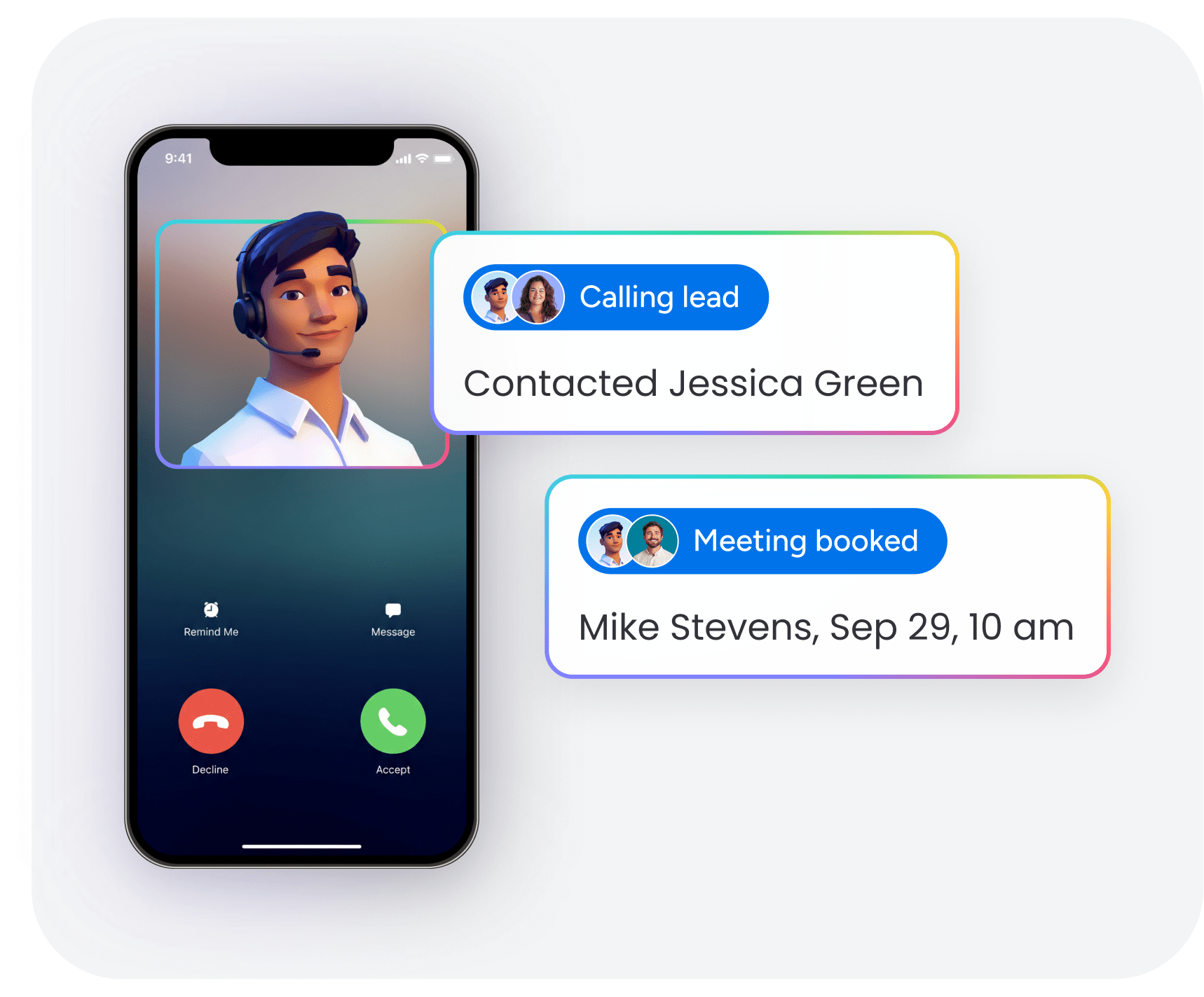
monday CRM’s AI agents handle lead qualification and meeting scheduling automatically. They detect qualification signals from CRM data, form submissions, or email replies and schedule meetings with the appropriate rep. When a high-value lead submits a demo request, monday CRM’s AI agent can instantly:
- Check the assigned rep’s calendar
- Send proposed times to the prospect
- Book the meeting as soon as the prospect confirms
The rep shows up to the meeting with full context on the prospect’s history, deal stage, and engagement.
Calendar and email integration for two-way sync
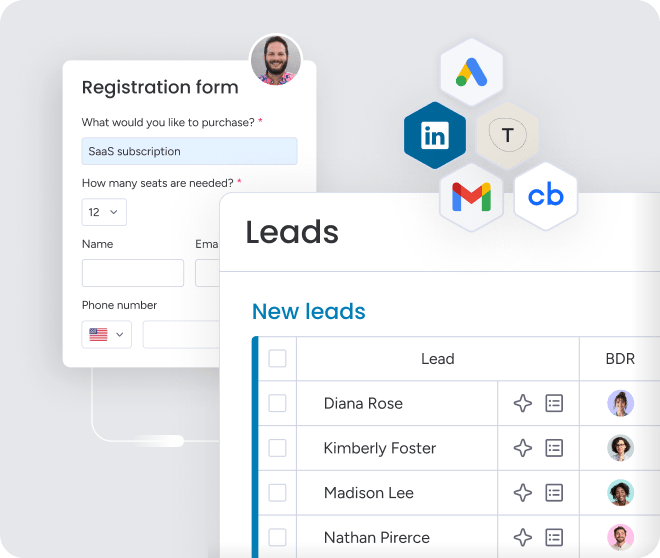
monday CRM connects to Google Calendar, Outlook, and email systems to check availability, send invites, and log communication automatically. Two-way sync ensures calendar changes reflect in the CRM and vice versa.
Email sequences trigger based on scheduling activity:
- Confirmation emails when meetings book
- Reminders before meetings
- Follow-ups after meetings conclude
Intelligent routing rules to match every lead to the right rep
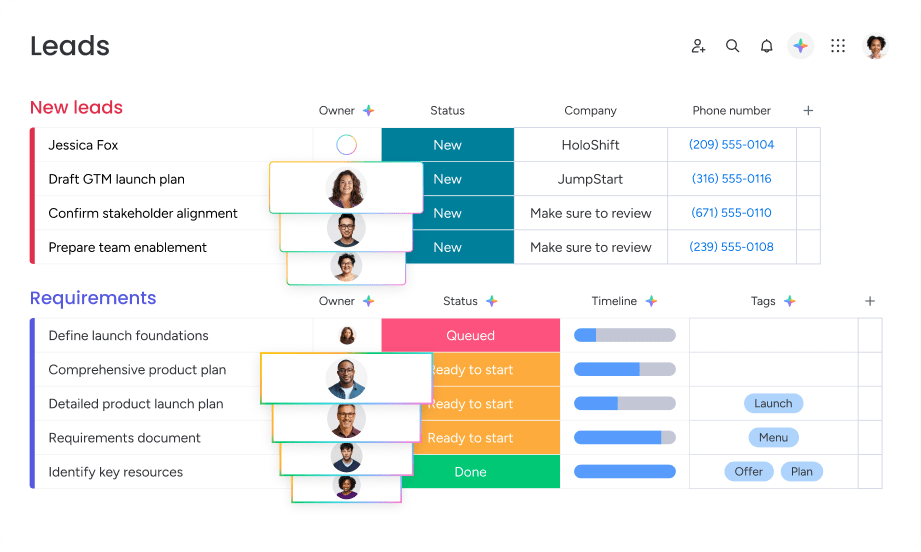
monday CRM’s routing capabilities assign meetings based on territory, product expertise, lead score, or rep availability. Round-robin distribution ensures even workload across SDR teams, while priority routing ensures high-value prospects connect with senior reps. Custom routing logic adapts to your team structure and sales process without requiring complex configuration or IT support.
Automated follow-up sequences that keep deals moving
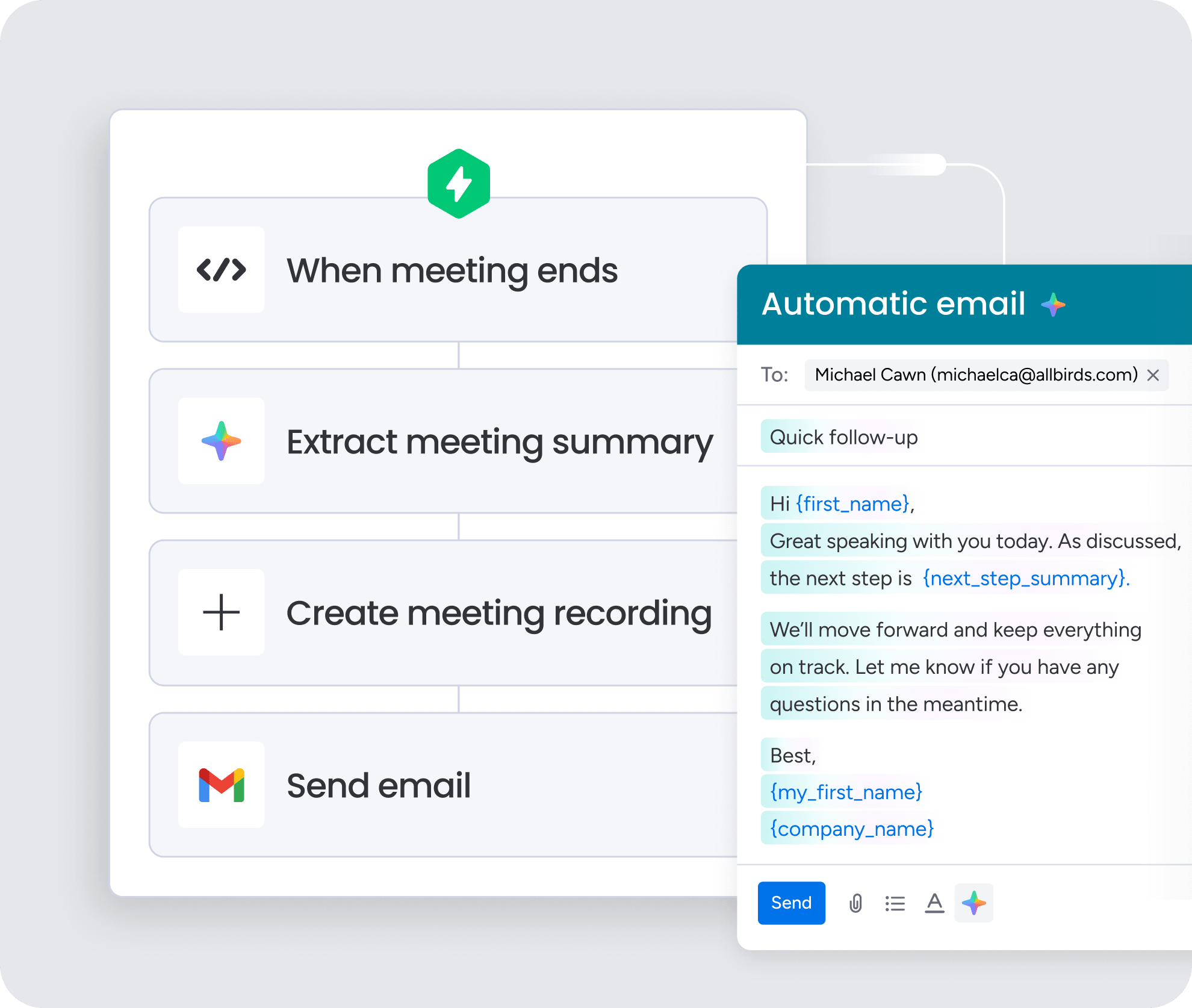
monday CRM triggers follow-up actions based on meeting outcomes or time-based rules. Thank-you emails, proposals, case studies, and next-step scheduling happen automatically. Different meeting outcomes trigger different sequences, so prospects always receive relevant content that matches where they are in the buying process.
Real-time pipeline visibility to surface metrics that matter
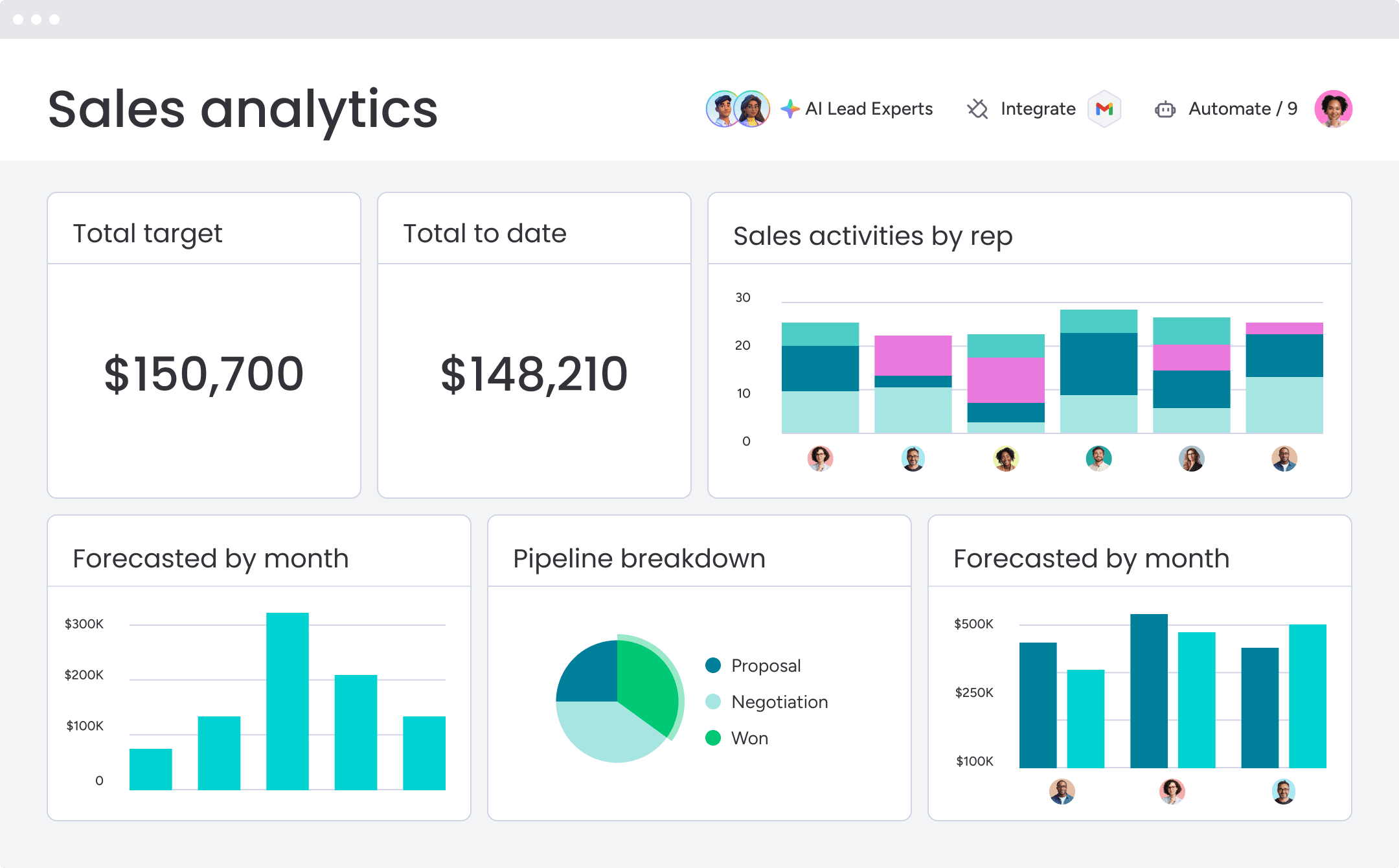
monday CRM surfaces scheduling metrics in dashboards and reports, providing visibility into meeting volume, conversion rates, and pipeline progression. Deal stages update automatically based on scheduling activity, and leaders see meetings booked, time-to-meeting, no-show rates, and conversion rates in real time.
Stop managing schedules and start closing deals
Schedule agents remove one of the most persistent drains on sales productivity: the manual work of coordinating meetings, chasing follow-ups, and keeping CRM records current. When that work runs automatically, reps spend more time selling and less time on admin. The impact compounds quickly. Faster booking means fewer leads go cold. Consistent follow-ups mean fewer opportunities slip through. Accurate CRM data means leaders can forecast with confidence and allocate resources where they matter most.
If you’re evaluating where to start, pick one high-volume workflow like demo booking, discovery call scheduling, or follow-up coordination and build from there. monday CRM gives revenue teams the scheduling automation, routing logic, and pipeline visibility to run that workflow from day one.
Try monday CRMFAQs
What is the difference between a schedule agent and a scheduling tool?
A schedule agent is an AI-powered system that autonomously handles the full meeting workflow, including booking, routing, follow-ups, and CRM updates. A scheduling tool typically provides booking pages for availability coordination but requires manual setup and doesn't integrate with CRM context or trigger automated follow-ups.
Can a schedule agent work with my existing CRM?
Schedule agents integrate with CRM systems through APIs to read lead data, apply routing rules, and log meeting activity automatically. The depth of integration depends on the specific platform, but most schedule agents connect with major CRM systems like monday CRM, Salesforce, and HubSpot.
How do schedule agents handle time zones?
Schedule agents detect participant time zones from CRM data or calendar settings and propose meeting times that respect working hours for all participants. Meeting invites display times in each participant's local time zone to reduce confusion.
Do schedule agents replace human sales reps?
Schedule agents handle coordination and administrative work so reps can focus on selling. They automate booking, follow-ups, and CRM updates, but human judgment remains essential for relationship building, negotiation, and complex sales conversations.
What happens if a schedule agent makes a mistake?
Schedule agents log all actions and decisions, providing audit trails for troubleshooting. Approval workflows can route high-stakes decisions through human review before execution. Most platforms allow teams to configure rules and permissions to prevent errors.
How long does it take to implement a schedule agent?
Implementation timelines vary based on complexity, but teams can start with one workflow and expand from there. Connecting calendar and CRM systems typically takes minutes to hours, and defining routing rules can be done without IT involvement on no-code platforms.
