



A buyer asks for pricing at 10:00 a.m., and by late afternoon, the deal is still waiting on approvals and updates. Quote management software solves this by giving sales teams one place to create quotes, apply approved pricing, route sign-offs, and track what happens after send, turning delays into closed deals.
This article covers what quote management software is, how it compares with CPQ, and which 15 platforms are worth evaluating. You’ll also learn which features matter most, how AI is changing quoting workflows, and how modern platforms connect quoting to the broader revenue process.
What is quote management software?
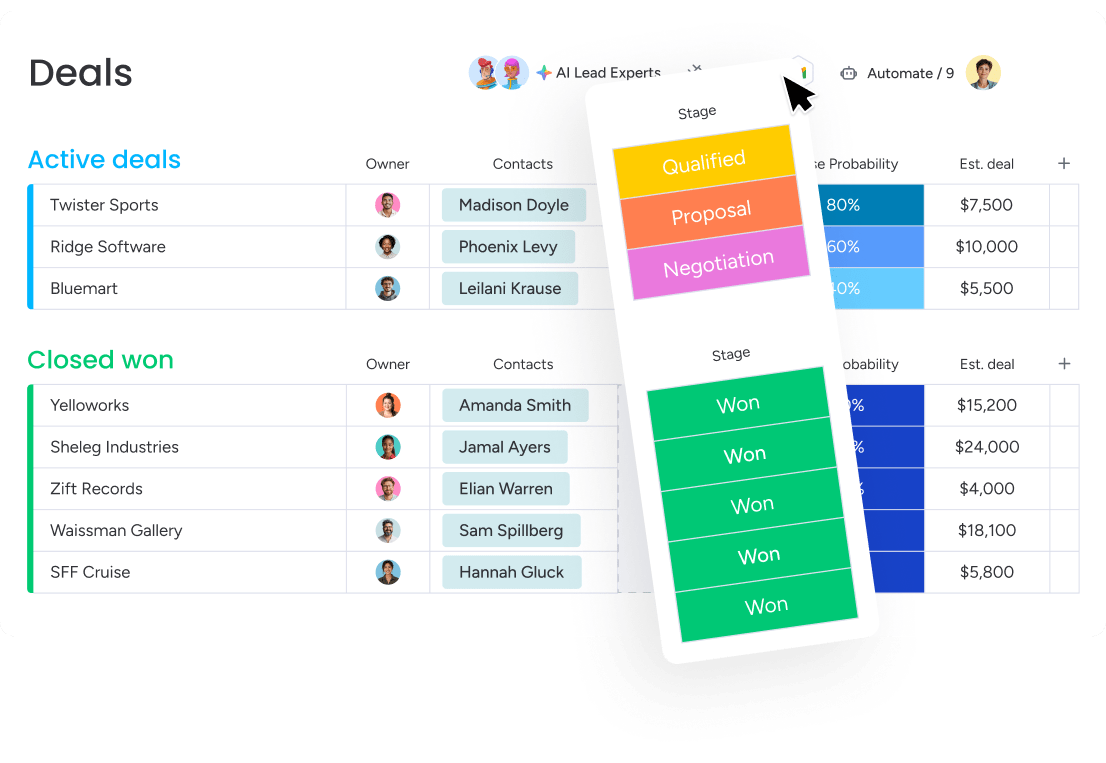
How many deals have slipped away because the quote didn’t go out fast enough? Delays cost revenue. Quotes disappear into spreadsheets, get buried in email threads, or sit untouched while someone waits on approval. Quote management software fixes that mess by providing one place to create, send, and track quotes that are both fast and accurate.
The software connects pricing, customer data, and approval workflows in one system. Reps can pull the latest data, apply approved discounts, and collect sign-offs without endless back-and-forth. The result? Prospects get clean, accurate quotes in hours, not days.
How quote management software differs from CPQ
CPQ — short for Configure, Price, Quote — comes up often in the same conversation as quote management software, but it serves a different purpose. It’s designed for highly complex products and usually demands a much heavier implementation. Here’s how they stack up:
| Dimension | Quote management software | CPQ software |
|---|---|---|
| Who uses it | Sales reps, account managers, business owners | Sales engineers, dedicated CPQ admins |
| Setup time | Days or weeks | Months or quarters |
| Best for | Standard product catalogs and service pricing | Complex product rules and dynamic pricing |
| The bottom line | Get your team moving and quoting fast | Manage highly configurable products |
Pick based on what you actually sell, not what some analyst deck says you should need. If your team sells professional services or standardized packages, there’s little value in implementing a system that takes a quarter to stand up. What matters is getting strong quotes into buyers’ hands fast.
Try monday CRM15 best quote management software platforms
Quoting platforms aren’t all built for the same buyer. Some function as enterprise-grade CPQ software for sprawling catalogs and intricate pricing logic. Others are lighter tools that slot neatly into an existing CRM.
Know which category fits your business, and you’ll skip the pointless demos. We narrowed it down to the platforms worth your time. Check the table first, then dig into the breakdowns to find what fits how your team sells.
| Platform | Use case | Free trial* | Notable feature | Starting price* |
|---|---|---|---|---|
| monday CRM | Revenue teams that need visibility across the entire deal lifecycle | Yes | Quote tracking tied to the deal | $12/seat/month |
| Salesforce Revenue Cloud | Enterprise sales teams needing AI-assisted quoting and revenue recognition compliance | Contact sales | AI-assisted quoting with Agentforce | $150/user/month |
| QuoteWerks | Product-heavy sales teams in IT and distribution | No | Real-time distributor pricing and availability | $45.83/user/month |
| PandaDoc | Sales teams that want to create, send, approve, and collect payment on quotes | Yes (14 days) | Built-in e-signature and payments | $19/user/month |
| Qwilr | B2B revenue teams that want interactive quote pages | Yes (14 days) | Buyer engagement analytics | $35/user/month |
| HubSpot | Teams that want full quote-to-cash inside their CRM | Yes | AI-powered CPQ with Breeze AI | Contact sales |
| Bitrix24 | Small and midsized teams wanting CRM-native quoting | Yes | Flat organizational pricing | $49/org/month |
| DealHub | Revenue teams running high-complexity sales cycles | Contact sales | DealRoom for buyer collaboration | Custom pricing |
| Oracle CPQ | Large organizations needing deep ERP integration | Contact sales | Rules-based product configuration | $240/user/month |
| Conga CPQ | Enterprise sales organizations needing complex quoting governance | Contact sales | Deep Salesforce integration | Custom pricing |
| Quotient | Solopreneurs and small teams needing fast, polished quotes | Yes (21 days) | Client acceptance tracking | $28/month |
| Scoro | Professional services teams needing quote-to-delivery visibility | Yes (14 days) | Quote estimation matrix | $19.90/user/month |
| Zoho CRM | Sales teams wanting native CPQ and invoicing in one CRM | Yes (15 days) | Native CPQ inside CRM | $14/user/month |
| Proposify | Sales teams producing branded proposals with approval controls | Yes (14 days) | Interactive quoting with buyer self-selection | $19/user/month |
| Experlogix CPQ | B2B organizations selling complex, configurable products | Contact sales | Visual product configurator | Custom pricing |
*Prices may vary based on plan, billing cycle, or region. Free trial availability may change. Verify current pricing and trial terms on each vendor’s website.
1. monday CRM
monday CRM gives revenue teams a flexible, no-code platform to manage the full customer journey, from first contact to closed deal and beyond. Built on the monday.com Work OS, it lets RevOps teams shape pipelines, fields, and workflows around how their sales process actually works.
For teams evaluating quote management software, monday CRM keeps deals, quote documents, stakeholder reviews, and customer communication linked in one place. Fewer “which version is current?” messages. More consistency, more visibility, and less dropped context.

Use case: Revenue teams that need visibility across the entire deal lifecycle without jumping between platforms
Key features
- Quote tracking tied to the deal: Keep quote status embedded in the pipeline, so forecasts and deal reviews reflect reality.
- Centralized communication history: Track emails, meetings, and notes in Emails & Activities, then use AI Timeline Summary to speed up handoffs.
- Reporting that sales leaders can run with: Use dashboards and sales widgets — including the funnel and leaderboard — to identify pipeline gaps, rep performance patterns, and quote volume trends without manual reporting.
Pricing
- Basic: $12/seat/month (billed annually); includes 20 quotes and invoices per month
- Standard: $17/seat/month (billed annually); includes 50 quotes and invoices per month
- Pro: $28/seat/month (billed annually); monday.com’s pricing page shows conflicting info for the Pro plan’s quote limit (listing both 250/month and unlimited), so it’s worth double-checking.
- Ultimate (Enterprise): Custom pricing — contact sales; unlimited quotes and invoices.
- Plans start from 3 seats; teams with more than 40 seats should request a custom quote.
- Annual billing saves approximately 18% compared to monthly billing.
- AI credits included on all plans (500 free per month); additional credits available as needed.
Learn more about monday CRM pricing.
Why it stands out
- Fast to adapt with team autonomy: Revenue teams can change deal stages, data fields, dashboards, and automations, empowering them to launch technical projects independently.
- One place for customer context: Teams keep account and contact data, connected deals, and communication history together, using the expanded item view for daily work.
- Supports the full revenue lifecycle: In addition to deals, teams use monday CRM for onboarding progress, renewals, collection tracking, and client projects that involve quotes and stakeholder collaboration.
2. Salesforce Revenue Cloud
For enterprises that need deep quote-to-cash control, Salesforce Revenue Cloud covers the full process: product configuration, pricing, contract execution, billing, and revenue recognition, all inside the Salesforce ecosystem. It’s designed for organizations dealing with complex pricing structures, multi-currency selling, and large-scale administration. If you’re already on Salesforce, Revenue Cloud connects quoting to everything that comes after.

Use case: Enterprise sales teams that need AI-assisted quoting, automated approval workflows, and revenue recognition compliance (ASC 606 and IFRS 15) inside a unified CRM environment
Key features
- AI-assisted quoting with Agentforce: Generates and updates quotes conversationally inside Salesforce CRM, with rule-based discounting and cross-functional approval chains that reduce manual back-and-forth.
- Unified product catalog and pricing engine: A single attribute-based catalog with configurable pricing rules, sequences, and full visibility into calculations — supporting direct, partner, field service, and self-service quoting models.
- Subscription and renewal management: Tracks recurring revenue, manages contract renewals, and handles usage-based pricing models for SaaS and subscription businesses.
Pricing
- Growth: $150/user/month (billed annually)
- Advanced: $200/user/month (billed annually)
- Requires a base Salesforce license (Sales Cloud, Service Cloud, or CRM) — Revenue Cloud is a paid add-on
- Additional costs may include the Premier Success Plan (30% of net price), API capacity, CRM Analytics licensing, and usage-based billing events
Considerations
- Implementation typically spans 6–12 months and requires dedicated Salesforce admin or RevOps expertise — Implementation requires dedicated technical resources, making it best suited for enterprise-level teams.
- Some advanced features, such as pricing guidance, require CPQ+ and CRM Analytics licensing on top of the base Revenue Cloud subscription, which adds to the total cost of ownership.
3. QuoteWerks
QuoteWerks sits in a useful middle ground: more specialized than a CRM, less sprawling than an enterprise CPQ suite. It’s made for SMBs and mid-market teams that want to move from quote creation to close without bouncing across multiple tools. IT service providers, MSPs, and VARs get extra value from its real-time distributor connectivity with suppliers like TD SYNNEX, Ingram Micro, and Dell Premier.

Use case: Product-heavy sales teams — particularly in IT and distribution — that need fast, branded, accurate quotes connected directly to their CRM, PSA, and accounting stack
Key features
- Centralized product catalog with pricing rules: Maintains a single product database with cost, markup, and discount logic that automatically calculates quote totals, reducing manual pricing errors.
- QuoteValet online delivery and acceptance: Sends interactive web-based quotes that track when customers view or accept them, supports multiple signers, and collects credit card or ACH payments at the point of acceptance.
- Real-time distributor pricing and availability: Pulls live pricing and stock data from major IT distributors and vendors, so quotes reflect accurate costs before they go out the door.
Pricing
- Essential: $50/month per concurrent user (or $45.83/month billed annually) — includes unlimited quotes, bundles and configurator, CRM/PSA integrations, peer review and approvals, and audit trail.
- Balanced: $78/month per concurrent user (or $71.50/month billed annually) — adds QuoteValet online delivery, e-signature, ACH and credit card payments, and SMS notifications on large quote acceptance.
- Pinnacle: $102/month per concurrent user (or $93.50/month billed annually) — adds auto sales tax (USA), IT/MSP distributor content, Amazon Business integration, and procurement tracking.
- Annual billing saves the equivalent of one month’s cost across all tiers.
- Add-ons include QuickBooks Online integration ($20/month per site) and VendorRFQ ($20/month per user).
Considerations
- Some configuration and administration workflows still require the Desktop application even when using the browser-based version, which adds setup complexity for teams without a dedicated administrator.
- Phone support beyond the initial 45 included minutes is billed at $1/minute, which can increase the total cost of ownership for teams that rely on live support during onboarding or troubleshooting.
4. PandaDoc
PandaDoc approaches quoting through the lens of documents. It manages creation, e-signature, and payment inside one platform, making it appealing to sales teams that care about polished, branded quote experiences without juggling separate tools. It works particularly well for SMBs and mid-market companies that value speed and presentation. One of its advantages is room to grow: teams can begin with simple pricing tables and expand into fuller CPQ workflows over time.

Use case: Sales teams that want to create, send, approve, and collect payment on quotes without ever stepping outside the document
Key features
- Drag-and-drop quote builder: Assemble quotes from reusable content blocks, pricing tables, and product catalog items — no design skills required.
- Built-in e-signature and payments: Clients can sign and pay directly from the quote document, with support for Stripe, PayPal, Square, and more.
- Two-way CRM sync: Connects with Salesforce, HubSpot, and Pipedrive to prefill quotes with deal data and write results back automatically.
Pricing
- Free eSign: $0 (includes 60 documents/year, unlimited seats)
- Starter: $19/user/month (billed annually; 110 documents/year)
- Business: $49/seat/month (billed annually; unlimited documents, CRM integrations, approval workflows)
- Enterprise: Custom pricing (includes CPQ workflows, SSO, advanced automation)
- Annual billing saves up to 46% compared to monthly plans
- Salesforce integration and CPQ workflows are paid add-ons; document overage fees apply on lower tiers
Considerations
- The quote builder is currently rolling out to Business plan users and is fully available on Enterprise — teams on lower tiers may have limited access to advanced quoting features.
- Deep pipeline management and deal forecasting are outside PandaDoc’s scope; teams that need those capabilities will need to pair it with a dedicated CRM.
5. Qwilr
Instead of sending static PDFs, Qwilr turns quotes into interactive web pages. Buyers can review, configure, sign, and pay from a single link, all within a branded, mobile-responsive experience. For B2B sales teams trying to make the buying process smoother and more engaging, that shift can be meaningful. The built-in analytics add another layer of value by showing how prospects interact with the quote, which makes follow-up timing more informed.

Use case: B2B revenue teams that want to reduce friction by giving buyers one interactive page to review pricing, choose options, sign, and pay
Key features
- Interactive quote pages: Buyers access quotes via a link rather than a PDF download, with embedded pricing tables, plan cards, and buyer-selectable add-ons that let prospects configure their own package.
- Buyer engagement analytics: Tracks time spent on the quote page, which sections were viewed, and whether the quote was shared with other stakeholders — so reps know exactly when and how to follow up.
- E-signature and payments in one place: Built-in e-signature and QwilrPay (via Stripe) let buyers sign and pay on the same page, with QuickBooks integration to auto-generate draft invoices upon acceptance.
Pricing
- Business: $35/user/month (billed annually) or $39/user/month (billed monthly) — includes HubSpot, Pipedrive, and Zoho integrations, e-signature, QwilrPay, and analytics
- Enterprise: $59/user/month (billed annually, 10-user minimum) — adds Salesforce integration, advanced permissions, template-level controls, and dedicated account management
- Annual billing discounts available; multi-year and quarterly billing options available on request
- QwilrPay carries an additional application fee on top of Stripe processing: 0.09% on Business, 0.05% on Enterprise
Considerations
- Salesforce integration is exclusive to the Enterprise plan, which requires a 10-user annual minimum — a high entry point for smaller teams that rely on Salesforce.
- Qwilr’s web-native format works well for digital-first sales, but teams in industries where printed or PDF quotes are standard may find the format less practical for their buyers.
6. HubSpot
HubSpot offers quoting in 2 layers. Basic quote creation comes with Sales Hub, while the more complete quote-to-cash experience sits inside Commerce Hub, which ties together CPQ, e-signatures, and payments.

Use case: Teams that want the full quote-to-cash process handled inside their CRM
Key features
- AI-powered CPQ: Generates quotes directly from deal records using HubSpot’s Breeze AI, pulling in line items, cover letters, and terms automatically.
- Built-in e-signature and payments: Captures signatures (available on Professional+ plans) and collects payment through HubSpot Payments (US, UK, and Canada) or Stripe globally — all within the quote itself.
- Rules-based approval workflows: Routes quotes for approval based on discount thresholds, deal size, or term length, with advanced automation available on Enterprise plans.
Pricing
- Sales Hub Starter: Includes basic quote creation.
- Commerce Hub Professional: Required for the full quote-to-cash experience, including integrated payments and advanced CPQ features.
- Commerce Hub Enterprise: Adds advanced approval workflows and additional governance controls.
- Transaction fees: A platform fee applies on top of processor fees (0.5% with HubSpot Payments; 0.75% with Stripe via Commerce Hub).
Considerations
- While you can create basic quotes on lower-tier Sales Hub plans, the complete quote-to-cash toolkit (with payments and advanced CPQ) is gated behind Commerce Hub, which is a significant cost jump.
- HubSpot Payments is only available to companies based in the US, UK, and Canada — teams outside those regions must connect Stripe separately, adding a setup step.
7. Bitrix24
Bitrix24 takes the all-in-one route. CRM, quoting, invoicing, e-signature, and team collaboration all live under one roof, and pricing is flat at the organizational level rather than per user within plan limits. That model appeals to small businesses and growing teams that want fewer subscriptions to manage. The free tier lowers the barrier to entry, but the more complete quoting functionality sits on paid plans, so it’s best suited to teams ready to invest in a broader platform.

Use case: Small and midsized teams that want CRM-native quoting with built-in payments and e-signature under one organizational price
Key features
- CRM-linked estimates: Quotes (called “Estimates”) auto-populate from deal data — contacts, products, and company details pull through automatically, reducing manual entry.
- Quote-to-invoice conversion: Convert accepted estimates into invoices in a few clicks, keeping the entire quote-to-payment workflow inside one platform.
- Automation triggers: Set rules to advance quote stages automatically — for example, moving an estimate to “Awaiting feedback” the moment a customer opens your email.
Pricing
- Free: Available (user limits vary)
- Basic: $49/organization/month (annual billing) for 5 users
- Standard: $99/organization/month (annual billing) for 50 users — includes invoices and estimates
- Professional: $199/organization/month (annual billing) for 100 users — adds e-signature and AI-powered sales features
- Enterprise: From $399/organization/month (annual billing) for 250 users, scaling to 10,000 users
- Annual billing saves up to ~30% compared to monthly rates
- Note: telephony credits and some marketplace payment apps are billed separately
Considerations
- Full quote-to-cash functionality — including native e-signature — requires the Professional plan or higher, so smaller teams on Basic or Standard will hit feature limits before they get the complete workflow.
- The platform covers a wide range of features, which can create a steeper learning curve for teams that only need focused quoting functionality; reviews on G2 and Capterra frequently flag UI density as a friction point during onboarding.
8. DealHub
DealHub combines CPQ, contract lifecycle management, and a collaborative buyer portal in one connected environment. It’s aimed at mid-market and enterprise teams navigating more complicated deal structures, where quoting involves more than just price and product. Guided selling helps reps move from configuration to signed contract with fewer errors, while DealRoom gives buyers and sellers a shared workspace that replaces endless email ping-pong.

Use case: Revenue teams running high-complexity sales cycles that require governed, version-controlled quoting and clear buyer visibility from first draft through close
Key features
- Guided selling playbooks: Walks reps through product selection, pricing rules, and recommended next steps based on deal characteristics — reducing errors and speeding up quote creation.
- DealRoom for buyer collaboration: Creates a branded, buyer-facing workspace where quotes, contracts, and e-signatures live in one place, with real-time engagement analytics so sellers know exactly where buyers stand.
- CPQ with multi-level approval workflows: Supports complex product configurations, tiered and usage-based pricing, and parallel approval chains — giving deal desk teams the governance controls they need.
Pricing
- Custom pricing: No public pricing tiers are listed.
- DealHub offers solution bundles (CPQ+, CPQ + CLM, and a full quote-to-revenue package), with some capabilities and integrations available as add-ons.
Considerations
- Some users report slower load times and occasional glitches when publishing or editing quotes, particularly with complex configurations.
- Pricing is fully custom and modular, so total cost depends on the number of modules, users, and integrations — making it harder to evaluate without a sales conversation.
9. Oracle CPQ
At the high end of the market, Oracle CPQ is built for organizations selling complex, configurable products across large, multi-channel operations. It ties quoting directly to order management, billing, and renewals across the Oracle ecosystem, which makes it especially relevant for companies with dedicated IT support and sophisticated enterprise processes.

Use case: Large organizations that need quoting connected to the broader revenue lifecycle while handling multi-level product configurations
Key features
- Rules-based product configuration: Supports complex product bundles with dependencies, constraints, and compatibility rules — so reps configure accurately every time.
- Dynamic pricing and approvals: Calculates pricing based on volume, contract terms, and customer segments, with automated approval workflows built directly into the quoting flow.
- ERP and CRM integration: Connects natively with Oracle Fusion Cloud (Sales, Subscription Management, ERP/SCM) and supports third-party systems, including Salesforce Sales Cloud and SAP.
Pricing
- Base CPQ Cloud Service: $240 per hosted named user/month (minimum 25 users, initial 3-year term required)
- CPQ Channel User Cloud Service: $35 per channel user/month
- CPQ Connector for Salesforce: $5 per hosted named user/month
- CPQ E-Commerce Interactions: $500 per 1,000 interactions/month (minimum quantity of 10)
- CPQ External API Access: $500 per 1,000 interactions/month
- CPQ Shared Test Environment: $995 per instance/month
- Enhanced Support: $20,000 annual base fee, plus a percentage of subscription
- Priority Support: $1,250/month base fee, plus 10% of net subscription
Considerations
- Oracle CPQ carries a significant implementation timeline — expect 6 to 12 months and ongoing maintenance requirements, which means it is not a practical fit for teams without enterprise-level resources and a dedicated implementation partner.
- Quarterly updates are mandatory and cannot be skipped, requiring regular testing and change management cycles that add to the operational overhead.
10. Conga CPQ
Conga CPQ focuses on governing complexity. Configuration, pricing, quoting, and contract processes all run through one system, which is especially valuable for enterprise sales teams dealing with high-volume, multi-line deals and tight margin controls. It is best known for its native Salesforce depth, though it also supports other CRM environments. For teams that need discipline built into the quoting process, Conga deserves serious consideration.

Use case: Enterprise sales organizations that need to control complex quoting processes — from guided configuration and discount approvals through contract execution
Key features
- Deep Salesforce integration: Provides a Salesforce-native architecture that runs entirely within the CRM, using existing data, security models, and automation without requiring external platforms or duplicate data entry.
- Approval workflows: Supports multi-level approval chains with conditional routing based on deal size, discount level, or product type — keeping margin governance intact at every stage.
- Contract lifecycle management: Manages the full contract process from quote creation through execution, renewal, and amendment, reducing handoff friction between sales and legal.
Pricing
- Custom pricing: Additional products — including Conga Composer, Conga Sign, and price optimization modules — may be licensed separately.
Considerations
- While Conga offers CRM-agnostic options, its most powerful native integration is with Salesforce. Teams not on Salesforce won’t get the full benefit of this connected experience, and the Salesforce-native version requires specific expertise to configure and maintain.
- Initial setup of complex pricing rules and product bundles demands experienced resources; total cost of ownership, including implementation and ongoing administration, can be significant for smaller organizations.
11. Quotient
Quotient keeps quoting intentionally simple. It’s designed for small businesses and freelancers that need professional-looking quotes without a heavyweight system behind them. Speed is the product here: branded quotes can go out in minutes rather than hours. For teams already working in Xero or QuickBooks, the fit is especially natural.

Use case: Solopreneurs and small teams that need to send polished quotes quickly and get paid without drowning in admin
Key features
- Quote templates: Create and send branded quotes using customizable templates, so every client interaction looks professional from the start.
- Client acceptance tracking: Get notified the moment a client views or accepts a quote, so you always know where a deal stands.
- Optional extras: Let clients select add-ons directly during quote acceptance, giving them control while opening the door to higher-value orders.
Pricing
- Solo: $28/month
- Team: $48/month (2–5 members)
- Team+: Team features, plus $8/month per additional member above 5
- 21-day free trial available
- 20% discount when managing 2 or more accounts under the same subscription
Considerations
- Quotient is built for speed, not scale. While it connects with tools like Xero, QuickBooks, and Zapier, it lacks the deep CRM functionality or complex approval workflows that larger sales teams require.
- Not a fit for scaling organizations that need advanced configuration rules or multi-level pricing approvals.
12. Scoro
Scoro is built for service businesses where quoting is tightly connected to delivery. It combines quotes, project management, time tracking, and invoicing in one system, giving professional services firms a direct path from proposal to execution. It’s especially compelling for teams that sell time, expertise, and scoped work rather than physical products.

Use case: Professional services teams that need a single environment to quote, deliver, and invoice work, with real-time visibility into margins throughout the process
Key features
- Quote estimation matrix: Breaks down deliverables by role and hours, so you can see projected costs and margins before the client ever sees the proposal.
- Quoted vs. actual tracking: Links tasks, time entries, bills, and expenses back to quoted line items, giving you a live view of profitability against the original scope.
- Quote-to-project conversion: Converts accepted quotes into projects with pre-assigned tasks, phases, and resource allocations — no re-entry required.
Pricing
- Core: $19.90/user/month (billed annually) or $23.90/user/month (billed monthly)
- Growth: $32.90/user/month (billed annually) or $38.90/user/month (billed monthly)
- Performance: $49.90/user/month (billed annually) or $59.90/user/month (billed monthly)
- Enterprise: Custom pricing
- Save up to 16% by paying annually.
- Minimum 5 user seats required across all plans.
- Some features, including partial invoicing, the customer portal, and approval workflows, are available as paid add-ons.
Considerations
- Advanced quoting features — including the quote estimation matrix, price lists, and multi-currency support — are gated behind higher-tier plans, which can push smaller teams toward a more expensive subscription.
- Scoro does not appear to offer native e-signature functionality for quotes; teams that require client sign-off digitally may need to rely on a third-party integration.
13. Zoho CRM
For teams already operating inside the Zoho ecosystem, Zoho CRM keeps quoting close to the pipeline. Reps can build and send quotes without leaving the CRM, which reduces friction and preserves deal context. The platform is a practical option for companies that want a connected quote-to-cash workflow. CPQ capabilities, available from the Professional plan, add line-item configuration and pricing rules to help reduce manual mistakes.

Use case: Sales teams that want native CPQ, approval workflows, and invoicing connected inside one CRM platform.
Key features
- Native CPQ inside CRM: Automates product configuration and applies volume-based or percentage pricing rules directly at the line-item level, without switching platforms.
- Quote-to-cash with Zoho Finance: Converts accepted quotes into invoices via Zoho Books, with 2-way sync and event triggers that fire automatically when a deal stage changes.
- Multi-stage approval workflows: Routes quotes through sequential or parallel approval processes — useful for discount governance and cross-functional sign-off.
Pricing
- Standard: $14/user/month (billed annually)
- Professional: $23/user/month (billed annually) — CPQ and inventory modules available from this tier
- Enterprise: $40/user/month (billed annually)
- Ultimate: $52/user/month (billed annually)
- Annual billing saves up to 34% compared to monthly rates
- E-signatures via Zoho Sign and invoicing via Zoho Books require separate subscriptions
Learn more about monday CRM vs. Zoho CRM.
Considerations
- CPQ is currently in Early Access, which may affect availability and rollout timelines for some teams.
- Quote lines must be selected from an existing product catalog — free-text or non-catalog line items are not supported in the standard quoting workflow.
14. Proposify
Proposify leans into proposal quality and control. It gives SMB and mid-market sales teams a structured way to create branded, interactive proposals with approval workflows and clean progression from quote to contract. That makes it especially relevant for agencies and B2B service organizations sending a high volume of proposals and wanting more consistency across them.

Use case: Sales teams produce, send, and close branded proposals faster by combining interactive pricing, approval controls, and e-signature in a single workflow
Key features
- Interactive quoting: Buyers can self-select options and adjust quantities, while sellers can enable optional upsells — giving both sides more control over the deal.
- Approval workflows and version control: Conditional approvals based on deal size or discount thresholds reduce quoting errors and protect margins before anything goes out the door.
- Quote-to-contract: Accepted quotes convert directly into contracts with integrated e-signatures, removing the handoff friction between proposal and close.
Pricing
- Basic: $19/user/month (billed annually)
- Team: $41/user/month (billed annually)
- Business: Starts at $3,900/year (custom pricing, contact sales)
- Annual billing saves up to 4 months compared to monthly rates
- A 14-day free trial is available
- The managed Salesforce package and select integrations are available as premium add-ons at $9/user/month
Considerations
- Proposify focuses on the proposal and closing stage — teams that need pipeline management or deep CRM functionality will need to pair it with a separate platform.
- Pricing transparency is limited: send limits and overage fees vary across different sections of the pricing page, so it’s worth confirming exact entitlements with the sales team before committing.
15. Experlogix CPQ
Experlogix CPQ is designed for quoting environments where complexity is non-negotiable. Manufacturers, distributors, and industrial sellers can manage multi-dependency configurations, controlled pricing, and ERP handoffs without breaking the process across different systems. Because it embeds natively in Microsoft Dynamics 365 and Salesforce, reps can stay inside their system of record while building production-ready quotes.

Use case: B2B organizations selling complex, configurable products that require accurate, buildable quotes with direct ERP handoff
Key features
- Visual product configurator: A guided, rules-based interface walks reps through complex product configurations, enforcing compatibility constraints and dependencies in real time.
- Rules-based pricing and discount governance: Applies contract pricing, volume tiers, and discount floors and ceilings automatically, with auditable Special Pricing Agreement (SPA) management.
- Production-ready ERP handoff: Pushes completed configurations to your ERP (with connectivity for NetSuite and others) with auto-generated BOMs, routings, and work breakdown structures — reducing rework and margin leakage.
Pricing
- Custom pricing: No public rate card is available.
- Add-ons such as 2D/3D visualization, Customer and Dealer Portals, and Document Automation are separately licensed.
Considerations
- Experlogix is built for configuration complexity — teams with simple or service-based product catalogs will find the platform’s depth unnecessary for their needs.
- The enterprise scope of the platform but requires a longer commitment before seeing returns.
7 must-have features in an effective quoting system

Are your reps wrestling with software instead of closing business? The difference between a quoting platform that gains traction and one your team avoids comes down to removing friction. Here are the features that separate useful quoting systems from shelfware.
- Visual pipeline and deal tracking: A visual pipeline shows every quote’s status in real time, from first draft to final signature. Teams using drag-and-drop views move deals across stages without extra admin, so forecasts reflect what’s actually happening.
- Automated approval workflows: Manual sign-off creates bottlenecks and frustrates buyers. Automated workflows route quotes to the right approver immediately, shrinking approval cycles from days to hours while enforcing discount rules automatically.
- AI-powered quote generation: AI pulls in key details and pre-fills quotes fast, so reps can send more quotes with fewer errors, and adoption goes up because busywork disappears.
- Real-time pricing and margin controls: Real-time pricing ensures every quote uses approved, current pricing. Guardrails around discounting protect margins at the source, preserve price integrity, and make every pricing decision easy to trace.
- Native CRM and ERP integration: Native integrations move data automatically between systems, cutting out duplicate entry and re-keying errors. Quote and deal data stay aligned across systems, keeping sales, finance, and ops working from the same numbers.
- Custom dashboards and forecasting: Custom dashboards bring quote volume, win rates, and pipeline health into view in real time. Code-free dashboards turn quote activity into forecasts you can trust, replacing manual reporting cycles with live visibility.
- Mobile access for distributed sales teams: Mobile access lets reps check quote status, respond to buyers, or update deals from anywhere. Work continues whether your team is traveling, visiting customers, or spread across time zones.
Put these core capabilities together and a quoting system stops being admin overhead. It starts acting like what it should be: a revenue driver.
Try monday CRMBenefits of automated quoting software for revenue teams
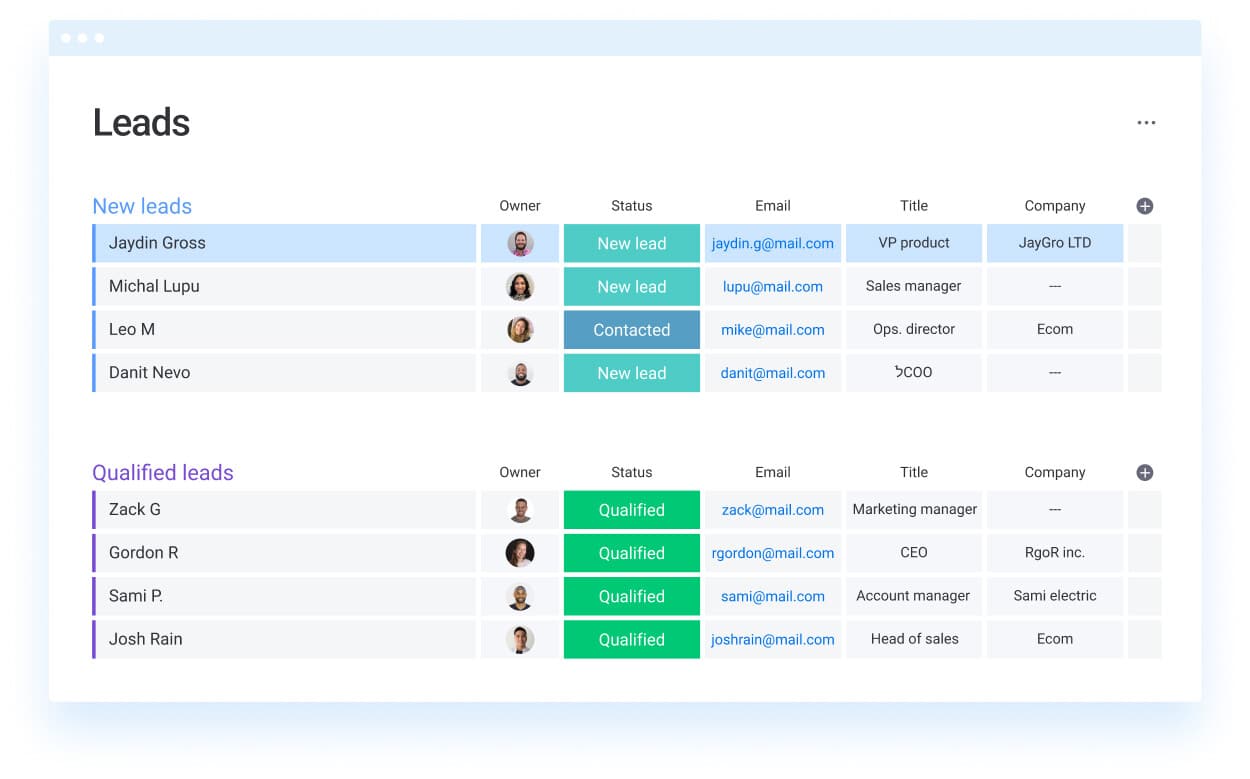
Are your reps spending too much time building quotes and not enough time in front of buyers? Manual quoting drags the sales process down. The real upside of automation isn’t just efficiency — it’s what that speed unlocks across the pipeline. Faster movement, better margin control, cleaner visibility. Here’s what that looks like in practice.
- Faster quote turnaround: The speed of your quote says a lot to a buyer. Automated quoting removes the hassle of pulling pricing and chasing approvals, so your team can send quotes in hours instead of days. While competitors are still hunting for the right template, your quote is already in the inbox.
- Centralized customer and pricing data: If one rep leaves, your deal history shouldn’t vanish with them. Centralizing quoting data eliminates scattered spreadsheets and fragmented context. Anyone on the team can step into the deal and understand what’s happening without awkward delays.
- Cross-functional collaboration: Complex deals shouldn’t stall in disconnected threads between sales, legal, and finance. Automated quoting creates a shared source of truth where teams can review, comment, and approve without jumping between tools. Revenue teams often use monday CRM to manage that workflow from start to finish, keeping every stakeholder aligned.
- Stronger margin protection: Discounting should follow a strategy, not improvisation. Automated quoting enforces your rules and routes exceptions for approval automatically. That makes every discount intentional, visible, and governed without turning managers into bottlenecks.
- Predictable forecasting and visibility: A pipeline full of verbal optimism is not a forecast. A pipeline full of sent quotes is closer to one. When quote data flows directly into the CRM, you get a real-time view of what is actually moving. Reporting gets more accurate, and guesswork starts to disappear.
By automating these steps, you remove the drag that slows revenue down. The team focuses on selling. The platform handles the operational weight.
How to choose the right quote management platform
The best quote management platform isn’t the one with the longest feature list — it’s the one that fixes the specific problems slowing your team down. Before scheduling demos, get clear on where your current process is leaking time, money, and momentum.
- Map your current quoting bottlenecks: Review the last five quotes your team sent. Where did friction show up? Those top 3 bottlenecks become your buying criteria. If a platform doesn’t solve them, it’s noise.
- Prioritize adoption over feature count: Software your team dislikes becomes shelfware. In every demo, ask: “Will my team actually want to use this every day?” A simple tool people embrace beats a bloated one they avoid.
- Confirm native integrations with your tech stack: A quoting tool that doesn’t truly connect to your CRM creates another silo. Ask whether the connection is native and 2-way. If reps still need to copy and paste data, the problem remains.
- Validate the real implementation timeline: Vendor timelines often sound better than reality. Speak with references from companies similar to yours and ask for the unfiltered version: How long did it really take before the system was live and usable?
- Evaluate total cost beyond licensing: The listed subscription price is only part of the picture. Add implementation fees, training, and consultants. Model the total spend over 3 years before comparing options on price alone.
The right platform is rarely the flashiest or the cheapest. It’s the one your team adopts, that fits cleanly into your workflow, and that starts producing results quickly.
Power your quote-to-cash workflow with monday CRM

Most quoting problems have very little to do with the quote itself. The real issues show up in the gaps between sales, legal, and finance — the places where approvals vanish, email threads multiply, and information goes stale. monday CRM closes those gaps. It ties the quote-to-cash process together in one place, so your team spends less energy chasing updates and more energy closing business.
- See where every quote stands, instantly: Replace guesswork with real visibility. A visual pipeline shows where each quote sits, from creation to signature. If legal is slowing things down, you’ll see it. If a quote has been with the buyer for a week, that becomes a coaching opportunity instead of a mystery.
- Build the sales process you actually use: Your process is specific to your business. The CRM should adapt accordingly. With a drag-and-drop builder, you can create custom approval routes, discount rules, and follow-up triggers in minutes rather than months.
- Let AI handle the busywork: Reps should spend time selling, not copying and pasting. monday CRM’s AI autofill can pull key details from RFPs and emails directly into the deal record, while the AI email assistant drafts contextual follow-ups based on deal history.
- Automate approvals and keep deals moving: Bottlenecks around approvals can quietly kill momentum. monday CRM automates the sequence so deals keep advancing. Every discount is recorded with who approved it and when, giving you a clean audit trail.
- Forecast with confidence, not hope: Waiting until the end of the week to understand pipeline health is too slow. Code-free dashboards provide a live view of quote volume, win rates, and pipeline value, all updated in real time.
- Connect sales, legal, and finance: Handoffs across teams often create the most friction in quote-to-cash. monday CRM keeps contract reviews, discount approvals, and payment tracking in one shared space.
- Keep the momentum after the sale: The process doesn’t end at closed-won. monday CRM connects post-sale work too, including onboarding, renewals, and collections. Customer-facing teams can see what was sold, and finance can track what has been paid.
- Close deals from anywhere: Revenue work doesn’t wait for a desk. With the monday CRM mobile app, reps can open a quote, review an approval, or send a follow-up from anywhere.
Winning quote-to-cash doesn’t require the most complicated process. It requires the most connected one. When pipeline, approvals, AI, and post-sale workflows work together, the gaps that slow deals down start to disappear.
Turn your quoting process into a competitive advantage
A slow, manual quoting process does more than frustrate sales teams — it costs deals. The right quote management platform eliminates disconnected spreadsheets and buried email chains, giving your reps the speed and visibility they need to send accurate, approved proposals while buyer intent is still high. When quoting connects the broader revenue lifecycle — linking sales, legal, and finance — your team can focus on relationships and closing instead of chasing approvals.
monday CRM brings your entire quote-to-cash workflow into one place, with visual pipelines, automated approvals, and AI-powered tools that remove the busywork. Stop letting quoting slow you down — turn it into a competitive advantage.
Try monday CRM
“With monday CRM, we’re finally able to adapt the platform to our needs — not the other way around. It gives us the flexibility to work smarter, cut costs, save time, and scale with confidence.”
Samuel Lobao | Contract Administrator & Special Projects, Strategix
“Now we have a lot less data, but it’s quality data. That change allows us to use AI confidently, without second-guessing the outputs.”
Elizabeth Gerbel | CEO
“Without monday CRM, we’d be chasing updates and fixing errors. Now we’re focused on growing the program — not just keeping up with it."
Quentin Williams | Head of Dropship, Freedom Furniture
“There’s probably about a 70% increase in efficiency in regards to the admin tasks that were removed and automated, which is a huge win for us.“
Kyle Dorman | Department Manager - Operations, Ray White
"monday CRM helps us make sure the right people have immediate visibility into the information they need so we're not wasting time."
Luca Pope | Global Client Solutions Manager at Black Mountain
“In a couple of weeks, all of the team members were using monday CRM fully. The automations and the many integrations, make monday CRM the best CRM in the market right now.”
Nuno Godinho | CIO at Velv
“monday.com provides developmental flexibility, operational efficiency, and data transparency — all in one place. We became a company that moved from chasing data to leading with it.”
Hyunghan Lee | Team Lead, Sandbox Network
"monday.com brought every part of our business into one connected space. The harmony between work management and CRM has become our operating system — giving us the clarity and confidence to scale.”
Jennifer Chinburg | Executive Vice President of Corporate Development & Brand, Chinburg Properties
“We just weren’t getting value from our old CRM. With monday.com, it's a thousand times better. Our sales teams are more informed, more consistent, and far more connected."
James Arnold | Chief Operating Officer, CenversaFAQs
What is the difference between quote management software and CPQ software?
The main difference between quote management software and CPQ software is complexity. Quote management software is designed to help teams create, send, and track quotes quickly. CPQ (Configure, Price, Quote) is built for highly customizable products and typically involves a heavier technical setup.
Can quote management software integrate with my existing CRM?
Yes, quote management software can integrate with your existing CRM. The strongest platforms keep deal data synchronized with your CRM through a true 2-way connection. Just make sure it’s not a one-way data dump that creates extra manual work.
What features should I prioritize when choosing quote management software?
Start with the features that solve your biggest sources of delay, whether that’s quote creation, approvals, or visibility. A platform your team actually adopts will always outperform one packed with features no one uses.
How does AI improve quote management?
AI improves quote management by reducing manual work such as data entry and follow-up drafting. It can also give reps instant context on a deal and help keep the sales process moving.
Is quote management software worth the investment for small businesses?
Yes, quote management software is often worth the investment for small businesses when manual quoting is slow or error-prone. It helps teams respond faster, reduce mistakes, and protect margins, which can allow it to pay for itself quickly.
