



Teams choose Macs for software that feels intuitive, fast, and designed with intention. Yet most CRMs feel like relics from a different decade. The typical platform treats Mac users as an afterthought, forcing clunky interfaces and Windows-style workflows onto teams who expect something smoother. The result? Reps avoid the system, data scatters across spreadsheets and a single source of truth becomes impossible.
A CRM should respect how teams actually work. That means native-feeling performance, seamless sync with Apple’s ecosystem, and visual workflows that make sense at a glance. When a platform fits naturally into the environment, adoption goes up, data stays accurate, and the pipeline becomes something teams can actually trust.
Below you’ll find 15 CRM platforms built for Mac, including native apps and browser-based options that feel right on macOS. The article reveals what separates a truly Mac-friendly experience from a generic web app, and which features actually drive adoption. Whether evaluating a first CRM or replacing one the team has quietly abandoned, these options match how Mac-first revenue teams want to sell.
Key takeaways
- Mac-friendly CRMs respect how your team works: the best platforms deliver native-feeling performance, seamless Apple ecosystem sync, and visual workflows that make sense at a glance.
- Visual workflows drive adoption: when your CRM uses drag-and-drop pipelines and color-coded boards instead of buried menus, your team actually uses it, keeping data accurate and your pipeline trustworthy.
- Break down data silos between teams: connect your sales, marketing, and customer service data so everyone works from the same customer insights instead of conflicting information.
- No-code customization puts power in your hands: adapt your CRM to match your exact sales process without waiting on IT or hiring consultants, building what you need, when you need itwith platforms like monday CRM.
- Total cost goes beyond the subscription: implementation, training, and lost productivity from clunky software often eclipse the per-user price. Choose a platform your team will actually adopt.
What makes CRM software native for Macs?
When software doesn’t align with your Mac environment, the disconnect is immediately apparent. While some applications integrate seamlessly with your system, others simply function on it without leveraging native capabilities. For example, adapting Windows-style interfaces for browser tabs often falls short of expectations. Additionally, browser-based CRMs frequently lack the system-level features that teams rely on every day.
A Mac-friendly CRM works with the platform rather than against it. Browser compatibility alone isn’t sufficient. The experience must feel native. Key elements that distinguish a genuinely Mac-optimized experience from a generic solution:
- Plays well with your system: a native-feeling app uses Touch ID, Keychain, and proper notifications. These are the system features you rely on every day. You can enjoy a seamless login experience.
- Speed that keeps up: it’s built for Apple hardware. Faster loading, smoother scrolling, better battery life. Not a browser tab hogging your resources.
- Works even when your Wi-Fi doesn’t: good apps let you work offline and sync when you’re back online. No manual catch-up. Bad reception shouldn’t kill your workflow.
While, aesthetics matter, but friction matters more. If it feels awkward or slow, your team won’t use it. A pure native app sounds great, but most revenue teams work across different systems. A fast, Mac-friendly experience can be delivered right in the browser. Everyone on the team stays in sync, no matter what OS they’re running.
A Mac-friendly CRM works with the platform rather than against it. Browser compatibility alone isn’t sufficient. The experience must feel native.
Why do Mac teams choose specialized CRM solutions?
Mac teams don’t just want a CRM that works on a Mac; they need one that feels like a Mac. Software that fights your team’s muscle memory creates workarounds. Suddenly, customer data lives in spreadsheets and notes apps, and your single source of truth is gone.
This goes beyond wasted clicks or clunky interfaces. Every moment your team spends switching between a Windows-style CRM and their Mac apps kills productivity. When teams avoid the CRM, security holes show up. Sensitive data sits unprotected outside macOS security.
High adoption means stronger data, accurate forecasts, and a transparent view of your pipeline. Built to feel intuitive, monday CRM turns a tool teams have to use into one they want to use.
15 CRM software solutions built for Mac success
Mac users expect software that integrates seamlessly with their workflow. Yet many CRM platforms deliver clunky interfaces, sluggish performance, or limited macOS optimization, creating unnecessary friction for teams that value efficiency.
CRM solutions generally fall into three categories: Mac-exclusive platforms, cross-platform systems that support multiple operating systems, and web-based applications accessible through browsers. Each approach offers distinct advantages, ultimately requiring teams to balance native Mac optimization against broader organizational flexibility.
| # | Platform | Example | Key mac features | Starting price |
|---|---|---|---|---|
| 1 | monday CRM | Teams wanting visual workflows with deep Mac integration | Native performance, Touch ID support, Apple ecosystem sync | $9/seat/month |
| 2 | Daylite | Mac-exclusive teams needing native contact management | Built exclusively for Mac, deep Apple integration | $39/user/month |
| 3 | HubSpot CRM | Growing teams needing marketing and sales in one platform | Optimized web app, Mac-friendly interface | Free tier available |
| 4 | Zoho CRM | Budget-conscious teams wanting automation | Cross-platform compatibility, mobile optimization | $14/user/month |
| 5 | Insightly | Project-based businesses linking CRM to delivery | Web-based with Mac optimization | $29/user/month |
| 6 | Freshsales | Teams prioritizing AI-powered lead scoring | Modern web interface, Mac-compatible | Free tier available |
| 7 | Agile CRM | Small businesses wanting all-in-one functionality | Browser-based with Mac support | $8.99/user/month |
| 8 | ClickUp | Teams managing projects alongside customer relationships | Native Mac app with CRM features | Free tier available |
| 9 | Pipedrive | Visual pipeline-focused sales teams | Optimized web experience for Mac | $14/user/month |
| 10 | Salesflare | Automated data entry for busy sales teams | Mac-friendly automation features | $29/user/month |
| 11 | CRM Creatio | Enterprise teams needing no-code customization | Advanced web platform, Mac compatible | Custom pricing |
| 12 | EngageBay | Marketing-heavy small businesses | All-in-one web platform | $8.99/user/month |
| 13 | Nimble | Social CRM for relationship-focused teams | Social integration, Mac browser optimization | $19/user/month |
| 14 | Maximizer | Traditional sales teams in established industries | Desktop and web options for Mac | $49/user/month |
| 15 | Pipeliner CRM | Visual sales process management | Advanced web interface, Mac support | $65/user/month |
The decision is yours: do you prioritize a native Mac feel or the freedom for your team to work on any device? With monday CRM, you get both: a true native Mac app that works beautifully, with the flexibility for anyone to collaborate, no matter what they’re running.
1. monday CRM
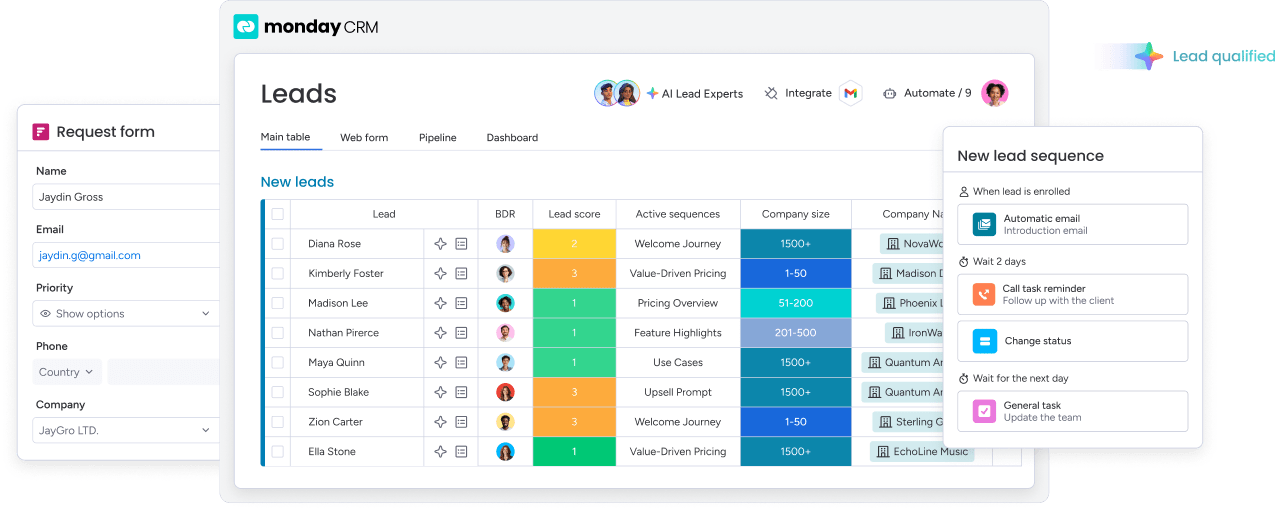
Revenue teams can run their full customer journey in one place with monday CRM, without the heavy setup. You get a visual way to manage leads, deals, accounts, and the work that happens after close, all built on the monday.com Work OS.
Because it’s browser-based, the platform fits naturally into Mac-first environments, and it still works smoothly when your team is split across different operating systems. One CRM, one source of truth, fewer “Where’s the latest update?” messages.

Example:
For teams who want to see their sales process at a glance and move deals forward without chasing updates. If your current CRM feels like a database your reps avoid, monday CRM is built to change that.
Teams run their full sales motion within monday CRM. Pull prospects from multiple sources, qualify them, and route them to the right rep. Track approvals from stakeholders like legal and finance as deals progress. Manage onboarding, renewals, and collections without losing context from the sales cycle. Everything stays connected, so nothing falls through the cracks.
Key features:
- Visual pipeline management: see where deals stand with a visual pipeline, and customize stages with drag-and-drop to match your sales cycle.
- Emails & Activities timeline: log and track interactions like emails, meetings, calls, and notes in one timeline, so anyone can get the full story fast.
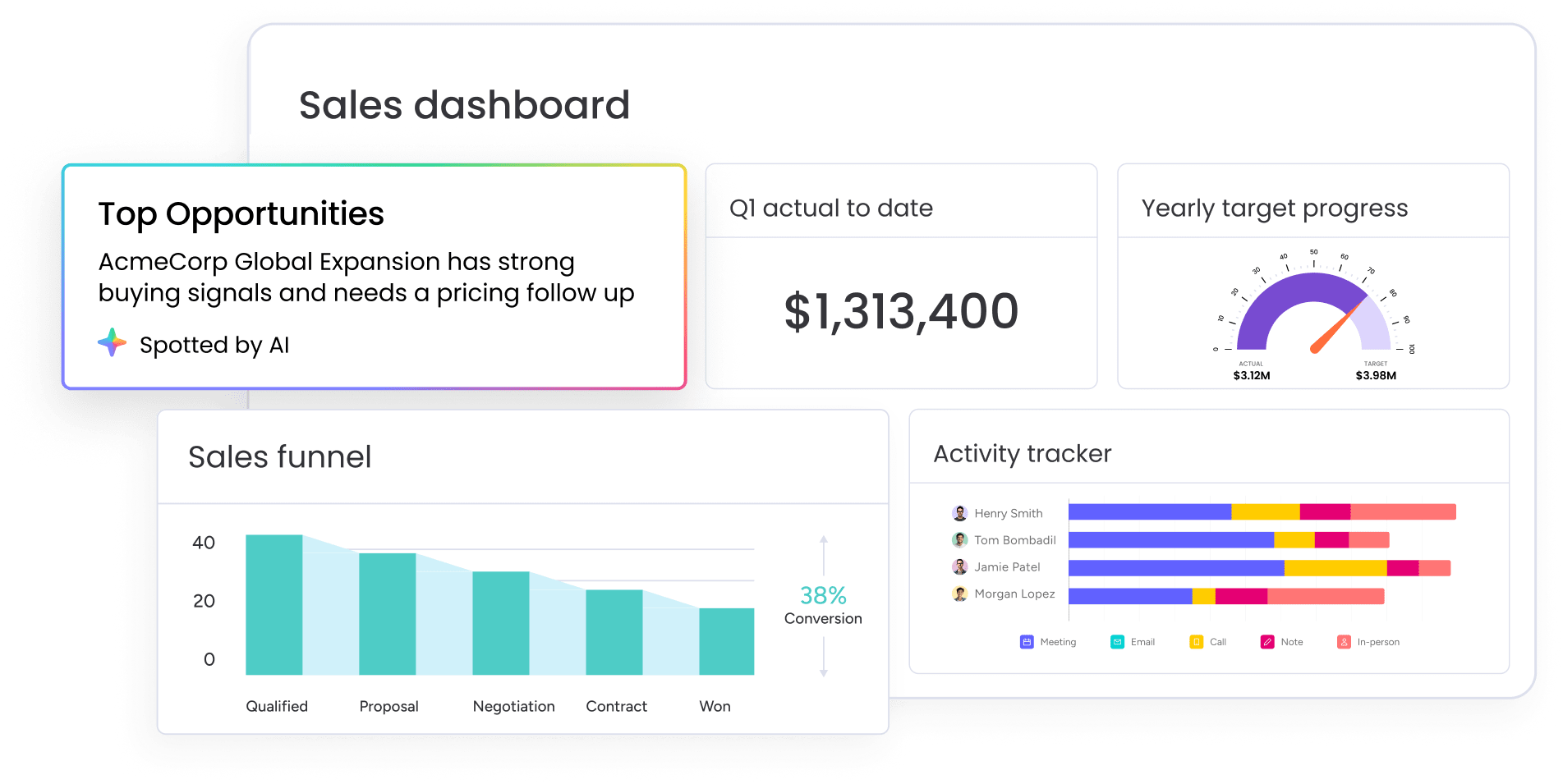
- Sales analytics dashboards: use code-free dashboards for sales analytics to track pipeline status, forecasts, team performance, and activity, with sales widgets like leaderboard and funnel.
Pricing:
- Basic: $12/user/month (annual billing).
- Standard: $17/user/month (annual billing).
- Pro: $28/user/month (annual billing).
- Enterprise: custom pricing.
- Minimum users: three users required.
- Free trial: 14 days, no credit card needed.
- AI features: billed separately after initial trial credits are used.
Why it stands out:
- A CRM you’ll actually want to use: monday CRM keeps work visual and flexible, so teams can stick to a process without feeling boxed in.
- Adaptable to any sales cycle: adjust stages, fields, and workflows as your process evolves, without turning every change into a project.
- CRM-plus, not CRM-only: go beyond deal tracking into onboarding, renewals, collections, headcount planning, and sales enablement processes, using the same customer context.
Advanced AI features:
- Timeline summary: create a short, scannable summary of your Emails & Activities timeline, including emails, calls, meetings, and notes. Great for account handoffs and “What’s happened with this customer?” moments.
- AI email assistant: compose emails directly in Emails & Activities, based on deal context, without switching tools.
- Autofill columns with AI: turn unstructured info into usable CRM data using AI actions like Extract information, Summarize, Detect sentiment, Assign label, and Assign person.
Automations:
- Automate actions based on custom conditions: trigger updates when deal details change, so handoffs and next steps happen on time.
- Automate email follow-ups: keep follow-ups consistent without relying on memory or sticky notes.
- Conditional label change: standardize updates as deals progress, so reporting stays trustworthy.
Integrations:
- One stop shop with integrations: centralize customer data, while connecting the platform to the rest of your tech stack.
- Part of a broader suite: monday CRM sits within a larger monday product suite, so teams can manage work beyond sales on the same platform.
CRM software for Macs features:
- Browser-based experience: run your CRM from your Mac browser with a consistent experience across mixed-device teams.
- Visual-first interface: manage work through boards, views, and dashboards, so pipeline status is easy to scan.
- Dedicated mobile experience: keep moving when you’re away from your desk, without losing deal context.
2. Daylite
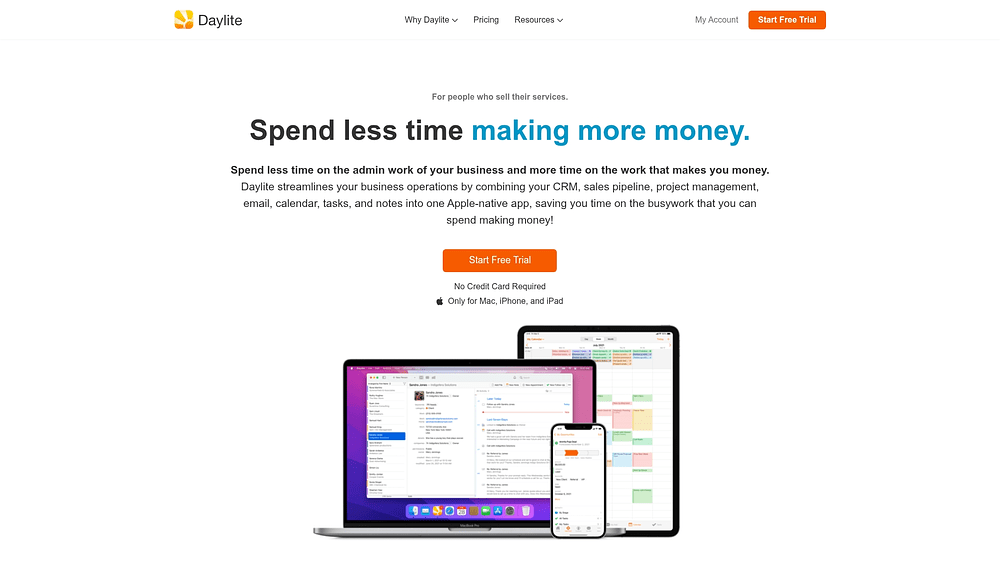
Daylite delivers Mac-exclusive CRM built specifically for Apple’s ecosystem, integrating directly with Mail, Calendar, and Contacts at the system level. The platform targets service-based businesses that live entirely within Apple’s world, offering native apps that work offline across Mac, iPhone, and iPad. With over two decades of development focused solely on Mac users, Daylite eliminates the compromises that come with cross-platform CRMs.
Example:
Apple-centric small businesses in professional services benefit most, especially those needing CRM, sales pipelines, and project management unified in one native Mac application.
Key features:
- Native Mac integration: syncs automatically with Apple Mail, Calendar, and Contacts without third-party connectors.
- Visual pipeline boards: manage both sales opportunities and project delivery with drag-and-drop stage advancement.
- Offline functionality: work across all Apple devices with full feature parity between Mac, iPhone, and iPad apps.
Pricing:
- CRM: $25/user/month (billed annually at $20.83/month).
- Sales: $40/user/month (includes CRM features, billed annually at $33.33/month).
- Projects: $40/user/month (includes CRM features, billed annually at $33.33/month).
- Business: $55/user/month (includes all features, billed annually at $45.83/month).
- Free trial: 14 days available.
- Annual billing: discounts of approximately 16-17%.
Considerations:
- Mac-only limitation: prevents Windows or Android users from accessing the system.
- Premium pricing: may exceed budget constraints for smaller teams compared to cross-platform alternatives.
3. HubSpot CRM
HubSpot CRM delivers an all-in-one customer platform that combines sales, marketing, and service capabilities in a single interface. Scaling companies benefit from its unified Smart CRM approach, particularly teams that need integrated marketing automation alongside their sales processes. With over 267,000 customers globally and a robust free tier, HubSpot has established itself as a go-to solution for Mac teams seeking comprehensive customer management.

Example:
HubSpot CRM excels for Mac teams that need to align sales and marketing efforts through visual workflows, AI-powered automation, and comprehensive customer journey tracking across multiple touchpoints.
Key features:
- Visual workflow builder: AI-assisted automation across contacts, deals, and marketing campaigns.
- Smart CRM: unified customer data spanning sales, marketing, and service interactions.
- Extensive integration marketplace: 1,700+ connected apps and native Mac browser optimization.
Pricing:
- Free: $0/month with core CRM functionality and basic automation.
- Starter: $15/month per seat with enhanced features and increased limits.
- Professional: $1,450/month (includes five seats) with advanced automation and custom reporting.
- Enterprise: $4,700/month (includes seven seats) with full workflow capabilities and premium support.
- Additional costs: may include marketing contact overages, onboarding fees, and HubSpot Credits for AI features.
Considerations:
- Web-based approach: lacks native Mac features like Touch ID authentication and Keychain integration.
- Advanced workflow capabilities: require Professional or Enterprise tiers, limiting automation options for smaller teams.
4. Zoho CRM
Zoho CRM delivers comprehensive sales automation at budget-friendly prices for Mac teams who need powerful features without the enterprise price tag. Visual workflow automation combines with extensive customization options, making it ideal for growing businesses that want to scale their sales processes efficiently.

Example:
Zoho CRM excels for Mac teams seeking robust automation capabilities and visual process management through Blueprint workflows and CommandCenter journey orchestration at competitive pricing tiers.
Key features:
- Visual Blueprint workflows: enforce process compliance with state-machine logic and mandatory transition requirements.
- CommandCenter journey orchestration: design and analyze cross-functional customer journeys with unified visibility.
- Extensive automation: streamline work through workflow rules, email sequences, and lead scoring systems.
Pricing:
- Free: $0/month (up to three users).
- Standard: $14/month per user (billed annually).
- Professional: $23/month per user (billed annually, includes Blueprint).
- Enterprise: $40/month per user (billed annually, includes CommandCenter).
- Ultimate: $52/month per user (billed annually).
- Annual billing: saves up to 34% compared to monthly plans.
- Premium support: available at 20% of subscription cost.
- Enterprise support: 25% of subscription (minimum 50 users).
Considerations:
- Steep learning curve: extensive feature set and configuration requirements can overwhelm Mac teams expecting intuitive interfaces.
- Web-based experience: lacks Mac-specific optimization and may feel unfamiliar to users accustomed to native Mac application conventions.
5. Insightly
Insightly combines CRM and project management into a single platform, designed for Mac teams who need to track deals from initial contact through project delivery. This web-based platform targets project-driven businesses, such as agencies and consultancies, that require seamless data flow between sales and delivery teams. The integrated approach eliminates manual handoffs that can slow down revenue operations.

Example:
Project-based businesses get a clear view of the entire customer lifecycle, from initial sales chats to final project handoff, without juggling a dozen different apps.
Key features:
- Integrated CRM and project management: links customer records directly to delivery tasks.
- Visual journey builder: drag-and-drop marketing automation (note: standard CRM workflow automation is rules-based, not visual).
- AppConnect integration platform: no-code tool to link business apps (separately priced, task-metered add-on).
Pricing:
- CRM Plus: $29/user/month (billed annually).
- CRM Professional: $49/user/month (adds workflow automation, billed annually).
- CRM Enterprise: $99/user/month (adds advanced features like audit logging, billed annually).
- AppConnect integration: starts at $249/month for 25,000 tasks. This is an add-on and requires a one-time $3,000 technical setup.
- All-in-One bundles: start at $349/month, but budget for the required extras: premier support (20% of your license cost, with a $3,000/year minimum) and a $1,500 onboarding fee.
Considerations:
- Combined focus may be excessive: the CRM-project management approach can be overkill for teams who just need straightforward customer relationship management.
- Limited native Mac integration: web-only approach restricts deep Apple ecosystem integration that Mac users expect.
6. Freshsales
Freshsales delivers AI-powered lead scoring and unified communication tools that work seamlessly on Mac browsers. Growing teams who want automated lead qualification without the complexity of enterprise CRMs will find it particularly useful. Built-in phone, email, and chat capabilities eliminate the need for multiple communication platforms.

Example:
Teams prioritizing automated lead qualification and integrated communication tools benefit from Freshsales’ AI lead scoring, which helps Mac teams focus on high-value opportunities without manual analysis.
Key features:
- AI-powered lead scoring: identify high-value prospects automatically with predictions that prioritize your pipeline.
- Built-in phone and email tools: reduce platform switching with communication features right inside the CRM.
- Visual sales pipeline: streamline deal management with workflow automation and clear pipeline views.
Pricing:
- Free: $0 (up to three users).
- Growth: $9/user/month (billed annually).
- Pro: $39/user/month (billed annually).
- Enterprise: $59/user/month (billed annually).
- AI features: advanced automation require higher-tier subscriptions.
- Free trial: 21 days available.
Considerations:
- Web-based limitations: the interface lacks native Mac integration and offline functionality.
- AI behind a paywall: automation capabilities on the free tier are limited without paid subscriptions.
7. Agile CRM
Agile CRM delivers all-in-one sales, marketing, and service functionality through a single platform accessible on Mac browsers. Small businesses with tight budgets who want comprehensive CRM features without juggling multiple subscriptions will appreciate its approach. While the low pricing makes it attractive for Mac-based teams, the dated interface and limited native Mac optimization may frustrate users expecting polished macOS experiences.

Example:
Small businesses seeking comprehensive CRM, marketing automation, and helpdesk functionality in one affordable package without requiring separate platform subscriptions.
Key features:
- Visual campaign builder: drag-and-drop automation workflows spanning marketing, sales, and service operations.
- Built-in telephony integration: connect with third-party services like Twilio and RingCentral for voice and SMS campaigns.
- Contact management: deal tracking, email marketing, helpdesk ticketing, and appointment scheduling capabilities.
Pricing:
- Free plan: up to ten users with limited features.
- Starter: $8.99 per user per month.
- Regular: $29.99 per user per month.
- Enterprise: $47.99 per user per month.
- Email volume add-ons: available for higher monthly sending limits.
- SMS functionality: requires separate gateway accounts with additional costs.
Considerations:
- Outdated interface design: feels dated compared to modern Mac applications, potentially frustrating users accustomed to polished macOS experiences.
- Plan-level restrictions: workflow complexity caps on campaign workflows, nodes per campaign, and automation rules may require upgrades for growing teams.
8. ClickUp
ClickUp combines project management with CRM functionality in a single Mac-native platform, targeting teams that want to eliminate app switching. The “everything app” approach consolidates tasks, customer data, and visual workflows under one subscription. Teams already managing projects on ClickUp can add CRM capabilities without learning a separate system.

Example:
Project-focused teams that need CRM functionality without the overhead of managing multiple platforms or complex integrations will find ClickUp particularly valuable.
Key features:
- Native Mac application: cross-platform team compatibility lets everyone collaborate regardless of their operating system.
- Customizable CRM views: integrate customer data with project management workflows in one unified workspace.
- Visual workflow tools: use whiteboards, mind maps, and Gantt charts to plan and track work visually.
Pricing:
- Free Forever: basic features with usage limits.
- Unlimited: $7/user/month (billed annually).
- Business: $12/user/month (billed annually).
- Enterprise: custom pricing (contact sales).
- Annual billing: saves up to 30% on core plans.
- AI features: available as separate add-ons with pay-as-you-go credits.
Considerations:
- Customization overload: extensive options can overwhelm teams seeking straightforward CRM functionality.
- Project management first: CRM features remain secondary to the core offering, which may not suit sales-focused teams.
9. Pipedrive
Pipedrive transforms sales management through visual pipeline boards that show exactly where every deal stands. Built by salespeople for salespeople, this platform focuses on activity-based selling that keeps teams moving deals forward instead of getting stuck in administrative tasks.
The Kanban-style interface also makes it simple for Mac teams to track progress and spot bottlenecks at a glance.

Example:
Small to medium-sized sales teams that need visual deal tracking and automated workflows without the complexity of enterprise platforms.
Key features:
- Visual pipeline management: drag-and-drop deal progression keeps your sales process moving forward.
- Activity-based selling methodology: prioritize actions over stages to focus on what actually closes deals.
- Workflow automation: use triggers, delays, and conditional logic to streamline repetitive tasks.
Pricing:
- Lite: $14/month (billed annually) — core pipeline management and AI-powered reporting.
- Growth: $39/month (billed annually) — adds email sync, automations, and forecasting.
- Premium: $59/month (billed annually) — includes lead generation, custom scoring, and AI tools.
- Ultimate: $79/month (billed annually) — full suite with enhanced security and phone support.
- Annual billing: saves up to 42% compared to monthly rates.
- Add-ons available: Projects ($6.67/month), Campaigns ($13.33/month), LeadBooster ($32.50/month).
Considerations:
- Web-based interface: lacks native Mac integration and offline functionality.
- Workflow builder: uses step-based sequences rather than visual flowcharts, which may feel limiting for complex automation needs.
10. Salesflare
Salesflare automates data entry by pulling information from email, calendars, and other sources, cutting down the manual work that slows Mac teams down. Small B2B sales teams that need powerful CRM functionality without the configuration headache will appreciate its approach. Email integration syncs directly with Gmail and Outlook to track communications automatically, keeping your pipeline up to date with zero effort.

Example:
Small sales teams that want to minimize manual data entry while maintaining accurate CRM data without dedicating time to administrative tasks.
Key features:
- Automated data entry: pull information from email and calendar automatically to keep your CRM current without manual work.
- Contact enrichment: get company and contact details filled in automatically, so you spend less time researching.
- Email tracking and templates: monitor engagement and use templates to speed up outreach while managing your pipeline.
Pricing:
- Growth: $29/user/month (annual) or $39/month (monthly).
- Pro: $49/user/month (annual) or $64/month (monthly).
- Enterprise: $99/user/month (annual) or $124/month (monthly), 5-user minimum.
- Additional lead credits: 250 for $39, 500 for $69, 1000 for $129 per month.
- Free trial: 30 days available for all plans.
Considerations:
- Web-based limitations: the interface lacks native Mac integration and the feature set remains more limited than enterprise-focused alternatives.
- Simplicity trade-offs: Mac teams seeking extensive customization or advanced features may find Salesflare’s streamlined approach limiting for complex workflows.
11. CRM Creatio
CRM Creatio delivers no-code workflow automation for enterprise Mac teams who need complex process customization without developer resources. BPMN 2.0 visual modeling combines with full CRM capabilities, targeting mid-market and enterprise organizations. Its composable architecture and governance automation make it a solid choice for teams managing intricate sales processes across multiple departments.

Example:
Enterprise organizations with complex sales workflows requiring extensive customization and process automation without heavy IT involvement.
Key features:
- No-code BPMN 2.0 workflow builder: design and execute visual processes without developer resources.
- Dynamic Case Management: handle unstructured, human-centric work processes with flexibility.
- AI-powered Copilot: get automated workflow suggestions and optimization recommendations.
Pricing:
- Studio Creatio Free: visual BPMN modeling and collaboration.
- Growth platform: starting around $25/user/month.
- Enterprise platform: around $55/user/month.
- CRM applications: $15/user/month per app (Sales, Marketing, Service).
- AI packages: $5,000 to $125,000 annually based on usage volume.
- Support packages: mandatory 10% (Business) or 20% (Premium) of subscription cost.
Considerations:
- Steep learning curve: complexity can overwhelm teams seeking simple CRM functionality.
- Higher total cost of ownership: mandatory support packages and enterprise-focused pricing structure add up.
12. EngageBay
EngageBay combines marketing automation with CRM functionality in an all-in-one platform accessible through Mac browsers. Low pricing targets small businesses needing email marketing, landing pages, and CRM features without multiple subscriptions. The breadth of features can create complexity for teams seeking focused CRM functionality.

Example:
Marketing-heavy small businesses that need integrated email campaigns, landing pages, and customer relationship management in one consolidated platform.
Key features:
- Email marketing automation: build visual workflows spanning marketing, sales, and support with drag-and-drop simplicity.
- Landing page builder: capture leads and sync them directly to your CRM contact management system.
- Helpdesk and live chat: automate tickets and manage cross-departmental workflows in one place.
Pricing:
- Free: $0/month (250 contacts, basic functionality).
- Basic: $14.99/user/month (500 contacts, all-in-one suite).
- Growth: $64.99/user/month (5,000 contacts, advanced automation).
- Pro: $119.99/user/month (50,000 contacts, unlimited workflows).
- Annual billing: offers 8% discount.
- Biennial billing: provides 15% savings.
Considerations:
- Web-based limitations: the interface lacks Mac-specific optimization and the marketing focus may exceed requirements for teams needing only CRM functionality.
- Workflow restrictions: automation limits vary by plan, with node restrictions that can constrain complex sales processes.
13. Nimble
Nimble delivers social CRM capabilities that blend traditional contact management with social media intelligence. Relationship-focused teams who prioritize social engagement alongside sales activities will find it particularly useful, especially businesses that build connections through multiple touchpoints.

Example:
Small businesses and teams using Microsoft 365 or Google Workspace who want unified contact management with social profile enrichment and browser-based prospecting capabilities.
Key features:
- Social media integration and contact intelligence: enrich contacts with social profiles using the Nimble Prospector browser extension.
- Visual workflow management: organize work with Kanban boards and customizable templates across departments.
- Email sequences and stage-based automations: trigger tasks, notes, and follow-ups automatically as deals progress.
Pricing:
- Business plan: $24.90/month per user (annual billing) or $29.90/month (monthly).
- Includes: 25,000 contacts per account and 2 GB storage per seat.
- Add-ons: email marketing engine ($15/month), web forms ($12/month), extra automations ($10/month for 25 additional).
Considerations:
- Browser-based approach: lacks native Mac integration compared to dedicated desktop applications.
- Social CRM focus: may not align with teams prioritizing traditional sales processes over social engagement.
14. Maximizer
Maximizer delivers comprehensive CRM functionality for established businesses that need proven stability over flashy interfaces. 35+ years in the market translates to deep feature sets and industry-specific versions, particularly for financial services teams. Mac users get both desktop and web access options, though the interface feels more functional than modern.

Example:
Traditional businesses in regulated industries like financial services that prioritize comprehensive features and compliance over contemporary design aesthetics.
Key features:
- Native Kanban boards: drag and drop opportunities, cases, and accounts across visual boards to keep work moving.
- Industry-specific editions: get tailored workflows built for financial services and professional services teams.
- Deep Microsoft ecosystem integration: connect with Outlook add-ins, Teams extensions, and Power Automate for seamless workflow.
Pricing:
- Base: $65/user/month (annual billing), three-user minimum.
- For Sales Leaders: $79/user/month (annual billing), five-user minimum.
- Financial Services: $79/user/month (annual billing), three-user minimum.
- On-Premise: custom pricing available.
- Annual billing: required, with multi-year prepayment discounts available.
Considerations:
- Dated interface design: feels outdated compared to modern CRM platforms, requiring significant training investment for teams.
- Limited self-service automation: complex workflow automation requires Maximizer’s services team to configure custom rules.
15. Pipeliner CRM
Pipeliner CRM transforms complex sales processes into visual workflows that actually make sense. Advanced pipeline visualization and sales methodology integration make it ideal for Mac teams managing multi-stage deals. With its no-code Automatizer engine and visual-first approach, Pipeliner turns sales complexity into visual simplicity.

Example:
Teams managing complex, multi-stage sales processes requiring detailed pipeline visualization and sales methodology alignment benefit from Pipeliner’s visual approach to deal flow and process improvements.
Key features:
- Advanced pipeline visualization: see deals through multiple view modes with visual cognition design that makes complex sales processes easier to understand.
- No-code Automatizer workflow builder: create custom automations with manual processes and conditional logic without writing code.
- Sales methodology integration: align your process with visual targets and Navigator dashboards that keep teams focused on what matters.
Pricing:
- Starter: $65/user/month (billed annually) or $75/month (billed monthly).
- Business: $85/user/month (billed annually) or $100/month (billed monthly).
- Enterprise: $115/user/month (billed annually) or $130/month (billed monthly).
- Unlimited: $150/user/month (billed annually) or $165/month (billed monthly).
- Minimum users: three users required for Starter plan.
- Free trial: 14 days, no credit card required.
- Automatizer workflow engine: available as paid add-on.
Considerations:
- Premium pricing: may exceed budget constraints for smaller Mac teams.
- Web-based interface: lacks native Mac integration despite visual design philosophy.
Mac CRM features that drive team adoption
A CRM that teams avoid using becomes little more than an underutilized database. When teams actively engage with their CRM, it transforms into a strategic asset. The most effective platforms streamline workflows and enhance productivity, particularly for teams operating within the Mac ecosystem.
When your team invests more time maintaining the CRM than advancing sales opportunities, the platform is failing its core purpose. Features that drive adoption deliver immediate value, reduce administrative overhead, and integrate naturally with Mac workflows.
Designed to prioritize action over administration, monday CRM provides visual workflows, seamless synchronization, and no-code customization tools that transform it into a platform teams genuinely want to use.
Visual pipeline management and drag-and-drop simplicity
For Mac users, interaction with a system should feel natural and straightforward. The same principle applies to a CRM. Pipelines buried in text and dropdown menus hinder workflow and reduce efficiency.
Moving a deal from “Proposal Sent” to “Negotiation” should be seamless, without unnecessary forms or extra clicks. Eliminating these obstacles allows sales teams to focus on their objectives rather than navigating cumbersome interfaces.
When a CRM aligns with natural workflows, pipelines remain accurate, and teams maintain focus. This is not a matter of convenience — it is an effective design that supports productivity and clarity.
Offline access and seamless device synchronization
Deals don’t just move forward at a desk. They happen on a train, in a coffee shop, or right after a client meeting. A CRM that only works online doesn’t work for a sales team on the move.
Update a contact on your iPhone, and it’s instantly on your MacBook. No double entry, no “Did I remember to sync that?” It just works. That’s the standard Apple set, and anything less is a step backward.
Deep integration with mail, calendar, and contacts
A great CRM doesn’t just talk to your other tools; it works with them. The difference between a single, unified workspace and a dozen open tabs fighting for your attention is enormous.
Stop the copy-paste madness. Calendar, email, and contacts all in sync with your deal flow means one source of truth. With monday CRM, teams can ditch the manual work and focus on the conversation, not the data entry.
No-code customization for non-technical teams
Your sales process isn’t set in stone, so why should your CRM be? Waiting weeks for IT to add a new field or tweak a workflow kills momentum. No-code puts the power back in your team’s hands.
Adapt your CRM to fit exactly how you sell, not the other way around. Whether you’re a SaaS team with a fast cycle or a manufacturer with complex deals, you can build what you need.
Powerful tools should be accessible to everyone. You shouldn’t need a computer science degree to customize your workspace.
When your team invests more time maintaining the CRM than advancing sales opportunities, the platform is failing its core purpose. Features that drive adoption deliver immediate value, reduce administrative overhead, and integrate naturally with Mac workflows.
The real cost of a CRM for Mac teams
The per-user subscription represents only the initial investment; moreover, implementation costs, data migration expenses, and training requirements frequently exceed the base software price.
As a result, a seemingly affordable CRM can quickly generate additional expenses, including consultant fees, extended training periods, and complex integration work. Ideally, data migration should be straightforward rather than a resource-intensive undertaking.
Fortunately, monday CRM is designed with simplicity in mind. Its visual interface is optimized for macOS environments, which minimizes training requirements and, in turn, allows teams to focus on revenue-generating activities.
Software costs vs. total investment
| Team size | Software cost (annual) | Implementation | Training | Total first year |
|---|---|---|---|---|
| 5-10 users | $1,800-$3,600 | $2,000-$5,000 | $1,000-$2,000 | $4,800-$10,600 |
| 25-50 users | $9,000-$18,000 | $10,000-$25,000 | $5,000-$10,000 | $24,000-$53,000 |
| 100+ users | $36,000-$72,000 | $50,000-$150,000 | $20,000-$50,000 | $106,000-$272,000 |
These ranges shrink when you choose a platform with an intuitive design that your team actually wants to use. No-code customization also means you can skip the expensive consulting fees and adapt the platform yourself.
4 steps to a faster path to adoption
A typical rollout need not extend to six months. Here’s a more efficient path to getting your team operational:
- Plan and configure (2–4 weeks): define your workflows and set up automations before anyone logs in.
- Test with a pilot group (2–4 weeks): let a small team kick the tires, find what works, and refine the setup.
- Roll out and train (4–8 weeks): get everyone on board with a system you’ve already proven with real usage.
- Optimize as you go (ongoing): keep refining your setup based on team feedback, not a dusty old manual.

“With monday CRM, we’re finally able to adapt the platform to our needs — not the other way around. It gives us the flexibility to work smarter, cut costs, save time, and scale with confidence.”
Samuel Lobao | Contract Administrator & Special Projects, Strategix
“Now we have a lot less data, but it’s quality data. That change allows us to use AI confidently, without second-guessing the outputs.”
Elizabeth Gerbel | CEO
“Without monday CRM, we’d be chasing updates and fixing errors. Now we’re focused on growing the program — not just keeping up with it."
Quentin Williams | Head of Dropship, Freedom Furniture
“There’s probably about a 70% increase in efficiency in regards to the admin tasks that were removed and automated, which is a huge win for us.“
Kyle Dorman | Department Manager - Operations, Ray White
"monday CRM helps us make sure the right people have immediate visibility into the information they need so we're not wasting time."
Luca Pope | Global Client Solutions Manager at Black Mountain
“In a couple of weeks, all of the team members were using monday CRM fully. The automations and the many integrations, make monday CRM the best CRM in the market right now.”
Nuno Godinho | CIO at VelvAI that works like your Mac: fast, smart, and out of the way
Mac users expect software that integrates seamlessly into their workflow. Similarly, AI capabilities within your CRM should function as a natural extension of the platform rather than as a disconnected feature. By doing so, effective AI removes obstacles and enables teams to focus on high-value activities.
Intelligence that operates within your existing workflow eliminates the need for additional tools. For example, it can draft follow-up emails, identify at-risk deals, and populate data fields automatically, thereby allowing your team to concentrate on advancing sales opportunities.
Automation that actually adapts
Traditional CRM automation tends to be rigid. Even a small process change can break workflows, leaving your team with extra maintenance work. In contrast, AI-powered automation can learn from your team and adapt on the fly.
With monday CRM, you can build powerful automations using plain English instead of complex code. Consequently, less time is spent fixing broken workflows, leaving more time for closing deals.
Add intelligence, not interruptions
Most CRMs force an all-or-nothing approach to AI, leaving you with a bloated system full of features you’ll never touch. Adding intelligence only where you need it, without the extra noise, makes more sense.
With monday CRM, you can add specific AI capabilities right into your workflows:
- See what customers really mean: instantly analyze sentiment in emails to prioritize your responses.
- Kill manual data entry: pull key details from documents and communications automatically.
- Build custom workflows: describe a process in plain language and let AI create the logic for you.
Insights that keep up with you
Guessing if you’ll hit your number is a terrible feeling. Predictive analytics give you a real forecast, not a gut feeling, so you can stop wondering and start acting.
Running locally on Apple Silicon delivers instant insights without network lag. See which deals are likely to close, which are at risk, and what to do next, right inside your pipeline. Fast, secure, and actionable.
Selecting the right CRM for your Mac environment
Mac-first teams choose their hardware for a reason: they value performance, design, and seamless integration. Yet many CRM platforms deliver suboptimal experiences on macOS, treating Mac users as secondary considerations. The result is often a sluggish interface that drives teams back to spreadsheets and disconnected workflows.
Selecting an incompatible CRM for a Mac-centric team creates more than minor friction: it undermines productivity and adoption. The right platform should align with your team’s natural workflows and technical environment. Understanding which features truly support Mac users helps distinguish genuinely optimized solutions from superficial compatibility claims.
What to look for in a Mac-friendly CRM
Not all CRMs are created equal when it comes to Mac compatibility. Some platforms claim to work on Mac but deliver clunky experiences that slow your team down. Others integrate so seamlessly that your reps forget they’re even using a separate tool. The difference comes down to a few critical factors that separate truly Mac-optimized platforms from generic web apps dressed up for Apple users.
- Performance that feels native: does it run smoothly, or are you constantly staring at a spinning beach ball? A great web experience can feel just as fast and fluid as a native app.
- Plays well with Apple: how deep does the integration go? It should sync with Mac Mail, Calendar, and Contacts without a fight, not create more data entry.
- An interface your team will use: if it doesn’t look and feel like a Mac app, your team won’t touch it. For Mac users, intuitive design isn’t a bonus; it’s a requirement.
- Customization without the code: can you adapt workflows on the fly? You shouldn’t need a developer just to add a new pipeline stage.
- Works anywhere, even offline: your iPhone and iPad apps should be just as powerful as the desktop version. Full offline access means work doesn’t stop when the wifi does.
- Security you can trust: a good CRM should work with native macOS security features, not against them.
- The real cost of ownership: look beyond the sticker price. A clunky, hard-to-use CRM costs you far more in lost time and frustrated reps than you’ll ever save on a subscription.
Handling mixed Mac and Windows teams
What if your organization is split? Forcing Mac users onto a platform built for Windows is a recipe for failure. The key is a CRM with a powerful, consistent web experience that works beautifully on any operating system.
This approach gives your Mac users the fluid performance they expect, while ensuring Windows users get the same functionality. No compromises, no one left behind. Acknowledge the small differences during training instead of pretending they don’t exist; your team will thank you for it.
Zero-touch deployment possibilities
Mac users expect technology to work right out of the box. Your CRM should be no different. Cloud-based platforms with guided setups get you past the technical hurdles and straight to the good part: running your business.
On this front, monday CRM delivers. Intuitive design and automated configuration mirror that classic Apple philosophy of unboxing and getting started in minutes, not days. A CRM that finally lets your Mac team work the way they want.
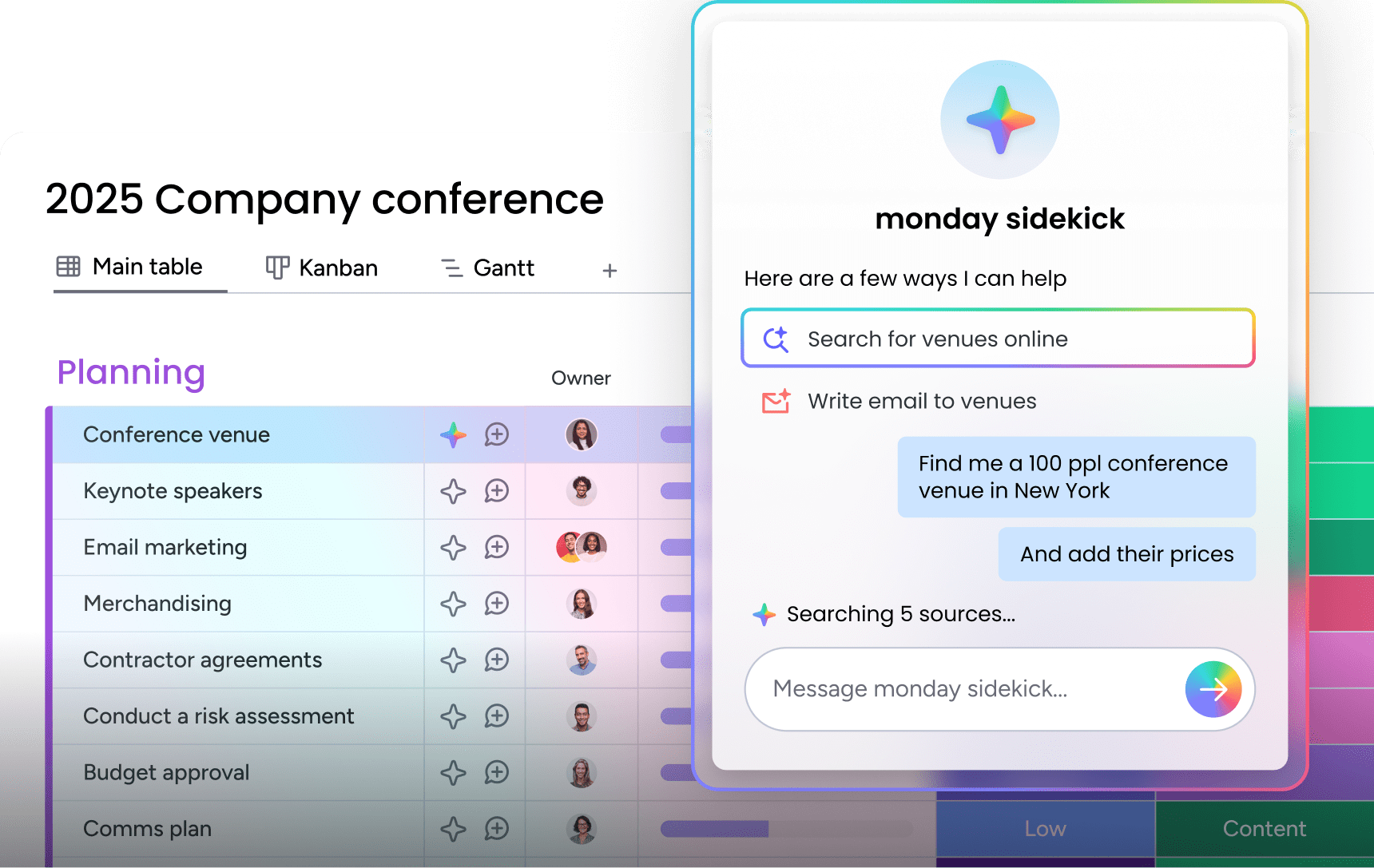
Modern your Mac team's revenue operations with monday CRM
Your team runs on Macs for a reason: you value clean design and software that just works. Why should your CRM feel like a relic from a different era? Built for revenue teams who refuse to settle for clunky, complicated software, monday CRM delivers exactly that.
Visual pipelines that make sense at a glance and AI tools that cut down on manual work. A CRM that feels less like a database and more like the intuitive software you already love to use.
Visual workflows that just click
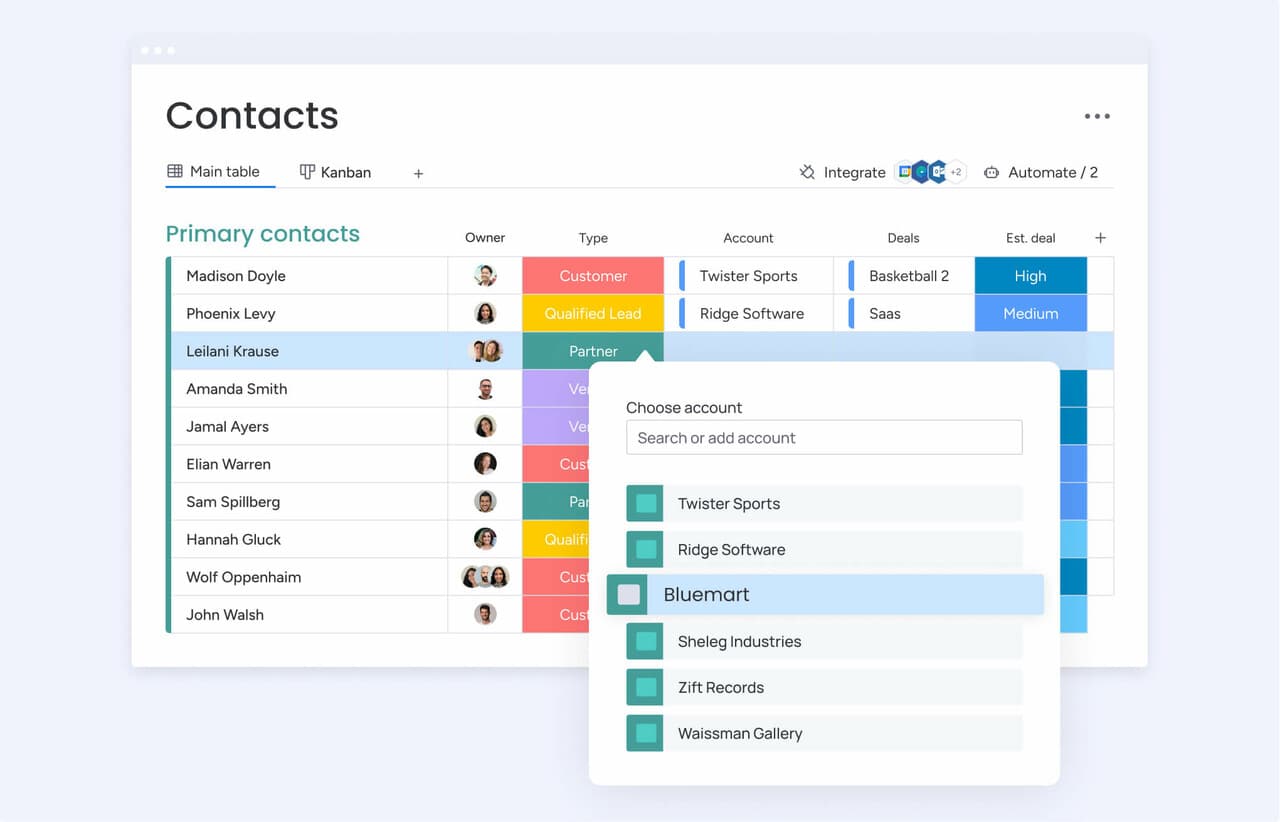
Stop wrestling with endless forms and text-heavy menus. Manage your pipeline with simple drag-and-drop boards and see deal health instantly with color-coded cues using monday CRM. Designed to keep you selling, not stuck doing data entry.
Customize your boards to match how your team actually sells, not how a rigid system tells you. Build dashboards that show you what’s working in real time, all without calling IT. Visibility and control, finally realized.
AI that actually helps, no PhD required
Our AI works right where you do, no extra tabs or complex commands needed. Draft professional emails in seconds based on deal context and get the highlights from long conversation threads instantly. Like having an assistant who’s always on top of things.
This isn’t about replacing your team’s voice; it’s about giving them back their time. Spend less energy on repetitive tasks and more on building relationships and closing deals. AI that makes a real difference.
Scale without the growing pains
Select a platform that scales alongside your business, from initial deals through enterprise-level operations. As your needs evolve, monday CRM adapts without forcing costly migrations or system overhauls. The following comparison highlights key differentiators:
| Capability | monday CRM | HubSpot | Salesforce | Pipedrive |
|---|---|---|---|---|
| Mac-native performance | Optimized web experience with native-like responsiveness | Web-based with Mac browser optimization | Web-based, no Mac-specific optimization | Web-based with standard browser support |
| Visual workflow design | Drag-and-drop pipeline boards with customizable views | Pipeline visualization with limited customization | Configurable but complex interface | Visual pipeline focus with simpler customization |
| AI automation capabilities | Email composition, timeline summaries, data extraction, custom actions | Marketing automation focus, limited sales AI | Extensive AI through Einstein, requires configuration | Basic automation, limited AI features |
| Apple ecosystem integration | Works with Mac browsers, iOS apps available | Web-based access, iOS mobile apps | Web-based access, iOS mobile apps | Web-based access, iOS mobile apps |
| No-code customization | Visual builders for fields, automations, dashboards | Template-based customization with some flexibility | Extensive customization requires technical expertise | Limited customization, focused simplicity |
| Implementation complexity | Simplified setup with templates and guided configuration | Moderate complexity, marketing integration adds overhead | High complexity, typically requires consultants | Low complexity, quick setup |
| Total cost of ownership | Transparent pricing, minimal implementation costs | Free tier available, costs increase with features | High software and implementation costs | Competitive pricing, limited advanced features |
Enterprise-level power without the enterprise-level headaches. A CRM built for today’s Mac teams, not yesterday’s IT departments.
Building a revenue stack that feels like home
Mac teams have always had to choose between software that feels right and software that checks the corporate boxes. Forcing your team onto a clunky, Windows-first platform just to get a few extra features is a trade-off you don’t have to make anymore. The best CRM is the one your team actually uses, and that starts with an experience that respects how they work.
Prioritizing visual workflows, native-feeling performance, and flexibility gives your team a tool that accelerates their momentum instead of killing it. Whether you need deep ecosystem integration or a flexible web platform that works everywhere, the goal remains the same: less friction, more closing.
Take a hard look at your current setup. If your reps are fighting the software more than they’re fighting for deals, it’s time for a change. You get the power to build a process that fits your team perfectly with monday CRM, so you can stop managing software and start growing revenue.
Frequently asked questions
Can I use CRM software offline on my Mac?
Whether you can use CRM software offline on a Mac depends on the platform. Native apps often work fully offline, while web-based CRMs typically require an internet connection for most features.
How does CRM software integrate with other Mac productivity apps?
CRM software integrates with Mac apps like Mail and Calendar through direct connections or APIs, ranging from basic data imports to full, automatic two-way sync.
What's the typical implementation timeline for Mac CRM deployment?
The typical implementation timeline for a Mac CRM is 3-6 months, but intuitive, no-code platforms can reduce this to just a few weeks depending on your team's size and needs.
Do Mac CRMs support Touch ID and Face ID authentication?
Yes, native Mac CRMs can support Touch ID and Face ID for secure biometric login, while web-based CRMs often rely on passwords or single sign-on (SSO) integrations.
How do CRM costs compare between Mac-native and web-based options?
Mac-native CRMs often have premium pricing, while flexible, web-based CRMs offer a wider range of costs, from free tiers to enterprise plans based on your team's needs.
Can Mac CRM software handle mixed Mac and Windows teams?
Yes, web-based CRMs work seamlessly for mixed Mac and Windows teams by providing the same experience on any operating system, while Mac-native apps may offer limited functionality for Windows users.
How does monday CRM's AI help Mac teams save time on daily tasks?
The AI in monday CRM helps Mac teams save time by automating email writing, summarizing conversations, and letting users create custom automations with simple text prompts.
What makes monday CRM different from other Mac-compatible CRMs?
The difference with monday CRM is that it combines intuitive, visual workflows with powerful AI and no-code customization, giving Mac teams a flexible platform they will actually use.

 Get started