



The best business development opportunities often hide in plain sight: a referral source that never got followed up, a client relationship one practice group doesn’t know exists, or a high-value lead that slipped through because no one owned the next step. When client intelligence stays scattered across inboxes and spreadsheets, growth becomes harder than it needs to be.
This guide compares 14 CRM platforms built to help law firms capture more opportunities, respond faster, and turn relationships into revenue. You’ll see how each platform handles intake, where AI creates real leverage, and what features actually drive adoption across attorneys and staff.
Why law firms need a CRM
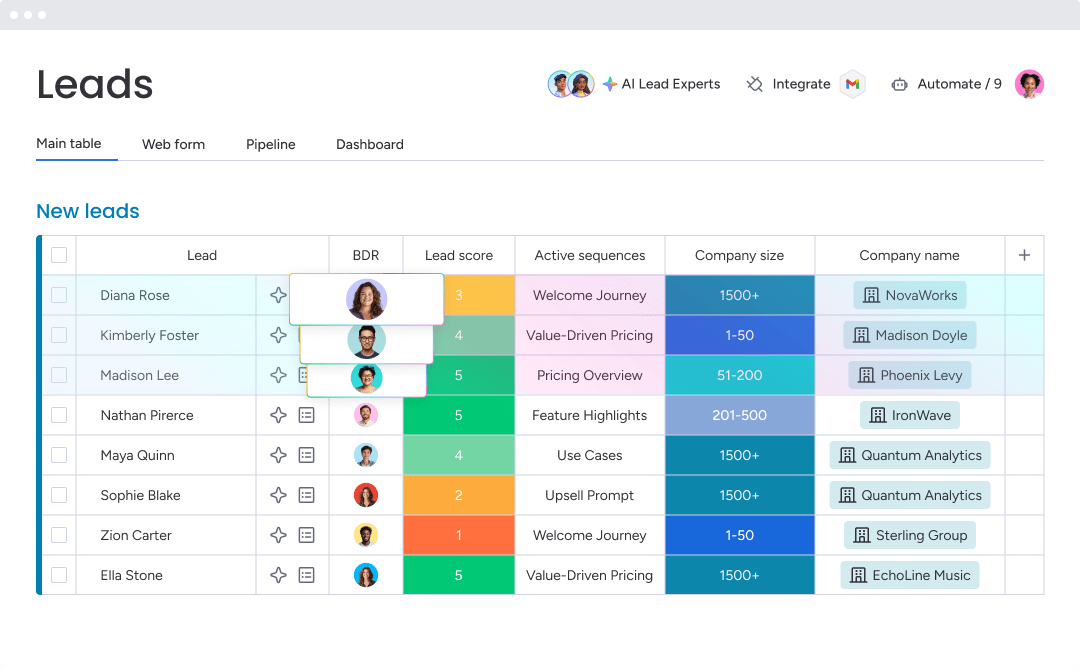
Law firms grow through reputation, referrals, and long-term trust. That’s exactly why a generic CRM usually falls short. A CRM for law firms is designed to bring client communication, business development, and the full client journey into one place, from the initial inquiry to the final matter. It becomes the front-end system that supports firm growth.
Without it, valuable details about referrals, prior matters, and client history end up scattered across inboxes and spreadsheets. How much potential revenue is sitting inside those disconnected records? The right platform pulls everything together into a repeatable growth process — less guesswork, more visibility into what’s coming next.
Here’s what a legal CRM actually delivers:
- Centralized client intelligence: Every interaction, referral source, and matter detail lives in one place, so your team stops hunting through email threads and starts building on institutional knowledge.
- Faster intake and response: Automated lead capture and routing means prospects get answers quickly, before they move on to the next firm on their list.
- Pipeline visibility: See exactly where every opportunity stands, which referral sources are producing, and what revenue is actually coming in next quarter.
- Cross-practice coordination: When one practice group already has a relationship with a client, the rest of the firm should know about it. A CRM surfaces those connections and turns them into cross-selling opportunities.
- Repeatable growth: Replace gut-feel forecasting with a structured process that tracks what’s working, so you can do more of it.
Shockingly, the average business takes 47 hours to respond to a new lead, according to Greetnow research, despite that research consistently shows that responding within 5 minutes makes you 21x more likely to qualify that lead.
14 best CRM platforms for law firms
Not every platform on this list was created exclusively for law firms — and that’s actually part of the value here. Some options are purpose-built for legal intake and matter management. Others give firms enough flexibility to shape the system around their own processes.
Here’s a quick look at the 14 in this list followed by a deep dive:
| Platform | Use case | Free trial* | Notable feature | Starting price* |
|---|---|---|---|---|
| monday CRM | Configurable intake and business development workflows | Yes | No-code pipeline customization with AI-powered intake | $12/user/month |
| Clio | Full client lifecycle management | Yes | Native Grow-to-Manage handoff | $89/user/month |
| Lawmatics | High-volume intake automation | Yes | AI-powered lead qualification (QualifyAI) | Custom pricing |
| HubSpot | Marketing automation and lead nurturing | Yes (free tier) | 1,800+ integrations | $20/user/month |
| MyCase | Intake, billing, and client communication | Yes (10 days) | Kanban-style lead pipeline | $39/user/month |
| Zoho CRM | Customizable intake-to-matter workflows | Yes (free tier) | AI lead scoring (Zia) | $14/user/month |
| PracticePanther | Intake, billing, and payments in one platform | Yes | Native eSignature with unlimited requests | $39/user/month |
| Pipedrive | Visual intake and follow-up management | Yes (14 days) | Smart Docs with auto-fill and e-signature | $14/user/month |
| Law Ruler | High-volume intake with built-in telephony | Contact vendor | AI intake agents with local presence dialing | Custom pricing |
| Litify | Enterprise legal operations on Salesforce | Contact vendor | Agentic AI (Litify ACE) | Custom pricing |
| Salesforce | Enterprise CRM with maximum flexibility | Yes (30 days) | AI agents via Agentforce | $25/user/month |
| Insightly | Pipeline-to-project conversion | Contact vendor | Relationship linking across contacts and organizations | $29/user/month |
| CosmoLex | Billing, trust accounting, and client management | Yes | Conflict checks on CRM contacts | $89/user/month |
| SurePoint Technologies | CRM tied to firm financial performance | Contact vendor | Outlook-native CRM with finance-linked dashboards | Custom pricing |
*Pricing can change. Always check the vendor’s website for the most current numbers.
1. monday CRM
monday CRM gives law firms a configurable intake, business development, and cross-department workflow platform built without code. Firms use monday CRM to centralize contacts, accounts, and deal activity, then connect that information to downstream work such as conflict checks, engagement letters, and collections.

Use case: Firms that want to manage intake, monitor business development pipelines, and coordinate work across teams without relying on IT or dragging through a long rollout, monday CRM is a strong fit.
Key features
- Centralized relationship history: Log emails, meetings, and notes in one timeline. AI timeline summary condenses communication history for quick partner handoffs and pre-call prep.
- No-code pipeline customization: Build intake pipelines with drag-and-drop stages. Automate actions to move deals forward, notify owners, and keep next steps visible.
- AI-powered intake and data management: Autofill with AI extracts key details from documents into board columns. Detect sentiment, route items by context, and use AI actions to standardize intake notes.
Pricing
- Basic: $12/seat/month (billed annually)
- Standard: $17/seat/month (billed annually)
- Pro: $28/seat/month (billed annually)
- Enterprise: Contact sales for a quote
- Annual billing discount: Save 18% compared to monthly billing
- AI features are available on Standard, Pro, and Enterprise plans
- Plans start from 3 seats; teams with more than 40 seats can request a custom quote
Learn more about monday CRM pricing.
Why it stands out
- Built for real-world adoption: Teams can shape boards, stages, and fields around how attorneys and intake teams actually work, so activity gets logged and stays usable.
- Centralized, connected customer data: Teams keep accounts, contacts, and deals tied together, and view key details in an expanded item view to reduce tab-hopping.
- Leadership-ready visibility: Revenue leaders can track pipeline status, activity, team performance, and forecasting with code-free dashboards, including sales widgets like the leaderboard, funnel, and sales pipeline.

“With monday CRM, we’re finally able to adapt the platform to our needs — not the other way around. It gives us the flexibility to work smarter, cut costs, save time, and scale with confidence.”
Samuel Lobao | Contract Administrator & Special Projects, Strategix
“Now we have a lot less data, but it’s quality data. That change allows us to use AI confidently, without second-guessing the outputs.”
Elizabeth Gerbel | CEO
“Without monday CRM, we’d be chasing updates and fixing errors. Now we’re focused on growing the program — not just keeping up with it."
Quentin Williams | Head of Dropship, Freedom Furniture
“There’s probably about a 70% increase in efficiency in regards to the admin tasks that were removed and automated, which is a huge win for us.“
Kyle Dorman | Department Manager - Operations, Ray White
"monday CRM helps us make sure the right people have immediate visibility into the information they need so we're not wasting time."
Luca Pope | Global Client Solutions Manager at Black Mountain
“In a couple of weeks, all of the team members were using monday CRM fully. The automations and the many integrations, make monday CRM the best CRM in the market right now.”
Nuno Godinho | CIO at Velv
“monday.com provides developmental flexibility, operational efficiency, and data transparency — all in one place. We became a company that moved from chasing data to leading with it.”
Hyunghan Lee | Team Lead, Sandbox Network
"monday.com brought every part of our business into one connected space. The harmony between work management and CRM has become our operating system — giving us the clarity and confidence to scale.”
Jennifer Chinburg | Executive Vice President of Corporate Development & Brand, Chinburg Properties
“We just weren’t getting value from our old CRM. With monday.com, it's a thousand times better. Our sales teams are more informed, more consistent, and far more connected."
James Arnold | Chief Operating Officer, Cenversa2. Clio
Clio covers the full client lifecycle, from first inquiry to final invoice, inside a single legal platform. Built specifically for law firms of all sizes, it ties client intake and CRM (Clio Grow) directly to practice management (Clio Manage). That connection makes it especially appealing to firms that want fewer systems and cleaner handoffs. Its built-in website builder, appointment scheduling, and email marketing tools also reduce reliance on third-party platforms.

Use case: Firms that want prospect intake, client communication, and matter management in one connected environment
Key features
- Visual intake pipeline: Track prospects from first inquiry through engagement letter signature with a matter pipeline dashboard, custom tags, and referral source reporting.
- Automated scheduling and reminders: Clients book consultations online, pay at the time of booking, and receive up to 5 automated email and text reminders.
- Native Grow-to-Manage handoff: When a prospect signs on, their intake data transfers directly into Clio Manage — no duplicate entry, no dropped details.
Pricing
- Clio Manage EasyStart: $89/user/month (annual) or $99/user/month (monthly)
- Clio Manage Essentials: $119/user/month (annual) or $139/user/month (monthly)
- Clio Manage Advanced: $149/user/month (annual) or $169/user/month (monthly)
- Clio Grow add-on: +$59/user/month (annual) or +$69/user/month (monthly), plus a $399 one-time account setup fee
- Clio Expand (Manage + Grow bundle): Quote-based; setup fee included
- Annual billing is discounted across all tiers; volume pricing available for larger firms
Considerations
- Clio Grow is built to work within the Clio ecosystem, so firms using a different practice management platform will find limited flexibility. The combined cost may also be high compared to standalone CRM options.
- Text reminders are limited to US and Canadian (+1) phone numbers, and default text templates cannot be edited, which may be restrictive for firms with international clients or specific communication preferences.
3. Lawmatics
Lawmatics focuses on the entire front-of-house experience for law firms, from first inquiry to signed retainer, inside one legal-specific platform. Created by the founder of MyCase, it serves solo practitioners and mid-size firms that need serious intake automation without piecing together multiple tools. AI-assisted lead qualification and compliance-oriented security (SOC 2 Type 2, HIPAA attested) make it particularly attractive for high-volume client acquisition.

Use case: Firms that need lead capture, intake, client communication, and e-signatures handled in one system
Key features
- Automated intake forms: Route prospects to the right attorney based on case type, with built-in appointment scheduling directly from the intake flow.
- Two-way SMS and client portal: Communicate with prospects and clients through a central message center, with a secure portal for documents, e-signatures, and appointments.
- AI-powered lead qualification: QualifyAI scores and qualifies incoming leads automatically, so your team focuses on the prospects most likely to convert.
Pricing
- Essential, Premium, and Enterprise tiers: Custom pricing; requires a sales conversation to get a quote.
- Minimum of 3 users on Essential and Premium plans.
- Add-ons billed separately: Time & Billing ($29/user/month), SMS/MMS blocks beyond plan allotment, and QualifyAI credits (credit-based, tiered monthly or annual plans).
- Payment processing fees apply if using LMPay: 2.95% for non-AMEX, 3.25% for AMEX, and 0.5% for ACH.
Considerations
- The platform’s depth comes with a setup learning curve. Some reviewers note that initial configuration takes real time and effort before the automations run smoothly.
- Pricing is not publicly listed, and several features (SMS, AI lead scoring, billing) are add-ons, so the total cost of ownership requires a full sales conversation to assess accurately.
4. HubSpot
HubSpot gives law firms a flexible CRM for managing client intake, referral pipelines, and marketing campaigns in one place. The platform serves scaling organizations across SMB, mid-market, and enterprise segments, so it can work well for firms with active business development programs. With built-in AI, strong marketing automation, and 1,800+ integrations, it covers a wide range of needs — provided you don’t expect it to replace legal practice management software.

Use case: Law firms looking to centralize communications, automate lead nurturing, and manage referral pipelines while continuing to use separate legal software for practice management
Key features
- Contact and deal management: Track prospects, clients, and referral sources in a single database, with AI-assisted data enrichment to keep records accurate and current.
- Marketing automation: Build drip campaigns, lead nurturing workflows, and landing pages to convert prospects into clients without manual follow-up.
- Email tracking: Monitor open rates, link clicks, and reply rates so your team knows exactly where each prospect stands in the intake process.
Pricing
- Free tier: $0 — basic contact management and email tracking included
- Starter: From $20/seat/month
- Professional: From $50/seat/month
- Enterprise: From $75/seat/month
- Onboarding fees are required for certain Professional and Enterprise plans
- Additional costs may apply for marketing contact tiers, AI credits, and e-signature usage
Considerations
- HubSpot isn’t built for legal workflows. It has no native conflict checking, trust accounting, or court-rules calendaring, so firms typically run it alongside a separate practice management system.
- Pricing scales quickly as you add seats, marketing contacts, and AI features, which can raise the total cost of ownership beyond the initial entry tier.
5. MyCase
MyCase combines client intake, case management, billing, and CRM in one platform built for law firms. MyCase is geared toward solo practitioners and midsize firms that want fewer vendors and less integration overhead. Its native CRM pipeline lets leads captured on your website flow directly into case management without manual transfer.

Use case: Small to midsize law firms that want intake, billing, and client communication under one roof instead of spread across multiple subscriptions
Key features
- Kanban-style lead pipeline: Customizable pipeline stages track prospects from first contact to converted client, with referral source reporting and forecasted pipeline value to show which channels drive the most revenue.
- Dynamic intake forms: Conditional logic forms embed directly on your firm’s website; submitted data writes automatically to client and lead records, reducing manual entry and the risk of leads slipping through.
- Integrated payments and eSignature: Built-in eSignature and retainer collection during intake run through LawPay with ABA/IOLTA compliance, so firms can move from signed engagement letter to paid retainer without leaving the platform.
Pricing
- Basic: $39/user/month (billed annually) or $49/user/month (billed monthly)
- Pro: $89/user/month (billed annually) or $99/user/month (billed monthly) — includes client intake management and CRM pipeline features
- Advanced: $109/user/month (billed annually) or $119/user/month (billed monthly) — adds open API access and full-text search
- 10-day free trial available; no long-term contract required
- Add-ons include MyCase Accounting ($39/accounting user/month) and MyCase Websites ($100/month plus a one-time build fee)
Considerations
- Full CRM and pipeline features are only available on the Pro plan and above. Firms on the Basic plan will find the lead management capabilities limited.
- Advanced marketing automation — multi-step drip campaigns and audience nurture journeys — falls outside MyCase’s core focus, so firms with complex business development needs may need to layer in a separate integration to fill that gap.
6. Zoho CRM
Zoho CRM is a configurable, affordable CRM for businesses that want automation and AI-powered lead scoring without enterprise-level pricing. It serves organizations of all sizes — including law firms — that are willing to spend setup time in exchange for flexibility and a broad first-party ecosystem spanning contract management, e-signatures, and secure document storage. For teams comfortable with configuration, Zoho’s suite can replace several point solutions.

Use case: Law firms that would rather build a customized intake-to-matter process than adopt a prebuilt legal practice management system
Key features
- AI lead scoring (Zia): Automatically scores prospects based on engagement behavior and fit criteria, so attorneys spend time on the most promising leads.
- Workflow automation via Blueprints: Enforces structured review and approval steps — such as legal review states — across matter pipelines, reducing the risk of missed process steps.
- First-party CLM and e-signature: Zoho Contracts and Zoho Sign handle clause libraries, obligation tracking, negotiation, and legally compliant signatures with tamper-evident audit trails aligned with ESIGN, UETA, and eIDAS standards.
Pricing
- Free: Up to 3 users
- Standard: $14/user/month (billed annually) or $20/user/month (billed monthly)
- Professional: $23/user/month (billed annually) or $35/user/month (billed monthly)
- Enterprise: $40/user/month (billed annually) or $50/user/month (billed monthly)
- Ultimate: $52/user/month (billed annually) or $65/user/month (billed monthly)
- Annual billing saves up to 34% compared to monthly rates.
- Complete legal workflows may add costs for Zoho Contracts, Zoho Sign envelope credits, Zoho Flow automation quotas, additional storage, and optional paid support plans (Premium at 20% of subscription; Enterprise at 25%).
Considerations
- Zoho CRM doesn’t include native legal features like conflict checking, trust/IOLTA accounting, or court-rules calendaring out of the box. These require custom modules, Creator apps, or third-party integrations like LawPay or a Clio connector.
- Non-sales legal staff access the platform through “team user” licenses, which exclude most reporting, AI features, and admin capabilities — and are priced via sales quote rather than listed publicly.
7. PracticePanther
PracticePanther combines client intake, billing, time tracking, and document management in a platform built for law firms. It’s built for solo practitioners and small to midsized firms that want CRM functionality without maintaining a separate system, making it a practical option for practices focused on simplicity. The Business plan unlocks the most relevant capabilities, including native eSignature, 2-way texting, and customizable intake forms.

Use case: Solo attorneys and small firms that prefer intake, client communication, billing, and payments in one platform rather than across multiple vendors
Key features
- Client intake forms: Drag-and-drop, mobile-friendly intake templates that embed directly on a firm’s website and automatically create or update contacts and matters upon submission.
- Two-way business texting: A dedicated firm number logs all SMS conversations to the relevant contact or matter, with support for payment links and appointment reminders.
- Native eSignature: Unlimited signature requests on the Business plan, sent via email, text, or the client portal, with template and bulk send support.
Pricing
- Solo: $59/user/month (monthly), $49/user/month (annual)
- Essential: $79/user/month (monthly), $69/user/month (annual)
- Business: $99/user/month (monthly), $89/user/month (annual)
- Business Pro: $124/user/month (monthly), $114/user/month (annual) — includes PantherAccounting Plus with trust and operating accounting
- Annual plans save $120 per user per year across all tiers
- Bar association members may qualify for additional discounts (for example, 10% off the first year of the annual Business plan for members of the State Bar of New Mexico and the State Bar of Georgia)
- Payment processing fees apply when using PantherPayments; some third-party integrations carry separate per-user licensing costs
Considerations
- Core CRM features (intake forms, native eSignature, and 2-way texting) are only available on the Business plan at $89–$99/user/month, so firms on lower tiers will have limited client relationship functionality.
- Advanced marketing capabilities such as drip campaigns and lead scoring are not native to the platform; firms with active business development programs will need to integrate a dedicated solution like Lawmatics or Mailchimp to fill that gap.
8. Pipedrive
Pipedrive gives law firms a visual, sales-first CRM that keeps client intake and follow-up moving without the overhead of a full practice management suite. Built for small and mid-sized businesses, it stands out for customizable pipelines and automation, making it a practical fit for firms that want to manage leads and client communication in one place.

Use case: Firms that want a clean, visual way to manage intake and follow-up without committing to a full legal operations platform
Key features
- Visual drag-and-drop pipeline: Move prospects through customizable intake and matter stages with a visual board that keeps every team member aligned on deal status.
- Smart Docs: Auto-fill documents with contact and deal data, track when clients open them, and collect e-signatures — all without leaving the platform.
- Workflow automation: Trigger follow-up emails, assign activities, and send cross-tool notifications (Slack, Teams) based on pipeline stage changes, reducing manual coordination.
Pricing
- Lite: $14/user/month (billed annually)
- Growth: $39/user/month (billed annually)
- Premium: $59/user/month (billed annually, Smart Docs included)
- Ultimate: $79/user/month (billed annually)
- Annual billing saves up to 42% vs. monthly
- Smart Docs available as an add-on from $32.50/month on Lite and Growth plans
- LeadBooster (chatbot, web forms, live chat) available as an add-on from $32.50/month
- 14-day free trial available across all plans
Considerations
- Pipedrive does not include native conflict checking, trust accounting, or court-rule calendaring — firms with those requirements will need to integrate separate legal practice management software, which adds complexity and cost.
- Key features like Smart Docs and lead capture are either add-ons or locked to higher tiers.
9. Law Ruler
Law Ruler is a legal CRM with a clear strength: high-volume intake. It helps firms move quickly from first contact to signed retainer by combining built-in telephony, automated SMS and email sequences, and AI-assisted follow-ups. That makes it especially well suited for personal injury, mass tort, and immigration practices handling hundreds of inquiries each month. Firms already using ProfitSolv tools such as CosmoLex, Rocket Matter, or Tabs3 may also get added value from its ecosystem integrations.

Use case: High-volume intake teams that need to capture, qualify, and convert more leads while keeping communication and pipeline visibility centralized
Key features
- AI intake agents: Automated agents qualify leads, collect intake information, and route prospects around the clock.
- Built-in softphone with local presence dialing: Make and receive calls, record conversations, and trigger follow-up sequences directly inside the CRM, without a separate phone system.
- Marketing source analytics: Track which referral sources and campaigns generate the most cases and revenue, so firms can allocate budget with confidence.
Pricing
- Pro and Premium plans: Up to 3 users; quote-only pricing.
- Enterprise plan: 10-user minimum; includes white-glove setup; quote-only pricing.
- Annual discount: Save 15% with annual prepaid subscriptions.
- Additional costs: A one-time onboarding fee applies on Pro and Premium tiers. Telecom usage (calls, SMS/MMS, phone numbers, and carrier fees) is metered and billed monthly on top of the license fee.
Considerations
- Law Ruler is purpose-built for intake-heavy practices, so general practice or boutique firms with lower inquiry volumes may find the feature set more than they need.
- Integrations with practice management systems outside the ProfitSolv portfolio (such as Clio or MyCase) are limited, which could create friction for firms already invested in those platforms.
10. Litify
Litify is an enterprise-grade legal operations platform built natively on Salesforce, giving mid-to-large law firms the configurability and analytics depth needed to run complex operations. It brings together intake, CRM, matter management, document automation, and AI-powered workflows in one system, creating a single source of truth across the case lifecycle.

Use case: Midsize to large law firms — especially in personal injury, insurance defense, and immigration — that need deep configurability, robust analytics, and a fully integrated legal OS
Key features
- Intake and lead routing: Dynamic questionnaires adapt by practice area, capturing leads across phone, web forms, chat, and referral sources, then converting them to signed clients or referrals in one click.
- Matter Plans and referral management: Enforceable, task-based workflows trigger follow-ups and deadlines automatically, while an integrated referral network tracks co-counsel referrals and outcomes across the firm.
- Analytics and AI: No-code dashboards report across intake, conversion, and matter performance, with Litify ACE (agentic AI) and the LitifyAI Damages Assistant embedded directly into workflows for personal injury teams.
Pricing
- Law firm and corporate legal packages: Custom pricing.
- Platform extensions: Document management (Docrio), timekeeping and billing, client portal, and Litify AI are available as add-ons.
- Implementation services: Configuration, data migration, training, and a dedicated Customer Success Manager are included with every engagement.
- Third-party directories list starting prices around $150/user/month, though final pricing varies by scope, modules, and volume.
Considerations
- Implementation lift: G2 Pricing Insights report a median 6-month implementation timeline and 16-month ROI window — firms without prior Salesforce experience or dedicated admin resources should factor this into their decision.
- Complexity for smaller teams: The platform’s depth and configurability are well-suited to large firms with IT support, but may be more than solo practitioners or small teams need.
11. Salesforce
Salesforce gives large law firms and legal departments a single platform to unify client data, business development, and marketing on a highly configurable foundation. Built for enterprise-scale operations, it combines AI agents, analytics, and a massive partner marketplace, which makes it a strong fit for Am Law firms that need maximum flexibility. Firms wanting legal-specific workflows can extend the platform further through Salesforce-based partners such as Litify.

Use case: Large law firms and legal departments that need an enterprise CRM capable of matching complex business development, marketing, and client engagement processes
Key features
- Deep pipeline customization: Build custom objects, fields, and workflows to match any business development or client management process — no 2 firms need to look the same.
- Advanced reporting and analytics: Create multi-dimensional dashboards using Tableau and CRM Analytics to track BD performance, client engagement, and pipeline health in real time.
- AI agents via Agentforce: Autonomously handle client inquiries, update records, surface next-best actions for pitches, and route requests to the right teams — reducing non-billable admin across the firm.
Pricing
- Starter Suite: From $25/user/month
- Pro Suite: From $100/user/month
- Enterprise: From $175/user/month (billed annually)
- Unlimited: From $350/user/month (billed annually)
- Agentforce 1 Sales: From $550/user/month (billed annually)
- Salesforce Shield (encryption, event monitoring, audit trail): priced as a percentage of net spend — typically 10–30% depending on components selected
- Advanced marketing, Data 360, and Agentforce credits are available as add-ons and priced separately
Considerations
- Significant implementation investment required: Salesforce is not configured for law firms out of the box. Conflicts checks, matter management, and legal timekeeping all require third-party apps or partner solutions, which adds cost and implementation time.
- Total cost of ownership can escalate quickly: Security and compliance features like Salesforce Shield, advanced marketing capabilities, and AI agent capacity are all add-ons — firms should model the full cost before committing to a base license.
12. Insightly
Insightly connects pipeline management with built-in project delivery, allowing law firms to follow a client relationship from first contact through matter completion in one system. The platform is aimed at mid-market organizations that want CRM and post-sale project management without juggling separate tools. Its relationship-linking data model is especially useful for firms dealing with complex client networks, referrers, and multi-party matters.

Use case: Mid-market firms that want to manage intake, understand relationship networks, and convert signed work directly into delivery projects without switching platforms
Key features
- Relationship linking: Map connections between contacts, organizations, and opportunities to get a full picture of every client relationship, including referral sources and counterparties.
- Pipeline-to-project conversion: Convert a closed deal into a project record the moment a client signs, so matter delivery starts with full context already in place.
- AppConnect integrations: Use a low-/no-code integration hub to connect accounting platforms, calendars, HR systems, and collaboration tools your firm already relies on.
Pricing
- Plus: $29/user/month (billed annually)
- Professional: $49/user/month (billed annually)
- Enterprise: $99/user/month (billed annually)
- All-in-One bundles (CRM + Marketing + Service + AppConnect) start at $349/month and offer savings of up to 30%
- AppConnect requires a separate subscription starting at $249/month, plus a one-time $3,000 technical setup fee
Considerations
- Insightly does not include legal-specific features such as conflict checks, court-rules calendaring, or trust accounting — these require third-party integrations via AppConnect.
- All-in-One bundles include required onboarding ($1,500) and Premier Support fees (20% of license; $3,000 annual minimum), which can raise the total cost of ownership significantly.
13. CosmoLex
CosmoLex combines legal practice management, billing, and trust accounting in one cloud-based platform. Built for small and midsize law firms, it removes the need for separate accounting software by handling IOLTA compliance, time tracking, and client management under a single login. For firms where financial compliance comes first, that tight integration is a real advantage.

Use case: Small and midsize firms that want billing, trust accounting, and client management in one system rather than spread across multiple tools
Key features
- Trust accounting and compliance: Manage IOLTA accounts with built-in 3-way reconciliation and separation of funds, reducing compliance risk.
- Lead-to-matter conversion: Capture leads through customizable intake forms, automate follow-up via email and SMS, and convert qualified leads directly into matters with duplicate checking and field mapping.
- Conflict checks on CRM contacts: Run conflict checks that include CRM leads before converting them to matters, helping firms catch intake risks early.
Pricing
- CosmoLex CRM add-on: $147/month for up to 3 users (billed annually); $177/month billed month-to-month
- Base plans start from $89/user/month
- CosmoLex CRM is a separate add-on and is not included in the standard practice management trial
Considerations
- Once a lead converts to a matter, any new information added in the CRM does not sync automatically — teams must move updates over manually, which adds friction to active matters.
- CRM functionality is delivered as a paid add-on, so firms already using a dedicated legal CRM will need to weigh the cost of overlap against the benefits of tighter integration with CosmoLex’s accounting and practice management features.
14. SurePoint Technologies
SurePoint Technologies ties client relationship management directly to firm financial performance, giving mid-sized law firms a single ecosystem for business development and revenue tracking. Built specifically for legal, it connects CRM activity with billing data so BD teams can measure the return on their efforts.

Use case: Mid-sized law firms that want to connect business development activity with financial outcomes and identify which relationships are actually producing revenue
Key features
- Outlook-native CRM: Attorneys manage contacts, track relationships, and log BD activity directly from Microsoft Outlook, reducing the friction that typically kills CRM adoption.
- Finance-linked dashboards: CRM data connects to firm financial systems, so marketing and BD teams can attribute revenue, track profitability by practice group, and measure win/loss performance in one view.
- List Manager with attorney surveys: Marketing teams manage mailing lists and contact data at scale, with built-in workflows to keep attorney contact records accurate and current.
Pricing
- Custom pricing: Quote-only; no publicly listed tiers or publicly advertised free trial. Contact SurePoint directly for a scoping conversation.
Considerations
- Procurement runs entirely through a sales engagement — no self-serve option or transparent pricing — which makes early-stage evaluation more time-consuming for firms still comparing options.
- Limited customization relative to some alternatives, and the platform is English-only, which may be a factor for firms with international operations.
8 key features a legal CRM actually needs
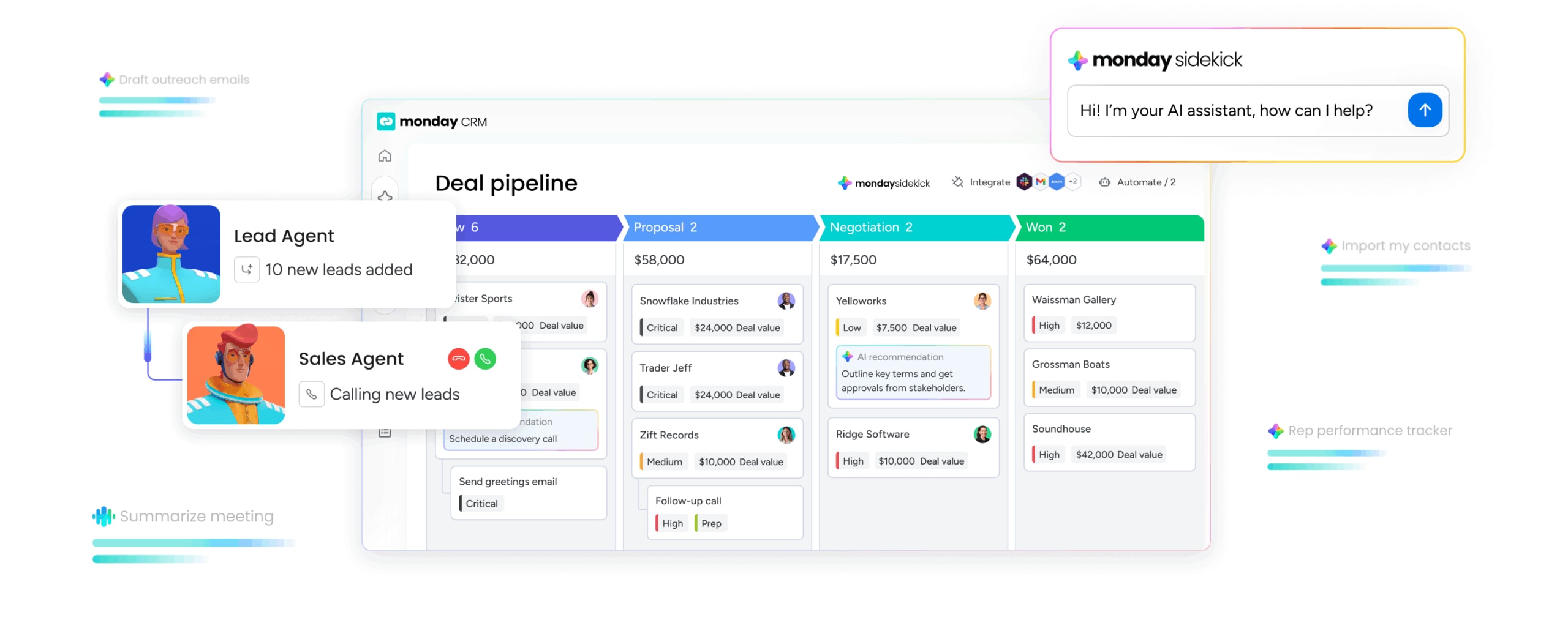
A law firm isn’t a SaaS company, and its CRM shouldn’t assume otherwise. Generic systems often force legal teams into awkward workarounds and irrelevant workflows. The better question is simpler: what does a legal CRM need to do well?
- Client intake that never misses a beat: The best CRMs capture, qualify, and route leads before a prospective client starts calling the next firm on their list. Look for custom forms that get critical case details upfront, smart routing that sends leads to the right attorney automatically, and instant qualification that filters out the noise.
- Airtight conflict checking: Conflict checks are non-negotiable. Get one wrong, and the consequences go well beyond an uncomfortable conversation. Your CRM should do more than tolerate this step; it should strengthen it and eliminate the risk that comes with manual searches or disconnected systems.
- A matter pipeline you can trust: Revenue forecasting should not depend on whoever remembered to update a spreadsheet last. A visual matter pipeline shows exactly where every prospect stands, with custom stages that map to your firm’s real intake process, drag-and-drop updates that move matters forward without the clutter, and automated triggers that handle the admin when a matter progresses.
- Communication tracking in one place: Walking into a client call with only half the communication history is a bad position for any attorney. Your CRM should sync with inboxes automatically, bringing every email, note, and call into a single timeline so anyone can get up to speed in seconds.
- Automation that nurtures relationships: Not every prospect is ready to sign immediately. Consistent follow-up is what turns interest into engagement, yet doing that manually leads to gaps and missed opportunities. Automation keeps the relationship moving without exhausting your team’s time.
- Dashboards that give you answers now: Which attorneys are driving the most new business? Where is intake slowing down? Managing partners shouldn’t need to wait for someone to build a report. A good CRM surfaces those answers in real time, on demand.
- Integrations that eliminate busywork: Your CRM owns the front end. Your practice management system handles the back end. If the 2 systems can’t exchange data cleanly, you’ve just created more duplication and more chances for error. Real integration is what turns separate tools into a single source of truth.
- AI that works around the clock: Legal emergencies don’t wait for business hours. AI can capture and qualify leads 24/7, score prospects based on practice area fit and referral source, draft responses and turn long communication threads into quick summaries, and run entire sequences on autopilot — from intake and follow-ups to reporting.
How to choose the right legal CRM for your firm
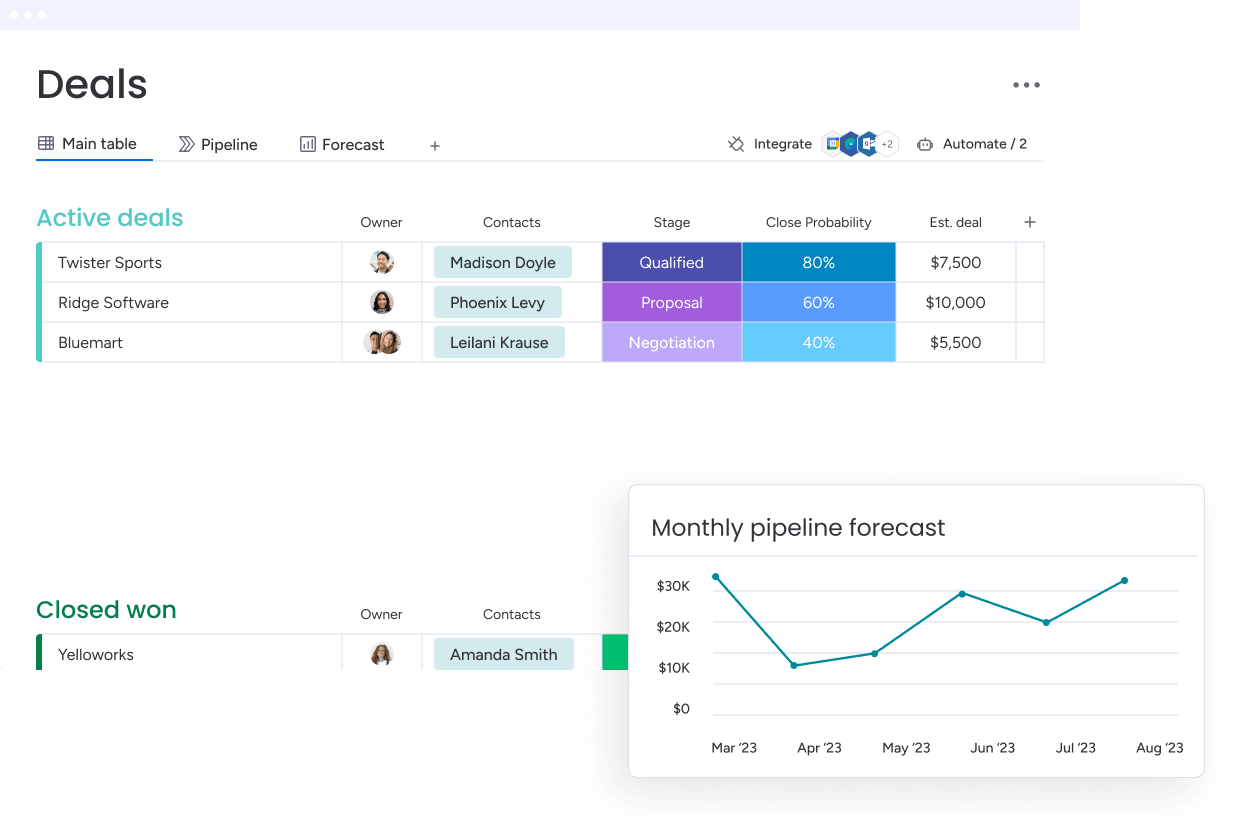
A polished demo can make almost any CRM look convincing. That doesn’t mean your team will adopt it. Choosing well requires more upfront work: matching what the platform can do to how your firm actually operates.
Step 1: Match the platform to your firm’s reality
Before evaluating vendors, get clear on your own operating reality. Here are some factors based on your firm size:
| Firm size | What to look for | Red flags to watch for |
|---|---|---|
| Solo / small (1–10 attorneys) | Simplicity, low cost, easy setup | Platforms that require a full-time admin |
| Mid-size (10–100 attorneys) | Pipeline visibility, automation, fits with existing tools | Rigid systems that can't adapt to your process |
| Large / enterprise (100+ attorneys) | Deep customization, advanced analytics, security compliance | Out-of-the-box" solutions that can't scale with you |
Step 2: Make sure your tech stack plays nice
A CRM that can’t connect to the rest of your stack isn’t solving a problem; it’s creating one. Duplicate entry slows teams down and introduces preventable errors. Before speaking with vendors, map the tools your firm already depends on.
Then get specific about integration behavior. Ask questions about native integrations, real-time data sync, and APIs.
Step 3: Verify security, privacy, and ethics
Attorney-client privilege is not a nice-to-have. It’s foundational. Any CRM storing client data has to meet serious security standards, and those standards should be verified before anything gets signed.
Don’t rely on broad promises. Ask for evidence of data encryption, access controls, AI policies, and compliance, including certifications like SOC 2 Type II, ISO/IEC 27001, or HIPAA.
Step 4: Look beyond the price tag to the total cost
The listed price is only the first layer. The actual cost of a CRM includes implementation, training, and whatever custom work is required to make the platform usable. A system can look affordable at the surface and still become expensive to run.
Before committing, account for the hidden costs of setup and migration, training, integrations, and add-ons. A flexible, no-code platform gives firms more control over those costs. Teams find that monday CRM can help them build and adjust workflows without a developer, reducing long-term ownership costs.
How monday CRM works for law firms beyond legal operations
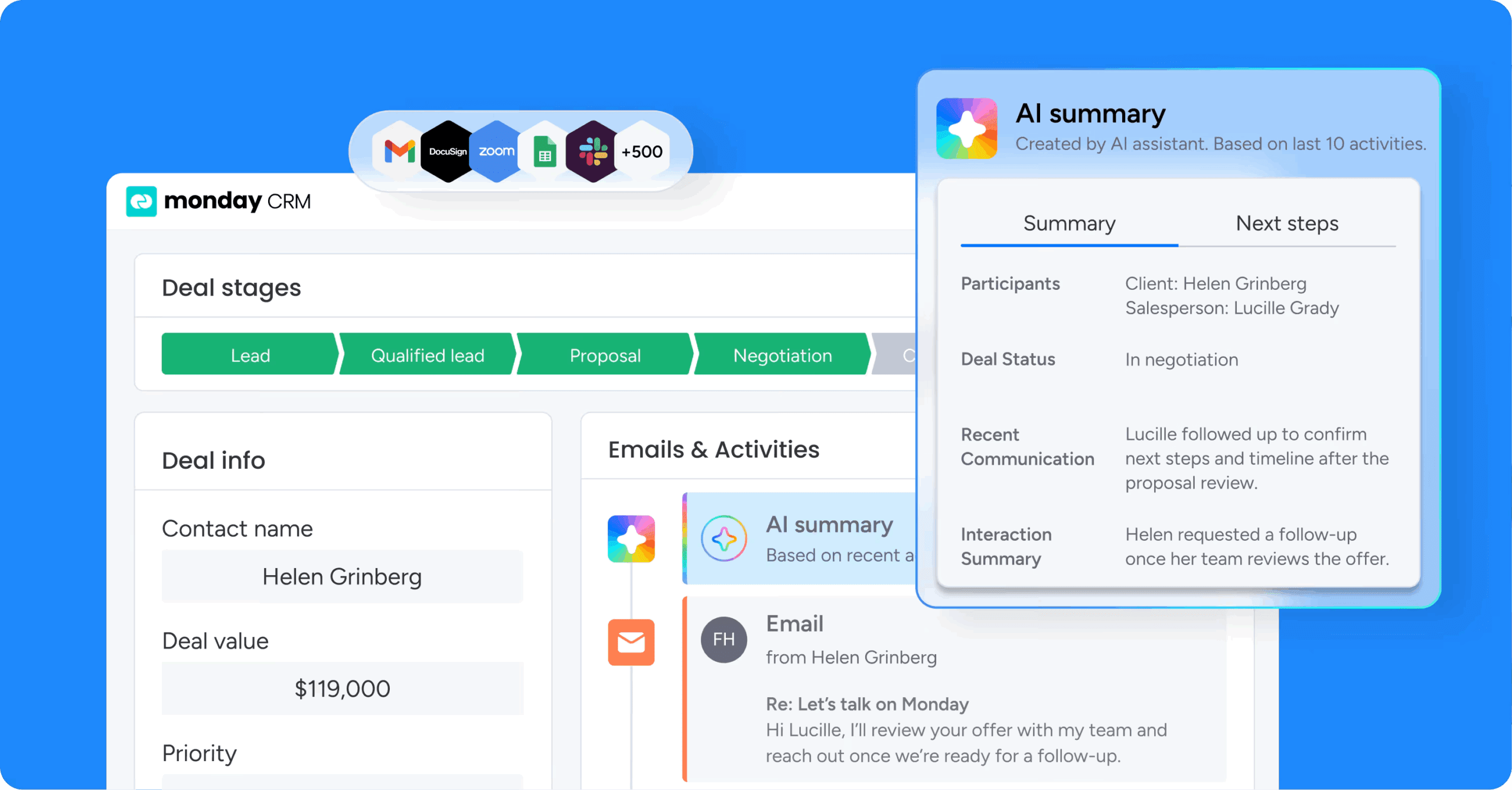
Many legal CRMs function like digital rolodexes. They store contacts and record calls, but leave business development and firm-wide reporting trapped in spreadsheets. Revenue teams find that monday CRM can manage the full client lifecycle in one place, from first call to final invoice.
Here’s what monday CRM delivers for law firms:
- Flexible workflows your team will actually use: Build custom intake pipelines with drag-and-drop stages that reflect your real process. No coding. No IT ticket. Just workflows that fit how your firm already works.
- Automated intake and routing: When a prospect submits a form, a deal is created, assigned, and confirmed automatically. No one lifts a finger.
- Real-time pipeline visibility: Business development gets a live view of every prospect, so you can spot bottlenecks and top performers instantly.
- AI-powered efficiency: Draft emails in seconds, condense months of communication into quick summaries, auto-fill CRM fields from documents, and search with plain English questions.
- Cross-practice relationship intelligence: Connect contacts, organizations, and matters to surface the full relationship network. See which referral sources actually generate revenue and where warm introductions exist.
- Seamless integrations: Connect with over 200 platforms, including Clio, MyCase, Gmail, Outlook, QuickBooks, Slack, and Teams. Data moves across your operation without manual transfer.
- Enterprise-grade security: SOC 2 Type II, ISO/IEC 27001, and HIPAA compliance certifications, plus encryption and role-based access controls. We do not use your data to train our AI models.
- Connected teams: When a deal closes, finance and ops get their tasks automatically. Business development, marketing, and operations work from the same system, so missed opportunities shrink and growth gets easier to manage.
Turn scattered client data into predictable firm growth
Firm growth depends on relationship management as much as legal skill. A dedicated CRM centralizes client data, automates routine work, and gives teams the visibility they need to win more business. Instead of losing leads to slow follow-up, the firm begins building a more predictable revenue engine.
When intake, business development, and operations are aligned in one platform, the entire firm can move faster. The best system supports your workflows rather than forcing you to contort around someone else’s process. With the right foundation in place, your firm can scale with more confidence.
Try monday CRMFAQ
What is the difference between a CRM and practice management software for law firms?
The difference between a CRM and practice management software for law firms is where they focus in the client lifecycle. A CRM manages client relationships and business development, while practice management software handles case files and billing. Think of a CRM for winning new clients and practice management for serving existing ones.
Do I need a legal-specific CRM, or can I use a general-purpose CRM?
Whether you need a legal-specific CRM or a general-purpose CRM depends on your firm's specific workflows. Legal-specific CRMs offer turnkey features like conflict checking, while flexible, general-purpose CRMs provide stronger marketing automation and customization.
How much does a legal CRM cost?
Legal CRM pricing ranges from around $14/user/month for general-purpose platforms to well over $100/user/month for legal-specific and enterprise solutions. Always factor in the total cost of ownership, including implementation and training, not just the per-seat price.
Can a CRM help with client intake and lead management?
Yes, a CRM can help with client intake and lead management by automating the entire process. A CRM captures and routes leads, helping firms respond faster, follow up consistently, and convert more prospects.
What AI features are available in legal CRMs?
The AI features available in legal CRMs typically include 24/7 intake agents, predictive lead scoring, and email drafting assistants. These capabilities help save time and prioritize high-value prospects.
How do I ensure attorneys actually use the CRM?
Attorney adoption improves when the CRM integrates with the tools they already use, minimizes manual data entry, and clearly saves time during intake, business development, and client communication.
What integrations should I look for in a legal CRM?
The integrations you should look for in a legal CRM include native connections to your firm's core platforms, like your practice management system, billing software, and email. Ensure integrations are bi-directional and vendor-supported.
Is my client data secure in a cloud-based CRM?
Your client data is secure in a cloud-based CRM if the vendor meets key security standards like SOC 2 Type II and ISO/IEC 27001 certifications. Your data should always be encrypted both at rest and in transit.
