



Sales reps spend countless hours trapped in data entry cycles when they should be closing deals. Scattered contact details, stale lead scores, and endless manual updates pull them away from what matters: building relationships and driving revenue. AI-powered CRM automation eliminates this burden entirely.
AI flips the traditional approach. Instead of manual data tasks consuming 15+ hours per rep each week, intelligent systems capture information automatically, score leads in real time, and trigger the right actions at the right moments. Sales teams focus on selling while automation handles the repetitive work that slows progress.
AI transforms CRM data management from eliminating manual entry to predicting customer behavior. This guide covers seven ways AI transforms workflows, a 5-step implementation framework, and the specific features that make automation work for revenue teams seeking results without added complexity.
Key takeaways
- Stop wasting 15 hours weekly on data entry: AI captures, processes, and updates customer information automatically from emails, calls, and documents so your team focuses on selling instead of typing.
- Get predictable revenue with AI-powered insights: machine learning analyzes patterns to predict which deals will close, when customers might churn, and which leads deserve immediate attention.
- Transform your CRM in minutes, not months: no-code AI blocks provided by solutions like monday CRM let sales managers add intelligent automation like sentiment analysis and lead scoring without technical expertise or IT support.
- Turn messy data into reliable insights: AI continuously cleans, enriches, and validates customer records while eliminating duplicates and filling missing information automatically.
- Scale automation without breaking your budget: start with high-impact pilots like automated lead enrichment and basic scoring, then expand systematically as you see measurable ROI within three to six months.
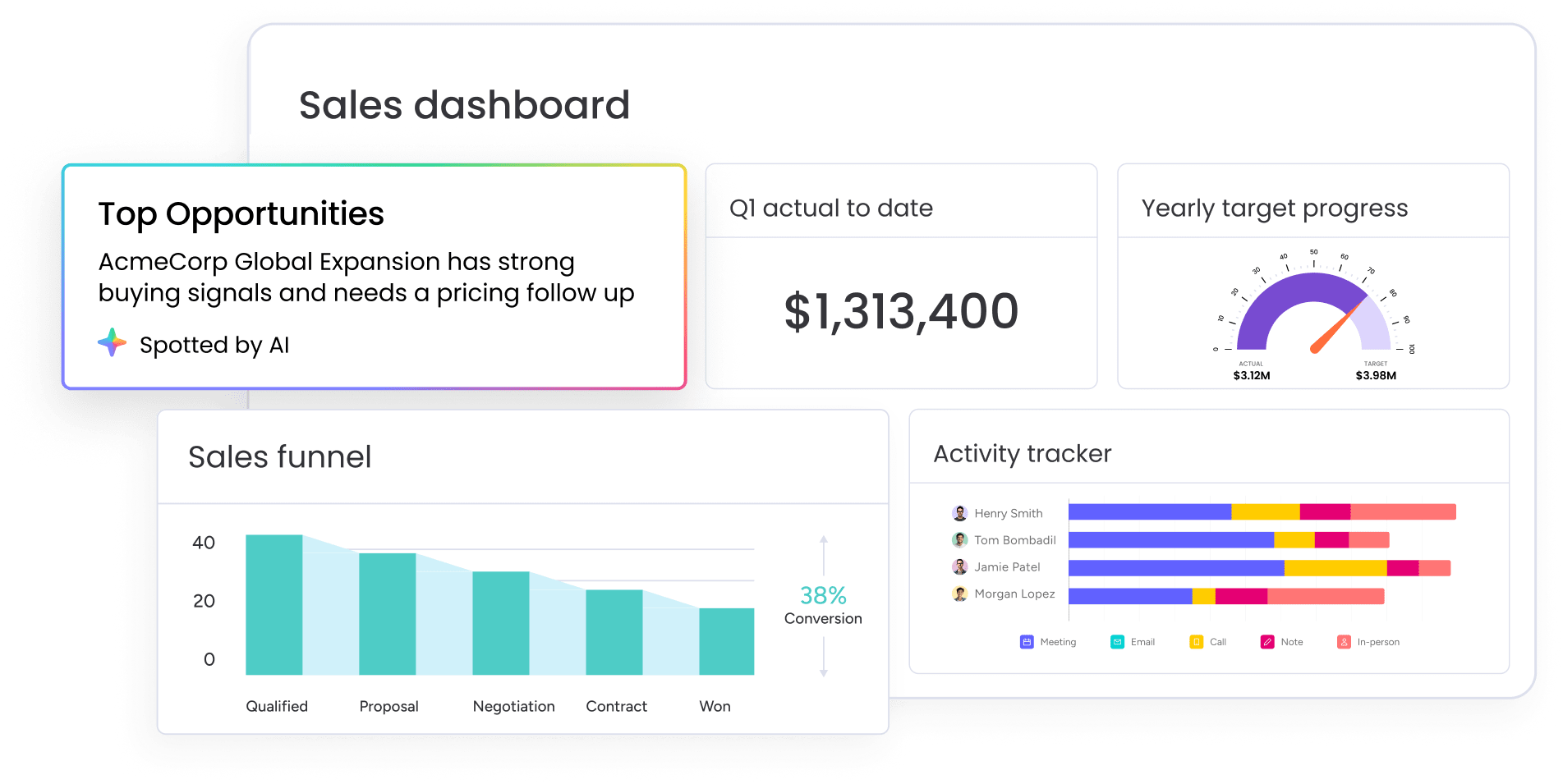
What is AI CRM data automation?
AI CRM data automation captures, processes, and manages customer data automatically with no manual work required. Unlike basic sales automation that follows rigid “if-then” rules, AI understands context, makes decisions, and learns from patterns in your data.
Three components work together to eliminate manual data tasks and boost accuracy:
- Data capture: collects information from every customer touchpoint automatically. AI reads email signatures, extracts details from LinkedIn profiles, and pulls contact information from documents. No clicking “save” or typing fields.
- Data processing: organizes, enriches, and validates that information. The system standardizes company names, verifies email addresses, appends missing details like job titles or company size, and merges duplicate records. It continuously monitors for changes and updates records automatically.
- Intelligent actions: trigger workflows based on patterns the system recognizes. When engagement signals spike, it adjusts lead scores. When deal velocity slows, it alerts managers. When a prospect visits your pricing page three times, it notifies the assigned rep.
When these components work together, CRM data management becomes autonomous. Instead of relying on reps to enter and update records, the system captures signals, enriches data, and triggers next steps automatically.
For example, when a demo request is submitted, AI instantly creates a contact record, enriches it with verified company details, scores the lead, assigns it to the right rep, and triggers a personalized personalized follow-up email — all within seconds and without manual input.
Unlike traditional rule-based automation, AI interprets context, adapts to behavior, and improves over time. The result is less administrative work, faster engagement, and measurable impact, driving companies to expand AI budgets by an average of 14% in 2026, with over 90% expecting AI to unlock sales growth.
This works completely differently than basic automation. Traditional systems need explicit instructions for every scenario. AI recognizes patterns, adapts to new situations, and improves its decisions over time as it processes more data.
7 ways AI transforms CRM data management
AI flips the relationship between sales teams and data. Data management stops being a manual burden that pulls reps away from selling. Instead, it surfaces insights and creates opportunities automatically. These seven transformations eliminate time-consuming tasks and improve data quality and sales outcomes.
1. Eliminate manual data entry forever
AI automatically captures data from every customer interaction. The system reads email signatures and extracts contact details. It can act as an AI note taker and update deal stages based on discussion outcomes. It monitors LinkedIn and pulls company information into contact records.
When a rep sends a follow-up email, AI reads the conversation, identifies key details like budget mentioned or decision timeline, and populates relevant CRM fields. This prevents the incomplete or outdated records you get with manual systems.
2. Enrich data automatically in real time
AI updates existing records with new information from external sources in real time. It appends company size, industry classification, technology stack details, recent news mentions, and funding announcements. Also it monitors for changes and updates records instantly.
When a contact changes companies, AI flags the move and creates a new opportunity to reconnect. When a prospect’s company receives Series B funding, the system alerts the account owner and suggests expansion conversations.
A lead captured six months ago gets updated with current information, ensuring every conversation starts with accurate, relevant context.
3. Predict customer behavior from data patterns
AI analyzes historical data to forecast what happens next. The system identifies patterns in how prospects engage before they buy, which behaviors signal strong purchase intent, when customers typically expand their contracts, and which accounts show early churn warning signs.
For example, a sales manager sees that three accounts show 85%+ likelihood to close this quarter, two deals need immediate attention due to stalling signals, and five customers present expansion opportunities based on usage growth.
Teams stop reacting to what already happened and start acting on what’s coming next.
4. Score and route leads without human input
AI scores leads using demographic fit, behavioral signals, engagement patterns, and timing. The system weighs demographic fit, behavioral signals, engagement patterns, and contextual indicators. It adjusts scores dynamically as prospects interact with content, attend events, or engage with sales outreach.
When a lead hits a threshold score, AI automatically routes it to the appropriate team member based on territory, product expertise, current workload, or availability.
A prospect who attends a demo, visits pricing, and opens three follow-up emails sees their score jump and gets routed to a senior closer within minutes.
5. Extract insights from unstructured data
AI processes unstructured data sources and extracts actionable insights. The system performs sentiment analysis on customer communications, identifies key topics and themes across conversations, and gathers competitive intelligence from prospect discussions.
When a customer sends a support email expressing frustration, AI flags the negative sentiment and alerts the account team before the issue escalates. When meeting notes contain action items or commitments, AI pulls them out and creates follow-up tasks.
As a result, scattered information becomes structured, searchable data.
6. Validate and clean data continuously
AI maintains data quality through ongoing hygiene processes. The system identifies and corrects inconsistencies, detects duplicate records and merges them intelligently, validates email addresses and phone numbers, standardizes company names and addresses, and flags outdated or incorrect information.
Advanced AI-assisted matching can achieve 97.0% precision and 95.5% recall when merging duplicate records while preserving interaction history.
When two reps create separate records for the same contact, AI recognizes the duplicate records based on matching email addresses or similar names and company combinations. It merges the records while preserving all interaction history. Data quality improves continuously over time.
7. Generate reports and analytics instantly
AI builds reports and dashboards automatically. It pulls insights from multiple sources and spots trends across teams, campaigns, and time periods. The system generates real-time analytics, tracks performance against goals, and answers complex questions without manual report building.
A sales leader asks “Which content drives the most pipeline?” and AI instantly analyzes all content interactions, correlates them with deal creation and closure, and presents ranked results. These insights become available immediately rather than after days of manual data analysis.

How does AI CRM automation work?
AI CRM automation layers intelligent technologies to capture, analyze, and act on customer data automatically. Each component enhances speed, accuracy, and efficiency, turning manual tasks into seamless, data-driven workflows.
Machine learning engines process your data
Machine learning acts as the system’s brain, learning from patterns in your data to make increasingly accurate predictions and decisions.
These engines analyze historical sales data to identify what successful deals have in common: certain company sizes, specific engagement sequences, particular pain points mentioned in early conversations.
The more data it processes, the better its predictions get. Early lead scoring might achieve 60% accuracy in predicting conversions and after six months of learning, accuracy climbs to 85%. After a year, the system recognizes subtle patterns that even experienced reps don’t consciously track.
Natural language understanding interprets context
AI reads and understands human language in emails, chat messages, call transcripts, and meeting notes. The system doesn’t just match keywords. It interprets context, tone, and intent. It distinguishes between “I’m interested in learning more” and “I’m not interested right now.”
This context lets AI respond the right way. When a prospect emails asking about enterprise pricing, AI categorizes them as high-value and routes them to senior reps. It pulls structured data from messy text: contact details from email signatures, action items from meeting notes.
Research shows AI can achieve median sensitivity of 0.88 when extracting insights from unstructured text, demonstrating the reliability of these automated processes.
Multi-agent systems handle complex workflows
Multiple AI agents work together to handle sophisticated business processes that require coordination across different functions.
One agent might identify a hot lead based on engagement patterns. Another agent schedules a demo by checking rep availability and sending calendar invites. A third agent updates the forecast and alerts the sales manager.
These agents coordinate handoffs to ensure continuity across functions. When a deal advances to the “Negotiation” stage, one agent notifies legal to prepare contracts while another alerts finance about the pending revenue.
The entire process executes automatically, eliminating manual handoffs that create delays.
Event-driven automation triggers actions
AI monitors for specific events or conditions and automatically triggers appropriate responses. The system detects form submissions, email opens, website visits, deal stage changes, task completions, and time-based triggers.
A prospect visits your pricing page three times in one day. AI increases their lead score and notifies their assigned rep. A deal sits in “Proposal Sent” stage for two weeks with no activity. The system alerts the manager and suggests intervention.
Instead of rigid sequences that run regardless of customer behavior, AI adjusts based on what’s actually happening.
AI vs traditional CRM automation
Traditional automation and AI-powered systems differ fundamentally in how they process information and make decisions. Understanding these differences enables you to evaluate whether your current automation meets your needs or if AI capabilities would deliver meaningful improvements. This comparison shows what it means for your team’s productivity and data quality.
| Dimension | Traditional automation | AI-powered automation |
|---|---|---|
| Decision making | Follows rigid "if-then" rules that humans program explicitly | Learns patterns from data and makes contextual decisions based on what it observes |
| Adaptability | Static, requires manual updates when business processes change | Adjusts automatically as it processes new data and identifies new patterns |
| Data handling | Works only with structured data in predefined formats | Processes all data types including structured records, unstructured text, images, and voice |
| Setup complexity | Requires detailed configuration of every rule and exception | Self-learning, starts with basic parameters and improves through use |
| Improvement over time | Stays the same until someone manually updates the rules | Automatically learns and improves accuracy as it processes more data |
Traditional automation excels at repetitive, predictable tasks with explicit rules: “When a form is submitted, create a contact record.” These systems execute reliably but can’t handle nuance or adapt to new situations.
In contrast, AI automation handles complexity and ambiguity. It doesn’t need explicit rules for every scenario. When a prospect’s behavior doesn’t match any predefined pattern, AI still makes informed decisions based on similar situations it has seen. When market conditions shift and buying patterns change, the system adapts without manual reconfiguration.

5 steps to automate your CRM data with AI
Before selecting technology, develop a strategic implementation plan for your AI automation. This framework guides you from initial assessment through full deployment, ensuring your automation delivers measurable value and achieves team adoption.
Each step builds on the previous one, minimizing risk and maximizing the likelihood of successful implementation.
Step 1: audit your current data and processes
Start by understanding your existing data sources and identifying the highest-impact automation opportunities. This assessment shows where AI helps most and what prep work you need to do first.
Your audit should cover these essential areas:
- Inventory your data sources:list every system that contains customer information. Map how data flows between these systems currently and where manual handoffs occur.
- Evaluate data quality: assess completeness, accuracy, and consistency. Run reports showing duplicate records, invalid email addresses, and incomplete contact information.
- Map current manual processes: document how your team handles data today. How much time do reps spend on data entry weekly? What information gets captured inconsistently?
- Identify pain points: ask your team what data tasks frustrate them most. Common answers include updating deal stages after every call and searching for contact information across multiple systems.
This audit typically reveals that 30-40% of CRM records lack complete information and reps spend 10-15 hours weekly on data tasks. These findings justify AI investment and guide prioritization.
Step 2: define specific automation objectives
Establish specific, measurable goals that align with business priorities. Vague objectives like “improve data quality” don’t provide enough direction. You need targets that let you measure success and adjust your strategy.
Consider objectives across these categories:
- Efficiency goals: reduce data entry time by 15 hours per rep per week. Decrease time spent searching for customer information by 60%.
- Quality goals: achieve 95% data completeness across all contact records. Reduce duplicate records by 90%.
- Revenue goals: increase lead conversion rates by 25% through improved lead scoring. Reduce sales cycle length by 20% via automated follow-ups.
- User experience goals: Improve rep satisfaction scores by 30 points. Reduce onboarding time for new hires by 50%.
Prioritize objectives based on business impact and implementation complexity. Quick wins like automated lead enrichment build momentum. Strategic initiatives like predictive analytics deliver long-term transformation but require more planning.
Step 3: select your AI CRM platform
After that, evaluate AI CRM solutions using a framework that balances capabilities, ease of use, and business fit. Pick based on your team’s technical skills, existing tools, and what you actually need to automate.
Key evaluation criteria include:
- AI capabilities: what types of automation does the platform offer? Look for intelligent data extraction, automated lead scoring, predictive analytics, sentiment analysis, and natural language processing.
- Integration options: does the platform connect seamlessly with your existing tools? Check for native integrations with your email platform, marketing automation system, and communication platforms.
- Ease of use: can business users implement automations without technical expertise? No-code AI capabilities let sales managers and reps create workflows themselves, reducing dependence on IT.
- Scalability: will the platform grow with your business? Consider data limits, user capacity, automation complexity, and pricing tiers.
Revenue teams using platforms like monday CRM benefit from no-code AI capabilities that business users can implement in minutes rather than months. The platform includes AI actions like detect sentiment, extract information, summarize, translate, and custom actions that can be applied directly to columns without technical expertise.
Step 4: launch high-impact pilot projects
Start with two to three high-impact, low-complexity automations that demonstrate quick wins and build momentum for broader implementation. Successful pilots prove value, generate enthusiasm, and provide learning before scaling.
Select pilot projects using these criteria:
- High pain: addresses a problem your team complains about frequently.
- Visible impact: results are obvious to the entire team, not just managers.
- Low complexity: can be implemented in 30-60 days without extensive customization.
- Measurable value: delivers quantifiable improvement in time savings or data quality.
Strong pilot candidates include automated lead scoring, data enrichment, and automated follow-ups. Define success metrics for each pilot. For lead scoring: “Increase conversion rates on high-scored leads by 20%.” For data enrichment: “Achieve 90% completeness on company information fields.”
Step 5: scale with two-speed implementation
In the last step, balance rapid deployment of simple automations with careful planning of complex workflows. This two-speed approach delivers immediate value while building toward long-term transformation.
A two-speed approach allows you to deliver immediate value while building toward long-term transformation. This ensures you gain quick wins to build momentum while carefully planning more complex, strategic initiatives. Your scaling strategy should address both speeds:
- Quick wins (Speed 1): deploy simple, high-value automations as fast as possible. Automated data enrichment, basic lead scoring, and standard follow-up sequences can go live in days.
- Strategic initiatives (Speed 2): plan complex workflows carefully. Advanced predictive analytics and multi-step nurture campaigns require more time for design, testing, and refinement.
Change management strategies matter as much as technology deployment. Create training programs that build confidence with hands-on practice. Share success stories from early adopters to generate enthusiasm. Roll out features gradually rather than overwhelming users with too much at once.
Essential AI CRM data automation features
Not all AI CRM platforms deliver the same impact. Certain capabilities separate systems that streamline workflows and boost productivity from those that create more noise than value. Knowing which features drive real results helps you choose a platform that fits your sales process and delivers measurable outcomes.
No-code AI blocks
No-code AI blocks are pre-built automation components that business users can implement without technical expertise. These blocks work like building pieces that combine to create custom workflows.
Teams using solutions like monday CRM can apply AI actions directly to columns on any board. The available actions include:
- Detect sentiment: determines whether text input can be categorized as positive, negative, or neutral.
- Extract information: automatically extracts and organizes key information from files like invoices, resumes, or contracts.
- Summarize: automatically summarizes text input into shorter, scannable content.
- Translate: automatically translates chosen text into whichever language you need.
- Writing assistant: provides a prompt that guides AI to write text for your columns.
- Custom action: allows you to give specific instructions to AI, referencing any column on your board for input.
- Assign label: analyzes text and assigns appropriate labels to Status or Dropdown columns.
- Assign person: assigns team members based on defined roles and skills.
Implementation time drops from months to minutes. A sales manager who wants to automatically categorize leads by industry can add a categorization block, point it at the relevant field, and go live immediately.
Intelligent data extraction
AI automatically extracts structured information from unstructured sources. The Extract Info action in monday CRM pulls specific details from files including PDFs, images, Word documents, Excel spreadsheets, and PowerPoint presentations.
Information can also be extracted from text columns, monday docs in the Files column, and images.
Specific details like names, invoice numbers, and text extracted from images appear directly in your board columns, eliminating the need for manual input. When a prospect mentions their budget or timeline in an email, the system captures those details and populates relevant CRM fields.
Automated lead scoring
Dynamic lead scoring continuously evaluates prospects based on multiple signals. The system weighs demographic fit, behavioral engagement, and interaction patterns. Scores update continuously as prospects take actions.
The Assign label action in monday CRM can analyze text from various sources, including Emails & Activities, and assign appropriate labels based on the content. This enables automatic categorization and prioritization of leads based on engagement patterns and communication content.
Sentiment analysis
AI analyzes text communications to understand emotional tone and customer satisfaction levels. The Detect Sentiment action in monday CRM determines whether text input can be categorized as positive, negative, or neutral.
When support tickets contain negative sentiment, AI can flag them for immediate attention. When customers express satisfaction, the system can identify them as expansion opportunities. This enables more personalized and effective customer interactions.
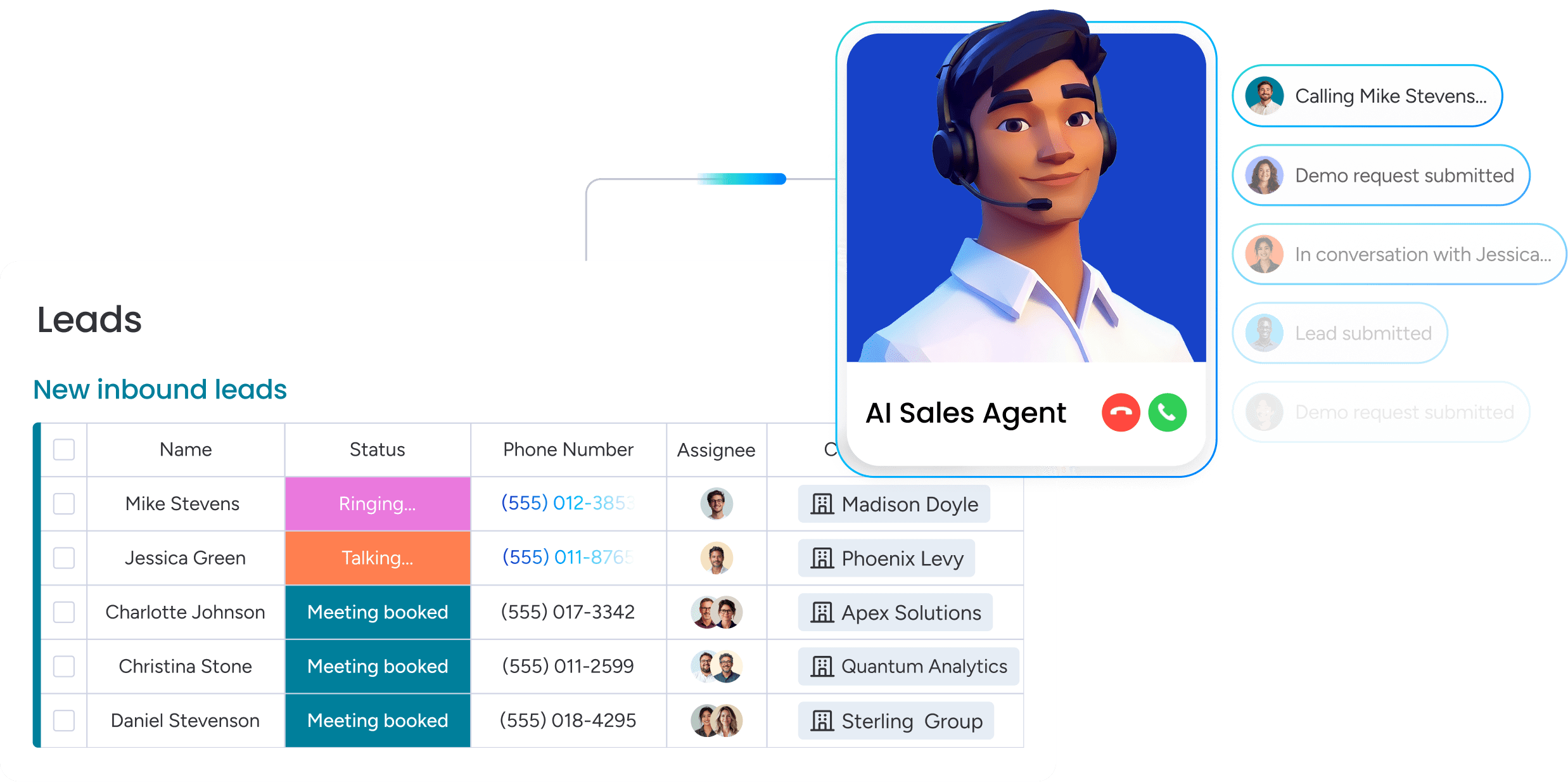
Choosing the right AI CRM for your business
Selecting an AI CRM platform requires evaluating multiple factors beyond just feature lists. The right choice depends on your team’s technical capabilities, existing technology ecosystem, specific automation needs, and budget constraints. This framework helps you pick the right platform for the long haul.
Key evaluation criteria
Your evaluation should consider these factors:
- AI capabilities breadth: what types of automation does the platform offer natively? Platforms that require third-party add-ons for core AI features create integration complexity and additional costs.
- Implementation complexity: can your team deploy automations independently or do you need technical resources? No-code platforms let business users build workflows through visual interfaces.
- Learning curve: how quickly can users become productive? Intuitive interfaces with documentation enable fast adoption.
- Customization flexibility: can the platform adapt to your unique processes or does it force you into rigid workflows?
Teams discover that advanced platforms like monday CRM address these criteria through its no-code AI capabilities. Team members can apply AI actions to any compatible column type, including text, date, number, dropdown, people, and status columns.
The platform allows customization of AI actions with specific instructions and previews results before saving.
Integration capabilities
Integration with your existing tools determines whether AI automation delivers value or creates additional complexity. Isolated systems that don’t share data force manual work and prevent AI from accessing the complete information it needs for accurate decisions.
The platform’s Emails & Activities feature centralizes communication tracking, and AI actions can generate results using information from this timeline. Email platforms, marketing automation systems, customer support tools, and communication platforms integrate seamlessly with monday CRM.
Cost and ROI considerations
Total cost goes beyond monthly subscription fees. Comprehensive cost analysis includes implementation expenses, training requirements, ongoing maintenance, and potential customization needs.
Calculate ROI based on tangible benefits:
- Time savings: if AI eliminates 15 hours of data entry per rep per week, and you have 20 reps, that’s significant reclaimed selling time yearly.
- Conversion improvements: if improved lead scoring increases conversion rates from 15% to 20%, the impact on revenue can be substantial.
- Data quality gains: reduced duplicate records and improved accuracy lead to more effective targeting and fewer missed opportunities.
According to a 2023 analysis by Nucleus Research, most AI CRM implementations show positive ROI within six to twelve months. Quick wins like automated data enrichment and lead scoring often pay back in three to four months.
4 strategies to overcome implementation challenges
Even the best-planned AI CRM rollouts hit roadblocks. These strategies address the most common challenges that prevent successful adoption. Know the roadblocks ahead of time and have fixes ready — you’ll boost your odds of success and get your team on board.
Strategy 1: prepare your data for AI success
Data quality directly affects how well AI works. Therefore, poor data produces poor predictions, inaccurate scoring, and unreliable automation.
Execute systematic cleanup before implementation:
- Merge duplicates: combine duplicate records while preserving all interaction history.
- Standardize formats: establish conventions for company names, phone numbers, and addresses.
- Fill gaps: use data enrichment to append missing information.
- Remove invalid data: delete or archive records with bounced emails or disconnected phone numbers.
This prep work takes two to four weeks but significantly increases the accuracy and effectiveness of your AI automations.
Strategy 2: drive team adoption through change management
Technology won’t guarantee success on its own. Teams resist new systems when they don’t understand the value, fear job displacement, or find the change disruptive.
Because of that, address AI concerns directly:
- Emphasize augmentation: AI eliminates tedious tasks, not jobs.
- Show value: demonstrate how AI augments human decisions rather than replacing them.
- Make it accessible: show how no-code interfaces make AI accessible to everyone.
Build confidence through training with hands-on practice, role-specific guidance, and quick reference guides. The intuitive interface and preview functionality in solutions like monday CRM allow team members to experiment with AI actions and see results before applying them to their entire board.
Strategy 3: establish governance and control
As AI systems get more autonomous, you need to maintain oversight and control. Create approval processes for new automations, implement monitoring procedures for AI decisions, and establish escalation protocols for issues.
Revenue teams using platforms like monday CRM benefit from run history functionality that allows you to review AI actions taken and understand the logic behind results. If an AI column shows “No result,” you can check the run history to understand why and adjust your instructions accordingly.
Strategy 4: move beyond pilot programs
Lots of companies run successful pilots that never scale beyond the test group. Build stakeholder buy-in for expansion by quantifying pilot results with concrete metrics. Allocate resources for scaling, including dedicated team members and training budgets.
Plan systematic rollout by rolling out to teams or departments sequentially rather than everyone simultaneously. Define what “successful adoption” means for each phase and gather feedback continuously.
Transform your data management with monday CRM
Teams get better results with monday CRM’s AI-powered data automation. The platform is intuitive and cuts out the complexity that usually comes with AI. The system combines powerful automation capabilities with no-code simplicity, enabling revenue teams to implement sophisticated AI workflows without technical expertise.
Data management stops being a manual burden and becomes an automated advantage.
AI blocks that work in minutes
No-code AI blocks are the fastest way to turn ideas into working automation. Users add AI capabilities to their workflows through simple point-and-click configuration.
The platform allows you to autofill columns with AI by selecting from available actions, customizing the action with specific instructions, and previewing results before saving. Your chosen action applies to all existing items and any new items you add to your board.
The custom action feature takes this further. Users describe their automation needs in plain language and get tailored AI actions. “Analyze this email and extract the budget mentioned” or “Read these meeting notes and create follow-up tasks” become working automations without configuration complexity.
Timeline Summary for complete context
The AI Timeline Summary simplifies the research process that many sales reps and managers undertake to gain a complete understanding of their team’s history with a client. It creates a short summary of all communication events, such as emails, calls, meetings, and notes.
This helps sales and support teams save valuable time. Instead of scrolling through months of communication history, team members get instant context before every customer interaction.
Seamless tech stack integration
The platform connects with your entire business technology ecosystem, ensuring AI automation works across all systems rather than creating isolated processes. The Emails & Activities feature centralizes communication tracking, and AI actions can generate results using information from this timeline.
This ensures AI has access to complete information across all systems, which leads to more accurate predictions, reliable automations, and powerful insights. Give AI access to complete information across all systems and you get more accurate predictions, more reliable automations, and better insights.
Make AI work for your revenue team
Sales reps spend too much time on manual data entry instead of closing deals. Scattered contact details, outdated lead scores, and constant updates pull them away from building relationships and driving revenue. AI-powered CRM automation removes this burden.
Intelligent systems automatically capture information, enrich records, score leads in real time, and trigger the right actions at the right moments. Sales teams focus on selling while AI handles repetitive tasks that slow progress.
By turning CRM data management from manual entry into predictive, automated workflows, teams save hours each week, improve accuracy, and engage prospects faster. Even simple automations like lead enrichment, scoring, and follow-ups, deliver immediate value, letting reps focus on the deals that matter.

“With monday CRM, we’re finally able to adapt the platform to our needs — not the other way around. It gives us the flexibility to work smarter, cut costs, save time, and scale with confidence.”
Samuel Lobao | Contract Administrator & Special Projects, Strategix
“Now we have a lot less data, but it’s quality data. That change allows us to use AI confidently, without second-guessing the outputs.”
Elizabeth Gerbel | CEO
“Without monday CRM, we’d be chasing updates and fixing errors. Now we’re focused on growing the program — not just keeping up with it."
Quentin Williams | Head of Dropship, Freedom Furniture
“There’s probably about a 70% increase in efficiency in regards to the admin tasks that were removed and automated, which is a huge win for us.“
Kyle Dorman | Department Manager - Operations, Ray White
"monday CRM helps us make sure the right people have immediate visibility into the information they need so we're not wasting time."
Luca Pope | Global Client Solutions Manager at Black Mountain
“In a couple of weeks, all of the team members were using monday CRM fully. The automations and the many integrations, make monday CRM the best CRM in the market right now.”
Nuno Godinho | CIO at Velv
“monday.com provides developmental flexibility, operational efficiency, and data transparency — all in one place. We became a company that moved from chasing data to leading with it.”
Hyunghan Lee | Team Lead, Sandbox Network
"monday.com brought every part of our business into one connected space. The harmony between work management and CRM has become our operating system — giving us the clarity and confidence to scale.”
Jennifer Chinburg | Executive Vice President of Corporate Development & Brand, Chinburg Properties
“We just weren’t getting value from our old CRM. With monday.com, it's a thousand times better. Our sales teams are more informed, more consistent, and far more connected."
James Arnold | Chief Operating Officer, CenversaFrequently asked questions
How long does AI CRM implementation typically take?
The time it takes for an AI CRM implementation varies based on complexity, but no-code solutions can be operational within days for basic automations. Comprehensive implementations typically take 2-8 weeks depending on data preparation needs and integration requirements.
Will AI automation integrate with my existing business tools?
AI automation integrates with existing business tools through native connectors and APIs. Platforms like monday CRM support popular business applications including email platforms, marketing automation systems, customer support tools, and communication platforms to ensure seamless data flow across your entire tech stack.
What is the difference between AI agents and traditional chatbots?
AI agents are autonomous specialists that proactively handle complex tasks, learn from interactions, and take independent action based on patterns they recognize. Traditional chatbots simply respond to queries with pre-programmed answers without learning or taking action beyond the conversation.
How much training does my sales team need for AI CRM automation?
Sales teams need minimal training for AI CRM automation with no-code platforms, typically a few hours for basic features and one to two days for advanced capabilities. The systems are designed for business users rather than technical specialists, with intuitive interfaces that sales teams can learn quickly.
Is my customer data secure with AI automation platforms?
Customer data remains secure with AI automation platforms through encryption, compliance certifications (SOC 2, GDPR, ISO 27001), and strict access controls. These platforms often provide strong security due to automated monitoring, threat detection, and regular security audits.
How accurate is AI at managing CRM data compared to manual entry?
AI achieves 95%+ accuracy in data processing and extraction tasks, significantly higher than manual entry which averages 70-80% accuracy due to human error, inconsistent data entry practices, and information that gets forgotten or skipped during busy periods.

 Get started