



When every rep has instant access to complete prospect histories and account managers can anticipate client needs before they’re voiced, your team gains a strategic advantage that directly impacts revenue. A well-built contact management system transforms scattered data into actionable insights that power smarter conversations and faster deals.
This guide shows you how to build a contact management system that organizes all your contact information in one centralized database, automates the busy work that slows your team down, and creates a single source of truth everyone will actually use. You’ll discover the core features that separate effective systems from basic contact lists and learn practical strategies to drive real adoption across your revenue teams.
Key takeaways
- Stop hunting through spreadsheets and email threads by centralizing all contact details so your entire team can find anyone’s information in seconds.
- Let the system log emails, create follow-up tasks, and update contact stages automatically so you focus on building relationships, not data entry.
- Choose a system that works inside Gmail or Outlook where your team already lives — if they have to switch platforms constantly, they won’t use it.
- Capture all emails, calls, and meetings in one timeline so anyone on your team can instantly understand the history of any relationship.
- The AI Timeline Summary and automated workflows in monday CRM help teams handle more contacts and close more deals with the same headcount.

Contact management is the practice of organizing, storing, and tracking all information about the people and companies you do business with in a centralized system. This means replacing scattered spreadsheets, email inboxes, sticky notes, and individual memory with one shared database that everyone on your team can access and update.
Think of contact management as the foundation of every business relationship. It focuses specifically on organizing contact information and tracking interactions, making sure no one on your team ever has to ask “do you know anything about this person?” again.
The distinction between contact management and broader CRM systems matters for your business. Contact management solves one problem: who are these people and what’s our history with them? It’s not about managing full customer lifecycles, forecasting revenue, or running multi-channel marketing campaigns. That’s what broader CRM systems do.
Contact management does 3 things:
- Centralizing customer information: Creating one database where all contact details live
- Tracking every interaction: Recording emails, calls, meetings, and notes automatically
- Automating routine work: Keeping contact data current and actionable without manual effort
Centralized customer information storage
A contact management database creates one place where all customer and prospect information lives. If you’re using spreadsheets or relying on contact information scattered across individual email accounts, this eliminates the daily frustration of hunting for basic details.
The centralized database stores different types of information that help your team understand each relationship:
- Contact details: Name, email, phone number, company, job title, and physical address
- Custom fields: Industry, deal size, territory, lead source, preferred communication method, or any contextual information relevant to your business
- Relationship context: Notes about preferences, past conversations, and anything that helps your team serve that contact more effectively
Centralization preserves institutional knowledge. When a sales rep leaves or someone’s out sick, all their contact information and history remain accessible to the entire team. New team members can immediately see the full context of any relationship without scheduling knowledge transfer meetings or digging through someone else’s email.
Multiple team members can view and update the same contact record at once. Role-based permissions keep sensitive information protected. A sales rep preparing for a call can see that a prospect attended a webinar last month, downloaded a pricing guide, and had a demo scheduled by a colleague. All the necessary context is available directly within the contact record.
Complete interaction history
Contact management systems automatically log every interaction between your team and each contact, creating a chronological timeline of the relationship that anyone can access. This interaction history captures different types of engagement:
Here’s what gets tracked:
| Interaction type | What gets tracked |
|---|---|
| Communication records | Emails sent and received, phone calls, meeting notes, video call summaries |
| Engagement activities | Website visits, content downloads, event attendance, webinar registrations |
| Deal progression | Proposals sent, contracts signed, purchase history, renewal dates |
| Internal notes | Preferences, concerns, relationship dynamics |
The value is immediate. Anyone on your team can pick up a conversation with a contact and know exactly what’s happened previously. No need to ask the contact to repeat information or dig through email threads trying to reconstruct the relationship history.
Contact management systems connect with your email, calendar, and other platforms to capture this automatically. Send an email? It logs. Schedule a meeting? It appears on the contact timeline. The system handles documentation so your team can focus on the actual relationship.
Try monday CRM
Contact management systems automatically move contacts through stages and trigger actions based on their behavior or characteristics. This cuts the manual work that bogs down sales teams.
Lifecycle stages automatically categorize contacts based on their actions or data changes. A new lead becomes a qualified prospect when they take specific actions. An active customer gets flagged as at-risk when engagement drops. No manual status updates required.
Triggered workflows create consistency and speed across your team:
- Action item assignment: When a contact reaches a certain stage, the system assigns follow-up actions to the appropriate team member.
- Notifications: Team members receive alerts when contacts take important actions.
- Field updates: Contact priority, status, or category changes automatically based on defined criteria.
Data maintenance keeps your contact database clean by:
- Flagging outdated information: When emails bounce or phone numbers disconnect
- Identifying duplicate records: Before they create confusion
- Prompting updates: Team members update stale contact details
When a prospect downloads a pricing guide, the system automatically changes their status to “high intent,” assigns them to the appropriate sales rep based on territory, and creates a follow-up task for within 24 hours. No one has to remember to do any of this.
How contact management software works
Contact management software operates on 3 foundational principles that transform scattered contact information into an organized, actionable system. Here’s how it works.
Data centralization across teams
Contact management software creates a unified database that eliminates information gaps between departments and team members. All contact information lives in one shared database, regardless of which team member originally entered it or which department interacts with that contact.
One shared database means no more version control issues. When the marketing team updates a contact’s company information, the sales team sees that change immediately. When customer success logs a support conversation, the account manager has that context for their next call.
Cross-functional visibility breaks down departmental walls:
- Sales visibility: Can see support tickets that might affect deal timing
- Marketing insight: Can see sales conversations that inform campaign targeting
- Account management context: Can see the complete customer journey from first touch to current status
It’s straightforward: contact management systems use one central database where all team members connect to the same data, rather than maintaining separate files or databases per team.
Say a customer emails support about a billing question. The support agent can immediately see they’re also in an active sales conversation about expanding their account. That context changes how the agent handles the inquiry. They might loop in the account manager or handle the billing issue with extra care, knowing the relationship is in a growth phase.
Real-time activity tracking
Contact management systems automatically capture and display contact activities as they happen. All activities are logged automatically, ensuring every interaction is captured.
Email integration connects to Gmail or Outlook and automatically logs sent and received emails, attaching them to the right contact record. The system automatically logs all email correspondence, making the process effortless for your team.
Calendar synchronization means meetings and calls scheduled through your calendar automatically appear on contact timelines — attendees, duration, outcomes, all there.
Platform activity monitoring captures digital interactions:
- Website activity: Page views and time spent on site
- Content engagement: Downloads, document views, and proposal opens
- Event participation: Registrations and attendance tracking
Manual entry options allow team members to add notes, log phone calls, or record in-person meetings that happen outside connected systems.
Activity appears on contact records within seconds. When a prospect opens your proposal, you see it within a minute. Team members always have current information when they need it.
Workflow automation

Contact management systems use automation to handle repetitive tasks and keep processes consistent across your team. This frees up time for work that actually requires human judgment.
Automation serves different purposes:
| Automation category | What it does | Example |
|---|---|---|
| Data entry automation | Populates contact fields automatically | Extracts name, title, company from email signatures |
| Task creation | Creates follow-up tasks based on triggers | Call task when proposal unopened for 3 days |
| Status updates | Changes contact stages automatically | Moves contact to “engaged” after 3+ email opens |
| Notification triggers | Alerts team members | Notifies rep when dormant contact returns to website |
Specific automation examples in action include:
- Bounced email handling: System automatically flags the record and creates a task to find updated contact information.
- Engagement monitoring: System sends a reminder to the account owner when a contact hasn’t been contacted in 30 days.
- Intent signals: System notifies the assigned sales rep and increase the contact’s priority score when a contact visits your pricing page three times in one week.
Most contact management systems include pre-built automation templates for common scenarios. Teams can start with these templates and customize or create new automations as their processes evolve.
Contact management vs. customer relationship management
These terms get used interchangeably, but they’re different. Contact management is part of CRM, not a competing concept. Understanding the distinction helps teams avoid both under-investing and over-investing in contact management technology.
Here’s where contact management ends and full CRM begins:
| Capability | Contact management | Full CRM |
|---|---|---|
| Contact information storage | ✓ | ✓ |
| Interaction history tracking | ✓ | ✓ |
| Email integration | ✓ | ✓ |
| Basic task management | ✓ | ✓ |
| Sales pipeline management | Limited | ✓ |
| Deal tracking and forecasting | ✗ | ✓ |
| Marketing automation | ✗ | ✓ |
| Customer service ticketing | ✗ | ✓ |
| Advanced reporting and analytics | ✗ | ✓ |
| Custom workflows across departments | ✗ | ✓ |
Contact management focuses on organizing and accessing information about the people you do business with. It answers the question: “Who is this person and what’s our history with them?”
Full CRM includes contact management but goes further — managing the entire customer lifecycle. It includes sales processes, marketing campaigns, customer service operations, and revenue forecasting. It answers: “Who is this person, where are they in our sales process, what’s the likelihood they’ll buy, and how do we optimize our entire revenue operation?”
Contact management is a specific, focused solution for teams who mainly need to organize contact information and track interactions.
When contact management is enough
Contact management meets the needs of teams in specific situations. Your primary need is organization: You’re using spreadsheets, business cards, or scattered notes, and you need a centralized place to store contact information.
Your sales processes are straightforward, with relatively simple sales cycles without multiple stages, complex approval processes, or long-term pipeline management needs. Team size is small to medium, with fewer than 20 people needing to access contact information, and coordination happens through direct communication.
You have limited integration requirements, needing basic email and calendar integration but not connections to marketing automation, customer service platforms, or advanced analytics.
Specific scenarios where contact management is the right fit:
- Consulting firms: Track client contacts, meeting notes, and project history without formal sales pipelines.
- Small businesses: Move from spreadsheets to a shared system where team members can see customer interaction history.
- Professional services: Coordinate who’s talking to which clients without requiring deal forecasting or revenue projections.
Many contact management systems can grow with you, adding CRM capabilities as your needs evolve. Starting with contact management doesn’t lock you into limited functionality forever.
When you need full CRM capabilities
Full CRM becomes necessary when business complexity exceeds what contact management can handle. You need it when you’re managing multi-stage sales pipelines with multiple decision-makers, long sales cycles, and revenue forecasting based on pipeline health.

Cross-departmental workflows also signal the need for full CRM — when sales, marketing, and customer service need to coordinate beyond basic contact details, or when you’re running email campaigns, lead nurturing sequences, and multi-channel marketing that integrate with deal data. Advanced reporting on sales performance, conversion rates, and customer lifetime value, plus managing multiple teams, territories, or product lines with sophisticated workflows all point to full CRM capabilities.
Indicators that signal the need for full CRM include:
- Pipeline questions: Your team asks questions like “what’s the value of deals in our pipeline?” or “what’s our win rate by region?”
- Handoff problems: You’re losing deals because handoffs between marketing and sales or sales and customer success aren’t smooth
- Campaign needs: You need to run targeted marketing campaigns based on contact behavior, deal stage, or purchase history
- Compliance requirements: You have audit requirements that demand detailed tracking of customer interactions across multiple channels

While contact management systems vary in complexity and price, 5 core features determine whether a system will actually improve your team’s efficiency or just add another platform to manage. These features separate effective solutions from glorified contact lists.
1. Unified contact database
A unified contact database means all contact information lives in one searchable, accessible location, regardless of source or team. The system prevents duplicate entries and merges information from multiple sources into one comprehensive contact record. The system prevents duplicate entries and merges information from multiple sources, creating a single, accurate record for each contact.
Beyond standard fields like name, email, and phone, you can add custom fields relevant to your business:
- Business context: Industry, company size, territory or region assignment
- Acquisition data: Lead source and acquisition date
- Financial information: Contract value and renewal date
- Custom attributes: Any other data points that matter for your business
The system connects related contacts, showing multiple people at the same company and organizational hierarchies. You can see that Sarah is the decision-maker, Tom is the technical evaluator, and both report to the CFO you met at a conference.
Team members can find any contact instantly by searching any field. A sales rep preparing for a call can search the company name and immediately see all contacts at that organization, their roles, previous interactions, and current status.
2. Email and communication tracking
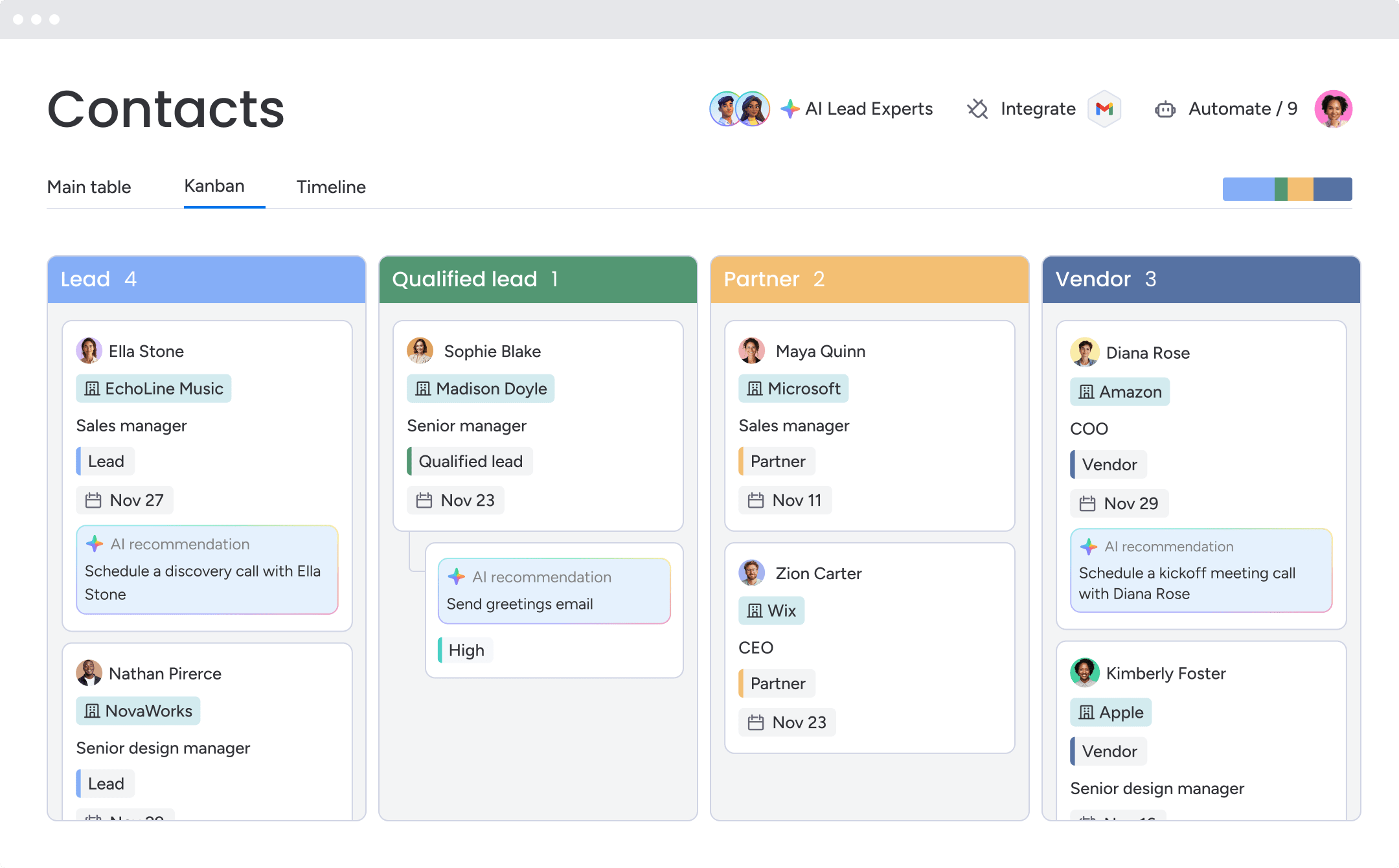
Effective contact management systems automatically capture and organize all communication with contacts, eliminating manual logging and ensuring complete interaction history. The system logs both emails you send to contacts and emails contacts send to you, creating a complete conversation thread. No more forwarding emails to colleagues or asking “did anyone hear back from them?”
Email client integration works directly within Gmail, Outlook, or other email platforms so team members don’t need to switch between systems. The contact management system becomes part of the email workflow, not a separate destination.
Emails are automatically linked to the correct contact record based on email address, even if multiple team members communicate with the same contact. The system handles the matching so no one has to manually file emails.
Phone calls can be logged manually or automatically with phone system integration, including:
- Call details: Duration, outcome, and notes
- Complete history: Any team member can see the complete email history with a contact without needing to be CC’d on every message or requesting forwarded emails from colleagues
3. Task management and reminders
Integrated task management ensures follow-ups happen on time and nothing falls through the cracks, directly connecting action items to the contacts they relate to. Tasks are attached to specific contact records. When you view a contact, you immediately see pending action items without checking a separate task list or calendar.
Based on contact actions or timeline events, the system generates follow-up tasks:
- Response tracking: “Contact hasn’t responded in 5 days” creates a follow-up task
- Proposal follow-up: “Proposal sent” creates a check-in task for 3 days from now
Team members receive notifications when tasks are due or overdue, with options for email, mobile, or in-app alerts. No more relying on memory or sticky notes.
Managers can assign tasks to specific team members, and tasks can automatically reassign when contact ownership changes. When a rep goes on vacation, their tasks don’t disappear.
4. Integration with your tech stack
Contact management systems must connect with the other platforms your team already uses, eliminating data silos and reducing the need to switch between applications.
Critical integration categories include:
- Email and calendar: Gmail, Outlook, and Office 365 for communication tracking and meeting scheduling
- Communication platforms: Slack and Microsoft Teams for notifications and quick contact lookups
- Data enrichment: Services that automatically populate contact information from business databases
- Document storage: Google Drive, Dropbox, and OneDrive for attaching relevant files to contact records
- Accounting and invoicing: QuickBooks and Xero to connect contact information with financial data
When your contact management system connects with your email, calendar, and communication platforms, information flows automatically between systems. A meeting scheduled in your calendar appears on the contact record. A Slack message about a contact can pull up their full profile without leaving Slack.
5. Mobile access for field teams
Mobile access ensures team members can access contact information, log activities, and update records from anywhere, not just when they’re at their desks.
- View complete contact profiles, interaction history, and related information from mobile devices. The mobile experience should mirror the desktop experience, not offer a stripped-down version.
- Log calls, meetings, and notes immediately after they happen, while details are fresh. Waiting until you’re back at your desk means forgetting important context.
- Changes made on mobile sync instantly to the main system, so office-based team members see current information. No sync delays or version conflicts.
- Access critical contact information even without internet connection, with changes syncing when connectivity returns. Field teams can’t always count on reliable internet.

Contact management delivers measurable improvements across 7 key areas, from eliminating manual work to enabling revenue growth without proportional headcount increases. These benefits compound over time as your contact database grows and your team’s processes mature.
- Fully automated data entry: Contact management systems eliminate repetitive data entry that consumes hours each week. The system automatically extracts contact details from email signatures, website forms, and event registrations — no manual typing required.
- Complete and permanent customer information: Contact management systems prevent information loss when team members leave or are unavailable. Every interaction, note, and piece of contact information is preserved in the system, accessible to authorized team members regardless of who originally entered it. When a sales rep leaves, their contact knowledge and relationship context stays with your company.
- Seamless team collaboration: Multiple team members can work with the same contacts without coordination overhead. Everyone sees the same contact information, interaction history, and pending tasks.
- Faster sales velocity: Contact management systems accelerate sales cycles by reducing administrative time and ensuring timely follow-ups. Sales reps find contact information in seconds instead of minutes.
- Stronger customer relationships: Contact management enables personalized, context-aware interactions that strengthen relationships. Every team member can pick up a conversation with full context — customers never repeat information or feel like they’re starting over. The system prompts outreach at meaningful moments like contract anniversaries, renewal periods, and after major purchases.
- Data-driven sales decisions: Contact management transforms scattered data into actionable insights. Identify which contact types convert at higher rates, which activities correlate with successful outcomes, and where response time bottlenecks exist. Revenue teams using monday CRM access customizable dashboards with sales-specific widgets that provide immediate insights into pipeline status, team performance, and activity levels.
- Scale revenue without adding headcount: Contact management systems enable teams to handle more contacts and close more deals without proportionally increasing team size. Automation handles data entry, follow-up reminders, status updates, and routine communications. Each team member manages more contacts effectively, and new members get up to speed faster by accessing documented interaction history.
Building a contact management system your team will actually use
Buying contact management software is easy. Getting your team to actually use it is the real challenge. Many contact management implementations fail not because of poor technology but because teams don’t adopt the system. The following strategies dramatically improve adoption rates by reducing friction and demonstrating immediate value.
Step 1: Start small with one team
Select a team that’s experiencing acute pain with current contact management approaches and is eager for a solution. Their enthusiasm will drive adoption and provide honest feedback.
Define what success looks like for the pilot:
- Activity metrics: 100% of client interactions logged within 24 hours
- Efficiency gains: Zero instances of team members unable to find contact information
- Time savings: Average time to find contact history under 30 seconds
Meet with pilot team members weekly to understand what’s working, what’s confusing, and what would increase their usage. A pilot allows you to identify and solve adoption barriers with a small group before they affect your entire organization. You’ll discover which features need more training, which workflows need adjustment, and which integrations are critical.
Step 2: Choose software that feels familiar
Adoption rates correlate directly with how intuitive the interface feels. Systems that require extensive training or dramatically different workflows face resistance.
The interface should feel similar to other business software your team already uses, with common actions where team members expect them. The system should use terms your team already uses — if you call them “clients” not “contacts,” the system should be configurable to match your vocabulary.
During software evaluation, have actual end users test the interface. If they’re confused or frustrated during a 15-minute trial, they’ll be even more resistant during daily use.
Step 3: Prioritize email integration

Email integration is the single most critical feature for driving adoption because it meets team members where they already work. Team members can access contact information, log interactions, and update records directly from their email inbox, with emails automatically logged to contact records.
Teams using monday CRM integrate with Gmail and Outlook to send and track emails directly from the CRM, including open rates and link clicks. Set up email integration before rollout — when team members log in and see their recent conversations already synced, they immediately understand the value.
Transform your contact management approach with monday CRM
Contact management isn’t just about organizing information — it’s about building the foundation for every business relationship your team manages. monday CRM delivers contact management that teams actually use because it’s built on the familiar, intuitive monday.com platform your team may already know.
monday CRM addresses the core challenges that prevent teams from adopting contact management systems:
- Visual, customizable interface: The board-based structure feels familiar and intuitive, not like learning a completely new system. Teams can see their contacts, deals, and activities in formats that make sense for how they actually work.
- Email integration that works: Send and track emails directly from Gmail or Outlook without switching platforms. The system automatically logs all correspondence and tracks opens and clicks, giving you engagement insights without changing your workflow.
- AI-powered efficiency: The AI Timeline Summary condenses weeks of emails, calls, and meetings into a brief overview, so reps can prepare for calls in seconds. Autofill with AI extracts information from documents and automatically populates contact fields, eliminating manual data entry.
- Mobile access that mirrors desktop: Access complete contact profiles, log activities, and update records from anywhere with a mobile experience that doesn’t compromise on functionality.
- Unified view across your business: See contacts alongside related deals, accounts, and projects in one expanded view. Sales, customer success, and support teams all work from the same relationship context.
- Automation without complexity: Set up workflows that automatically assign tasks, update contact stages, and notify team members based on triggers — no coding required.
The key to success lies in choosing a system your team will actually use and implementing it thoughtfully. Start with a pilot team, prioritize email integration, and focus on demonstrating immediate value rather than overwhelming users with features they don’t need yet.
Try monday CRMFAQs
What is the difference between contact management and CRM?
Contact management focuses specifically on organizing, storing, and tracking information about people and companies. CRM is broader — it includes contact management but extends into sales pipeline management, deal forecasting, marketing automation, and customer service operations across the entire customer lifecycle.
How do I choose the right contact management software?
Evaluate contact management software based on 5 essential features: a unified contact database that prevents duplicates and supports custom fields, email and communication tracking that automatically logs interactions, integrated task management with reminders and automation, native integrations with your existing tech stack, and mobile access for field teams.
Can small businesses benefit from contact management systems?
Small businesses often see the most dramatic benefits from contact management systems because they're typically transitioning from spreadsheets, scattered notes, or individual email accounts with no shared visibility. The efficiency gains have outsized impact when every team member's time is at a premium.
How long does it take to implement a contact management system?
Implementation timelines vary based on team size, data complexity, and integration requirements, but a typical implementation follows an 8-10 week pattern. Weeks 1-2 focus on system setup, contact import, and basic workflow configuration. Weeks 3-6 involve a pilot team using the system daily and providing feedback. Weeks 7-8 are spent refining configuration based on feedback.
What data should I track in a contact management system?
Essential contact data includes basic details like name, email, phone, company, and job title. Also track relationship context such as how you met, lead source, and territory assignment. Beyond static data, track all interactions: emails sent and received, phone calls, meetings, content downloads, and internal notes.
How do I get my team to actually use the contact management system?
Three strategies dramatically improve adoption rates. Start small with one motivated team rather than rolling out company-wide. Choose software that feels familiar and intuitive. Prioritize email integration above all other features so the system is embedded in the platform your team already uses all day.
