


In video production, the final cut is everything. But before reaching that point, projects often live in a chaotic mix of spreadsheets, email threads, and scattered feedback. This administrative drag doesn’t just slow teams down; it pulls creative professionals away from the work that actually wins clients and builds reputations. A generic CRM that wasn’t built for video production workflows only adds to the noise.
The right CRM changes everything. It transforms scattered chaos into streamlined workflows, giving your team the clarity and control they need to deliver exceptional work on time. When your system is built for how creative teams actually operate, you spend less time managing projects and more time creating them.
The following sections explore the best CRM for video production, breaking down the top platforms that understand creative processes. The article covers the essential features, pricing, and unique strengths to help production teams find a system that keeps everyone aligned.
Key takeaways
- Creative workflows demand flexible CRMs: video production teams need platforms that mirror their project-based processes, not generic sales tools that force rigid structures onto dynamic creative work.
- Visual pipeline management drives alignment: production companies can track every stage from pitch to post-production, keeping clients informed and teams synchronized throughout the entire project lifecycle.
- Centralized feedback eliminates chaos: the right CRM consolidates client feedback, asset management, and approvals in one place, ending scattered email threads and version control nightmares.
- No-code customization empowers creative teams: platforms like monday CRM offer intuitive customization and native integrations with creative tools, letting teams build workflows that match how they actually operate.
- AI automation reclaims creative time: intelligent automation handles routine client communications and status updates, freeing creative professionals to focus on the work that wins clients and builds reputations.
Why video production companies need a CRM?
Managing clients across disconnected tools creates operational gaps that directly impact project delivery. When critical information is fragmented, timelines lose clarity, ultimately damaging client relationships and your business reputation.
Furthermore, when administrative tasks consume a team’s capacity, creative output suffers. This pattern leads to preventable errors and unpredictable revenue streams.
In contrast, a dedicated CRM centralizes interactions and approvals into a unified system, resulting in faster turnaround times and stronger client retention.
The challenges of managing production without a CRM
Managing high-stakes video projects without a centralized system often leads to systemic breakdowns that threaten both quality and profitability. Specifically, teams without a CRM frequently encounter these three critical obstacles:
- Vanishing feedback: without a central hub, client notes disappear into the “ether” of email and text threads, causing revisions to drag on indefinitely.
- The “black box” pipeline: lacking a clear view of project status makes it impossible to prioritize work effectively or provide clients with firm timelines.
- Asset guessing games: this disorganization risks sending the wrong cut to a client, while a lack of data makes revenue forecasting feel like pure fiction.
Benefits of a CRM for video production teams
A CRM creates a single source of truth for all client communication. Every note, revision, and approval is tracked in one centralized location, keeping everyone aligned and eliminating the confusion of scattered conversations. The result is faster sign-offs and smoother collaboration.
Smart workflows allow you to visualize your entire pipeline at a glance and see exactly where each project stands. This visibility helps you identify roadblocks before they become emergencies. Automations handle routine follow-ups, allowing your team to focus on the creative work that drives results.
Tracking deals alongside projects creates predictable revenue. With clear visibility into your pipeline and cash flow, you can plan confidently, invest strategically, and scale sustainably. Clear tasks and deadlines empower teams to take ownership of their work and consistently meet their goals.

“With monday CRM, we’re finally able to adapt the platform to our needs — not the other way around. It gives us the flexibility to work smarter, cut costs, save time, and scale with confidence.”
Samuel Lobao | Contract Administrator & Special Projects, Strategix
“Now we have a lot less data, but it’s quality data. That change allows us to use AI confidently, without second-guessing the outputs.”
Elizabeth Gerbel | CEO
“Without monday CRM, we’d be chasing updates and fixing errors. Now we’re focused on growing the program — not just keeping up with it."
Quentin Williams | Head of Dropship, Freedom Furniture
“There’s probably about a 70% increase in efficiency in regards to the admin tasks that were removed and automated, which is a huge win for us.“
Kyle Dorman | Department Manager - Operations, Ray White
"monday CRM helps us make sure the right people have immediate visibility into the information they need so we're not wasting time."
Luca Pope | Global Client Solutions Manager at Black Mountain
“In a couple of weeks, all of the team members were using monday CRM fully. The automations and the many integrations, make monday CRM the best CRM in the market right now.”
Nuno Godinho | CIO at Velv
“monday.com provides developmental flexibility, operational efficiency, and data transparency — all in one place. We became a company that moved from chasing data to leading with it.”
Hyunghan Lee | Team Lead, Sandbox Network
"monday.com brought every part of our business into one connected space. The harmony between work management and CRM has become our operating system — giving us the clarity and confidence to scale.”
Jennifer Chinburg | Executive Vice President of Corporate Development & Brand, Chinburg Properties
“We just weren’t getting value from our old CRM. With monday.com, it's a thousand times better. Our sales teams are more informed, more consistent, and far more connected."
James Arnold | Chief Operating Officer, CenversaEssential CRM features for video production teams
Generic CRMs were not built for your world of client revisions, massive files, and creative chaos. They slow you down with rigid fields and text-heavy lists. You need a platform that understands your visual workflow, not one that fights it. The right CRM gives you control with features designed specifically for creative teams:
- Visual pipeline management: see your entire project pipeline at a glance, from pitch to final cut, with customizable stages that mirror your actual production workflow
- Centralized client communication: consolidate all client feedback, revisions, and approvals in one place so you can finally ditch the endless email threads and conflicting notes
- No-code customization: build workflows that match your process with simple drag-and-drop tools—no technical expertise required
- Native creative tool integrations: connect seamlessly to your favorite apps like Adobe Creative Cloud, Frame.io, and Slack for uninterrupted creative flow
- Automated client updates: set up smart automations that handle routine follow-ups and status reports, freeing your team to focus on the work that matters
- Asset management and version control: organize project files, scripts, and video drafts with built-in version tracking and secure client access
Advanced solutions like monday CRM deliver all these capabilities in one flexible platform. It’s less time on admin, more time creating.
The 7 best CRM software for video production companies
Managing clients, timelines, and creative assets demands your full attention. The last thing you need is a CRM that creates more chaos with disconnected spreadsheets and dropped follow-ups. A system built to match the pace and complexity of video production isn’t optional; it’s what separates teams that close deals from those that lose them.
The best CRMs for video production go far beyond basic contact management. They deliver visual pipelines that actually reflect how creative work flows, integrate seamlessly with the tools your team lives in daily, and give you complete visibility from initial pitch through final delivery. Everything lives in one place, so nothing falls through the cracks.
These seven platforms recognize that video production sales cycles are uniquely complex. They’re purpose-built to handle that complexity without slowing you down. Choose the right one, and you’ll empower your team to close more deals faster while spending less time managing the system and more time creating exceptional work.
1. monday CRM
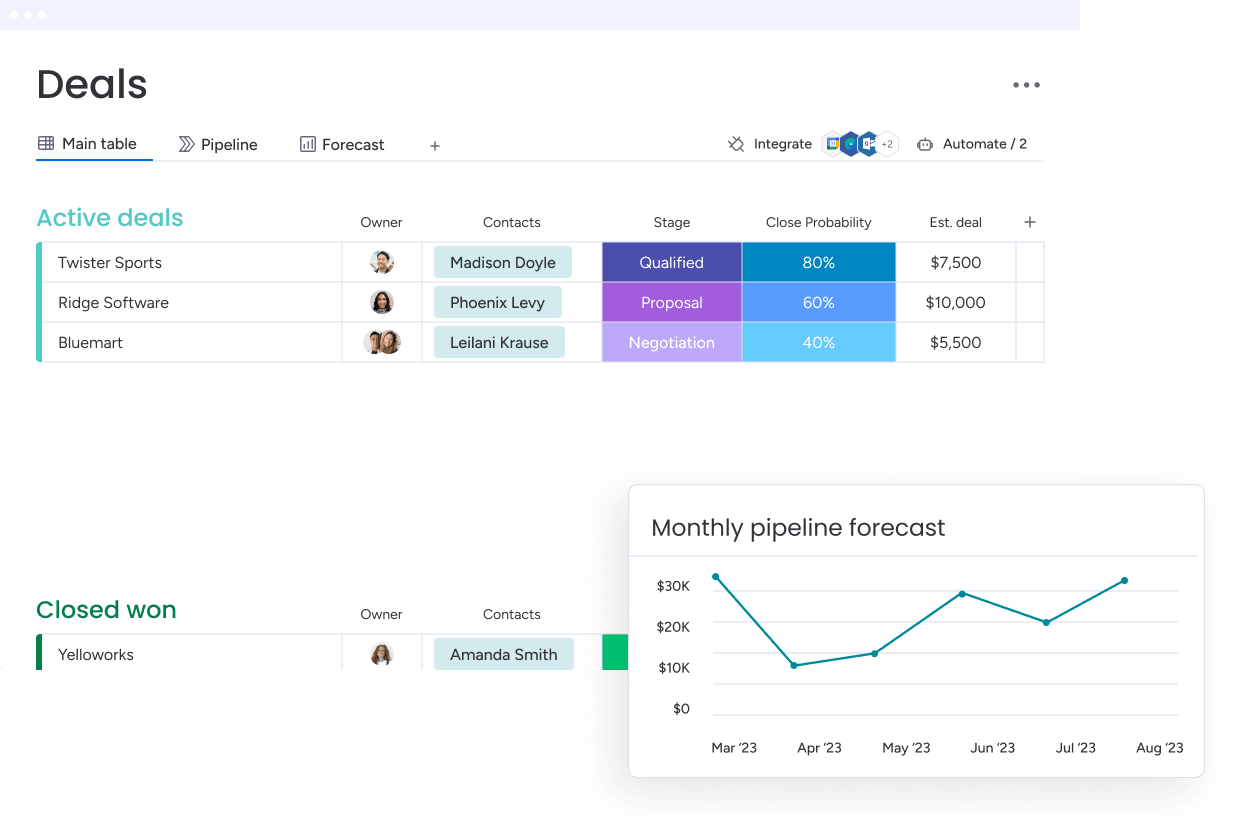
With its visual, no-code platform that mirrors every stage of your creative process, monday CRM transforms video production workflows. The platform specializes in customizable pipelines and AI-powered automation, making it ideal for production teams who need to track complex projects while keeping clients in the loop.
Example:
A video production team would use monday CRM to construct visual pipelines that monitor every project stage, from concept to delivery, while automating client communications and centralizing all assets.
Key features:
- Visual pipeline management: fully customizable stages for pre-production, production, post-production, and client delivery.
- AI blocks: automate client communications, status updates, and feedback requests to free up creative time.
- Asset management: file storage, version control, and client access portals for scripts, storyboards, and video drafts.
Pricing:
- Basic: $12/user/month
- Standard: $17/user/month
- Pro: $28/user/month
- Enterprise: custom pricing
- Annual billing: saves about 18%.
- Monthly plans: available.
- Minimum requirement: three seats.
Why it stands out:
- No-code customization: creative teams adapt workflows without IT support, adding custom fields for project types and client requirements.
- Native integrations: seamless connectivity with Adobe Creative Cloud, Frame.io, Google Drive, and Slack keeps creative workflows flowing.
- AI-powered automation: automatically generate client communications, analyze project data for timeline insights, and handle approval cycles with pre-built recipes.
- Visual project tracking: customizable pipeline views mirror actual video production stages, from pitch to post-production.
- Centralized client hub: built-in portals consolidate feedback, approvals, and asset sharing with version control and automatic status updates.
2. HubSpot
For growing businesses unifying marketing, sales, and service, HubSpot provides an all-in-one CRM platform. Its Smart CRM technology automatically captures and organizes customer data from emails, calls, and web interactions, making it particularly valuable for video production companies juggling multiple client projects and complex workflows.
 Example:
 Example:
The primary application for HubSpot is its Smart CRM, which automatically enriches client profiles with data from every touchpoint, giving video production teams complete context for each project relationship without manual data entry.
Key features:
- Smart CRM unifies client data: structured data, conversations, and external signals merge into comprehensive client profiles that give your team complete context.
- AI-powered Breeze agents: automate routine tasks like follow-ups, data entry, and project status updates to free up your team’s time.
- Flexible pipeline views: Kanban, Calendar, and Gantt views adapt to different video production workflow preferences.
Pricing:
- Smart CRM (Free): $0/month with basic contact management and deal tracking.
- Starter: $15/month per seat with enhanced automation and reporting.
- Professional: $50/month per seat with advanced workflows and custom objects.
- Enterprise: $75/month per seat with advanced permissions and audit logs.
- Customer platform bundles: start at $1,450/month for Professional (five seats included).
- Nonprofit discount: 40% off eligible subscriptions.
- Startup programs: up to 90% off first year for qualifying companies.
Considerations:
- Seat-based pricing scales quickly: costs can become expensive as teams grow, especially when mixing different user types.
- API limits and feature restrictions: tier-based limitations may require careful planning for high-volume video production workflows.
3. Zoho CRM
With its privacy-first architecture and cost-effective pricing, Zoho CRM presents a scalable solution that helps video production teams avoid vendor lock-in. The platform’s modular structure and deep customization options make it perfect for production companies that need flexible workflows. Thanks to built-in AI and a massive ecosystem of integrated apps, Zoho CRM grows alongside your business.
 Example:
 Example:
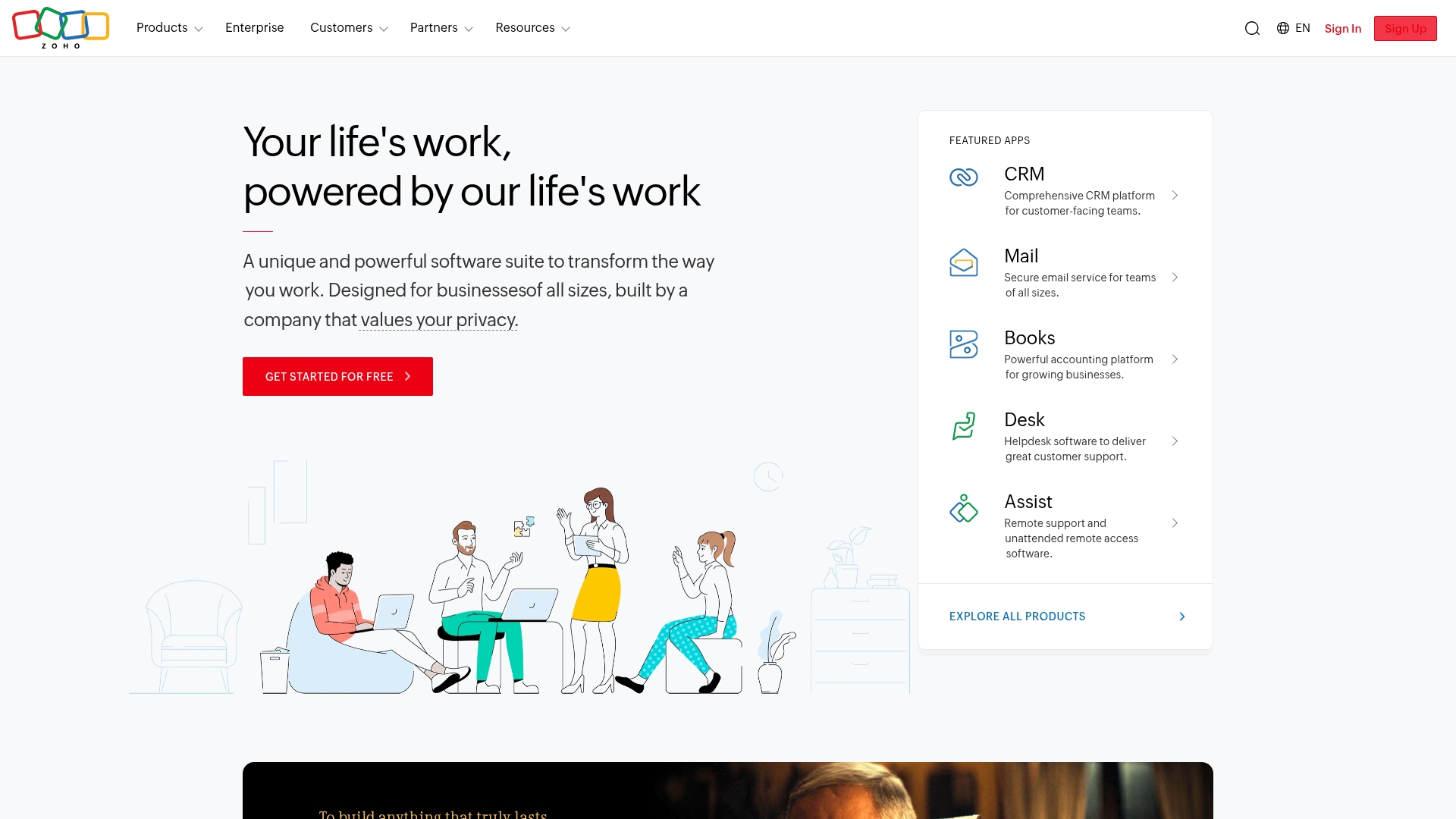
Video production teams can leverage Zoho CRM to manage client relationships and project workflows through customizable pipelines that track everything from the initial pitch to final delivery.
Key features:
- Canvas design studio: create custom interfaces for different team roles — producers see project timelines while account managers focus on client communications.
- Blueprint workflow automation: guide projects through stages like pre-production, filming, editing, and client approval with automatic notifications and task assignments.
- Deep integration with Zoho’s creative suite: WorkDrive for file storage and Projects for task management create a unified production environment.
Pricing:
- Free: up to three users.
- Standard: $14/month per user (billed annually) or $20/month (monthly billing).
- Professional: $23/month per user (billed annually) or $35/month (monthly billing).
- Enterprise: $40/month per user (billed annually) or $50/month (monthly billing).
- Ultimate: $52/month per user (billed annually) or $65/month (monthly billing).
- Annual billing: saves up to 34%.
- Additional costs: for premium support, extra storage, and portal users.
Considerations:
- Advanced features require higher tiers: full-data sandbox and higher Canvas limits require Ultimate or CRM Plus editions, which can increase costs as teams scale.
- Third-party telephony dependencies: built-in telephony relies on third-party providers like Twilio, and new US A2P 10DLC requirements add per-brand fees starting August 2025.
4. Pipedrive
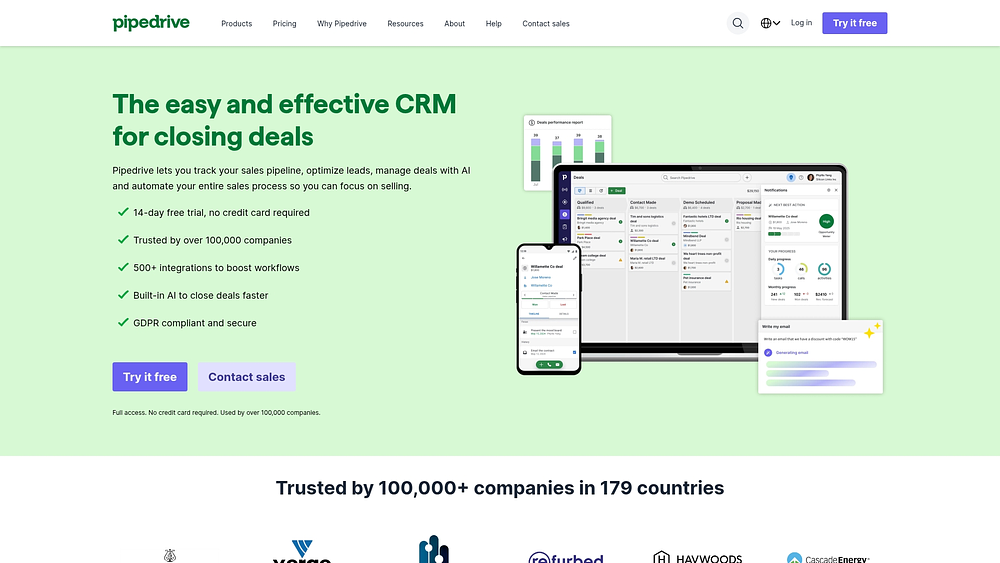
Pipedrive’s core strength is its highly visual pipeline management, designed to mirror the actual flow of video production work. The platform’s drag-and-drop interface lets production teams track projects from initial pitch through final delivery, making it perfect for studios that need to see their entire workflow at a glance.
Example:
Pipedrive excels at helping video production teams visualize their project pipeline, ensuring they never miss critical deadlines through activity-based reminders and mobile project updates.
Key features:
- Visual pipeline design: customizable stages for pre-production, shooting, post-production, and delivery phases.
- Mobile app with offline capability: on-location project management and real-time status updates.
- 500+ integrations: video production tools and cloud storage platforms for seamless workflow connectivity.
Pricing:
- Lite: $14/month per user (billed annually).
- Growth: $39/month per user (billed annually).
- Premium: $59/month per user (billed annually).
- Ultimate: $79/month per user (billed annually).
- Annual billing: up to 42% savings.
- Add-ons available: LeadBooster from $32.50/month, Campaigns from $13.33/month, Projects from $6.67/month.
Considerations:
- Advanced features require paid add-ons: email marketing and document automation come at additional cost that can increase your total spend.
- Limited depth for complex workflows: may not handle highly complex, multi-layered video production workflows with extensive resource management needs.
5. Folk
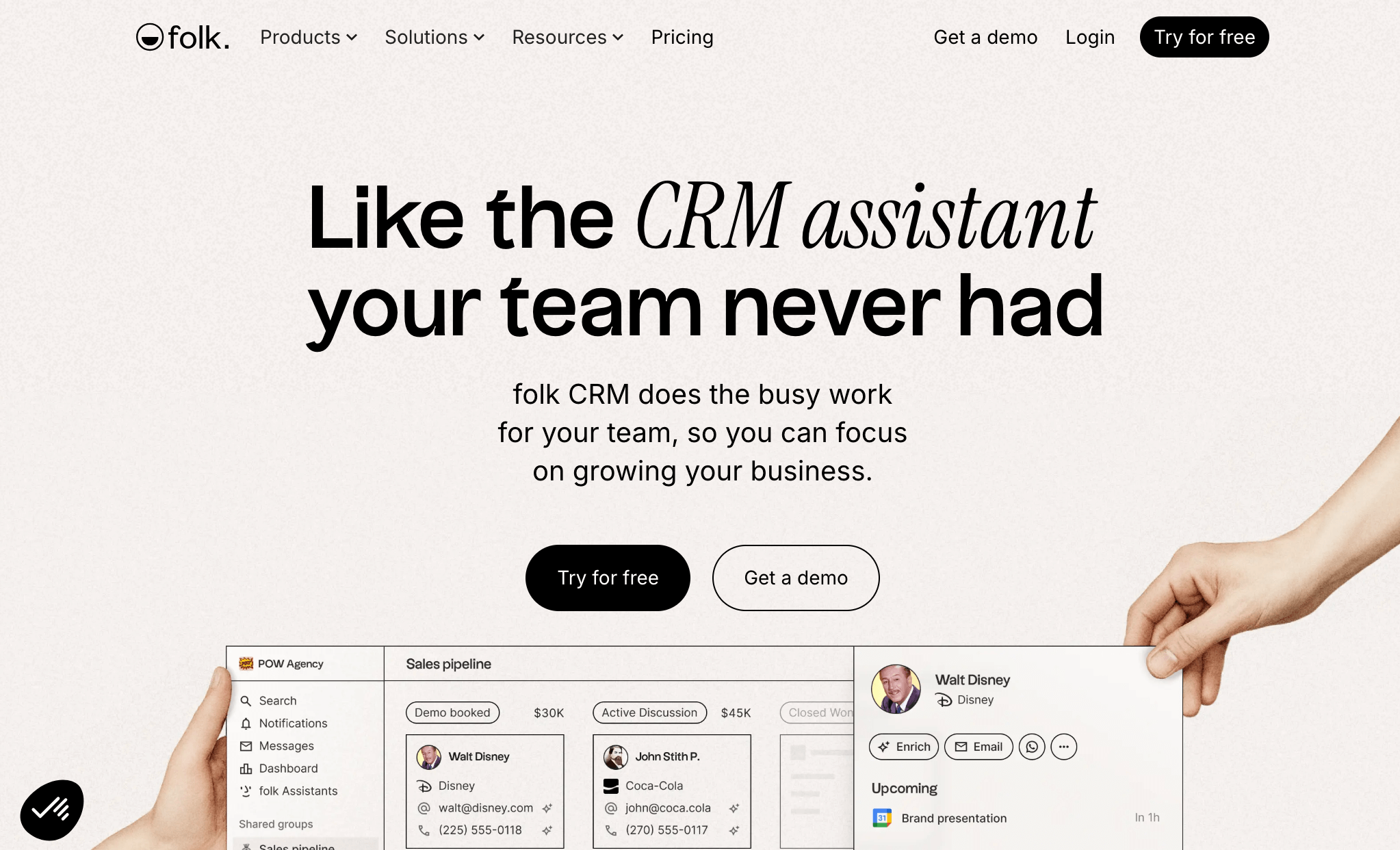
Taking a relationship-first approach, Folk operates as a contact-centric CRM that unifies interactions from LinkedIn, WhatsApp, and email into a single timeline. The platform specializes in social capture and AI-powered follow-ups, making it ideal for creative teams and boutique video production studios who prioritize relationship building over complex automation.
Example:
Folk is designed to help video production teams organize client relationships, freelancer networks, and project collaborators through intuitive contact management and automated follow-up workflows.
Key features:
- Social capture with folkX: one-click contact import from LinkedIn, Gmail, and other platforms with automatic data enrichment.
- Multi-channel sync: real-time integration with email, calendar, and WhatsApp to create complete relationship timelines.
- AI assistants: Follow-up Assistant monitors communication gaps and drafts suggested replies, while Research Assistant generates company insights.
Pricing:
- Standard: $25/month per member ($17.50 with annual billing).
- Premium: $50/month per member ($35 with annual billing).
- Custom: from $100/month per member (annual billing).
- Free trial: 14 days, no credit card required.
- Annual billing: includes 30% discount across all plans.
Considerations:
- No native mobile apps available: desktop only, which limits field work and on-location client management.
- Email analytics require Custom Sender setup: Gmail integration doesn’t track opens or clicks.
6. Dubsado
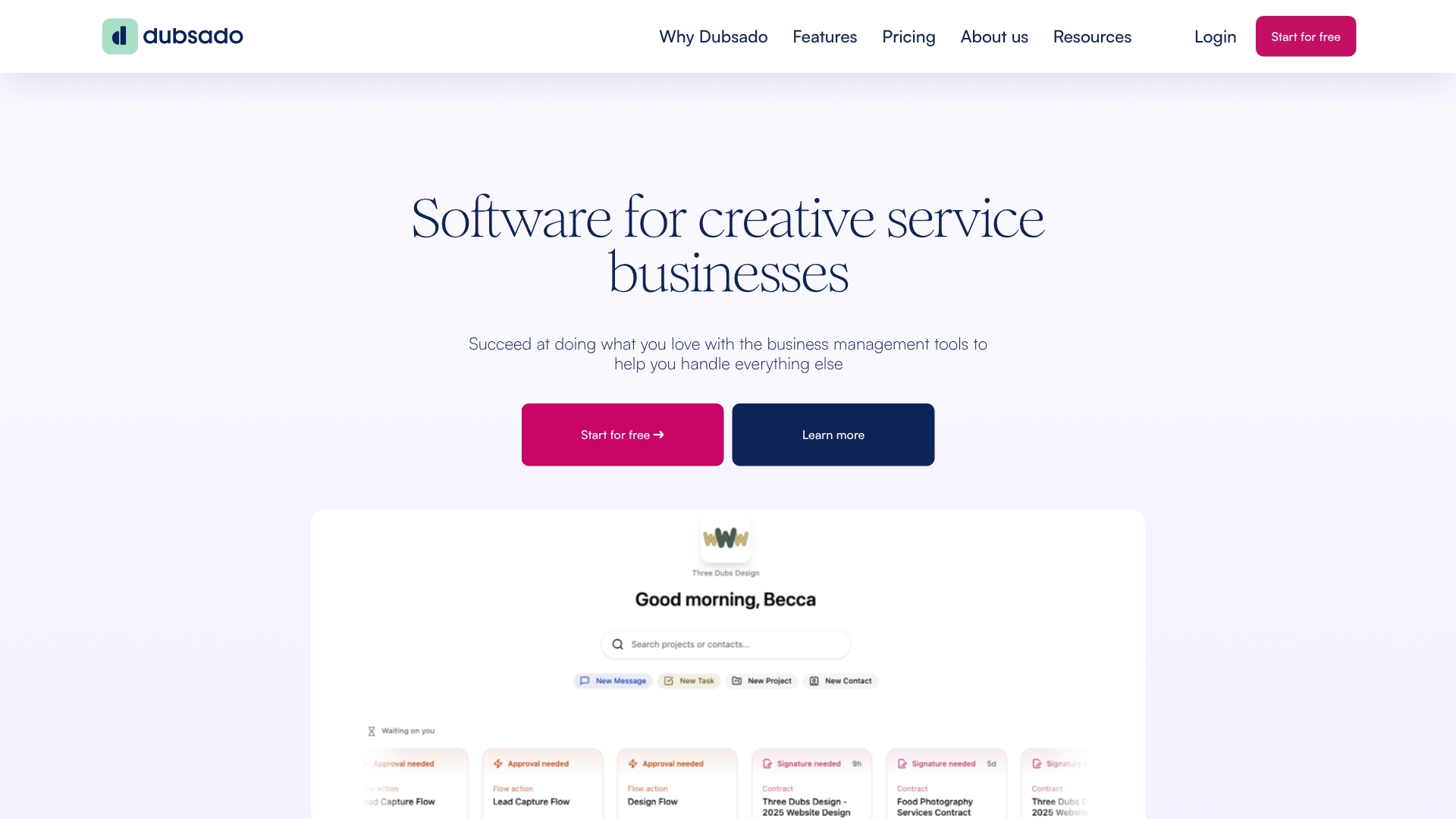
Engineered specifically for creative service providers, Dubsado functions as an all-in-one client management platform that combines proposals, contracts, and communication into a single branded experience. This makes it perfect for production teams who want to look professional while staying organized.
Example:
 Example:
Dubsado centralizes the entire client lifecycle from lead capture through final payment, with automated workflows that keep video projects moving without constant manual oversight.
Key features:
- Three-in-one proposals: combine project proposals, contracts, and invoices so clients can review, sign, and pay in a single flow.
- Client portals with password protection: secure sharing of video assets, feedback forms, and approval requests.
- Workflow automation: milestone-based triggers and approve-before-send controls maintain personal touch while reducing admin work.
Pricing:
- Starter: $200/year (includes unlimited clients and projects, basic invoicing, client portals).
- Premier: $400/year (adds scheduling, automated workflows, bookkeeping integrations, Zapier connectivity).
- Free trial: 21 days with full Premier access.
- Additional users: three included, then $25–60/month for 4–30 users.
- Extra brands: $10/month per additional brand.
Considerations:
- Not HIPAA-compliant: limiting use for healthcare-related video production.
- Simple task management: may require additional tools for complex team collaboration needs.
7. GoHighLevel
GoHighLevel is an all-in-one CRM and marketing automation platform built for agencies and consultants. Its white-label capabilities and unlimited user pricing make it particularly attractive for video production agencies that want to offer CRM services to their clients while managing their own sales processes.

Example:
GoHighLevel is most effective for video production agencies aiming to combine client management, marketing automation, and lead generation in a single white-label platform they can resell to clients.
Key features:
- White-label CRM with SaaS Mode: rebrand and resell the platform to clients under your own brand.
- Multi-channel communication hub: SMS, email, voice calls, and WhatsApp unified in one inbox.
- Visual workflow automation: marketplace apps and premium triggers for complex client nurturing sequences.
Pricing:
- Starter: $97/month with core platform features and limited sub-accounts.
- Unlimited: $297/month with unlimited sub-accounts and branded desktop app.
- Pro (SaaS Mode): $497/month with full white-label reselling capabilities and advanced API access.
- Usage-based add-ons: for telephony, AI features, and premium workflow actions.
- Free trial: 14 days available.
Considerations:
- Steep learning curve for new users: all-in-one platforms can feel complex, with some users noting UI challenges.
- Telephony setup requires additional steps: A2P 10DLC registration and ongoing carrier fees add operational overhead.
Streamline production workflows and reclaim creative time
Video production teams are built to create exceptional work — not manage scattered assets or chase endless email threads. When projects lack structure, creative energy gets pulled into administrative work. Extended feedback cycles and unclear project statuses slow momentum and reduce productivity.
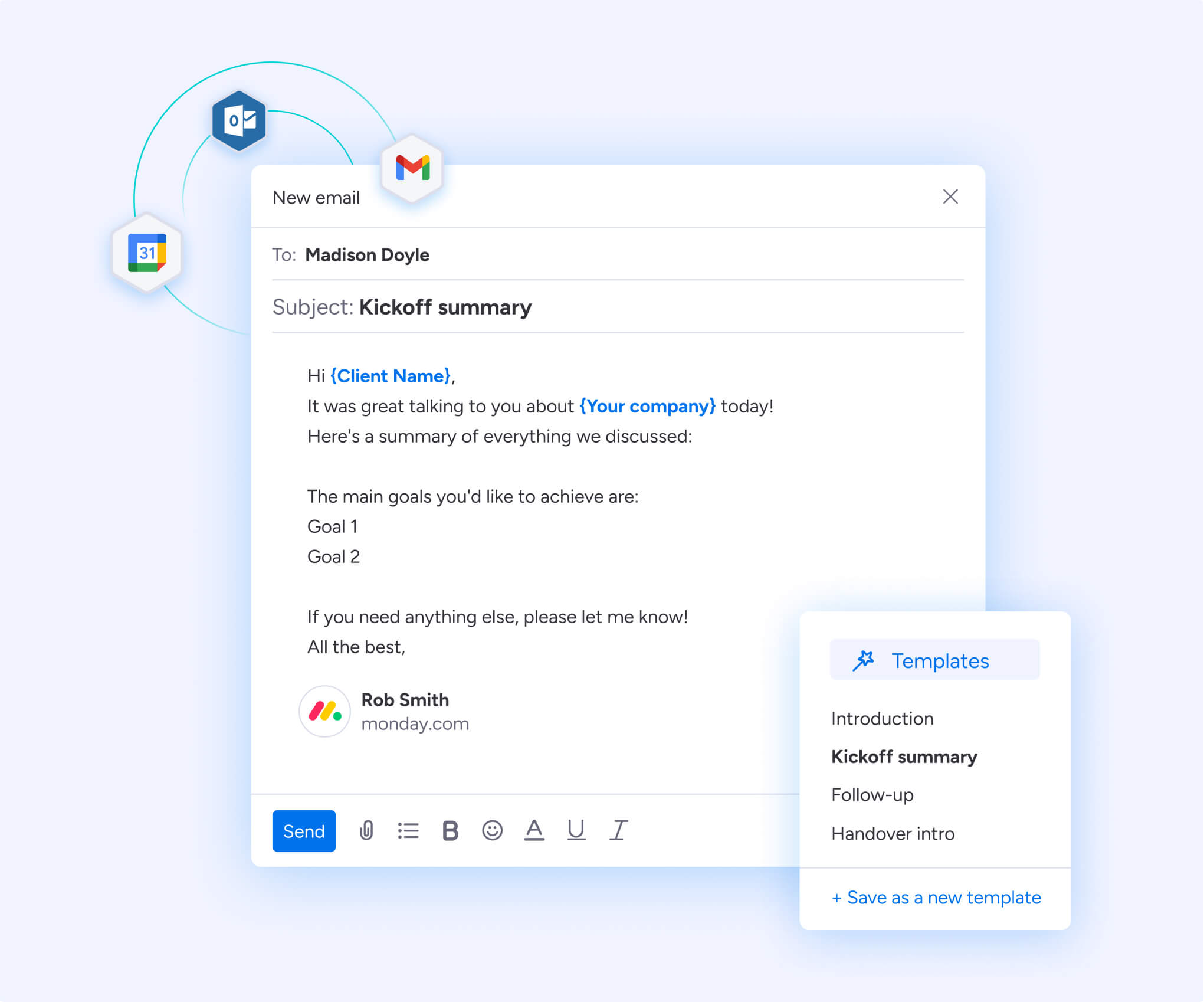
A well-implemented CRM restores that focus. It automates status updates and approval workflows, keeping clients informed while your team stays in their creative flow. Instead of constant check-ins, you gain clear, visible progress across every active project.
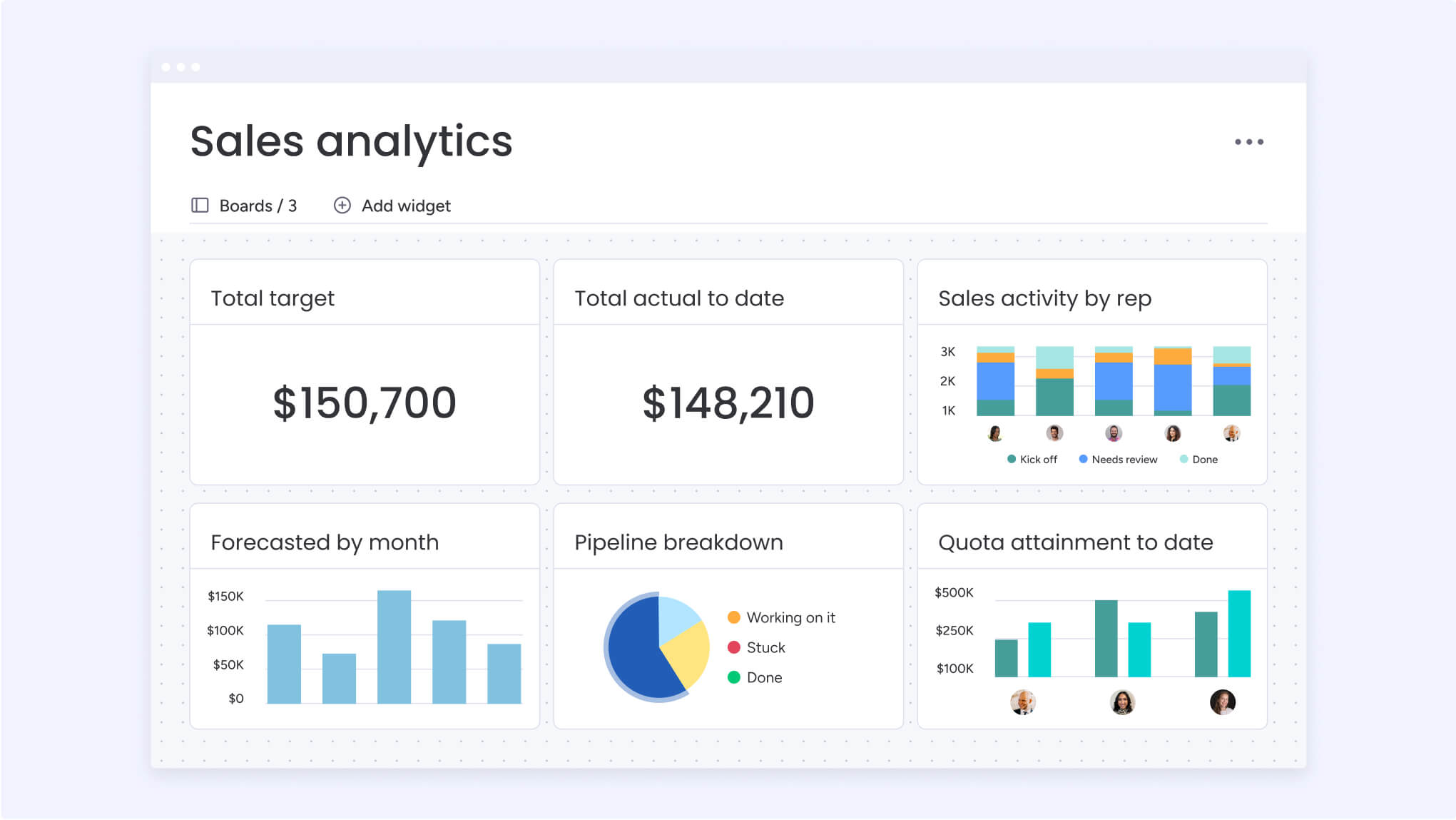
With a centralized dashboard, you can see team capacity and workload distribution at a glance. Assign work based on real availability and bandwidth. Ensure everyone has access to the right files, feedback, and deadlines to maintain momentum and collaboration.
Bring order to your video projects
Endless revisions, shifting timelines, and scattered feedback don’t just slow production, but erode margins and disrupt client trust. With AI-powered automation, monday CRM handles the repetitive work and restores operational control, so your team can focus on creating exceptional results.
Stop spending hours writing status updates. AI can draft personalized client emails and trigger automated follow-ups, reducing approval delays and keeping projects moving forward.
Anticipate delays before they happen. AI analyzes historical project data to suggest realistic timelines and can flag urgent or negative client feedback, helping you respond proactively instead of reactively.
Learn more: AI for video creation

Choosing the right CRM for your video production business
Many generic CRMs were not designed for how creative teams operate. Rigid structures often fail to accommodate project-based workflows and production complexity. The right CRM should instead align with your existing processes instead of forcing your team to adapt to the software.
A flexible platform allows you to mirror your real workflow, integrate the tools your team already uses, and move seamlessly from client inquiry to final delivery.
A CRM’s value is not defined by its feature list; rather it is measured by adoption. If your team does not use it consistently, it will not improve visibility or deal closure rates. The right system is one your producers, editors, and sales team will rely on every day.

5 steps to implement CRM in your video production company
Most CRM rollouts are a mess. Teams jump in without a plan, and the new system ends up as a useless prop. A structured approach built for how creative teams actually work is the only way forward.
Your pipeline is already complex. Adding technology without a roadmap only creates more friction. The five steps below provide a practical framework for implementing a CRM in a way that supports your production process, improves visibility, and increases predictable revenue.
Step 1: map your current production pipeline
Begin with getting everyone in a room and mapping your entire process, from first call to final invoice. This isn’t about perfection; it’s about seeing the bottlenecks and building a CRM for reality, not a fantasy workflow.
Step 2: import client data and project history
Pull your client and project history from every spreadsheet and inbox. A clean import means your team has the full picture on every client, so no one ever misses a beat.
Step 3: customize pipeline stages for your workflow
Next, build your CRM to match your actual production stages: Discovery, Pre-pro, Filming, Post, and Review. Add custom fields for project specs so every detail is tracked and nothing gets lost in the chaos.
Step 4: set up automations and tool integrations
Cut the busywork with smart automation. Set up automatic client updates, crew reminders, and approval alerts, then connect your tools so data flows freely and everything just works.
Step 5: train your creative and sales teams
Finally, train your team for their specific roles: producers, editors, and sales all use the CRM differently. Success is when they see the CRM not as more work, but as the tool that makes their real work easier.
Find a CRM that fits video production workflows
Rigid, off-the-shelf CRMs often limit the creative workflows of video production teams. These systems impose inflexible structures that can create operational challenges rather than solving them. An effective CRM should adapt to your established processes, not require you to restructure your operations around the software.
As a flexible, no-code platform like monday CRM, can be configured to align with your team’s actual workflows. Customize pipelines, automate client communications, and integrate your existing tools without requiring developer support. This approach allows teams to focus more time on delivering exceptional creative work and less time on software administration.
Key capabilities to look for in a video production CRM
- Build custom workflows without technical expertise: drag and drop new pipeline stages for client reviews or color grading in seconds. Shape your process to match your team’s actual workflow without forcing creative work into rigid corporate structures.
- Automate repetitive tasks with AI: AI automatically sorts client feedback so urgent requests never get lost, writes project summaries, and flags shifts in client sentiment to help you address issues before they escalate.
- Connect all your creative tools seamlessly: workflows that span Adobe, Frame.io, Slack, and other platforms can be unified in one place. This eliminates manual uploads and duplicate data entry, allowing your team to maintain their creative flow.
Transform your video production business with the right CRM
Scattered projects lead to missed deadlines and frustrated clients. Your team spends more time digging through emails than doing the creative work they love.
Therefore, by putting all your project information in one place, nothing gets lost. Your team gains a clear view of production from start to finish, and clients always know where their project stands.
Bring your producers, editors, and account managers together on one platform. Build the exact workflow you need with no-code tools and watch your team get back to what they do best: creating exceptional video.
The content in this article is provided for informational purposes only and, to the best of monday.com’s knowledge, the information provided in this article is accurate and up-to-date at the time of publication. That said, monday.com encourages readers to verify all information directly.
Frequently asked questions
What is the average cost of CRM software for video production companies?
The average cost of CRM software for video production companies can range from free plans to $50+ per user monthly. Your final price depends on team size, required features, and the integrations you need.
Can CRM platforms handle large video files and digital assets?
CRMs aren't built for storing large video files. With integrations to cloud storage like Google Drive and Dropbox, monday CRM keeps client data connected to your assets without slowing you down.
How long does it take to implement a CRM system in a video production workflow?
Basic CRM setup typically takes one to four weeks, depending on your team's size and data. A no-code platform like monday CRM gets your team up and running without technical delays.
Do video production companies need technical expertise to customize a CRM?
No, not when you use a no-code platform. With monday CRM, your team can customize workflows and build automations without writing a single line of code.
Which CRM software integrates best with Adobe Creative Cloud and Frame.io?
Strong, native integrations with Adobe Creative Cloud and Frame.io make monday CRM an ideal choice. This keeps your creative and sales workflows connected in one place.
How does a CRM help video production companies track client revisions and feedback?
A CRM centralizes all client communication, revisions, and feedback. This creates a single source of truth for every project so crucial notes and approvals are never lost.
