



Tax season hits and suddenly your firm transforms into a document-chasing, deadline-juggling, client-update machine. Your team spends more time hunting for information than actually doing the work. Spreadsheets multiply, emails pile up and somewhere in the chaos, a filing deadline quietly approaches while everyone assumes someone else is tracking it.
Firms that handle peak season without burning out their people share a common thread: they’ve stopped treating client management as an afterthought. The best CRM for tax professionals doesn’t just store contacts. It puts every document, deadline, and conversation in one place, so your team can focus on work that actually needs their expertise.
In the text below, you’ll find what separates a useful CRM from an expensive address book, a comparison of four platforms built for tax season, and guidance to help you pick the right fit for your firm. By moving beyond manual tracking and fragmented communication, you can shift your focus from simply managing the volume to delivering the strategic insights your clients value most.
Key takeaways
- Stop hunting for client information: centralize every document, deadline, and conversation in one place so your team spends less time searching and more time delivering value to clients.
- Automate deadlines to protect your reputation: use automated workflows to track hundreds of filing dates, extensions, and payments—so nothing falls through the cracks during peak season.
- Keep your team in sync without the chaos: assign work clearly, track progress visually, and maintain context in client conversations so everyone knows who’s doing what.
- Build workflows that match how you actually work: choose a CRM that adapts to your firm’s processes through no-code customization, not one that forces you into rigid, generic templates.
- Scale beyond compliance work without adding complexity: use a unified platform like monday CRM to manage tax prep and advisory services together, giving your team complete client visibility and opening pathways to year-round revenue.
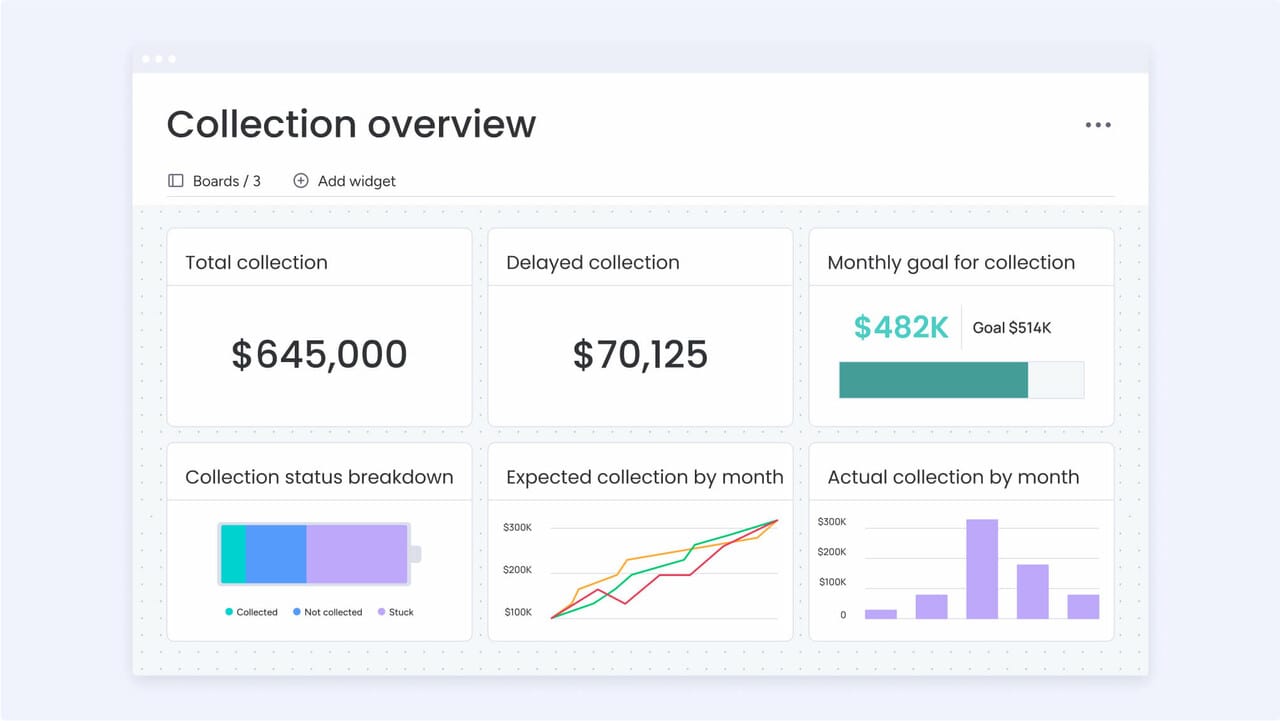
How does the right CRM tame tax season chaos?
Tax season transforms even the most organized accounting firm into a pressure cooker. Deadlines pile up, documents go missing, and your team operates at maximum capacity while clients demand constant updates.
However, the firms that ditched the spreadsheets and fragmented systems causing the chaos, keep their sanity. A solid CRM converts tax season from a desperate scramble into a structured, manageable workflow.
Centralizing client data, deadlines, and team communication in a single location means less time searching for information and more time delivering value to clients. Teams achieve more efficient results when they use platforms like monday CRM to build systems that fit their process, not force their process to fit the software.
Stop hunting for client info
Your team probably wastes hours each week digging through emails, spreadsheets, and scattered notes just to figure out where a client stands. That wasted time compounds quickly, especially when someone calls asking for a quick status update. What should take seconds becomes a frustrating scavenger hunt.
Consolidating all client data in one location eliminates this problem entirely. Every email, note, and document lives in one timeline, so anyone on the team can see the full story instantly.
- Instant context: when a team member calls in sick, colleagues can seamlessly take over without scrambling to catch up.
- Unified history: view every interaction in one place rather than jumping between browser tabs and applications.
Automate deadlines and stop the scrambles
A missed tax deadline damages more than your bottom line through penalties; it erodes the trust you’ve built with clients over years. Manual tracking of hundreds of clients with different filing dates introduces significant risk to your firm’s reputation.
In contrast, automated workflows send alerts for every critical date: filings, extensions, and payments. Reminders escalate in urgency as deadlines approach, ensuring nothing falls through the cracks, even during peak workload periods. Client updates can run automatically as well, keeping everyone informed without requiring manual intervention.
Keep your team in sync, not in circles
Growth makes coordination harder. The daily huddles and casual check-ins that worked with a small team, stop working. Work gets duplicated, critical details vanish, and clients slip through the cracks because nobody maintains a clear view of responsibilities.
Collaboration features assign every work item to someone specific and show progress across the team.
- Contextual discussions: conversations about a client remain attached to that client’s file, preserving context permanently.
- Workload balancing: visual dashboards show who’s buried and who has bandwidth, so you can balance the load and keep projects moving.
Build this foundation and you transform chaos into a structured, predictable system.
4 top CRM solutions for tax professionals
Generic CRM platforms often lack the specialized capabilities required for tax season operations. The demanding pace, substantial document volume, and extensive client history necessitate a solution purpose-built for this work. The right platform either provides a ready-made framework for tax workflows or offers the flexibility to build custom processes.
Tax professionals who prefer designing their own processes will find considerable flexibility in advanced solutions like monday CRM, without requiring coding expertise. You can build the precise workflow your firm needs and track every client’s status in real time.
Furthermore, teams leverage the platform to automate routine tasks that typically slow down tax season and establish a centralized hub for capacity planning and client progress tracking.
1. monday CRM
With visual, no-code customization, monday CRM lets you build systems that match how you actually work. Shape boards, deal stages, and views around how your firm operates. Your process drives the system, not the other way around. Need separate flows for individual returns, business clients, and advisory work? Run multiple pipelines independently without any awkward one-size-fits-all checklist.
Equally valuable, client context gets centralized in monday CRM so your team stops excavating the “latest update” from scattered inboxes and side conversations. Team members see deal status, next steps, and communication history in one place so everyone stays consistent when deadlines hit.

Example:
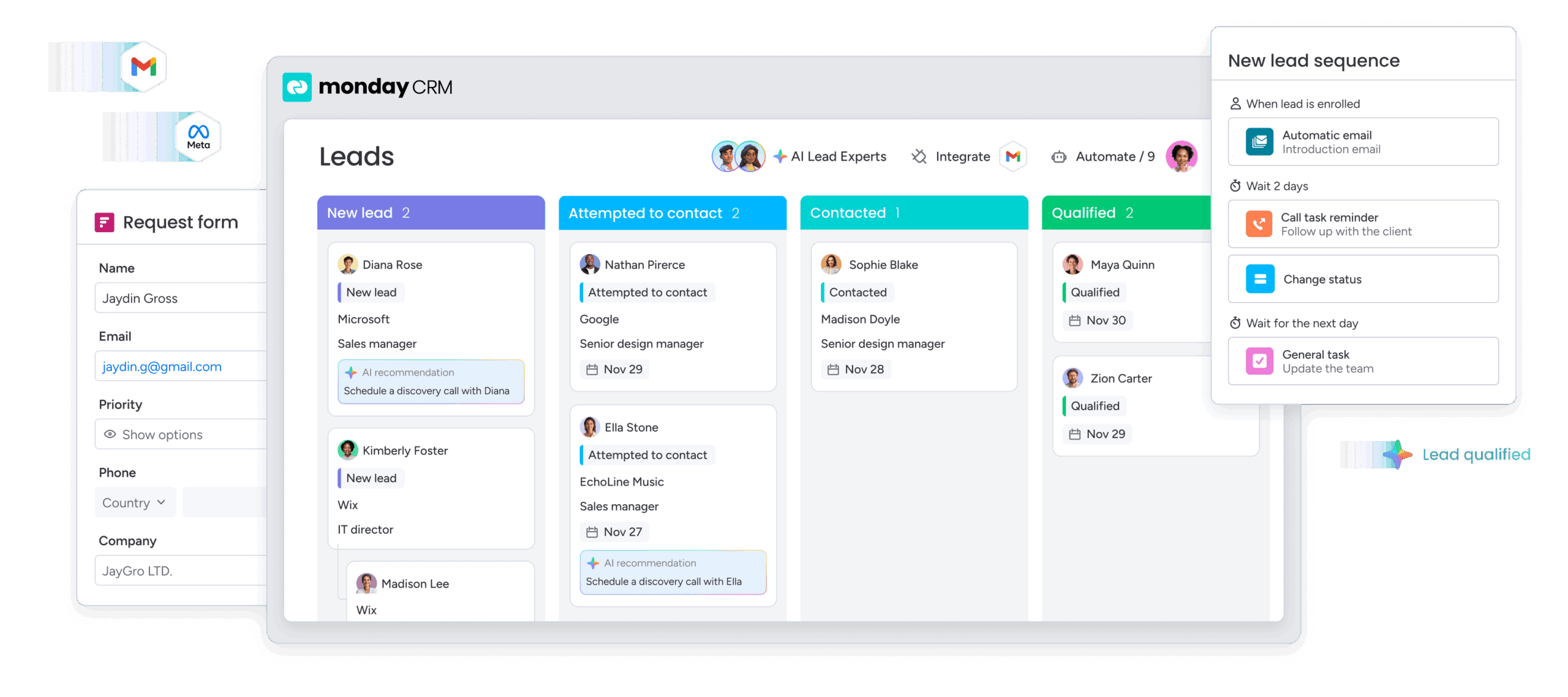
Tax professionals use monday CRM to create custom pipelines that track client progress through their specific workflows, from document collection to filing and beyond. When you combine that with account and contact management, you also get one place to view key details plus the connected work tied to that client.
Key features:
- Visual pipeline management: customize your pipeline with drag-and-drop deal stages, then track every client or engagement as it moves from stage to stage.
- Account and contact management with deeper context: use an expanded item view to see relevant account and contact information, plus connected deals and related work in one place.
- Centralized communication timeline: log and track interactions, including emails, meetings, and notes, in one clear timeline so anyone can step in without guessing.
Pricing:
- Basic Plan: priced at $12 per user monthly, including essential contact management and basic pipelines without automation capabilities.
- Standard Plan: priced at $17 per user monthly, providing access to the automation engine with a limit of 250 actions per month.
- Pro Plan: priced at $28 per user monthly, including advanced AI features and 25,000 monthly automation actions.
- Enterprise Plan: available through custom pricing, offering enterprise grade security and 250,000 monthly automation actions.
- Minimum seats: three seats required; 14-day free trial available.
- AI Credits: available as an add-on after trial credits expire.
Why it stands out:
- Fast and adaptable, like your business: adjust stages, fields, and workflows quickly with no technical skills required.
- A CRM your team will actually want to use: the interface is intuitive, so getting your team on board is easier.
- Visibility and control built in: centralized information, dashboards, and permissions help leaders see what’s happening and make fast decisions.
Advanced AI features:
- AI Timeline Summary (Emails & Activities): creates a quick summary of emails, calls, meetings, and notes so you can get up to speed fast.
- Compose emails in Emails & Activities: draft emails with AI directly inside the client record; perfect for consistent status updates and document requests.
- Autofill columns with AI: use AI on Text, Date, Number, Dropdown, People, and Status columns to cut down on manual updates. Actions include Extract information, Summarize, Detect sentiment, Assign label, and Assign person.
Automations:
- Automations to standardize handoffs: set conditions that trigger actions automatically, so the next step happens when it should.
- Conditional label change: keep statuses aligned to your process as records move through stages.
- Automation run history: see what ran, what didn’t, and why, so you can fix your workflow instead of guessing.
Integrations:
- Connect the CRM to other systems: keep workflows connected instead of copying details from one system to another.
- Support a one-stop-shop setup when you want it: use monday CRM as your hub for client work, sales, and reporting.
Best CRM for tax professionals features:
- Multi-pipeline support: run separate pipelines for tax prep, business services, and advisory work, each with its own stages.
- Client history that stays readable: track emails, meetings, and notes in one place. When the history gets long, use AI Timeline Summary to catch up fast.
- Visibility and control for leaders: use dashboards and permissions so partners and managers can see what they need without exposing sensitive details.
2. Canopy
Canopy provides a firm-wide operating system designed specifically for accounting practices, managing everything from client onboarding through final billing. The platform arrives pre-configured with tax-specific workflows and IRS integrations, making it ideal for practices wanting immediate productivity without extensive customization.
According to Canopy’s website, over 4,000 accounting firms rely on the platform to manage client relationships and streamline operations.
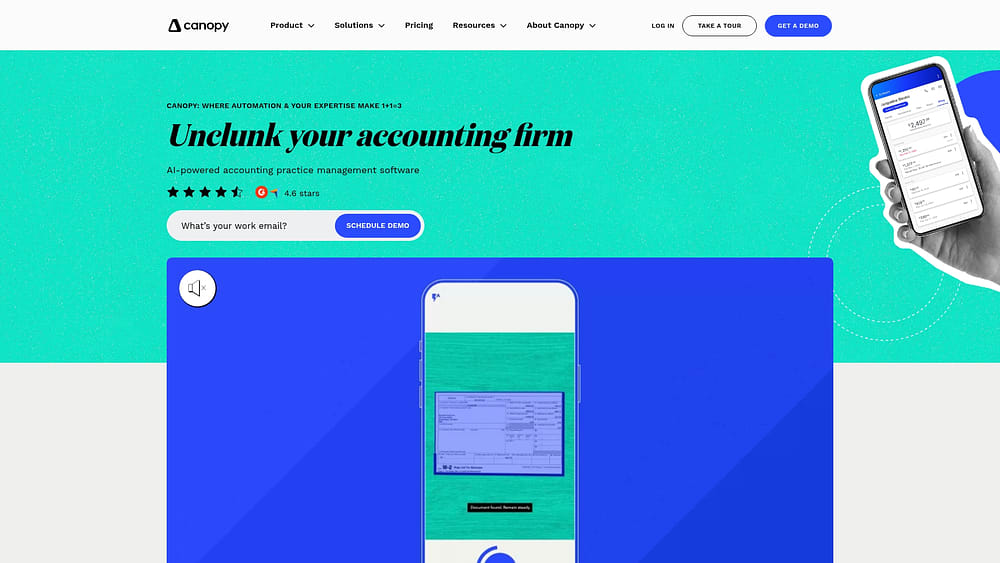
Example:
Canopy works best for established tax practices that need comprehensive practice management with built-in tax workflows and want to eliminate the complexity of managing multiple software systems.
Key features:
- Pre-built tax workflow templates: ready-made workflows for individual returns, business filings, extensions, and amended returns that incorporate industry best practices.
- Native IRS transcript and notice handling: automated client communication throughout tax season with built-in IRS integration.
- AI-powered document classification: Smart Intake auto-builds checklists and pre-fills forms from prior client data.
Pricing:
- Starter bundle: $45/user/month (annual billing) for small firms with Client Engagement and Document Management.
- Essentials bundle: $66/user/month (annual billing) including Workflow and Time & Billing modules.
- Client Engagement Platform: $150/month per firm (unlimited users, includes 2,500 contacts).
- Workflow module: Standard $32/user/month, Pro $40/user/month.
- Add-ons: Transcripts & Notices at $50/user/month, KBA eSign at $1.25 per credit.
Considerations:
- Complex automation setup: single-condition automation rules may require multiple rules for complex workflows, potentially increasing setup complexity.
- Limited flexibility for expansion: tax-specific focus can limit flexibility for firms planning to expand into advisory services or business consulting beyond traditional compliance work.
3. TaxDome
TaxDome offers an all-in-one practice management platform engineered for tax professionals and accounting firms. The platform merges CRM functionality with comprehensive document management, client portals, and workflow automation: ideal for firms determined to eliminate app sprawl.
With over 10,000 firms using the platform across 25+ countries, TaxDome has established itself as a comprehensive solution for tax practice operations.
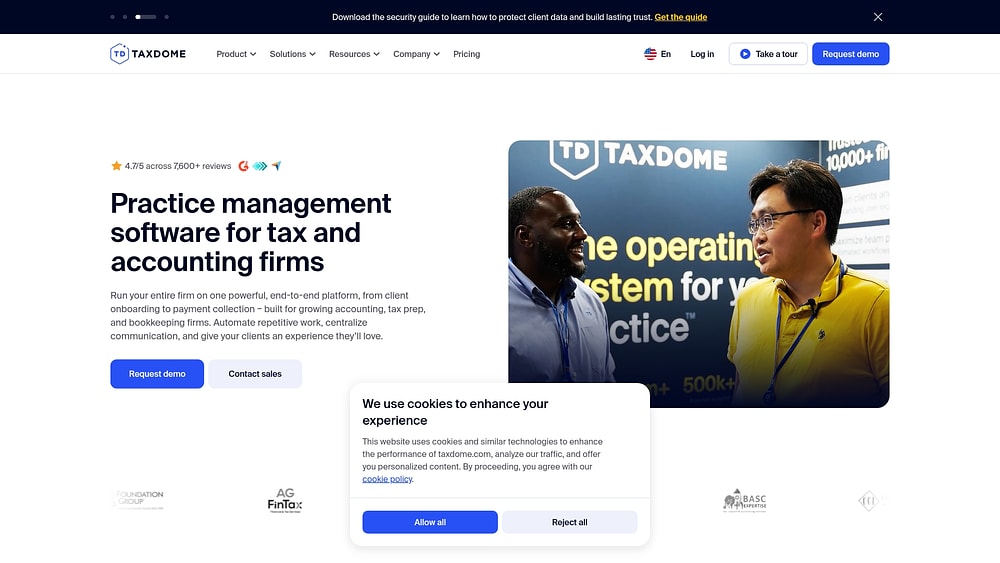
Example:
TaxDome excels at unifying client communication, document management, and workflow automation in a single platform, eliminating the need for multiple point solutions.
Key features:
- Pipeline-based workflow automation: conditional logic and automove triggers that advance clients through tax preparation stages automatically.
- Integrated document management system: version control, audit trails, and secure client portals for document exchange.
- Comprehensive billing integration: payment-gated document delivery and automated invoice generation tied to workflow stages.
Pricing:
- Essentials (solo only): $700-$800/year per seat (depending on contract length).
- Pro: $900-$1,000/year per seat (depending on contract length).
- Business: $1,100-$1,200/year per seat (depending on contract length).
- All plans: include unlimited storage and e-signatures.
- Multi-year contracts: offer discounted rates.
- White-labeled client mobile app: available as add-on for Business plans.
Considerations:
- Complex implementation process: typically requires six to eight weeks for setup, workflow configuration, and team training.
- Steep learning curve: compared to simpler CRM platforms, with customization often requiring support team assistance rather than self-service options.
4. Karbon
Karbon provides practice management built exclusively for accounting firms, featuring deep workflow automation that handles repetitive tasks consuming your team’s bandwidth. The platform specializes in collaborative email management and conditional workflows, making it particularly effective for tax practices coordinating complex client engagements across multiple team members.

Example:
Karbon excels at automating client communication cycles and standardizing tax preparation workflows through configurable “Automators” that trigger actions based on real-world scenarios like extensions or document submissions.
Key features:
- Dual-layer automation: global and task-level automators with conditional sections that adapt workflows based on client responses or filing requirements.
- Client request automation: auto-sends document requests with configurable reminder schedules and captures uploads directly into relevant work items.
- Collaborative email management: shared inbox (Triage) that keeps client communications organized within specific engagements rather than scattered across individual inboxes.
Pricing:
- Team: $59/month per user (annual) or $79/month (monthly).
- Business: $89/month per user (annual) or $99/month (monthly).
- Enterprise: custom pricing with dedicated support and removed usage limits.
- eSignature credits: starting at $100 for 100 credits (valid twelve months).
- Payment processing fees: 2.6% + $0.30 for standard cards, up to 3.9% + $0.30 for AmEx.
Considerations:
- Learning curve during implementation: can extend onboarding timelines for larger teams.
- Limited reporting on lower tiers: some advanced reporting features and email insights require paid add-ons on lower tiers.
Must-have features for tax professional CRM software
Many platforms marketed as “tax CRMs” amount to generic business software wearing a tax-themed costume. They use the right vocabulary, but can they actually handle your practice’s demands? Cutting through marketing claims reveals the features that genuinely matter.
These capabilities represent the absolute minimum for any platform managing tax season complexity. Without them, you’ve purchased an expensive address book.
Feature 1: document management with secure client portals
Emailing W-2s and bank statements introduces significant security risks, making proper document management essential for tax professionals. Beyond exposing sensitive client data, inadequate security measures can damage your firm’s reputation and client trust. A robust tax CRM prioritizes security as a foundational element of every client interaction.
This starts with establishing secure channels for sensitive information exchange between your firm and clients. Essential capabilities include:
- Secure client portals: an encrypted, bank-level secure space for clients to upload documents. No more risky attachments.
- Version control: automatically tracks every draft, revision, and final return. Your audit trail is always ready to go.
- Smart organization: find any file in seconds, organized by the client, tax year, and document type.
Feature 2: QuickBooks and accounting software integration
Your CRM shouldn’t generate additional data entry. Without seamless connections to your accounting software and tax prep software, it becomes another isolated silo and another source of manual errors.
Genuine integration means your systems communicate automatically, eliminating the need for you to relay information manually. This manifests as:
- Two-way sync: update a client’s info in your CRM, and it updates in QuickBooks. And vice-versa. No more double work.
- Data consistency: a single source of truth for every client’s contact information and financial data across all your tools.
Feature 3: workflow automation for repetitive tasks
Consider how much of your peak season disappears into chasing documents and sending identical status updates repeatedly. Automation reclaims that time, redirecting your team toward work requiring genuine expertise instead of copying and pasting emails.
Teams discover that platforms like monday CRM enable them to turn manual chores into automated workflows. AI can draft routine client emails or summarize long conversations, giving your team a head start on communication.
- Client onboarding: set up welcome sequences that automatically send engagement letters and request initial documents.
- Status updates: keep clients in the loop on filing progress without lifting a finger.
- Internal tasks: automatically create and assign work as clients hit key milestones.
Feature 4: enterprise security and compliance standards
For tax professionals, a data breach transcends bad publicity; it can destroy a practice entirely. Your CRM’s security standards must be bulletproof, shielding you from liability and protecting clients from identity theft.
These requirements are essential. Your platform must include:
- End-to-end encryption: protects client data whether it’s being sent or just sitting on a server.
- Access logs and audit trails: see exactly who accessed what information and when. This is critical for demonstrating compliance.
- Compliance certifications: third-party validation like SOC 2 and GDPR confirms the platform’s security is up to standard.
Identifying the right features establishes the foundation; selecting the right platform for your specific needs comes next.

Selecting the best CRM for your tax practice
Every CRM vendor claims their product fits tax practices perfectly. However, reality tells a different story. The ideal platform for your firm depends on your size, service offerings, and growth trajectory.
What serves a solo practitioner will only impede a 20-person firm. A compliance-focused practice has different requirements than one expanding into advisory services. Finding the right match means looking beyond sales presentations to focus on what your team genuinely needs to succeed.
Match platform capabilities to firm size
Your CRM must scale alongside your growth. An oversized, cumbersome platform crushes a small firm’s momentum, while a basic tool constrains a larger team’s potential.
| Firm size | Primary needs | Platform considerations |
|---|---|---|
| Solo/Small (1-5) | Easy workflows, clear pricing, fast setup | Look for a platform that's intuitive from day one. You need essential features that work, not a bloated system you'll never use. Your team should be up and running in hours, not weeks. |
| Mid-size (6-25) | Team collaboration, scalable processes, easy integrations | You need enough power to keep everyone aligned without needing a dedicated IT person to run the show. Customizing workflows should be simple and code-free. |
| Large (25+) | Advanced automation, enterprise security, deep customization | Go for a comprehensive platform built to handle complexity. Your team can invest time in a robust implementation because the payoff in efficiency is huge. The system must support your entire org structure. |
Calculate the true cost beyond subscription fees
That monthly subscription represents only the beginning. The actual cost of a CRM encompasses setup, training, integrations, and ongoing maintenance. A cheap platform with a brutal implementation process can ultimately cost more than a system ready to perform immediately.
The following factors contribute to the total accumulation of costs:
- Implementation time: every hour devoted to setup is an hour unavailable for client service. Teams find success using modern platforms monday CRM to cut down implementation time, thanks to its visual, no-code setup that gets you working faster.
- Training investment: a steep learning curve extracts payment twice (once in training hours and again in lost productivity). Your team should be learning a new system, not battling it.
- Integration costs: does your new CRM connect smoothly with existing tools? Hidden fees for linking accounting and tax software can exhaust your budget before you begin.
- Scalability expenses: your firm is growing; that’s the objective. Ensure your CRM’s pricing structure doesn’t penalize that success.
Plan your implementation around tax season
Attempting a CRM transition during peak season invites disaster. Your team lacks bandwidth to master a new system while buried in client work. The risk of data errors or workflow disruptions simply isn’t justified.
Strategic timing makes the difference. A thoughtful rollout smooths the transition and accelerates team adoption.
- Get started (May – July): with tax season behind you, your team has mental space to evaluate options and perfect the setup. You can construct workflows based on recent pain points, not outdated assumptions.
- Train your team (August – October): leverage the summer slowdown for training and refinement. This window allows your team to explore, ask questions, and build confidence without client deadlines looming.
- Test everything (November – December): execute final checks to confirm the system performs flawlessly. Running it parallel to your existing process for a period guarantees a seamless transition.
- Go live (January – April): your team enters peak season confident and prepared. Rather than learning under pressure, they’re operating a system that actually simplifies their busiest months.
With a plan established, you can explore how a flexible platform adapts to your specific workflow requirements.
How does monday CRM transform tax practices?
Spreadsheets and email chains do not constitute a comprehensive system; they indicate operational inefficiencies during tax season. When documents are misplaced and teams spend excessive time on repetitive follow-ups, you are not building a sustainable practice, but operating in reactive mode. Moving beyond this reactive approach requires a more structured solution.
Tax practices deploy monday CRM to coordinate work, communicate with clients, and scale operations, all without the rigid constraints of traditional tax software.
No-code customization that adapts to your workflows
Most practice management software appears designed by someone who’s never encountered a W-2. It imposes generic workflows that clash with how your firm actually operates.
However, through visual, drag-and-drop tools, monday CRM molds itself to your exact processes. You construct the workflow matching how you work, whether handling individual returns or complex business filings. No developers required.
- Client intake done right: custom forms capture exactly what you need from the start, triggering automated tasks so nothing gets missed.
- Pipelines for every service: create separate, tailored workflows for tax prep, business planning, or estate work. No more one-size-fits-all nonsense.
- Seasonal shifts on the fly: modify your own workflows as seasons change. No waiting on IT or paying for consultants.
AI-powered automation that cuts out the manual work
Tax season buries professionals under mountains of repetitive communication, specifically regarding document requests, status updates, and follow-up reminders. While these are predictable tasks, they still devour your day.
Teams discover that AI-powered features in monday CRM handle routine communication, freeing up professionals for work that requires actual expertise. AI drafts contextual emails, extracts key data from uploaded documents, and summarizes client histories so your team can get up to speed instantly.
- Smarter client emails: AI drafts contextual updates and document requests based on a client’s status. Your team just reviews and sends.
- Zero manual data entry: AI pulls key information from W-2s and 1099s the moment they’re uploaded, populating client records automatically.
- Instant file summaries: get an AI-generated summary of all client communications and status changes. No more digging through email threads.
A unified platform that connects tax work to business goals
Your firm extends beyond compliance work, but your tax software probably doesn’t recognize that reality. When advisory work exists in a separate system from tax prep, you sacrifice the unified client view necessary for excellent service and opportunity identification.
With a single platform connecting tax work to every other service you provide, monday CRM delivers complete client visibility. Begin with tax season coordination, then add pipelines for financial planning or business advisory. All client work resides in the same system, providing a complete picture of every relationship.
- Expand advisory services: spot a planning opportunity during a return? Create and track the new project in the same place so nothing falls through the cracks.
- Drive business development: identify upsell opportunities and manage your prospect pipeline without leaving the platform.
- Improve team collaboration: give tax preparers, planners, and consultants a single source of truth for every client, keeping everyone aligned.
Unifying your data and workflows opens pathways to growth extending far beyond simple tax returns.

“With monday CRM, we’re finally able to adapt the platform to our needs — not the other way around. It gives us the flexibility to work smarter, cut costs, save time, and scale with confidence.”
Samuel Lobao | Contract Administrator & Special Projects, Strategix
“Now we have a lot less data, but it’s quality data. That change allows us to use AI confidently, without second-guessing the outputs.”
Elizabeth Gerbel | CEO
“Without monday CRM, we’d be chasing updates and fixing errors. Now we’re focused on growing the program — not just keeping up with it."
Quentin Williams | Head of Dropship, Freedom Furniture
“There’s probably about a 70% increase in efficiency in regards to the admin tasks that were removed and automated, which is a huge win for us.“
Kyle Dorman | Department Manager - Operations, Ray White
"monday CRM helps us make sure the right people have immediate visibility into the information they need so we're not wasting time."
Luca Pope | Global Client Solutions Manager at Black Mountain
“In a couple of weeks, all of the team members were using monday CRM fully. The automations and the many integrations, make monday CRM the best CRM in the market right now.”
Nuno Godinho | CIO at Velv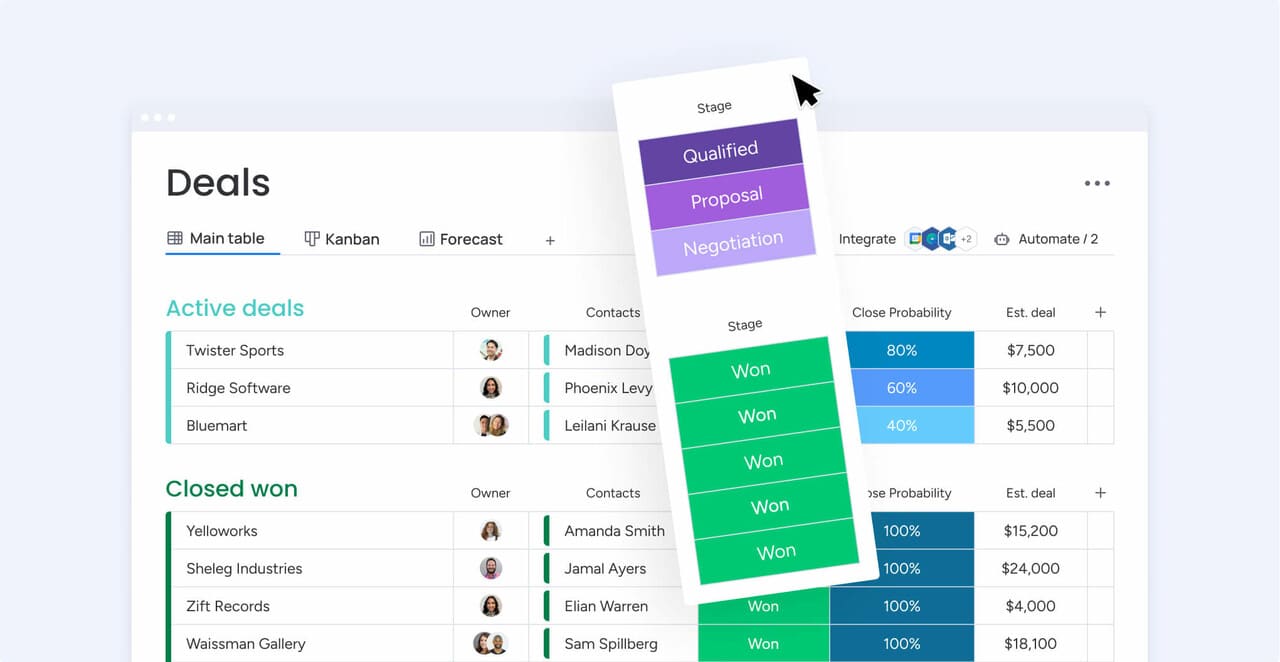
Scale your tax practice beyond compliance work
Tax season creates an uneven revenue cycle. Firms that rely exclusively on compliance work face predictable peaks and valleys that limit sustainable growth. Year-round advisory services offer a more stable revenue model, but traditional tax software wasn’t designed to support this expanded scope.
Many firms respond by adding separate systems for advisory work and project tracking. This fragmented approach scatters client data across multiple platforms, preventing teams from maintaining a comprehensive view of client relationships. Without centralized information, identifying cross-sell opportunities and delivering coordinated service becomes significantly more difficult.
Solutions like monday CRM consolidate tax preparation and advisory services into a unified platform. This centralized approach provides your team with complete client visibility, enabling stronger relationships and more consistent revenue growth.
- Build advisory pipelines: create custom workflows for tax planning or consulting right alongside your compliance work.
- Deepen client relationships: turn seasonal clients into year-round partners by tracking every interaction in one place.
- Diversify your offerings: add and manage new services like succession planning or valuation without adding another platform.
- Uncover more revenue: spot opportunities for new work when you can see the entire client journey, from tax filing to long-term goals.
Build a more profitable and scalable tax practice
Moving away from spreadsheets and scattered tools isn’t just about saving time; it’s about building a firm that can scale without breaking. By centralizing your client data and automating the repetitive tasks that slow you down, you give your team the freedom to focus on high-value advisory work. The right system turns the chaos of tax season into a predictable, manageable process.
Take a hard look at your current tech stack and ask if it’s truly serving your growth goals. If you are tired of manual workarounds and disconnected data, it might be time to explore a platform that adapts to you. With monday CRM, you get the flexibility to build the exact workflows you need to run a calmer, more profitable practice.
Frequently asked questions
How long does tax firm CRM implementation typically take?
Most firms achieve full operation within two to eight weeks, depending on platform complexity. A no-code CRM can have your team productive in just a few weeks, providing time to refine workflows before tax season arrives.
Which CRM integrates best with tax preparation software?
The strongest CRM connects to tools you already use (like QuickBooks and Xero) through an open API. This delivers greater flexibility than niche platforms that can trap you in a limited ecosystem.
What ROI can tax firms expect from CRM investment?
Firms frequently experience a 15 to 25% efficiency gain by eliminating manual work and meeting every deadline. This translates to serving more clients with the same team, or reclaiming your personal time during tax season.
Can CRM platforms handle multi-entity tax practices?
Absolutely. A flexible CRM employs custom fields and relationship mapping to track complex structures like parent-subsidiary groups. You manage everything in one system without conforming to a rigid, one-size-fits-all model.
How do CRM platforms ensure they meet IRS compliance requirements?
Reputable CRMs satisfy IRS security standards through features like end-to-end data encryption and SOC 2 certification. This safeguards taxpayer information and provides a clear audit trail for compliance verification.

 Get started