



A lead calls at 6:47 p.m. They’re ready to buy, budget approved, and timeline locked. Your office is empty. The call goes to voicemail — and they dial your competitor instead. The best AI voice for virtual receptionists solves this by capturing every lead on the spot, qualifying them instantly, and feeding them into your pipeline before you lose the opportunity.
This article breaks down 5 AI voice platforms built for revenue teams and shows you how to evaluate which one turns conversations into closed deals. You’ll see the features that matter, what this actually costs compared to hiring a receptionist, and how to roll it out successfully.
What is an AI voice virtual receptionist?
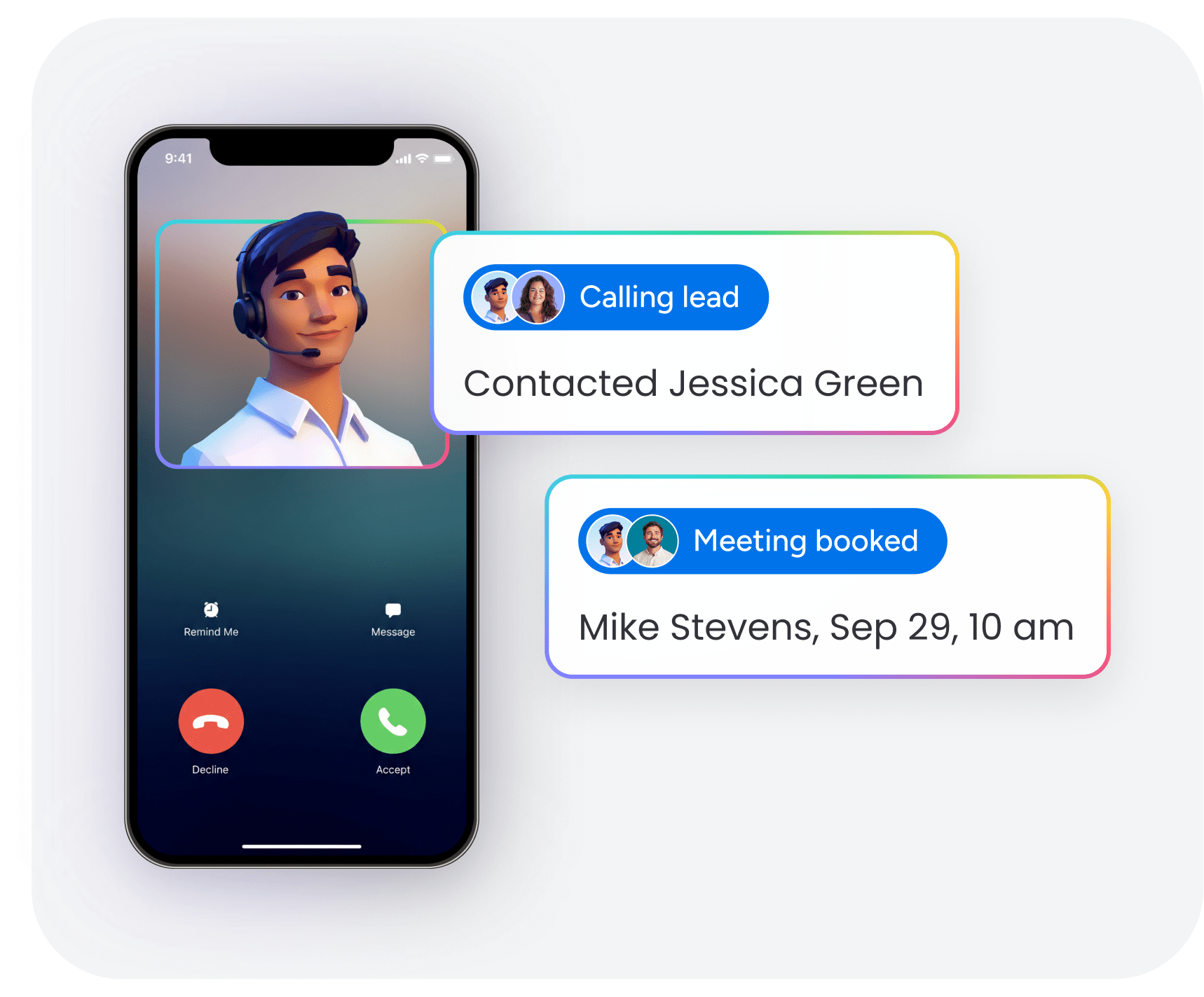
An AI voice virtual receptionist is software that answers inbound calls, understands what the caller needs, and takes action in real time — without a human operator. Instead of routing calls through menus or sending them to voicemail, it uses natural language processing and speech recognition to hold real conversations.
For revenue teams, the value goes beyond call handling. A modern AI receptionist can qualify leads, capture key details like budget and timeline, and sync that data directly into your CRM. That means every call becomes structured pipeline data instead of a missed opportunity.
Unlike traditional answering services, AI voice platforms operate 24/7, respond instantly, and scale without adding headcount. The best tools don’t just answer calls — they move deals forward.
Try monday CRM AI Capabilities5 best AI voice platforms for virtual receptionists
The AI voice market has evolved beyond simple call answering. Today’s platforms are built to capture lead data, qualify prospects in real time, and sync conversations directly into your sales workflow. Here, we’ve outlined 5 platforms that represent different approaches to AI voice for virtual receptionists — from all-in-one CRM solutions to developer-focused voice APIs and enterprise contact center tools.
| Platform | Use case | CRM connection | Voice quality | Starting price |
|---|---|---|---|---|
| monday CRM | Revenue teams needing native AI voice and pipeline management | Native AI processing, no-code automations | Enterprise-grade with sentiment detection | Custom pricing |
| Retell AI | Developers building custom voice solutions | API-first, flexible integrations | High-quality with low latency | Usage-based |
| PolyAI | Enterprise customer service operations | Deep CRM connections, advanced analytics | Conversational AI with accent handling | Enterprise pricing |
| Talkdesk | Contact centers needing to connect multiple channels | Salesforce, HubSpot, custom APIs | Professional-grade with real-time transcription | $75/agent/month |
| Kore.ai | Large organizations needing complex AI workflows | Enterprise integrations, workflow automation | Multi-language with voice biometrics | Custom pricing |
It comes down to what you need: a specialized voice tool or a complete system that runs your pipeline? For revenue teams, pick the platform that turns conversations into closed deals automatically.
1. monday CRM
monday CRM turns voice interactions into closed deals by making every call trackable, usable CRM data. It’s built for teams who need more than “someone answered the phone” — they need a pipeline their leadership team can trust.
When your AI voice or telephony platform captures call notes (or a transcript), teams can log that interaction on the deal or contact, then use monday CRM’s AI capabilities to turn that text into structured fields. Less manual cleanup. More consistent qualification. One place to track the full story from first call to closed-won.

Use case: Revenue teams that need to turn unstructured call notes into clean, reportable CRM data without manual cleanup
Key features
- Turn call notes into structured CRM fields with Autofill with AI: AI actions added to compatible columns (like Text, Date, Number, Status, Dropdown, and People) to convert messy call notes into consistent data you can report on
- Detect sentiment from call notes: Detect sentiment AI action categorizes text as Positive, Negative, or Neutral, then prioritizes follow-up based on what the caller sounded like
- Route the next step without a manual handoff: AI actions like Assign label (Status/Dropdown) and Assign person (People Column) so the right rep, specialist, or manager owns the next move
Pricing
- Basic: $12/seat/month (billed annually), $18/seat/month (monthly billing)
- Standard: $17/seat/month (billed annually), $25/seat/month (monthly billing)
- Pro: $28/seat/month (billed annually), $41/seat/month (monthly billing) — Most Popular
- Ultimate: Contact sales for custom pricing
- 14-day free trial available
- Minimum 3 seats required; 40+ users require custom quote
- Annual billing offers savings over monthly plans
Why it stands out
- Complete revenue infrastructure: Manage leads, deals, accounts, and contacts, and connect them to the work that comes next, like legal reviews, security requests, or onboarding.
- Visual pipeline management: Use a visual pipeline and drag-and-drop deal stages so managers see movement (and risk) without chasing rep updates.
- Cross-departmental collaboration: Keep sales, legal, finance, and post-sales aligned by tracking deal context, requests, and statuses on one platform.
2. Retell AI
Retell AI builds voice automation for teams with developers who need custom AI receptionists. The platform’s API-first design lets you build advanced voice apps with sub-second response times. Perfect for businesses that need technical control over phone interactions.

Use case: Teams with developers that need to build custom AI voice receptionists to handle complex back-and-forth conversations without losing context
Key features
- Real-time voice processing: Sub-second response times (~600ms) with proprietary turn-taking technology that feels natural to callers
- Customizable conversation flows: Complete control over call handling, warm transfers, and how it connects to your systems through flexible APIs
- Advanced telephony features: Verified phone numbers, branded caller ID, and SIP trunking to connect existing phone systems
Pricing
- Pay-as-you-go: $0 to start with $10 free credits
- Voice agents: ~$0.07–$0.31 per minute (includes LLM + TTS + voice infrastructure + telephony)
- Chat agents: $0.002+ per message
- Enterprise: Custom pricing with volume discounts and dedicated infrastructure
Considerations
- Requires technical expertise to implement and maintain, and teams need developers to build, customize, and troubleshoot the voice application.
- Component-based pricing adds up fast, with add-ons like Knowledge Base (+$0.005/min) and PII removal (+$0.01/min) stack on top of monthly fees for phone numbers and concurrency.
3. PolyAI
PolyAI builds conversational AI for enterprises that need to handle complex customer service across multiple languages and channels. The platform focuses on voice-first automation built for real-world phone calls. Cambridge researchers built PolyAI, and it serves over 100 enterprise customers in utilities, healthcare, banking, and hospitality.

Use case: Large organizations with high call volumes
Key features
- Advanced natural language processing: Proprietary Raven LLM and Owl ASR work with messy phone audio: interruptions, accents, background noise
- Multi-language support: Conversations in 45+ languages with robust dialect and accent recognition
- Enterprise integrations: Connects deeply with major CCaaS platforms like Genesys, NICE, and Twilio, so you can deploy it into your existing systems without friction
Pricing
- Enterprise pricing: Custom quotes based on per-minute usage, call volume, and feature requirements
- Volume discounts: Official pricing isn’t public, but UK public-sector procurement docs show costs from £0.27 down to £0.15 per minute at scale
- Included services: 24/7 support, monitoring, and platform upgrades are bundled into usage pricing
Considerations
- Limited pricing transparency requires enterprise sales conversations for actual rates.
- Implementation usually requires heavy professional services for setup and customization, which pushes timelines beyond basic solutions.
4. Talkdesk
Talkdesk builds contact center solutions with AI virtual receptionists for organizations that need to automate customer experience at scale. The platform uses natural language processing and omnichannel routing.

Use case: Mid-market and enterprise teams handling high call volumes across multiple channels
Key features
- Autopilot AI virtual agent: Handles voice and digital interactions in 59+ languages and responds based on context and escalates to human agents without friction
- Navigator intelligent routing: Uses natural conversation to triage callers, no menu trees, and offers shorter wait times and better routing
- Enterprise reliability: 99.999% uptime SLA on Elite and Industry Experience Cloud plans, including real-time analytics and workforce management for critical operations
Pricing
- CX Cloud Digital Essentials: $85/user/month
- CX Cloud Voice Essentials: $105/user/month
- CX Cloud Elite: $165/user/month
- Industry Experience Clouds: $225/user/month
- Talkdesk Express: $25/user/month (US/Canada SMB program with free trial)
- Additional AI usage fees may apply for high-volume scenarios.
Considerations
- The per-agent pricing and complex features add unnecessary costs if you only need basic AI receptionist functionality.
- Talkdesk Phone is available in the U.S., Canada, and certain European countries, but currently supports English only.
5. Kore.ai
Kore.ai builds enterprise AI with voice capabilities for large organizations handling complex customer interactions. The platform focuses on multi-agent orchestration and deep contact center integrations. Kore.ai has 400+ brand customers and proven ROI.

Use case: Enterprises that need advanced voice AI integrated with their contact center infrastructure
Key features
- Multi-channel AI platform: Handles voice, chat, and digital interactions through one AI engine with real-time speech processing and text-to-speech streaming
- Enterprise integrations: Connects with major business systems: Genesys Cloud CX, Amazon Connect, Salesforce, and 300+ marketplace connectors
- Advanced governance: Evaluation Studio monitors agent quality, tracks analytics, and adds safety guardrails so you can keep improving
Pricing
- Enterprise pricing: Custom quotes based on implementation scope and user volume
- AWS Marketplace options: Contract-based pricing with expert services starting at $10,000 and enterprise support at $40,000
- Additional costs: Third-party telephony, external ASR/TTS providers, and potential AWS infrastructure expenses
Considerations
- Implementation complexity: Requires heavy technical resources for setup and ongoing management, making it not ideal for mid-market teams who need something simple.
- Pricing transparency: Quote-only pricing with limited public info makes it hard to plan costs if you need a predictable budget.
Why your AI receptionist lives or dies by CRM integration
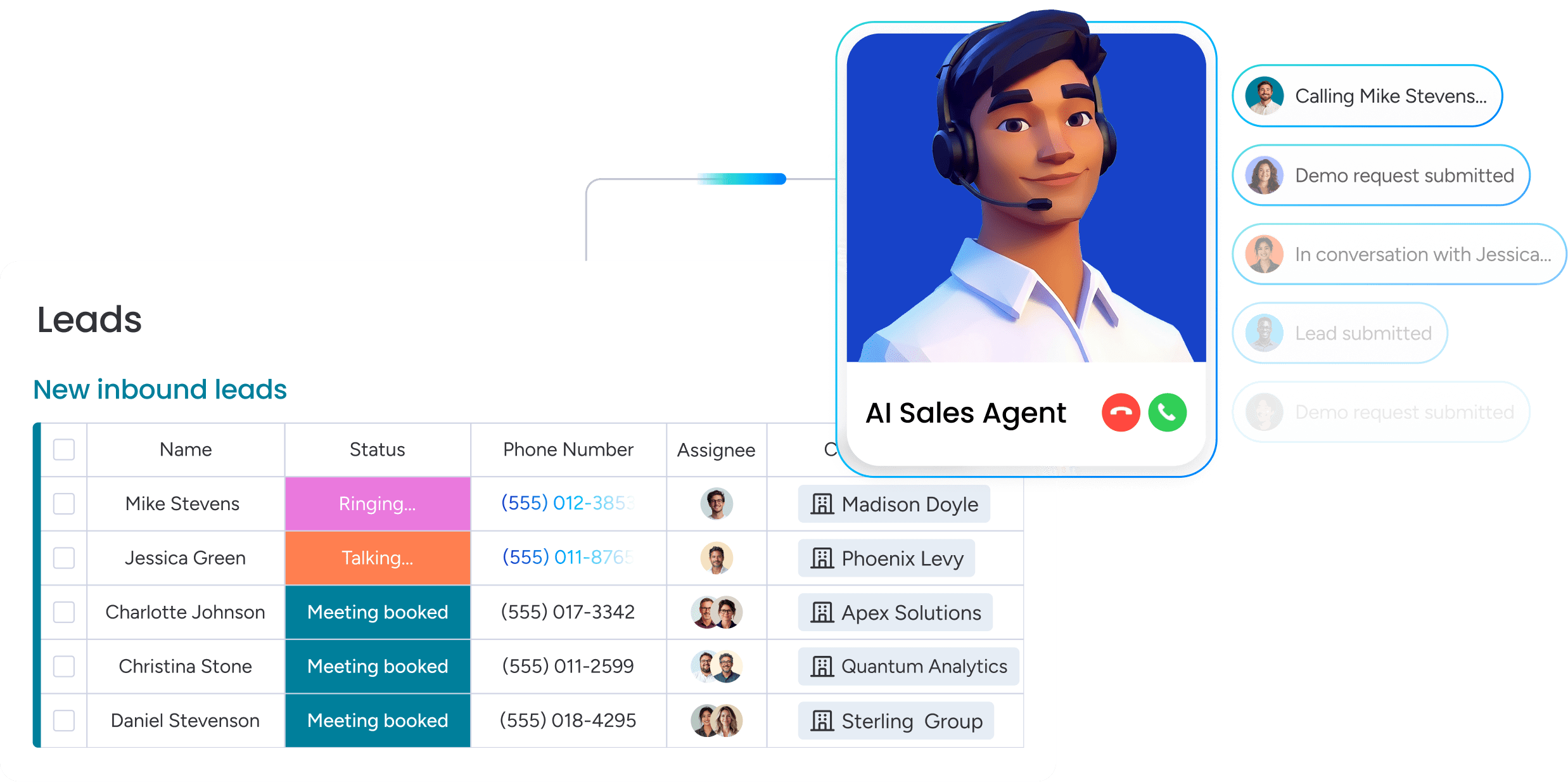
An AI receptionist without a CRM is just an expensive answering machine. The real value isn’t answering the phone. It’s turning every conversation into a trackable opportunity. Without that connection, customer calls vanish instead of becoming deals.
Turn missed calls into qualified pipeline
Every call should be a new opportunity, not another note that disappears. When your AI and CRM connect, every conversation creates a full customer profile automatically. No more chasing details. No more manual data entry.
Speed matters more than you think. InsideSales.com found that 35-50% of sales go to whoever responds first. Immediate follow-up is everything. An integrated system puts your team first because the lead is already in their pipeline.
Automate lead scoring without the manual work
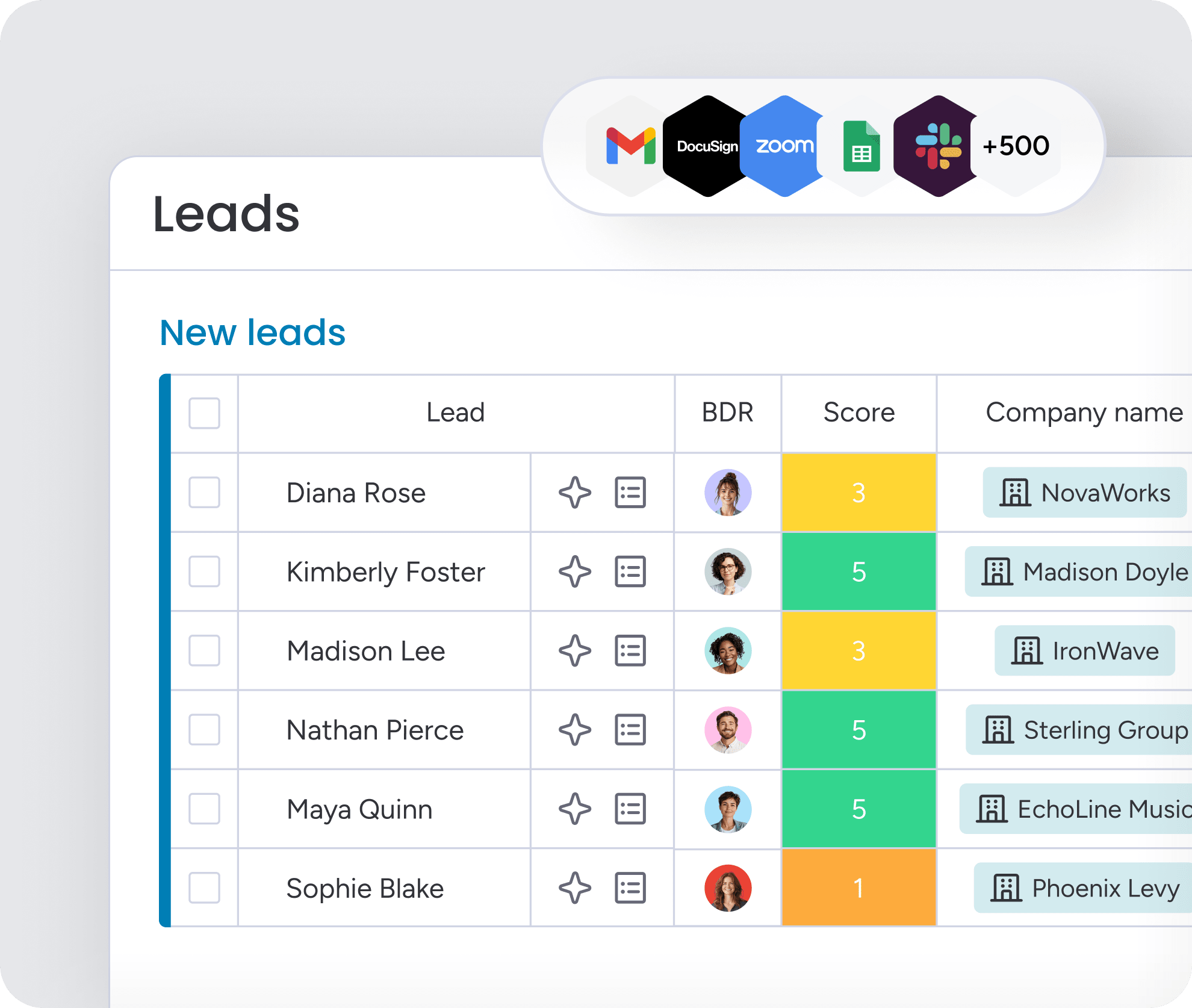
Manual lead scoring is outdated. An integrated AI listens for buying signals in real time — phrases like “we need this by Q4” or “our budget is approved.” It automatically scores and prioritizes leads based on what customers actually say during the call.
Your sales team gets a qualified, prioritized list of people who are ready to talk. They skip the guesswork and focus their energy on the conversations most likely to convert. Zero time wasted.
Get complete visibility from first call to closed deal
CRM integration gives you the full picture, from the first phone call to the final handshake. You can finally see which calls turn into qualified opportunities and which marketing sources actually deliver results. This isn’t just data; it’s a roadmap for optimization.
Track what works, fix what doesn’t, and coach your team with real insights. When your voice data lives where your sales team works, you stop guessing about lead quality and start optimizing for revenue.
Must-have features in an AI virtual receptionist
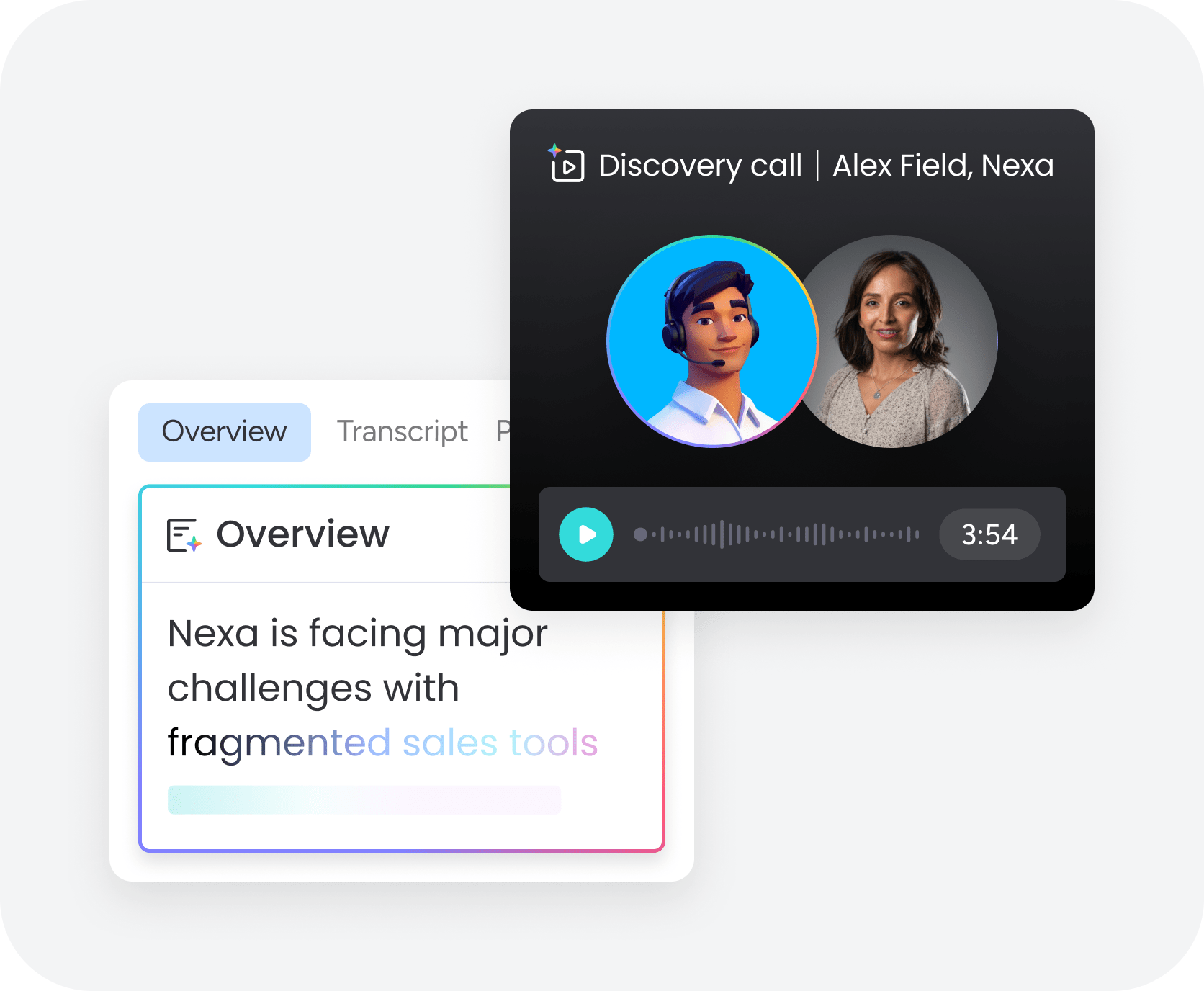
Your AI receptionist can be your best new sales rep — or the reason a hot lead hangs up. The difference isn’t magic; it’s the technology behind the voice.
These core features determine whether a customer leans in or hangs up for good.
A voice that sounds human, not robotic
A clunky, robotic voice is a deal-killer. It signals a cheap solution and makes customers suspicious before they even say what they need. A natural-sounding AI, on the other hand, keeps people talking because it uses the right tone, pacing, and emotional cues for the conversation.
The damage from a bad AI experience extends beyond one lost call. It can sour a prospect on your brand entirely, making them avoid future outreach on any channel. Real-world testing is key; you need to know the voice holds up when a customer is interrupted, frustrated, or calling from a noisy car.
Smart handoffs to a human
The best AI knows its limits. Rather than trapping a customer in a frustrating loop, it recognizes when a conversation is too complex and needs a person. This smart escalation happens instantly when it detects frustration, repeated questions, or a direct request to speak with an agent.
A seamless handoff is everything. When the call is transferred, your human agent should get the full context: what the customer needs, what they’ve already shared, and why they were escalated.
Support for every customer, in any language
Serving a diverse market means speaking your customers’ language — literally. This requires more than just word-for-word translation. Great AI is trained on native speakers to understand different accents, dialects, and cultural communication styles.
What’s considered polite and direct in one culture might feel abrupt in another. A platform that understands these nuances makes the conversation feel natural and respectful, showing customers you get them. This builds trust that simple translation just can’t match.
Prioritizing these features ensures your AI receptionist builds trust rather than burning bridges with potential customers.
AI vs. human receptionist: The real cost breakdown
Thinking about AI for your front desk? The math goes way beyond a simple salary comparison. It’s about the revenue you’re losing after 5 p.m. and the selling time your reps can’t get back.
Here are the actual numbers.
Go beyond salary: The true cost of manual call handling
A human receptionist’s salary is just the start. Add benefits, training, overhead, and the cost of covering sick days, and that $40,000 salary quickly becomes a $60,000+ annual expense. For 24/7 coverage, triple that number.
An AI receptionist doesn’t take vacations. Depending on call volume and platform, you’re looking at a total first-year cost between $8,400 and $34,000. That’s for round-the-clock coverage, and the cost drops in year 2.
Stop losing leads after hours
Here’s a number that should get your attention: over a quarter of inbound calls happen outside of typical work hours. Worse, more than 60% of those callers won’t leave a message or call back. That’s revenue walking out the door every single night.
An AI receptionist captures those leads instantly, turning missed calls into qualified opportunities. For a team with a $10,000 average deal size, capturing even a fraction of those leads can mean hundreds of thousands in recovered annual revenue. Give your sales reps their time back
How much selling time is your team losing to admin work? Even 30 minutes a day on call handling and scheduling adds up to over 3 weeks of lost productivity per rep, per year. An AI receptionist handles that initial work so your team can focus on closing.
This isn’t just about saving time; it’s about accelerating sales. When reps focus on building relationships and moving deals forward, conversion rates climb. Organizations achieve better results when they leverage monday CRM to make these gains tangible, with dashboards showing exactly how time allocation and deal velocity improve.
The financial argument for AI isn’t just about saving on salary—it’s about capturing the revenue you’re currently missing.
How to choose an AI voice platform that actually works
Picking the right AI voice platform isn’t about watching polished demos. It’s about getting real with your own call data, stress-testing the tech with messy scenarios, and proving the value before you commit.
Step 1: Find the real problems
Before evaluating any new tech, get honest about your current call performance. How many calls drop? How long are customers really waiting? This isn’t just data for a spreadsheet; it’s your shopping list for a platform that solves your problems, not generic ones.
To get the full picture, track the data that reveals friction points:
- Call volume: Know your peaks by the hour, day, and season.
- Call purpose: What are people calling about? (sales, support, etc.)
- Key metrics: Track first-contact resolution, transfer rates, and call abandonment rates.
This tells you what to fix first. High after-hours volume means you need a 24/7 lead capture machine. Constant misrouted calls mean you need an AI that actually understands what people are saying.
Step 2: Put platforms to a real-world test
Vendor demos are theater. They’re scripted to hide the flaws. Finding the truth requires throwing your own messy, real-world situations at them.
Get your team to test the platform with everyday scenarios. Try talking over the AI, use different accents, and have background noise. Ask multi-part questions to check its logic and use a frustrated tone to see how it reacts. Most importantly, verify the data flows into your CRM correctly every single time.
Step 3: Start small, prove the value, then scale
Don’t go all-in at once. Pick one specific, high-impact problem to solve first, like handling after-hours calls or scheduling appointments. This lets you prove the ROI with a single, measurable workflow before rolling it out everywhere.
Set your baseline metrics before you start, then track the improvement. Are you capturing more leads overnight? Are fewer appointments being missed? Let the numbers tell the story.
Revenue teams find success using monday CRM to pilot these workflows because the platform is built for this kind of flexible, gradual rollout. You can prove the value with one process, then connect the rest.
By following these steps, you move past the hype and select a tool that delivers measurable impact from day one.
Try monday CRM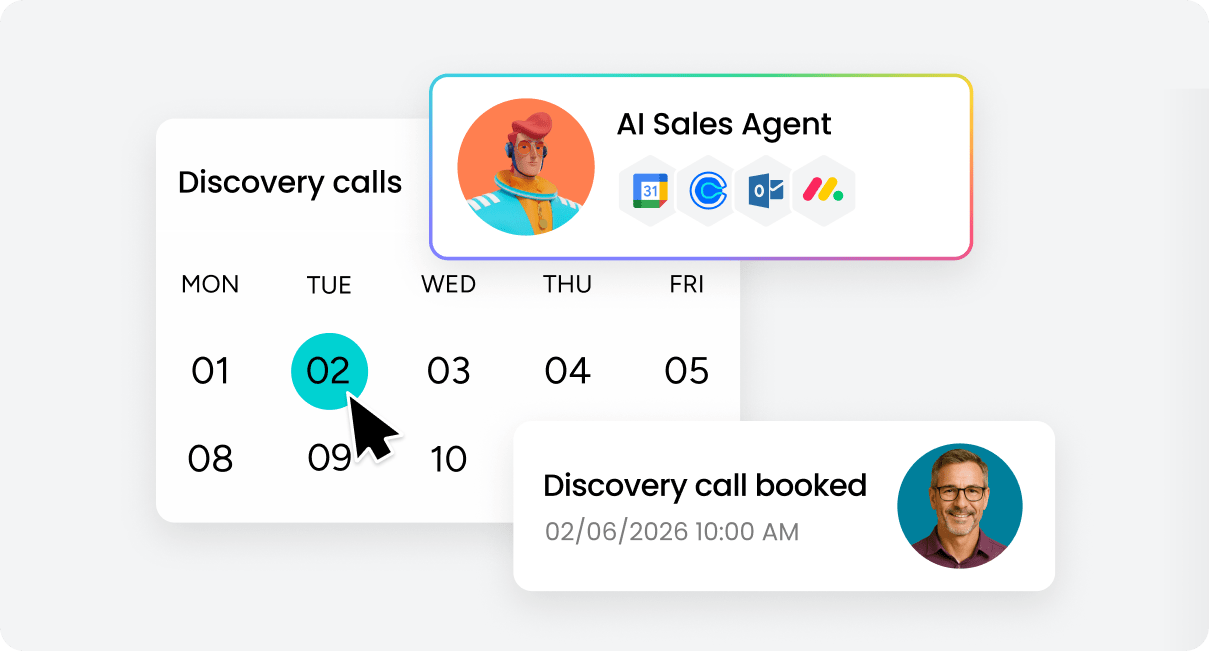
Key implementation strategies for a successful rollout
Successful AI voice projects depend on a strong strategy. When implementations fall short, it’s often due to the approach, not the technology. Teams repeat the same mistakes, creating more busywork and making everyone skeptical of the next big “automation” promise.
Understanding where others stumble is the fastest way to get it right.
Why your standalone AI tool is creating more work
An AI voice tool that doesn’t connect to your other systems isn’t a solution; it’s just another data silo. It answers calls and takes notes, but that information is trapped. Your team is still stuck juggling a CRM, calendars, and email to actually get work done.
Consider the hidden cost. A rep has to check the AI platform for a new lead, manually type that info into the CRM, and then switch to another app to send a follow-up. That’s 5–10 minutes wasted per lead. When your team is busy, those leads go cold.
Where standalone tools fall apart:
- Lost context: The AI takes a message, but the sales rep has zero history for their follow-up call.
- Duplicate work: Your team is basically paid to copy and paste information the AI already captured.
- Broken workflows: You can’t trigger automated follow-ups because the AI isn’t connected to your email or CRM.
- Zero visibility: It’s impossible to know which calls turn into revenue when the data doesn’t connect to your deals.
The setup trap that derails AI projects
Getting an AI voice platform configured is a ton of work. Most teams dramatically underestimate it. The AI needs to know exactly how to answer questions, when to bring in a human, and what details to collect from callers.
A bad setup leads to frustrated customers and an abandoned project. An AI that can’t answer basic questions just creates more calls for your team to handle. Plan for the initial setup (40-80 hours), testing (20-40 hours), and monthly upkeep (4-8 hours). Or find a platform that does the heavy lifting for you.
Getting your team to trust the AI
The biggest challenge is getting your team to actually trust the AI. Sales reps who are used to qualifying their own leads are naturally skeptical of AI-generated scores. Why would they chase a lead they didn’t source themselves?
Building that trust requires transparency. Run the AI alongside human qualification for a while, share success stories from AI-sourced leads, and create a simple feedback loop. A quick “good lead” or “bad lead” flag from a rep can help the AI learn and improve.
Organizations achieve better results when they leverage monday CRM for this, as it’s built to kill the “black box” problem. Reps can see exactly why a lead was scored a certain way and even review the interaction. When your team can trust the data, they’ll actually use it.
Avoiding these common pitfalls ensures your AI implementation enhances productivity rather than creating new administrative burdens.
How monday CRM powers AI-first revenue teams
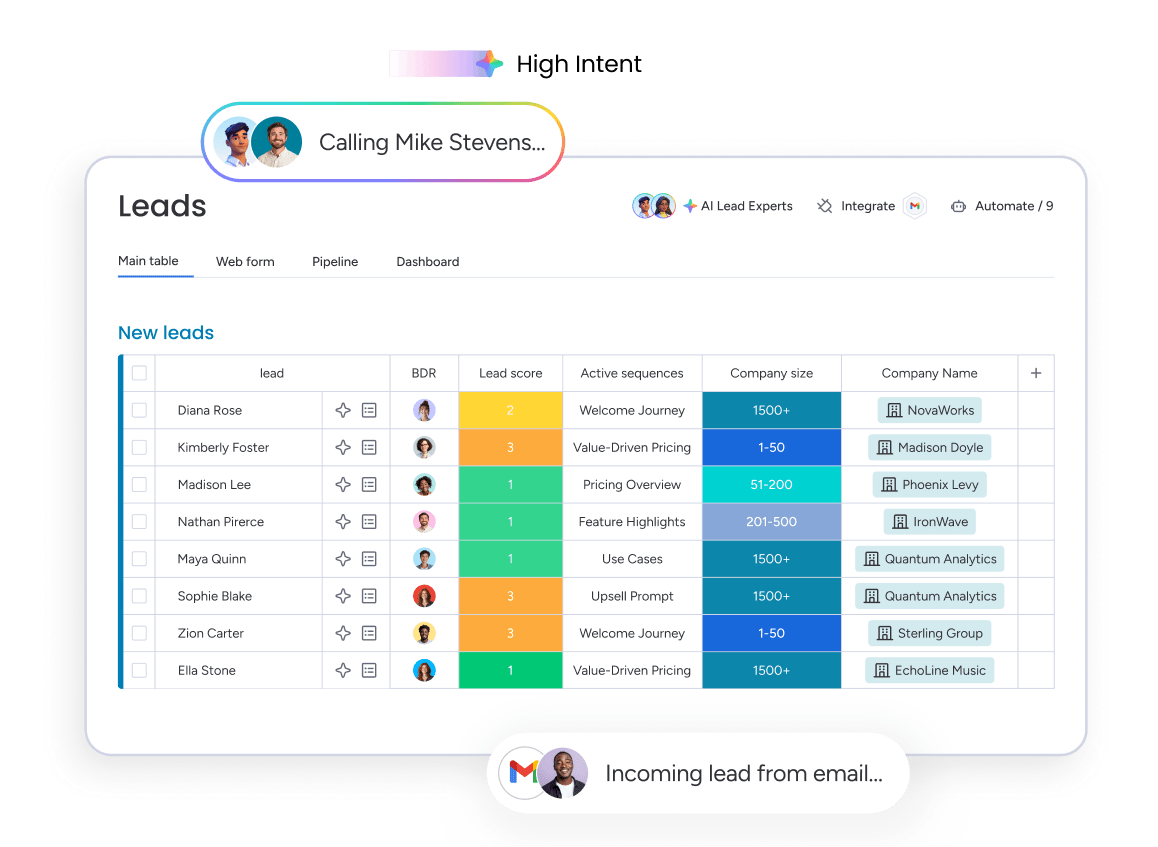
AI call tools are great, but they just create more work if they don’t talk to your CRM. You get another island of data, and your team is stuck copy-pasting notes instead of selling. That gap between a good call and a closed deal is where revenue gets lost.
Using monday CRM, you can combine AI-powered voice analysis with your sales pipeline in one place. The journey from the first “hello” to the final “closed-won” becomes one smooth, automated flow.
AI that does the work for you
Our AI Blocks turn phone calls into pipeline fuel, instantly. They listen, understand, and act on conversations as they happen, so your team can focus on the customer, not the keyboard. It’s AI that actually works for your workflow.
- Extract information: Pulls key details from calls—names, budgets, timelines—and puts them right where they belong in your CRM. All while your rep is still on the phone.
- Detect sentiment: Is the customer excited or frustrated? The AI analyzes tone to flag hot leads for immediate action and urgent issues for quick support.
- Assign labels: Automatically tags leads based on what they say. A “hot lead” goes to your top rep; a “nurture” prospect gets a follow-up sequence. No guesswork.
- Custom blocks: Your business isn’t generic, so why should your AI be? Build custom blocks to spot industry jargon or specific product interest, then route leads to the perfect specialist.
Automation from call to close, no code required
monday CRM lets you build powerful automations with simple, visual logic. When a call ends, the real work begins automatically. A deal is created, a follow-up is scheduled, and a personalized email is already in the customer’s inbox.
This isn’t just about saving time. It’s about creating a seamless experience. A customer has one conversation with your AI receptionist, and every follow-up feels perfectly timed and personal. Your reps get qualified leads with full context, ready to close.
Your own digital sales advisor
What if your CRM could tell you how to sell better? Our Digital Sales Advisor works like conversation intelligence software, analyzing patterns across all your calls to give you actionable advice. It’s an AI sales coach that works 24/7.
It doesn’t just dump data on you. It gives you specific, actionable recommendations. For example, it might find that asking about a prospect’s challenges first boosts conversions by 34%, or that follow-up emails with case studies get a 42% higher response rate. These are insights that directly grow your revenue.
By unifying voice intelligence with pipeline management, you create a system where data works for you, not the other way around.

“With monday CRM, we’re finally able to adapt the platform to our needs — not the other way around. It gives us the flexibility to work smarter, cut costs, save time, and scale with confidence.”
Samuel Lobao | Contract Administrator & Special Projects, Strategix
“Now we have a lot less data, but it’s quality data. That change allows us to use AI confidently, without second-guessing the outputs.”
Elizabeth Gerbel | CEO
“Without monday CRM, we’d be chasing updates and fixing errors. Now we’re focused on growing the program — not just keeping up with it."
Quentin Williams | Head of Dropship, Freedom Furniture
“There’s probably about a 70% increase in efficiency in regards to the admin tasks that were removed and automated, which is a huge win for us.“
Kyle Dorman | Department Manager - Operations, Ray White
"monday CRM helps us make sure the right people have immediate visibility into the information they need so we're not wasting time."
Luca Pope | Global Client Solutions Manager at Black Mountain
“In a couple of weeks, all of the team members were using monday CRM fully. The automations and the many integrations, make monday CRM the best CRM in the market right now.”
Nuno Godinho | CIO at Velv
“monday.com provides developmental flexibility, operational efficiency, and data transparency — all in one place. We became a company that moved from chasing data to leading with it.”
Hyunghan Lee | Team Lead, Sandbox Network
"monday.com brought every part of our business into one connected space. The harmony between work management and CRM has become our operating system — giving us the clarity and confidence to scale.”
Jennifer Chinburg | Executive Vice President of Corporate Development & Brand, Chinburg Properties
“We just weren’t getting value from our old CRM. With monday.com, it's a thousand times better. Our sales teams are more informed, more consistent, and far more connected."
James Arnold | Chief Operating Officer, CenversaScale your sales without adding headcount
Growing your pipeline shouldn’t mean growing your payroll. The old playbook says more revenue requires more reps, but a virtual inside AI sales agent changes that math and stops it from slowing you down.
Picture this: doubling your inbound calls without doubling your team’s workload. AI handles the surge, turning every conversation into a perfectly structured lead so your reps can skip the data entry and get straight to selling. This isn’t just theory; it’s how teams use enterprise AI tools for B2B sales workflows to grow revenue without bloating their sales org.
Turn conversations into revenue today
The shift to AI voice isn’t just about answering phones; it’s about capturing every opportunity that comes your way. Integrating intelligent voice tools directly with your CRM eliminates the manual drag that slows down sales teams and loses leads.
Start by auditing your current call volume and identifying where leads are slipping through the cracks. Whether it’s after-hours calls or missed follow-ups, there is immediate revenue to be reclaimed with the right automation in place.
Don’t let another qualified lead vanish into a voicemail box. Equip your team with the tools to listen, understand, and close deals faster than ever before.
Try monday CRM AutomationsFAQs
Can AI receptionists integrate with monday CRM natively?
To answer if AI receptionists can integrate with monday CRM natively, yes, they can integrate using AI Blocks. This logs calls and updates contact information automatically, with no third-party tools needed.
What happens when the AI receptionist can't understand a caller?
If an AI receptionist can't understand a caller, it escalates the call to a human agent with the full conversation context. This ensures the caller doesn't have to repeat themselves.
How quickly can I implement an AI virtual receptionist?
You can implement a basic AI virtual receptionist in days, while setups with full CRM integration may take a few weeks. Platforms with no-code configuration, like monday CRM, help speed up the process.
Will customers know they're speaking with AI?
Whether customers know they're speaking with an AI depends on the voice quality and your company's transparency policy. Today's AI voices are natural enough that many callers won't notice on routine calls.
Can I use AI receptionists for after-hours coverage only?
Yes, you can configure an AI receptionist for specific hours, such as after-hours or overflow support. This gives you reliable coverage when your team is unavailable.
Which AI voice platform offers a strong ROI for growing businesses?
To get a strong ROI from an AI voice platform, look for one with deep CRM integration that automates data entry and reduces manual work. Platforms that turn calls directly into pipeline data offer the most value.
