



Account managers spend endless hours each week on admin work that pulls them away from the relationships that actually drive revenue. AI platforms for account management are changing that by automating activity capture, surfacing churn signals, and drafting follow-ups so your team can focus on renewals and expansion.
This article breaks down what these platforms actually do, why account teams are adopting them now, and which capabilities matter most before you buy. We’ll cover 9 leading options and 5 practical steps to find the right fit, with platforms like monday CRM showing how embedded AI can reshape daily account work without adding another tool to babysit.
What AI platforms for account management actually do
Do your account managers spend more time documenting interactions than actually having them? For most teams, the issue isn’t a lack of work — it’s a shortage of time for the work that matters most. Admin tasks keep piling up, and AI platforms take on much of that repetitive manual effort.
According to the Slack’s latest Workforce Index, people who use AI daily are 64% more likely to report very good productivity and 58% more likely to report very good focus when compared to colleagues who don’t use AI.
These tools plug into the systems your team already relies on, including email, call recordings, and support tickets. From there, they act on their own.
- Connected data: They sync with the communication tools already used across your team.
- Automated execution: They run tasks and workflows without requiring constant manual prompts.
- Immediate visibility: They record summaries and surface competitor mentions in real time.
Compared with a legacy CRM, the difference is substantial. Traditional systems mostly hold information until someone updates it, reviews it, and decides what happens next. An AI platform watches activity continuously, produces outputs automatically, and launches workflows based on rules configured once. Instead of babysitting software, your team can concentrate on managing customer relationships.
Try monday CRMWhy account teams are turning to AI right now
Leaders are asking account managers to oversee more customers and defend more revenue, even as routine admin consumes their calendar. Building strong relationships requires focused attention, not constant field updates, repetitive follow-ups, or wading through fragmented account history. At a certain point, the workload simply stops making sense.
AI doesn’t live in a separate platform anymore with its own clunky adoption curve. It appears inside the systems your team uses every day. The gap between AI-enabled teams and everyone else keeps widening. Teams using AI can handle larger books of business without weakening the relationship quality that drives retention. With more attention available for complex renewals and executive alignment, they reach quota sooner and forecast with greater certainty.
Over the next three years, 92 percent of companies plan to increase their AI investments, and sales and marketing represent 28% of generative AI’s total economic value potential — more than any other business function (McKinsey).
9 best AI platforms for account management
AI platforms take different approaches to account management. Some embed intelligence into everyday workflows, while others specialize in a narrower area such as forecasting. Choose wisely, and you’ll only pay for features your team actually uses while gaining the capabilities that matter most.
Here’s how the top options look based on focus, capabilities, and pricing. Use this breakdown to get a quick read on the landscape before diving into the specifics.
| Platform | Use case | Free trial* | Notable feature | Starting price* |
|---|---|---|---|---|
| monday CRM | Revenue teams managing accounts, communication, renewals, and onboarding in one workspace | Yes | AI Timeline Summary for instant QBR prep | Contact for pricing |
| DemandFarm | Enterprise KAM programs with formal account planning and stakeholder mapping | No | AI-assisted relationship mapping | Contact for quote |
| Gong | Go-to-market teams using interaction data for proactive retention and expansion | Contact vendor | AI Activity Mapper for automatic CRM updates | Contact for quote |
| Salesforce | Highly configurable account management with AI forecasting and autonomous agents | Yes | Agentforce autonomous AI agents | $25/user/month |
| HubSpot | ABM, deal tracking, and customer success in one connected platform | Yes (free plan) | Customer success workspace with health scores | $15/seat/month |
| AskElephant | Instant account knowledge retrieval without digging through transcripts | Contact vendor | AI chat across your entire book of business | Contact for quote |
| Clari | Revenue forecasting and pipeline health across complex, multi-segment pipelines | Contact vendor | AI-powered forecasting with predictive models | Contact for quote |
| Upland Altify | Strategic account planning inside Salesforce with relationship mapping | Contact vendor | Relationship Map with influence networks | Contact for quote |
| People.ai | Automated account data capture for pipeline visibility and renewal risk detection | Contact vendor | Automated activity capture with zero rep input | Contact for quote |
*Prices may vary based on plan, billing cycle, or region. Free trial availability may require contacting the vendor directly.
1. monday CRM
monday CRM brings AI into the moments account managers actually work: prepping for a QBR, catching a sentiment shift, and writing the follow-up that keeps a renewal on track. You get one workspace for accounts, communication, and reporting, with enough flexibility to match how your team sells. For teams that have hit the limit of a rigid CRM, this changes everything. monday CRM lets RevOps and sales leaders modify workflows without waiting on heavy IT support.

Use case: Revenue teams that need a single place to manage accounts, keep communication organized, and track renewals and onboarding progress
Key features
- AI Timeline Summary: Generate a short summary of all communication events in Emails & Activities, so handoffs and QBR prep take minutes instead of hours spent digging through scattered notes.
- AI email assistant: Compose emails inside Emails & Activities with AI support that pulls from actual relationship history, so outreach stays grounded in real context and sends faster with less back-and-forth.
- Autofill with AI: Apply AI actions to compatible columns to Detect sentiment for early churn signals, Extract information from contracts and invoices, Summarize long updates, Assign person to route tasks intelligently, or Translate and Improve text for consistent customer-facing messaging.
Pricing
- All accounts: Include 500 free AI credits per month
- Standard: Core CRM features to manage your pipeline and accounts
- Pro: Unlocks email tracking, mass emailing, and advanced automation quotas
- Enterprise: Full security, data residency options, and enterprise-grade reporting
- Pricing is seat-based with a 3-seat minimum; visit monday.com/pricing for current rates by plan and region
Why it stands out
- AI where account work happens: Teams use monday CRM AI inside Emails & Activities and directly on their boards, instead of bouncing between separate AI apps and their CRM.
- Adapt the CRM to your sales process: Customize boards, pipelines, and dashboards to match how your revenue organization runs, then adjust as the process evolves.
- A CRM that supports post-sales too: Track onboarding, renewals, client projects, and collections in the same system your team already uses to manage revenue.
“With monday CRM, we’re finally able to adapt the platform to our needs — not the other way around. It gives us the flexibility to work smarter, cut costs, save time, and scale with confidence.”
Samuel Lobao | Contract Administrator & Special Projects, Strategix
“Now we have a lot less data, but it’s quality data. That change allows us to use AI confidently, without second-guessing the outputs.”
Elizabeth Gerbel | CEO
“Without monday CRM, we’d be chasing updates and fixing errors. Now we’re focused on growing the program — not just keeping up with it."
Quentin Williams | Head of Dropship, Freedom Furniture
“There’s probably about a 70% increase in efficiency in regards to the admin tasks that were removed and automated, which is a huge win for us.“
Kyle Dorman | Department Manager - Operations, Ray White
"monday CRM helps us make sure the right people have immediate visibility into the information they need so we're not wasting time."
Luca Pope | Global Client Solutions Manager at Black Mountain
“In a couple of weeks, all of the team members were using monday CRM fully. The automations and the many integrations, make monday CRM the best CRM in the market right now.”
Nuno Godinho | CIO at Velv
“monday.com provides developmental flexibility, operational efficiency, and data transparency — all in one place. We became a company that moved from chasing data to leading with it.”
Hyunghan Lee | Team Lead, Sandbox Network
"monday.com brought every part of our business into one connected space. The harmony between work management and CRM has become our operating system — giving us the clarity and confidence to scale.”
Jennifer Chinburg | Executive Vice President of Corporate Development & Brand, Chinburg Properties
“We just weren’t getting value from our old CRM. With monday.com, it's a thousand times better. Our sales teams are more informed, more consistent, and far more connected."
James Arnold | Chief Operating Officer, Cenversa2. DemandFarm
DemandFarm serves enterprise sales organizations that run structured key account programs and need more than static planning documents. Its focus is turning account plans into active, operational strategy by embedding relationship intelligence, whitespace analysis, and planning directly inside the CRM. You get less spreadsheet maintenance and more time expanding revenue.

Use case: Enterprise account teams running formal KAM programs who need to map stakeholder relationships, identify whitespace, and standardize account planning across a large portfolio
Key features
- AI-assisted relationship mapping: Automatically surfaces org chart structures, tracks stakeholder engagement strength, and flags C-suite relationship gaps — so account managers know exactly where to focus attention before a renewal or expansion conversation.
- Whitespace and risk intelligence: The Kampanion AI copilot scans CRM data, emails, and calls to proactively identify upsell and cross-sell opportunities within existing accounts.
- Structured account planning: Growth Planner, Account Heatmaps, and in-app QBRs give sales leaders a standardized view across the entire account portfolio — replacing disconnected slide decks with a single source of truth.
Pricing
- All tiers: Quote-only — contact DemandFarm for pricing across small business, mid-size, and enterprise plans.
- No free plan is available.
- Some AI-powered features are listed as available on request or noted as coming soon depending on plan tier.
Considerations
- DemandFarm is a specialist platform, not a full CRM; teams typically run it alongside an existing CRM like Salesforce or HubSpot, which adds integration complexity, separate contracts, and separate logins to manage.
- The platform assumes a level of process maturity that not all teams have; smaller teams or those without formal account planning programs may find the implementation lift outweighs the benefit.
3. Gong
Gong turns customer conversations into usable revenue data and has earned its place as a serious player in revenue intelligence. For go-to-market teams, that means less guesswork, less piecing together context by hand, and a much clearer view of what’s happening inside each account.

Use case: Go-to-market teams that need to move from reactive account management to proactive retention and expansion, using real interaction data rather than manually logged CRM notes
Key features
- AI Activity Mapper: It automatically captures customer interactions across calls, emails, and meetings, then maps them to the correct CRM accounts, contacts, and opportunities — so account records reflect what actually happened, not just what got logged.
- Account Console and Account Boards: A single workspace, it surfaces AI-generated account briefs, activity timelines, open deals, stakeholder maps, and health signals, giving account managers everything they need before a renewal conversation or QBR.
- Automated risk and opportunity signals: Flag disengaged accounts, single-threaded relationships, and stalled pricing discussions before they become lost revenue.
Pricing
- Structure: Quote-only pricing with a per-user license plus a platform fee; integrations with existing tools are included at no additional cost.
- Core license: Gong Foundation, with specialized add-on applications available separately (Engage, Enable Essentials, Forecast Essentials, Gong Forecast, Data Cloud).
- Add-ons: Premium Support, Professional/Expert Services, and additional mid-term seats (prorated) may increase total cost.
- Collaborator seats: Free with limited access.
Considerations
- Advanced account management features, including Account Boards and key Account Console capabilities like contacts, notes, and CRM editing, require higher-tier plans or specific add-on applications, which can increase total cost significantly depending on team size and selected modules.
- Account Boards only display accounts with at least one recorded activity, meaning dormant or newly assigned accounts may not appear in reviews without additional configuration.
4. Salesforce
Salesforce is the enterprise standard in this category, combining deep CRM customization with AI for forecasting, activity capture, and opportunity scoring. It’s well known for large-scale enterprise deployments, but its pricing tiers also extend down to smaller teams. For organizations managing large account portfolios across business units, that flexibility is a major advantage if they have the resources to support the buildout.

Use case: Teams of all sizes that need a highly configurable account management system with AI-powered forecasting, relationship intelligence, and autonomous workflow agents built into their CRM
Key features
- Einstein Opportunity Scoring: Predicts deal likelihood using historical patterns, so account managers can prioritize the accounts most likely to close rather than relying on gut feel.
- Agentforce: Autonomous AI agents that execute sales workflows — including lead qualification and meeting scheduling — without manual intervention.
- Sales Account Plans: A dedicated workspace to research accounts, define measurable objectives, and track progress, available on Enterprise plans and above.
Pricing
- Starter Suite: $25/user/month
- Pro Suite: $100/user/month (billed annually)
- Enterprise: $175/user/month (billed annually)
- Unlimited: $350/user/month (billed annually)
- Agentforce 1 Sales: $550/user/month (billed annually)
- Sales Planning add-on: $75/user/month
- Einstein Relationship Insights add-on: $50–$150/user/month
Considerations
- Most teams need a dedicated Salesforce administrator or an implementation partner to get full value from the platform. That adds cost and time before the system actually delivers results.
- Advanced AI capabilities (like Einstein Relationship Insights) and coverage tools (like Sales Planning) are paid add-ons. Your total cost of ownership can scale significantly beyond the base license price.
5. HubSpot
For teams that want marketing, sales, and customer success connected in one system, HubSpot delivers an all-in-one platform. Its Smart CRM covers the account lifecycle from pre-sale through post-sale, which helps SMB and mid-market teams avoid piecing together several separate tools. HubSpot has earned broad adoption across SMB and mid-market organizations that want pre-sale and post-sale account management without stitching multiple platforms together.

Use case: Teams that need ABM, deal tracking, and customer success management in one connected platform — without the overhead of a multi-vendor stack
Key features
- AI email writer: Generates email drafts based on prompts and contact data, reducing time spent on manual outreach across accounts.
- Customer success workspace: Gives customer success managers a centralized view of their book of business, including health scores, renewal pipelines, and automated alerts for at-risk accounts.
- Conversation intelligence: Records and transcribes calls with sentiment analysis, so account teams can review interactions and act on signals without relying on memory or manual notes.
Pricing
- Free plan: Available with limited features
- Sales Hub Professional: From $90/seat/month
- Service Hub Starter: From $15/seat/month
- Service Hub Professional: From $100/seat/month
- Service Hub Enterprise: From $150/seat/month
- Marketing Hub Professional: From $800/month (annual billing)
- Marketing Hub Enterprise: From $3,600/month (annual billing)
- Annual billing is presented as the best-value option; startup and nonprofit discount programs are available
- Professional and Enterprise plans require paid onboarding; AI features consume HubSpot Credits, with auto-upgrade packs available if monthly limits are exceeded
Considerations
- ABM features require Marketing Hub or Sales Hub Professional/Enterprise; teams on Starter or Free plans won’t have access to the account management depth they may need.
- Costs can scale quickly: contact tier limits, required onboarding fees, and credit-based AI usage can push total spend well above the base seat price, particularly for growing teams.
6. AskElephant
AskElephant focuses on a narrower pain point: all the institutional account knowledge that gets buried in transcripts, meetings, and scattered notes. Rather than letting that information disappear, it turns it into searchable knowledge for the whole team. It also connects natively to Salesforce and HubSpot, automatically logging structured outcomes so your CRM actually stays current without manual data entry.

Use case: Account managers, customer success, and sales teams that need instant answers about their accounts without digging through endless call transcripts or relying on reps to remember to log their notes
Key features
- AI chat across accounts: Query your entire book of business in plain language. Ask things like “which accounts had no contact this month?” or “what was the blocker for Client X?” and get instant answers. Zero digging required.
- Automatic CRM write-back: After every call, AskElephant extracts next steps, commitments, and custom fields, writing them directly to the correct account and contact records in Salesforce or HubSpot.
- Proactive churn and expansion alerts: The platform monitors conversations for risk signals and competitor mentions, routing alerts to the right owner via Slack, email, or your CRM before issues blow up.
Pricing
- Pricing: Not publicly listed; quotes are based on user count and workspace needs.
Considerations
- Works best when your CRM fields and workflow expectations are well-defined. If your CRM schema is a mess, you will want to clean house before plugging this in.
- First-class integrations are built around Salesforce and HubSpot; teams on other CRMs should verify integration depth before committing.
7. Clari
Clari is less about managing accounts day to day and more about giving revenue leadership a reliable view of forecasting and pipeline health. It layers intelligence on top of existing CRM data, email activity, and meeting signals to make revenue projections more reliable. It works as a forecasting layer on top of existing CRM systems, not as a standalone account management platform.

Use case: Revenue leaders who need accurate forecasting, renewal visibility, and expansion signal detection across complex, multi-segment pipelines
Key features
- AI-powered forecasting: Predictive models analyze historical deal patterns and live pipeline signals to generate accurate revenue projections — benchmarked against rep rollups across subscription, deal-based, and consumption models.
- Deal risk scoring and pipeline inspection: Flags deals likely to slip or stall based on activity patterns and conversation sentiment, surfacing accounts with coverage gaps or stalled engagement before they become a problem.
- Renewal and expansion cadences: Prebuilt workflows for current and next-quarter renewals, churn mitigation, and upsell plays align sales, customer success, and marketing teams around NRR-centric metrics and account health signals.
Pricing
- Pricing: Not publicly listed; contact Clari for a quote.
- No extra platform fees for integrations or continuous support, per Clari’s pricing page.
Considerations
- Clari requires clean, well-structured CRM data to generate reliable forecasts; teams with inconsistent data hygiene will see limited accuracy from the AI models.
- The platform is designed for enterprise-scale revenue orchestration; smaller teams may find the full scope exceeds their immediate needs, and realizing end-to-end account management value typically requires connected CRM and customer success stacks.
8. Upland Altify
Upland Altify serves enterprise sales teams that already run structured strategic account programs inside Salesforce. Rather than acting as a general CRM, it adds a repeatable framework for account planning, relationship mapping, and opportunity coaching. If your organization runs on Salesforce and has a mature account planning process, Altify is built for exactly that environment.

Use case: Enterprise B2B sales teams that need to execute strategic account plans inside Salesforce by mapping stakeholder relationships, identifying expansion opportunities, and coaching reps through complex deals
Key features
- Relationship Map: It visualizes influence networks across accounts, flags supporters and detractors, and correlates stakeholder coverage with win rates.
- MaxAI: Auto-populate key players, surfaces account insights, and generates next-best actions without pulling sellers out of their Salesforce workflow.
- Whitespace and opportunity mapping: Identify cross-sell and upsell opportunities within existing accounts without affecting forecast integrity.
Pricing
- Pricing: Not publicly listed; contact Upland Altify directly for a quote.
- Revenue Enablement Services are available as an add-on, offered in annual blocks of consulting hours for change management and methodology coaching.
Considerations
- Altify runs exclusively on Salesforce Enterprise, Developer, or Unlimited editions; teams without Salesforce, or those on Platform licenses, cannot use it.
- Adoption requires meaningful change management investment; Altify itself offers enablement services to support this, which adds to the total cost of ownership.
9. People.ai
People.ai solves a familiar enterprise problem: customer activity happens constantly, but the CRM record stays incomplete. By automatically capturing emails, meetings, and calls, then mapping them to the right records, it creates a more accurate picture of account engagement. It sits on top of your existing CRM to surface relationship gaps, at-risk deals, and next best actions, without asking reps to log a single thing.

Use case: Enterprise revenue teams that need complete, automated account data capture to drive accurate pipeline visibility, flag renewal risks, and ensure multi-threaded account coverage
Key features
- Automated activity capture: Every email, call, and meeting is automatically logged and matched to the correct account or opportunity in your CRM — zero rep input required.
- Relationship maps and scorecards (ClosePlan): Visual org charts auto-surface engaged stakeholders, assign influence roles, and enforce sales methodologies like MEDDIC or BANT directly inside Salesforce.
- AI-generated account plans: The platform pulls from public sources and private interaction history to generate account plans, highlight whitespace, and flag expansion or renewal risk.
Pricing
- Enterprise pricing: Quote-only; no public pricing tiers available.
- Historically, pricing has operated on a per-seat subscription model where over-deployment triggers pro-rata charges, but you’ll need to confirm current structures with their sales team.
- Initial discounts typically do not carry forward to renewals — factor this into your multi-year cost calculations.
Considerations
- Several advanced account management features, including ClosePlan’s Relationship Maps, are Salesforce-native. If your team uses a different CRM, you won’t have access to these.
- Accounts with limited digital engagement or strict data-exclusion policies will see reduced signal density, which weakens the automated insights the platform depends on.
7 core capabilities of modern AI account management tools
A useful AI platform fits seamlessly into your team’s daily workflow. What matters are the capabilities that genuinely remove the manual work account managers hate. The features below help teams catch risk sooner and give revenue leaders a clearer view of what’s happening.
1. Eliminate manual data entry with automated activity capture
Account managers spend too many hours each week entering notes, updating records, and sending routine follow-ups. Automated activity capture removes that burden from the workflow.
- Automatic logging: Calls and emails are written directly to the account record by AI.
- Clean summaries: The platform creates a structured recap that is easy to scan.
- More selling time: Account managers recover hours for the conversations that actually move deals forward.
Revenue teams use monday CRM to keep their full communication history current. Features like AI-generated timeline summaries handle the documentation, so your team stays focused on the customer.
2. Spot churn risks instantly with predictive health scoring
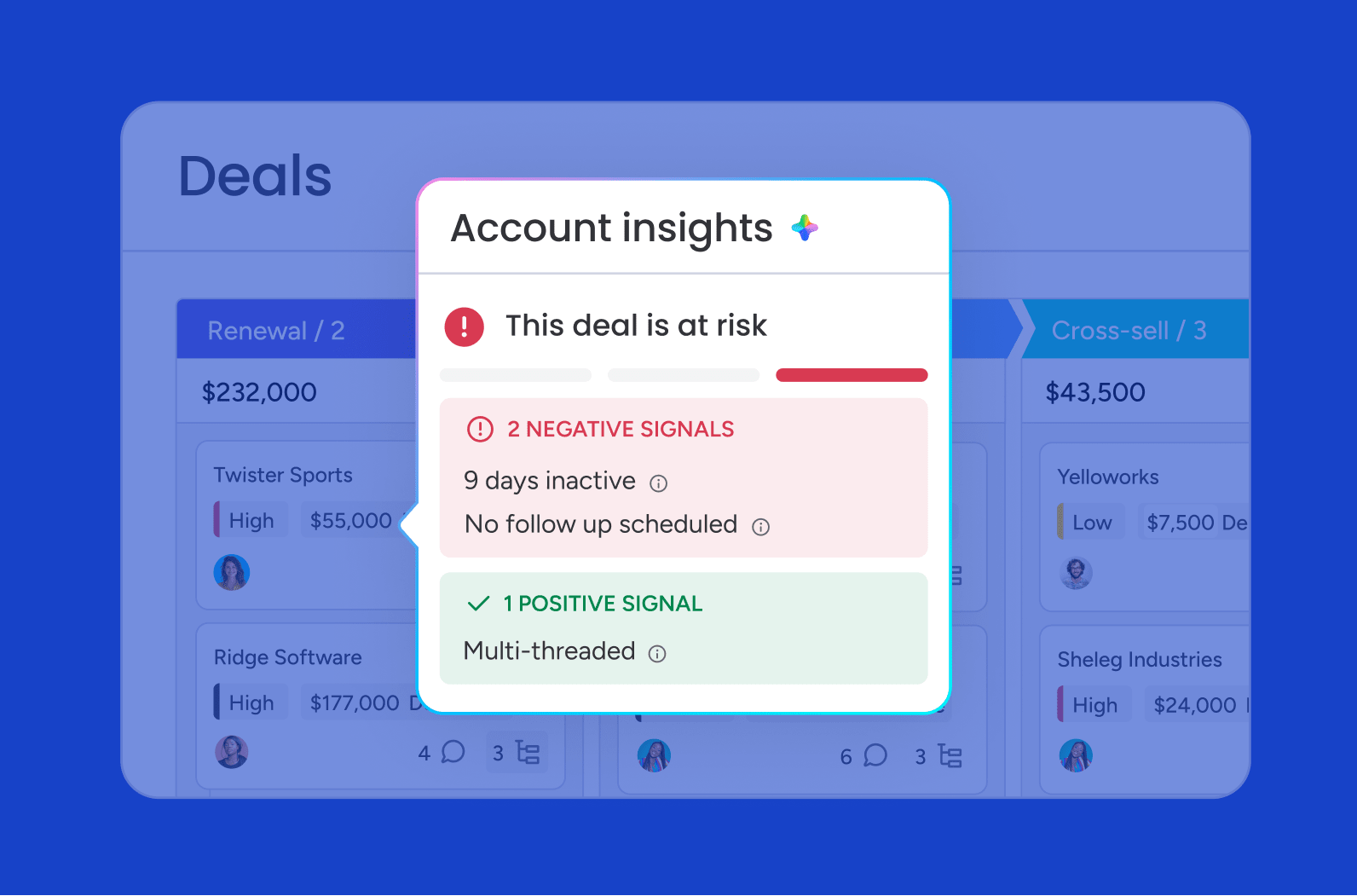
Quarterly account reviews and gut-check assessments can’t match the pace of customer signals. By the time a risk appears in a scheduled check-in, the customer’s already pulling away. Continuous AI monitoring changes that approach.
- Always-on tracking: Product usage and email engagement are monitored as they occur.
- Faster warnings: Sentiment drops can be identified the moment they happen, not weeks later.
- Confident coverage: Teams can oversee large portfolios without losing control.
For revenue leaders, this changes how you manage portfolios. Once AI takes over the pattern recognition, a single account manager can cover dozens of accounts with far more confidence.
Learn more: AI account signal agent
3. Uncover hidden revenue with whitespace detection
Expansion opportunities are often hiding inside your customer base. The challenge is that finding them usually demands time-consuming manual analysis most teams can’t spare. AI shortens that process by surfacing whitespace automatically.
- Cross-account comparison: It analyzes usage patterns across similar customers.
- Relevant recommendations: It identifies accounts that would truly benefit from adjacent products.
- Prioritized output: Teams receive a ranked list supported by actual data.
The result? Account management stops being purely about defense and starts becoming a repeatable engine for net revenue retention growth.
4.Generate personalized outreach with AI
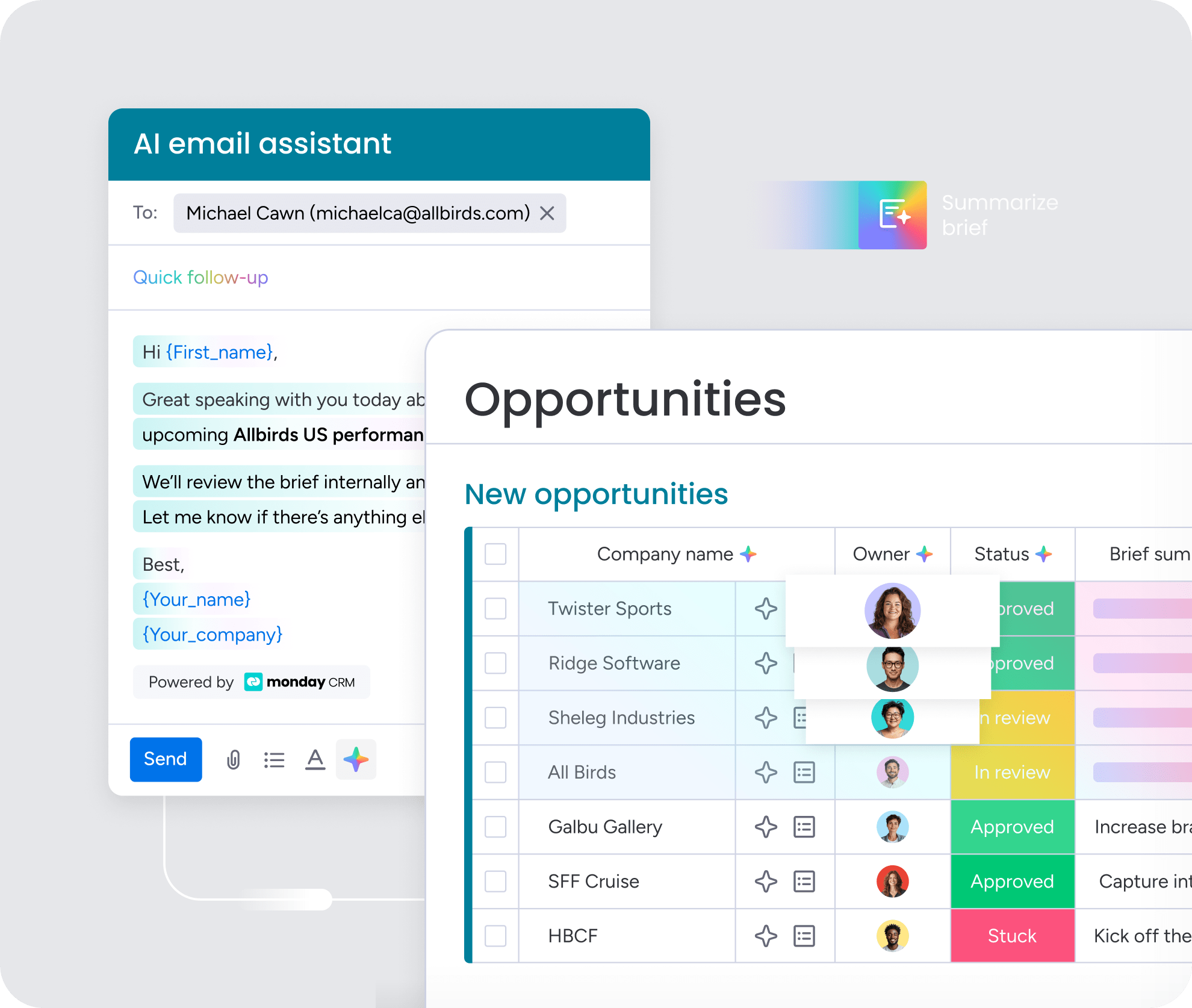
AI-generated emails only feel robotic when they’re missing context. The strength of the draft depends entirely on how much account intelligence sits behind it. Give AI access to communication history and product usage, and the output becomes far more useful.
Instead of starting from scratch, your team gets drafts grounded in real account details, which can save hours every week. Organizations get better results when they use monday CRM for this exact workflow. The AI email assistant composes hyper-relevant messages directly within your timeline, turning your account managers from writers into editors.
5. Execute tasks automatically with autonomous agents
There’s a major leap from AI that responds to prompts to AI that acts on its own. Autonomous agents can notice a renewal approaching in 60 days, prepare the outreach, and revise the health score without anyone stepping in first. Setting it up does not require technical expertise.
Teams discover that monday CRM lets them build custom AI agents without writing a single line of code. Simply configure an agent to monitor renewal dates or scan incoming emails for negative sentiment. It triggers immediate alerts and actions, keeping your team one step ahead of customer needs.
40% of desk workers have already used an AI agent, and 23% have delegated work to an AI agent on their behalf (Slack)
6.Monitor account health with real-time dashboards
Weekly reports tell you what’s already done. Revenue intelligence sales dashboards built for real-time use show what is happening now, across the full account portfolio.
- Trend detection: Surface accounts that are beginning to slide.
- Risk visibility: Identify threatened renewals and once-active deals that have gone quiet.
- Less chasing: Replace spreadsheet follow-ups and rep update requests with automated reporting.
That kind of real-time view matters most to revenue leaders. With live, reliable data in front of you, forecast calls and board meetings become far easier to navigate with confidence.
Learn more: AI account health agent
7. Connect your entire tech stack with a strong integration layer
CRM data alone doesn’t tell the whole story. Without access to support conversations, billing details, and surrounding systems, any AI-generated insight will be incomplete. A strong integration layer closes those gaps.
By pulling in context from marketing automation, product analytics, and customer support, the platform builds a more complete account view. Our users get this alignment done on monday CRM. The platform connects your entire tech stack, ensuring your AI answers questions based on the complete picture rather than siloed data.
Learn more: AI portfolio management software
Try monday CRM5 steps to choose the right AI platform for your account team
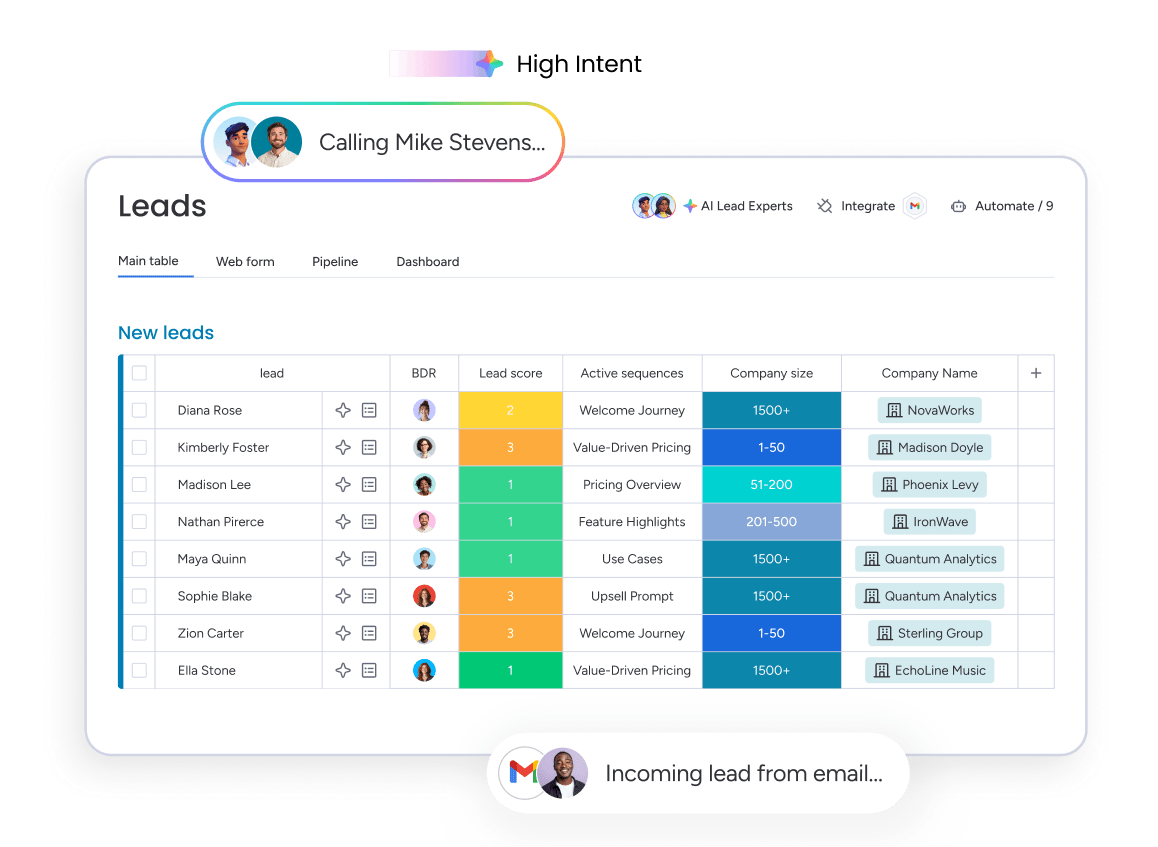
Some AI platforms become part of the daily operating rhythm, while others end up abandoned in a browser tab. The difference usually comes down to fit: process maturity, data quality, and how the team already works. These 5 criteria make it easier to evaluate platforms based on reality rather than demo polish.
Step 1: Match the platform to your account management maturity
Start with an honest question: how mature is your current account management process? Teams with tiering, documented plans, and consistent health scoring can often unlock value from advanced AI quickly. Teams operating more reactively need a simpler entry point.
- Review your foundation: Sophisticated AI tools assume formal processes are already in place.
- Reduce friction: Without established workflows, teams spend their time wrestling with software instead of managing accounts.
- Begin with basics: Activity capture and communication automation create the dependable data layer you need first.
After those inputs are consistent, advanced analytics become far more useful.
Step 2: Audit your data foundation before you buy
No AI platform outperforms the quality of the data behind it, which is why CRM data management matters so much. Missing contacts, inconsistent activity logging, and stale deal stages lead directly to unreliable forecasts and distorted health scores. AI magnifies existing data habits; it does not repair them. A practical audit should cover three areas:
- Contact information: Do account records have complete and accurate details?
- Activity logging: Do all managers log their calls and emails consistently?
- Deal stages: Do your pipeline stages reflect real-time status?
Teams that buy AI before fixing their data often blame the technology for problems that started much earlier. Clean, dependable inputs are what make the rest of the investment worthwhile.
Step 3: Weigh embedded AI against standalone point solutions
Point solutions work well when you need deep functionality in a narrow area like forecasting or conversation intelligence. The tradeoff? Complexity: more contracts, more logins, and more integration work. Each additional connection is another place for data to break and another vendor relationship to manage.
- Smoother workflows: Embedded AI creates a more seamless day-to-day experience.
- Unified context: The same account history can inform both email drafting and forecasting.
- Lower friction: Fewer disconnected tools means less jumping between systems.
The key question is whether your team faces one sharp pain point or several linked problems across the account lifecycle. If the challenges are interconnected, an integrated workspace often delivers more value with far less operational overhead.
Step 4: Test for adoption and real time to value
A shiny demo tells you nothing about daily adoption. What matters is how fast the platform starts saving time after the contract is signed. Some systems begin helping in days. Others drag on for months and never quite become useful. During a trial, use a real account and real data, not a staged example.
- Validate accuracy: Did the AI capture the meeting correctly?
- Judge output quality: Were the email drafts usable without major rewrites?
- Measure practical value: Answers to those questions show whether the tool works outside the demo environment.
AI usually fails in account management for a simple reason: reps don’t use it. The best systems remove manual work instead of introducing new tasks people quietly ignore.
Step 5: Check governance, permissions, and human oversight
Customer data is sensitive by default. Renewal details, strategic plans, and conversation history should never be treated casually. Before rolling out any AI platform, you need a clear understanding of what data it can access, who can see the outputs, and what happens to that information after processing.
- Model training policies: Does the vendor use your data to train public models?
- Permission controls: Can you limit where the AI acts and what it can access?
- Approval workflows: Does a human need to review actions like sending emails or updating records?
With monday CRM, your team gets powerful AI capabilities without compromising security or control. These guardrails make AI trustworthy enough to actually deploy and scale.
Try monday CRMThe shift from AI assistance to agentic account management
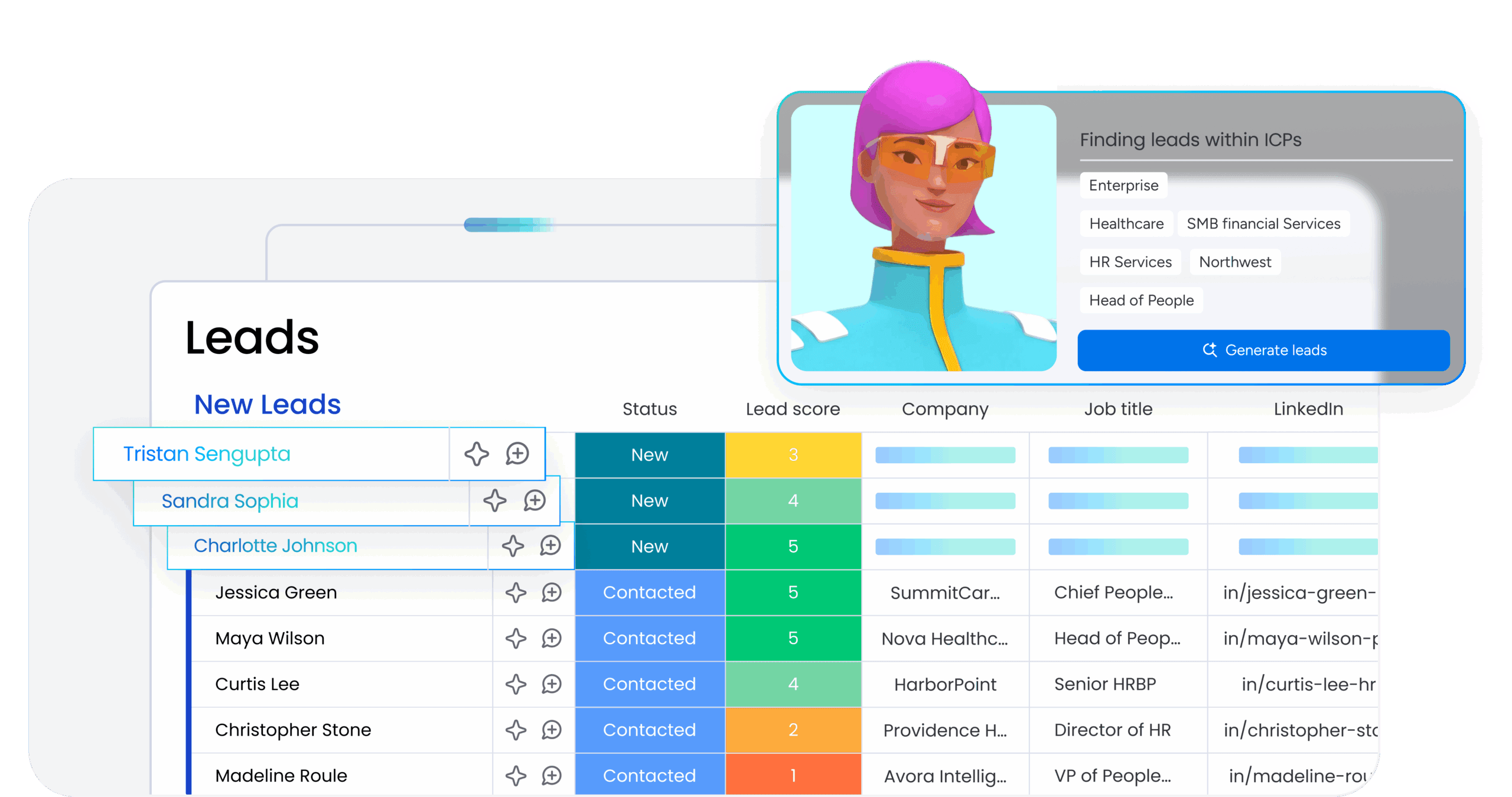
There’s a meaningful gap between AI that supports a task and AI that completes it. Many revenue teams are still in the first stage, using AI to summarize calls or draft follow-ups after someone asks. Helpful? Sure. Transformational? Not quite.
Agentic AI changes the model by watching account conditions and acting without waiting for a prompt. Picture an agent noticing a drop in product usage, preparing a check-in message, and scheduling a call before anyone on the team logs in.
For example, an account manager at a SaaS company might arrive Monday morning to find that an AI agent has already flagged three enterprise accounts showing declining login frequency over the past two weeks, drafted personalized outreach for each based on their recent support tickets, and added follow-up tasks to the CRM with recommended talking points. The account manager reviews the context, approves the emails, and focuses the rest of their day on a complex renewal negotiation — work that actually requires human judgment.
That said, these workflows depend on clean data and stable engagement patterns. Without those inputs, important churn signals can be missed. Moving forward before the technology feels perfectly risk-free is one way to stay ahead.
Bring AI into account management with monday CRM
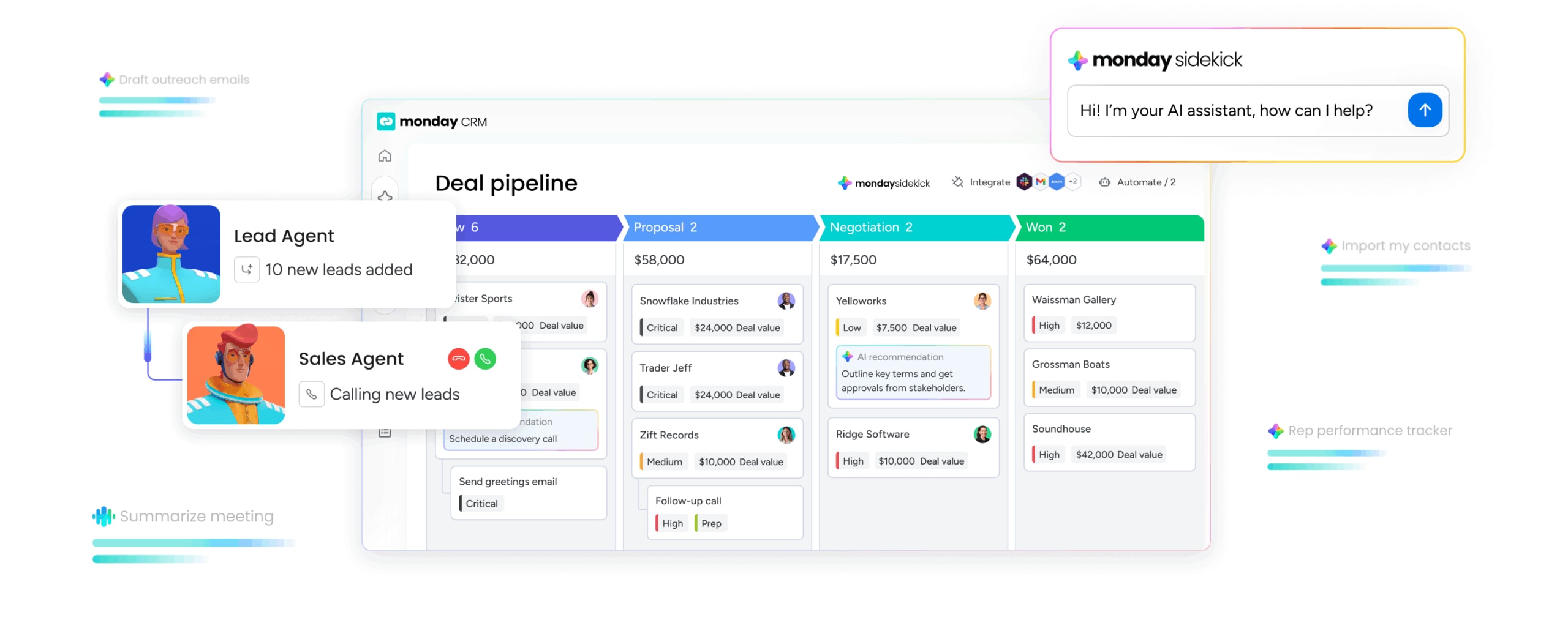
Most account teams still cobble together 4 or 5 tools just to capture activity, measure health, and forecast renewals. Every extra platform adds another contract, another integration, and another opportunity for stale data. That operational drag can be eliminated entirely.
Putting activity capture, email drafting, health scoring, and AI agents into a single workspace changes the operating model. monday CRM enables teams to run their entire pipeline in one place, with predictable visibility and a single source of truth. Below are the core capabilities that make AI-powered account management practical for revenue teams without adding complexity.
Key capabilities for account management in monday CRM
- Eliminate busywork with AI Notetaker: Captures customer interactions directly in the Emails & Activities timeline, turning activity into structured account history that takes minutes to review.
- Draft smarter outreach with the AI email assistant: The AI email assistant drafts messages using actual account history, so outreach reflects specific customer context instead of generic templates.
- Detect account health changes automatically: Autofill with AI continuously reads messages, detects sentiment, and updates health indicators automatically, giving revenue leaders live visibility into every account.
- Automate workflows with Agent Factory: Teams can build no-code AI agents that monitor renewals, scan for sentiment shifts, and assemble account summaries without manual prompts.
- Unify your intelligence with monday MCP: The monday MCP (Model Context Protocol) connects external AI platforms like Claude or ChatGPT to your workspace securely, letting account managers query account history from their preferred AI assistant.
When every AI function runs on the same underlying data layer, account management becomes more predictable and less reactive. monday CRM brings these capabilities together in one workspace, so your team can stop managing tools and start managing accounts.
Transform your account management strategy today
The best AI-powered platforms handle the repetitive administrative work: logging calls, drafting follow-ups, keeping records current. This means account managers can focus on the relationships that drive renewals and expansion. Centralized data and embedded AI make it easier to catch churn risks early, uncover expansion opportunities, and give revenue teams the visibility they need to move faster.
Try monday CRM to bring activity capture, health scoring, and AI agents into one workspace that gives your team confidence across the entire pipeline.
Try monday CRMFAQs
Will AI replace account managers?
AI won't replace account managers. It handles the administrative heavy lifting, like logging activity and drafting emails, so your team can focus on complex renewals and relationship building that actually require human judgment.
How accurate is AI-powered account health scoring?
AI-powered account health scoring is only as accurate as the CRM data behind it. Teams with complete activity logs get reliable scores that flag churn risk and surface expansion opportunities.
Can AI platforms integrate with my existing CRM?
AI tools can integrate with your existing CRM, though the depth of that connection varies significantly by platform. Some systems require manual data syncing, but platforms like monday CRM update your records automatically in real time.
Is my customer data safe when using AI platforms?
What happens to your customer data when you use AI tools depends entirely on the vendor's privacy policies. Some systems use your private conversations to train their models, but platforms like monday CRM never use customer data for model training.
How long does it take to implement an AI platform for account management?
Implementation of an AI tool for account management ranges from a few days to several months. Embedded platforms like monday CRM set up in days without heavy IT involvement, whereas legacy systems often require dedicated administrators and extensive integration work.
Do account managers need technical skills to use AI platforms?
Account managers don't need technical skills to use AI tools for daily tasks like email drafting or activity capture. Building custom workflows historically involved a steep learning curve, but monday CRM makes advanced AI capabilities completely accessible without any coding expertise.
