


Every team has experienced the brainstorming session that starts with energy and ends with a scattered whiteboard no one can decode. Ideas fly across sticky notes, chat threads, and half-finished docs, but connecting them into something actionable is where most teams hit a wall. A mind map template gives your brainstorming structure without killing creativity.
This guide covers what mind map templates are, how to create them across different platforms, and how to turn brainstormed ideas into real team outcomes. You’ll also see how the right collaborative platform can take your visual brainstorming from static diagrams to dynamic, connected workflows.
Get startedKey takeaways
- A mind map template organizes ideas visually around a central topic, making brainstorming sessions more productive and easier to act on.
- Teams across marketing, product, operations, and HR can use mind map templates for everything from campaign planning to strategic decision-making.
- Creating an effective mind map requires 4 key components: a central node, primary branches, secondary branches, and visual hierarchy.
- AI-powered platforms now generate mind maps automatically from text, meeting notes, and documents, reducing setup time significantly.
- monday.com’s AI Work Platform connects visual brainstorming directly to task management, so ideas move from the board to execution without switching between disconnected apps.
What is a mind map template?
A mind map template is a pre-built visual framework that organizes information around a central idea. Instead of listing thoughts in a linear format, a mind map branches outward from one core topic into related subtopics, creating a web of connected ideas that’s easy to scan and build on.
3 characteristics separate mind maps from other brainstorming formats.
- They’re non-linear. Ideas radiate outward rather than flowing top to bottom, which encourages creative thinking.
- They’re hierarchical. Main themes connect to supporting details through visual branches, so relationships between concepts are immediately visible.
- They’re visual. Colors, icons, and spatial arrangement help teams process and retain information faster than text-heavy documents.
Teams typically reach for mind map templates when they need to break down complex projects, plan campaigns, organize research findings, or map out decision trees. The easiest way to create a mind map is to start with a digital template that gives you the basic structure, then customize the branches to fit your specific project. Digital mind maps have largely replaced paper versions because they’re easier to share, edit collaboratively, and connect to project management workflows.
Whether you’re using a dedicated brainstorming software or a simple drag-and-drop canvas, the template handles the layout so your team can focus on the ideas.

7 benefits of using mind map templates for teams
Mind map templates do more than organize sticky notes digitally. They change how teams capture, connect, and act on ideas. When brainstorming sessions produce scattered outputs, the real cost isn’t the lost ideas themselves. It’s the time spent trying to piece them back together afterward.
Here are 7 specific ways mind map templates improve team collaboration and output quality.
- Visual organization that matches how people think: Our brains process visual information significantly faster than text. Mind maps leverage spatial arrangement and color to make relationships between concepts immediately obvious, which means less time explaining and more time building.
- Faster ideation with less friction: Templates remove the “blank page” problem. Instead of debating how to structure a brainstorming session, teams start with a framework and jump straight into generating ideas. The result is more ideas captured in less time.
- Improved team collaboration across roles: Mind maps give analytical thinkers and creative thinkers a shared language. The visual format works equally well for someone mapping a technical architecture and someone sketching a brand campaign, making cross-functional brainstorming sessions more productive.
- Simplified complex topics: When a project involves dozens of moving parts, a mind map breaks it into digestible branches. Teams can zoom into specific areas without losing sight of the bigger picture, which is especially valuable for strategic planning and stakeholder presentations.
- Enhanced information retention: Studies consistently show that visual learning aids improve recall. When your team maps out a strategy visually, they’re more likely to remember key decisions and action items than if those same points were buried in meeting notes.
- Stronger creative connections: The branching structure of mind maps naturally reveals relationships between ideas that might not spot in a linear list. A subtopic under one branch might connect to a subtopic under another, sparking new approaches your team wouldn’t have considered otherwise.
- Streamlined decision-making: When all options, dependencies, and trade-offs are visible on one map, teams can evaluate and prioritize faster. Instead of flipping between documents, everyone sees the full picture and can weigh in with context.

5 mind map template examples for business teams
Mind maps aren’t limited to classroom settings. Business teams use them across departments and functions to turn complex challenges into structured, actionable plans. The key is matching the template format to the type of thinking your project demands.
Here are 5 mind map template types that consistently deliver results for business teams.
- Project planning mind map: Start with your project name at the center and branch into key phases: scope, timeline, resources, deliverables, and risks. Each phase then breaks into specific tasks and owners. This format works especially well for kickoff meetings where cross-functional teams need to align on responsibilities and dependencies. You can also connect related branches to a process map for a more detailed workflow view.
- Marketing campaign mind map: Place your campaign objective at the center, then branch into audience segments, channels, messaging, creative assets, and KPIs. This template helps marketing teams see how all campaign elements connect before they start executing, reducing the back-and-forth that happens when strategy lives in separate docs.
- Brainstorming mind map: The most free-form template on this list. Start with a question or challenge at the center and let team members add branches freely. After the ideation phase, group related ideas and identify the strongest themes. This template works well for mind mapping sessions where you want volume first and structure second.
- Strategic planning mind map: Map your company’s strategic goals at the center, then branch into initiatives, quarterly objectives, and the specific projects that support each one. This template is particularly useful for leadership teams who need to communicate how day-to-day work connects to long-term vision.
- Employee onboarding mind map: Place the new hire’s role at the center and branch into key areas: team introductions, platform access, training modules, first-week goals, and 30/60/90-day milestones. A process map template can complement this by laying out the sequential onboarding steps alongside the mind map’s broader overview.
How to create a mind map template in 5 steps
Building a mind map template doesn’t require design skills or specialized software. Whether you’re working in Word, PowerPoint, or a collaborative online platform, the process follows the same 5 steps.
Step 1: Define your central topic
Place your main idea, question, or challenge in the center of your canvas. Be specific. “Q3 marketing strategy” gives your team a focused starting point, while “marketing ideas” is too broad to generate useful branches. The central topic should be something your entire team can rally around for the session.
Step 2: Identify main branches
Add 4 to 7 primary branches radiating from your central topic. These represent the major themes or categories your team needs to explore. For a product launch mind map, your main branches might include target audience, positioning, pricing, channels, and timeline. Keep branch labels short and descriptive.
Step 3: Add sub-branches with details
Expand each primary branch with supporting details, specific ideas, and action items. This is where your team’s expertise adds depth. Encourage contributors to add freely without filtering. You can always reorganize later. For anything beyond simple maps, collaborative online platforms offer significantly more flexibility.
Step 4: Apply color coding and visual hierarchy
Assign a distinct color to each primary branch so teams can quickly identify which theme an idea belongs to. Use font size or weight to signal importance levels. Icons or small images can mark action items, questions, or decisions that need follow-up. The goal is making the map scannable at a glance.
Step 5: Review connections and refine
Once your map is populated, step back and look for cross-branch connections. An idea under “channels” might directly relate to something under “audience.” Draw lines between related items across branches to reveal dependencies and opportunities your team might have missed. Save the refined template so you can reuse the structure for future projects.
4 key components every mind map template needs
Not all mind maps are created equal. The difference between a mind map that drives action and one that collects dust comes down to four essential components. These elements work together to create what cognitive clarity experts call a “scannable hierarchy” — a visual structure your brain can process almost instantly.
Every effective mind map template includes these 4 building blocks.
- Central node: The single idea, problem, or topic at the heart of your map. This node anchors everything else. It should be concise, specific, and immediately understandable to anyone viewing the map. A strong central node answers the question: “What are we brainstorming about?”
- Primary branches: The 4-7 main themes extending directly from the central node. These represent the highest-level categories your team needs to explore. Too few branches and you’re not exploring enough angles. Too many and the map becomes overwhelming before anyone adds details.
- Secondary branches: Supporting details, sub-ideas, and specific action items that extend from each primary branch. This is where your mind map gains depth. Secondary branches should answer “how” and “what specifically” for each main theme. You can add tertiary branches for highly detailed maps, but most business mind maps stay effective at two to three levels.
- Visual elements: Colors, icons, images, and spatial arrangement that make the map intuitive to read. Color coding groups related ideas. Icons can mark decisions, questions, or assigned owners. Consistent visual treatment across the map reduces cognitive load and helps teams find what they need fast.
How to use mind map templates in Word, PowerPoint, and online tools
Your choice of platform determines what you can do with a mind map template. Each option has trade-offs between accessibility, collaboration features, and how easily you can turn mapped ideas into actual work. Here’s what to expect from 3 common solutions.
Microsoft Word
Word’s SmartArt feature includes radial and hierarchy diagrams that function as basic mind maps. Select Insert, then SmartArt, and choose a radial layout to get started. You can add branches, change colors, and customize text within each node. The limitation is that Word treats mind maps as static diagrams. Collaboration requires sending files back and forth, and you can’t easily link mind map elements to tasks or project boards. For a simple mind map template in Word, it works. For team brainstorming, it falls short.
PowerPoint
PowerPoint gives you more visual control than Word. You can use shapes, connectors, and text boxes to build custom mind maps with precise formatting. SmartArt diagrams also work here, with the added benefit of presentation-ready layouts. PowerPoint mind maps are useful for stakeholder presentations where the map needs to look polished. The downside is the same as Word — real-time collaboration is limited, and the mind map stays disconnected from your actual workflow.
Online collaborative platforms
Platforms built for team collaboration, including mind mapping software and integrated work platforms like monday.com’s AI Work Platform offer the most complete experience. Multiple team members can edit simultaneously, add comments, and restructure branches in real time. The real advantage is what happens after the brainstorming session. Online platforms can connect mind map nodes directly to tasks, assign owners, set deadlines, and track progress, so ideas don’t stall between the brainstorming board and execution.
How AI is transforming mind mapping in 2026
AI has moved mind mapping from manual diagram-building to automated idea organization. Instead of spending the first 20 minutes of a brainstorming session setting up branches and labels, teams can now generate structured mind maps from raw text, documents, and even meeting transcripts.
Here’s what AI-powered mind mapping looks like in practice right now.
- Auto-generated maps from text: Paste meeting notes, a project brief, or a research document, and AI extracts key themes and organizes them into a branching structure. Dedicated mind mapping tools now offer this as a core feature.
- Subtopic suggestions: AI analyzes your central topic and recommends branches you might not have considered. This is especially useful when teams get stuck in familiar thinking patterns and need a push toward adjacent ideas.
- Meeting-to-map conversion: Record a brainstorming call, and AI converts the transcript into a structured mind map, grouping related discussion points and flagging action items. This eliminates the gap between conversation and documentation.
- Pattern recognition across maps: AI can identify recurring themes across multiple mind maps from different sessions, helping teams spot strategic priorities that crop up consistently.
For teams that want AI-generated structure without leaving their work platform, context-aware assistants like monday sidekick can organize brainstorming output into actionable formats without switching between disconnected apps.
Get startedHow monday.com's AI Work Platform streamlines visual brainstorming
Most mind mapping tools solve one problem: organizing ideas visually. But the difference between “mapped ideas” and “work getting done” is where most teams lose momentum. monday.com’s AI Work Platform bridges that gap by connecting brainstorming directly to execution in one workspace.
Here’s how the platform’s key capabilities support visual brainstorming and turn it into structured team output.
- monday workdocs for real-time brainstorming: Collaborative documents where teams brainstorm, outline, and plan together in real time. Unlike static docs, workdocs let you embed boards, dashboards, and videos directly into the document. Your mind map outline lives alongside the project board it feeds into, so context never gets lost between planning and execution.
- monday vibe for custom brainstorming apps: Describe the brainstorming or planning experience you need, and monday vibe builds it. Want a visual campaign planner that combines mind map structure with task assignments? Describe it and the platform generates it. Teams have used vibe to create brainstorming boards, project planning visualizations, and campaign mind maps in minutes, without writing a single line of code.
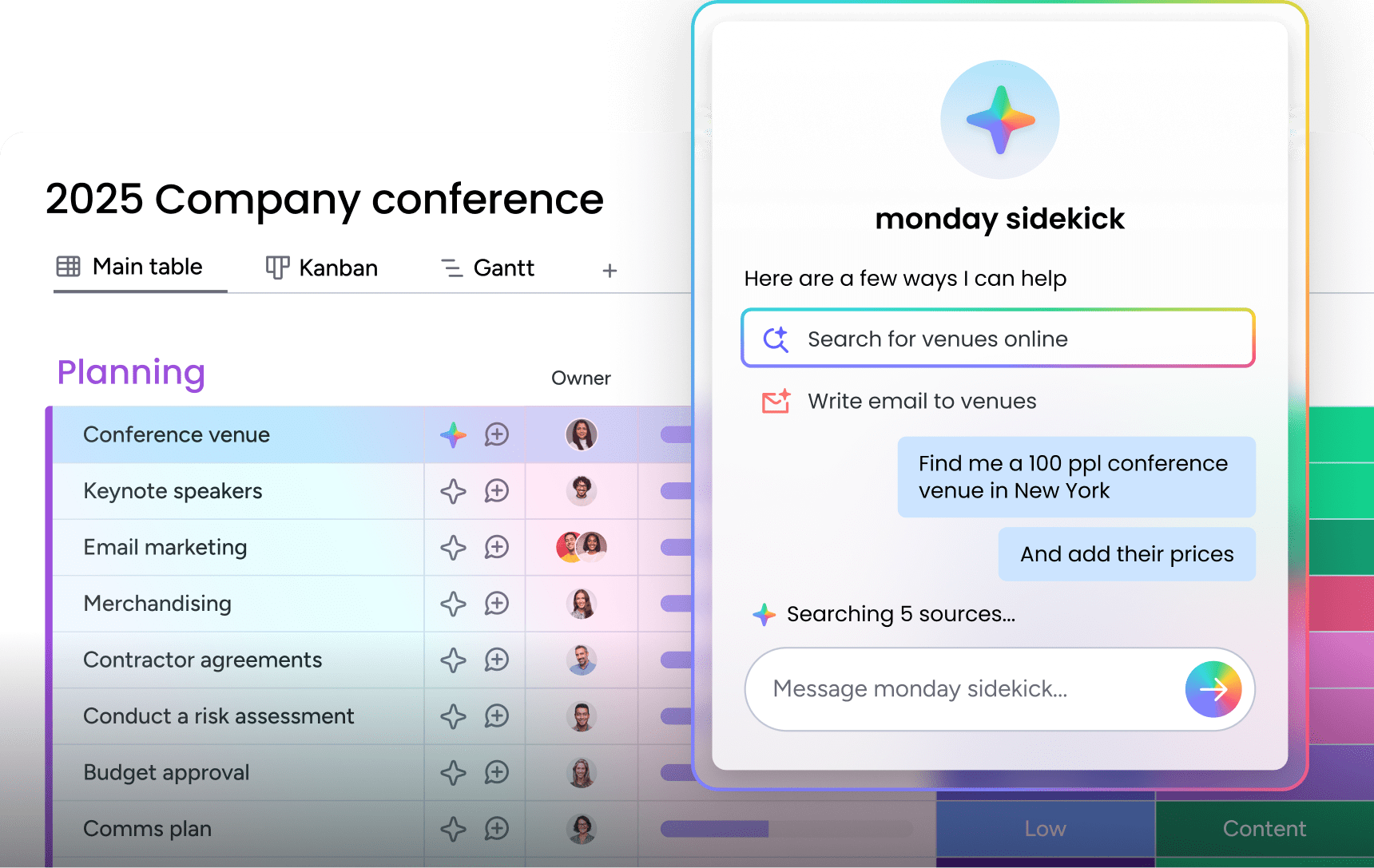
- monday sidekick for AI-powered organization: A context-aware AI assistant that lives inside your workspace. Sidekick can take unstructured brainstorming output and suggest how to organize it, recommend next steps, and help structure ideas into actionable workflows. It understands the context of your projects, so its suggestions are specific to what your team is actually working on.
- monday MCP for natural-language management: Connect your workspace to AI tools and manage boards, items, and workflows using natural language. Instead of manually creating tasks from your brainstorming session, you can describe what needs to happen and MCP structures it on your board automatically.
- 15+ board views for idea visualization: Once brainstormed ideas become items on a board, visualize them using Kanban, Gantt, timeline, calendar, or chart views. Each view offers a different perspective on the same data, so project managers, creative leads, and executives all see what matters to them.
- Automations that keep work moving: Set up rules that trigger actions automatically. When a brainstorming item moves to “approved,” an automation can create a project task, assign an owner, notify the team, and set a deadline, all without manual intervention.
How does monday.com’s AI Work Platform compare to other approaches for brainstorming and mind mapping? Here’s a side-by-side view.
| Capability | monday.com's AI Work Platform | Word/PowerPoint | Dedicated mind mapping tools |
|---|---|---|---|
| Real-time collaboration | Full team collaboration with embedded boards and docs | Limited (file sharing, no live co-editing on maps) | Strong real-time collaboration on visual canvases |
| AI capabilities | Built-in AI assistant (Sidekick), natural-language management (MCP), custom app creation (Vibe) | Basic AI through Copilot for formatting and text | AI-generated maps from text and documents |
| Idea-to-execution workflow | Direct connection between brainstorming and task management, automations, and dashboards | No workflow integration (manual transfer required) | Limited (most require export to a project management platform) |
| Templates | Ready-to-use templates for project planning, campaigns, creative processes, and more | SmartArt templates and basic shapes | Mind map-specific templates |
| Cost for teams | Included in platform subscription (brainstorming + execution in one platform) | Included with Microsoft 365 license | Separate subscription required alongside project management tools |
The difference comes down to what happens after the brainstorming session. Dedicated mind mapping tools create great visual maps, but teams still need to manually transfer ideas into a project management platform to act on them. With monday.com’s AI Work Platform, the brainstorming output and the work it generates live in the same workspace.
Turning brainstormed ideas into team results
A mind map template is only as valuable as the action it produces. The real power of visual brainstorming isn’t in the diagram itself but in giving your team a shared structure that turns scattered thinking into organized priorities, assigned tasks, and measurable outcomes.
The teams that get the most from mind map templates are those using platforms that connect planning directly to execution. When your brainstorming canvas feeds into your project boards, dashboards, and automations, ideas don’t stall in a static document. They move forward.
Whether you’re mapping your next campaign, planning a product launch, or aligning cross-functional teams around a strategic initiative, a well-built mind map template gives your brainstorming sessions the structure they need without sacrificing the creative energy that makes them valuable.
Get startedFrequently asked questions about mind map templates
What is a mind map template?
A mind map template is a pre-designed visual framework that organizes information around a central idea, with branches extending outward to represent related subtopics. Teams use mind map templates to structure brainstorming sessions, plan projects, and break complex strategies into manageable, visually connected components.
What 3 things must a mind map have?
Every mind map needs 3 core elements: a central topic that anchors the entire map, primary branches that represent the main themes or categories, and secondary branches that add supporting details and specific ideas. Color coding and visual hierarchy are optional but recommended for maps with more than a few branches.
Does Microsoft Word have a mind map tool?
Microsoft Word doesn't have a dedicated mind map tool, but its SmartArt feature includes radial and hierarchy diagrams that can function as basic mind maps. These work for simple, individual-use mind maps. For team brainstorming with real-time collaboration and workflow integration, online collaborative platforms offer a more complete solution.
What is the easiest way to create a mind map?
The easiest way to create a mind map is to use a digital template on a collaborative platform. Start with a central topic, add 4 to 7 main branches for your key themes, then fill in details under each branch. Digital tools handle layout and formatting automatically, so you can focus on the ideas rather than the design.
Can AI create mind maps automatically?
Yes. Several platforms now use AI to generate mind maps from text, meeting transcripts, and documents. AI analyzes the content, extracts key themes, and organizes them into a branching visual structure. This reduces the setup time for brainstorming sessions and helps teams start with a structured foundation they can refine together.
How does monday.com's AI Work Platform support brainstorming and mind mapping?
monday.com's AI Work Platform supports brainstorming through collaborative workdocs, 15+ board views for visualizing ideas, and AI-powered features like monday sidekick and monday vibe. The platform connects brainstorming directly to task management, so ideas generated during a session can become assigned tasks with owners, deadlines, and automated workflows without leaving the workspace.

 Get started