














Tasks Progress Agent
I'll track project progress and health, surfacing real-time updates and alerts before issues impact delivery.
About this agent
Project progress hides across boards until a deadline is suddenly at risk. This agent tracks work in real time, identifies bottlenecks early, and surfaces what needs attention before delivery slips.
What you get
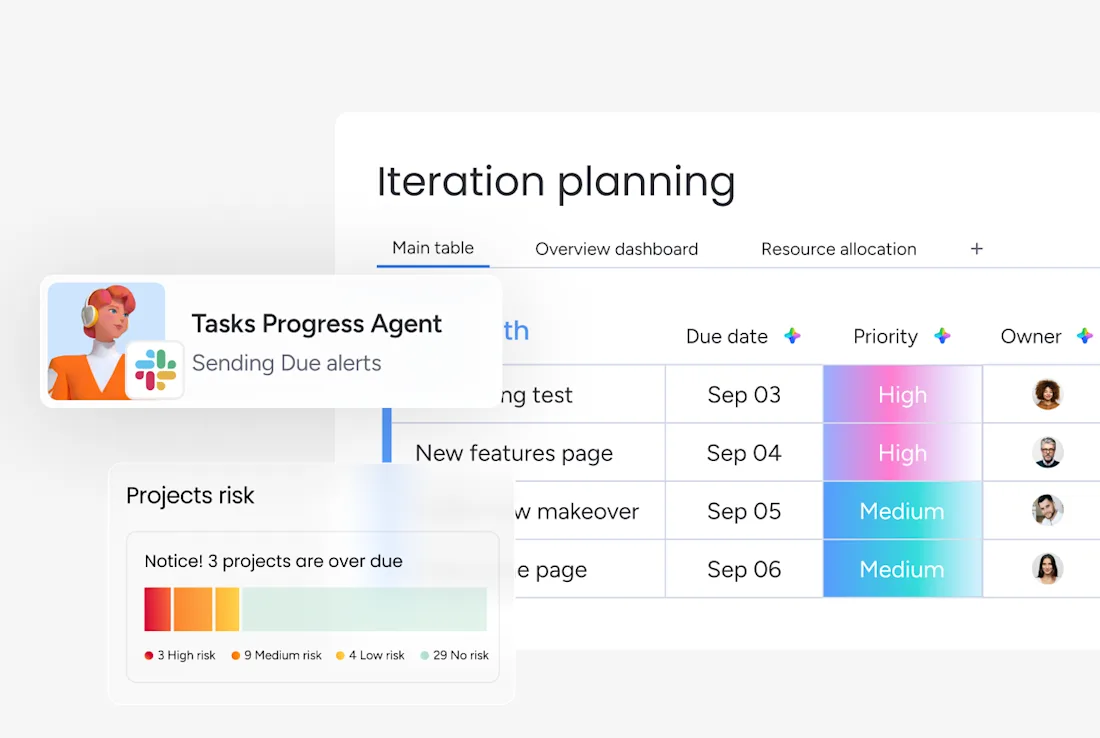
Real-time progress snapshot grouped by severity, delivered every morning or when you mention the agent.
Blocker and bottleneck alerts before deadlines slip, delivered when status changes or when you mention the agent.
Recommended next actions on the highest-risk items, delivered every weekday morning or when you mention the agent.
How this agent works
- Scans your boards for what changed
It reads status, due dates, owners, and recent updates across the boards you designate.
- Groups work by severity
It separates overdue, blocked, at-risk, and on-track items so you see the biggest problems first.
- Spots bottlenecks early
It flags overloaded owners, clusters of blocked tasks, and milestones at risk from open dependencies.
- Delivers a concise action-oriented snapshot
It summarizes what needs attention today and recommends the next moves without burying you in raw data.
Related agents



FAQs
The Tasks progress agent is an AI agent on monday.com that tracks project progress and health, surfacing real-time updates and alerts before issues impact delivery. This AI agent works directly inside your monday.com workspace, so you can create AI agents like this one and put them to work without leaving the tools your team already uses.
Yes — to get started, you'll connect this AI agent to your monday.com board, authorize the tools and integrations it needs, and customize its triggers and actions to match how your team works. The template gives you a ready-made starting point, but you make it yours before it runs.
You control exactly how the Tasks progress agent behaves. You can configure it to wait for your approval before taking any action, or set it to execute automatically once you're confident in its behavior. Like all AI agents on monday.com, you can update its triggers and actions at any time as your workflow evolves.
AI agents are available on paid monday.com plans. Each AI agent run consumes AI credits, which are included with paid plans and can be topped up as needed. You can explore the platform for free and unlock the ability to create AI agents when you upgrade.
Automations follow fixed if/then rules. AI agents on monday.com can read context, make judgments, draft content, and handle multi-step work that doesn't follow a predictable pattern. You can build an AI agent to handle the work that automations can't — like researching, writing, classifying, or coordinating across multiple inputs.
Yes. monday.com lets you create AI agents from scratch using the no-code agent builder — just describe what you want the agent to do, connect it to your boards and tools, and set its permissions. You can also start from a ready-made template like this one and customize it to fit your exact workflow.
monday.com AI agents work directly inside the platform where your team already operates — with full context across your boards, projects, and workflows. Unlike standalone AI tools, they don't require a separate system. You can create AI agents that act on real work data, respect your permissions, and keep humans in the loop at every step.
- Always secure
- 24/7 active
- Full org context
Connectors