Basecamp earned its reputation by doing one thing well: keeping small teams organized without overwhelming them. But that same simplicity becomes a constraint when your organization grows past a handful of projects. Suddenly, you need to track dependencies across departments, balance workloads before burnout hits, and automate the repetitive work that eats into your team’s capacity. Your team’s needs simply evolved beyond Basecamp’s design. You outgrew it.
The right alternative isn’t about checking boxes on a feature list. You need a platform that connects strategy to execution, gives leaders visibility without micromanaging, and lets teams build workflows that actually fit how they operate. There’s a gap between managing projects and running your business: it shows up when your software can’t keep up.
This guide breaks down 15 platforms designed for organizations ready to move past basic project management. We’ll cover what makes each option stand out, how to evaluate them against your specific needs, and how to migrate without disrupting the work already in motion.
Key takeaways
- Basecamp stops scaling fast: simple to-do lists break down once teams need dependencies, resource visibility, and cross-team coordination
- Visibility matters as teams grow: scaling organizations need real-time insight into progress, risk, and ownership across multiple projects
- Workload balance becomes critical: alternatives must support capacity planning to prevent burnout and uneven distribution of work
- Automation replaces manual overhead: modern platforms use automation and AI to eliminate status chasing and repetitive admin
- monday work management supports scale: it connects strategy, projects, and resources in one flexible system that grows with your team
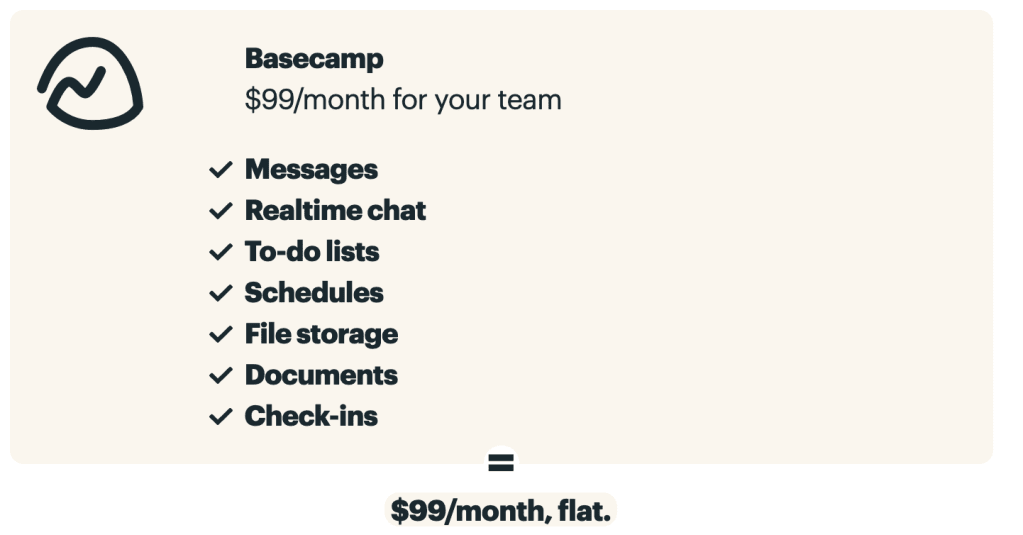
Basecamp championed simplicity — focused communication and straightforward project tracking. That minimalist approach works great for small squads. But as you grow, simplicity becomes a bottleneck. It’s not a failure — it’s evolution.
Teams don’t leave Basecamp because it breaks. They leave because they outgrow it. When workflows start connecting across teams, to-do lists can’t carry the load. The limits show up fast when you need to:
- Manage complex dependencies across multiple departments.
- Balance team workloads: to prevent burnout.
- Automate repetitive work that slows down execution.
Spot these gaps early, and you can move to a platform that grows with you instead of holding you back.
From to-do lists to interconnected workflows
Isolated task lists break down when scope expands. Basecamp handles independent, sequential lists well. But that structure falls apart when marketing needs dev milestones, or sales can’t move until creative wraps.
Without a way to link workflows, handoffs turn into manual chases that eat up time. One delay sets off a chain reaction you won’t see until you’ve missed the deadline. Without connectivity, project managers end up reacting instead of planning:
- Chasing updates across fragmented threads.
- Manually adjusting timelines whenever a single date shifts.
- Putting out fires rather than engineering firebreaks.
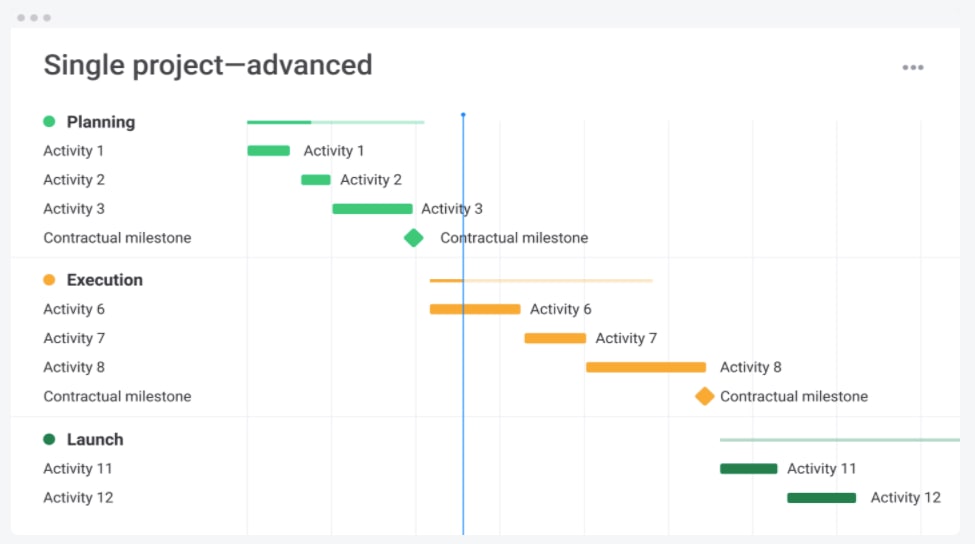
Teams streamline these intricate processes on monday work management by utilizing Gantt charts to visualize dependencies. If one item slips, the entire timeline dynamically adjusts. Leaders can see what’s coming and act before launches go off track.
Balancing workloads, not just projects
Scaling isn’t just about checking off tasks — you need to understand capacity. Knowing who’s assigned isn’t enough if you can’t see their actual availability. Basecamp offers limited insight into workload distribution, leading to predictable resource crunches.
Without visibility, you’re taking on real risk:
- High-performers burn out while others have untapped bandwidth.
- Staffing is based on availability rather than the appropriate skill set.
- Leaders struggle to forecast capacity for upcoming initiatives.
Intelligent solutions like monday work management solves this by providing real-time workload views, allowing leaders to balance assignments and prevent overallocation. You get the right people on the right projects — and growth that lasts.
Automating the work about work
Admin work quietly kills productivity in growing companies. AI isn’t hype anymore — it’s how you eliminate repetitive work and scale efficiently. While Basecamp retains a manual focus, modern alternatives leverage automation to liberate teams for strategic thinking.
Your best people shouldn’t waste hours on manual updates. AI-powered platforms change how you work by:
- Automatically routing incoming requests to the correct owner.
- Generating status summaries to keep stakeholders in the loop.
- Detecting project risks before they spiral into delays.
It’s not just about saving time; you also improve accuracy and catch insights that usually get buried. On monday work management, AI takes care of the routine work. It summarizes meeting notes, categorizes data, and flags bottlenecks — turning hours of manual work into instant insights.
Selecting a platform isn’t just about budget; it’s about aligning software capabilities with your organizational trajectory. This table shows how each platform handles scale, customization, and AI.
Quick comparison table of Basecamp alternatives
| Platform | Starting price | Use case | Key differentiator | AI/automation features | Complexity level |
|---|---|---|---|---|---|
| monday work management | $9/user/month | Scaling teams needing comprehensive work management with AI automation | AI-powered Digital Workforce, extensive customization without coding | AI Blocks, Digital Workers, automated workflows, predictive insights | Medium - scales from simple to sophisticated |
| Wrike | $9.80/user/month | Marketing teams and agencies requiring advanced proofing workflows | Robust proofing and approval processes | Basic automation, limited AI features | Medium-High |
| Zoho Projects | $4/user/month | Teams already using Zoho ecosystem | Deep integration with Zoho suite | Basic automation rules | Medium |
| ClickUp | Free - $19/user/month | Power users wanting extensive customization options | Highly customizable with multiple view types | Automation builder, basic AI writing assistant | High |
| GoodDay | $4/user/month | Mid-sized teams focused on productivity and goal alignment | Integrated goal tracking and OKR management | Basic automation capabilities | Medium |
| Nifty | $49/month (10 users) | Client-facing teams needing project portals | Built-in client collaboration and milestone tracking | Limited automation features | Low-Medium |
| MeisterTask | Free - $20.75/user/month | Teams preferring visual Kanban workflows | Integration with MindMeister for mind mapping | Basic automation and recurring tasks | Low |
| Freedcamp | Free - $16.99/user/month | Budget-conscious small teams | Generous free tier with core features | Minimal automation | Low |
| Avaza | $11.95/user/month | Service businesses needing integrated invoicing | Combined project management and financial tools | Basic automation rules | Medium |
| Teamwork | $10.99/user/month | Agencies managing client work | Strong client collaboration and time tracking | Basic automation, no AI | Medium |
| Productive | $11/user/month | Creative agencies tracking profitability | Integrated profitability and resource planning | Limited automation features | Medium |
| Trello | Free - $17.50/user/month | Teams wanting simple visual task management | Intuitive Kanban interface with minimal setup | Butler automation (rules-based) | Low |
| Jira | Free - $15.25/user/month | Software development teams using agile methodologies | Deep agile/scrum functionality and issue tracking | Automation rules, no AI | High |
| Podio | $11.20/user/month | Teams building custom workflow applications | Highly customizable workspace builder | Basic workflow automation | High |
| OpenProject | Free (self-hosted) - $13.50/user/month | Organizations preferring open-source solutions | Open-source with traditional PM features | Minimal automation | Medium-High |
Most platforms handle basic projects. monday work management runs your entire operation. AI automation and flexible setup adapt to your needs, so the platform grows with you instead of getting left behind.
15 best Basecamp alternatives for growing organizations
There is a tipping point where “keeping it simple” begins to complicate execution. If you’re outgrowing basic project management, you know the signs: disconnected workflows, missed deadlines, and zero visibility. These are growing pains — signs you’re ready for what’s next.
Once you hit 100 people, you’re not just managing projects — you’re running complex operations. You need a platform that connects strategy to execution, gives leaders visibility, and lets teams build workflows that work for them. It’s about replacing fragmented systems with one place everyone trusts.
Here are 15 platforms built to handle this challenge. Each one goes beyond simple checklists and helps you build real operational structure. Let’s explore the possibilities:
1. monday work management
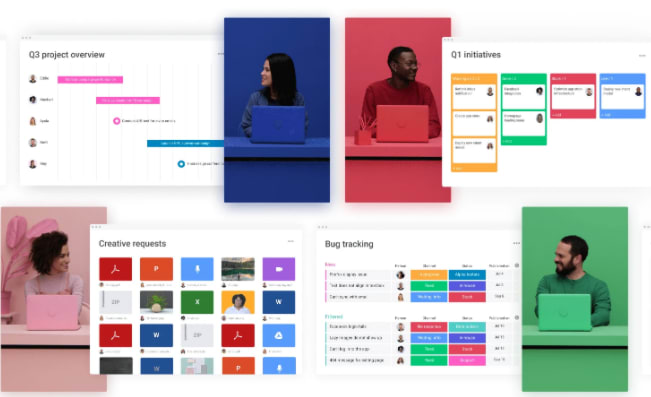
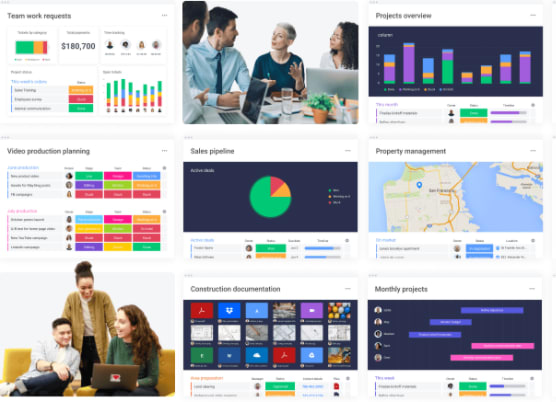
monday work management unifies projects, portfolios, and operational workflows into a single connected workspace, ensuring alignment as complexity increases. It is engineered for mid-to-large organizations that demand structure, visibility, and governance without sacrificing an interface that teams actually enjoy using.
Use case:
Organizations leverage monday work management to bridge the gap between strategy and execution across programs, projects, and processes. Executives receive portfolio-level reporting, while teams benefit from practical day-to-day workflows that keep delivery moving.
Key features:
Before comparing platforms, consider what truly supports scale: dependency control, cross-project reporting, and repeatable intake. monday work management integrates these elements with advanced project management capabilities that remain approachable.
- Advanced project planning: use Gantt chart to visualize timelines, plus dependencies, milestones, baseline, and critical path to understand schedule risk and what truly drives the deadline.
- Portfolio-level reporting: use dashboards & reporting to surface portfolio performance, progress, budget, and workload, then share reports with stakeholders so leadership stays aligned.
- Resource visibility: use Workload View to see team capacity and rebalance assignments as priorities shift.
- Project intake and approvals: standardize demand with project intake and approvals so requests come in with the right details, and stakeholders can review and prioritize work in one place.
- Flexible execution views: choose the right view for the work, including Kanban, Timeline, Calendar, Workload, and more.
- Time tracking: track effort and cycle time with time tracking to plan future projects with more accurate expectations.
Advanced AI features:
AI on monday.com lives where work happens, allowing teams to offload repetitive admin and focus on decision-making. On monday work management, this manifests as smarter intake, faster summaries, and effortless data cleanup.
- AI Blocks (on boards): ready-made AI actions such as Categorize, Summarize, Extract Info, Detect sentiment, Translate, and Custom block help teams process text and files at scale.
- AI Automations (in the Automation center): add AI actions like categorize with AI, summarize text with AI, Extract information with AI, and Write with AI as steps inside automations.
- Autofill with AI (column-level): apply AI to common column types (including Text, Status, Dropdown, and People), so the platform can auto-categorize, summarize, or even assign a person based on role descriptions.
- Digital Workforce (rolling out): Digital Workers such as Project Analyzer are designed to monitor work, flag bottlenecks, and surface proactive insights to keep initiatives on track.
Automations:
Manual follow-ups and handoffs tend to multiply as you scale. Automations in monday work management help teams keep work moving with consistent triggers and notifications.
- Automations: automate common steps like reminders, approvals, and handoffs, so teams don’t rely on memory or meetings to stay aligned.
- AI Automations: combine rules-based automations with AI steps (for example, summarize a long update and route it to an approver).
Integrations:
Once multiple departments are involved, your work platform has to connect to the systems people already live in. monday work management supports this with a broad integration ecosystem and an open API.
- Integrates with 200+ apps: connect core business apps without rebuilding your workflows from scratch.
- Team collaboration integrations: connect work to conversations with Microsoft Teams and Slack.
- Project and delivery integrations: use Jira Cloud with two-way syncing to keep work aligned across systems.
- Meetings and email integrations: connect Zoom, Outlook, and Gmail to keep actions tied to the work.
- Basecamp integration: sync Basecamp projects so teams can keep work in context while transitioning.
- Open API: build tailored integrations when you need deeper connectivity.
Basecamp alternatives features:
Here’s what teams typically miss when they outgrow Basecamp: connected planning, real reporting, and cross-functional accountability. monday work management fills those gaps with structured project management and flexible execution views.
- Schedule control: plan with Gantt chart, then manage change with dependencies, baseline, and critical path.
- Stakeholder-ready reporting: use dashboards & reporting to share a live view of progress across programs.
- Workload awareness: use Workload View to staff work based on capacity, not guesswork.
Pricing:
- Free: $0 (up to two seats).
- Basic: $9/seat/month (billed annually).
- Standard: $12/seat/month (billed annually).
- Pro: $19/seat/month (billed annually).
- Enterprise: custom pricing (contact sales).
- Annual discount: save 18% with yearly billing.
- Volume pricing: request quote for teams over 40 users.
Why it stands out:
Growing organizations don’t just need a place to track work. They need a system that connects goals, progress, and risk across departments.
- Recognized as a Leader: monday is named a Leader in the 2025 Gartner® Magic Quadrant™ for Collaborative Work Management and the 2025 Gartner® Magic Quadrant™ for Adaptive Project Management and Reporting.
- Fast time to value: the Total Economic Impact™ Forrester study reports a payback period of less than four months.
- Built for cross-functional execution: from project planning and intake to dashboards and AI-powered actions, monday work management supports the full lifecycle of work without forcing teams into one rigid methodology.
2. Wrike
Enterprise teams often turn to Wrike for intelligent work management that tames complex workflows. The platform shines in its advanced proofing capabilities and configurable automation, making it a strong contender for marketing departments and creative agencies dealing with intricate approval chains.
Recognized as a Gartner Magic Quadrant Leader, Wrike brings enterprise-grade security and AI-powered insights to cross-functional collaboration.
Use case:
Marketing teams and creative agencies benefit from Wrike’s sophisticated proofing workflows and custom request forms that eliminate email-based project chaos while maintaining structured approval chains.
Key features:
- Advanced proofing system with annotation tools for designs, videos, and documents that streamlines creative review cycles.
- Custom Item Types and Spaces architecture that enables highly configurable workflows tailored to specific organizational needs.
- Work Intelligence AI with Copilot and automated agents that generate widgets, forms, and automation rules using natural language.
Pricing:
- Free: $0/month — essential task management with active task limits.
- Team: $10/month per user (2-15 users) — includes AI Essentials, Gantt charts, and custom workflows.
- Business: $25/month per user (5-200 users) — AI Elite features, resource planning, and Datahub (30M records).
- Pinnacle: contact sales (5+ users) — advanced reporting, SSO, and enterprise security.
- Apex: contact sales (5+ users) — comprehensive enterprise package with all add-ons except Wrike Lock.
Notable add-ons include Wrike Whiteboard ($15/user/month), Wrike Integrate, and Wrike Lock (custom pricing).
Considerations:
- Steeper learning curve requiring four to six weeks for new user proficiency compared to simpler alternatives.
- Advanced features and enterprise capabilities concentrate in higher-tier plans, potentially increasing costs for organizations needing comprehensive functionality.
3. Zoho Projects
For businesses already embedded in the Zoho ecosystem, Zoho Projects offers a seamless bridge between planning and billing. It excels at connecting project execution with CRM, finance, and support functions, creating a unified operational layer. This integration provides an immediate advantage for service businesses, allowing for native data flow and consolidated reporting across departments.
Use case:
Small to medium businesses invested in the Zoho ecosystem seeking integrated project management that connects directly with their existing CRM, accounting, and support workflows.
Key features:
- Gantt charts with earned value management: track project profitability by comparing planned versus actual time and costs, essential for service businesses managing tight margins.
- Multi-level timesheet approvals: streamline billing workflows with built-in approval processes that connect directly to Zoho Books for invoicing.
- Task Blueprint automation: create visual workflows with custom statuses, transitions, and business rules to govern project processes and escalations.
Pricing:
- Free plan: $0/month for up to five users.
- Premium plan: $4/user/month (annual billing).
- Enterprise plan: $9/user/month (annual billing).
- Ultimate plan: $16/user/month (annual billing).
- Annual billing saves over 15% compared to monthly rates.
- Add-ons available for read-only users, client users, and additional resources.
Considerations:
- Interface density can overwhelm new users, requiring significant configuration time to optimize workflows.
- Mobile capabilities lag behind desktop features, with some Gantt and calendar functions still limited on mobile devices.
4. ClickUp
Positioning itself as the “one app to replace them all,” ClickUp targets power users who demand granular control over their environment. The platform offers an expansive feature set covering everything from document collaboration to goal tracking and automation.
It also appeals to technically proficient teams willing to invest time in configuration to achieve a highly customized workflow.
Use case:
Power users and technically proficient teams wanting extensive customization options and willing to invest time in platform configuration.
Key features:
- Multiple project views including List, Board, Calendar, Gantt, Timeline, and Workload views for comprehensive project visualization.
- Advanced automation capabilities with custom statuses, fields, and automation rules that adapt to unique organizational processes.
- Integrated collaboration suite featuring Docs, Whiteboards, Chat, video calls, and AI-powered writing assistance,
Pricing:
- Free Forever: $0 for basic features.
- Unlimited: $7 per user/month (billed annually).
- Business: $12 per user/month (billed annually).
- Enterprise: custom pricing available.
- AI add-ons: Brain AI at $9 per user/month and Everything AI at $28 per user/month.
- Annual billing saves up to 30% on core plans.
Considerations:
- Steep learning curve due to feature abundance can overwhelm teams seeking simplicity, often requiring substantial training time before achieving productivity gains.
- Performance issues in large or complex workspaces, with some users reporting slow loading times that impact daily workflow efficiency.
5. GoodDay
By fusing project management with productivity tracking, GoodDay serves mid-sized teams looking to align daily tasks with high-level goals. The platform emphasizes the connection between execution and strategy, utilizing integrated OKR tracking to ensure teams remain focused on what matters most.
Use case:
Mid-sized teams prioritizing goal alignment and productivity optimization alongside project management.
Key features:
- Action Required workflow: identifies who must act next on each task, improving accountability and exposing bottlenecks in real-time.
- 20+ configurable views: including Gantt, Workload, Board, and Table views with custom fields and automation capabilities.
- Integrated productivity suite: combines meetings, notes, files, chat, and reminders within the same environment to reduce context switching.
Pricing:
- Free: $0/month for 1-15 users with unlimited projects and 1 GB storage.
- Professional: $4/user/month for 5-250 users with unlimited storage and advanced features.
- Business: $7/user/month for 15-350 users adding workload management, CRM, and finance modules.
- Enterprise: Custom pricing for 25+ users with SAML SSO and advanced security features.
- Annual billing saves 30% across all paid plans.
Considerations:
- Security features like two-factor authentication and SAML SSO are restricted to higher-tier plans, potentially limiting security-conscious teams on lower budgets.
- Mobile apps lack full feature parity with desktop versions, which may impact teams requiring comprehensive mobile functionality.
6. Nifty
Milestone-driven management is the core of Nifty, designed specifically to keep client-facing teams aligned. The platform automates progress tracking and integrates communication features, making it a strong choice for agencies that need seamless external collaboration. By combining planning, chat, and document management, Nifty reduces tool sprawl and keeps stakeholders in the loop.
Use case:
Client-facing teams and agencies requiring integrated collaboration portals with milestone-based project tracking and automated progress reporting.
Key features:
- Milestone-driven automation that tracks project progress automatically as tasks are completed.
- Native team chat, discussions, and document management to reduce context switching.
- Client portals with guest access for external stakeholder collaboration and project visibility.
Pricing:
- Free: $0/month for unlimited members with 2 active projects and 100 MB storage.
- Personal: $7/month per member with 40 projects, 100 GB storage, and basic time tracking.
- Business: $16/month per member with unlimited projects, storage, guests, workflow automations, and priority support.
- Enterprise: contact sales for advanced security, white labeling, and dedicated success management.
- Annual plans receive up to 45% discount.
- Forms available as $20/month add-on for non-Enterprise plans.
Considerations:
- Free tier limitations make it more suitable for evaluation than long-term use with only two active projects.
- Guest permissions are restrictive, limiting external stakeholders’ access to workload views and detailed reporting features.
7. MeisterTask
Visual thinkers often prefer MeisterTask for its intuitive Kanban boards and strict EU-hosted security. The platform integrates seamlessly with MindMeister, allowing teams to transform brainstorming sessions directly into actionable workflows.
Its commitment to ISO 27001 and GDPR compliance makes it particularly attractive to privacy-conscious organizations in regulated sectors.
Use case:
Teams preferring visual Kanban workflows with integrated mind mapping for ideation and planning phases.
Key features:
- Visual workflow management: Kanban and List views with Timeline planning, customizable sections, and WIP limits for streamlined project visualization.
- Built-in time tracking and reporting: native time recording with CSV exports and custom reporting capabilities that eliminate third-party add-ons.
- Mind mapping integration: direct connection to MindMeister allows teams to convert brainstormed ideas into trackable tasks within unified workflows.
Pricing:
- Basic (Free): $0/month — up to three projects, five notes, unlimited team members with five Content Manager seat limit.
- Pro: $13/month per user — unlimited projects and notes, automations, integrations, and 75 AI prompts.
- Business: $25/month per user — adds Timeline view, subtasks, custom fields, roles and permissions, and 350 AI prompts.
- Enterprise: Custom pricing — includes SSO, compliance exports, dedicated customer success manager.
- Annual billing saves up to 28% with academic and NGO discounts available.
Considerations:
- Advanced capabilities like Timeline view, custom fields, and full permission controls require Business plan pricing.
- Native Microsoft Teams integration was discontinued in July 2024, requiring Zapier workarounds for Teams connectivity.
8. Freedcamp
With a generous free tier including unlimited users, Freedcamp appeals to startups and budget-conscious groups. It provides enterprise-grade features without the heavy price tag, allowing organizations to scale their capabilities as they grow. The modular design lets teams add CRM, invoicing, and advanced reporting features only when they are needed.
Use case:
Budget-conscious small teams and startups needing comprehensive project management without subscription costs.
Key features:
- Multiple task views including List, Kanban, Table, Gantt, and Calendar for flexible project visualization.
- Cross-project “global boards” that provide portfolio-level visibility across all initiatives.
- Built-in business applications including Wiki, CRM, Issue Tracker, and invoicing to minimize external dependencies.
Pricing:
- Free: $0/month with unlimited users, projects, and storage.
- Pro: $1.49/month per user (billed annually) or $2.49/month (monthly billing).
- Business: $7.49/month per user (billed annually) or $8.99/month (monthly billing).
- Enterprise: $16.99/month per user (billed annually) or $19.99/month (monthly billing).
- Annual billing provides significant savings compared to monthly plans.
- Enterprise includes volume discounts available through sales contact.
Considerations:
- Advanced features like Gantt dependencies, reporting dashboards, and enterprise security require higher-tier plans.
- File upload limits can constrain document-heavy workflows on lower tiers (10MB on Free, scaling to 250MB on Enterprise).
9. Avaza
Service-based businesses find a home in Avaza, which merges project delivery with financial operations like invoicing and expense tracking. This integration is ideal for consultancies and agencies that need to link every hour worked directly to revenue. By consolidating these functions, Avaza eliminates the friction of moving data between project management and accounting tools.
Use case:
Service-based businesses and agencies needing integrated project management with invoicing and financial tracking capabilities.
Key features:
- Project profitability tracking that compares time spent and expenses against budgets to identify high-margin project types.
- Integrated invoicing that converts tracked time directly into client invoices, reducing administrative work and improving cash flow.
- Visual resource scheduling with drag-and-drop functionality, availability bars, and leave/holiday calendars to prevent overbooking.
Pricing:
- Free: $0/month with five active projects, one timesheet user, and basic features.
- Startup: $11.95/month with expanded project limits and user roles.
- Basic: $23.95/month with additional features and storage.
- Business: $47.95/month with full feature access and higher limits.
- Add-on users cost $7/month for Admin/Finance, Timesheet/Expense, and Resource Scheduling roles.
- Team Chat users available for $2/month additional.
Considerations:
- Limited enterprise features and advanced automation capabilities compared to comprehensive work management platforms.
- Primarily focused on client work and financial operations with limited support for internal operations and cross-departmental collaboration.
10. Teamwork
Built specifically for agencies, Teamwork handles the full client lifecycle from intake to final billing. The platform combines native time tracking, budgeting, and profitability analysis with features designed to keep client relationships healthy. Founded by agency veterans, it addresses the specific pain points of managing billable time and client expectations.
Use case:
Agencies and professional services firms managing client projects with detailed time tracking, budget oversight, and profitability analysis requirements.
Key features:
- Native time tracking and budgeting across all paid plans with detailed profitability reporting.
- Free client users with dedicated client portals for project visibility and feedback collection.
- Integrated help desk that converts support tickets directly into actionable project tasks.
Pricing:
- Free: up to five users and five projects with 100 automation actions per month.
- Deliver: $10.99/user/month (billed annually).
- Grow: $19.99/user/month (billed annually).
- Scale: contact sales for pricing.
- Enterprise: contact sales for pricing.
- Annual billing saves 20% compared to monthly plans.
- 30-day free trial available for all paid plans.
Considerations:
- Advanced features like Workload Planner and profitability reports are restricted to higher-tier plans, limiting resource management capabilities for smaller teams.
- Automation actions have monthly caps that vary by plan, which can constrain heavy automation users on lower-cost tiers.
11. Productive
Profitability takes center stage with Productive, an integrated platform for agencies focused on the bottom line. It combines project management, resource planning, and financial management to help firms understand exactly which clients and services drive revenue. By consolidating delivery and financials, Productive offers a clear view of agency health.
Use case:
Creative agencies and professional services firms requiring integrated profitability tracking and resource planning to optimize client work and business performance.
Key features:
- End-to-end agency management: unified projects, resourcing, and financials reduce tool sprawl and reconciliation effort.
- Advanced resource planning: forecast capacity, balance workloads, and optimize utilization across projects with workload visualization.
- Integrated financial tracking: connect project work to revenue and expenses with budgets, rate cards, invoicing, and revenue recognition.
Pricing:
- Essential: $11/month (monthly) or $9/month (yearly).
- Professional: $28/month (monthly) or $24/month (yearly).
- Ultimate: $39/month (monthly) or $32/month (yearly).
- Annual billing discounts and volume discounts available for 50+ users.
- 14-day free trial with no free plan available.
Considerations:
- Agency specialization limits applicability for organizations with broader needs beyond client work.
- Limited support for internal projects, cross-departmental workflows, and enterprise-wide strategic initiatives compared to comprehensive work management platforms.
12. Trello
Trello remains the standard for visual simplicity, utilizing a board-and-card system that requires almost no onboarding. Its intuitive Kanban approach makes it perfect for teams that need to organize tasks quickly without navigating complex features. While simple on the surface, Trello can be extended with Power-Ups to handle more specific needs.
Use case:
Teams wanting visual workflow management with minimal setup complexity and fast user adoption across departments.
Key features:
- Visual board system with drag-and-drop cards that mirror real workflow progression.
- Premium Views including Timeline, Calendar, Table, and Dashboard perspectives for comprehensive project oversight.
- Built-in automation through Butler rules plus 200+ Power-Up integrations to extend functionality.
Pricing:
- Free: $0/month for up to ten collaborators with unlimited cards and basic automation.
- Standard: $5/month per user (billed annually) with unlimited boards and enhanced features.
- Premium: $10/month per user (billed annually) including AI capabilities and advanced Views,
- Enterprise: $17.50/month per user (billed annually) with organization-wide controls and Atlassian Guard Standard.
Considerations:
- Advanced project needs like resource management and dependency tracking require paid Power-Ups or platform migration.
- Premium Views essential for portfolio oversight are locked behind paid tiers, limiting free users to basic board functionality.
13. Jira
Engineering organizations rely on Jira for its robust issue tracking and agile capabilities. Designed for software development, it excels in sprint planning, bug tracking, and developer collaboration. Its deep integration with development environments makes it indispensable for technical teams managing complex release cycles.
Use case:
Software development teams requiring robust agile/scrum functionality and comprehensive issue tracking for code development, bug management, and release planning.
Key features:
- Advanced sprint planning and backlog management with velocity tracking and burndown charts.
- Comprehensive issue tracking through customizable workflows with developer-centric field types.
- Native integrations with code repositories, CI/CD pipelines, and development environments.
Pricing:
- Free: up to ten users with basic features.
- Standard: $7.91 per user/month (billed annually) with advanced roadmaps and user permissions.
- Premium: $14.54 per user/month (billed annually) with unlimited storage and advanced analytics.
- Enterprise: contact sales for advanced security, compliance, and governance features.
- Annual billing saves up to 17% compared to monthly plans.
- Nonprofit discounts of 75% and academic discounts of 50% available with eligibility verification
Considerations:
- Technical complexity and developer-centric interface create barriers for non-technical teams and cross-departmental collaboration.
- Limited suitability for business functions like marketing, sales, and operations that require more accessible project management approaches.
14. Podio
For those needing a bespoke solution, Podio offers a low-code environment to build custom workflow applications. It empowers teams to model complex business processes without traditional development, creating a workspace that fits their exact requirements.
This flexibility is ideal for organizations with non-standard workflows that don’t fit into rigid project management tools.
Use case:
Organizations with unique workflows requiring highly customizable workspace applications that can model complex business processes without coding.
Key features:
- No-code app builder with relational data linking and multiple view options (Kanban, Calendar, Table).
- Advanced workflow automation including calculations, scheduled triggers, PDF generation, and approval workflows.
- Unlimited external client users on paid plans with robust collaboration features and audit trails.
Pricing:
- Free: up to five employees.
- Plus: $11.20/month per user (annual billing) or $14/month (monthly billing).
- Premium: $19.20/month per user (annual billing) or $24/month (monthly billing).
- Enterprise plans available through custom quotes.
- Additional charges apply for SMS automation actions.
Considerations:
- Significant setup time and technical knowledge required to configure custom applications effectively.
- Interface feels dated compared to newer work management platforms, with users reporting occasional performance issues.
15. OpenProject
Transparency and data sovereignty define OpenProject, an open-source solution favored by the public sector. It offers complete control over data with self-hosted options and EU-based hosting, making it a secure choice for regulated environments. The platform unifies traditional project management features with strict privacy standards.
Use case:
Organizations seeking open-source project management with self-hosted deployment options, complete data control, and EU-compliant hosting for regulated environments.
Key features:
- Unified work package system that consolidates tasks, features, bugs, and milestones with configurable workflows and custom fields.
- Advanced agile boards with automation that updates status, assignee, and version when cards move between columns.
- Real-time collaborative documents, structured meetings, and comprehensive time tracking with cost reporting capabilities.
Pricing:
- Community: free (self-managed).
- Enterprise Basic: from €5.95/user/month (25-user minimum).
- Enterprise Professional: from €10.95/user/month (25-user minimum).
- Enterprise Premium: from €15.95/user/month (100-user minimum).
- Corporate: custom pricing (1000-user minimum).
- BIM edition adds €1.00/user/month.
- Multi-year discounts available (two years = five months free, three years = eight months free).
Considerations:
- Advanced features like automation and portfolio management require paid Enterprise tiers, limiting functionality for teams using the free Community edition.
- EU-only cloud hosting and Linux-first on-premises deployment may create accessibility challenges for organizations requiring US data residency or Windows-native installations.
How to evaluate Basecamp alternatives for your team
Leaving a familiar tool is a significant undertaking. The challenge lies in selecting a replacement that scales alongside you rather than becoming another hurdle. The smartest evaluation strategy looks past immediate pain points to find a solution that supports future ambitions, turning your software choice into a competitive advantage.
Step 1: look beyond features to future-proof capabilities
Simple workflows fit basic platforms, but scaling requires a heavier lift. It’s the difference between merely tracking tasks and orchestrating a business. To ensure long-term viability, focus your evaluation on capabilities that drive cross-functional alignment and enterprise-grade execution:
- Dependency management: connect related workflows to see the real-time impact of delays and keep complex initiatives on track.
- Resource planning: gain a clear view of team capacity to balance workloads, prevent burnout, and staff projects with confidence.
- Portfolio visibility: link project data to strategic goals, giving leaders the high-level view they need to make informed decisions.
- Intelligent automation: automate routine updates and administrative processes so your team can focus on high-impact work.
- Cross-departmental collaboration: unify teams in a single workspace where marketing, operations, and IT can coordinate without losing context.
Step 2: calculate the true cost of ownership
The price tag rarely tells the whole story. Total cost of ownership includes implementation, training, and the hidden expense of friction. A platform that feels intuitive delivers value faster and minimizes disruption.
For instance, organizations adopting monday work management often report a drastic reduction in manual admin work. These operational gains deliver a return that outweighs the initial subscription cost. When budgeting, look beyond the monthly fee and consider:
- Implementation time: how long will it take to configure the platform and build your core workflows?
- Training and adoption: will your teams need extensive training, or is the platform intuitive enough to use from day one?
- Integration costs: does the platform offer pre-built integrations for your existing systems, or will you need custom development?
- Platform consolidation: can the new platform replace other software, reducing your overall subscription costs?
Step 3: demand deep and seamless integrations
A tech stack shouldn’t be a series of islands. Your work platform needs to act as the connective tissue between systems. While many tools boast hundreds of integrations, most offer only shallow, one-way syncs. You need deep, two-way synchronization that keeps data consistent across the organization automatically.
This is where flexibility becomes non-negotiable. monday work management is designed to be the central nervous system of your operations. With a robust API and extensive integration ecosystem, it unifies critical systems — from CRM to finance — into a single source of truth.
“monday.com has been a life-changer. It gives us transparency, accountability, and a centralized place to manage projects across the globe".
Kendra Seier | Project Manager
“monday.com is the link that holds our business together — connecting our support office and stores with the visibility to move fast, stay consistent, and understand the impact on revenue.”
Duncan McHugh | Chief Operations Officer4 steps to migrate from Basecamp successfully
Moving on from Basecamp is more than a data transfer; it’s an opportunity to rebuild the foundation of your operations. A structured migration transforms a potentially chaotic project into a smooth evolution. Here is how to execute a move that elevates team performance.
Step 1: audit your current Basecamp setup
Don’t move a single task until you have a clear picture of your current reality. An audit helps distinguish between what to keep, what to improve, and what to discard. This ensures your new platform solves the actual problems that triggered the search for an alternative.
Start by cataloging years of accumulated work. Identify critical projects, key personnel, and existing processes to build a solid migration plan. Your audit should answer:
- Active projects: which workflows are business-critical and need to move first?
- User access: who needs access to what, and what permission levels are required?
- File organization: what important files and documents need a new home, and how will they be structured?
- Integrations: which connected platforms are essential for your automated workflows?
- Pain points: what specific gaps in Basecamp — like a lack of visibility or reporting — is your new platform meant to solve?
Step 2: build your migration timeline
Big bangs rarely work. A successful migration unfolds in strategic phases rather than a chaotic all-at-once switch. A staged rollout minimizes disruption, allows for feedback loops, and builds momentum for wider adoption. Start with a pilot group of champions to lead the charge.
This phased approach gives the organization room to breathe and adapt. Follow this general timeline to guide your rollout:
- Phase 1 — Pilot (Weeks 1–2): migrate two to three teams, provide focused training, and collect initial feedback.
- Phase 2 — Department rollout (Weeks 3–4): expand to entire departments, using learnings from the pilot to refine the process.
- Phase 3 — Organization-wide adoption (Weeks 5–6): complete the migration for all remaining teams and establish governance.
- Phase 4 — Optimization (Weeks 7–8): review adoption metrics and refine workflows based on real-world usage.
Teams often accelerate this timeline on monday work management, completing a full migration in four to six weeks. The platform’s intuitive design and extensive template library help organizations realize value faster.
Step 3: train your team for smooth adoption
Confidence comes from competence. Rather than dry feature demos, focus training on solving specific workflow headaches. Empower champions in each department to become the go-to experts for their peers.
To ensure training sticks, use a blended approach that supports different learning styles. A high-adoption plan includes:
- Role-specific sessions: train executives on high-level dashboards and team members on daily workflow management.
- Hands-on practice: use real projects in your training so the learning is immediately applicable.
- Self-paced resources: offer video tutorials and guides for those who prefer to learn on their own time.
- Ongoing support: schedule office hours to answer questions and prevent anyone from getting stuck.
With an intuitive platform, teams can become productive quickly. Many users on monday work management are up and running in just a few days, which means less time in training and more time getting work done.
Step 4: monitor progress and optimize workflows
Moving data is just the start. Success is defined by active usage and improved efficiency. Monitor adoption closely and gather feedback to ensure the investment is paying off.
Watch for patterns in usage. Low engagement in a specific area might signal a training gap or a workflow that needs adjustment. Keep an eye on these success indicators:
- User engagement: are people logging in daily and actively managing their work?
- Workflow activity: are projects moving forward, and is collaboration happening on the platform?
- Time to value: are teams completing projects or responding to requests faster than before?
- User feedback: what are teams saying about their experience, and where are the opportunities to improve?
Leaders can gain instant visibility into these trends on monday work management. The platform’s analytics and reporting capabilities make it easy to see what’s working and continuously optimize workflows for peak performance.
Transform project management with AI-powered monday work management
The advanced monday work management platform integrates AI directly into daily workflows, automating manual tasks so teams can focus on their strengths. It’s a solution designed to scale with your ambition, supporting everything from a single department to a global enterprise.
AI Blocks for automated workflows
Imagine automating the repetitive tasks that eat up hours of the day. AI Blocks are ready-made actions that integrate directly into your processes, handling the background work so your team doesn’t have to. No coding or complex setup required.
With monday work management, you can instantly put AI to work. These blocks help you:
- Categorize new requests: automatically sort and assign incoming work.
- Summarize documents: instantly get the key takeaways from long reports or meeting notes.
- Extract key information: pull specific data from text to populate your boards.
By making intelligent automation accessible to everyone, every department can build smarter workflows. This gives your teams the freedom to focus on high-impact work, not manual data entry.
Digital Workers for 24/7 productivity
Digital Workers on monday.com function as 24/7 specialists, handling the operational oversight that usually ties up managers. These AI-powered assistants monitor project health and optimize resources around the clock.
They proactively identify risks before they become problems and suggest corrective actions. For example, the Resource Manager tracks team capacity in real-time to prevent burnout and keep workloads balanced, allowing project managers to focus on strategy instead of spreadsheets.
With Digital Workers handling the analysis, managers can confidently oversee more initiatives at once. The AI surfaces only the critical decisions that require human judgment, turning reactive problem-solving into proactive work orchestration.
Cross-departmental visibility at scale
Connecting daily work to high-level goals requires a single source of truth. monday work management provides this visibility, giving every stakeholder the right level of insight. Executives get high-level portfolio views, while managers see the project details they need to guide execution.
The platform gives you a complete picture of who is working on what, across the entire organization. You can easily:
- Track cross-project dependencies to prevent bottlenecks.
- Identify potential resource gaps before they impact delivery.
- Ensure every team’s effort directly supports key business objectives.
By bringing marketing campaigns, operational processes, and strategic initiatives together, you eliminate information silos. Teams collaborate more effectively, and leaders can make confident, data-driven decisions that move the business forward.
Ready to scale your operations?
Scaling isn’t just about adding more people; it’s about upgrading your operating system. When you move beyond basic to-do lists, you unlock the ability to orchestrate complex work with precision. By choosing a platform that connects strategy to execution, you empower your teams to move faster and leaders to decide with confidence.
The right solution transforms how your organization functions, turning fragmented workflows into a unified engine for growth. Whether you need deeper visibility, smarter automation, or better resource management, the tools you choose today will define your agility tomorrow.
Take the time to audit your current needs and test a platform that can handle your ambition. With the right foundation in place, you can stop managing the chaos of growth and start driving it.
Frequently asked questions
What is the best free alternative to Basecamp?
The best free alternatives to Basecamp, like Trello or Asana, are suitable for simple projects but lack advanced automation and scalability. For growing organizations, monday work management offers a comprehensive platform designed to manage complex, cross-departmental workflows.
How do I migrate data from Basecamp to another platform?
To migrate data from Basecamp, you can use CSV imports or dedicated migration tools offered by most platforms. monday work management accelerates this process with migration support and pre-built templates to ensure a smooth transition with minimal disruption.
Which Basecamp alternative offers the best AI capabilities?
When considering which Basecamp alternative offers the best AI capabilities, monday work management stands out with AI-driven features that automate workflows, summarize information, and proactively monitor projects. These advanced functions go beyond the basic project management offered by most alternatives.
What's the typical timeline for switching from Basecamp?
The typical timeline for switching from Basecamp ranges from two to eight weeks, depending on team size and workflow complexity. Organizations often complete the transition to monday work management quickly due to its intuitive interface and extensive template library.
Do these alternatives integrate with Microsoft Teams and Slack?
Yes, most Basecamp alternatives integrate with Microsoft Teams and Slack for notifications and updates. monday work management offers deep integrations that support two-way data sync and embedded project views, connecting your communication and work in one place.
Which alternative is best for agencies and creative teams?
The right alternative for agencies depends on their needs; some platforms focus only on creative proofing or client work. monday work management is built for agencies that require a single platform to manage creative projects, client accounts, resource planning, and internal operations.