



Shipping software used to follow a predictable path, with testing as the final gate before release. Today, development cycles are faster, requirements change constantly, and quality can no longer be an afterthought. Teams that rely on informal testing often find themselves scrambling at the eleventh hour, which leads to release delays and bugs that slip into production.
This is where a structured approach makes all the difference. A test plan template provides a repeatable framework that aligns development, QA, and product teams around a single source of truth. Instead of reinventing the process for every sprint, teams get a clear blueprint for what to test, how to test it, and who is responsible, ensuring nothing falls through the cracks.
The article walks you through the essential components of a modern test plan, from defining scope and objectives to selecting the format that best fits your team’s workflow, ensuring that testing is systematic, predictable, and aligned with development progress.
Key takeaways
- Test plan templates save hours of planning work: proven structures work across all projects, preventing costly oversights by giving your team a repeatable framework that eliminates starting from scratch.
- Clear objectives drive predictable quality delivery: focusing on assigned roles and measurable success criteria transforms chaotic testing into a systematic process that actually works.
- monday dev connects test planning with your entire development workflow: adaptable templates and real-time collaboration evolve with your process, keeping testing aligned with development progress.
- The right template format matches your team’s needs: excel works for simple projects, documents satisfy compliance requirements, and integrated platforms like monday dev enable modern collaboration across distributed teams.
- Flexibility prevents process breakdowns: modular test suites and risk mitigation strategies bend without breaking when priorities shift mid-project, keeping quality on track.
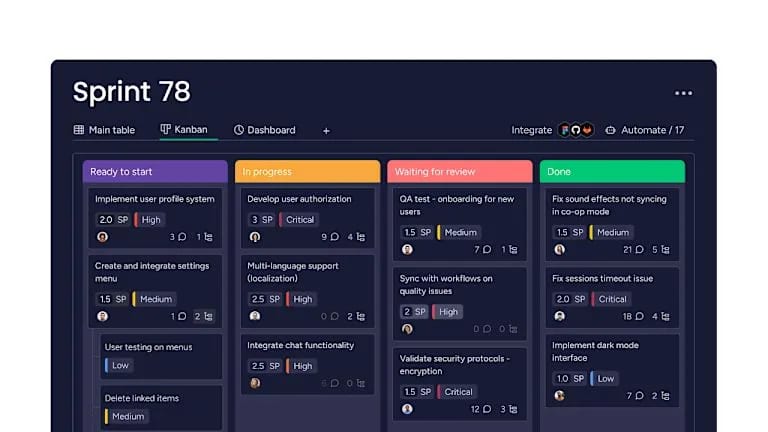
What is a test plan template?
A test plan template is a ready-made document that shows you exactly how to organize your testing process. It’s a blueprint that outlines what you’ll test, when you’ll test it, who’s responsible, and what success looks like.
Instead of starting from scratch every time, you use this framework to make sure nothing falls through the cracks. The template includes sections for test objectives, scope, timelines, resources, and deliverables — everything you need to keep your team aligned.
Why test plan templates matter for development teams?
Ever watched your team scramble to figure out what needs testing right before a release? A test plan helps solve this problem by giving you a consistent structure that works across projects, especially important given that only one-third of organizations feel confident in their ability to manage major changes.
- Save time and standardize testing: templates provide a proven structure your team can adapt, keeping testing consistent across teams and releases.
- Enable cross-team collaboration: all teams work from the same template, reducing miscommunication and supporting real-time updates, comments, and alignment.
- Track real-time progress: built-in tracking shows testing status instantly, helping managers spot bottlenecks and make informed decisions.
- Ensure compliance and quality: templates embed compliance checks and create an audit-ready trail, reducing the risk of missed regulatory requirements. This is increasingly important as the European Union has introduced over 13,000 new regulations in trade and capital controls over the past five years (2024 McKinsey report).
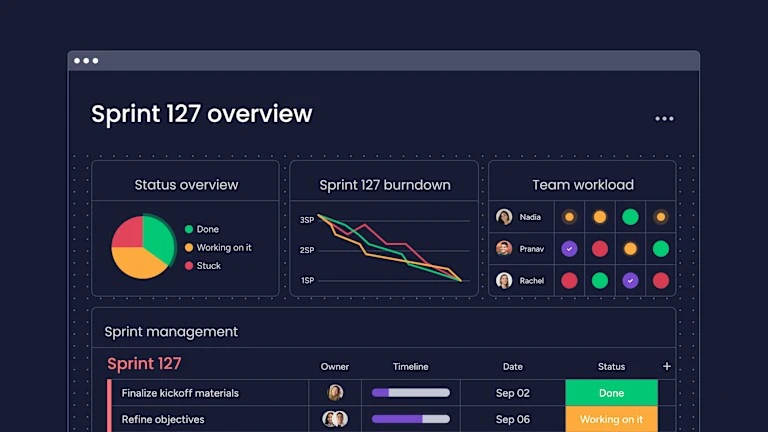
Essential components of modern test plans
A comprehensive test plan leaves no room for ambiguity. Including these essential components ensures every team member, from QA to product, understands their role and the project’s quality goals. Below you’ll find the key sections that make your testing process predictable and transparent:
- Testing scope and objectives: define what you’re testing and, equally important, what you’re not testing. Clear boundaries keep your team focused on what matters most.
- Test strategy and methodologies: outline whether you’ll use manual testing, automation, or both. Specify which types of testing you’ll perform and on which platforms.
- Team roles and responsibilities: assign clear ownership for test creation, execution, and defect reporting. This prevents gaps where everyone assumes someone else is handling something.
- Timeline and sprint integration: map testing activities to your development schedule. Show how testing fits into sprints or project phases to avoid last-minute rushes.
- Entry and exit criteria: define when testing can start (like code complete) and when it’s done (like zero critical bugs). These gates keep projects moving forward systematically.
- Risk management approach: identify what could go wrong and how you’ll handle it. Maybe you need backup testers or alternative test environments.
- Test deliverables and reporting: list what you’ll produce: test case template, defect reports, coverage metrics. Stakeholders need to know what information they’ll receive and when.
7 steps to create your test plan
Building a test plan from a template is more than just filling in blanks; it’s about making strategic decisions that align your team. Following a structured process ensures your plan is comprehensive, actionable, and tailored to your project’s unique needs. Follow these seven steps to create a plan that drives quality and predictability.
Step 1: define testing scope and boundaries
Begin by clearly defining what will and will not be included in your testing scope. Specify which features, platforms, and scenarios your team will cover during the testing phase.
Document your assumptions as well. For example, if testing will only be conducted on Chrome and Safari browsers, make this explicit in your plan. This clarity prevents confusion when stakeholders inquire about coverage for other browsers like Edge.
Step 2: set measurable test objectives
After that, transform vague goals into specific targets. Instead of “test the payment system,” write “verify all five payment methods process transactions correctly within 3 seconds.”
These clear objectives help everyone understand when testing is actually complete. They also make it easier to prioritize when time runs short.
Step 3: select your testing methodology
Select the testing methodology that aligns with your project requirements. The following table outlines when to apply each approach:
| Methodology | When to use | Key benefits | Limitations |
|---|---|---|---|
| Agile | Frequent releases, changing requirements | Fast feedback, flexible scope | Needs constant collaboration |
| Waterfall | Fixed requirements, regulatory projects | Clear phases, extensive documentation | Hard to adapt mid-project |
| manual testing | New features, usability testing | Catches unexpected issues | Time-intensive, hard to repeat |
| Automated testing | Regression testing, API testing | Fast execution, consistent results | Requires upfront investment |
Step 4: assign resources and define roles
Next, list who’s doing what. Include primary and backup assignments for critical areas. Don’t forget about test environments and data. Who’s responsible for setting them up? When do they need to be ready?
Step 5: design test cases and scenarios
Focus on what needs testing, not the detailed steps yet. Prioritize based on risk: what would hurt most if it broke Group related tests together. This makes execution more efficient and helps you see coverage gaps.
Step 6: establish success metrics and KPIs
Pick metrics that actually help you make decisions. Test coverage percentage tells you if you’re testing enough. Defect detection rate shows if your tests are finding problems.
Share these metrics where everyone can see them. Dashboards provided by solutions like monday dev make this automatic, pulling data from your test execution.
Step 7: build your risk mitigation strategy
Finally, identify potential risks such as key personnel unavailability or test environment failures, and document contingency plans for each scenario.
Define clear escalation triggers and thresholds for raising concerns about testing delays or blockers. Establishing these decision points in advance ensures timely issue resolution and maintains project momentum.
Test plan templates for every project type
Different projects need different approaches. Use this approach to match your template to your project:
- Agile sprint test plan templates: perfect for teams doing 2-week sprints with evolving requirements. These templates include sections for sprint goals and accommodate mid-sprint changes.
- Waterfall project test plan templates: built for projects with fixed requirements and formal phase gates. Heavy on documentation and traceability, these templates satisfy stakeholders who want detailed planning.
- User acceptance test plan templates: focus on business scenarios rather than technical details. Include sections for user sign-off and feedback collection.
- Regression test plan templates: designed for repeated execution. These templates emphasize automation opportunities and track which tests catch the most bugs over time.
- Security and compliance test plan templates: include specialized checklists for vulnerabilities and regulatory requirements. Extra sections cover audit trails and compliance documentation.
Test plan format options and examples
Your test plan can live in different formats. Each has trade-offs:
| Format | Best for | Pros | Cons |
|---|---|---|---|
| Excel test plan | Small teams, simple projects | Familiar interface, works offline | Version control nightmares |
| Word document template | Formal documentation needs | Great for detailed narratives | Painful for collaboration |
| Dynamic platform template | Modern dev teams | Real-time updates, automation | Requires platform adoption |
Excel test plan templates
Spreadsheets offer a familiar interface that most teams can adopt immediately. They support formulas for calculating coverage metrics and filters for viewing specific test areas.
However, spreadsheets present collaboration challenges. When multiple team members edit the same file simultaneously, version conflicts require significant time to resolve. Additionally, spreadsheets lack real-time update capabilities during test execution, limiting visibility into current testing status.
Word document templates
Documents provide an effective format when you need to present a comprehensive narrative about your testing approach. They are particularly well-suited for compliance documentation or situations where stakeholders require detailed explanations and formal documentation.
That said, documents present significant limitations for tracking test execution. Teams typically need to transfer data into other formats for actual testing work, creating additional overhead and potential for inconsistencies.
Integrated platform templates
Platforms like monday dev provide templates that adapt dynamically as your work progresses. Test cases link directly to bugs, status updates occur automatically, and all team members access the same real-time view of testing progress.
The initial investment in learning the platform delivers rapid returns, as teams reduce time spent in status meetings and increase focus on actual testing activities.
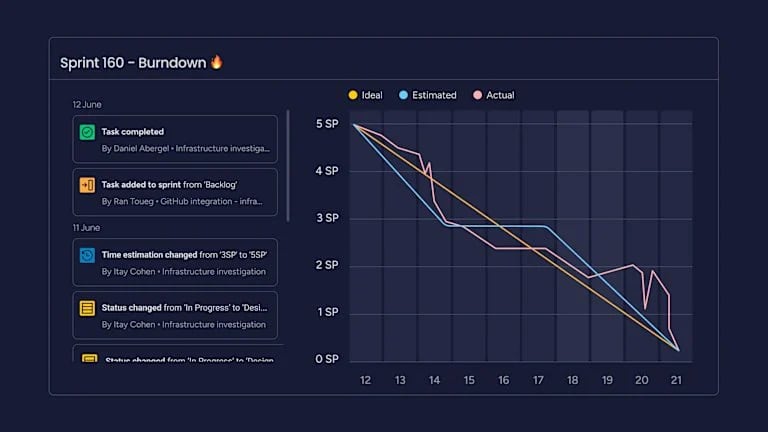
Best practices for test plan success
A test plan template only delivers value when you use it effectively. These proven practices help teams maintain quality while staying responsive to changing priorities and business needs.
- Build flexibility into your process: your test plan should bend without breaking. Use modular test suites that you can reorganize as priorities shift.
- Connect testing to business outcomes: link test objectives to real business goals. When you find bugs in the checkout process, frame the impact in terms of lost revenue.
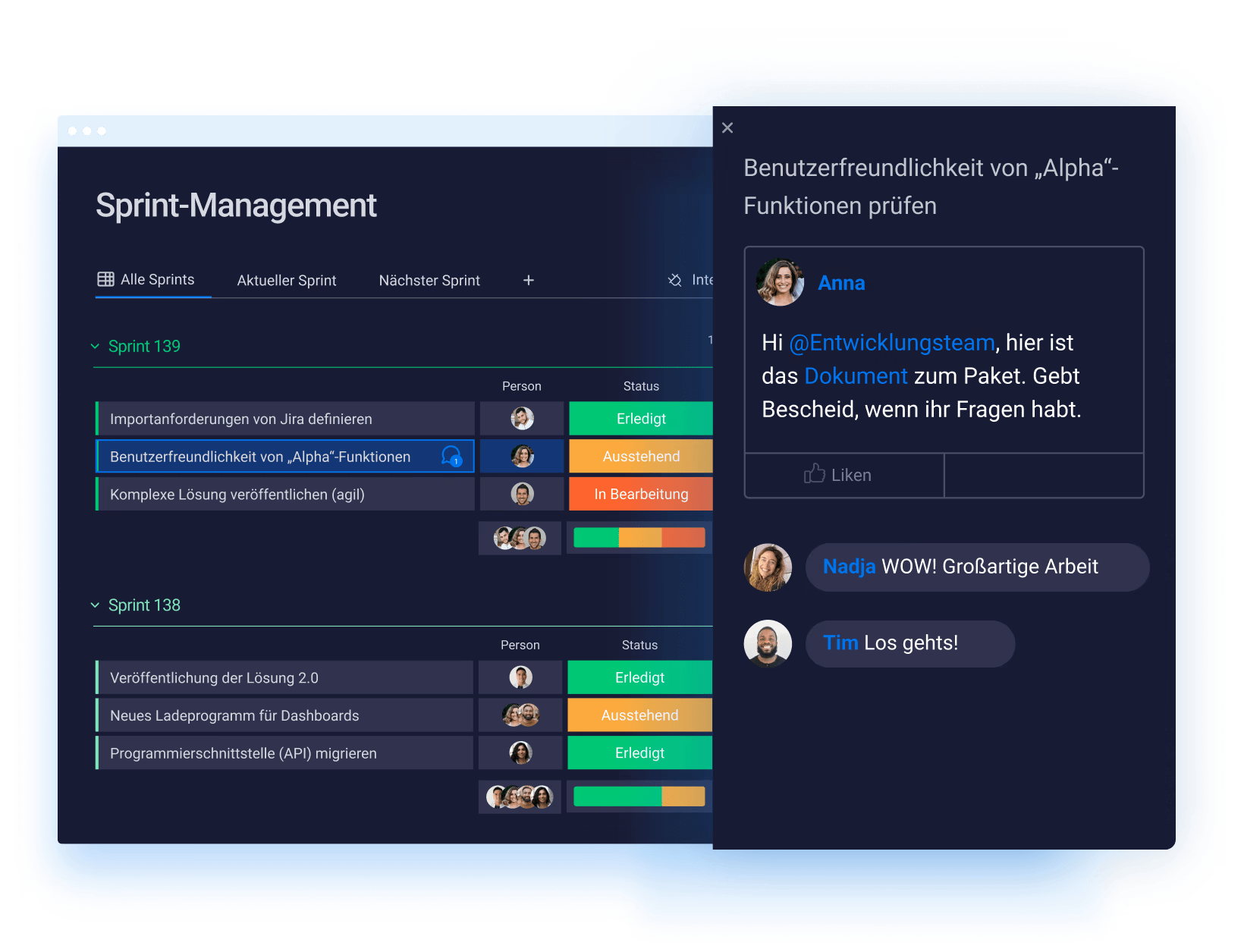
- Foster real-time team collaboration: make your test plan a living document that everyone can access and update. monday dev’s commenting and notification features keep conversations in context.
- Focus on actionable metrics: track metrics that drive decisions. If defect trends show problems in a specific module, you can shift testing focus there immediately.
Test plans vs. test cases vs. test strategies
These terms are frequently confused with one another. The following table clarifies the distinctions:
| Concept | Definition | Purpose | Example |
|---|---|---|---|
| Test strategy | Overall approach to testing across all projects | Sets testing philosophy and standards | "We'll automate regression tests and manually test new features" |
| Test plan | Specific plan for one project or release | Organizes testing for this specific effort | "For release 2.0, we'll test these 10 features over 3 sprints" |
| Test case | Detailed steps to verify one scenario | Ensures consistent test execution | "Enter invalid email, click submit, verify error message appears" |
Your test strategy guides multiple test plans. Each test plan contains many test cases. Understanding this hierarchy helps you organize testing at the right level.

"monday dev empowered us to optimize our GTM approach, resulting in faster, more dependable deliveries"
Steven Hamrell | Director of Product Management
"monday dev empowers us to manage the entire development process on one platform so we can speed up product delivery and improve customer satisfaction"
Mitchel Hudson | Head of Technology
"We're operating in an open, deep trusting, transparent environment with no silos of information. It's about completely opening access to everyone who needs it."
Alan Schmoll | Executive Vice President, Vistra PlatformFuture-proof your testing with AI and automation
Testing is evolving beyond manual execution and static scripts. AI and automation are reshaping how teams plan, execute, and optimize their testing processes. These technologies don’t replace human judgment; they amplify it, helping you catch more issues faster while freeing your team to focus on complex scenarios that require critical thinking.
- AI-generated test cases: AI analyzes your requirements and suggests test scenarios you might miss. It’s especially good at finding edge cases that humans overlook.
- Predictive defect analysis: machine learning identifies code areas likely to have bugs based on past patterns. You can focus testing where problems are most likely.
- Automated resource optimization: smart platforms suggest optimal tester assignments based on skills and availability. They can even predict when you’ll need extra help.
Transform test planning with monday dev
Modern test planning requires a platform that connects testing with your entire development workflow. Built on the flexible monday Work OS, monday dev delivers exactly that integration.
What makes test planning easier:
- Adaptable templates that evolve with your workflow: start with pre-built templates, then customize them to match how your team actually works. As your process evolves, your templates evolve too.
- Unified view across development teams: see testing status alongside development progress. No more asking developers if code is ready to test: you’ll see it automatically.
- No-code automation for testing workflows: set up rules like “when development marks a feature complete, automatically create test items in the relevant workflow.” No programming required.
- Seamless integration with your tech stack: connect to GitHub, Jira, Slack, and dozens of other platforms. Test data flows where it needs to go without manual copying.
Start creating test plans today
A well-structured test plan is more than a formality; it’s the foundation of predictable, high-quality software delivery. By using templates, teams save time, maintain consistency, and ensure alignment across development, QA, and product teams. Integrating real-time tracking, compliance checks, and AI-assisted planning further transforms testing from a reactive task into a proactive, strategic process.
With a platform like monday dev, test planning becomes seamless and collaborative, connecting every phase of development to clear objectives, measurable outcomes, and continuous improvement.
When your team has the right framework and tools, testing no longer slows you down; it accelerates delivery, reduces risk, and ensures your software meets the highest standards.
The content in this article is provided for informational purposes only and, to the best of monday.com’s knowledge, the information provided in this article is accurate and up-to-date at the time of publication. That said, monday.com encourages readers to verify all information directly.
Frequently asked questions
How often should I update my test plan template?
You should update your test plan template whenever you complete a major project or notice recurring issues in your testing process. Most teams review templates quarterly to incorporate lessons learned and process improvements.
Can one test plan template work for multiple projects?
One test plan template can work for similar projects, but you'll need to customize sections like scope, timeline, and resources for each specific project. The template provides structure while allowing flexibility for project-specific needs.
What makes a test plan document effective?
An effective test plan document clearly defines what you're testing, assigns specific responsibilities, and includes measurable success criteria. It should be detailed enough to guide testing but simple enough that anyone can understand it quickly.
Who needs to approve test plans before execution?
Test plans typically need approval from the QA lead, project manager, and product owner before execution begins. For high-risk projects, you might also need sign-off from engineering leads or compliance officers.
How do test plans fit into agile sprints?
Test plans in agile sprints focus on the specific features and stories in that sprint, with testing activities running parallel to development. The test plan gets updated at sprint planning and adjusted during daily standups as needed.
Should I create separate test plans for manual and automated testing?
You should create separate test plans when manual and automated testing have different timelines, teams, or objectives. If they're closely integrated, one comprehensive plan with distinct sections for each approach works better.

 Get started