


Development teams are built to ship great products. Yet shifting priorities, unclear roadmaps, and communication gaps between engineering and business teams often slow progress. This disconnect between ambition and execution leads to missed deadlines and frustrated teams.
Choosing the right software development methodology brings order to this chaos. It provides a shared playbook for how work gets planned, built, and delivered, turning unpredictable cycles into a reliable delivery engine. The right framework aligns everyone on a single source of truth, giving teams the visibility and control needed to move faster.
This guide walks through some of the most essential software development methodologies, from Agile and Scrum to newer AI-powered approaches. It also explores how to choose the right framework for any team and what trends are shaping the future of development.
Understanding these options is the first step toward building a more aligned, confident, and high-performing team.
Key takeaways
- Match methodology to your context: choose your methodology based on your team size, project requirements, and how often requirements change. Agile works best for evolving projects, while Waterfall suits stable, well-defined requirements.
- Start simple, then adapt: start with proven frameworks like Scrum or Kanban, then customize them as your team learns what works. Most successful teams blend elements from different methodologies to fit their unique needs.
- Flexible platforms support any approach: solutions like monday dev adapt to any methodology you choose, providing customizable workflows and real-time visibility across teams. You can implement Agile, Waterfall, or hybrid approaches without switching platforms.
- Remote work requires methodology adjustments: remote teams need digital-first methodologies with strong documentation and asynchronous communication practices. Traditional in-person ceremonies must be redesigned for distributed collaboration.
- AI is reshaping development practices: AI and automation are transforming development workflows, allowing teams to focus on problem-solving while machines handle routine tasks. Consider how these trends will impact your methodology choice.
What are software development methodologies?
Software development methodologies are structured frameworks that guide teams through building software from start to finish. They provide a step-by-step software development process for planning work, organizing teams, and delivering quality products.
A methodology serves as a structured framework that defines roles, responsibilities, timelines, and collaboration processes for your team. Without a clear methodology in place, teams frequently encounter challenges such as missed deadlines, ambiguous priorities, and compromised quality standards.
Why does your team need a software development methodology?
Development teams face constant challenges: changing requirements, tight deadlines, and complex technical problems. A good methodology turns chaos into order by creating clear processes everyone can follow.
When teams work without structure, software development project management suffers.
The right framework helps your team deliver predictable results. You’ll know when features will ship, how to handle changes, and who makes key decisions. This predictability matters to stakeholders who need reliable delivery timelines.
12 essential software development methodologies for modern teams
Every development team needs a methodology that matches how they work. Some teams thrive with structured sprints, while others need continuous flow. Some projects demand extensive documentation, while others prioritize speed and flexibility.
The following 12 methodologies represent the most effective approaches teams use today, each offering distinct advantages for different contexts and challenges.
1. Agile development methodology
Agile is an iterative approach that delivers software in small, frequent releases. Teams work in short cycles called sprints, typically lasting two to four weeks.
Instead of planning everything upfront, teams rely on an Agile development process to adapt as they learn. You gather feedback after each sprint and adjust your plans based on what you discover. This flexibility helps teams respond quickly when requirements change.
Advanced platforms like monday dev support Agile teams with customizable sprint boards and real-time collaboration features. You can track progress, manage backlogs, and coordinate team efforts in one platform.
2. Waterfall development method
Waterfall follows a linear path through distinct phases: requirements, design, development, testing, and deployment. Each phase must finish before the next begins.
This methodology works like building a house. You complete the foundation before framing, and finish framing before adding the roof. Every step builds on the previous one.
Waterfall suits projects with stable requirements and clear specifications. If you’re building software for regulated industries or working with fixed contracts, this predictable approach provides the structure you need.
3. Scrum framework
Scrum is the most popular approach to Agile software development, adding specific roles and ceremonies to guide teams. It creates rhythm and structure while maintaining Agile flexibility.
Three key roles drive Scrum teams:
- Product Owner: defines what to build and prioritizes work.
- Scrum Master: facilitates the process and removes obstacles.
- Development Team: builds the product.
Regular ceremonies keep everyone aligned throughout the development cycle. Sprint planning kicks off each iteration by defining goals and selecting work, while daily standups provide quick updates on progress and blockers. Sprint reviews demonstrate completed work to stakeholders and gather feedback, and retrospectives help teams identify improvements for future iterations. Together, these ceremonies create an Agile workflow that fosters transparency and continuous improvement across the team.
4. Kanban system
Kanban visualizes work flowing through your development process as a continuous stream rather than discrete iterations. Tasks move across a board from “To Do” through “In Progress” to “Done,” creating a transparent view of your team’s capacity and workflow dynamics at any given moment.
The key principle is limiting work in progress (WIP) through explicit constraints at each workflow stage. By restricting how many items can occupy each column simultaneously, you prevent bottlenecks, reduce context switching, and maintain steady throughput. This pull-based system ensures teams only start new work when capacity becomes available, creating predictable delivery cadences.
This approach works especially well for maintenance teams handling unpredictable incoming requests or continuous delivery environments where work arrives in varying sizes and priorities.
5. DevOps approach
DevOps breaks down walls between development and operations teams. Everyone shares responsibility for building, deploying, and maintaining software.
Automation drives DevOps success. Continuous integration automatically tests code changes. Continuous deployment pushes updates to production without manual steps. Infrastructure as code manages servers through version-controlled scripts. These strategies improve development velocity across the software lifecycle.
Connected platforms like monday dev integrate with your DevOps pipeline, connecting development workflows with deployment processes. Teams maintain visibility across the entire software lifecycle.
6. Lean software development
Lean eliminates waste from your development process. Any activity that doesn’t add customer value gets removed or minimized.
This methodology empowers teams to make decisions and optimize their own workflows. Instead of following rigid processes, you continuously improve based on what works.
Key Lean principles guide your decisions:
- Eliminate waste: remove unnecessary meetings, documentation, or processes.
- Build quality in: prevent defects rather than fixing them later.
- Deliver fast: ship working software quickly to get feedback.
7. Extreme Programming (XP)
Extreme Programming (XP) pushes engineering practices to their limits for maximum code quality. It combines technical disciplines with Agile values.
Pair programming puts two developers at one computer. One writes code while the other reviews in real-time. This catches bugs early and spreads knowledge across the team.
Test-driven development requires writing tests before code. You define what success looks like, then build features to pass those tests. This approach creates comprehensive test coverage and cleaner designs.
8. Rapid Application Development (RAD)
The Rapid Application Development approach prioritizes speed through prototyping and user involvement. You build working models quickly, gather feedback, and iterate rapidly.
This methodology leverages existing components and frameworks. Why rebuild common features when you can assemble them from proven parts? This reuse strategy dramatically reduces development time.
RAD works best when you have engaged users and tight deadlines. If stakeholders can provide frequent feedback and you need results fast, this approach delivers.
9. Feature-driven development (FDD)
Feature-driven development (FDD) structures development around discrete, client-valued features rather than abstract technical tasks. This feature-centric paradigm shifts focus from implementation details to tangible functionality that directly impacts end users, creating a natural bridge between technical execution and business value.
Each feature is deliberately scoped to fit within a two-week delivery window, creating a cadence of incremental progress. This granular decomposition strategy generates frequent wins that maintain team momentum while providing stakeholders with transparent visibility into both current development activities and projected delivery timelines. The predictability inherent in this approach transforms abstract roadmaps into concrete commitments.
10. Spiral development model
Spiral combines iterative development with systematic risk management. This methodology takes a cyclical approach where each loop through the spiral addresses potential problems before they escalate.
Each cycle includes four key phases:
- Planning: define objectives and constraints for the iteration.
- Risk analysis: identify and evaluate potential problems.
- Development: build prototypes and validate technical approaches.
- Evaluation: review progress and ensure stakeholder alignment.
This methodology suits large, complex projects with significant uncertainty. When failure isn’t an option, Spiral’s risk-focused approach provides necessary safeguards.
11. Hybrid methodologies
Hybrid approaches blend elements from multiple methodologies. You might use Scrum for feature development while applying Waterfall for compliance activities.
Flexible platforms like monday dev support these custom approaches. Teams can configure workflows to match their unique needs without forcing artificial constraints.
Many organizations find hybrid methods practical. They provide structure where needed while maintaining flexibility where it helps.
12. AI-powered development
AI transforms how teams write, test, and deploy code. Machine learning assists with everything from code completion to bug detection.
Intelligent platforms predict problems before they occur. They suggest optimizations based on code patterns. They even generate test cases automatically.
These capabilities don’t replace developers; they amplify their effectiveness. Teams using AI-powered development ship higher quality code faster. For example, JPMorgan reported that its coding assistant, Copilot for Developers, helped its engineers achieve significant productivity gains in a 2023 pilot program.
Agile vs Waterfall: finding your ideal development process
Choosing between Agile vs Waterfall represents a fundamental decision about how your team will work. Each approach offers distinct advantages depending on your situation.
| Aspect | Agile | Waterfall |
|---|---|---|
| Planning | Adaptive and iterative | Comprehensive upfront |
| Requirements | Evolve through collaboration | Fixed at project start |
| Testing | Continuous throughout | Dedicated phase at end |
| Customer involvement | Ongoing participation | Limited to key milestones |
| Documentation | Just enough to support development | Comprehensive and detailed |
When do Agile methodologies excel?
Agile thrives when requirements evolve and customer feedback drives development. Adopting an Agile software development life cycle ensures continuous testing and improvement throughout the project.
For Agile to succeed, your team needs more than just the right processes; it requires a specific culture and mindset. The following characteristics are essential for creating an environment where Agile principles can thrive and deliver results.
- Collaborative mindset: everyone contributes ideas and feedback.
- Comfort with ambiguity: plans change based on learning.
- Customer access: regular input shapes the product.
When Waterfall development works best
Waterfall provides structure and predictability for well-defined projects. When requirements are clear and stable, this linear approach efficiently moves from concept to completion.
Consider Waterfall when facing:
- Regulatory requirements: extensive documentation and approvals needed.
- Fixed contracts: scope and timeline locked before starting.
- Complex integrations: multiple systems requiring careful coordination.
How to choose the right software development method?
Selecting a methodology requires honest assessment of your team, project, and organization. The perfect framework on paper might fail in your specific context.
- Assess your team structure: team size influences methodology effectiveness. Small teams often thrive with lightweight approaches like Kanban. Larger teams need more structure, making Scrum or scaled frameworks more suitable. Geographic distribution also matters. Co-located teams can use physical boards and face-to-face communication. Distributed teams need digital platforms and asynchronous processes.
- Evaluate project requirements: requirement stability drives methodology selection. Projects with evolving needs benefit from Agile’s adaptability. Fixed requirements suit Waterfall’s sequential approach. Consider your timeline and budget constraints. Tight deadlines might favor RAD’s speed. Long-term projects with predictable funding work well with traditional approaches.
- Consider timeline and resources: available time and money shape your options. Some methodologies require significant training and process changes. Others you can adopt gradually. monday dev adapts to any methodology choice. Start with basic workflows and add sophistication as your team matures. This flexibility lets you evolve without switching platforms.
- Factor in compliance needs: regulated industries often mandate specific practices. Healthcare, finance, and government projects might require extensive documentation and formal approvals. These constraints don’t eliminate all options. Hybrid approaches can satisfy compliance needs while maintaining some agility. The key is understanding requirements before committing to a methodology.
Software development methodology trends shaping 2026
The software development landscape is evolving rapidly, driven by technological advances and shifting work patterns. New tools, practices, and priorities are reshaping how teams approach their methodologies. Understanding these trends helps you future-proof your development process and stay competitive. Here are the key shifts transforming software development in 2026.
AI integration in development workflows
Artificial intelligence transforms every aspect of software development. Code assistants suggest implementations, with McKinsey’s 2024 software disruption report showing generative AI can improve developer productivity by 35-45%. Testing platforms identify edge cases automatically. Deployment systems predict and prevent failures.
These capabilities change how teams work. Developers focus more on design and problem-solving while AI handles routine tasks. This shift influences which methodologies work best.
Learn more: AI software development
Platform engineering and DevOps evolution
Organizations increasingly separate platform concerns from application development. Platform teams provide tools and infrastructure while feature teams focus on business logic.
This separation affects methodology choices. Platform teams might use Kanban for ongoing improvements while feature teams follow Scrum for sprint-based delivery.
Remote-first methodology adaptations
Distributed work is now permanent for many teams. According to the U.S. Census Bureau’s 2022 American Community Survey, 15.2% of workers worked from home, a significant increase from pre-2019 levels. Methodologies designed for co-located teams need adjustment for remote collaboration.
Asynchronous communication becomes critical. Documentation replaces hallway conversations. Digital boards replace physical ones. monday dev provides the foundation for these remote-first workflows.
Security-driven development practices
Security can’t be an afterthought anymore. Modern methodologies integrate security practices throughout development rather than treating it as a final checkpoint.
This shift affects how teams plan and execute work. Security considerations influence design decisions. Automated security testing joins other continuous integration practices.
Transform your development process with monday dev
The flexibility to implement any methodology while maintaining visibility and collaboration comes built into monday dev. The platform adapts to your chosen approach rather than forcing you into rigid patterns.
Customize workflows for any methodology
Build boards that match your exact process. Add columns for your specific stages. Create automations that enforce your team’s rules. With monday dev, workflows mold to your needs.
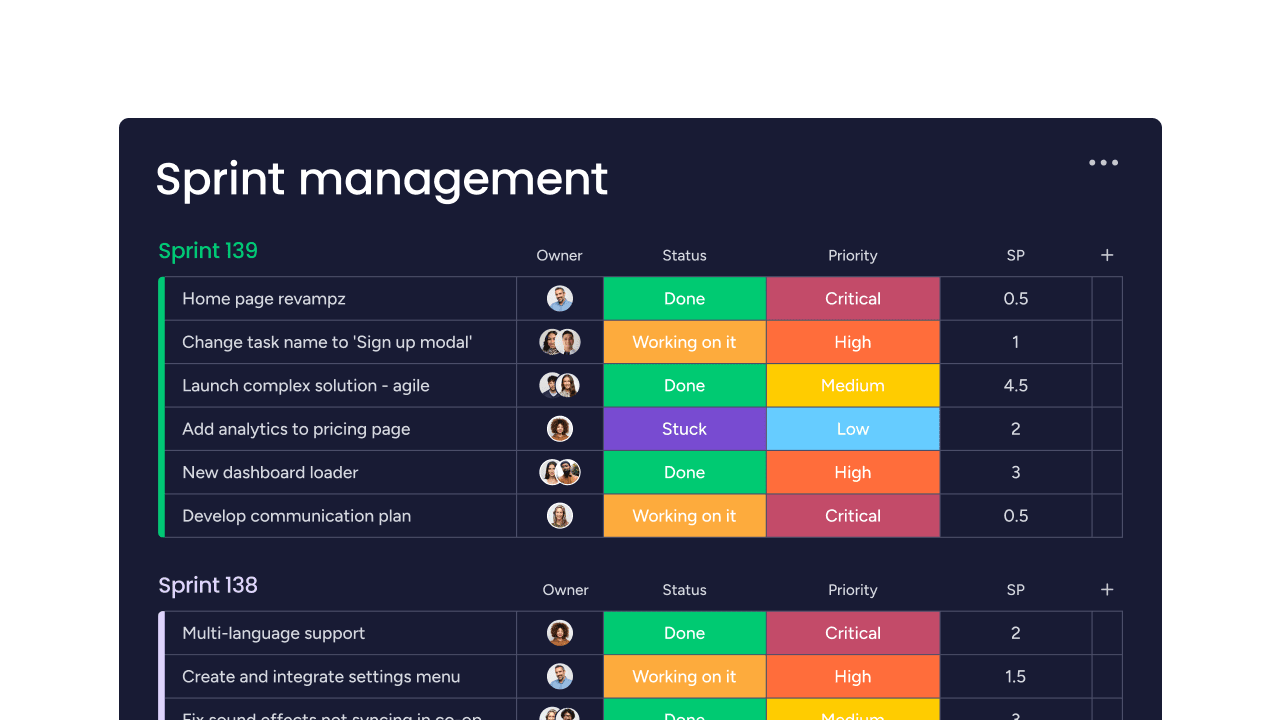
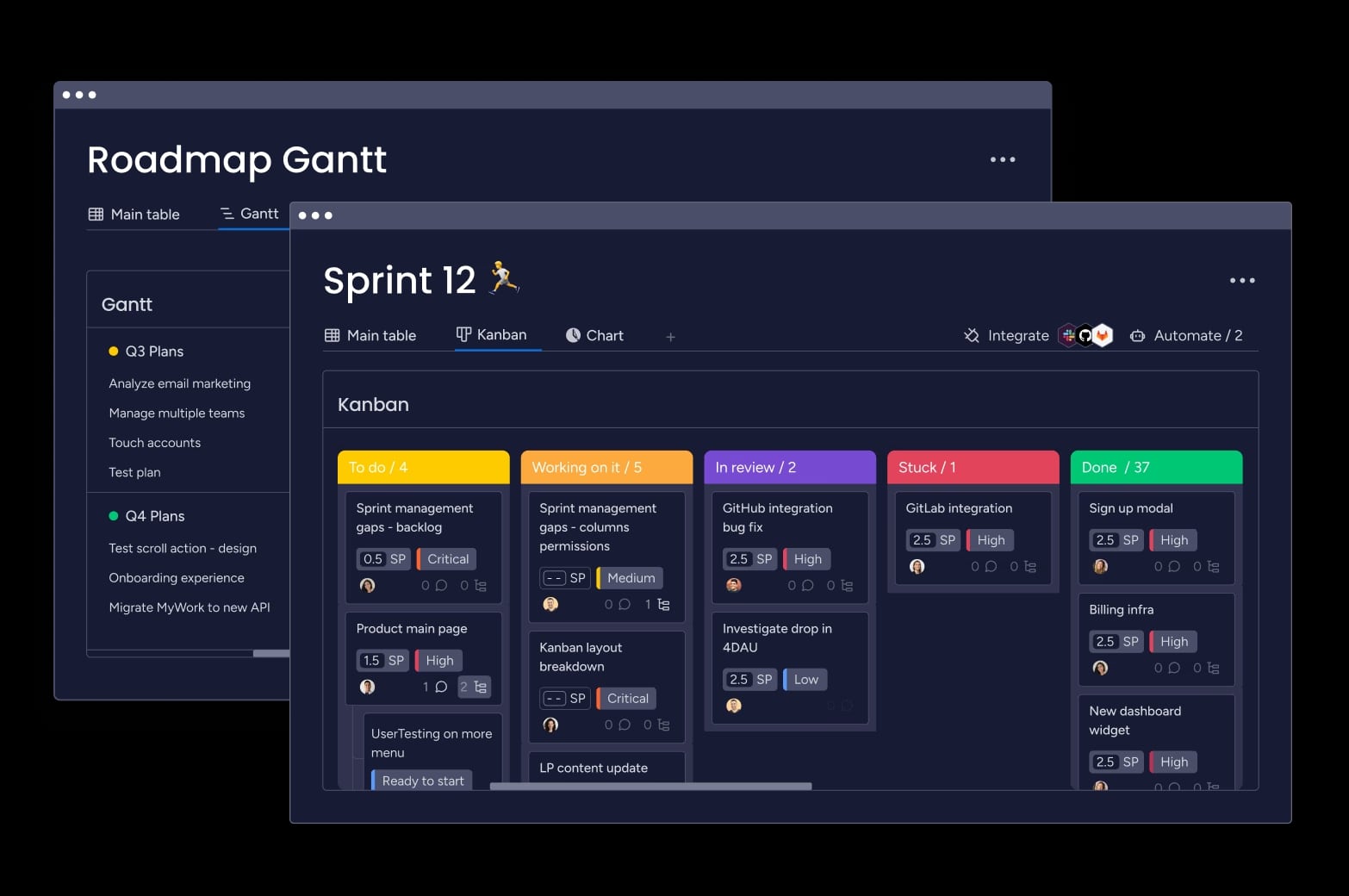
Sprint planning boards let you organize backlogs, estimate story points, and assign work across iterations. Kanban views visualize work in progress with customizable swim lanes and WIP limits. Roadmap timelines connect individual tasks to strategic initiatives, giving stakeholders the big picture they need.
Template libraries provide starting points for common methodologies. Begin with proven structures for Scrum sprints, Waterfall phases, or DevOps pipelines, then customize based on experience. This approach accelerates adoption while maintaining flexibility.
Learn more: Read our guide on how to create a software development plan that delivers on your business goals.
Gain real-time visibility across all teams
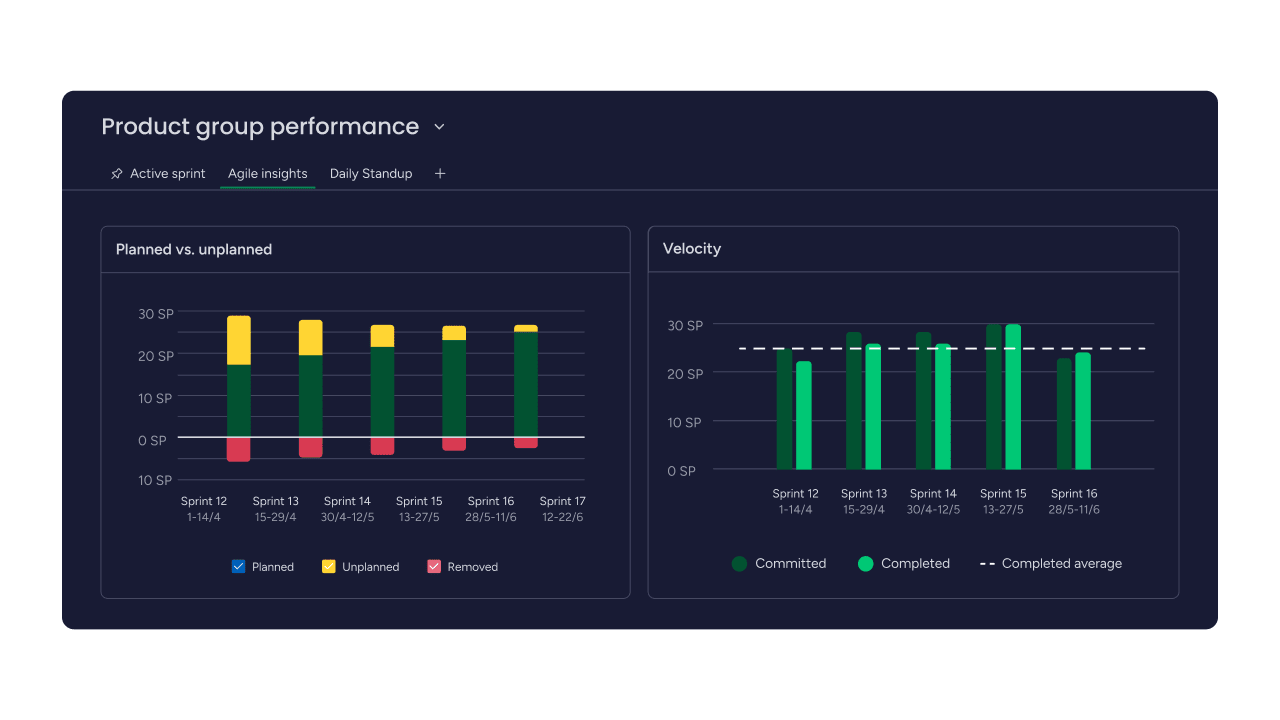
Dashboards aggregate data from multiple teams and projects. Executives see high-level progress through burndown charts and velocity metrics. Managers track detailed metrics like cycle time and deployment frequency. Developers focus on their current work with personalized task views.
Custom widgets display the metrics that matter most to your methodology. Track sprint progress, monitor bug resolution rates, or measure code review turnaround times. Real-time updates ensure everyone works from the same information.
This visibility enables informed decisions at every level. Spot bottlenecks before they cause delays. Identify trends that inform process improvements. Automated alerts notify stakeholders when critical milestones are at risk.
Integrate your entire development stack
Connect your existing platforms with monday dev through 200+ integrations and a robust API. Sync with version control systems like GitHub, GitLab, and Bitbucket to link commits and pull requests directly to tasks. Trigger deployments from board updates through Jenkins, CircleCI, or Azure DevOps integrations.
Two-way Jira sync maintains alignment between teams using different platforms. Slack and Microsoft Teams integrations bring notifications into your communication channels. Connect testing tools like Selenium and monitoring platforms like Datadog to track quality metrics alongside development progress.
These integrations eliminate duplicate data entry and reduce errors. Teams work in their preferred platforms while maintaining coordination through monday dev. Maintain single source of truth across all systems without forcing everyone onto a single tool.
Ready to revolutionize your software development?
Choosing the right methodology transforms how your team delivers software. The perfect framework aligns with your culture, supports your goals, and adapts as you grow.
If you’re implementing Agile project management, monday dev provides the foundation for any methodology you choose. Start with simple workflows and evolve as you learn what works for your team. Built-in retrospective boards help you continuously improve, while sprint automation handles routine tasks so your team can focus on building great software.
Frequently asked questions
What is the difference between Agile and Scrum methodologies?
The main difference between Agile and Scrum methodologies is that Agile is a broad philosophy emphasizing iterative development and customer collaboration, while Scrum is a specific framework within Agile that provides defined roles, ceremonies, and practices.
Which software development methodology should startups use?
Startups typically benefit from Agile methodologies like Scrum or Kanban because they support rapid iteration and changing requirements. These frameworks help startups validate ideas quickly, respond to user feedback, and pivot when needed without extensive replanning.
How do software development methodologies handle remote teams?
Modern software development methodologies adapt to remote work through digital collaboration platforms, asynchronous communication practices, and virtual ceremonies. Teams use online boards, video conferencing for standups, and documentation practices that support distributed collaboration.
What software development methodology does Google use?
Google uses a combination of methodologies tailored to different teams and projects, primarily focusing on Agile practices with extensive automation and continuous integration. They emphasize rapid iteration, data-driven decisions, and engineering excellence rather than following any single methodology strictly.
Can you combine different software development methodologies?
Yes, many teams successfully combine methodologies in hybrid approaches, such as using Scrum for feature development while applying Kanban for maintenance work. This flexibility allows teams to match their methodology to specific project needs and organizational constraints.
How long does it take to implement a new software development methodology?
Implementing a new software development methodology typically takes 3-6 months for teams to become proficient, though basic adoption can begin within weeks. Success depends on team size, complexity of the methodology, and organizational support for the change.

 Get started