



Using an enterprise-grade platform for a personal project often creates more friction than progress. Tools built for large organizations tend to assume layers of approvals, complex permissions, and heavy configuration, none of which are necessary when managing solo work or small side projects.
Personal projects thrive on momentum, clarity, and speed. The right project management tool should support focus, reduce overhead, and adapt easily to changing priorities without forcing rigid processes or unnecessary setup.
This article explores how Jira alternatives designed for individual use compare in terms of flexibility, features, and pricing. Below, we break down seven tools that prioritize usability and control, helping personal projects move from idea to execution with less friction and more confidence.
Key takeaways
Choosing the right project management tool for personal use comes down to balancing simplicity, flexibility, and room to grow. The points below summarize the most important insights from this comparison.
- Jira is often overbuilt for personal projects: enterprise-level configuration and workflows can slow progress when managing solo or small-scale work.
- The best Jira alternatives for personal use prioritize speed and clarity: lightweight interfaces and minimal setup help maintain focus and momentum.
- Free plans can be genuinely powerful: tools like ClickUp, Notion, Linear, and Trello offer enough functionality for many personal projects without immediate upgrades.
- Developer-focused platforms reduce workflow friction: native Git integrations, keyboard-first design, and streamlined sprint management can significantly improve productivity.
- Scalable tools such as monday dev support long-term growth: starting with a flexible system makes it easier to evolve from personal projects into collaborative team workflows without switching platforms.
Why switch from Jira for personal projects?
Jira is undeniably powerful, but its architecture is designed for large-scale enterprise collaboration. For personal projects, this level of complexity often creates unnecessary friction, introducing more setup than execution. Configuration, permissions, and workflow rules can slow progress when the priority is building and shipping work efficiently.
A personal project board should support clarity and momentum, acting as a natural extension of how ideas move from concept to completion. When workflows are weighed down by features designed for distributed teams, focus shifts away from progress. The most effective setup removes barriers rather than introducing new ones.
The goal is always to ship more product while minimizing anything that interrupts flow. Choosing a platform that prioritizes speed and clarity for individuals creates a stronger foundation for future collaboration as projects grow.
Early simplicity supports confidence, alignment, and consistency from the first milestone forward.
What to Look for in Personal Project Management Tools?
Selecting the right platform for personal projects means finding a solution that stays out of the way. The strongest options emphasize clarity and speed, allowing work to move forward without adding friction through unnecessary configuration or complexity.
An effective platform operates as a flexible canvas rather than a rigid rulebook. It adapts to different working styles while preserving structure where it matters most. This balance enables individuals to design workflows that reflect how progress actually happens.
Simplicity should not come at the cost of visibility. Platforms that combine quick setup with a clear overview of priorities support faster decisions and stronger execution. With full control and minimal overhead, personal projects gain the momentum needed to evolve into scalable initiatives.
Seven Best Jira Competitors for Personal Use
Using enterprise platforms for solo work often leads to frustration. Personal projects benefit from environments that adapt to individual workflows rather than enforcing rigid systems designed for large teams. The most effective platforms prioritize focus and reduce distractions.
The following sections explore seven alternatives that emphasize clarity over complexity. Each platform offers visibility and control while allowing work to move forward without unnecessary friction. These options support faster execution and stronger confidence throughout the development process.
By simplifying backlog management and improving day-to-day organization, these platforms make project tracking feel intuitive rather than procedural. The goal is to maintain momentum while keeping priorities clear and manageable.
1. monday dev
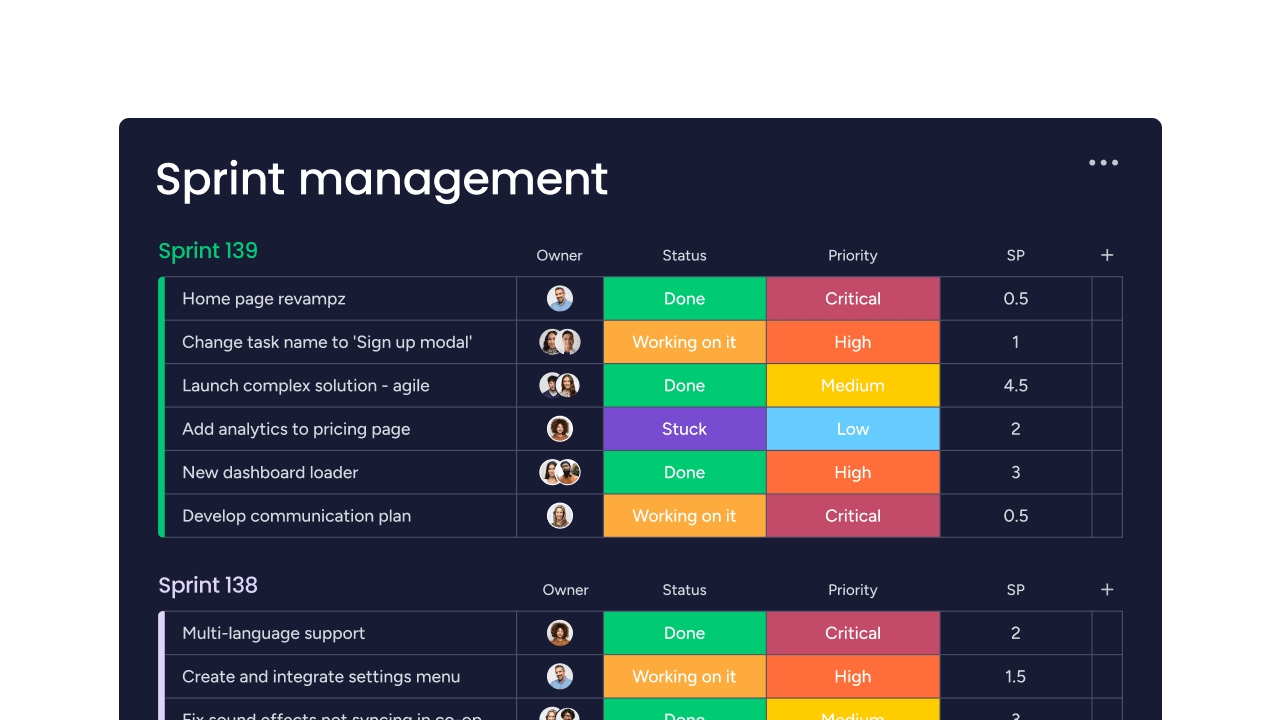
monday dev offers a powerful, flexible platform where development teams can manage their entire workflow in one place. Built on the monday.com Work OS, it excels at connecting development sprints to broader business goals, making it ideal for teams that need to collaborate with other departments. It replaces the complexity of tools like Jira with a visual, intuitive interface that adapts to your team’s process, whether you’re a small startup or a growing enterprise.

Example:
This platform is perfect for development teams looking for a unified workspace that connects sprint planning, code management, and project tracking. Its strength lies in providing cross-functional visibility, allowing product, marketing, and leadership teams to align with development progress seamlessly.
Key features:
- Built-in Git integration with GitHub, GitLab, and Bitbucket for streamlined code management.
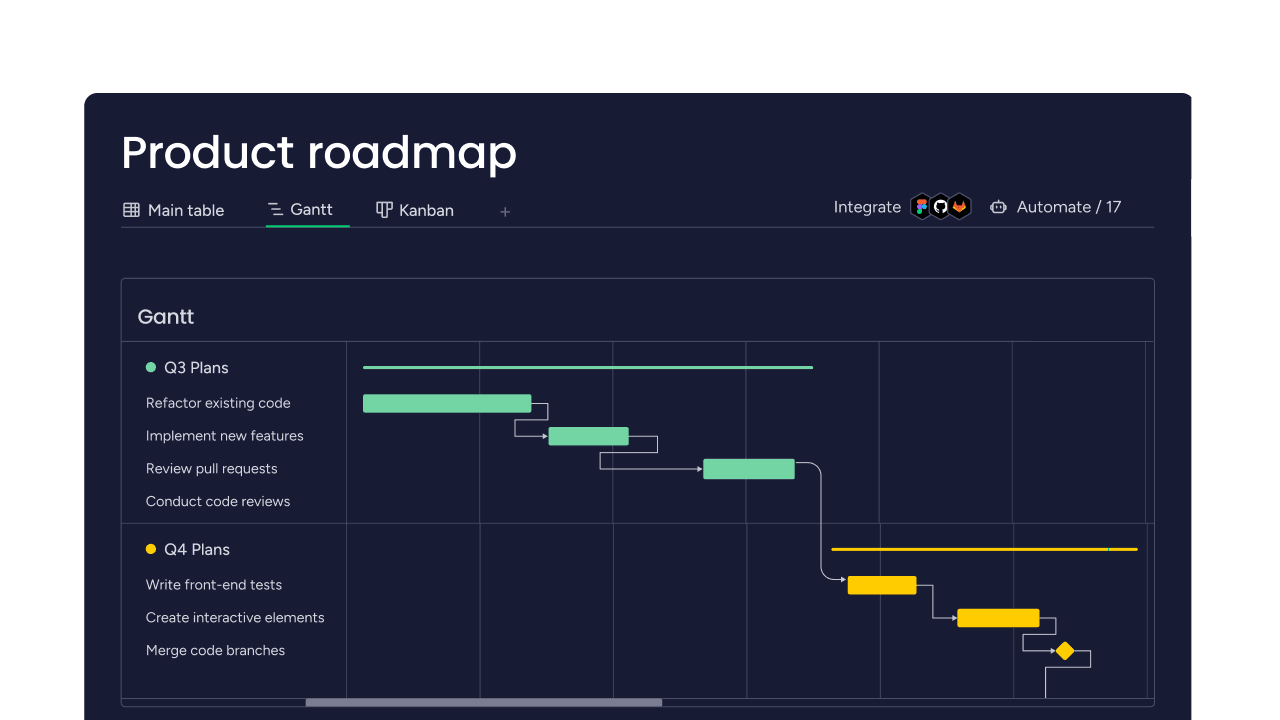
- Customizable sprint planning and agile workflows with Kanban, Gantt, and other views.
- No-code automations to handle repetitive processes and notifications (quotas vary by plan).
Pricing:
- Basic: $9/user/month (billed annually).
- Standard: $12/user/month (billed annually).
- Pro: $20/user/month (billed annually).
- Enterprise: custom pricing (quote-based).
- Offer: a minimum of three seats is required for all plans. A 14-day free trial is available.
Why it stands out:
- Cross-functional visibility: because it’s built on the Work OS, it connects your development work with business stakeholders in the same platform.
- AI-powered assistance: AI sprint summaries and scrum assistance help streamline agile processes without manual overhead.
- Enterprise-grade security: compliant with ISO (27001, 27017, 27018, 27701), SOC 1/2/3, GDPR, and CCPA. HIPAA compliance is available on the enterprise plan.
Advanced AI features:
- AI-powered sprint summaries automatically generate project updates and retrospective insights.
- Intelligent scrum master assistance helps optimize daily standups and sprint planning.
Note: AI features are metered and may require credits; availability can vary by plan.
Automations:
- A no-code workflow builder creates custom automations for status updates, notifications, and task assignments.
- Automation quotas start at 250 actions/month on the Standard plan and scale up to 250,000 actions/month on the Enterprise plan.
Integrations:
- Native two-way GitHub integration surfaces branches, PRs, and CI/CD status directly in tasks. GitLab integration is also available, though some advanced features are limited to higher-tier plans.
- 200+ app integrations including CircleCI, Slack, Teams, and other popular development tools.
- API access for building custom apps and workflows through monday code.
How it improves on traditional tools:
- Its intuitive visual interface requires minimal configuration compared to the complex setup of many traditional tools.
- The unified workspace combines backlog management, documentation, and roadmapping, reducing the need to switch between multiple platforms.
- Flexible board structures adapt to your team’s coding style rather than enforcing a single rigid methodology.
Things to consider:
- While the basics are easy to pick up, mastering advanced automations and workflows can have a learning curve.
- Some users report performance slowdowns on boards with extremely large numbers of tasks or items.
2. ClickUp
ClickUp consolidates project management, documentation, and communication into a single, all-in-one workspace. The tool’s strength is its deep customization, offering over 15 view types and modular ClickApps. This makes it particularly appealing for individuals who want to design their own workflows from the ground up without switching between multiple applications.

Use case:
ClickUp is best suited for individuals managing complex personal projects who need the flexibility to switch between different organizational methods, from simple task lists to detailed project hierarchies, all within one customizable workspace.
Key features:
- Multiple view options, including lists, boards, calendars, Gantt charts, and timelines, to match any workflow preference.
- Generous free plan with core features like automations, templates, and integrations for personal use.
- Native documentation, chat, and whiteboard capabilities that eliminate the need for separate knowledge management tools.
Pricing:
- Free Forever: $0 with collaborative docs, Kanban boards, calendar view, and sprint management.
- Unlimited: $7/month (billed annually) with unlimited storage, integrations, and Gantt charts.
- Business: $12/month (billed annually) with advanced automations, sprint reporting, and workload management.
- Enterprise: contact sales for white labeling, advanced permissions, and enterprise security features.
- Annual billing: saves up to 30% compared to monthly plans.
- ClickUp AI add-ons: available as separate workspace purchases.
Considerations:
- Advanced sprint features and GitHub automations require paid plans, which may limit functionality for users wanting comprehensive development workflows on the free tier.
- The extensive customization options can feel overwhelming for individuals seeking a simple, straightforward task management experience.
3. Notion
By combining docs, databases, and task tracking in one flexible workspace, Notion changes how individuals can manage their personal projects. The platform is built on customizable building blocks that adapt to any workflow, making it ideal for developers who want to blend structured project management with free-form documentation and knowledge management.

Use case:
Notion serves as an all-in-one personal headquarters where you can build custom project trackers, maintain technical documentation, and organize research notes within a single, searchable platform.
Key features:
- Database-driven project management with kanban boards, timelines, and custom properties for tracking personal coding projects and learning goals.
- Integrated documentation system that lets you link project specs, code snippets, and technical notes directly to your task lists.
- AI-powered features including autofill for project updates, meeting notes, and enterprise search to quickly find information across your workspace.
Pricing:
- Free: $0/month, unlimited pages and blocks for individuals, includes basic sites, forms, and Notion calendar.
- Plus: $10/month, unlimited collaborative blocks, file uploads, charts, and custom sites with basic integrations.
- Business: $20/month, adds AI features, SAML SSO, granular permissions, and premium integrations.
- Enterprise: custom pricing, includes advanced security, audit logs, and zero data retention with AI providers.
- Annual billing: saves up to 20%, with free plans available for students and educators.
Considerations:
- Learning curve can be steep when building complex custom workflows, and performance may slow with very large databases.
- Advanced agile reporting features like burn-down charts require custom setup or third-party tools, unlike purpose-built project management platforms.
4. Trello
For those who think visually, Trello offers a drag-and-drop experience that makes organizing work feel effortless. The platform specializes in Kanban-style boards with unlimited cards and lists, making it perfect for individuals who want simplicity without sacrificing functionality. According to Trello’s official site (as of 2024), the platform has over 100 million users and is adopted by 80% of Fortune 500 companies, proving that a straightforward approach can win.
Use case:
Trello excels at personal project management through its intuitive board-and-card system that lets you visualize workflows, track progress, and automate repetitive tasks without overwhelming complexity.
Key features:
- Visual Kanban boards: organize projects with customizable lists and cards that move through stages with simple drag-and-drop functionality.
- Butler automation: set up no-code rules, buttons, and triggers to handle repetitive actions like moving cards, assigning due dates, or sending notifications.
- 200+ Power-Ups: integrate with essential tools like GitHub, Slack, Google Drive, and Jira to centralize your workflow without switching platforms.
Pricing:
- Free: $0/month for up to ten collaborators per workspace.
- Standard: $5/user/month (billed annually) or $6/month (billed monthly).
- Premium: $10/user/month (billed annually) or $12.50/month (billed monthly).
- Enterprise: $17.50/user/month (billed annually) with advanced security and admin controls.
Considerations:
- Advanced project views like Timeline, Table, and Dashboard require paid plans, which can limit functionality for budget-conscious users.
- Complex project hierarchies often need workarounds or third-party integrations rather than native support for epic-story-subtask relationships.
5. Linear
Engineered for modern software teams, Linear turns issue tracking into a lightning-fast, developer-first experience. It combines powerful keyboard shortcuts with a clean, opinionated design to eliminate the friction that slows down development. With built-in Git integration and streamlined sprint management, Linear proves that project management tools don’t have to be clunky to be comprehensive.

Use case:
Linear provides a fast, focused issue management system designed for software teams who want the power of enterprise tools without the associated complexity and overhead.
Key features:
- Cycles and sprint management: built-in sprint planning with cycles that integrate seamlessly with your development workflow.
- Keyboard-first interface: lightning-fast navigation with comprehensive keyboard shortcuts that keep your hands off the mouse.
- Native Git integration: two-way sync with GitHub and GitLab that automatically updates issues based on commit activity.
Pricing:
- Free: $0/month for unlimited members, two teams, 250 issues.
- Basic: $10/month per user (billed yearly) with five teams and unlimited issues.
- Business: $16/month per user (billed yearly), including Linear Insights, Triage Intelligence, and unlimited teams.
- Enterprise: custom pricing with annual billing, advanced security features, and dedicated support.
- Offers: 75% nonprofit discount available for Basic and Business plans.
Considerations:
- Limited customization options compared to more flexible platforms, Linear’s opinionated approach may feel restrictive for teams needing highly specific workflows.
- Advanced analytics and dashboards are locked behind higher-tier plans, which could be limiting for budget-conscious solo developers.
6. Asana
Asana operates as a powerhouse for connecting daily tasks to broader company goals. It bridges the gap between simple to-do lists and complex project management, making it a fantastic choice for cross-functional collaboration. While it shines for mid-market and enterprise teams, its powerful features can also help freelancers and individuals manage multi-layered projects. Thanks to its unique Work Graph technology and AI-powered workflows, it helps everyone see how their work fits into the bigger picture.

Use case:
Asana provides a comprehensive work management platform that connects tasks to goals through its Work Graph data model, enabling teams to maintain visibility across multiple projects while leveraging AI assistance for smarter workflows.
Key features:
- Multiple project views (List, Board, Calendar, Timeline, Gantt) with seamless switching between perspectives.
- AI-powered assistance through Asana AI, with basic features included on paid plans and advanced capabilities available via add-ons.
- Robust integration ecosystem, including native two-way sync with Jira. Other key integrations, like with GitLab (via a paid Unito connector) and GitHub, are also available with specific capabilities.
Pricing:
- Personal: Free for up to two users with core task and project basics.
- Starter: $10.99/month per user (billed annually) with Timeline, Workflow Builder, and basic AI.
- Advanced: $24.99/month per user (billed annually) adding goals, portfolios, and business integrations.
- Enterprise and Enterprise+: quote-based pricing with advanced security and compliance features.
- AI Studio Plus available as an add-on: for $135/account/month (billed annually); AI Studio Pro is quote-based.
Considerations:
- The free plan is now limited to two users (a change from its previous 15-user limit), which is something to keep in mind for growing teams.
- Advanced features and integrations, like connecting with Tableau for business intelligence, are reserved for higher-tier paid plans.
7. Todoist
With its natural language input and intuitive organization, Todoist streamlines personal task management into a highly efficient productivity system. The platform specializes in fast task capture and flexible project views, making it ideal for individuals who want lightweight project management without the complexity of enterprise tools.

Use case:
Todoist bridges the gap between simple to-do apps and full project management platforms, offering cross-platform task management with natural language processing and flexible project views for personal productivity.
Key features:
- Natural language task input with smart date recognition and recurring task scheduling.
- Multiple project views, including List, Board (Kanban), and Calendar layouts in a single workspace.
- Cross-platform synchronization across ten plus apps, including mobile, desktop, browser extensions, and wearables.
Pricing:
- Beginner (Free): $0/month, includes five personal projects, three filter views, and one week of activity history.
- Pro: $5/month (billed annually) or $7/month (billed monthly), adds Calendar layout, custom reminders, 150 filters, and AI extensions.
- Business: $8/month per user (billed annually) or $10/month per user (billed monthly), includes shared team workspaces, up to 500 team projects, and roles/permissions.
- Annual billing: saves approximately 20% compared to monthly plans.
Considerations:
- Limited to five active projects on the free plan, which may feel restrictive for users managing multiple ongoing initiatives.
- Lacks advanced project management features like Gantt charts, dependencies, and detailed reporting without third-party integrations.

"monday dev empowered us to optimize our GTM approach, resulting in faster, more dependable deliveries"
Steven Hamrell | Director of Product Management
"monday dev empowers us to manage the entire development process on one platform so we can speed up product delivery and improve customer satisfaction"
Mitchel Hudson | Head of Technology
"We're operating in an open, deep trusting, transparent environment with no silos of information. It's about completely opening access to everyone who needs it."
Alan Schmoll | Executive Vice President, Vistra PlatformBest Free Jira Alternatives Worth Your Time
Choosing a free project management platform isn’t just about cost savings; it’s a strategic decision that can give your team the power to ship great products without getting bogged down. The right tool brings everyone together, from engineering to leadership, turning complex plans into clear, actionable work. It should not only manage tasks but actively help you clear backlogs and build momentum.
The critical question for any free option is whether it can adapt to your team’s actual methods. A rigid system creates more friction than it solves, while a flexible one provides the visibility and control needed to keep everyone aligned. The goal is a single source of truth that connects the code to the overarching strategy.
Your best bet will likely fall into one of three categories: fully customizable open-source platforms, code-centric tools that live in your repositories, or powerful commercial platforms with surprisingly capable free plans. Each offers a different path to success, and picking the right one is the first step toward building faster and smarter.
Open Source Powerhouses
Solutions like OpenProject, Taiga, and Redmine put you in complete control, offering total command over your data and workflows without a subscription fee. These platforms are excellent when you require deep customization, from OpenProject’s robust Agile features to Taiga’s clean design. This is your chance to build a system from the ground up that’s perfectly tailored to your process.
Of course, this power comes with the responsibility of self-management, from hosting and security to updates and maintenance. For teams with the technical resources who prioritize ultimate control and data privacy, the investment of time can yield a truly bespoke and powerful development engine.
Developer-Centric Solutions
Why leave your code repository when you can manage projects right where the work happens? That’s the simple, powerful idea behind tools like GitHub Projects and GitLab Issues. By integrating project management directly into the developer workflow, these solutions create an incredibly streamlined experience for teams that live and breathe code.
This tight integration is perfect for keeping development and project tracking in lockstep, but it often lacks the high-level visibility and cross-functional features that business and leadership teams rely on. If your universe revolves around the repository, the efficiency gains are undeniable.
Commercial Free Tiers That Deliver
Some of the best platforms offer free plans that pack a serious punch, providing enterprise-grade features without the price tag. For example, monday dev gives you the flexibility to design your own workflows with unlimited boards and core automations, while ClickUp provides a rich set of templates to get you started fast. These tools are built to connect your entire organization, not just the dev team.
The real advantage here is the seamless growth path. You can start with a robust free plan and scale into more advanced features as your team’s needs evolve. This approach gives you power and polish without the headache of self-hosting, making it a smart, low-risk way to supercharge your team’s alignment and velocity from day one.
Jira alternatives pricing comparison
| Tool Name | Free Plan (What's Included) | Lowest Paid Tier Price | What You Get in Paid Plan | Annual Discount Available |
|---|---|---|---|---|
| monday dev | Unlimited boards, basic automation | $8/user/month | Advanced automation, integrations | Yes (up to 18%) |
| ClickUp | Unlimited tasks, core features | $7/user/month | Unlimited storage, advanced views | Yes (up to 12%) |
| Notion | Unlimited pages/blocks, basic sharing | $8/user/month | Advanced permissions, versioning | Yes (up to 20%) |
| Trello | Unlimited cards/boards, 1 Power-Up | $5/user/month | Unlimited Power-Ups, automation | Yes (up to 15%) |
| Linear | Unlimited issues/projects | $8/user/month | Advanced team features, analytics | No |
| Asana | 1,000 tasks, basic views | $10.99/user/month | Timeline, advanced reporting | Yes (up to 30%) |
How AI Powers Modern Project Management?
An AI assistant should function as a trusted teammate for development teams, not as an isolated capability layered onto a platform. The real value appears when AI works quietly in the background, removing friction from everyday processes and clearing the way for meaningful progress. This approach focuses on enabling teams to spend more time building high-impact products.
Rather than replacing expertise, AI strengthens it by reducing time spent on repetitive coordination work. Meeting notes can be converted into structured backlog items, while incoming bugs are categorized and prioritized based on severity. Over time, AI adapts to established working patterns and provides informed recommendations that support sprint planning and backlog refinement.
The strongest advantage comes from AI that aligns with existing workflows instead of forcing change. When intelligence enhances processes that teams already trust, automation delivers speed without compromising flexibility. This balance gives teams confidence, control, and consistency as delivery expectations increase.
From Personal Projects to Team Success
Many successful products begin as individual initiatives, but growth introduces new operational demands. As contributors increase, systems designed for solo work often struggle to keep pace, leading to fragmented processes and disruptive migrations. This transition can slow progress at a critical moment.
Planning for scale early creates a smoother path forward. With a flexible platform like monday dev, a personal sprint board can expand naturally into a shared environment for multiple contributors. Workflows, visibility, and ownership remain intact as collaboration increases.
This continuity removes the need for frequent system changes and preserves momentum. By maintaining a single, adaptable foundation for planning, execution, and collaboration, teams stay focused on delivery rather than reconfiguration from early development through launch.
Learn more: Jira alternatives for small teams: free and paid tools
Why monday dev Excels for Developer Projects?
Many development platforms rely on rigid structures that require teams to adjust proven processes to fit predefined rules. monday dev was designed around a different principle: established workflows are a competitive advantage, and platforms should adapt to them rather than override them.
Clear processes create alignment across engineering, product, and leadership. When everyone shares the same view of progress, dependencies become visible, collaboration improves, and decision-making accelerates. This shared clarity supports consistent execution as teams scale.
By bringing sprint planning, bug tracking, Git integrations, and reporting into one connected environment, monday dev reduces fragmentation across systems. Work stays visible, backlogs become manageable, and teams spend more time delivering meaningful outcomes instead of coordinating across disconnected platforms.
Start Using Your New Project Management Tool Today
Personal and early-stage development projects often struggle with tools that are either too rigid or too lightweight to support real progress. Solo builders and growing teams need clarity, speed, and the confidence that their system will scale without forcing disruptive changes. monday dev addresses these challenges by connecting daily execution to long-term delivery goals within a single, adaptable workspace.
- Fragmented workflows slow execution: disconnected tools for planning, tracking, and collaboration create friction and reduce visibility across work.
- Overbuilt systems reduce momentum: excessive configuration and rigid processes interrupt focus and delay progress for individuals and small teams.
- Limited scalability creates future risk: tools designed only for solo use often fail when projects transition into collaborative environments.
- Lack of visibility weakens alignment: without a shared view of priorities and progress, decisions become reactive rather than strategic.
- Manual coordination wastes time: repetitive updates, reporting, and status tracking pull attention away from building and shipping work.
By combining flexible workflows, sprint planning, Git integrations, automation, and cross-functional visibility, monday dev enables individuals and teams to operate with greater efficiency and control. The result is stronger alignment between execution and strategy, measurable gains in productivity, and the ability to scale projects confidently without adding unnecessary complexity.
Frequently Asked Questions
What makes a project management tool better than Jira for personal use?
Personal projects benefit from tools that prioritize speed and simplicity over enterprise-grade configuration. The best alternatives offer intuitive interfaces, minimal setup requirements, and flexible workflows that adapt to individual working styles rather than enforcing rigid processes designed for large teams. Look for platforms that reduce friction while maintaining clear visibility into priorities and progress.
Can free project management tools handle serious development work?
Absolutely. Many free plans from platforms like ClickUp, Notion, Linear, and monday dev provide robust functionality that supports real development workflows. These tiers often include core features like unlimited boards, basic automation, Git integrations, and sprint planning capabilities. The key is matching the tool's strengths to your specific project requirements rather than assuming paid plans are always necessary.
How do I know when to upgrade from a free plan?
Consider upgrading when you consistently hit limitations that slow your progress. Common triggers include reaching storage caps, needing advanced automation to reduce manual work, requiring deeper integrations with development tools, or expanding from solo work into team collaboration. The right time to upgrade is when the paid features directly remove friction from your workflow rather than simply adding nice-to-have capabilities.
What's the biggest mistake people make when choosing project management tools?
Selecting tools based on feature lists rather than actual workflow needs creates unnecessary complexity. The most common mistake is choosing platforms that look powerful but require extensive configuration before delivering value. Start with tools that match how you naturally work, then expand capabilities as your projects grow. Simplicity that supports momentum beats comprehensive features that sit unused.
How important are Git integrations for development projects?
Native Git integrations create significant efficiency gains by connecting code activity directly to project tracking. When commits, pull requests, and branches automatically update task status, teams spend less time on manual coordination and gain better visibility into actual progress. For development-focused work, two-way Git sync isn't just convenient—it's a fundamental workflow improvement that keeps technical work and project management aligned.
Can I migrate my existing Jira projects to these alternatives?
Most modern project management platforms offer migration paths from Jira, though the process varies by tool. Platforms like monday dev, ClickUp, and Asana provide import capabilities or integration options that help transfer issues, workflows, and historical data. The migration complexity depends on how heavily you've customized Jira and which specific features you rely on. Starting fresh with a cleaner structure often delivers better long-term results than attempting to replicate every legacy configuration.

 Get started