


Signing off on a work management platform often comes with expectations of faster execution and tighter alignment. Six months later, teams may still be waiting on consultants, budgets can balloon with hidden fees, and half the organization might not log in. This common pattern is prompting more leaders to explore Workfront alternatives that provide real value without the friction.
Workfront remains a solid option for creative teams deeply integrated with Adobe’s ecosystem. However, for organizations seeking flexibility across departments, transparent pricing, and a platform that teams will actively adopt, the fit often falls short. Complex implementations, opaque costs, and rigid workflows create barriers when the real need is momentum and efficiency.
This article ranks and compares fifteen Workfront alternatives designed for enterprise success in 2026. It highlights key features, pricing models, AI capabilities, and integration options to help identify the platform that aligns with how an organization works. Whether the priority is speed to value, cross-functional visibility, or intelligent automation, these options are worth considering.
Key takeaways
- Workfront alternatives address common enterprise challenges: many organizations seek platforms with faster deployment, transparent pricing, and reduced vendor lock-in compared to Workfront.
- Rapid adoption and ease of use are critical: intuitive interfaces, pre-built templates, and no-code customization enable teams to become productive quickly.
- AI and automation are increasingly embedded: leading platforms provide intelligent workflows, predictive insights, and automated task management as part of core functionality.
- Comprehensive resource and portfolio management matters: effective alternatives offer visibility into workloads, capacity planning, and alignment of projects with strategic goals.
- monday work management exemplifies modern enterprise platforms: it combines fast deployment, AI-powered features, and flexible workflows to connect strategy to execution across teams.
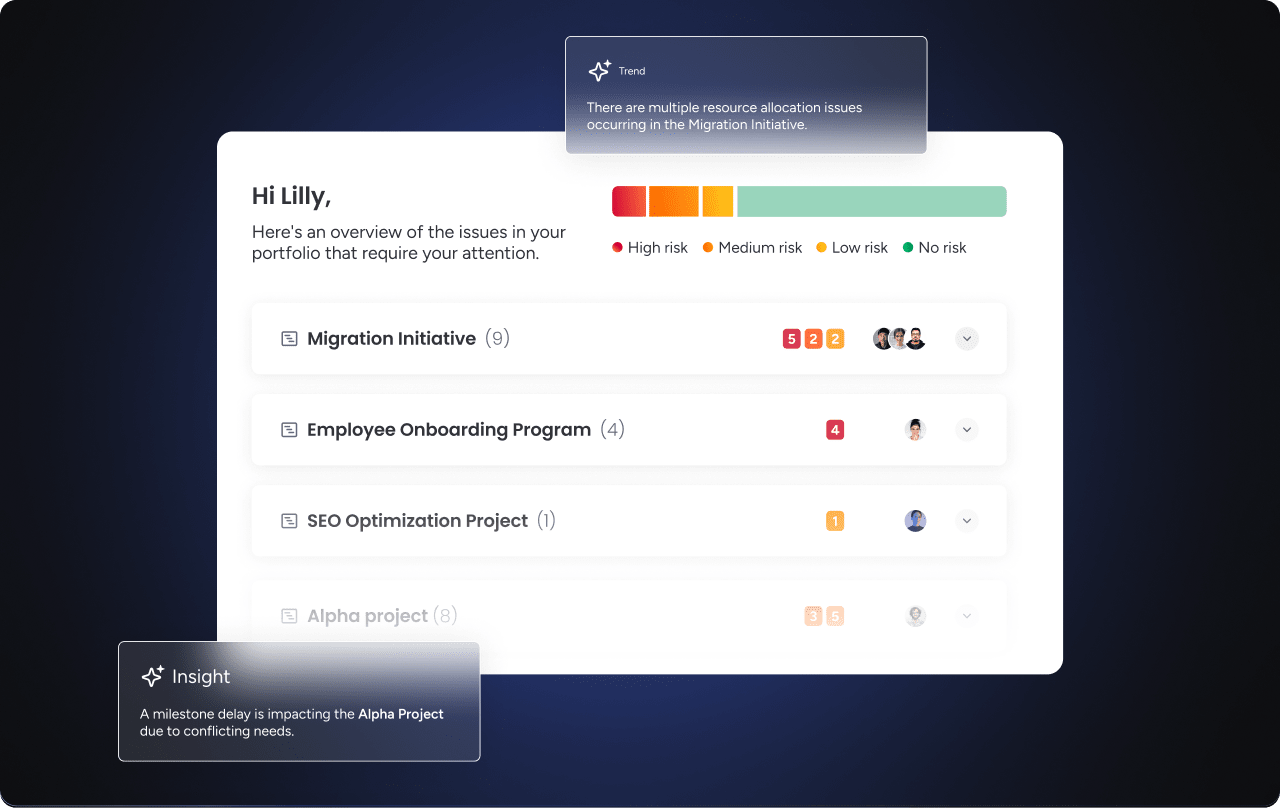
Organizations invest in work management software expecting rapid results. Reality often differs: rollouts can take months, costs increase, and teams struggle to adopt complex systems. This cycle of prolonged implementation and budgetary surprises can leave organizations watching competitors gain a productivity advantage.
When speed and predictable costs are essential, this challenge is familiar. Workfront performs well for creative teams tied to Adobe, but its complexity drives many leaders to explore other options.
Legacy platforms create friction in three key areas:
- Complex implementation: Standard rollouts often take months and require extensive consultant involvement. Lengthy timelines delay outcomes and consume resources that could support growth.
- Opaque pricing: Without clear pricing, organizations struggle to anticipate costs. Hidden fees for additional users, premium features, and essential integrations can lead to unexpected budget overruns.
- Vendor lock-in: Integration with a single ecosystem benefits some teams but limits flexibility for organizations using diverse creative tools or planning future changes to their technology stack.
Modern teams expect platforms to accelerate work, not create roadblocks. They require systems that enable immediate productivity while supporting complexity as their operations expand, connecting strategy to execution from day one.
15 best Workfront alternatives for enterprise success
A work management platform should do more than track projects. It should unify operations across departments. While Workfront has served many enterprises, organizations today demand flexibility, automation, security, and integrations that support growth without heavy coding. The platforms below guide teams toward options that align with their specific goals and operational needs.
1. monday work management
Modern platforms like monday work management consolidate scattered workflows into one unified system. Flexible building blocks allow teams to establish processes quickly and scale operations across the organization. The platform connects projects, portfolios, processes, resources, and goals in a single workspace, giving leaders visibility into how daily work drives strategic outcomes.

Example:
Teams can link Goals & OKRs directly to project execution and operational workflows. Standardized project intake, real-time progress tracking, and shareable portfolio reports are possible without external consulting support.
Key features:
Before committing to a platform, ensure it supports both daily execution and executive oversight: monday work management balances both with project controls, portfolio reporting, and flexible views that match team workflows.
- Advanced project and portfolio oversight: Tools such as Gantt charts, dependencies, baseline, critical path, and milestones allow teams to plan confidently and pivot early when timelines shift.
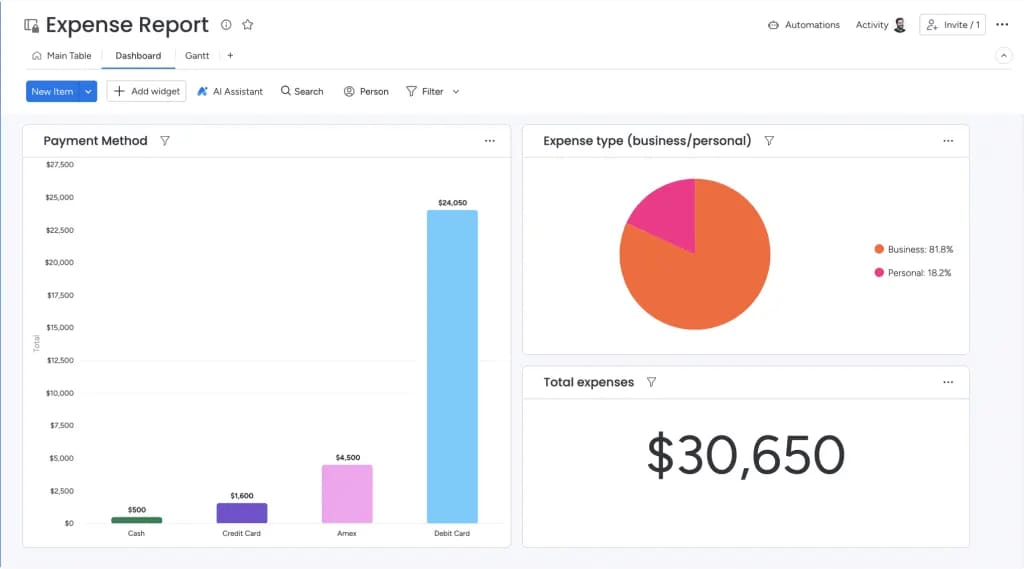
- Dashboards & reporting: Build shareable portfolio reports so stakeholders can track progress, budgets, workloads, and goals without chasing updates.
- Flexible views for different roles: Visualize work through Kanban, workload, calendar, timeline, and other views to ensure each team operates in the format that fits their process best.
Pricing:
- Free: $0 (up to two seats, three boards).
- Basic: $9/seat/month (billed annually).
- Standard: $12/seat/month (billed annually).
- Pro: $19/seat/month (billed annually).
- Enterprise: custom pricing (contact sales).
Annual plans include an 18% discount. Volume discounts are available for teams with more than forty users.
Advanced AI features:
AI should simplify work rather than add complexity. monday work management integrates AI directly into workflows, keeping execution tied to the system of record.
- AI Blocks and AI Automations: Incorporate ready-made actions such as categorize, summarize, detect sentiment, translate, and extract information into board columns and automations to handle repetitive analysis at scale.
- Autofill with AI (Pro and Enterprise): Apply AI actions directly to supported columns, including text, status, dropdown, and people, to accelerate intake triage, routing, and content preparation.
- Digital workforce (coming soon): Digital workers such as Project Analyzer monitor projects in real time, flag bottlenecks, and provide proactive insights so leaders can prevent delays.
Automations:
Automation is essential when evaluating Workfront alternatives. monday work management reduces manual follow-ups while maintaining governance through no-code automations and templates.
- Automations and templates: Establish templated project boards, dispatch approval notifications, trigger reminders, and ensure consistent handoffs across teams.
- AI-powered actions in automations (Pro and Enterprise): Leverage AI blocks such as categorize, summarize text, extract information, and custom actions for complex routing and reporting workflows.
Integrations:
Work rarely exists in isolation. monday work management connects to the systems teams rely on, ensuring updates flow into the workflow rather than being lost in email.
- 200+ integrations: Bridge collaboration and delivery across standard business applications.
- Examples used by PMOs and operations teams: Microsoft Teams, Slack, Jira Cloud (two-way sync), Zoom, Outlook, Gmail, Google Drive, and Excel import.
- Open API: Build custom integrations when organizations require tailored synchronization across systems.
Workfront alternatives features:
Moving from Workfront requires a system teams can configure, report on, and scale across departments without friction.
- Project portfolio management that connects strategy to execution: Centralize project work, track portfolio performance, and align initiatives with Goals & OKRs.
- Resource and workload visibility: Use the workload view to balance capacity and adapt when priorities change.
- Intake, approvals, and standardized delivery: Capture requests consistently, route approvals to appropriate stakeholders, and convert approved work into repeatable execution.
Why it stands out:
Executives require confidence that a platform can scale, while teams need something they will actually use. monday work management delivers both by integrating adoption, visibility, and governance into daily workflows.
- Recognized leadership: Named a Leader in the 2024 Gartner® Magic Quadrant™ for Collaborative Work Management and Adaptive Project Management and Reporting, and recognized in the 2024 Gartner® Magic Quadrant™ for marketing work management.
- Proven speed to value: The Total Economic Impact™ Forrester study reports a payback period of less than four months.
- High adoption: Awarded highest user adoption for enterprises by G2, confirming that teams engage and data remains reliable.
2. ClickUp
Eliminating platform sprawl is ClickUp’s core mission. By combining documentation, communication, and project management in a single environment, the platform provides a comprehensive digital workspace designed to replace fragmented apps. It serves teams seeking extensive customization options and AI-powered automation. With more than 14 million users and a place on Forbes’ Cloud 100 list, ClickUp has established itself as a strong alternative for organizations embracing an all-in-one approach.

Use case:
ClickUp is ideal for organizations that want to consolidate workflows, documents, and communication in one platform while maintaining flexibility to customize views and processes to team-specific needs.
Key features:
- Flexible hierarchy and 15+ views: accommodate workflows from Agile sprints to Waterfall planning with Gantt charts, Kanban boards, and workload management.
- Native AI and automation: Brain AI provides writing assistance, task summarization, and automated status updates, while more than 200 automation recipes reduce repetitive work.
- Integrated collaboration suite: built-in chat, video calls (SyncUps), docs, whiteboards, and wikis link directly to tasks and projects.
Pricing:
- Free Forever: $0 (basic features).
- Unlimited: $7/month per user (billed annually).
- Business: $12/month per user (billed annually).
- Enterprise: custom pricing (contact sales).
- AI add-ons: Brain AI $9/month per user or Everything AI $28/month per user.
- Annual billing: saves up to 30%.
Considerations:
- The learning curve can be steep due to the number of features and customization options.
- Performance may slow with scaling, as some users report delays in larger setups.
3. Asana
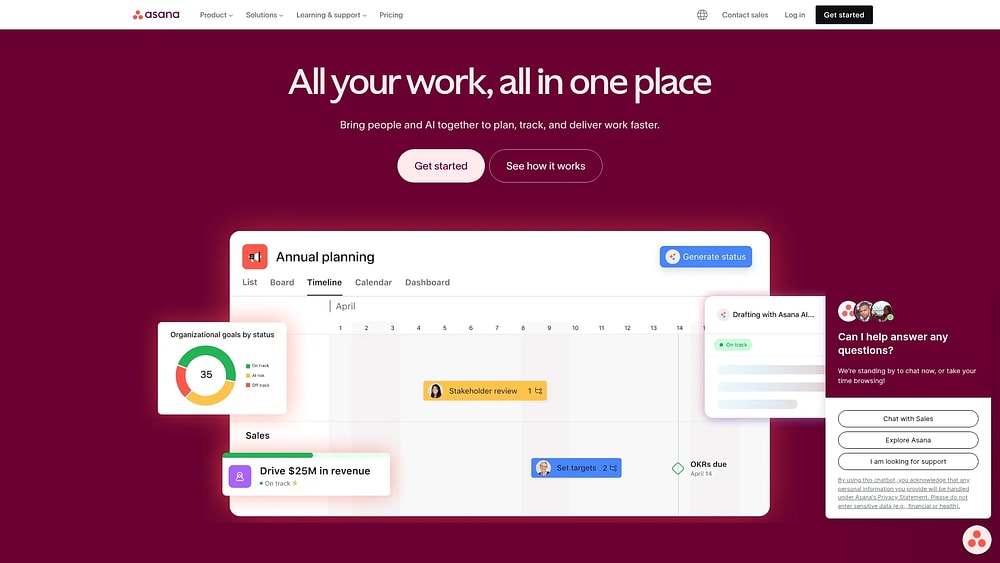
Asana’s Work Graph architecture links everyday work directly to strategic company objectives. It is designed for enterprises needing alignment across cross-functional initiatives without introducing complexity. With AI-powered automation and enterprise-grade security, Asana scales from small workflows to Fortune 100 operations.
Use case:
Asana works well for organizations aiming to connect daily work to company goals through its Goals-to-Portfolios-to-Projects structure, giving leaders real-time visibility into progress while keeping teams focused on execution.
Key features:
- Work Graph data model: connects tasks, projects, portfolios, and goals in one-to-many relationships to maintain cross-functional alignment and reduce duplication.
- AI-powered orchestration: AI Studio, AI Teammates, and Smart Workflows automate intake, planning, and reporting while supporting no-code workflow design.
- Enterprise security and compliance: SOC 2 Type II, ISO 27001/27701 family, HIPAA options, and FedRAMP “In Process” status for regulated industries.
Pricing:
- Personal: free for up to two users with core task/project views and mobile apps.
- Starter: $10.99/user/month (annual) or $13.49 (monthly) including Timeline, Workflow Builder, and unlimited automations.
- Advanced: $24.99/user/month (annual) or $30.49 (monthly) adding Goals, Portfolios, native time tracking, and advanced integrations.
- Enterprise: custom pricing with SAML/SCIM, resource management, and 24/7 support.
- Enterprise+: custom pricing with advanced compliance controls, data residency, and Enterprise Key Management.
- Discounts: nonprofit and education customers may receive up to 50% off.
Considerations:
- Core features like Goals, Portfolios, and native time tracking require the Advanced tier or higher, which may push smaller teams into costlier plans.
- Minimum seat requirements and block purchasing increments may increase costs as teams grow, with some users reporting limited billing flexibility.
4. Trello
Trello emphasizes visual simplicity, allowing teams to get started quickly using Kanban boards and drag-and-drop functionality. It suits teams that require lightweight project coordination without extensive training or setup.

Use case:
Trello is effective for visual task management in small to mid-sized teams that need immediate productivity without complex workflows.
Key features:
- Multiple view options: Timeline, Calendar, Dashboard, Table, and Map views support comprehensive project visualization.
- Butler automation: manages repetitive workflows with no-code rules, buttons, and scheduled commands.
- Over 200 Power-Up integrations: connect platforms like Slack, Google Drive, and Jira directly to boards.
Pricing:
- Free: $0/month for up to ten collaborators per workspace with unlimited cards and Power-Ups.
- Standard: $5/month per user (billed annually) adds unlimited boards, Custom Fields, and advanced checklists.
- Premium: $10/month per user (billed annually) includes all premium views, unlimited automation, and AI features.
- Enterprise: $17.50/month per user (billed annually) adds enterprise admin controls, SSO, and 24/7 support.
Considerations:
- Boards exceeding 1,000 cards may experience performance slowdowns.
- Limited native dependency management often requires Power-Ups for advanced scheduling.
5. Wrike
Wrike offers advanced resource planning and enterprise-grade security, making it suitable for complex creative workflows and cross-functional operations. It is particularly valuable for marketing teams and professional services requiring robust governance controls.

Use case:
Wrike works best for organizations that need deep project controls, creative workflow management, and security, combined with resource planning capabilities.
Key features:
- Custom item types and Blueprints: model campaigns, epics, and service requests.
- AI Work Intelligence with Copilot: assists with prioritization, risk prediction, and automated content creation.
- Datahub integration: connects external data sources directly into workflows for unified analytics.
Pricing:
- Free: $0/user per month with essential task management and board views.
- Team: $10/user per month (two to fifteen users) including AI Essentials and interactive Gantt charts.
- Business: $25/user per month (five to two hundred users) with AI Elite, Copilot, and resource planning.
- Pinnacle: custom pricing with advanced reporting, SSO, and enterprise security.
- Apex: custom pricing with all add-ons except Wrike Lock, including unlimited whiteboards and Datahub.
Considerations:
- Non-PM users may find the learning curve steep.
- Additional capabilities like Whiteboard and Wrike Lock require extra cost beyond base plans.
6. Zoho Projects
Zoho Projects integrates project planning with financial capabilities such as budgeting and invoicing. It is well-suited for organizations already using Zoho applications, providing seamless data flow from CRM to project execution. The platform also offers automation through Blueprint workflows and hybrid project management that combines Gantt and Agile methods.

Use case:
Zoho Projects works best for organizations seeking cost-effective project management with robust business integration and workflow automation without extensive custom development.
Key features:
- Visual Blueprint workflows: automate project processes and standardize team procedures across departments.
- Hybrid project management: combines Gantt charts with Agile Scrum boards via native Zoho Sprints integration.
- Comprehensive resource management: includes workload balancing, time tracking, and invoicing through Zoho Books integration.
Pricing:
- Free: up to three users with basic project management features.
- Premium: $4/user/month (billed annually) with Gantt charts and time tracking.
- Enterprise: $9/user/month (billed annually) including critical path analysis and portfolio dashboards.
- Ultimate: $16/user/month (billed annually) with advanced reporting and custom roles.
- Annual billing: saves over 15%.
- Add-ons: available for read-only users, additional resources, and client access.
Considerations:
- Critical path analysis and global workload reporting are restricted to higher-tier plans.
- Third-party integrations may require additional setup compared to native Zoho app connections.
7. Jira
Jira connects software development with broader business operations, making it ideal for teams requiring both Agile capabilities and business process automation. Its Teamwork Graph and AI-powered insights via Rovo link technical projects with non-technical workflows.

Use case:
Jira is suited for organizations that need to align software development with company initiatives while maintaining visibility across technical and non-technical teams.
Key features:
- Multiple visual views: Kanban boards, timeline (Gantt-style), calendar, and dashboards allow comprehensive project tracking.
- Native approval workflows and structured intake forms: streamline business processes without technical expertise.
- Automation with AI insights: reduces manual work and provides intelligent project recommendations.
Pricing:
- Free: $0/month for up to ten users with 2GB storage and 100 automation runs per month.
- Standard: $7.16/user/month (billed annually) with 250GB storage and 1,700 automation runs per month.
- Premium: $12.48/user/month (billed annually) including 24/7 support, 99.9% SLA, and 1,000 automation runs per paid user monthly.
- Enterprise: custom pricing with unlimited automation, 99.95% SLA, and advanced analytics.
- Annual billing: saves up to 17%.
- Academic discounts: up to 50% for eligible institutions.
Considerations:
- Non-technical users may face a steep learning curve with heavily customized projects.
- Advanced governance features like approvals are only available in Premium or Enterprise tiers, limiting functionality for smaller teams on basic plans.
8. Basecamp
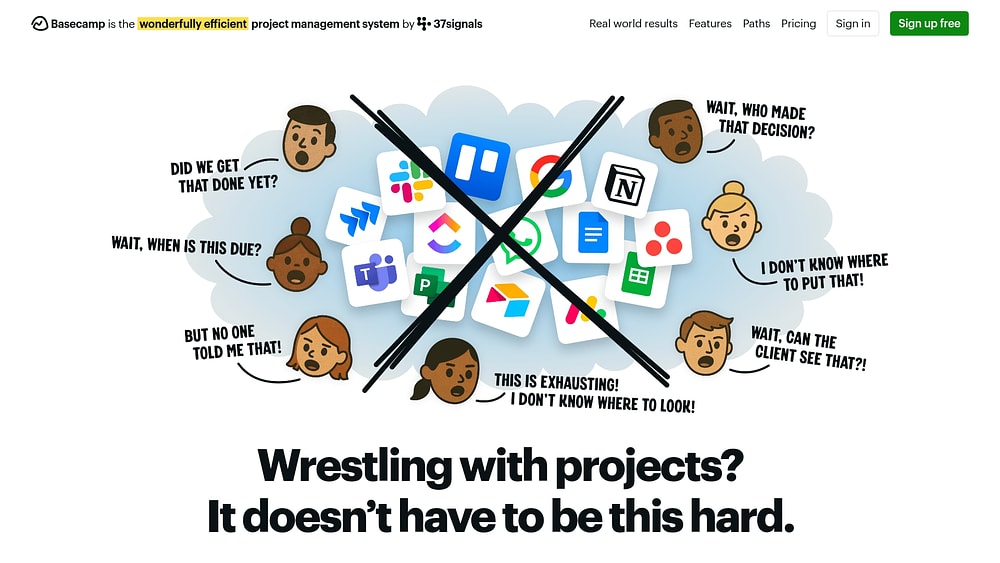
Basecamp emphasizes simplicity over complexity. Designed to consolidate multiple collaboration tools into a single system, it appeals to agencies and client-focused teams. With flat-rate pricing and intentionally limited features, Basecamp reduces the tool sprawl that can overwhelm growing teams.
Use case:
This platform works well for teams that need centralized project coordination without the complexity of enterprise-grade project management software.
Key features:
- All-in-one workspace: combines message boards, task lists, Kanban boards, scheduling, file sharing, and team chat.
- Hill Charts visualization: tracks progress by showing whether work is in the problem-solving or execution phase.
- Client collaboration: built-in client access controls and email integration enable smooth external communication.
Pricing:
- Free forever: one project, 1GB storage, up to twenty users.
- Plus: $15/user/month with optional add-ons (Timesheet and Admin Pro Pack at $50/month each).
- Pro Unlimited: $299/month billed annually for unlimited users and all features included.
- Education discount: 100% free for K-12 and university classroom use.
- Nonprofit discount: 10% off for registered 501(c)(3) organizations.
Considerations:
- Advanced reporting and analytics are limited compared to enterprise platforms.
- No native Gantt charts or dependency management, which require third-party add-ons.
9. Smartsheet
Smartsheet enhances the traditional spreadsheet interface with enterprise-grade governance, catering to large organizations that require security, compliance, and portfolio oversight. Recognized as a Gartner Magic Quadrant Leader, Smartsheet provides credibility and performance for Fortune 500 companies.

Use case:
The platform is suitable for enterprises that need spreadsheet-style usability combined with rigorous governance, security compliance, and portfolio-level visibility across multi-departmental initiatives.
Key features:
- Multiple work views: includes grid, Gantt, Kanban, calendar, and timeline with advanced dependency tracking and critical path analysis.
- Control Center: standardizes project blueprints, automates provisioning, and enables portfolio-wide reporting.
- Enterprise-grade security: SOC 2, ISO certifications, HIPAA compliance, FedRAMP authorization, and multi-region data residency options.
Pricing:
- Pro: $9/month per member annually or $12/month monthly for one to ten members with unlimited viewers.
- Business: $19/month per member annually or $24/month monthly with minimum three members, unlimited guests, and viewers.
- Enterprise: quote-only pricing for ten or more members with SAML SSO, enterprise admin controls, and AI features.
- Advanced Work Management: quote-only bundle including premium apps such as Control Center, Dynamic View, and Data Shuttle.
- Premium add-ons: Dynamic View starts at $125/month and Data Shuttle at $100/month.
- Annual billing: provides significant discounts compared to monthly rates.
Considerations:
- Premium features such as portfolio governance, secure external sharing, and advanced integrations may increase total cost of ownership.
- Sheet-level performance constraints with 500,000 cell limits and regional data isolation can affect scalability for very large deployments.
10. Microsoft Project
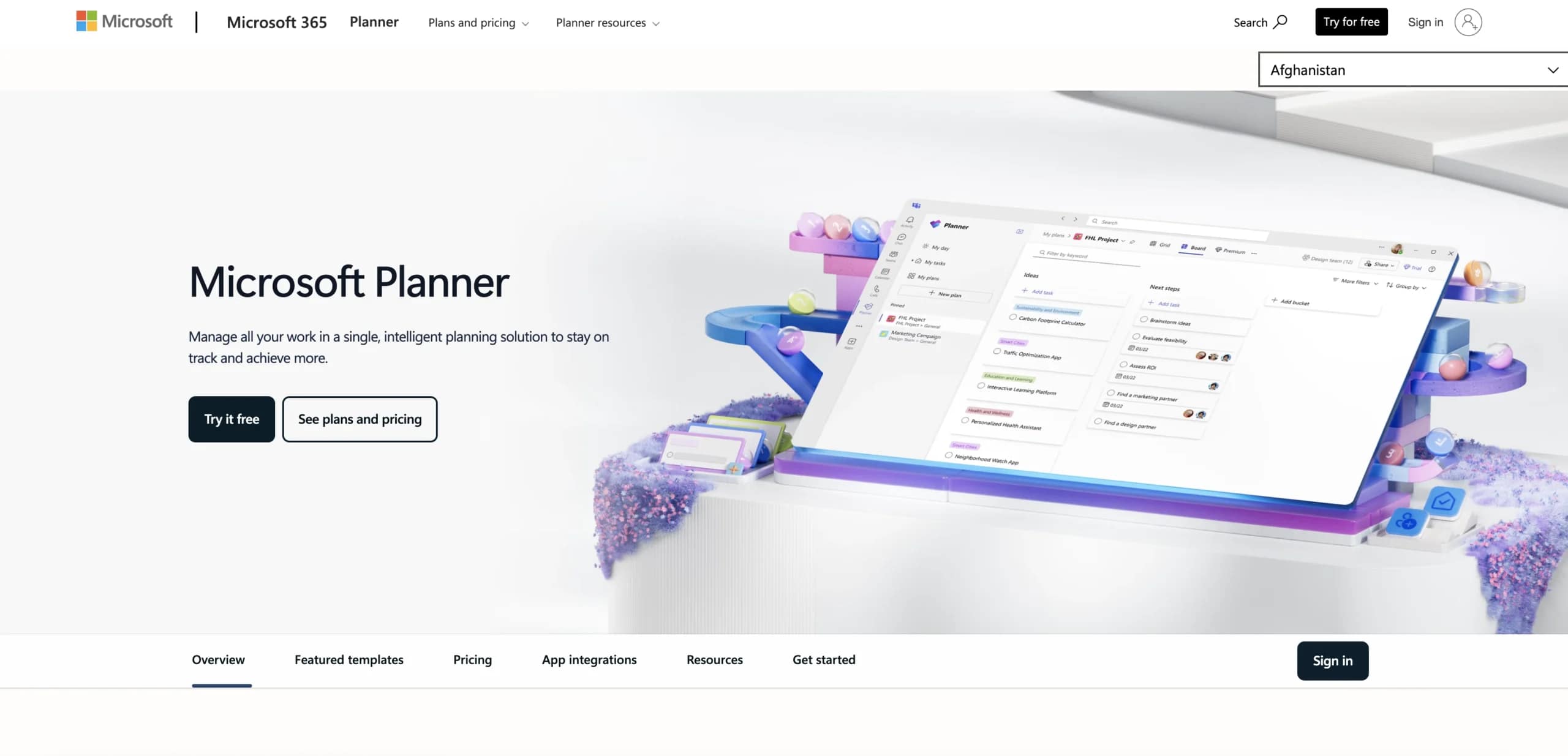
Microsoft Project integrates deeply with the Microsoft 365 ecosystem, connecting naturally with Teams, SharePoint, and Power BI. It supports complex scheduling, resource management, and portfolio planning for large-scale projects. While implementation requires specialized training, the platform delivers AI-powered insights through Copilot in Planner.
Use case:
This platform is best for large enterprises managing multi-departmental portfolios, particularly those already invested in Microsoft 365 infrastructure seeking unified project visibility.
Key features:
- Microsoft ecosystem integration: Teams, SharePoint, and Power BI provide unified collaboration.
- Advanced scheduling and resource management: includes Gantt charts, dependencies, and critical path analysis.
- Portfolio planning: AI-powered insights and recommendations through Copilot.
Pricing:
- Planner in Microsoft 365: included with eligible Microsoft 365 subscriptions.
- Planner Plan 1: $10/month per user paid annually.
- Planner and Project Plan 3: $30/month per user paid annually.
- Planner and Project Plan 5: $55/month per user paid annually.
- Project Standard 2024: $679.99 one-time purchase.
- Project Professional 2024: $1,129.99 one-time purchase.
- Power BI Pro: often required for advanced reporting.
- Power Apps: licensing needed for some customizations.
Considerations:
- Implementation complexity often requires dedicated PMO resources and specialized training.
- The learning curve creates barriers for rapid deployment across teams without extensive Microsoft experience.
11. Teamwork
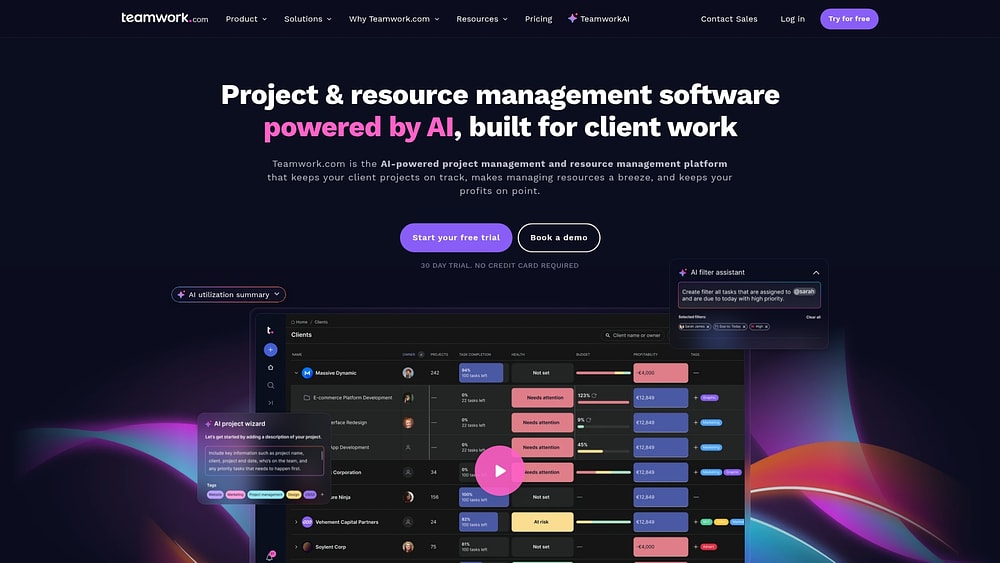
Teamwork is designed for agencies and professional services teams, integrating project execution with profitability tracking and resource scheduling. It helps organizations manage multiple client engagements while keeping visibility into billable hours and resource utilization.
Use case:
This platform is ideal for agencies, consultancies, and professional services teams that need to manage client projects while tracking profitability, resources, and billable work in a unified system.
Key features:
- Native time tracking: includes billable and non-billable rates, timesheets, and approval workflows.
- Resource management: features workload planning, capacity forecasting, and utilization reporting.
- Client collaboration: allows unlimited client users on paid plans with granular permission controls.
Pricing:
- Free: up to five users, five projects, 100 automation actions per month.
- Deliver: $10.99/user/month billed annually with a minimum of three users.
- Grow: $19.99/user/month billed annually with a minimum of five users.
- Scale: contact sales for pricing.
- Enterprise: quote-only with advanced security and premium support add-ons.
- Annual billing: saves 20% across all paid plans.
- Free trial: 30 days with no credit card required.
Considerations:
- Advanced financial features such as profitability reports and retainer management require higher-tier plans.
- Occasional UI changes and the learning curve may impact user experience during onboarding.
12. Celoxis
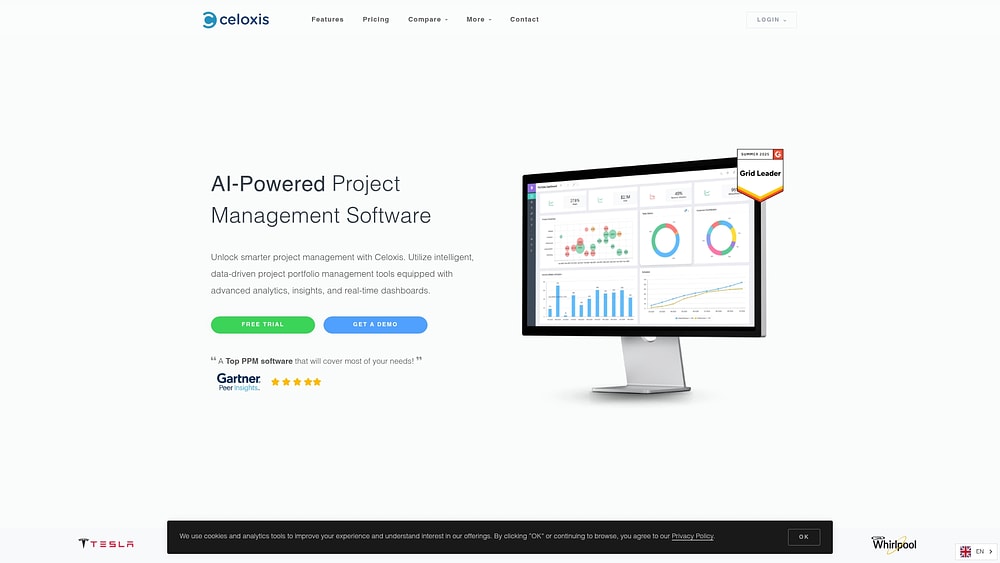
Celoxis supports mid-market and enterprise PMOs with financial tracking and resource capacity planning. Cloud and on-premise deployment options provide flexibility for regulated industries and organizations requiring strict data control.
Use case:
This platform is suitable for PMO-led organizations that need portfolio analytics, cross-project resource management, and workflow automation beyond traditional project management.
Key features:
- Custom workflow apps: model any business process with state machines, triggers, and escalation policies.
- Advanced resource management: includes capacity planning, skills-based allocation, multi-location support, and instant conflict detection.
- Custom dashboards and reporting: offer formula fields, drill-down capabilities, and automated email delivery for executive visibility.
Pricing:
- Core: $10/month annually with two free read-only users.
- Essentials: standard users $25/month, team-member $18/month, timesheet $12/month with five free read-only users.
- Professional: standard users $35/month, team-member $24/month, timesheet $12/month with ten free read-only users.
- Business: standard users $45/month, team-member $29/month, timesheet $14/month with 15 free read-only users.
- Enterprise: custom pricing available.
- Minimum purchase: five full-access users.
- Optional remote services: installation $199, data migration $299.
Considerations:
- The learning curve can be steep due to extensive configuration and interface complexity.
- The mobile experience is functional but limited, with no native mobile app.
13. Miro
Infinite canvases allow Miro to transform visual collaboration into structured execution. It bridges creative brainstorming and operational management, making it ideal for cross-functional teams that need to connect strategy with daily execution. With AI-powered workflows and deep integrations with development platforms, Miro links visual planning directly to project tracking systems.

Use case:
Miro is suited for teams working on visual project management that want to brainstorm, plan, and transition ideas into organized, trackable workflows efficiently.
Key features:
- Visual project management: includes Kanban boards, tables, and timelines on a shared canvas alongside brainstorming artifacts.
- AI workflows: accelerate idea-to-outcome processes by converting unstructured inputs into structured roadmaps, briefs, and project plans.
- Two-way sync: with Jira and Azure DevOps for seamless planning-to-execution handoffs.
Pricing:
- Free: $0 with unlimited members, three editable boards, and ten AI credits per month per team.
- Starter: $8 per month per member (billed annually) with unlimited boards, public sharing, and 25 AI credits per member monthly.
- Business: $16 per month per member (billed annually) with multiple workspaces, SSO, advanced diagramming, and 50 AI credits per member monthly.
- Enterprise: custom pricing for 30 members or more with enterprise-grade security and governance features.
Considerations:
- Two-way sync focuses primarily on developer platforms rather than broader project management systems.
- Advanced planning features like dependencies and Planner require Business or Enterprise tiers, limiting accessibility for smaller teams.
14. Notion
Notion combines documentation, databases, and project management into a single workspace. Its block-based architecture offers flexibility, allowing teams to build custom workflows without rigid templates. This makes it ideal for organizations that prioritize adaptability over prescribed structures.

Use case:
Notion works best for teams that want a unified workspace for knowledge management, project tracking, and AI-powered automation, all within a highly customizable environment.
Key features:
- Block-based interface: allows creating wikis, roadmaps, and project trackers with complete customization freedom.
- Flexible workflow views: native sprints, dependencies, and timelines integrate with adaptable database structures.
- AI-powered tools: include enterprise search, automated meeting notes, and an intelligent agent for multi-step workflow execution.
Pricing:
- Free: $0 per member per month with unlimited blocks for individuals; team blocks are limited.
- Plus: $10 per member per month.
- Business: $20 per member per month with SAML SSO, AI features, and premium integrations.
- Enterprise: custom pricing with SCIM, advanced security controls, and audit logs.
- Annual billing saves up to 20%.
- Free Plus plan available for eligible students and student organizations.
Considerations:
- The open-ended nature can create a steep learning curve requiring upfront configuration and workspace governance.
- Performance may slow with very large databases, and offline functionality is limited to downloaded pages only.
15. Pinrom
Pinrom provides an affordable project management alternative for freelancers and small teams priced out of enterprise solutions. It focuses on simplicity, transparency, and essential work management features, making professional project management accessible to budget-conscious teams.

Use case:
Pinrom is ideal for small teams of one to fifty people seeking straightforward project management with client-facing capabilities and time tracking at a low cost.
Key features:
- Client portal: provides project visibility and approval workflows for transparent stakeholder communication.
- Time logging and tracking: monitor productivity and billable hours.
- Simple project structure: includes tasks, priorities, and list or board views for quick team adoption.
Pricing:
- Solo: $12 per year per user (effectively $1 per month, billed annually).
- Team: $12 per year per user (minimum five users, up to 20 users).
- Agency: $48 per year per user (minimum 20 users, includes custom reporting).
- Pinrom AI: $5 per month (separate early-access product for AI-powered collaboration).
Considerations:
- Several key features are still coming soon, including task versioning and version approvals.
- Limited integration options and no published third-party security attestations may concern regulated organizations.
Essential features in today's Workfront alternatives
Six-month software implementations are outdated. Today’s organizations require platforms that deliver value immediately, embedding intelligent automation into workflows rather than as an afterthought. Effective alternatives demonstrate a shift in how systems deploy, operate, and evolve alongside business needs.
Rapid deployment and adoption
Speed is critical. Modern platforms must accelerate momentum instead of slowing teams down. A robust alternative enables work to begin within days through a self-serve setup, transforming onboarding into an effortless experience.
Frictionless adoption often includes:
- Intuitive interfaces: teams can start productive work with minimal training.
- Template library: proven workflows for any department can be launched in a few clicks.
- Code-free customization: workflows can be built and adapted by anyone without technical support.
Embedded AI and automation

Automation is now an essential capability rather than an optional add-on. Platforms with embedded AI help teams focus on high-value work while reducing administrative overhead. Features to look for include:
- Intelligent assignments: work is routed automatically based on team capacity and skill sets.
- Automated status updates: stakeholders receive real-time progress visibility with reduced manual reporting.
- Predictive insights: potential risks and bottlenecks are flagged before they disrupt projects.
Strategic resource and portfolio management

Seeing the full picture is essential for connecting strategy to execution. Effective resource management goes beyond simple task assignment; it provides the visibility needed to balance workloads, plan capacity, and direct resources to the initiatives that deliver the most impact. There is no reason to rely on a platform that only shows part of the story.
Leaders leverage modern platforms like monday work management to achieve this visibility without requiring complex integrations. It connects portfolio-level objectives with ground-level execution, offering real-time insights into workloads and capacity planning. This functionality enables scenario modeling and confident resource decisions that drive organizational growth.
Try monday work management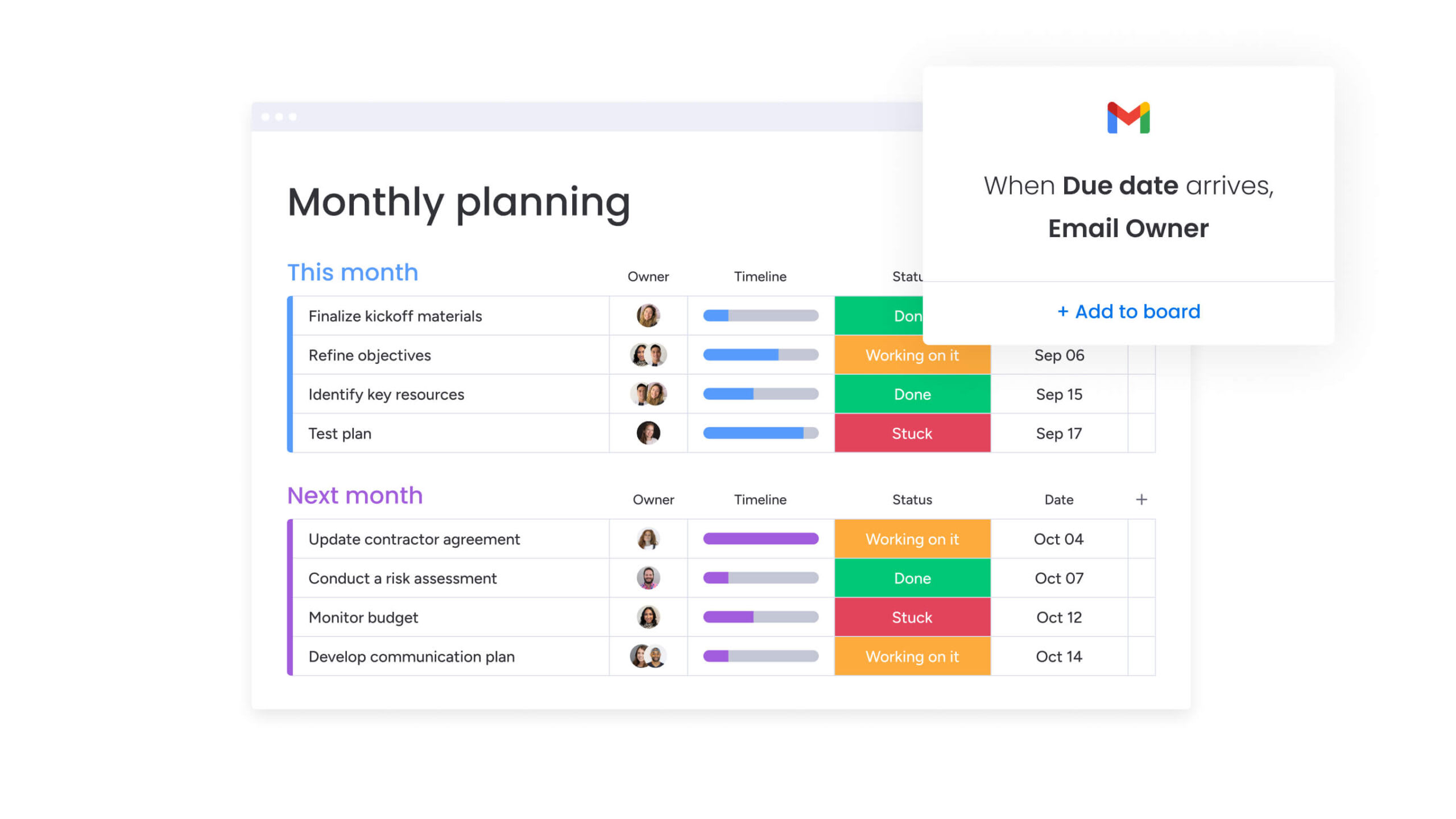
How to select your ideal Workfront alternative
Choosing a Workfront alternative is more than swapping software; it is an opportunity to redesign how your organization operates. This decision affects collaboration, executive visibility, and your ability to adapt over the long term. A careful evaluation ensures you select a platform aligned with strategy, not just budget.
Step 1: map your ideal implementation timeline
Time-to-value is a critical consideration. Some platforms take months to configure, while others allow teams to start in days. Establishing your timeline helps narrow the field of options.
Frame your timeline by asking key questions to clarify whether you need a rapid deployment or a longer rollout for deeper capabilities.
- Business urgency: Are current bottlenecks delaying delivery or affecting deals? If so, a fast-deploying platform is essential.
- Change capacity: Does your team have the bandwidth for a complex transition, or is minimal disruption required?
- Deployment strategy: Can the platform be rolled out department by department, or is a full launch necessary?
- Workflow dependency: How tightly are current processes tied to your existing platform? A lighter footprint allows quicker adoption.
Step 2: calculate the true total cost of ownership
Subscription fees represent only a fraction of the total investment. A three-year financial analysis should include implementation, training, and ongoing maintenance to understand the platform’s full cost.
- License costs: Include base fees, user counts, and tier upgrades needed for essential features.
- Implementation expenses: Factor in consultant fees, internal resource time, and integration costs.
- Training investment: Consider onboarding, as well as the temporary productivity dip during adaptation.
- Maintenance and support: Account for ongoing administration, workflow updates, and technical support.
- Add-on features: Include premium capabilities, additional integrations, or AI features that incur extra costs.
Step 3: define your integration requirements
A platform’s value grows when it connects seamlessly with your existing systems. Assess whether potential platforms integrate naturally or require custom work, as custom integrations can create long-term maintenance challenges.
- Communication: Links with email, chat, and video conferencing tools your teams already use.
- Business applications: Integrates with CRM, ERP, and financial software to provide a single source of truth.
- Development and creative: Supports workflows with connections to code repositories and design tools.
- Data and analytics: Feeds directly into BI platforms for unified reporting.
Step 4: evaluate your AI and automation needs
Reducing administrative work frees teams for high-value projects. Identifying repetitive processes helps determine where automation adds the most value, ensuring you only invest in capabilities you will use.
- Repetitive workflows: Automate status updates, reports, and routine data entry.
- Intelligent resource allocation: Match team members to work based on skills and availability.
- Predictive analytics: Identify project risks and resource needs before they become problems.
- Process optimization: Use AI to reveal bottlenecks and suggest workflow improvements over time.
Why monday work management powers enterprise transformation
Complex platforms that slow teams down are unnecessary. Modern platforms like monday work management combine enterprise-level capabilities with an intuitive design that teams enjoy using. They deploy in days, not months, and embed intelligence into the platform, eliminating costly add-ons.
AI that works for you
Intelligence should be accessible from day one. Platforms like monday work management provide AI capabilities that automate work and extract actionable insights without requiring extra licensing.
- Categorize data at scale: Organize information and extract key takeaways with AI Blocks.
- Monitor project health: Digital Workers identify risks and bottlenecks before they affect timelines.
- Optimize resource allocation: Smart algorithms match the right people to the right work.
Deploy in days with proven success
Long implementation cycles can stall momentum. Visual interfaces and pre-built templates enable teams to start using monday work management in hours, not months. Custom workflows can be configured using intuitive building blocks, avoiding the need for consultants.
Fast deployment translates directly to impact. Forrester reports that organizations achieve payback in fewer than four months, allowing teams to expand systematically.
Connect every department seamlessly
Visibility is impossible when teams operate in isolation. monday work management provides over two hundred examples to help marketing, operations, HR, and finance build workflows that fit their needs. Leadership gains a unified view while teams use the platform configured for their work.
Integrated systems reduce silos and standardize processes. Over two hundred native integrations and no-code automations allow cross-functional collaboration to work smoothly.
Scale without limits
Growing organizations require platforms that expand alongside them. monday work management offers enterprise-grade security, compliance, and governance, including SOC 2 Type II and GDPR standards, without sacrificing usability.
| Dimension | monday work management | Traditional platforms (Workfront) |
|---|---|---|
| Implementation timeline | Deploy in days; full rollout in weeks | 4-8 months with required consultants |
| AI capabilities | Included in core plans | Premium add-ons with extra fees |
| Pricing transparency | Clear, published pricing tiers | Opaque pricing with long sales cycles |
| User adoption | Intuitive interface driving high adoption | Steep learning curves requiring training |
| Customization approach | Flexible, no-code building blocks | Rigid frameworks needing custom code |
| Integration ecosystem | 200+ native integrations and an open API | Limited integrations focused on one ecosystem |
From hundreds to thousands of users, the platform scales without performance issues. Flexible building blocks allow adaptation as business needs evolve, avoiding rigid constraints.

“monday.com has been a life-changer. It gives us transparency, accountability, and a centralized place to manage projects across the globe".
Kendra Seier | Project Manager
“monday.com is the link that holds our business together — connecting our support office and stores with the visibility to move fast, stay consistent, and understand the impact on revenue.”
Duncan McHugh | Chief Operations OfficerStart your transformation today
Choosing a new work management platform is a chance to redefine organizational operations, not simply replace software. Moving away from rigid systems empowers teams to build workflows that fit their needs, improving adoption and data accuracy.
Whether prioritizing rapid deployment, deep customization, or AI insights, the right platform turns operational complexity into a competitive advantage. Seek solutions that connect strategy to execution, providing leadership with visibility while keeping teams agile and engaged.
Try monday work managementFrequently asked questions
How quickly can I implement a Workfront alternative?
Core functionality can be deployed in days. A full enterprise rollout with customizations and integrations typically completes in two to four weeks.
What is the typical cost difference between Workfront and alternatives?
Total cost of ownership is often forty to seventy percent lower over three years. Platforms like monday work management offer transparent pricing and self-service deployment, reducing hidden costs.
Which Workfront alternatives include AI without extra fees?
Platforms such as monday work management, ClickUp, and Asana include AI in standard plans. Workfront usually requires additional licensing for advanced AI features.
Can I pilot a Workfront alternative before full deployment?
Yes, most alternatives offer free trials or pilot programs to test workflows before full adoption.
How do Workfront alternatives handle creative workflows?
They provide features for proofing, version control, and approval automation. Flexible boards allow teams to configure workflows to match creative processes.
Which platforms avoid vendor lock-in unlike Workfront?
Platforms with open APIs and import/export options, like monday work management, support data migration and broad integrations across tech stacks.
What security and compliance features should I expect in Workfront alternatives?
Enterprise-grade platforms offer SOC 2 Type II, GDPR compliance, data encryption, HIPAA support, and role-based access control.
How do I migrate data from Workfront to an alternative platform?
Export Workfront data and use the new platform’s import tools or API. Documentation and support guide teams through migration.
Can Workfront alternatives support global teams across time zones?
Yes, leading platforms provide multi-language support and real-time collaboration, enabling asynchronous work globally.
What training resources do Workfront alternatives provide?
Most platforms offer video tutorials, templates, and community forums. Intuitive design often allows productivity in days rather than weeks.

 Get started