


Running a digital marketing agency means juggling multiple client accounts, each with its own brand identity, campaign schedule, and set of expectations. One client may require a full social media strategy overhaul, another demands weekly performance reports, and a third has several product launches to coordinate within the quarter. Even the most talented teams can struggle to keep everything moving smoothly when information is spread across disconnected systems.
High-performing agencies rely on platforms that do more than provide features — they create an operational backbone. Such systems connect creative execution, client communication, and resource planning into a single, cohesive workflow. When tools work together seamlessly, teams spend less time hunting for information and more time delivering campaigns that drive measurable results.
This guide covers 15 essential platforms for agencies in 2026, spanning content creation, analytics, CRM, workflow automation, and more. Each tool is presented with its core use cases, key features, and considerations, showing how a connected tech stack helps agencies scale efficiently while maintaining quality across every client account.
Key takeways
- Digital marketing agencies require an integrated tech stack: managing multiple clients and campaigns efficiently depends on connecting specialized tools rather than relying on isolated apps.
- Centralized work management improves visibility and coordination: platforms that unify project tracking, resource planning, and client communication reduce friction and prevent context-switching.
- AI and automation enhance productivity: tools that support AI-driven insights, content generation, and workflow automation help agencies scale without adding manual overhead.
- Data-driven reporting is essential for performance and transparency: consolidating analytics from multiple platforms into real-time dashboards enables faster decision-making and clearer client communication.
- monday work management provides a cohesive operational backbone: serving as a central Work OS, it connects campaigns, resources, and reporting to streamline agency workflows and support scalable growth.

Managing a dozen client accounts is like running a dozen distinct companies. Each account carries unique branding, specific goals, and strict deadlines, creating a complex web of priorities that overwhelms standard software. This multi-client reality requires more than a simple marketing application — it demands a robust operational backbone.
What separates agencies that scale from those drowning in administrative work? The right platform must address a few critical needs. It should help teams:
- Centralize client management: control every account from a single, organized environment, reducing the constant switching between disconnected systems.
- Connect every function: align creative, account, and leadership teams so campaign execution stays in step with client strategy.
- Grow without friction: onboard new business and expand services confidently, knowing that core operations can handle the load.
Instead of piecing together multiple platforms, top agencies run all work on monday work management. This approach connects campaign execution, resource planning, and client communication on one platform.
The outcome is a system that scales with the agency and delivers consistent results across every account.
15 best digital marketing agency platforms
Building a formidable digital marketing agency does not rely on a single “magic bullet” software. It requires specialized tools that work together seamlessly. These tools power content creation, campaign execution, analytics, and client management.
When platforms are integrated, agencies eliminate data silos, prevent duplicated work, and gain a transparent view of performance. The most effective agencies use a unified platform that connects their tech stack — giving leaders accurate data and teams the clarity to execute. Here are solutions that help agencies achieve this system.
1. monday work management
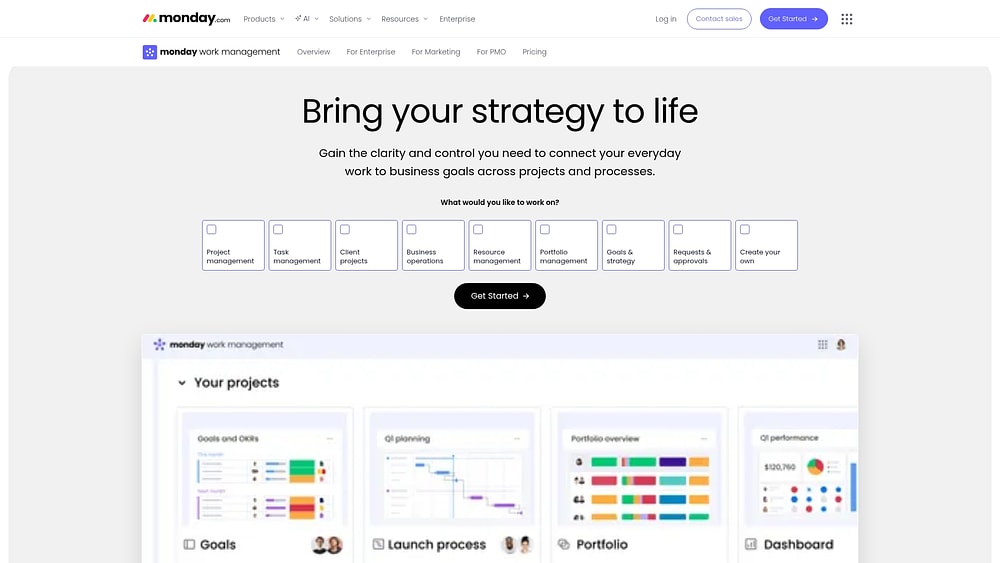
Modern platforms like monday work management allow agencies to manage client work as one cohesive portfolio rather than scattered projects. By consolidating campaigns, requests, resources, and reporting into a single environment, teams can coordinate across strategy, creative, and operations without losing critical context.
Rather than forcing agencies into a rigid framework, the flexibility of the monday.com Work OS lets teams customize boards, views, dashboards, and automations to match their exact workflow — from brief intake to final report.
Example:
Agencies gain tighter control when client projects are managed with portfolio-level visibility, standardized intake, and unified timelines. Campaign briefs are captured with a Form, routed automatically for approval, tracked with a Gantt chart, and shared with stakeholders via live dashboards. Delivery remains on track even when priorities shift.
Key features
- Portfolio management: link projects across the agency and review progress on dashboards. Leaders can spot risks, identify workload gaps, and manage timelines before issues arise.
- Project views for agency planning: utilize Gantt, Kanban, Workload, Calendar, and Timeline views to suit different working styles while drawing from one shared data set.
- Requests and approvals built in: deploy Forms to standardize intake for creative requests or campaign launches and manage approvals to keep work moving with clear expectations.
- Resource management with real capacity signals: use the Workload View to measure bandwidth accurately before committing to new client deliverables.
- Executive-ready reporting: create dashboards that consolidate timelines, workloads, and portfolio stats for fast alignment with stakeholders.
Advanced AI features
AI on monday work management focuses on three pillars — AI Blocks, Product Power-ups, and a Digital Workforce — designed to inject intelligence exactly where workflows stall.
AI Blocks (available through columns and automations):
- Categorize: automatically tag incoming requests such as “paid social,” “creative refresh,” or “urgent” based on text analysis.
- Summarize: condense long updates or meeting notes into concise takeaways and action items.
- Detect sentiment: gauge whether feedback is positive, neutral, or negative to help account teams prioritize responses.
- Extract info from files: pull essential details from PDFs and images directly into board columns — ideal for briefs and contracts.
- Translate: localize text instantly for global campaigns.
- Custom block: design prompts to generate AI outputs tailored to specific workflows.
- Digital Workforce (coming soon): a suite of Digital Workers built to execute tasks autonomously, including a Campaign Manager that analyzes performance and provides actionable optimization insights.
Automations
Smooth handoffs are critical for agencies. Automations and templates allow teams to launch repeatable workflows instantly while keeping ownership clear.
- Templated workflows for recurring campaigns: standardize phases such as intake, planning, production, and launch, then adjust details for each client.
- Automated approvals and reminders: trigger stakeholder sign-offs, notify the next person in the chain, and send nudges so projects never stall.
Integrations
Agencies rarely operate in a single system, and they should not have to. monday work management connects with 200+ integrations and offers an open API for custom connections.
Common integrations include:
- Collaboration: Slack, Microsoft Teams.
- Email and calendar: Gmail, Outlook.
- Delivery and files: Google Drive.
- Planning and coordination: Zoom.
- Project data consolidation: Excel.
- Time and cost visibility: Toggl, Harvest.
- Work alignment across systems: Jira Cloud, Asana, Basecamp.
Core agency features
Agency workflows become tangled when intake, delivery, and resourcing exist in separate systems. monday work management integrates these threads so planning and reporting rely on the same data.
- Resource allocation and capacity planning: use the Workload View to identify utilization issues and rebalance the team before deadlines are missed.
- Campaign management and execution: align timelines with Gantt, track stages with Kanban, and highlight critical dates with Milestones.
- Operational visibility for leaders: create dashboards summarizing portfolio health across all clients, with the ability to drill down into the work behind metrics.
Pricing
- Free: $0/month (up to two seats, three boards).
- Basic: $9/month per seat (annual billing, minimum three users).
- Standard: $12/month per seat (annual billing, 250 monthly automation actions).
- Pro: $19/month per seat (annual billing, 25,000 monthly automation actions).
- Enterprise: custom pricing (250,000 monthly automation actions).
Annual billing provides approximately 18% discount compared to monthly plans. AI credits are metered separately at $0.01 per credit on annual plans.
Why it stands out
- Recognized by analysts: named a Leader in the 2025 Gartner Magic Quadrant for Collaborative Work Management and Adaptive Project Management and Reporting, and a leader in the 2024 Gartner Magic Quadrant for marketing work management.
- Proven enterprise outcomes: Forrester Total Economic Impact research reports 346% ROI for Motorola, with a payback period under four months.
- Built for adoption at scale: designed for intuitive use, driving consistent adoption, which ensures reliable portfolio reporting.
2. Asana
Coordination can quickly become chaotic without a clear map. Asana addresses this challenge with its Work Graph architecture, which links tasks, projects, and goals to provide visibility and strategic alignment. The platform excels at connecting high-level objectives to daily execution through built-in goal management and portfolio views. Teams typically adopt Asana when they require a system that supports cross-functional scale beyond simple project lists.

Use case:
Teams handling complex, interdependent workflows that need a clear connection between daily work and strategic objectives across multiple portfolios.
Key features:
- Work Graph architecture: a relational model connecting tasks, projects, portfolios, and goals to provide strategic visibility.
- Native goal management: built-in OKR tracking that updates automatically based on progress of linked work.
- AI-powered automation: includes AI Studio for no-code workflows, a Smart Workflow Gallery, and AI teammates that monitor projects and suggest next steps.
Pricing:
- Personal: free for up to two users with unlimited tasks, projects, and basic views.
- Starter: $10.99 per user per month (billed annually) includes Timeline, Gantt charts, Universal Reporting, custom fields, and unlimited automations.
- Advanced: $24.99 per user per month (billed annually) adds Goals, unlimited portfolios, workload management, native time tracking, and enterprise integrations.
- Enterprise: custom pricing with SAML/SCIM, advanced admin controls, 24/7 support, and custom branding.
- Enterprise+: custom pricing includes audit logs, data residency, encryption key management, and HIPAA compliance options.
Considerations:
- Strategic features such as Goals and Portfolios are only available on higher-tier plans, which may impact budget planning.
- Advanced functionality has a steeper learning curve for teams accustomed to simpler project management tools.
3. Notion
Knowledge management can feel tedious, but Notion transforms it into a creative advantage. Agencies can create interconnected workspaces that store everything from brand guidelines to content calendars. The platform is especially effective for custom databases and wikis, providing fast access to essential information for teams managing multiple clients.

Use case:
Agencies that need a centralized hub for documentation, standard operating procedures, and content planning that is easily accessible by the team.
Key features:
- Flexible database functionality: multiple views including calendar, Kanban, and table for planning and tracking assets.
- Interconnected pages: link client data, assets, and campaign documents in a logical structure.
- Real-time collaboration: supports version history and simultaneous editing for teams.
Pricing:
- Free: $0 per member per month for individual use with limitations on multi-member workspaces.
- Plus: $10 per member per month for small teams.
- Business: $20 per member per month includes SAML SSO, granular permissions, and premium integrations.
- Enterprise: custom pricing with SCIM, audit logs, and advanced security features.
- Notion Sites: custom domains cost $10 per month ($8 with annual billing).
Considerations:
- Native automation is limited, making it less ideal for managing complex campaign execution compared with dedicated work management platforms.
- Managing permissions for client collaboration requires careful attention, and some workflow automations available in other tools are missing.
4. HubSpot
Managing client service and business development requires an integrated platform. HubSpot unifies marketing automation, CRM, and work management with AI-powered tools. It is particularly strong for agencies that handle lead generation and client relationships, offering enterprise-grade reliability and customizable workflows.

Use case:
Agencies that want to manage client campaigns and internal business development through a unified CRM, automation, and work management system.
Key features:
- Unified Smart CRM: embeds tasks and projects within customer records, reducing context switching.
- Cross-hub workflow automation: creates sequences that respond to prospect behavior and coordinate actions across sales, marketing, and service.
- AI-powered execution with Breeze: provides AI support for daily tasks, workflow triggers, and content summaries.
Pricing:
- Free: basic CRM and limited features.
- Starter: $15 per seat per month (billed annually).
- Professional: $800 per month for five seats (billed annually).
- Enterprise: $3,600 per month for ten seats (billed annually).
- Professional and Enterprise: require one-time onboarding fees.
- Marketing Hub pricing scales with the number of contacts.
- Some AI features may require HubSpot Credits or specific add-ons.
Considerations:
- Costs can rise quickly for small agencies requiring advanced automation.
- Work management features are more basic than dedicated project management platforms and may not support complex scheduling.
5. Writesonic
Scaling content production often challenges quality and visibility. Writesonic combines AI content generation with generative engine optimization (GEO), allowing agencies to produce high volumes of on-brand content while tracking visibility across AI search results.

Use case:
Agencies that need to create large volumes of content while maintaining brand voice and tracking AI-generated search visibility.
Key features:
- Project-based workspaces: separate client work with domain-linked projects and role-based access for security.
- AI content generation at scale: bulk creation with brand voice training, fact-checking, and internal linking through Article Writer 6.
- GEO tracking and optimization: real-time monitoring of brand visibility on AI platforms, including analytics and remediation workflows.
Pricing:
- Lite: $49 per month ($39 annually).
- Standard: $99 per month ($79 annually).
- Professional: $249 per month ($199 annually).
- Advanced: $499 per month ($399 annually).
- Enterprise: custom pricing.
- Annual billing offers a 25% discount, with student discounts up to 30%.
- Additional credits and projects are available as add-ons.
Considerations:
- The credit system can be complex, causing unexpected costs if usage spikes.
- Advanced GEO features and multi-region tracking are reserved for higher-tier or enterprise plans.
6. Invideo
Professional video production traditionally requires a full studio, but Invideo enables agencies to scale branded content with AI-powered workflows. Integration with frontier AI models and standardized flows allows production of social ads, explainers, and more without extensive editing expertise.

Use case:
Agencies that need video content for client campaigns but lack dedicated production resources.
Key features:
- Workflow library: over 66 prebuilt flows for common video formats, customizable with client branding.
- AI model integration: access multiple frontier models (Sora 2, Veo 3.1, PixVerse) within a single editor.
- Brand kit functionality: centralized storage for logos, fonts, and color palettes to ensure visual consistency.
Pricing:
- Free: limited weekly video minutes with watermarked exports.
- Plus/Max/Generative plans: credit-based system for video minutes, iStock usage, and storage.
- Team: scalable seats up to 50 members with higher quotas and collaboration features.
- Enterprise: custom pricing with advanced security and flexible billing options.
- Annual billing offers up to a 20% discount on paid plans.
Considerations:
- Real-time multi-user editing is not supported, requiring collaboration via shared workspaces and preview links.
- Credit system and usage limits can be confusing for high-volume production.
7. Google Analytics 4
Raw data has little value without context. Google Analytics 4 delivers actionable insights by using an event-based tracking model and machine learning to convert user interactions into business intelligence. For agencies managing complex cross-platform measurement, it is an essential tool for understanding customer behavior and conversion paths.

Use case:
Agencies requiring enterprise-grade analytics with predictive insights, cross-platform tracking, and deep integration with Google’s advertising ecosystem.
Key features:
- Event-based tracking model: captures granular interactions across apps and websites to reveal detailed behavior patterns.
- Machine learning insights: automatically identifies trends and predicts future actions, surfacing optimization opportunities without manual analysis.
- Cross-property management: allows agencies to standardize reporting across multiple accounts while maintaining strict data access controls.
Pricing:
- Standard GA4: free (includes BigQuery export; separate BigQuery storage and query costs apply).
- Analytics 360 (GA4 360): quote-based enterprise pricing with enhanced limits, SLAs, and governance features.
Considerations:
- Learning curve: the shift to an event-based model requires training for teams familiar with Universal Analytics.
- Sampling limitations: standard GA4 applies sampling to queries exceeding ten million events, which can affect detailed analysis for high-traffic clients.
8. Google Looker Studio
Clients prefer insights over spreadsheets. Google Looker Studio allows agencies to visualize raw marketing data in compelling reports that integrate seamlessly with sources like Google Analytics, Ads, and CRMs. Recognized as a leading analytics platform, it enables agencies to deliver professional, branded reporting without the complexity often associated with business intelligence tools.
Agencies that need automated, branded reports consolidating data from multiple marketing platforms into a single view.
Key features:
- Template standardization: create reusable templates for services such as SEO or paid media, then tailor them to specific client KPIs.
- Automated data refresh: reports update automatically, and scheduled delivery ensures clients receive current data without manual intervention.
- Client access management: granular permissions control exactly who sees what, protecting sensitive internal metrics.
Pricing:
- Looker Studio: free tier with unlimited reports and basic features.
- Looker Studio Pro: self-service subscription with enterprise governance, SLA support, and enhanced collaboration features (pricing through Google Cloud).
- Additional costs: BigQuery usage charges and third-party connector fees may apply.
Considerations:
- Performance: complex dashboards with large datasets can experience slow performance, requiring optimization.
- Setup: Pro assets are linked to their Google Cloud project once connected, so initial configuration requires careful planning.
9. Funnel
Manual data entry slows agency efficiency. Funnel automates the process by consolidating data from over 500 marketing sources into unified insights. Its ability to perform non-destructive data transformations and built-in measurement makes it vital for agencies managing multi-platform campaigns that require accurate cross-channel reporting.

Use case:
Agencies running multi-platform advertising that need automated data consolidation for accurate performance reporting without manual work.
Key features:
- Automated data collection: pulls data continuously from platforms like Facebook, Google Ads, LinkedIn, and TikTok with built-in mapping.
- Multi-workspace governance: offers unlimited workspaces and users on higher plans, complete with audit logs and SSO for secure client management.
- External sharing portals: provides branded dashboards that clients can access directly, eliminating the need for manual report delivery.
Pricing:
- Free plan: up to four connectors, five users, exports to Looker Studio and Google Sheets.
- Starter: 121 connectors, one workspace, five users (quote-based pricing).
- Business: 579 connectors, unlimited users and workspaces, six reporting solutions (quote-based pricing).
- Enterprise: 590 connectors, advanced governance features, EU data center option (quote-based pricing).
- Historical pricing: plans starting from $400/month for annual billing.
- Capacity measurement: based on “flexpoints” rather than per-row charges.
Considerations:
- Support limitations: weekday business hours only, which can be a challenge for urgent issues.
- Client onboarding: clients must create Funnel accounts to view external portals, adding a layer of complexity.
10. Figma
Gaps between design and development can delay projects. Figma bridges this divide with real-time collaboration tools that connect concept to code. By providing a unified workflow for designers, developers, and stakeholders, it ensures complex client projects maintain design consistency and benefit from efficient feedback loops.

Use case:
Agencies focused on digital design that need real-time collaboration, version control, and efficient client feedback integration.
Key features:
- Real-time collaborative design: enables simultaneous work on projects with instant updates and version tracking.
- Component libraries and design systems: maintains brand consistency with reusable elements that enforce guidelines across projects.
- Client feedback integration: allows stakeholders to comment directly on designs, reducing ambiguity and revision cycles.
Pricing:
- Starter: free.
- Professional: $3/month per Collab seat, $12/month per Dev seat, $16/month per Full seat (monthly or annual billing).
- Organization: $5/month per Collab seat, $25/month per Dev seat, $55/month per Full seat (annual billing).
- Enterprise: $5/month per Collab seat, $35/month per Dev seat, $90/month per Full seat (annual billing).
- Access: free view and comment available on all plans.
- Discounts: available for students and educators.
Considerations:
- Integration: requires external task management systems for complete workflow tracking.
- Governance: advanced controls and Workspaces are limited to higher-tier plans.
11. Buffer
Social media management does not have to be a logistical challenge. Buffer provides a streamlined approach with transparent, per-channel pricing that scales economically for agencies. Known for its simplicity and reliability, it offers a platform where teams can schedule content and collaborate without navigating bloated feature sets.

Use case:
Agencies managing social content across multiple accounts that need centralized scheduling, basic analytics, and team collaboration.
Key features:
- Cross-platform calendar: for visual scheduling on Facebook, Instagram, Twitter, LinkedIn, and Pinterest.
- Collaboration workflows: featuring role-based permissions, approvals, and contextual notes.
- AI Assistant and ideation boards: to help move concepts to publication efficiently.
Pricing:
- Free: up to three channels, ten scheduled posts per channel, one user.
- Essentials: $5/month per channel (annual), $6/month per channel (monthly), one user, unlimited scheduled posts.
- Team: $10/month per channel (annual), $12/month per channel (monthly), unlimited team members, approvals and access levels.
Considerations:
- Essential collaboration features like approvals are only included in the Team plan.
- The mobile app has fewer features than the web version, particularly for team settings and notes.
12. Pipedrive
Agencies must sell as well as they deliver. Pipedrive keeps the sales pipeline active with a visual, activity-based interface that hands off closed deals seamlessly to project delivery. It is ideal for agencies that want to manage business development and client work within a single system.

Use case:
Agencies tracking their own business development pipeline and client relationships while coordinating the transition to post-sale project delivery.
Key features:
- Visual pipeline interface: with drag-and-drop tracking across customizable stages.
- Automated project creation: generates tasks and milestones from closed deals.
- Kanban-style project boards: link sales activities directly to execution tasks.
Pricing:
- Lite: $14/month (annual billing).
- Growth: $39/month (annual billing).
- Premium: $59/month (annual billing).
- Ultimate: $79/month (annual billing).
- Projects add-on: starting at $6.67/month per company (annual billing).
- Annual billing saves up to 42%
- Fourteen-day free trial available
Considerations:
- Advanced project management features like Gantt charts and resource planning are not included.
- Mobile functionality for projects is limited, which may constrain on-the-go management.
13. Mailchimp
Mailchimp balances usability with powerful email marketing capabilities. It combines intuitive campaign creation with audience segmentation and AI optimization, making it a strong choice for small to mid-sized agencies seeking measurable results without technical complexity.

Use case:
Agencies managing multiple client email campaigns that require streamlined creation, automated workflows, and detailed analytics.
Key features:
- Campaign Manager: a unified calendar for planning and tracking multi-channel campaigns with performance monitoring.
- Advanced automation: triggers sophisticated email sequences based on subscriber behavior, including abandoned carts or post-purchase follow-ups.
- Multi-account management: centralized dashboard for managing client accounts with granular access controls.
Pricing:
- Free: up to 250 contacts, basic email features, thirty-day support.
- Essentials: starting at $13/month with A/B testing, scheduling, and three user seats.
- Standard: starting at $20/month with enhanced automations, AI optimization, Campaign Manager, and five user seats.
- Premium: starting at $350/month with advanced features, priority phone support, Delivery Insights, and unlimited users.
- Contact-based pricing tiers include additional costs for SMS add-ons and overage fees.
- Fifteen percent nonprofit discount available.
Considerations:
- Costs rise quickly as contact lists grow, which can be expensive for clients with larger databases.
- Key features such as Delivery Insights are reserved for the highest pricing tiers.
14. Mailerlite
Mailerlite offers high-quality email marketing capabilities at a budget-friendly price. Its platform delivers essential features with generous terms, making it suitable for agencies managing clients with smaller subscriber lists.

Use case:
Agencies seeking a cost-effective email solution that provides automation and team collaboration.
Key features:
- Multi-trigger automation workflows: handle complex sequences with up to one hundred steps.
- Unlimited user seats on Advanced plans: facilitate collaboration across agency teams.
- Integrated builders for websites and landing pages: support cohesive campaigns.
Pricing:
- Free: up to 500 subscribers, 12,000 emails/month, one seat.
- Growing Business: paid tier with unlimited emails, three seats, 24/7 email support.
- Advanced: paid tier with unlimited emails, unlimited seats, 24/7 live chat support.
- Enterprise: custom pricing for 100K+ subscribers with dedicated success manager.
- Ten percent annual prepay discount available.
- Thirty percent nonprofit discount offered.
Considerations:
- Advanced automation triggers are restricted to higher-tier plans.
- The Growing Business plan limits teams to three seats, requiring an upgrade for larger groups.
15. Famewall
Collecting social proof is often overlooked, but Famewall systematizes the process. Its platform streamlines testimonial collection and display, with AI assistance that helps clients articulate feedback efficiently. For agencies, this reduces friction when gathering the social proof needed to build credibility.

Use case:
Agencies automating the collection of testimonials and strategically displaying them to strengthen social proof.
Key features:
- AI Testimonial Assistant: helps clients draft polished feedback from brief inputs.
- Support for text, video, and audio testimonials: includes built-in hosting.
- One-click import: from over thirty platforms, with a Chrome extension for existing reviews.
Pricing:
- Free: $0/month, ten testimonials, one wall, basic features.
- Standard: $9.99/month or $119/year, unlimited testimonials, AI features, four walls, white-label embeds.
- Professional: $24.99/month or $299/year, 15 walls, three team members, unlimited video/audio.
- Business: $79.99/month or $959/year, unlimited walls, ten team members, priority support.
- Annual billing includes a twenty percent discount.
- Nonprofit discounts available by inquiry.
Considerations:
- Lacks enterprise governance features such as SSO or audit logs.
- As a smaller player, third-party reviews are limited, making external validation harder to find.
AI governance and platform integration strategies
Bringing AI into your agency requires more than a simple login — it demands a structured strategy for trust and oversight. Every new intelligent tool raises questions about data privacy and security. How can you harness AI’s speed without compromising the confidentiality your clients expect?
A responsible framework provides the safety net your team needs to innovate. It begins with defining clear boundaries for AI deployment across the agency.
- Data privacy and confidentiality: explicitly outline which client data can be processed by AI and the security measures that protect it.
- Clear usage policies: determine where AI supports tasks and where human judgment remains the final decision-maker.
- Team training and enablement: ensure every team member understands how to craft effective prompts and identify potential algorithmic bias.
The true operational value emerges when your AI strategy is anchored in a central work platform. Integrations and automations transform disconnected tools into actionable workflows. By offloading routine tasks to AI and digital workers, your team can focus on high-value strategy that strengthens client relationships while maintaining human oversight.
Try monday work management
“monday.com has been a life-changer. It gives us transparency, accountability, and a centralized place to manage projects across the globe".
Kendra Seier | Project Manager
“monday.com is the link that holds our business together — connecting our support office and stores with the visibility to move fast, stay consistent, and understand the impact on revenue.”
Duncan McHugh | Chief Operations OfficerHow monday work management connects your complete agency stack
Many agencies operate with a fragmented tech stack, relying on multiple platforms from creative suites to analytics dashboards. Without a unifying layer, this leads to data silos, manual work, and a limited view of performance. A platform like monday work management acts as the central nervous system for your operations, connecting these tools into one cohesive workspace.
Gain portfolio-wide visibility in a single glance

Jumping between tabs to check client progress consumes leadership time. monday work management aggregates data from all integrated platforms, providing agency leaders with instant visibility across every account.
Custom dashboards empower faster, more informed decision-making:
- Track portfolio health: monitor project status, budget usage, and timelines across all clients.
- Allocate resources confidently: view real-time team capacity to prevent burnout and manage new projects effectively.
- Improve client collaboration: provide clients with dedicated portals to follow progress while protecting internal operations.
Automate workflows from kickoff to completion

Successful campaigns depend on seamless handoffs between creative, accounts, and strategy teams. Integrated workflows link every department automatically. Completed briefs can notify copywriters, and approved copy can trigger designers to start work without manual intervention.
AI further reduces cognitive overhead by categorizing assets, generating status updates, and sending deadline reminders. This allows teams to focus on creative impact rather than administrative tasks.
Unify reporting and analytics in real time
Manual report compilation is time-consuming and prone to error. monday work management pulls data directly from analytics, advertising, and other platforms to produce unified, real-time dashboards.
Transparency benefits both clients and teams: clients can access performance insights anytime, while automated alerts keep teams proactive about deadlines and performance shifts.
See the difference a unified platform makes
| Fragmented approach | Unified with monday work management |
|---|---|
| Data consistency | error-prone manual entry leads to conflicting information. |
| Workflow efficiency | teams lose time coordinating manually. |
| Reporting accuracy | manual reporting is slow and error-prone. |
| Client visibility | clients wait for compiled updates. |
| Resource management | no clear view of team capacity. |
| Scalability | growth requires more manual coordination. |
With over 200 integrations, agencies can connect tools like Figma, Google Analytics, Mailchimp, and Buffer, creating automated data flows that eliminate repetitive work. Centering operations on a single platform converts disconnected apps into a cohesive system that supports consistent, high-quality results.
Transform your agency with the right digital marketing tools
Building a tech stack for growth is not about collecting applications; it is about creating a single, powerful engine. A fragmented setup generates friction, while a strategic platform generates momentum. A connected workspace automates processes, unifies teams, and provides visibility to consistently deliver excellent work.
Find the friction in your current workflows
Before adding new tools, audit your current processes. Map workflows from intake to reporting and identify bottlenecks. Consider:
- Manual inefficiencies: where the team spends time on repetitive tasks.
- Data silos: which systems trap information, forcing context searches.
- Tool utilization: which platforms are essential versus underused.
Recognizing friction points shows where a unified platform delivers the highest ROI. The goal is not adding more logins but removing barriers to efficiency.
Select platforms that connect and scale
Choose solutions that create a seamless operational backbone, not isolated patches. Prioritize tools with robust integrations that connect finance, CRM, and communication systems.
Plan for growth: a scalable platform supports team expansion and client growth without hidden costs or performance issues. Usability is key — a platform your team enjoys using ensures adoption and productivity.
Unify your agency on a single Work OS
Moving from disconnected apps unlocks full potential. A central Work OS functions as the command center, converting scattered data into a single source of truth.
Modern platforms like monday work management bring teams together in one collaborative space. Custom workflows, automated updates, and real-time project visibility empower agencies to transition from project management to running a fully connected business.

Ready to streamline your agency operations?
The right platforms do more than manage workflows; they provide the operational clarity required to scale with confidence. By unifying your tech stack on monday work management, you eliminate the friction of disconnected systems and give your team the freedom to focus on high-impact creative work.
Start by auditing current workflows to identify where manual processes are slowing progress. Once gaps are clear, you can build a connected ecosystem that increases efficiency, improves client transparency, and supports long-term agency growth.
Try monday work managementFrequently asked questions
How many tools does a digital marketing agency really need?
A digital marketing agency typically requires ten to fifteen core tools for essential functions, but the priority should be strong integration rather than the total number.
What is the average cost of a complete agency tech stack?
The average cost ranges from $500 monthly for small teams to more than $8,000 for larger agencies, depending on team size and the services offered.
Can small agencies compete without expensive marketing tools?
Yes, small agencies can remain competitive by selecting scalable platforms with robust entry-level plans and prioritizing investments that directly enhance client outcomes.
How do I migrate from current tools without disrupting client work?
Migration can be achieved without disruption by taking a phased approach, running legacy and new systems in parallel, and starting with low-risk internal projects first.
Which agency tools offer the best ROI?
Tools that automate repetitive workflows and centralize reporting provide the best ROI, freeing your team to focus on strategic, high-value initiatives.
Should agencies use all-in-one platforms or specialized tools?
Agencies should use a hybrid model: a central platform for core operations combined with specialized tools that integrate seamlessly for specific functions.

 Get started