

Planning meetings end, and team members leave with conflicting interpretations of priorities and next steps. This scenario repeats across organizations when work scatters across email threads, sticky notes, and disconnected applications. Even high-performing teams lose momentum when work exists everywhere except in a centralized, visible location where coordination becomes possible.
A task planner organizes work from creation to completion: surfacing what matters most, identifying next actions, and tracking progress. These platforms function as operational systems rather than basic checklists, revealing ownership, deadlines, and connections between daily activities and strategic objectives. Task planners transform fragmented departmental activities into unified, visible workflows that scale with organizational complexity.
From mastering the basics of visual organization to leveraging the latest in AI-driven automation, this guide provides the blueprint for high-velocity productivity. Read on to discover how the right task planning strategy can eliminate “project management chaos” and turn your team’s collective effort into measurable results.
Key takeaways
- Choose scalable platforms over basic list apps: task planners that grow with your team prevent costly migrations and data fragmentation as your organization expands.
- Centralize all work in one location: moving scattered work items from emails, sticky notes, and spreadsheets into a unified system creates instant visibility and ensures all work is accounted for.
- Leverage AI to automate routine planning work: monday work management’s AI blocks categorize incoming requests, predict workloads, and generate sub-items automatically, freeing teams for strategic work.
- Build visual workflows that match how teams think: use Kanban boards, Gantt charts, and calendar views to help different team members process the same information in their preferred format.
- Establish clear protocols before rolling out new systems: define naming conventions, completion criteria, and communication standards to keep data clean and workflows consistent across teams.
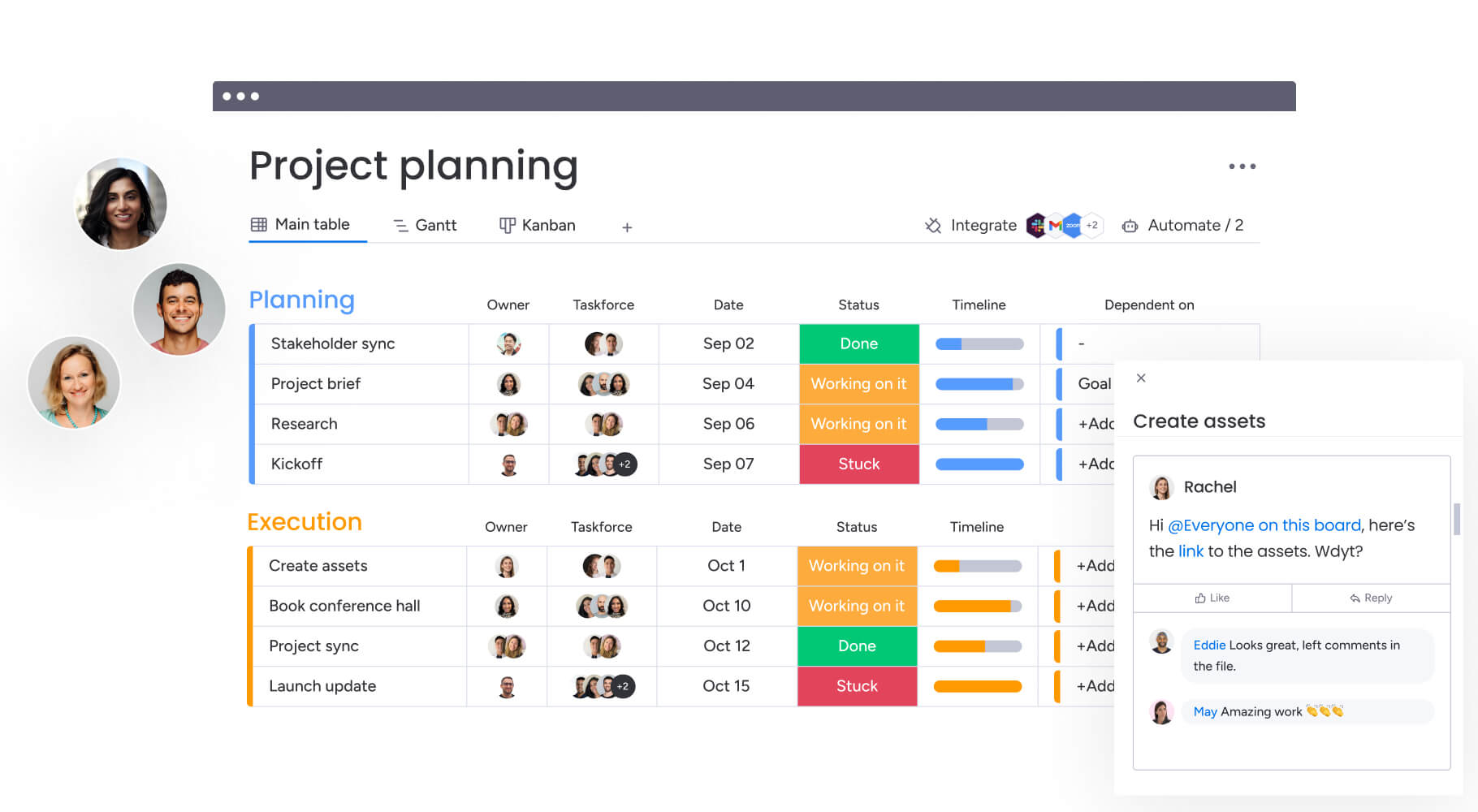
What is a task planner?
A task planner is a digital platform that helps individuals and teams organize, prioritize, and track work activities from creation through completion. Unlike basic checklists or sticky notes, task planners serve as dynamic operational systems that show who’s doing what, when it’s due, and how each piece connects to broader objectives.
In enterprise environments, a task planner functions as the central nervous system for daily operations. It transforms scattered activities across departments into unified, visible workflows that scale with organizational complexity. Moving from paper lists to integrated work platforms isn’t just convenient, but a way you connect what people do every day to what the company needs to achieve.
Effective task planners provide a structured way to connect daily activities to strategic outcomes. They offer capabilities that go far beyond simple checklists, giving leaders visibility into progress and helping teams coordinate their efforts. What makes these platforms so useful is:
- Creation and assignment: generate actionable items with defined ownership, ensuring accountability for every piece of work.
- Deadline management: visualize due dates and dependencies in real time to prevent bottlenecks.
- Progress tracking: see workflow stages instantly without constant check-in meetings.
- Collaboration features: keep files, feedback, and decisions attached to relevant work.
- Reporting capabilities: surface productivity trends, resource allocation issues, and completion rates.
Task planning software now serves the entire organizational hierarchy. Individual contributors focus on daily priorities. Team managers oversee capacity and throughput. Department heads align resources across functions. Enterprise leaders access high-level data to inform strategic decisions.
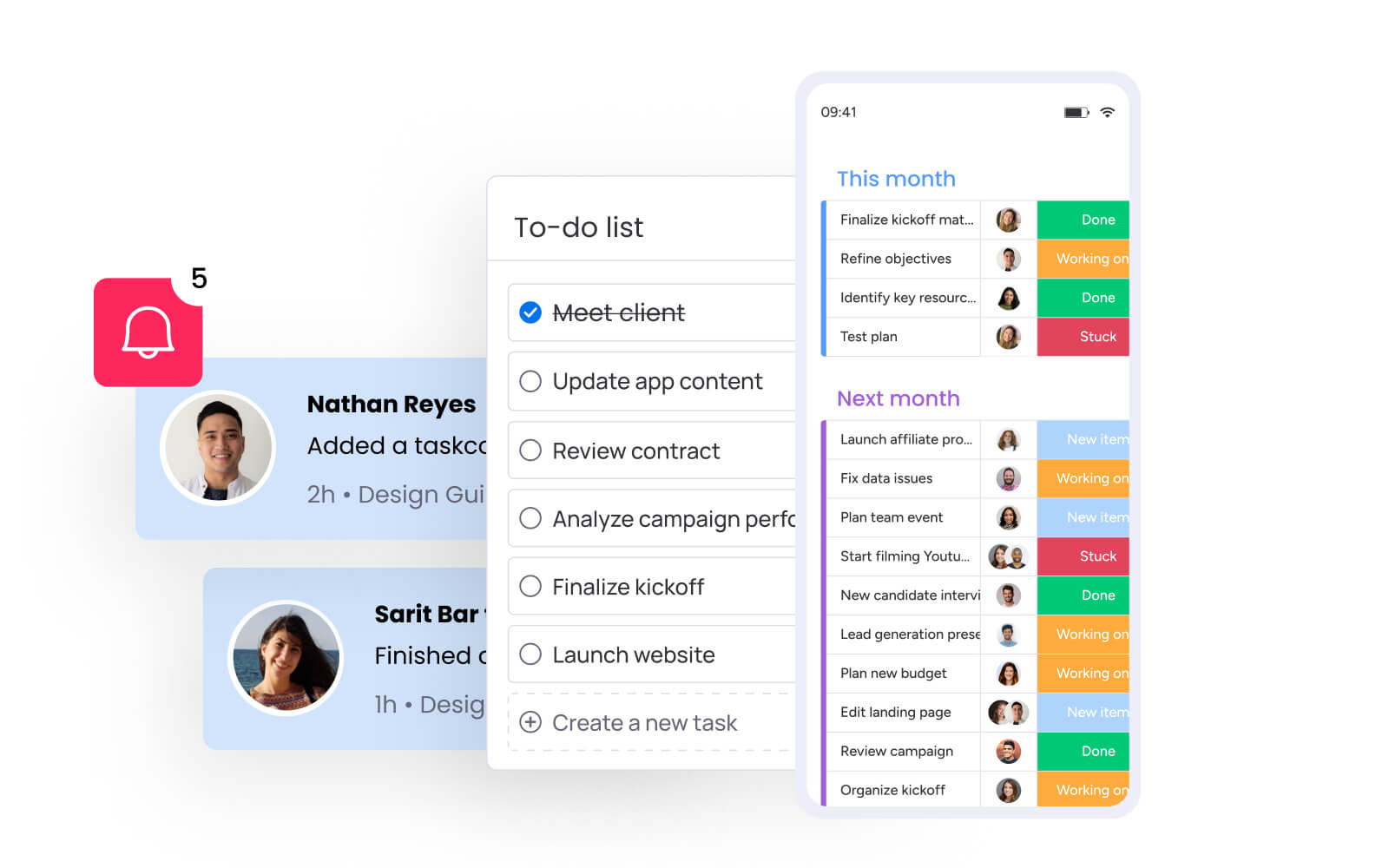
Task planner vs. project management software
Understanding the distinction between a task planner and project management software helps you select the right platform for your organization’s needs. While often used interchangeably, these solutions differ significantly in scope and complexity.
| Aspect | Task planner | Project management software |
|---|---|---|
| Primary focus | Individual and team execution | Strategic planning and project lifecycles |
| Complexity | Low to medium; quick adoption | High; requires structured implementation |
| Scope | Daily items, checklists, simple workflows | Portfolios, dependencies, resource leveling |
| Visibility | Completion status | Gantt charts, critical path, budget tracking |
| Ideal user | Individuals and small functional teams | PMOs, cross-functional teams, enterprises |
| Customization | Limited to lists and basic boards | Highly configurable workflows and automations |
Task planners help you execute day-to-day work. Project management software handles the bigger picture by coordinating multiple teams, tracking dependencies, and managing resources across initiatives. Most organizations start with a task planner when they just need personal productivity or basic team coordination.
As teams grow and workflows cross departmental lines, the limitations of basic task planning become apparent. Complex dependencies, strict governance requirements, and the need to aggregate data across multiple teams require more robust capabilities.
Solutions like monday work management bridge this gap with scalable project management architecture. It functions as an intuitive task planner for individuals while providing the project management capabilities enterprises require. This flexibility eliminates the friction of migrating data between platforms as operational maturity increases.
Issues to consider when choosing between task planners and project management tools:
- Budget considerations: simple task planners appear cost-effective initially, but fragmented data and platform sprawl create hidden expenses.
- Implementation complexity: the ideal system balances robust functionality with an intuitive design to drive team adoption and support long-term growth.
- User adoption rates: the platform must balance functionality with ease of use to ensure team engagement.

7 essential features of effective task planners
The best task planners share a few key features that actually make teams more productive. These features turn raw information into something you can actually use, helping teams work faster and more accurately. The following elements are what distinguish basic list apps from true work management platforms:
1. Visual organization
Not everyone thinks the same way, and complex projects need multiple views to make sense. To address this, platforms offering Kanban boards, Gantt charts, and calendar views let teams toggle between high-level roadmaps and granular daily lists.
Modern solutions like monday work management provide about 15+ board views, ensuring developers, marketers, and executives can view the same data in formats that suit their specific workflows. This flexibility makes it easier to think clearly and decide faster.
2. Real-time collaboration capabilities
Features like live commenting, @mentions, and file sharing directly within item cards reduce email clutter and context switching. When you communicate where the work happens, you keep all the context in one place, which makes onboarding new people way easier.
3. Smart automation capabilities
Manual admin work eats up time you could spend on actual creative thinking. Automation engines that handle recurring item creation, status updates, and notifications free teams to focus on high-value work.
Intelligent routing ensures that when an item status changes to “Review,” the appropriate stakeholder gets notified automatically without human intervention. These small wins add up fast across your teams.
4. Cross-platform synchronization
Work occurs across multiple environments: office locations, remote work spaces, and mobile devices. Cross-platform synchronization ensures that updates made on any device appear instantly on the central dashboard, maintaining consistent information access for all team members regardless of their location.
5. Workload management views
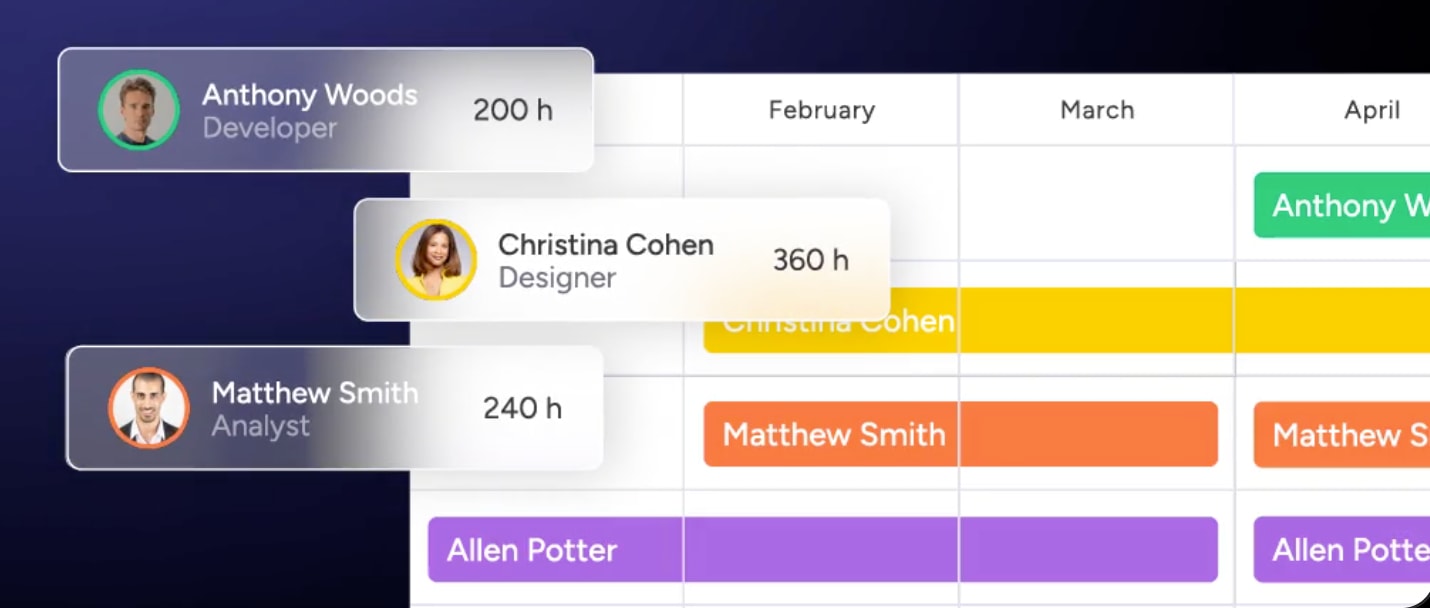
To prevent burnout, you need to see who’s overloaded and who has room to take on more. The Workload View on monday work management shows who’s overcommitted and who has bandwidth, enabling proactive resource redistribution. This feature turns resource planning from guesswork into something you can actually back up with data.
6. Integration ecosystem
Your task planner needs to connect with the other tools you use. Connecting your task planner to email, Slack, Microsoft Teams, and file storage creates one central workspace for everything. Advanced solutions like monday work management integrates with 200+ applications, allowing data to flow freely between systems without manual transfer.
7. AI-powered intelligence
AI takes efficiency to the next level by automatically categorizing requests, predicting project timelines, and generating sub-items for you. AI blocks in monday work management accelerate these processes, turning raw input into structured items instantly.
How to choose the right task planning solution?
The task planner you select will influence how your team operates for years to come. Organizations require a systematic evaluation process that balances current requirements with future growth trajectories. Consider these factors to ensure your selection delivers immediate value while supporting long-term scalability:
Evaluation by team size and maturity
Your organization’s size and growth plans should drive your decision:
- Individual contributors (1-5 people): focus on speed and simplicity. The ideal solution prioritizes personal productivity features, intuitive mobile access, and basic list management without administrative overhead.
- Small teams (5-25 people): collaboration becomes the primary driver. Teams need shared work spaces, transparent status updates, and basic reporting to stay aligned.
- Medium organizations (25-100 people): complexity increases significantly. These organizations require advanced automation to handle volume, department-level coordination to manage handoffs, and resource management views to balance workloads.
- Large enterprises (100+ people): security and governance take center stage. Enterprise-grade solutions must offer Single Sign-On (SSO), granular permission controls, audit logs, and advanced analytics.
Security and compliance requirements
Organizations handling sensitive data must prioritize security when selecting a task planner. Verify that your chosen platform adheres to standards such as ISO 27001, GDPR, and HIPAA where applicable. User access controls should enable administrators to define precisely who can view, edit, or share sensitive data.
Platforms like monday work management align to the most stringent security standards, keeping work and data safe through multi-level permissions and enterprise-grade security protocols. You get enterprise-level security without making the platform harder to use.
Future-proofing considerations
Make sure your solution can grow with you over the next few years. Consider these factors:
- Vendor stability: ensure the partner will remain viable long-term.
- Scalability: the platform must handle increased data volumes and user counts without performance degradation.
- Migration capabilities: prevent vendor lock-in and support business continuity.
- Innovation roadmap: regular updates and new features keep you competitive.
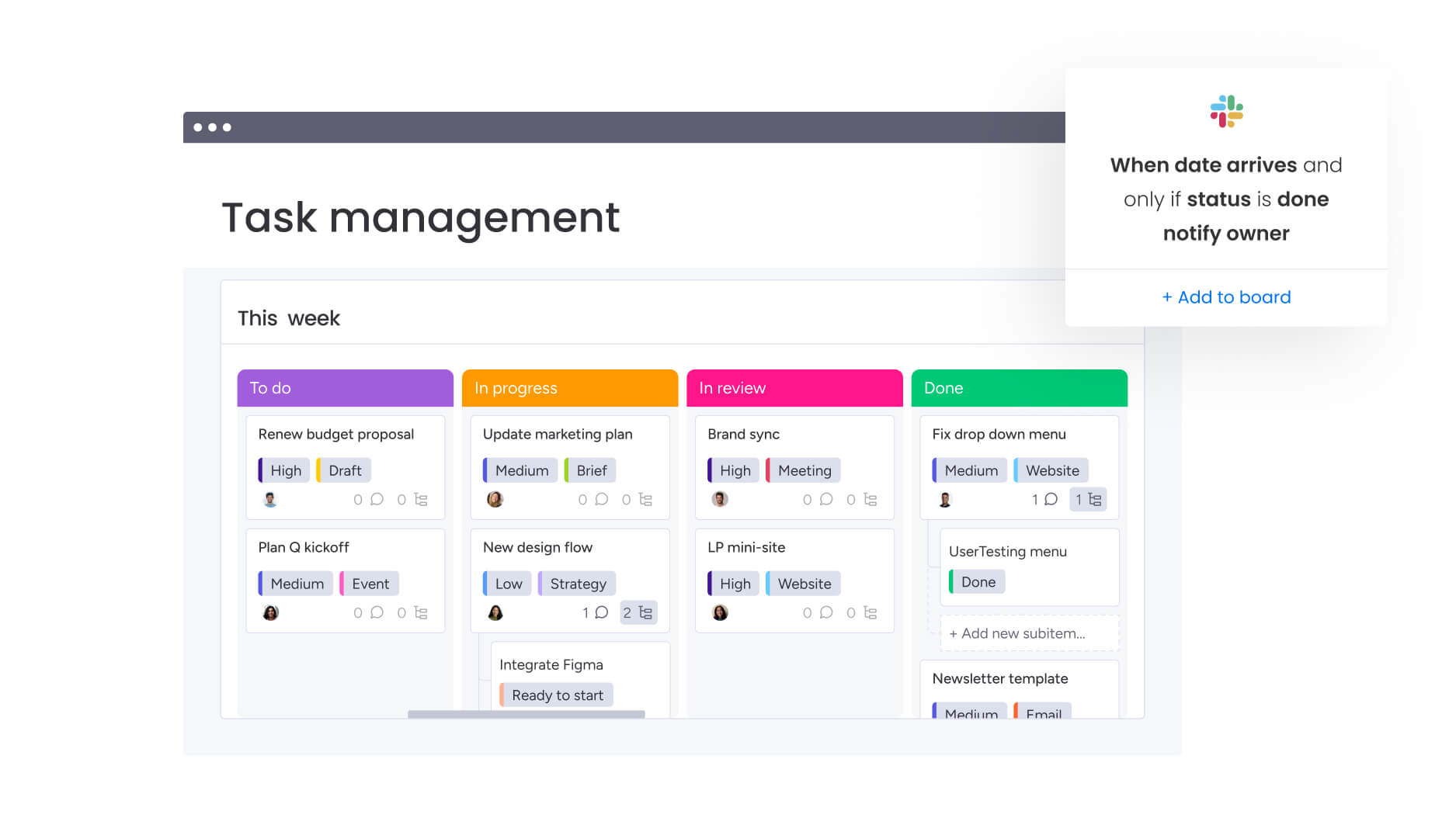
5 steps to organize work with a task planner
Implementing a task planner isn’t just about installing software, but about changing how your team operates. A clear framework helps you adopt the technology in a way that actually improves productivity and creates consistent processes. These steps build a work management system that can grow with you.
Step 1: centralize all work in one location
Start by getting everything in one place. Centralizing items from emails, sticky notes, and spreadsheets into one location is the first step toward boosting team productivity. Migrate all active work into the new system to establish a single source of truth.
When everything’s in one spot, you can instantly see how much work you have and what’s been falling through the cracks. Teams using solutions like monday work management can import existing data quickly, ensuring nothing gets lost in the transition.
Step 2: create your hierarchy
How you structure your work determines what gets attention. Therefore, organize work into a logical hierarchy, typically flowing from high-level portfolios to projects, down to items and sub-items. This structure lets you track details without losing sight of what matters most.
When you categorize things consistently, you can always find and report on what you need, even as your workspace grows. Flexible structure provided by platforms like monday work management adapts to any organizational model without forcing rigid frameworks.
Step 3: build visual workflows
Gaining visibility into your workflows is essential for managing them effectively, so map existing workflows into the platform to define the journey an item takes from “To Do” to “Done.”
Visualizing these stages on a Kanban board or status column helps identify bottlenecks and specifies handoff points between team members. This transparency reduces confusion and accelerates execution.
Step 4: set up team protocols
Establishing clear protocols ensures your new platform remains an organized and reliable source of truth. Establish guidelines for how the team uses the platform:
- Naming conventions: consistent item naming for easy searching.
- Definition of “Done”: clear completion criteria for every item type.
- Communication standards: when to comment vs. when to update status.
When everyone follows the same rules, your data stays accurate and useful.
Step 5: implement continuous improvement
Continuous improvement requires ongoing attention rather than a single implementation effort. Regular reviews of workflow performance enable teams to identify friction points and adapt the system accordingly.
Establishing feedback loops helps refine automations, adjust board structures, and ensure the platform evolves alongside changing organizational needs. monday work management supports this iterative approach through flexible building blocks that can be reconfigured without code.
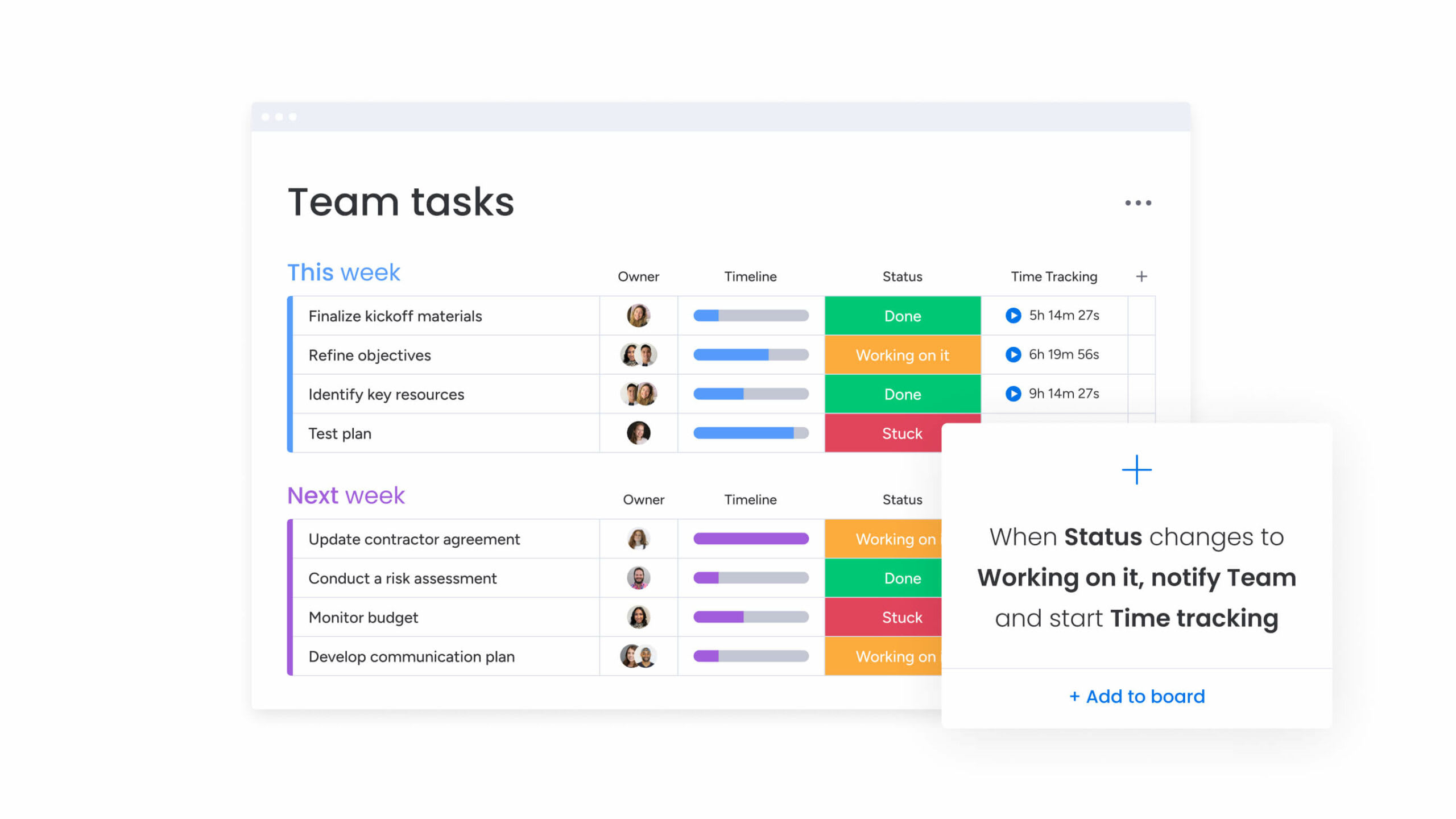
Task planning strategies for different teams
Different teams need different approaches to task planning. Different organizational levels face unique challenges and require tailored strategies to maximize alignment and execution. Understanding what each group needs helps you build approaches that actually fit how they work.
Individual contributor best practices
To stay productive without burning out, try these strategies:
- Personal productivity techniques: integrate methods like time-blocking or the Pomodoro technique directly into the task planner.
- Priority setting frameworks: use custom fields to label items by urgency and impact.
- Work-life balance considerations: set notification schedules to prevent burnout and maintain boundaries.
Team collaboration frameworks
Good team planning isn’t just about individual to-do lists. It’s about keeping everyone moving in the same direction:
- Shared workflow design: involve the entire team in building board structures to ensure buy-in.
- Communication protocols: keep all item-related discussions within the update section to preserve context.
- Accountability structures: assign a single owner to every item to eliminate ambiguity.
Department-wide coordination
If you’re managing multiple teams with competing priorities, here’s what works:
- Resource allocation strategies: use high-level workload views to balance assignments based on real-time capacity.
- Inter-departmental dependencies: link items across different boards to automatically update timelines.
- Standardization approaches: create template boards for recurring projects to ensure consistency.
Enterprise task planning at scale
Large organizations need more advanced strategies to handle complexity:
- Governance frameworks: implement strict permission settings and workspace boundaries to protect sensitive data.
- Performance measurement systems: aggregate data from hundreds of boards into executive dashboards.
- Change management strategies: use phased rollouts and champion programs to facilitate smooth adoption.
How does AI revolutionize task planning?
AI transforms task planning from passive documentation into active work management. While traditional manual planning introduces challenges including human bias, inaccurate time estimates, and administrative overhead, AI addresses these limitations by accelerating planning processes, improving accuracy, and enabling predictive capabilities that fundamentally reshape how teams organize work.
Intelligent categorization
AI algorithms analyze incoming request content and automatically assign relevant tags, priorities, and owners. This eliminates manual sorting requirements, routing tasks directly to appropriate workflows.
Research shows that AI agents can help professionals reclaim up to 40% of their time by offloading manual, repetitive tasks, allowing them to focus on strategic activities like prioritization and decision-making.
Teams using monday work management leverage AI Blocks to categorize data at scale, organizing information by type, urgency, or sentiment without manual intervention.
Predictive workload balancing
Machine learning analyzes historical performance data to generate realistic timeline projections rather than relying on subjective estimates. AI compares team capacity against these predictions and recommends optimal work distribution strategies, preventing bottlenecks before they occur.
Automated risk detection
AI identifies potential project issues proactively. Portfolio Risk Insights on monday work management scans all project boards, flagging potential risks by severity level. This early warning system provides managers with sufficient time to implement corrective measures before issues escalate.
Digital workers for execution
AI-powered digital workers extend beyond planning to execute routine work activities. These agents draft status reports, synthesize email threads into actionable items, and generate sub-items based on project objectives.
The Digital Workforce on monday work management functions as a virtual assistant for every team, handling operational tasks, learning organizational processes, and adapting to evolving requirements.

“monday.com has been a life-changer. It gives us transparency, accountability, and a centralized place to manage projects across the globe".
Kendra Seier | Project Manager
“monday.com is the link that holds our business together — connecting our support office and stores with the visibility to move fast, stay consistent, and understand the impact on revenue.”
Duncan McHugh | Chief Operations OfficerMaximize productivity with the right task planning approach
Task planning evolves from basic lists into a comprehensive operating system for your businesswith monday work management. The platform connects daily work to strategic objectives, ensuring every task advances organizational goals while maintaining the flexibility to scale with your growth.
Here’s how monday work management delivers value across your organization:
| Capability | Traditional task planners | monday work management |
|---|---|---|
| Organization | Basic lists and static categories | Visual boards with multiple, dynamic views |
| Automation | Limited or requires manual setup | AI-powered blocks and code-free workflows |
| Collaboration | Basic sharing features | Real-time collaboration with contextual updates |
| Scalability | Focus on individuals or small teams | Enterprise-wide coordination and portfolio views |
| AI capabilities | None or basic text suggestions | Comprehensive AI blocks and digital workers |
| Integration | Limited app connections | 200+ native integrations with business applications |
| Customization | Fixed templates and rigid structures | Flexible building blocks for any workflow |
Teams across industries use monday work management to coordinate complex projects:
- Visual organization: toggle between Kanban, Gantt, calendar, and list views to ensure data is always presented in the most useful context.
- Automated workflows: code-free automation engine handles routine actions, reducing manual error and administrative burden.
- Real-time collaboration: integrated communication allows teams to discuss work, share files, and provide approvals directly within item context.
- Resource management: built-in workload widgets visualize team capacity, enabling managers to distribute items evenly.
- Cross-platform access: cloud-based synchronization ensures teams stay connected whether in the office, remote, or mobile.
Large organizations get the governance and visibility they need. Portfolio management features aggregate data across departments, linking items to strategic OKRs. Enterprise-level security keeps sensitive data safe with detailed permissions and compliance standards.
Marketing teams coordinate complex campaign launches across multiple channels. Operations teams manage facility requests through automated ticketing workflows. PMO teams track project items across diverse departments to maintain portfolio health. HR teams organize onboarding items to ensure smooth experiences for new employees.
The right task planning approach changes how work moves through your organization. When teams can see what’s happening, coordinate easily, and execute clearly, they get more done with less stress. Start building workflows that connect what your team does every day to the outcomes that matter.
Frequently asked questions
What is the difference between a task planner and a to-do list app?
A task planner differs from a to-do list app by offering comprehensive workflow management, team collaboration features, and integration capabilities beyond simple tracking. While to-do apps focus on personal lists, task planners provide visibility, accountability, and coordination across teams.
How do I choose between free and paid task planners?
Choosing between free and paid task planners depends on team size, collaboration needs, and required integrations. Free options generally work for individual use, while paid solutions offer advanced features like automation, enterprise security, and scalability.
Can task planners integrate with my existing business applications?
Most task planners offer integration capabilities with common business applications. With 200+ integrations including email, calendar, and communication platforms, monday work management creates a unified workspace.
What are the best task planning methods for remote teams?
The most effective task planning methods for remote teams emphasize visual workflows, real-time collaboration, and clear communication protocols. These maintain alignment across distributed locations through transparent status updates and centralized documentation.
How do I measure the ROI of a task planning system?
Measuring task planning ROI involves tracking metrics like project completion rates, time-to-delivery improvements, and reduced administrative overhead. Compare these against previous manual processes to quantify efficiency gains and cost savings.
Should I use one task planner for work and personal items?
Using a single task planner for both work and personal items depends on organizational security policies. Flexible privacy controls in monday work management allow creation of private work spaces while maintaining enterprise security standards.

 Get started