

Teams often struggle with visibility when work is scattered across email threads, spreadsheets, and individual to-do lists. Without a clear view of who is doing what and the status of tasks, coordination becomes inefficient, deadlines slip, and communication breaks down.
Task boards address this challenge by turning abstract work into a visual, manageable system. Work items are represented as cards that move across columns, each reflecting a stage of completion. This approach allows teams to see real-time progress, understand responsibilities, and streamline collaboration without relying on constant status updates or manual tracking.
This definitive guide explores task boards in depth — including different board types, essential features, key benefits, and practical steps for implementation. It will also explore how visual work management can improve workflow transparency, automate routine tasks, and help teams scale from simple tracking to strategic execution.
Key takeaways
- Task boards provide visual clarity: Transform scattered work from emails, spreadsheets, and personal to-do lists into a clear, real-time view of tasks and progress.
- Choose the right board for your workflow: Kanban supports continuous flow, Scrum fits sprint-based projects, and hybrid boards allow customization for mixed needs.
- Automation reduces administrative work: Status updates, assignments, and deadlines can be automated to free teams for strategic tasks.
- Real-time collaboration improves coordination: Distributed teams benefit from simultaneous updates, contextual communication, and instant notifications.
- Monday work management supports enterprise scaling: Connects individual tasks to strategic goals, provides analytics, and enables cross-departmental workflows for complex organizations.
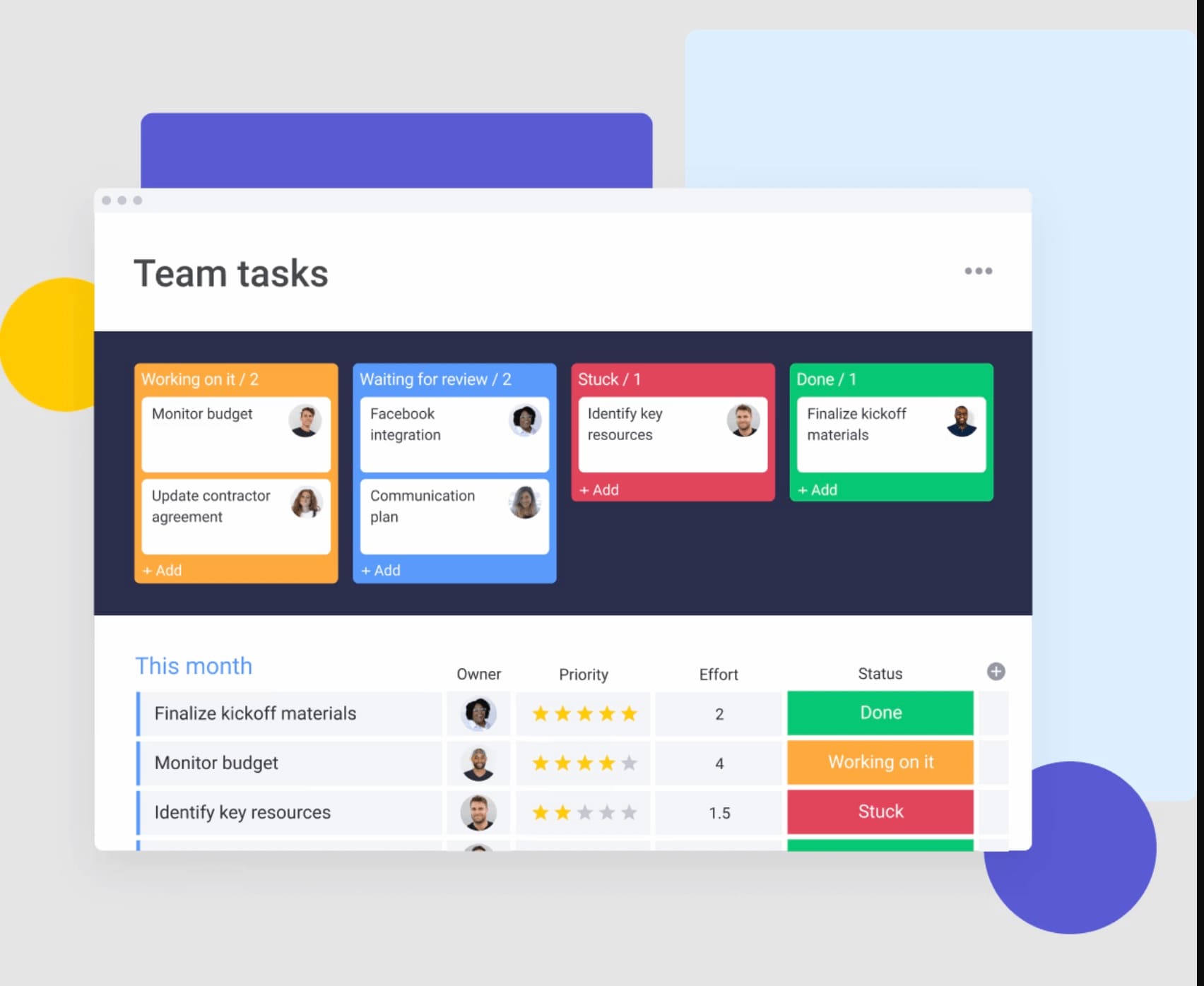
In simple terms, a task board displays work items as cards organized across columns — each column represents a stage of your workflow. It functions as a digital workspace where abstract to-do lists become visible workflows that teams can manage, move, and collaborate on together.
Task boards transform team coordination by removing work from static spreadsheets and hidden email threads. Instead of chasing updates or guessing who is responsible for what, everyone has the same real-time view of work in progress.
Modern task boards extend beyond digital sticky notes too, offering the ability to manage complex dependencies, automate routine actions, and facilitate coordination across teams. This helps connect daily execution to organizational strategy — essential for teams handling complex projects.
Understanding visual work management
Choosing the right task board structure
Different teams organize work in different ways, so the structure of a task board should reflect how work actually flows. Some teams manage continuous streams of tasks, while others operate in fixed project cycles with clear deadlines.
Understanding the main task board approaches helps teams choose a structure that supports their workflow rather than forcing work into an unsuitable system.
Kanban boards for visual flow
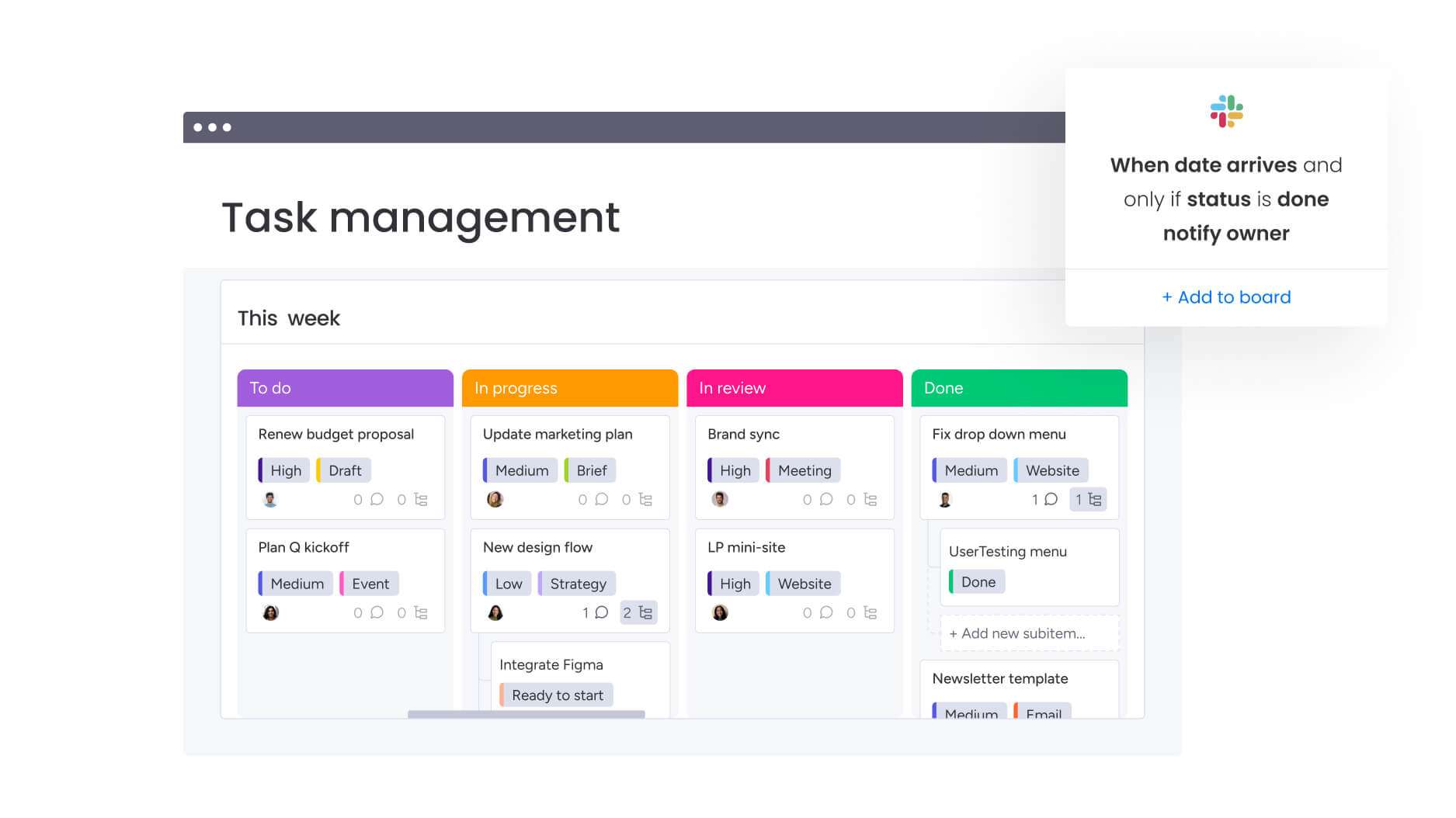
Kanban boards support continuous workflow management. Columns like “To do,” “In progress,” and “Done” show work moving through the system.
Key features include:
- Work-in-progress limits: Restrict the number of items per column to avoid bottlenecks and ensure completion before starting new items.
- Continuous flow: Work progresses smoothly without fixed time boundaries.
- Visual signals: Cards and columns show real-time status, highlighting delays immediately.
Kanban works well for teams handling reactive or ongoing tasks, such as customer support tickets, content calendars, or IT maintenance requests.
Scrum boards for sprint management
Scrum boards organize work in fixed time periods called sprints. Unlike Kanban’s continuous flow, Scrum boards have defined start and end points, making them highly effective for project-based work.
Characteristics of sprint-based boards include:
- Sprint-based organization: Work occurs in fixed cycles, typically one to four weeks, providing predictable delivery rhythm.
- Story-driven structure: Work items connect to user value through stories or specific features.
- Burndown tracking: Measures progress against sprint goals, showing work remaining versus time left.
Software development, product launches, and marketing projects with strict deadlines benefit from Scrum’s iterative approach.
Hybrid task management boards
Hybrid task boards combine Kanban and Scrum elements to meet unique team needs. Many teams find single methodologies too limiting and adopt hybrid workflows instead.
Hybrid approaches may include:
- Kanban with deadlines: Maintain continuous flow while integrating due dates and critical path tracking.
- Multi-project Scrum: Adapt sprint boards for multiple projects, enabling resource sharing across priorities.
- Department-specific workflows: Customize boards for teams like HR onboarding pipelines that combine Kanban flow with milestone deadlines.
For some real-life context, marketing team might use Kanban for ongoing social media content while running a Scrum-style board for quarterly product launches. Modern platforms like monday work management allow teams to structure boards to match real workflows, rather than forcing work into rigid frameworks.
Try monday work management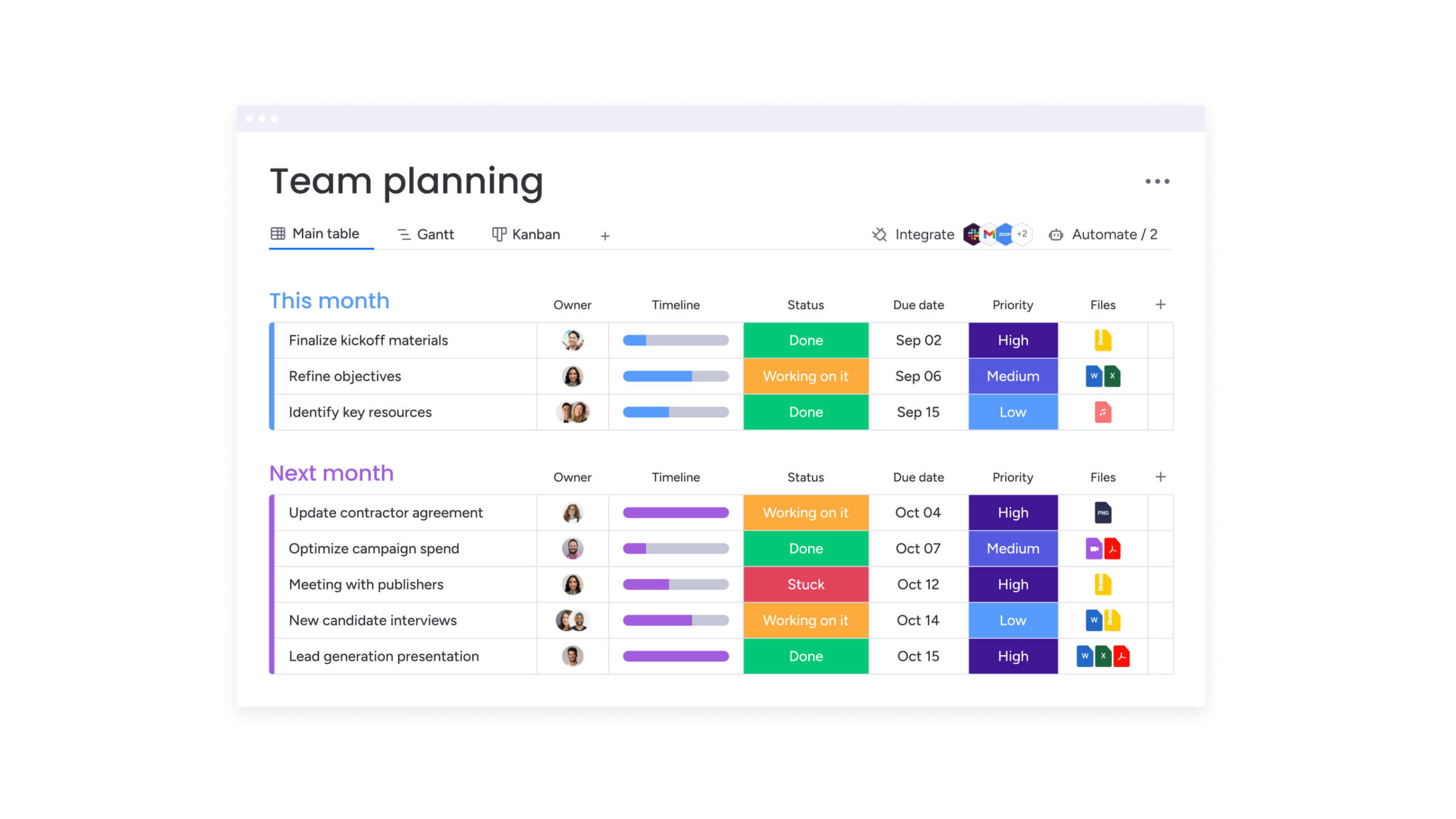
Key benefits of task boards for modern teams
Task boards do more than keep work organized. They give teams a shared view of progress, responsibilities, and priorities, making coordination far easier.
As visual workflows become part of daily operations, teams work more efficiently, manage resources more effectively, and make smarter decisions based on real-time visibility.
Complete work transparency across teams
Task boards remove the “black box” effect where work progress remains hidden until deadlines are missed. Transparency forms the basis for effective collaboration, giving every team member and stakeholder access to the same information and context.
Here’s what transparency provides for visibility:
- Status visibility: Every team member and stakeholder sees what is being worked on, who owns it, and its current stage.
- Workload awareness: Managers review team capacity at a glance, preventing burnout and ensuring equitable distribution of work.
- Dependency tracking: Interconnected work items are linked, making it clear when delays in one area affect downstream deliverables.
For example, an executive can use monday work management to view a high-level portfolio board across departments and drill down into specific projects to identify where delays could impact strategic goals.
Real-time collaboration for distributed teams
Remote and hybrid setups make coordination more challenging. Task boards enable real-time collaboration that goes beyond simply viewing updates. Teams can work across time zones without relying on endless email threads.
Here’s how distributed teams benefit:
- Simultaneous editing: Multiple team members update boards, move cards, and add details without creating conflicting versions.
- Instant notifications: Stakeholders receive automated alerts when their input is required or when a status changes.
- Contextual communication: Discussions occur directly within work items, keeping comments, files, and decisions tied to relevant context.
A global product team, for example, can have designers in London hand off work to developers in New York. The task board manages this transition with automatic notifications and status updates, reducing the need for handoff meetings.
Automated workflow efficiency
Task boards reduce manual administrative work by automating repetitive processes. Teams can focus on creative and strategic tasks rather than constant status updates and coordination.
Automation addresses repetitive work that consumes time:
- Status progression: Work items move automatically between columns based on completion criteria or external triggers.
- Assignment routing: New requests are automatically routed and assigned according to rules and team capacity.
- Deadline tracking: Automated reminders and escalations flag approaching deadlines before work falls behind.
For instance, when a writer marks content as “Complete,” the board can automatically move the card to “Review,” notify the editor, and create a calendar reminder for the review deadline.
Data-driven performance insights
Task boards convert daily work into actionable data. Tracking every update and completion helps teams understand performance, process efficiency, and project health — allowing continuous improvement.
Here’s how analytics transform operational data into strategic insights:
- Cycle time analysis: Measure how long different types of work take from start to finish.
- Throughput measurement: Track completed work over time to identify productivity trends.
- Bottleneck identification: Analytics reveal stages where work consistently stalls, highlighting opportunities for process improvement.
Modern platforms like monday work management make it easy to gather these insights in one place, giving teams real-time visibility into work status and enabling informed decisions that drive progress.
Essential features of modern task management boards
Modern task boards go far beyond simple card tracking. Today’s platforms support complex workflows, integrations, and automation while still presenting work in a clear visual structure that teams can easily understand.
The right platform combines simplicity with powerful capabilities. Teams can manage everyday tasks while connecting work to broader projects, systems, and performance insights. The features below highlight the core capabilities that make modern task boards effective for organizations managing increasingly complex work.
| Feature | What it does | Business impact |
|---|---|---|
| Visual drag-and-drop interface | Move work between stages with simple drag actions | Reduces learning curve and increases adoption |
| Customizable automation | Build logic mirroring unique workflows without code | Eliminates repetitive manual work |
| Enterprise integration | Connect with existing technology ecosystem | Creates single source of truth |
| AI-powered intelligence | Provide predictive insights and smart assignments | Transforms reactive work into proactive management |
| Cross-platform accessibility | Access boards from any device or location | Ensures no team member is disconnected from workflow |
How AI transforms task board capabilities
AI elevates task boards from passive organization tools to active work management partners. By analyzing complex data, AI recommends priorities and team assignments, significantly reducing manual coordination.
- Multi-factor analysis: Algorithms consider deadlines, dependencies, capacity, and business impact to suggest priorities.
- Dynamic re-prioritization: Priorities adjust automatically as project conditions change.
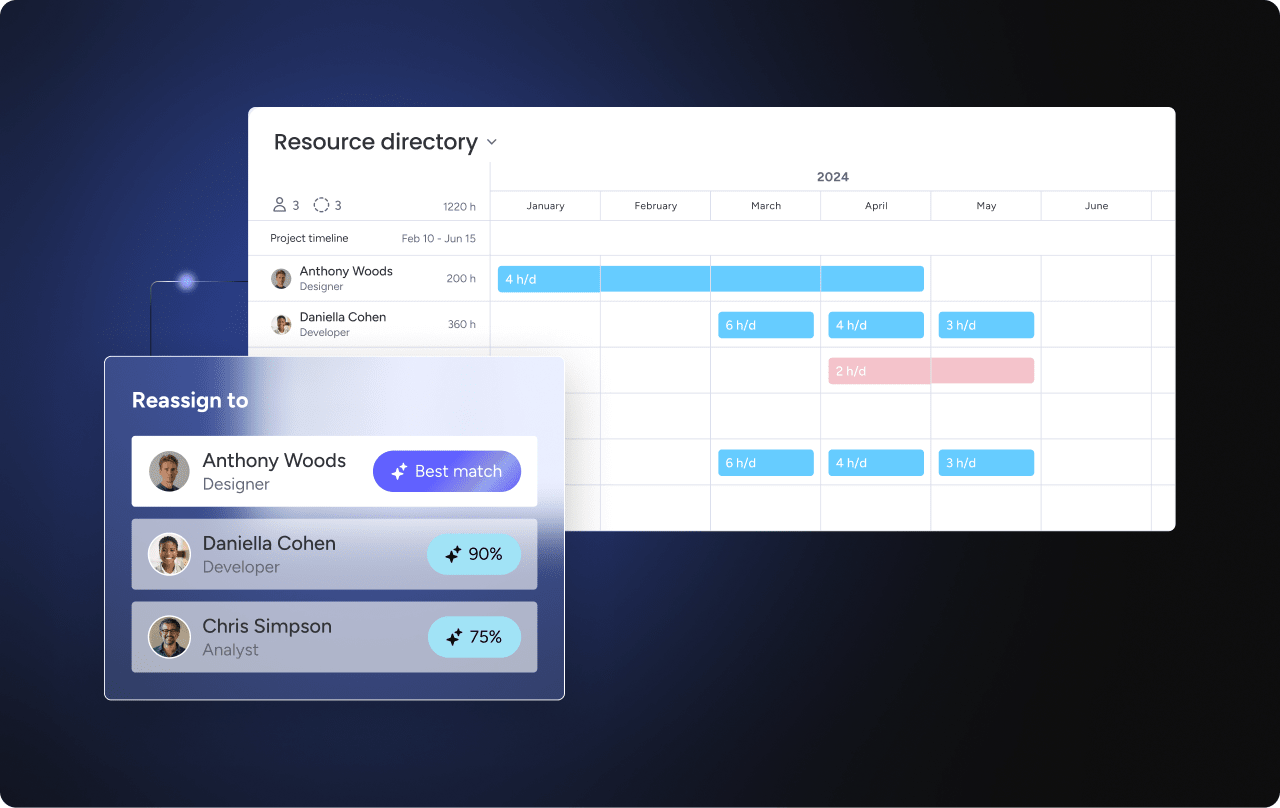
- Skill-based matching: Work is assigned based on expertise and historical performance.
Platforms like monday work management categorize data at scale, summarize complex information instantly, and extract actionable insights from any document. Digital Workers monitor projects continuously, flag bottlenecks, and suggest next steps without waiting for human input.
The right platform combines simplicity with powerful capabilities. Teams can manage everyday tasks while connecting work to broader projects, systems, and performance insights.
Who benefits from digital task boards?
Task boards support every team, with each role gaining unique advantages based on their challenges. Understanding how different teams use these systems helps identify optimal implementation opportunities.
Marketing teams drive campaign excellence
Marketing teams manage multi-channel campaigns with multiple stakeholders and tight deadlines.
- Campaign orchestration: Boards coordinate the full lifecycle from content creation through distribution.
- Asset management: Creative assets are tracked through development, review, and deployment.
- Cross-channel coordination: Teams maintain consistent messaging by visualizing all activities in one place.
Operations teams standardize processes
Operations teams standardize workflows and maintain consistency across routine maintenance and complex procedures.
- Process standardization: Create repeatable workflows for common procedures, reducing errors and training time.
- Resource coordination: Manage equipment, facilities, and human resources efficiently to prevent conflicts.
- Compliance tracking: Monitor regulatory requirements and safety inspections for consistent adherence.
PMOs gain portfolio visibility
PMOs oversee multiple projects while allowing teams to work independently.
- Portfolio oversight: Monitor all active projects from a single dashboard, identifying risks across the portfolio.
- Resource allocation: Understand capacity constraints across the organization to optimize resource distribution.
- Standardization: Ensure consistent project management practices and reporting across diverse teams.
Intelligent solutions such as monday work management enable PMOs to maintain strategic oversight while giving project teams flexibility to structure their daily boards.
Try monday work management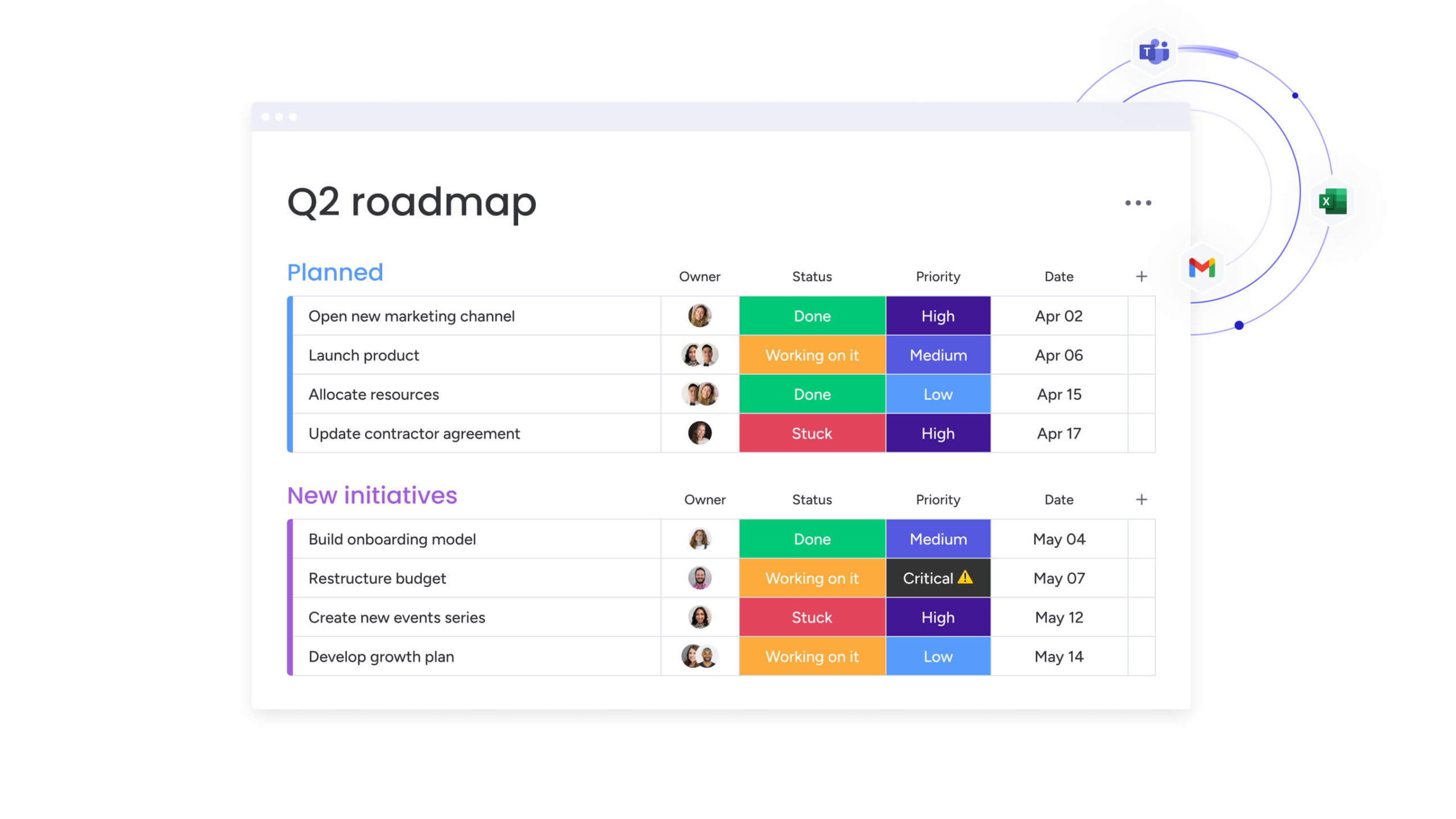
How to implement task boards successfully
Implementing a task board effectively requires careful planning and a structured approach. Rushing the process often results in low adoption and frustration, but a phased rollout allows teams to adapt gradually and ensures long-term success. T
he steps below provide a clear and easy-to-follow roadmap for successful implementation.
Step 1: Map your current work processes
Before designing your board, examine how work currently flows through your team. Aligning the board with actual workflows prevents forcing work into unsuitable structures.
- Workflow documentation: Record the steps work takes across the team, including informal practices.
- Stakeholder identification: Identify all individuals involved and their specific responsibilities.
- Pain point analysis: Pinpoint the challenges the task board should address.
Observe real work patterns rather than relying solely on official documentation, as practice often differs from theory.
Step 2: Select the right task board type
Choose a methodology — Kanban, Scrum, or a hybrid approach—based on your team’s work style and goals identified during process mapping.
- Work predictability: Scrum fits project-based work with defined deliverables, while Kanban suits ongoing, unpredictable processes.
- Deadline requirements: Fixed timelines favor Scrum’s sprint structure; flexible schedules align with Kanban.
- Change frequency: Teams in high-change environments benefit from Kanban’s adaptability.
Selecting the right approach increases adoption and ensures your board supports team needs.
Step 3: Design your board architecture
Translate your workflows into a clear board structure with defined columns, card templates, and automation rules.
- Column structure: Mirror actual work stages instead of generic categories.
- Card information: Include essential details without overwhelming team members.
- Automation design: Begin with simple automations before adding complex logic.
A thoughtfully designed architecture improves visibility, collaboration, and efficiency.
Step 4: Configure team access and permissions
Set permissions to allow collaboration while protecting sensitive information and maintaining board integrity.
- Role-based access: Assign permissions based on roles to provide appropriate visibility.
- Guest access: Give external stakeholders limited visibility for tracking progress.
- Audit requirements: Maintain logs to meet compliance and security standards.
Clear access rules prevent accidental changes and support accountability across teams.
Step 5: Connect your essential applications
Integrate your task board with existing tools to streamline workflows and reduce data silos.
- Communication applications: Link to Slack or Microsoft Teams to receive notifications.
- File storage: Connect Google Drive or Dropbox to manage documents within work items.
- Calendar applications: Sync due dates with Outlook or Google Calendar.
Modern and unified platforms like monday work management enable seamless integrations with multiple business applications, helping teams stay connected and productive.
Step 6: Onboard and train your teams
Training should emphasize the value and benefits of the board, not just its features.
- Pilot groups: Start with enthusiastic early adopters to build momentum.
- Hands-on training: Use real work examples during training sessions.
- Success celebration: Highlight early wins to demonstrate the board’s impact.
Focused onboarding increases engagement and builds confidence in using the task board effectively.
Step 7: Measure and optimize performance
Finally, be sure to continuously track usage and outcomes to refine your implementation based on data and feedback.
- Adoption metrics: Monitor active users and engagement with the board.
- Performance indicators: Assess improvements in cycle time and throughput.
- User satisfaction: Gather feedback regularly to identify and remove friction points.
Ongoing measurement ensures your task board evolves with your team’s needs and delivers meaningful results.

“monday.com has been a life-changer. It gives us transparency, accountability, and a centralized place to manage projects across the globe".
Kendra Seier | Project Manager
“monday.com is the link that holds our business together — connecting our support office and stores with the visibility to move fast, stay consistent, and understand the impact on revenue.”
Duncan McHugh | Chief Operations OfficerTurn task boards into enterprise workflows with monday work management
Basic task boards help teams organize work, but growing organizations need more than simple tracking. As projects become larger and teams more distributed, work management platforms must connect everyday tasks to broader business objectives.
Platforms like monday work management extend visual task boards into a complete system for coordinating work across an organization. Individual work items connect to projects, portfolios, and strategic initiatives, giving leaders and teams a shared view of how daily execution contributes to larger goals.
This structure allows organizations to manage work at scale. Cross-department workflows link teams that typically operate in silos, while flexible architecture supports thousands of team members and complex project portfolios without slowing down collaboration.
AI-powered insights help leaders make smarter decisions about priorities, timelines, and resources:
- Risk identification: Automatically detects projects trending toward delays or budget overruns.
- Resource optimization: Recommends assignments based on team capacity, skills, and workload.
- Predictive analytics: Forecasts project timelines and resource requirements using historical data.
Automation further strengthens coordination across the organization. Multi-step workflows manage complex processes, integrations connect systems like ERP and CRM platforms, and approval workflows ensure the right stakeholders stay involved at every stage.
For example, a new employee onboarding process may require coordination across HR, IT, facilities, and management. Instead of relying on manual checklists and emails, the platform automatically triggers tasks, routes approvals, and keeps every team aligned.
When visual task boards evolve into connected work management systems, organizations gain more than visibility. They gain the structure, automation, and insights needed to execute strategy with confidence.
Try monday work managementFrequently asked questions
What is the difference between a task board and a Kanban board?
Task boards are a broader category of visual work management systems, while Kanban boards follow the Kanban methodology with continuous flow and work-in-progress limits.
Can task boards integrate with my existing project management applications?
Yes, task boards integrate with popular project management, communication, and business applications through native integrations and APIs. Platforms like monday work management connect seamlessly with other tools, ensuring work stays aligned across systems.
How do task boards handle complex workflows with dependencies?
Advanced task boards support dependency mapping, automated workflow routing, and conditional logic. This enables teams to manage sophisticated processes across multiple teams and approval stages.
What makes digital task boards more effective than spreadsheets?
Digital task boards offer real-time collaboration, automated workflows, visual progress tracking, and integrations that spreadsheets cannot provide. They eliminate version control issues and reduce the need for manual updates.
How long does it take to implement a task board system?
Basic task boards can be set up in a few hours. Enterprise implementations typically require two to four weeks depending on workflow complexity and integration needs.
Do task boards work for non-technical teams?
Task boards are designed for everyone, regardless of technical expertise. Visual drag-and-drop interfaces make it simple for all team members to engage with processes, workflows, and projects.

 Get started