

Coordinating team schedules, training sessions, and resource bookings often involves extensive follow-up, only to discover double-booked slots or gaps in coverage. When schedules, emails, and spreadsheets exist across multiple channels, coordination becomes increasingly complex and error-prone.
Efficient sign-up sheets address these challenges by consolidating all scheduling components into a single system. They capture participant information, manage availability, and prevent conflicts proactively. Rather than simply maintaining lists, these tools establish clarity and structure for teams managing multiple responsibilities simultaneously.
The following sections cover practical approaches to creating effective sign-up sheet templates, identifies the features that enable them to function across different departments, and outlines strategies for establishing them as a dependable foundation for scheduling and resource management.
Key takeaways
- Digital sign-up sheets improve coordination: Centralized templates reduce scheduling conflicts, eliminate duplicate bookings, and make participant data instantly accessible.
- Templates should match team needs: Selecting the right format, lists, matrix views, or form-based input ensures efficiency for events, training, and resource management.
- Collect essential information upfront: Including participant details, availability, prerequisites, and status indicators prevents follow-up emails and streamlines administrative work.
- Automation enhances workflow efficiency: Features like automatic confirmations, waitlists, and calendar integration save time and maintain accurate records.
- Integrated platforms support scale and insights: Platforms like monday work management connect sign-ups to broader workflows, provide real-time dashboards, and help analyze participation trends across departments.
What is a sign-up sheet template?
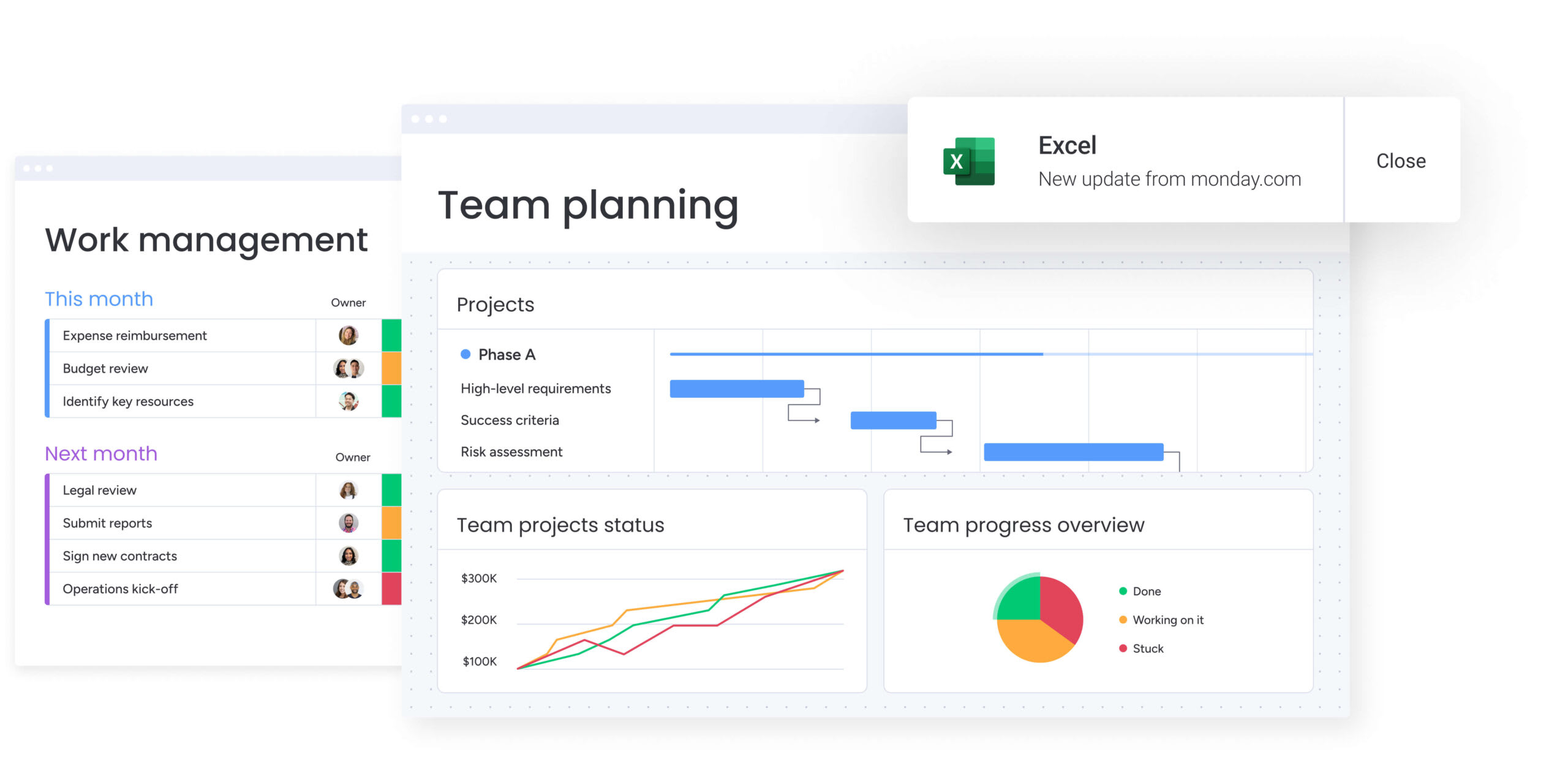
A sign-up sheet template is a structured framework that helps teams gather and manage participant information for events, resources, and activities. Unlike scattered forms or ad-hoc spreadsheets, it comes with pre-built fields and formatting, so you don’t have to start from scratch each time.
It serves as an operational blueprint. Event organizers use it to collect session preferences and dietary needs, while facilities managers track equipment or space bookings to prevent conflicts. Digital templates go a step further by automating data capture, creating a single source of truth for participant activity across teams.
The right template does more than list names. It keeps data consistent, reduces administrative work, and ensures participation details are accessible in real time. Standardized sign-up sheets help teams:
- Eliminate communication loops: Pre-defined fields capture all necessary information upfront, removing the need for follow-up emails.
- Prevent resource conflicts: Built-in logic stops multiple people from claiming the same time slot or asset.
- Standardize data collection: Consistent formatting means data is immediately ready for reporting and analysis.
- Improve participation visibility: Centralized templates show real-time fill rates and engagement levels.
Digital vs. paper sign-up sheets
Switching from paper to digital dramatically improves coordination and data management. Paper sheets work for small, in-person events but struggle when teams span multiple locations, time zones, or departments.
Digital templates compare to traditional paper sheets across several key dimensions:
| Feature | Digital templates | Traditional paper sheets |
|---|---|---|
| Accessibility | Instant access from any device | Requires physical presence |
| Conflict detection | Automatic prevention of double-booking | Manual checking with error risk |
| Data utility | Searchable and sortable data | Static, requires manual entry |
| Updates | Real-time changes for all users | Static snapshot requiring reprints |
| Privacy | Granular permissions control | All participant data publicly visible |
When does your team need sign-up coordination?
Sign-up templates become essential when multiple people compete for limited resources, time slots, or capacity-constrained activities. Without structured coordination, teams face scheduling conflicts, resource bottlenecks, and administrative overhead from manual tracking. Teams depend on these templates to coordinate scenarios like:
- Recurring meetings with capped attendance: Office hours or brainstorming sessions with limited seats.
- Shared resource allocation: Equipment, laboratory space, or vehicle fleets across departments.
- Complex event logistics: Multi-track conferences where participants select specific sessions.
- Training and certification tracking: Compliance workshops with strict class size limits.
- Project team formation: Cross-functional squads based on skills and availability.
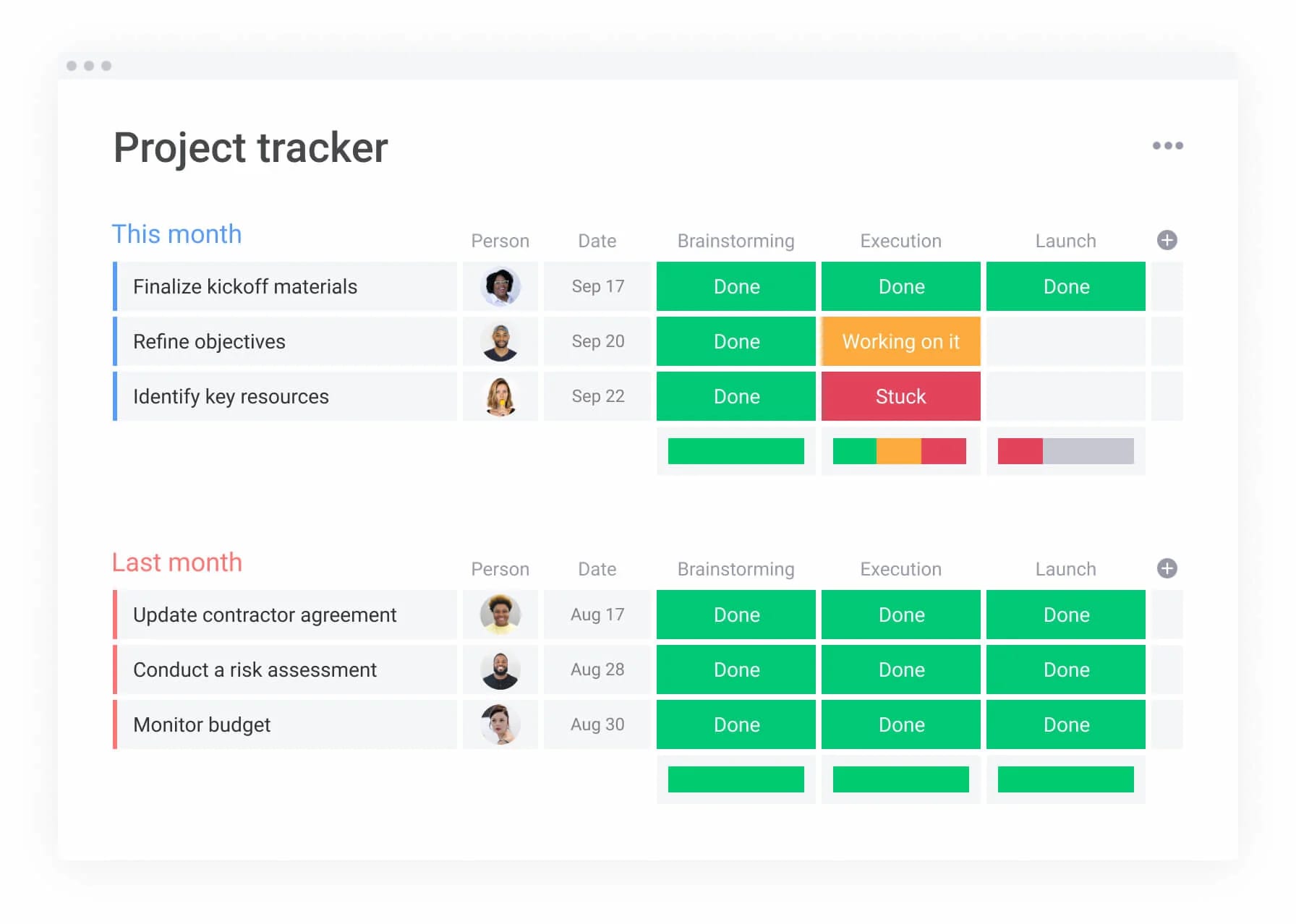
8 key sign-up sheet templates for teams
Different workflows require different template designs. These eight templates cover the most common coordination needs while staying flexible:
1. Event and conference sign-up sheets
Event planning templates manage complex logistics beyond simple attendance. They handle multi-track session selection, dietary requirements, and room capacity. A good event template captures attendee preferences upfront, so you can adjust catering and room assignments based on actual data.
2. Volunteer and staff scheduling templates
Shift-based coordination relies on templates that map people to specific time blocks and roles. These sheets match people’s availability to shift needs, so every shift has the right skill mix. Organizations use them for event staffing, mentorship programs, and community service days.
3. Training and workshop registration forms
Learning and development teams use training registration templates to manage educational sessions with features like prerequisite checking, waitlist management, and certification tracking. The template ensures only eligible employees can register for advanced sessions and automates the verification process for trainers.
4. Shift and time slot sign-up sheets
Operational teams use time slot templates for support desk coverage, on-call rotations, and facility monitoring. These templates let employees swap shifts within set rules, so you get 24/7 coverage without managers babysitting the schedule.
5. Resource and equipment booking templates
Managing shared assets means tracking who’s using what and when. These sheets ensure fair access to equipment and guarantee accurate availability for cameras, laptops, or specialized machinery. They include fields for checkout condition and expected return times.
6. Meeting room reservation sheets
Space management templates handle high-volume coordination of physical and digital meeting rooms. They factor in room capacity and equipment to match teams with the right space,no more cramming eight people into a four-person room.
7. Project team formation sign-ups
When launching new initiatives, managers use these templates to gauge interest and bandwidth. Fields capture skills, current workload, and role preferences, so leaders can build balanced teams across departments.
8. Client appointment scheduling templates
Service teams use these templates to coordinate external meetings with time zone conversions, service type selection, and client information intake questions handled automatically. This makes scheduling easier and ensures consultants show up prepared.
Event planning templates manage complex logistics beyond simple attendance.
Key elements every sign-up sheet template needs
An effective template doesn’t just collect information — it turns participation into actionable insights while staying simple enough that people actually use it. The best templates balance comprehensive data capture with user experience, ensuring high completion rates while generating the structured information teams need for decision-making. Key elements include:
Required information fields
Effective sign-up sheets strike a balance between gathering necessary information and maintaining a frictionless user experience. Each additional field increases abandonment risk, so focus on data that directly supports coordination decisions. Essential fields typically include:
- Participant identity: Name and unique identifier, like email or employee ID.
- Contact details: Preferred communication method for updates.
- Selection logic: The specific slot, item, or role being requested.
- Dependencies: Prerequisites or special requirements.
- Status indicators: Confirmation status such as pending, approved, or waitlisted.
Capacity limits and availability settings
Automated constraints prevent overcommitment. Templates must define maximum participant counts per slot or resource. Advanced settings route overflow to waitlists or suggest alternative time slots, so you fill capacity without overcommitting.
Contact and communication details
Sign-ups represent commitments, and communication reinforces them. Templates include triggers for automated confirmation messages, calendar invites, and reminder notifications. These workflows keep personal details private while letting organizers reach participants instantly.
Customization for specific team needs
Enterprise teams have different needs. Effective templates let you customize by adding cost center codes for finance, compliance checkboxes for legal, or skill tags for HR. Teams using monday work management add these columns and views without messing up the template.
The best templates balance comprehensive data capture with user experience, ensuring high completion rates while generating the structured information teams need for decision-making.
How to create an effective sign-up sheet in 5 steps?
Creating a sign-up sheet means designing a process that works for both coordinators and participants. This approach ensures your template captures the right information while staying easy to use.
Step 1: select the right template format
The process begins with choosing a format that shapes the user experience. While simple lists work for internal potlucks, complex matrix views are necessary for multi-day conference scheduling.
Teams should evaluate the complexity of their data and the number of participants, then choose between basic grids, calendar views, or form-based inputs.
Step 2: define essential data fields
Once the format is established, figure out exactly what information you need to run the event or task. Separate must-haves from nice-to-haves to keep forms short. Apply validation rules to ensure phone numbers look like phone numbers and dates are in the future.
Step 3: configure rules and restrictions
Set up rules that enforce your policies automatically. Set parameters such as maximum shifts per person or manager approval requirements for external equipment. These rules work like automated gatekeepers, so you don’t have to manually approve everything.
Step 4: enable real-time updates
To maintain accuracy, configure the system to show changes instantly. Set up synchronization intervals with team calendars to ensure that taken slots immediately appear unavailable to others. This real-time sync is essential for preventing double-booking and maintaining a single source of truth.
Step 5: share and monitor responses
How you share the sign-up affects how many people participate. Embed templates in internal portals, share sign-ups via communication channels, or link in emails. Once it’s live, watch your dashboards to spot low-participation slots early so you can promote them again.
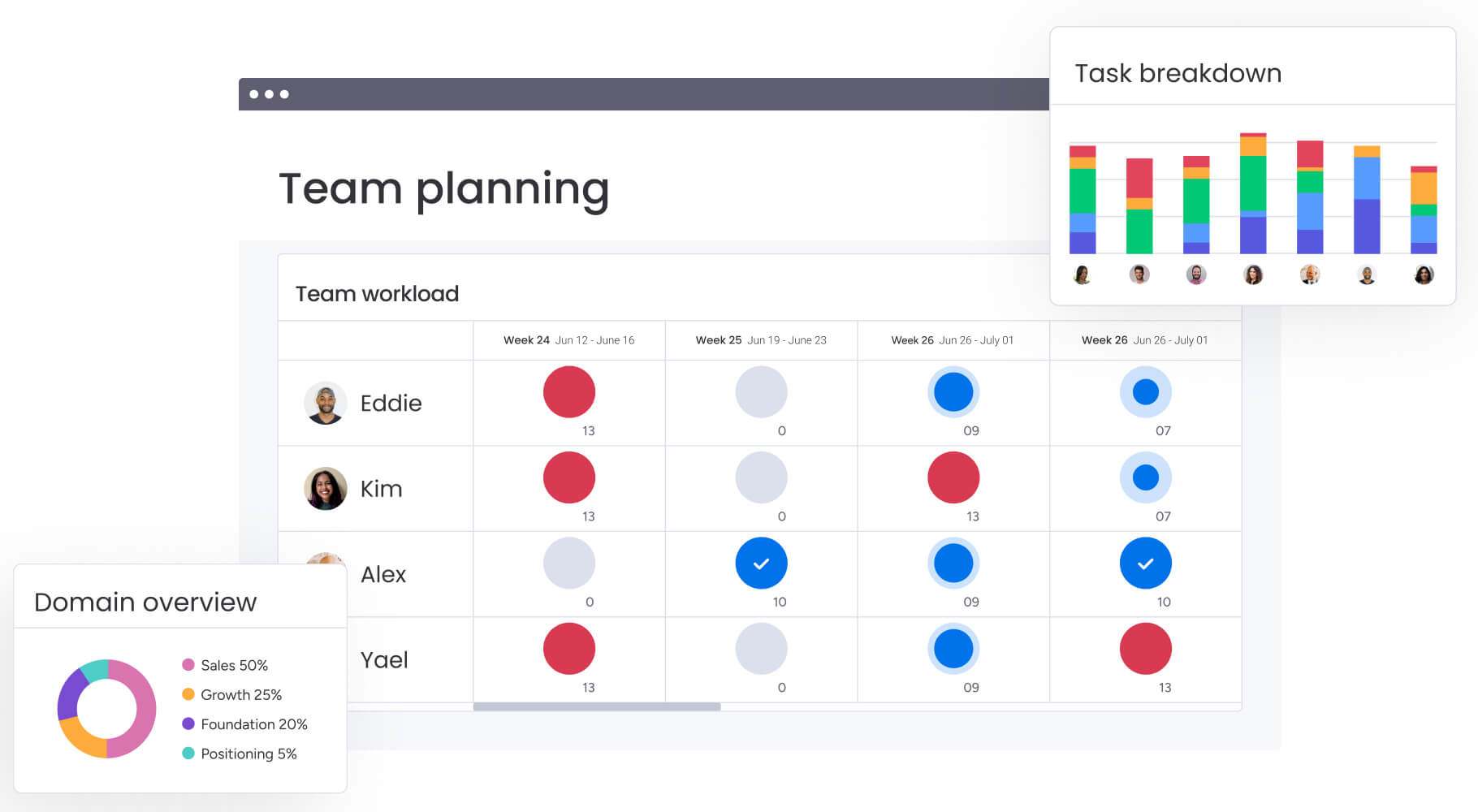
Why do teams choose online sign-up sheets?
Teams adopt online sign-up sheets because they streamline coordination and save time. Unlike paper-based workflows, digital solutions handle complex scheduling, reduce errors, and provide insights based on real participation data. They allow teams to make decisions quickly while keeping operations organized.
Instant access from any device
A primary benefit is that cloud-based templates remove location barriers entirely. Field staff can reserve equipment from their mobile devices, while remote workers book office desks from home. This accessibility encourages higher participation rates and more accurately mirrors how modern teams actually work.
Automatic conflict detection
Furthermore, these smart systems catch scheduling errors before they happen. If a vehicle is already booked for maintenance, the platform blocks it from being reserved for client visits. This automation replaces error-prone manual checking with dependable system validation.
Real-time visibility for all stakeholders
Online sign-up sheets provide a single source of truth. Everyone sees what’s available, participants know their slots, managers track commitments, and executives monitor usage trends. This transparency prevents version confusion and supports faster, informed decisions.
Built-in analytics and reporting
Finally, digital templates convert simple sign-ups into actionable data. Teams can analyze these trends to predict future demand, identify overbooked sessions, or spot underused resources. These integrated insights help managers allocate people, space, and equipment with maximum efficiency.
Sign-up sheet templates by team function
Different departments coordinate in unique ways. When templates are tailored to specific team workflows, adoption increases, and data quality improves. Specialized templates address the distinct operational and compliance needs of each function.
HR and people operations templates
HR templates prioritize privacy and compliance while handling sensitive workflows like benefits enrollment sessions, onboarding scheduling cohorts, and exit interview scheduling. These sheets often connect directly to HRIS platforms and update employee records automatically.
Marketing and event management sheets
In contrast, marketing teams require high-velocity coordination for trade show booth staffing, swag distribution logistics, and event management content approval cycles. Templates focus on looking professional for external audiences and often include vendor management fields.
Operations and resource planning forms
Operations templates track asset use and uptime, preventative maintenance schedules, facility access shifts, and supply chain deliveries. Reliability matters here. These templates often include mandatory safety protocol checklists.
Customer success and support scheduling
Finally, client-facing teams rely on templates for onboarding sessions, quarterly reviews, and support rotations. Automated features, like time zone conversion, make scheduling smooth and client-friendly.
7 best practices for team sign-up management
To maximize efficiency and reduce coordination friction, teams implement these proven strategies to manage sign-ups across departments and workflows. These practices address common pain points like last-minute cancellations, unclear capacity limits, and disconnected scheduling systems that create bottlenecks:
- Automate confirmation emails: Immediate feedback confirms participant actions with emails including calendar files and relevant attachments.
- Set smart capacity limits: Dynamic limits adjust based on available resources, automatically doubling capacity when room partitions open.
- Enable waitlist functionality: Capture demand exceeding supply and automatically notify next in line when spots open.
- Create recurring sign-up schedules: For regular events, recurring templates save setup time and allow booking multiple future sessions.
- Track attendance patterns: Compare sign-ups versus actual attendance to adjust overbooking ratios.
- Integrate with team calendars: Ensure booked slots block time on primary work calendars to prevent conflicts.
- Maintain compliance standards: Include audit trails and consent forms with automated data retention policies.
Advanced sign-up automation for growing teams
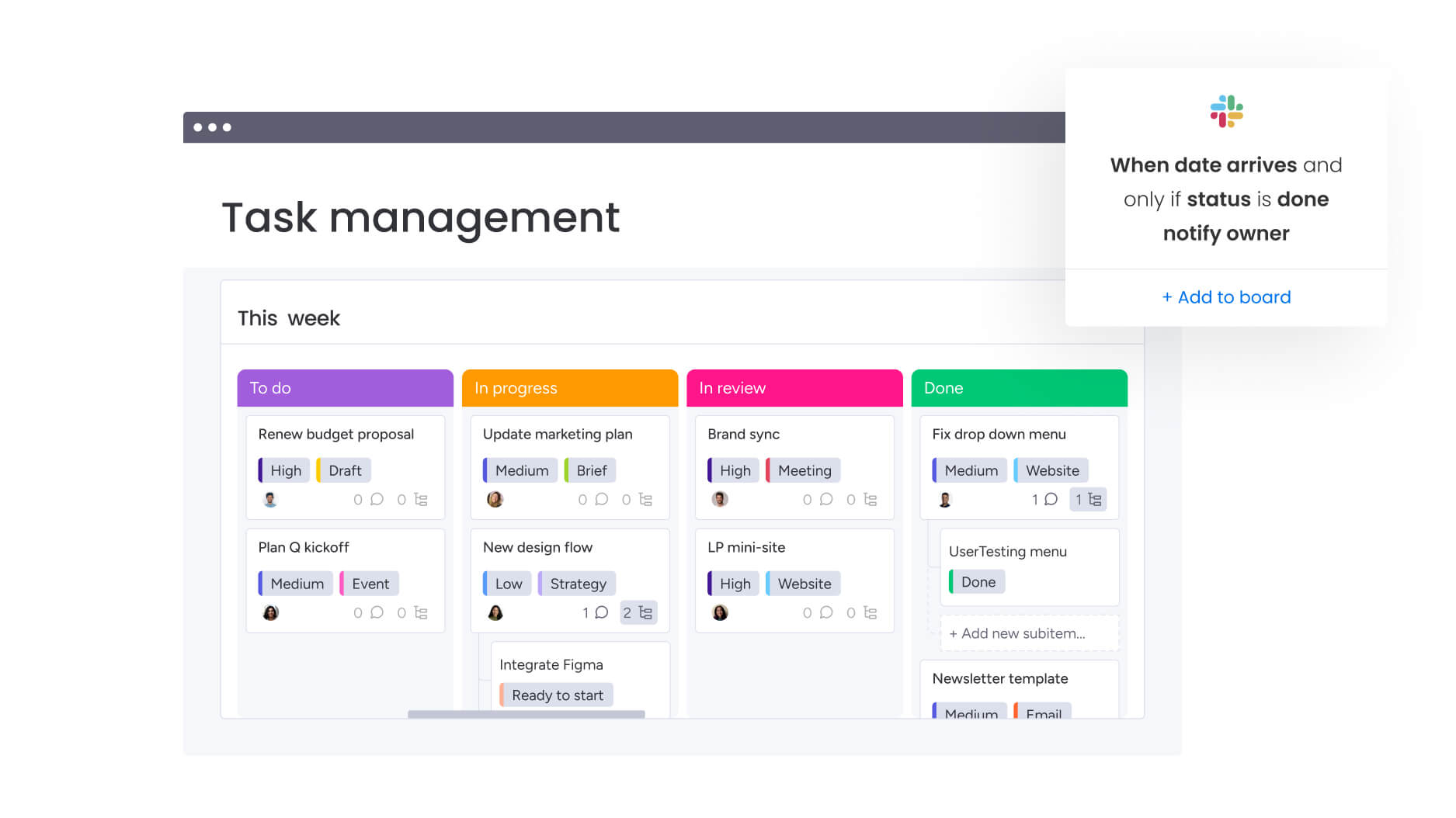
As organizations expand, manual coordination slows operations. Advanced automation turns sign-up sheets into triggers that initiate workflows across departments, keeping processes smooth and scalable.
Connect sign-ups to task creation
When someone signs up to lead a webinar, the platform can create a project board automatically. Tasks for presentation prep, rehearsals, and promotion are generated instantly, converting commitments into actionable work.
Trigger notifications based on thresholds
Alerts catch problems before they become failures. Coordinators receive notifications when critical shifts are only half-filled 24 hours before start time or when resources are near maintenance cycles based on usage bookings.
Generate attendance reports automatically
Reporting happens automatically. Systems generate weekly summaries of resource utilization, volunteer hours, or training completion rates and email them to stakeholders. This keeps leadership in the loop without anyone manually pulling reports.
Scale across multiple departments
Enterprise teams benefit from standardized templates that local offices can customize. Core data remains consistent across the organization, while regional teams can add fields specific to local workflows, balancing control with flexibility.
Power your sign-ups with monday work management

“monday.com has been a life-changer. It gives us transparency, accountability, and a centralized place to manage projects across the globe".
Kendra Seier | Project Manager
“monday.com is the link that holds our business together — connecting our support office and stores with the visibility to move fast, stay consistent, and understand the impact on revenue.”
Duncan McHugh | Chief Operations OfficerManaging team sign-ups can quickly become chaotic when schedules, resources, and responsibilities overlap. Addressing those challenges, monday work management connects daily coordination to broader business goals, helping teams stay organized, visible, and efficient.
- Fragmented scheduling across locations: Centralized templates provide instant access from any device, so team members can book resources and shifts without confusion.
- Manual conflict detection and errors: Automatic rules prevent double bookings and overcommitments, ensuring accurate resource allocation.
- Limited visibility into participation: Real-time dashboards show who is signed up, which slots are full, and trends across departments.
- Time-consuming follow-ups and confirmations: Automated notifications, confirmations, and calendar integrations reduce administrative overhead.
- Difficulty scaling coordination: Workflows triggered by sign-ups turn commitments into actionable tasks, maintaining consistency across teams and projects.
With monday work management, teams gain clarity, save time, and align coordination with strategic priorities, turning routine sign-ups into a streamlined, data-driven advantage for the organization.
Frequently asked questions
How do I prevent double booking on sign-up sheets?
Digital platforms prevent double booking through automatic conflict detection logic that instantly locks time slots or resources once selected. This ensures capacity limits are enforced across all users simultaneously, eliminating the possibility of overlapping reservations.
Can multiple people edit a sign-up sheet simultaneously?
Cloud-based platforms allow concurrent editing with real-time synchronization. Granular permissions ensure users can only edit their own entries or specific fields while administrators maintain full control over the template structure.
What's the most efficient way to send sign-up sheet reminders?
The most efficient approach uses automated rules that trigger notifications based on event dates relative to the current time. These send personalized reminders via email or platform notifications at optimal intervals without manual intervention.
How do I export sign-up data for analysis?
Most digital platforms offer one-click export options to CSV or Excel formats. Advanced platforms like monday work management also provide internal reporting widgets that visualize data without requiring exports, enabling instant analysis within the platform.
Can sign-up sheets integrate with Microsoft Teams or Slack?
Sign-up sheets can integrate directly with communication platforms. monday work management posts updates to specific channels when sign-ups occur, keeping entire teams visible on participation without leaving their primary communication solutions.
How do I set different permission levels for sign-up sheets?
Enterprise platforms provide role-based access control. Administrators define who can view, edit, or manage sheet structure while participants modify only their own data, ensuring security and appropriate access levels across the organization.

 Get started