

SEO strategies often stall between planning and execution. Keyword research may be complete, content calendars mapped, and technical audits outlined, yet teams struggle to keep campaigns moving. Writers wait on briefs buried in inboxes, developers lose track of urgent optimizations, and by the time reports are generated, clarity on what has actually shipped is lost.
SEO project management software addresses this challenge by connecting keyword research, content workflows, and technical fixes into a single system. By centralizing tasks, deadlines, and performance data, teams gain visibility into what is progressing and what is delayed, reducing manual follow-ups and allowing focus on driving results.
This guide presents some of the best SEO project management platforms designed for agencies and in-house teams. It covers the features that matter for search workflows, explains the difference between SEO-specific and general project tools, and offers guidance on matching the right platform to a team’s size and structure.
Key takeaways
- SEO project management software bridges strategy and execution: It centralizes keyword research, content workflows, and technical audits into a single system to reduce inefficiencies.
- General project management tools often fall short for SEO: They lack native ranking tracking, task-to-metric linking, and the flexibility to support continuous optimization cycles.
- AI and automation enhance SEO workflows: Automated reporting, content briefs, and task prioritization free teams to focus on high-impact strategy rather than manual data entry.
- Cross-team collaboration and visibility are critical: Unified platforms improve communication between writers, developers, and strategists while providing stakeholders with real-time performance insights.
- monday.com supports scalable SEO execution: It combines workflow customization, AI-assisted automation, and real-time dashboards to align strategy with measurable results.
Why SEO project management software is critical for execution
SEO strategies rarely break at the planning stage. They break in execution.
The research is done. The roadmap is approved. Then the work fragments. Keyword insights sit in one document. Content briefs live in another tool. Technical fixes move into a development queue with limited context. Reporting happens later in spreadsheets that quickly lose accuracy.
The issue is not effort. It is alignment.
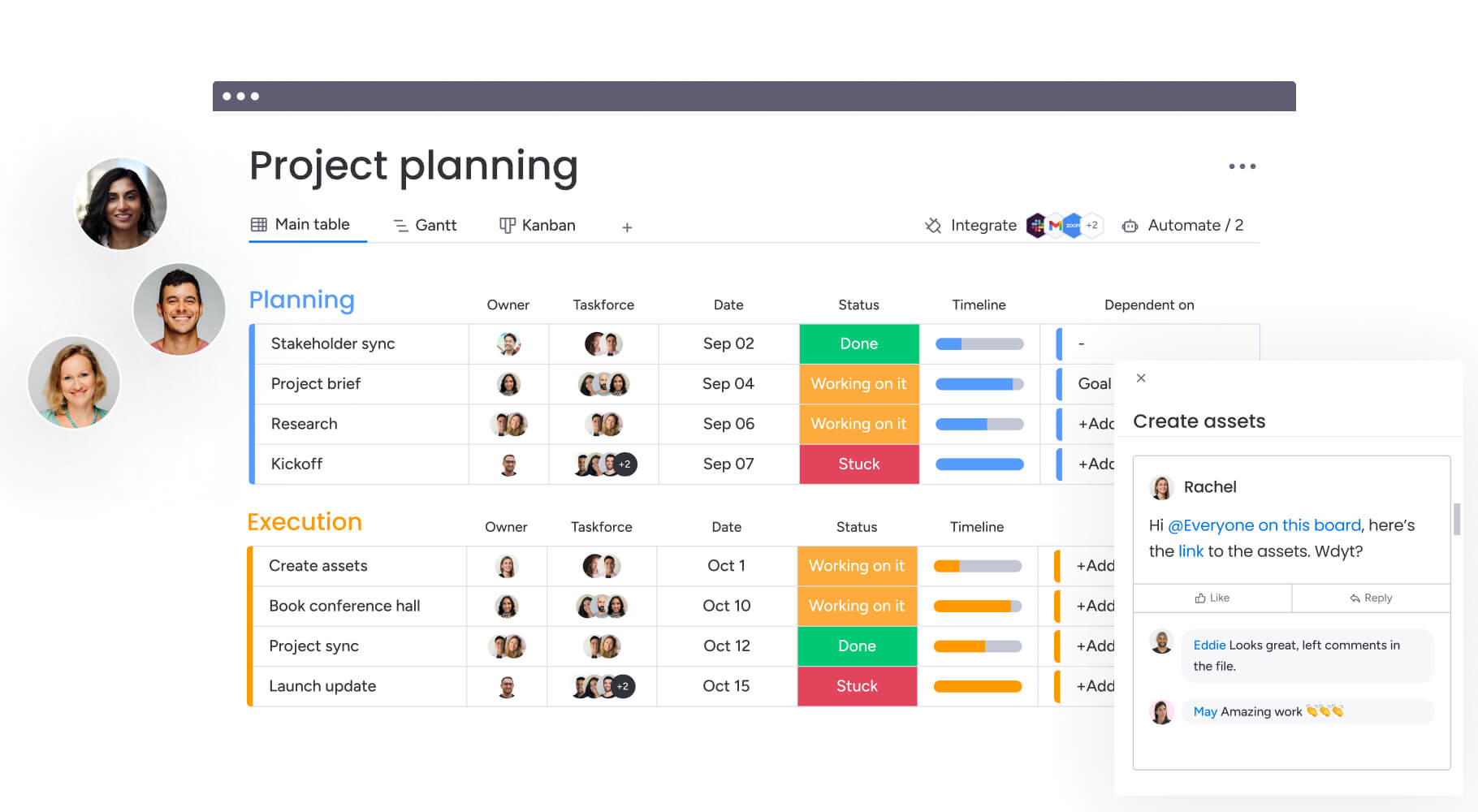
SEO project management software creates that alignment by bringing every moving part into a single workflow. Research, content production, technical implementation, and performance tracking operate in the same system. Instead of chasing updates across tools, your team works from one structured view of what is planned, in progress, and complete.
That structure matters because SEO is cross-functional by nature. Analysts identify opportunities. Writers build assets. Developers deploy improvements. Leaders measure business impact. When these roles operate without shared visibility, handoffs slow down and accountability weakens.
Purpose-built SEO workflows address this by:
- Centralizing campaign assets: Keyword research, briefs, technical tickets, and reports are organized within the same system.
- Connecting tasks to outcomes: Each initiative links directly to rankings, traffic, or revenue metrics.
- Clarifying ownership: Responsibilities and deadlines remain visible from intake through delivery.
Why general project tools fall short for SEO
Most general project management platforms are designed for linear projects with a defined end date. SEO does not work that way.
Search optimization is continuous. Pages are updated, rankings shift, algorithms change, and competitors respond. Without ranking visibility or task-to-metric tracking, teams end up stitching data together manually. That creates blind spots and slows decision-making.
Common gaps in generic platforms include:
- No native performance tracking: Rankings and traffic sit outside the workflow.
- Manual reporting: Teams export data just to show progress.
- Limited iteration support: Recurring updates and refresh cycles are hard to manage at scale.
If reporting takes more time than optimization, the system is working against you.
How AI strengthens SEO workflows
AI now plays a practical role in SEO project management. It reduces manual analysis and helps teams focus on high-impact work.
AI can:
- Prioritize initiatives: Surface tasks with the strongest projected impact.
- Summarize research: Turn long reports into clear next steps.
- Automate updates: Generate status reports without manual compilation.
On monday.com, AI supports these workflows directly inside boards and dashboards. Teams can link every task to measurable outcomes and automatically surface campaign performance for stakeholders.
The result is simple. Less administrative work. More strategic execution.
Why growing SEO teams need more than a spreadsheet
Spreadsheets and email chains, once the backbone of digital marketing, now act as anchors slowing down modern marketing teams. When speed and multi-channel complexity define the game, stale data and unclear ownership hand easy wins to competitors.
Internal friction makes it nearly impossible to execute a winning strategy. Ditching manual tracking restores control over data integrity and project timelines.
Connect your strategy to execution
Fragmented systems create more failure points. Keyword insights expire, content schedules drift, and stakeholders remain uninformed. A unified platform turns this chaos into a scalable engine for growth.
Teams that ditch manual tracking see an immediate shift in momentum. Data-driven decisions replace guesswork. On monday.com, this looks like:
- Automated workflows: Content creation tasks trigger automatically the moment a keyword opportunity is identified.
- Clarified ownership: Technical tasks are assigned and tracked from the initial audit through to final implementation.
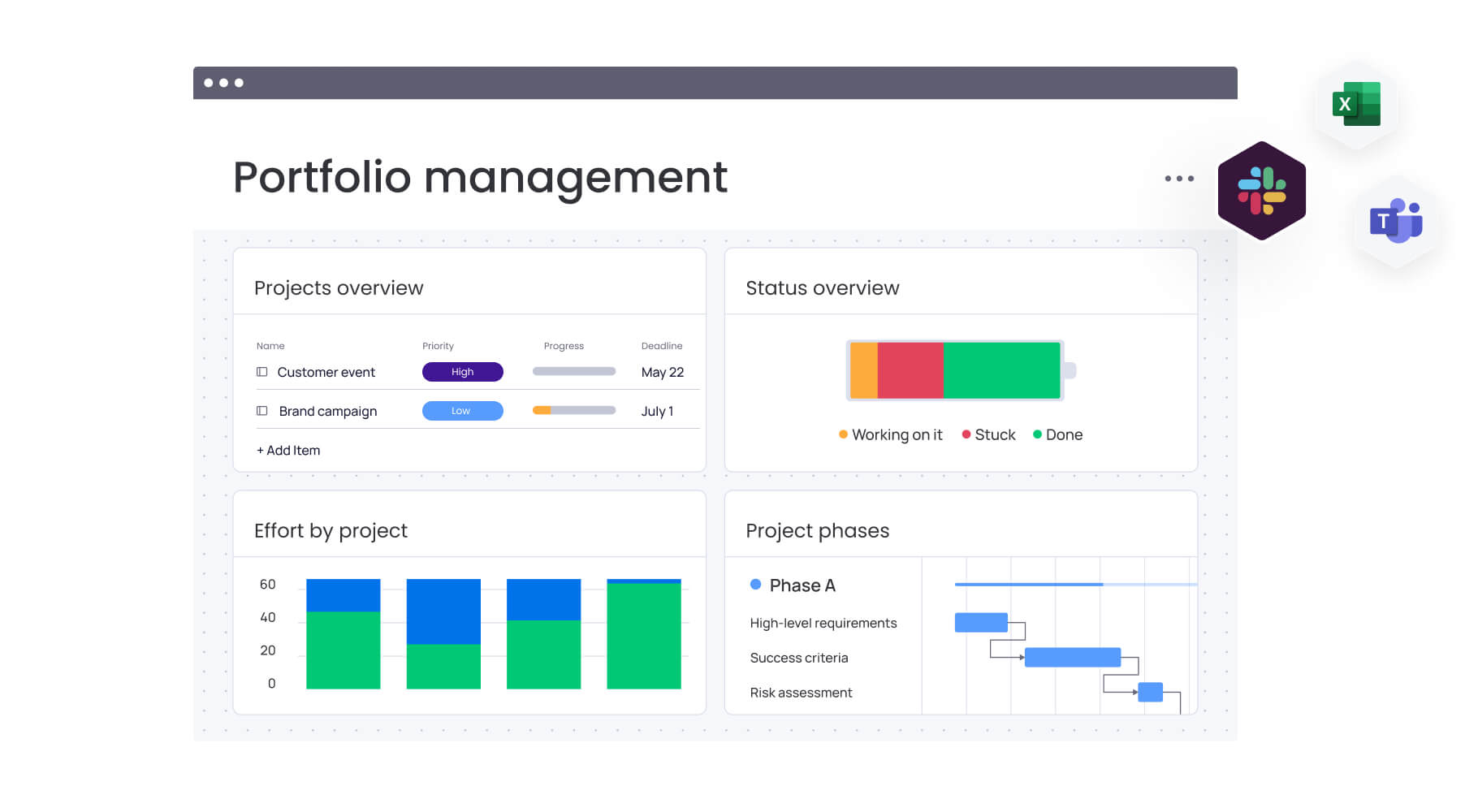
- Stakeholder visibility: Real-time dashboards display campaign performance and business impact without manual updates.
Gain visibility across every channel
Dominating search means showing up far beyond Google. Success now encompasses YouTube, Amazon, social platforms, and local search, each with unique formats and metrics. Coordinating a product launch gets a lot harder when the YouTube review, Amazon listing, and blog post live in separate tools.
Centralizing work management keeps all assets in sync. It helps teams coordinate complex initiatives with confidence — turning scattered efforts into a cohesive campaign that reaches every relevant channel.
Understand the true cost of inefficiency
Manual project management costs more than just lost hours. Inefficiencies inflict real, quantifiable damage on both team performance and the company’s bottom line.
Hidden costs often include:
- Lost revenue: A two-week delay in a campaign can mean missing a seasonal peak, potentially reducing traffic acquisition by more than 30%.
- Higher client churn: Agencies offering real-time transparency tend to retain clients twice as long as those providing only monthly static reports.
- Team burnout: The administrative weight of manual tracking drives away top talent, with replacement costs frequently surpassing 150% of an annual salary.
Fragmented systems create more failure points. Keyword insights expire, content schedules drift, and stakeholders remain uninformed. A unified platform turns this chaos into a scalable engine for growth.
Essential features every SEO project management platform needs
To execute SEO consistently, your platform must support more than visibility. It needs to actively reduce friction, improve coordination, and surface insight at the right moment.
That means automating repetitive analysis, enabling real-time collaboration, integrating performance data, and giving leaders a clear view of impact. The strongest SEO project management platforms are designed around these operational needs.
Below are the core capabilities that make that possible.
AI automation for repetitive SEO tasks
Manual data entry drains strategic resources. Smart automation eliminates it. Hand repetitive tasks to software, and your team gets hours back for high-level analysis and decision-making.
Advanced platforms use AI to speed up critical workflows, helping teams:
- Generate optimized metadata: Instantly draft titles and meta descriptions derived from deep content analysis.
- Find internal linking opportunities: Scan site architecture to recommend relevant links that enhance page authority.
- Produce comprehensive content briefs: Analyze competitor pages to spot keyword gaps and construct data-driven outlines.
On monday.com, AI automates processes ranging from categorizing search intent to prioritizing fixes based on traffic potential. The platform acts like a partner — surfacing insights from competitor data so the team can focus on execution.
Real-time collaboration across teams
SEO requires individual expertise, but the final output depends on tight coordination between writers, developers, and strategists. Disconnected workflows create chaos — team members feel like they’re working toward different goals. A central platform gets everyone on the same page.
A unified digital workspace delivers:
- A single source of truth: Guidelines, research, and assets are instantly available to the right people.
- Contextual communication: Discussions happen within task-specific threads, keeping conversations focused.
- Streamlined approval cycles: Automated routing for content and technical reviews eliminates the bottleneck of email chains.
White-label client reporting
Turning raw campaign data into a clear story is key to keeping clients. Professional, branded reporting software establishes trust and clearly demonstrates value, shifting the client relationship from reactive updates to proactive strategic planning.
Seek out platforms that offer:
- Automated report generation: The ability to compile progress and metrics into polished documents without manual assembly.
- Customizable dashboards: Reports tailored to specific client goals, highlighting the data they care about most.
- Integrated performance data: Visual proof of how completed work correlates directly with ranking improvements and traffic gains.
A connected SEO integration ecosystem
The “swivel-chair” effect — constantly toggling between Ahrefs, SEMrush, Google Analytics, and project boards — kills productivity. A platform with strong integrations acts as a command center — centralizing operations.
Automating data flow enables teams to:
- Eliminate manual entry: Sync data automatically between SEO tools and project boards.
- Gain a holistic view: View project status alongside real-time performance metrics in one interface.
- Make faster decisions: Act on insights immediately without navigating through a dozen tabs.
Workload balancing and resource planning
Without clear insight into team capacity, assigning high-impact work is a guessing game. Resource planning tools provide managers with the foresight needed to balance loads, prevent burnout, and ensure campaigns are staffed for success. Resource planning tools give managers the foresight to balance loads, prevent burnout, and staff campaigns for success.
Effective resource management includes:
- Visual capacity planning: Identify who is overloaded and spot bottlenecks before they impact deadlines.
- Informed workload distribution: Assign tasks based on availability and specific skill sets.
- Confident future-planning: Model scenarios for incoming work to assess the impact on current timelines.
15 best SEO project management software solutions
Managing the moving parts of an SEO strategy (from technical audits to link building) requires more than a to-do list. The right software organizes scattered efforts into one engine for growth. This guide highlights the platforms best suited for the task.
The right tool depends on your needs. Platforms generally fall into two categories:
- Comprehensive work management platforms: These link SEO work to bigger business goals. They’re built for organizations that need cross-departmental visibility, strong automation, and one scalable source of truth.
- Specialized SEO platforms: These provide specialized features for rank monitoring and site audits. They’re excellent for specific technical tasks, but they can isolate SEO work from the rest of the company.
1. monday.com
monday.com changes campaign execution by combining SEO planning, delivery, and reporting into one shared workspace. Teams can construct workflows that mirror their actual operational processes, from intake to performance review, without needing complex code.
For those managing multiple sites and stakeholders, clarity on ownership and blockers is non-negotiable. monday.com provides the oversight necessary to keep projects fluid and stakeholders aligned.

Use case:
SEO teams leverage monday.com to synchronize complex campaigns involving content, technical fixes, and link building, ensuring transparency for leadership and partners.
Practically, this might look like routing optimization requests through a Form that captures the URL, keyword, and priority. The system then auto-assigns owners, tracks delivery via Gantt charts, manages dependencies (e.g., “technical fix before content refresh”), and reports results through live dashboards.
Key features:
Teams use these building blocks to run SEO workflows consistently across different clients or business units.
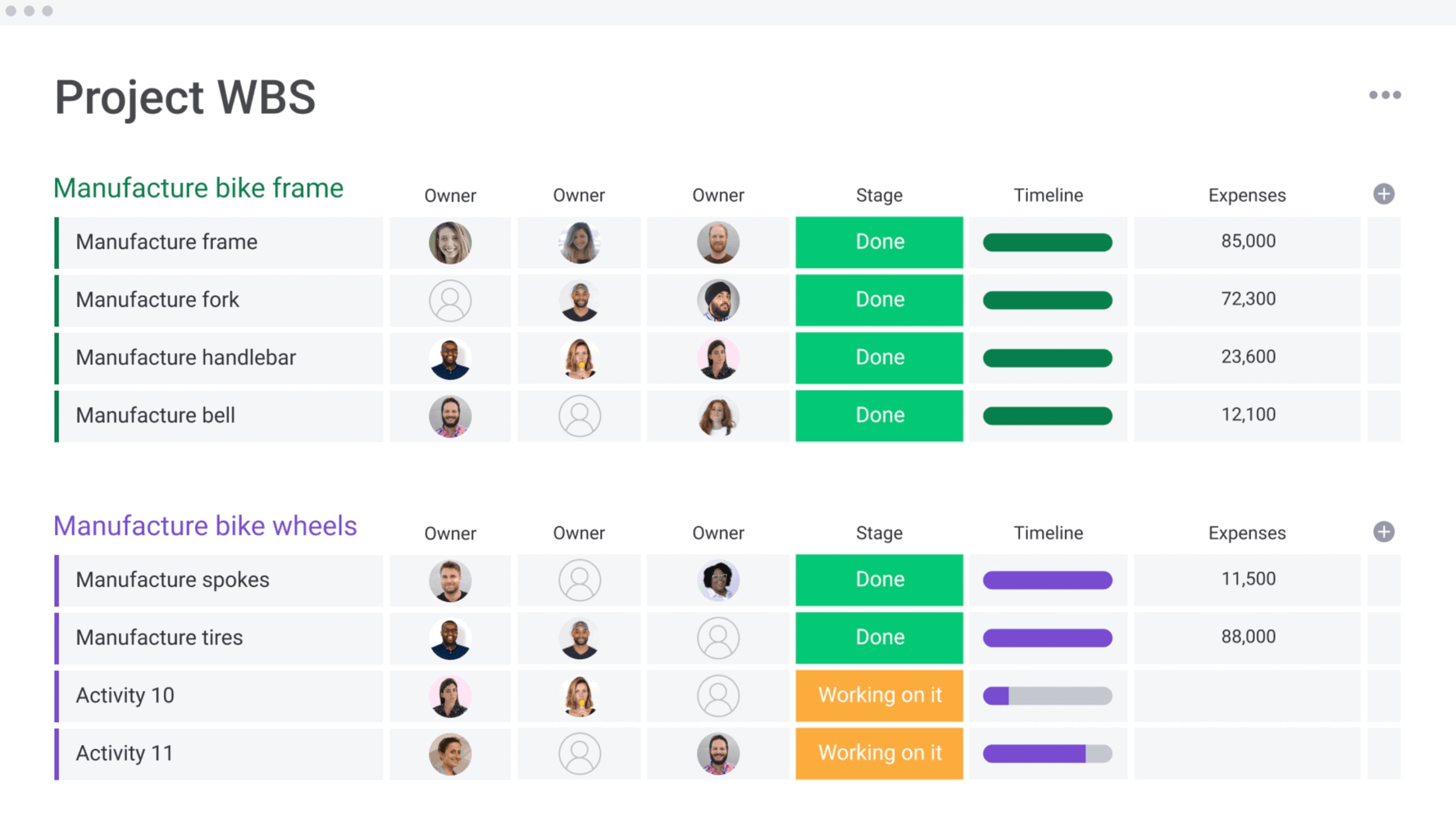
- Custom boards with SEO-specific columns for tracking rankings, optimization status, and backlinks.
- Timeline, Gantt, and Calendar views for mapping milestones and visualizing schedules.
- Dependencies and critical path analysis to identify schedule risks early.
- Workload View to balance capacity across writers, analysts, and developers.
- Dashboards that roll up portfolio signals into executive-ready reports.
- monday workdocs for context-rich collaboration with embedded live boards.
Pricing:
- Free: $0 for up to 2 seats.
- Basic: $9/seat/month billed annually.
- Standard: $12/seat/month billed annually (adds Timeline/Gantt, Calendar).
- Pro: $19/seat/month billed annually (adds automation, dependencies).
- Enterprise: Custom pricing with advanced security.
- Annual billing: Offers ~18% discount.
- AI credits: Available at $0.01 per credit after trial.
Why it stands out:
For SEO work that intersects with brand, legal, and regional marketing, governance is essential. monday.com balances this need for control with flexible workflow design that marketing leaders can customize.
- Recognized as a Leader in the 2025 Gartner® Magic Quadrant™ for Collaborative Work Management and Adaptive Project Management.
- Allows customization without sacrificing consistency via templates and automations.
- Provides portfolio-style visibility for monitoring multiple initiatives simultaneously.
Advanced AI features:
AI is embedded directly into the workflow columns and automations, applying intelligence exactly where it saves time.
- AI Blocks to categorize requests instantly (e.g., tagging tickets as “technical” or “content refresh”).
- AI Blocks to summarize dense research or updates into actionable next steps.
- AI Blocks to extract data from files and images directly into board fields.
- Digital Workforce (coming soon) includes a Project Analyzer to flag bottlenecks in real-time.
Automations:
Automations keep work moving without the need for constant status chasing, which is vital for recurring SEO tasks like reporting and QA.
- Templates to instantly launch new campaign boards with pre-set phases and dates.
- Automated notifications to ping approvers exactly when needed.
- AI Automations (Pro/Enterprise) to run complex actions like categorizing requests inside workflows.
- Run history for easy troubleshooting.
Integrations:
The platform connects with the tools teams use daily, supported by an open API.
- Native integrations with Slack, Microsoft Teams, Gmail, Zoom, and Google Drive.
- Connections to 200+ apps plus an open API for custom data flows.
SEO project management software features:
Execution and reporting live in the same layer, supporting everything from single site refreshes to global programs.
- Custom columns for tracking specific SEO signals.
- Kanban, Gantt, and Workload views for planning and capacity management.
- Time tracking to analyze effort per initiative.
- Granular permissions for secure external stakeholder access.
- Shareable dashboards for real-time leadership reviews.
2. Wrike
Wrike focuses on intelligent work management, merging planning and execution within a highly secure environment. It is particularly suited for organizations with complex, cross-departmental workflows that require enterprise-grade security and deep configurability. The platform balances flexibility with control through customer-managed encryption and AI assistance.

Use case:
Mid-to-large enterprises that need structured approval chains, advanced resource management, and strict security protocols for managing projects at scale.
Key features:
- Custom workflow engine featuring blueprints and AI-assisted planning.
- Enterprise security suite with SOC 2 Type II certification and Locked Spaces.
- Robust resource management including utilization dashboards and capacity. planning
Pricing:
- Free: $0/month for basic management.
- Team: $10/month per user (2-15 users).
- Business: $25/month per user (5-200 users).
- Enterprise/Pinnacle: Contact sales.
- Add-ons available for specific needs.
Considerations:
- The learning curve for advanced analytics and configuration can be steep.
- Costs can rise significantly when adding necessary integrations and security features.
3. ClickUp
Positioning itself as the “everything app,” ClickUp consolidates collaboration, project management, and automation into one highly customizable workspace. It appeals to teams that want to tailor every aspect of their interface, offering over 15 different views and “Connected Search” to find data across external apps.

Use case:
Teams that prioritize maximum flexibility in workflow design and are willing to invest time in configuring the platform to their exact specifications.
Key features:
- 15+ views including List, Board, Gantt, and Workload.
- AI-powered Super Agents and Connected Search for external apps.
- Native sprint management with burndown charts for agile workflows.
Pricing:
- Free Forever: $0/month
- Unlimited: $7/month per user (annual)
- Business: $12/month per user (annual)
- Enterprise: Custom pricing.
- AI add-ons: available separately.
Considerations:
- The sheer breadth of features can be overwhelming for new users.
- Changes to guest and seat policies may impact costs for teams working with many external contributors.
4. Trello
Trello champions a visual, Kanban-based approach, making it a favorite for teams that value simplicity. By organizing tasks into boards, lists, and cards, it offers an intuitive way to track progress, while “Power-Ups” allow users to extend functionality through third-party integrations.

Use case:
Solo consultants or small SEO teams managing a handful of client campaigns who need straightforward tracking without complex reporting.
Key features:
- Visual Kanban boards: Intuitive organization for immediate status visibility.
- Butler automation: No-code rules to streamline repetitive actions.
- 200+ Power-Ups: Integrations with tools like Google Analytics and Slack.
Pricing:
- Free: $0/month for up to 10 collaborators.
- Standard: $5/month per user (annual).
- Premium: $10/month per user (annual).
- Enterprise: Starting at $17.50/month per user (annual).
Considerations:
- Native features for dependencies and resource management are limited.
- Advanced views are restricted to higher-tier plans.
5. Asana
Asana uses a “Work Graph” data model to connect tasks and projects to broader strategic goals. It excels at providing portfolio oversight and multi-view management, making it a strong contender for cross-functional teams that need to coordinate SEO initiatives across various departments.

Use case:
Teams requiring comprehensive project management with strong alignment between daily tasks and high-level goals, particularly in multi-departmental settings.
Key features:
- Diverse project views (timeline, calendar, Gantt) with drag-and-drop scheduling.
- Portfolio-level reporting for resource optimization.
- AI Studio and extensive workflow automation.
Pricing:
- Personal: Free for small teams.
- Starter: $10.99/user/month (annual).
- Advanced: $24.99/user/month (annual).
- Enterprise: Custom pricing.
Considerations:
- Configuration complexity can be high for teams wanting simple tracking.
- Enterprise-grade compliance features are locked behind higher tiers.
6. Smartsheet
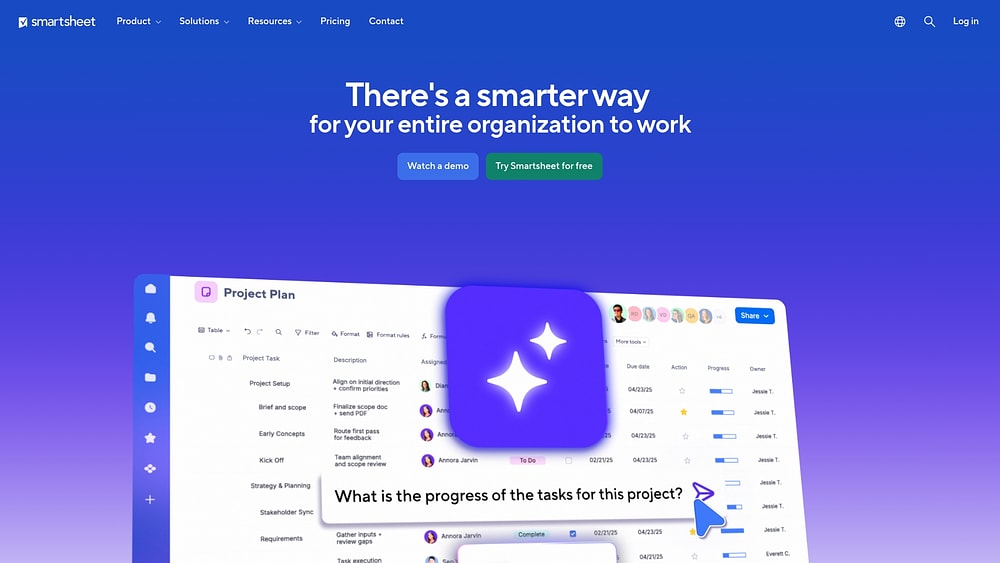
Smartsheet bridges the gap between traditional spreadsheets and enterprise project management. It offers a familiar grid interface but enhances it with advanced automation, reporting, and governance features. This makes it an attractive option for large organizations that need strict compliance and portfolio management without abandoning the spreadsheet format.
Use case:
Organizations with a strong spreadsheet culture that need to scale their coordination efforts while maintaining enterprise governance and compliance.
Key features:
- Multiple views including Grid, Gantt, and Kanban with critical path analysis.
- Control Center for automated project provisioning and portfolio rollups.
- High-level security and compliance, including FedRAMP authorization.
Pricing:
- Pro: $9/member/month (annual).
- Business: $19/member/month (annual).
- Enterprise: Custom pricing.
- Premium add-ons available separately.
Considerations:
- Advanced portfolio features significantly increase the total cost.
- Large-scale campaigns may require data partitioning strategies due to sheet capacity limits.
7. Jira
Jira is the standard for technical teams, offering robust issue tracking and sprint planning capabilities. For SEO teams embedded within product or development organizations, Jira provides a seamless way to manage technical optimizations alongside feature development, supported by Atlassian’s massive infrastructure.

Use case:
SEO teams working closely with developers who need to align technical optimization work with engineering sprints.
Key features:
- Advanced roadmaps for cross-team planning and dependency tracking.
- Native Scrum and Kanban boards for Agile execution.
- Comprehensive automation engine with pre-built recipes.
Pricing:
- Free: $0 for up to 10 users.
- Standard: $7.16/user/month (annual)
- Premium: $12.48/user/month (annual)
- Enterprise: Quote-based.
Considerations:
- The interface and configuration can be complex for non-technical users.
- Heavily customized instances may experience performance issues.
8. AgencyAnalytics
AgencyAnalytics is built specifically for marketing agencies, prioritizing white-label reporting and client management. It combines SEO data visualization with lightweight project coordination, making it a solid choice for agencies that want to keep reporting and basic task management under one roof.

Use case:
Marketing agencies looking to streamline client reporting while maintaining basic oversight of tasks.
Key features:
- Multi-view task management with filtering options.
- Automated white-label reporting that integrates completed tasks.
- Agency-level aggregation of tasks across all clients.
Pricing:
- Freelancer: $59/month (annual)
- Agency: $179/month (annual)
- Agency Pro: $349/month (annual)
- Enterprise: Custom pricing.
Considerations:
- Task management features are basic, lacking Gantt charts or dependencies.
- No support for task templates limits workflow standardization.
9. Frase
Frase merges AI-driven content optimization with project management features tailored for editorial teams. It analyzes top-ranking pages to generate briefs and recommendations, embedding coordination directly into the content creation process. This makes it ideal for teams focused heavily on content production.

Use case:
Content marketing teams and SEOs who need integrated content intelligence alongside their editorial workflow.
Key features:
- Document-centric project management with status tracking.
- Content governance tools including style guides.
- AI search tracking for brand citations (in higher tiers).
Pricing:
- Starter: $38/month (annual).
- Professional: $98/month (annual).
- Scale: $195/month (annual).
- Advanced: $297/month (annual).
Considerations:
- Project management is limited to content workflows.
- Advanced approval features are restricted to higher-tier plans.
10. Google Sheets
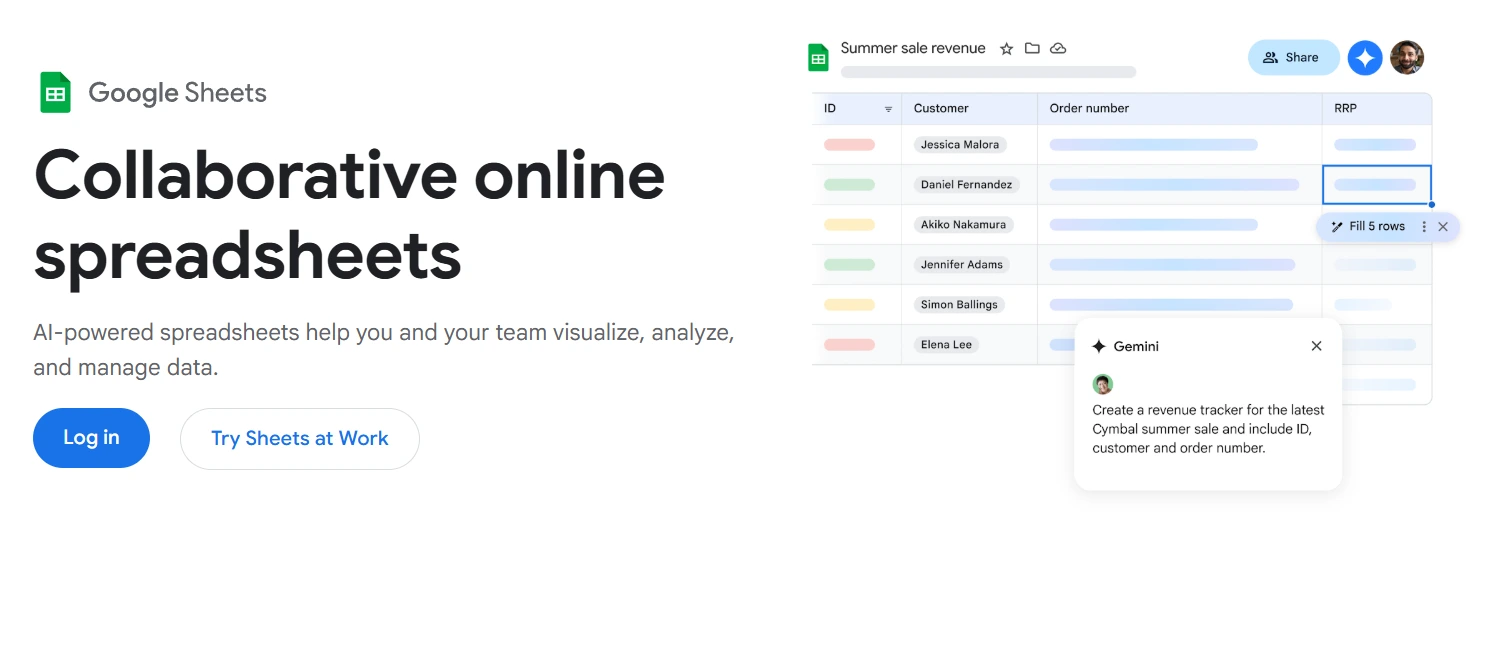
Google Sheets offers a flexible, no-cost entry point for SEO project management. Its familiar spreadsheet interface allows for real-time collaboration and custom tracking without the need for a subscription. For teams already in the Google ecosystem, it provides an accessible way to organize data and timelines.
Use case:
Solo consultants and small teams who need a customizable, collaborative workspace without overhead costs.
Key features:
- Timeline view for tracking campaigns and schedules.
- Smart chips to link people, files, and events directly in cells.
- Real-time collaboration with comments and action items.
Pricing:
- Free: Included with Google Accounts.
- Business Plans: Start at $7/month per user.
Considerations:
- Lacks native project management features like dependencies or resource leveling.
- Scaling to complex portfolios often requires migrating to a dedicated platform.
11. Google Calendar
Google Calendar provides the time-based framework for SEO campaigns. It integrates deeply with Google Workspace, allowing teams to coordinate milestones, schedule content publishing, and manage stakeholder availability. While not a full project manager, it is essential for time-blocking and scheduling.

Use case:
Coordinating campaign timelines and content deadlines across a team.
Key features:
- Shared calendars for cross-team visibility.
- Focus time blocks to protect deep work sessions.
- Appointment scheduling pages for stakeholder meetings.
Pricing:
- Personal: Free.
- Business Plans: Start at $7/month per user.
Considerations:
- Limited to scheduling; lacks task boards or workflow automation.
- Tasks are personal, making collaborative task management difficult.
12. Google Meet
Google Meet serves as the secure communication layer for SEO teams. It facilitates real-time collaboration through video conferencing and integrates with the broader Workspace suite for seamless documentation. AI-powered note-taking helps capture decisions and action items directly into Google Docs.

Use case:
Facilitating team meetings and stakeholder reviews with integrated documentation.
Key features:
- AI-powered “Take notes for me” feature.
- Native integration with Calendar and Docs.
- Enterprise-grade security and uptime.
Pricing:
- Business Plans: Start at $7/month per user.
Considerations:
- Requires integration with other tools for actual project tracking.
- Advanced AI features are often restricted to higher tiers.
13. Slack
Slack acts as the central nervous system for team communication. It organizes discussions into channels and integrates with countless other apps, making it the hub where notifications and updates converge. For distributed teams, it is often the primary place where collaboration happens.

Use case:
Connecting team members and integrating notifications from SEO tools into one stream.
Key features:
- Channel-based organization: Dedicated spaces for campaigns or clients.
- Workflow automation: No-code builders for status updates.
- Deep integrations: Connects with 2,600+ apps.
Pricing:
- Free: Basic features.
- Pro: $7.25/month per user (annual).
- Business+: $15/month per user (annual).
Considerations:
- Not a substitute for structured project management.
- Advanced features like Lists require paid plans.
14. Basecamp
Basecamp offers a simplified, all-in-one workspace that avoids the complexity of enterprise tools. With message boards, to-do lists, and file storage in one place, it appeals to small teams that want a predictable, flat-rate cost and a straightforward way to organize work.

Use case:
Small teams needing a consolidated workspace without complex automation.
Key features:
- All-in-one workspace: Centralizes docs, chat, and tasks.
- Hill Charts: Visual progress tracking.
- Client collaboration: Free guest access.
Pricing:
- Basecamp Free: Limited features.
- Plus: $15/employee/month.
- Pro Unlimited: $299/month (annual).
Considerations:
- Lacks advanced features like Gantt charts or detailed analytics.
- Limited to U.S. data residency.
15. Ahrefs
Ahrefs provides the data foundation for SEO strategies. While primarily an analysis tool, its project organization features allow teams to manage site audits and track keywords across multiple domains. It is indispensable for data-driven teams needing enterprise-grade crawling and competitive insights.

Use case:
SEO teams and agencies that require advanced backlink analysis, keyword tracking, and technical auditing to guide optimization strategy.
Key features:
-
Comprehensive site audits: Identify technical SEO issues with prioritized, actionable recommendations.
-
Advanced keyword research: Analyze search volume, difficulty, and SERP composition across global markets.
-
Industry-leading backlink analysis: Explore referring domains, anchor text distribution, and link growth trends.
-
Rank tracking: Monitor keyword performance across devices, locations, and competitors.
-
Content gap analysis: Uncover missed ranking opportunities by comparing competitor coverage.
Pricing:
-
Lite plan: $99 per month.
-
Standard plan: $199 per month.
-
Advanced plan: $399 per month.
-
Enterprise plan: $999 per month.
Considerations:
-
Limited workflow management: Does not include built-in task boards or cross-team project coordination.
-
Execution tracking requires integration: Teams typically pair Ahrefs with a separate project management platform.
-
Higher costs at scale: Large agencies may require upper-tier plans for multi-domain and expanded data limits.

“monday.com has been a life-changer. It gives us transparency, accountability, and a centralized place to manage projects across the globe".
Kendra Seier | Project Manager
“monday.com is the link that holds our business together — connecting our support office and stores with the visibility to move fast, stay consistent, and understand the impact on revenue.”
Duncan McHugh | Chief Operations OfficerHow to select the ideal SEO project management platform
Choosing an SEO project management platform is not just about comparing feature lists. The right platform acts as an operational partner, forming the foundation for your team’s productivity, client relationships, and growth.
To select a solution that fits your operational reality, focus on these practical capabilities rather than marketing promises:
Match the platform to your team structure and scale
The operational needs of a solo consultant differ significantly from those of a 50-person agency. Select a platform that addresses current challenges while supporting future growth.
Consider these distinct requirements:
- Solo consultants and small teams (1-5 people): Focus on client collaboration, automated reporting, and templates to speed up delivery.
- Mid-size agencies (6–25 people): Prioritize resource management and standardized workflows to maintain quality control.
- Enterprise teams (25+ people): Require advanced governance, portfolio views, and enterprise-grade security to manage complexity.
Identify critical integrations for SEO success
A project management platform should serve as a central hub for your work rather than an isolated system. Seamless integrations reduce manual data entry and connect insights directly to action.
High-performing teams typically need a connected ecosystem that includes:
- SEO analytics: Ahrefs, Semrush, and Moz.
- Performance data: Google Analytics and Search Console.
- Content management: WordPress and HubSpot.
- Team communication: Slack and Microsoft Teams.
Modern platforms like monday.com allow teams to create a single source of truth. Integration capabilities enable automated workflows that pull data and trigger notifications, keeping projects on track without constant context switching.
Analyze the true cost beyond the subscription fee
Subscription fees reflect only a portion of the total cost. A comprehensive analysis should include implementation, training, and administration to calculate the full total cost of ownership and potential ROI.
Consider the investment required for data migration and team onboarding. Platforms with intuitive interfaces, such as monday.com, often support faster deployment and reduce downtime. The real value is realized in efficiency gains — less administrative work and faster campaign delivery.
5 steps to a smooth platform implementation
A structured rollout prevents disruption and accelerates time to value. Following a clear plan ensures the new platform delivers immediate results.
- Assess: Document current workflows and identify specific pain points to establish a baseline for success.
- Plan: Design new workflows, map data flows, and define automation rules.
- Pilot: Test the setup with a small team or single client to identify issues in a controlled environment.
- Train: Focus training on practical, daily workflows. An intuitive platform simplifies adoption.
- Scale: Roll out refined workflows in phases, monitor adoption, and celebrate early wins.
Maximize SEO performance with AI-powered workflows
SEO generates constant signals. Rankings move. Competitors publish. Technical issues surface without warning. The challenge is not access to data. It is acting on that data quickly and consistently.
AI strengthens SEO project management by turning insight into action. Instead of reacting to problems after performance drops, teams can surface risks early, automate repetitive analysis, and prioritize the work most likely to drive growth.
The sections below show how AI blocks, digital workers, and no-code automation bring that intelligence directly into daily workflows.
How AI blocks transform your SEO workflows
Intelligent AI blocks handle organization and analysis without code. Teams can:
- Categorize content by search intent: Automatically sort content by intent to balance calendars and identify gaps.
- Extract insights from competitor analysis: Pull key findings from reports to highlight content gaps and backlink opportunities.
- Prioritize work based on impact: Use historical data to predict which optimizations will yield the best results.
Learn more: AI content gap agent
Digital workers that never miss a deadline
AI-powered digital workers monitor campaigns continuously, offering a strategic advantage. They can:
- Monitor campaign timelines: Track progress and flag at-risk campaigns early.
- Detect performance anomalies: Analyze metrics for unusual patterns and alert teams to sudden ranking drops.
- Generate optimization recommendations: Suggest specific actions like content refreshes or technical fixes based on performance data.
Build custom SEO workflows without a single line of code
No-code automation allows teams to design workflows without technical expertise. Visual builders connect triggers to actions quickly.
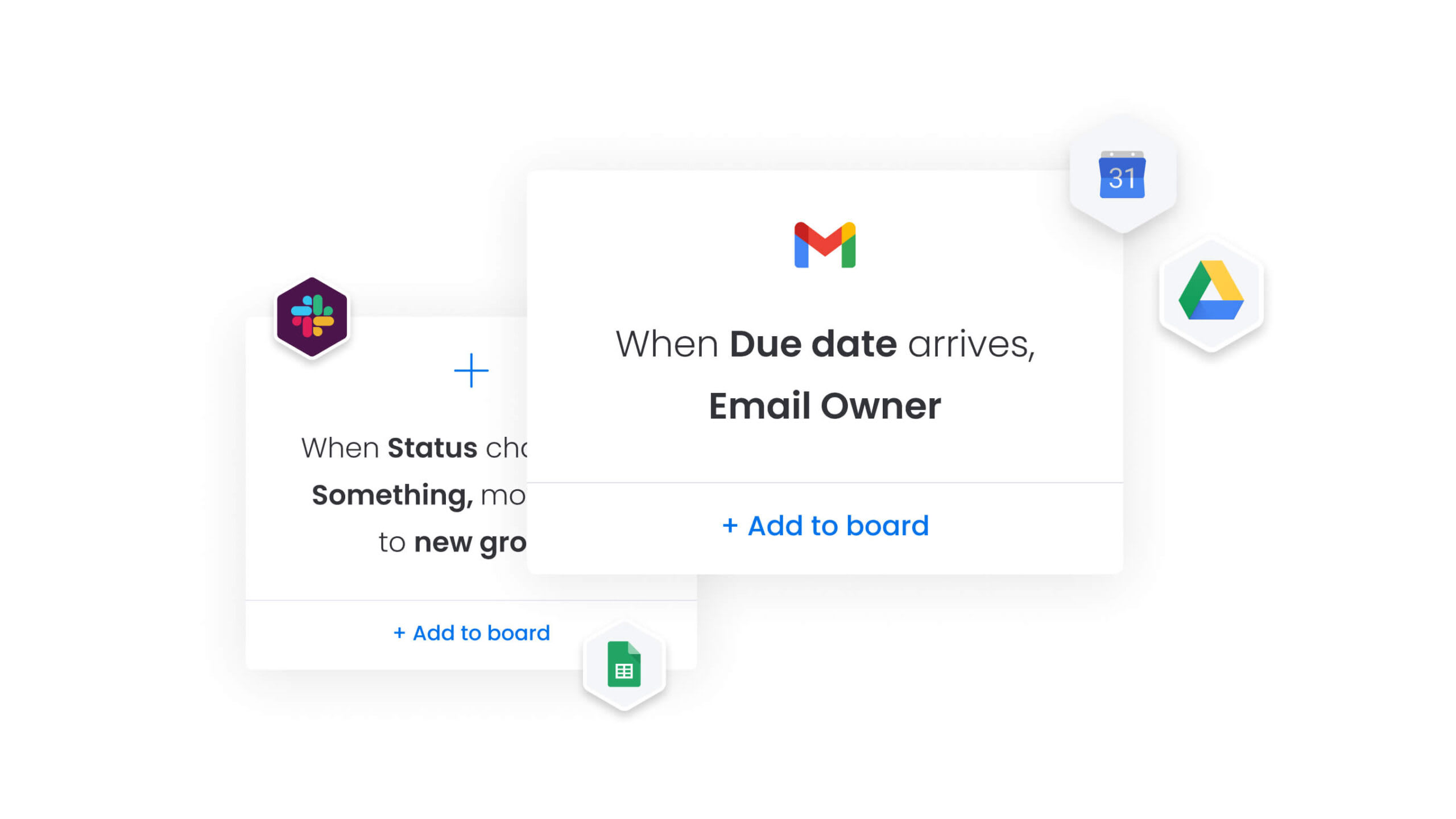
For example, completing keyword research can automatically trigger a content creation task. Modern platforms like monday.com provide pre-built recipes for quick setup, while custom automations offer flexibility for unique needs, reducing setup time from weeks to hours.
AI-driven workflows further reduce administrative work and accelerate campaign delivery, freeing time for strategy and client satisfaction.
AI strengthens SEO project management by turning insight into action. Instead of reacting to problems after performance drops, teams can surface risks early, automate repetitive analysis, and prioritize the work most likely to drive growth.
Turn your SEO strategy into consistent results today
SEO performance is rarely limited by ideas. It is limited by execution.
You can have strong keyword research, a clear roadmap, and stakeholder buy-in. But without a system that connects research, content, technical updates, and reporting, progress slows and opportunities slip.
A unified platform changes that. It gives your team one place to plan work, assign ownership, track impact, and surface risks early. Instead of reacting to missed deadlines or ranking drops, you operate with visibility and control.
monday.com brings that structure to SEO teams of any size. You can design workflows that reflect how your team actually works, automate repetitive coordination, and connect every initiative to measurable business outcomes. Leaders gain real-time dashboards. Teams gain clarity on priorities. Nothing gets lost between strategy and execution.
If your current setup relies on spreadsheets, scattered tools, or manual reporting, it may be time to rethink the foundation.
Build a system that scales with your SEO ambition.
Frequently asked questions
What's the difference between SEO tools and SEO project management software?
SEO tools focus on data analysis and insights, whereas project management software organizes the workflows and teams needed to act on those insights.
Can I use regular project management tools for SEO campaigns?
Yes, but generic tools often lack integrations to connect performance data with progress. Platforms like monday.com bridge this gap, uniting analytics and execution.
How much should I budget for SEO project management software?
Expect to invest between $10–$50 per user per month, with custom pricing for enterprise teams. This investment typically delivers ROI through improved efficiency and client retention.
Which platform works best for solo SEO consultants?
Solo consultants benefit from platforms that emphasize client collaboration and automated reporting. Modern platforms like monday.com manage multiple clients efficiently without unnecessary complexity.
Do these tools connect with Semrush and Ahrefs?
Most platforms connect via native integrations or third-party services like Zapier. Modern platforms like monday.com enable seamless data flow between analytics and workflows.
What's the typical implementation timeline for SEO project management software?
Implementation usually takes two to four weeks for small teams and up to twelve weeks for larger organizations. Platforms with intuitive interfaces and templates can significantly reduce deployment time.

 Get started