

Someone submits a registration form on your website. What happens next? If you are manually copying data into spreadsheets or sending follow-up emails one by one, you are losing opportunities in real time. Every registration represents potential revenue or engagement that requires immediate, coordinated action across your organization.
A registration form template turns this chaos into a structured system that responds the second a user hits “submit.” These pre-built frameworks capture essential information and route it instantly to the correct teams, ensuring clear ownership of every task. Unlike basic surveys, these templates bridge the gap between initial data collection and actual project execution.
Below you will find 15 specialized registration form templates built for modern business needs, ranging from event management to client intake. Mastering these frameworks allows you to build forms that automate approvals, leverage AI for data extraction, and integrate directly with your existing workflows. By adopting these strategies, you can eliminate manual data entry and transform your intake process into a high-velocity engine for growth.
Key takeaways
- Connect registration forms directly to work management systems: Transform every submission into immediate action across departments, eliminating manual data entry and reducing response times from hours to minutes.
- Build registration workflows that trigger automated processes: Design forms that automatically assign tasks, send notifications, and route approvals based on submission content, ensuring every submission is tracked and managed.
- Use AI-powered forms to streamline complex registrations: Leverage AI blocks for intelligent data processing and Extract Info capabilities on monday work management to automatically populate fields from uploaded documents.
- Design mobile-first registration experiences with progressive disclosure: Break complex forms into digestible steps and optimize for touch screens to dramatically improve completion rates across all devices.
- Track registration performance with live dashboards and analytics: Monitor completion rates, identify bottlenecks, and measure downstream workflow efficiency to continuously optimize your intake processes.
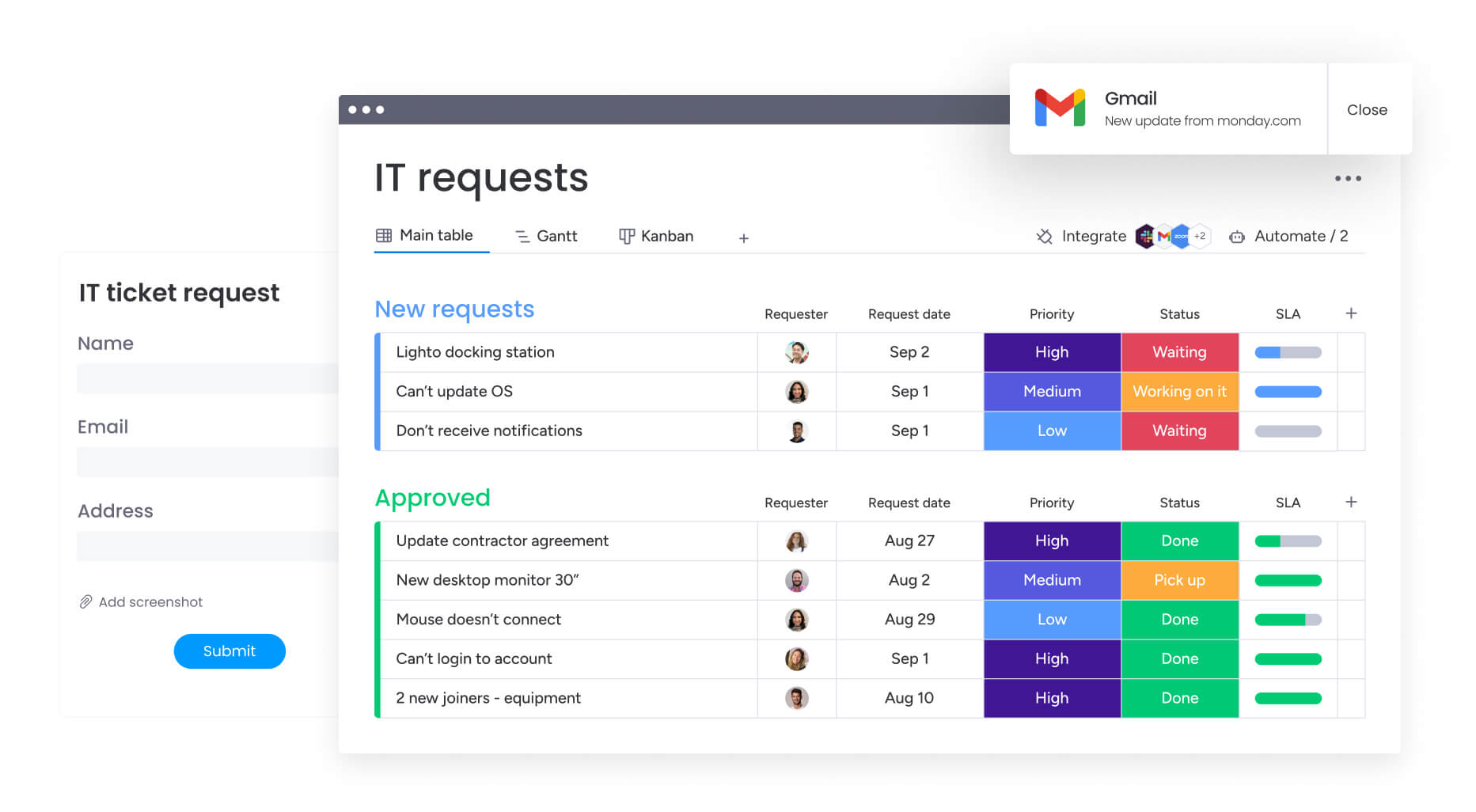
Header: What is a registration form template?
A registration form template is a pre-built structure that captures participant information and kicks off automated workflows across your organization.
Unlike static documents or basic surveys, these templates create repeatable structures that connect data collection directly to your operational processes. They gather contact information, preferences, and requirements, then route that data automatically to the right teams and systems.
Key components include:
- Standardized fields: Pre-configured categories for names, dates, and contact details that align with your database requirements.
- Conditional logic: Dynamic question paths that show relevant fields based on previous answers.
- Validation rules: Built-in checks for data accuracy before submission.
- Integration points: Connectors that push form data directly into CRMs, project boards, and communication platforms.
Registration form templates turn raw input into clean data your teams can use right away, cutting out manual entry and reducing errors.
Why modern teams need workflow-connected registration forms
Most organizations treat registration as simple data collection, separate from the work that comes after. For mid-to-large companies running complex operations, this disconnect slows everything down. What happens after someone hits “submit”? If you’re copying data into spreadsheets or sending manual emails, your registration process isn’t working.
When registration forms connect directly to work management systems, submissions kick off action immediately. An event registration doesn’t just store a name — it automatically creates an attendee profile, assigns welcome tasks to the community manager, and updates catering requirements in real-time. An employee onboarding form triggers IT provisioning, security badge creation, and payroll setup simultaneously.
Moving from standalone forms to integrated systems creates real impact in four areas:
- Reduced manual coordination: Information flows automatically to the right departments without copy-paste work between spreadsheets and email.
- Improved data accuracy: A single entry point serves as the source of truth for all teams, preventing discrepancies across systems.
- Faster response times: Automated triggers ensure immediate acknowledgment and action, reducing the gap between submission and resolution.
- Enhanced visibility: Leaders gain real-time views of the entire lifecycle, from initial registration to completion of associated work.
Teams using monday work management embed forms directly into their operations, turning every sign-up into a workflow they can track.
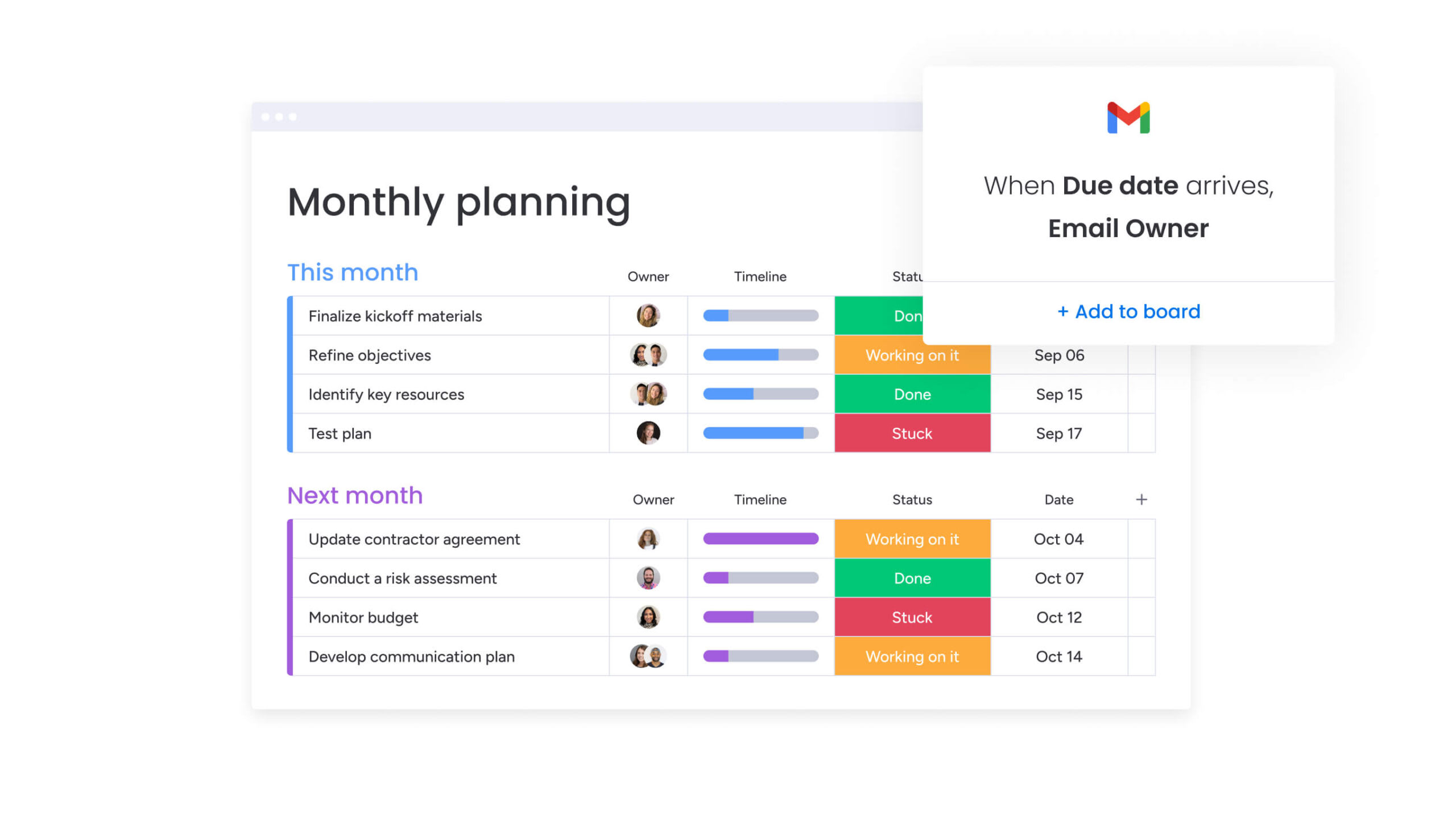
Header: 6 steps to create registration forms that automate work
Building registration forms that drive immediate action takes planning and execution. These steps show you how to create forms that connect to your workflows, so every submission triggers the right processes across your organization.
Step 1: choose your registration template and define workflow goals
Start by selecting a template that matches your business objective: event management, client intake, or internal requests. Before customizing fields, map out what happens after someone submits.
Define which departments need notification, what resources require allocation, and which approval hierarchies must activate. Consider these critical questions:
- Registration awareness: Who needs to know about each registration?
- Triggered work: What work does this submission trigger?
- Data dependencies: Which decisions depend on this data?
Understanding what happens downstream ensures your template supports the full process, not just the initial submission.
Step 2: customize form fields for your specific process
Adapt the fields to capture the exact data that powers your workflow. Go beyond basic contact information and configure fields that determine where data goes.
Strategic field configuration includes:
- Routing triggers: A dropdown menu selecting “Department” might determine which budget code applies later.
- Conditional logic: Show only relevant fields based on previous selections to keep forms concise.
- Validation rules: Ensure information entering your system is structured and ready for processing.
A checkbox for “Requires accommodation” could trigger facilities notifications. With monday work management’s intuitive forms, teams collect exactly what they need for efficient project proposals and work requests.
Step 3: set up intelligent routing and auto-assignments
Next, set up the logic that determines where information goes and who’s responsible. A registration form for creative requests should automatically route to the design team’s backlog if “Graphic Design” is selected, or to the video team if “Multimedia” is chosen.
Automatic assignment rules ensure every submission has an owner the moment it arrives. No more inbox limbo where unassigned requests sit unnoticed — someone owns it from second one.
Step 4: configure automated approvals and notifications
Build automated approval chains that trigger based on budget thresholds or project types. If a registration involves a vendor contract, the system automatically notifies the legal team for review.
Essential notification elements include:
- Confirmation sequences: Send acknowledgments to registrants.
- Stakeholder alerts: Notify internal teams of new submissions.
- Escalation procedures: Trigger management alerts if registrations remain pending beyond set timeframes.
monday work management’s automations handle these workflow elements automatically, saving your team hours.
Step 5: add AI-powered validation and data processing
AI capabilities analyze text fields for sentiment, categorize vague requests into specific tags, and extract key data from uploaded documents. This turns forms from simple input fields into active data processors.
AI blocks on monday work management can scan uploaded resumes during volunteer registration and automatically populate skills fields. The Extract Info capability turns text sources into actionable data, automatically pulling details from PDFs, text columns, or documents into your board.
Step 6: test your complete registration-to-action flow
In the end, test the entire system from start to finish. Testing should confirm that submissions trigger the right workflows, assign the right people, send the right notifications, and populate data accurately across all boards and dashboards.
Your testing checklist should confirm:
- Conditional logic: Behaves as expected.
- Integration points: Function correctly with other software.
- Data flow: Flows accurately from input to final destination.
Only launch the form after you’ve verified the complete path from input to action.
15 registration form templates that power real workflows
These registration templates show how different industries and departments turn data collection into immediate action. Each template connects to specific workflows, so submissions trigger the right processes across your organization.
1. Event registration forms that manage attendee journeys
Event registration templates manage the entire attendee experience. These forms capture dietary preferences, session interests, and accessibility requirements, then trigger all the logistics workflows you need. Once submitted, the system adjusts catering counts, updates session capacity limits, and generates personalized agenda emails.
2. Employee onboarding templates for coordinated first days
Onboarding templates coordinate complex handoffs between HR, IT, and facilities. A single form submission by the hiring manager triggers parallel workflows:
- IT provisioning: Laptops and email account creation.
- Facilities coordination: Desk assignments and security badge processing.
- HR workflows: Contract generation and benefit enrollment.
3. Client intake forms that kickstart projects automatically
Client intake templates standardize the start of new business engagements. These forms collect project scope, timelines, budget constraints, and asset requirements. This data automatically generates new project boards, assigns account managers based on industry, and kicks off discovery workflows.
4. Training enrollment templates with built-in scheduling
Training templates manage the logistics for internal learning and development programs. They handle course selection while checking class capacity limits. When team members register, the workflow verifies prerequisites, adds sessions to calendars, and updates instructor rosters.
5. Vendor registration forms for streamlined partnerships
Vendor registration templates control access to procurement and supply chain operations. They collect business details, tax documentation, and banking information. Submissions trigger compliance workflows, routing data to finance for credit checks and legal for contract review.
6. Volunteer sign-up templates that coordinate teams
Volunteer templates manage workforce coordination for nonprofits and corporate social responsibility programs. The intake captures skills, availability, and interest areas. The workflow matches volunteers to specific roles or shifts, automatically updating schedules and sending confirmations.
7. Membership application forms with approval workflows
Membership templates handle intake for professional associations, clubs, or exclusive groups. Applications collect applicant credentials and references, then route profiles immediately for review. The workflow manages approvals, notifies membership committees, tracks votes, and triggers welcome sequences when someone’s accepted.
8. Workshop registration templates that handle logistics
Workshop templates manage detailed session information for internal or external events, capturing participant information and material needs. The workflow automatically deducts inventory for physical materials, notifies facilities about room configurations, and generates participant lists for security.
9. Webinar sign-up forms connected to marketing automation
Webinar templates connect directly to your marketing and sales efforts. These forms capture attendee intent and questions to segment audiences for follow-up. Submissions automatically register participants in webinar platforms, add them to nurturing email sequences based on job titles, and score leads for sales teams.
10. Customer feedback forms that route to right teams
Feedback templates turn raw comments into improvements you can act on. They use logic to categorize input:
- Bug reports: Route to engineering teams.
- Billing issues: Direct to finance departments.
- Feature requests: Send to product management.
The workflow assigns priority levels based on sentiment analysis and tracks resolution status.
11. Resource booking templates with availability tracking
Resource templates manage shared assets like meeting rooms, vehicles, or specialized equipment, connecting to inventory databases to prevent double bookings. When requests come in, the system checks availability instantly, reserves assets, and triggers return reminder workflows.
12. Compliance registration forms with audit trails
Compliance templates matter for regulated industries that require strict documentation. They capture incident reports, safety certifications, or audit responses. The workflow automatically timestamps submissions, creates immutable records, and assigns review work to compliance officers.
13. Product demo request forms that notify sales teams
Demo request templates are high-priority lead generation mechanisms, that collect qualification data like company size and pain points. The workflow routes leads to the right sales reps and creates deal records in the CRM at the same time.
14. Partnership application templates with multi-stage review
Partnership templates manage B2B relationship inquiries. They collect strategic proposals and company data. The workflow triggers reviews in sequence: business development checks viability, legal reviews for conflicts, and executive leadership signs off.
15. Community event forms that build engagement
Community templates manage user group meetups and networking events. The forms focus on building connection, capturing social handles and discussion topics. The workflow automates creation of digital networking lists, badges, and post-event community forum invites.

“monday.com has been a life-changer. It gives us transparency, accountability, and a centralized place to manage projects across the globe".
Kendra Seier | Project Manager
“monday.com is the link that holds our business together — connecting our support office and stores with the visibility to move fast, stay consistent, and understand the impact on revenue.”
Duncan McHugh | Chief Operations Officer5 best practices for high-converting registration forms
Creating registration forms that people actually complete means balancing what you need to collect with how easy it is to use. These practices help your forms capture what you need while keeping completion rates high.
1. Design forms for mobile-first experience
Responsive design matters when most of your business happens on mobile devices. Therefore, forms must automatically adjust layout and field sizing for touch screens and smaller viewports.
Mobile optimization includes:
- Single-column layouts: Prevent horizontal scrolling.
- Touch-friendly targets: Ensure buttons are large enough for tapping.
- Optimized input fields: Configure keypads for mobile devices.
2. Use progressive disclosure for complex registrations
Long forms cause abandonment, so progressive disclosure breaks complex forms into logical steps people can actually handle. Instead of showing 50 questions at once, the form displays only what’s needed right now, revealing more questions based on previous answers. This keeps interfaces clean and makes forms easier to think through.
3. Add AI-powered field suggestions and validation
Smart forms reduce effort and improve accuracy. AI-powered auto-complete predicts addresses, company names, or industry codes. Real-time validation provides immediate feedback, flagging email typos or date format errors before someone tries to submit.
4. Build in accessibility from the start
Inclusive design ensures registration forms are usable by everyone. This involves implementing proper semantic HTML for screen readers, ensuring high color contrast for visibility, and enabling full keyboard navigation.
Accessibility features include:
- Descriptive error messages: Explain exactly how to fix problems.
- Clear visual indicators: Avoid relying solely on color to convey information.
- Keyboard navigation: Enable full form completion without a mouse.
5. Implement enterprise-grade security features
Security is paramount when collecting personal or proprietary business data. High-converting forms must also be trusted forms. This requires implementing encryption for data in transit and at rest.
Security essentials include:
- Data encryption: Protect information during transmission and storage.
- Regulatory compliance: Build in GDPR or HIPAA requirements.
- Access controls: Implement permission-based data viewing.
For instance, monday work management aligns to stringent security standards, keeping work and data safe with multi-level permissions controlling access to viewing and changing data.

Header: Convert every registration into action with monday work management
monday work management elevates registration forms from simple data collection solutions to powerful workflow engines that drive organizational efficiency. The platform’s integrated approach ensures every submission becomes an immediate catalyst for coordinated action across departments.
Connect forms to cross-department workflows
By eliminating the silo between data entry and project execution, monday work management ensures that every registration triggers immediate, cross-functional action. A single form submission can simultaneously populate marketing boards, alert sales teams, and create work for legal review.
This interconnectivity ensures complex organizational structures operate cohesively. Using automations and integrations, teams build workflows where data flows from the registrant directly to the relevant stakeholder’s board.
The platform connects systems you already use — Microsoft Teams, Gmail, Slack, Jira, and Salesforce — to run powerful projects without switching tabs.
Automate complex approval chains
Handling sophisticated decision-making logic beyond simple notifications, monday work management allows teams to build multi-stage approval processes that adapt based on registration content.
Advanced approval features include:
- Threshold-based routing: Budget requests under certain amounts might auto-approve, while larger amounts automatically route to directors, then VPs.
- Real-time tracking: Monitor approval status and identify bottlenecks.
- Audit trails: Maintain records of who approved what and when.
- Automatic reminders: Send alerts to approvers blocking the flow.
Track registration analytics with live dashboards
Executives and managers need visibility into intake process performance. monday work management provides live dashboards that visualize registration data instantly. Teams monitor completion rates, track request volumes by department, analyze peak submission times, and identify bottlenecks in fulfillment processes.
Dashboard capabilities include:
- Live project data: Insights on budget, goals, schedules, and resources.
- Customizable widgets: Over ten drag-and-drop options for personalized views.
- Real-time updates: Data refreshes automatically as submissions arrive.
- Cross-process insights: Connect registration metrics to downstream performance.
Scale registration processes across your organization
As organizations grow, ad-hoc form solutions fail to keep up. However, monday work management offers enterprise-grade infrastructure required to scale registration processes globally.
Scalability features include:
- Standardized templates: Ensure brand consistency across business units.
- Granular permissions: Control access to sensitive data.
- Centralized reporting: Aggregate data from multiple departments into single executive views.
- Global deployment: Support international operations with localized forms.
Comparing registration solutions
| Capability | monday work management | Traditional form builders | Standalone registration platforms |
|---|---|---|---|
| Workflow integration | Native workflow automation with cross-department visibility and immediate action triggers | Limited or no workflow connection; data typically sits in spreadsheets | Basic workflow triggers usually limited to email confirmations |
| Customization | Flexible building blocks to design any registration process and post-submission journey | Template-based with rigid structures and limited modification options | Industry-specific templates difficult to adapt for other uses |
| Team collaboration | Real-time collaboration, commenting, and file sharing directly on submission records | Email-based coordination that fragments communication and context | Siloed registration management often accessible only to specific admins |
| Analytics and reporting | Live dashboards providing cross-process insights, resource tracking, and KPI monitoring | Basic form analytics focused only on views and completion rates | Registration-focused metrics lacking context on downstream performance |
| Scalability | Enterprise-grade security and structure with unlimited customization for any department | Limited by form complexity and lack of integration capabilities | Scales well within specific niche but fails in other areas |
| AI capabilities | AI Blocks for intelligent data processing, categorization, and content generation | No AI features; relies entirely on manual input and review | Limited AI focused primarily on form field optimization |
Drive business results with automated registration workflows
Registration forms represent a critical touchpoint where external interactions convert into internal action. The most successful organizations recognize that effective registration management extends far beyond simple data collection—it creates the structural foundation for coordinated execution across every department.
The difference between basic forms and workflow-connected registration systems comes down to what happens after someone clicks submit. Traditional forms create data that sits idle until someone manually processes it. Integrated registration systems trigger immediate action across your organization, turning every submission into coordinated work that moves your business forward.
By eliminating the static nature of traditional data collection, monday work management functions as a dynamic workflow engine. Organizations turn registrations into actionable business outcomes through built-in intelligence, customizable workflows, and scalable automation.
Frequently asked questions
How do registration forms trigger automated workflows?
Registration forms trigger automated workflows by linking specific form fields to backend automation rules. When registrants submit data, the system instantly executes pre-defined actions like creating work items, assigning owners, or sending emails based on the information provided.
Can AI help optimize registration form completion rates?
AI optimizes completion rates through intelligent field suggestions that speed up data entry, real-time validation to prevent errors, and dynamic form layout adaptation based on registrant behavior to reduce friction.
What security standards should registration forms meet?
Registration forms must adhere to enterprise-grade security standards including end-to-end data encryption, secure storage protocols, compliance with regulations like GDPR and HIPAA, and strict access controls to protect sensitive registrant information.
How do teams collaborate on registration management?
Teams collaborate using shared work management platforms where form submissions automatically generate visible records, allowing stakeholders to comment, attach files, and update status directly on entries without leaving the system.
Which systems integrate with registration form templates?
Registration form templates integrate with Customer Relationship Management (CRM) platforms, project management boards, email marketing platforms, team communication apps like Slack, and calendar applications to create unified data flow.
How do I analyze registration form performance?
Registration form performance is analyzed using live dashboards that visualize key metrics including conversion rates, drop-off points, submission volume over time, and the efficiency of downstream workflows triggered by forms.

 Get started