

Redmine launched in 2006 as a reliable open-source solution for development teams. For years, its issue tracking and project wiki capabilities were enough to support engineering-led workflows. However, the way organizations plan, execute, and collaborate has evolved significantly since then.
Today’s teams operate across functions, time zones, and priorities. Marketing, finance, operations, and leadership all require visibility into the same work, often in different formats. Platforms designed primarily for code repositories and technical users struggle to support this level of coordination and transparency.
As organizations scale, limitations around usability, visual planning, real-time collaboration, and reporting become more pronounced. What once worked for a small engineering team can quickly turn into friction when work needs to flow across departments and align with strategic goals.
The sections that follow break down why teams move away from Redmine, what to look for in a modern replacement, and how leading platforms compare across usability, automation, scalability, and cost. The goal is to help organizations identify a Redmine alternative that supports how work actually happens in 2026.
Key takeaways
- Redmine works for technical issue tracking but struggles at organizational scale: Its developer-centric design, limited visual tools, and reliance on plugins make cross-functional coordination difficult.
- Modern teams prioritize visual and real-time work management: Kanban boards, timelines, dashboards, and live collaboration are essential for identifying bottlenecks and maintaining momentum.
- Cloud-based platforms reduce operational overhead: Managed security, automatic updates, and scalable infrastructure remove the burden of self-hosting and ongoing maintenance.
- Automation and AI are becoming execution enablers, not add-ons: Predictive risk alerts, workload balancing, and automated workflows help teams move from reactive to proactive management.
- Sophisticated solutions like monday work management support cross-department alignment: Flexible workflows, portfolio visibility, and low-code customization allow teams to scale without rebuilding their systems.
What is Redmine and why are modern teams seeking alternatives?
Since its 2006 debut, Redmine has served as a dependable open-source backbone for development teams. It delivered essential tools like issue tracking and project wikis without the burden of licensing fees. Yet, the operational landscape has shifted dramatically. Can a platform built for 2006 really handle how distributed, cross-functional teams work today?
Attributes that once defined Redmine’s value, specifically its developer-centric customization, now often manifest as barriers. Teams today need interfaces that make sense, real-time updates, and one place where everyone can see the truth: a platform built for code repos can’t run an entire business.
Understanding Redmine’s purpose
Redmine still does what it was built for: giving technical users a self-hosted playground they can shape however they want. Its plugin architecture and granular issue tracking allow developers to sculpt workflows that align perfectly with specific methodologies, such as bug tracking or sprint cycles.
If you’re locked into strict security rules, self-hosting gives you total control. A software engineering unit might leverage Redmine to shepherd bugs and feature requests through a bespoke bug tracking pipeline. Simultaneously, another group could utilize the time-tracking module to invoice clients based on hours logged against distinct tickets.
5 key limitations driving teams to seek alternatives
As organizations grow, legacy platforms begin to show their constraints. What works well for a ten-person development team can quickly introduce friction for a mid-sized enterprise, affecting productivity, visibility, and the connection between strategy and execution. When workflows remain static while teams expand, inefficiencies surface faster and compound over time.
Growth exposes gaps in usability, collaboration, and scalability. Platforms designed primarily for technical tracking often struggle to support cross-functional coordination, executive oversight, and real-time decision-making.
Here are five common limitations that push teams to move beyond Redmine:
- User interface friction: The bare-bones interface confuses anyone who isn’t technical. The learning curve is steep, which kills adoption. Stakeholders who just want a quick project update won’t stick around.
- Lack of visual management: Modern teams need Kanban boards, Gantt charts, and timelines. Redmine doesn’t have them built in. Without visual aids, bottlenecks remain buried in text-heavy logs, forcing managers to manually export and manipulate data to understand progress through traditional WBS approaches.
- Siloed communication: Forum threads can’t keep up with how fast distributed teams move, requiring teams to seek out platforms with real-time updates, file versioning, and built-in chat. Teams end up using outside apps, which breaks context and slows decisions.
- Scaling performance issues: Add more users or complex projects, and the system slows down. Managing permissions and keeping the server running eats up technical time. This makes it difficult for leaders to get an accurate, real-time view of the portfolio.
- Mobile disconnect: The lack of a native mobile app means remote and field workers are disconnected from real-time updates. If you can’t update progress or react quickly, communication breaks down and delays pile up.
As organizations grow, legacy platforms begin to show their constraints. What works well for a ten-person development team can quickly introduce friction for a mid-sized enterprise, affecting productivity, visibility, and the connection between strategy and execution.
How to choose the right Redmine alternative for your team
Picking a new platform isn’t just about swapping features. It’s a chance to rethink how your teams work together and hit business goals. The trick is finding a platform that drives growth, not just tracks tasks.
Open source vs commercial work management platforms
Choosing between open-source and commercial isn’t just about money, it decides where your team spends its time. Do you want your technical team maintaining servers or building strategy?
| Dimension | Open source | Commercial |
|---|---|---|
| Total cost of ownership | Low license fees but high, hidden costs for infrastructure, maintenance, and technical staff. | Predictable subscription pricing that includes hosting, maintenance, and support for transparent budgeting. |
| Customization capabilities | Full codebase access for deep customization, but requires dedicated development expertise. | Flexible, no-code customization and robust APIs for faster, easier implementation. |
| Security and compliance | Your team is fully responsible for all security patches and achieving compliance certifications. | Vendor-managed security with built-in compliance (SOC 2, ISO 27001) and regular audits. |
| Vendor support | Relies on community forums and documentation. Professional support costs extra. | Dedicated 24/7 support and customer success teams included in enterprise plans. |
| Feature development | Slower, community-driven updates with an unpredictable feature roadmap. | Regular, customer-focused feature releases and a clear innovation timeline. |
The big draw of open-source? Total control. Yet, that autonomy carries the weight of self-hosting: server provisioning, security patching, and the continuous need for specialized staff to keep the lights on.
Commercial platforms offer a distinct competitive advantage here, as the table above suggests. For example, solutions like monday work management absorb the burden of infrastructure, security, and updates: this liberation allows your internal talent to focus on creating value rather than servicing the platforms they use.
Self-hosted vs cloud-based deployment options
Deployment models fundamentally dictate your team’s agility and security posture. The path you choose, self-hosted or cloud-based, will influence resource allocation for years to come.
- Self-hosted environments place the onus entirely on you: from capacity planning to disaster recovery. As you scale, this demands a proportional increase in IT resources for maintenance and upgrades.
- Cloud-based platforms eliminate this operational overhead. Vendors handle the heavy lifting regarding infrastructure, scalability, and security, allowing for instant scaling with predictable expenses.
While both models accommodate integrations, cloud platforms typically provide a head start with pre-configured connectors to common business apps. This facilitates faster implementation and reliable data synchronization. Conversely, self-hosted integrations often necessitate custom development, increasing time-to-value and long-term maintenance requirements.

7 essential features needed for distributed teams
Supporting a dispersed workforce requires more than digital lists of action items. To genuinely bridge the gap for remote and hybrid teams, a platform must facilitate seamless execution. Prioritize these seven capabilities:
- Live collaboration: Enable synchronous work with real-time document editing and instant notifications, keeping everyone aligned regardless of time zone.
- Visual workflows: Utilize Kanban boards and interactive Gantt charts to visualize processes, identify bottlenecks, and adjust schedules via drag-and-drop.
- Mobile parity: Empower staff to update tasks, review timelines, and communicate from anywhere through a robust mobile application.
- Workflow automation: Remove administrative drudgery by automating status changes, approvals, and assignments, freeing the team to focus on high-value output.
- Insightful reporting: Gain immediate understanding through real-time analytics and customizable dashboards that aggregate data across multiple projects for leadership.
- Integration depth: Unify your tech stack by connecting your work management system to other platforms via native integrations and a flexible API.
- Enterprise security: Safeguard sensitive information with granular permissions, guest access controls, and features like single sign-on (SSO).
Migration complexity and data preservation
Selecting a new platform is only half the battle; unlocking years of historical data trapped in Redmine is the other. A successful migration strategy preserves institutional knowledge while minimizing downtime.
While Redmine allows for data export, retaining custom fields and intricate project relationships often demands additional effort. To streamline this, solutions like monday work management provide professional migration services. Experts manage the data transformation and validation, ensuring your team starts with a clean slate and intact history.
Running parallel systems for a brief period can also be beneficial. This buffer allows teams to verify migrated data and acclimate to new workflows without disrupting active projects.
15 best Redmine alternatives for visual work management
1. monday work management
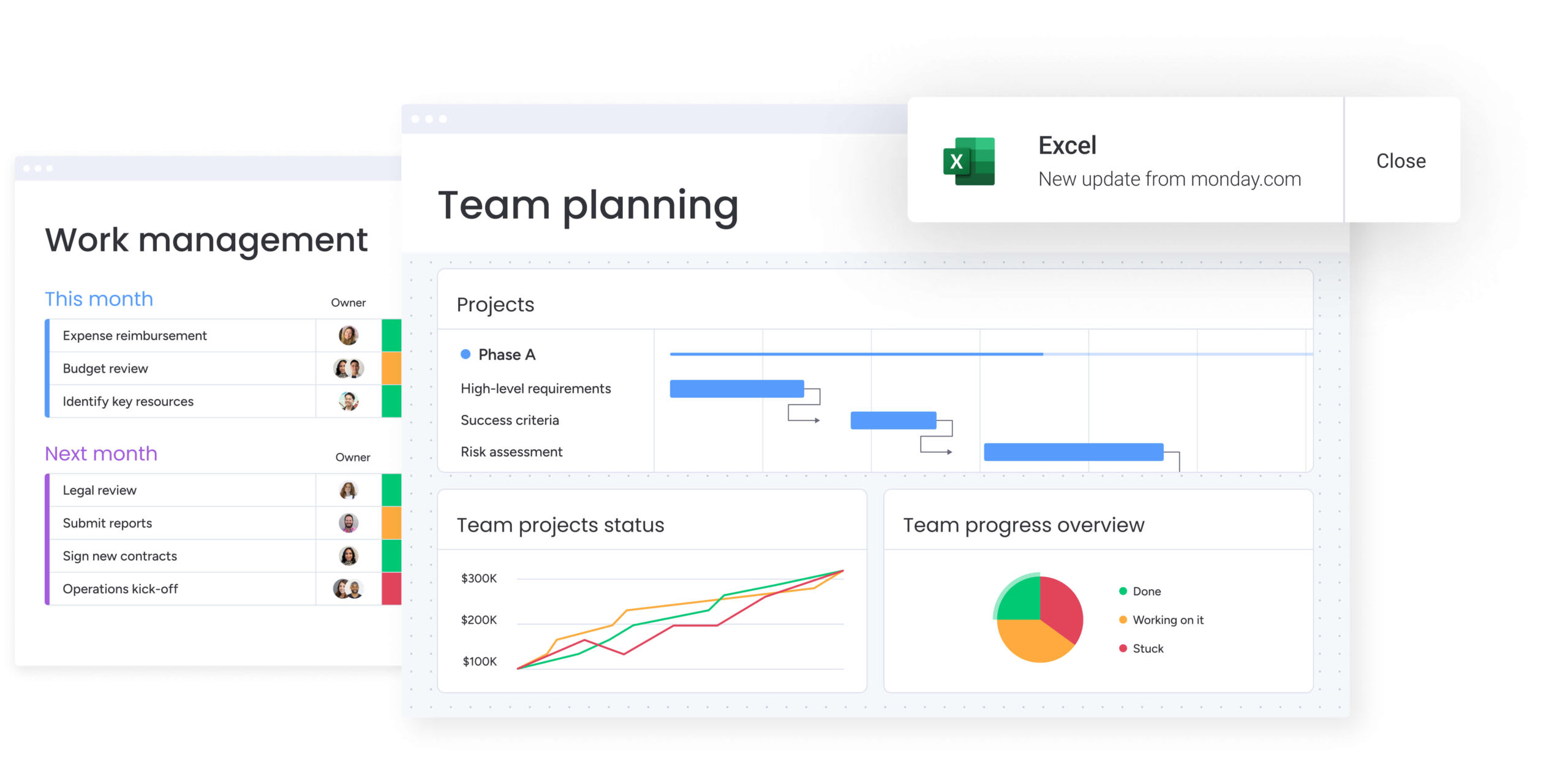
Coordination across projects, resources, and goals finds a unified home in monday work management. Rather than isolating work within disparate issue tracking systems, this platform connects execution across departments, rolling data up into reporting structures that leadership can act upon.

Use case:
Organizations leverage monday work management to bridge the gap between daily work and high-level goals. For instance, a PMO can standardize project intake, manage delivery via Gantt charts and dependencies, and broadcast live dashboards to executives without chasing down status updates.
Key features:
These capabilities shine when diverse teams require unique perspectives on the same dataset without duplication. The platform supports this through flexible building blocks that scale from individual execution to portfolio governance, similar to other Jira alternatives in the market.
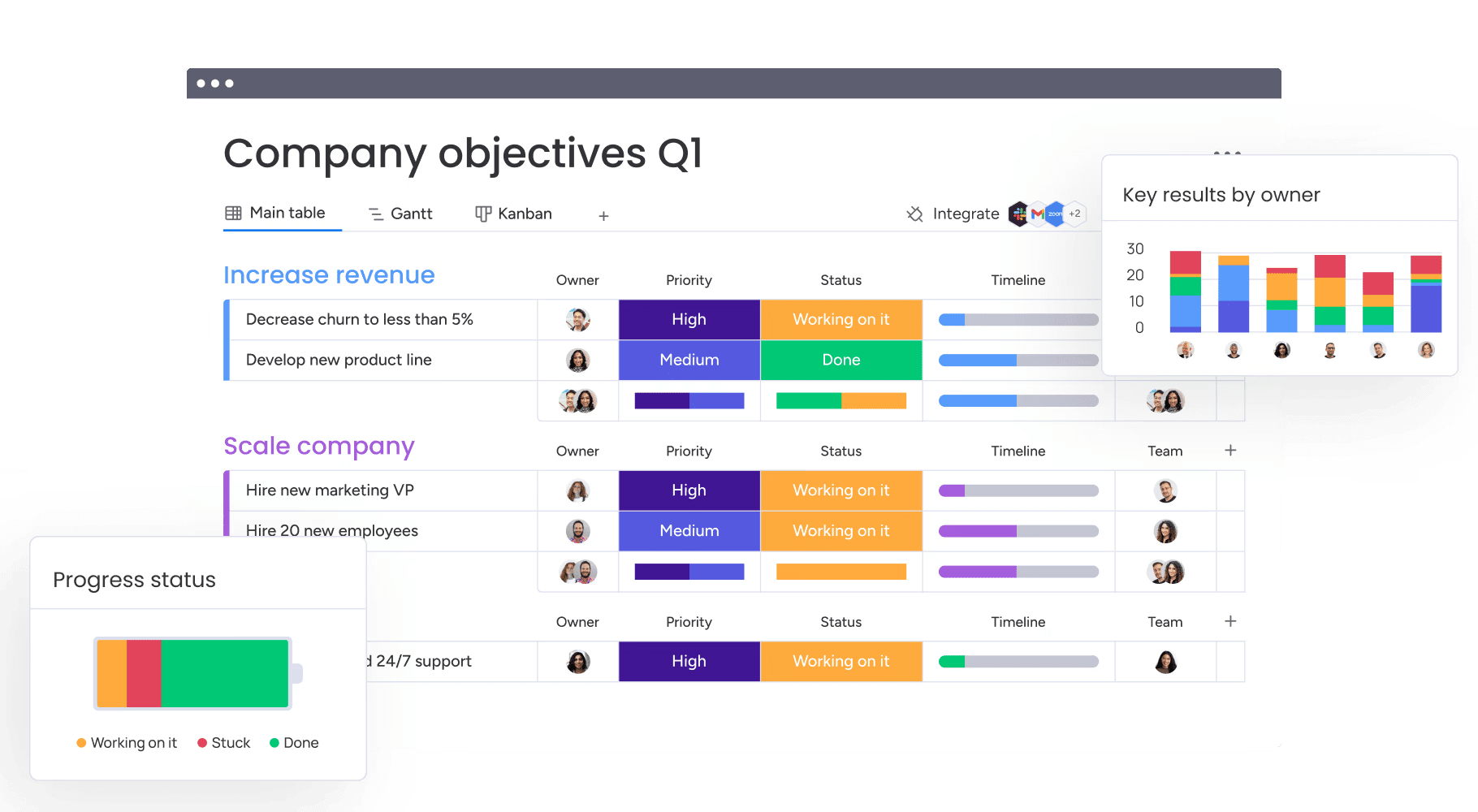
- Multi-perspective boards: Visualize data through 15+ views, including Kanban, Gantt, workload, calendar, and timeline.
- Robust planning features: Utilize dependencies, milestones, baseline, critical path, and time tracking for realistic planning and delivery management.
- Live dashboards: Construct real-time overviews with ten plus widgets to monitor budgets, schedules, and resources across the portfolio.
- Strategic alignment: Define and monitor company-level goals & OKRs, linking work directly to outcomes.
- Standardized intake: Deploy intuitive forms to capture necessary details for prioritization and approval.
- Integrated documentation: Workdocs by monday allow for real-time collaboration with embedded live boards and dashboards.
Advanced AI features:
AI adds value only when it subtracts manual effort. monday work management integrates AI directly into the workflow via AI blocks, product power-ups, and the digital workforce.
- AI blocks: Deploy actions like categorize, summarize, extract info, detect sentiment, or translate directly within columns and automations.
- Smart autofill (pro/enterprise): Process incoming requests at scale by applying AI actions to columns such as text, date, numbers, and status.
- AI automations: Embed AI logic within the automation center to handle categorization and information extraction automatically.
- Digital workforce: Agents like the Project Analyzer monitor workflows in real-time, flagging bottlenecks and predicting conflicts before they escalate.
AI adds value only when it subtracts manual effort. monday work management integrates AI directly into the workflow via AI blocks, product power-ups, and the digital workforce.
Automations:
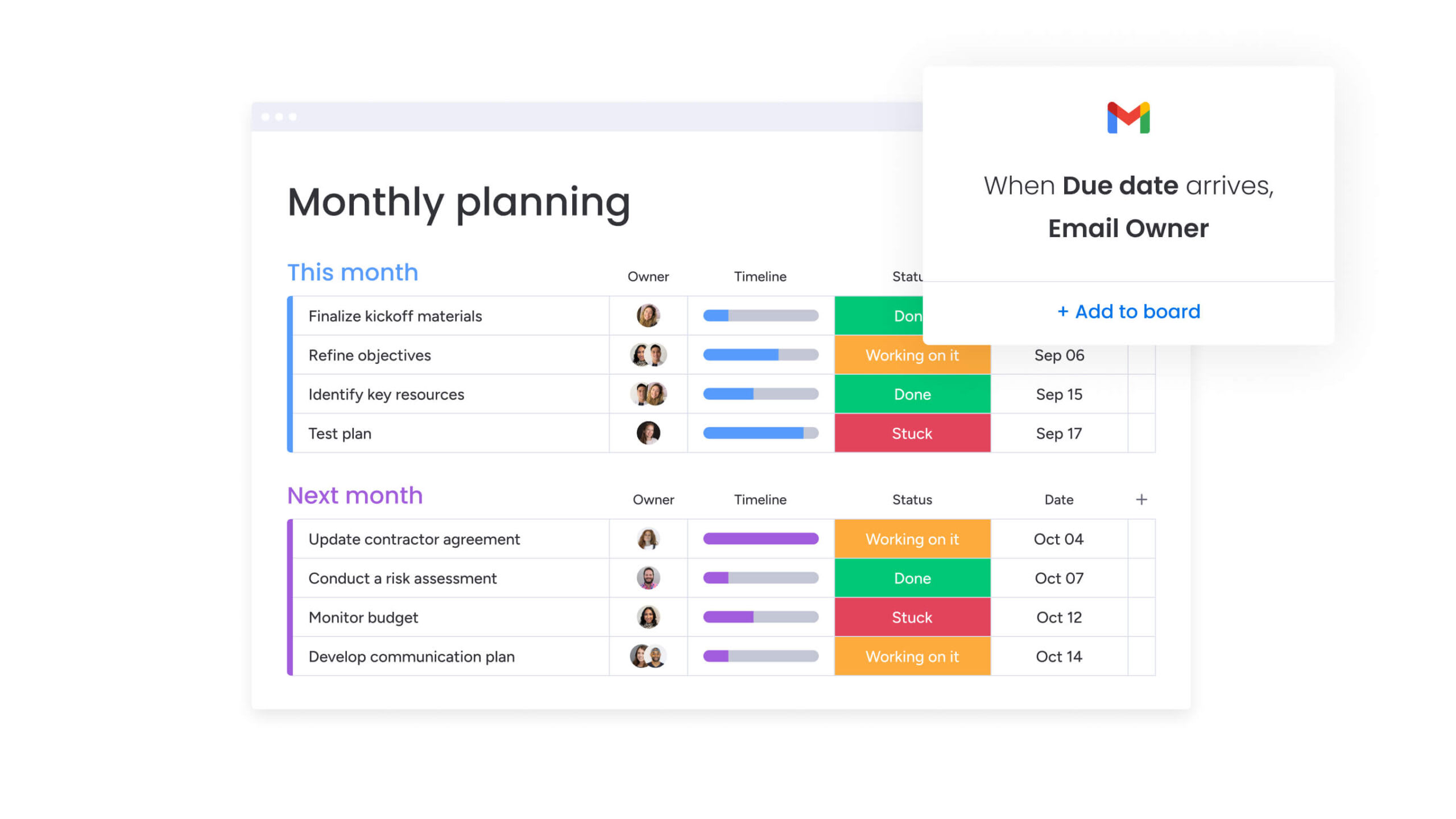
If Redmine requires constant manual oversight, automations provide the cure. monday work management utilizes triggers and templates to keep handoffs smooth and reinforce accountability.
- Workflow automation: Accelerate project launches with templates and automate approval notifications and deadline reminders.
- Cross-functional alerts: Ensure distributed teams remain synchronized by triggering notifications based on status changes or date milestones.
Integrations:
Connectivity is crucial for maintaining a single source of truth. The platform supports over 200 native integrations alongside an open API for bespoke connections.
- Communication: Link execution to conversations in Microsoft Teams and Slack.
- Development: Maintain two-way synchronization with Jira Cloud.
- Email & calendar: Transform emails from Outlook and Gmail into actionable items and schedule via Zoom.
- File management: Seamlessly attach and preview files from Google Drive and integrate spreadsheet data via Excel.
Redmine alternative features:
Transitioning from Redmine often signifies a shift from project-specific tracking to organizational execution. monday work management facilitates this with features designed for cross-functional workflows.
- Unified intake: Replace guesswork with standardized forms and approval flows.
- Automated rollups: Eliminate manual reporting with dashboards that pull live data from across the board.
- Resource balancing: Proactively manage team capacity with Workload views to prevent burnout and ensure on-time delivery.
Pricing:
- Free: $0 (up to two users, limited features).
- Basic: $9/user/month (billed annually, three-seat min).
- Standard: $12/user/month (billed annually, three-seat min) adds timeline/Gantt and guest access.
- Pro: $19/user/month (billed annually, three-seat min) adds private boards and increased automation limits.
- Enterprise: Custom pricing for advanced security, governance, and portfolio management.
Why it stands out:
For cross-departmental coordination, the differentiator is the blend of adoption and visibility. The interface encourages teams to keep data current, ensuring leaders can trust the insights they see.
- User adoption: An intuitive design drives engagement and improves data quality.
- ROI: Forrester total economic ImpactTM research indicates a payback period of under four months.
- Controlled flexibility: Teams can tailor their environment while admins maintain governance through granular permissions.
2. ClickUp
For teams battling app fatigue, ClickUp proposes a unified command center. It consolidates tasks, documentation, and reporting into a single environment, aiming to eliminate the friction of switching between multiple tools. The platform emphasizes flexibility, offering extensive customization to accommodate the varied work styles of cross-functional teams.

Use case:
ClickUp is particularly effective for organizations seeking to consolidate their tech stack, handling everything from project management to whiteboarding and chat without sacrificing feature depth.
Key features:
- Centralized Hub: Merges tasks, docs, whiteboards, and dashboards to reduce context switching.
- AI automation: Brain AI assists in generating plans, summarizing meeting notes, and automating routine status updates.
- Visual versatility: Users can toggle between 15+ views, including Gantt, Kanban, and workload management, to suit individual preferences.
Pricing:
- Free forever: Unlimited tasks/members, 60MB storage.
- Unlimited: $7/month/user (annual), unlimited storage.
- Business: $12/month/user (annual), advanced automation.
- Enterprise: Custom pricing, white-labeling, HIPAA compliance.
- AI add-ons: Brain AI ($9/mo/user), Everything AI ($28/mo/user).
Considerations:
- The sheer volume of features can present a steep learning curve for new users.
- Large workspaces with complex hierarchies may experience performance lags.
3. OpenProject
Data sovereignty takes center stage with OpenProject. This open-source platform caters to public sector entities and regulated industries that demand strict control over their data. It bridges the gap between on-premises security requirements and modern project management needs, offering both cloud and self-hosted deployment options.

Use case:
OpenProject is the go-to for organizations prioritizing data privacy and control, providing robust project management tools within a secure, EU-hosted or self-managed environment.
Key features:
- Strategic alignment: Links high-level objectives directly to work packages, ensuring daily tasks contribute to broader company goals.
- Hybrid methodologies: Supports both classic Gantt planning and agile Scrum/Kanban workflows within a single project.
- Collaborative documentation: Features real-time document editing with dynamic references to work packages.
Pricing:
- Community: Free (core features).
- Basic: €5.95/user/month (min 25 users).
- Professional: €10.95/user/month (min 25 users).
- Premium: €15.95/user/month (min 100 users).
- Corporate: Custom pricing (1,000+ users).
- Offers: Discounts available for multi-year commitments, NGOs, and educational institutions.
Considerations:
- Minimum user counts for enterprise features may exclude smaller teams.
- Self-hosting requires significant technical expertise in Linux or Mac administration.
4. Asana
Asana focuses on streamlining coordination through its proprietary Work Graph architecture. By linking people, projects, and goals, it provides a transparent system for cross-functional teams to manage complex initiatives. Its reputation as a leader in collaborative work management is built on its ability to bring enterprise-grade organization to teams of any size.

Use case:
Teams that need to maintain alignment while navigating multi-departmental workflows find Asana effective for connecting strategic goals to granular execution.
Key features:
- Contextual data model: The work graph connects tasks to broader goals, reducing silos.
- Intelligent workflows: AI Studio and AI Teammates (beta) assist in automating processes and acting as collaborative agents.
- Versatile Views: Users can visualize work via list, board, calendar, timeline, or portfolio views.
Pricing:
- Personal: Free (up to two users).
- Starter: $10.99/user/month (annual).
- Advanced: $24.99/user/month (annual).
- Enterprise/enterprise+: Custom pricing.
- AI Studio plus: Additional cost.
Considerations:
- Key strategic features like Goals and Portfolios are locked behind higher-tier plans.
- A two-seat minimum on paid plans increases the entry cost for solo users or pairs.
5. Wrike
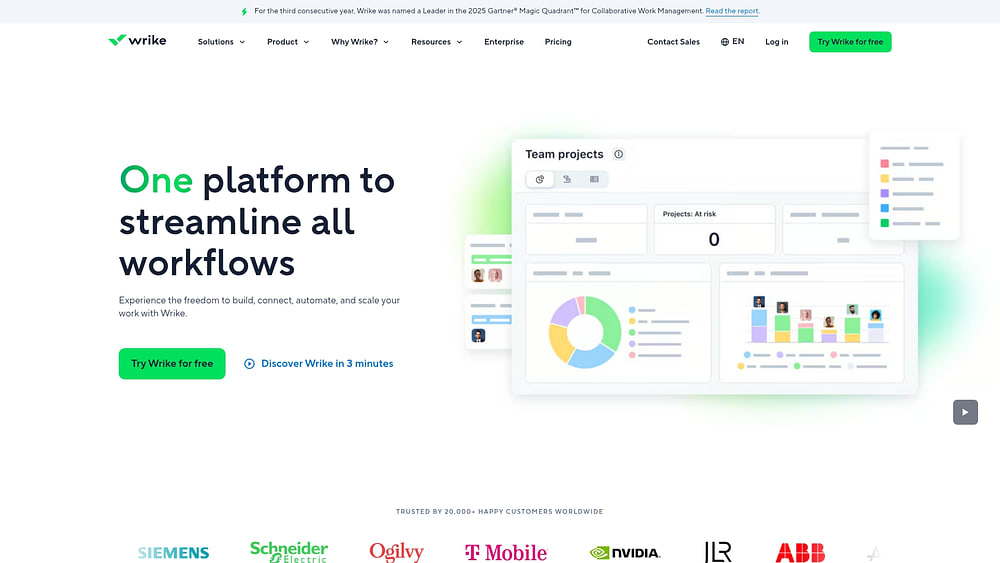
Wrike targets the enterprise sector with deep portfolio management, resource planning, and analytics capabilities. It moves beyond simple project tracking to offer configurable governance and AI-driven insights, suitable for large-scale global operations. The platform emphasizes security and sophisticated workflow automation to handle complex operational demands.
Use case:
Large organizations utilize Wrike to bridge strategy and execution, leveraging features like Locked Spaces and Custom Item Types to support regulated industries and complex approval chains.
Key features:
- Resource visibility: Real-time insights into capacity and skills allow for automated, availability-based allocation.
- Governance & security: Features include customer-managed encryption keys (Wrike Lock) and SOC 2 Type II compliance.
- AI Iintelligence: Wrike Copilot offers conversational insights and automated content generation.
Pricing:
- Free: Core PM features.
- Team: $10/user/month (two to15 users).
- Business: $25/user/month (five to 200 users).
- Enterprise/Pinnacle: Custom pricing.
Considerations:
- Configuration can be complex, presenting a steeper learning curve than simpler platforms.
- Advanced features often require paid add-ons, potentially raising the total cost of ownership.
6. Taiga
Taiga offers a focused, open-source solution for agile project management, specifically catering to Scrum and Kanban methodologies. It appeals to development teams and agile organizations looking for modern visual tools without the overhead of per-user licensing. The platform allows for easy switching between Scrum and Kanban views, ensuring continuity as methodologies evolve.

Use case:
Agile teams seeking a cost-effective, transparent tool with native Scrum/Kanban support and multi-project epic tracking find Taiga to be a strong fit.
Key features:
- Methodology flexibility: Seamlessly toggle between Scrum sprints and Kanban boards using shared work items.
- Epic tracking: Manage user stories across multiple projects while keeping backlogs distinct.
- Integration: Native connections to GitHub, GitLab, and Bitbucket, plus importers for Jira and Trello.
Pricing:
- Free: One public/one private project.
- Enthusiast: €5/month (five private projects).
- Basic: €20/month (unlimited projects).
- Premium: €60/month (premium support).
- Private Cloud: Custom pricing.
Considerations:
- Native time tracking is limited, often necessitating third-party tools.
- Storage limits on lower tiers may be restrictive for teams with heavy file requirements.
7. Basecamp
Basecamp simplifies coordination by consolidating essential work activities—messaging, tasks, and files—into one straightforward platform. It is particularly well-suited for creative teams and consultancies that value clear communication over complex project tracking mechanics.

Use case:
Organizations prioritizing simplicity and unified communication over granular project management features gravitate toward Basecamp.
Key features:
- Centralized communication: Message Boards and Pings replace scattered email threads.
- Task management: Offers both Kanban-style Card Tables and traditional To-Do lists.
- Hill charts: A unique visualization tool for tracking progress from problem-solving to execution.
- Client access: Granular controls allow for sharing specific project elements with external partners.
Pricing:
- Free: One project, 20 users.
- Plus: $15/user/month.
- Pro unlimited: $299/month (annual billing).
- Add-ons: Timesheets, Admin Pro Pack available for extra cost.
Considerations:
- Lacks advanced tools like Gantt charts and dependencies.
- English-only interface and U.S. hosting may not suit all global teams.
8. Trello
Trello popularized the card-based Kanban system, making project tracking accessible to non-technical users. Its intuitive design is complemented by a vast ecosystem of Power-Ups, allowing teams to add complexity only where needed.

Use case:
Teams looking for a straightforward, visual way to coordinate projects without the steep learning curve of traditional PM software often choose Trello.
Key features:
- Visual views: Includes Timeline, Calendar, Table, and Map views alongside the classic board.
- Butler automation: No-code rules and scheduled commands reduce manual repetition.
- Integrations: Over 200 Power-Ups connect Trello to tools like Slack and Jira.
Pricing:
- Free: Unlimited cards, ten boards.
- Standard: $5/user/month (annual).
- Premium: $10/user/month (annual).
- Enterprise: From $17.50/user/month (annual).
Considerations:
- Native support for dependencies and resource management is limited without Power-Ups.
- Access to views beyond the standard board requires a Premium subscription.
9. Teamwork.com
Agencies and professional services firms find a strong ally in Teamwork.com. The platform balances internal coordination with external client collaboration, offering features specifically designed to manage billable work. Higher-tier plans include profitability tracking, ensuring projects remain financially viable.

Use case:
Consultancies and agencies needing to track time, budgets, and profitability while collaborating with clients in a unified space.
Key features:
- Client workspace: Unlimited free client users can access projects via a dedicated view.
- Financial controls: Native time tracking and budget management (fixed fee, retainer, etc.).
- Resource planning: Tools for viewing short-term capacity and long-term scheduling.
Pricing:
- Free: Five users, five projects.
- Deliver: $10.99/user/month (annual).
- Grow: $19.99/user/month (annual).
- Scale/enterprise: Custom pricing.
Considerations:
- Advanced security features like SSO are sold as an add-on, increasing costs.
10. GoodDay
GoodDay aims to democratize enterprise-grade functionality by offering a comprehensive suite at a competitive price point. It bundles project management with CRM, finance, and client portals, targeting growing businesses that need advanced tools without the enterprise price tag.

Use case:
Mid-market organizations looking for an all-in-one platform that covers operations, projects, and client collaboration efficiently.
Key features:
- Action required: A workflow system that clarifies ownership and next steps.
- Hierarchy: Unlimited workspace nesting with granular access controls.
- Business modules: Includes CRM and finance tools in mid-tier plans.
Pricing:
- Free: 15 users, unlimited projects.
- Professional: $4/user/month.
- Business: $7/user/month.
- Enterprise: Custom pricing.
Considerations:
- The mobile app experience lags behind the web platform.
- A smaller user base means fewer community resources compared to major competitors.
11. Nifty
Nifty organizes work around deliverables rather than lists, bringing clarity to project phases. It automates roadmap updates based on task completion, making it ideal for teams focused on product launches or marketing campaigns where milestones drive the schedule.

Use case:
Teams that need to visualize progress against strategic milestones and automate status reporting benefit from Nifty’s structure.
Key features:
- Automated roadmaps: Progress updates automatically as tasks are completed.
- Orbit AI: Generates projects and docs from natural language prompts.
- Unified suite: Combines chat, tasks, docs, and files.
Pricing:
- Free: Unlimited members, two projects.
- Personal: $7/member/month.
- Business: $16/member/month.
- Enterprise: Custom pricing.
Considerations:
- Native integrations are limited, often requiring Zapier.
- Some users report billing support challenges.
12. Quire
Quire tackles complex project hierarchies by allowing for infinite task nesting. This structure enables teams to break down massive initiatives into granular, actionable steps without losing sight of the larger context.

Use case:
Projects requiring deep decomposition into subtasks and dependencies are well-served by Quire’s tree-structure approach.
Key features:
- Infinite nesting: Unlimited subtask levels.
- Diverse views: Tree, Kanban, Timeline, and more.
- External sharing: Share links allow client access without accounts.
Pricing:
- Free: Ten members, four projects.
- Professional: $7.65/member/month (annual).
- Premium: $13.95/member/month (annual).
- Enterprise: $19.95/member/month (annual).
Considerations:
- Advanced views like Timeline are paid features.
- Native automation is limited.
13. ProofHub
ProofHub simplifies budgeting with a flat monthly rate for unlimited users. This model is attractive for growing teams that want to scale without incurring additional per-seat costs. It combines planning, collaboration, and proofing tools in one workspace.

Use case:
Mid-sized teams needing predictable costs and built-in proofing capabilities find ProofHub to be a practical solution.
Key features:
- Integrated proofing: Review and approve creative assets with markup tools.
- Project views: Kanban, Gantt, table, and calendar.
- Portfolio visibility: “All” views aggregate data across projects.
Pricing:
- Essential: $45/month (annual).
- Ultimate control: $89/month (annual).
Considerations:
- Fewer native integrations than larger competitors.
- Storage limits on the Essential plan can be restrictive.
14. PINATA
PINATA serves the specific needs of web3 developers by providing a robust infrastructure for managing digital assets on IPFS. It combines decentralized storage with collaborative features, establishing itself as a key player for NFT marketplaces and media-rich decentralized applications.

Use case:
Web3 teams require reliable IPFS storage and content delivery with collaborative governance tools.
Key features:
- Workspaces: Role-based access for team collaboration.
- Dedicated gateways: High-speed content delivery with custom domains.
- Plugin marketplace: Tools for file verification and updates.
Pricing:
- Free: 1GB storage.
- Picnic: $20/month.
- Fiesta: $100/month.
- Enterprise: Custom pricing.
Considerations:
- Collaboration features are locked behind paid plans.
- Advanced permissions require enterprise tiers.
15. Twproject
Twproject emphasizes capacity-aware scheduling, helping organizations optimize workforce allocation. It is designed for project-based businesses where resource efficiency is paramount, offering both cloud and on-premises deployment options.

Use case:
Firms need detailed visibility into team capacity and workload distribution to prevent overbooking and ensure timely delivery.
Key features:
- Resource management: Tracks skills, costs, and availability.
- Financial tracking: Integrated time and cost management.
- WBS control: Hierarchical project structures with alerts.
Pricing:
- Free: Small teams (on-prem).
- Basic: €7/user/month (on-prem).
- Cloud Micro: €75/month.
- Cloud Small: €150/month.
- Enterprise: Custom pricing.
Considerations:
- The interface is dense and may require training.
- Mobile access is via web app, not native application.
Feature comparison table of top Redmine alternatives
Moving beyond basic issue tracking requires a set of capabilities that connects work across the entire organization. The following comparison highlights the capabilities that distinguish comprehensive work management platforms from simple project trackers, helping you identify the best fit for visibility, collaboration, and automation.
| Platform | Visual project management | Real-time collaboration | Automation | Mobile apps | Advanced reporting | Migration support | Starting price | Deployment |
|---|---|---|---|---|---|---|---|---|
| monday work management | ★★★★★ | ★★★★★ | ★★★★★ | ★★★★★ | ★★★★★ | Professional services | $9/user/month | Cloud |
| ClickUp | ★★★★★ | ★★★★☆ | ★★★★☆ | ★★★★☆ | ★★★★☆ | Import tools | $7/user/month | Cloud |
| OpenProject | ★★★★☆ | ★★★☆☆ | ★★★☆☆ | ★★★☆☆ | ★★★☆☆ | Native import | €7.25/user/month | Cloud or self-hosted |
| Asana | ★★★★★ | ★★★★★ | ★★★★☆ | ★★★★★ | ★★★★☆ | Import tools | $10.99/user/month | Cloud |
| Wrike | ★★★★★ | ★★★★☆ | ★★★★★ | ★★★★☆ | ★★★★★ | Professional services | $9.80/user/month | Cloud |
| Taiga | ★★★★☆ | ★★★☆☆ | ★★☆☆☆ | ★★★☆☆ | ★★★☆☆ | Manual migration | $7/user/month | Cloud or self-hosted |
| Basecamp | ★★☆☆☆ | ★★★★☆ | ★☆☆☆☆ | ★★★★☆ | ★★☆☆☆ | Manual migration | $15/user/month | Cloud |
| Trello | ★★★★☆ | ★★★☆☆ | ★★★☆☆ | ★★★★☆ | ★★☆☆☆ | Import tools | $5/user/month | Cloud |
As the table illustrates, enterprise-grade platforms offer more than just ticketing: they provide dynamic, visual workflows that keep distributed teams aligned. This empowers leaders with a single source of truth, connecting strategy directly to execution.
Scalability also relies on powerful automation and seamless integration. Solutions like monday work management grow with your organization, enabling custom workflows via low-code interfaces. With professional migration support available, switching to a unified platform becomes a confident strategic move.
AI-powered work management transforming teams in 2026
In today’s world there has been a huge shift from reactive management to predictive intelligence. Artificial intelligence is doing more than upgrading technology, it’s establishing a new business operating system where faster execution and smarter decision-making are the norms.
Predictive risk management with AI insights
Reactive problem-solving is a drain on resources. AI changes this dynamic by analyzing project data to forecast delays, budget overruns, and resource conflicts before they impact the bottom line. Risk management evolves from a scramble into a strategic advantage.
On platforms like monday work management, leaders receive AI-driven alerts regarding at-risk initiatives across the portfolio. Features like the Project Analyzer pinpoint specific bottlenecks, giving teams the foresight to adjust course while options remain open.
Automated resource allocation and workload balancing
Optimal resource allocation requires balancing skills, availability, and workload. AI eliminates the guesswork by analyzing these factors to suggest the best fit for every work item, ensuring talent is utilized effectively.
This intelligence also promotes sustainability by preventing burnout. The platform detects overloaded team members and recommends redistribution strategies, keeping projects on track and morale high. With monday work management, resource planning becomes a mechanism for maximizing potential rather than just filling capacity.
Digital workforce and AI agents
The next evolution in automation involves digital agents that handle routine monitoring and analysis. These virtual team members operate as a digital workforce, ensuring smooth operations while freeing human talent for strategic endeavors.
With monday work management, agents like the Project Analyzer and Campaign Manager are already at work. They monitor workflows 24/7, identifying bottlenecks and coordinating complex tasks. Teams receive alerts only when their expertise is required, complete with context and recommendations, enabling truly proactive management.

“monday.com has been a life-changer. It gives us transparency, accountability, and a centralized place to manage projects across the globe".
Kendra Seier | Project Manager
“monday.com is the link that holds our business together — connecting our support office and stores with the visibility to move fast, stay consistent, and understand the impact on revenue.”
Duncan McHugh | Chief Operations OfficerSelecting the right Redmine alternative for your organization
The ideal Redmine alternative should fuel your organization’s next chapter. Whether you require strategic visibility, scalable flexibility, or powerful customization without maintenance overhead, the right choice depends on your specific challenges.
Enterprise teams requiring governance and scale
Large organizations need to connect global strategy with daily execution. The priority here is a platform offering real-time portfolio insights, robust governance, and advanced permissions to align hundreds of initiatives.
Leaders utilize monday work management for high-level visibility, linking budgets and resources to strategic outcomes. Competitors like Wrike also cater to these needs with advanced analytics. A smooth transition is vital, so look for partners offering proven migration support and dedicated training.
Growing businesses seeking flexibility
Rapidly expanding businesses require a platform that keeps pace. The goal is a solution that scales with your team and ambitions without imposing prohibitive costs or complexity.
Platforms such as monday work management, ClickUp, and Asana allow you to start with core features and expand capabilities as needed. Seamless integration with your existing tech stack is crucial. Choose a platform with strong onboarding and an active community to accelerate adoption.
Technical teams prioritizing customization
Technical teams often appreciate Redmine’s flexibility but desire a more modern, intuitive user experience. The objective is to find a platform that offers customization without sacrificing usability.
For those committed to open-source, OpenProject and Taiga provide a familiar path with codebase access. Alternatively, monday work management offers flexibility through low-code interfaces and a robust API, allowing technical talent to build tailored workflows without the burden of constant code maintenance.
How monday work management transforms work
Legacy issue trackers were designed for a different era. Today, organizations need to link marketing campaigns to product launches and strategic goals to daily tasks. A true Work OS shifts the focus from tracking isolated work items to orchestrating the entire business.
monday work management serves as a single source of truth, aligning every team. It facilitates a move from managing projects to running a cohesive, agile organization where everyone understands the bigger picture.
Connect your entire organization on one platform
Unlike Redmine, which often isolates work, monday work management unifies workflows across the organization. This eliminates fragmentation and reveals opportunities for growth.
A flexible Work OS allows you to build and visualize any process. This provides every stakeholder with the view they need to make informed decisions.
- Role-specific dashboards: Aggregate data for high-level portfolio views while teams focus on immediate priorities.
- Dynamic planning: Use interactive Gantt charts with drag-and-drop scheduling and automatic dependency management.
- Customizable workflows: Visualize stages with Kanban boards tailored to your team’s unique process.
Put routine work on autopilot with AI
Automating manual tasks liberates hours every week. AI capabilities on monday work management transform data processing into an intelligent system, improving accuracy and consistency.
From summarizing documents to flagging risks, AI acts as a proactive partner.
- Intelligent routing: Automatically classify and route support requests or organize project workflows.
- Instant extraction: Pull key information from documents to create action items or milestones.
- Proactive risk detection: Analyze patterns to identify potential delays or budget overruns before they occur.
Run on a platform built for enterprise-grade security
Security and compliance are paramount for large organizations. monday work management provides an environment that meets rigorous global standards, removing the burden of self-managed security.
- Certified compliance: The platform holds SOC 2 Type II, ISO 27001, and HIPAA certifications.
- Granular control: Features like SSO, advanced permissions, and audit logs ensure data integrity.
- Data protection: Encryption at rest and in transit, along with disaster recovery plans, keeps your work secure.

Building a future-proof operating system
As organizations move beyond basic issue tracking, the challenge is no longer managing individual tasks but orchestrating work across teams, tools, and priorities.
Fragmented systems, manual reporting, and limited visibility make it difficult to connect daily execution with strategic objectives. A modern work operating system addresses these gaps by unifying workflows into a single, adaptable environment.
- Disconnected workflows slow execution: Work scattered across tools creates silos, delays decision-making, and obscures accountability across departments.
- Limited visibility weakens strategic alignment: Without real-time dashboards and portfolio views, leaders lack a reliable picture of progress, risks, and resource utilization.
- Manual coordination increases operational drag: Repetitive updates, status checks, and approvals consume time that could be spent on high-value work.
- Scaling complexity strains teams: As projects and headcount grow, rigid systems struggle to adapt without additional overhead or reconfiguration.
- Inconsistent data undermines trust: Low adoption and outdated information reduce confidence in reporting and insights.
monday work management addresses these challenges by centralizing execution, enabling visual and automated workflows, and providing real-time visibility from team-level tasks to organizational goals. With flexible configuration, built-in automation, and portfolio-level reporting, teams gain efficiency, alignment, and measurable strategic impact without adding operational complexity.
Frequently asked questions
Can I migrate projects from Redmine without losing historical data?
(Example for the first FAQ) To answer whether you can migrate projects from Redmine without losing historical data, yes, migration is possible. Modern platforms provide import tools and professional services to transfer project history, issues, and attachments securely. Modern platforms provide import tools and professional services to transfer project history, issues, and attachments securely.
Which Redmine alternative offers the best mobile app experience?
For a superior mobile experience, seek a platform with a native iOS and Android app. monday work management prioritizes mobile-first work, enabling teams to manage projects from any device.
Are there free hosted Redmine alternatives with modern interfaces?
Several platforms offer free tiers with modern interfaces. These typically include core project management features, allowing you to evaluate the user experience without financial commitment.
How long does migration from Redmine typically take?
Migration usually spans two to eight weeks, depending on data volume. Professional migration services can expedite this process and ensure a seamless transition.
Which alternative provides the most responsive customer support?
For top-tier support, select a platform offering 24/7 assistance. monday work management provides enterprise-grade support to assist with technical inquiries and workflow optimization.
Do these Redmine alternatives support plugin customization?
To answer whether these alternatives support plugin customization, yes, many platforms offer customization via app marketplaces, APIs, and low-code interfaces. This offers greater flexibility than Redmine's plugins, empowering users to adapt workflows with ease.

 Get started