


Your finance team just flagged another invoice that doesn’t match any record in the system. Meanwhile, your warehouse received a shipment nobody ordered, and accounting is scrambling to figure out which department’s budget should cover the unexpected expense. If this sounds like your Tuesday, you’re not alone. These scenarios happen when companies skip structured purchase orders and wing it with informal processes.
A purchase order is a formal document that transforms a simple “we need this” into a binding commitment with clear terms, quantities, and delivery expectations. When done right, purchase orders give you control over spending, keep vendors accountable, and help teams stay coordinated. They connect what you need with what actually shows up — the right items, on time, at the price you agreed to.
Here’s what you need to know about purchase orders in 2026. You’ll learn what makes them legally binding, the four main types and when to use each, plus how to build procurement processes that actually scale. You’ll also see how the right work management platform automates approval workflows without sacrificing the visibility and control finance teams need.
Key takeaways
- Control spending before it happens: Require purchase order approval for every company expense to prevent budget overruns and unauthorized purchases that drain cash flow.
- Create legally binding agreements with suppliers: Transform verbal requests into formal purchase orders that protect both parties and reduce disputes over pricing, delivery, and specifications.
- Connect procurement to project success: Link purchase orders directly to active projects on monday work management so teams see real-time budget impact without waiting for finance reports.
- Automate the entire purchase order lifecycle: Eliminate manual routing and data entry by setting up workflows that automatically approve, track, and match orders from creation to payment.
- Build audit trails that satisfy compliance: Document every purchase decision with complete paper trails that prove proper authorization and meet regulatory requirements for financial controls.
What is a purchase order?
A purchase order (PO) authorizes a purchase between buyer and seller. It spells out what you’re buying, the cost, delivery date, and payment terms. Once a supplier accepts a PO, it becomes a legally binding contract that protects both parties.
A purchase order connects what you need with what gets delivered. It turns a simple request into a commitment both sides can count on. If you’re managing dozens or hundreds of purchases each month, POs give you the structure to stay in control.
What every purchase order should specify
A purchase order authorizes the spend and documents the transaction. The buyer creates it to commit to purchasing specific goods or services on agreed terms.
The document includes essential transaction details:
- Item descriptions: Specific products or services being purchased.
- Quantities: Exact amounts needed.
- Prices: Unit costs and total amounts.
- Payment terms: When and how payment will be made.
- Delivery dates: Expected arrival times.
Once the seller accepts the purchase order, it’s binding. The seller delivers the goods as specified, and the buyer pays according to the agreed terms. This cuts down on miscommunication and creates an audit trail finance and operations can actually track.
With a centralized system, organizations can monitor each PO’s status from creation through closure, maintaining visibility across departments through effective order management and ensuring every detail is tracked.
Why businesses use purchase orders
Companies use purchase order systems to control spending and keep teams coordinated. Beyond record-keeping, purchase orders help you manage cash flow and vendor relationships.
Purchase orders matter because they solve real problems:
- Spending control: POs require approval before money is committed, preventing unauthorized purchases.
- Vendor relationships: Documentation reduces disputes over pricing or delivery terms.
- Audit trails: A searchable history of all financial commitments simplifies compliance and tax preparation.
- Budget tracking: Track committed funds before invoices arrive for real-time budget visibility.
Is a purchase order legally binding?
A purchase order becomes legally binding when the supplier accepts it. The PO itself represents an offer from the buyer. The supplier’s acceptance, through written acknowledgment or by fulfilling the order, creates the contract.
This matters when you need legal protection. If a supplier delivers incorrect items or changes the price after acceptance, the buyer has recourse based on the PO terms. Similarly, the supplier is protected because the PO proves the buyer committed to pay for the requested goods.
Try monday work managementHow do purchase orders work?
The purchase order lifecycle turns a simple request into a documented financial record. This workflow makes sure every dollar is approved and verified against what actually arrives. Understanding this process helps you spot bottlenecks and improve procurement.
The purchase order process from start to finish
The procurement process follows a sequence that keeps things accurate and accountable. Each stage builds on the last, documenting every purchase from start to finish.
- Need identification: An employee or department identifies a requirement and submits a purchase requisition.
- Approval workflow: Managers or finance teams review the requisition against budget and approve the spend.
- PO creation: The approved requisition converts into a formal purchase order.
- Transmission: The PO is sent to the supplier for review.
- Vendor acceptance: The supplier confirms they can meet the terms and accepts the order.
- Delivery: The supplier ships the goods or performs the service.
- Three-way matching: The buyer verifies the delivery against the PO and incoming invoice.
- Closure and payment: Once matched, the invoice is approved for payment and the PO closes.
Key players in purchase order management
Efficient procurement needs people in different roles working together. Each person has specific responsibilities that keep things moving.
The main participants in purchase order management include:
- Requesters: Employees who identify business needs and initiate the process.
- Approvers: Budget owners and managers who validate purchases and ensure funds are available.
- Procurement teams: Specialists who source suppliers, negotiate terms, and create formal purchase orders.
- Suppliers: External partners who receive POs, fulfill orders, and issue invoices.
- Accounts payable: Finance team members who verify invoices against POs and process payments.
Purchase order lifecycle stages
Every purchase order moves through a structured lifecycle, from the moment a need is identified to the final payment. Understanding each stage helps teams identify bottlenecks, prevent delays, and maintain accurate financial records.
When roles and responsibilities are clearly defined, procurement becomes more predictable and easier to scale. The table below outlines the typical lifecycle stages and what happens at each step.
| Stage | Description | Key activities | Responsible party |
|---|---|---|---|
| Creation | Drafting the initial request | Defining items, quantities, preferred vendors | Requester |
| Approval | Internal validation of spend | Budget check and authorization | Manager/Finance |
| Transmission | Sending order to vendor | Emailing or uploading via portal | Procurement |
| Fulfillment | Vendor processing the order | Manufacturing, packing, shipping | Supplier |
| Receipt | Verifying goods upon arrival | Quality check and quantity count | Receiving/Warehouse |
| Closure | Finalizing the transaction | Invoice matching and payment | Accounts payable |
When this lifecycle is managed in a centralized workspace, teams can track every purchase order from request through payment without switching between tools or spreadsheets. Automated status updates notify stakeholders as orders progress, while dashboards provide real-time visibility into outstanding commitments, delivery timelines, and budget impact.
When this lifecycle is managed in a centralized workspace, teams can track every purchase order from request through payment without switching between tools or spreadsheets.
4 main types of purchase orders
Different purchasing scenarios need different types of documentation. Knowing which type to use helps you match the right PO to each situation. Each type works for specific situations and helps you manage vendor relationships and cash flow differently.
1. Standard purchase orders
Standard POs work for one-time purchases where all details are known upfront. These are the most common type, used when buyers know exactly what they need, the quantity, price, and delivery date.
An IT department buying 50 monitors for a new office expansion would use a standard PO. All specifications are defined, and the transaction happens once.
2. Planned purchase orders
Planned POs anticipate long-term needs but schedule deliveries over time. The item, price, and total quantity are set, but specific delivery dates remain flexible.
This allows businesses to secure pricing without committing to receive everything at once. A retailer might order holiday inventory in January for staggered delivery from September through November.
3. Blanket purchase orders
Blanket POs cover multiple orders over a set period, typically a year. They often specify a budget cap rather than exact quantities, ideal for recurring operational needs where volume fluctuates.
A facilities manager might issue a blanket PO to a cleaning supply vendor for the fiscal year. The team orders supplies as needed until reaching the agreed value, reducing administrative overhead.
4. Contract purchase orders
Contract POs establish the legal framework and commercial terms without requesting specific goods immediately. They act as master agreements governing future transactions.
Once established, buyers can issue standard purchase orders referencing the contract’s terms. This works well for complex B2B relationships, such as software development partnerships where hourly rates and IP rights are agreed upfront, but specific work is ordered later.
Try monday work management
Essential information every purchase order must include
A purchase order only works if it’s complete and accurate. Missing details cause shipping delays, wrong deliveries, and payment disputes. Knowing what to include keeps transactions smooth and protects both sides.
Required purchase order fields
A purchase order only works when the information is complete and unambiguous. Missing or inconsistent details are one of the main causes of delivery delays, incorrect shipments, and invoice disputes. Standardizing the fields included in every PO ensures suppliers can fulfill orders accurately while finance teams can track commitments with confidence.
These core fields also establish clarity between buyer and supplier, reduce back-and-forth communication, and create a consistent structure that supports approval workflows, reporting, and audit requirements.
| Field | Purpose |
|---|---|
| PO number | Unique identifier for tracking the order through the system |
| Buyer information | Company name, contact details, billing address |
| Supplier information | Vendor name, contact person, address |
| Delivery date | Expected arrival date for goods or service completion |
| Shipping address | Exact location where goods should be delivered |
| Line items | Product codes, descriptions, quantities |
| Pricing | Unit price per item and total cost |
| Payment terms | Agreed timeframe for payment (Net 30, Net 60) |
Optional fields for improved tracking
Extra context helps other teams manage budgets and projects better. These optional fields connect purchases to bigger company goals:
- Cost center/department code: Ensures expenses charge to the correct internal budget.
- Project ID: Links purchases to specific initiatives for accurate job costing.
- Requester name: Identifies who asked for the item to speed receipt verification.
- Special instructions: Logistics details like delivery dock location or advance notice requirements.
Digital purchase order standards
Digital formats let you use electronic signatures and automate processing. You get instant acceptance and fewer data entry mistakes.
With intelligent platforms such as monday work management, you can generate POs digitally using standardized fields and validation rules. Intuitive forms collect everything you need and catch incomplete fields before you hit send — no more back-and-forth delays.
Purchase order vs invoice: key differences explained
Purchase orders and invoices document the same transaction from different sides. Understanding this distinction prevents confusion and keeps your financial controls tight. Many companies mix these up, which causes payment delays and accounting errors.
When to use purchase orders vs invoices
Purchase orders and invoices support the same transaction, but they serve different roles. Using both correctly keeps purchasing organized and prevents payment errors.
A purchase order is created by the buyer before any goods or services are delivered. It confirms what will be purchased, at what price, and under which terms. An invoice is issued by the supplier after delivery to request payment for what was provided.
| Feature | Purchase order | Invoice |
|---|---|---|
| Issued by | Buyer | Seller |
| Timing | Before goods are delivered | After goods are delivered |
| Purpose | Authorization to buy | Request for payment |
| Key action | Defines terms of the deal | Confirms debt is owed |
Using purchase orders and invoices together creates a clear record from approval to payment, helping teams avoid confusion and maintain accurate financial tracking.
Understanding 3-way matching
Three-way matching validates transactions before you pay. It compares the purchase order (what was ordered), the receiving report (what arrived), and the invoice (what the vendor charges).
When all three match in quantity, price, and description, the invoice is approved for payment. This ensures that only verified and accurate invoices proceed to payment. This process protects you from overpaying and fraud.
Addressing common confusions
Many people think a purchase order is a payment request. It’s not. It’s a commitment to pay later. Similarly, an invoice isn’t an order confirmation — it’s a bill.
You still need an invoice even with a PO, and you still need a PO even when you get an invoice. Keep in mind that you also need both for proper financial controls and audit trails.
A purchase order is created by the buyer before any goods or services are delivered. It confirms what will be purchased, at what price, and under which terms. An invoice is issued by the supplier after delivery to request payment for what was provided.
7 critical benefits of using purchase orders
A solid purchase order process turns procurement from busywork into a strategic advantage. Well-designed PO systems create value across your entire company. These benefits go beyond documentation — they drive real business improvements.
1. Gain control over company spending
Purchase orders enforce a “permission first” culture for company funds. By requiring approval before commitment, you stop budget overruns before they start.
Teams using monday work management can view real-time dashboards showing committed spend versus remaining budget. Finance leaders can make informed decisions instead of reacting to expenses after they hit.
2. Build stronger vendor partnerships
Suppliers prefer buyers who use professional purchase orders. POs guarantee the purchase is authorized and payment will follow once they deliver.
This documentation reduces friction and makes you look like a reliable customer. During supply shortages, vendors often prioritize customers who have their act together.
3. Accelerate approval processes
Standardized PO workflows make approvals crystal clear. When requests automatically route to the right manager based on dollar value or department, decisions happen faster.
Digital workflows accelerate decisions. Automated systems notify approvers instantly and track each request, keeping critical purchases moving forward smoothly.
4. Optimize inventory levels
Purchase orders provide visibility into future inventory through effective order tracking. Warehouse managers can see exactly what’s scheduled to arrive and when through effective order management, allowing them to plan space and labor effectively.
This visibility helps prevent both overstocking (which ties up cash) and stockouts (which lose sales).
5. Ensure compliance and audit readiness
For regulated industries or public companies, documented paper trails aren’t optional. Purchase orders prove you followed procurement policies.
They prove you got proper authorization and stayed compliant with internal controls and external regulations.
6. Ensure every purchase is authorized
Without a PO system, employees can order things verbally or with a credit card — no oversight. This shadow spend creates financial blind spots.
A mandatory PO policy means every dollar gets vetted and aligns with strategic goals — protecting you from fraud and waste.
7. Track financial commitments in real time
Invoices often arrive weeks after a purchase. Relying on invoices for financial planning means working with outdated data.
Purchase orders represent committed spend: money that’s spoken for but not yet paid. Tracking this helps finance teams forecast cash flow and avoid surprise invoices at quarter-end.
Try monday work management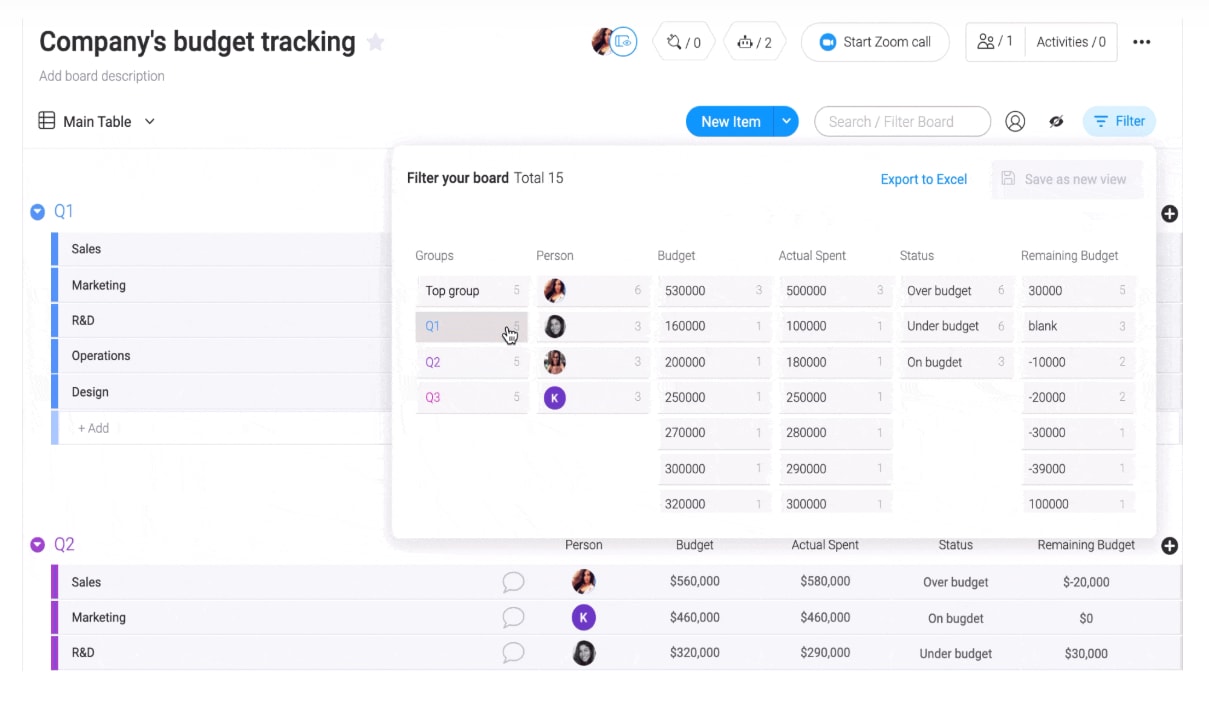
How to create a purchase order in 5 steps
Creating a purchase order is straightforward when you follow a consistent process. These five steps help ensure every request is accurate, approved, and easy to track from the start.
Step 1: define what you need
Precision matters. The requester needs to spell out exactly what’s needed — technical specs, part numbers, quality standards. Vague requests lead to wrong orders.
Involving the end-user at this stage means procurement buys the right item for the job.
Step 2: choose the right supplier
Once you know what you need, pick the right vendor. Compare price, lead times, past performance, and reliability.
For recurring items, this might mean selecting a pre-approved vendor for your purchase orders. For new items, you might need a Request for Quote (RFQ) process.
Step 3: complete purchase order information
Draft the PO, filling in all mandatory fields. Accuracy here is paramount — a typo in quantity or price causes significant headaches later.
Digital systems often auto-populate vendor details and standard terms to reduce manual error. Digital systems use intuitive forms to collect necessary information, with validation rules that confirm accuracy before submission.
Step 4: get required approvals
Before the PO becomes official, it must pass through the approval hierarchy. Depending on value, this might require sign-off from a direct manager, department head, or CFO.
Automated systems notify approvers instantly and track request status. Automations can route POs to the correct approver based on amount thresholds or department, eliminating manual forwarding.
Step 5: send and monitor your order
Transmit the PO to the vendor and ensure they receive it. The job isn’t done until the vendor confirms receipt and acceptance.
Monitor order status, track delivery dates, and proactively manage any potential delays through robust order tracking.
3 procurement best practices for accurate orders
Even with systems in place, process failures can lead to financial loss and operational drag. Recognizing common pitfalls helps organizations strengthen their procurement practices. These mistakes are preventable with proper planning and system design.
1. Incomplete or inaccurate details
Providing complete and accurate information on a PO ensures vendors can fulfill the order correctly the first time. This leads to on-time delivery of the right goods, supporting project timelines and financial accuracy.
Automated validation rules in digital platforms help catch these errors before the purchase order is sent.
2. Bypassing approval workflows
Allowing urgent orders to skip the approval chain undermines the entire control system. It creates a precedent that policies are optional, leading to budget blowouts and lack of accountability.
Consistency is key. Even rush orders should follow an expedited but formal approval path.
3. Poor supplier communication
Treating the PO as a fire-and-forget document is a mistake. Failing to confirm receipt or ignoring vendor questions leads to unfulfilled orders.
Active communication ensures both parties are aligned on expectations and allows for early resolution if the vendor cannot meet the delivery date.
The new era of purchase orders: AI and automation
Technology is shifting procurement from a transactional function to a strategic one. AI drives this transformation by reducing manual work and surfacing insights that improve decision-making. Organizations that embrace these capabilities gain competitive advantages through faster, smarter procurement processes.
AI-driven purchase order generation
Artificial intelligence can draft purchase orders automatically by analyzing inventory depletion rates and historical sales data. Instead of manually calculating reorder points, the system suggests a PO when stock hits predetermined levels.
On monday work management, AI Blocks can categorize incoming requests and extract data from PDFs, reducing manual data entry. This allows procurement teams to focus on vendor relationships and strategic sourcing rather than administrative work.
Predictive procurement analytics
Advanced analytics look beyond current stock to predict future demand. By analyzing seasonal trends, market conditions, and project timelines, AI capabilities recommend purchasing strategies that optimize cash flow.
This predictive capability helps businesses buy at the right time to secure the best pricing and availability.
Instant payment processing
Automation closes the gap between delivery and payment. Systems can automatically perform the 3-way match and trigger payment the moment goods are verified.
This speed allows buyers to capture early payment discounts and dramatically lowers the administrative cost of processing each invoice.
Environmental impact tracking
Procurement systems now track the carbon footprint of supply chains. Purchase orders can include data on the sustainability of goods and shipping methods.
This allows organizations to report on their Scope three emissions and make purchasing decisions that align with corporate sustainability goals.
Streamline purchase order management with monday work management
Purchase order processes often break down when information is scattered across emails, spreadsheets, and finance systems. Centralizing procurement in monday work management gives teams a shared, structured way to request, approve, and track purchases without losing visibility or control.
By connecting purchasing workflows to projects, budgets, and stakeholders, teams can manage spend proactively while keeping finance, operations, and project leads aligned.
Automate complex purchase order workflows
Build custom automation recipes that handle procurement’s heavy lifting. Requests automatically route to the correct approver based on budget thresholds. Status updates trigger notifications to requesters, eliminating “where’s my PO?” emails.
AI Blocks parse information from PDF invoices or requests, populating columns automatically and reducing manual data entry errors.
Connect teams across your organization
Procurement doesn’t happen in isolation. monday work management breaks down silos between finance, operations, and project teams. Everyone works in a shared digital workspace where communication happens in context.
Comments and questions are tagged directly on the PO record, preserving the history of decision-making and ensuring finance and operations always look at the same data.
Link purchase orders to active projects
Unlike standalone accounting software, monday work management links purchase orders directly to the projects they support. A PO for construction materials ties to the specific building project board, updating the project’s budget in real-time as purchase orders are processed.
This integration gives project managers immediate visibility into actual vs. planned spend without requesting reports from finance.
Build scalable procurement processes
Procurement processes often start simple, but become harder to manage as purchasing volume, stakeholders, and approval requirements increase. Systems that rely on email chains or rigid ERP workflows struggle to adapt as needs evolve.
monday work management gives teams the flexibility to standardize purchasing workflows early, then expand them as requirements grow. Teams can begin with a basic request and approval flow, then add automation, integrations, and vendor collaboration as procurement becomes more complex.
The comparison below shows how scalable workflows differ from traditional approaches.
| Feature | Traditional approach | monday work management approach |
|---|---|---|
| Workflow | Rigid, linear, often paper-based or email-heavy | Flexible, automated, customizable to specific needs |
| Visibility | Siloed in finance software; invisible to other teams | Transparent and accessible to stakeholders in real-time |
| Collaboration | Disconnected emails and phone calls | Contextual communication directly on the PO record |
| Project context | Disconnected from project management | Native integration links spend directly to project deliverables |
| Scalability | Difficult to change; requires IT intervention | Low-code/no-code adaptability by the operations team |
This flexibility helps organizations maintain control as procurement grows, without needing to rebuild processes each time requirements change.

“monday.com has been a life-changer. It gives us transparency, accountability, and a centralized place to manage projects across the globe".
Kendra Seier | Project Manager
“monday.com is the link that holds our business together — connecting our support office and stores with the visibility to move fast, stay consistent, and understand the impact on revenue.”
Duncan McHugh | Chief Operations OfficerBuild procurement processes that scale with your business
Purchase orders represent more than administrative paperwork — they’re the foundation of financial control and operational efficiency. Organizations that implement structured PO processes gain visibility into spending, strengthen vendor relationships, and create the audit trails necessary for compliance and growth.
The shift toward AI-powered procurement isn’t just about automation; it’s about freeing teams to focus on strategic decisions rather than manual tasks. When procurement systems integrate with project management and financial planning, organizations can make faster, more informed decisions that drive business results.
monday work management enables this integration by connecting purchase orders to the broader work ecosystem. Teams gain real-time visibility into committed spend, automated workflows that eliminate bottlenecks, and the flexibility to adapt processes as business needs evolve.
Try monday work managementFrequently asked questions
What's the difference between a purchase requisition and a purchase order?
A purchase requisition is an internal document used by an employee to ask permission to buy something, whereas a purchase order is the external document sent to the supplier to officially execute that purchase.
Can you cancel a purchase order once it's sent?
Purchase orders can generally be cancelled or modified before the supplier accepts them; however, once accepted, cancellation typically requires mutual agreement and may incur costs for work already started.
How long does a purchase order remain valid?
The validity period of a purchase order is determined by the terms specified on the document or the supplier's quote, often ranging from 30 to 90 days, after which pricing and availability may need to be reconfirmed.
Do small businesses need purchase orders?
While not legally mandated, small businesses benefit significantly from purchase orders as they provide essential spending control, legal protection, and professionalism that helps build credit and trust with suppliers.
What happens when goods ship without a purchase order?
Accepting shipments without a purchase order often leads to unmatched invoices, causing payment delays, inventory discrepancies, and difficulties in verifying that the price and quantity billed are correct.
Who is responsible for creating purchase orders?
The responsibility for creating purchase orders typically lies with a designated procurement team or department managers who have been granted specific purchasing authority within the organization's financial controls.

 Get started