

Organizations run dozens of projects simultaneously. Marketing launches campaigns while IT rolls out infrastructure upgrades and operations optimizes supply chains. Each team tracks progress independently, using separate dashboards and spreadsheets. When leadership requests a portfolio view, the result is a scramble to stitch together data from five different sources just to answer one question: are the right investments being made?
Project portfolio management software closes that gap. It connects individual projects to strategic goals, giving leaders visibility into resource allocation, risk exposure, and initiative performance across the entire organization. Instead of managing a collection of disconnected efforts, organizations gain a unified view that shows how every project contributes to business outcomes.
What follows is a breakdown of 15 PPM platforms that enterprise and cross-functional teams actually use, from specialized solutions for capital programs to flexible work management platforms that scale across departments. The comparison covers what separates portfolio management from project management, the features that matter most for strategic oversight, and a practical framework for selecting the right fit.
Key takeaways
- Portfolio management elevates perspective: while project management tracks individual timelines, PPM software connects every initiative to strategic goals across the entire organization.
- AI transforms reactive oversight into proactive intelligence: modern platforms use AI to predict risks, optimize resources, and monitor hundreds of projects simultaneously without manual intervention.
- Adoption speed determines ROI: intuitive platforms like monday work management achieve full deployment in weeks rather than months, with payback periods under four months.
- Integration creates a single source of truth: connecting PPM software to existing systems (ERPs, CRMs, and HR platforms) turns scattered data into strategic intelligence.
- No-code customization drives scalability: the best solutions adapt to your processes without requiring developers, empowering business teams to build workflows that evolve with organizational needs.
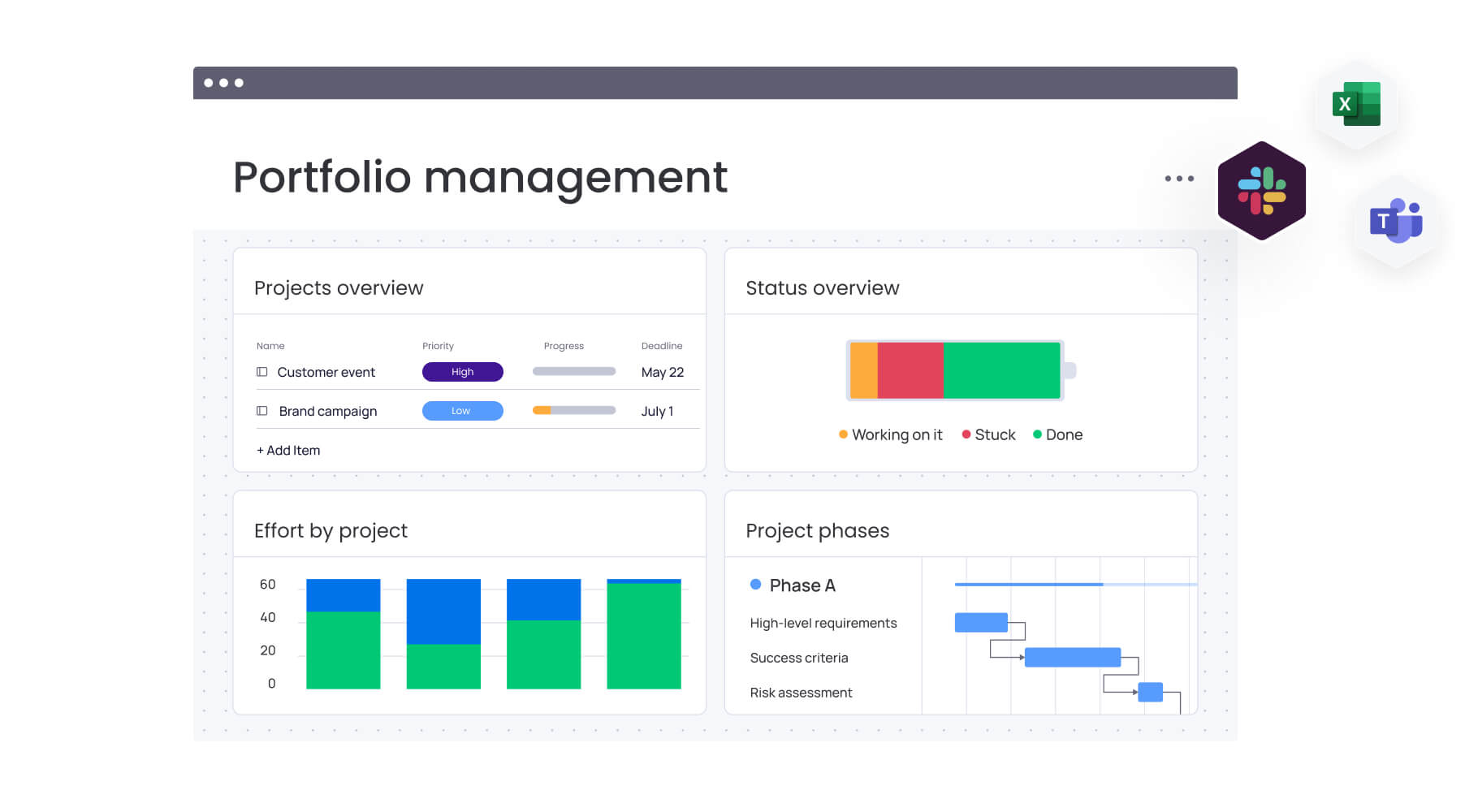
What is project portfolio management software?
Consider project portfolio management (PPM) software the central nervous system for your organization’s strategic initiatives. While standard project management focuses on the tactical execution of a single timeline, PPM elevates the perspective. It ensures every initiative in marketing, IT, or operations drives your company’s strategic goals.
Instead of juggling disconnected projects, you get one place that turns strategy into results. A strong PPM platform lets you:
- Synchronize projects with business strategy: verify that every resource and hour spent moves the needle on what matters most.
- Master resource distribution: assign talent where it makes the biggest impact, preventing burnout while maximizing output.
- Achieve total portfolio visibility: equip leadership with live data streams for faster, evidence-based decision-making.
- Navigate cross-project complexities: visualize how initiatives intersect and resolve dependencies before they become roadblocks.
PPM shifts an organization from simply executing work to strategically investing in the right outcomes. It balances what you want to do with what you can actually handle, turning scattered projects into focused growth.
It is about running the business, not just completing individual processes.
15 best PPM software platforms
A comprehensive feature set holds limited value if the software remains underutilized. The definitive measure of success is organizational adoption. This evaluation focuses on platforms that teams actively leverage to achieve portfolio outcomes, demonstrated performance backed by measurable results.
They demonstrate proven track records of real-world implementation and sustained user engagement. This list encompasses sophisticated enterprise systems as well as accessible platforms that deliver portfolio visibility across all organizational levels.
These platforms serve as critical infrastructure for daily operations, establishing the connection between strategic planning and tactical execution.
1. monday work management
Portfolio management moves out of the PMO silo and works for the whole organization with monday work management. Leaders get a high-level view of progress, risks, and dependencies, while teams find it intuitive to use. Governance scales up without slowing down execution teams. The return on investment is often rapid, with a Total Economic Impact™ study by Forrester showing a payback period of less than four months.

Example:
This platform connects high-level strategy to daily tasks with ready-to-use PPM software. Leaders track everything from intake to delivery. Teams work in flexible, familiar workflows.
For example, a PMO can standardize new initiatives using workspace templates and intake forms, automatically rolling all data into a master portfolio view for executive reporting.
Key features:
- Unified portfolio dashboards: aggregate data across multiple projects, filtering it into role-specific insights so executives and PMOs can monitor scale effectively.
- AI-driven risk detection: categorizes risks by urgency, identifying owners and mitigation strategies, while AI reporting generates executive summaries instantly.
- Dependency visualization: links work across projects, highlighting downstream impacts to help coordinate complex delivery timelines.
Pricing:
- Free: $0 (up to two seats).
- Basic: $9/seat/month (billed annually).
- Standard: $12/seat/month (billed annually).
- Pro: $19/seat/month (billed annually).
- Enterprise: custom pricing (quote required).
Why it stands out:
- Rapid, business-led deployment: enterprise clients frequently report onboarding in weeks, sometimes as few as two, rather than the months required for consultant-heavy alternatives.
- Standardization meets flexibility: while teams build workflows with no-code blocks, leaders can enforce data standards and governance using Managed Templates.
- Scalable visibility: the platform supports reporting dashboards capable of analyzing hundreds of active projects simultaneously.
Advanced AI features:
- Risk Insights: scans updates to surface portfolio risks by urgency, providing context and mitigation options.
- Portfolio Reporting: instantly generates health summaries, trend analysis, and charts for executive review.
- Project Analyzer (Digital Worker): monitors hundreds of projects to flag bottlenecks and offer proactive delivery insights.
Automations:
- Governance automation: standardizes project creation, approvals, and notifications to ensure process adherence through automated reminders.
- AI Automation blocks (Pro/Enterprise): actions like “Categorize with AI” or “Summarize text” streamline data entry and keep portfolio records consistent.
- Smart Autofill: AI can populate columns, such as assigning the correct personnel, to speed up routing and approvals.
Integrations:
- Enterprise ecosystem: connects with existing tools to ensure updates appear where collaboration happens.
- Key connectors: Microsoft Teams, Slack, Jira Cloud (two-way), Zoom, Outlook, Gmail, Google Drive, and Excel.
- Open API: facilitates custom data flows across unique tech stacks.
Project portfolio management software features:
- Centralized oversight: aggregates projects into high-level views with drill-down capabilities and standardized intake.
- PMO controls: features like Gantt charts, baselines, critical path analysis, and time tracking help monitor schedules and identify risks early.
- Managed Templates (Enterprise): allows for the standardization of entire work spaces and the rollout of updates across numerous project instances.
2. Epicflow
Built by experts in Critical Chain methodology, Epicflow tackles the specific challenge of resource bottlenecks in multi-project environments. It uses AI to plan capacity and spot constraints across your entire portfolio. It’s a strong fit for organizations where resource conflicts limit throughput more than task lists do.

Example:
Epicflow works best for identifying and resolving resource conflicts in engineering firms, manufacturing operations, and professional services running concurrent projects.
Key features:
- Future Load Graph: offers predictive capacity analysis and “what-if” scenario planning.
- AI-driven prioritization: automatically adjusts portfolio flow based on business value and constraints.
- Integrations: connects with Jira, MS Project, Oracle Primavera, and SAP to centralize control without disrupting how teams work.
Pricing:
- Growth: €25/month per person (€22.50 annually) for 20-50 users, max 50 projects.
- Enterprise: custom pricing for 50+ users, unlimited projects, includes AI scenario planning.
- Annual discount: 10% off for annual billing.
- Consulting: optional services for strategic optimization.
Considerations:
- Learning curve: resource optimization features require training and time to master.
- Data discipline: accurate predictions depend on timely data input and consistent team habits.
3. Planview
For large enterprises navigating complex governance requirements, Planview offers a robust strategic portfolio management solution. It connects strategy to execution through advanced financial integration and smart algorithms. Companies managing multi-billion-dollar portfolios rely on its depth to prioritize investments and deliver strategic results.

Example:
Planview targets large enterprises requiring strict portfolio governance, financial management, and frameworks that align project investments with business goals.
Key features:
- Strategic roadmapping: includes embedded OKRs, prioritization, and scenario planning.
- Financial management: covers forecast vs. actuals, agile costing, and capitalization.
- Analytics suite: features 200+ out-of-the-box reports and embedded Microsoft Power BI.
Pricing:
- Enterprise PPM products: quote-only.
- AgilePlace / ProjectPlace: contact for pricing (30-day trials available).
- Implementation: additional costs for FastTrack services and consulting.
Considerations:
- UI complexity: users often cite a steep learning curve as a challenge.
- Premium pricing: organizations must be careful to avoid overspending on unused licenses.
4. Microsoft Project
Organizations deeply embedded in the Microsoft 365 ecosystem often find Microsoft Project to be the logical step up from basic task management. It integrates portfolio oversight directly into familiar environments like Teams and SharePoint. The platform employs a dual-track strategy, offering streamlined management in Planner alongside advanced scenario modeling for complex needs.
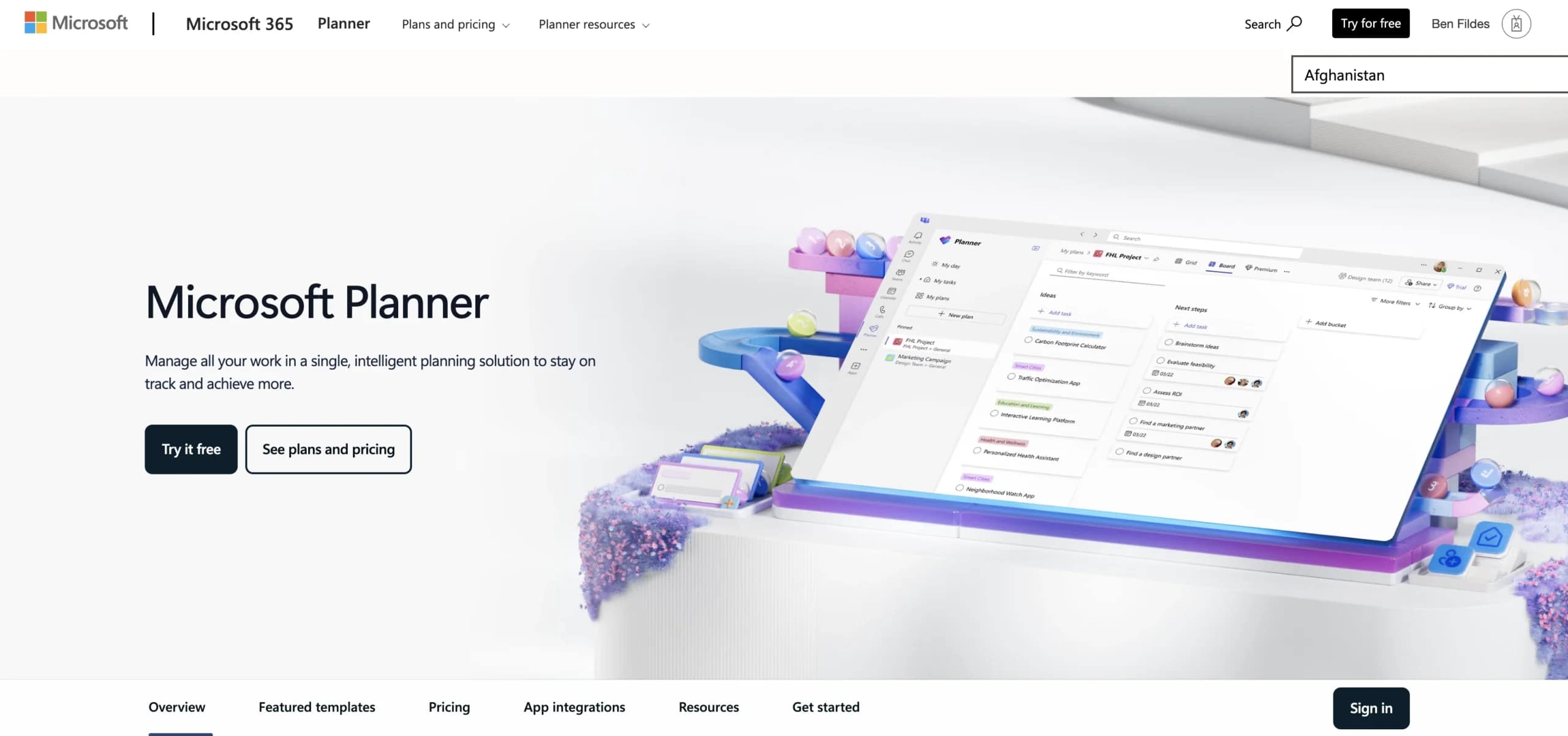
Example:
Ideal for organizations wanting portfolio capabilities that mesh seamlessly with their existing Microsoft 365 infrastructure.
Key features:
- Dual portfolio approach: combines “Portfolios in Planner” for visibility with PWA analysis for complex modeling.
- Native integration: connects effortlessly with Teams, SharePoint, OneDrive, and Power BI.
- AI assistance: the Project Manager agent (preview) offers intelligent support for planning and insights.
Pricing:
- Planner Plan 1: $10/month/user (annual).
- Planner and Project Plan 3: $30/month/user (annual).
- Planner and Project Plan 5: $55/month/user (annual).
- Volume licensing: discounts available.
Considerations:
- Premium-only portfolios: portfolio features are restricted to premium plans.
- Migration planning required: the scheduled retirement of Project Online in 2026 necessitates migration planning.
5. Oracle Primavera
In the high-stakes world of capital programs and infrastructure, Oracle Primavera provides the rigorous controls necessary for multi-billion dollar portfolios. It is purpose-built for construction, engineering, and public sector projects where scheduling precision and cost governance are non-negotiable. The platform supports interconnected projects spanning years with advanced analytical capabilities.

Example:
Designed for managing complex capital portfolios in construction and engineering that demand sophisticated scheduling and risk analysis.
Key features:
- Portfolio scorecards: use efficient frontier optimization for data-driven selection.
- Capital and expense budget planning: supports resource-based funding management.
- Native integration: with Primavera Unifier and P6 ensures real-time financial and schedule alignment.
Pricing:
- Quote-based: custom pricing via Oracle Universal Credits.
- Volume discounts: available for multi-year agreements.
- Additional costs: implementation and add-on modules like Unifier.
Considerations:
- Performance limitations: portfolios exceeding 10,000 projects may experience lag.
- Implementation complexity: deployment typically requires certified administrators.
6. Smartsheet
Bridging the gap between simple spreadsheets and complex enterprise systems, Smartsheet scales from individual task lists to organization-wide programs. It retains the familiar interface of Excel while adding the governance required for portfolio management. Through Control Center’s blueprint approach, teams can standardize execution without sacrificing the flexibility they are used to.

Example:
Suitable for organizations needing enterprise governance combined with a spreadsheet-like interface for broad adoption.
Key features:
- Control Center blueprints: automate provisioning and standardize templates across the portfolio.
- Portfolio WorkApps: aggregate projects into role-based views for executives and managers.
- Resource Management: bi-directional sync tracks capacity and utilization across sheets.
Pricing:
- Pro: $9/month/member (annual).
- Business: $19/month/member (annual).
- Enterprise: quote-only.
- Advanced Work Management: quote-only bundle for Control Center and other premium features.
Considerations:
- Add-on dependency: comprehensive portfolio management often requires expensive add-ons or bundles.
- Scale limitations: sheet-level limits (cells/rows) require careful data architecture for large portfolios.
7. Asana
Leveraging its proprietary Work Graph architecture, Asana connects individual tasks to broader company goals. It allows organizations to scale from simple project tracking to strategic portfolio visibility without migrating to a different toolset. This makes it particularly effective for cross-functional teams that need to manage multiple initiatives concurrently.

Example:
Asana helps organizations maintain focus on execution while adding strategic oversight, linking daily work to high-level objectives.
Key features:
- Portfolio dashboards: real-time visibility for up to 1,500 projects with workload management.
- Nested portfolios: supports hierarchical structures for complex programs.
- Smart summaries: AI condenses updates into executive-level insights.
Pricing:
- Personal: free (up to two users).
- Starter: $10.99/user/month (annual).
- Advanced: $24.99/user/month (annual), includes portfolios.
- Enterprise/Enterprise+: custom pricing.
Considerations:
- Limited timeline views: timeline views are unavailable for portfolios containing other portfolios.
- Mid-tier requirement: portfolio features are locked behind mid-tier pricing.
8. Wrike
Mid-to-large organizations often struggle to balance visibility with execution, a gap Wrike fills with its integrated platform. It combines collaborative work management with enterprise-grade analytics and resource planning. The system offers AI-driven insights and customizable dashboards that can handle complex organizational structures.

Example:
Wrike manages the full portfolio lifecycle from intake to analysis, using AI to predict risks and keep leadership informed.
Key features:
- Lifecycle management: includes custom request forms, budgeting, and resource forecasting.
- AI risk management: predicts project risks and generates automated weekly reports.
- Advanced analytics: Wrike Analyze offers BI dashboards, while Datahub centralizes external data.
Pricing:
- Free: task management only.
- Team: $10/user/month.
- Business: $25/user/month.
- Enterprise Pinnacle/Apex: quote-only.
Considerations:
- Feature restrictions: key portfolio features like budgeting and BI are restricted to higher tiers or add-ons.
- Collaboration limits: dashboard sharing with external collaborators can be limited.
9. Clarizen
PMOs requiring rigorous financial controls and funding management often turn to Clarizen (now part of Planview AdaptiveWork). It provides enterprise-grade governance without the extreme complexity of legacy PPM systems. By incorporating AI and robust integrations, it serves as a bridge between lightweight tools and heavyweight enterprise solutions.

Example:
Best for organizations needing advanced governance, funding management, and cross-departmental visibility.
Key features:
- Portfolio roadmaps: shareable views grouping projects by business unit or product line.
- Top-down funding: manages allocation across portfolios with date-effective rate cards.
- Enterprise data: includes API access, Data Warehouse Export, and automated slide generation.
Pricing:
- Quote-based: custom enterprise pricing.
- Discounts: available for multi-year terms.
- Add-ons: extra costs for specific modules like Slide Publisher.
Considerations:
- Governance focus: portfolios function more as governance containers than scheduling tools.
- Learning curve: users report occasional performance issues in large deployments.
10. Jira
When software development drives the portfolio, Jira’s Advanced Roadmaps provide the necessary coordination. It excels in technical environments where agile frameworks are standard and cross-team dependencies are critical. The platform leverages deep integration with sprint data to align strategy with velocity-based planning.

Example:
Jira links portfolio planning directly to development execution, enabling visualization of dependencies and releases in agile frameworks.
Key features:
- Multi-team roadmapping: visualizes dependencies and hierarchy (initiatives above epics).
- Scenario planning: allows “what-if” experimentation in a sandbox environment.
- Jira Align: supports enterprise frameworks like SAFe across multiple instances.
Pricing:
- Standard: $8.15/user/month (annual).
- Premium: $16/user/month (includes Advanced Roadmaps).
- Enterprise: contact sales.
- Strategy Collection: starts at $77,400/year.
Considerations:
- Soft capacity limits: plans have soft caps (~5,000 items) that may limit large-scale management.
- Multi-instance aggregation: aggregating multiple instances requires the expensive Strategy Collection.
11. ClickUp
Positioning itself as the “everything app,” ClickUp unifies projects, docs, and dashboards into a single, highly customizable workspace. It appeals to organizations ranging from startups to enterprises that prefer building bespoke portfolio workflows over rigid, standardized processes. Its flexibility has attracted over 20 million users.

Example:
ClickUp is for teams that want highly customizable dashboards and are willing to invest time in setup to achieve a tailored fit.
Key features:
- Portfolio cards: aggregate progress across projects with role-based controls.
- AI summaries: generate real-time health reports directly on dashboards.
- Workload views: balance team capacity across portfolio initiatives.
Pricing:
- Free Forever: limited core features.
- Unlimited: $7/month/user (annual).
- Business: $12/month/user (annual).
- Enterprise: custom pricing.
- AI: add-on costs apply.
Considerations:
- Manual portfolio assembly: building a portfolio view requires combining multiple cards and filters manually.
- Tier restrictions: advanced analytics are restricted to Business tiers and above.
12. Workfront (Adobe)
Creative and marketing teams face unique portfolio challenges, which Adobe Workfront addresses by connecting strategic planning directly to content production. Its deep integration with the Adobe creative ecosystem sets it apart, streamlining the workflow from high-level planning to asset creation.

Example:
Workfront is the go-to for organizations with heavy creative portfolios, managing marketing campaigns and production at scale.
Key features:
- Strategic planning: uses business cases and scorecards to prioritize based on ROI and alignment.
- Creative integration: connects natively to Adobe Creative Suite and Frame.io.
- Resource optimization: balances workloads to prevent creative burnout.
Pricing:
- Tiers: Select, Prime, Ultimate (quote-only).
- Add-ons: Planning, Fusion, and HIPAA packages cost extra.
Considerations:
- Advanced features: alignment scorecards are limited to higher tiers.
- Integration changes: native integrations for some external tools are being retired in favor of Fusion.
13. Aha!
While many tools start with tasks, Aha! begins with the roadmap, offering a strategy-first approach to product portfolio management. It links portfolio initiatives directly to product schedules and releases. This makes it the preferred choice for product-led companies managing complex feature sets across multiple lines.

Example:
Aha! is ideal when product strategy is the primary driver, requiring native capacity planning integrated with roadmaps.
Key features:
- Portfolio hierarchy: rolls up strategy from products to portfolio initiatives.
- Roadmap visualization: displays schedules across multiple workspaces.
- Capacity planning: Enterprise+ offers scenario comparison.
Pricing:
- Roadmaps Premium: $59/user/month (annual).
- Roadmaps Enterprise: $99/user/month (annual).
- Roadmaps Enterprise+: $149/user/month (annual).
- Teamwork tiers: lower cost options available.
Considerations:
- Customization complexity: the breadth of customization can lead to a steep learning curve.
- Premium-only features: advanced capacity planning is locked behind the most expensive plan.
14. Teamwork
Client-facing organizations operate under different pressures, where profitability and billable hours are paramount. Teamwork addresses this by combining project management with native time tracking, budgeting, and financial reporting. It is specifically engineered for agencies and consultancies managing multiple client engagements.

Example:
Teamwork excels in client portfolios where success is measured by profitability and resource utilization.
Key features:
- Portfolio boards: automate updates to project status and ownership.
- Financial tools: integrated time tracking, billable rates, and profitability reporting.
- TeamworkAI: assists with setup and forecasting.
Pricing:
- Free: basic features.
- Deliver: $10.99/user/month (annual).
- Grow: $19.99/user/month (annual).
- Scale/Enterprise: custom pricing.
Considerations:
- Single board limitation: lower tiers are restricted to a single portfolio board.
- Premium-only financials: key financial features are often locked behind quote-based pricing.
15. KeyedIn Enterprise
Scenario modeling and benefits tracking form the core of KeyedIn Enterprise (now part of Planview). It connects strategic planning to execution, allowing large organizations to visualize workflow governance and track value realization. The platform is particularly strong in hybrid delivery environments requiring sophisticated oversight.

Example:
KeyedIn enables enterprises to optimize investments through scenario modeling and capacity planning.
Key features:
- Scenario modeling: set constraints and model alternatives for strategic decisions.
- Workflow governance: automate processes with visual designers.
- Benefits integration: track value realization over time.
Pricing:
- Custom: $15–$90/user/month depending on role/volume.
- Implementation: fees vary by scope.
Considerations:
- Configuration complexity: often requires robust change management.
- Enterprise pricing: reflects its enterprise focus, which may be steep for smaller teams.
What makes a great project portfolio management software?
True project portfolio management software acts as the command center for your entire business, transforming how strategy is executed. While standard tools track individual tasks, a PPM platform connects every initiative to your overarching goals, empowering leaders to make informed decisions regarding resources, risk, and direction.
Portfolio management vs project management platforms
Project management tools are tactical; they help teams hit deadlines on specific deliverables. In contrast, portfolio management operates strategically. It provides a panoramic view of all concurrent projects, revealing how they interact to drive the business forward.
Consider a product launch: a project management tool tracks the campaign steps. PPM software, however, reveals how that launch affects fifteen other campaigns, whether staff are allocated correctly, and the ripple effects of a potential delay.
| Feature | Project management | Portfolio management |
|---|---|---|
| Primary focus | Execution of individual tasks and deliverables. | Strategic alignment and investment optimization. |
| Key user | Project managers and team members. | Executives, PMO leaders, and department heads. |
| Outcome | On-time, on-budget project delivery. | Maximized business value and ROI across all initiatives. |
One ensures the work gets done; the other ensures you are doing the right work.
Must-have features for a portfolio command center
To turn project data into strategic intelligence, enterprise organizations require specific capabilities. A true portfolio command center is distinguished by features that enable genuine governance at scale.
- Live portfolio dashboards: aggregate real-time data across all initiatives, giving leaders instant visibility into progress, risks, and strategic alignment without manual reporting.
- AI-driven risk detection: continuously scans portfolio data to identify resource conflicts, budget overruns, and timeline risks before they escalate into critical issues.
- Resource capacity planning: visualizes team workloads and availability across projects, preventing burnout while ensuring high-priority initiatives receive adequate staffing.
- Dependency mapping: reveals how projects interconnect and impact one another, enabling proactive management of cross-team dependencies and preventing cascading delays.
- Automated reporting: generates executive summaries, status updates, and performance insights automatically, eliminating manual compilation and accelerating decision-making.
- Deep integrations: connects seamlessly with ERPs, CRMs, and HR platforms to create a unified data ecosystem that links portfolio execution to broader business outcomes.
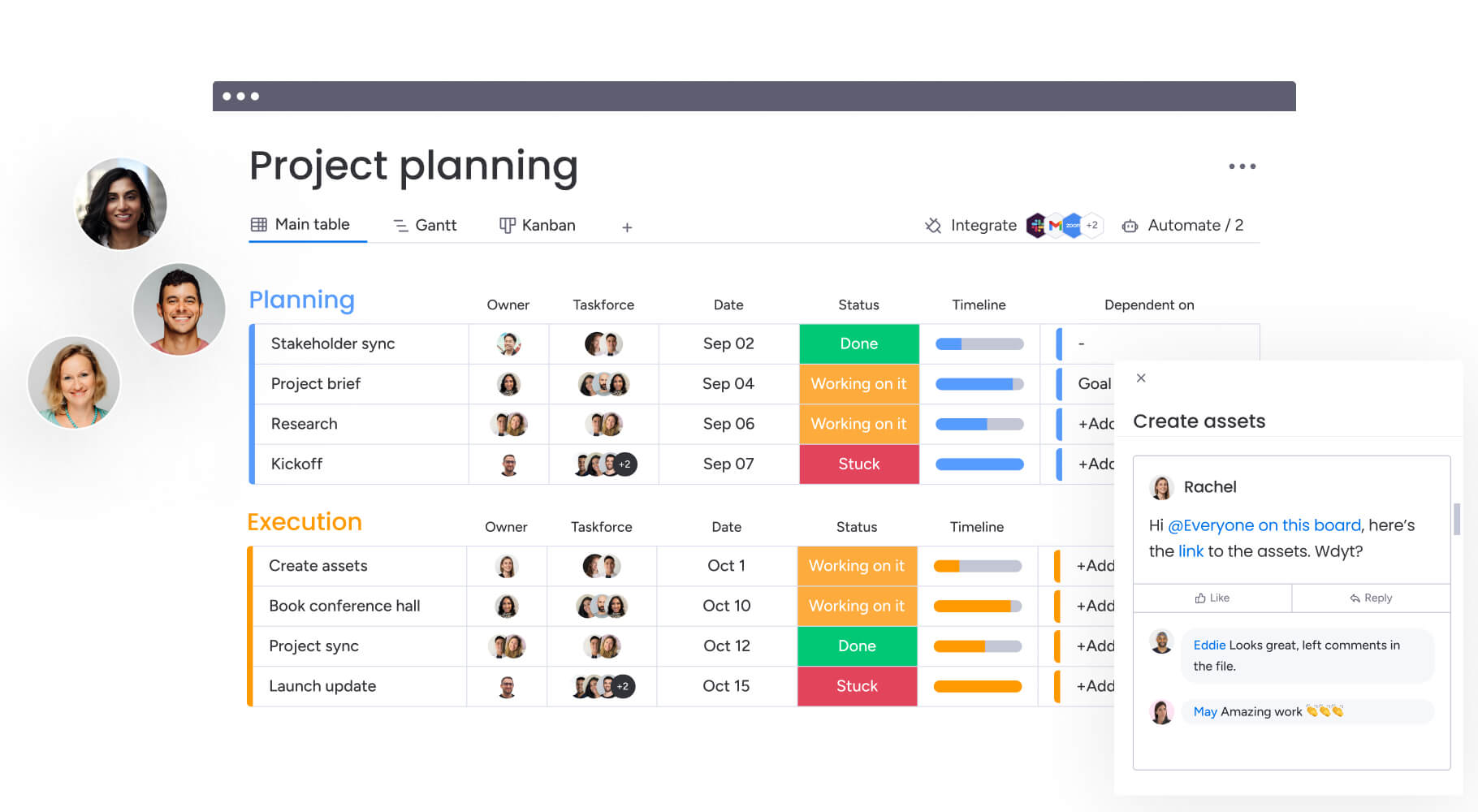
4 steps to select the right PPM platform
Selecting a PPM platform is a strategic decision, not a gamble. A structured evaluation process cuts through the noise, helping you identify a solution that aligns with your organization’s DNA.
Step 1: map your portfolio complexity
As size dictates strategy, before evaluating features, quantify your operational reality. How many concurrent projects are running? How many departments interact?
Categorizing your portfolio helps narrow the field:
- Simple: under 20 projects, mostly single-department, minimal dependencies.
- Moderate: 20-100 projects, cross-functional teams, shared resources.
- Complex: 100+ projects, extensive coordination, advanced resource optimization required.
Step 2: assess your integration needs
Isolated data significantly diminishes the value of a PPM platform. Begin by mapping the ecosystem that informs your portfolio: financial data from ERPs, customer priorities from CRMs, and resource availability from HR systems.
Identify which systems require integration with your PPM solution to provide the necessary context for strategic decision-making. Solutions like monday work management connect seamlessly with your entire technology stack, establishing the platform as a centralized source of truth.
Step 3: prioritize customization without code
Inflexible tools disrupt established workflows. Your platform should adapt to your organizational processes rather than requiring you to conform to its limitations. No-code customization capabilities are essential for long-term scalability.
Executives require strategic-level views, while managers need detailed resource insights. Leading solutions enable teams to build tailored dashboards and workflows without requiring IT intervention. Within platforms like monday work management, users configure the platform to their specific requirements, allowing it to evolve alongside organizational growth.
Step 4: calculate your implementation timeline and ROI
Implementation speed directly impacts return on investment. Consider the timeline required for your teams to achieve full productivity. A typical deployment encompasses data migration, user training, and process refinement.
Complex legacy systems often require months to fully deploy. By contrast, intuitive platforms like monday work management typically achieve full organizational adoption within weeks. The tangible return derives from accelerated decision-making and optimized resource utilization, extending well beyond the initial software deployment.
How does AI transform portfolio management?
AI has graduated from a buzzword to a practical necessity for managing complex portfolios. It processes data at a scale human teams cannot, uncovering patterns that drive tangible business outcomes.
This capability translates into a distinct competitive edge: the ability to anticipate challenges, optimize resources, and maintain focus across hundreds of initiatives simultaneously.
- Predictive risk analytics: AI acts as an always-on early warning system, analyzing portfolio data to flag risks before they derail timelines. It spots resource conflicts weeks in advance and identifies scope creep, turning hindsight into foresight. Platforms like monday work management categorize threats by severity, ensuring attention is focused exactly where it’s needed.
- Automated resource optimization: AI solves the staffing puzzle (matching skills, availability, and priority) instantly at scale. It directs top talent toward high-impact work while monitoring for overallocation, maximizing value without burning out your team.
- Continuous portfolio monitoring: AI provides 24/7 oversight, spotting issues the moment they arise rather than waiting for weekly meetings. It reveals trends in velocity and bottlenecks, with automated alerts notifying stakeholders immediately. AI agents within solutions like monday work management monitor projects in real-time, suggesting next steps to keep objectives on track.
How does monday work management connect portfolio strategy to execution?
Effective portfolio management demands a single source of truth that bridges the gap between high-level strategy and ground-level execution. Leaders turn to monday work management to transform portfolio oversight from a siloed administrative function into a shared organizational capability.
monday work management empowers every team to contribute to strategic goals through an interface they actually enjoy using.
Gain instant portfolio clarity with visual dashboards
To ensure every stakeholder remains aligned, you should provide insights tailored to their specific roles. Consequently, portfolio dashboards deliver a real-time, 360-degree view of every initiative.
Through these views, executives can track budget pacing and strategic alignment, while managers simultaneously keep a pulse on team capacity.
Anticipate risks with AI-powered analysis
By moving toward proactive management, you can replace reactive firefighting. The AI engine scans your entire portfolio continuously, identifying potential risks before they impact budgets or timelines. In doing so, it detects subtle patterns across hundreds of projects that manual review would typically miss.
Beyond just flagging issues, the platform provides context on why a risk exists and suggests mitigation steps. This transforms risk management into a strategic advantage.
Build custom, automated workflows for every team
Because departmental workflows vary, your platform must accommodate those differences. Marketing, IT, and operations can all build tailored workflows using intuitive templates and no-code automations with monday work management.
By automating routine updates, approvals, and handoffs, you free teams to focus on high-impact work. This approach connects every part of the organization to the central strategy while respecting unique operational needs.
| Capability | Traditional enterprise PPM | monday work management |
|---|---|---|
| Implementation timeline | 6–12 months requiring specialized consultants and technical resources. | 2–4 weeks, run by internal business teams with minimal IT support. |
| User adoption rate | 40–60% adoption, mostly limited to PMO specialists and project managers. | 85%+ adoption across all roles, from executives to individual contributors. |
| AI capabilities | Limited features, often requiring separate platforms and data science teams. | Built-in AI for risk detection, resource optimization, and automated insights for all users. |
| Customization approach | Code-based configuration that depends on developers or certified consultants. | Visual, no-code builders that empower any business user to create what they need. |
| Total cost of ownership | High licensing costs plus fees for implementation, maintenance, and specialized admins. | Transparent pricing with low implementation costs and business-led administration. |
This results in a portfolio management approach that balances power with accessibility. You can manage complexity at scale without sacrificing the ease of use that drives adoption, turning PPM into a strategic driver rather than an administrative chore.
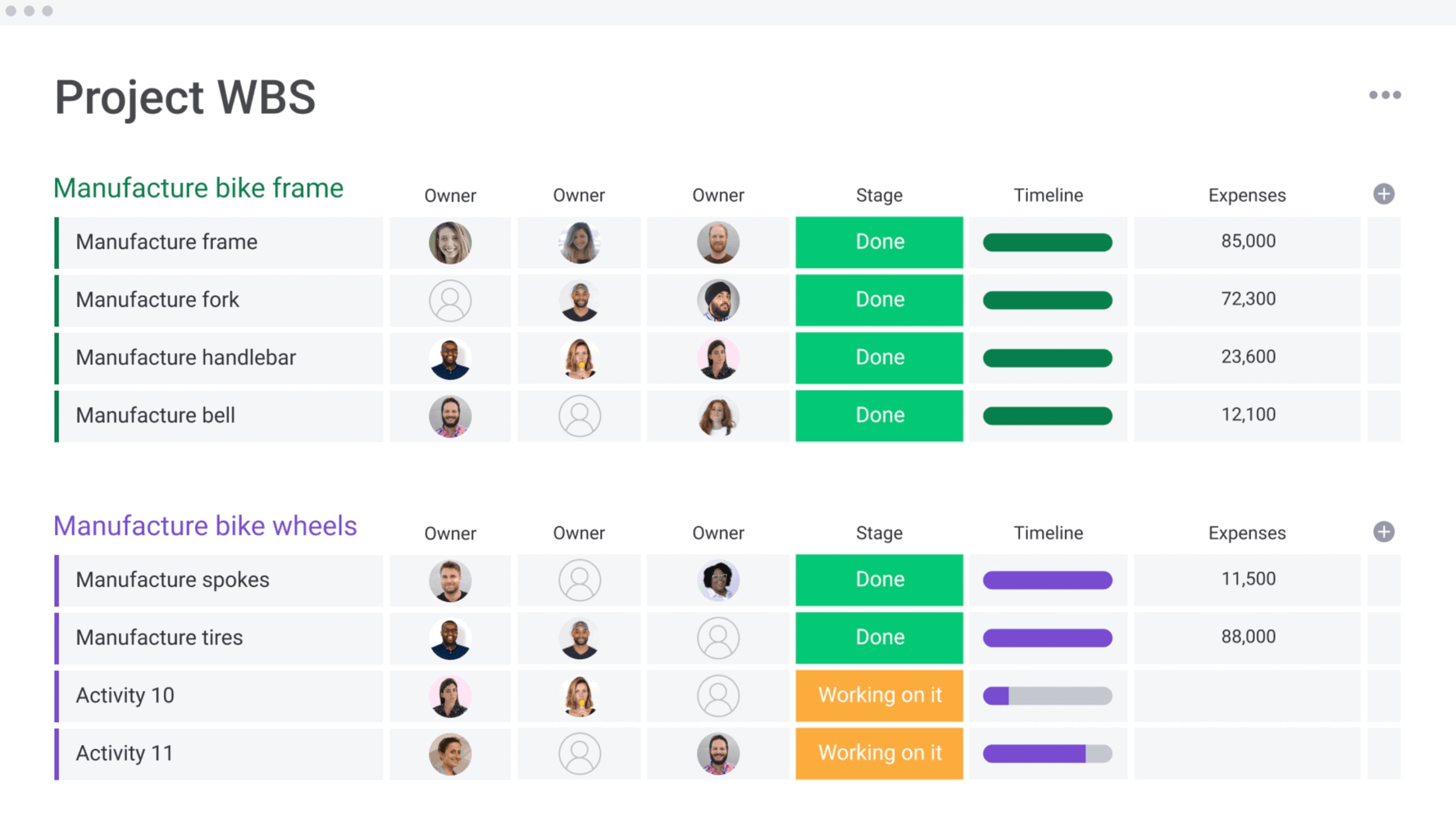
A 4-phase roadmap for successful PPM implementation
Implementing a new portfolio management system is a shift in organizational behavior, not just a software install. A structured roadmap is the difference between a smooth rollout and a stalled initiative.
Phase 1: establish your foundation (weeks 1–2)
Begin by addressing the technical and organizational groundwork necessary for implementation. The objective is to establish momentum through early wins while maintaining realistic expectations about the overall timeline.
During this stage, prioritize the migration of critical data (including active projects and current resource assignments) while deferring historical data backfill to a later phase. Establish role definitions that appropriately balance organizational transparency with security requirements, and provision user accounts to ensure teams can begin working immediately upon launch.
Phase 2: facilitate team adoption (weeks 3–4)
Success during this phase depends on effective user engagement. The decisions made here will determine whether the platform becomes a central operational hub or remains underutilized. Clear, role-specific communication is essential to demonstrate the platform’s value proposition for each stakeholder group.
Executive stakeholders require visibility into strategic portfolio metrics, while individual contributors need to understand how the platform streamlines their daily workflows.
Advanced platforms like monday work management achieve high adoption rates because it delivers practical value for execution activities, not merely reporting functions. When a PPM tool demonstrably improves work efficiency, consistent usage follows naturally.
Phase 3: optimize your processes (month 2)
Once initial adoption is achieved, shift focus toward process optimization. The goal is to evolve from basic platform usage to sophisticated portfolio management through systematic refinement.
Gather stakeholder feedback and customize dashboards to address specific information needs. Iterate on view configurations to ensure each user group receives relevant insights.
Subsequently, implement automations for routine activities such as status updates and approval workflows. Reducing manual administrative tasks promotes consistent process adherence while freeing capacity for strategic analysis.
Phase 4: expand enterprise-wide (month 3+)
The final phase involves scaling portfolio management capabilities across the organization. Apply the proven methodology from your initial deployment (including structured training, stakeholder communication, and incremental value delivery) to onboard additional departments systematically.
Enhance platform value by establishing integrations with enterprise systems including finance, HR, and CRM platforms. As organizational needs evolve, solutions like monday work management provide the flexibility to support continuous process maturity without necessitating a complete system replacement.

“monday.com has been a life-changer. It gives us transparency, accountability, and a centralized place to manage projects across the globe".
Kendra Seier | Project Manager
“monday.com is the link that holds our business together — connecting our support office and stores with the visibility to move fast, stay consistent, and understand the impact on revenue.”
Duncan McHugh | Chief Operations OfficerTurn portfolio strategy into results
The right platform transforms scattered data into strategic intelligence. It provides the visibility needed to align every initiative with core business objectives, ensuring investments yield real value. Modern portfolio management empowers everyone, not just the PMO, to see how their work connects to the bigger picture.
To achieve this, organizations require a solution that blends power with intuition. Leaders trust monday work management to bridge strategy and execution, leveraging automation and AI to optimize resources without a steep learning curve. This is how you run an entire portfolio from a single, unified workspace.
Frequently asked questions
What's the difference between project management and portfolio management software?
Project management software focuses on executing individual projects, while portfolio management software provides strategic oversight across all projects to align them with business goals.
How much does enterprise PPM software cost?
Enterprise PPM software costs can range from $30 to over $100 per user per month, with potential implementation and maintenance fees significantly increasing the total investment.
Can PPM platforms integrate with existing project management systems?
Yes, current PPM platforms integrate with existing systems through native connectors and APIs, allowing organizations to add strategic oversight without replacing current workflows.
What's the typical ROI timeline for PPM software?
The typical ROI timeline for PPM software shows initial returns within three to six months from operational improvements, with full strategic benefits realized in 12–18 months.
Do you need technical expertise to implement PPM platforms?
Whether you need technical expertise depends on the system; traditional platforms often require specialized consultants, while modern no-code solutions can be configured by business teams.
How does AI improve portfolio management effectiveness?
AI improves portfolio management effectiveness by providing predictive risk analytics, automating resource optimization, and offering continuous monitoring to enable faster, more informed strategic decisions.

 Get started