


Organizations frequently commit to delivering multiple major initiatives within tight timeframes. However, scope changes, resource conflicts, and urgent requests often disrupt even the most carefully constructed plans. This cycle of ambitious planning followed by execution challenges is a common experience across teams and industries.
What distinguishes high-performing teams is how they structure their work from the outset. A project plan template is a reusable framework that significantly reduces planning time while providing proven structures for organizing projects, timelines, and resources. Effective templates deliver three key benefits: they establish consistency across initiatives, provide leaders with portfolio-level visibility, and preserve organizational knowledge from past projects.
This guide examines what makes project plan templates effective in 2026: the essential components, methodology-specific approaches, and intelligent features that adapt as work evolves. You’ll learn how to select the appropriate template for your team and implement it successfully, scaling from individual projects to enterprise portfolios that drive measurable business impact with an adaptive Work OS.
Key takeaways
- Build templates that connect work to strategy: Include business objectives and success metrics in every template, so teams understand how their projects advance organizational goals.
- Choose dynamic templates over static documents: Real-time updates eliminate version confusion and keep everyone working from current information instead of outdated files.
- Scale execution with standardized frameworks: Consistent templates across teams create a common language that breaks down silos and enables portfolio-level visibility for leadership.
- Leverage intelligent features for optimization: Utilize AI-powered risk detection, smart resource allocation, and automated timeline optimization within platforms like monday work management to anticipate problems and optimize performance.
- Focus on the five essential components: Strategic alignment, dynamic timelines, resource management, risk tracking, and success metrics form the foundation of templates that drive real business results.
What are project plan templates?

A project plan template is a reusable framework that enables teams to organize, track, and execute projects with consistency and precision. It provides a pre-built structure with defined phases, tasks, timelines, and resource fields that reduces planning time from weeks to hours.
As such, templates serve as more than static documents as they represent the operational foundation for how work is executed across your organization. When teams adopt standardized templates, they establish a common language for execution, enabling cross-project comparison, pattern identification, and scalable best practices.
A well-designed template delivers:
- Captures proven practices: Every successful project teaches lessons that templates preserve for future work.
- Creates predictable workflows: Teams know exactly what steps to follow and when, creating consistency.
- Enables portfolio visibility: Leadership can track progress across all initiatives using consistent data.
Dynamic templates vs. static documents
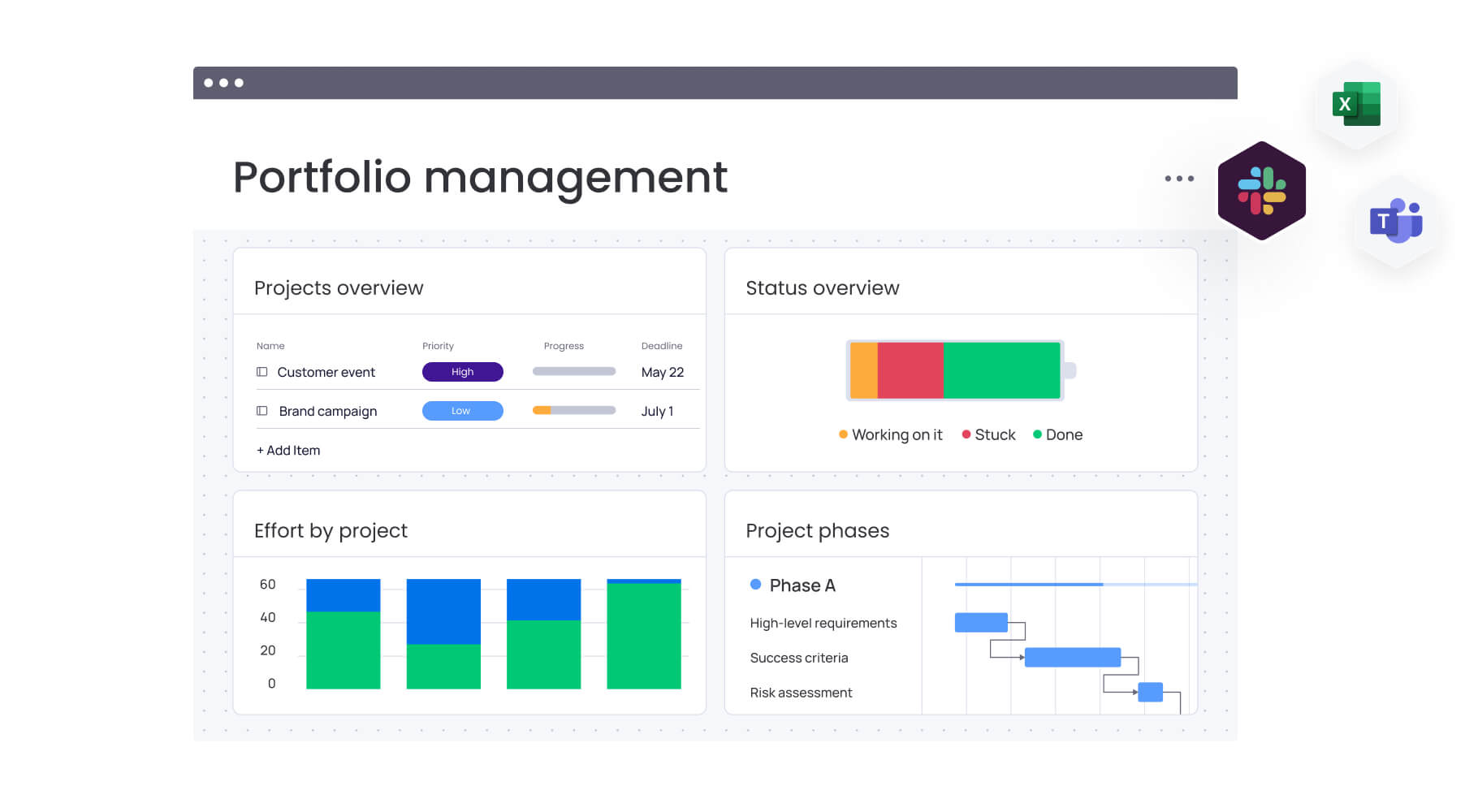
Most organizations still rely on static templates stored in Excel or Word. These files capture planning information once, then immediately start drifting from reality. Teams email versions back and forth, creating confusion about which file contains the latest updates.
In contrast, dynamic templates update in real time as work progresses, ensuring everyone is always working from current information. When a team member updates a task status or shifts a deadline, the change is reflected instantly across all views and dashboards.
| Feature | Static templates | Dynamic templates |
|---|---|---|
| Data updates | Manual entry required | Real-time synchronization |
| Collaboration | Email chains and comments | In-platform communication |
| Visibility | Limited to file access | Organization-wide transparency |
| Scalability | Difficult with multiple projects | Instant replication across teams |
| Version control | Multiple conflicting files | Single source of truth |
Teams see this in action within solutions like monday work management every day. Their templates evolve with the project, reflecting actual progress rather than outdated plans. This eliminates the constant chase for updates and ensures everyone works from current information.
Core components every project plan template needs
The best templates include five core elements that connect what you’re planning to how you’ll actually execute. Each one plays a specific role in keeping projects aligned and moving forward.
- Strategic alignment section: Connects project work to business objectives. This stops scope creep and keeps resources focused on initiatives that actually move the business forward. Skip this step, and projects wander off course fast.
- Timeline and milestone framework: Provides the structural backbone for scheduling. It maps dependencies, critical paths, and execution sequences, not just due dates. Teams can see how delays in one area impact the entire project.
- Resource allocation matrix: Clarifies who does what and when. It tracks skills, availability, and capacity to prevent overload and ensure the right people work on the right assignment. Managers can spot overload early and rebalance before anyone burns out.
- Risk assessment structure: Standardizes how teams identify and address potential problems. Teams can plan for problems before they hit and watch for warning signs throughout the project.
- Success metrics definition: Establishes measurable outcomes from day one. Well-defined KPIs show everyone what success looks like, no guessing, just measurable progress.
Why do project plan templates drive business success?
Templates serve a critical function beyond simple organization; they are the engine for consistent, scalable execution across an entire organization.
When every team adopts proven frameworks, the organization moves away from reactive planning toward a state of high efficiency and predictability. Instead of reinventing the wheel for every new initiative, leaders can use templates to institutionalize success.
Connect every project to strategic goals
Templates with built-in alignment sections force teams to articulate how their work advances business objectives. This requirement happens before any work is assigned, ensuring resources only flow to strategic initiatives through effective project planning.
Platforms like monday work management take this further by enabling portfolio-level visibility. Leaders can pull data from hundreds of projects into unified dashboards, instantly seeing which initiatives support strategic goals and which have drifted off course. Suddenly, portfolio management isn’t guesswork as it’s based on real data.
Accelerate planning from weeks to hours
Starting from scratch wastes time recreating structures that already exist. However, pre-built templates eliminate this redundancy. Teams launch projects immediately using frameworks refined through experience, cutting planning cycles dramatically.
That time savings multiplies across the organization. When ten teams each save two weeks of planning time, that’s five months of capacity redirected toward execution. If you’re competing on speed, this advantage can shift your market position.
Break down silos with cross-functional templates
Disconnected planning creates organizational friction. The marketing team uses one format, product uses another, and operations speaks a third language entirely. This fragmentation makes collaboration painful and handoffs messy.
Standardized templates create a common operating language. When everyone uses consistent frameworks, information flows seamlessly across departments. As a result, dependencies become visible, handoffs get smoother, and teams can focus on work instead of translation.
When every team adopts proven frameworks, the organization moves away from reactive planning toward a state of high efficiency and predictability. Instead of reinventing the wheel for every new initiative, leaders can use templates to institutionalize success.
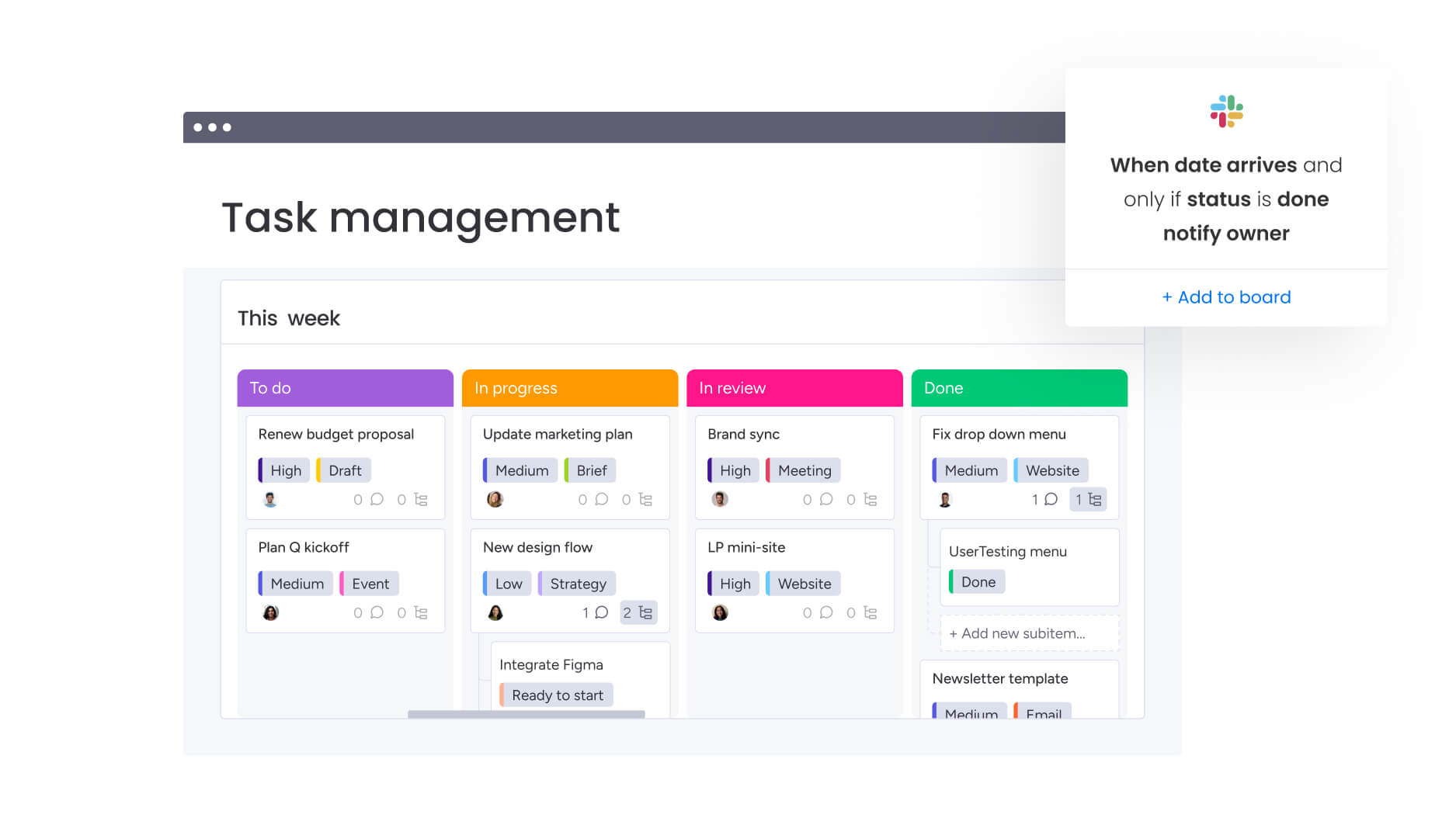
5 essential components of high-impact project plan templates
Enterprise-ready templates go beyond task lists. They handle complexity while staying flexible enough for team-specific needs. These five components separate real templates from basic planning documents.
1. Strategic alignment and business objectives
Every template needs a dedicated section that connects project work to organizational strategy. This isn’t optional; it’s what stops resource waste and scope creep before they start.
Strong alignment sections include:
- Business case documentation: Why this project matters to the organization.
- Success criteria definition: Specific, measurable outcomes tied to strategy.
- Impact measurement framework: How you’ll track business value delivery.
What’s more, when templates include these elements, projects stay connected to what actually matters. The template forces strategic thinking from day one and ensures no steps are skipped.
2. Dynamic timelines with dependencies
Static timelines break the second things change. In contrast, dynamic templates include interactive scheduling that adapts automatically when changes occur.
Modern timeline components feature:
- Dependency mapping: Visual connections between related tasks.
- Critical path identification: Automatic highlighting of must-complete sequences.
- Buffer management: Built-in flexibility for inevitable adjustments.
Organizations using solutions like monday work management leverage Gantt views that update in real time. When one assignment shifts, dependent ones adjust automatically with no manual recalculation needed.
3. Real-time resource management
Templates need to track more than assignments: they need frameworks for monitoring capacity, skills, and workload distribution across teams.
Effective resource components include:
- Capacity planning matrices: Current and future availability tracking.
- Skills inventory mapping: Matching expertise to task requirements.
- Workload balancing tools: Visual indicators of over or under-utilization.
By extension, the Workload View within monday work management shows exactly who’s overwhelmed and who has capacity. Managers can redistribute work instantly, preventing burnout without losing momentum.
4. Integrated risk and issue tracking
Problems happen and templates that ignore this reality set teams up to fail. Effective templates include defined processes for spotting and handling risks.
Risk management sections should cover:
- Risk registers: Standardized capture of potential issues.
- Impact assessments: Severity and probability ratings.
- Mitigation strategies: Pre-planned responses to common risks.
In doing so, risk tracking becomes a native part of the workflow rather than a secondary thought. This allows teams to spot patterns across projects and proactively address recurring obstacles.
5. Value metrics and ROI measurement
Without measurement built in, templates can’t prove they’re working. Templates should define success metrics and value measurement from day one.
Key measurement components include:
- Baseline metrics: Starting point for comparison.
- Progress indicators: Milestone-based checkpoints.
- ROI calculation framework: Standardized value measurement.
This structure lets every project show real business impact, which helps you make smarter investment decisions down the line.
Project plan template types for every methodology
Different work needs different structures. Core planning principles stay the same, but template design should match your team’s methodology and project type. The table below breaks down four major template types, what they prioritize, and when they work best. Pick the right template type for your approach, and you’ll see results from day one.
| Template type | Primary focus | Use case |
|---|---|---|
| Agile/Scrum | Iteration and flexibility | Software, creative projects |
| Waterfall | Sequential control | Construction, compliance |
| Hybrid | Structured flexibility | Enterprise initiatives |
| Portfolio | Multi-project visibility | Executive oversight |
Agile sprint planning templates
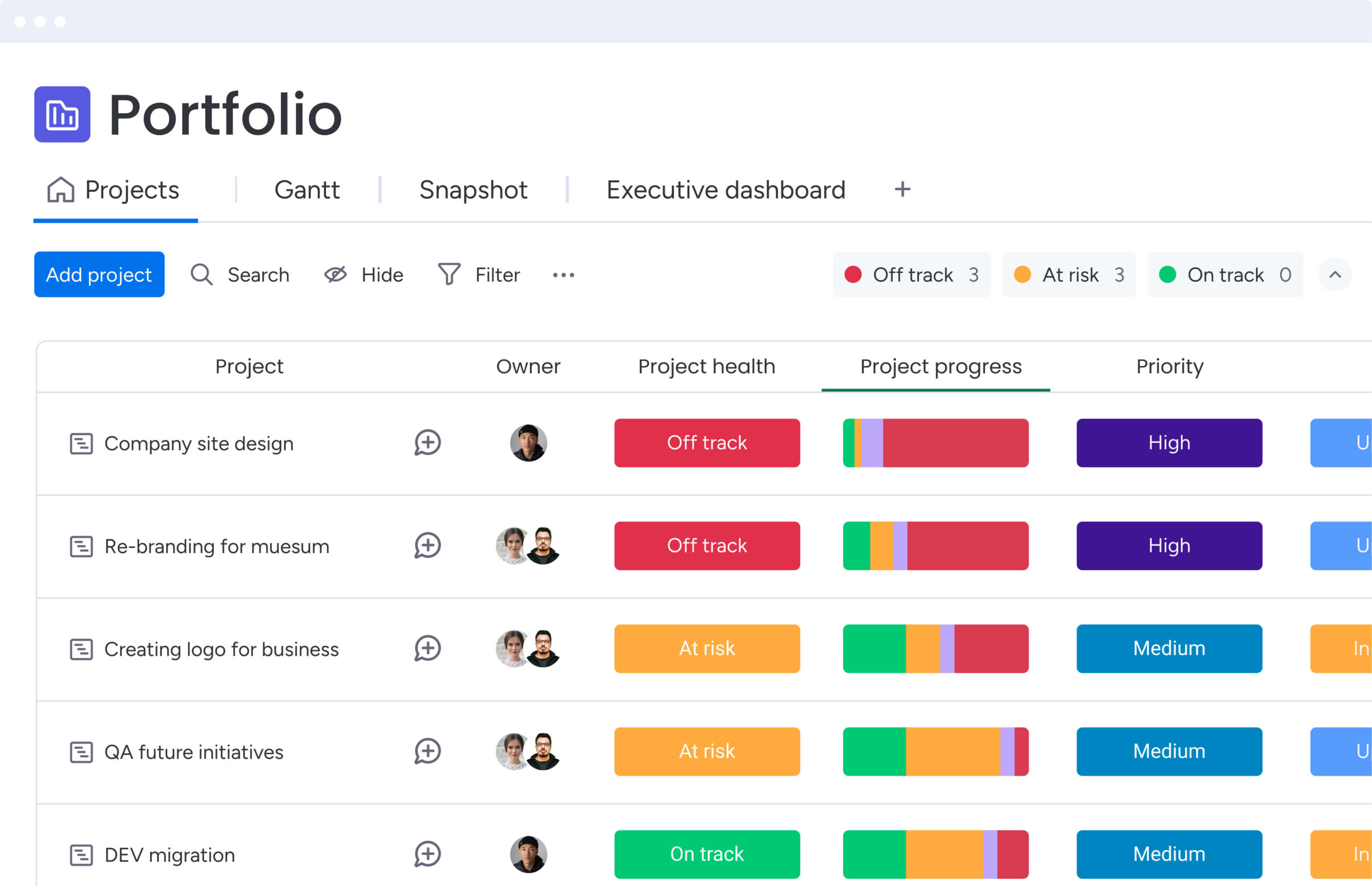
Agile templates organize work into time-boxed iterations. They prioritize adaptability over detailed long-term planning, being ideal when requirements keep changing.
These templates prioritize:
Sprint backlogs: Prioritized lists of work items.
- Velocity tracking: Historical performance data.
- Retrospective frameworks: Continuous improvement structures.
Teams using Agile templates in modern platforms like monday work management can switch between sprint views and long-term roadmaps instantly, staying flexible without losing track of bigger goals.
Waterfall project plan templates
Waterfall templates support sequential phases with well-defined handoffs. Each phase has to finish before the next one starts, which works great for projects with fixed requirements.
Waterfall structures emphasize:
- Phase gates: Formal approval points.
- Detailed documentation: Comprehensive planning upfront.
- Change control processes: Structured modification procedures.
These templates are most effective when predictability takes precedence over flexibility, particularly in regulated industries or construction projects.
Hybrid approach templates
Hybrid templates blend structure with agility. They give executives high-level roadmaps while letting teams work in sprints, bridging different needs across the organization.
Hybrid templates balance:
- High-level milestones: Fixed strategic checkpoints.
- Flexible execution: Sprint-based tactical work.
- Dual reporting: Executive dashboards and team boards.
Consequently, this approach is ideal for organizations transitioning from traditional to agile methods or those managing complex initiatives across multiple departments.
Enterprise portfolio templates
Portfolio templates manage collections of related projects. They standardize reporting while letting you customize individual projects which is critical when you’re running dozens of initiatives at once.
Portfolio templates enable:
- Cross-project visibility: Unified executive dashboards.
- Resource optimization: Capacity management across teams.
- Strategic alignment tracking: Portfolio-level goal measurement.
Advanced platforms like monday work management excel here, aggregating data from individual projects into portfolio views that help executives make informed resource allocation decisions.
Teams using Agile templates in modern platforms like monday work management can switch between sprint views and long-term roadmaps instantly, staying flexible without losing track of bigger goals.
4 steps to implement project plan templates successfully
Template adoption isn’t just about downloading a file — success comes from a thoughtful implementation that fits your organization’s unique needs and culture. Follow these four steps to get the most value from your templates right from launch.
Step 1: choose templates aligned with strategic goals
Start by evaluating how templates support your objectives. Generic templates rarely fit perfectly, so focus on frameworks that match your actual strategic priorities.
Consider these factors:
- Methodology alignment: Match templates to how your teams actually work.
- Scalability potential: Ensure templates can grow with your organization.
- Integration requirements: Verify compatibility with existing systems.
Bring in stakeholders from different departments early. Their input helps you pick templates that work for everyone while staying standardized enough for portfolio reporting.
Step 2: customize for team workflows and processes
Templates need tweaking to match reality. In essence, you’re looking for the sweet spot between standardization and flexibility.
Effective customization involves:
- Workflow mapping: Document how work actually flows through your organization.
- Field customization: Add data points specific to your business.
- Permission structures: Define who can modify what.
Solutions like monday work management make customization easy with no-code interfaces. This allows teams to adapt templates themselves without waiting for IT, which significantly speeds up organizational adoption.
Step 3: connect templates to your technology ecosystem
Isolated templates create data silos. Therefore, it is vital to integrate them with your existing solutions, so that information flows smoothly across all systems.
- Communication platforms: Slack, Teams, email.
- Business systems: CRM, ERP, financial tools.
- Document storage: SharePoint, Google Drive, Dropbox.
When templates connect directly to your tech stack, they become an integrated part of your daily operations rather than just another disconnected system.
Step 4: track performance and iterate continuously
Templates should evolve based on real-world usage. Establish feedback loops that capture what works and what needs adjustment through continuous project planning refinement.
Performance tracking includes:
- Adoption metrics: Usage rates across teams.
- Efficiency gains: Time saved in planning and execution.
- Quality improvements: Project success rates and customer satisfaction.
Regular reviews keep templates relevant as your organization grows.
AI capabilities that elevate project planning
AI transforms templates from passive structures into active planning assistants that help teams work smarter, not just faster. But how does this intelligence actually change the way you plan? It’s the next step in project management — moving from static frameworks to systems that actually adapt and learn.
Automated risk detection across projects
Modern AI capabilities allow for the scanning of entire project portfolios to identify risk patterns that manual oversight might miss. By analyzing historical data and current performance indicators, these systems can flag potential issues weeks before they escalate into critical problems.
In practice, features like Portfolio Risk Insights within monday work management continuously scan project boards to flag risks by severity. This provides teams with early warnings regarding budget overruns, timeline slips, and resource conflicts without the need for time-consuming manual analysis.
Smart resource allocation based on skills and availability
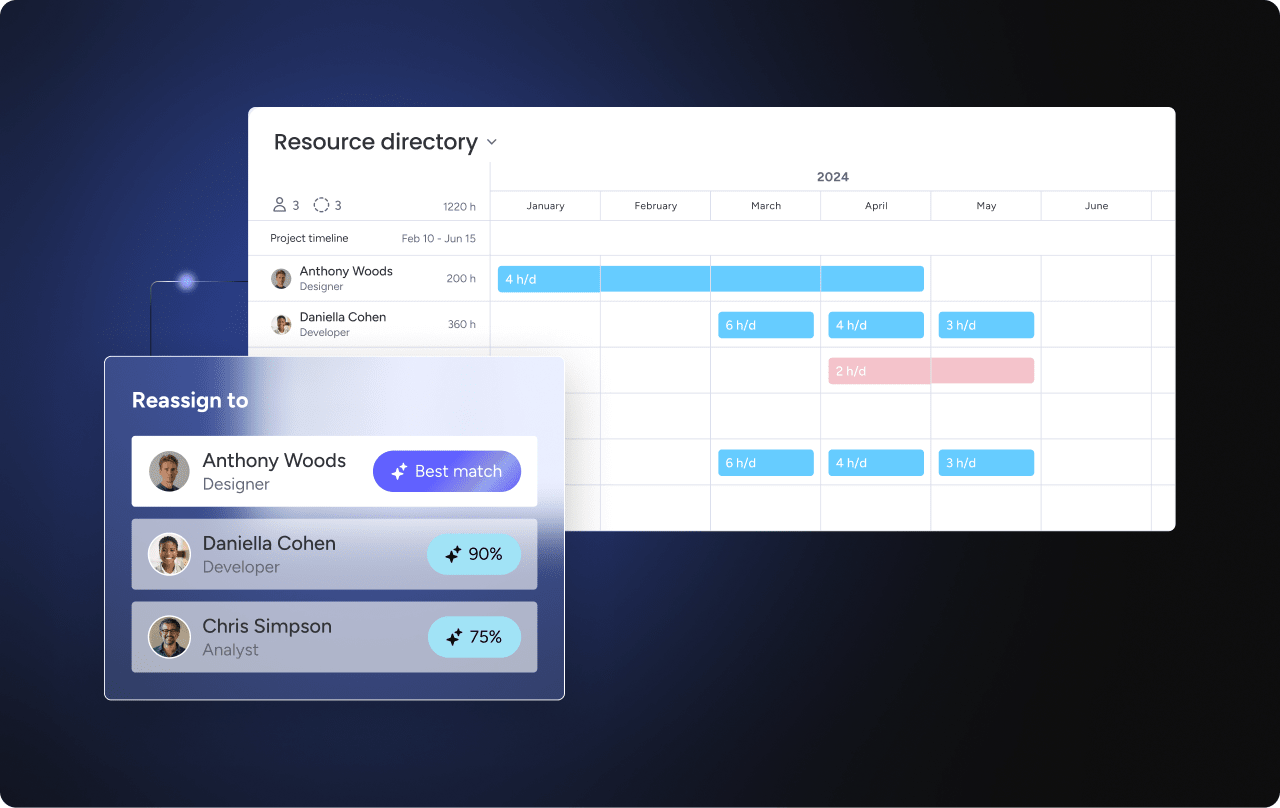
AI optimizes team assignments by matching project needs with available talent, considering skills, current workload, and past performance to suggest the best resource allocation.
This intelligence prevents common problems:
- Skill mismatches: Wrong people on wrong tasks.
- Capacity overload: Burnout from poor workload distribution.
- Underutilization: Talented team members sitting idle.
The platform’s AI automatically suggests reassignments when it spots imbalances, keeping projects properly staffed.
Predictive analytics for timeline optimization
Historical project data trains the AI to give increasingly accurate estimates, so instead of guessing durations, teams get data-backed predictions that improve with every completed project.
These predictions help teams:
- Set realistic deadlines: Based on actual performance data.
- Identify bottlenecks early: Before they impact delivery.
- Adjust proactively: Shift resources to maintain schedules.
Scale from single projects to enterprise portfolios
Growing organizations need templates that scale, because what works for one team has to expand to serve hundreds without losing effectiveness. Scaling requires smart governance and systematic approaches that keep quality high while enabling growth.
Build standardized template libraries
Build comprehensive collections that serve different project types while staying consistent. Well-organized libraries help teams find the right template fast.
Library organization strategies:
- Categorization by type: Group templates by methodology and purpose.
- Version control: Track template evolution and updates.
- Usage guidelines: Document when to use each template.
Governance keeps templates current and aligned with organizational standards, while regular reviews prevent template sprawl and confusion.
Enable portfolio-level visibility
Standardized templates generate consistent data — the foundation for meaningful portfolio reporting. When every project uses the same structure, executives can actually compare initiatives accurately.
Portfolio visibility enables:
- Resource optimization: See capacity across all projects.
- Strategic alignment: Track goal achievement organization-wide.
- Risk aggregation: Identify systemic issues affecting multiple projects.
Modern platforms like monday work management automatically pull project data into executive dashboards, giving you real-time portfolio health without manual report building.
Measure strategic impact across initiatives
Templates that capture consistent metrics make real strategic measurement possible, so you can finally connect project outcomes to business objectives with data, not assumptions.
This measurement capability delivers:
- ROI validation: Prove project value with numbers.
- Investment optimization: Fund what works, stop what doesn’t.
- Continuous improvement: Learn from every project systematically.

“monday.com has been a life-changer. It gives us transparency, accountability, and a centralized place to manage projects across the globe".
Kendra Seier | Project Manager
“monday.com is the link that holds our business together — connecting our support office and stores with the visibility to move fast, stay consistent, and understand the impact on revenue.”
Duncan McHugh | Chief Operations OfficerBuild your competitive advantage with intelligent templates
Project plan templates are more than organizational solutions: they’re strategic assets that get more valuable over time. Master template-driven execution, and you’ll gain real advantages in speed, quality, and scalability. The gap between static planning docs and intelligent templates? It’s the difference between reacting to change and seeing it coming.
The platform changes how templates work in modern organizations. Instead of locking teams into rigid structures, monday work management creates adaptive frameworks that evolve with your work. Teams get the consistency they need for portfolio management without sacrificing the flexibility innovation requires.
Start building your template advantage today. Pick frameworks that match your methodology, customize them for your workflows, and watch your organization’s execution speed up across every initiative.
Frequently asked questions
What is the best format for a project plan template?
Dynamic and digital, one that updates in real time and integrates with your existing tools. Excel and Word templates give you basic structure, but platforms like monday work management offer templates that evolve with your project — no version control headaches, just real-time collaboration.
How do project plan templates improve team collaboration?
Project plan templates improve collaboration by giving teams a shared structure and common language for their work. They make sure everyone knows who owns what, when it's due, and how tasks connect, while giving the whole team visibility into project progress.
Can you use project plan templates for Agile projects?
Absolutely. Agile-specific templates support iterative planning with sprint structures, backlog management, and velocity tracking. They stay flexible when requirements change while giving you enough structure to track progress and stay strategically aligned.
What should be included in a project plan document?
A comprehensive project plan document should include strategic alignment sections, timeline and milestones, resource allocation details, risk assessment frameworks, and success metrics. Each component should connect to business objectives while providing practical guidance for execution.
How often should project plans be updated?
Project plans should update continuously in real time as work progresses. Dynamic templates in platforms like monday work management automatically reflect status changes, timeline shifts, and resource adjustments, ensuring the plan always represents current reality rather than outdated intentions.
What is the difference between a project plan and a project charter?
A project charter authorizes the project and defines high-level scope and objectives, while a project plan details the specific execution approach including tasks, timelines, resources, and deliverables. The charter provides strategic direction; the plan provides tactical execution guidance.

 Get started