


Teams often launch projects with clear goals, but scattering updates across email threads and stalling approvals quickly turns organized execution into reactive firefighting. The missing piece is a structured project management workflow that connects every activity, decision, and handoff to keep work moving forward.
Workflow frameworks must evolve with your team’s size, moving from simple, agile stages to complex, governance-heavy processes for enterprises. Recognizing warning signs like missed deadlines and resource conflicts is the first step toward transforming operational efficiency. By leveraging AI-powered automation and real-time dashboards, teams can establish a single source of truth for all projects.
Discover how to design flexible frameworks that connect strategy to execution and measure the true ROI of your process improvements. Read the full article to learn how structured workflows can accelerate delivery, optimize resource allocation, and transform your organizational success.
Key takeaways
- Build workflows that connect strategy to daily execution: map how work flows between departments so every activity drives business goals, not just busy work.
- Start with pilot teams to prove value before scaling: choose high-performing teams experiencing workflow pain, measure success, then expand systematically across your organization.
- Automate handoffs and eliminate waiting time: use triggers and notifications so work moves automatically between team members without manual coordination or delays.
- Transform workflows with AI capabilities: leverage monday.com’s AI blocks to categorize data, extract insights, and automate routine decisions while Digital Workers handle administrative tasks.
- Measure ROI through cycle time and resource utilization: track concrete metrics like project completion speed and productive hours to demonstrate workflow transformation value.
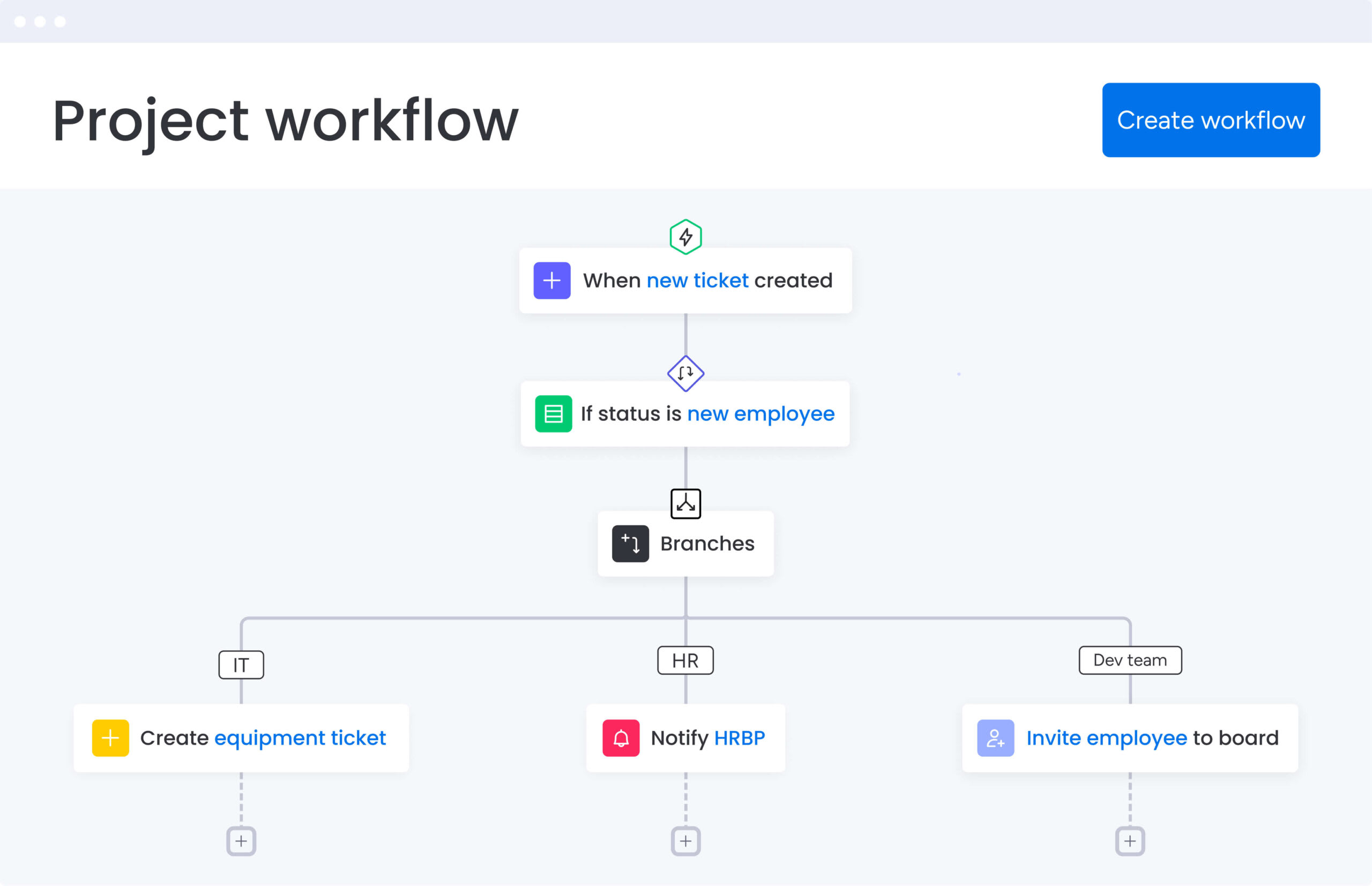
What is a project management workflow?
A project management workflow is the step-by-step sequence of activities, handoffs, and decisions that moves work from start to finish. It maps out what happens, when it happens, and who owns each step. Essentially, it’s the blueprint that keeps work moving across teams, timelines, and systems without constant manual coordination.
For example, launching a marketing campaign involves a workflow that triggers a creative brief, routes designs for approval, notifies copywriters, and schedules social posts. Because each step depends on specific milestones, a delay in step two causes the timeline for step three to adjust automatically. This connected sequence keeps everyone aligned and moving forward together.
Workflows vs. task management
Many organizations confuse workflows with simple item tracking, but they solve completely different problems. Recognizing this distinction helps you select the right platform for the job.
| Aspect | Task management | Project management workflow |
|---|---|---|
| Primary focus | Completing individual items | Orchestrating connected processes |
| Scope | Single person or small team | Multiple departments and functions |
| Timeline | Short-term execution | Full project lifecycle |
| Dependencies | Minimal connections | Complex, automated relationships |
| Visibility | Shows completion status | Reveals bottlenecks and velocity |
Task management tells you what’s done, while workflows reveal how work actually moves: where it stalls, why it stalls, and what needs to happen next.
How do workflows connect strategy to execution?
Workflows bridge the gap between high-level business goals and daily tasks, ensuring that every hour invested drives organizational objectives rather than merely occupying time. By enforcing prioritization rules, they create strategic alignment, directing resources toward critical initiatives and preventing teams from drifting into unproductive tasks.
Furthermore, automated capacity visibility allows for optimal resource allocation, ensuring the right people work on the right projects at the right time to maintain high output without burnout.
Ultimately, progress visibility establishes a direct line from individual task completion to company-wide outcomes. Utilizing platforms like monday.com, teams aggregate this data through dashboards, transforming granular updates into executive insights that inform strategic decisions.
Signs your team needs structured workflows
Most organizations live with inefficiency until it becomes a crisis. These warning signs mean you’ve outgrown informal coordination and need structured workflows to keep moving:
- Projects consistently miss deadlines: delays occur despite adequate headcount and budget, usually due to unforeseen dependencies or handoff friction.
- The waiting game: team members frequently wait for instructions or approval before starting the next activity, killing momentum.
- Siloed handoffs: transferring work between departments results in data loss, errors, or dropped responsibilities.
- Leadership blind spots: executives lack confidence in project status reports because data is scattered across disparate systems.
- Reinventing processes: similar projects require starting from scratch because there’s no standardized template or process memory.
- Resource conflicts: managers compete for the same talent because there’s no centralized view of capacity or upcoming demand.
Why do scalable workflows transform business outcomes?
Scalable workflows directly impact execution speed and quality. Therefore, organizations that implement structured workflows experience measurable improvements across multiple dimensions, including faster cycle times, improved profit margins, and increased employee retention rates.
These benefits extend from delivery speed to team morale, creating comprehensive operational advantages.
Accelerate project delivery across teams
Structured workflows shrink project timelines by cutting out the dead time between activities. After mapping existing workflows and applying structured processes, companies have achieved nearly 4× volume increases while reducing bottlenecks and cycle times. How much time does your organization lose waiting for handoffs between departments?
What drives faster delivery and keeps teams moving is:
- Parallel processing: workflows identify activities that can happen simultaneously. Engineering and marketing work in tandem rather than waiting for sequential handoffs.
- Dependency management: mapping relationships upfront helps teams identify and resolve bottlenecks before they stall progress.
- Resource predictability: teams plan with confidence, knowing exactly when inputs will arrive and when outputs are due.
Optimize resource allocation automatically
Smart workflows treat people like the valuable resource they are. Organizations using platforms like monday.com enhance this through AI-powered resource allocation and workflow automation, which suggests optimal staffing based on past performance and current availability.
Smart resource allocation gives you:
- Workload balancing: managers see real-time capacity across the portfolio, preventing the overloading of high-performers while others sit idle.
- Skill matching: projects get assigned based on specific expertise and availability, ensuring the right person actually does the job.
- Capacity planning: historical workflow data allows leaders to forecast hiring needs months in advance based on upcoming initiatives.
Enable real-time cross-department alignment
Workflows break down silos and establish unified operational standards across departments. Organizations benefit when sales teams maintain continuous visibility into product roadmaps, enabling better customer communication and more accurate forecasting.
Cross-functional alignment happens in three ways:
- Shared visibility: a single source of truth allows sales to see product roadmaps and support to see engineering bug fixes without sending emails.
- Communication automation: status changes in one department trigger updates in another, ensuring everyone operates with current information.
- Decision synchronization: a strategy pivot immediately reflects across all connected workflows, enabling the entire organization to turn quickly.
Maintain quality standards at any scale
Growing organizations struggle to maintain consistency. Workflows bake quality control into the process, so standards stay consistent no matter who’s running the project.
They deliver three quality outcomes:
- Standardized processes: every project follows the same proven methodology, reducing variability in outcomes.
- Built-in checkpoints: work cannot advance until specific quality criteria are met.
- Institutional knowledge: the workflow itself becomes a repository of best practices that survive employee turnover.
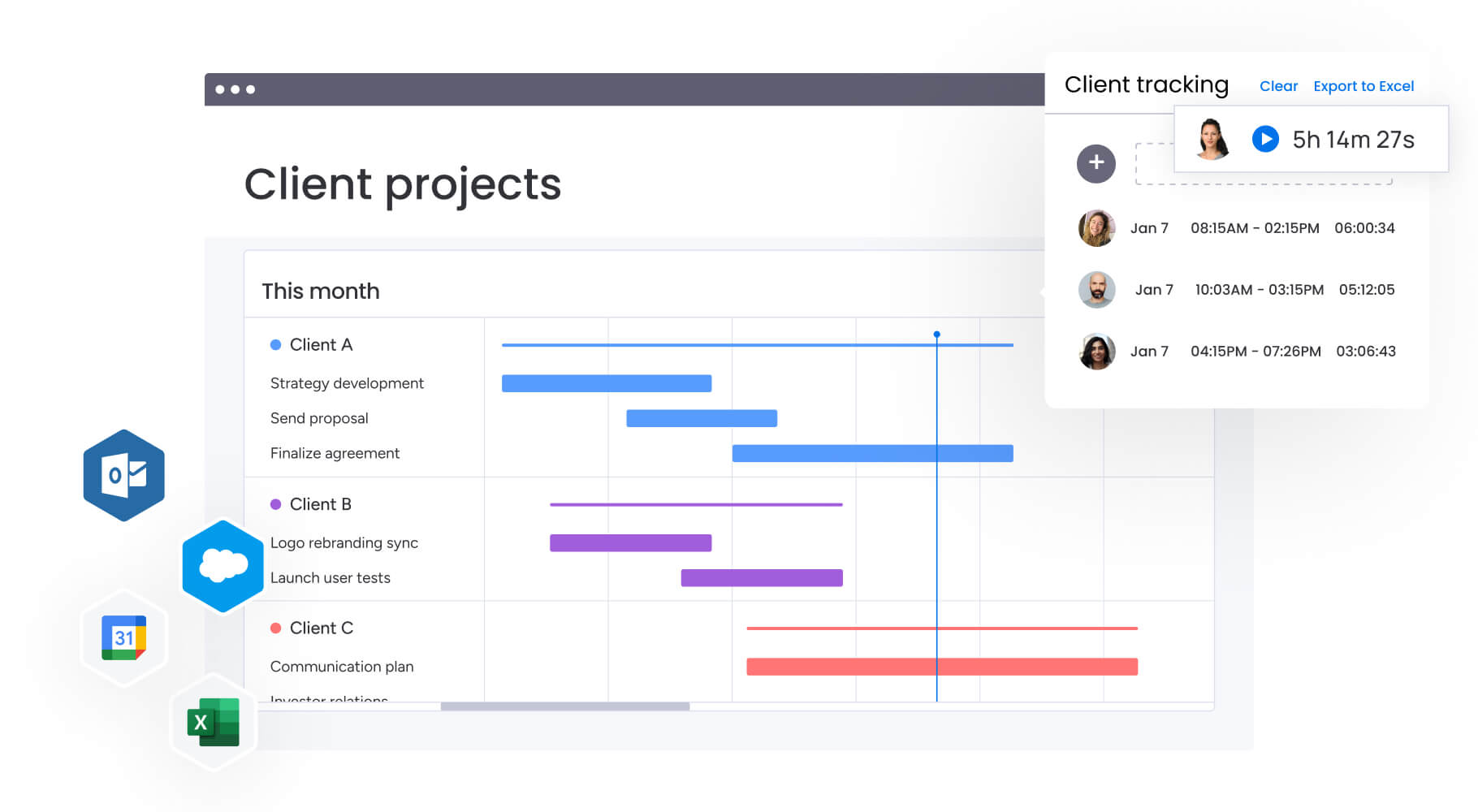
5 essential components of workflows that scale
Scalability requires specific building blocks. These elements keep workflows strong as volume and complexity grow. Therefore, understanding these components helps you build workflows that scale.
1. Ownership and accountability structures
As ambiguity kills execution, scalable workflows explicitly define who owns what, eliminating the bystander effect where critical activities languish because everyone assumes someone else handles them.
Real accountability needs three things:
- Single point of accountability: every workflow stage has a designated owner responsible for completion.
- Escalation paths: pre-defined rules dictate exactly who to contact when blockers arise or decisions stall.
- Authority levels: the workflow specifies who can approve budget changes, modify scope, or halt production.
2. Defined phases with measurable milestones
Breaking complex work into clear phases gives you control and stops scope creep. Each phase serves a specific purpose in the overall workflow.
Milestones give you:
- Objective progress tracking: teams can say a project is “30% complete” based on data, not guesses.
- Early warning systems: missing a minor milestone early serves as a warning signal for larger timeline risks.
- Resource allocation precision: different phases require different skills, so defining them helps managers allocate resources precisely when needed.
3. Automated triggers and intelligent handoffs
Automated coordination is essential for scaling because it ensures processes move forward without constant human intervention. By using automation recipes to handle these handoffs, teams remove administrative burdens from project managers, changing the game in three key ways:
- Conditional logic: workflows adapt automatically. Budget approvals route to directors for amounts over $10k, to managers for amounts under.
- Notification systems: marking an activity complete immediately alerts the next person with all necessary context.
- Status propagation: delays in sub-items automatically update parent project status to “At Risk,” alerting stakeholders instantly.
4. Real-time visibility and tracking dashboards
Data must be accessible and actionable, which is why dashboards translate workflow activity into business intelligence that different stakeholders can use.
Different stakeholders require different views:
- Executive dashboards: show portfolio health, budget burn rates, and strategic alignment without diving into details.
- Team dashboards: display exactly what’s on each person’s plate today, this week, and next month.
- Stakeholder updates: provide customized views for clients or external partners to see progress without accessing sensitive internal data.
5. Built-in feedback and optimization loops
Static workflows become obsolete quickly, so scalability requires continuous evolution based on real-world usage.
Optimization starts with collecting the right data:
- Performance metrics: the system captures data on cycle times, error rates, and resource utilization for every project.
- Post-project reviews: teams review workflow data after project completion to identify friction points.
- Iterative improvements: workflow designs get updated based on usage data, ensuring they become more efficient over time.
5 steps to build project management workflows that scale
Building scalable workflows is an iterative process. These steps ensure the result is practical, adopted, and effective as each builds on the last to create workflows that fit your team.
Step 1: map and document current work processes
Before automating anything, understand how work currently flows. Visual boards in platforms like monday.com serve as an excellent canvas for this mapping, allowing teams to drag and drop stages until they reflect reality.
Document the following elements:
- Process inventory: create a comprehensive list of all recurring work patterns across departments.
- Stakeholder interviews: speak directly with people executing the work to uncover shadow processes they use.
- Pain point identification: document specific bottlenecks like “approvals take 3 days” or “briefs always miss data.”
- Dependency mapping: visualize how delays in department A ripple through departments B and C.
Step 2: identify automation and AI opportunities
Look for robotic parts of human jobs that technology can handle. AI blocks within monday.com categorize incoming requests, extract key dates from emails, and suggest action items, removing manual data entry.
Automate these first:
- Repetitive activities: sending update emails or copying data to spreadsheets.
- Data transfer points: information moving manually between systems introduces error risk.
- Rule-based decisions: decision points based on clear criteria can be automated.
- Communication triggers: status updates can keep stakeholders informed automatically.
Step 3: design flexible workflow frameworks
Rigidity breaks under pressure. Therefore, workflows must be structured yet adaptable to changing conditions.
Effective frameworks incorporate the following elements:
- Template creation: build master templates for common project types that teams can instantiate with one click.
- Conditional branching: design workflows to adapt based on project size, with small projects skipping complex review stages.
- Role-based permissions: set access controls that protect sensitive data while allowing open collaboration.
- Integration points: map where workflows connect to CRMs, code repositories, or design platforms.
Step 4: launch workflows with pilot teams
Roll out new workflows carefully to drive adoption and success.
Successful pilots do this:
- Choose the right team: select a high-performing team that’s vocal about current inefficiencies and willing to experiment.
- Define success metrics: establish exactly what success looks like, such as reducing approval time by 20%.
- Provide support: offer hands-on guidance, ensuring the pilot team feels supported rather than policed.
- Create feedback channels: establish formal channels for the pilot team to report bugs, confusion, or suggestions.
Step 5: monitor performance and scale systematically
Once pilots prove value, expand workflows across the organization methodically.
Scale systematically by:
- Baseline comparison: compare pilot data against baseline metrics established in Step 1.
- Adjacent rollouts: expand workflows to adjacent teams, adapting templates slightly for their specific needs.
- Champion identification: identify champions within each new team to drive adoption and answer peer questions.
- Product mindset: treat workflows as products that receive regular updates and feature enhancements based on user data.
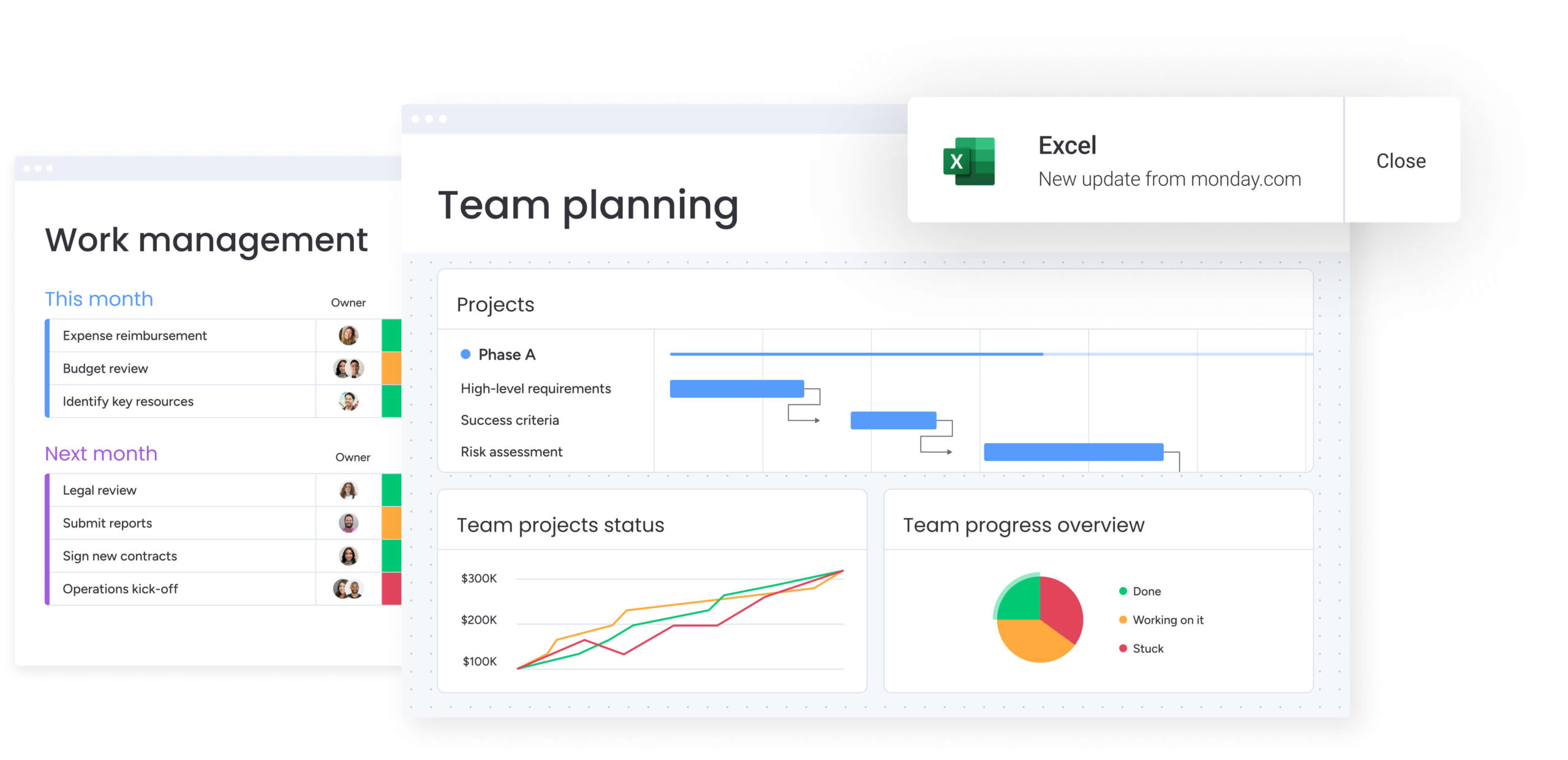
Workflow frameworks for every organization size
To ensure maximum efficiency, workflow complexity should precisely match your team’s size and maturity, as different scales require vastly different approaches. By thoroughly understanding these frameworks, you can select the right structure tailored to your current organizational stage.
Agile workflows for small teams
Small teams prioritize speed and adaptability over rigid control. Their workflows focus on simple stages with minimal administrative overhead.
What this looks like:
- Role flexibility: team members wear multiple hats, so workflows allow fluid movement between roles.
- Rapid iteration: processes evolve weekly based on immediate needs.
- Simple onboarding: workflows stay intuitive enough that onboarding new hires takes minutes, not days.
Hybrid workflows for growing departments
As teams expand, project management coordination needs rival speed requirements. Core processes become standardized to ensure consistency, while sub-teams retain autonomy over execution methods.
Growing organizations need:
- Functional handoffs: workflows explicitly manage handoffs between functional areas.
- Formal capacity planning: managing competing priorities requires structured resource allocation.
- Scalable frameworks: the framework handles increased volume without breaking.
Enterprise workflows with governance controls
Large organizations require workflows ensuring security, compliance, and global visibility. Regulatory checks and audit trails are hard-coded into workflow steps.
Enterprises need:
- Granular permissions: users only access relevant data based on their role and clearance level.
- Global standardization: projects in London follow the same methodology as projects in New York.
- Executive reporting: data aggregates across thousands of projects to inform C-suite strategy.
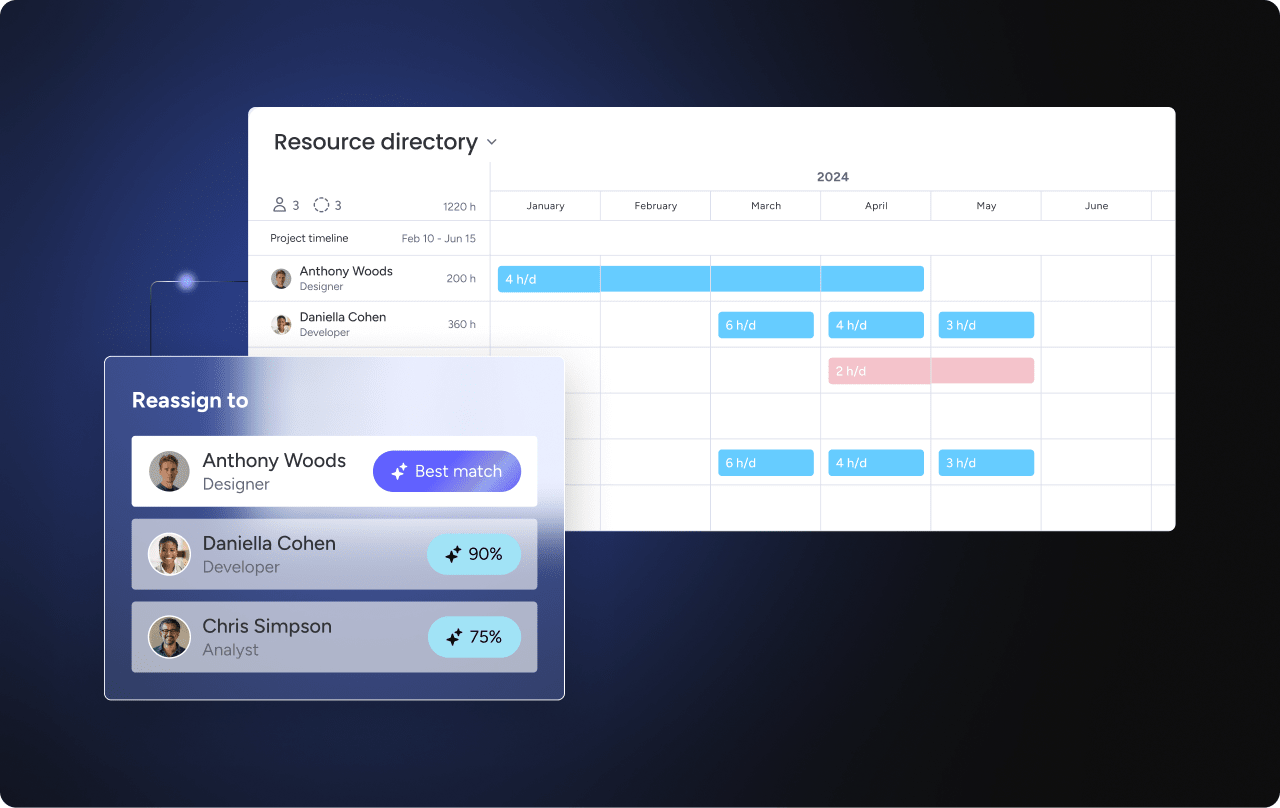
Automate workflows with AI-powered intelligence
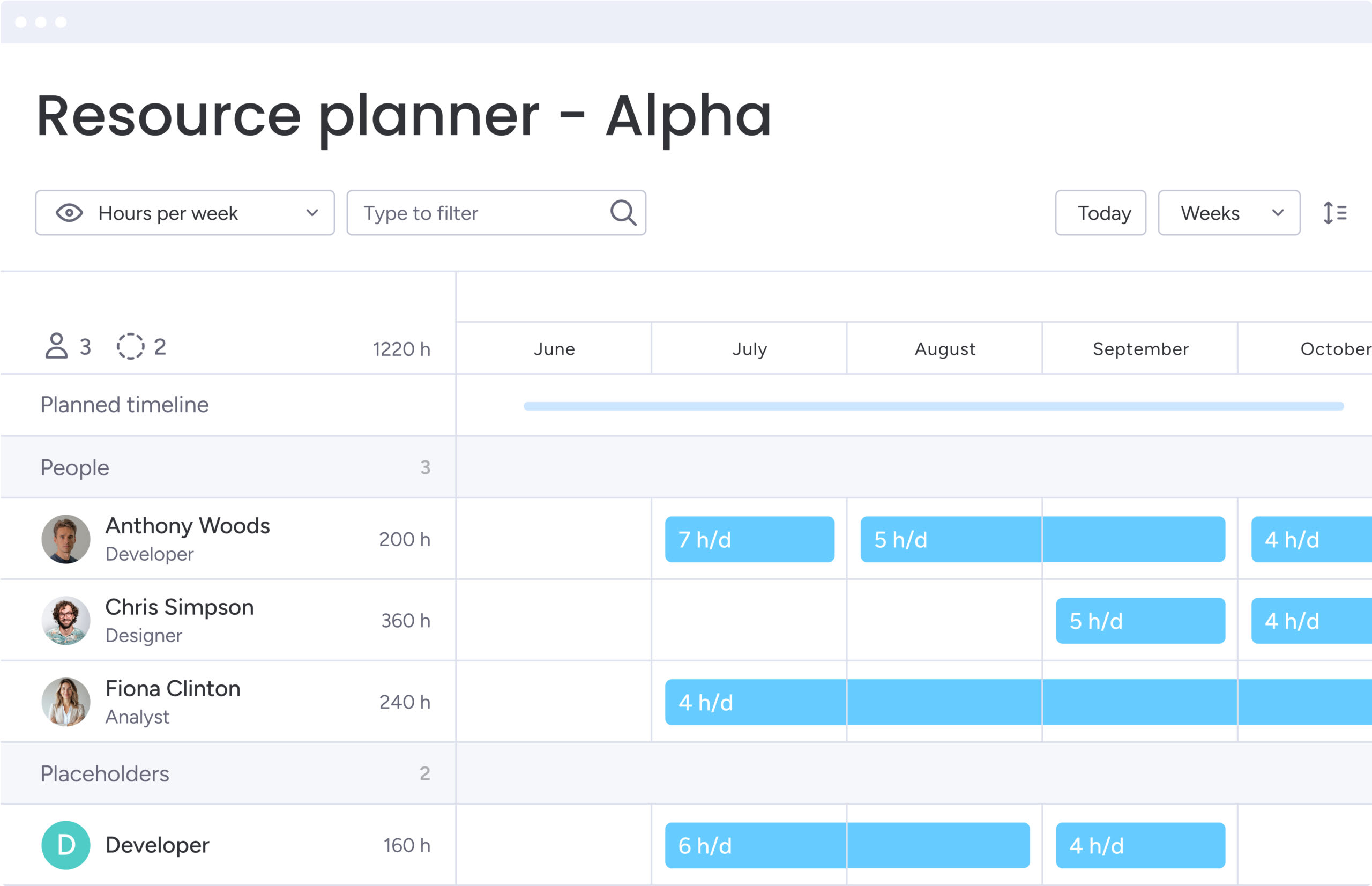
AI transforms workflows from passive tracking tools into active execution partners. By integrating these capabilities directly into work processes, organizations do not replace human judgment but rather amplify it by handling routine decisions and highlighting critical issues.
Predictive risk and bottleneck detection
AI-powered workflows catch problems before they become crises. Instead of relying on manual reviews and gut instinct, AI continuously monitors patterns, dependencies, and velocity across your portfolio. Portfolio Risk Insights in monday.com scans projects through goal tracking, flagging issues that need attention before they impact deadlines.
AI predicts:
- Pattern recognition: algorithms analyze historical project data to identify patterns leading to delays.
- Early warning systems: systems flag off-track projects weeks before deadlines are missed.
- Capacity forecasting: AI identifies potential capacity clashes based on future roadmap assignments.
Intelligent resource allocation
Most teams assign work based on availability calendars, manager intuition, or whoever responds first, leading to mismatched skills and burned-out top performers. AI changes this by treating resource allocation as an optimization problem. Your platform can automatically suggest the right person for each project based on skills, current workload, past performance, and team dynamics.
Smart allocation gives you:
- Skills matching: systems analyze activity requirements and suggest team members with matching skills and past success.
- Workload optimization: AI automatically distributes activities to prevent bottlenecks while avoiding idle time.
- Team chemistry: the system learns which teams work best together and suggests optimal groupings.
Automated workflow optimization
Most organizations design workflows once and leave them unchanged until they fail. AI-powered systems take a different approach: they learn from every execution, spotting friction points and inefficiencies that slip past human observation. By analyzing thousands of workflow runs, AI reveals exactly where your processes accelerate work and where they create bottlenecks.
AI improves workflows by:
- Bottleneck identification: systems identify stages where work consistently stalls and suggest process changes.
- Dynamic rules: automation rules adjust dynamically; high-priority projects automatically get tightened approval deadlines.
- Learning algorithms: the more workflows are used, the smarter suggestions become for timeline estimation and effort sizing.
Measure workflow ROI and business impact
To justify investing in workflow transformation, you need concrete data to prove ROI and guide future investments.
Essential workflow performance metrics
Tracking the right KPIs turns workflow data into proof of value. These metrics provide comprehensive performance views:
- Cycle time reduction: total elapsed time from project initiation to completion
- Resource utilization: percentage of billable or productive hours versus administrative time
- Quality indicators: frequency of rework, bug reports, or missed requirements per project
- Collaboration efficiency: reduction in status meetings, email volume, and information searching time
- Predictability: variance between planned and actual timeline/budget outcomes
Calculate efficiency gains and time savings
Calculating ROI provides a clear, quantifiable demonstration of workflow value.
Follow these steps to calculate it:
- Document baseline measurements: record current state like “approvals took four days and 10 emails.”
- Measure new processes: track improvements showing “approvals now take four hours with zero emails.”
- Calculate time savings: multiply hours saved by average hourly employee costs.
- Quantify additional output: measure additional work generated using saved time.
Connect workflows to strategic outcomes
Real success shows up in bottom-line results.
Strategic impact shows up as:
- Revenue acceleration: faster product launches mean earlier revenue generation.
- Customer retention: reliable delivery builds trust and reduces customer churn.
- Employee satisfaction: removing administrative friction improves morale and reduces turnover costs.
- Competitive advantage: operational agility allows organizations to outmaneuver slower competitors.
Enhance your workflows with monday.com
As the operating system for organizations ready to scale, monday.com combines ease of use with enterprise execution power. It’s the foundation for workflow transformation, letting teams build, automate, and optimize processes without needing technical skills.
Build visual workflows without code
The platform lets operations leaders build workflows that fit their exact needs, coding required.
Build workflows with:
- Visual design: users design complex workflows visually, moving stages and logic blocks without writing code.
- Template library: teams start fast with pre-built templates for marketing, IT, HR, and PMO incorporating industry best practices.
- Custom data capture: workflows capture exact data needed, from budget codes to vendor ratings, ensuring relevant reporting.
- Simple automation: “When this happens, do that” logic allows anyone to build sophisticated automation sequences.
Scale with enterprise-grade features
As your organization grows, monday.com scales with you.
Enterprise features include:
- Granular permissions: administrators define exactly who can view, edit, or delete data at column, board, and workspace levels.
- Portfolio visibility: leaders gain bird’s-eye views of all initiatives, aggregating data from hundreds of boards into single dashboards.
- Integration ecosystem: the platform connects seamlessly with over 200 applications including Jira, Salesforce, and Slack, serving as the central nervous system for data.
- Security compliance: enterprise-grade security features ensure sensitive data remains protected and compliant with global standards.
Leverage AI for smarter workflows
With AI baked into daily workflows, monday.com makes them smarter.
AI transforms work by:
- AI blocks: users drag AI capabilities into workflows, automatically summarizing documents, generating update emails, or extracting action items from meeting notes.
- Specialized assistance: AI assists with complex activities like risk assessment and resource leveling.
- Digital Workers: automated assistants handle routine administrative work, freeing human teams for creative and strategic problem-solving.

“monday.com has been a life-changer. It gives us transparency, accountability, and a centralized place to manage projects across the globe".
Kendra Seier | Project Manager
“monday.com is the link that holds our business together — connecting our support office and stores with the visibility to move fast, stay consistent, and understand the impact on revenue.”
Duncan McHugh | Chief Operations OfficerStart building workflows that scale with your organization
Workflow transformation represents a high-impact investment that delivers compounding benefits as teams align, processes become predictable, and resources are allocated more effectively.
Organizations that implement structured workflows experience immediate improvements in delivery speed alongside long-term operational gains. Success requires starting with pilot teams, demonstrating value through measurable outcomes, and scaling systematically across the organization.
The foundation for building workflows that scale with your team’s needs and organizational objectives comes from monday.com.
Frequently asked questions
What's the difference between a workflow and a process?
A workflow is the specific sequence of activities and decisions needed to complete work, while a process is the broader framework or methodology that governs how work gets done. Workflows are tactical implementations; processes are strategic frameworks.
How long does it take to implement new workflows?
Implementation time varies from days for simple workflows to several weeks for complex, cross-departmental processes. Small team workflows can be operational within days, while enterprise-wide implementations typically take four to eight weeks including testing and training.
Can workflows be too rigid for creative teams?
Well-designed workflows provide structure while preserving creative freedom by focusing on coordination and communication rather than dictating creative decisions. They establish clear handoffs and deadlines while allowing flexibility in how creative work gets done.
How do you get team buy-in for new workflows?
Start with pilot teams experiencing workflow pain points and involve them in the design process. Show quick wins, gather feedback, and let early adopters become champions who help scale adoption across the organization.
What's the biggest workflow implementation challenge?
The most common challenge is trying to automate broken processes instead of fixing them first. Organizations must optimize processes before automating them to avoid scaling inefficiencies.
Should every project follow the same workflow?
Projects should follow consistent frameworks with built-in flexibility for different project types, sizes, and complexities. Core stages remain standard while allowing variations for specific needs.

 Get started