


Freelancing rewards strong delivery, but the operational work behind the scenes often goes unnoticed. After landing a client and completing the work, hours can disappear into spreadsheets, email threads, and manual checks just to stay organised. Over time, that admin overhead quietly eats into billable capacity.
Project management for freelancers goes beyond tracking deadlines or ticking off tasks. It covers the full flow of work, from client intake and communication to time tracking, approvals, and invoicing. Without a connected system, momentum is lost as work becomes scattered across disconnected tools.
Below, we look at how modern project management platforms help freelancers run their operations more efficiently as they grow. The article explores the tools and AI features shaping freelance workflows in 2026, highlights what matters at different growth stages, and outlines how the right setup supports long-term scalability.
Key takeaways
Freelance project management has shifted from simple task tracking to running an entire business operation. The tools and approaches outlined in this article highlight what matters most for sustainable, scalable freelance work in 2026.
- Freelance project management is about running a business, not just tasks: effective platforms support the full client lifecycle, including intake, delivery, approvals, and invoicing, rather than isolated to-do lists.
- Scalability matters from day one: tools that adapt from solo work to contractor collaboration and agency-level operations prevent disruptive platform changes as workload and complexity grow.
- AI is becoming a competitive differentiator, not a nice-to-have: predictive insights, automated risk detection, and intelligent workload planning help freelancers move from reactive delivery to proactive management.
- Tool choice should align with growth stage: early-stage freelancers benefit from visual tracking and time capture, while growing teams require permissions, portfolio views, and advanced reporting.
- Unified platforms reduce operational drag: solutions like monday.com demonstrate how consolidating projects, communication, automation, and reporting into one system improves focus, visibility, and long-term efficiency.
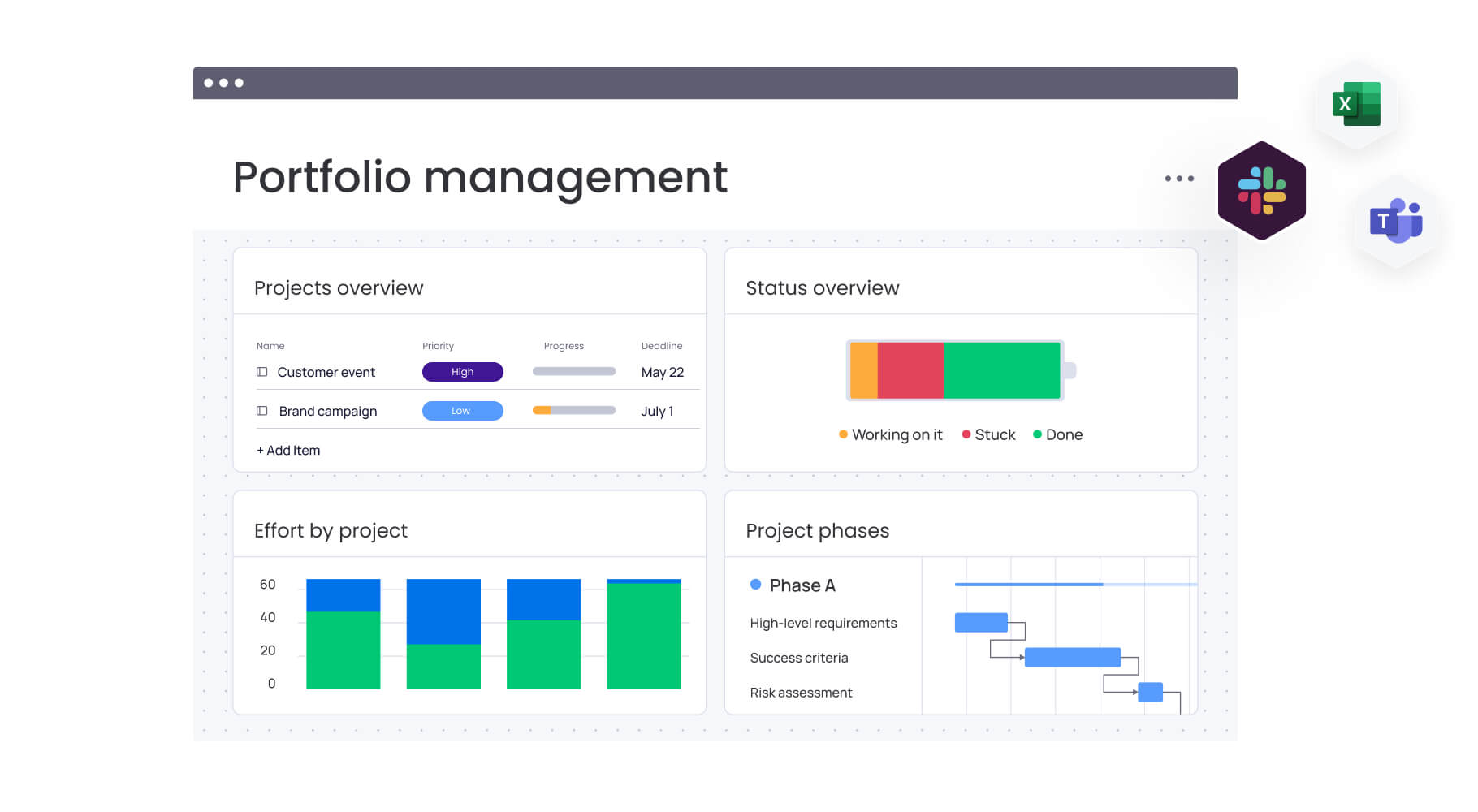
Freelancers manage more than individual projects. They operate full businesses with responsibility for delivery, communication, and finances. Simple checklists break down once multiple clients and overlapping deadlines enter the picture, leading to scattered spreadsheets and fragmented notes.
Strong freelance project management platforms move beyond task tracking. They support the full client life cycle, from proposal intake through delivery and invoicing, inside one connected digital workspace. This shift reduces operational friction and creates consistency across client work.
The right platform supports present-day needs while enabling long-term growth. As freelance operations expand from solo delivery to small agencies, requirements evolve toward client portals, structured collaboration, and advanced reporting. Platforms that bridge this transition provide systems that scale alongside the business.
Switching between disconnected apps erodes focus and billable time. Fragmented data slows execution and decision-making.
Modern platforms like monday.com connect workflows across applications so information stays centralized and execution remains consistent across projects.
Seven must-have features for freelance success
Freelancers often operate as leadership, delivery, and finance functions combined. Sustainable growth requires more than tracking work status. It requires a platform that supports operations end to end.
The sections below outline seven core capabilities that support scalable freelance delivery.
1. Visual project tracking
Text-heavy spreadsheets and email threads obscure progress and priorities. Visual project tracking surfaces real-time status across deliverables without manual updates. Clear views make it easier to maintain momentum across concurrent projects.
Key capabilities include:
- Kanban boards: see the status of every deliverable in your pipeline, from “To Do” to “Done.”
- Gantt charts: map out project timelines and dependencies to manage client expectations with confidence.
- Timeline views: give clients a transparent look at project progress, building trust and reducing status update meetings.
2. Seamless time to invoice pipeline
Manual timesheets and disconnected invoicing slow cash flow and introduce errors. An integrated pipeline links tracked hours directly to billing, reducing administrative overhead and accelerating payment cycles.
This workflow supports:
- Track time accurately: capture every billable minute and automatically link it to the right client and project.
- Generate invoices instantly: create professional, error-free invoices based on tracked time and expenses with just a few clicks.
- Get paid faster: integrate with payment processors to simplify client settlement.
Freelancers use monday.com to connect their entire billing process, transforming invoicing from a chore into a streamlined part of their business engine.
3. Professional client portals
High-quality client experiences do not require agency-scale infrastructure. Centralized client portals provide a shared workspace for updates, files, and feedback while reducing inbox dependency.
Effective portals include:
- Project visibility: real-time access to status and milestones.
- Centralized file sharing: organized access to deliverables and reference materials.
- Structured approvals: documented feedback cycles that reduce scope ambiguity.
4. Smart automation workflows
Manual updates consume time that could be spent on high-value work. Automation handles repetitive actions across workflows, improving consistency and freeing capacity for strategic execution.
Common automation scenarios include:
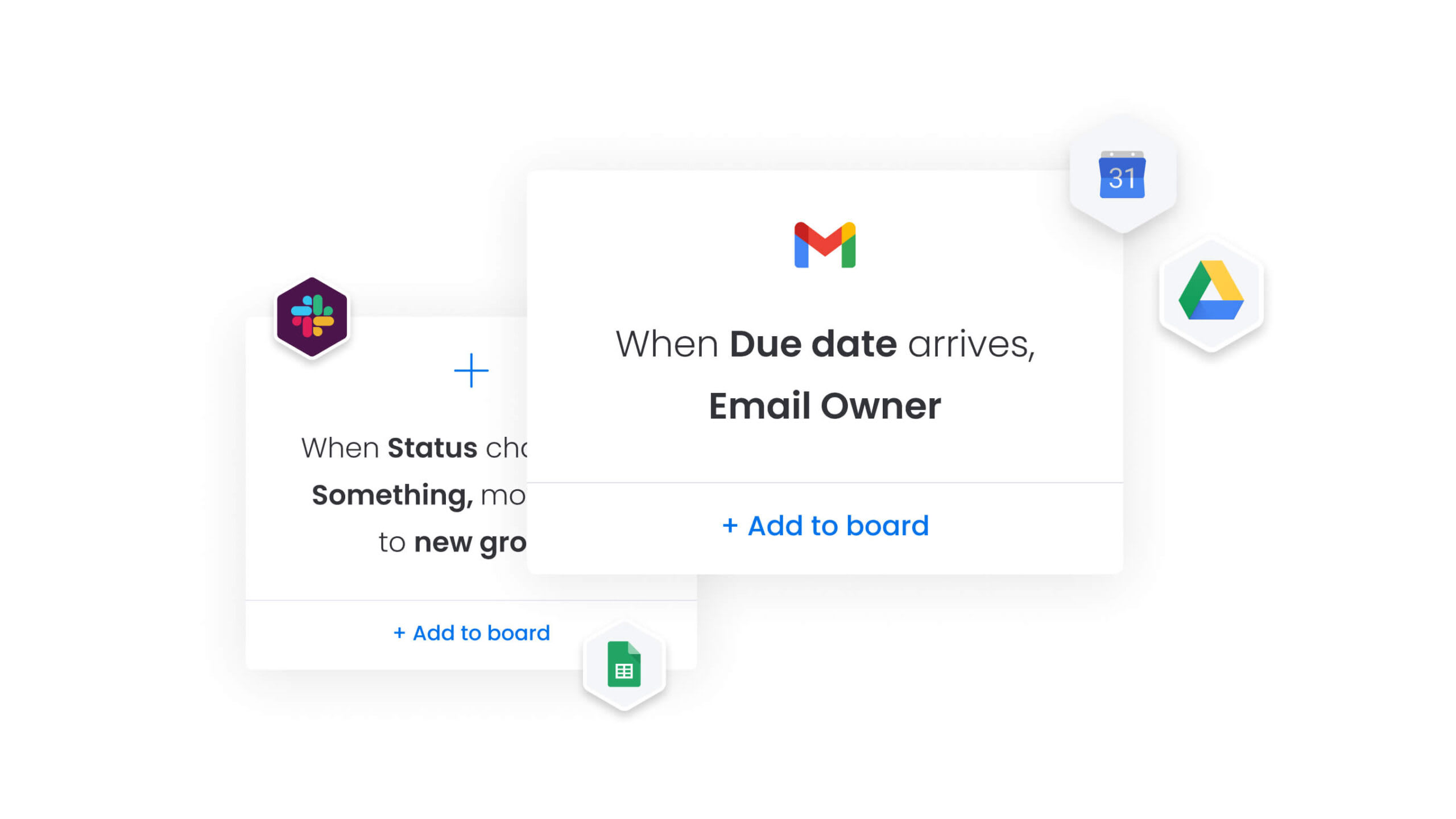
- Status notifications: automatic updates when milestones change.
- Deadline reminders: prompts that maintain accountability across stakeholders.
- AI-powered insights: categorization, risk detection, and suggested next actions.
5. Workload management
Accepting new work without visibility into capacity increases delivery risk. Workload management clarifies availability across active projects, supporting informed planning and sustainable output.
Core benefits include:
- Capacity planning: visibility into available bandwidth before committing to new work.
- Resource allocation: balanced distribution of work across collaborators.
- Burnout prevention: structured oversight of commitments across timelines.
6. Mobile-first design
Freelance work does not always happen at a desk. Mobile-first platforms provide full functionality across devices, enabling continuity regardless of location.
Mobile-ready platforms support:
- Full functionality: project updates, communication, and reporting on mobile devices.
- Offline access: continued work without connectivity, synced upon reconnection.
- Smart notifications: relevant alerts without unnecessary interruptions.
7. Growth-ready pricing
Early success should not require platform migration. Growth-ready pricing provides access to advanced capabilities while allowing expansion over time.
Effective pricing models offer:
- Accessible core features: essential functionality without forced upgrades.
- Transparent plans: clear costs with predictable billing.
- Scalable options: flexibility to add collaborators and complexity as needed.

“monday.com has been a life-changer. It gives us transparency, accountability, and a centralized place to manage projects across the globe".
Kendra Seier | Project Manager
“monday.com is the link that holds our business together — connecting our support office and stores with the visibility to move fast, stay consistent, and understand the impact on revenue.”
Duncan McHugh | Chief Operations Officer15 best project management platforms for ambitious freelancers
Modern freelancing extends beyond task completion. It requires operational systems that support delivery, communication, and scale. The platforms below are organized by primary strengths to support informed evaluation.
1. monday.com
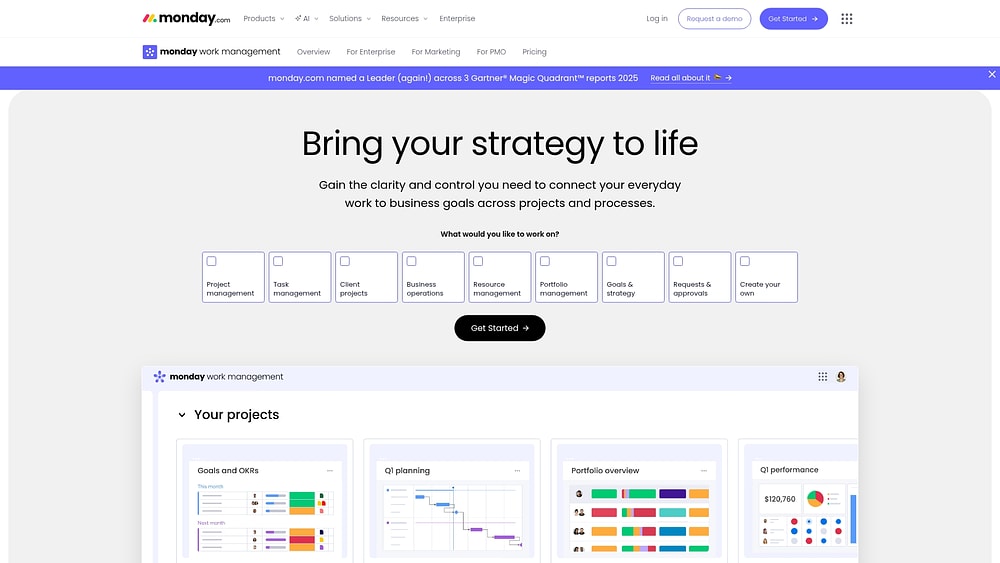
As freelance operations expand, maintaining clarity across projects becomes increasingly complex. Platforms built on the monday.com Work OS consolidate client delivery, internal processes, and intake workflows into a single digital workspace.
monday.com adapts to varied delivery styles rather than enforcing rigid templates. Repeatable workflows, dependency tracking, and live dashboards provide visibility into progress while supporting consistent execution across clients.
Example:
Freelancers managing multiple projects who want to scale their business systematically while maintaining operational excellence and client satisfaction.
Key features:
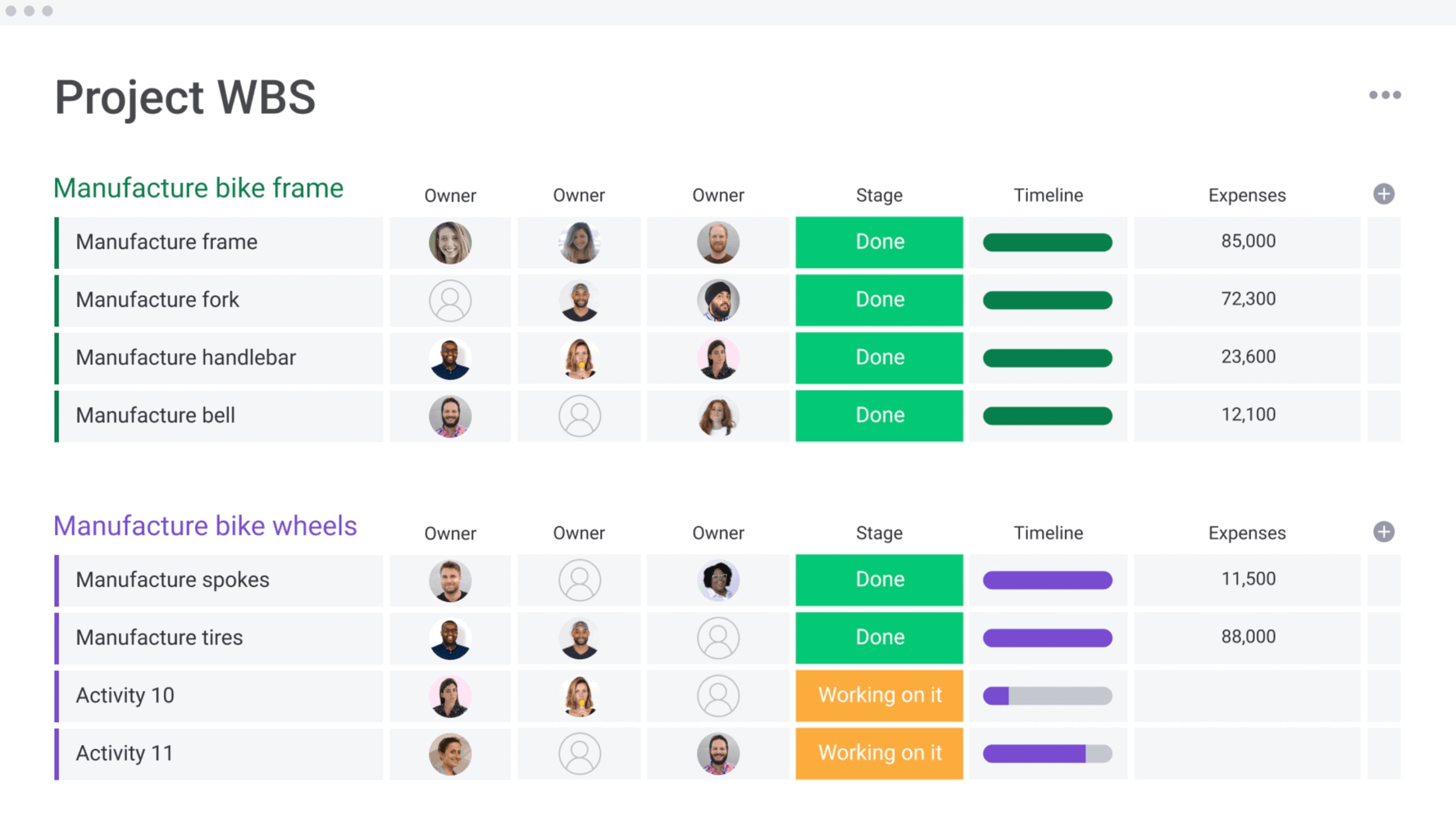
- Visual project management: Gantt, Kanban, Timeline, Calendar, and Workload views support flexible planning.
- Project control: dependencies, milestones, baselines, and critical path analysis support realistic scheduling.
- Dashboards and reporting: live reporting for progress, workload, and portfolio oversight.
- Requests and approvals: structured intake through Forms to standardize client submissions.
- Docs integration: embed boards and dashboards within Docs to keep context centralized.
Advanced AI features:
AI capabilities focus on reducing administrative effort and improving clarity across workflows.
- AI Blocks: categorization, summarization, sentiment detection, translation, and data extraction.
- AI Automations: AI-powered actions within workflow automations on Pro and Enterprise plans.
- Autofill with AI: continuous AI assistance for summarization and categorization.
- Digital Workforce: upcoming capabilities designed to surface risks and project insights proactively.
Automations:
- Workflow automations: reminders, notifications, and ownership changes.
- Templates: reusable project structures for consistent delivery.
- AI automation blocks: combined rule-based and AI-driven workflow actions.
Integrations:
The fastest way to lose time is re-entering the same information in three places. monday.com reduces that friction by connecting your existing stack.
- 200+ integrations: connect communication, file storage, and delivery platforms.
- Common integrations: Slack, Microsoft Teams, Gmail, Outlook, Google Drive, Zoom, and Jira Cloud.
- Open API: support for custom integrations.
Freelancer-focused capabilities
- Client project management: structured delivery with visibility into capacity.
- Resource management: workload views to balance effort across collaborators.
- Portfolio oversight: consolidated views across projects and timelines.
- Permissions: controlled access for external stakeholders.
Pricing:
- Free: up to two seats with basic features.
- Basic: $12/seat/month (billed annually) with core project management capabilities.
- Standard: $12/seat/month (billed annually), including Timeline/Gantt views and guest access.
- Pro: $19/seat/month (billed annually) with advanced features like time tracking and private boards.
- Enterprise: custom pricing with portfolio management and enterprise governance features.
- Offer: plans require a three-seat minimum with 18% discount for annual billing.
Why it stands out:
Freelance growth usually looks simple on paper. In practice, it means more projects, more stakeholders, and more decisions per week.
- Standardized yet flexible execution: repeatable workflows tailored per client.
- Real-time visibility: shared dashboards that support confident decision-making.
- AI within workflows: reduced administrative effort across planning and delivery.
2. Trello
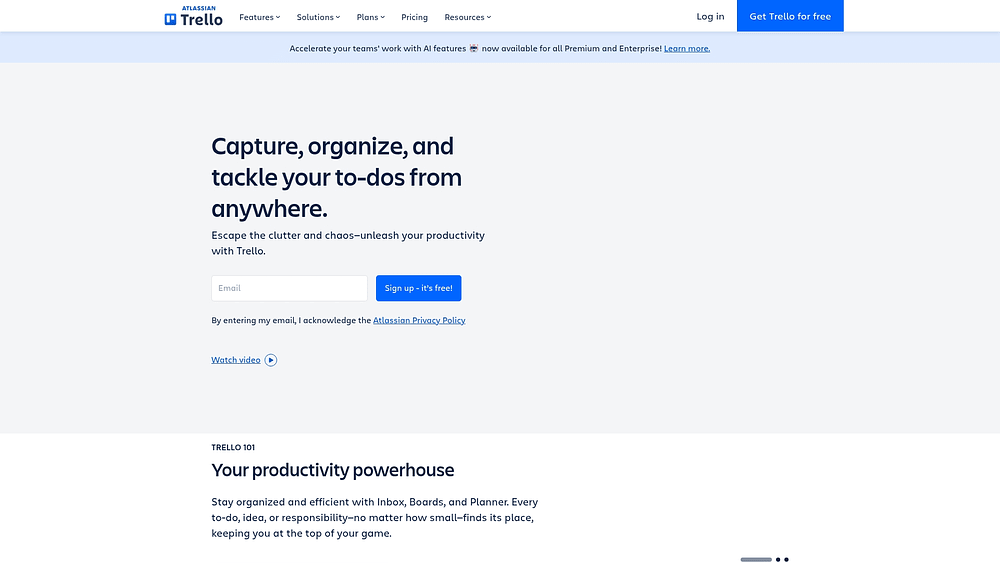
For those seeking visual clarity without the clutter, Trello offers an intuitive Kanban board system that brings order to project chaos. Its drag-and-drop simplicity makes it a strong contender for freelancers who need straightforward organization without navigating a steep learning curve.
Use case:
Freelancers managing multiple client projects who prioritize visual workflow organization and need a platform that requires zero learning curve to start organizing work effectively.
Key features:
- Visual Kanban boards with customizable lists and cards that represent projects, tasks, and workflow stages.
- Multiple view options, including Timeline, Calendar, Table, and Dashboard views for project planning and client reporting.
- Butler automation with 200+ integrations to connect essential freelancer platforms like Slack, Google Drive, and time tracking applications.
Pricing:
- Free: $0/month with up to ten collaborators, unlimited cards, and ten boards per workspace.
- Standard: $5/month (billed annually) with unlimited boards, custom fields, and advanced checklists.
- Premium: $10/month (billed annually) adding AI features, multiple views, and unlimited automation.
- Enterprise: $17.50/month (billed annually) with $10,000 minimum annual spend for SSO and advanced security.
Considerations:
- Limited advanced project management capabilities, like dependency tracking or critical path analysis, for complex client deliverables.
- Premium features like Timeline and Calendar views require paid plans, restricting free users to basic board functionality.
3. Asana
Connecting strategy to execution is where Asana shines, offering robust collaboration features for comprehensive project management. It is particularly well-suited for handling complex workflows with multiple dependencies, making it a solid choice for freelancers coordinating with client teams. The platform’s Work Graph foundation links goals to portfolios, ensuring real-time alignment across all tasks.

Use case:
Freelancers managing complex projects who work closely with client teams and need robust task management with dependency tracking and portfolio-level visibility.
Key features:
- Multiple project views (list, board, calendar, timeline, Gantt) with drag-and-drop scheduling and visual dependencies.
- Workflow automation through rules and forms with branching logic to reduce manual work.
- AI-powered Smart Status and Smart Answers that generate insights from live project data.
Pricing:
- Personal: free (up to two users).
- Starter: $10.99/user/month (billed annually) or $13.49/month (monthly billing).
- Advanced: $24.99/user/month (billed annually) or $30.49/month (monthly billing).
- Enterprise: custom pricing (quote required).
- Enterprise+: custom pricing (quote required).
- Annual billing: offers approximately 18% savings compared to monthly plans.
- Add-ons: AI Studio credits available as separate add-on purchases.
Considerations:
- Learning curve increases with advanced features and team scale, requiring setup and governance planning.
- Single-assignee model limits flexibility for tasks requiring multiple people.
4. ClickUp
Diversity in client projects requires a workspace that adapts, and ClickUp answers this with an all-in-one solution featuring extensive customization. It allows freelancers to tailor workflows for specific needs, juggling multiple project types within a single environment. By offering enterprise-level features at accessible price points, ClickUp positions itself as a comprehensive tool for scaling operations.

Use case:
Freelancers managing diverse project types who want extensive customization options and are willing to invest time in platform configuration to create tailored workflows for different clients.
Key features:
- Hierarchical project structure: organize work across Spaces, Folders, Lists, and Tasks with the Everything view to aggregate cross-project visibility.
- 15+ customizable views: switch between List, Board, Gantt, Timeline, Calendar, and Workload views to match different project requirements and client preferences.
- Advanced planning capabilities: access Gantt charts with dependencies, critical path analysis, resource management, and sprint tools typically found in enterprise platforms.
Pricing:
- Free forever: $0 with core features including tasks, docs, Kanban, basic sprint capabilities, and 24/7 support.
- Unlimited: $7/month (billed annually) adds unlimited storage, custom fields, Gantt charts, integrations, and time tracking.
- Business: $12/month (billed annually) includes Google SSO, unlimited dashboards, sprint reporting, workload management, and advanced automations.
- Enterprise: custom pricing with white labeling, advanced permissions, SSO/SCIM, HIPAA compliance, and dedicated support.
- Annual billing: saves up to 30% across all paid plans, with AI add-ons available as separate purchases.
Considerations:
- Steep learning curve: the extensive feature set and customization options can overwhelm new users, requiring significant time investment to master the platform.
- Feature complexity: the abundance of customization choices may create decision fatigue and slow down initial setup for freelancers who prefer straightforward project management.
5. Jira
Technical teams and software developers often turn to Jira for its rigorous approach to project management. The platform is built to handle complex workflows, excelling in agile methodologies and issue tracking, making it a standard for development projects and technical consulting.

Use case:
Freelance developers and technical consultants managing software projects who need specialized issue tracking, sprint planning, and seamless integration with development workflows.
Key features:
- Agile boards with Scrum and Kanban support for sprint planning, backlog management, and velocity tracking.
- Advanced issue tracking with detailed bug reporting, feature requests, and technical task management.
- Extensive integrations with development platforms like GitHub, Bitbucket, and CI/CD pipelines.
Pricing:
- Free: $0/month for up to ten users.
- Standard: $7.91/user/month (billed annually).
- Premium: $14.54/user/month (billed annually).
- Enterprise: custom pricing with 99.95% uptime SLA.
- Annual billing: saves up to 17%.
- Offer: volume discounts available for larger user counts.
Considerations:
- Steep learning curve for non-technical freelancers, with complex configuration requiring admin expertise.
- Premium features like Advanced Roadmaps require higher-tier plans, limiting portfolio visibility on Standard plans.
6. Microsoft To Do
Freelancers deeply embedded in the Microsoft ecosystem will find seamless integration with Microsoft To Do. It offers straightforward task management, excelling at personal organization and converting emails into tasks, ideal for those who value simplicity over complex project features. It offers straightforward task management, excelling at personal organization and converting emails into tasks, ideal for those who value simplicity over complex project features.

Use case:
Freelancers seeking basic personal task management who already use Microsoft 365 and don’t require advanced project management capabilities.
Key features:
- Email integration: flagged Outlook emails automatically become tasks, streamlining workflow capture.
- My Day planning: daily focus view with intelligent task suggestions to prioritize work.
- Cross-platform sync: native apps across Windows, macOS, iOS, Android, and web with real-time synchronization.
Pricing:
- Free: available with a personal Microsoft account.
- Microsoft 365 Personal: $9.99/month or $99.99/year (annual billing).
- Microsoft 365 Family: $12.99/month or $129.99/year (annual billing).
- Microsoft 365 Business Basic: $6.00/user/month (annual commitment).
- Microsoft 365 Business Standard: $12.50/user/month (annual commitment).
Considerations:
- Limited project organization capabilities compared to dedicated project management platforms.
- Lacks time tracking, client collaboration features, and visual project tracking essential for managing multiple concurrent freelance projects.
7. Notion
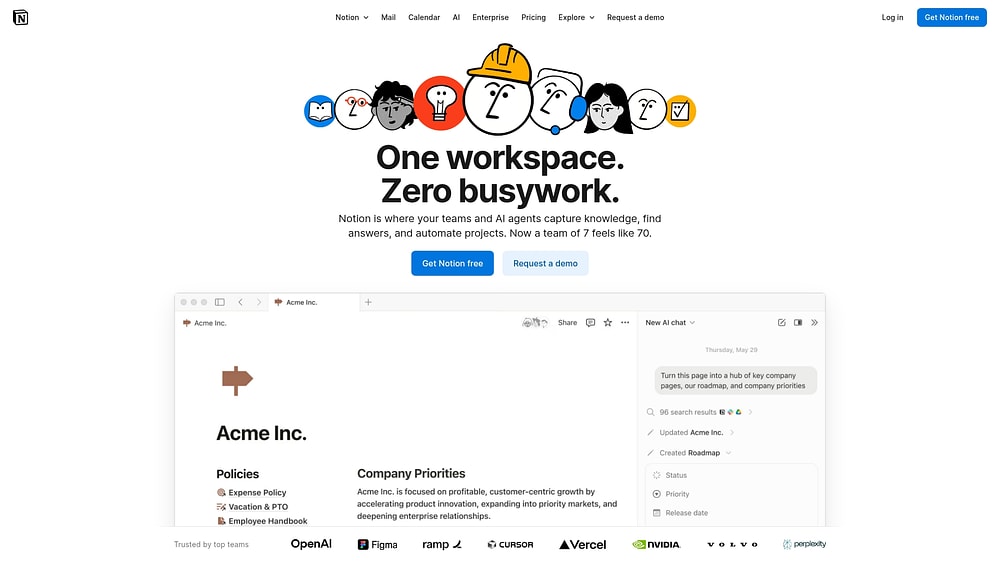
Notion offers a blank canvas where projects, documentation, and business planning coexist in a unified workspace. Its infinitely configurable design allows freelancers to construct custom systems tailored to their unique needs, rather than adapting to rigid structures. Recognized in Gartner’s Magic Quadrant, Notion has proven effective at consolidating multiple tools into one powerful solution.
Use case:
Freelancers who want to eliminate platform switching by combining project management, client documentation, and business operations in a single, highly customizable workspace.
Key features:
- All-in-one workspace: seamlessly blend notes, databases, and project boards within the same interface to keep everything connected.
- Flexible database system: create custom project trackers with multiple views (Kanban, Timeline, Calendar) and build database automations to streamline repetitive tasks.
- Integrated AI capabilities: leverage built-in AI to summarize project status, draft client updates, and automate routine administrative tasks.
Pricing:
- Free: $0/month for individuals with basic features and limited collaborative blocks.
- Plus: $10/month with unlimited file uploads and offline access to recently viewed pages on desktop and mobile.
- Business: $20/month, including Notion AI, advanced security features like SAML SSO, and premium integrations.
- Enterprise: custom pricing with enhanced security controls and dedicated support.
- Annual billing: saves up to 20% across all paid plans.
- Offer: students and educators can get the Plus plan for free (one-member limit) with educational verification.
- Custom domains: available as a paid add-on.
Considerations:
- Significant learning curve required to build effective custom systems and workflows.
- Performance can slow with very large or complex databases as the workspace grows.
8. Todoist
Speed and simplicity define Todoist, transforming personal productivity into a streamlined workflow. It specializes in natural language task capture and clean organization, making it an excellent choice for solo professionals who need to manage multiple client projects without the overhead of complex features.

Use case:
Freelancers who prioritize fast task capture and straightforward project organization over comprehensive business management features.
Key features:
- Natural language processing automatically extracts due dates, priorities, and project assignments from simple text input.
- Board and calendar layouts provide visual project organization with labels and filters for client work segmentation.
- Cross-platform availability with offline sync ensures task management continuity across all devices and locations.
Pricing:
- Beginner: Free with five personal projects, basic integrations, and one-week activity history.
- Pro: $7/month (monthly) or $60/year (annual) with 300 projects, calendar layout, task duration, and AI assist features.
- Business: $10/user/month (monthly) or $96/user/year (annual), adding team workspaces and collaboration features.
- Annual billing: saves 20% compared to monthly pricing.
Considerations:
- Limited client collaboration capabilities with no built-in client portals or approval workflows.
- Lacks native time tracking and advanced project management features like Gantt charts or dependencies.
9. Basecamp
Basecamp champions a philosophy of simplicity, stripping away feature overload to focus on clear communication and getting work done. It provides straightforward project organization with built-in client collaboration, eliminating the need for multiple tools. With a flat pricing model and an intuitive interface, it allows freelancers to include clients directly in workflows without a steep learning curve.

Use case:
Freelancers who prioritize ease of use and client communication over advanced project management features and work on straightforward projects.
Key features:
- Message boards for asynchronous discussions with clients and team members.
- Hill Charts for unique progress visualization that shows work moving from “unknown” to “known” to “done”.
- Card Tables providing kanban-style workflow management with customizable columns.
Pricing:
- Free: one project, 1 GB storage, up to 20 users.
- Plus: $15/user/month, unlimited projects, 500 GB storage.
- Pro Unlimited: $299/month billed annually ($349 month-to-month), unlimited users and projects, 5 TB storage.
- Offers: clients and contractors are included free on all paid plans.
- Add-ons for Plus plan: timesheet ($50/month), Admin Pro Pack ($50/month), additional 1 TB storage ($50/month).
Considerations:
- Limited advanced project management features like Gantt charts, complex dependencies, or resource management.
- No native SSO/SAML support, which may restrict use for freelancers working with enterprise clients.
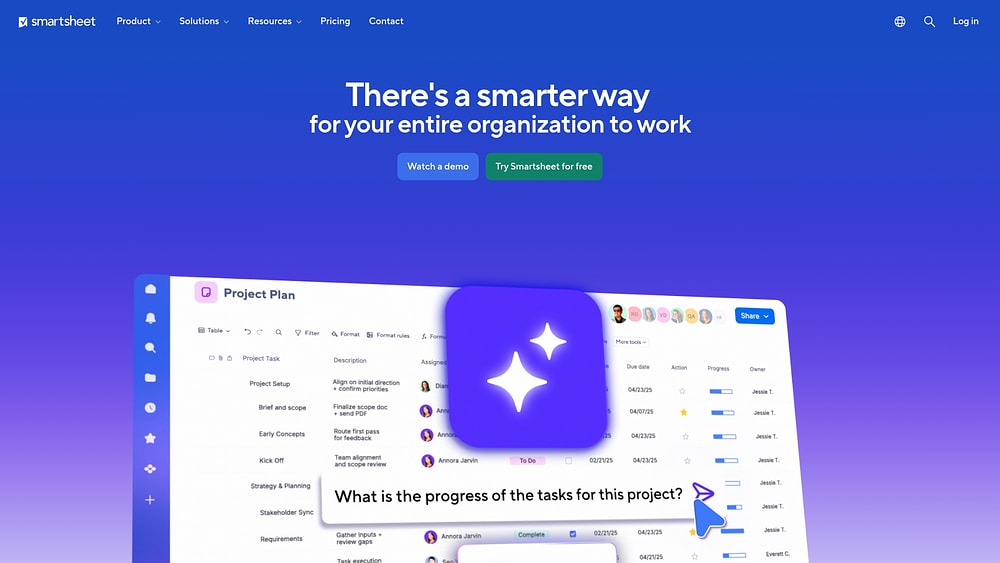
10. Smartsheet
Bridging the gap between Excel familiarity and enterprise power, Smartsheet appeals to those who think in grids but need sophisticated tracking. It brings enterprise-grade project management to solo professionals, offering dependency management and client collaboration features. Trusted by a vast majority of Fortune 500 companies, it provides reliability for managing complex deliverables.
Use case:
Freelancers comfortable with spreadsheets who manage complex projects requiring detailed tracking, advanced project management features, and enterprise-level security compliance.
Key features:
- Multi-view execution with grid, Gantt charts featuring dependencies and critical path analysis, Calendar, and Kanban Board views.
- Advanced automation workflows with 200+ pre-built recipes for notifications, approvals, and project updates.
- Enterprise-grade security and compliance including ISO certifications, SOC 2/3, HIPAA BAA, and FedRAMP authorization.
Pricing:
- Pro: $9/month (annual) or $12/month (monthly) for 1-10 members with unlimited viewers.
- Business: $19/month (annual) or $24/month (monthly) for three plus members with unlimited guests and viewers.
- Enterprise: custom pricing with SAML SSO, Work Insights, and advanced governance features.
- Advanced Work Management: custom pricing bundle including Control Center, Dynamic View, and premium connectors.
- Free plan: legacy limited plan with two sheets and restricted collaborators.
Considerations:
- Sheet size limitations of 500,000 cells per sheet can impact very large datasets and complex project tracking.
- Learning curve and setup complexity rivals enterprise platforms, requiring significant time investment to build effective project structures.
11. Wrike
Scaling from a solo operation to a full agency requires robust infrastructure, which Wrike provides through its enterprise-grade project management tools. It excels at managing complex workflows with multiple stakeholders, offering deep resource planning, advanced security, and integrated proofing. The platform unifies intake, execution, budgeting, and analytics into a single system.

Use case:
Freelancers managing complex projects with multiple stakeholders who need comprehensive project management features, advanced security, and integrated approval workflows.
Key features:
- Custom workflows with Gantt charts, Kanban boards, and resource management for optimizing capacity across multiple projects.
- Built-in proofing and approval system for images, documents, PDFs, and videos with guest collaboration capabilities.
- AI-powered features including Copilot for insights, automated task routing, and natural-language automation creation.
Pricing:
- Free: $0/month for unlimited users.
- Team: $10/month per user (2-15 users, billed annually).
- Business: $25/month per user (5-200 users, billed annually).
- Enterprise: custom pricing with advanced security and governance features.
- Pinnacle: custom pricing for complex work management with advanced analytics.
Considerations:
- Learning curve can be steep for freelancers with simpler project needs due to extensive feature set.
- Higher pricing compared to basic freelancer-focused alternatives, with advanced features requiring enterprise-level plans.
12. Airtable
By combining the simplicity of a spreadsheet with the power of a database, Airtable creates flexible systems that adapt to any workflow. It allows freelancers to track complex client relationships, project dependencies, and business operations in one interconnected environment. This makes it ideal for those who need to organize data beyond traditional project management structures.

Use case:
Freelancers who manage multiple clients with interconnected projects, and need flexible data organization beyond traditional project management platforms.
Key features:
- Multiple view options, including Gantt charts, Kanban boards, calendar views, and timeline perspectives for comprehensive project visualization.
- Relational database functionality that links clients, projects, tasks, and resources across interconnected tables.
- Automation workflows and record templates that streamline repetitive project setup and status updates.
Pricing:
- Free: $0/month with 1,000 records per base and basic features.
- Team: $20/user/month (billed annually) or $24/user/month (billed monthly), with 50,000 records per base, Gantt views, and Interface Designer.
- Business: $45/user/month (billed annually) or $54/user/month (billed monthly), with 125,000 records per base, advanced sync capabilities, and admin controls.
- Enterprise scale: custom pricing with enhanced limits up to 500,000 records per base and enterprise governance features.
- Portals Add-on: for external client collaboration, starts at $120/month for the Team plan (15 seats) and $150/month for the Business plan (15 seats).
Considerations:
- Significant learning curve requiring understanding of database concepts and relational data structures.
- Limited client collaboration features compared to dedicated project management platforms, making it more suitable for internal operations.
13. Freedcamp
Cost-conscious freelancers don’t have to sacrifice capability thanks to Freedcamp, which offers robust project management at budget-friendly prices. It combines task management, time tracking, invoicing, and collaboration into a unified workspace, removing the need for multiple subscriptions. With unlimited users and projects on the free plan, it eliminates financial barriers for solo professionals.

Use case:
Budget-conscious freelancers who need robust project management functionality without premium pricing and prioritize comprehensive features over interface polish.
Key features:
- Multiple project views including Gantt charts with dependencies, critical path analysis, and auto-scheduling for complex project planning.
- Integrated time tracking that connects directly to invoicing functionality for streamlined client billing.
- Modular app system with premium add-ons like CRM, Wiki, and Issue Tracker that expand capabilities as your business grows.
Pricing:
- Free: $0/month with unlimited users, projects, and storage (10MB per-file limit).
- Pro: $1.49/month per user (billed annually) or $2.49/month (monthly billing).
- Business: $7.49/month per user (billed annually) or $8.99/month (monthly billing).
- Enterprise: $16.99/month per user (billed annually) or $19.99/month (monthly billing).
Considerations:
- Interface feels dated compared to modern alternatives and may require a learning curve for new users.
- Advanced features like Gantt charts, custom fields, and premium apps require upgrading to Business tier or higher.
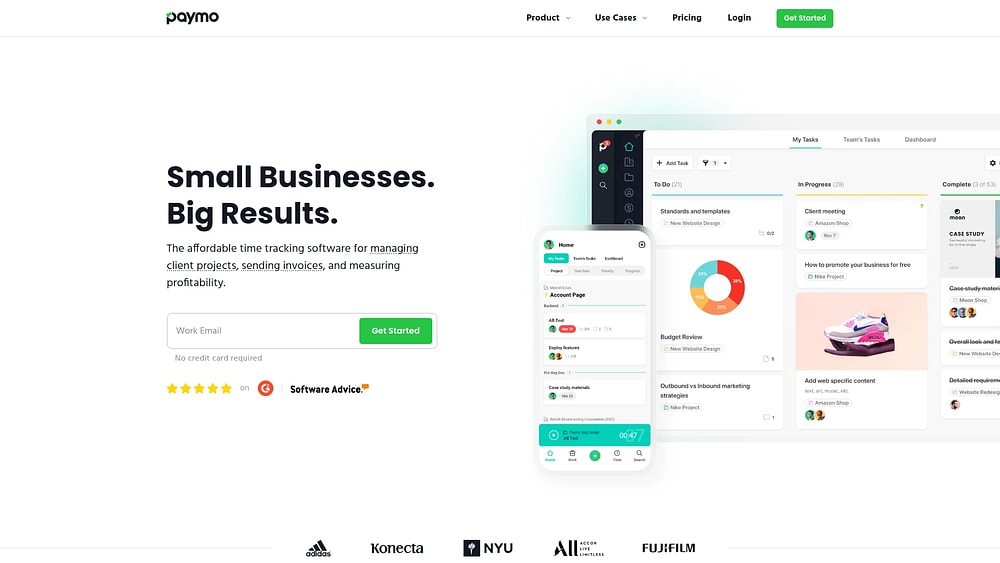
14. Paymo
Connecting time tracking directly to revenue is Paymo’s specialty, offering an all-in-one platform for the complete billing workflow. It is ideal for freelancers who need to efficiently capture billable hours and convert them into cash flow. With a long history in the market, Paymo serves users who prioritize billing accuracy over complex project features.
Use case:
Freelancers who prioritize billing efficiency and accurate time tracking over advanced project management features.
Key features:
- Automatic time tracking with desktop monitoring and smart time entry suggestions.
- Seamless invoicing that pulls time entries and expenses into professional invoices with payment processing.
- Portfolio-level visibility through Meta Kanban and Portfolio Gantt views for managing multiple client projects.
Pricing:
- Free: $0/month (one user, two projects, one client, 1 GB storage).
- Solo: $5.90/month (one user, adds Kanban/Calendar views, guest access, 5 GB storage).
- Plus: $10.90/user/month (unlimited users, adds integrations, project profitability, proofing, 50 GB storage).
- Pro: $16.90/user/month (unlimited users, adds Gantt charts, resource scheduling, timesheet approvals, 500 GB storage).
Considerations:
- Advanced project management features like Gantt charts and resource scheduling require the Pro plan.
- File proofing currently supports only image formats, with PDF annotations coming in future updates.
Learn more: Paymo alternatives
15. Zoho Projects
For those seeking an integrated business ecosystem spanning CRM and accounting, Zoho Projects is a strong contender. It connects project work to broader business operations, providing unified visibility across client relationships, delivery, and finance. The platform’s built-in time tracking, budgeting, and invoicing capabilities eliminate the need for multiple standalone applications.

Use case:
Freelancers already using Zoho applications who want seamless integration between client management, project execution, and billing processes.
Key features:
- Native time tracking with direct invoicing through Zoho Books integration.
- Gantt charts with critical path analysis and project baselines for complex project planning.
- Cross-application workflows connecting CRM leads to project delivery and financial reporting.
Pricing:
- Free: up to five users, three projects, 5GB storage.
- Premium: $4/user/month (annual billing) with unlimited projects, custom workflows, and budgeting.
- Enterprise: $9/user/month (annual billing) adding portfolio dashboards, advanced reporting, and SSO.
- Ultimate: higher storage limits, multi-user timesheets, and enhanced automation capabilities.
- Annual billing: saves over 15% compared to monthly rates.
Considerations:
- Third-party integrations are more limited compared to competitors like Asana.
- Interface feels less polished than modern alternatives, with occasional performance lag on larger projects.
How AI gives freelancers a competitive edge?
Artificial intelligence brings enterprise-level operational intelligence directly into freelance businesses. By automating complex analysis and continuous monitoring, AI reduces manual oversight and surfaces insights that typically require dedicated operations teams. This shift allows independent professionals to operate with the precision and foresight of much larger organizations.
The impact extends beyond efficiency gains. AI introduces a smarter way of working that elevates planning, decision-making, and delivery standards. Freelance operations become structured, proactive, and data-informed, closing the gap between solo work and agency-level execution.
As AI monitors ongoing activity, reactive problem-solving gives way to strategic oversight. Risks and inefficiencies surface earlier, allowing adjustments before timelines, budgets, or client relationships are affected. This proactive visibility strengthens delivery confidence across every engagement.
Automated risk detection before delays hit
Project risks rarely appear without warning. Artificial intelligence continuously analyzes live project data to surface early indicators of delays, resource conflicts, and scope expansion before these issues become visible to clients. This early visibility supports faster, more confident intervention.
Instead of identifying issues after a deadline is missed, potential disruptions are flagged while there is still time to act. This shift improves predictability and reinforces reliability across active projects.
AI supports this early detection by identifying:
- Timeline conflicts: overlapping schedules that create unrealistic workloads.
- Scope creep indicators: signals when requirements expand beyond the original agreement.
- Historical patterns: comparisons with previous projects that experienced similar delivery challenges.
Within modern platforms like monday.com, AI-powered risk detection functions as a continuous monitoring layer. Workflows are observed in real time, potential issues are flagged early, and delivery teams transition from reactive adjustments to preventative planning.
Intelligent resource allocation
Maximizing billable output requires more than instinct or experience. Artificial intelligence evaluates workload distribution across projects to recommend adjustments that improve focus and efficiency. Scheduling decisions become grounded in data rather than assumptions.
This intelligence ensures priority work receives appropriate attention while identifying periods of overload before capacity becomes strained. Resource planning becomes more predictable and resilient as project volume increases.
Key AI-driven insights include:
- Optimal task scheduling: prioritization based on urgency, dependencies, and estimated effort.
- Workload balancing: visibility into uneven allocations with suggestions for redistribution.
- Capacity forecasting: analysis of historical delivery data to estimate future project demands.
Freelancers rely on monday.com to gain a unified, AI-informed view of capacity across all active work. This optimization supports growth while maintaining delivery quality and sustainable workloads.
Predictive analytics for smarter decisions
Historical data becomes a roadmap for future growth through predictive analytics. AI transforms your past project information into a powerful tool for making smarter business decisions, delivering insights that inform everything from pricing and client selection to your overall business strategy.
AI analytics can pinpoint:
- Project profitability: connect time tracking, expenses, and invoices to see which clients and services are your most profitable.
- Client behavior patterns: analyze communication and approval cycles to anticipate which clients may require more hands-on management.
- Revenue forecasting: predict future revenue with greater accuracy by analyzing your project pipeline and historical closing rates.
Match your tool to your growth stage
As freelance businesses evolve, operational requirements change. Selecting a platform that does not align with the current growth stage introduces friction, either through unused complexity or limited scalability. Long-term success depends on balancing immediate needs with future readiness.
Aligning platform capabilities with growth stage supports momentum without overwhelming workflows or budgets. Each stage introduces new priorities that shape which features matter most.
The table below outlines common growth stages and operational focus areas:
| Growth stage | Primary focus | Key capabilities needed |
|---|---|---|
| Starting solo | Delivery & trust | Visual tracking, time tracking, simple automation |
| Adding contractors | Collaboration & security | Permissions, workload visibility, clear assignments |
| Building an agency | Scale & operations | Portfolio management, advanced reporting, enterprise security |
Starting solo: essential features
Early freelance operations center on consistent delivery and credibility. Platforms at this stage should establish professional workflows without unnecessary complexity. Core capabilities create structure while generating data that supports smarter growth decisions later.
Foundational features include:
- Visual project tracking: Kanban boards or timelines that provide immediate visibility across all client work.
- Client communication: shared views and centralized files that reduce reliance on email chains.
- Time tracking: accurate capture of billable work to support pricing and capacity planning.
- Simple automation: routine reminders and updates that reduce administrative effort.
Adding contractors: collaboration capabilities
Introducing contractors shifts focus from individual execution to coordinated delivery. Collaboration, access control, and clarity become critical to maintaining quality and consistency. Platforms must support teamwork while protecting sensitive information.
Effective collaboration relies on:
- Permission management: controlled access that limits visibility to relevant projects only.
- Clear ownership: defined responsibilities, due dates, and context to reduce ambiguity.
- Workload visibility: awareness of capacity across contributors to balance commitments.
- Centralized communication: project discussions stored alongside relevant work.
Within monday.com, teams coordinate using granular permissions and structured ownership. This approach preserves data security while ensuring every contributor has the context needed to deliver effectively.
Building an agency: enterprise-level power

Agency growth requires a shift from project oversight to business management. Portfolio visibility, reporting depth, and operational governance become essential as complexity increases. Platforms must support leadership decisions alongside daily execution.
At this stage, capabilities expand to include:
- Portfolio management: high-level insight into project health, utilization, and financial performance.
- Advanced reporting: dashboards that track utilization, profitability, and forecasted revenue.
- Enterprise security: features such as single sign-on, audit logs, and compliance controls.
- Automation at scale: standardized workflows that operate across teams and projects.
monday.com supports this transition by delivering portfolio oversight, automation depth, and enterprise-grade security within a flexible digital workspace. Agencies gain operational maturity without introducing unnecessary overhead.
Why monday.com accelerates freelance growth
Many freelancers excel at delivery but encounter operational friction as demand increases. Managing projects, finances, and collaboration across multiple clients introduces complexity that limits scalability without the right systems in place.
monday.com functions as a unified digital workspace for freelancers ready to scale operations. It centralizes intake, delivery, collaboration, and reporting, enabling consistent execution from first request to final invoice.
Rather than migrating platforms at each growth milestone, freelance businesses gain continuity on a solution designed to scale alongside them. monday.com supports this progression by enabling:
- Scalable continuity: growth from solo work to agency operations without platform changes.
- Administrative automation: AI-driven sorting, summarization, and workflow coordination.
- Professional-grade visibility: reporting, workload management, and automation typically reserved for larger organizations.
Build a business that scales with your ambition
Freelance project management has evolved into a core business function rather than a simple productivity layer. The points below summarise what matters most for running sustainable, scalable freelance operations in 2026.
- Project management now covers the full freelance business lifecycle: effective platforms support intake, delivery, approvals, time tracking, and invoicing within a single system rather than isolated task lists.
- Tool selection should align with growth stage, not just current needs: freelancers benefit most from platforms that can scale from solo delivery to contractor collaboration and agency-level oversight without disruptive migrations.
- AI has become a practical operational advantage: predictive risk detection, workload optimisation, and data-driven insights help freelancers move from reactive execution to proactive planning.
- Unified systems reduce administrative drag and protect billable time: consolidating projects, communication, automation, and reporting improves focus, consistency, and long-term efficiency.
- Work operating systems support scalable execution: solutions like monday.com demonstrate how flexible workflows, automation, and portfolio visibility can support freelance growth without adding unnecessary complexity.

 Get started