


Teams are working harder than ever, yet progress can still feel slower than expected. Tasks move forward, meetings fill the calendar, and messages keep coming, but priorities often compete and collaboration can create friction. Productivity challenges rarely come from a lack of effort — they usually stem from how work is structured and coordinated across the team.
Improving productivity means optimizing how teams operate together, not just how individuals manage their time. Clear priorities, consistent workflows, and shared visibility reduce delays and help teams focus on work that drives real results.
This practical guide shares 25 productivity tips designed for modern teams. You’ll discover quick improvements you can implement immediately, along with scalable strategies that strengthen collaboration, reduce unnecessary work, and help teams use AI and automation to increase output without increasing pressure.
Key takeaways
- Build systems that scale beyond individual effort: Focus on team coordination and shared workflows rather than personal productivity hacks that create chaos when multiplied across groups.
- Start with quick wins that deliver immediate relief: Cut meeting times in half, automate status updates, and create team focus blocks to reclaim hours of productive time this week.
- Replace reactive communication with async documentation: Move from constant interruptions to structured handoffs and self-service knowledge bases that let teams work without waiting for responses.
- Unify scattered work on monday work management: Connect goals, projects, and teams in one platform with AI-powered automation and real-time dashboards that eliminate the toggle tax between apps.
- Measure what matters with actionable metrics: Track completion velocity, cycle times, and collaboration effectiveness instead of vanity metrics like hours logged or meetings attended.
What makes teams truly productive?
Team productivity is how effectively groups achieve shared goals through coordinated effort. It’s fundamentally different from individual productivity, which focuses on personal time management and task completion.
A group of high-performing individuals working in silos often produces less value than a moderately skilled team with superior coordination systems. The distinction really matters because most productivity advice targets individuals: wake up earlier, block your calendar, turn off notifications. These tactics help, but they hit a ceiling when team systems create friction.
A highly efficient individual can still be blocked by a sluggish approval process, unclear dependencies, or fragmented communication channels. Understanding where to focus helps you identify the improvements that’ll deliver the biggest impact.
Productivity gains happen at three different levels:
- Individual tactics (quick wins): Personal adjustments like time-blocking or notification management that free up capacity for specific team members.
- Team coordination (medium-term systems): Standardized workflows, meeting cadences, and approval processes that reduce friction between colleagues.
- Organizational infrastructure (long-term advantage): Centralized platforms and data visibility that align multiple teams toward strategic objectives.
| Feature | Productive individual | Productive team |
|---|---|---|
| Focus | Personal task completion | Collective goal achievement |
| Communication | Reactive and ad-hoc | Structured and asynchronous |
| Information | Stored locally or in email | Centralized and accessible |
| Bottlenecks | Solved by working longer hours | Solved by process optimization |
How to build your team productivity system
Here’s the problem: without a systematic approach, individual productivity hacks often create chaos in a team environment. A hyper-efficient individual who processes email at midnight may inadvertently pressure the rest of the team to be “always on,” reducing overall group effectiveness.
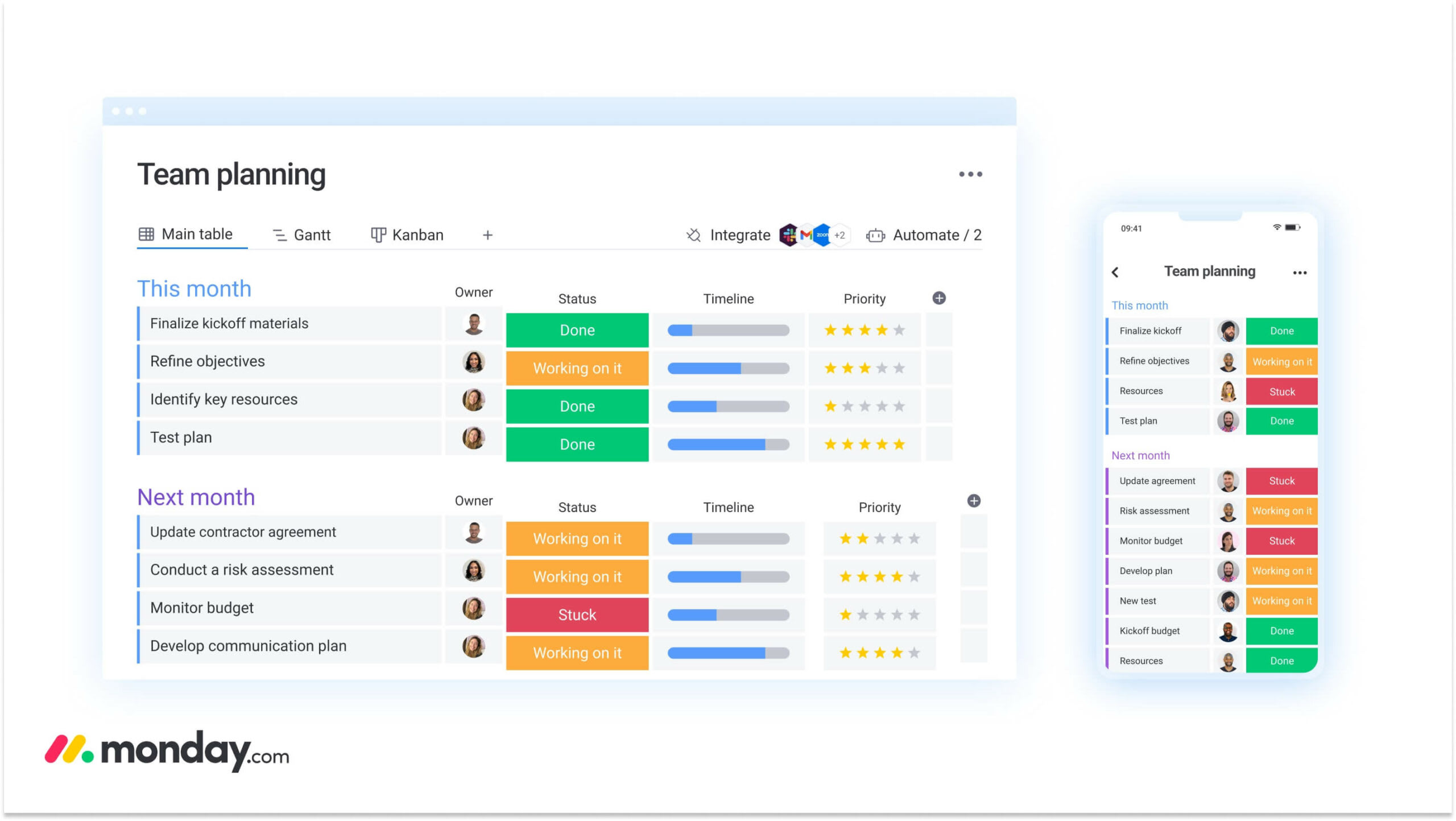
A sustainable productivity system aligns goals, workflows, and accountability so everyone’s pulling in the same direction. This framework builds the foundation for coordinated team performance.
Step 1: define goals and shared ownership
Vague goals create immediate bottlenecks. Team members pause to ask for more detail or accidentally work on low-priority items. Effective goal setting needs a framework that links specific outcomes to designated owners. This eliminates the “bystander effect” where shared responsibilities result in no action.
These elements form the foundation of effective goal setting. Each one tackles a common failure point in team alignment:
- Specific outcomes: Goals must describe a tangible result (e.g., “Launch the Q3 marketing campaign”) rather than an activity (e.g., “Work on marketing”).
- Single-threaded ownership: Every goal requires one primary owner responsible for its delivery, even if multiple people contribute to the work.
- Measurable success metrics: Define success criteria upfront so teams can track progress objectively without subjective debate.
The right platform connects high-level objectives directly to the daily work needed to achieve them.
Step 2: create workflows that scale
Scalable workflows maintain efficiency as team size and project complexity grow. Ad-hoc processes, where every project is treated as a unique event, break down under pressure and cause missed deadlines and quality issues.
Systematic workflow design relies on predictable patterns that remove ambiguity from handoffs and decisions. These patterns keep things consistent while allowing flexibility:
- Standardized handoffs: Define exactly what information must be present before work moves from one stage to the next.
- Decision points: Identify exactly where approvals are needed and who provides them.
- Automated status updates: Configure systems to change status labels based on activity triggers.
Step 3: establish accountability with autonomy
Accountability systems and micromanagement aren’t the same thing. Micromanagement focuses on controlling how work gets done. Accountability focuses on transparency about what gets done.
Effective accountability systems share three characteristics that build trust and maintain visibility:
- Regular check-in rhythms: Establish predictable cadences for updates so leaders don’t feel the need to interrupt work for status checks.
- Visible progress indicators: Use public dashboards that show real-time progress, allowing team members to self-correct before a manager needs to intervene.
- Outcome-focused metrics: Measure results delivered rather than hours logged, encouraging efficiency over presenteeism.
7 quick productivity wins for today
These tactics deliver immediate relief for teams drowning in busy work. They require minimal setup and you can implement them immediately to reclaim lost time. Each technique also tackles a specific friction point that slows down team coordination.
1. Cut meeting time by half
Excessive meetings are the biggest enemy of deep work. You can complete most 60-minute meetings in 30, and most 30-minute meetings in 15.
Set all calendar invites to 25 minutes by default. This enforces brevity and allows transition time. Require a written agenda with time allocations for every invite. If there’s no agenda, there’s no meeting. Move routine status updates to asynchronous channels, reserving synchronous time solely for complex decision-making and creative brainstorming.
2. Automate daily status updates
Manual status reporting eats up hours of productive time each week. By the time it’s read, the information is often outdated. Automated status collection eliminates this friction.
Project management platforms can trigger prompts asking “What did you work on today?” and aggregate responses into a single digest. Integration with communication platforms lets these updates flow directly into team channels. AI summarization can refine this data further, converting raw logs into readable executive summaries automatically.
3. Create team focus blocks
Focus blocks are protected time periods where meetings aren’t allowed and chat notifications are paused. Coordinated focus time is far more effective than individual attempts, as it prevents the “quick question” interruptions that break concentration.
During these blocks, the team agrees that delayed response times are acceptable. This synchronization enables deep, cognitive work without the penalty of being unresponsive. Schedule focus blocks for 1:00 p.m. to 4:00 p.m. on Tuesdays and Thursdays to start.
4. Consolidate communication channels
Communication fragmentation happens when information is scattered across email, instant messaging, project comments, and video calls. Teams often search three different platforms for a single decision.
Fix this by designating primary channels for specific types of communication:
- Instant messaging: For urgent, ephemeral questions requiring immediate answers.
- Project management platform: For all work-related updates, file sharing, and status changes.
- Email: Strictly for external communication with clients or vendors.
5. Build a shared priority matrix
A shared priority framework prevents team members from defaulting to the “latest and loudest” request. This simple matrix classifies incoming work based on urgency and importance:
- Do now (urgent/important): Crises, deadlines, and blockers.
- Schedule (important/not urgent): Strategic projects and planning.
- Delegate (urgent/not important): Interruptions and administrative noise.
- Delete (not urgent/not important): Distractions and low-value requests.
6. Implement 5-minute daily standups
Effective standups aren’t status reports. They’re unblocking sessions. The structure focuses strictly on three points: what was finished yesterday, what’s planned for today, and what’s blocking progress.
Take discussions that drift into problem-solving or detailed updates offline immediately. Keeping the standup to exactly 15 minutes (or five minutes for smaller teams) keeps energy high and makes the meeting feel valuable instead of performative.
7. Set up automated reminders
Mental overhead increases when team members have to remember to follow up on work. Automated reminders offload this mental burden to the system.
Configure deadline alerts to trigger 24 hours before a due date. Set recurring notifications for monthly reporting or weekly maintenance. Use dependency alerts to notify a team member immediately when a prerequisite item is marked complete. This reduces lag time between handoffs.
Master async work for maximum efficiency
Asynchronous work is essential for distributed teams and protecting deep work time in co-located offices. It shifts the workflow from real-time response to response within a reasonable window, cutting the pressure to be constantly available. These strategies help teams transition from reactive to proactive communication patterns.
Replace meetings with documentation
Documentation is a scalable alternative to meetings. A decision record captures the context, options considered, and final choice of a strategy session. Stakeholders can review the logic without attending the meeting.
Project updates written as weekly memos provide more detail than a verbal roundtable. Collaborative document features let team members ask questions and leave feedback in the margins on their own schedule.
With features like Workdocs by monday, teams can embed live boards and dashboards directly into their documentation to keep planning and execution connected.
Build self-service knowledge bases
A well-organized knowledge base cuts down on the repetitive questions that interrupt senior team members. Organize information for discoverability using tagging and search-friendly titles.
These categories form the foundation of an effective knowledge base:
- Process guides: Step-by-step instructions for routine work.
- Asset libraries: Centralized locations for brand files, templates, and standard forms.
- Troubleshooting FAQs: Solutions to common technical or operational issues.
Create handoff processes that ensure momentum
Productivity often leaks during the transition of work between team members. A handoff process requires a “definition of done” for the sender and a “definition of ready” for the receiver.
Documentation for a handoff includes links to all necessary assets, a summary of current status, and a specific list of outstanding items. Workflow automation standardizes this by blocking reassignment until all required fields are attached.
Try monday work managementProductivity often leaks during the transition of work between team members. A sufficient handoff process ensures momentum.

“monday.com has been a life-changer. It gives us transparency, accountability, and a centralized place to manage projects across the globe".
Kendra Seier | Project Manager
“monday.com is the link that holds our business together — connecting our support office and stores with the visibility to move fast, stay consistent, and understand the impact on revenue.”
Duncan McHugh | Chief Operations Officer6 ways to boost cross-team collaboration
The biggest productivity losses happen at the boundaries between teams, where priorities clash and systems disconnect. Friction here multiplies delays throughout the entire organization. These strategies tackle the coordination challenges that emerge when multiple departments work toward shared objectives.
1. Break down information silos
Information silos happen when departments hoard data or operate in closed systems. Break these silos by granting view-only access to project boards across departments.
Marketing should see the product roadmap. Sales needs visibility into customer success implementation timelines. Regular information exchange sessions focused on dependencies (not general updates) help teams understand how their work impacts others.
2. Create shared project dashboards
Shared visibility cuts the need for constant coordination meetings. A cross-functional dashboard aggregates data from multiple team boards into a single view.
Teams using monday work management pull data from all projects across different programs into a single high-level view. This portfolio management approach reveals key insights:
- Project dependencies: Visualizes how a delay in engineering impacts the marketing launch date.
- Resource allocation: Shows which shared designers or developers are overbooked across multiple projects.
- Timeline conflicts: Highlights periods where multiple major initiatives launch simultaneously.
3. Align team calendars and deadlines
Conflicting deadlines force teams to compete for the same limited resources. Advance planning sessions align calendars and smooth out peaks and valleys in workload.
If the creative team knows that sales, marketing, and HR all have major requests due in Week four, they can negotiate timelines in Week 1. Shared calendar views let managers spot these collisions before they become crises.
4. Standardize cross-department workflows
Inconsistencies in how teams work create unnecessary friction. When marketing uses one platform, engineering uses another, and HR uses email, handoffs become manual and error-prone. This creates a manual and error-prone process.
Standardizing cross-department workflows means agreeing on common language for work. This includes standardized request forms, uniform status definitions, and agreed-upon turnaround time SLAs.
5. Build unified approval processes
Fragmented approval chains are a major source of delay. A unified process defines criteria for when approval is actually needed and when a team just needs to be informed.
Automated routing sends requests to the right decision-maker based on budget size or project type. If a decision-maker doesn’t respond within 24 hours, the system automatically escalates the request or sends a reminder.
6. Share resources across teams
Resource sharing maximizes utilization but needs strict governance. Multiple teams often need specialized skills like video editing or data analysis.
A centralized resource management view lets the organization allocate these experts based on strategic priority. The Workload View in monday work management shows over- and under-utilized resources at a glance, highlighting capacity gaps early.
Try monday work managementHow to leverage AI to multiply team output
AI acts as a productivity multiplier. It handles data-heavy and repetitive work so humans can focus on strategy and creativity. The goal isn’t to replace human work but to remove the friction that slows it down. Smart implementation starts with identifying high-impact opportunities and scaling gradually.
Identify high-impact AI opportunities
Evaluate AI opportunities based on time savings potential versus implementation complexity. High-impact areas typically involve processing large volumes of text or data:
- Document summarization: Condensing long reports or meeting transcripts into actionable bullet points.
- Data categorization: Automatically tagging incoming support tickets or feedback based on sentiment and topic.
- Pattern recognition: Identifying trends in project delays or budget overruns.
Start with simple automation wins
Implementation should begin with low-risk, high-value work. Automated email responses acknowledge receipt of requests immediately. Meeting transcription generates notes automatically, freeing attendees to participate fully.
AI assistants can draft initial project plans based on a simple prompt, providing a structured starting point that the team can refine. On monday work management, AI Blocks like Summarize and Extract Info allow teams to deploy these capabilities instantly without writing code.
Scale AI across your workflows
Once simple work is automated, AI can be integrated into complex workflows. In a content creation pipeline, AI can generate outlines, suggest headlines, and proofread drafts at different stages.
In customer service, AI can draft responses for agent review and route complex issues to specialized teams. The key is maintaining human oversight at critical decision points while allowing AI to handle the heavy lifting of information processing.
Measure real productivity gains
AI impact must be quantified to justify continued investment. Metrics should focus on tangible outcomes:
- Time savings: Hours reclaimed per week per employee.
- Accuracy improvements: Reduction in data entry errors or misrouted requests.
- Speed to market: Reduction in cycle time for standard projects.

Essential productivity metrics to track
Measurement is the first step to improvement. Essential productivity metrics reveal patterns in how work gets done and highlight specific areas for optimization. These metrics provide objective data to guide decision-making and resource allocation.
1. Completion velocity
Velocity measures the rate at which teams complete planned work over a specific period. Whether measured in story points, item counts, or hours, consistent velocity allows for accurate forecasting.
A sudden drop in velocity indicates a process blocker or external disruption. A consistent increase suggests process improvements are taking root.
2. Team utilization rates
Utilization tracks the percentage of available time spent on productive work versus administrative overhead. High utilization is not always positive; rates above 85% often lead to burnout and lack of innovation.
The target is a sustainable balance where teams are productive but have capacity for creative thinking and unexpected challenges.
3. Process cycle times
Cycle time measures the total duration from the moment work begins until it’s delivered. Tracking cycle times for different types of work helps identify specific stages where work gets stuck.
Reducing cycle time is often the most direct way to improve overall team agility.
4. Collaboration effectiveness
Collaboration metrics assess the quality of team interactions. High response times on dependencies indicate communication breakdowns. A high rate of items returned for revision suggests unclear handoff requirements.
Measuring the “touch time” versus “wait time” of an item reveals how much of the cycle time is spent actually working versus waiting for feedback.
5. Automation impact
Measuring automation involves calculating the time saved by removing manual steps. If an automation saves five minutes per item and runs 100 times a week, the team reclaims over eight hours of productivity.
Tracking error reduction is also critical; automated data entry eliminates the rework costs associated with human error.
6. Employee satisfaction scores
Productivity systems that make employees miserable are not sustainable. Satisfaction scores regarding platforms, processes, and workload provide early warning signs of burnout.
A drop in satisfaction often precedes a drop in velocity. High satisfaction with platforms correlates with high adoption rates and accurate data quality.
Try monday work managementTransform team productivity with monday work management
The strategies outlined above require a platform capable of supporting them. monday work management consolidates scattered systems into the monday Work OS, transforming abstract productivity tips into concrete operational advantages.
This comprehensive approach addresses the coordination challenges that limit team effectiveness.
Connect every team on one platform
Platform consolidation eliminates the “toggle tax” of switching between apps. monday work management brings projects, goals, and communication into a single environment. Marketing, sales, and product teams work in the same digital workspace, sharing data seamlessly.
| Feature | Fragmented systems | Unified platform (monday work management) |
|---|---|---|
| Information access | Siloed in specific apps | Accessible across teams |
| Collaboration | Disjointed email/chat threads | Contextual updates on items |
| Reporting | Manual data aggregation | Real-time, cross-project dashboards |
| Maintenance | Multiple logins and bills | Single sign-on and administration |
Automate workflows with AI blocks
monday work management integrates AI directly into the workflow to handle manual work. AI Blocks like Categorize automatically tag incoming requests based on content, routing them to the right team. Summarize condenses long update threads into concise action items. Extract Info pulls dates and deliverables from uploaded documents directly into board columns.
These ready-made blocks allow teams to deploy AI productivity boosters instantly without writing code.
Track performance with live dashboards
Real-time visibility replaces the need for manual status reporting. Dashboards on monday work management aggregate data from multiple boards to show live progress, resource utilization, and potential bottlenecks.
Leaders can see at a glance which projects are on track and where resources need to be reallocated, making decisions based on live data rather than last week’s report.
Scale from teams to enterprise
Productivity solutions must grow with the organization. monday work management scales from a single team’s item list to complex enterprise portfolios.
Governance controls ensure data security and standardization across departments, while permissions settings allow teams to maintain autonomy over their specific workflows. This balance enables the entire organization to align on strategy while executing with the speed of a startup.
Turn productivity into your competitive edge
True productivity is not about checking more boxes — it’s about building a system where work flows without friction. By combining individual focus with robust team coordination and organizational infrastructure, companies create a sustainable competitive advantage.
The most productive organizations treat their operations as a strategic product, constantly iterating and improving. Teams can start today with quick wins, such as shorter meetings and defined goals, while building toward the comprehensive efficiency that a unified platform provides this approach transforms scattered efforts into coordinated execution that drives measurable business results.
Frequently asked questions
What is the difference between team productivity and individual productivity?
Team productivity focuses on collective output and coordination efficiency between members, while individual productivity prioritizes personal time management and single-item execution.
How do you measure team productivity effectively?
Effective measurement focuses on outcomes like completed projects, cycle times, and velocity, rather than activity metrics like hours worked or meetings attended.
What are the most effective productivity techniques for remote teams?
Remote teams thrive by prioritizing asynchronous communication, establishing documentation protocols, and using shared visibility platforms to maintain alignment without constant meetings.
How can AI improve team productivity without causing disruption?
Teams should start with simple, high-impact AI applications like meeting summarization or data categorization to demonstrate value and gradually expand to complex workflows as confidence grows.
What productivity metrics should managers track?
Managers should track actionable metrics that drive improvement, such as completion velocity, process cycle times, and error rates, avoiding vanity metrics that don't reflect actual value delivery.
How do you implement productivity tips without overwhelming your team?
Implementation works best by introducing one or two quick wins at a time, involving the team in the selection process, and measuring the impact before adding new changes.

 Get started