

Juggling projects across departments means managing different stakeholders, shifting timelines, and competing deliverables. One team requests scope changes while another falls behind on budget. Leadership demands visibility into risks that haven’t been fully mapped yet. Sound familiar? That’s the chaos a structured approach solves.
The PMBOK knowledge areas provide that structure. These ten domains break project management into focused skill sets that work together from start to finish. Unlike project phases that follow a timeline, these knowledge areas operate simultaneously.
The article covers all ten PMBOK knowledge areas, their connection to the five process groups, and how to master them. It demonstrates how these principles work for distributed teams and how the right work platform can turn PMBOK theory into actionable workflows.
Key takeaways
- Master all 10 knowledge areas together, not separately: integration management, scope, schedule, cost, quality, resource, communications, risk, procurement, and stakeholder management work as a unified system to ensure project success.
- Apply knowledge areas continuously throughout your project lifecycle: unlike sequential project phases, these competency domains operate simultaneously from project start to finish, requiring constant attention and coordination.
- Transform PMBOK theory into actionable workflows: use solutions like monday work management’s integrated dashboards, automated risk monitoring, and real-time resource allocation to implement all 10 knowledge areas through one unified platform instead of juggling separate systems.
- Focus on relationships between knowledge areas, not isolated expertise: changes in scope affect schedule and cost; quality standards impact risk levels; effective stakeholder management requires robust communication planning.
- Leverage AI and automation to enhance human project management expertise: predictive analytics identify risks across portfolios while automated workflows ensure consistent PMBOK process implementation at scale.
What are the PMBOK knowledge areas?
The PMBOK knowledge areas are ten specialized domains of project management expertise that categorize the 49 project management processes. Unlike project phases that follow chronological order, knowledge areas occur simultaneously throughout the project lifecycle. They represent the specific competencies you need to manage projects effectively from start to finish.
In practice, these domains function as integrated skill sets applied continuously rather than sequentially. Project demands are dynamic, requiring managers to draw on multiple areas of expertise at the same time to address overlapping challenges. Together, these knowledge areas provide the structure needed to maintain control as project conditions evolve.
Proficiency across all ten areas is essential for comprehensive project management. Strength in one domain, such as scheduling, cannot compensate for weaknesses in risk or stakeholder management. Effective project leadership requires integrating these areas to balance constraints and consistently deliver successful outcomes.
Knowledge areas vs process groups
Knowledge areas and process groups serve different purposes in project management. It’s the difference between subject matter expertise and chronological workflow.
The ten knowledge areas define what you need to know, while the five process groups (Initiating, Planning, Executing, Monitoring & Controlling, Closing) define when activities typically occur. The table below shows how these competency domains differ from timeline-based workflow stages:
| Feature | Knowledge areas | Process groups |
|---|---|---|
| Core definition | Ten specific competency domains | Five sequential project phases |
| Primary focus | "What" needs to be managed | "When" actions should occur |
| Application | Continuous throughout lifecycle | Chronological progression |
| Structure | Categorizes skills (e.g., Cost, Risk) | Categorizes workflow (e.g., Planning, Closing) |
| Outcome | Technical and behavioral expertise | Project progression and delivery |
PMBOK evolution and its current applications
The framework has evolved as work has changed and projects have gotten more complex. This shows project management adapting to new challenges without losing its core principles.
Originally, the framework consisted of nine knowledge areas; however, the 5th edition introduced Project Stakeholder Management as the tenth. This addition formally recognized that human engagement and communication are the primary factors that determine whether a project succeeds or fails.
While the 7th edition has shifted toward a broader focus on principles and performance domains, these ten core knowledge areas remain the industry standard for organizing professional project management skills..
In distributed and hybrid work environments, these areas are essential for managing digital transformation, with organizations reporting that integrated planning approaches can cut inventory by 30% while maintaining operational efficiency. Teams using platforms like monday work management apply these principles in digital workflows that connect strategy to execution across departments.
When you master the ten knowledge areas, you gain control over every project dimension: from budget and timeline to people and risks. Each area contains specific processes designed to maintain project health and momentum. The foundation of effective project management lies in understanding both the individual function of each area and how they interconnect as a unified system.
Project integration management
Project integration management coordinates all project elements to work together cohesively. It’s the conductor keeping the other nine areas in sync and fostering collaboration.
This domain involves:
- Developing the project charter: formally authorizing the project and establishing initial scope.
- Creating the project management plan: integrating all subsidiary plans into a comprehensive roadmap.
- Directing project work: leading and performing activities defined in the project management plan.
- Monitoring performance: tracking, reviewing, and reporting project progress.
- Performing integrated change control: reviewing all change requests and managing changes to deliverables.
- Closing the project or phase: finalizing all activities and formally completing the project.
Integration management in action:
- Scope change coordination: when a scope change request comes in, you assess its impact on schedule and budget right away, making sure it’s worth it before approving.
- Project closure: during project closure, integration management makes sure all contracts are settled (procurement) and stakeholders get final reports (communications).
Project scope management
Project scope management defines and controls what’s in the project and what’s not. This area prevents scope creep by establishing boundaries through planning, requirement collection, scope definition, and creating the Work Breakdown Structure (WBS). It makes sure teams deliver all the required work.
Here’s scope management in action:
- Software development: by freezing the feature list before a sprint starts, you can protect the timeline and keep the team focused.
- Construction projects: clear agreement on architectural deliverables prevents unbudgeted structural changes during the build.
Project schedule management
Project schedule management means planning, developing, managing, and controlling the timeline so the project finishes on time. The key processes: define and sequence activities, estimate durations, and build the schedule using critical path methodology. This area ties directly to resource availability: the timeline has to match what the team can actually handle.
Schedule management in practice:
- Marketing campaigns: use Gantt charts to visualize dependencies between content creation and graphic design so the launch date stays realistic.
- Critical path analysis: identify activities with zero float that need immediate attention or the project will be late.
Project cost management
Project cost management covers planning, estimating, budgeting, financing, funding, and controlling costs to finish within budget. This area means constantly tracking spending against the baseline. Techniques such as Earned Value Management (EVM) allow you to forecast future financial performance based on current trends.
Cost management in practice:
- Budget tracking: a dedicated budget tracker alerts you when spending on external vendors reaches 80% of allocated funds, prompting a review of remaining expenses.
- Cost-benefit analysis: determining if purchasing new software will save enough labor hours to justify the upfront expense.
Project quality management
Project quality management ensures project deliverables meet specified requirements and stakeholder expectations. It involves planning quality standards, managing quality through assurance processes, and controlling quality through inspection. A key distinction exists between quality assurance (process-oriented prevention of defects) and quality control (product-oriented detection of defects).
Quality management examples include:
- Quality assurance: implementing peer-review code processes to minimize bugs before the testing phase begins.
- Quality control: manufacturing a prototype and subjecting it to stress tests to ensure it meets ISO safety standards.
Project resource management
Project resource management focuses on identifying, acquiring, and managing the team and physical resources needed for success. This includes planning resource management, estimating activity resources, acquiring the team, developing team skills, and managing team performance. It addresses both the human element and logistical management of equipment and materials.
Resource management in practice:
- Workload balancing: identifying that a lead developer is overbooked across three projects and reallocating work to junior members to prevent burnout.
- Equipment planning: securing necessary heavy machinery for a construction site weeks in advance to ensure availability when the schedule dictates.
Project communications management
Project communications management ensures timely and appropriate generation, collection, distribution, storage, and ultimate disposition of project information. It bridges the gap between diverse stakeholders by defining who needs what information, when they need it, and how it will be delivered.
Communications management applications:
- Executive reporting: establishing weekly automated status reports for executives that highlight high-level risks and milestones, distinct from daily stand-ups used by the technical team.
- Centralized collaboration: using a centralized collaboration platform to store all project decisions, ensuring remote team members have access to the same information as on-site staff.
Project risk management
Project risk management involves systematic identification, analysis, and response planning for project uncertainties. It shifts the project approach from reactive firefighting to proactive planning. Processes include risk identification, qualitative and quantitative analysis, response planning (avoid, transfer, mitigate, accept), and continuous monitoring.
Risk management in action includes:
- Supply chain mitigation: identifying potential supply chain delays and pre-qualifying a secondary vendor to ensure materials arrive on time.
- Risk transfer: accepting the risk of minor weather delays in an outdoor event plan but purchasing insurance to transfer the financial risk of cancellation.
With modern platforms like monday work management, teams use Portfolio Risk Insights to scan all project boards, flagging potential risks by severity and enabling proactive management across hundreds of projects.
Project procurement management
Project procurement management covers processes necessary to purchase or acquire products, services, or results from outside the project team. This includes planning procurement, conducting vendor selection, managing contracts, and controlling procurements.
Procurement management examples:
- Make-or-buy analysis: deciding whether to build a custom CRM in-house or purchase an off-the-shelf solution.
- Contract management: managing a fixed-price contract with a marketing agency to ensure they deliver agreed-upon campaign assets before releasing payment.
Project stakeholder management
Project stakeholder management identifies people, groups, or organizations that could impact or be impacted by the project. It involves analyzing stakeholder expectations and their impact on the project, and developing appropriate management strategies to effectively engage them.
Stakeholder management in practice:
- Stakeholder mapping: creating a stakeholder map to identify high-power, high-interest executives who require personal briefings rather than general email updates.
- Managing resistance: actively managing resistance from a department head by involving them early in the decision-making process to secure buy-in.
How do PMBOK knowledge areas connect with the 5 process groups?
The interaction between the ten knowledge areas and the five process groups creates the matrix of 49 project management processes. This structure helps you understand that knowledge areas aren’t isolated silos but are woven through every phase of the project lifecycle. Understanding these connections enables you to apply the right expertise at the right time.
Mapping knowledge areas across project phases
Each knowledge area contains processes that activate during specific project phases. Project Integration Management uniquely has processes in every single process group, reflecting its coordinating role. Project Procurement Management concentrates heavily in the Planning and Executing phases, when contracts are signed and work is performed.
A visual map of this relationship reveals that the Planning process group is the most process-heavy, involving every single knowledge area. This reinforces the PMBOK philosophy that thorough planning is the prerequisite for successful execution. You use this mapping to determine which competencies require focus at any given stage of the project.
The 49 PMBOK processes explained
The intersection of knowledge areas and process groups results in 49 distinct processes that serve as your project management toolkit. These are the specific actions taken to move a project forward:
- Develop Project Charter: located at the intersection of Integration Management and the Initiating Group, this process authorizes the project.
- Plan Risk Management: found where Risk Management meets the Planning Group, this process defines how risk activities will be conducted.
- Manage Quality: this process sits within Quality Management and the Executing Group, translating the quality management plan into executable quality activities.
Creating your knowledge area matrix
A personal competency matrix transforms abstract knowledge into measurable expertise. Create one by listing the ten knowledge areas on one axis and proficiency levels (Novice, Intermediate, Expert) on the other. Rate yourself honestly in each area; this clarity reveals exactly where to focus your development efforts.
The real power comes from identifying gaps. Weak in Risk Management? Target that with specific training. Strong in Scope but struggling with Stakeholder engagement? You now have a roadmap. Organizations apply this same approach at scale, mapping team capabilities to ensure every project has collective strength across all critical areas.
4 proven methods to master PMBOK knowledge areas
Mastering these domains requires more than memorization. It demands strategies that connect theory to practice. How can you move from understanding concepts to applying them confidently? These four approaches provide practical pathways to build expertise across all ten knowledge areas.
1. Apply visual memory techniques
Visual learning methods significantly improve retention of complex PMBOK concepts. Techniques such as mind mapping allow you to visualize relationships between knowledge areas, while process flow diagrams clarify inputs and outputs of specific processes.
Consider these visual learning approaches:
- Visual mnemonics: creating visual associations for the ten areas helps recall them in order.
- Digital visualization: using platforms that support Kanban or Gantt views reinforces the visual nature of Schedule and Scope management.
2. Engage in practical application exercises
Hands-on learning reinforces theoretical concepts through real-world scenarios. Case study analysis forces you to identify which knowledge area was neglected in a failed project. Simulation exercises allow you to make decisions in a risk-free environment and observe the consequences.
Practical exercises that build expertise:
- Cross-functional challenges: participating in projects outside your primary expertise forces application of unfamiliar knowledge areas.
- Live environments: work management platforms provide a sandbox for setting up real project workflows, allowing you to practice configuring permissions (Stakeholder) or dependencies (Schedule).
3. Study knowledge area relationships
Understanding interconnections between knowledge areas is more valuable than studying them in isolation. Changes in one area invariably create ripples in others.
Key relationships to understand:
- Scope-Schedule-Cost Triangle: an increase in Scope almost always requires an increase in Schedule or Cost
- Risk-Quality Connection: high-quality standards often introduce Schedule risks; conversely, rushing the Schedule introduces Quality risks
- Stakeholder-Communications Integration: effective Stakeholder Management is impossible without a robust Communications Management plan
4. Leverage digital learning platforms
Digital resources provide interactive environments for mastering these concepts. Online simulation platforms offer scenario-based testing, while project management software training environments allow practical setup of PMBOK-compliant workflows. Integrated work management platforms serve dual purposes: they are operational platforms for daily work and practical learning environments for mastering the structure of PMBOK.
Why does every organization need integrated knowledge areas?
Organizations that integrate all ten knowledge areas across their project portfolios achieve superior project success rates and strategic alignment. When knowledge areas are treated as isolated activities, projects suffer from fragmentation. In contrast, integration creates synergy that amplifies the effectiveness of each individual area.
The benefits of integration across your organization:
- Project failure prevention: Integrated Risk and Quality management drastically reduces failure rates by identifying threats and defects early
- Resource optimization: Combining Resource and Schedule management ensures high-value talent is utilized efficiently, preventing bottlenecks and burnout
- Stakeholder satisfaction: Coordinated Communications and Stakeholder management ensures client expectations are managed proactively, leading to higher adoption and satisfaction rates.
While PMBOK provides the framework, organizations need robust platforms to implement this integration. Without a unified system, data remains siloed, and the synergy between knowledge areas is lost.

How to implement PMBOK knowledge areas today?
Contemporary organizations implement PMBOK knowledge areas using digital platforms that bridge the gap between theory and the reality of distributed work. What does this look like in practice? Modern implementation transforms abstract concepts into actionable workflows that teams can execute consistently across projects.
Building knowledge area dashboards
Real-time visibility across all ten knowledge areas comes through integrated dashboards. These dashboards aggregate data to provide a holistic view of project health:
- Scope: tracking percentage of completed deliverables against the baseline.
- Cost: real-time budget burn rates and variance analysis.
- Risk: heat maps showing severity and probability of active risks.
- Quality: defect density and resolution times.
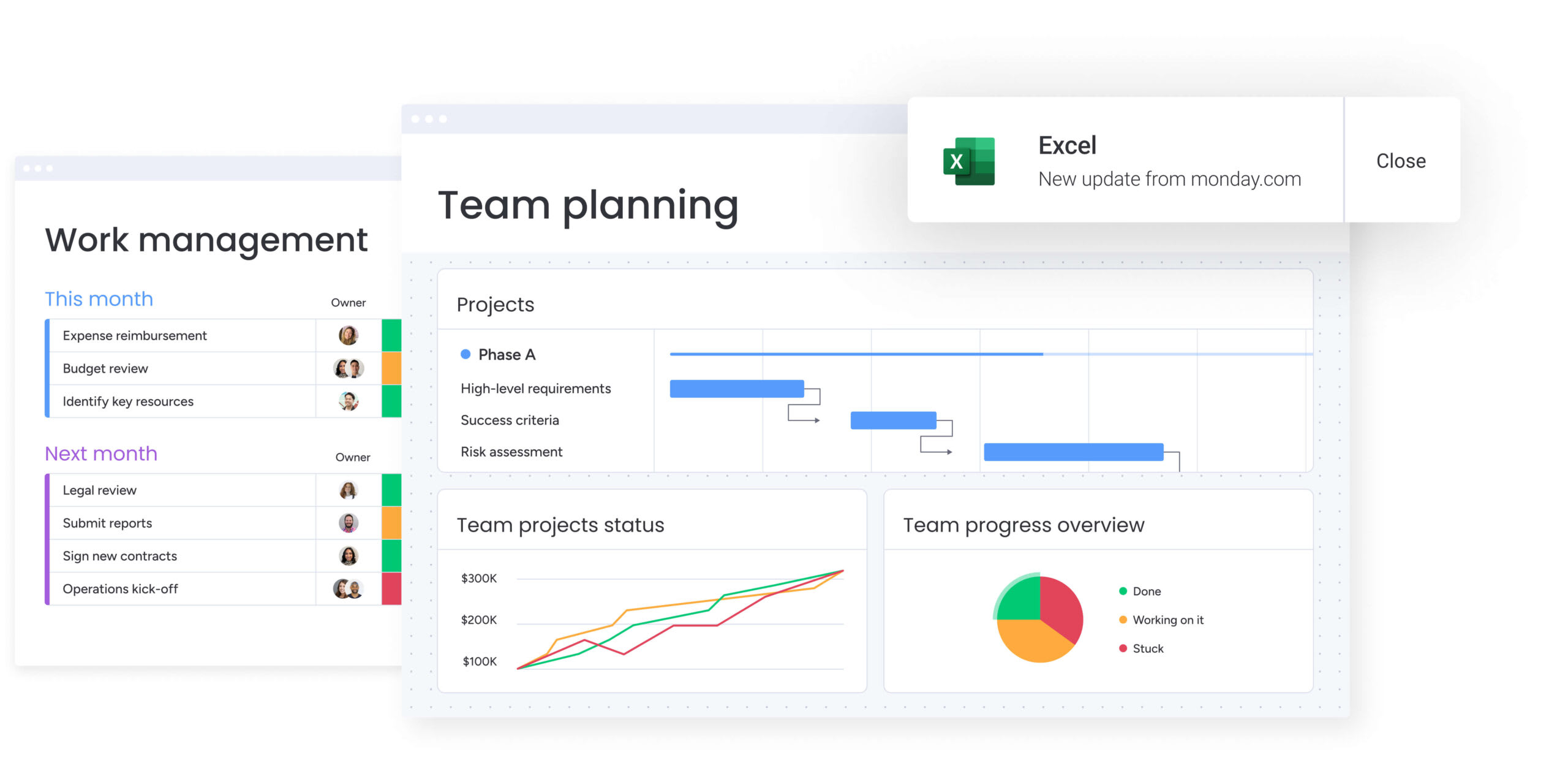
Within platforms like monday work management, teams use dashboards with 10+ drag-and-drop widgets to display live high-level project data for insights on budget, goals, schedules, resources, and more.
Automating PMBOK processes at scale
Automation supports consistent PMBOK process implementation across large project portfolios, reducing manual effort while ensuring compliance:
- Change control automation: workflows automatically route scope changes to the Change Control Board for approval, ensuring no unauthorized work occurs.
- Risk monitoring automation: systems trigger alerts when risk thresholds (e.g., budget variance > 10%) are exceeded.
- Stakeholder communication automation: updates are automatically dispatched to stakeholders based on their role and the project phase, ensuring consistent engagement.
Measuring knowledge area performance
Establishing metrics for knowledge area effectiveness allows organizations to improve their project management maturity. Quantitative metrics include Schedule Variance (SV) and Cost Performance Index (CPI), while qualitative assessments cover stakeholder satisfaction and team engagement scores.
Integrated platforms collect this data automatically, providing the analytics needed for data-driven decision-making and targeted training interventions.
Future-ready project management with AI and PMBOK
Artificial intelligence enhances the application of PMBOK knowledge areas by processing data at a scale humans cannot, supporting the project manager’s expertise rather than replacing it. AI transforms how organizations apply these timeless principles in increasingly complex project environments.
AI-powered risk identification across portfolios
AI analyzes patterns across historical and current project portfolios to identify risks that human project managers might miss. It provides predictive risk analysis and automated categorization:
- Schedule risks: AI algorithms identify potential delays by analyzing historical duration accuracy.
- Resource risks: predictive models flag potential resource conflicts weeks in advance based on cross-project utilization trends.
- Quality risks: machine learning analyzes defect patterns to predict where quality issues are likely to arise in current builds.
Automated resource allocation
AI optimizes Project Resource Management by analyzing skills, availability, workload, and project requirements to make data-driven allocation recommendations. This technology enhances human judgment by instantly processing complex availability variables across hundreds of team members, ensuring the right person is assigned to the right work at the right time.
Predictive analytics for project success
Predictive analytics analyze project data across all knowledge areas to forecast the probability of project success. By doing so, it supports proactive management by identifying intervention opportunities early. Project managers use these insights to adjust scope, budget, or resources before a project goes off track, shifting the focus from reactive problem-solving to strategic prevention.

“monday.com has been a life-changer. It gives us transparency, accountability, and a centralized place to manage projects across the globe".
Kendra Seier | Project Manager
“monday.com is the link that holds our business together — connecting our support office and stores with the visibility to move fast, stay consistent, and understand the impact on revenue.”
Duncan McHugh | Chief Operations OfficerTranslate PMBOK theory into tangible organizational success
As the execution layer for PMBOK theory, monday work management enables organizations to implement all ten knowledge areas through integrated workflows, automated processes, and real-time visibility. The platform transforms abstract concepts into actionable steps that teams can execute consistently across projects of any size or complexity.
Traditional implementation compares with the capabilities available on the platform:
| Traditional PMBOK implementation | monday work management approach | "When" actions should occur |
|---|---|---|
| Separate systems for each knowledge area | Integrated platform covering all 10 areas | Chronological progression |
| Manual process coordination | Automated workflow integration | Categorizes workflow (e.g., Planning, Closing) |
| Static documentation | Real-time, collaborative planning | Project progression and delivery |
| Reactive risk management | AI-powered predictive insights | |
| Siloed team communication | Centralized stakeholder engagement | |
| Manual progress tracking | Automated reporting and analytics |
The platform brings each knowledge area to life through these capabilities:
- Integration Management: use Workdocs to draft project charters collaboratively, with embedded timelines and automated approval workflows.
- Scope Management: custom forms capture and auto-categorize stakeholder requirements by priority, while hierarchical boards break deliverables into manageable tasks.
- Schedule Management: Dynamic Gantt views show dependencies, critical paths, and milestones. The Workload View prevents overallocation by visualizing team capacity against your timeline.
- Cost Management: track estimated vs. actual costs in real-time, with formula columns that automatically calculate variance.
- Risk Management: Portfolio Risk Insights uses AI to identify and prioritize risks across projects. Automated workflows assign mitigation owners and track progress.
- Communications Management: automated notifications keep stakeholders informed at key milestones, while integrated messaging centralizes all project communication.
Frequently asked questions
How many knowledge areas are in PMBOK 7th edition?
Regarding the number of knowledge areas in the PMBOK 7th edition, it maintains the same 10 knowledge areas established in the 5th edition, though the presentation format has evolved to emphasize principles and performance domains.
What is the best way to memorize all 10 PMBOK knowledge areas?
Visual memory techniques and mnemonics are effective for memorization, but understanding the relationships between areas creates deeper comprehension than rote memorization alone. Consider exploring project management books for additional learning resources.
Which PMBOK knowledge area should I focus on first?
Project Integration Management is the best starting point because it coordinates and unifies all other knowledge areas; Scope Management is critical next as it establishes the foundational boundaries of the project.
Can agile teams use PMBOK knowledge areas?
Yes, PMBOK knowledge areas are methodology-agnostic competency domains that apply to agile, waterfall, and hybrid approaches, though specific processes may be adapted.
How do PMBOK knowledge areas differ across industries?
The ten knowledge areas remain consistent across industries, but the emphasis and specific processes vary; construction projects may heavily emphasize Procurement and Risk, while software development may prioritize Scope and Quality.
What happened to the 10th knowledge area in earlier PMBOK versions?
Earlier PMBOK versions contained only nine knowledge areas; Project Stakeholder Management was added as the 10th area in the 5th edition to address the growing recognition that stakeholder engagement is a critical determinant of project success.

 Get started