

Your portfolio management platform needs to speed up execution, not drag it down. But too many organizations get trapped in 12-month implementation cycles, while their teams build workarounds for systems that feel outdated before launch day. When adoption stalls, so does the visibility leaders need to make confident decisions.
The shift away from rigid enterprise software is happening now. Organizations are moving toward platforms that deliver value in weeks, not years, seeking project management solutions that accelerate execution. They want systems teams actually use — with transparent pricing that won’t balloon into hidden consulting fees.
Below we’ve compared 15 Planview alternatives based on what matters most: implementation speed, cross-departmental collaboration, AI capabilities, and total cost of ownership. Whether you need to unify fragmented workflows or find a platform your team will actually adopt, these options are sure to match your priorities in 2026.
Key takeaways
- Faster time to value: modern Planview alternatives deploy in weeks, not months, helping teams see ROI before long enterprise rollouts would even finish discovery.
- Adoption drives visibility: platforms that are intuitive by design get used daily, which means leaders can finally trust portfolio data.
- Lower total cost of ownership: transparent per-user pricing replaces heavy consulting fees, ongoing customization costs, and retraining cycles.
- Stronger cross-team execution: the best alternatives connect strategy, projects, and resources across departments in one shared workspace.
- AI that supports real work: leading platforms use AI to predict risk, balance workloads, and automate workflows instead of adding surface-level features.

Waiting a year to roll out new software no longer fits how modern teams work. Organizations need platforms that deliver value quickly and adapt as priorities change, not systems that slow execution while implementation drags on.
Adoption is just as important. When tools are too complex for everyday use, teams create workarounds, updates fall behind, and visibility starts to break down. That loss of clarity makes it harder for leaders to understand capacity, spot risks, or plan confidently across the portfolio.
Cost has shifted too. License fees are only part of the picture. Long implementations, reliance on consultants, ongoing maintenance, and repeated retraining all increase total cost over time. As a result, many organizations are moving toward configurable work platforms that internal teams can manage themselves, rather than rigid project management systems that are difficult to change.
The alternatives in this comparison are assessed using a consistent set of criteria:
-
Implementation speed: how quickly teams can launch and start seeing value.
-
User adoption and usability: whether teams actually use the platform day to day.
-
Portfolio and workforce planning: visibility into capacity, ownership, and resource allocation.
-
Cross-departmental collaboration: how easily work connects across teams without silos.
-
Total cost of ownership: pricing transparency, consultant dependency, and long-term upkeep.
-
AI maturity: how effectively AI supports forecasting, automation, and risk management.
Many organizations are moving toward configurable work platforms that internal teams can manage themselves, rather than rigid project management systems that are difficult to change.
Best Planview alternatives to transform your work management
Enterprise portfolio management doesn’t have to mean rigid structures and painfully slow implementations. The ideal platform gives you high-level strategic visibility while keeping the flexibility teams need to execute.
This list covers a new class of adaptable software. From comprehensive Work OS solutions to niche platforms, these options connect strategy to execution in different ways.
Whether the goal is unifying fragmented work, automating manual processes, or simply finding a tool that teams enjoy using, these alternatives provide a solution. They create a single source of truth so you can run the business — not just manage projects.
1. monday work management
Connecting strategy to execution needs a unified environment where projects, portfolios, and resources live side-by-side. monday work management does this with rapid rollout and intuitive design — so leaders can trust their data because teams actually use it. It supports everything from high-level goals to daily processes in one place, cutting out heavy training.
This approach has even earned the platform the G2 award for Highest User Adoption for Enterprises.

Use case:
Organizations use the intuitive platform to create a connected operating rhythm. A PMO can streamline project intake with standardized forms, route approvals automatically, and track delivery via Gantt or Kanban views — all while feeding real-time data into executive dashboards.
Key features:
- Portfolio management: stakeholders get a consolidated view of progress, ownership, and risks by rolling up multiple projects into portfolio-level reports. Dependency mapping and critical path analysis help keep schedules grounded in reality.
- Resource management: managers can balance assignments dynamically using the Workload View and Widget for effective resource management. Integrated time tracking captures actual effort, enabling more accurate future forecasting.
- Strategic alignment: daily execution links directly to measurable outcomes through goals and OKRs. This ensures business units stay aligned on objectives via shareable reports and dashboards.
Advanced AI features:
- Risk management Product Power-up: proactive oversight becomes scalable with AI-driven insights designed to “mitigate risks across hundreds of projects.”
- AI Blocks: teams can embed intelligence directly into board columns to handle high-volume tasks. Capabilities include summarizing text, categorizing data, detecting sentiment, and extracting key details from files.
- Digital Workforce: a suite of Digital Workers takes on substantive tasks. The Project Analyzer, for example, monitors project health at scale, predicting delays and flagging bottlenecks to keep leaders ahead of issues.
Automations:
- No-code workflow control: repeatable processes become reliable through templates and automations that handle notifications, reminders, and approvals.
- Standardized project launch: teams can initiate new projects with consistent governance, fields, and owners using templated boards.
- AI-powered automation options: Pro and Enterprise users can leverage AI blocks to convert unstructured input into actionable, structured data automatically.
Integrations:
- Comprehensive ecosystem: over 200 integrations allow teams to connect their existing tech stack without dismantling current processes.
- Open API access: organizations with proprietary systems or niche workflows can build tailored connections.
- Common enterprise connections: native integrations exist for essential tools like Microsoft Teams, Slack, Jira Cloud, Zoom, Outlook, Gmail, Google Drive, and Excel.
Why it’s a strong alternative:
- High adoption by design: an interface that requires minimal training ensures rapid onboarding and reliable data entry.
- Speed to value: pre-built templates and connected reporting allow teams to launch workflows and iterate quickly as business priorities evolve.
- Freedom to customize with governance: users can configure views and workflows without coding, while IT retains control through enterprise-grade permissions.
Pricing:
- Free: $0 (up to two seats).
- Basic: $9/seat/month (billed annually, three-seat minimum).
- Standard: $12/seat/month (billed annually).
- Pro: $19/seat/month (billed annually).
- Enterprise: custom pricing
- Annual discount: save 18% with yearly billing.
- Volume pricing: request quotes for teams over 40 users.
Why it stands out:
- Proven adoption success: high adoption rates mean data integrity. G2’s recognition reflects the platform’s ability to get teams to actually use the software.
- Fast payback: organizations can achieve a return on investment in under four months, according to the Total Economic Impact™ study by Forrester.
- Enterprise-ready AI governance: AI features are designed with strict data privacy; customer data is not used to train models, and existing permissions are respected. Every account includes 500 free monthly AI credits for exploration.
2. Smartsheet
For teams that thrive on grid-based data, Smartsheet bridges the gap between simple spreadsheets and enterprise project management. It retains the familiar feel of Excel while layering on automated workflows and visual reporting, making it a strong fit for organizations with data-heavy processes that want to avoid a steep learning curve.

Use case:
Ideally suited for finance, operations, and data analysis teams who are already proficient in spreadsheets but need scalable work management features.
Key features:
- Grid interface enhanced with automation that triggers specific actions based on cell updates.
- Advanced reporting capabilities using cross-sheet references, complex formulas, and Gantt charts for project scheduling.
- Dashboards that aggregate portfolio-level data from multiple sheets without losing granular visibility.
Pricing:
- Pro: $9/month per user (billed annually) or $12/month (monthly billing) for one to ten members.
- Business: $19/month per user (billed annually) or $24/month (monthly billing) for 3+ members.
- Enterprise and Advanced Work Management: custom pricing available through sales.
- Premium add-ons like Control Center, Resource Management, and Connectors require additional investment.
- 30-day free trial available for all plans.
What to consider:
- Scaling can be tricky due to limits like 500,000 cells per sheet and workflow caps.
- While the grid is familiar, mastering advanced formulas and dashboard creation may require technical aptitude.
3. Asana
Through its proprietary Work Graph architecture, Asana links daily work items directly to broader strategic goals. It is particularly effective for fostering cross-functional collaboration in marketing teams and creative agencies where user adoption is prioritized over rigid methodology.
As a Gartner Magic Quadrant Leader used by 85% of the Fortune 100, it offers proven scalability.

Use case:
Creative agencies and marketing departments use Asana to coordinate tasks intuitively without getting bogged down in heavy project management structures.
Key features:
- Multiple project views: flexible visualization options include List, Board, Timeline, Gantt, and Calendar.
- Work Graph connectivity: tasks can be “multi-homed” in several projects simultaneously, ensuring updates are reflected everywhere to prevent duplication.
- Goals and Portfolios integration: top-down planning features align individual tasks with organizational objectives.
Pricing:
- Personal (Free): $0 for up to two users with basic tasks, projects, and collaboration features.
- Starter: $10.99/month per user (billed annually) with Timeline, Workflow Builder, Rules, dashboards, and Asana AI.
- Advanced: $24.99/month per user (billed annually) adding Goals, Portfolios, Workload management, and native time tracking.
- Enterprise and Enterprise+: custom pricing with advanced security, governance, SAML/SCIM, and compliance features.
- AI Studio add-on: basic included on paid plans; Plus at $135/month per account with 100k credits monthly.
- Annual billing discounts: save approximately 20% compared to monthly billing
- Nonprofit and education: 50% discount for qualifying organizations; 100% discount for eligible students (one year, Starter tier).
Considerations:
- Access to enterprise features like Portfolios and Goals is available on higher-tier plans.
- AI Teammates are currently in beta, with full availability not expected until Q1 FY27.
4. Wrike
Complex organizational workflows require a foundation built on security and intelligence. Wrike addresses this by offering deep customization and AI-driven insights, allowing enterprises to unify fragmented processes. It serves as a single source of truth for resource management and portfolio visibility, helping departments make data-backed decisions.

Use case:
Mid-market to enterprise organizations that need to manage resource-intensive operations and cross-functional projects with strict governance requirements.
Key features:
- AI-powered work intelligence: features like Wrike Copilot and Ask AI accelerate decision-making through automated insights and risk prediction.
- Custom work modeling: teams can structure workflows around specific entities — such as sprints or campaigns — using Work Models and Custom Item Types.
- Enterprise security and compliance: protection is ensured via Wrike Lock (customer-managed keys), SOC 2 Type II certification, and EU data residency.
Pricing:
- Free: $0/user/month — essential task management with board and table views (active task limits apply).
- Team: $10/user/month (2-15 users) — AI Essentials, shareable dashboards, interactive Gantt charts, custom fields and workflows.
- Business: $25/user/month (5-200 users) — AI Elite features, resource planning, templating, standard integrations.
- Pinnacle: Quote-only — advanced resource management, budgeting, advanced reporting, SSO, enhanced security.
- Apex: Quote-only — includes all AI Elite features, unlimited whiteboards, Datahub (30M records), and comprehensive add-ons.
Considerations:
- Configuring advanced workflows can be complex for teams lacking formal project management experience.
- Some users have reported latency issues with table views and report refreshing after updates.
5. Microsoft Project
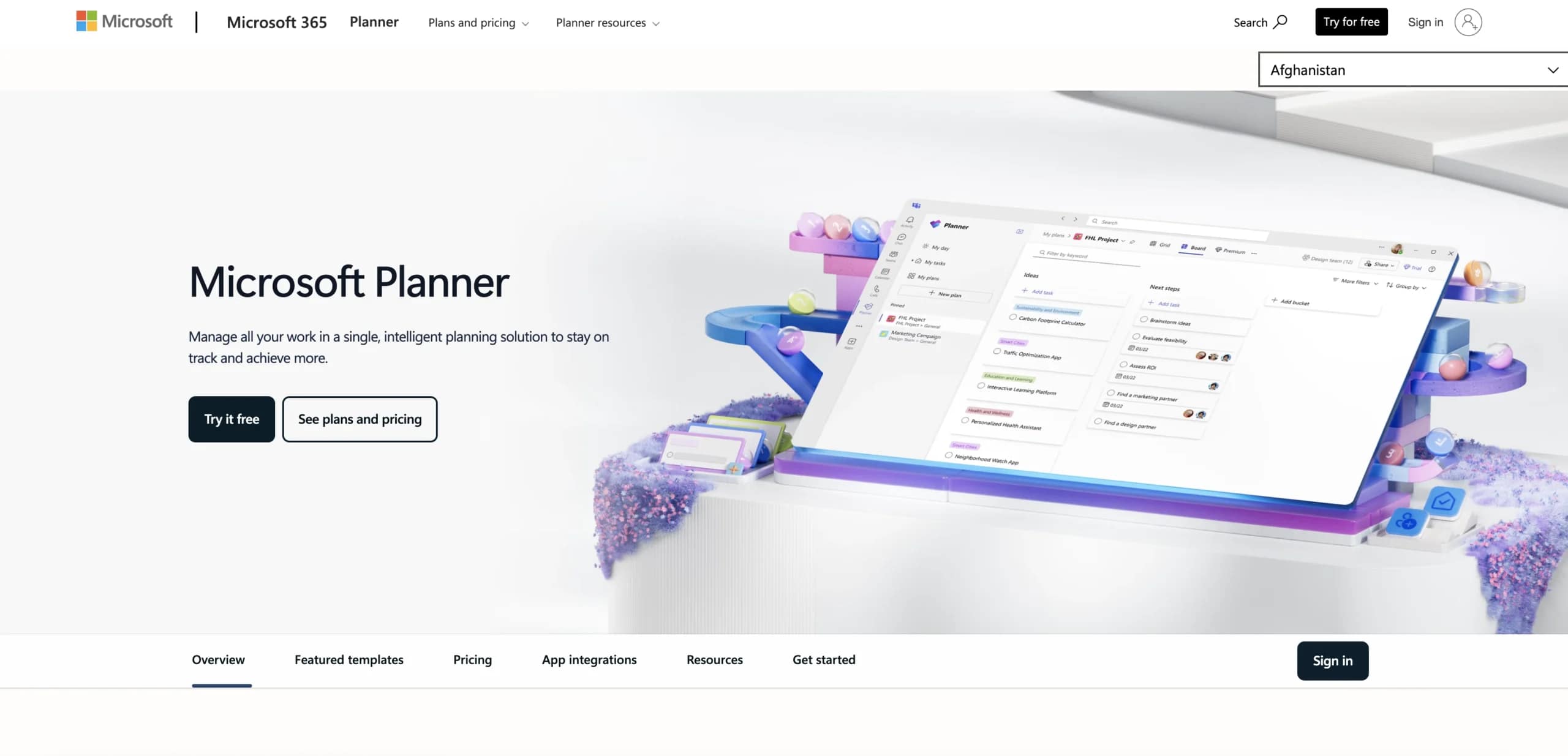
Enterprises deeply rooted in the Microsoft ecosystem often turn to Project for its rigorous scheduling capabilities. It remains a staple for organizations adhering to established waterfall methodologies, offering sophisticated tools for resource leveling and schedule management. Its strength lies in its seamless integration with Office 365, Power BI, and Teams.
Use case:
Organizations standardized on Microsoft 365 that require traditional, complex project scheduling and earned value management.
Key features:
- Advanced dependency management featuring critical path analysis and resource leveling.
- Deep connectivity across the Microsoft suite, including Excel and Power BI.
- AI assistance via Copilot and Project Manager agents for status updates and planning.
Pricing:
- Planner (included): free with Microsoft 365 plans.
- Planner Plan 1: $10/month (annual commitment).
- Planner and Project Plan 3: $30/month (annual commitment).
- Planner and Project Plan 5: $55/month (annual commitment).
- Project Standard 2024: $679.99 (one-time desktop license).
- Project Professional 2024: $1,129.99 (one-time desktop license).
Considerations:
- The consolidation of Project for the web into Planner has created some confusion regarding product direction.
- The interface retains a desktop-software feel, which may not appeal to teams looking for modern, cloud-native collaboration.
6. ServiceNow
Unifying IT service management with broader business portfolios is ServiceNow’s primary strength. It offers a single, AI-powered environment where strategic planning meets daily execution, making it a powerful option for large enterprises focused on governance. Companies already utilizing ServiceNow for IT operations can logically extend that investment to cover full-scale work management.

Use case:
Large enterprises that want to leverage their existing ServiceNow infrastructure to handle comprehensive project portfolio management and cross-departmental governance.
Key features:
- Strategic Portfolio Management (SPM): aligns investments and resources with strategy using agile, traditional, or hybrid methodologies.
- Collaborative Work Management (CWM): a central hub for tasking and planning, enhanced by AI for generating stories and summarizing feedback.
- Enterprise workflow automation: extensive integration capabilities allow for complex processes that span HR, CRM, and ERP systems.
Pricing:
- Pricing structure: quote-only enterprise pricing with Standard, Pro, and Enterprise tiers.
- AI add-ons: Pro Plus and Enterprise Plus bundles available for advanced AI features.
- Additional costs: integration/Workflow Data Fabric credits, professional services, and store applications add to total cost of ownership.
- Enterprise discounts: negotiated pricing available through enterprise agreements, with some government contracts showing discounts up to 70%.
Considerations:
- Implementation is complex and costly, often requiring specialized consultants and technical expertise.
- Administrative maintenance can be heavy, and the learning curve is steep for non-technical users.
7. Jira
Originally built for developers, Jira has evolved to bridge the divide between technical and business teams. Its platform ensures that software development lifecycles and general business operations remain in sync, providing unified visibility. With deep penetration in the enterprise market, it is a go-to for organizations that need to connect non-technical workflows with engineering tasks.

Use case:
Companies that need to align cross-functional projects involving both software development teams and business units like marketing or operations.
Key features:
- Flexible views including Kanban boards, timelines (Gantt), lists, and calendars, all supported by embedded automation.
- AI features via Rovo and Teamwork Graph that handle enterprise search and cross-platform task automation.
- Native goal linking that ties daily activities to organizational OKRs.
Pricing:
- Free: $0/month for up to ten users,
- Standard: $7.16/user/month (billed annually).
- Premium: $12.48/user/month (billed annually) with 24/7 support, sandbox environment, and 99.9% SLA.
- Enterprise: custom pricing with 99.95% SLA and advanced governance features.
- Volume discounts available for 101+ users.
- Annual billing saves up to 17%.
- Marketplace apps and Atlassian Guard (SSO/SCIM) billed separately.
Considerations:
- Essential governance tools, such as workflow approvals, are restricted to Premium or Enterprise tiers.
- Monthly automation limits can be a bottleneck for organizations with process-heavy workflows.
8. Celoxis
Profitability and execution go hand-in-hand within Celoxis. Targeted at consulting firms and professional services, the platform integrates deep financial tracking directly into project management. It combines traditional PPM capabilities with modern AI to serve businesses that need to monitor project margins as closely as they monitor deadlines.

Use case:
Consulting firms and service-based organizations requiring a unified platform for resource planning, project management, and financial accounting.
Key features:
- Comprehensive project accounting that includes revenue forecasting, profit tracking, and billing.
- Resource tools featuring workload heatmaps and capacity planning to prevent burnout.
- An AI assistant, Lex, which offers natural-language insights and identifies risks.
Pricing:
- Core: $10/month (annual billing, includes two free read-only users).
- Essentials: $25/month for Standard users, $18/month for Team Members, $12/month for Timesheet users (includes 5 free read-only users).
- Professional: $35/month for Standard users, $24/month for Team Members, $12/month for Timesheet users (includes 10 free read-only users).
- Business: $45/month for Standard users, $29/month for Team Members, $14/month for Timesheet users (includes 15 free read-only users).
- Enterprise: custom pricing available.
- Minimum five full-access users required.
- On-premise deployment available with quote-based licensing.
Considerations:
- The interface may feel dated compared to newer cloud tools, presenting a learning curve.
- Mobile functionality is limited, resembling a compressed web browser version rather than a native app.
9. Trello
Visual simplicity drives Trello’s approach to productivity. By utilizing intuitive Kanban boards, it allows teams to drag and drop tasks through various stages, making status updates immediately apparent. It is an excellent choice for groups that want to bypass complex setup and start collaborating instantly.

Use case:
Small to mid-sized teams that prefer visual task organization over rigid project planning methodologies.
Key features:
- Card-based task management on Kanban boards.
- Butler automation to handle repetitive tasks (unlimited runs on Premium).
- Additional views like Timeline, Table, and Calendar for broader visibility.
Pricing:
- Free: $0/month for up to ten collaborators with basic boards and 250 automation runs.
- Standard: $5/user/month (billed annually) with unlimited boards and 1,000 automation runs.
- Premium: $10/user/month (billed annually) including advanced views, unlimited automation, and admin controls.
- Enterprise: starting at $17.50/user/month (minimum $10,000 annual spend) with SSO and enterprise security features.
Considerations:
- It lacks the deep dependency management and Gantt scheduling found in full-scale project management tools.
- Large boards with thousands of cards can suffer from performance issues.
10. Airtable
Airtable functions less like a standard project manager and more like a flexible database for building custom apps. It appeals to teams with unique data structures, offering a relational foundation that scales to millions of records. With AI-native app building, it positions itself as a business operating system capable of handling complex, interconnected workflows.

Use case:
Organizations that need to build custom workflows and manage complex data relationships across departments.
Key features:
- Relational database structure: HyperDB supports up to 100 million records per table, allowing for real-time sync across tables.
- AI-native app builder: Omni AI allows users to generate custom apps using natural language, while AI Agents handle tasks like web research.
- Enterprise governance: security features include SOC 2 Type II certification, Enterprise Key Management, and ISO 27001 compliance.
Pricing:
- Free: basic usage with entry-level limits.
- Team: $20/month per collaborator (billed annually) or $24/month (billed monthly).
- Business: $45/month per collaborator (billed annually) or $54/month (billed monthly).
- Enterprise Scale: custom pricing (contact sales).
- Annual billing discounts included in listed prices.
- 50% discounts available for qualifying nonprofits and education.
- 14-day Team trial for new workspaces.
Considerations:
- Costs can escalate as teams scale due to limits on records and API usage.
- The learning curve is steeper than typical project tools, especially for building advanced logic and automations.
11. Zoho Projects
As part of a wider business ecosystem, Zoho Projects connects execution tasks with CRM and finance data. It is a strong contender for organizations looking to consolidate operations, offering robust features like earned value management at a competitive price point. The platform excels at integrating project delivery with broader business functions.

Use case:
Businesses already using Zoho products that want to add integrated project management capabilities.
Key features:
- Gantt charts that support critical path analysis and cross-project dependencies.
- Blueprint automation to enforce process consistency.
- Native time tracking that integrates directly with Zoho Books for invoicing.
Pricing:
- Free: up to five users with limited projects.
- Premium: $4/user/month (billed annually).
- Enterprise: $9/user/month (billed annually).
- Annual billing saves over 15% compared to monthly plans.
- Premium Support available at 20% of license fee.
Considerations:
- The feature-dense interface can be overwhelming for new users.
- Mobile capabilities are sometimes less robust than the desktop experience.
12. Teamwork
Client-facing work demands specific tools for billing and external collaboration, which is where Teamwork excels. The platform is engineered for agencies that need to track billable hours and manage project margins while keeping clients in the loop. By offering unlimited free client users, it streamlines communication without inflating costs.

Use case:
Agencies and professional services firms that require integrated time tracking, billing, and client portals.
Key features:
- Native billing and time tracking with multi-currency support.
- Resource management tools including Workload Planner and long-term scheduling.
- Client collaboration features like proofs and dashboards.
Pricing:
- Free: basic project management for small teams.
- Deliver: $10.99/month per user (billed annually, minimum three users).
- Grow: $19.99/month per user (billed annually, minimum five users).
- Scale: contact sales for advanced profitability and resource features.
- Enterprise: contact sales for full enterprise capabilities.
- Annual billing saves up to 20%.
- 30-day free trial available.
Considerations:
- Key profitability and resource features are reserved for higher-tier plans.
- The mobile app has received mixed feedback, which could affect field teams.
13. GoodDay
Accountability drives the workflow within GoodDay. Its “Action Required” system ensures that handoffs never stall by clearly identifying who holds the ball for every item. Combining project execution with strategic goal tracking, it offers a cost-effective alternative for organizations that want to consolidate business process management and project tools.

Use case:
Organizations looking for a unified system that blends project management with goal tracking and business processes.
Key features:
- Action Required workflow: a system that tracks the next responsible party for every task.
- Configurable views: over 20 options including Risk Matrix, Portfolio, and Gantt.
- Integrated modules: higher tiers include HR, Finance, and CRM capabilities.
Pricing:
- Free: up to 15 users with unlimited projects, 1 GB storage, and basic analytics.
- Professional: $4-$6/user/month (annually vs. monthly) with unlimited storage, time tracking, Gantt charts, and API access.
- Business: $7-$10/user/month (annually vs. monthly) adding resource management, CRM, Finance module, and custom branding.
- Enterprise: quote-only pricing with advanced security, SAML SSO, and private cloud options
- Annual billing saves 30% across all paid tiers.
Considerations:
- Mobile functionality is limited compared to the desktop version.
- Customizing views and workflows involves a significant learning curve.
14. Planisware
Highly regulated industries like aerospace and pharmaceuticals require the rigorous governance that Planisware provides. It focuses on advanced portfolio optimization and complex resource management, catering to large enterprises that manage intricate programs across multiple business units.

Use case:
Large enterprises in regulated sectors needing sophisticated portfolio optimization and strict governance.
Key features:
- Scenario modeling and strategic criteria evaluation for portfolio optimization.
- Detailed capacity planning and skills-based resource allocation.
- Support for complex project structures with multiple gates and phases.
Pricing:
- Pricing is quote-only via sales engagement.
- Enterprise agreements typically structured as per-user, tiered licensing tailored to scope and modules.
- Training programs publicly priced (Enterprise Power User $1,250 first year; Administrator Learning Plan $3,500).
- Group discounts available for training programs.
Considerations:
- Implementation is typically long and expensive, characteristic of traditional enterprise software.
- The complexity necessitates dedicated technical staff and change management.
15. GitLab
GitLab eliminates toolchain fragmentation by embedding project management directly into the DevSecOps lifecycle. It unifies planning, coding, and deployment, making it the preferred choice for technical organizations that want to streamline their workflows. Used by over 50% of the Fortune 100, it serves as a single application for the entire software development process.

Use case:
Technical teams that want to integrate project management with their DevOps workflows.
Key features:
- Unified work items: a common framework for tasks, epics, and issues that supports Scrum and Kanban.
- Integrated DevSecOps: planning, security scanning, and CI/CD pipelines exist in one platform.
- Value stream analytics: visibility into flow metrics from idea to deployment.
Pricing:
- Free: $0/user/month with 400 compute minutes and 10 GiB storage per project.
- Premium: $29/user/month (billed annually) with advanced CI/CD and 10,000 compute minutes
- Ultimate: quote-based pricing with application security, compliance features, and 50,000 compute minutes.
- Enterprise Agile Planning add-on: $15/user/month for Ultimate tier customers.
- GitLab Duo Pro: $19/user/month for AI capabilities.
- Additional compute minutes: $10 per 1,000 minutes.
Considerations:
- Some work item features are still in beta.
- Its design is heavily focused on technical workflows, making it less suitable for general business use.
Key factors when choosing a Planview alternative
Choosing a Planview alternative is an operational decision that shapes how work gets planned, funded, and delivered across the organization. The right platform accelerates execution and decision-making. However, the wrong one adds friction, slows teams down, and limits visibility when it matters most.
Implementation speed and time to value
Waiting 12 to 18 months to deploy legacy software is an expensive opportunity cost. By the time the system is live, business requirements may have already shifted. Adaptable platforms disrupt this cycle.
Platforms like monday work management allow teams to launch core workflows in weeks using pre-built templates. This rapid deployment translates to faster ROI — often in under four months — while competitors are still in the consulting phase.
Cross-departmental collaboration
Silos are the enemy of enterprise success. Effective platforms must connect work across finance, marketing, and operations without compromising security. A unified workspace solves this by linking workflows automatically. When a marketing campaign is tied directly to product launches and sales data, leaders get a holistic view of execution without the administrative headache.
Total cost of ownership beyond the license fee
The sticker price is rarely the final cost. True ownership costs include implementation fees, maintenance, and the hidden expense of low adoption. Platforms that require specialized consultants drive these costs up.
Conversely, intuitive, no-code platforms lower TCO by empowering internal teams to build their own solutions and integrate with existing tools: this reduces IT dependency and ensures the investment yields a higher return.
How AI transforms modern work management platforms
AI has graduated from a buzzword to a fundamental operational necessity. Modern platforms leverage intelligence to predict risks, optimize resources, and automate complex workflows, transforming raw data into decisive action without requiring a team of data scientists.
AI-powered resource optimization
Reactive resource allocation based on spreadsheets is a recipe for burnout and conflict. AI changes this dynamic by analyzing performance patterns to predict needs before they arise. It enables leaders to balance workloads weeks in advance and match tasks to team members based on skills and availability.
With advanced platforms like monday work management, this intelligence routes work based on real-time capacity, turning resource management into a proactive strategy.
Automated risk detection and prevention
Continuous, automated monitoring is far superior to periodic status checks. AI acts as a vigilant co-pilot, scanning historical data to identify early warning signs of budget overruns or missed deadlines. It can detect budget variances, flag dependency conflicts across projects, and spot performance anomalies. This allows leaders to address issues immediately rather than reacting after the fact.
Intelligent workflow automation
True automation goes beyond simple “if this, then that” rules. Intelligent systems analyze context to suggest the right priority, assignee, and due date. They can optimize processes by identifying bottlenecks, interpret natural language to categorize requests, and anticipate needs based on predictive triggers.
With monday work management, teams can build these sophisticated workflows without code, using AI to summarize, categorize, and route work automatically.

Why monday work management stands out among Planview alternatives
Selecting an alternative to Planview shouldn’t require trading power for usability. monday work management bridges this divide, offering sophisticated portfolio management wrapped in an interface that drives genuine organization-wide adoption.
Here’s how the platform distinguishes itself in 2026:
- Drive unmatched adoption: features mean nothing if they aren’t used. Recognized by G2 for Highest User Adoption for Enterprises, monday work management ensures that the data leaders see is current and reliable.
- Realize value in weeks: traditional deployments can drag on for over a year. Organizations using monday work management typically launch in two to four weeks, achieving payback in less than four months.
- Unify portfolio visibility: Real-time, customizable dashboards connect high-level strategy to ground-level execution, providing every stakeholder — from executives to managers—with the specific insights they require.
- Harness practical AI: intelligence is integrated into the core workflow. Portfolio Risk Insights predict delays, while AI Blocks allow any user to build smart automations without coding.
- Scale with confidence: built for ambitious enterprises, the platform offers multi-level permissions, audit trails, and compliance with key security standards, all while connecting to your tech stack through 200+ integrations and an open API.

“monday.com has been a life-changer. It gives us transparency, accountability, and a centralized place to manage projects across the globe".
Kendra Seier | Project Manager
“monday.com is the link that holds our business together — connecting our support office and stores with the visibility to move fast, stay consistent, and understand the impact on revenue.”
Duncan McHugh | Chief Operations OfficerHow to make the right choice for your organization
Adopting a new platform offers a unique opportunity to re-engineer how your organization functions. Success requires a deliberate strategy to ensure the tool you select fits your current needs while supporting future growth.
To build a solid decision framework, focus on these four areas:
Step 1: assess your current state
Identify the specific friction points in your current process. Be honest about what isn’t working and measure the impact on your business goals to establish a baseline for improvement.
Step 2: define your future vision
Don’t just solve today’s problems. Look for a platform that will support your strategic evolution and scale with you as your organization grows.
Step 3: align your people
Involve stakeholders from various departments early in the process. A platform must serve the needs of executives requiring visibility as well as the teams managing daily execution.
Step 4: prioritize what matters most
Finally, determine your non-negotiables. Whether it is rapid implementation, deep customization, or user experience, knowing your top priorities will clarify the decision.
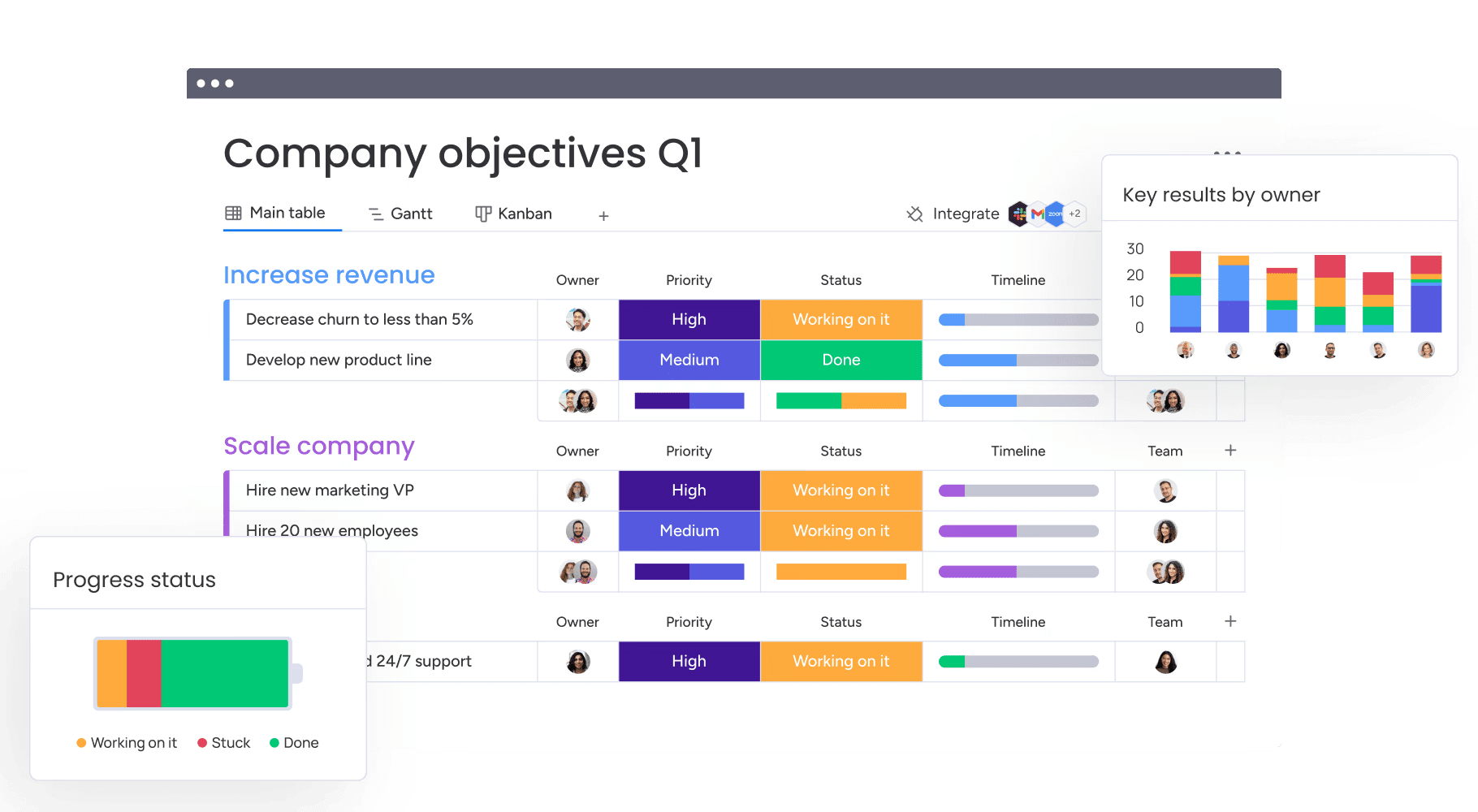
The ultimate goal is empowerment. Leaders who choose platforms like monday work management enable their teams to build tailored workflows, turning a software migration into a catalyst for business-wide improvement.
Build a future-ready operating system today
Moving away from inflexible legacy tools is fundamentally about gaining agility. By selecting adaptable platforms like monday work management, organizations position themselves to pivot quickly, align strategy with execution, and foster adoption across every department.
When speed to value and user experience take center stage, data flows freely, and teams are empowered to perform at their best. The right platform evolves beyond simple project management— it becomes the operating system that drives the business forward.
Frequently asked questions
What is the difference between Planview and Planview alternatives?
The core difference is how quickly teams can get value from the platform. Planview is designed for highly structured, enterprise portfolio management and typically requires long implementation cycles, specialized training, and external consulting.
How much do Planview alternatives typically cost?
Most alternatives utilize a transparent per-user pricing model, which lowers the total cost of ownership. This approach avoids the heavy consulting fees and extensive training costs associated with traditional enterprise software.
Which Planview alternative is best for enterprise organizations?
monday work management is a top contender for enterprises, offering a balance of portfolio management, security, and high user adoption. It connects strategy to execution effectively without the complexity inherent in legacy systems.
Can I migrate my data from Planview to these alternatives?
Yes, migration is supported by most platforms through APIs, CSV imports, or professional services. monday work management, for example, offers dedicated support to ensure historical data is transferred smoothly.
What is the fastest Planview alternative to implement?
Platforms like monday work management are designed for speed, typically deploying in weeks rather than months. Pre-built templates and no-code builders accelerate the process, allowing teams to onboard and see value quickly.
Which alternatives offer the best resource management features?
monday work management offers strong resource management capabilities, including workload views and AI-powered optimization. This ensures that capacity is planned effectively and the right talent is assigned to the right tasks across the portfolio.

 Get started