


Modern teams rely on an expanding stack of tools to get work done. Messaging apps handle communication, spreadsheets track progress, and project boards attempt to impose order. The result is functional but fragmented. Information exists, yet locating the latest update or understanding true status often requires more coordination than execution.
Organization apps exist to solve this fragmentation. At their best, they centralize work, connect teams that typically operate in silos, and provide leadership with real-time visibility into progress and risk. At their worst, they add complexity, duplicate effort, and become yet another system that teams are expected to maintain.
The difference lies in how well a platform supports real operational needs. Enterprise teams require more than task lists. They need systems that scale across departments, integrate with existing tools, support governance and security requirements, and adapt as processes evolve.
This guide breaks down 15 organization apps designed for teams in 2026, with a focus on enterprise readiness. It examines where each platform excels, where it falls short, and how to evaluate tools based on workflow complexity, AI capabilities, and long-term scalability.
Key takeaways
- The best organization apps act as operating systems, not task lists: enterprise-ready tools connect strategy, execution, resources, and reporting in one place, reducing fragmentation across teams.
- Scalability and integrations matter more than feature count: platforms that grow from small teams to global organizations and integrate deeply with existing tools deliver longer-term value.
- AI is shifting organization from manual coordination to proactive management: modern apps use AI for workload balancing, forecasting risks, and optimizing resources before problems surface.
- Successful adoption depends on rollout strategy, not software alone: mapping workflows, tailoring configurations, training champions, and iterating post-launch are critical for real impact.
- Unified work management platforms like monday work management enable enterprise visibility: by centralizing workflows, automations, and reporting, leaders gain real-time insight without chasing updates.
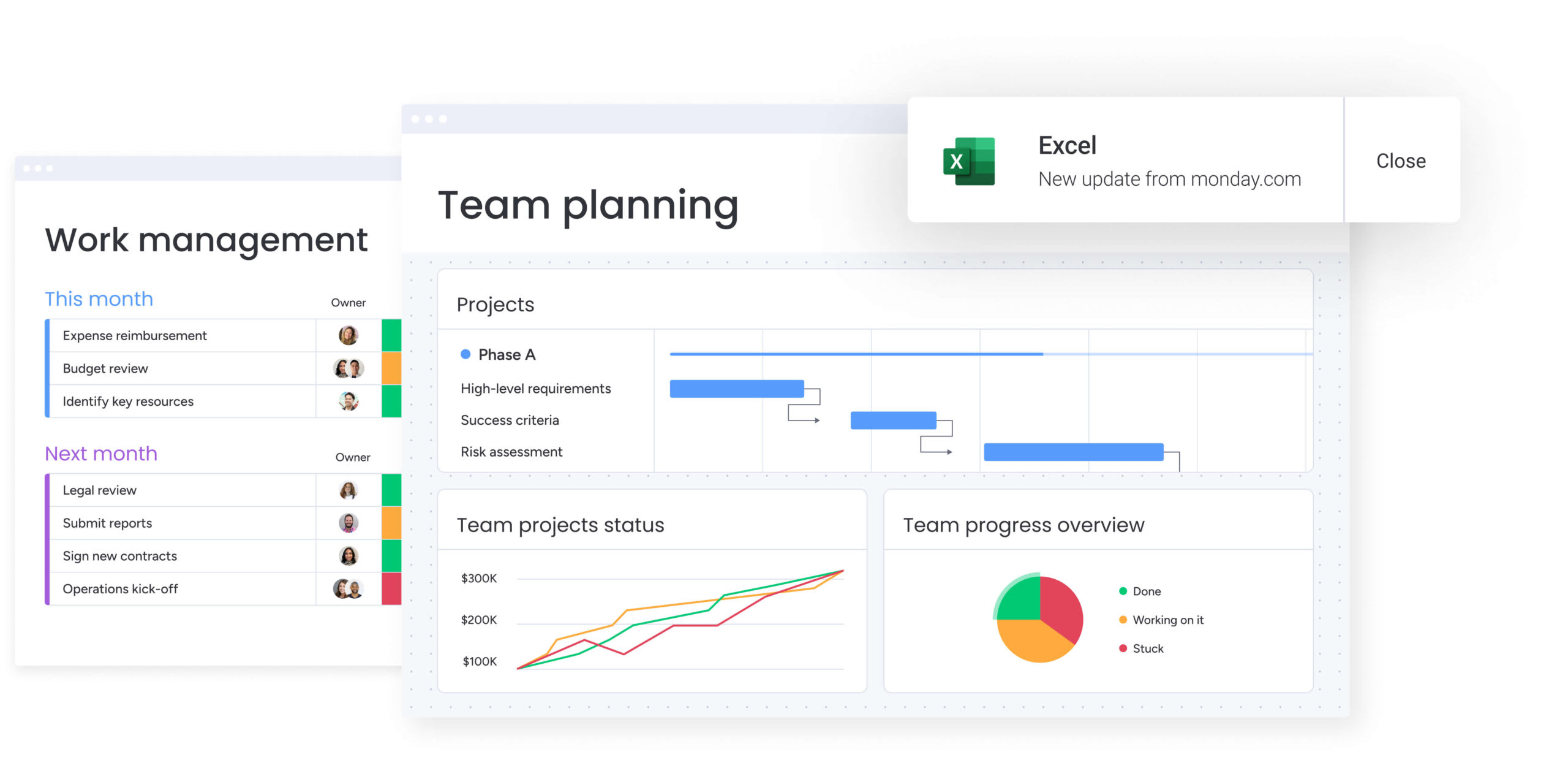
A great organization app supports how a business runs, not just where files are stored. It goes beyond tracking individual projects and connects high-level strategy with everyday execution. The difference between a basic platform and a true operating system lies in how effectively it brings planning, coordination, and visibility together.
Strong organization platforms focus on enabling clarity at scale. They help teams understand priorities, reduce friction between departments, and keep work moving without constant manual oversight. When designed well, the platform becomes a foundation for how decisions are made and how work progresses.
Top solutions are built around a few essential capabilities:
- Elastic scalability: the software must grow alongside the organization, supporting the shift from a single team sprint to a global portfolio without performance issues or disruptive migrations.
- Silo-busting workflows: marketing, finance, and operations should stay connected, allowing work to move smoothly across teams instead of stalling in departmental silos.
- Ecosystem connectivity: strong APIs and native integrations turn the platform into a central digital workspace, pulling data from existing systems and reducing constant app switching.
The goal is unification. When project management, resource planning, and strategic oversight live in one place, leaders gain real-time visibility and can make faster, more informed decisions.
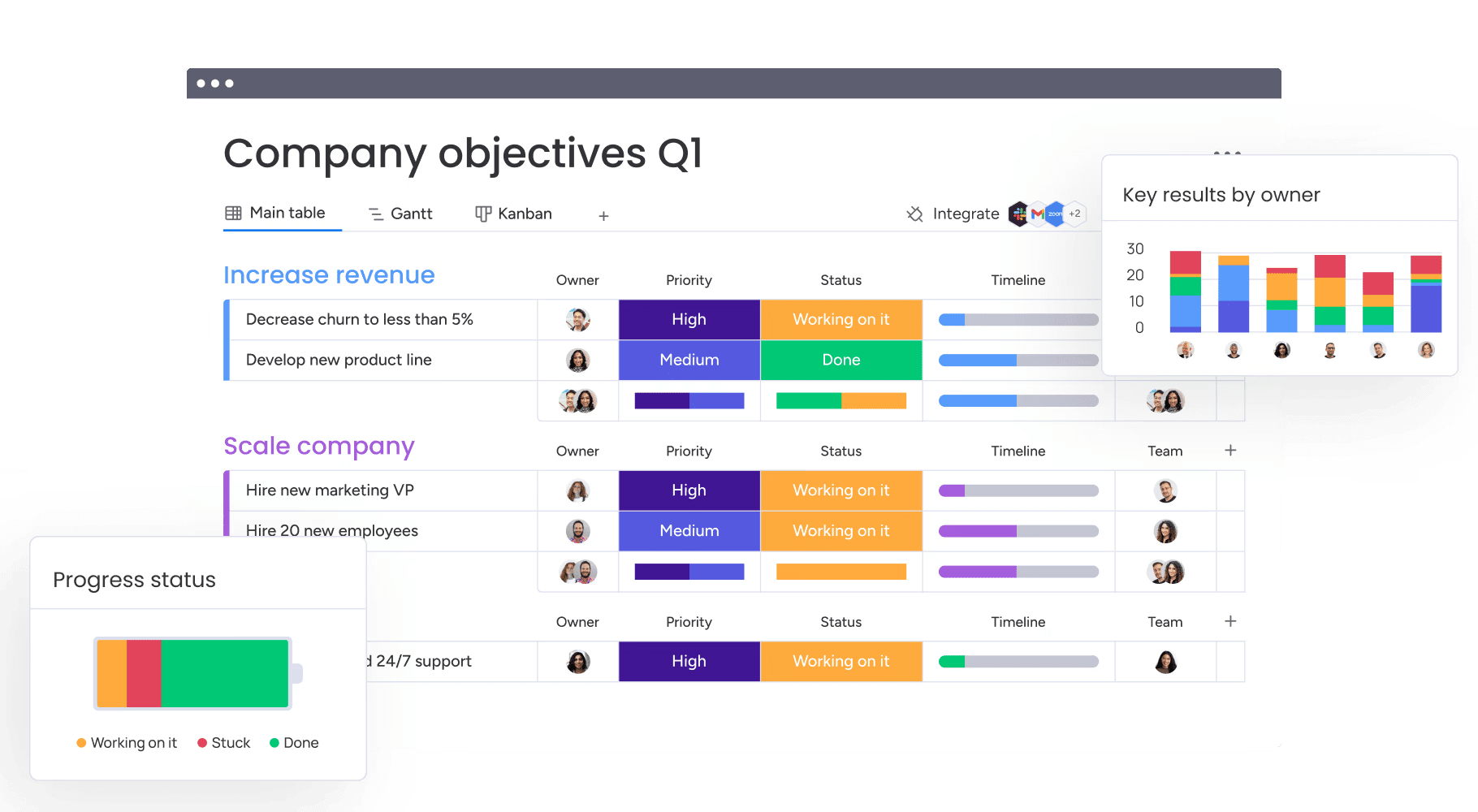
15 best organization apps that scale with your team
The right platform grows with the organization. The challenge is finding software that works just as well for five people as it does for five thousand.
Scalable platforms adapt to how teams already work rather than forcing rigid processes. They connect with existing tools, surface meaningful insights, and provide the visibility leaders need to guide decisions. This marks a shift from simply tracking work to actively orchestrating the business.
Below are fifteen organization apps designed to support teams at different stages, from lightweight boards to full work management systems.
1. monday work management
monday work management helps organizations turn complexity into clarity. It gives teams a flexible foundation to plan, execute, and track work in one shared environment, without forcing them into rigid processes or disconnected tools.
Built on the monday Work OS, the platform adapts to how different teams operate while maintaining enterprise-wide visibility. As organizations scale, monday work management becomes the system that keeps strategy and execution aligned across departments.
Use case: mid-market and enterprise organizations looking to replace fragmented tools with a unified platform that supports cross-functional workflows, operational visibility, and scalable governance.
Key features:
- Flexible workflows: boards, views, and automations adapt to team-specific processes without code or heavy configuration.
- Connected departments: work flows seamlessly across teams such as marketing, operations, finance, and product, reducing handoffs and delays.
- Real-time insights: custom dashboards provide leaders with an always-updated view of progress, risks, and resources.
- Automation that reduces friction: rule-based automations handle updates, notifications, and approvals automatically.
- Enterprise-ready controls: advanced permissions, audit logs, and admin tools support secure collaboration at scale.
Pricing:
- Free: basic features with up to two seats.
- Basic: $9/seat/month.
- Standard: $12/seat/month.
- Pro: $19/seat/month.
- Enterprise: pricing available upon request.
Why it stands out:
- Designed as a Work OS: built to support how entire organizations operate, not just how individual projects are tracked.
- Scales with confidence: supports everything from small teams to global enterprises without replatforming.
- Strong ecosystem: 200+ native integrations and a robust API keep work connected across the tech stack.
- Enterprise-grade security: SOC 2 Type II compliance, SSO, and granular permissioning meet strict governance needs.
- High team adoption: intuitive configuration makes it easy for teams to adopt while giving leaders the visibility they need.
2. Asana
Asana is designed to help teams bring structure and accountability to complex projects. It emphasizes clarity around ownership, timelines, and dependencies, making it a strong choice for organizations that value predictability and process discipline.
The platform is particularly effective for coordinating multi-step initiatives where work needs to move through clearly defined stages. Asana’s structured approach makes it easier for teams to understand what needs to happen next and who is responsible at each point.
Use case: mid-sized and enterprise teams managing structured, deadline-driven initiatives such as campaigns, product launches, and operational rollouts.
Key features:
- Task dependencies: clear sequencing ensures work progresses in the correct order and highlights blockers early.
- Timeline view: visual project timelines help teams plan, adjust, and communicate delivery expectations.
- Goal tracking: connects day-to-day work to higher-level objectives through built-in goals and milestones.
- Workflow automation: rules automate status changes, assignments, and notifications to reduce manual coordination.
- Collaboration tools: comments, file attachments, and @mentions keep context tied directly to work items.
Pricing:
- Personal: free for individuals and small teams.
- Starter: $10.99/user/month.
- Advanced: $24.99/user/month.
- Enterprise: pricing available upon request.
Considerations:
- Less flexible for non-linear work: rigid task structures can feel limiting for teams with highly dynamic or exploratory workflows.
- Cross-department visibility can be fragmented: managing work across many teams often requires additional setup and conventions.
- Reporting depth varies by plan: advanced analytics and portfolio insights are gated behind higher tiers.
- Customization requires discipline: large organizations may need governance guidelines to keep workspaces consistent.
3. Notion
Notion takes a modular approach to organization, combining documents, databases, and project tracking into a single flexible workspace. Rather than prescribing how teams should work, it provides building blocks that can be assembled to match a wide range of processes.
This flexibility makes Notion appealing to teams that want to design their own systems from scratch. At the same time, that openness means the platform’s effectiveness depends heavily on how thoughtfully it is configured and maintained.

Use case: teams that value flexibility and want to build custom knowledge bases, project trackers, and internal documentation within one workspace.
Key features:
- Modular databases: create custom tables, boards, and views that can power projects, roadmaps, and knowledge hubs.
- Docs and wikis: centralize documentation, meeting notes, and policies alongside structured work.
- Linked data: connect databases to reduce duplication and keep information in sync.
- Templates: pre-built and community templates accelerate setup for common workflows.
- Collaboration tools: real-time editing, comments, and mentions support team collaboration.
Pricing:
- Free: basic features for individuals.
- Plus: $8/user/month.
- Business: $15/user/month.
- Enterprise: pricing available upon request.
Considerations:
- Setup requires investment: teams must design and maintain their own systems, which can slow initial adoption.
- Governance can be challenging: without clear standards, large workspaces may become inconsistent over time.
- Limited workflow automation: automation and operational controls are lighter than in dedicated work management platforms.
- Reporting is less robust: portfolio-level insights and executive dashboards require additional configuration or external tools.
4. Google Calendar and Keep
For those entrenched in the Google ecosystem, the Calendar and Keep combination offers a path of least resistance. It eliminates the friction of switching apps by embedding scheduling and note-taking directly into the workflow you already use.

Use case: teams committed to Google Workspace who prefer a streamlined, integrated approach over third-party complexity.
Key features:
- Appointment slots: business tiers allow for external booking pages with payment integration.
- Instant capture: allows for rapid note-taking with OCR capabilities, syncing instantly across devices.
- Contextual scheduling: Gmail integration suggests meeting times based on email content and calendar availability.
Pricing:
- Business Starter: $6/user/month.
- Business Standard: $12/user/month (adds appointment booking).
- Business Plus: $18/user/month (enhanced security).
Considerations:
- Advanced time-management features are gated behind higher tiers.
- Google is migrating Keep reminders to Google Tasks, which may alter established workflows.
5. Apple Reminders
Apple Reminders leverages the ubiquity of the Apple ecosystem to reduce friction. It focuses on capturing tasks the moment they arise, using deep hardware integration to trigger alerts based on location or messaging context.

Use case: individuals and small teams living entirely within the Apple hardware ecosystem who value speed and native integration over granular project reporting.
Key features:
- Siri integration: voice capture and Control Center access make adding tasks effortless.
- Contextual triggers: reminders can fire when you arrive at a location or start texting a specific person.
- Column view: lists can be visualized as Kanban boards for basic workflow management.
Pricing:
- Free: standard with Apple ID.
- iCloud+: paid tiers starting at $0.99/month for extra storage and features.
Considerations:
- It is effectively a walled garden; non-Apple users are relegated to a basic web interface.
- It lacks the resource management and portfolio oversight required for enterprise operations.
6. Microsoft To-Do
Microsoft To-Do is designed to help individuals and teams manage daily work within the Microsoft 365 ecosystem. Rather than operating as a standalone platform, it acts as a unifying layer that brings together tasks from Outlook, Planner, and other Microsoft tools into one focused interface.
For organizations already standardized on Microsoft 365, To-Do provides a familiar and low-friction way to centralize personal and assigned work. It prioritizes simplicity and consistency over advanced workflow design, making it best suited for task-level organization rather than full operational management.

Use case: corporate environments running on Microsoft 365 that need a unified task aggregator with enterprise-grade security.
Key features:
- My Day: a daily planning interface that resets every morning, helping users prioritize fresh.
- Ecosystem sync: automatic synchronization with Outlook Tasks and Teams.
- Centralized hub: consolidates tasks from various Microsoft apps into one list.
Pricing:
- Free: with a personal account.
- Business Plans: included in standard Microsoft 365 commercial subscriptions ($6.00–$22.00/user/month).
Considerations:
- Limited workflow depth: To-Do focuses on individual task tracking, not multi-step or cross-functional workflows.
- Reporting is minimal: there is no built-in portfolio view or advanced analytics for leadership.
- Dependency on Microsoft 365: value drops significantly for teams not fully invested in the ecosystem.
- Scalability constraints: managing complex projects or large teams requires pairing with other Microsoft tools.
7. TickTick
TickTick bridges the gap between a simple checklist and a full calendar. It integrates productivity methods like the Pomodoro technique directly into the task management interface, catering to those who want to manage their time and tasks in one breath.

Use case: knowledge workers and students who need a unified dashboard for time blocking, habit tracking, and task execution.
Key features:
- Versatile visualization: users can switch between List, Kanban, Timeline, and Calendar modes.
- Focus aids: a built-in Pomodoro timer and white noise generator help maintain concentration.
- Time blocking: tasks can be dragged directly onto the calendar to allocate specific execution windows.
Pricing:
- Free: basic lists and reminders.
- Premium: $35.99/year unlocks advanced calendar views and collaboration tools.
Considerations:
- Team administration features are lightweight compared to dedicated enterprise tools.
- Syncing with Google Calendar can sometimes be inconsistent regarding recurring events.
8. Obsidian
Obsidian operates differently, treating notes as a networked web of thought rather than a linear stack of files. By storing data locally in markdown, it offers privacy and longevity for complex knowledge management.

Use case: researchers and developers who need to map out interconnected ideas and prefer full ownership of their data files.
Key features:
- Graph view: visualizes the connections between notes, revealing hidden relationships in your data.
- Canvas: an infinite whiteboard for spatially organizing notes and files.
- Dataview: allows users to query their own notes like a database to create dynamic lists and tables.
Pricing:
- Core app: free for personal use.
- Sync: $4/user/month (standard) for end-to-end encrypted synchronization.
- Commercial license: $50/user/year for business use.
Considerations:
- It lacks real-time collaborative editing (like Google Docs); edits are merged upon sync.
- The learning curve can be steep for those unfamiliar with markdown.
9. Cozi
Managing a household requires a different kind of rigor, and Cozi steps in to coordinate the family unit. It centralizes the logistics of domestic life, from soccer practice schedules to grocery needs, ensuring everyone is looking at the same plan.

Use case: families needing a shared digital command center to manage overlapping schedules and household logistics.
Key features:
- Family calendar: color-coded views for up to 12 members with automated agenda emails.
- Shopping mode: keeps screen active while shopping and syncs crossed-off items instantly.
- Recipe box: stores meal plans and adds ingredients to the shopping list with one tap.
Pricing:
- Free: ad-supported core features.
- Cozi Gold: $39/year removes ads and adds calendar search and month views.
Considerations:
- Calendar integration is one-way (read-only), so you cannot edit work calendars from within Cozi.
- It is strictly for home use; it lacks the task dependencies or security features needed for business.
10. MYNDIFY
Acting as an AI-driven extension of your memory, MYNDIFY captures and organizes context automatically. It focuses on reducing cognitive load by surfacing information exactly when and where it is needed.

Use case: individuals struggling with information overload who need an intelligent assistant to manage context and recalls.
Key features:
- Contextual filing: automatically sorts entries by people, places, or events without manual folder management.
- AI recall: “Inky” search retrieves relevant insights based on natural language queries.
- Geo-fencing: reminders are triggered by location, ensuring tasks are prompted at the right venue.
Pricing:
- Free: basic access.
- Premium: details available in-app; includes a trial period.
Considerations:
- It is designed for personal use, lacking the collaboration tools necessary for team workflows.
- Pricing transparency is low, requiring app installation to view full costs.
11. Grownup.me
Gamification sits at the core of Grownup.me, turning adult responsibilities into a series of achievable wins. By attaching points and streaks to daily chores, it provides the external motivation many need to maintain consistent routines.
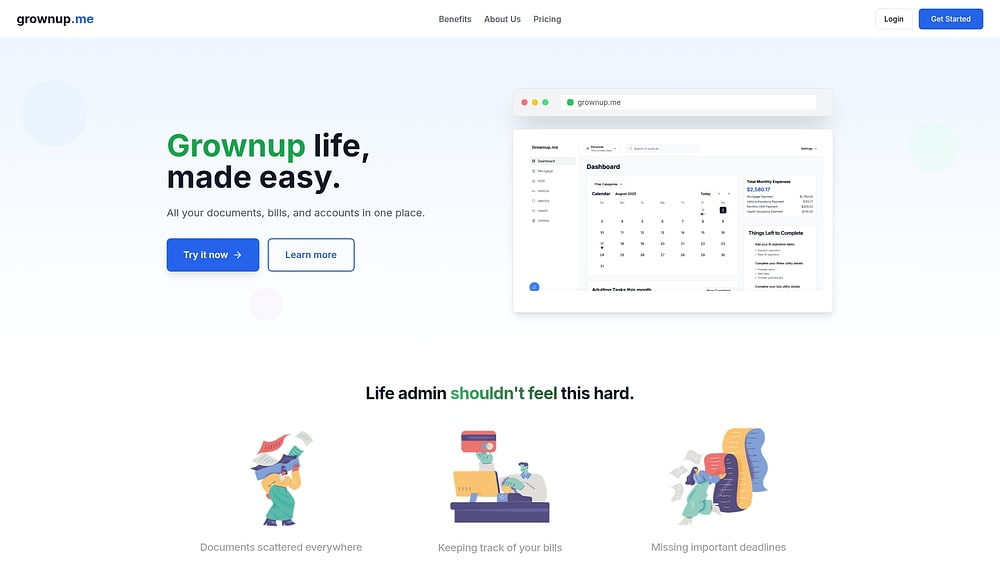
Use case: people who find standard to-do lists uninspiring and benefit from a reward-based system to manage life administration.
Key features:
- Points system: earn rewards for completing tasks to build momentum.
- Habit streaks: visual tracking encourages daily consistency.
- Life templates: pre-configured lists for common tasks like bill paying or home maintenance.
Pricing:
- Not publicly listed, contact for latest pricing info.
Considerations:
- The focus is entirely individual, making it unsuitable for coordinating group work.
- Information regarding integrations and platform support is scarce.
12. Loop
For enterprise shippers, Loop tackles the financial complexity of logistics through AI-native automation. It moves beyond simple tracking to audit and normalize the massive flow of transportation data, ensuring financial accuracy in freight operations.

Use case: large-scale organizations and 3PLs needing to automate freight auditing and payment processes to control spend.
Key features:
- Logistics AI: specialized models (DUX) extract data from messy invoices and shipping documents with high accuracy.
- Policy engine: automatically enforces business rules for approvals and exceptions.
- Financial automation: handles the full AP/AR cycle, from audit to payment execution.
Pricing:
- Custom SaaS model based on volume and platform fees.
Considerations:
- Deployment is a significant undertaking, typically requiring 4-12 weeks.
- It is an enterprise solution, likely overkill for small businesses with low shipping volumes.
13. Finch
Finch solves the fragmentation of employment data by offering a standardized API layer. It allows software developers to connect with hundreds of HR and payroll systems through a single integration, rather than building individual connections for each provider.

Use case: B2B SaaS companies building apps that need to read or write data to their customers’ HR or payroll systems.
Key features:
- Universal API: one integration grants access to over 250 employment providers.
- Data normalization: standardizes messy data fields across different systems into a clean format.
- Write access: enables developers to push changes back to payroll and benefits systems.
Pricing:
- Starter: $65/connection/month for basic read access.
- Pro/Premier: volume-based custom quotes for write capabilities and scale.
Considerations:
- This is infrastructure for developers, not an app for end-user organization.
- Setup for “assisted” integrations (those without public APIs) can take time.
14. Motion App
Motion App takes a proactive approach to time management, using AI to shuffle your schedule dynamically. Instead of static time blocks, it treats your calendar as a fluid puzzle, constantly rearranging tasks around your meetings to ensure deadlines are met.

Use case: busy professionals who want an automated assistant to optimize their daily schedule and resolve calendar conflicts.
Key features:
- Auto-scheduling: slots tasks into free time based on priority and deadline.
- Dynamic rescheduling: automatically adjusts the plan if a meeting runs late or an emergency pops up.
- Meeting scheduler: suggests optimal times for calls based on your workload, not just open slots.
Pricing:
- Pro AI: $19/month (annual).
- Business AI: $29/month (annual).
Considerations:
- It can be expensive compared to standard calendars due to the AI credit system.
- Collaboration features are secondary to individual time optimization.
15. ClickUp
ClickUp positions itself as an all-in-one productivity platform, aiming to replace multiple tools with a single system for tasks, docs, goals, and reporting. It offers a wide range of features out of the box, giving teams flexibility in how they structure and visualize work.
For organizations that want breadth over specialization, ClickUp provides many ways to manage projects and workflows in one place. Its strength lies in configurability, though that same flexibility can introduce complexity as teams scale.
Use case: teams looking for a highly configurable, all-in-one platform to manage projects, documentation, and goals within a single workspace.
Key features:
- Multiple views: List, Board, Gantt, Calendar, and Timeline views support different working styles.
- Task customization: custom fields, statuses, and priorities adapt tasks to varied workflows.
- Docs and collaboration: built-in documents support shared notes, specs, and internal documentation.
- Automation rules: no-code automations reduce manual task updates and handoffs.
- Goal tracking: objectives and key results can be linked to day-to-day work.
Pricing:
- Free Forever: core task management for individuals and small teams.
- Unlimited: $7/user/month.
- Business: $12/user/month.
- Business Plus: $19/user/month.
- Enterprise: Pricing available upon request.
Considerations:
- Feature density can overwhelm: the breadth of functionality may create a steeper learning curve for new users.
- Governance requires discipline: large organizations often need strict standards to maintain workspace consistency.
- Performance at scale varies: heavily customized workspaces may experience slowdowns as usage grows.
- Reporting depth depends on setup: advanced insights often require careful configuration rather than working out of the box.
How to choose the right organizational app for your business
Selecting a platform is not a box-checking exercise; it is a strategic decision about how your company will operate. The goal is to find a central nervous system that solves immediate coordination friction while accommodating future complexity.
To cut through the marketing noise and find a tool that delivers, consider the following framework.
Assess the organizational hierarchy first
Before evaluating features, audit your team’s operational reality. A co-located startup has vastly different needs than a distributed enterprise. Mapping your workflows reveals whether you need a simple task tracker or a multi-layered work management system.
Your platform must support your current velocity while leaving room for expansion. Ask yourself: do we simply need to track tasks, or do we need to orchestrate complex, cross-departmental initiatives? This distinction will guide you toward the right category of software.
Connectivity is non-negotiable
An organizational app should function as a bridge, not an island. Its value is directly tied to how well it talks to your existing ecosystem. If it creates another data silo, it has failed.
Focus your evaluation on connectivity:
- Native ecosystem: ensure pre-built links exist for your daily tools, such as Slack, Google Drive, or CRM systems.
- API flexibility: a robust API is essential for custom workflows and connecting proprietary internal systems.
- Data fluidity: information must sync in real-time, ensuring that a decision made in one app is reflected everywhere.
Demand enterprise-grade protection
Security cannot be an afterthought. For growing organizations, data protection is as critical as functionality. A breach costs far more than any software subscription.
Verify that potential platforms adhere to rigorous standards. Look for SOC 2 Type II compliance, ISO 27001 certification, and advanced encryption. Platforms like monday work management prioritize these safeguards, allowing leaders to maintain visibility without compromising sensitive data.
Calculate the total cost of ownership
The sticker price is deceptive. True cost involves implementation time, training resources, and administrative overhead. A cheap tool that nobody uses is an expensive mistake.
Weigh the total investment against the expected efficiency gains. Many organizations find that the ROI from reduced meeting times and faster project delivery — common outcomes with platforms like monday work management — quickly offsets the initial setup costs.
AI features that transform how teams stay organized
We are moving past the era of manual administration. AI is shifting the manager’s role from traffic cop to strategic leader by handling the logistics of coordination. This technology allows teams to focus on high-value output while algorithms manage the flow of work.
AI is shifting the manager’s role

Algorithms can now analyze capacity and skill sets to route tasks to the right people automatically. This removes the bottleneck of manual assignment and ensures workloads remain balanced.
Intelligent distribution relies on data, not guesswork:
- Load balancing: AI monitors individual bandwidth to prevent burnout before it happens.
- Skill alignment: tasks are matched to team members based on their expertise and past performance.
- Dynamic prioritization: critical tasks are fast-tracked, while lower-priority items are scheduled for later.
On platforms like monday work management, this happens in the background. Work finds the right person without a meeting, and priorities shift dynamically based on business impact.
Data-driven resource allocation
Resource management is often a game of estimation, but AI turns it into a science. By aggregating data across the organization, leaders get a clear picture of who is available and where the gaps are.
This visibility enables:
- Proactive capacity planning: spotting over-allocated teams weeks in advance.
- Smart scheduling: letting the system suggest the best timeline based on resource availability.
- Talent optimization: ensuring the right skills are deployed on the right initiatives.
With portfolio-level insights, leaders can identify bottlenecks early and adjust hiring or allocation plans based on hard data rather than intuition.
Forecasting outcomes before they happen
Reactive management is stressful; proactive leadership is strategic. AI tools now analyze historical performance to predict future risks, giving you the chance to course-correct before a deadline is missed.
Predictive capabilities include:
- Risk detection: flagging projects that are trending behind schedule based on current velocity.
- Accurate forecasting: replacing optimistic guesses with data-backed completion dates.
- Budget tracking: alerting stakeholders to potential overruns while there is still time to adjust.
Teams using these features on monday work management spend less time putting out fires and more time steering the ship, resulting in more predictable and successful project delivery.

“monday.com has been a life-changer. It gives us transparency, accountability, and a centralized place to manage projects across the globe".
Kendra Seier | Project Manager
“monday.com is the link that holds our business together — connecting our support office and stores with the visibility to move fast, stay consistent, and understand the impact on revenue.”
Duncan McHugh | Chief Operations Officer4 steps to implement your new work platform successfully
Adopting a new operating system is a cultural shift as much as a technical one. A haphazard rollout leads to confusion, while a deliberate strategy builds momentum and ensures the new tool actually improves how work gets done.
Follow this path to ensure a smooth transition.
Step 1: map the terrain
You cannot automate what you do not understand. Before logging in, document your existing processes. This discovery phase highlights inefficiencies and sets the baseline for improvement.
- Visualize the flow: diagram how work moves from idea to completion, noting every handoff.
- Locate friction: interview the team to find out where things get stuck or lost.
- Set benchmarks: record current metrics — like delivery speed or meeting hours—to measure future success.
Step 2: tailor the environment
Configuration is where the platform becomes yours. The goal is to build a workspace that feels intuitive to your team, removing friction rather than adding administrative weight.
- Mirror reality: build boards and automations that reflect the process maps you created.
- Define access: set permissions that give people what they need without overwhelming them with noise.
- Automate the mundane: configure rules to handle status updates and reminders, freeing up human brainpower.
Because intelligent solutions like monday work management requires no code, you can iterate quickly, starting with proven templates and refining them as you go.
Step 3: empower the users
Training is about context, not just clicking buttons. Users need to understand why this change benefits them personally.
- Start small: launch a pilot program with a receptive team to iron out kinks.
- Build internal expertise: train “champions” within each department to serve as peer support.
- Role-specific guidance: teach executives how to view reports and contributors how to manage tasks, keeping training relevant.
When the platform feels helpful rather than burdensome, adoption accelerates naturally.
Step 4: iterate and refine
Go-live is just the starting line. A healthy system evolves. Continuous monitoring ensures the platform grows alongside your business.
- Watch the data: track usage metrics to see which features are being adopted and which are ignored.
- Quantify the win: compare new performance data and KPIs against your initial benchmarks to prove ROI.
- Listen to the floor: regularly solicit feedback from users to identify new pain points or opportunities for automation.
Dashboards on monday work management provide the visibility needed to make these adjustments, turning user activity into actionable insights for continuous improvement.
Transform your team's organization with monday work management
Disparate systems create friction. When strategy lives in one app and execution happens in another, alignment breaks down. The solution is a unified operating system that connects the dots without imposing rigidity.
monday work management offers a flexible core for your organization. It allows teams to plan, execute, and track work in a single environment, bridging the gap between daily tasks and long-term goals.
Here is how a unified approach changes the game:
- Seamless flow: work moves across departments without manual handoffs or email chains.
- Executive clarity: leaders get a high-level view of the entire portfolio, enabling faster, data-backed decisions.
- Balanced workloads: resource visibility ensures that ambition doesn’t outstrip capacity.
- Strategic connection: every task is visibly linked to a broader objective, driving purpose and focus.
| Organization approach | monday work management | Alternative solutions |
|---|---|---|
| Workflow flexibility | Customizable boards adapt to any process without coding | Forces you to adapt to rigid, one-size-fits-all templates |
| Cross-department coordination | Unified platform connects all departments | Creates data silos with disconnected, department-specific platforms |
| AI capabilities | Automated workflow distribution and predictive analytics | Offers limited or no AI, leaving optimization to manual effort |
| Scalability | Scales from 5 to 50,000+ users with enterprise-grade performance | Struggles to scale, leading to performance lags or costly migrations |
| Integration ecosystem | 200+ native integrations plus a comprehensive API | Provides few native integrations, requiring expensive custom code |
Ready to scale your operations?
Selecting an organization app is a foundational business decision. It aligns your people, your technology, and your processes into a coherent whole. By choosing a platform that scales, you ensure that your infrastructure supports your vision rather than constraining it.
Take the time to understand your workflows, engage your team, and choose a partner built for growth. With the right system in place, you unlock the clarity and velocity needed to turn strategy into reality.
Frequently asked questions
What are the best organization apps for enterprise teams?
Enterprise teams require platforms that prioritize security, scalability, and integration. Top contenders offer SOC 2 Type II compliance, granular permission settings, and the ability to handle complex, cross-departmental workflows without performance loss.
How do organization apps reduce manual work?
These tools automate the administrative layer of business. By handling routine status updates, notifications, and data syncing between apps, they free up employees to focus on high-value strategic work rather than coordination.
Can organizational apps integrate with Microsoft and Google tools?
Yes, leading platforms provide native connectors for Microsoft 365 and Google Workspace. This ensures a bidirectional flow of data, keeping calendars, files, and communication synchronized across your tech stack.
What's the average ROI of implementing organization apps?
Companies typically see a return on investment within six months up to a year. This is driven by a 20–40% reduction in time spent on coordination and faster project delivery times. More efficient resource allocation and quicker decision-making also contribute significantly to the bottom line.
How do AI-powered organization apps differ from traditional platforms?
Traditional platforms rely on manual input for planning and assignment. AI-powered apps take a proactive role, analyzing data to suggest optimal resource allocation, predict potential risks, and automate complex workflows.
Which organization apps offer the strongest security features?
Security-focused platforms adhere to international standards like ISO 27001 and SOC 2 Type II. They offer features such as data encryption at rest and in transit, single sign-on (SSO), and detailed audit logs. monday work management is a prime example of a platform built with these enterprise safeguards.

 Get started