


Organizations run on dozens of interconnected processes. Orders move through fulfillment pipelines. Requests route through approvals, and resources shift between projects. When these workflows operate in silos, small delays can cascade into missed deadlines, budget overruns, and frustrated teams.
Operations management software provides a unified view of these processes. It connects resource allocation, performance tracking, and cross-departmental workflows so leaders can monitor progress across the organization and take informed action. The right platform does more than track work—it functions as the operating system that keeps execution aligned with strategy.
This guide evaluates fifteen operations management platforms worth considering for 2026, from enterprise-grade suites to flexible work management solutions. We highlight key features, pricing models, and capabilities that distinguish basic process tracking from full operational visibility. Whether consolidating fragmented workflows or scaling a growing organization, this guide offers the insights needed to make confident, data-driven decisions.
Key takeaways
- Operations management software centralizes workflows: it connects cross-departmental processes, resource allocation, and performance tracking into a single source of truth.
- AI-driven insights enhance decision-making: predictive analytics, anomaly detection, and intelligent recommendations allow organizations to anticipate risks and optimize operations proactively.
- Workflow automation improves efficiency: automations and conditional logic reduce manual tasks, standardize processes, and accelerate execution across teams.
- Resource planning and workload management are critical: visual capacity planning, skill-based task assignment, and real-time monitoring prevent overallocation and improve productivity.
- monday work management enables unified operational visibility: it combines portfolio oversight, project execution, and AI-assisted features to align daily work with strategic objectives.
What is operations management software?

Operations management software functions as the central nervous system of your business. Unlike project management platforms, which focus on finite projects with set deadlines, this software manages ongoing, cross-functional processes that keep an organization running smoothly. It unifies resource allocation, performance tracking, and operational workflows into a cohesive ecosystem.
Think of it as mission control for your enterprise. Leaders gain a unified view of operations, with data consolidated in one place. Automated workflows replace manual handoffs between teams, reducing administrative overhead and freeing employees to focus on high-impact work.
This software enables businesses to run from a single source of truth. Teams can collaborate effectively, optimize resource allocation, and ensure seamless data flow across systems. In doing so, it creates a foundation for a genuine business operating system rather than a collection of disconnected applications.
15 best operations management software platforms for streamlined operations.
Selecting an operations platform is more than a tech decision — it shapes how your business functions. Leading platforms do more than automate tasks; they act as operational engines, converting fragmented work into unified execution. They provide leaders visibility while equipping teams to deliver results.
This guide reviews 15 top-tier platforms, highlighting those built for enterprise-grade complexity and those tailored to specific operational needs. The defining feature of these systems is the ability to connect high-level strategy with daily execution.
Different platforms approach daily team use in unique ways. The best fit depends on current operational pain points — whether it is connecting siloed teams or gaining clear insights into cross-department performance.
1. monday work management
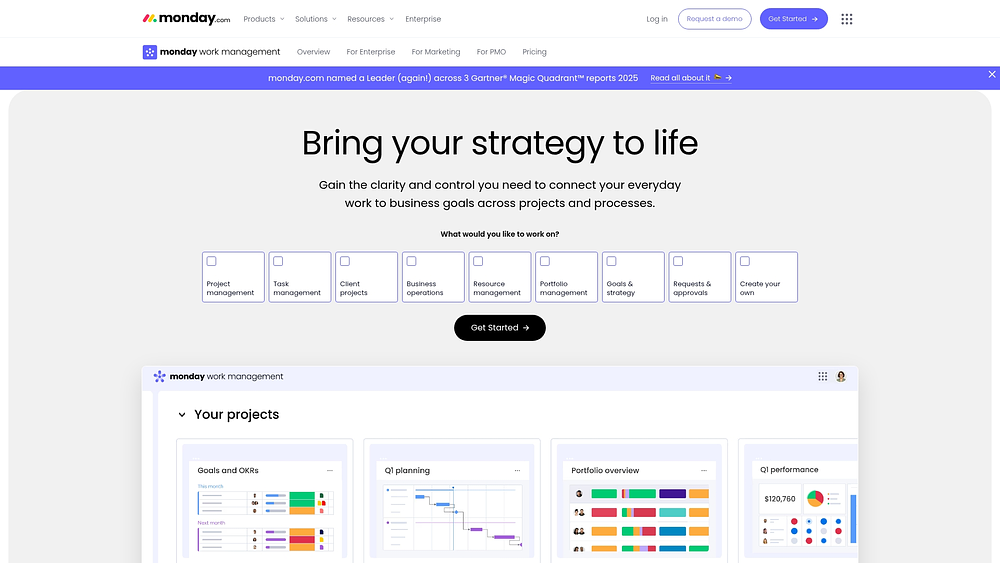
For mid-sized or larger teams managing disconnected systems, monday work management consolidates work across the organization. Built on the monday.com Work OS, it offers a flexible workspace customizable without extensive coding, while giving leaders the oversight needed to link daily work to strategic objectives.
Adoption is a core strength. The platform is recognized by G2 for Highest User Adoption for Enterprises and named a Leader in the 2025 Gartner® Magic Quadrant™ for Collaborative Work Management and Adaptive Project Management and Reporting.
Example:
By connecting project management, portfolio oversight, resource allocation, and Goals & OKRs, teams gain a single operational workspace. Operations leaders monitor execution across teams, while managers track schedules with views, reporting, and governance needed to scale efficiently.
A practical scenario: an operations team handles requests and approvals via shareable Forms, routing submissions to owners and tracking progress through milestones, dependencies, and portfolio-level reports.
Key features:
These elements let teams build workflows that remain current while providing reliable data for decision-making.
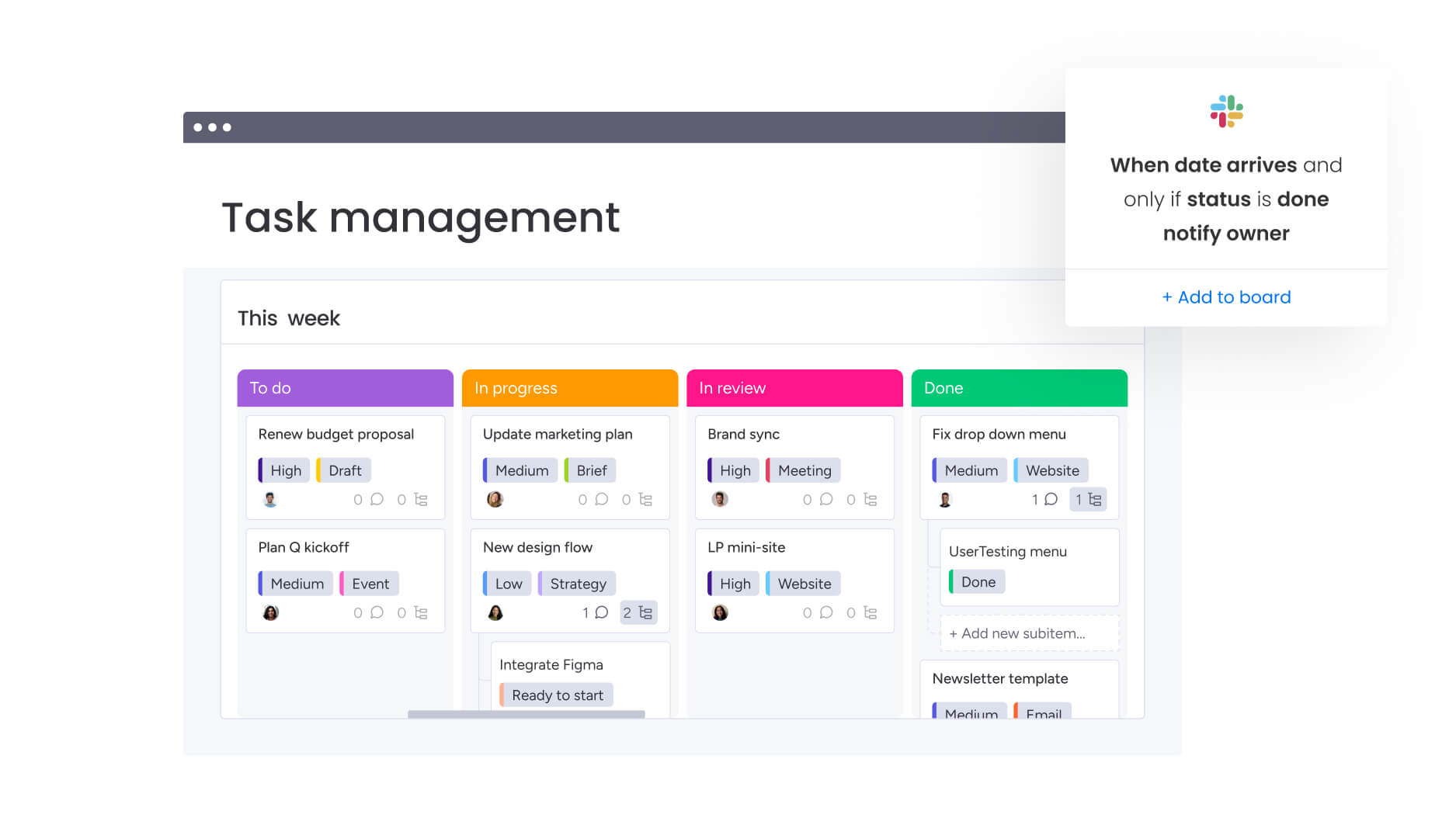
- Visual workflow design: configure boards with more than 15 views, including Kanban, Timeline, Calendar, Gantt chart, and Workload View, supporting multiple work styles.
- Portfolio and resource management: link projects across programs and balance capacity via the Workload widget and resource-centric views.
- Project controls PMOs rely on: maintain predictable delivery with dependencies, milestones, baseline, and critical path overlays in Gantt charts.
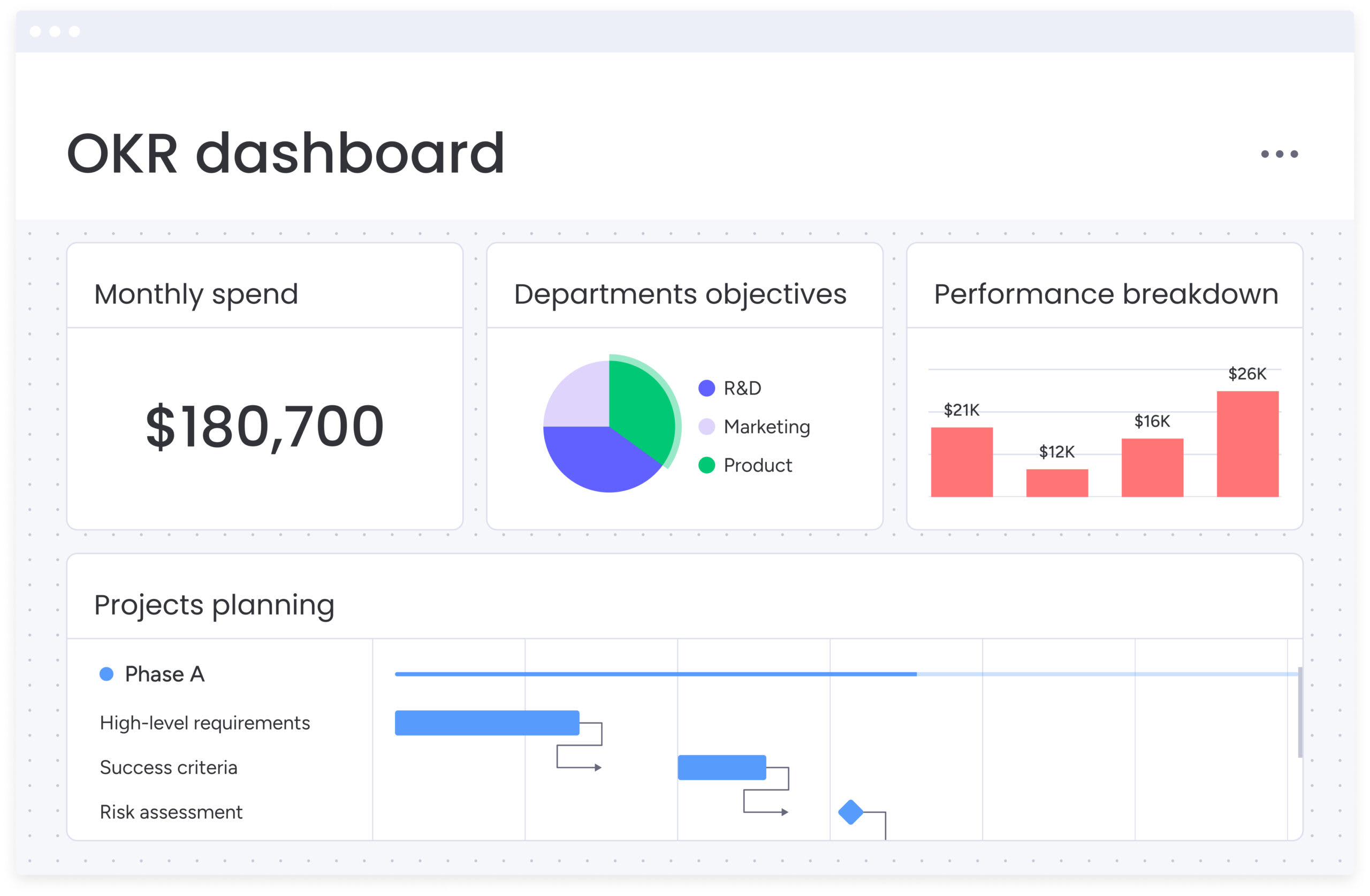
- Dashboards & reporting: create executive dashboards using drag-and-drop widgets to monitor schedules, budgets, workloads, and goal progression.
- Workdocs collaboration: transition from planning to execution in Docs, enabling real-time collaboration with live boards and dashboards embedded in text.
- Intuitive forms for intake: deploy Forms to standardize proposals, service requests, operational changes, and vendor intake, all feeding into tracked workflows.
Advanced AI features
AI is embedded where work happens, allowing teams to leverage it without changing existing processes. Admins control AI access, adhering to platform permissions.
- Portfolio Risk Insights: identify risks across projects in real time, highlighting issues by severity to enable timely intervention.
- AI Blocks (ready-made actions): automate high-volume operational tasks, such as categorizing incoming requests, summarizing updates, extracting information from files, translating content, or detecting sentiment.
- Custom block: define specific needs in natural language to generate actions.
- Autofill with AI: apply AI actions directly to supported columns, including Text, Date, Numbers, Status, Dropdown, and People.
Automations
Automations convert operational standards into consistent execution, allowing teams to focus on decisions rather than status chasing.
- Automation center: use pre-built recipes for reminders, handoffs, approvals, and notifications.
- AI automation blocks: trigger AI actions within automations on Pro and Enterprise plans.
- Run history for troubleshooting: review logs to maintain governance and consistency.
Integrations
Keep operational data connected without forcing teams out of their preferred systems.
- 200+ integrations: connect Slack, Microsoft Teams, Jira Cloud (two-way), Zoom, Gmail, Outlook, and Google Drive.
- Operational reporting continuity: import Excel-based trackers and manage execution via live boards and dashboards.
- Open API: build custom integrations for proprietary systems or workflows.
Operations management software features
Several factors make monday work management ideal for cross-department initiatives.
- Goals & OKRs: track strategic objectives linked to projects driving progress.
- Requests & approvals: standardize intake with Forms and handle approvals in a single workflow.
- Resource management: assign work based on skills and availability using Workload views.
- Enterprise-ready governance: manage access through multi-level permissions for external stakeholders and vendors.
- AI security and data practices: AI adheres to strict security protocols and HIPAA compliance; customer data is not used to train public AI models.
Pricing
- Free: $0 for up to two seats with limited boards and features.
- Basic: $9/seat/month (billed annually) with unlimited items, one-board dashboards, and 5 GB storage.
- Standard: $12/seat/month (billed annually) with Timeline/Gantt views, 250 automation actions, and dashboards combining up to five boards.
- Pro: $19/seat/month (billed annually) with advanced features including time tracking, formula columns, and 25,000 automation actions.
- Enterprise: custom pricing with 99.9% SLA, advanced security, HIPAA compliance, and unlimited automation capacity.
- Annual billing discount: save 18% compared with monthly billing.
- Nonprofit discount: ten free Pro seats plus 70% off additional seats.
Why it stands out
The value is realized in daily work, not just on a spec sheet.
- Proven adoption: G2 recognition for Highest User Adoption confirms effective team use.
- Speed to value: Forrester research shows payback under four months, with examples like Motorola’s reported 346% ROI.
- Freedom to customize: over 200 examples across 190 industries allow process standardization without uniformity.
- AI embedded in workflows: AI Blocks, Autofill with AI, and portfolio-level risk analysis support data-driven decisions directly in workflows.
2. ServiceNow
ServiceNow connects IT service management with broader organizational workflows using AI-driven architecture. It links strategic portfolio management with daily execution, making it suitable for large enterprises requiring governance and compliance.
Use case:
Fortune 500 companies use ServiceNow to manage enterprise operations that connect IT infrastructure, strategic planning, and cross-functional collaboration in a secure environment.
Key features
- Collaborative Work Management: a unified space for planning and tracking with no-code workflow automation and visual boards.
- Strategic Portfolio Management integration: connects tasks to strategic roadmaps and investment funding, offering end-to-end visibility.
- AI-powered automation: includes intelligent agents and automated governance across operations.
Pricing
- Quote-based enterprise pricing: costs determined via sales consultation.
- Tiered packages: Standard, Professional, Enterprise, and AI-enhanced “Plus” add-ons.
- Additional licensing: some modules and IntegrationHub require separate entitlements.
- Annual subscription: typically invoiced annually in advance.
Considerations
- Implementation complexity: enterprise focus requires setup time and technical expertise.
- Pricing transparency: quote-only model can complicate cost evaluation.
3. SAP
SAP offers deep integration across manufacturing, supply chain, and finance. It delivers ERP with operations modules for complex workflows, connecting maintenance, service, and asset management in a single data model.
Example
Large manufacturing and distribution companies benefit from SAP’s ERP integration for supply chain and production operations, justifying significant implementation investment.
Key features
- Closed-loop work management: planning via Resource Scheduling, mobile execution through SAP Service and Asset Manager, and safety governance.
- AI-assisted capabilities: voice-to-text reporting, automated scheduling, and predictive routing to improve first-time-fix rates.
- Offline-first mobile execution: technicians can record time and materials offline, with interfaces tailored for field service.
Pricing
- Supply Chain Base: $291/user/month
- Supply Chain Premium: $408/user/month
- Asset Performance Management: $72/month per 100 objects (minimum 125 blocks)
- Service and Asset Manager: FUE-based pricing varies by region
- Resource Scheduling: per resource pricing varies
- AI features: consume AI Units and may incur additional costs
Considerations
- Resource Scheduling: separate licensing required.
- Implementation: requires dedicated IT resources and substantial investment.
3. SAP
Multinational organizations often rely on SAP for its deep integration capabilities across manufacturing, supply chain, and finance. The platform delivers comprehensive enterprise resource planning (ERP) with robust operations modules designed for complex workflows. SAP’s unified suite connects maintenance, service, and asset management directly to core business processes through a single data model.
Use case:
Large manufacturing and distribution enterprises managing intricate supply chains and production operations gain value from SAP’s deep ERP integration, making the substantial implementation investment worthwhile.
Key features:
- Closed-loop work management: covers planning with Resource Scheduling, mobile execution using SAP Service and Asset Manager, and safety governance — all integrated natively with ERP systems.
- AI-assisted capabilities: include voice-to-text reporting, automated scheduling, and predictive routing to improve first-time-fix rates.
- Offline-first mobile execution: allows technicians to record time and materials offline, with interfaces tailored for maintenance and field service operations.
Pricing:
- Supply Chain Base: $291/user/month.
- Supply Chain Premium: $408/user/month.
- Asset Performance Management: $72/month per 100 objects (minimum 125 blocks).
- Service and Asset Manager: FUE-based pricing varies by region.
- Resource Scheduling: per resource pricing varies by region.
- Additional AI features: consume “AI Units” that may incur extra costs.
Considerations:
- Resource Scheduling: requires separate licensing as an add-on.
- Implementation investment: demands significant time and change management, best suited for organizations with dedicated IT resources.
4. Oracle Fusion Cloud
Deep database integration and advanced analytics define Oracle Fusion Cloud, a platform built for complex enterprise environments. It spans financial, supply chain, and workforce modules while performing best in organizations with existing Oracle infrastructure. The platform delivers unified data models and AI-assisted scheduling, supporting robust compliance and cross-functional process alignment.

Use case:
Large enterprises with complex operational requirements rely on Oracle Fusion Cloud to unify workforce management, financial operations, and supply chain coordination within a single cloud ecosystem.
- Workforce scheduling optimization: AI-assisted schedule creation includes competency matching and automated coverage recommendations.
- Cross-suite integration: native connections link manufacturing workloads, HR scheduling, payroll, and financial reporting.
- Global compliance management: built-in automation manages international labor laws and local leave regulations.
Pricing:
- Quote-based pricing: contact Oracle sales for tailored enterprise pricing.
- OCI infrastructure: always Free tier available with pay-as-you-go options.
- Universal credits: volume discounts apply for annual commitments.
- Support included: production support is integrated into base service fees.
Considerations:
- Implementation complexity: migration to the Redwood UX requires advanced technical expertise.
- Hardware dependencies: physical time clocks are sourced through third-party partners, adding vendor coordination overhead.
5. Microsoft Dynamics 365
Combining CRM and ERP capabilities, Microsoft Dynamics 365 delivers a cohesive business application suite. AI-powered work management connects project operations and field service to broader processes like sales and finance. Organizations invested in the Microsoft ecosystem gain benefits through features like Universal Resource Scheduling and Copilot integration, improving coordination across complex workstreams.
Use case:
Organizations standardized on Microsoft technology use Dynamics 365 to connect operations seamlessly with existing Office 365, Teams, and Azure infrastructure, particularly for project-based and field service work.
Key features:
- Project operations: AI-assisted quoting and forecasting, skills-based resourcing, and integrated time and expense tracking connect directly to revenue recognition.
- Field service: manages the full work order lifecycle, including schedule optimization and mobile execution with offline capabilities.
- Universal resource scheduling: a shared scheduling engine across applications provides drag-and-drop assignment and cross-functional resource visibility.
Pricing:
- Dynamics 365 Project Operations: $135/month per user.
- Dynamics 365 Field Service: $105/month per user.
- Field Service Contractor: $50/month per user.
- Add-ons: resource scheduling optimization and advanced analytics may require additional modules.
- Enterprise agreements: negotiated pricing is available through partner channels.
Considerations:
- Work order limitations: optimization is best for fewer than five bookings; higher volumes on a single order may reduce performance.
- Mobile offline functionality: certain tables, such as purchase orders, are not supported by default.
6. Asana
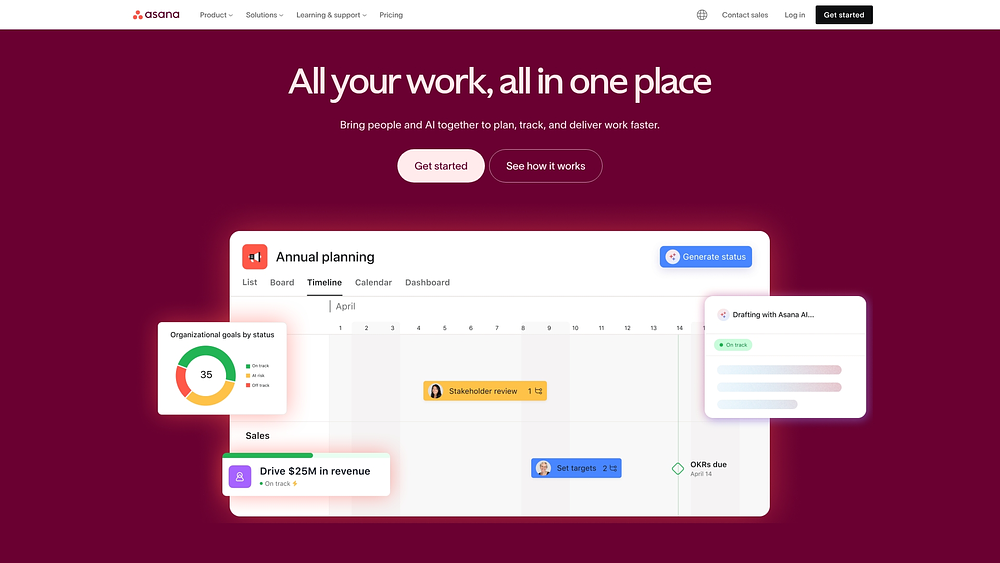
Built on the Work Graph architecture, Asana connects tasks, projects, goals, and responsible team members. The platform excels at aligning strategy with execution, making it valuable for enterprise teams managing cross-functional initiatives. AI-powered workflow automation and comprehensive security controls allow Asana to scale across complex operational workflows.
Use case:
Mid-market and enterprise organizations use Asana to align strategic goals with daily execution while maintaining visibility across department-wide workflows and portfolios.
Key features:
- Work Graph connectivity: links tasks, projects, goals, and people to provide traceability from strategy through execution.
- Portfolio and resource management: offers workload views, capacity planning, and real-time program visibility with risk reporting.
- AI Studio workflows: enables no-code AI workflow creation with smart automation and embedded AI agents for planning and intake.
Pricing:
- Personal: free for one to two users with core task and project views and mobile apps.
- Starter: $10.99/user/month billed annually, includes unlimited users, Timeline/Gantt, and Workflow Builder.
- Advanced: $24.99/user/month billed annually, adds Goals, Portfolios, advanced integrations, and enhanced security.
- Enterprise: custom pricing with workflow bundles, resource management, SAML/SCIM, and 24/7 support.
- Enterprise+: custom pricing adding audit logs, data residency, Enterprise Key Management, and HIPAA compliance.
- AI Studio add-ons: basic included on paid tiers, Plus at $135/account/month, Pro at custom pricing.
- Discounts: 50% available for verified nonprofits and education institutions.
Considerations:
- Advanced capabilities: Goals and Portfolio workload management require higher-tier plans.
- Learning curve: teams report onboarding challenges as scale increases and request more flexible built-in analytics.
7. Wrike
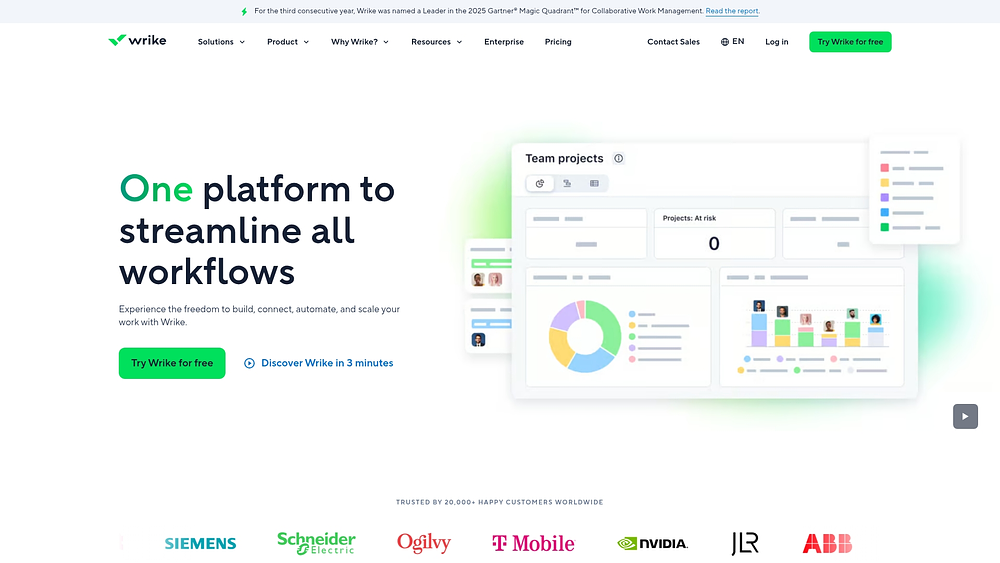
Wrike emphasizes security and governance while combining AI-powered automation with advanced resource management. This makes it particularly suitable for regulated industries and professional services firms. Recognized as a Gartner Magic Quadrant Leader for three consecutive years, Wrike balances intelligent workflow orchestration with robust controls.
Use case:
Enterprise teams needing sophisticated resource planning, advanced security, and comprehensive project portfolio visibility across departments rely on Wrike.
Key features:
- AI-powered workflow automation: Wrike Copilot and AI Agents automate task routing, risk detection, and content summarization.
- Enterprise security and governance: customer-managed encryption keys via Wrike Lock, Locked Spaces for confidential collaboration, and granular access controls.
- Advanced resource management: includes job roles, capacity planning, utilization dashboards, and PSA-style delivery capabilities.
Pricing:
- Free: $0/month for basic task management and AI essentials.
- Team: $10/month per user, for two to fifteen users, billed annually.
- Business: $25/month per user, for five to 200 users, billed annually.
- Enterprise: custom pricing including SAML SSO and advanced security.
- Pinnacle: custom pricing for complex needs with Locked Spaces and advanced analytics.
- Add-ons: available for premium support, advanced integrations, and enhanced security features.
Considerations:
- Learning curve: extensive feature set can be challenging for new users.
- Cost implications: many advanced capabilities require higher-tier plans or paid add-ons, increasing total expenditure.
8. Jira Service Management
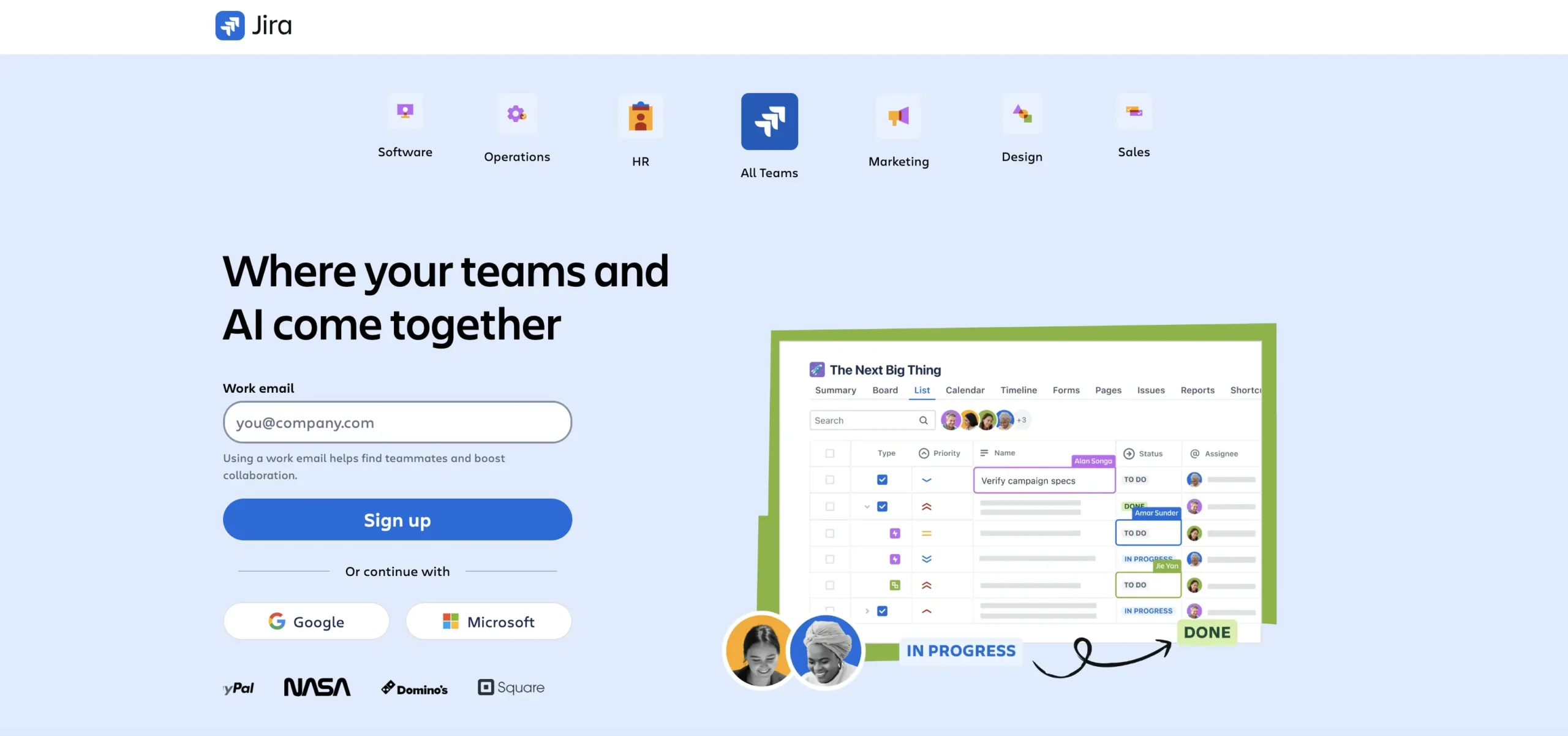
Technical teams deeply embedded in the Atlassian ecosystem benefit from Jira Service Management. This platform enhances IT service delivery by connecting development workflows with operational processes. It specializes in incident management, change management, and IT service operations, creating a unified environment for technical teams.
Use case:
Development and IT operations teams leverage Jira Service Management to integrate service capabilities seamlessly with existing Jira workflows and development processes.
Key features:
- Service request management: with customizable portals, automated routing, and SLA tracking.
- Integrated knowledge base: powered by Confluence for self-service and agent support.
- Assets and configuration management (CMDB): with dependency mapping and automated discovery.
Pricing:
- Free: three agents with core request management capabilities.
- Standard: $20/agent/month with enhanced automation and reporting.
- Premium: $51.42/agent/month including AI virtual agent, Assets/CMDB, and advanced incident management.
- Enterprise: custom pricing with advanced governance, analytics, and multi-site support.
- Annual billing saves up to 17% across all paid plans.
- Usage-based add-ons for virtual service agent conversations and additional asset objects.
Considerations:
- Advanced features like AI virtual agent and CMDB require Premium tier or higher.
- Knowledge base functionality relies on Confluence integration, which may require additional licensing.
9. Zendesk
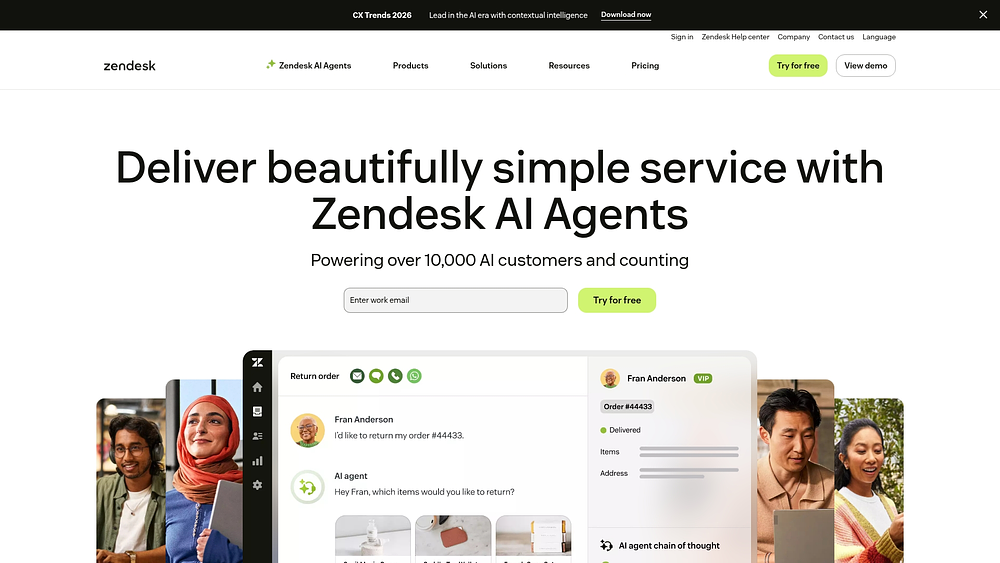
Customer service teams gain a comprehensive solution with Zendesk, which integrates workforce management with support operations. The platform uses native customer interaction data for workforce forecasting and scheduling, making it well-suited for organizations standardized on Zendesk. Trusted by over 100,000 companies, it combines ticketing, automation, and workforce optimization in a single environment.
Use case:
Customer support organizations managing high-volume service operations benefit from Zendesk’s integrated workforce management, which uses first-party data for accurate forecasting without external integrations.
Key features:
- AI-powered staffing forecasts: automatic agent scheduling based on native Zendesk interaction data.
- Real-time activity tracking: monitor agent performance and schedule adherence.
- Workforce engagement bundle: combines workforce management with quality assurance.
Pricing:
- Support Team: $19 per agent/month (billed annually).
- Suite Team: $55 per agent/month (billed annually).
- Suite Professional: $115 per agent/month (billed annually).
- Suite Enterprise: price on request.
- Workforce Management add-on: $25 per agent/month (billed annually).
- Quality Assurance add-on: $35 per agent/month (billed annually).
- Workforce Engagement bundle: $50 per agent/month (billed annually).
Considerations:
- Workforce management features are optimized for Zendesk environments.
- Advanced routing capabilities, such as skills-based routing, require Enterprise plans.
10. Freshservice
Freshservice provides an approachable entry point for IT service management without sacrificing operational depth. It combines asset management, incident tracking, and workflow automation, specializing in Enterprise Service Management (ESM) with segmented workspaces. This is useful for organizations seeking unified service delivery across IT, HR, and finance without complex enterprise implementations.
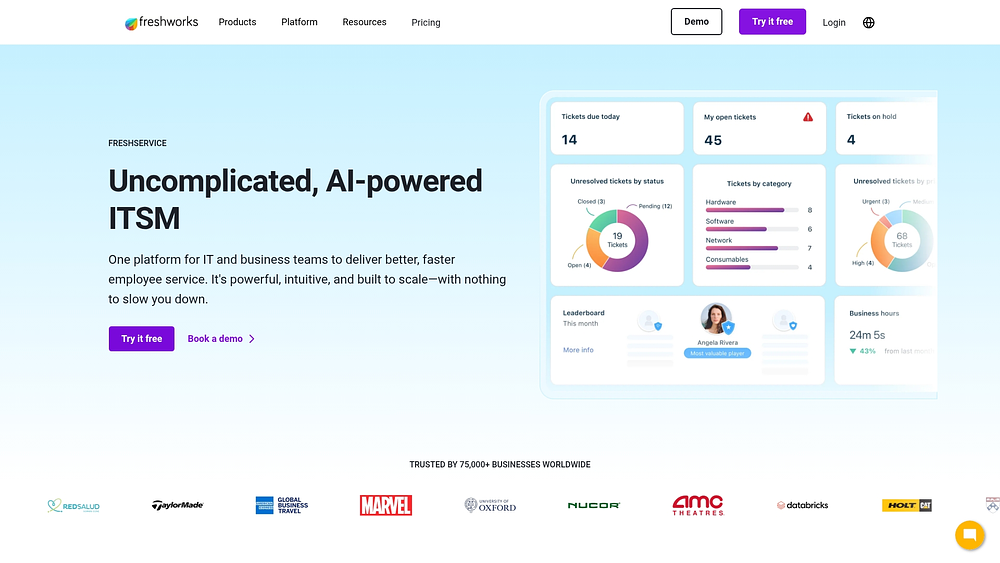
Use case:
Small to mid-sized IT departments and business teams use Freshservice for affordable service management and cross-functional workflow automation.
Key features:
- Workspaces: segmented environments for IT, HR, and finance with independent administration and data isolation.
- Journeys: drag-and-drop designer for standardizing cross-departmental workflows, such as onboarding and offboarding.
- Project integration: unified project management with Gantt, Kanban, and list views connected directly to service tickets and assets.
Pricing:
- Starter: $19/agent/month (billed annually).
- Growth: $49/agent/month (billed annually).
- Pro: $99/agent/month (billed annually).
- Enterprise: custom pricing (includes Freddy AI Agent).
- Freshservice for Business Teams: $49/user/month (billed annually).
- 14-day free trial available.
- Additional costs may apply for orchestration transactions, connector app tasks, and Freddy AI Copilot add-on.
Considerations:
- Business agent licenses are only available on Pro and Enterprise plans and have limited access to IT workspaces.
- Consumption-based add-ons for automation features can increase total cost of ownership.
11. Zoho Creator
Zoho Creator focuses on low-code development, enabling organizations to build custom applications for unique operational needs. It integrates seamlessly with Zoho’s business ecosystem, supporting unified workflow automation across multiple departments. With over seven million applications created by 22,000 businesses, it offers a reliable path for scaling custom operations.
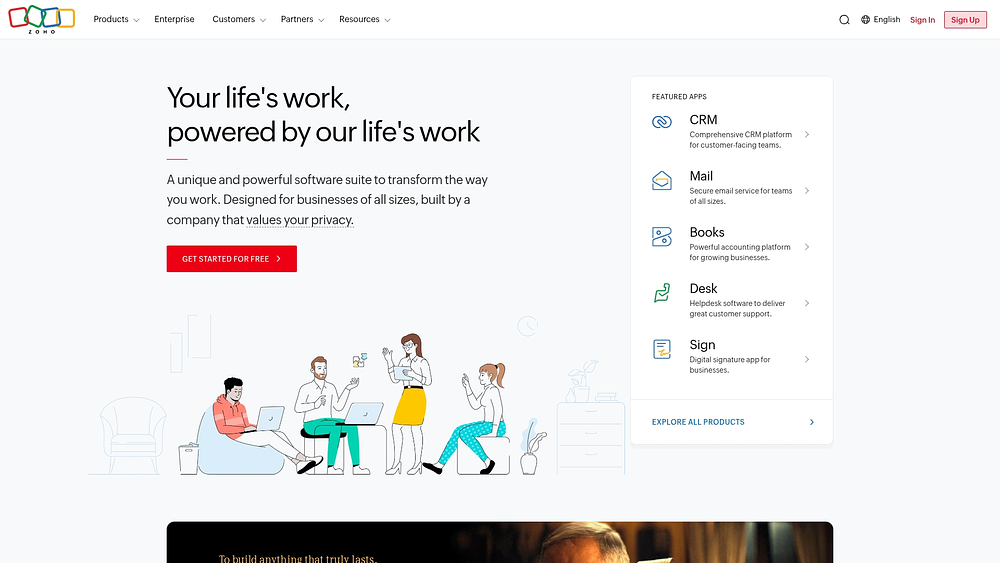
Use case:
Organizations with unique operational workflows use Zoho Creator’s low-code platform to rapidly build custom solutions without heavy IT involvement.
Key features:
- Visual workflow design: blueprint process modeling automates stages and transitions.
- Integrations and analytics: 800+ prebuilt integrations with embedded analytics and AI assistance (Zia) for generating workflows.
- Multi-experience delivery: automatically creates native iOS and Android apps from a single build.
Pricing:
- Free: 1 user, 1 app with limited storage and records.
- Standard: around $8/user/month (annual billing saves 30%+).
- Professional: around $20/user/month with enhanced automation.
- Enterprise: around $25/user/month with full features and compliance controls.
- Flex: custom quote-based pricing for mixed feature requirements.
- Customer portal add-ons are sold in user buckets (250, 500, 1,000+ users) for additional monthly fees.
Considerations:
- Advanced automation may require Deluge scripting knowledge.
- External user access through customer portals is priced separately in buckets.
12. Airtable
Airtable transforms the familiar spreadsheet interface into a powerful database, enabling teams to create custom operational workflows through flexible, data-driven views. It specializes in connected app creation with embedded AI, making it ideal for organizations seeking to consolidate multiple tools into a single platform.

Use case:
Teams comfortable with spreadsheets use Airtable to structure workflows, automate tasks, and maintain enterprise-grade governance over operational data.
Key features:
- Multi-view planning: grid, Kanban, calendar, Gantt, and timeline views.
- Built-in AI: Omni Assistant and Agents automate workflows and research.
- Enterprise governance: includes SOC 2 Type II, ISO 27001, and customer-managed encryption keys.
Pricing:
- Free: individual/small teams with 1,000 records per base and up to 5 editors.
- Team: $20/month per collaborator (annual) or $24 (monthly) with 50,000 records per base.
- Business: $45/month per collaborator (annual) or $54 (monthly) with 125,000 records per base and unlimited API calls.
- Enterprise Scale: custom pricing with advanced governance, HyperDB access, and enterprise administration.
- Annual billing discounts available across all paid tiers.
- Portals add-on starts at $120/month for external guest access.
- Nonprofit and education discounts include 50% off Portals.
Considerations:
- Requires an internet connection; offline access is unavailable.
- Advanced project management, such as traditional time tracking, may require customization.
13. Noloco
Noloco converts business data into functional apps using a no-code platform, enabling teams to build tailored workflows without technical expertise. It focuses on data-first app creation with granular permissions, making it suitable for operations teams managing both internal processes and external client portals.
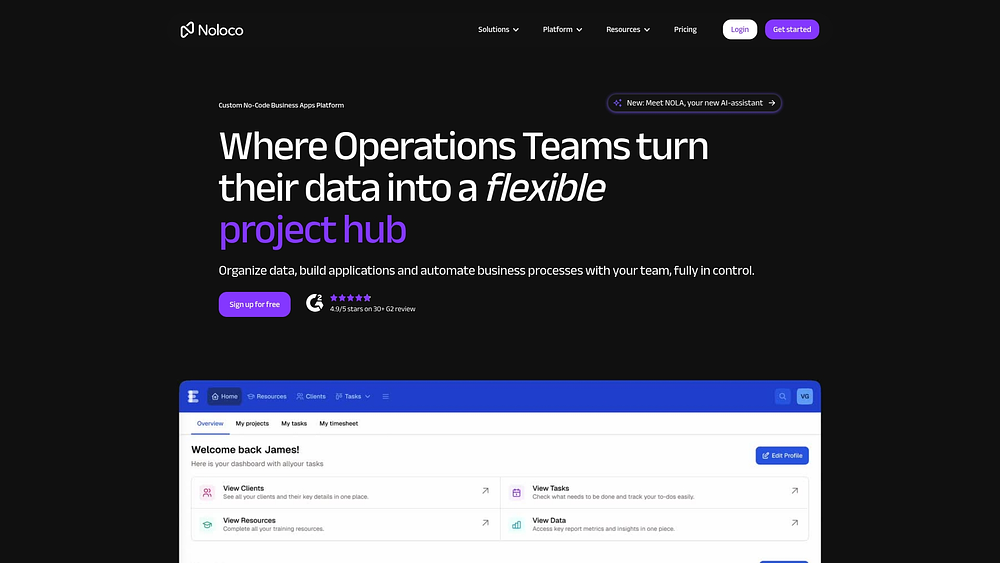
Use case:
Small to mid-market organizations use Noloco to build customized operational applications with client portal capabilities, replacing spreadsheets while maintaining data security.
Key features:
- Data-first app generation: works with Airtable, SmartSuite, Google Sheets, and SQL databases.
- Multiple view options: Kanban, calendar, timeline, Gantt, and map views.
- AI assistant: Nola helps create tables, layouts, workflows, and permissions using natural language commands.
Pricing:
- Free: 3 team seats, 7 client seats, 2,000 rows, 100 workflow runs.
- Starter: $49/month ($39/month annually), 4 team seats, 10 client seats, 10,000 rows, 1,000 workflow runs.
- Pro: $149/month ($119/month annually), 10 team seats, 50 client seats, 50,000 rows, 3,000 workflow runs.
- Business: $319/month ($255/month annually), 30 team seats, 100 client seats, 200,000 rows, 10,000 workflow runs.
- Enterprise: custom pricing with SAML SSO and advanced security features.
- Annual billing saves 20% on paid plans.
- Additional users and record blocks incur extra charges depending on the plan.
Considerations:
- SAML SSO and advanced security are only available on Enterprise plans.
- Record limits on Business plans may trigger automatic overage charges.
14. Kareo
Kareo (now Tebra) provides independent medical practices with a unified EHR+ platform combining clinical workflows, billing automation, and patient engagement. It focuses on compliance while streamlining complex healthcare operations.
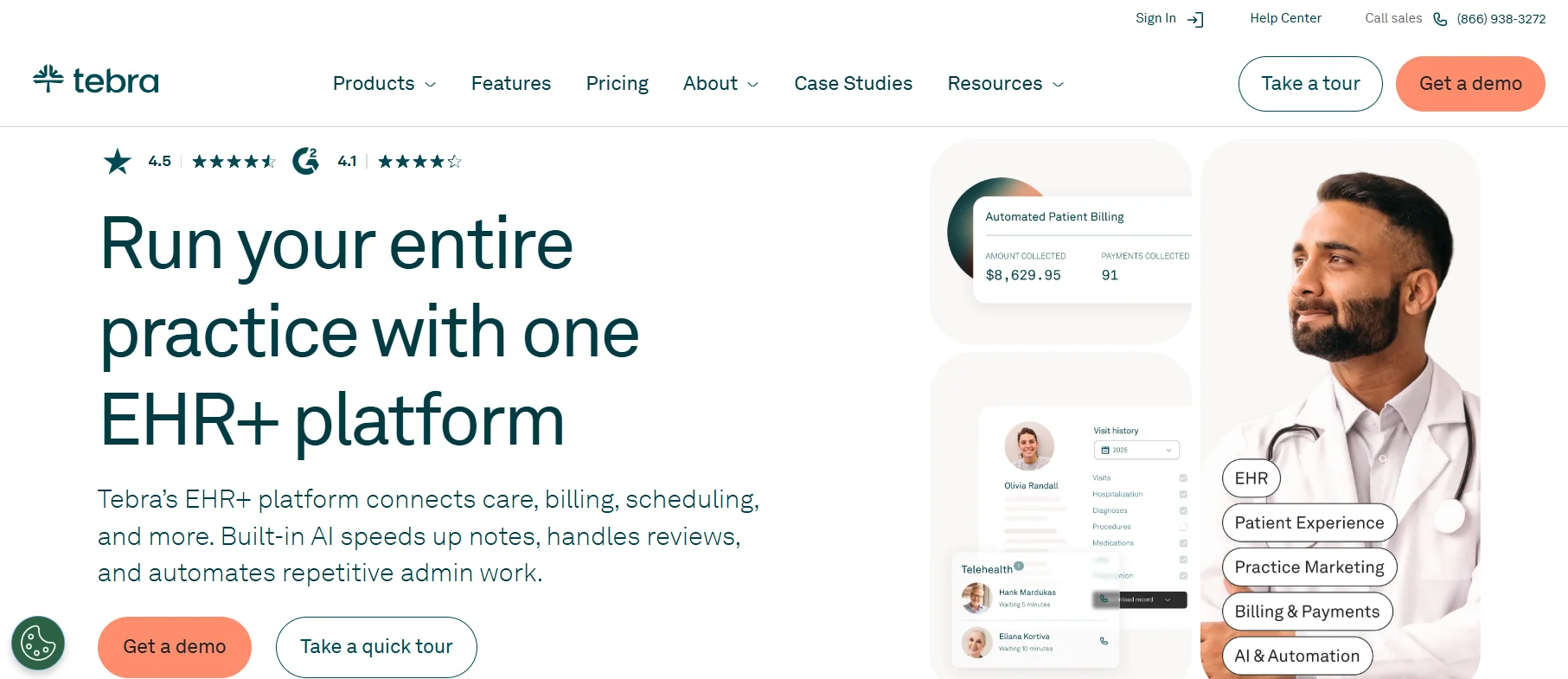
Use case:
Medical practices and healthcare providers rely on Kareo to manage clinical operations, patient scheduling, and billing workflows efficiently.
Key features:
- Integrated clinical and billing workflows: role-based task management with To-Do Lists and automated patient communication syncing across systems.
- Revenue cycle automation: RPA-powered billing processes and claims automation reduce manual work by 35–40%.
- Healthcare compliance: HIPAA, SOC 2, HITRUST, and PCI attestations with FIPS 140-2 encryption.
Pricing:
- Subscription model: quote-based by module (Clinical, Billing, Patient Experience) and provider type.
- Transactional fees: electronic claim attachments $0.99/document, patient statement mailing $1.10 first page + $0.24/additional page.
- AI features: AI Note Generation $99/month/provider up to 400 notes, then $0.25/note.
- Payment processing: 2.75% + $0.30/transaction through Tebra Payments.
- Minimum fee: $150/month with no active provider.
Considerations:
- Industry focus: tailored to healthcare, limiting applicability outside medical practice management.
- Add-on fees: multiple transactional charges can increase total cost.
15. DEAR Systems
DEAR Systems supports manufacturing, wholesale, and retail businesses with inventory-centric operations. It integrates capacity planning, scheduling, and mobile execution across sales, purchasing, and production workflows, reducing platform switching.
Use case:
Product-based organizations use DEAR Systems to manage inventory, manufacturing operations, and order fulfillment processes efficiently.
Key features:
- Advanced Manufacturing module: includes factory calendar, capacity planning, visual Gantt-style scheduler, and Manufacturing Buffer mechanism.
- Mobile MES execution: iOS/Android apps for shop-floor tasks with real-time data capture and batch/serial traceability.
- Automation and workflows: conditional automation and task assignment tied to sales, purchasing, and production events.
Pricing:
- Standard: $349/month with basic user and integration limits.
- Pro: $599/month with expanded capacity and features.
- Advanced: $999/month with full functionality access.
- Annual prepay: discounts of approximately 8% available.
- Add-ons: Advanced Manufacturing, MES, and Automation modules require separate purchases.
Considerations:
- Advanced capabilities: require additional modules.
- Mobile MES app: lacks offline functionality, requiring network connectivity.
Essential features of operations management software.
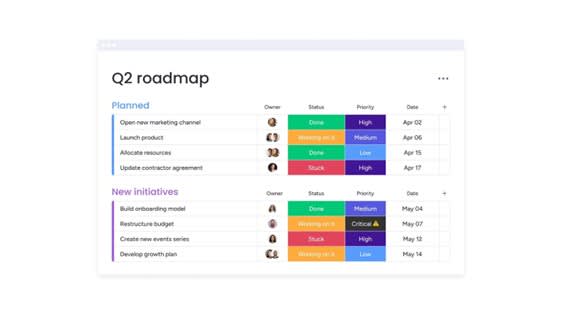
An operations platform must do more than manage processes; it should act as the organization’s central nervous system. Connecting teams, automating workflows, and converting real-time data into decisive action are essential capabilities. The right solution goes beyond basic tracking to serve as a true business operating system.
Unifying work at this scale requires a set of capabilities that work together seamlessly. These features form the foundation for translating strategic goals into actionable, daily execution.
Workflow automation and process optimization
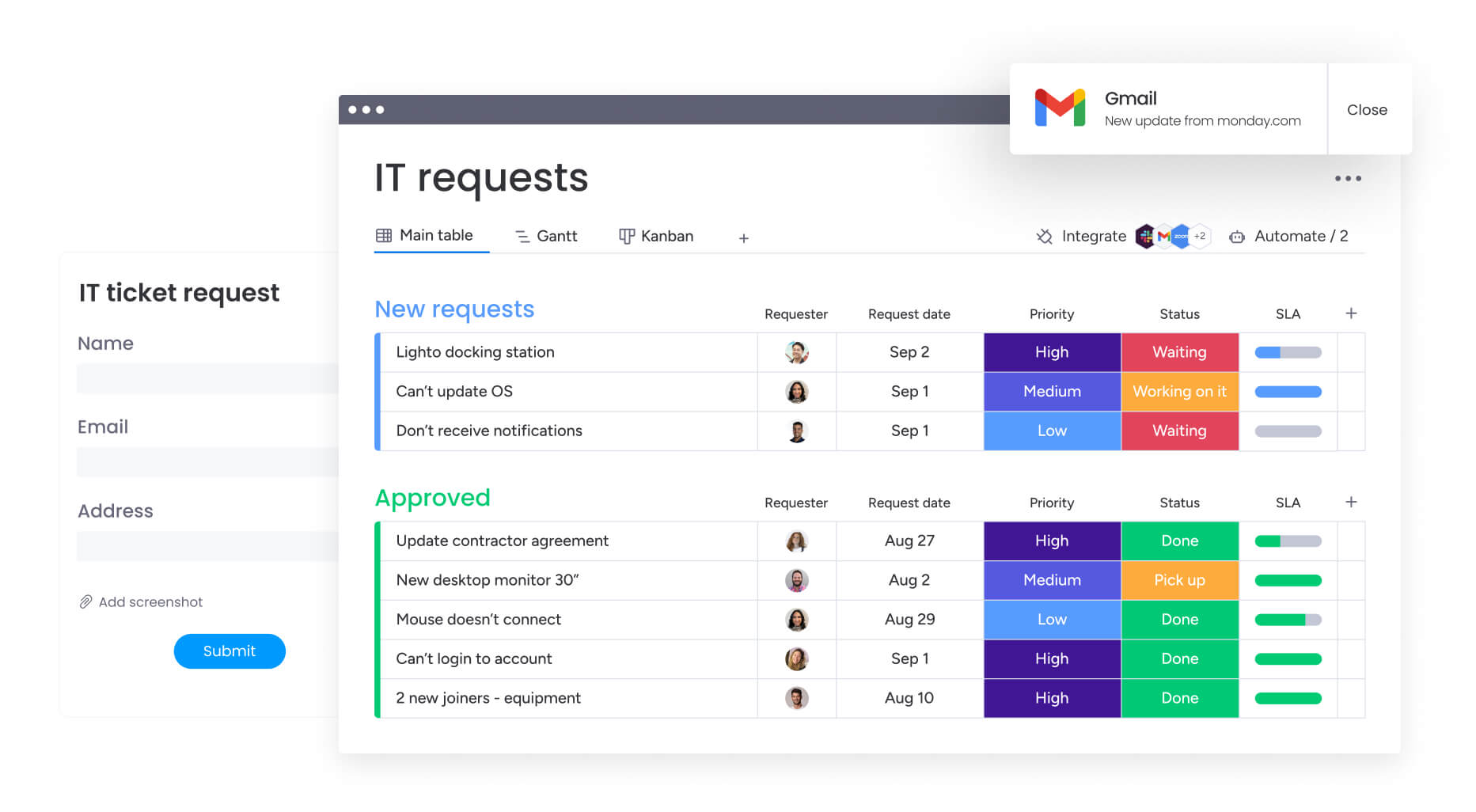
Consistency drives performance, and automation is the key mechanism that ensures it. By automating recurring workflows, organizations establish a reliable foundation that prevents tasks from slipping through the cracks. This allows teams to focus on strategic problem-solving rather than administrative checklists.
Basic automation can follow a single path, but advanced workflows adapt dynamically—routing high-value requests to senior team members while sending routine tasks to other staff. Key capabilities include:
- Conditional logic: construct workflows that adjust based on project status, budget changes, or custom business rules.
- Cross-system actions: connect your tech stack so automations trigger tasks in platforms such as CRM or ERP systems.
- AI-powered processing: use AI to categorize data, summarize documents, and extract key insights instantly.
Real-time analytics and performance dashboards
.jpg)
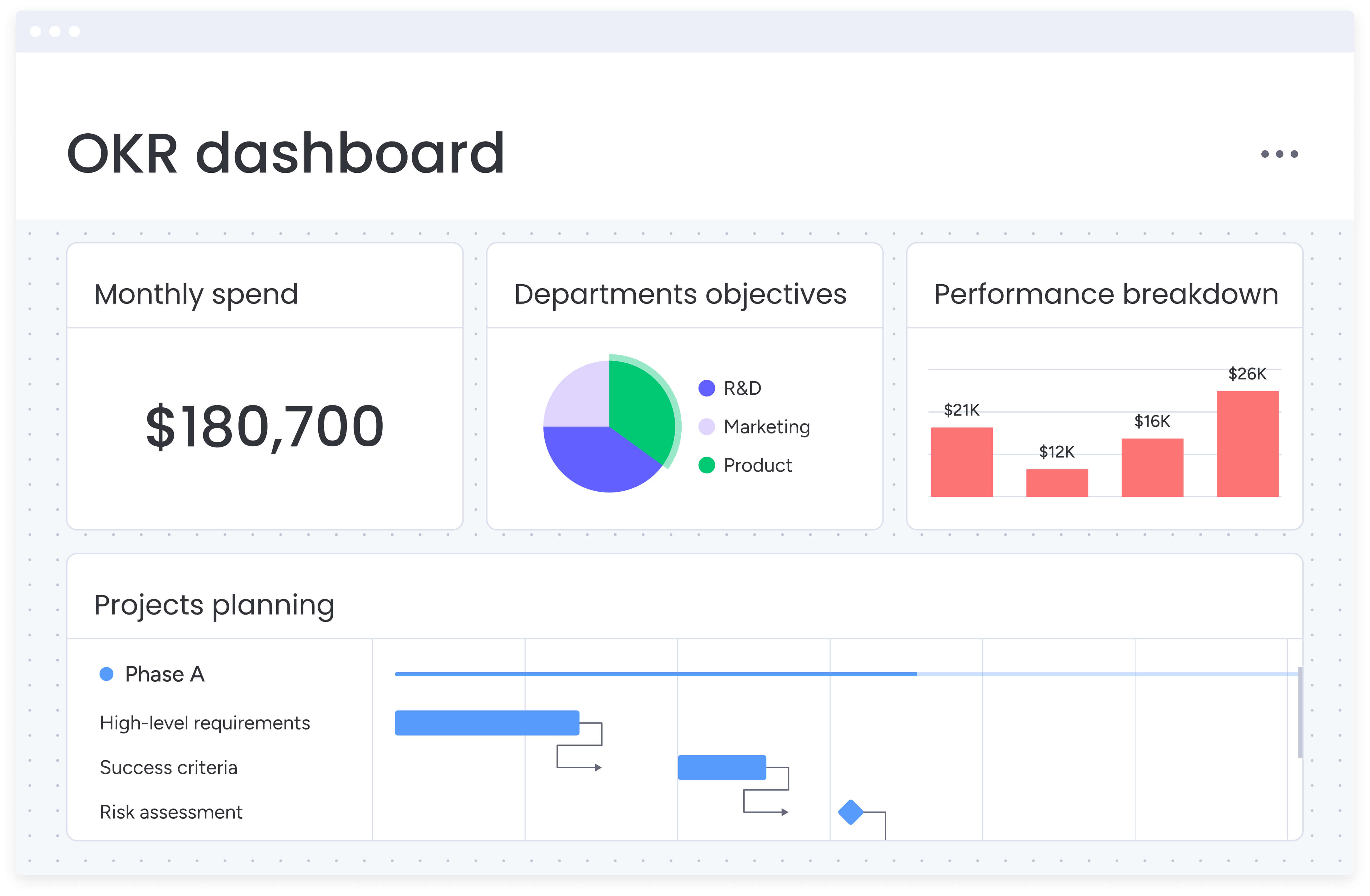
Early visibility into potential challenges is critical for maintaining momentum. High-quality dashboards provide leaders with the unfiltered truth about performance by consolidating data across teams. They give a live view of progress and bottlenecks without the delays of manual reporting.
Effective dashboards do more than present numbers—they interpret them. Tracking KPIs and applying predictive analytics enables organizations to identify risks before they escalate, moving leadership from reactive to proactive. Key capabilities include:
- Operational KPI tracking: monitor metrics such as resource utilization, cycle times, and budget adherence.
- Predictive analytics: leverage AI to detect projects trending toward risk for early intervention.
- Executive visibility: obtain a portfolio-level view of operational health, connecting daily work to strategic outcomes.
Resource planning and workload management
Efficient resource management prevents burnout and maintains high productivity. Smart planning ensures that workloads align with team capacity and that individuals’ skills are deployed where they create the most value.
Organizations gain a competitive advantage when capacity planning is informed and visualized in real time. Key features include:
- Capacity planning: visualize team availability to make informed allocation decisions.
- Skill-based assignment: match team members to projects based on expertise and workload.
- Workload balancing: track individual workloads in real time to avoid overallocation.
API-first integration architecture
An API-first platform connects existing systems so data flows automatically without manual entry. This creates a unified operational view and ensures information is consistent across tools.
A connected platform offers pre-built connectors for immediate integration, while an open API allows custom solutions for proprietary systems. Key capabilities include:
- Pre-built connectors: access a library of integrations for popular business platforms.
- Open API access: build custom integrations for complex workflows.
- Real-time data sync: ensure updates in one system are immediately reflected elsewhere.
AI-powered predictive insights
AI helps organizations identify patterns that humans might miss, providing foresight into potential operational challenges. This allows leaders to intervene before minor issues escalate into significant problems. Key capabilities include:
- Risk prediction: analyze project data to identify elevated risks before they affect timelines.
- Anomaly detection: detect unusual operational patterns signaling underlying issues.
- Intelligent recommendations: receive proactive suggestions to improve performance and mitigate risks.
The strategic benefits of unified operations management
Digitizing processes is only the first step. A unified operations platform connects teams, workflows, and goals into a cohesive system. This approach delivers measurable outcomes for both business performance and team efficiency.
Move faster with intelligent automation
Speed comes from reducing operational friction, not merely working faster. Smart automation handles routine tasks, routes requests to the correct approvers, and triggers subsequent steps automatically, accelerating execution while maintaining quality. Key impacts include:
- Automated approvals: route requests immediately to the right team members for faster decisions.
- Seamless handoffs: transition workflows between teams without losing context.
- Standardized execution: ensure projects follow best practices through consistent templates.
Organizations unifying workflows often see payback in less than four months, with measurable gains such as a 35% reduction in production cycles.
Make smarter decisions with real-time visibility
Centralized data replaces guesswork with actionable insights. A single source of truth ensures that every strategic decision is informed by accurate, up-to-date information from across the organization. Core capabilities include:
- A single source of truth: provide all teams access to reliable operational data.
- Live dashboards: track performance in real time to identify trends instantly.
- Actionable insights: reveal patterns that guide capacity planning and strategic investments.
Modern platforms like monday work management provide this unified view, allowing leaders to allocate resources precisely and prioritize initiatives strategically.
Drive down costs, not just workloads
Efficiency improves both speed and financial performance. Automation reduces manual work and errors, allowing teams to extract more value from existing resources. Key benefits include:
- Reduced manual effort: free teams from administrative work to focus on high-impact initiatives.
- Fewer costly errors: automate data entry and validation to improve accuracy by up to 80%.
- Optimized capacity: enhance resource utilization by 15–20% through transparent workload views.
Unify teams by breaking down silos
Departmental barriers slow execution. A connected platform converts fragmented efforts into coordinated action. Key advantages include:
- Shared context: show all teams how their work contributes to organizational goals.
- Connected workflows: enable processes to flow seamlessly across departments.
- Aligned priorities: use transparent data to ensure everyone focuses on shared objectives.
On monday work management, teams collaborate effectively across functions, improving cross-functional project success rates by 40%.
Scale your business, not your complexity
Growth increases operational complexity, but the right platform manages it efficiently. Scalable platforms allow organizations to expand while maintaining consistency and control. Key elements include:
- Repeatable processes: capture proven workflows as templates to ensure consistent outcomes.
- Automated governance: enforce compliance automatically without manual oversight.
- A flexible foundation: adapt to evolving business needs without replacing core systems.
Platforms like monday work management support hundreds of workflows across industries, enabling teams to scale operations without unnecessary complexity.
5 steps to select the right operations management software
Selecting operations software is a strategic decision that shapes how work gets done. It is not just about acquiring a tool; it is about embracing a new operational philosophy. A careful approach ensures you choose a platform that unifies teams and turns complex processes into clear, actionable workflows.
This framework emphasizes operational priorities, guiding you beyond feature lists to select a solution that elevates your organization.
Step 1: map your operational workflows
Begin with a map, not a checklist. Visualizing workflows across departments, from initial request to final delivery, reveals bottlenecks and friction points.
Where do delays occur? Do teams lack visibility into progress? Identifying these challenges creates a targeted list of requirements, forming the foundation for evaluating potential platforms.
Step 2: evaluate system integration requirements
Operations software should act as the central hub of your tech ecosystem. Inventory critical systems such as CRM, ERP, and communication platforms to ensure seamless information flow and eliminate manual entry.
Select a platform with strong integrations and a flexible API. This ensures unified operations and reduces silos across your organization.
Step 3: assess implementation and change management needs
Adoption determines success. Even the most powerful software fails if teams do not use it. Prioritize intuitive interfaces that reduce the learning curve and plan for change management.
Introduce the platform gradually, celebrate early wins, and empower internal champions. The goal is for the new workflow to feel like an upgrade, not a mandate.
4. calculate total cost of ownership and ROI
Price is only one component. Total cost of ownership includes implementation, training, and ongoing support. More importantly, evaluate the return on investment by connecting capabilities to measurable outcomes.
Organizations using modern platforms often see full returns within months, thanks to improved efficiency and reduced manual work.
5. plan for phased rollout and adoption
Avoid disruptive, organization-wide launches. Instead, start with a pilot team or high-impact workflow to build momentum and create internal success stories.
Use feedback from early adopters to refine processes and expand adoption gradually. A phased approach converts initial wins into a company-wide movement.
Types of operations management platforms by business need
Choosing the right platform is not about features but aligning the solution with your organization’s complexity, size, and growth ambitions.
Enterprise operations suites
Large organizations require platforms that handle sophisticated workflows while maintaining security and flexibility.
- Extensive customization: adapt the platform to your organizational structure.
- Advanced security: meet compliance requirements with role-based access.
- Sophisticated analytics: aggregate data for executive decision-making.
Modern platforms like monday work management connect strategy to execution with enterprise-grade capabilities and an intuitive experience.
Industry-specific operations solutions
Niche solutions address regulatory or operational requirements specific to industries such as healthcare or manufacturing.
- Compliance-focused features: meet industry regulations from day one.
- Limited flexibility: specialized solutions may restrict long-term growth.
Flexible platforms like monday work management provide industry-specific capabilities while supporting adaptable workflows across sectors.
Unified work management platforms
Combining project management, operations, and collaboration in a single workspace eliminates fragmented systems.
- Seamless workflow: work moves smoothly between projects and processes.
- Strategic alignment: operations stay connected to organizational goals.
Platforms such as monday work management unify workflows across teams while preserving flexibility.
No-code operations builders
No-code tools empower teams to build solutions visually, removing technical barriers.
- Rapid customization: address challenges without developers.
- Governance and security: leaders maintain control while teams innovate.
Platforms like monday work management combine no-code flexibility with enterprise-grade security.
Try monday work management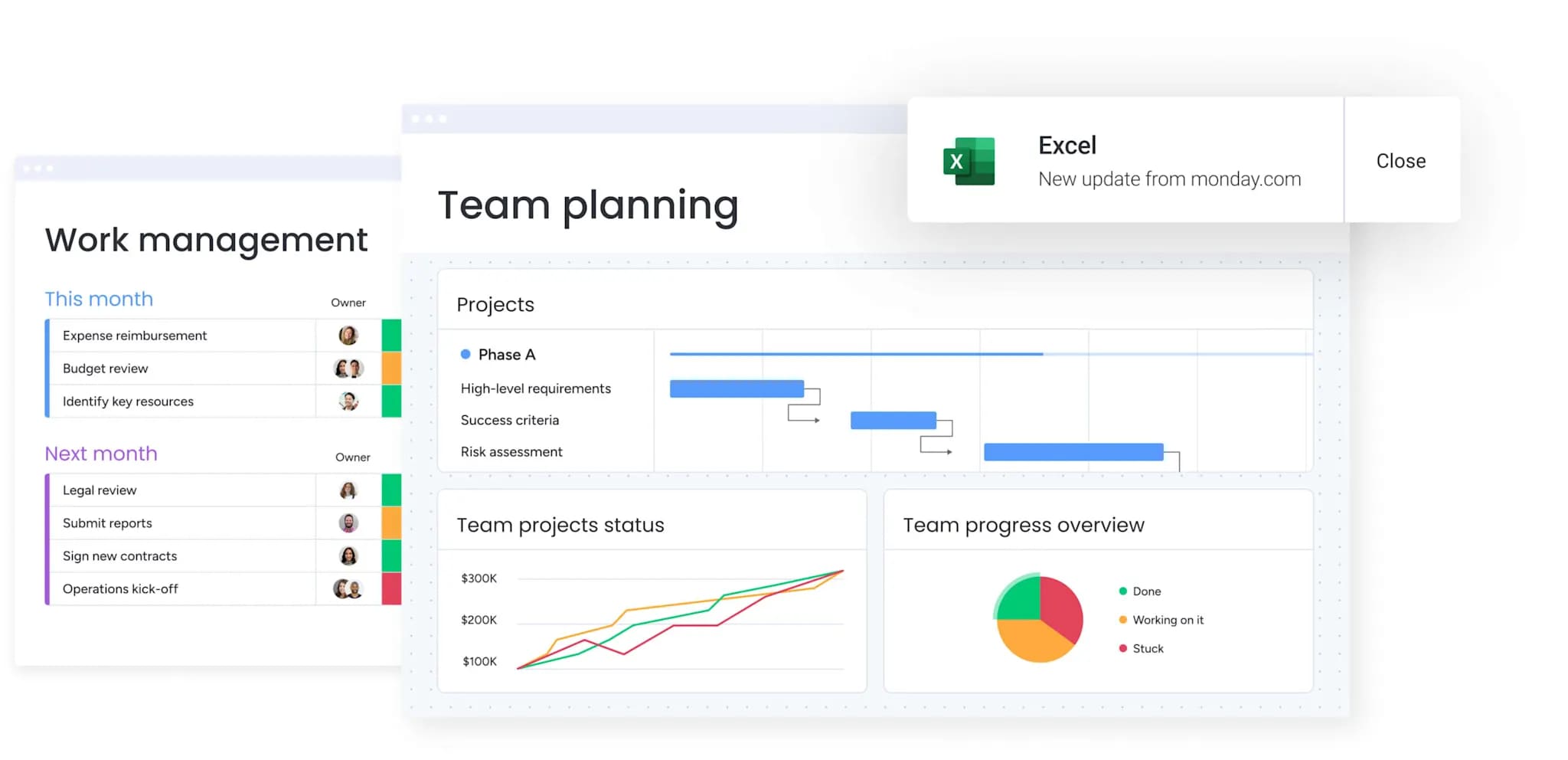
Operations management software pricing models explained
Pricing is a strategic decision. The cheapest plan today can become a bottleneck tomorrow. Understanding these models helps you invest in a platform that supports long-term goals.
Per-user subscription pricing
Simplicity is the main advantage of this model. Costs are tied to team size, making budgeting predictable. Organizations pay a fixed fee per team member, typically billed monthly or annually.
- Predictable costs: fixed costs per member allow for accurate planning.
- Scaling considerations: expenses increase as the team grows, which can affect adoption.
- Total cost of ownership: additional charges may apply for premium support or add-ons.
Tiered feature packages
This approach lets organizations pay for the features they need. Tiered plans group functionality at different price points, enabling alignment with operational complexity.
- Feature alignment: ensure only required capabilities are included.
- Future-proofing: assess whether the tier can accommodate growth.
- Smooth transitions: understand the costs and process of moving between tiers.
Usage-based pricing models
Costs align with activity levels. Charges are based on metrics such as automations run or data stored, offering flexibility while requiring monitoring.
- Cost flexibility: expenses scale with usage, reducing costs during slow periods.
- Economic scaling: high activity can lead to increased expenses.
- Forecasting needs: budgeting depends on predicting future usage patterns.
Custom enterprise agreements
Large organizations benefit from agreements designed to scale. These arrangements offer volume discounts and tailored contract terms.
- Volume pricing: discounts are available for large user bases.
- Tailored terms: contracts can address specific security and compliance needs.
- Strategic value: evaluate the full package, including support services.
Enterprise agreements often include dedicated support to accelerate adoption and maximize ROI.
How AI transforms operations management in 2026
By 2026, AI will serve as the operational backbone of the enterprise. The focus will shift from reactive problem-solving to proactively shaping outcomes, giving teams predictive insights to create resilient workflows.
AI Blocks for instant workflow intelligence
Pre-built AI Blocks embed advanced capabilities directly into workflows, enabling team members to leverage AI without coding. These components allow organizations to:
- Automatically categorize data: sort requests based on content or priority.
- Summarize information intelligently: condense documents into actionable takeaways.
- Extract key data: pull critical details from files without manual entry.
A digital workforce for autonomous operations
AI agents act as digital teammates, managing routine processes autonomously and learning from data to improve over time.
- Operational efficiency: agents like Project Analyzer or Sales Advisor reduce oversight time by 25–30%.
- Continuous learning: workflows improve automatically as agents adapt to patterns.
Predictive risk management and anomaly detection
AI enables foresight to prevent operational failures. Platforms provide predictive insights that analyze project data, identifying risks before they escalate.
- Early warnings: anticipate and mitigate disruptions.
- Operational resilience: reduce project interruptions by 30–40%.
Edge computing for real-time operations
Processing closer to where work occurs accelerates decisions. Combining edge computing with AI supports autonomous systems that adapt instantly for real-time quality control and process optimization.
Accelerate your operations transformation with monday work management
Successful transformation requires both capability and usability. Enterprise platforms often create friction, but modern Work OS platforms unify power with intuitive design.
Visual workflows that teams actually use
High adoption depends on usability. Visual workflows make processes instantly understandable and keep operational data current.
- Instant comprehension: abstract concepts are turned into actionable processes.
- Team productivity: ensures teams remain efficient from day one.
AI that works with you
AI is designed to augment judgment, not replace it. Teams retain strategic control while routine tasks are automated. AI can:
- Categorize data at scale: organize large volumes instantly.
- Summarize documents: convert reports into concise takeaways.
- Monitor project health: proactively identify bottlenecks.
From implementation to value in weeks, not months
Speed is critical. Rapid deployment enables teams to improve operations immediately. Manufacturing teams reduce cycle times, while service teams increase fulfillment efficiency.
Built for cross-functional operations excellence
Platforms unify teams without enforcing uniformity, connecting operational data across departments while respecting autonomy.
- Integration flexibility: over 200 integrations ensure smooth data flow across tech stacks.
- Collaboration: teams can work within their preferred systems while maintaining visibility.
| Capability | monday work management | ServiceNow | SAP | Asana | Wrike |
|---|---|---|---|---|---|
| Ease of use | Visual, intuitive interface requires minimal training | Best for: IT-focused teams comfortable with a technical interface. | Complex ERP interface requires extensive expertise | User-friendly for processes, limited operations depth | Project-focused interface with a moderate learning curve |
| Implementation time | Weeks to full productivity, with a <4 month payback period | 6–12 months for a typical implementation | 12–24 months for a full ERP deployment | Days for basic setup, weeks for complex workflows | 1–3 months for a typical implementation |
| AI capabilities | No-code AI Blocks, Digital Workforce, and Risk Insights | IT-focused AI for incident prediction and automation | Advanced analytics that require technical expertise | Limited AI features focused on process automation | AI-powered resource management and analytics |
| Cross-functional collaboration | Unified platform connecting all departments with shared visibility | IT service management focus with limited cross-functional reach | Department-specific modules that require complex integration | Project-based collaboration with limited operational depth | Project portfolio management with a marketing team focus |
| Customization flexibility | No-code workflow builder for visual customization | Extensive customization that requires technical resources | Deep customization that requires development expertise | Template-based customization with limited flexibility | Custom workflows with moderate technical requirements |
| Total cost of ownership | Transparent per-user pricing and rapid ROI | High licensing and implementation costs | Substantial licensing, implementation, and maintenance costs | Affordable per-user pricing with limited enterprise features | Mid-range pricing with additional costs for advanced features |
Building a resilient operational future
A unified Work OS enables organizational agility. Connecting people, processes, and data allows instant pivots, transforming operational complexity into a competitive advantage. Identify friction points in current workflows and select a platform that supports growth and strategic objectives.
Try monday work managementFrequently asked questions
What's the difference between operations management software and project management software?
Operations management software focuses on continuous, core business processes, ensuring workflows and resources are optimized over time. Project management software, in contrast, is designed for temporary initiatives with a defined start and end, helping teams plan, execute, and track specific projects efficiently.
How long does operations management software implementation typically take?
Implementation timelines depend on platform complexity and organizational needs. Intuitive, no-code platforms can be adopted within weeks, while traditional enterprise systems may require six to twelve months for full deployment and adoption across teams.
What ROI can I expect from operations management software?
Key ROI comes from efficiency gains through automation and improved decision-making enabled by real-time visibility. For instance, a Forrester Total Economic Impact™ study found organizations using monday work management achieve a payback period of fewer than four months.
Can operations management software integrate with my existing ERP system?
Yes, modern operations management platforms use APIs and pre-built connectors to integrate seamlessly with ERP systems and other critical business tools. This enables a unified technology environment without extensive custom development.
Which industries benefit most from operations management software?
While operational excellence benefits all industries, manufacturing, healthcare, financial services, and professional services often see significant impact. Principles like workflow optimization and resource management provide value across diverse organizational contexts.
How does AI improve operations management software effectiveness?
AI enhances operations management by delivering predictive risk analytics, automating routine decisions, and intelligently optimizing workflows. It shifts teams from reactive problem-solving to proactive, data-driven execution.

 Get started