

As your team grows, the demands on your work management platform grow too. Tools that work well for small teams often struggle to handle hundreds of users, leading to disconnected projects, duplicated data, and wasted time on manual updates. Managing work across multiple platforms creates visibility gaps that slow down decisions and reduce efficiency.
Choosing the right platform requires understanding how different solutions approach work management. Some, like Notion, prioritize documentation and knowledge sharing, while Asana focuses on structured task coordination. A comprehensive Work OS connects departments, automates workflows, and provides real-time insights to guide execution and strategy across the organization.
The following sections cover key factors for selecting a platform that scales, supports cross-departmental collaboration, and leverages automation and AI to drive efficiency. You’ll see how each approach impacts growth, visibility, and operational performance.
Key takeaways
- Match platform philosophy to your growth trajectory: choose based on where you’ll be in 12-24 months, not just current needs. Documentation-focused teams benefit from Notion, task coordination suits Asana, while scaling organizations need comprehensive workflow management like monday work management.
- Evaluate total cost beyond subscription fees: factor in implementation time, training requirements, and administrative overhead. Platforms with steep learning curves delay ROI and increase hidden costs significantly.
- Prioritize cross-departmental workflow capabilities: silos naturally form as teams grow, so select platforms that connect marketing, operations, finance, and HR through automated processes rather than manual handoffs.
- Prioritize a platform that scales from simple projects to enterprise portfolios: build tailored workflows that span departments, automate routine processes, and gain executive visibility across hundreds of projects without switching platforms.
- Focus on AI that drives business decisions: look for practical applications like risk detection and resource optimization rather than just generative text. AI should automate decisions and surface insights humans might miss.
What are the differences between Notion and Asana?
Choosing the right platform means knowing what each one actually does, not just comparing feature lists. Notion, Asana, and monday work management each take different approaches to data, workflows, and collaboration. Understanding these differences helps you pick the platform that fits your needs now and supports growth later.
| Feature | Notion | Asana | monday work management |
|---|---|---|---|
| Primary purpose | Knowledge management and documentation | Task coordination and project tracking | Enterprise Work OS and workflow automation |
| Best suited for | Content-heavy teams and personal organization | Teams needing structured task lists | Mid-to-large organizations requiring scalable workflows |
| Core strength | Flexible document creation | User-friendly task management | Cross-departmental alignment and customization |
Notion: the flexible documentation workspace
Notion functions as a centralized workspace for notes, documents, and wikis, blending word processing with database functionality. It excels at organizing unstructured data, including company policies, meeting notes, and product specifications.
Key strengths:
- Flexible content creation: build custom databases, wikis, and documentation systems.
- Template versatility: create reusable structures for different content types.
- Knowledge management: centralize company information in searchable formats.
It offers basic project tracking and is best suited for content creation and information retrieval, while other platforms are designed for complex workflows or resource allocation.
Asana: the task-first project management platform
Asana provides a structured environment for managing projects, focusing on who does what by when. It breaks projects into individual work items with owners and deadlines.
Core capabilities:
- Task management: assign, track, and complete individual work items.
- Project visualization: view work through lists, boards, and timeline formats.
- Team coordination: share progress updates and collaborate on deliverables.
The platform suits teams transitioning from spreadsheets or basic lists who need a dedicated space for tracking progress. But it’s rigid. It focuses on individual tasks, not broader business processes.
monday work management: the enterprise Work OS
Operating as a comprehensive business operating system, monday work management enables organizations to build tailored workflows that span departments. It connects isolated teams (marketing, ops, finance, HR) into one workspace.
Platform advantages:
- Cross-departmental workflows: connect teams through automated processes.
- Scalable architecture: support growth from small teams to enterprise organizations.
- Customizable structure: build workflows that match your business logic.
It scales from simple project tracking to complex portfolio management and resource allocation. You won’t need to switch platforms as you grow.
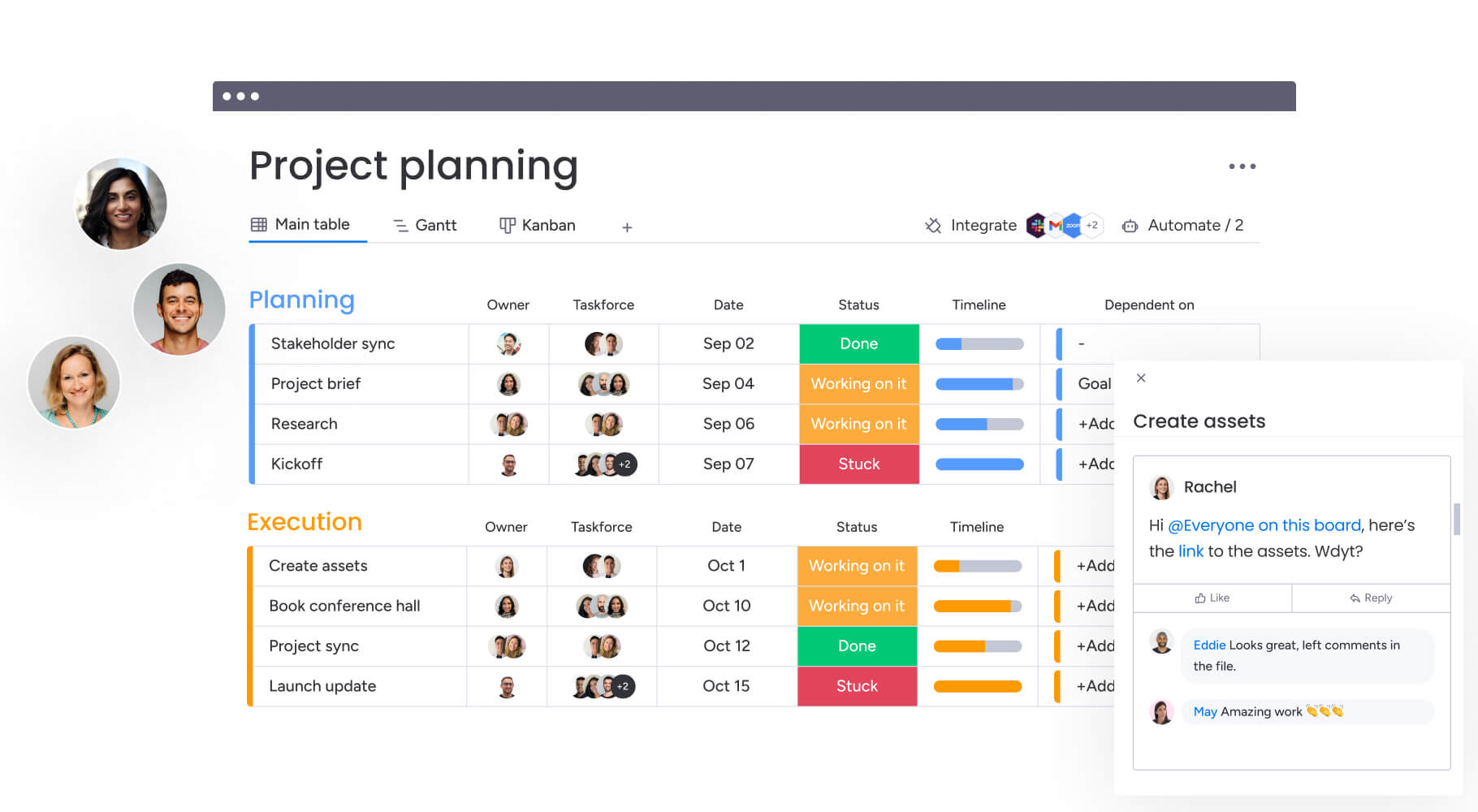
Platform comparison for growing organizations
Evaluating a platform’s ability to handle growth and complexity requires careful consideration of several critical factors. As companies scale, their requirements extend beyond simple tracking to encompass scalability, cross-departmental visibility, and enterprise-grade security.
The platform selected today must accommodate future organizational demands without necessitating a costly migration down the line.
Core capabilities at a glance
Understanding how each platform performs helps you pick the right fit for now and later. These differences determine whether a platform can keep up as you grow.
| Capability | Notion | Asana | monday work management |
|---|---|---|---|
| Workspace organization | Moderate: flexible but can become cluttered without strict governance | Strong: structured hierarchy of teams and projects | Strong: scalable hierarchy with workspaces, folders, and boards |
| Project management depth | Limited: basic Kanban and list views; lacks advanced dependencies | Strong: good for standard methodologies; rigid for custom needs | Strong: advanced Gantt, critical path, and portfolio management |
| Cross-departmental workflows | Limited: manual linking required; data remains siloed in pages | Moderate: can multi-home items; limited workflow automation | Strong: native cross-board dashboards and automations connect teams |
| Automation capabilities | Limited: basic database automations; relies on third-party integrations | Moderate: rule-based automation for item movement | Strong: multi-step, no-code automations across boards and integrations |
| Reporting and analytics | Limited: no native reporting or dashboards | Moderate: basic charts and status updates | Strong: real-time, customizable dashboards with widget flexibility |
| Enterprise features | Moderate: SSO and audit logs on highest tier | Strong: enterprise guardrails and admin console | Strong: multi-level permissions, HIPAA/SOC2 compliance, data residency |
Key differences in platform philosophy
Each platform’s core philosophy determines whether it’ll work long-term. Each approach creates different outcomes as your team grows and work gets more complex.
Notion’s flexibility-first approach:
- Total flexibility: treats every problem as a document or database challenge.
- Creative freedom: fosters creativity but can lead to structural chaos as teams scale.
- Governance requirements: requires significant oversight to maintain organization.
Asana’s structured methodology:
- Friction reduction: focuses on reducing friction in project completion through rigid, opinionated structure.
- Methodology enforcement: enforces specific methodologies that work well for standard project types.
- Customization limits: may limit customization for unique business processes.
Adaptive framework of monday work management:
- Organizational alignment: emphasizes organizational alignment and democratization.
- No-code building blocks: provides building blocks that allow non-technical users to construct workflows matching their business logic.
- Platform adaptability: ensures the software adapts to the company, not the other way around.
Choosing a platform that grows with your organization
Picking a platform means predicting future needs so you don’t face a costly migration mid-growth. The ideal solution handles rapid user growth and complexity without slowing down. Consider how your workflows, approvals, and handoffs will evolve as headcount doubles, triples, or more.
Growing from 10 to 10,000 users
Platform performance and administrative control must remain consistent whether supporting a single team or a global workforce. This is particularly critical as more than a quarter (28%) of working adults hybrid work, requiring robust remote collaboration capabilities.
As user counts rise, simple permissions aren’t enough. You need granular control over who can view, edit, or delete data.
Scalability requirements:
- Performance consistency: maintain speed and reliability across user growth.
- Administrative control: manage permissions at multiple organizational levels.
- Data governance: ensure security and compliance standards scale with headcount.
Solutions like monday work management use enterprise infrastructure built to handle thousands of concurrent users with multi-level permissions at the workspace, board, and column level. Data governance scales with headcount without creating IT bottlenecks.
Cross-departmental workflow orchestration
Silos naturally form as teams specialize, creating friction between marketing, operations, finance, and HR. cross-departmental workflows connect teams and translate data across processes. Automated handoffs keep work moving—for example, when a deal closes in sales, a project board for customer success is created automatically..
Managing hundreds of projects simultaneously
Execs lose visibility when project counts hit triple digits, making it hard to spot bottlenecks or resource conflicts. Scaling means shifting from managing single projects to managing portfolios.
Portfolio management essentials:
- Aggregated visibility: view status across all active projects.
- Resource allocation: identify conflicts and optimize team assignments.
- Risk identification: spot potential delays before they impact delivery.
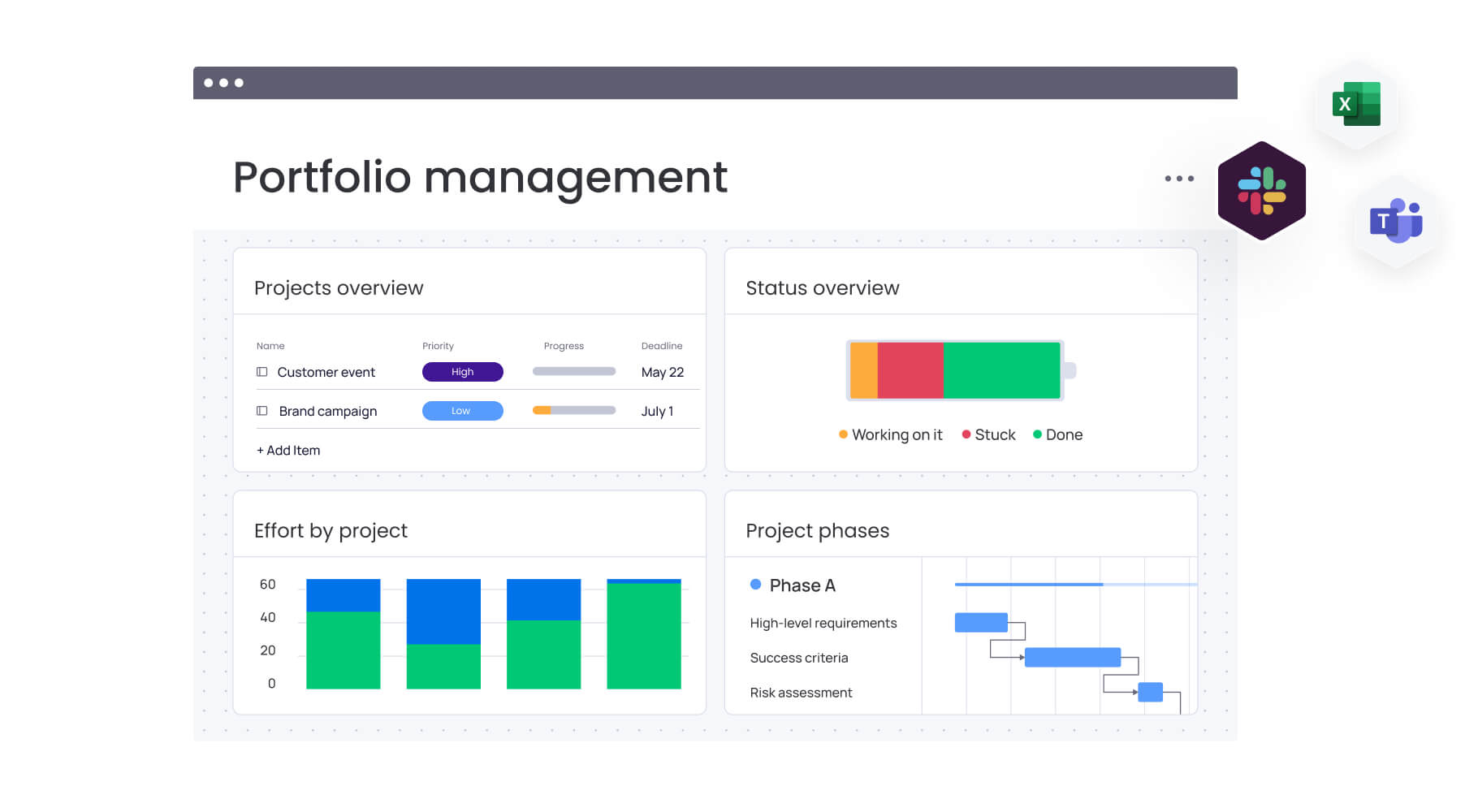
Key capabilities driving operational efficiency
Operational efficiency depends on specific capabilities that separate enterprise platforms from basic productivity tools. These features determine how well you can plan, execute, and analyze work. Understanding where each platform excels helps you prioritize what matters most.
Project and portfolio management capabilities
These capabilities matter more as you move from managing individual projects to overseeing entire portfolios. Each platform handles this progression differently.
| Feature | Notion | Asana | monday work management |
|---|---|---|---|
| Project templates | Community-driven; unstructured | Standard templates; rigid structure | Customizable templates with pre-built automations |
| Timeline management | Basic timeline view | Timeline view with dependencies | Interactive Gantt charts with baseline tracking |
| Portfolio reporting | Manual roll-ups required | Portfolios allow status monitoring | Dashboards aggregate data across unlimited boards |
| Resource allocation | Not available natively | Workload view for item counts | Workload view based on effort, capacity, and skills |
| Strategic alignment | Manual linking of pages | Goals feature connects to projects | High-level strategy boards connect to daily execution |
Resource planning and workload optimization
Growing organizations need visibility into team capacity to prevent burnout and hit deadlines. This becomes increasingly important as today’s technologies could automate about 57% of current U.S. work hours, requiring strategic workforce planning.
Effective resource management means more than counting individual work items. It means analyzing effort, skill sets, and availability.
Resource management components:
- Capacity visualization: see who’s overloaded and who has bandwidth.
- Skill-based allocation: match work to team member expertise.
- Workload balancing: redistribute tasks to optimize delivery timelines.
Teams optimize resources with monday work management’s workload view, which shows capacity across multiple projects. Managers rebalance work with drag-and-drop ease while AI assigns work based on team skills and bandwidth.
Workflow automation without code
Automation cuts repetitive admin work, keeps things consistent, and reduces errors. The best systems let business users build complex automations without engineering help.
With an automation engine that lets users combine triggers, conditions, and actions to speed up processes, monday work management empowers teams to auto-move items, notify stakeholders, or update dependencies. AI Blocks add to these automations by categorizing and extracting data in the workflow, handling manual work at scale.
Team collaboration and communication
As switching between work platforms and apps kills productivity, communication must be integrated into the workflow.
Collaboration essentials:
- Contextual communication: discuss work within the relevant project.
- File sharing: attach documents and media to specific tasks.
- External collaboration: include clients and vendors securely.
Every item on monday work management has built-in collaboration. Teams can tag stakeholders, share files, and post updates right in the project. This works for external guests too, so you can collaborate securely with clients and vendors without exposing internal data.

AI that actually drives business results
AI in work management needs to go beyond generative text and deliver real business intelligence and efficiency. The focus is on practical applications that save time and reduce risk, especially as C-suite executives plan a 14% average increase in AI budgets for 2026 and prioritize technology investments for growth.
Real AI value comes from automating decisions and surfacing novel insights that empower human analysis.
Portfolio risk insights across all projects
Spotting at-risk projects before they derail is a major challenge for execs. AI analyzes historical data and current progress to predict delays.
Risk detection capabilities:
- Pattern recognition: identify warning signs based on historical project data.
- Proactive alerts: flag potential issues before they become critical.
- Intervention recommendations: suggest specific actions to mitigate risks.
Notion lacks native AI-powered risk detection, relying instead on manual tracking and third-party integrations. Asana offers basic project status indicators but doesn’t provide predictive risk analysis across portfolios.
Portfolio Risk Insights in monday work management scans project boards and flags risks like scope creep, resource bottlenecks, or missed deadlines. Leaders can intervene early instead of reacting to failures after the fact.
AI Blocks and Digital Workers
Notion’s AI capabilities focus primarily on generative text for content creation within documents, with limited workflow automation. Asana provides AI-powered smart goals and status updates but lacks the depth of customizable AI integrations for complex business processes.
Through AI Blocks, Product Power-ups, and the Digital Workforce, monday work management integrates AI seamlessly into daily operations. AI Blocks let users drag and drop smart capabilities into workflows: like sentiment analysis for customer feedback or automated data extraction from documents.
The Digital Workforce uses autonomous agents that handle routine work 24/7. These Digital Workers learn from user behavior to execute complex work without human help, constantly improving through feedback.
Predictive analytics for resource management
Effective resource allocation means predicting future demands, not just reviewing current loads. AI helps by analyzing past project performance to forecast capacity needs.
Neither Notion nor Asana offers AI-driven predictive analytics for resource forecasting. Notion requires manual capacity planning through custom databases, while Asana’s workload view shows current allocation without predictive intelligence.
AI-powered resource allocation in monday work management looks at effort estimates, skill levels, and past velocity to recommend the best team assignments. Projects get staffed for success from day one.
Understanding total cost of ownership
The subscription price is just a fraction of the total investment. You need to account for implementation time, training, and the ongoing costs of maintaining the platform. Smart buyers look at the full financial picture before choosing a platform.
Platform pricing by organization size
Understanding how pricing scales across different organization sizes helps anticipate costs as your organization grows. Each platform follows different pricing patterns that impact long-term budgets.
| Organization size | Notion | Asana | monday work management |
|---|---|---|---|
| 50 users | Flat per-user rate; add-ons for AI | Tiered pricing; higher tiers needed for portfolios | Tiered pricing; consistent feature set for scale |
| 200 users | Enterprise plan required for security | Significant cost jump for Business/Enterprise tiers | Volume discounts available; predictable scaling |
| 500+ users | Custom contract; heavy admin overhead | High cost for full feature access | Enterprise tier offers strong value-to-feature ratio |
Implementation and training investments
Complex platforms often incur hidden costs related to extended downtime and steep learning curves. A solution that requires months of consultant-led training delays ROI.
- Setup complexity: how long before teams are productive?
- Training requirements: what level of support do users need?
- Change management: how disruptive is the transition?
Notion’s flexible structure requires significant upfront investment in building databases and establishing governance frameworks, often extending implementation timelines. Asana’s structured approach reduces setup time but demands thorough training to ensure teams follow prescribed methodologies correctly.
With an intuitive, visual interface that mimics familiar spreadsheet behaviors, monday work management delivers high adoption rates with minimal formal training. This reduces the internal IT burden and accelerates the transition from purchase to productivity.
ROI timeline and payback period
Speed to value is critical for justifying software investments. Organizations need a platform that delivers measurable efficiency gains quickly.
A Forrester Total Economic Impact study demonstrates that organizations implementing monday work management typically see a payback period of less than four months. This is driven by immediate improvements in workflow efficiency, reduced meeting times, and the consolidation of redundant platforms.

“monday.com has been a life-changer. It gives us transparency, accountability, and a centralized place to manage projects across the globe".
Kendra Seier | Project Manager
“monday.com is the link that holds our business together — connecting our support office and stores with the visibility to move fast, stay consistent, and understand the impact on revenue.”
Duncan McHugh | Chief Operations OfficerHow to choose a work management platform that grows with you?
Selecting the right platform comes down to aligning the platform’s core philosophy with your organization’s specific needs and growth trajectory. The decision you make today will impact how effectively your teams collaborate, execute projects, and scale operations for years to come. Consider not just where you are now, but where you plan to be in 12-24 months.
Choose Notion for knowledge management focus
Organizations where the primary output is documentation, knowledge sharing, and content creation will find Notion an ideal fit. It serves small-to-medium agencies, content teams, and startups well when the priority is a flexible, wiki-style environment.
However, organizations with complex project dependencies or strict reporting requirements may find its lack of structured project management features limiting as they scale.
Choose Asana for simple task coordination
Organizations that need a straightforward, structured approach to project management and team coordination will find Asana fits their needs. It works effectively for marketing teams and creative agencies that require visibility on deadlines and responsibilities without the need for complex custom workflows.
It is less suitable for organizations that need to manage resources across silos or require deep customization of their operational processes.
Choose monday work management for enterprise scale
Organizations seeking a comprehensive Work OS that scales from simple projects to enterprise-wide business processes will find the optimal choice in monday work management. It delivers the most value to companies that need to connect strategy to execution, manage complex portfolios, and automate cross-departmental workflows.
Its combination of robust security, advanced AI capabilities, and high user adoption makes it the strategic partner for organizations planning significant growth.
Frequently asked questions
Can you migrate from Notion or Asana to monday work management?
Yes, you can migrate from Notion or Asana to monday work management. The process is straightforward using built-in data import options and dedicated migration templates. The platform supports importing CSV and Excel files, ensuring that existing workflows and historical data transfer seamlessly into the new Work OS.
Which platform offers the most comprehensive enterprise support?
For the most comprehensive enterprise support package, monday work management delivers dedicated customer success managers and 24/7 priority assistance. This level of service is tailored for large-scale deployments, whereas Asana and Notion typically offer tiered support that may not meet the demands of complex enterprise environments.
How do these platforms handle remote global teams?
When it comes to supporting distributed teams, monday work management excels through real-time collaboration features, time zone intelligence, and interface support for multiple languages. While all three platforms function in remote settings, monday work management's deep integration ecosystem ensures that global teams remain aligned regardless of location.
What's the learning curve for each platform?
Regarding the learning curve for each platform, Notion presents the steepest learning curve due to its open-ended structure, while Asana offers moderate complexity focused on projects. Balancing power with usability, monday work management achieves high adoption rates through a visual, intuitive interface that requires minimal training even for complex enterprise examples.
Which solution integrates most effectively with Microsoft 365?
For deep native integrations with the Microsoft 365 suite, monday work management offers seamless connections with Teams, Outlook, Excel, and SharePoint. These connections allow for bi-directional data syncing and workflow triggers, creating a highly connected environment for organizations invested in the Microsoft ecosystem.
How does pricing scale as your organization grows?
With predictable enterprise pricing models, monday work management offers volume discounts and consistent feature access across high-tier plans. In contrast, scaling with Asana or Notion can result in significant cost increases as organizations are forced into higher tiers to access basic administrative or security features.

 Get started