


Choosing a work platform starts simply, until reality sets in. One team wants spreadsheet-like control. Another wants visual boards. Leadership wants portfolio reporting. Operations wants automations. Finance wants to understand the total cost, not just license fees.
That’s why the monday.com vs Smartsheet comparison matters.
Both platforms help teams organize work, manage projects, automate processes, and report on progress. But they’re built around different ideas. Smartsheet starts from a spreadsheet-style grid and extends it into project management. monday.com’s AI Work Platform gives teams a flexible way to manage projects, goals, resources, workflows, and execution through connected views, automations, and AI-powered capabilities.
That difference shapes everything: adoption, reporting, automation, resource planning, AI, scalability, and cost.
This guide compares monday.com vs Smartsheet across what matters most for growing, cross-functional teams. By the end, you’ll know which platform fits how your teams actually work, not just which one looks stronger in a demo.
Try monday.comKey takeaways
- monday.com and Smartsheet take different approaches to work management. Smartsheet is strongest for teams that think in spreadsheets, formulas, and structured grids. monday.com is stronger for teams that need flexible views, visual workflows, and cross-functional adoption
- The interface difference affects adoption. Smartsheet feels familiar to Excel-heavy teams, but non-spreadsheet users may need more support. monday.com gives teams multiple ways to view the same work, including boards, dashboards, timelines, Gantt charts, calendars, Kanban, workload views, and more
- Automation is easier to build in monday.com. Smartsheet supports automation, but more advanced workflows often depend on formulas, sheet structure, or add-ons. monday.com uses visual automation builders that are easier for non-technical users to configure.
- Resource management is a major difference. monday.com includes workload and resource visibility inside the platform, while Smartsheet offers advanced resource management through additional products and enterprise packages.
- Pricing should be evaluated by total cost, not starting price. Smartsheet and monday.com both offer multiple pricing tiers, but add-ons, premium apps, AI credits, integrations, and resource features can affect the final cost.
monday.com vs Smartsheet at a glance
The quickest way to understand the comparison is: Smartsheet is a spreadsheet-first platform for structured work. monday.com’s AI Work Platform is built for cross-functional execution, helping people and agents manage work, automate workflows, and drive business results together.
| Category | Smartsheet | monday.com’s AI Work Platform |
|---|---|---|
| Primary interface | Spreadsheet-style grid | Visual boards, multiple views, automations, and AI-powered capabilities |
| Best fit | Spreadsheet-native teams and structured project tracking | Cross-functional teams managing projects, portfolios, goals, workflows, and execution |
| Ease of adoption | Familiar for Excel-style users | More accessible for mixed departments and non-technical teams |
| Customization | Strong, but often grid/formula-based | Visual, no-code, and workflow-driven |
| Automations | Rule-based automation | Visual automation builder with integrations |
| Resource planning | Available through resource management capabilities and advanced offerings | Workload and resource visibility inside the platform |
| AI | Smartsheet AI for analysis, formulas, text, summaries, and more | AI credits for monday agents, meeting notes, monday sidekick, monday vibe, AI columns, and AI workflow builder |
| Reporting | Reports, dashboards, and cross-sheet structures | Live dashboards, portfolio views, widgets, and connected boards |
| Pricing style | Core plans plus advanced add-ons/custom pricing | Tiered plans with AI credits and bundled capabilities |
| Best for enterprise scale | Spreadsheet-centered enterprise processes | Cross-functional work, portfolio visibility, workflow standardization, and AI-powered execution |
Smartsheet is often a strong fit for teams that already organize work in rows, columns, formulas, and reports. monday.com is often a stronger fit for teams that need different departments to work from the same data in different formats.
monday.com is the AI Work Platform, where people and agents work together across use cases like PMO, marketing, operations, sales, IT, product, HR, and R&D. Smartsheet positions its platform around managing projects, programs, and processes, with advanced work management options for organizations managing large-scale portfolios and connected systems.
What is monday.com’s AI Work Platform?
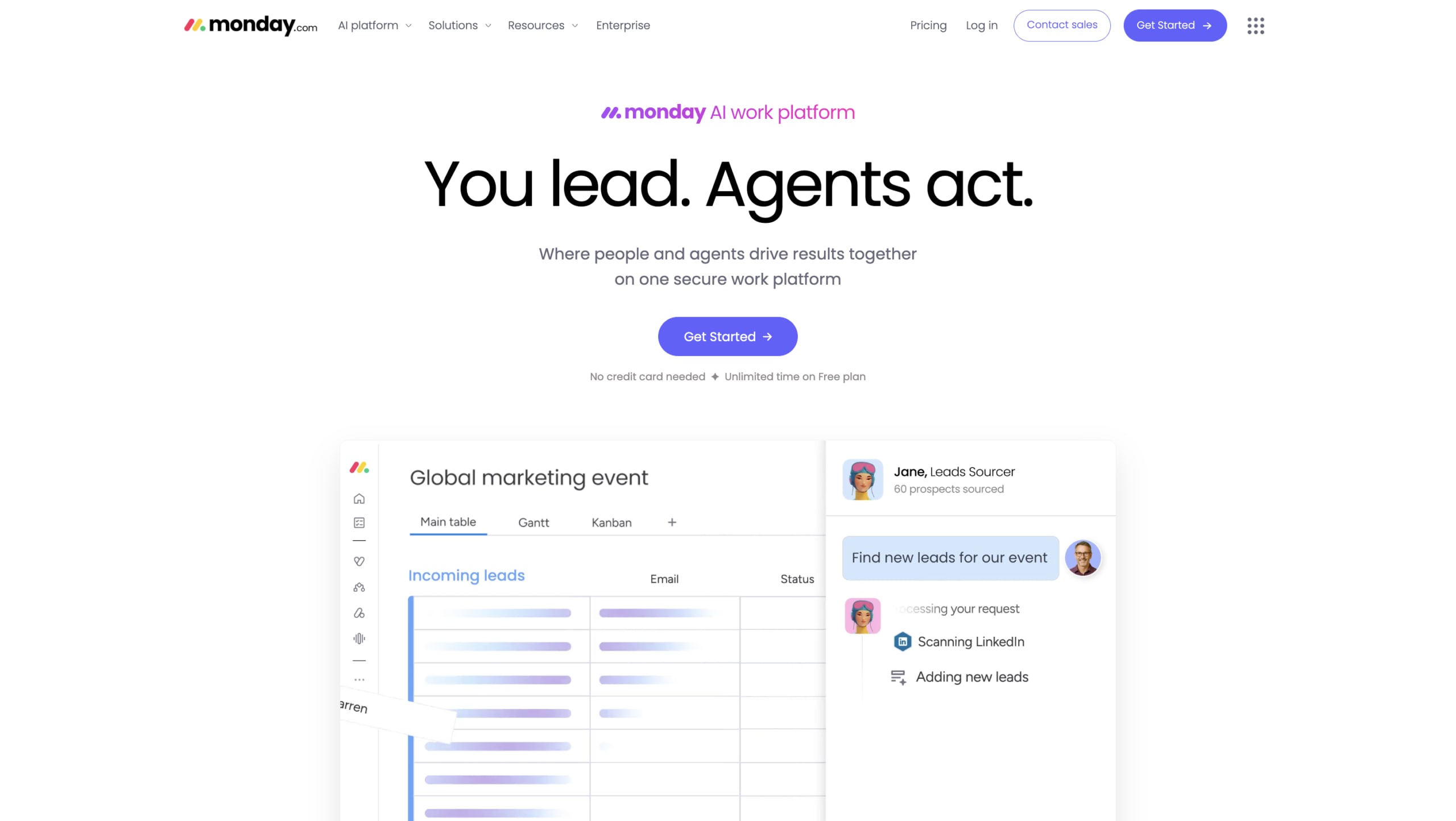
monday.com’s AI Work Platform is where teams manage work, automate workflows, collaborate across departments, and use AI-powered capabilities to move work forward.
The platform is designed to support different kinds of teams without forcing everyone into the same workflow style. A marketing team can manage campaigns in a Kanban board. A PMO can track a portfolio in a Gantt view. Operations can run intake through forms and automations. Leadership can monitor progress through dashboards.
The key point is that these views can all connect to the same underlying work data.
That matters for organizations where projects do not stay neatly within a single department. A product launch might involve marketing, product, sales, operations, finance, and customer support. monday.com gives each team a way to manage its part of the work while still keeping leadership visibility across the whole initiative.
monday.com’s pricing page also highlights AI capabilities across plans, including monday agents, meeting notetaker, monday sidekick, monday vibe, AI columns, and AI workflow builder, with AI credits included by plan.
monday.com is often best for teams that need:
- Clear project and portfolio visibility across teams and initiatives
- Visual workflows that adapt to how different teams work
- No-code automation that business users can build and adjust
- Cross-functional collaboration without forcing everyone into the same view
- Workload and resource planning inside the platform
- Live dashboards that give leadership real-time visibility
- Connected work across departments, projects, and goals
- Easier adoption for non-technical users and mixed teams
- AI embedded inside everyday work processes and workflows
What is Smartsheet?
Smartsheet is a cloud-based work management platform built around a spreadsheet-style interface. It takes the familiar structure of rows, columns, formulas, and sheets, then adds project management, reporting, automation, dashboards, and enterprise work management capabilities.
For teams already comfortable in spreadsheets, Smartsheet can feel natural. Finance teams, project controllers, construction teams, operations analysts, and technical project managers often appreciate the grid structure because it resembles the way they already track data.
Smartsheet also supports larger-scale work management through advanced offerings. Its pricing page lists Advanced Work Management as a custom-priced option for organizations managing large-scale portfolios and connecting across systems, with capabilities such as Control Center, Dynamic View, Data Shuttle, connectors, DataMesh, Calendar App, Pivot App, and Premium Support.
Smartsheet is often best for teams that need:
- Spreadsheet-style project tracking with familiar rows, columns, and grid-based task management
- Structured data management through formulas, dependencies, and calculated fields
- Formula-driven workflows that automate calculations, status updates, and data validation
- Gantt charts and project schedules for timeline visualization and dependency tracking
- Reporting and dashboards built from sheet data, cross-sheet references, and structured queries
- Enterprise portfolio management capabilities available through advanced work management packages
- Controlled external collaboration through Dynamic View and permission-based sheet sharing
- Work processes that map naturally to rows, columns, and hierarchical sheet structures
- Teams comfortable with Excel-style interfaces and spreadsheet logic
monday.com vs Smartsheet: the main difference
The biggest difference between monday.com vs Smartsheet is not a single feature. It’s the operating model.
Smartsheet asks teams to manage work through a spreadsheet-first structure. That can be very effective when the work is highly structured, and the team is comfortable with formulas, dependencies, and grid-based reporting.
monday.com’s AI Work Platform gives teams a flexible workspace where people and agents can manage projects, automate handoffs, track resources, and keep work moving across functions. The same data can be shown as a table, Kanban board, timeline, Gantt chart, calendar, workload view, dashboard, or portfolio view. That makes it easier for different departments to use the platform without having to work in the same format.
This is where adoption becomes important.
A platform only delivers value if people use it consistently. If a tool works well for project managers but feels too rigid for marketing, HR, sales, or operations, data becomes incomplete. Reports lose accuracy. Leadership visibility suffers.
For teams comparing monday.com vs Smartsheet, the practical question is: Do your teams naturally work in spreadsheets, or do they need a more visual, flexible way to manage work across functions?
Customization: formulas vs no-code workflow building
Customization is another major difference in the monday.com vs Smartsheet comparison.
Smartsheet customization often relies on sheet structure, formulas, reports, forms, and automated rules. That gives spreadsheet-native teams a lot of control, but it can create maintenance challenges. If the logic becomes complex, fewer people may understand how the workflow works.
monday.com is more visual. Teams can create workflows with columns, statuses, forms, dashboards, automations, integrations, and templates. The goal is to make customization accessible to department leads, project managers, and operations teams without requiring expertise in formulas.
This matters when workflows change often.
If a marketing team needs to add an approval step, route a request, change a status flow, or create a dashboard, they should not need to wait for an administrator every time. monday.com makes that kind of iteration easier for business users.
Best fit
Choose Smartsheet if your team wants spreadsheet-style customization and has people who can maintain formulas and sheet structures.
Choose monday.com if your team wants visual, no-code customization that department owners can adjust themselves.

Customization: formulas vs no-code workflow building
Customization is another major difference in the monday.com vs Smartsheet comparison.
Smartsheet customization often relies on sheet structure, formulas, reports, forms, and automated rules. That gives spreadsheet-native teams a lot of control, but it can create maintenance challenges. If the logic becomes complex, fewer people may understand how the workflow works.
monday.com is more visual. Teams can create workflows with columns, statuses, forms, dashboards, automations, integrations, and templates. The goal is to make customization accessible to department leads, project managers, and operations teams without requiring expertise in formulas.
This matters when workflows change often.
If a marketing team needs to add an approval step, route a request, change a status flow, or create a dashboard, they should not need to wait for an administrator every time. monday.com makes that kind of iteration easier for business users.
Best fit
Choose Smartsheet if your team wants spreadsheet-style customization and has people who can maintain formulas and sheet structures.
Choose monday.com if your team wants visual, no-code customization that department owners can adjust themselves.
Views, dashboards, and reporting
Both platforms support dashboards and reporting, but the experience differs.
Smartsheet dashboards are useful for reporting across sheets, showing charts, metrics, links, and project information in one place. For spreadsheet-centered teams, this can work well.
monday.com dashboards are built to pull together live data from boards and workflows. Teams can create dashboards for project health, workload, budgets, timelines, goals, risks, and portfolio performance.
| Reporting area | Smartsheet | monday.com |
|---|---|---|
| Dashboard style | Widget-based dashboards connected to sheets and reports | Live dashboards connected to boards, portfolios, and workflows |
| Work views | Grid, Gantt, card, calendar, reports | Multiple board and dashboard views, including timeline, Gantt, Kanban, calendar, workload, and more |
| Cross-project visibility | Built through reports, dashboards, and advanced tools | Built through connected boards, dashboards, portfolios, and enterprise work management features |
| Best for | Structured reporting from sheets | Live visibility across cross-functional work |
monday.com’s enterprise work management support page describes capabilities for complex workflows, including cross-project dependencies, advanced resource management, AI-driven risk insights, and portfolio-wide dashboards.
Best fit
Choose Smartsheet if your reporting is built around structured sheets and grid-based data.
Choose monday.com if leadership needs live dashboards across teams, projects, resources, and portfolios.

Workflow automation: rule-based vs visual automation
Automation is one of the most important areas in the monday.com vs Smartsheet comparison because it affects how much manual coordination teams can remove.
Smartsheet supports automated workflows based on triggers such as changes, dates, reminders, approvals, and alerts. This is useful for structured work, especially when the sheet is well designed.
monday.com also supports automation, with a visual builder that helps business teams create and adjust workflows without relying on technical support. Users can create automations like: when a status changes, notify a manager; when a request form is submitted, create an item; when a deadline arrives, send a reminder; when a deal moves stages, update a dashboard; or when work is complete, trigger a handoff.
As AI capabilities expand across the platform, teams can also use tools like monday agents, monday sidekick, and AI workflow builder to reduce manual work and keep execution moving.
monday.com’s pricing page lists automations and integrations on Standard plans, with monthly action limits, and describes automations as a way to save time by automating repetitive tasks.
Best fit
Choose Smartsheet if your automations are closely tied to the sheet structure and approvals.
Choose monday.com if business teams need to build and adjust automations without relying on spreadsheet formulas or technical support.
Resource management and workload planning
Resource planning is often where the platform decision becomes clearer.
Smartsheet offers advanced resource management capabilities and work management offerings. That can be powerful, but teams should understand what is included in their plan and what may require additional products or custom pricing.
monday.com brings workload and resource visibility into the same platform where teams plan, manage, and execute work. Managers can see who is overloaded, which projects need more coverage, and where work can be rebalanced.
This is especially useful for teams managing multiple projects at once. Resource issues rarely appear in isolation. A designer might be overbooked because three campaigns are running simultaneously. A developer might be blocked because another team’s dependency slipped. A project manager might need to rebalance work before deadlines are missed.
monday.com’s enterprise work management support page highlights advanced resource management and portfolio-wide dashboards as part of managing complex workflows.
Best fit
Choose Smartsheet if you need spreadsheet-style planning and are prepared to evaluate resource management as part of the broader Smartsheet package.
Choose monday.com if you need workload visibility embedded directly in day-to-day project and portfolio execution.
AI capabilities: formula help vs workflow intelligence
AI is now part of both platforms, but the way it shows up is different.
Smartsheet AI focuses on helping users analyze data, generate formulas, summarize text, and turn work into more connected, predictive, and automated processes. Smartsheet’s AI page describes AI capabilities such as analyzing data, adding real-time updating charts to dashboards, and generating formulas through conversation.
monday.com has expanded AI across the AI Work Platform with credits that can be used for monday agents, meeting notes, monday sidekick, monday vibe, AI columns, and AI workflow builder. Its pricing page describes monday sidekick as a context-aware AI assistant that understands, connects, and runs work, and monday vibe as a builder that turns business needs into custom business apps in minutes.
This creates a meaningful distinction.
Smartsheet AI is useful for teams that need help working with spreadsheet-style data, formulas, summaries, and analysis. monday.com’s AI direction is centered on people and agents working together inside everyday workflows — with agents helping execute work, Sidekick supporting individual productivity, and Vibe helping teams build custom apps inside monday.com.
| AI area | Smartsheet | monday.com |
|---|---|---|
| Formula support | Strong fit | Less central |
| Data analysis | Available through Smartsheet AI | Available through AI columns, monday agents, and workflow AI |
| Workflow execution | Expanding through Smartsheet AI vision | Supported through monday agents, monday sidekick, and AI workflow builder |
| App creation | Not the core focus | Custom app creation with monday vibe |
| Best for | Spreadsheet-style AI assistance and analysis | AI inside work execution and custom workflow building |
Best fit
Choose Smartsheet if your team wants AI assistance for formulas, summaries, and analysis in a spreadsheet-centered environment.
Choose monday.com if your team wants AI to help with internal workflows, automate repetitive tasks, support agents, and create apps or workflow logic based on business needs.
Integrations and ecosystem
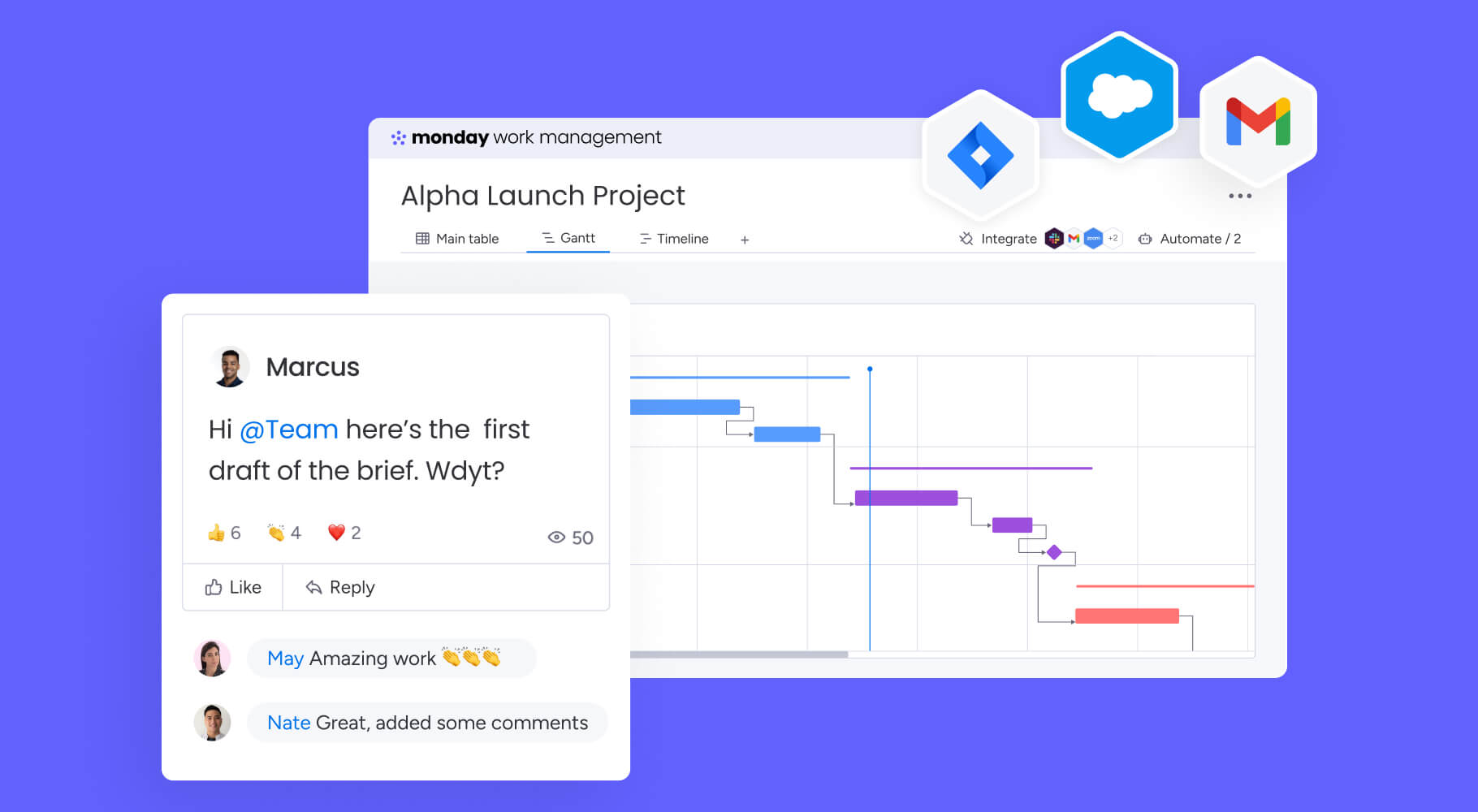
Both platforms integrate with common workplace tools, but the way teams use integrations can differ.
Smartsheet is often a strong fit for organizations that already depend heavily on Microsoft 365, Google Workspace, and structured enterprise workflows. Its advanced work management packages include connectors and tools such as Data Shuttle and DataMesh.
monday.com integrates with many common workplace tools and is designed to centralize work across teams. Its pricing page describes integrations as a way to connect monday.com with the tools teams already use, with integration action limits by plan.
Common integration needs include:
- Slack or Microsoft Teams notifications
- Google Drive or OneDrive file access
- Salesforce or HubSpot CRM data
- Jira or GitHub development work
- Outlook or Gmail communication
- Finance, BI, and reporting tools
Best fit
Choose Smartsheet if your workflows are built around structured sheets and enterprise connectors.
Choose monday.com if you want integrations to support cross-functional workflows inside a broader visual workspace.
Security, compliance, and governance
Both Smartsheet and monday.com serve enterprise customers, so both support security and governance needs. The difference is how governance fits into everyday work.
Smartsheet offers enterprise and advanced work management capabilities for large organizations, including tools that support portfolio-scale work, controlled views, data movement, and advanced support.
monday.com offers governance through workspace and board structures, permissions, admin controls, dashboards, and enterprise capabilities. monday.com’s enterprise work management documentation highlights enterprise-level planning, execution, oversight, cross-project dependencies, advanced resource management, AI-driven risk insights, and portfolio dashboards.
When evaluating governance, ask:
- Can admins control who creates, edits, and shares work?
- Can teams manage access by workspace, board, project, or role?
- Can external users be limited to the right information?
- Are audit logs available?
- Can data residency or compliance requirements be met?
- Can AI features be managed by account or role?
- Can portfolio reporting be standardized across departments?
Best fit
Choose Smartsheet if your governance model is centered on structured sheets, reports, and controlled enterprise work management packages.
Choose monday.com if governance needs to support flexible team workflows, visual boards, portfolio dashboards, and cross-functional adoption.
monday.com vs Smartsheet pricing and total cost of ownership
Pricing is one of the trickiest parts of the monday.com vs Smartsheet comparison because the starting price does not always show the full cost.
monday.com lists pricing by plan with Basic, Standard, Pro, and Enterprise options, along with AI credits by plan and plan-specific automation/integration limits. Plans start from three users, and larger teams can request a quote.
Smartsheet lists flexible plan options, including advanced work management at custom pricing. Its pricing page states that Advanced Work Management includes Enterprise plus additional capabilities such as Control Center, Dynamic View, Data Shuttle, connectors, DataMesh, Calendar App, Pivot App, and Premium Support.
What to compare beyond seat price
When comparing costs, look at:
- Number of users or seats
- Minimum seat requirements
- Automation limits
- Integration limits
- AI credits or AI usage
- Resource management costs
- Portfolio management needs
- External collaborators
- Premium connectors
- Support needs
- Data sync or data movement tools
- Implementation and training time
A platform with a lower starting price may end up costing more if the features you need require add-ons or higher tiers. A platform with a higher seat price may be more cost-effective if it includes the capabilities your teams actually use.
Best fit
Choose Smartsheet if its spreadsheet-first structure matches your team and the required advanced features fit your budget.
Choose monday.com if bundled capabilities, visual adoption, workload visibility, automations, integrations, and AI credits create better total value for your team.
Implementation: how long does rollout take?
Implementation is often where a platform’s usability becomes real.
Smartsheet can be quick to start if teams already know spreadsheets. A simple project sheet can be built quickly. But large-scale implementations can become more complex when teams need cross-sheet reporting, formulas, dashboards, resource management, and enterprise controls.
monday.com can also start quickly because teams can use templates, boards, automations, and dashboards without heavy technical setup. Its advantage is often adoption across mixed teams. People who do not want to work in spreadsheets can still manage work visually.
Recommended rollout plan
Phase 1: Pilot one high-value workflow
Start with a workflow that is important but contained. Good candidates include project intake, campaign tracking, resource planning, executive reporting, or approval routing.
Goals:
- Prove usability
- Test reporting
- Validate automations
- Collect user feedback
- Identify governance needs
Phase 2: Expand to one department
Once the pilot works, roll it out to one department. Let that team configure views and automations around its real workflow.
Goals:
- Build adoption
- Standardize naming
- Define dashboards
- Establish ownership
- Document best practices
Phase 3: Connect cross-functional work
After one department succeeds, connect work across teams. This is where monday.com often becomes more valuable because cross-functional boards, dashboards, and portfolio visibility can reduce silos.
Goals:
- Connect project boards
- Create leadership dashboards
- Define permissions
- Automate handoffs
- Track workload and dependencies
Phase 4: Scale governance
Before expanding further, define account-level standards that will support consistent adoption across the organization. This phase establishes the foundation for sustainable growth and ensures teams can work independently while maintaining alignment with enterprise requirements.
Start by defining user roles and permissions that match how your organization operates. Determine who can create workspaces, manage boards, configure automations, build dashboards, and invite external collaborators. Clear role definitions prevent governance gaps and reduce the risk of uncontrolled sprawl.
Establish workspace structure standards that make it easy for teams to find information and understand where work belongs. Decide whether workspaces will be organized by department, project type, client, or initiative. Consistent structure reduces confusion and improves cross-team visibility.
Create naming conventions for workspaces, boards, columns, statuses, and dashboards. Standardized naming makes reporting more reliable, search more effective, and onboarding faster. When everyone follows the same conventions, leadership dashboards become easier to build and maintain.
Define automation rules that balance efficiency with control. Identify which automations should be standardized across teams and which can be customized by department owners. Document common automation patterns so teams can reuse proven workflows instead of rebuilding from scratch.
Set reporting standards that ensure leadership visibility without creating manual reporting burdens. Determine which metrics matter most, how often dashboards should update, and who owns portfolio-level reporting. Standardized reporting reduces the need for status meetings and email updates.
Establish AI usage policies that align with your organization’s data governance and security requirements. Decide which AI features are available to which roles, how AI credits should be allocated, and what guidelines teams should follow when using monday agents, monday sidekick, or AI workflow builder.
Finally, define external collaboration rules that protect sensitive information while enabling productive partnerships. Determine how external users should be invited, what access levels are appropriate, and how shared boards should be structured. Clear collaboration rules reduce security risk and make external engagement more predictable.
Migration: how to move from Smartsheet to monday.com
Teams often delay platform changes because they worry migration will be disruptive. That is understandable. Work management platforms contain more than data. They contain context, ownership, deadlines, workflows, files, and habits.
A structured migration makes the process more manageable.
Step 1: Audit your Smartsheet environment
Start by identifying what is actively used and what can be archived.
Review your active sheets, reports, dashboards, automations, forms, formulas, attachments, shared users, external collaborators, resource workflows, and critical dependencies. Not every sheet needs to migrate. This is an opportunity to simplify.
Step 2: Map sheets to boards
When migrating from Smartsheet to monday.com, the structure translates in predictable ways:
- Each Smartsheet sheet typically becomes a board in monday.com
- Each row in a sheet becomes an item on a board
- Smartsheet columns become column types in monday.com, such as status, date, person, or text columns
- Smartsheet reports can be rebuilt as dashboards or filtered board views
- Smartsheet forms become monday.com forms that create new items when submitted
- Smartsheet automations can be recreated using monday.com automation recipes
- Smartsheet project timelines become timeline views or Gantt views in monday.com
The goal is not to replicate every sheet exactly as it exists in Smartsheet. Instead, migration is an opportunity to rebuild each workflow in the format that works best for your team going forward. Some processes that required complex formulas in Smartsheet may work better as visual automations, connected boards, dashboards, or AI-supported workflows in monday.com.
Step 3: Rebuild formulas as workflow logic
Some spreadsheet formulas may still be needed, but many formula-driven processes can be automated, turned into status columns, mirrored as data, used in dashboards, or connected to workflows.
For each formula, consider whether it calculates something, routes work, flags risk, summarizes status, or feeds a report. Then ask whether it can become an automation or dashboard widget instead. Many formulas that exist to update status, trigger alerts, or calculate project health can be replaced with visual workflow logic that is easier for teams to understand and maintain.
Step 4: Preserve context
Historical context matters. Decide what needs to move and what can remain archived.
Prioritize active project status, key files, ownership, deadlines, open approvals, active comments or decisions, important attachments, and final historical reports. Not everything needs to migrate immediately. Focus on what teams need to continue their work without interruption, and archive the rest in a way that makes it accessible if needed later.
Step 5: Run platforms in parallel briefly
For active work, run Smartsheet and monday.com in parallel for a short period. This reduces risk and lets teams validate workflows before fully switching.
A common approach is to migrate and validate structure in week one, test workflows with a pilot group in week two, run both platforms in parallel for active projects during weeks three and four, switch primary work to monday.com in week five, and archive or restrict legacy Smartsheet assets in week six. This phased approach gives teams time to adjust while maintaining continuity on critical projects.
When Smartsheet is the better fit
Smartsheet may be the better choice when your team is deeply spreadsheet-oriented and wants to preserve that operating style.
It tends to work well for finance-heavy teams that live in formulas and calculations. Project managers who already think in rows, columns, and dependencies often find it familiar. Teams managing structured data tracking, construction timelines, or manufacturing workflows may appreciate the grid-based approach. And if your organization has already built processes around Smartsheet reports and sheets, staying with what works can make sense.
Smartsheet is also a strong option when the team’s work maps naturally to rows, columns, dependencies, calculations, and structured reports.
If your team likes spreadsheets and your processes do not require broad adoption from non-spreadsheet users, Smartsheet may be a comfortable fit.
When monday.com is the better fit
monday.com may be the better choice when work needs to move across departments and teams need different ways to engage with the same data.
The platform is especially powerful when cross-functional projects require real-time collaboration between teams that work differently. PMO leaders tracking portfolio health can see the same underlying work that marketing teams manage as campaigns, operations teams route as workflows, and finance teams monitor through approvals. Resource planning becomes visible across the organization, not hidden in spreadsheets. Request intake flows through forms and automations instead of email threads. Executive dashboards update live, pulling from the same boards where daily work actually happens.
This matters most for teams that need rapid adoption without forcing everyone into a single interface. When tool sprawl has created silos and leadership wants a single source of truth, monday.com provides the flexibility to work visually while maintaining alignment with shared goals.
Workflows that once required manual handoffs can run through visual automation that business users can build and adjust themselves. And for organizations embedding AI into work execution, monday.com supports people and agents working together through monday agents, monday sidekick, monday vibe, and AI-powered workflow capabilities.
monday.com is often stronger when the platform needs to support many different working styles. Marketing can use one view. Leadership can use another. Operations can use automations. The PMO can use dashboards. Everyone can still work from connected data.
Why teams choose monday.com for cross-functional work
The more cross-functional work becomes, the harder it is to manage through spreadsheets alone.
A project rarely belongs to one team anymore. A product launch includes roadmap work, campaign planning, sales enablement, support readiness, finance approvals, creative production, and leadership reporting.
monday.com helps teams connect those moving parts in one platform, and is recognized as a Leader in Gartner’s Magic Quadrant for Collaborative Work Management.
Common use cases
Project management
Teams can track tasks, owners, timelines, dependencies, files, updates, and approvals in one place.
Portfolio management
Leaders can see status across many projects, identify risk, and understand progress toward goals.
Resource management
Managers can view workload, spot overbooked team members, and rebalance assignments.
Goals and OKRs
Teams can connect daily work to broader objectives and track progress visually.
Requests and approvals
Departments can standardize intake through forms and automate routing, notifications, and approvals.
Executive reporting
Leadership dashboards can pull together live information from multiple teams without waiting for manual reports.
Making the right monday.com vs Smartsheet decision
The right answer depends on how your organization works.
If your teams are spreadsheet-native, formula-driven, and comfortable managing work in rows and columns, Smartsheet may be the better fit. It gives those teams a familiar structure with project management and reporting capabilities layered on top.
If your organization needs a more visual, flexible, cross-functional platform where people and agents can manage work, automate handoffs, track resources, and use AI inside everyday workflows, monday.com is likely the stronger choice.
The best way to decide is to test both platforms against the same workflow.
Pick one real process, such as project intake, campaign tracking, resource planning, or portfolio reporting, and evaluate:
- How long setup takes
- How easily non-technical users adopt it
- How dashboards update
- How automation works
- How resource visibility is handled
- How much manual reporting remains
- How governance works
- What the total cost looks like at scale
That will tell you more than a feature checklist ever could.
The content in this article is provided for informational purposes only and, to the best of monday.com’s knowledge, the information provided in this article is accurate and up-to-date at the time of publication. That said, monday.com encourages readers to verify all information directly.
Try monday.com Get started