


Every marketing team has been there: dozens of tools, spreadsheets full of numbers, and endless slides just to answer one simple question: did that campaign actually move the needle? Data sits everywhere, yet clarity feels nowhere, and by the time answers arrive, the moment to act has usually passed.
It matters because decisions shouldn’t wait on manual report pulls or fragmented dashboards. Real-time clarity lets teams spot trends early, course-correct fast, and justify strategy with confidence. When performance data lives in pieces, teams lose momentum; when it’s connected, every metric becomes an insight that drives action.
Below, we look at practical ways leading marketing dashboard software brings performance metrics into one place, turning scattered data into strategic decisions that help teams keep pace with today’s fast-moving digital landscape.
Key takeaways
- Unified dashboards accelerate decisions: bringing paid, owned, and earned channel data into one shared view cuts reporting lag and gives your team immediate clarity when performance shifts.
- Dashboards tied to execution create impact: when metrics connect directly to campaigns, owners, timelines, and budgets, insights turn into action instead of sitting in static reports.
- Platform fit depends on team maturity: lightweight Google-based dashboards, enterprise BI systems, and attribution platforms each serve different needs based on your team size, data complexity, and governance requirements.
- AI elevates dashboards beyond reporting: predictive analytics, anomaly detection, and automated insights help you spot risks early, optimize campaigns faster, and allocate resources with greater confidence.
- Workflow-connected platforms strengthen accountability: solutions like monday work management link dashboards to daily execution, improving visibility, resource planning, and measurable business outcomes without creating extra process overhead.
What is marketing dashboard software?
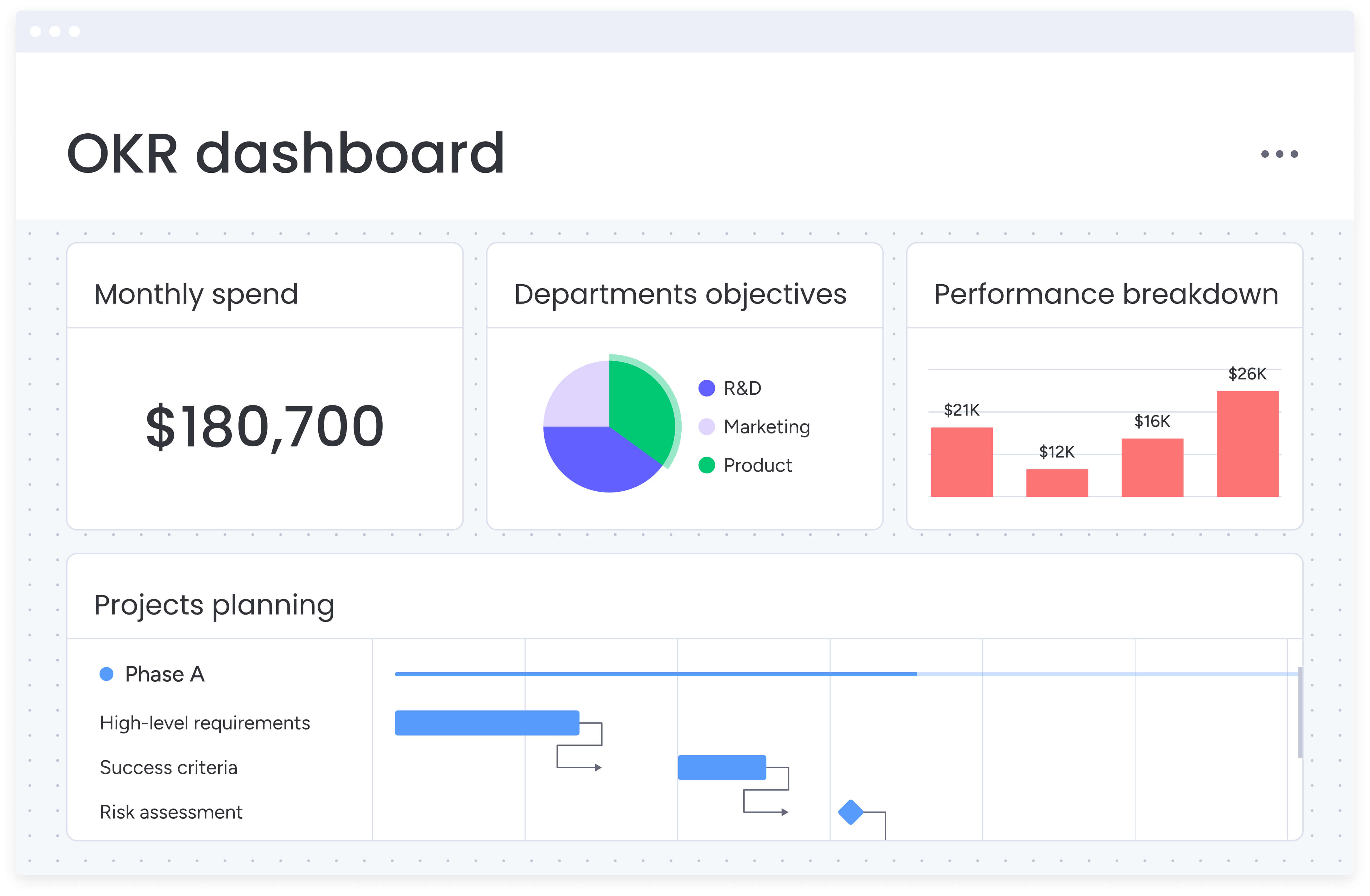.jpg)
Marketing dashboard software pulls campaign data from scattered platforms into one clear, centralized view. Instead of bouncing between spreadsheets and disconnected analytics tools, you can immediately see what’s driving results and where performance needs attention.
When your data lives in one place, reporting becomes faster and more reliable. You spend less time reconciling numbers and more time improving campaigns.
With the right platform, you can:
- Aggregate data automatically: pull live data from analytics, social media, and advertising platforms to remove manual data entry and reduce reporting errors.
- Visualize performance instantly: transform raw datasets into clear charts and graphs that surface trends and patterns as they emerge.
- Automate stakeholder reporting: schedule recurring reports that keep leadership and partners aligned without ongoing administrative effort.
- Track KPIs against goals: monitor key metrics in one location, with alerts that signal when attention or action is required.
Still, identifying insights is only half the job. Platforms like monday work management connect reporting directly to active campaigns, so you can adjust budgets, timelines, and workflows without switching environments. Instead of reviewing static reports, you act on live data while the work is still in motion.
15 best marketing dashboard software platforms for teams
Strong marketing dashboards do more than display numbers. They connect campaign performance to business goals, helping you understand what’s driving growth and where strategy needs refinement.
This guide reviews 15 leading platforms built to turn marketing data into measurable progress. Some focus heavily on attribution, while others combine reporting with execution management. Each one approaches performance visibility from a different angle.
Rather than listing surface-level features, this comparison looks at how well each platform helps you bridge campaign metrics with strategic decisions. The goal is simple: help you choose a solution that supports clarity, accountability, and measurable outcomes.
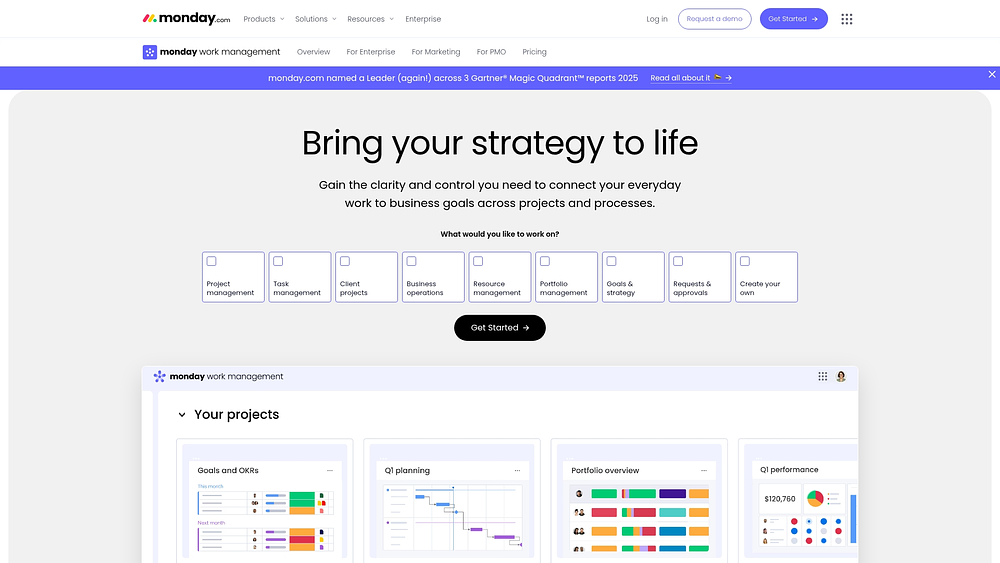
1. monday work management: connects dashboards to real work
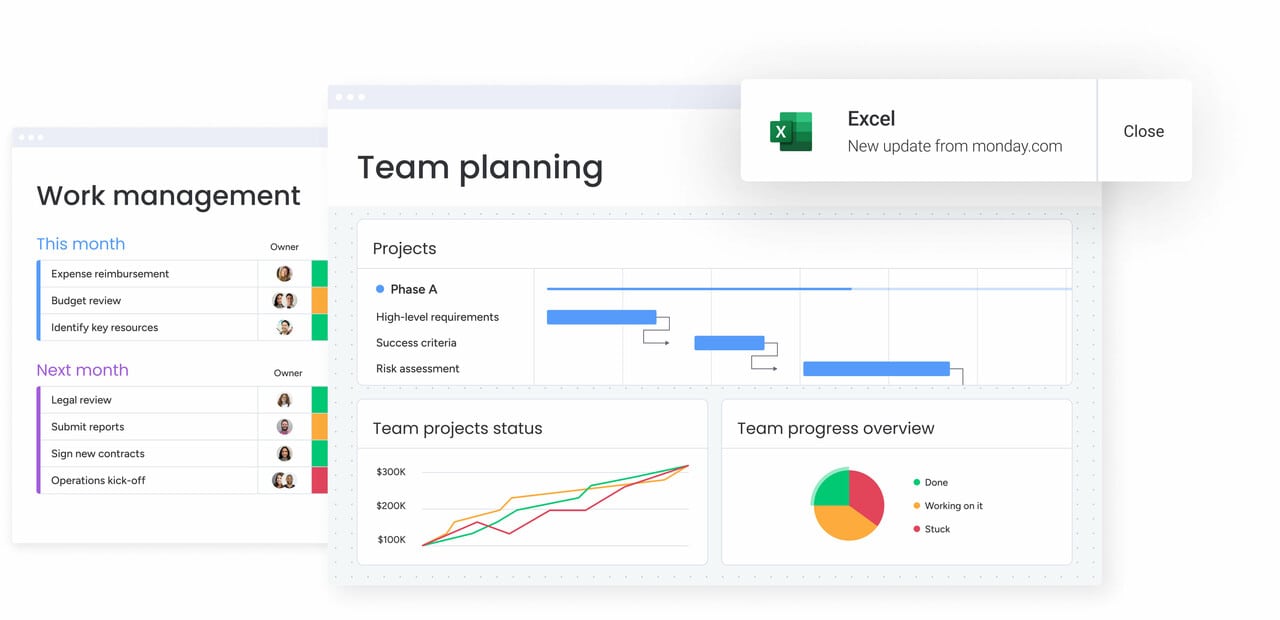
Many teams review performance in one platform and manage execution somewhere else. monday work management removes that disconnect by bringing dashboards and workflows into one shared workspace. Campaigns, requests, timelines, and resources live on boards, while dashboards pull in live data for leadership visibility.
Because dashboards are tied directly to execution, performance changes can be traced back to specific campaigns, owners, and assets. That transparency makes it easier to understand what’s happening and why.
Example:
You can centralize campaign planning, creative intake, delivery timelines, and performance reviews in one place. Forms capture requests, Timeline or Gantt views map deadlines, and dashboards update automatically as statuses change.
For example, a demand generation team routes creative requests through a form into a shared board. As work moves from “brief” to “in design” and then “approved,” the launch dashboard updates instantly. No chasing updates. No manual reporting.
Key features:
Before building your first dashboard, it helps to understand how reporting connects to day-to-day marketing work.
- Drag-and-drop dashboards: Build shareable reports using live board data so leaders can monitor timelines, workloads, and delivery progress without manual updates.
- Flexible views: Switch between Gantt, Timeline, Calendar, Kanban, and Workload views depending on how different stakeholders prefer to track progress.
- Structured intake with Forms: Standardize campaign and creative requests so every submission connects directly to execution and reporting.
Pricing:
- Free: up to two seats with three boards and limited items.
- Basic: priced at $9 per seat per month when billed annually, supporting centralized work tracking.
- Standard: priced at $12 per seat per month when billed annually, including Timeline and Gantt views, Calendar, and 250 automation and integration actions per month.
- Pro: priced at $19 per seat per month when billed annually, offering private boards, time tracking, and higher automation quotas.
- Enterprise: quote-based pricing with advanced governance, enhanced security, and a 99.9% service level agreement.
- Annual billing: provides an 18% cost saving compared to monthly plans.
- AI credits: available as an add-on after the trial allocation, typically priced at $0.01 per credit on annual plans.
Why it stands out:
For teams balancing hands-on execution with leadership oversight, several factors differentiate this platform:
- Industry recognition: named a Leader in the 2024 Gartner® Magic Quadrant™ for Marketing Work Management and the 2025 Gartner® Magic Quadrant™ for Collaborative Work Management.
- Fast time to value: a Forrester Total Economic Impact™ study reported a payback period of under four months, with Motorola achieving a 346% ROI.
- Designed for adoption: workflows are intuitive, helping teams keep work current so dashboards reflect real activity.
Advanced AI features:
Artificial intelligence delivers the most value when it minimizes manual upkeep and accelerates decision-making. On monday work management, AI capabilities are embedded directly where the work occurs.
- AI Blocks for marketing operations hygiene: deploy ready-made AI actions like Categorize, Summarize, Detect sentiment, Translate, and Extract info from files to maintain consistency in intake and reporting fields at scale.
- Autofill with AI for assignments: utilize Assign person with AI in a People column to route assignments based on roles and expertise, a feature particularly useful during spikes in request volume.
- Digital Workforce (coming soon): the Campaign Manager digital worker is engineered to analyze campaign performance and provide actionable insights to optimize marketing impact.
Automations:
Automation helps ensure dashboards remain accurate by keeping workflows moving:
- Templated workflows: launch repeatable campaign structures quickly while maintaining consistency.
- Predictable handoffs: automate reminders and approvals to keep work progressing as planned.
- Cross-functional coordination: trigger updates when statuses change, keeping marketing, creative, and stakeholders aligned.
Integrations:
Dashboards become more valuable when connected to existing systems. monday work management supports this through native integrations and open APIs:
- Communication integrations: connect Slack, Microsoft Teams, and Zoom to keep discussions linked to work.
- Email and file intake: capture requests from Outlook and Gmail while syncing assets from Google Drive.
- Delivery alignment: integrate with Jira Cloud or import existing work from Excel.
Marketing dashboard software features:
The practical difference with monday work management is that dashboards are not merely summaries; they remain attached to the source.
- Live reporting tied to execution: dashboards mirror real-time activity across campaigns and projects as statuses, dates, and owners evolve.
- Resource-aware visibility: utilize Workload View to assess capacity before committing to a new launch, then reflect that plan in your reporting.
- One workspace from planning to performance: manage marketing strategy, campaign execution, creative requests, and resources in connected workflows, reporting on them from a single environment.
2. Funnel: marketing data platform for multi-channel campaigns
Managing data across numerous platforms introduces complexity and inconsistency. Funnel addresses this challenge by aggregating data from more than 600 marketing sources and standardizing metrics for reliable analysis. Built for enterprise-scale operations, the platform emphasizes governance and automated normalization to reduce manual effort.
 Use case:
 Use case:
Ideal for marketing teams juggling campaigns across 10+ platforms who need to eradicate manual data entry and enforce consistent metric definitions across every channel.
Key features:
- Automated data collection: connects to 600+ marketing platforms with fully managed connectors that handle technical complexity and ongoing maintenance.
- Data transformation engine: automatically converts platform-specific metrics into standardized formats, ensuring Facebook’s “conversions” align with Google Ads’ “conversions” for accurate cross-channel analysis.
- Enterprise governance: multi-level workspace permissions, SSO integration, and audit logs provide the security and control needed for large-scale marketing operations.
Pricing:
- Free plan: free forever with 400 flexpoints, support for up to five users, and access to more than 100 core connectors.
- Starter plan: starts at $120 per month, including 500 flexpoints and access to 121 connectors.
- Business plan: custom pricing with unlimited users, unlimited workspaces, and access to 579 connectors.
- Enterprise plan: custom pricing with advanced governance, single sign-on, audit logs, and access to 590 connectors.
- Flexpoints scaling: additional flexpoints are available to expand capacity based on usage needs.
Considerations:
- Data Explorer queries are limited to 100,000 rows, which may constrain very large ad-hoc analyses.
- Advanced collaboration features like SSO, custom portal branding, and granular workspace roles require Business or Enterprise plans.
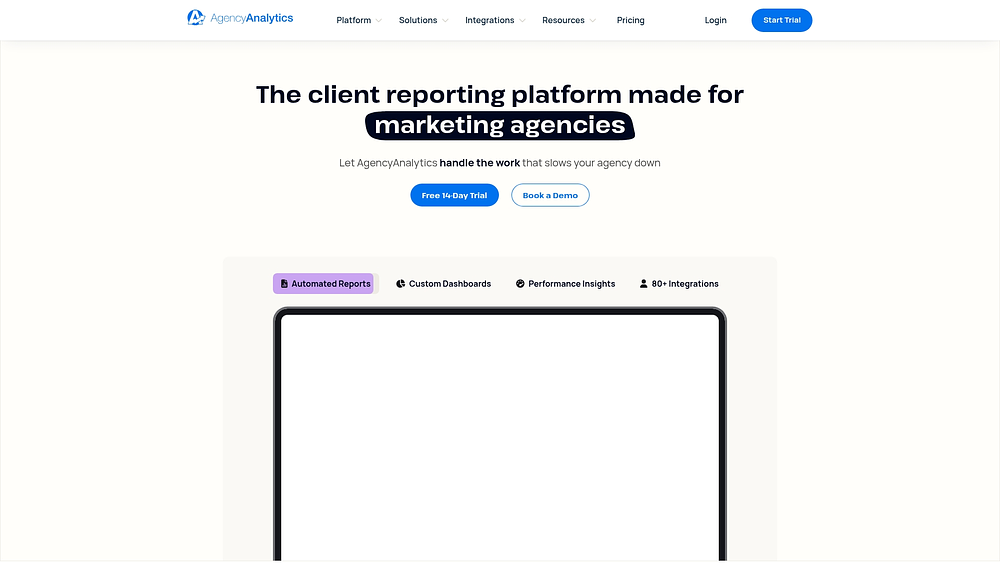
3. AgencyAnalytics: white-label dashboards for marketing agencies
Agencies managing multiple client accounts often spend hours building reports. AgencyAnalytics reduces that workload with branded dashboards and automated data collection, so you can deliver polished reporting without constant manual effort.
Use case:
Agencies overseeing ten plus client accounts that require professional, branded reporting solutions to minimize time spent on manual creation and client updates.
Key features:
- White-label reporting: generate fully branded dashboards and automated reports that reflect your agency’s identity rather than displaying third-party branding.
- Client portal access: provide clients with 24/7 access to their marketing performance data through branded dashboards, reducing ad-hoc reporting requests.
- Integrated task management: coordinate client work directly within the reporting platform using Kanban views, calendar scheduling, and mentions with notifications.
Pricing:
- Freelancer plan: $59 per month with five clients included when billed annually.
- Agency plan: $179 per month with ten clients included when billed annually.
- Agency pro plan: $349 per month with fifteen clients included when billed annually.
- Enterprise plan: custom pricing with access to a dedicated success manager.
- Additional clients: priced at $20 per month per client across all tiers.
- Free trial: 14-trial available with no credit card required.
Considerations:
- The platform requires creating new workflows for each project, and items are permanently deleted.
- Client messaging requires third-party integrations rather than native chat functionality.
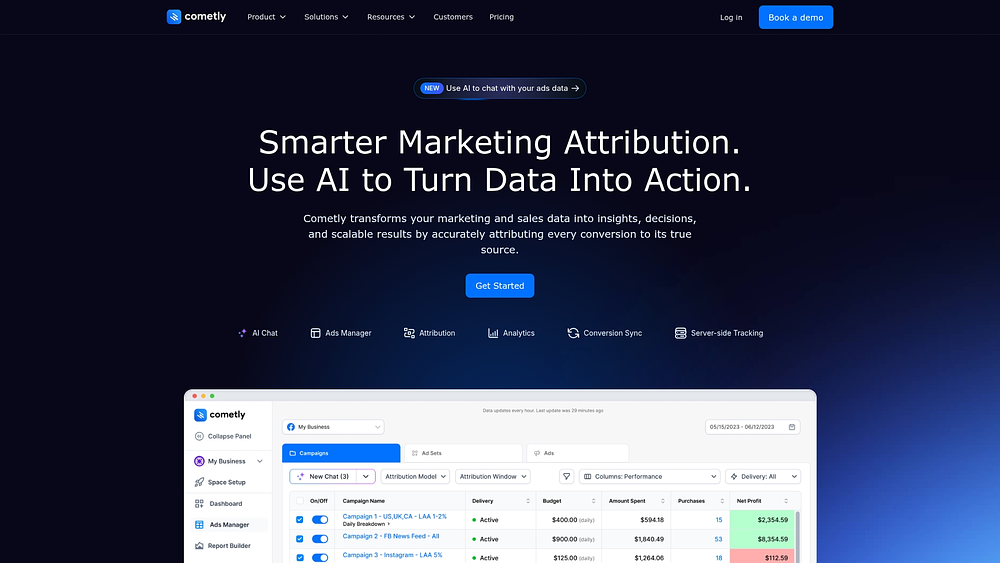
4. Cometly: attribution-focused dashboard platform
Understanding which touchpoints truly drive revenue is challenging, especially across paid and organic channels. Cometly applies AI-driven attribution models to reveal how campaigns contribute to pipeline and sales, while also centralizing ad data for clearer performance analysis.
Use case:
Performance marketing teams and agencies that need accurate revenue attribution and tighter control over multi-channel ad operations.
Key features:
- Multi-touch attribution modeling: understand how each channel contributes to conversions, not just the final click.
- Unified Ads Manager: control budgets and toggle campaigns across Meta, Google, TikTok, and LinkedIn from one place.
- AI Chat and AI Ads Manager: analyze performance trends, receive recommendations, and automate campaign adjustments.
Pricing:
- Lite plan: $199 per month supporting up to $10k in ad spend.
- Standard plan: $499 per month supporting up to $50k in ad spend.
- Advanced plan: $999 per month supporting up to $150k in ad spend.
- Enterprise plan: custom pricing based on scale and requirements.
- Free trial: a 14-day trial is available for the Lite and Standard plans.
- Add-ons: additional workspaces at $99 per month, users at $49 per month, and AI Chat credits ranging from $25 to $250.
Considerations:
- Pricing increases alongside ad spend, which may raise costs for high-volume campaigns.
- Accurate reporting depends on proper pixel implementation and UTM setup.
5. HubSpot marketing hub: keeps reporting close to execution
If you already run campaigns inside HubSpot, its built-in dashboards give you immediate insight into funnel performance. Reporting connects directly to email campaigns, landing pages, and CRM activity, so you don’t need external integrations to understand results.
Use case:
 Use case:
Small to mid-sized marketing teams looking for an all-in-one platform where reporting is intrinsically linked to marketing execution.
Key features:
- Campaign-centered work management: organize tasks, comments, and calendars around marketing assets and CRM records.
- AI-powered campaign planning: marketing studio converts briefs into structured plans with owners and timelines.
- Built-in approvals: enterprise users gain access to content approval workflows and asset governance controls.
Pricing:
- Starter: $50–$800 per month, depending on contact volume.
- Professional: from $890 per month, includes three core seats and a $3,000 onboarding fee.
- Enterprise: from $3,600 per month, includes five core seats and a $7,000 onboarding fee.
- Annual billing: discounts are available on yearly commitments.
- Additional costs: apply for SMS add-ons, dedicated IPs, and transactional email features.
Considerations:
- Advanced approval workflows and asset partitioning features are limited to Enterprise tier, which may be cost-prohibitive for smaller teams.
- Contact-based pricing model with send limits can increase the total cost of ownership as marketing databases grow.
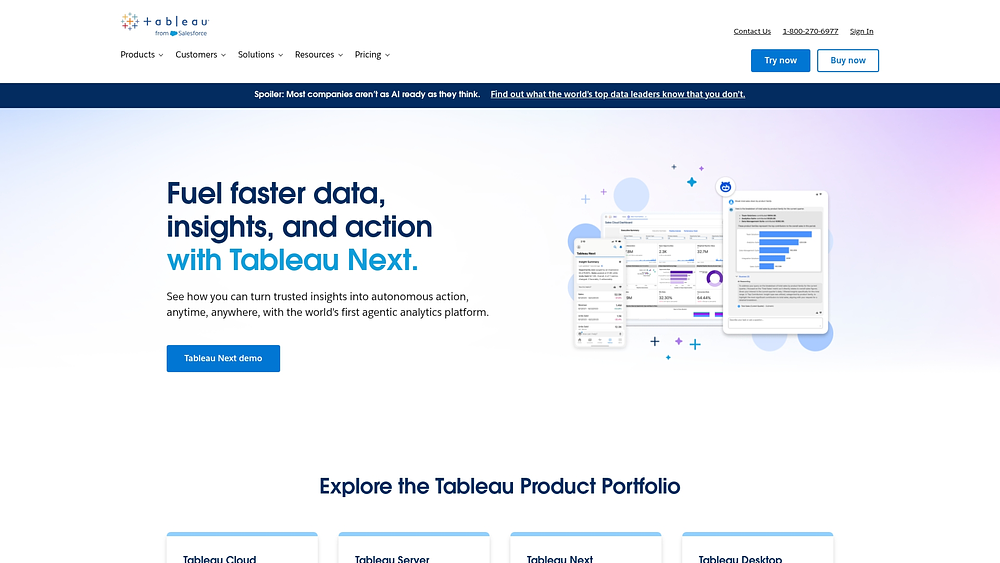
6. Tableau: enterprise business intelligence for marketing teams
When standard dashboards no longer meet your analytical needs, Tableau offers deeper data exploration. It handles large datasets efficiently and supports complex calculations that basic reporting platforms can’t manage.
Use case:
Enterprise marketing teams with in-house analysts who require advanced statistical analysis and custom reporting frameworks.
Key features:
- Advanced segmentation and modeling: go beyond surface metrics with marketing mix modeling and granular audience analysis.
- Custom calculation engines: build predictive lead scoring models and detailed performance formulas.
- Enterprise governance: control access with role-based permissions and maintain audit trails across content.
Pricing:
- Standard creator: $75 per month, billed annually.
- Standard explorer: $42 per month, billed annually.
- Standard viewer: $15 per month, billed annually.
- Enterprise creator: $115 per month, billed annually.
- Enterprise explorer: $70 per month, billed annually.
- Enterprise viewer: $35 per month, billed annually.
- Enterprise edition: includes Data Management and Advanced Management capabilities.
- Additional costs: apply for Resource Blocks (compute capacity) and Private Connect add-ons.
Considerations:
- Content migration between environments can be complex due to version constraints.
- Scheduled data flows often require additional Resource Blocks, raising operational costs.
7. Looker studio: Google’s free dashboard solution
Looker Studio provides a straightforward way to build dashboards, especially if most of your data lives in the Google ecosystem. Because it connects natively with GA4, Google Ads, YouTube Analytics, and Search Console, you can launch reports quickly without licensing fees.

Use case:
Small to mid-sized marketing teams with limited budgets that primarily utilize Google marketing platforms and require simple dashboarding tools.
Key features:
- Native Google integrations: connect directly to GA4, Google Ads, YouTube Analytics, and Search Console.
- Team workspaces: manage access with role-based permissions through Google Cloud IAM.
- Enhanced scheduling in Pro: schedule up to two hundred report deliveries with Slack and Google Chat notifications.
Pricing:
- Looker Studio (free): $0 per month with basic dashboard creation and access to Google connectors.
- Looker Studio Pro: pricing available through in-product purchase flow or sales consultation for monthly active user subscriptions.
- Additional costs: may apply for third-party connector fees and Google Cloud Logging charges for audit logs beyond free tier limits.
Considerations:
- External users cannot be added to Pro subscriptions, limiting cross-company collaboration opportunities.
- Many non-Google data sources require separate third-party connectors with their own terms and fees.
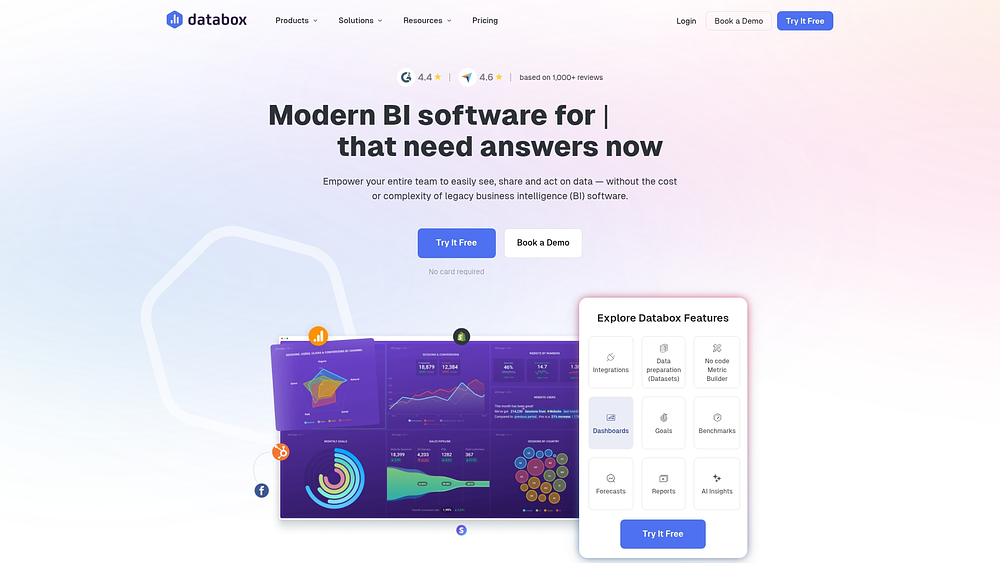
8. Databox: mobile-first performance monitoring platform
Executives and team leads rarely wait for static reports. Databox focuses on mobile-first dashboards, giving you access to live metrics wherever you are. Instead of digging through spreadsheets, you receive alerts when performance shifts.
Use case:
Marketing teams and leaders need real-time performance monitoring across various data sources, with mobile access and proactive alerts for metric deviations.
Key features:
- Mobile-optimized dashboards: access metrics through dedicated mobile apps with push notifications.
- Unlimited users: no per-seat fees, allowing broad visibility across the organization.
- AI performance summaries: automated insights highlight unusual changes in metrics.
Pricing:
- Growth: $399/month (includes three data sources, unlimited users, AI performance summaries, benchmarks).
- Premium: $799/month (includes 100 data sources, forecasts, priority support, dedicated analyst, advanced security).
- Annual billing discount: 20% off when paid yearly.
- Add-ons available: OKRs ($160), advanced security management ($80), 15-minute sync per source ($14).
Considerations:
- Free and starter plans were discontinued in July 2025, requiring paid subscriptions for all users.
- Additional data sources beyond plan limits incur per-source overage fees that can increase costs significantly.
9. Klipfolio: delivers real-time campaign monitoring
Klipfolio focuses on live data processing, which is critical when campaigns shift quickly. Instead of waiting for daily refreshes, you see performance changes as they happen. That speed helps you respond faster during high-volume or time-sensitive promotions.
Use case:
 Use case:
Performance marketing teams executing real-time bidding campaigns or time-sensitive promotions require immediate insight into performance shifts.
Key features:
- Live data feeds: continuous dashboard updates ensure marketing teams see current performance, not data that’s hours or days old.
- Extensive connectivity: 130+ integrations plus custom API connectors enable teams to pull data from proprietary systems and custom-built marketing technology stacks.
- Agency-grade distribution: white-label bundles, client sub-accounts, and published views allow agencies to deliver branded dashboards to multiple clients at scale.
Pricing:
- Base: $120/month (annual billing, three dashboards, unlimited users).
- Grow: $190/month (annual billing, ten dashboards, unlimited users).
- Team: $310/month (annual billing, 20 dashboards, unlimited users).
- Team+: $600/month (annual billing, 40 dashboards, up-to-the-minute refresh).
- Unlimited company plan: $12,000 first year (unlimited dashboards, users, and connections).
- Add-ons: available for near real-time refresh ($139/month), custom domain ($69/month), and white-label bundle ($299/month).
Considerations:
- Advanced customizations require technical skills with formulas and HTML/CSS/JS for complex visualizations.
- Performance may slow with larger datasets, and many enterprise features like SSO and faster refresh rates are paid add-ons.
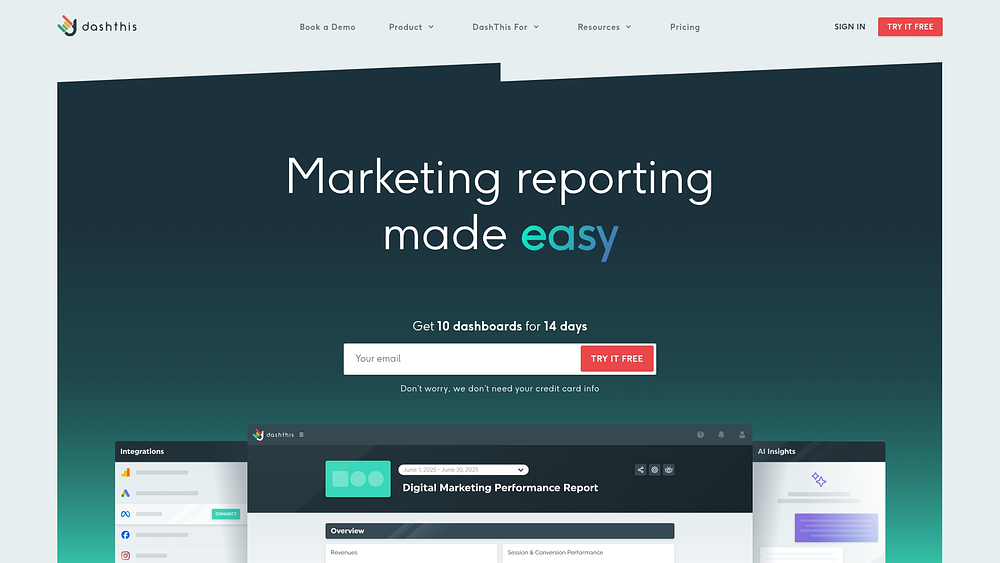
10. DashThis: automated marketing reports made simple
DashThis centers on reducing the time spent building recurring reports. With prebuilt templates and scheduled delivery, you can automate routine updates and shift your focus to analysis. For agencies juggling multiple clients, that consistency helps maintain professional reporting without rebuilding dashboards each month.
Use case:
 Use case:
Marketing teams and agencies burdened by manual report generation, who seek to automate routine updates and focus on strategic analysis.
Key features:
- Drag-and-drop builder: create dashboards using 30+ native marketing integrations and preset templates.
- Automated scheduling: generate and distribute reports automatically to clients or internal stakeholders.
- Dashboard Manager: group reports with shareable links and password protection for easier navigation.
Pricing:
- Individual plan: includes three dashboards, billed at $49/month or $42/month annually.
- Professional plan: provides ten dashboards, billed at $159/month or $135/month annually.
- Business plan: offers 25 dashboards, billed at $309/month or $264/month annually.
- Standard plan: covers 50+ dashboards, billed at $479/month or $409/month annually.
- Elite plan: custom pricing for 100+ dashboards with dedicated account management.
- Users and data sources: all plans include unlimited users and data sources.
- White-label features: available on plans with ten or more dashboards (professional and above).
- AI Insights pro add-on: optional, available at $19/month or $15/month annually.
Considerations:
- Limited to daily data refresh rather than real-time updates, which may not suit teams requiring immediate insights.
- No user role permissions or SSO support, making it less suitable for enterprises with strict security requirements.
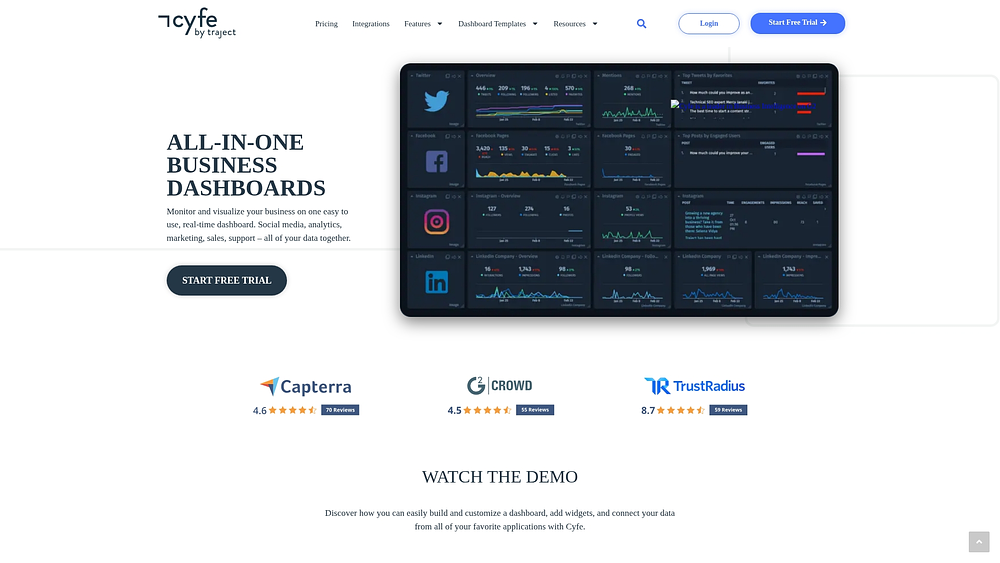
11. Cyfe: all-in-one business dashboard
Cyfe brings your marketing, sales, finance, and support metrics into one clear view. Instead of jumping between tabs, you can monitor performance across departments from a single dashboard. Its widget-based layout and white-label options make it especially practical for agencies and small to mid-sized businesses managing multiple clients.
Use case:
 Use case:
Digital marketing agencies and SMBs are seeking a cost-effective dashboard solution with white-label presentation and client management features.
Key features:
- Extensive integrations: more than 100 prebuilt connectors, plus custom data imports via API, SQL, and Google Sheets.
- Full white-label control: custom domains, branded widgets, and CSS styling for polished client presentations.
- Easy sharing: TV Mode and public URLs allow stakeholders to view dashboards without logging in.
Pricing:
- Free plan: includes two dashboards, one user, 30-day history, billed at $0/month.
- Starter plan: includes two dashboards, one user, billed at $29/month.
- Standard plan: includes five dashboards, two users, billed at $39/month.
- Pro plan: includes ten dashboards, five users, billed at $65/month.
- Premier plan: includes 20 dashboards, unlimited users, billed at $119/month.
- Agency plan: includes 100 dashboards, 15 users, ten clients, full white-label features, billed at $190+/month.
- Additional costs: extra dashboards $5/month on Premier; extra clients $19/month on Agency.
Considerations:
- The platform focuses on data visualization, while work management capabilities like assignments and scheduling require other solutions.
- Recent user reviews indicate slowed product development and some deprecated integrations, with support primarily available through email only.
12. Domo: cloud-based business intelligence platform
Domo is designed for organizations that operate at scale and need insights tied directly to action. Its cloud-native architecture supports complex data environments where hundreds of users rely on real-time information. Rather than simply displaying numbers, it connects analytics to operational workflows.
Use case:
 Use case:
Large enterprises with complex data environments and hundreds of marketing team members require enterprise-grade performance and governance.
Key features:
- AI-augmented workflows: AI Agent Tasks reduce multi-step logic to intelligent, automated actions that trigger from real-time data alerts and thresholds.
- Enterprise-scale data processing: 1,000+ pre-built connectors with cloud-native architecture designed to handle massive datasets and support hundreds of concurrent users.
- Integrated governance and compliance: HITRUST-certified platform with HIPAA-ready environments, BYOK encryption, and comprehensive audit logging for regulated industries.
Pricing:
- Free trial: 30-day access with full platform capabilities and unlimited users.
- Paid plans: consumption-based pricing available through sales consultation with volume discounts.
- Enterprise add-ons: custom support packages, HIPAA-compliant environment, and AWS PrivateLink available on paid plans.
Considerations:
- Workflows and automation capabilities are available as part of a full Domo instance.
- Consumption-based pricing model lacks transparent unit costs, requiring sales discussions to determine exact pricing for specific workloads.
13. Mixpanel: Product analytics dashboard for user behavior
Mixpanel goes beyond pageviews and focuses on how users actually interact with your product. Its event-based tracking reveals what drives engagement, retention, and conversion. By combining analytics with session replay, you can see both the data and the behavior behind it.
Use case:
Product marketing and growth teams looking to optimize onboarding, feature adoption, and retention.
Key features:
- Event-based tracking: captures specific user actions and behaviors for granular analysis beyond basic pageviews.
- Cohort analysis: compares how different user groups behave over time to reveal engagement and retention trends.
- Integrated session replay: combines behavioral data with visual user sessions to understand the “why” behind user actions.
Pricing:
- Free: up to 1M monthly events, up to five saved reports per seat, 10k monthly session replays.
- Growth: first 1M events free monthly, then $0.28 per 1k events with volume discounts, unlimited reports, 20k monthly session replays.
- Enterprise: custom pricing with unlimited event options, advanced analytics, governance features, and premium support.
- Startup program: first year free with up to 1B annual events and 500k replays for qualifying startups.
Considerations:
- Advanced governance and collaboration features like Data Standards and Event Approval are Enterprise-only, limiting smaller teams’ access to data quality controls.
- Learning curve for advanced features and the need for strong event naming conventions can slow initial adoption.
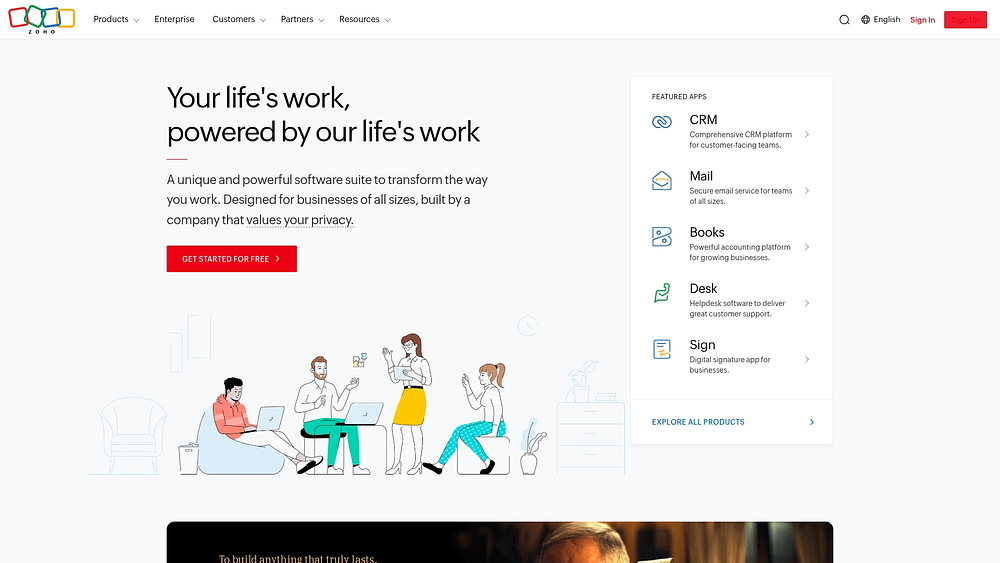
14. Zoho analytics: self-service BI and analytics platform
Zoho Analytics makes data easier to work with, even if you do not have a technical background. Its AI assistant lets you ask questions in plain language and receive structured reports instantly. For teams already using Zoho products, it fits naturally into their existing workflow.
Use case:
Small to mid-sized marketing teams already utilizing Zoho’s marketing tools who wish to add analytics capabilities within their existing technology ecosystem.
Key features:
- AI-powered assistant (Ask Zia): create reports and dashboards through conversational queries, eliminating the need for technical data analysis skills.
- 500+ data source integrations: connect marketing tools, CRM systems, and third-party platforms with prebuilt connectors and automated data sync.
- Prebuilt marketing dashboards: access ready-made KPI collections and domain-specific reports that accelerate time-to-insight for campaign performance.
Pricing:
- Free: $0 for two users, 10K rows, five workspaces.
- Basic: $24/month (two users, 0.5M rows).
- Standard/Premium/Enterprise: plans scale up to $455/month when billed annually.
- Annual billing discount: 20% savings on yearly plans.
- Add-ons: additional rows and viewer packs (minimum 25 viewers) available for purchase.
Considerations:
- Many third-party connectors require paid plans, limiting free-tier functionality for comprehensive marketing analytics.
- Data refresh frequency caps by plan tier may restrict real-time campaign monitoring needs.
15. Power BI: microsoft’s business intelligence powerhouse
Power BI delivers deep analytical modeling while integrating smoothly with the Microsoft environment. If your team already works in Excel, Teams, or Azure, adoption feels familiar. It combines advanced reporting with enterprise-level governance.

Use case:
Enterprise marketing teams operating within Microsoft-centric technology stacks requiring advanced analytics capabilities with native cross-platform integration.
Key features:
- Advanced data modeling: create sophisticated analytical models that combine marketing data with sales, finance, and operational metrics for a comprehensive business context.
- Microsoft ecosystem integration: native connectivity with Excel, Teams, Azure, and Dynamics 365 enables familiar workflows and streamlined collaboration.
- Enterprise governance: built-in security features, sensitivity labels, and deployment pipelines ensure data protection and controlled content distribution across organizations.
Pricing:
- Power BI free: personal content creation with limited sharing capabilities.
- Power BI pro: $14/month per user (annual billing).
- Power BI premium per user: $24/month per user (annual billing).
- Premium capacity options: variable pricing based on organizational needs and Azure consumption.
- Fabric capacity reservations: 40.5% savings over pay-as-you-go pricing with annual commitments.
Considerations:
- Deployment pipelines and advanced lifecycle features require Premium tiers.
- Workspace limits and user caps may also impact scaling plans.
Key features every marketing dashboard platform should offer
A marketing dashboard should do more than collect numbers. It needs to connect performance data to real business outcomes so you can act quickly and confidently. The difference between a basic reporting interface and a high-impact platform often comes down to a few essential capabilities.
Real-time cross-channel integration
Your campaigns do not operate in isolation, so your reporting should not either. Real-time integration gives you an immediate view of performance across paid, owned, and earned channels. That visibility helps you act on trends before momentum fades.
When dashboards live alongside execution, the picture becomes even clearer. With monday work management, performance metrics connect directly to the campaigns and tasks driving them, making insights actionable rather than abstract.
Automated reporting and custom templates
Manual reporting slows your team down. Automation removes repetitive work so you can focus on strategy and optimization. Instead of assembling spreadsheets, you can deliver consistent updates automatically.
Custom templates ensure every stakeholder receives the right level of detail. Whether leadership needs ROI summaries or managers require daily breakdowns, structured reporting keeps everyone aligned.
Visual analytics and interactive charts

Data only matters if you can understand it quickly. Interactive charts and visual dashboards help you spot patterns without digging through rows of numbers. Instead of overwhelming your team, visuals highlight what truly requires attention.
More importantly, interactive filters allow you to drill down instantly. You move from observation to decision-making faster, turning performance data into measurable action.
How to choose marketing dashboard software that grows with you?
Choosing dashboard software is not about flashy visuals. It is about finding a platform that supports your long-term marketing strategy. The right choice unifies your ecosystem, while the wrong one creates another disconnected layer.
Step 1: map your current marketing stack
 Start by documenting every platform your team uses. Include CRM systems, ad platforms, email software, and analytics solutions. This exercise reveals integration needs and surfaces gaps in reporting.
As you map your stack, review:
- Platform inventory: names, versions, and ownership.
- Data flow: volume and update frequency.
- Reporting friction: where delays or inefficiencies occur.
- Integration access: APIs or existing connectors.
Step 2: define your key performance metrics
Not every metric deserves equal attention. Focus on numbers directly tied to your goals, whether that is brand growth or pipeline generation. Clear priorities prevent cluttered dashboards.
Organize metrics into levels:
- Primary KPIs: the 3–5 core metrics that signal success to leadership.
- Supporting metrics: operational numbers that explain why primary KPIs are shifting.
- Diagnostic metrics: deep-dive data used for occasional analysis rather than daily monitoring.
Step 3: evaluate integration capabilities
A dashboard is only as reliable as the data it pulls. Look beyond connector lists and evaluate how data flows into the platform. Real-time syncing and historical access make a measurable difference.
Ask key questions before selecting a platform to ensure data is timely, complete, and actionable:
- Data depth: do connectors pull all necessary fields, or only the basics?
- Update frequency: is data synced immediately or in delayed batches?
- Historical access: can you import past data for trend analysis, or does tracking start from scratch?
- Custom connections: how much effort is required to build integrations if pre-built options are unavailable?
When dashboards operate inside monday work management, performance insights connect directly to campaign execution. That alignment reduces dependency on external workarounds and speeds up action.
Step 4: consider your scalability and growth needs
Your marketing operations will expand. Make sure your dashboard platform can scale with new users, increased data volume, and advanced analytics needs.
Consider:
- User capacity: can more team members join without performance loss?
- Data volume: will the platform remain fast and reliable as data accumulates?
- Feature expansion: are advanced capabilities, such as AI-powered analytics, available as needs evolve?
- Pricing model: does cost scale reasonably with usage, or are there unexpected increases?
These steps ensure the platform supports team success both now and in the future.
Try monday work managementThe rise of AI in marketing dashboard platforms
Marketing dashboards are shifting from reporting tools to decision engines. AI now helps you anticipate trends instead of reacting to them. That shift changes how teams operate day to day.
Predictive analytics that drive decisions
Predictive models use historical data to forecast performance. You can identify high-converting prospects or detect churn risks before they impact revenue. Planning becomes proactive rather than reactive.
Within monday work management, these insights connect directly to workflows. Teams can assign tasks or adjust campaigns immediately based on predicted outcomes.
Automated insights and anomaly detection
AI continuously monitors performance and flags unusual activity. Whether a campaign spikes or drops unexpectedly, you receive alerts without manual review. That saves time and reduces blind spots.
Instead of searching for patterns, your team focuses on strategy. AI handles the monitoring while you concentrate on growth.
AI agents for continuous optimization
AI agents can recommend adjustments in real time. For example, they may suggest reallocating budget or highlight underperforming initiatives. Over time, these agents learn from campaign results and improve recommendations.
Importantly, AI supports your expertise rather than replacing it. Routine analysis becomes automated, freeing you to focus on creative and strategic decisions.
Turn insights into execution with monday work management
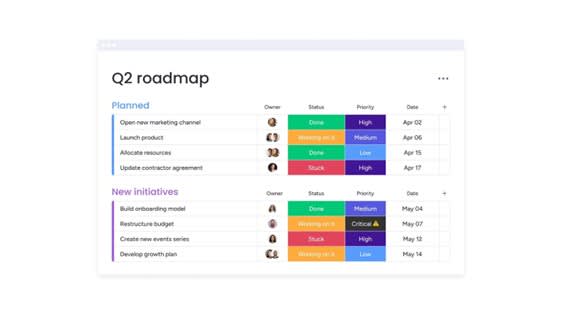
Marketing teams often struggle with scattered data and delayed reporting. That disconnect makes it harder to prove ROI and optimize campaigns quickly. monday work management bridges that gap by connecting dashboards directly to execution.
Key benefits for marketing teams:
- Unified dashboards: centralize metrics from paid, owned, and earned channels for instant visibility.
- Actionable insights: connect performance data directly to campaigns, owners, and tasks, eliminating the lag between analysis and execution.
- Automation and AI: automate reporting, anomaly detection, and resource allocation for smarter, faster decision-making.
- Scalable workflows: standardize processes and integrate across platforms without adding complexity.
- Visual clarity: interactive charts and customizable dashboards simplify data interpretation for every stakeholder.
By aligning data and execution on one platform, you move faster, stay aligned, and deliver measurable impact with confidence.
Frequently asked questions
What are dashboards in marketing?
Marketing dashboards are visual platforms that centralize data from all your marketing channels, giving you a real-time view of campaign performance and ROI in one place.
How much does marketing dashboard software typically cost?
The cost of marketing dashboard software varies widely, from free options to enterprise solutions costing $2,000+ per month, with pricing based on features, data sources, and team size.
Which marketing platforms can dashboard software connect to?
Marketing dashboard software connects to major platforms like Google Analytics, Google Ads, HubSpot, and Salesforce, with many solutions offering over 100 pre-built integrations and custom API options.
Do I need coding skills to create marketing dashboards?
You can create marketing dashboards without coding skills, as most platforms use drag-and-drop interfaces and pre-built templates designed for non-technical users.
What's the difference between marketing dashboards and business intelligence platforms?
Marketing dashboards are specialized for marketing metrics and campaigns, while business intelligence (BI) platforms provide broader analytics across all business functions like sales and finance.
How quickly can teams implement marketing dashboard software?
Teams can implement basic marketing dashboards in a few days, while more comprehensive setups with custom data sources may take 2–4 weeks depending on complexity.
How does monday work management approach marketing dashboards differently?
monday work management approaches dashboards differently by integrating them directly with workflow management, allowing teams to instantly act on insights and manage campaigns within the same platform.
Can marketing dashboard software handle multiple campaigns simultaneously?
Yes, marketing dashboard software is designed to track and analyze multiple campaigns at once, providing a unified view of performance across all your marketing efforts.

 Get started