


Most campaigns do not fall apart because the idea was weak. They start slipping when timelines live in spreadsheets, approvals sit in Slack threads, and deadlines quietly move without everyone noticing. When email, social, paid media, and events all run on separate tracks, even strong teams end up reacting instead of leading.
That is where marketing calendar software earns its place. Instead of simply mapping dates, modern platforms connect campaign planning, task management, collaboration, and reporting in one shared space. As a result, you gain real visibility into what is launching, who owns what, and where work might slow down before it becomes a problem.
In this guide, you will find 15 of the best marketing calendar software solutions for 2026. We break down what each platform does well, where it fits best, and what to consider before choosing one. Whether you lead a growing marketing team or manage enterprise-level campaigns, this list will help you find a solution that supports how you plan and execute work every day.
Key takeaways
- Modern marketing calendars extend beyond scheduling: leading platforms connect timelines, dependencies, approvals, and resource planning to support structured execution across multi-channel campaigns.
- AI and automation are reshaping campaign coordination: predictive analytics, automated risk detection, and AI-assisted optimization help teams move from reactive deadline management to proactive performance management.
- Cross-functional visibility improves delivery outcomes: shared calendar views align marketing, creative, sales, and leadership around priorities, reducing silos and minimizing execution gaps.
- Work management platforms like monday work management centralize marketing operations: by linking intake, planning, execution, reporting, and AI-driven workflows, the calendar becomes an operational hub rather than a standalone schedule.
- Platform selection should balance flexibility with governance: the most effective solutions adapt to varied campaign types while maintaining security, permission controls, and reporting standards required for scale.
What to look for in a marketing calendar platform?

A marketing calendar should do far more than show dates on a grid. At its best, it becomes the control center for your campaigns, connecting planning, execution, and delivery in one coordinated flow. When calendars live in isolation, work quickly fragments across channels, teams, and timelines.
As more vendors enter the market, it becomes harder to tell the difference between basic scheduling software and a true marketing calendar platform. The strongest options support the real complexity of modern campaigns. The capabilities below highlight what separates a simple planner from a platform that drives clarity, speed, and accountability.
Unified campaign orchestration
Your marketing calendar should act as a single source of truth for campaign execution. That means clearly mapping dependencies across social, email, paid media, content, and beyond. When everything connects in one view, you spot risks early and protect both launch timing and message consistency.
Automated workflows and approvals
Manual handoffs slow you down, especially when approvals bounce between legal, brand, and leadership. A strong platform automates routing and notifications so work keeps moving without constant reminders. As a result, your team spends less time chasing sign-offs and more time launching campaigns.
Seamless marketing stack integration
Your team already relies on multiple specialized platforms. If your calendar does not connect to them, you end up with duplicate data entry and fragmented reporting. Look for native integrations with your CRM, analytics, and ad platforms, plus a flexible API that adapts to your stack.
Real-time resource management
Campaign planning falls apart when capacity is guesswork. You need visibility into workload distribution so you can allocate resources based on data, not assumptions. Advanced platforms surface bottlenecks early and help you forecast confidently using actual team availability.
Cross-team collaboration without friction
Marketing rarely works alone. Product, sales, design, and leadership all influence execution, so alignment matters. A shared workspace keeps everyone anchored to the same goals and timelines, reducing reliance on long email threads and scattered updates.
When these capabilities come together, your calendar becomes more than a schedule. It supports strategic execution instead of adding administrative drag. Done right, the technology strengthens your marketing strategy rather than complicating it.
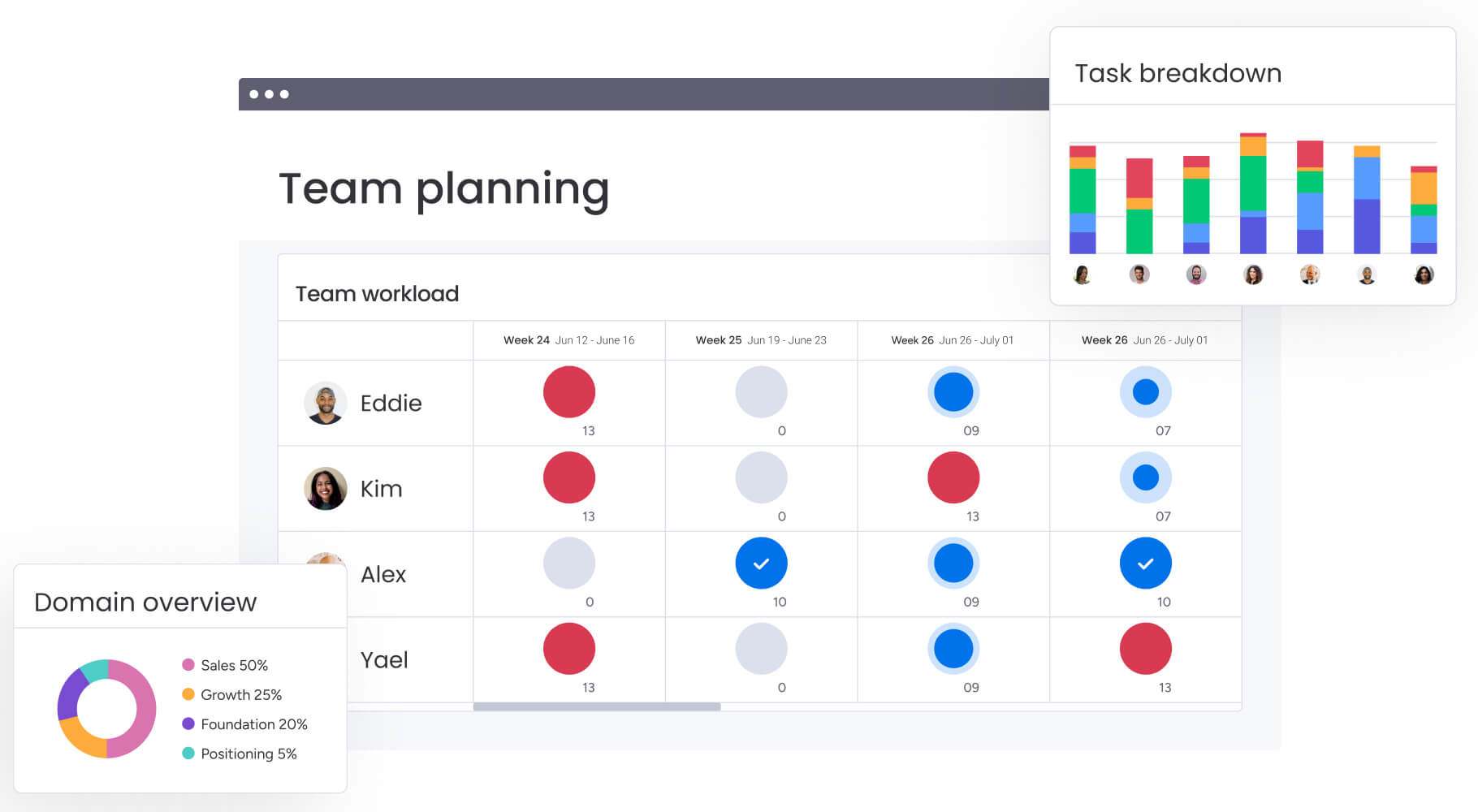
15 best marketing calendar software tools for effective campaign management
Marketing teams juggle overlapping content schedules, social initiatives, and campaign launches every week. Without a centralized hub, alignment across stakeholders quickly becomes difficult. A strong marketing calendar platform brings structure to that complexity and turns scattered activity into coordinated execution.
The platforms reviewed for 2026 go well beyond date tracking. Each one supports campaign visibility, resource coordination, and performance insight within a centralized workspace. Instead of reacting to chaos, you gain a clear operational view.
With the right platform in place, you always know what is launching, when it goes live, and how it connects to broader goals. That clarity keeps delivery consistent while still giving you room to adjust as priorities evolve.
1. monday work management
monday work management transforms marketing calendar planning from scattered spreadsheets into a unified workspace where planning, execution, and reporting intersect. Larger marketing organizations use it to coordinate campaigns, intake requests, resources, and cross-functional work without losing accountability.
Instead of managing disconnected boards or documents, you operate from a shared platform built for visibility. Ownership stays clear, timelines stay aligned, and leadership can see progress without asking for status updates.
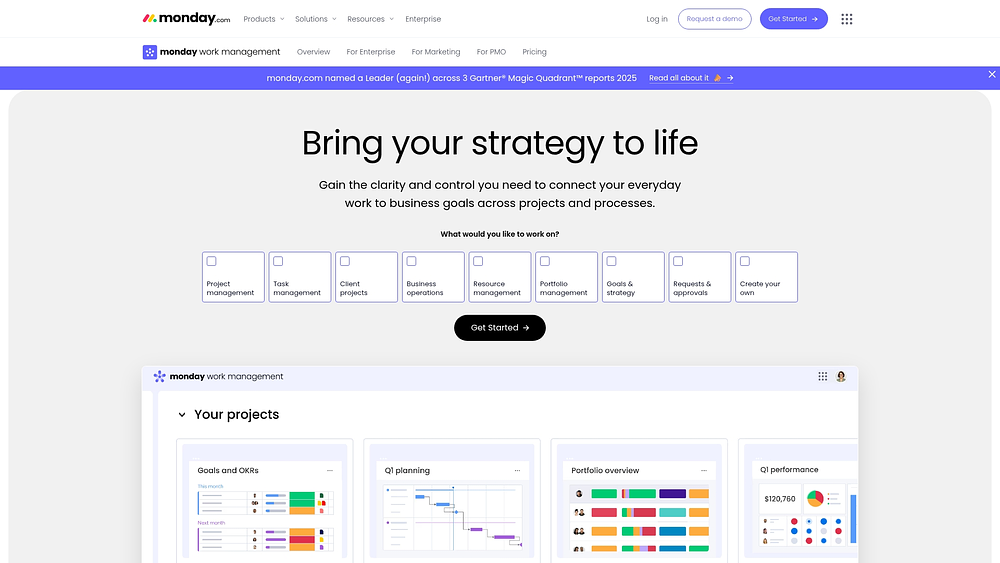
Example:
Picture a global campaign rollout. Regional teams manage their localized deliverables while marketing operations oversees the master calendar and executive dashboard. Everyone works within the same structure, yet each team retains the flexibility it needs.
For instance, during a global campaign launch, regional teams can manage their specific deliverables while marketing ops maintains a master calendar and an executive view of overall progress.
Key features:
- Campaign management workflows: start with ready-made templates to accelerate kickoffs, then tailor them to match how your team actually works.
- Multi-channel orchestration: connect campaign work across boards and track dependencies so delays automatically surface as risks.
- AI-powered automation: embed AI Blocks and AI Automations directly into workflows to reduce manual updates and maintain consistent data.
Pricing:
- Free: offers service for $0 for up to two seats.
- Basic: $9/seat/month (annual billing).
- Standard: $12/seat/month (includes Timeline, Gantt, Calendar views, 250 automation actions/month).
- Pro: $19/seat/month (adds private boards, time tracking, Chart view, 25,000 automations/integrations).
- Enterprise: custom pricing with 24/7 priority support and enterprise controls.
- Annual billing: provides an 18% discount across all paid plans.
- Minimum users: plans require a minimum of three users to get started.
Why it stands out:
- Recognized by analysts: monday.com is named a Leader in the 2025 Gartner® Magic Quadrant™ for Collaborative Work Management, Adaptive Project Management, and Reporting.
- Marketing-focused validation: monday.com is named a leader in the 2024 Gartner® Magic Quadrant™ report for marketing work management.
- Fast payback, proven at scale: the Total Economic Impact™ Forrester study reports less than a 4-month payback period, and a Forrester TEI study highlights Motorola’s 346% ROI with monday.com.
Advanced AI features:
These capabilities are embedded within monday.com’s AI offering, designed to function within existing workflows. This reduces the need to copy-paste between systems and ensures consistent inputs across campaigns.
- AI blocks: incorporate ready-made AI actions such as Categorize, Extract info from files, Detect sentiment, Summarize, Translate, and a Custom Block to automate manual tasks at scale.
- AI automations: integrate AI actions into the Automation Center to categorize incoming campaign requests, summarize stakeholder feedback, or extract key details from uploaded briefs.
- Digital Workforce (coming soon): digital Workers capable of handling substantial tasks. For marketing, the Campaign Manager is designed to analyze campaign performance and provide actionable recommendations.
Automations:
Automations standardize recurring marketing workflows and reduce manual coordination.
- Automation Center templates: begin with proven automation templates, then adjust triggers and actions to align with your approval flows and review steps.
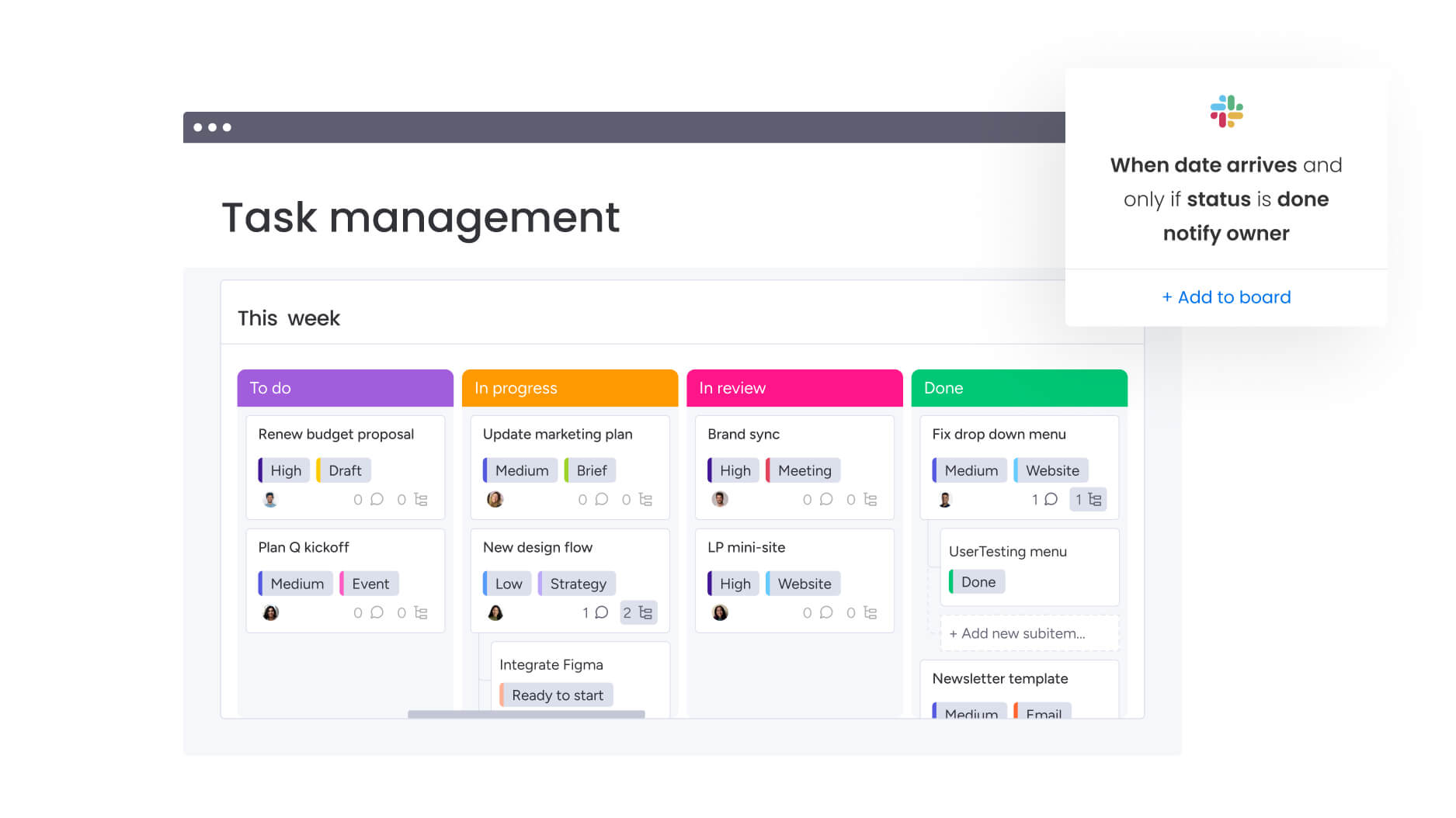
- Custom no-code automations: trigger reminders, handoffs, and notifications upon status changes or date arrivals to keep teams aligned across channels.
- AI Automation blocks (plan-dependent): on eligible plans, insert AI actions like summarize, categorize, translate, or extract information directly into automations.
Integrations:
Integrations are most effective when they minimize context switching and keep updates central. monday work management supports this by connecting with the essential systems marketing teams use daily.
- 200+ integrations: link platforms such as Microsoft Teams, Slack, Gmail, Outlook, Google Drive, Zoom, Jira Cloud, and Salesforce.
- Open API: construct tailored integrations for specific martech stack needs, such as syncing campaign metadata into a BI layer or data warehouse.
Marketing calendar software features:
A marketing calendar is only effective if teams actively use it. These components help establish the calendar as the system of record rather than just another browser tab.
- 15+ board views: visualize plans via Calendar, Timeline, Gantt, Kanban, and Workload views, tailored to the viewer’s needs.
- Dashboards and reporting: construct live dashboards with 10+ drag-and-drop widgets to aggregate campaign progress, workload, and timelines for leadership.
- Intuitive forms for intake: capture campaign requests and approvals in a standardized format, ensuring work arrives with the correct details and routing from the start.
- monday workdocs: collaborate on briefs, plans, and stakeholder updates, embedding live boards and dashboards to maintain context.
2. Asana
Asana is built on its proprietary Work Graph data model, which connects projects, workflows, and goals in real time. It breaks complex campaigns into manageable tasks while preserving cross-functional visibility. For enterprise marketing teams, this structure supports both tactical execution and strategic alignment.
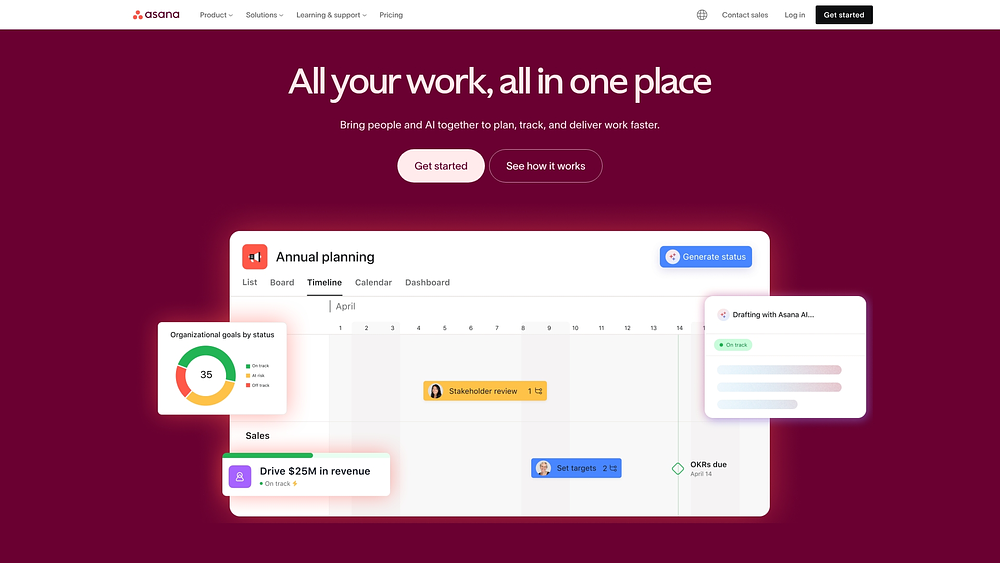
Use case:
Marketing departments utilize Asana to coordinate multi-channel campaigns, tracking dependencies between creative assets and launch dates. It maintains alignment between tactical execution and strategic objectives through connected calendars and portfolio views.
Key features:
- Multi-view calendaring: toggle between Calendar, Timeline, List, and Board views featuring drag-and-drop scheduling and real-time updates across all project perspectives.
- Campaign templates: pre-built marketing workflows for editorial calendars, social media scheduling, email campaigns, and event planning speed up setup and standardize processes.
- Cross-project visibility: multi-home tasks across various calendars so content appears in both social and PR schedules without duplication, maintaining single-source updates.
Pricing:
- Personal: free for up to two users with basic calendar views and 100+ integrations.
- Starter: $10.99/month per user (billed annually) adds Timeline views, custom fields, and workflow automation.
- Advanced: $24.99/month per user (billed annually) includes Goals, Portfolio management, and advanced reporting.
- Enterprise: custom pricing with enhanced security, SAML/SCIM, and dedicated support.
- Enterprise+: quote-based with data residency, audit logs, and compliance features.
- Annual billing: provides discounts compared to monthly rates, and AI Studio features require additional credits.
Considerations:
- External calendar sync is one-way, so updates in Apple Calendar or Outlook do not push back into Asana.
- Public calendar sharing settings have also evolved, which may affect stakeholder visibility preferences.
3. Smartsheet
Smartsheet appeals to teams comfortable with spreadsheet-style planning but ready for more collaboration. It transforms grid-based workflows into structured marketing calendar management with automation and portfolio visibility layered in.
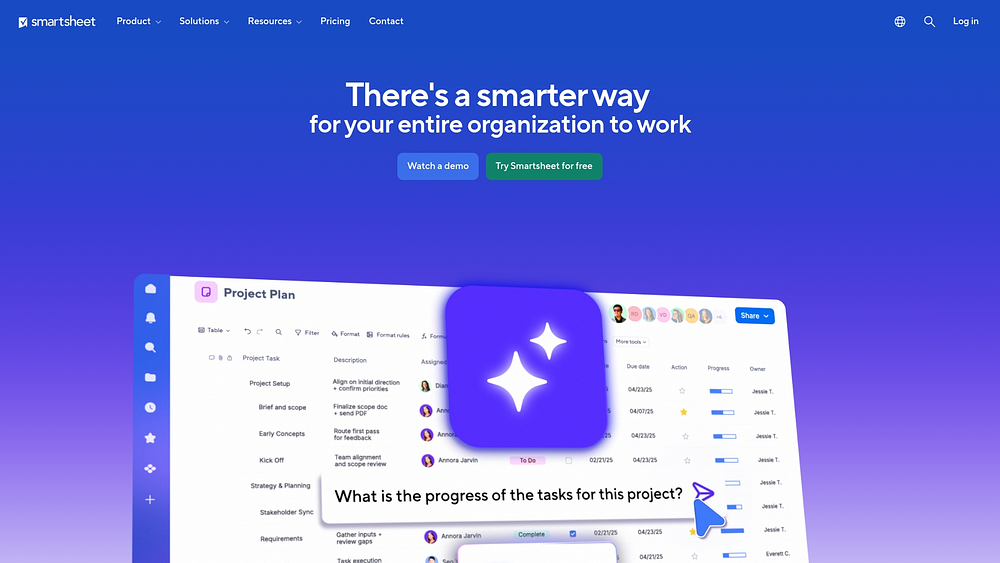
Use case:
It works well for marketing teams consolidating multiple campaign sheets into executive-level portfolio views while keeping a familiar spreadsheet experience.
Key features:
- Multi-sheet calendar consolidation: the Calendar App aggregates multiple sheets into unified portfolio views, offering specialized retail 4-5-4 calendar support for seasonal planning.
- Integrated content workflows: native Brandfolder digital asset management links campaign timelines directly to creative assets, approvals, and publishing workflows.
- Enterprise-grade governance: ISO certifications and FedRAMP authorization ensure the security and compliance standards necessary for large marketing organizations.
Pricing:
- Pro: $9/month per member (annual billing) or $12/month (monthly billing) for one to ten members.
- Business: $19/month per member (annual billing) or $24/month (monthly billing) for three plus members.
- Enterprise: custom pricing with advanced security and administrative controls.
- Advanced Work Management: custom pricing bundle including premium Calendar App and integration capabilities.
- Calendar App: requires Business/Enterprise plans or Advanced Work Management bundle for multi-sheet consolidation.
Considerations:
- The Calendar App’s advanced consolidation features are locked behind premium plans, which increases costs for teams requiring enterprise-level calendar management.
- The grid-based interface might feel restrictive for teams seeking more visual, dynamic campaign management experiences found in purpose-built marketing platforms.
4. ClickUp
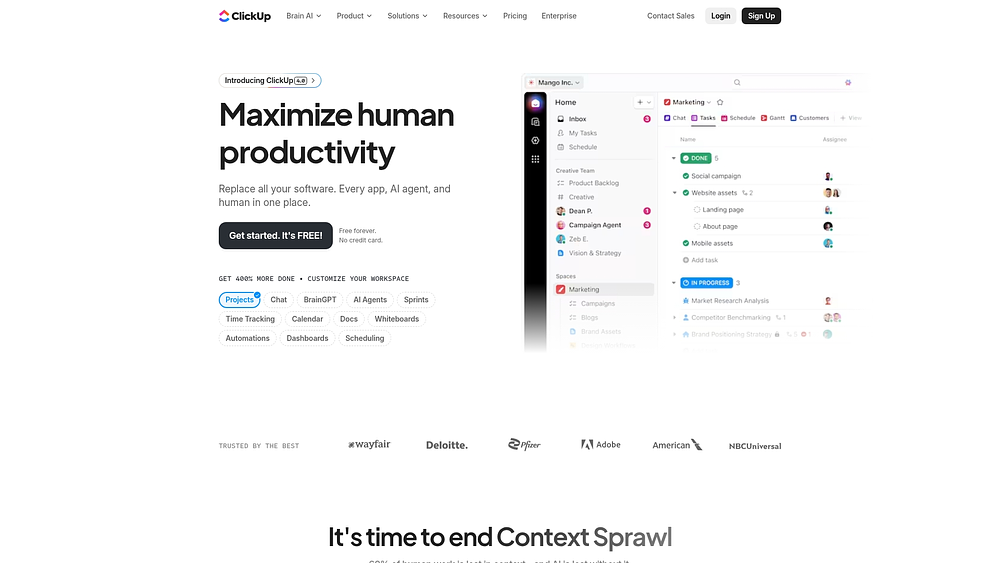
ClickUp brands itself as an all-in-one workspace, bringing scattered marketing tasks together for coordinated campaign execution. Its extensive customization options paired with AI-driven scheduling make it a strong fit for teams that need flexibility while automating repetitive workflows. Enterprise-grade security and broad integrations further help organizations centralize marketing operations without juggling multiple platforms.
Use case:
ClickUp is ideal for marketing teams seeking a unified platform that links calendar planning directly to task execution, document collaboration, and automated workflows within a single environment.
Key features:
- Multiple calendar views: day, week, month, timeline, and Gantt with drag-and-drop scheduling and color-coded campaign tracking.
- AI-powered auto-scheduling: blocks focus time, reschedules tasks, and generates meeting notes linked to marketing projects.
- Marketing templates: content calendars, editorial workflows, and budget tracking with pre-set statuses and custom fields.
Pricing:
- Free forever: basic features for small teams.
- Unlimited: $7/month per user (billed annually) with advanced functionality.
- Business: $12/month per user (billed annually) with additional automation and integrations.
- Enterprise: custom pricing with enhanced security and administrative controls.
- Annual plans: save up to 30% compared to monthly billing.
- ClickUp Brain AI features: require a separate subscription with per-workspace-member pricing.
Considerations:
- Calendar integration with Google and Outlook is mostly one-way, limiting true bidirectional sync.
- The wide customization options can feel overwhelming for teams seeking a simpler calendar solution.
5. Wrike
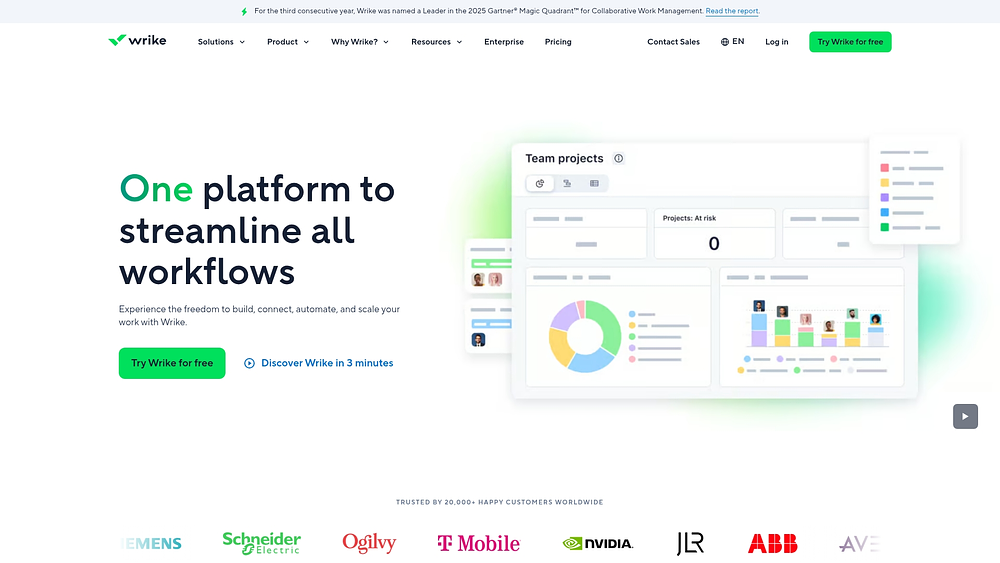
Wrike shines in complex marketing environments with multi-layered approval chains and campaign oversight. Its enterprise-grade calendar capabilities give visibility across campaigns, content, and creative workflows, making it ideal for organizations coordinating multiple departments. Trusted by 20,000+ organizations and recognized as a 2025 Gartner Magic Quadrant Leader, Wrike combines strategic scheduling with secure resource management.
Use case:
Wrike suits teams that need multi-source calendars aggregating campaigns, content, and events, with smart filtering and color-coded layers for portfolio visibility.
Key features:
- Multi-source calendars: create layered views pulling from multiple projects and spaces with smart filters, supporting planning horizons from weeks to multiple years.
- Advanced approval workflows: native proofing capabilities for 30+ file formats include multi-stage review processes and Adobe Creative Cloud extensions.
- Resource capacity planning: balance team workloads across campaigns using visual capacity management and allocation tracking.
Pricing:
- Free: $0/month per user.
- Team: $10/month per user (billed annually).
- Business: $25/month per user (billed annually).
- Enterprise & Pinnacle: contact sales for custom pricing.
- Multi-source calendar: features require Business tier or higher.
- Additional: paid add-ons available for integrations, security, and premium support.
Considerations:
- Full calendar capabilities are gated behind Business tier pricing, restricting smaller teams to single-project calendar views.
- Public calendar sharing lacks password protection, and external links are static snapshots that do not reflect real-time updates.
6. Semrush
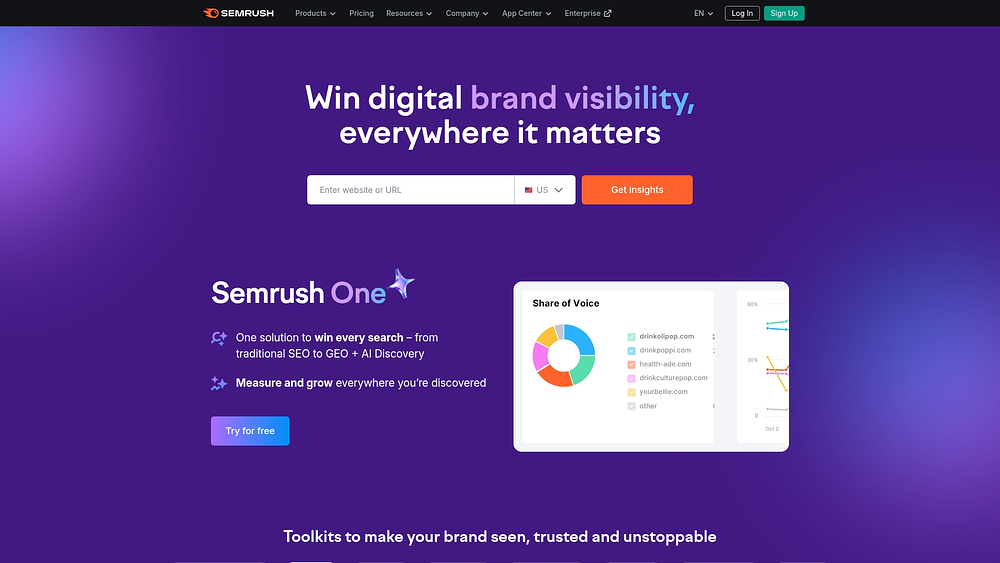
Semrush combines SEO and digital marketing analytics with integrated content calendar capabilities, giving data-driven teams the insights to plan smarter. By linking content calendars with keyword research, competitor analysis, and performance tracking, marketing decisions are grounded in measurable results.
Use case:
Ideal for marketing teams aligning content schedules with SEO strategy, competitive intelligence, and publishing performance.
Key features:
- Social publishing calendar: plan, schedule, and publish content across Facebook, Instagram, LinkedIn, Google Business Profile, Pinterest, and TikTok from a unified monthly view.
- AI-assisted content creation: generate optimized copy and video content with built-in UTM tracking for performance measurement.
- SEO-integrated planning: link content calendars directly to keyword research, competitor analysis, and search performance data.
Pricing:
- Social Toolkit base: $20/month with seven day trial.
- Social Toolkit pro: $40/month with seven day trial.
- Social Toolkit business: $250/month with seven day trial.
- Content Toolkit: $60/month with seven day trial.
- Additional users: $45-$100 per user, depending on plan tier.
Considerations:
- Calendar functionality mainly targets social media rather than full cross-channel campaign management.
- Approval workflows exist, but commenting and editing on external approvals are limited.
7. CoSchedule
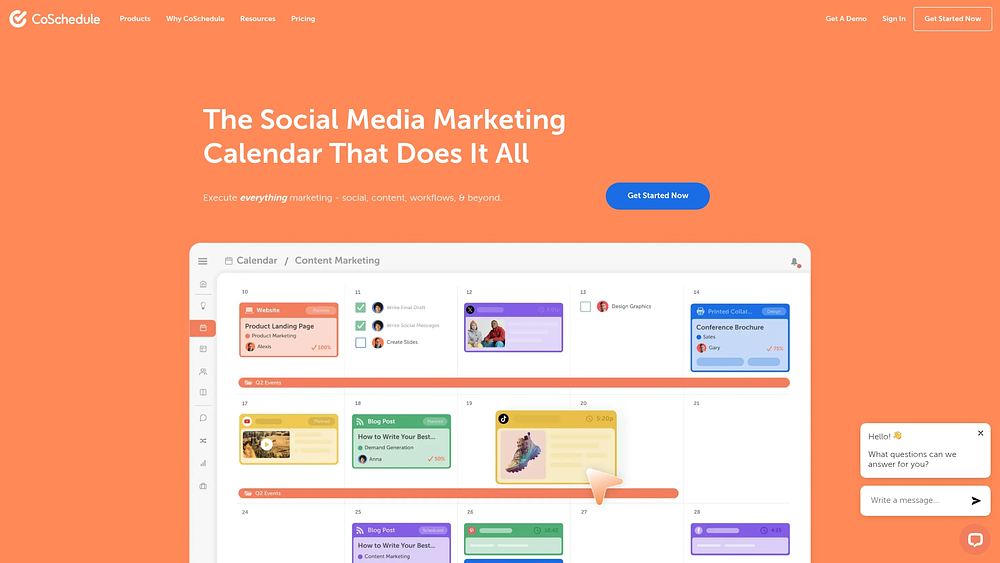
CoSchedule focuses exclusively on marketing, offering a unified calendar that blends social media, content, and campaign management. It helps teams orchestrate multi-channel campaigns while maintaining clear visibility of each activity. Drag-and-drop scheduling and AI content creation keep execution efficient and on-brand.
Use case:
Best for marketing teams needing one central calendar to manage social campaigns, content publishing, and multi-channel initiatives.
Key features:
- Unified marketing calendar: drag-and-drop interface that visualizes social posts, content campaigns, and marketing projects in one shared timeline.
- AI-powered content creation: built-in AI assistants generate social media posts, campaign ideas, and marketing copy tailored to each platform’s best practices.
- Multi-channel social publishing: automated posting across Facebook, Instagram, LinkedIn, TikTok, Pinterest, and other platforms with optimal timing features.
Pricing:
- Free calendar: forever free for one user, one social profile, up to 15 scheduled messages.
- Social calendar: $19/user/month (billed annually) for up to three users, includes three social profiles and unlimited messages.
- Agency calendar: $59/user/month (billed annually) for up to three users, adds client calendars and white-label reporting.
- Content calendar and marketing suite: custom pricing with advanced features like approval workflows and team dashboards.
- Annual billing: saves 20% on self-serve plans.
- Additional: social profiles cost $5/month each.
- X/Twitter profiles: incur separate monthly fees.
Considerations:
- Feature access varies significantly between pricing tiers, with many advanced capabilities reserved for custom-priced plans.
- Social Inbox functionality is limited on lower-tier plans and not available in mobile apps.
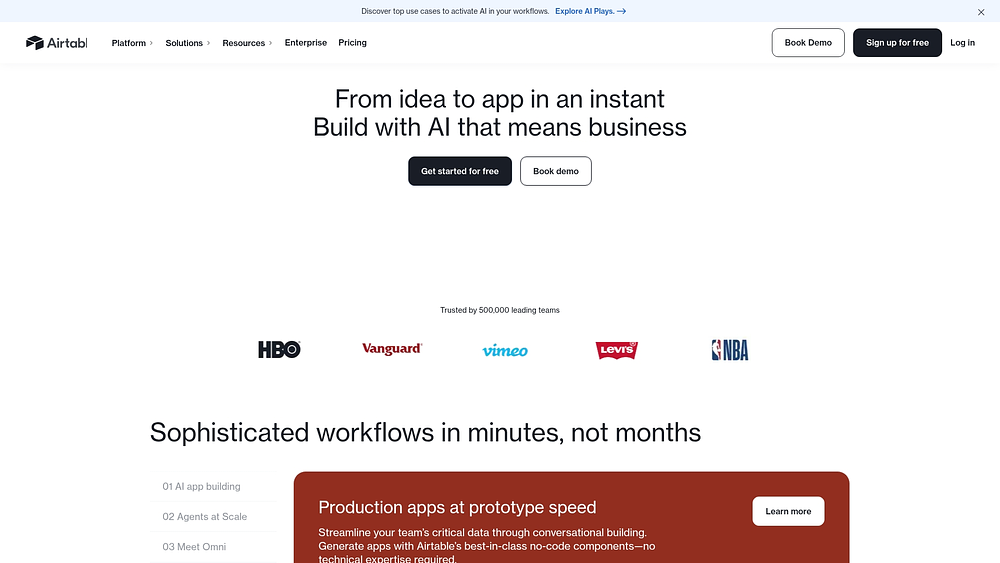
8. Airtable
Airtable treats the calendar as a relational database rather than a simple schedule. Dates connect to campaigns, assets, budgets, and approvals, creating a central hub for marketing operations. This approach lets teams see the full scope of work in one connected environment.
Use case:
Ideal for teams that need their calendar tightly linked to campaign operations, asset management, budgets, and performance tracking.
Key features:
- Connected marketing workflows: calendar dates link directly to campaigns, creative assets, approvals, and budgets in one unified system.
- Multiple planning perspectives: calendar, Timeline, and Gantt views with drag-and-drop rescheduling, dependency visualization, and resource swimlanes.
- External calendar integration: native Google Calendar and Slack connections, plus iCal feeds and one-way sync capabilities for seamless scheduling coordination.
Pricing:
- Free: 1,000 records per base, basic calendar view, 100 automation runs monthly.
- Team: $20/month (annual) or $24/month (monthly) with 50,000 records, Timeline and Gantt views, 25,000 automation runs.
- Business: $45/month (annual) or $54/month (monthly) with 125,000 records, two-way sync between Airtable apps, admin controls.
- Enterprise scale: custom pricing with expanded governance, integrations, and scale capabilities.
- Portals add-on: starting at $120-150/month for external guest collaboration with branded access.
Considerations:
- The calendar lacks a native year view, and advanced features like date ranges require paid plans.
- External calendar sync updates can take hours, and two-way sync only works between Airtable apps on higher tiers.
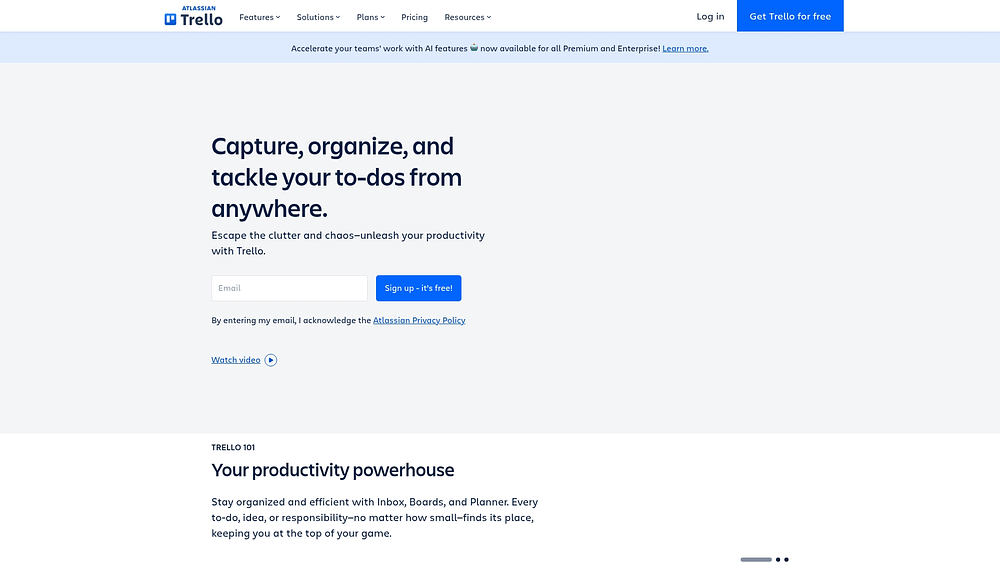
9. Trello
Trello prioritizes visual simplicity, turning marketing calendars into easy-to-manage Kanban boards. Its intuitive interface makes campaign planning accessible for teams of any size, backed by Atlassian’s reliability and a large user ecosystem.
Use case:
Trello enables marketing teams to build flexible marketing calendars using board templates, Calendar views, and cross-board coordination through Workspace Calendar for portfolio-level campaign visibility.
Key features:
- Visual Kanban boards: organize campaigns into cards and lists with drag-and-drop scheduling across Calendar and Timeline views.
- Butler automation: no-code workflow automation for recurring content creation, notifications, and cross-platform updates to Slack or email.
- Workspace calendar: aggregate campaign dates from multiple boards to gain portfolio-level visibility across all marketing initiatives.
Pricing:
- Free: $0 for up to ten collaborators with unlimited Power-Ups and basic features.
- Standard: $5/user/month (billed annually) adds Planner, mirror cards, and advanced checklists.
- Premium: $10/user/month (billed annually) includes all calendar views, AI features, and unlimited automation.
- Enterprise: from $17.50/user/month with $10,000 annual minimum for enhanced security and 24/7 support.
Considerations:
- Advanced calendar features like Timeline and Workspace Calendar require Premium or Enterprise plans, limiting budget-conscious teams to basic scheduling capabilities.
- Complex multi-channel campaign dependencies and resource modeling may exceed Trello’s simplified workflow approach.
10. HubSpot Marketing
HubSpot Marketing combines calendar functions within its full inbound marketing automation suite. It connects email, social publishing, and campaign planning with CRM data, offering a complete view of marketing’s impact on revenue.

Use case:
Marketing teams utilize HubSpot’s integrated calendar to orchestrate campaigns alongside automated email sequences, lead scoring workflows, and social media publishing while maintaining direct visibility into how marketing activities drive sales outcomes.
Key features:
- Campaign-connected calendar: plan marketing activities within the broader campaign framework, linking timelines to email automation, lead nurturing sequences, and performance tracking.
- Social media scheduling: drag-and-drop social calendar with multi-account management and a “publish like a human” timing option that posts within ten minutes of the scheduled time (this can be disabled for precision).
- CRM-integrated planning: calendar events connect directly to customer data, lead attribution, and sales pipeline visibility for complete campaign-to-revenue tracking.
Pricing:
- Starter: includes 1,000 marketing contacts.
- Professional: includes 2,000 marketing contacts and three Core Seats. Mandatory onboarding is required.
- Enterprise: includes 10,000 marketing contacts and five Core Seats. Mandatory onboarding is required.
- Pricing: contact-based; additional contacts, Core Seats, and other add-ons are available for an extra cost.
- Discounts: offered for annual billing.
Considerations:
- The full marketing calendar is a web-based feature limited to Professional and Enterprise tiers; the social publishing calendar is available on mobile.
- Calendar visibility depends on user permissions, potentially hiding certain event types from team members without appropriate access.
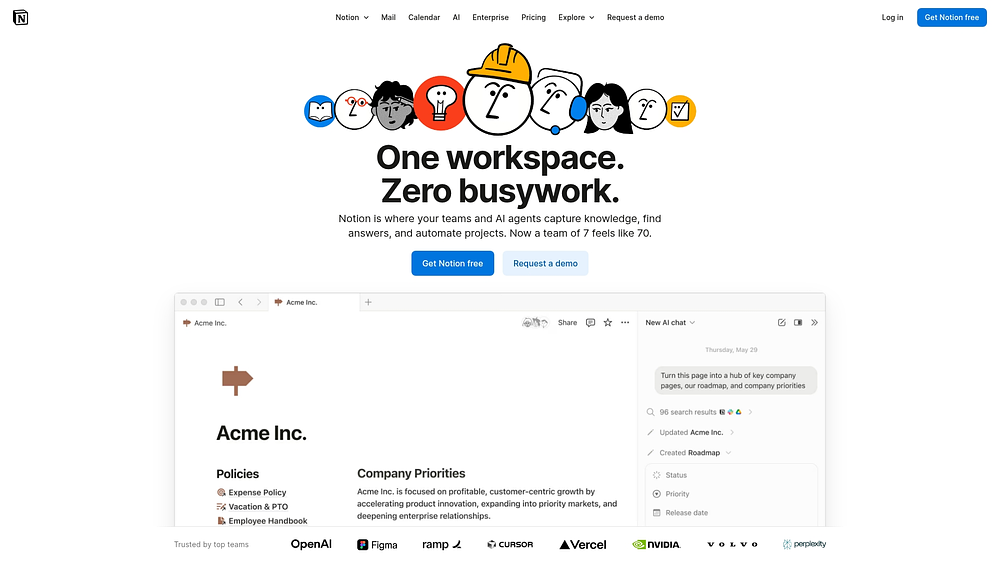
11. Notion
Notion merges document editing with database management, transforming how teams approach marketing calendars. Its flexible database structures integrate seamlessly with collaboration features, connecting campaign planning directly to operational workflows. This makes it especially useful for teams that want their marketing calendars embedded in broader organizational processes.
Use case:
Marketing teams use Notion to build custom calendars with multiple views while keeping campaign briefs, brand guidelines, and stakeholder collaboration connected in one workspace.
Key features:
- Flexible databases: structure campaigns, content, and marketing activities with relations, rollups, and timeline dependencies for multi-channel planning.
- Integrated documentation: combine calendar views with briefs, knowledge bases, and brand assets so context stays alongside scheduling.
- Multi-view visualization: switch between calendar, timeline, table, and board views with drag-and-drop scheduling and multi-day campaign spans.
Pricing:
- Free: $0/month per user with basic databases, Notion Calendar, and Notion Mail (Gmail sync).
- Plus: $10/month per user with unlimited collaborative blocks, file uploads, and basic integrations.
- Business: $20/month per user, including Notion AI, Enterprise Search, granular permissions, and premium integrations.
- Enterprise: custom pricing with SCIM, advanced security controls, audit logs, and compliance integrations.
- Annual billing: saves up to 20%.
- Custom domain add-on: priced between $8 and $10 per month per domain for Notion Sites.
Considerations:
- Significant setup is needed to create effective calendars, and ongoing maintenance is required for custom workflows.
- Advanced marketing automation is limited, and Google Calendar sync is view-only.
12. Klaviyo
Klaviyo specializes in AI-powered email and SMS marketing automation for retail and e-commerce brands. It excels at customer segmentation and behavioral targeting, allowing teams to schedule campaigns around purchase data and lifecycle stages. This makes it ideal for brands that need precise timing and personalized messaging.
Use case:
Ecommerce teams rely on Klaviyo to schedule email and SMS campaigns while leveraging rich customer data to personalize messaging based on engagement and purchase history.
Key features:
- Campaign calendar with e-commerce focus: schedule email, SMS, and push campaigns with built-in holiday overlays, including Black Friday/Cyber Monday guides.
- Campaign planner: AI-generated content placeholders that suggest promotional, educational, and product-focused campaigns at optimal frequencies.
- Performance context: view open rates, click rates, and revenue attribution directly within the calendar interface.
Pricing:
- Free plan: up to 250 active profiles, 500 monthly emails, 150 SMS/MMS credits.
- Email plan: starting at $45/month for 15,000 emails (pricing scales by active profiles).
- Email + mobile messages: starting at $60/month for 15,000 emails plus 1,250 mobile credits.
- Marketing analytics add-on: from $100/month for enhanced reporting capabilities.
- Advanced data platform: from $500/month for enterprise data controls.
Considerations:
- Calendar is campaign-focused and doesn’t support automated journey mapping.
- Search is limited to list views and is not available in the calendar interface.
13. Enji
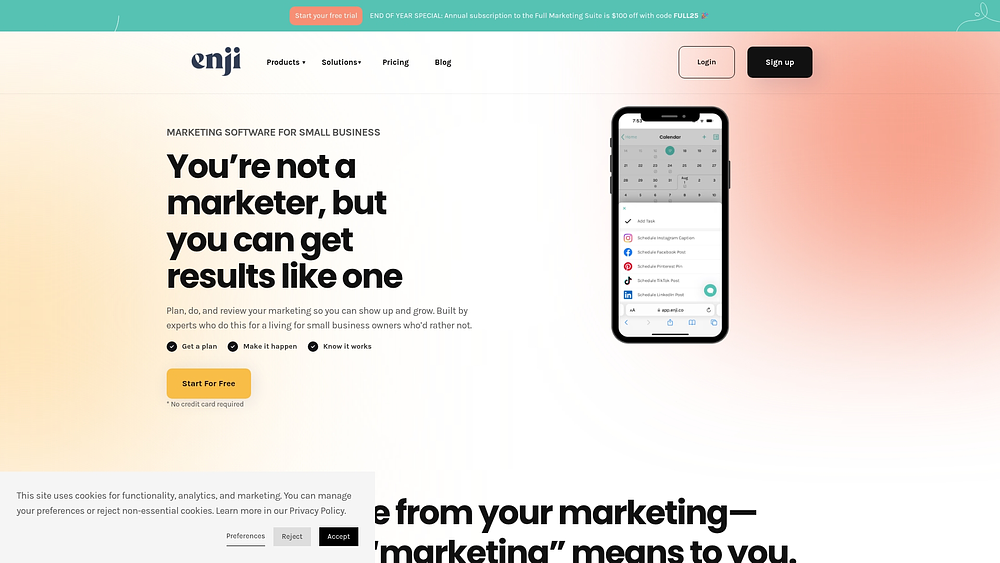
Enji is built for solopreneurs and small businesses, transforming a short assessment into a complete marketing strategy. It auto-generates recurring tasks and campaigns, guiding users through structured marketing execution without requiring deep expertise. This makes it ideal for those managing marketing independently.
Use case:
Small business owners use Enji to build strategies from scratch and automate recurring tasks while scheduling social campaigns.
Key features:
- Strategy-driven calendar: auto-generates recurring marketing tasks based on your business goals and preferred marketing days.
- Integrated social scheduler: plan and publish content across Facebook, Instagram, LinkedIn, TikTok, YouTube Shorts, and Pinterest from one calendar.
- AI brand voice copywriting: creates captions and blog content that matches your established brand voice and tone.
Pricing:
- Free social media scheduler: free forever (two platforms, eight scheduled posts/month, five AI captions/month).
- Social media only: $19/month or $189/year (unlimited scheduled posts, 25 AI captions/month, Canva integration).
- Full marketing suite: $29/month or $289/year (complete platform including strategy generator, calendar, AI copywriter, campaign templates, KPI dashboard, twice-monthly group coaching).
Considerations:
- No native mobile app; push notifications require web app installation.
- Multi-brand management may need separate accounts.
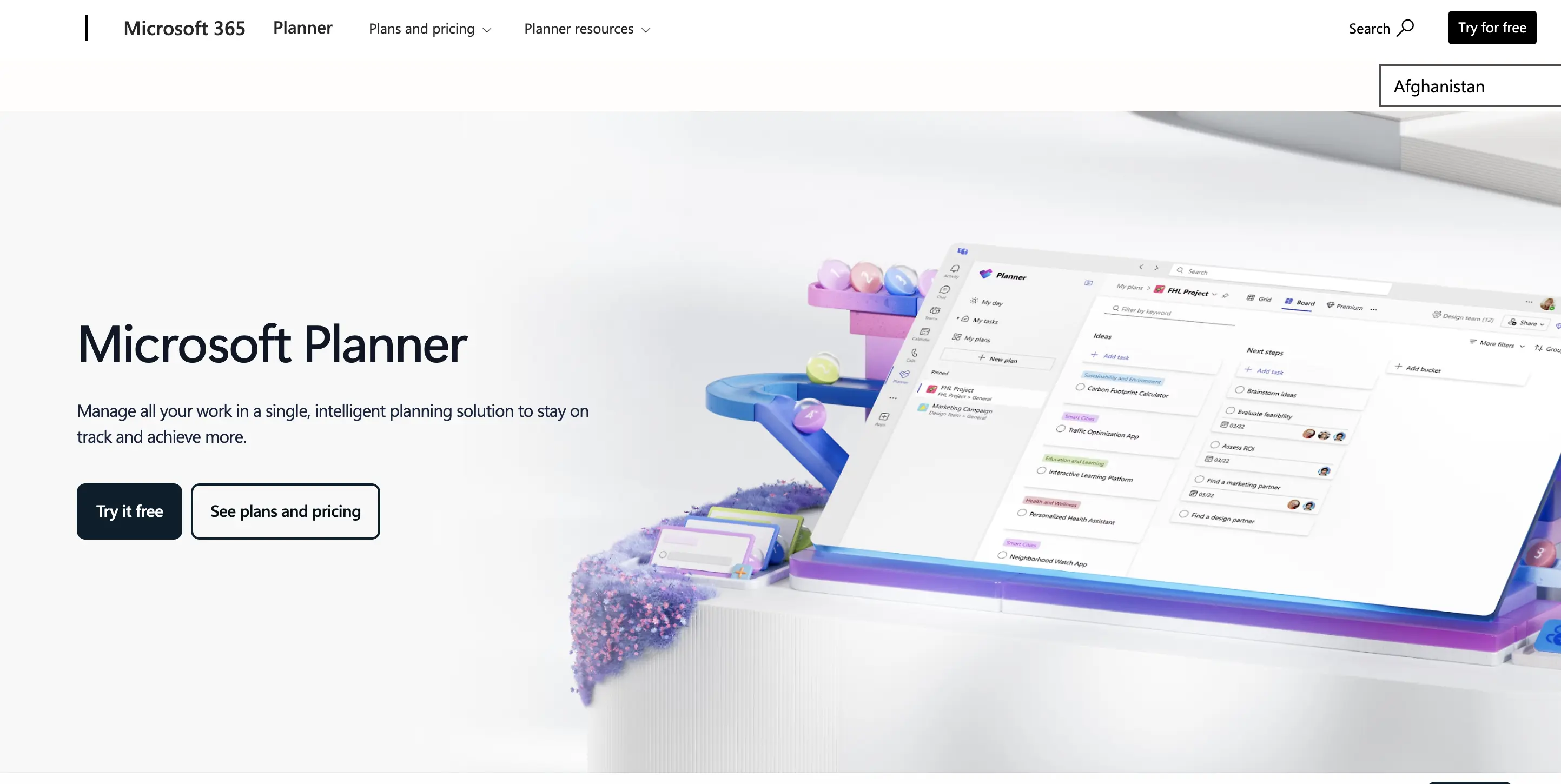
14. Microsoft Project
Microsoft Project delivers enterprise-grade project management within the Microsoft 365 ecosystem. It blends traditional scheduling with collaboration through Teams and SharePoint, making it strong for resource-heavy organizations. Marketing teams often need to adapt its general project features for campaign planning.
Use case:
Enterprises use Microsoft Project for structured project management, resource allocation, and secure integration across Microsoft 365 while handling complex campaign portfolios.
Key features:
- Advanced Gantt charts: detailed project scheduling with dependency management and critical path analysis for complex campaign timelines.
- Resource management: capacity planning and allocation across projects with real-time availability tracking.
- Microsoft ecosystem integration: native connections to Teams, Outlook, SharePoint, and Power Platform for unified collaboration.
Pricing:
- Planner in Microsoft 365: included in enterprise plans (basic calendar and task features).
- Planner Plan 1: $10/month per user (paid yearly), adds Timeline view, premium templates, reporting, and dependencies.
- Planner and Project Plan 3: $30/month per user (paid yearly), includes Copilot in Planner, advanced dependencies, and Project desktop client.
- Planner and Project Plan 5: $55/month per user (paid yearly), adds portfolio management and enterprise resource allocation.
- Annual commitment: required for all paid plans.
- Volume licensing: available for enterprise agreements.
Considerations:
- Lacks marketing-specific features like content approvals or performance tracking.
- Setup and administration are complex, which can overwhelm smaller teams.
15. MarketerPRO (Crosscap)
MarketerPRO serves enterprise retail organizations, connecting strategic marketing planning to in-store execution. It’s designed for omnichannel campaigns across thousands of locations, making it ideal for large-scale retail operations. Backed by Constellation Software, it powers major brands like Walmart, Sephora, and REI.
Use case:
Retail marketing teams centralize planning, execution, and compliance, gaining unified visibility across campaigns while linking to physical stores.
Key features:
- Extensible marketing plan hierarchy: intelligent campaign linking relates sub-campaigns to broader initiatives with user-defined attributes.
- Omni-channel coverage mapping: heatmap visualizations show campaign coverage across channels with embedded KPIs and year-over-year comparisons.
- Enterprise-scale collaboration: role-based permissions, bulk import capabilities, and public API integration support thousands of campaigns.
Pricing:
- Enterprise pricing: custom quotes based on team size and feature requirements.
- Sales engagement: contact sales to receive organization-specific pricing through a structured discovery process.
Considerations:
- Browser support is limited to Chrome.
- Few public reviews exist, making external validation challenging.
AI and automation transform marketing calendar management
Marketing teams often find themselves reacting to deadlines instead of shaping them. When dozens of campaigns move at once, dependencies blur, and small delays quietly snowball into missed launches. A calendar that simply lists dates is no longer enough. You need visibility, foresight, and control.
A strong marketing calendar does more than organize work, it helps you anticipate it. It highlights risks early, sharpens timing decisions, and gives you confidence before execution begins. When you shift from reacting to orchestrating, campaigns move with clarity instead of chaos.
AI brings that shift to life. Analyzing historical data and engagement patterns, it reduces manual coordination and speeds up smart decision-making. Instead of chasing updates, you gain a clear path from planning to launch.
Within monday work management, AI connects planning, execution, and optimization inside one shared workspace. Predictive insights and digital workers turn your calendar into an active driver of accountability and precision.
Capability 1: use predictive analytics to plan smarter
 Marketing budgets always carry uncertainty. Predictive analytics replaces guesswork with insight by evaluating past performance, market signals, and audience behavior before a campaign even launches.
This visibility changes how you plan. Instead of relying on assumptions, you can weigh tradeoffs, test timing scenarios, and align investments with likely outcomes. Decisions become deliberate, not reactive.
Key applications include:
- Optimal launch windows: identify high-impact timing based on seasonality, engagement cycles, and prior campaign results.
- High-risk campaign alerts: detect early warning signs tied to gaps in messaging, resources, or timing.
- Resource forecasting: estimate staffing needs accurately to avoid capacity strain during execution.
- Campaign adjustments: refine budgets, targeting, or timelines before performance drops.
Capability 2: optimize content and timing with AI
Audience behavior shifts constantly, and your calendar should keep pace. AI helps you adjust messaging and scheduling as engagement patterns evolve.
Rather than waiting for quarterly reviews, you can improve campaigns while they are live. Performance signals guide immediate refinements, keeping your efforts relevant and efficient.
Core optimization capabilities include:
- Content personalization: tailor creative and messaging to segments based on predicted engagement.
- A/B testing automation: test multiple variations at once and automatically scale what works best.
- Optimal posting times: identify when audiences are most active across regions and time zones.
- Audience segmentation: sharpen targeting with live engagement data to maintain relevance.
Capability 3: identify risks before they escalate
Protecting timelines and budgets requires early awareness. AI continuously monitors signals that teams might otherwise overlook until it is too late.
This ongoing oversight acts as an early alert mechanism. Instead of scrambling to fix problems, you address them before delivery is compromised.
Key risk detection capabilities include:
- Budget variance alerts: notify you when spending drifts from plan.
- Timeline conflict detection: surface overlapping launches and dependency clashes early.
- Resource overallocation warnings: highlight workload strain that could affect quality.
- Compliance risk checks: flag potential conflicts with brand or privacy standards.
Capability 4: expand capacity with digital workers
Digital workers take on repetitive analysis and monitoring, so your team can focus on strategy. These AI agents learn from your workflows and adapt to real campaign conditions.
Inside monday work management, the Campaign Manager digital worker supports marketing execution by keeping performance and risk visible at all times.
Key contributions include:
- Campaign health monitoring: track multi-channel performance in real time.
- Risk and opportunity alerts: surface actionable insights as conditions change.
- Optimization suggestions: recommend improvements based on live and historical data.
- Advanced analysis: translate complex performance data into stakeholder-ready summaries.

How monday work management powers AI-driven calendars?
Managing campaigns across channels can easily turn into endless status checks. A centralized calendar should reduce noise, not add to it. You need a space that highlights priorities, automates coordination, and keeps teams aligned.
monday work management focuses on practical execution. It converts unstructured inputs into organized workflows, minimizes manual updates, and keeps delivery predictable. AI capabilities are embedded directly into boards and automations, so intelligence lives where work happens.
By combining automations with AI Blocks, you manage the full campaign lifecycle while maintaining clarity for every stakeholder involved.
Feature 1: accelerate planning with AI
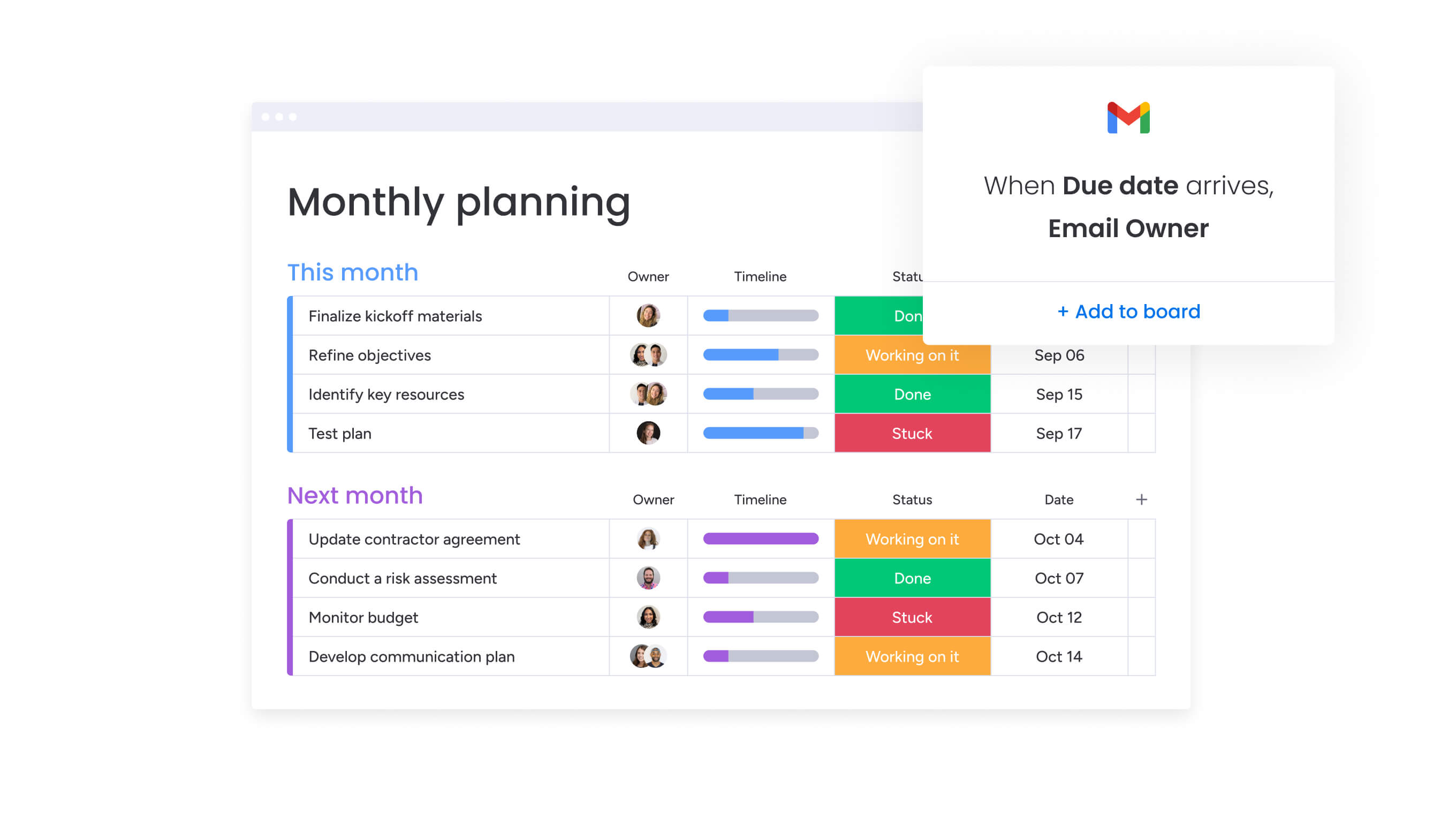 Early planning often demands speed without sacrificing structure. AI-assisted setup helps you move quickly while preserving accountability.
You can turn rough ideas into structured plans in minutes, ensuring alignment from day one.
- Instant project planning: generate structured plans with suggested phases and workflows.
- Organized request intake: categorize incoming requests by priority, region, or campaign type.
- Brief-to-board accuracy: extract key details from uploaded files and populate board fields automatically.
Feature 2: scale content operations with AI optimization
Content operations remain consistent even as markets shift. AI enables reuse, refinement, and localization without adding operational complexity.
Within monday work management, teams improve content efficiency through:
- Writing support: refine copy directly inside Text columns.
- Localization at scale: translate messaging without creating parallel workflows.
- Feedback signals: detect sentiment in feedback to identify friction and prioritize response.
Feature 3: monitor portfolio health with automated risk detection
As priorities shift, visibility across campaigns becomes essential. AI-driven monitoring ensures risks surface early and leadership stays informed.
Support includes:
- Portfolio-level risk scanning: flag delivery risks by severity across multiple projects.
- Always-on project oversight: monitor progress continuously and surface actionable insights.
- Executive-ready reporting: aggregate progress and trends across campaigns for leadership review.
Feature 4: automate routine tasks with digital workers
Ongoing performance monitoring should not require constant meetings. Digital workers operate continuously, handling analysis and surfacing updates automatically.
For marketing teams, the Campaign Manager digital worker supports:
- Campaign metrics tracking: centralize visibility across channels.
- Data-driven recommendations: highlight opportunities for improvement.
- Localization insights: identify where tailored messaging can increase impact.
monday work management elevates marketing calendar excellence
A modern marketing calendar connects daily execution to strategic priorities. It simplifies handoffs, clarifies ownership, and reduces friction between teams.
monday work management centralizes planning, intake, delivery, and reporting within one digital workspace. You coordinate campaigns, manage capacity, and maintain alignment without rebuilding workflows each quarter.
Shared visibility strengthens collaboration across marketing, legal, and sales while preserving governance and execution speed.
Benefit 1: orchestrate complete marketing operations
To connect execution with strategy, your calendar must serve as a single source of truth. monday work management supports coordination across projects, processes, and goals.
Key capabilities include:
- Campaign planning templates: launch initiatives quickly with structured starting points.
- Dependency tracking: surface blocked work and resolve it faster.
- Flexible stakeholder views: switch between Gantt, Workload, Kanban, and dashboards.
Benefit 2: automate campaign intelligence with AI Blocks
AI delivers real value when it is integrated into daily work. AI Blocks help you structure information and maintain clarity without added manual effort.
Common uses include:
- Categorize: organize campaigns and assets by region or priority.
- Extract data: pull structured information from documents and images.
- Summarize updates: convert detailed notes into concise stakeholder insights.
Benefit 3: balance enterprise security with marketing agility
Enterprise marketing requires strong governance without slowing execution. monday work management supports secure collaboration at scale.
Core strengths include:
- Granular permissions: control access for internal teams and external partners.
- Enterprise-grade security: align with strict compliance standards.
- AI-aligned permissions: ensure AI outputs respect existing access controls.
Benefit 4: connect scattered campaigns to a unified strategy
Centralized visibility improves decision-making from weekly planning to quarterly investment reviews. Execution and reporting live side by side in one workspace.
You gain:
- Unified dashboards: aggregate progress across programs.
- Optimized workloads: plan capacity accurately with workload views.
- Strategic alignment: link campaigns directly to goals and OKRs.
Gain operational control with a unified platform
Modern marketing teams operate across multiple channels, regions, and stakeholders, often juggling overlapping timelines, approvals, and shifting priorities. When planning, execution, and reporting live in disconnected systems, teams lose visibility, coordination slows, and leadership struggles to connect day-to-day work with strategic goals.
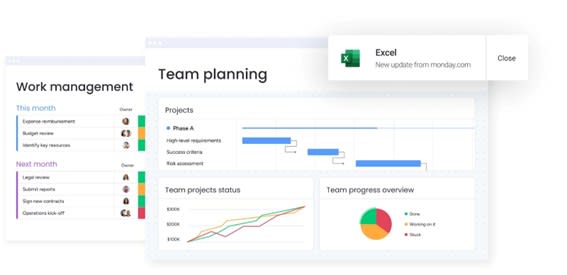
monday work management addresses these challenges by turning the marketing calendar into an operational system that connects planning, execution, and performance in one shared workspace.
- Centralized campaign orchestration: unifies timelines, dependencies, and ownership across channels, reducing execution gaps and last-minute fire drills.
- AI-powered planning and automation: uses AI Blocks, AI Automations, and digital workers to reduce manual coordination, surface risks early, and keep work moving without constant oversight.
- Cross-functional visibility: provides shared dashboards and real-time views that align marketing, creative, legal, and leadership around priorities and progress.
- Scalable governance and security: supports enterprise-grade permissions, compliance, and reporting without slowing campaign velocity.
- Direct alignment to business goals: links campaign activity to objectives and outcomes, enabling clearer measurement of impact and ROI.
By consolidating marketing calendars, workflows, and intelligence into a single platform, teams gain efficiency, alignment, and strategic clarity. The result is faster execution, stronger governance, and a marketing operation that scales without adding unnecessary complexity.
Try monday work managementFrequently asked questions
What is the difference between a marketing calendar and project management software?
The difference is that a marketing calendar is purpose-built for campaign scheduling and content workflows, while project management software handles broader processes across any department.
Can marketing calendar software handle multiple brands or clients?
Yes, it can handle multiple brands or clients by using separate workspaces and permission controls to keep information distinct while allowing for centralized oversight.
How long does it typically take to implement marketing calendar software?
Implementation time for marketing calendar software ranges from a few days to several weeks, depending on the platform's complexity and the level of workflow customization required.
What security features should I look for in marketing calendar software?
When looking for security features, prioritize data encryption, multi-level access controls, audit trails, and relevant compliance certifications to protect sensitive campaign information.
Do I need technical skills to set up marketing calendar software?
No, you do not typically need technical skills, as modern platforms are designed with no-code interfaces that allow business users to configure their own workflows.
How do integrated marketing calendar platforms handle performance tracking?
They handle performance tracking by connecting with analytics tools through native integrations and APIs to unify campaign data into a single view for reporting.
How does monday work management's AI differ from basic automation in other marketing calendar platforms?
monday work management's AI differs from basic automation because it adds AI Blocks and AI Automations, not only rule-based triggers. That means you can categorize incoming requests, summarize long updates, extract details from files, and translate content directly inside your workflows, and scale those actions through the Automation Center.
Can marketing calendar software integrate with our existing CRM and marketing automation platforms?
Yes, it can integrate with existing CRMs and marketing automation platforms through native connections and flexible APIs to create a unified marketing tech stack.

 Get started